What an AI underwear model generator does
An AI underwear model generator creates model-style product images for intimate apparel categories such as bras, panties, briefs, boxers, shapewear, bralettes, bodysuits and lingerie sets. It can help a brand move from a flat product photo or reference garment to an on-model visual for a product page, ad concept, marketplace listing or campaign draft.
The keyword sounds broad, but the commercial use case is specific: show the product clearly while using adult, authorized imagery. Underwear is a sensitive category because product detail, model consent, age verification and platform policy all matter. A good workflow should not turn into a non-consensual clothes remover or nudity generator. It should be a controlled product photography workflow.
For sellers, the goal is not fantasy imagery. The goal is a clearer catalog: front view, back view, fabric detail, colorway, waistband, cup structure, lace pattern and how the garment reads on a human body.
The same production need is often described as AI underwear model generator, AI lingerie model generator, bra model photo generator, panties product photography, boxer brief model images, shapewear model generator and intimate apparel product photography.
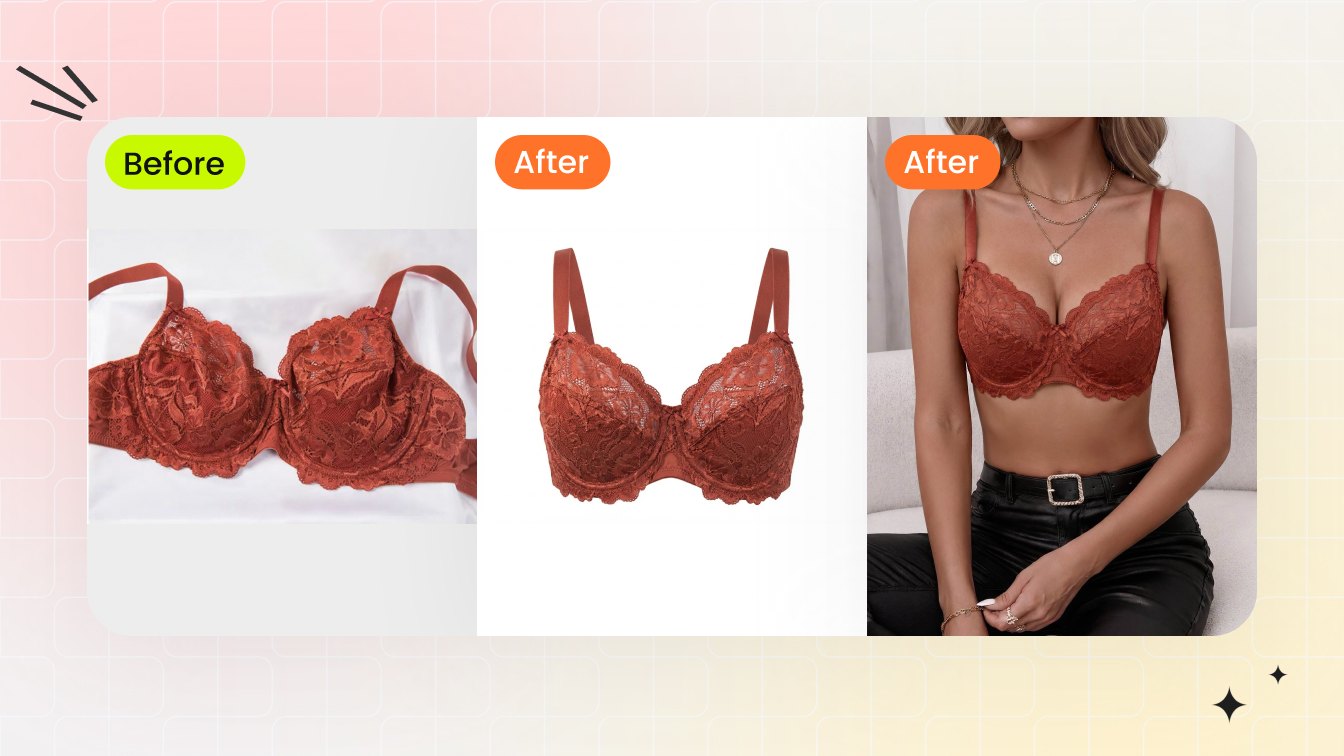
Start from product-led inputs, not random prompts
Underwear shoppers inspect small details. A generic prompt may produce a pretty image, but it can invent a different waistband, change the lace, move seams, alter cup construction or misrepresent support. Start with an actual garment reference whenever possible.
- Use clear product cutouts, flat-lays, ghost mannequin images or approved model photos.
- Separate product decisions from model decisions: first preserve the garment, then choose pose, body type and background.
- Use adult models only, and confirm permissions for commercial usage.
- Review output at PDP size and zoomed in for seams, labels, straps, lace and waistband logic.
When the garment is delicate, such as mesh, lace, satin, sheer overlays or elastic trims, a high-resolution reference image matters more than a long prompt.
Underwear product photo types worth generating
| Image type | Why it matters | Best for |
|---|---|---|
| Clean product image | Shows color, shape and construction without a model. | Main gallery support, marketplaces and colorway comparison. |
| Ghost mannequin | Gives cup, waistband or body shape without using a visible model. | Bras, shapewear, bodysuits and structure-heavy items. |
| On-model image | Helps shoppers understand scale, styling and wearing context. | Homepage, PDP secondary images, ads and lookbooks. |
| Detail crop | Shows fabric, lace, seams, hooks, straps and texture. | Premium lingerie, technical briefs and fit-focused products. |
A single underwear SKU often needs all four types. AI can accelerate the on-model and variant stages, but the base product image should remain accurate.
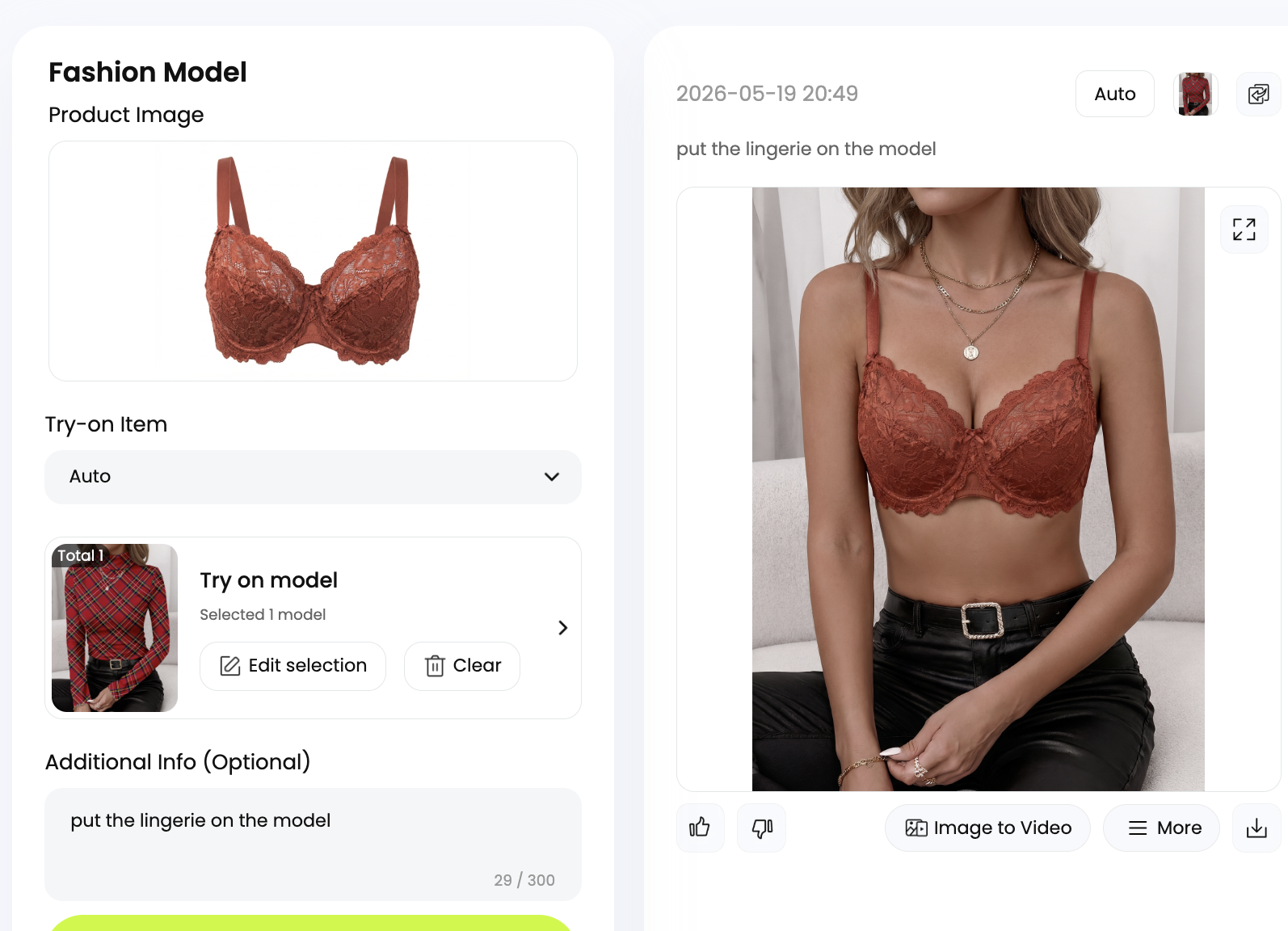
Quality checks for bras, briefs and lingerie sets
Underwear images fail when small details drift. Check bra cups for symmetry, straps for attachment points, bands for tension, lace for continuity, underwear waistbands for level alignment, and shapewear edges for believable pressure. If the garment becomes smoother, thinner, brighter or more revealing than the real product, the image can mislead shoppers.
Fabric
Mesh, lace, satin, cotton rib and microfiber should keep their recognizable texture.
Fit story
The image can suggest shape and styling, but it should not claim exact support or compression.
Policy
Use adult authorized models, avoid explicit framing and follow marketplace image rules.
For bras, pair the underwear generator with a clothed cup-size or bust-proportion preview only when the model has approved the edit and the image will remain non-explicit.
Workflow for ecommerce sellers and designers
Start with the SKU: front product photo, back product photo, close-up of material, and any fit notes from sampling. Generate one conservative on-model view before making creative variants. Once the product stays accurate, generate body type, skin tone, background and campaign mood variations.
- Upload the garment or approved adult model photo.
- Choose underwear, lingerie, bra or swimwear as the clothing direction.
- Add a reference image when product detail matters.
- Generate a neutral listing view before a lifestyle scene.
- Review every output against the actual SKU before publishing.
This workflow helps small teams create more PDP coverage without booking a new shoot for every colorway, size range or marketplace crop.
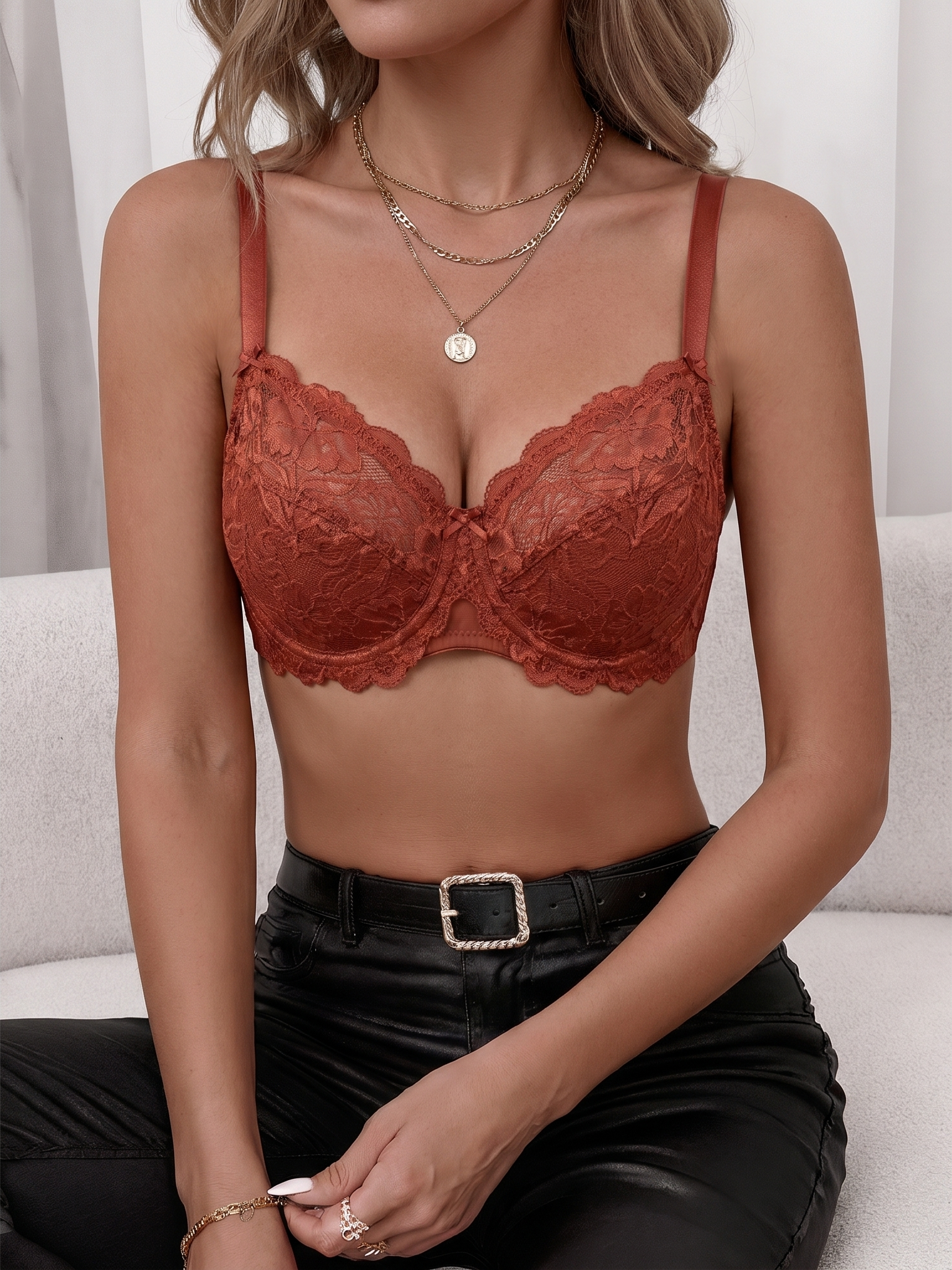
Where Snappyit fits
Use Snappyit AI Bikini Photo Editor for authorized underwear, lingerie, bra and bikini outfit edits. Use AI Lingerie when the goal is broader lingerie product photography. Use AI Breast Expansion only for approved clothed adult cup-size or bust-proportion previews.
Plan the underwear PDP gallery before generating
An underwear product page should answer several shopper questions in sequence. The first image confirms the product type and color. The second shows structure: cup, waistband, leg opening, rise, closure or shapewear panel. The third gives scale and styling on a model. Additional images show back view, close-up fabric, size range, packaging or outfit pairing. AI is most useful when it fills a specific missing slot instead of creating random attractive images.
For bras, prioritize cup and band logic. For panties and briefs, prioritize rise, leg opening and waistband. For shapewear, prioritize coverage and compression communication without exaggerating the effect. For boxers and trunks, prioritize length, pouch shape, waistband and fabric. For bodysuits, prioritize neckline, closure, torso length and back coverage. Each category has a different detail hierarchy, so the prompt and review checklist should change with the garment.
A good PDP gallery uses AI output beside product truth. Keep at least one clean product image that is not heavily stylized, then use on-model and lifestyle outputs as context.
Channel-specific underwear images for Shopify, marketplaces and ads
Shopify product pages can usually support a fuller story: clean product, on-model, detail crop, lifestyle and fit notes. Marketplaces may demand stricter crops, clearer backgrounds or less editorial styling. Social ads need immediate visual clarity at small size. Email and landing pages can use more campaign mood, but they should still avoid misleading fit or product exaggeration.
Before generating variants, decide where the image will live. A hero image for a homepage can be warmer and more editorial. A product detail page image should be more literal. A retargeting ad should quickly show the product category. A wholesale line sheet may need consistent lighting and background across every SKU. AI can support all of these, but not with one generic output.
Category-specific notes for underwear and intimate apparel
Different underwear categories need different image logic. Briefs, trunks and boxers need waistband, leg opening and pouch shape to stay consistent. Panties need rise, side width, back coverage and lace or elastic details. Shapewear needs compression zones, hem grip and coverage, but AI should not exaggerate slimming effects. Bralettes need fabric softness and strap placement. Bodysuits need torso length, neckline, snap closure and back shape. Matching lingerie sets need top and bottom scale to remain coherent.
Use these details inside the generation brief and the review checklist. A generic underwear model generator prompt may create a nice image but miss the product reason a customer is buying. If a waistband is the brand signature, the output must preserve it. If a mesh panel is the design feature, the AI should not smooth it away. If the product is seamless, the generated image should not invent seams.
This is also where designers and merchandisers can use AI before a full shoot. They can compare on-model mood, packaging, fabric direction, color story and body type coverage while still keeping real product development separate.
Rights and sensitive-category review for underwear photos
Underwear imagery needs a clearer approval trail than ordinary apparel. Use adult models only, document consent and confirm commercial rights before publication. If the source is synthetic, label or manage it according to your brand policy. If the source is an existing model shoot, confirm that the release allows AI editing, intimate apparel usage and the specific channels where the image will appear.
Review tone as well as product accuracy. A marketplace listing, a lingerie landing page and a creator campaign can have different styling standards, but none should rely on private or non-consensual imagery. Treat policy review as part of production, not a last-minute legal check.
Frequently asked questions
What is an AI underwear model generator?
It is a tool that creates model-style visuals for underwear products such as bras, panties, briefs, shapewear and lingerie sets from product references or authorized adult model images.
Can I use it for ecommerce product photos?
Yes, if you have rights to the garment, source image and adult model representation, and you review the result for product accuracy.
Does it replace a real photoshoot?
It can reduce extra shoots for variants and concepts, but final launch images should still be checked against the real product.
Can it create bra model photos?
Yes. For bra product photography, use clear references and inspect cups, straps, band, lace and support details.
Can it create underwear images from a flat-lay?
Yes, but the product photo should be clear enough for the AI to read shape, fabric and seams.
Is it allowed for intimate apparel?
Use adult-only authorized images and avoid non-consensual, explicit or misleading output. Marketplace rules may also apply.
What is better, ghost mannequin or on-model?
Use both when possible. Ghost mannequin shows product structure; on-model images show styling and scale.
Can designers use it before sampling?
Yes. Designers can preview silhouette, color and campaign direction before committing to a shoot or sample set.
How do I avoid misleading shoppers?
Compare every output to the real SKU and reject images that change lace, seams, support, fabric texture or coverage.
Which Snappyit tool should I use?
Start with AI Bikini Photo Editor for underwear outfit changes, AI Lingerie for lingerie product visuals and AI Breast Expansion for clothed adult bra proportion previews.
