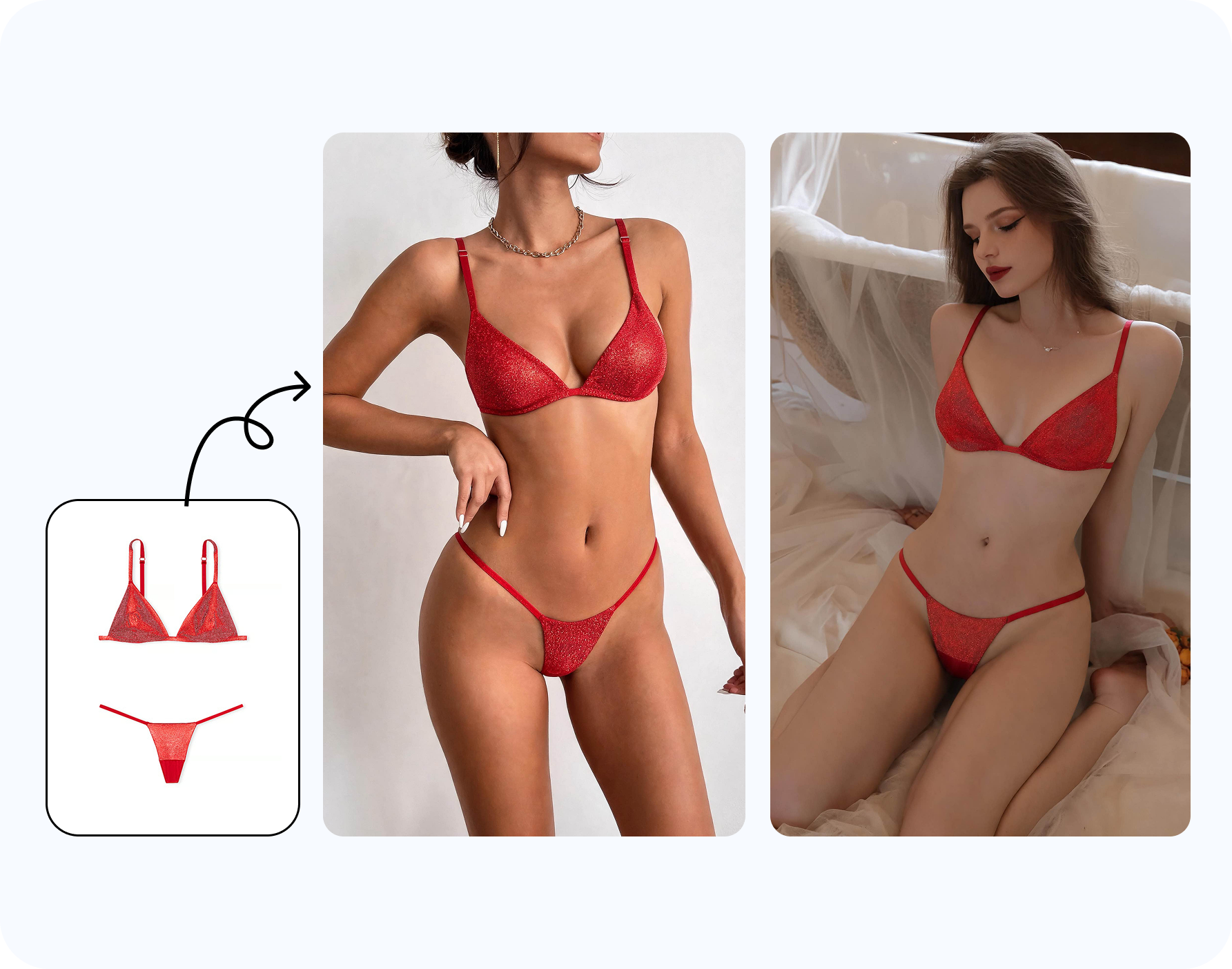
Choose the right model photo for AI outfit changer results
The source image matters more than the prompt. A model photo works well when the camera angle, lighting and pose can naturally support a bikini, one-piece swimsuit, lingerie set, underwear look or resortwear layer. The AI needs to understand where the current outfit sits, how the body turns, where shadows fall and which parts of the scene should stay unchanged.
For ecommerce, use an adult model image cleared for commercial editing. For fashion design, use an approved fit model, campaign image or synthetic model. For creator or personal use, use your own adult photo or an image you have explicit permission to edit. The goal is not to make a private image more revealing; the goal is to replace one visible garment direction with another visible garment direction.
Flat-lay and mannequin photos can be useful as reference garments, but they are not the correct input when the task is "put bikini on model." The model input should already show the person, pose and camera angle. The bikini reference can show the product.
Workflow: put a bikini on a model with AI
- Upload an authorized adult model photo. Avoid flat-lays, hanger shots and mannequin-only images as the model input. The AI needs a body pose and camera perspective.
- Select a clothing type or add a reference. Choose bikini, lingerie or underwear, or upload a bikini reference image when you need a specific silhouette.
- Generate the clothed outfit change. The goal is to change outfit to bikini, put swimwear on a model, or create a resort look while preserving pose and identity.
- Inspect the result. Check straps, waistbands, edges, hands, skin contact points, shadows, fabric prints and background consistency before publishing.
- Export only the images that pass review. Use the output for internal design review, ad mockups, PDP tests, creator briefs or personal planning after consent and quality checks are clear.
For a seller, the fastest path is often source photo first, garment reference second. Start with the approved adult model image that already has the best posture and light. Then use the bikini reference to guide the product shape. For a designer, the order may be different: start from the silhouette you want to test, then choose the model pose that can reveal the neckline, under-bust, strap angle and waistband height. For creators and personal users, the best order is usually concept first: beach outfit, pool portrait, resort balcony, cruise look or travel photo direction.
The workflow is strongest when the task is specific. "Put bikini on model" is enough to start, but a clearer direction helps: black triangle bikini, red bandeau bikini, floral high-waist bikini, white resortwear cover-up, lace lingerie set, sporty swim top, one-piece swimsuit, underwire bikini top or matching bra and underwear set. A precise garment category improves consistency, and a reference image improves product detail.
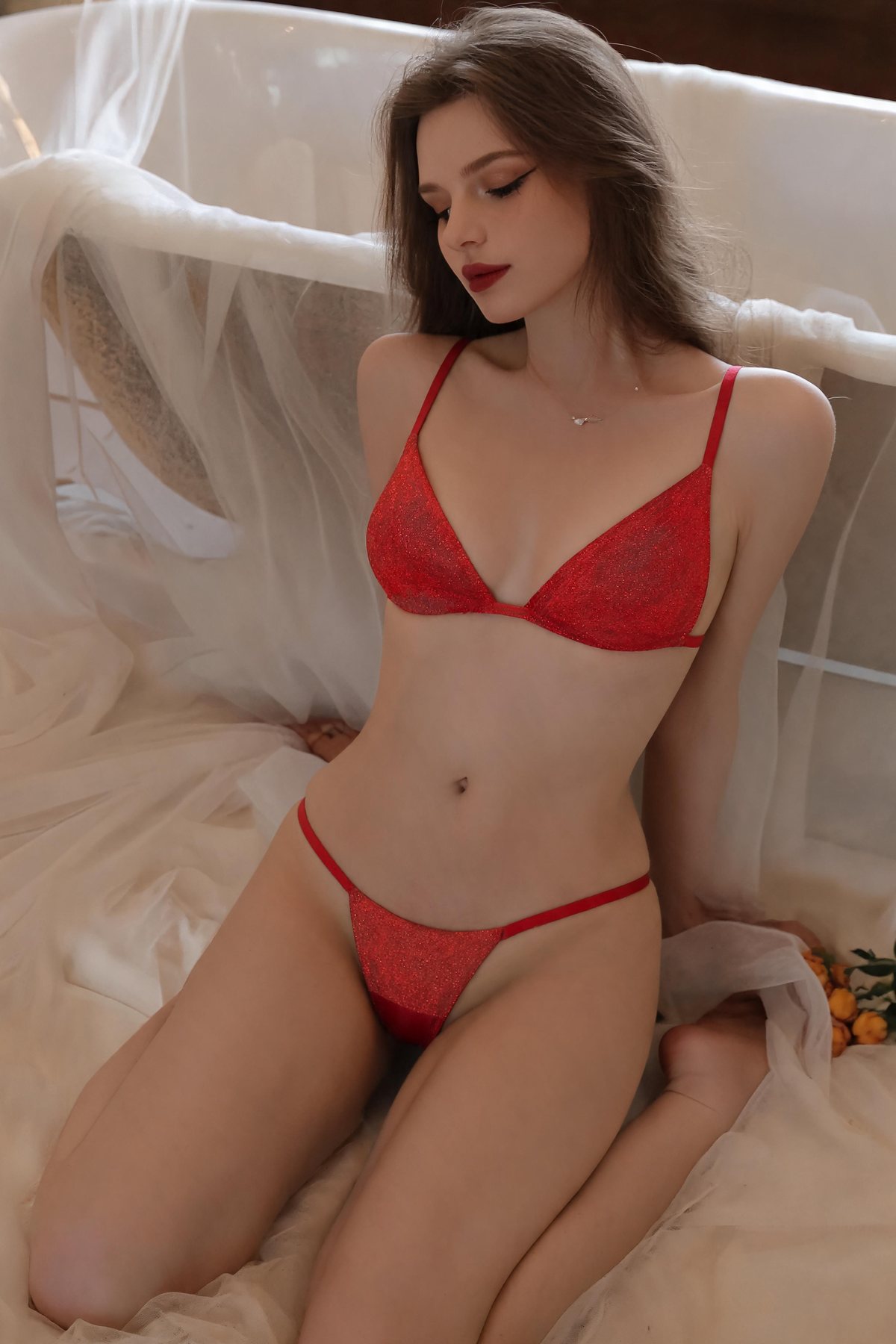
When to upload a bikini reference garment
A reference garment is the best option when the exact product matters. Sellers can use it for Shopify bikini photos, swimwear PDP images, TikTok Shop assets, Amazon secondary images, Meta ads and lookbook concepts. Designers can test cup coverage, strap geometry, cutouts, waistband height, color blocking, hardware, lace detail or cover-up layers before a sample. Creators can compare a beach outfit concept before a shoot.
Use a reference when
You need a specific bikini print, brand color, bra cup shape, waistband, trim, hardware, tie-side detail or one-piece silhouette.
Use a preset when
You only need a direction such as bikini, lingerie, underwear, resortwear, beach look or vacation outfit preview.
AI bikini model generator use cases
Fashion sellers use AI outfit changer workflows to create no-reshoot variations from approved model photos. A swimwear seller can test bikini, one-piece, tankini, cover-up and resortwear visuals before committing to a full campaign. A lingerie brand can turn a cleared model image into bra, underwear, bodysuit or sleepwear concepts for internal review.
Fashion designers use the same workflow to compare silhouette choices before sampling: halter versus bandeau, high-waist versus low-rise, lace trim versus clean edge, cutout versus full-coverage, or sarong versus shirt cover-up. The output is not a technical pattern, but it can make review meetings faster.
Creators and personal users use it to preview a beach photo direction, travel outfit, vacation look or creator brief. The boundary is the same: use your own adult photo or authorized model image, keep the output clothed, and avoid implying that someone else consented if they did not.
What users mean by AI outfit changer and clothes changer
Different users describe the same workflow in different words: put bikini on model, put swimwear on a model, change outfit to bikini, AI bikini model generator, AI outfit changer, AI clothes changer, bikini photo editor online, AI lingerie photo editor, bra editor, underwear model editor, resortwear photo editor and virtual bikini try-on. The safe production workflow is the same: replace a visible outfit area with another visible outfit on an authorized adult image.
For ecommerce, this language usually points to a commercial image gap: the product exists, but the team does not yet have enough model imagery for every color, size direction, ad concept or marketplace format. For design, it points to a decision gap: the team wants to see how a silhouette or coverage level reads on a person before committing to sample changes. For personal and creator use, it points to a confidence gap: the user wants to preview a beach, travel or lifestyle look before buying, pitching or posting.
Because these needs are close to higher-risk phrases like undress AI or remove clothes from photo, the page should stay precise. The product is a clothes changer and outfit changer for visible swimwear and lingerie edits, not a way to expose someone. If a source photo needs cleanup first, route that user to AI Clothes Remover; if the user needs a bust-proportion preview for a bra or bikini top concept, route them to AI Breast Expansion.
Plan bikini model images by channel
The same AI bikini edit should not be used blindly across every channel. A Shopify product page needs clean garment detail, accurate color and enough image resolution for zoom. An Etsy listing may need a simpler crop that reads well in search results. A TikTok Shop image needs a strong first impression on mobile. A Meta ad needs contrast, readable styling and policy-safe presentation. A creator brief needs enough visual information for a human creator to understand pose, styling and brand mood.
For internal design review, save more variations than you would publish. One model photo can support tests for triangle bikini, bandeau bikini, underwire top, one-piece swimsuit, high-waist bottom, lace lingerie, bra-and-underwear set, sheer cover-up, sarong, resort shirt and beach dress. For public use, narrow the set to the strongest, most accurate and most rights-cleared images. A smaller set of reviewed images beats a large set of unstable generations.
If the edit will be used in paid or public channels, create a review checklist before generating at scale. Decide which images are for internal concepting, which are for product-page testing, and which are eligible for final publishing. Internal images can be rougher because they help the team choose a direction. Public images need stronger product accuracy, model consent, platform compliance and visual consistency. This distinction keeps AI clothes changer workflows useful without treating every draft as a finished campaign asset.
For personal and creator use, channel planning still matters. A private virtual bikini try-on can stay in a folder for shopping decisions. A creator concept may need brand review before posting. A travel photo preview may be useful for packing but not strong enough for public content. The tool helps create options; the user still decides what deserves to be shared.
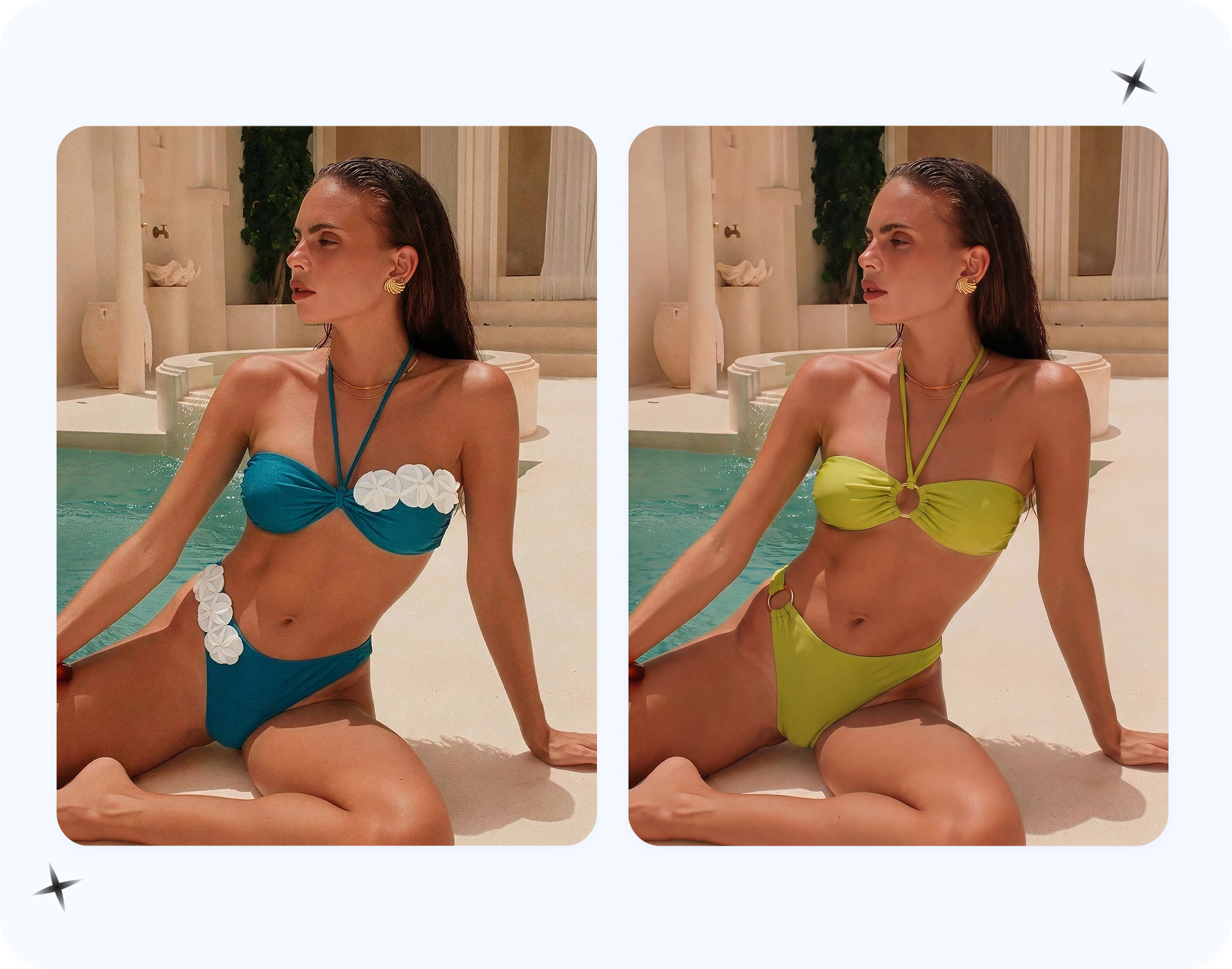
Quality checklist before publishing bikini model images
- The bikini or lingerie set follows the model's original body angle.
- Straps and waistbands do not float, melt, twist through fingers or disappear behind hair.
- Skin tone, shadows and highlights match the original lighting.
- Fabric print, lace, logos, rings, bows and trim remain coherent at listing size.
- The background does not warp around the edited clothing area.
- The final image is clothed, consent-first and not misleading about a real person's identity or permission.
Use Snappyit AI Bikini Photo Editor
Snappyit AI Bikini Photo Editor is built for this exact workflow: upload an adult model photo, choose bikini, lingerie or underwear, or add a reference garment. If the model image needs cleanup before the outfit change, use AI Clothes Remover first. If the campaign needs a clothed bust-proportion direction for bra or bikini top concepts, use AI Breast Expansion only with permission.
FAQ
Can AI put a bikini on a model photo?
Yes. Use an adult model image you own or have permission to edit, then choose bikini, lingerie or underwear, or upload a reference garment. The output should stay clothed.
What input image should I use?
Use a clear adult model photo with visible pose, simple lighting and enough body area for the new swimsuit to fit naturally.
Can I upload the exact bikini I want?
Yes. A reference garment helps guide color, print, strap width, cup shape, waistband, hardware and product direction.
Is this an AI clothes changer or outfit changer?
Yes. In practical SEO language, this is an AI clothes changer or AI outfit changer for authorized adult fashion images.
Can sellers use this for ecommerce images?
Yes, if image rights and adult model consent are clear. Review outputs before using them on Shopify, Etsy, TikTok Shop, ads or lookbooks.
Can fashion designers use it before sampling?
Yes. Designers can test strap placement, cup coverage, cutouts, color blocking and resortwear layers before sampling or shooting.
Can creators use it for beach content?
Yes, if they use their own adult images or authorized model images and keep the final image clothed and publishable.
Is this the same as undress AI?
No. This workflow replaces a visible outfit with another visible outfit. It is not for nudity, minors, private photos or non-consensual edits.
Can I use flat-lay or mannequin photos?
Not as the model input. Use a model photo for this workflow. Flat-lay and mannequin photos can be garment references or separate product-photo workflows.
Which Snappyit tool should I open?
Use Snappyit AI Bikini Photo Editor for bikini, lingerie and underwear outfit changes on authorized adult model photos.
