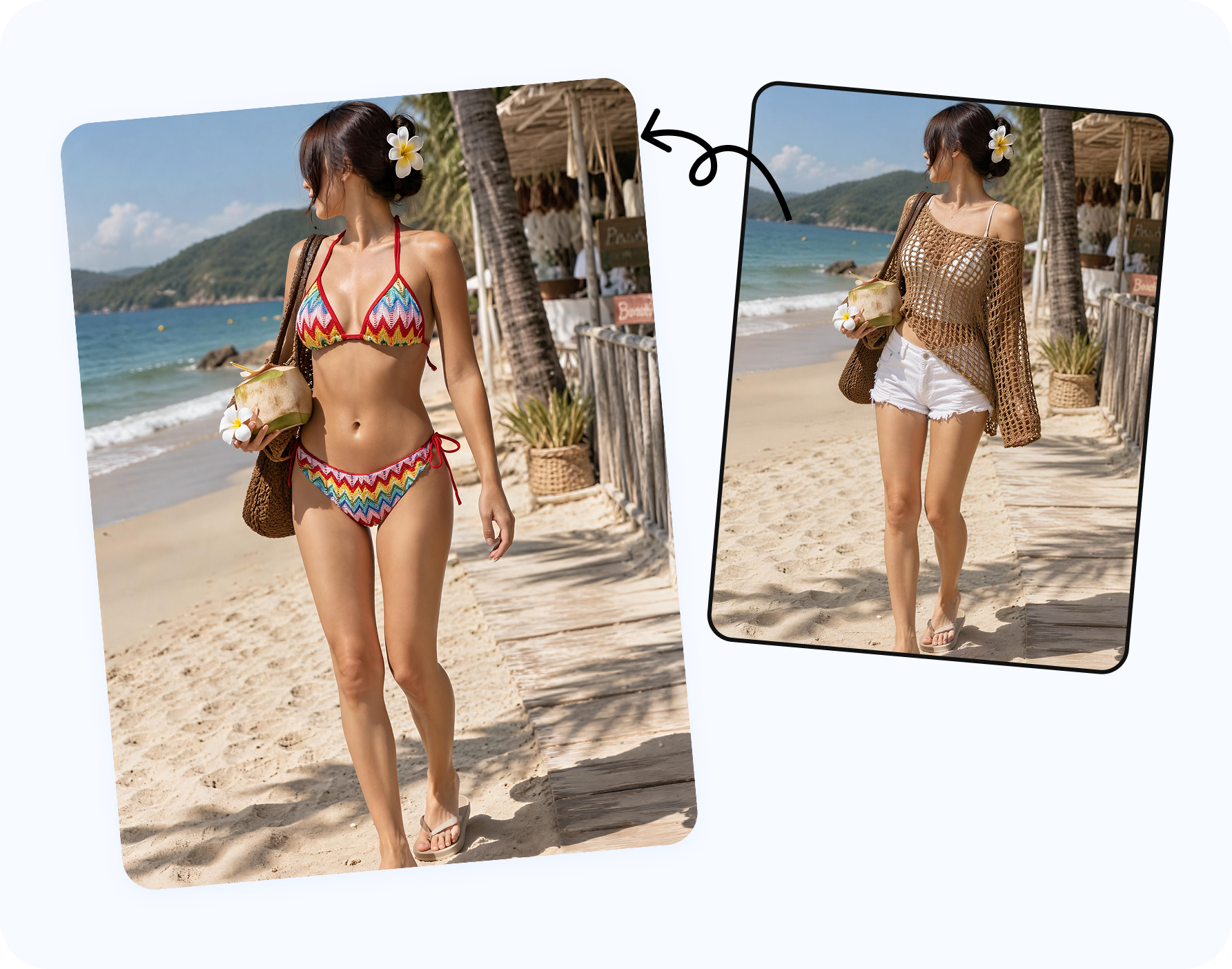
What AI bikini try-on online is for
People search for AI bikini try-on, see myself in a bikini, swimsuit try on online, virtual bikini try-on and beach outfit try-on because buying swimwear online is hard. Product pages can show a garment on a model, but they do not answer whether the color, neckline, strap width, waist height, cup coverage or overall mood works for your own taste.
A useful AI bikini photo editor gives you a styling draft. It can help compare a black bikini, floral bikini, triangle bikini, one-piece swimsuit, tankini, rashguard, sarong, cover-up or resortwear layer on an authorized adult image. That preview can narrow a shopping cart, guide a travel outfit plan, help a creator prepare a beach shoot, or give a designer a quick visual check before sampling.
It should not be framed as a body judgment tool or a size guarantee. Swimwear fit still depends on fabric stretch, real measurements, cup construction, torso length, return policy and personal comfort. AI try-on answers a different question: does this style direction look worth trying in real life?
The most useful outcome is a visual comparison, not a promise. You may discover that a high-waist bikini feels closer to your travel style than a low-rise bottom, that a halter top suits the pose better than a bandeau, or that a one-piece swimsuit works better for a resort dinner photo than a two-piece beach look. Those decisions are hard to make from a product thumbnail alone. An AI swimsuit try-on gives you enough context to decide what to buy, pack, return, brief to a creator, or test again with a different reference garment.
For shoppers, this is a private planning tool. For creators, it is a pre-production tool. For small brands, it can support concept boards before a real shoot. For designers, it can show whether a bikini top, bra-inspired swimsuit, cutout one-piece or cover-up direction works on a model pose before sampling. The common thread is that the source image is controlled, adult and permission-first, and the final output remains a visible outfit edit.
Virtual bikini try-on use cases for shopping, travel and creators
Before a trip
Plan a vacation outfit, beach photo idea, poolside look, cruise wardrobe, spa day outfit or resortwear direction before packing.
Before buying
Use swimsuit try-on online to compare color, coverage, straps, neckline and whether a bikini or one-piece matches your style.
Before a shoot
Creators can preview a clothed bikini look, cover-up, beach thumbnail, travel portrait concept or sponsored content idea.
The same workflow can also support small fashion brands and designers, but this article focuses on personal and creator intent. For sellers, the related workflow is closer to putting a bikini on a model photo with AI for campaign, product-page and ad planning.
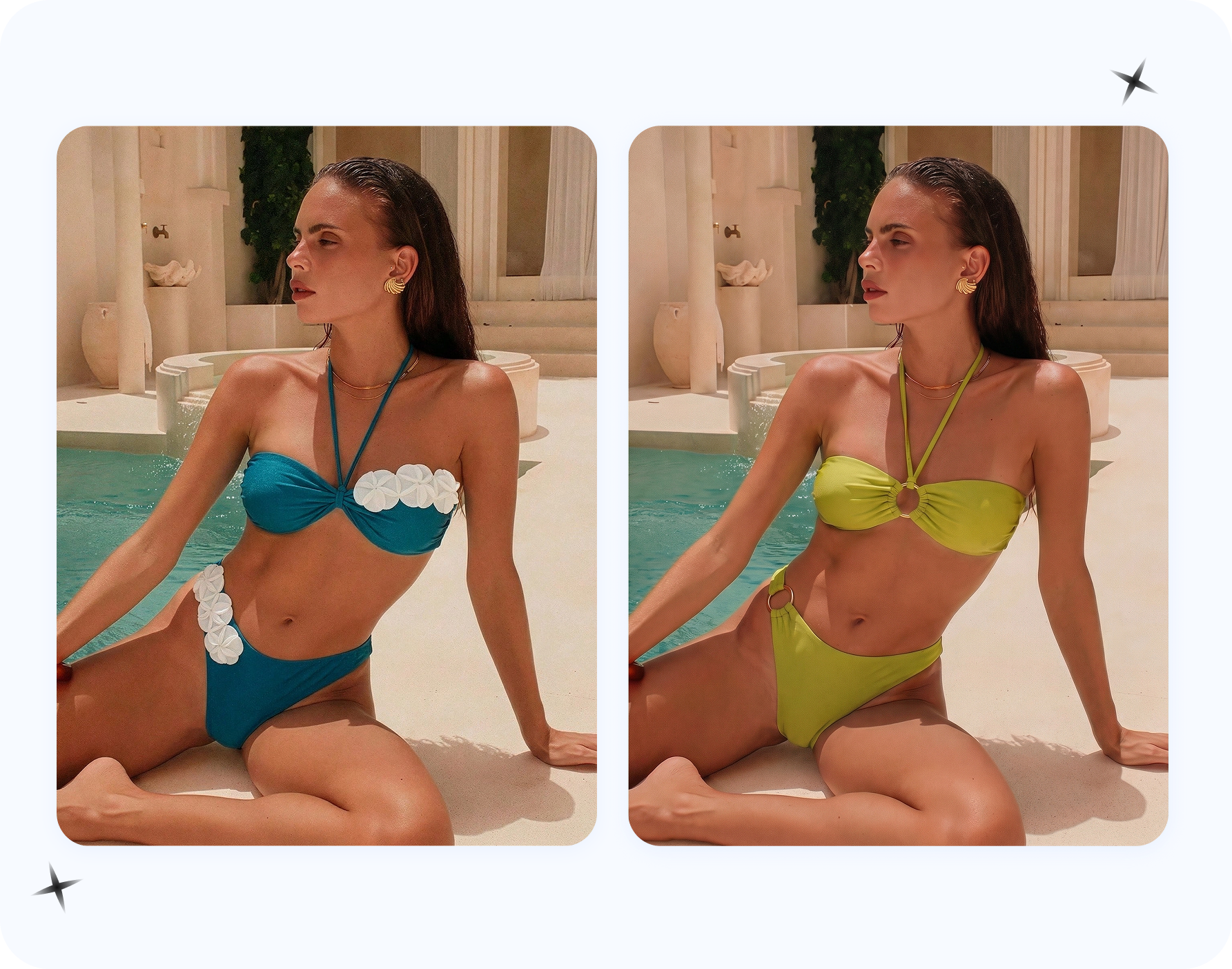
How to try a bikini on your own photo with AI
- Choose an adult image you control. Use your own photo, a synthetic model, or an adult model image with permission. A clear full-body, three-quarter or upper-body portrait usually works better than a cropped mirror selfie.
- Decide the outfit direction. Pick bikini, swimwear, lingerie, underwear or a resort layer, or upload a reference garment when you want a specific print, cup shape, strap width or waistband height.
- Generate a clothed preview. The output should show a visible swimsuit or beach outfit, not nudity. The pose, face, hair, background and lighting should stay coherent.
- Inspect the result. Check straps, hands, hair overlap, shadows, fabric texture, waistbands and whether the swimsuit follows the original body angle naturally.
- Use it responsibly. Keep private try-ons private unless you are comfortable sharing them. Never run another person's photo through the workflow without permission.
Best photos for AI bikini try-on results
The best source image is not necessarily the prettiest selfie. It is the image where the AI can read pose, clothing boundary, lighting direction and camera distance. Avoid heavy blur, crossed arms, large bags, oversized jackets, extreme shadows, cropped limbs, low-resolution screenshots and filters that distort body lines.
For color decisions, start with neutral light. For silhouette decisions, use a photo where the torso and hips are visible. For a travel look, choose an image with a similar scene: beach, hotel pool, resort balcony, cruise deck, spa, outdoor shower, garden, sunny street or vacation mirror. If the source photo is indoors but the desired output is a tropical beach, expect more style drift.
Reference garments matter when the garment itself matters. A bikini reference can guide cup shape, tie-side details, halter straps, bandeau construction, high-waist bottoms, fabric print, logo position or resortwear layering. Without a reference, the tool is better for moodboard-style exploration than product-specific preview.
If your goal is "see myself in a bikini before buying," use the same type of photo you would use to evaluate an outfit in a mirror: enough body context, natural posture and lighting that does not hide the silhouette. If your goal is a beach content idea, use a photo with a matching camera distance. A tight portrait can work for a bikini top, bra or resortwear neckline, but it will not tell you much about full swimwear styling. A full-body image can compare bikini bottoms, sarongs, cover-ups, sandals and pose more clearly.
When the first result looks close but not ready, adjust the task instead of chasing random generations. Change the garment reference, switch from bikini to one-piece swimsuit, ask for a cover-up layer, or use a cleaner source image. A more specific reference usually improves product shape, while a cleaner source photo usually improves hands, waistline, straps and fabric boundaries.
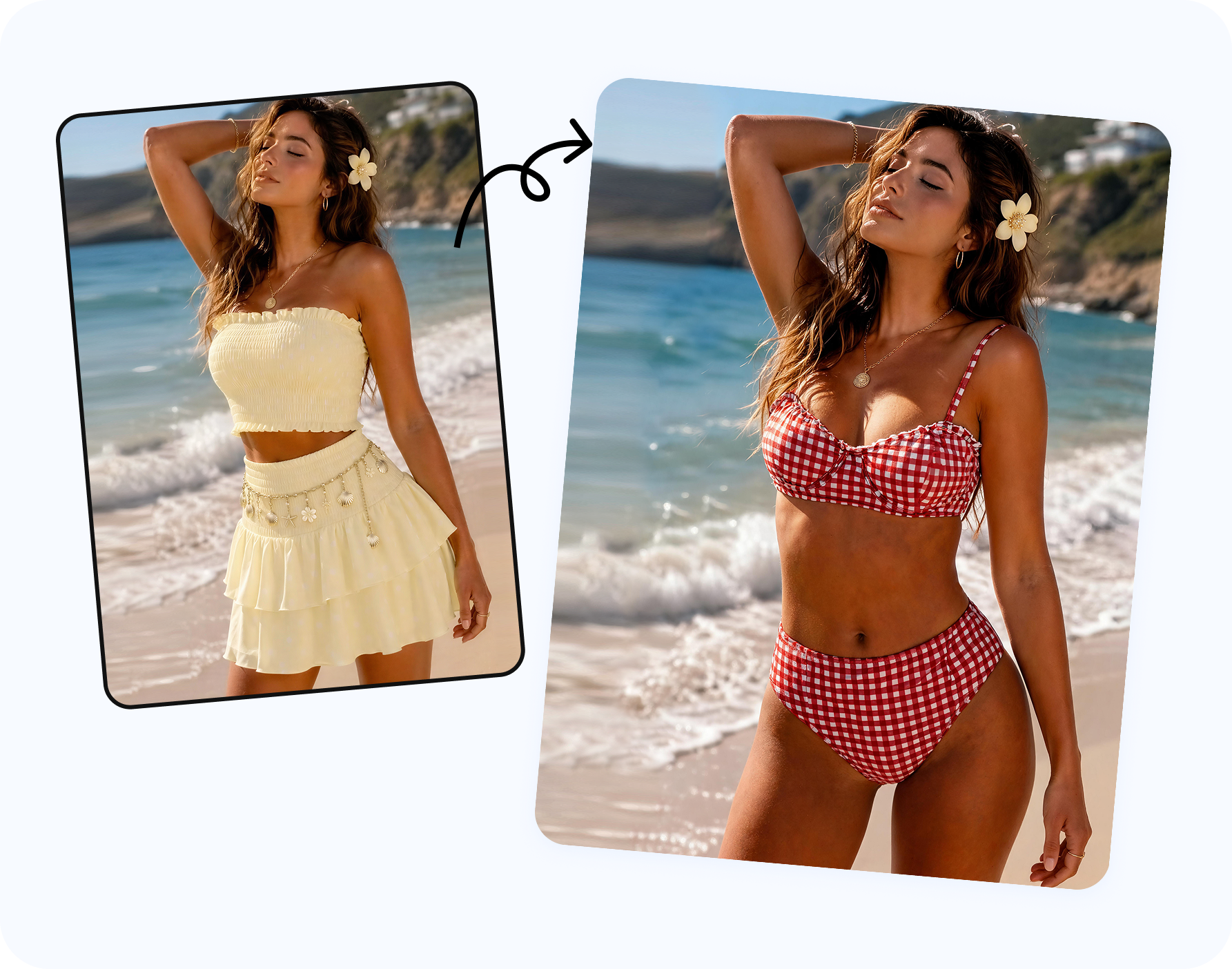
How to compare bikini and swimsuit styles
Start with broad style families before small details. A triangle bikini, bandeau bikini, underwire bikini, high-waist bikini, one-piece swimsuit and tankini communicate different body lines and different travel moods. Once the broad direction feels right, compare smaller details such as black versus bright color, solid fabric versus floral print, thin straps versus thick straps, high leg versus modest coverage, or sarong versus open shirt cover-up.
For personal shopping, write down what you are testing: coverage, confidence, color, vacation mood or compatibility with items you already own. For creator planning, test the thumbnail first. Does the look read clearly at phone size? Does the color separate from the background? Does the outfit fit the brand brief? For designers and small sellers, use the preview as a way to decide which product reference, model pose or campaign location deserves the next production step.
AI bikini try-on works best when it is part of a decision process. It can help you reduce ten cart options to three, decide whether a bikini top needs more support, preview a pool-day look before a trip, or prepare a visual brief for a beach shoot. It should not replace trying on the real garment, checking the size chart, or reviewing return policies, but it can make those decisions less blind.
AI bikini try-on quality checklist
- The bikini or swimsuit follows the original shoulder, waist and hip angle.
- Straps do not float, disappear into hair, cut through fingers or attach to the wrong point.
- Shadows and highlights match the original light direction.
- Prints, seams, trim, rings, bows and lace remain coherent at normal viewing size.
- The image stays clothed and does not imply that another person consented if they did not.
- The result is treated as a style reference, not proof of exact real-world fit.
Consent and safety boundaries for bikini try-on
Do not use AI bikini try-on as an undress AI, nudify AI, clothes remover for private photos, deepfake nude generator or way to sexualize someone without consent. Do not upload images from Instagram, TikTok, dating apps, private chats, school photos, workplace profiles or celebrity posts. The safer search intent is AI outfit changer, bikini photo editor online, swimsuit try-on online, beach outfit editor and virtual bikini try-on: visible clothing changes on images you control.
Where Snappyit AI Bikini Photo Editor fits
Use Snappyit AI Bikini Photo Editor when you want to upload an authorized adult model photo, choose bikini, lingerie or underwear, or add a reference garment. Use AI Clothes Remover only when the source image needs clothing-area cleanup before an outfit change. Use AI Breast Expansion only for clothed adult bust-proportion preview with permission.
FAQ
Can I use AI to see myself in a bikini?
Yes. Use your own adult image, a synthetic model, or an adult model photo you have permission to edit. Keep the result clothed and consent-first.
What is the best photo for AI bikini try-on?
Use a clear adult portrait with visible pose, simple lighting and limited occlusion. Full-body and three-quarter images usually work better than cropped mirror selfies.
Is AI bikini try-on accurate for size?
No. It is a visual style preview, not a sizing guarantee. Use it to compare color, mood, coverage and style direction before buying.
Can I use it before a beach vacation?
Yes. It works well for vacation outfit planning, cruise packing, pool looks, resortwear ideas and travel photo concepts.
Can creators use it for content planning?
Yes, if they use images they control and review the output before posting, pitching or sending a concept to a brand partner.
Is this the same as undress AI?
No. This is a visible outfit-change workflow for authorized adult images. It should not be used for nudity, deepfake nude images or non-consensual edits.
Can I upload a bikini reference image?
Yes. A reference garment helps guide print, strap width, cup shape, waistband height, color and overall swimsuit style.
Can I try lingerie or underwear looks too?
Yes, use AI Bikini Photo Editor for bikini, lingerie and underwear outfit previews on authorized adult photos.
Can I use the result commercially?
Only if you have rights to the source image, the model is an adult, the model has consented, and your license allows commercial use.
Which Snappyit tool should I use first?
Start with AI Bikini Photo Editor. Use AI Clothes Remover only when the source photo needs cleanup before the outfit edit.
