What AI Fashion Show Videos Are and Why They Matter
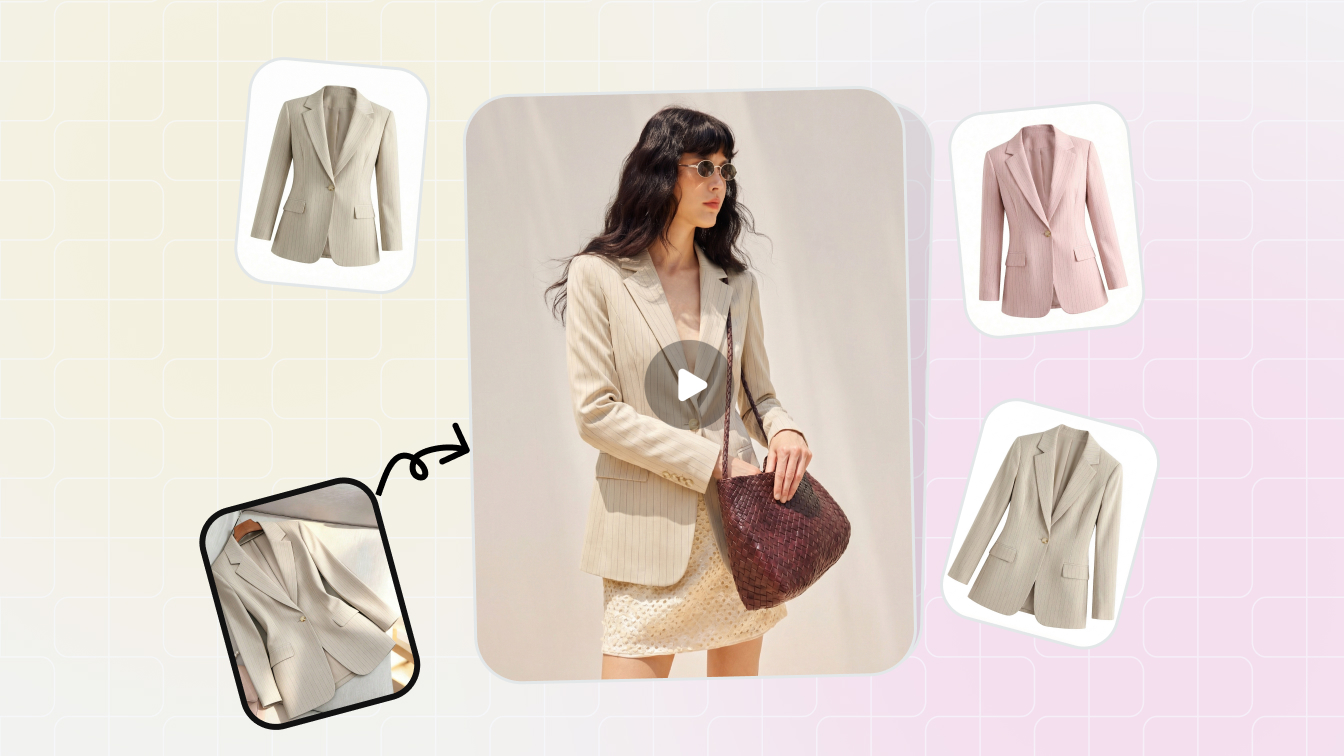
Imagine turning a single product photo into a full runway walk, complete with flowing fabric, confident strides, and dramatic lighting. No model agency. No studio rental. No six-figure production budget. That is exactly what an AI fashion show video delivers.
What Is an AI Fashion Show Video
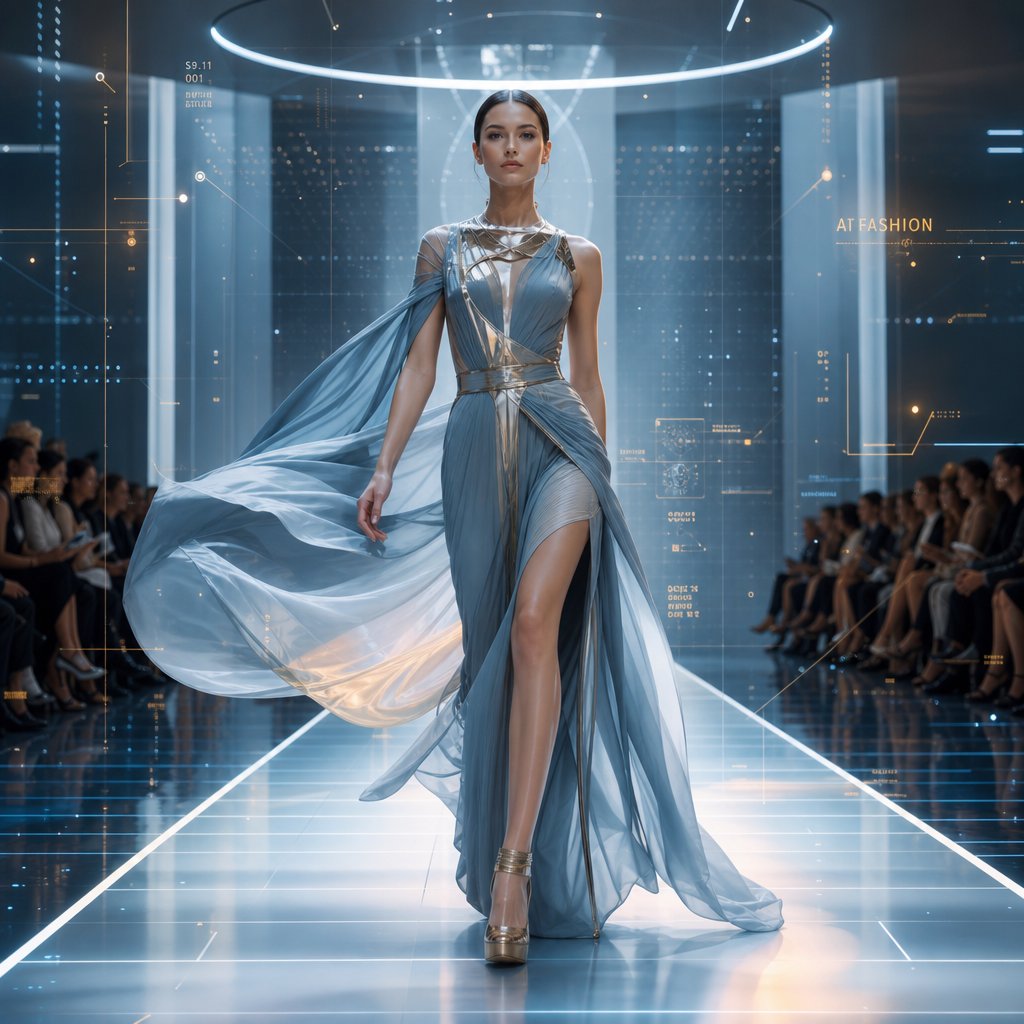
An AI fashion show video is AI-generated video content that simulates runway walks, model movements, and fashion presentations using static images or text prompts as input, eliminating the need for physical models, venues, or traditional video production.
At its core, this technology takes a still photograph of a garment and synthesizes realistic motion around it. The AI predicts how fabric drapes during movement, how a model's body shifts through a walking gait, and how camera angles should track the action. The result is a fashion video that closely mimics what you would see at Paris or Milan fashion week, produced in minutes rather than months.
These clips range from short social media loops to full-length virtual runway compilations. Some creators start with nothing more than a text description and let the AI generate the entire scene from scratch.
Why AI-Generated Runway Content Is Gaining Traction
The fashion industry is under relentless pressure to produce visual content at scale. Fashion Week Online reports that brands now face demands for endless short-form videos across TikTok, Instagram Reels, and e-commerce listings, far outpacing what traditional shoots can deliver. Digital fashion events and metaverse experiences grew by over 38% year-over-year in 2025, with brands allocating increasing budgets toward virtual production.
Three forces drive this shift:
- Cost reduction - AI-generated visuals cut cost-per-product visualization by over 50% compared to live model shoots.
- Speed - Content that once required weeks of planning, shooting, and editing now takes hours.
- Creative flexibility - Designers can prototype how a garment looks in motion before producing a single physical sample, shortening design-to-market timelines significantly.
Fashion brands, e-commerce operators, independent designers, and content creators all use these tools. A direct-to-consumer label might generate runway-style clips for product pages. A designer might visualize an unreleased collection. A social media manager might produce scroll-stopping fashion video content daily without booking a single shoot.
This guide covers the full landscape: the technology powering these videos, the platforms available, step-by-step workflows, prompt engineering techniques, known limitations, and real-world applications. Whether you are exploring the concept for the first time or ready to integrate it into your production pipeline, every layer of the process gets unpacked ahead.
How AI Turns a Static Photo Into a Runway Walk
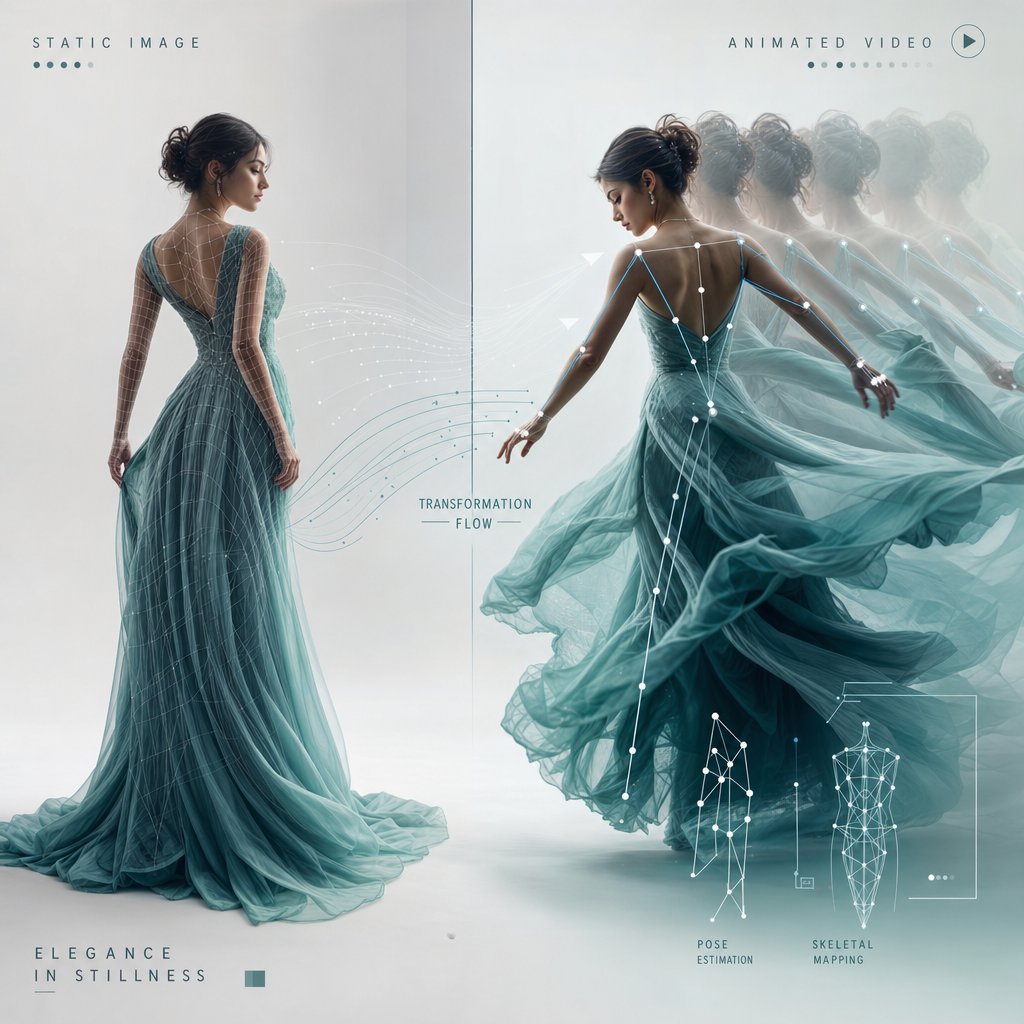
A still image contains no movement. No stride, no fabric sway, no camera pan. So how does a single photograph become a fluid runway sequence? The answer sits inside a technical pipeline that breaks the problem into smaller, solvable stages, each handled by specialized AI components working in concert.
How Image-to-Video AI Models Generate Motion
When you upload a photo to an AI fashion video generator, the system does not simply animate pixels at random. It interprets the image the way a film director might study a still from a lookbook, identifying the subject, the garment, the pose, and the spatial relationships between them. From there, it predicts what realistic motion should look like given those visual cues.
Most modern systems rely on diffusion models, a class of generative AI that works by reversing a noise process. Imagine taking a clear video and gradually adding static until it becomes pure visual noise. Diffusion models learn to run that process backward. They start with random noise and progressively remove it, guided by your input image and any text prompt you provide, until coherent video frames emerge.
Think of it like a sculptor chipping away marble. Each denoising step removes a layer of randomness, revealing the motion sequence underneath. A paired language model interprets your prompt and steers the diffusion process toward outputs that match your description, whether that is a slow catwalk stride or an energetic editorial spin.
These models operate in what researchers call latent space, working with compressed mathematical representations of frames rather than raw pixels. This makes generation dramatically faster. What once required minutes of rendering per frame now takes seconds for an entire clip.
The Role of Fabric Physics and Pose Estimation
Generating believable fashion content demands more than generic motion. Two elements separate a convincing runway clip from an obvious fake: how the body moves and how the clothing responds.
Pose estimation is the system's ability to detect the human figure's skeletal structure within the input image. It maps joint positions, limb angles, and body proportions. This skeleton becomes the armature around which all motion is built. Research from NVIDIA and the University of Toronto has shown that physics-based constraints can refine these pose estimates, reducing artifacts like foot sliding and unnatural joint rotations that would otherwise break the illusion of a real walk.
Fabric physics simulation handles how clothing behaves during movement. A silk gown drapes differently than a structured blazer. The AI models these differences by predicting how material weight, stiffness, and texture interact with the body's motion. Flowing hemlines, sleeve movement, and collar bounce all get synthesized based on learned patterns from training data containing thousands of real garment movements.
You will notice that heavier, more structured garments tend to render more reliably than sheer or layered fabrics. The statistics fundamentals behind this are straightforward: the model has seen more training examples of predictable fabric behavior than chaotic, multi-layer interactions.
From Single Frame to Full Runway Sequence
The complete pipeline follows a specific order. Each stage feeds into the next, building complexity layer by layer:
- Input image analysis - The AI identifies key features in your photo: the human subject, garment boundaries, depth relationships, background elements, and lighting direction.
- Pose estimation - The system maps the body's skeletal structure, detecting joint positions and limb angles to establish a movement-ready armature.
- Motion synthesis - Based on the detected pose and any text prompt, the model predicts a natural movement sequence. For a runway walk, this means generating a realistic gait with proper weight transfer, arm swing, and head position.
- Fabric physics simulation - The predicted body motion drives cloth behavior. The AI calculates how each garment piece should respond, accounting for material properties, gravity, and air resistance.
- Frame rendering - The diffusion model generates sequential frames, each maintaining visual consistency with the input image while incorporating the predicted motion and fabric dynamics. Output is typically compiled at 720p or 1080p resolution.
This entire sequence happens in roughly 30 seconds to two minutes for a standard clip. The AI handles camera angle decisions as well, predicting whether a slow zoom, a tracking shot, or a static frontal view best suits the content based on your prompt cues.
What makes this pipeline remarkable is its accessibility. You do not need to understand diffusion mathematics or physics engines to use it. Upload an image, describe the motion you want, and the system handles every technical layer autonomously. The real creative leverage comes from knowing what inputs produce the best outputs, which is where the variety of generation styles and the tools you choose start to matter.
Types of AI Fashion Show Videos You Can Create
Not every fashion video needs to look like a Paris runway finale. The format you choose depends on where the content lives, what you are selling, and how much motion the garment needs to communicate its value. Five distinct styles have emerged, each serving a different purpose and requiring different inputs to produce well.
Runway Walk and Catwalk Simulations
This is the format most people picture when they hear "AI fashion show video." A model walks toward or away from the camera on a clean runway, showcasing the garment in full-body motion. The AI generates a natural gait, arm swing, and subtle head movement while the clothing responds with realistic drape and flow.
Runway simulations work best for hero product launches, lookbook presentations, and social media content where you want that editorial, high-fashion energy. The input is straightforward: a single full-body model photo, ideally shot against a plain background with even lighting. The cleaner the starting image, the fewer artifacts the AI introduces during motion synthesis.
360-Degree Product Rotation and Editorial Scenes
Sometimes you need the garment to do the talking, not the walk. 360-degree rotation clips slowly spin the product or model in place, giving viewers a complete look at construction details, back panels, and silhouette from every angle. These are ideal for product detail pages where shoppers want to inspect stitching, closures, or pattern placement before buying.
Editorial scene generation takes a different approach entirely. Instead of a neutral runway, the AI places the model in a styled environment: a sunlit terrace, a moody urban alley, or a minimalist studio. This style suits brand campaigns and lifestyle marketing where atmosphere matters as much as the garment itself. Inputs typically include a model photo plus a text prompt describing the desired setting and mood.
Virtual Try-On Walks and Full Show Compilations
Virtual try-on walk sequences combine garment swap technology with motion generation. You provide a clothing image and a separate model reference, and the AI dresses the model in your garment before animating the result. Research from Shopify merchants shows that product videos increase purchase likelihood by 64%, and try-on walks add a personalization layer that static clips cannot match. This format is particularly useful for e-commerce teams managing large catalogs where shooting every SKU on a live model is impractical.
Full show compilations stitch multiple individual clips into a continuous presentation, simulating an entire runway event. Brands use these for seasonal collection reveals, investor presentations, or digital fashion week submissions. The input requirement scales accordingly: you need a consistent set of model images across all looks, with matching lighting and resolution to maintain visual coherence throughout the compilation.
| Style | Best Use Case | Typical Duration | Input Required |
|---|---|---|---|
| Runway Walk | Hero launches, lookbooks, social content | 5-10 seconds | Full-body model photo, clean background |
| 360-Degree Rotation | Product detail pages, garment inspection | 5-8 seconds | Model or mannequin photo, neutral backdrop |
| Editorial Scene | Brand campaigns, lifestyle marketing | 6-10 seconds | Model photo + text prompt describing environment |
| Virtual Try-On Walk | E-commerce catalogs, personalized shopping | 5-10 seconds | Garment image + model reference photo |
| Full Show Compilation | Collection reveals, digital fashion week | 60-180 seconds | Multiple consistent model images across all looks |
Each format carries its own tradeoffs in generation time, input preparation, and output reliability. Simpler motions like rotations tend to produce fewer artifacts than complex walking gaits. Editorial scenes introduce more variables for the AI to manage, which can mean more iteration before you land on a usable result. Knowing which style fits your goal before you open any tool saves significant time, and choosing the right platform for that style matters just as much.
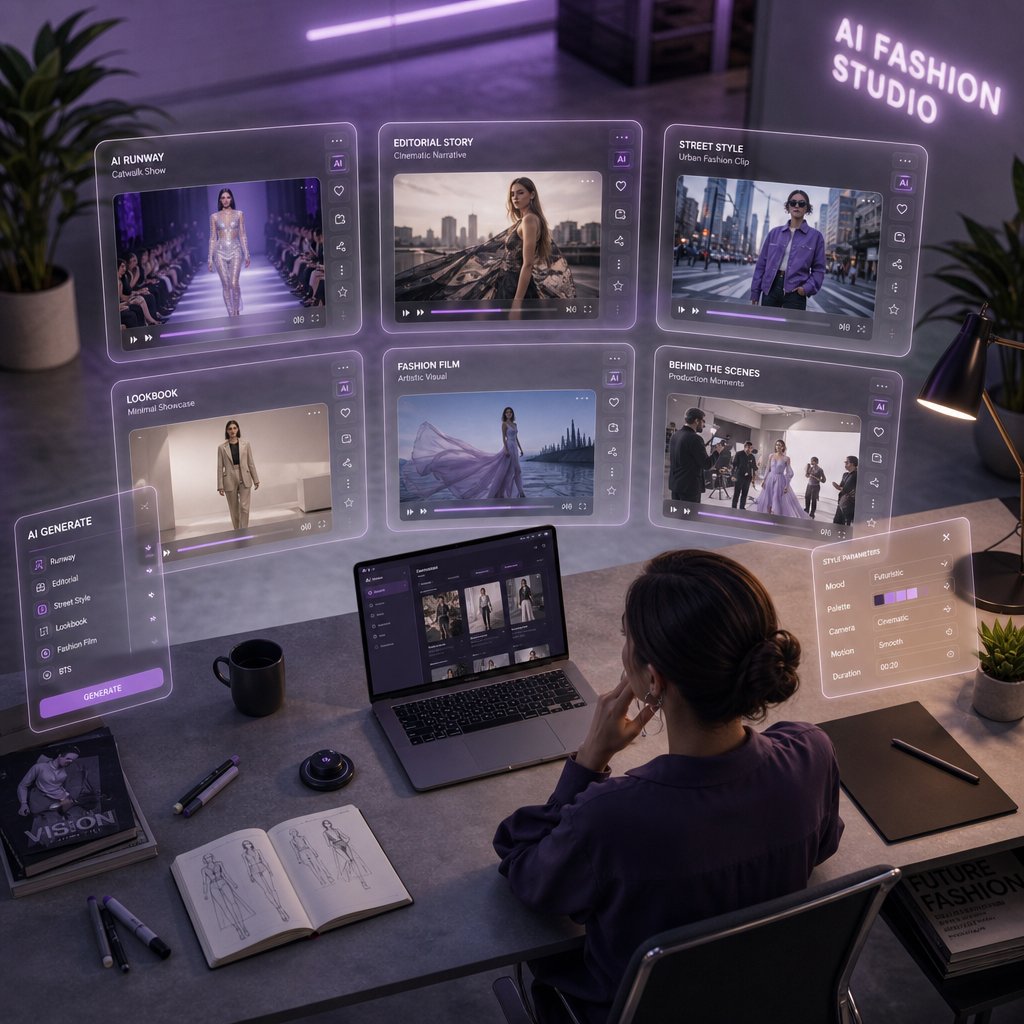
AI Tools and Platforms for Fashion Video Generation
Picking a format is one decision. Picking the tool that actually renders it well is another. The AI fashion video generator landscape has expanded rapidly, and each platform brings a different philosophy to motion quality, fabric rendering, and accessibility. Some are built specifically for fashion workflows. Others are general-purpose engines that happen to handle garments reasonably well.
The difference matters more than you might expect. A tool optimized for cinematic B-roll may produce stunning camera movement but struggle with realistic fabric drape on a flowing dress. A platform designed for high-volume e-commerce content might nail consistency across 50 SKUs but lack the editorial polish a luxury brand needs.
Major AI Video Generation Platforms Compared
Rather than testing every option blindly, here is how the leading platforms stack up for fashion-specific use cases. The comparison focuses on what actually impacts your output: motion realism, fabric behavior, resolution ceiling, and whether you can start without a paid commitment.
| Platform | Key Strength | Free Tier Available | Best For |
|---|---|---|---|
| Snappyit Fashion Video | Purpose-built fashion workflows with reduced production overhead | Yes | E-commerce teams and campaign operators scaling fashion video content without traditional shoot logistics |
| Kling | Strong motion fluidity and temporal consistency across multi-shot sequences | Yes (credit-based trial) | High-volume catalog production and social content at scale |
| Runway | Creative flexibility with Motion Brush for precise fabric animation control | Yes (limited generations) | Editorial campaigns, VFX-style content, and rapid creative experimentation |
| Veo | Cinematic camera stability and 4K output resolution | No (API access via platforms like fal) | Agency-grade B-roll and polished brand films requiring premium visual quality |
| Seedance | Native audio generation with start and end frame control | Yes (via API platforms) | Storyboard-to-video workflows and audio-synced fashion presentations |
| Wan | Open-source accessibility at the lowest per-second cost | Yes (self-hostable) | Budget-conscious teams drafting concepts before committing to premium renders |
| Vidu | Dual Pro and Turbo tiers for flexible quality-speed tradeoffs | Yes (low-resolution tier) | Teams iterating quickly with Turbo mode, then upgrading to Pro for final output |
What separates these tools in a fashion context comes down to fabric rendering and body motion. Kling consistently handles motion physics well, keeping characters stable even during fast camera pans. Runway offers granular control through its Motion Brush, letting you paint specific motion vectors onto garment areas, useful when you want a skirt to billow without the rest of the frame shifting. Veo delivers the highest resolution ceiling at 4K, but access requires API integration rather than a simple browser-based editor.
For teams focused specifically on fashion content, Snappyit's Fashion Video tool streamlines the process by removing the general-purpose complexity. Instead of configuring camera physics and motion parameters manually, you work within a fashion-specific pipeline designed for garment visualization and runway-style output. That focus on reduced production overhead makes it practical for e-commerce operators who need volume without a steep learning curve.
Free and Freemium Options for Getting Started
Budget constraints do not have to block experimentation. Several paths let you generate your first AI fashion video without spending anything:
- Kling offers a credit-based trial starting around $9.80, with enough credits to test multiple generations and compare standard versus professional mode output.
- Runway provides limited free generations on signup, enough to test image-to-video with a few garment photos and evaluate motion quality before committing.
- Wan 2.2 is fully open-source. If you have access to GPU hardware, you can run it locally at no cost beyond compute. On API platforms like fal, it runs at roughly $0.10 per second, making it the most affordable hosted option.
- Vidu offers low-resolution generations at $0.035 per video second, positioning its Turbo tier as a near-free drafting tool for quick concept validation.
A practical approach: start with a free or low-cost tool to validate your input images and prompt structure. Once you confirm the concept works, move to a higher-fidelity platform for the final render. This mirrors how famous artists have always worked, roughing out compositions in sketch form before committing to the final medium.
One video editing tip worth noting early: most AI-generated clips benefit from light post-processing regardless of which platform produced them. Color grading, speed ramping, and trimming the first and last few frames where artifacts tend to cluster can elevate output from any tool. The generation platform handles the heavy lifting, but a quick pass in your editor of choice polishes the result into something truly publish-ready.
With the right tool selected, the real creative work begins. The quality of your output depends less on which button you click and more on what you feed the system, starting with how you prepare your input images and structure your generation prompts.
Step-by-Step Workflow to Create Your First AI Runway Video
Knowing which tools exist is useful. Knowing exactly how to move from a raw idea to a finished clip is what actually gets content published. This workflow breaks the entire process into repeatable stages you can follow regardless of which platform you chose in the previous section.
Here is the full sequence from concept to export:
- Define your creative direction - Decide the video style (runway walk, rotation, editorial scene), target platform (Instagram Reels, product page, campaign asset), and mood before touching any tool.
- Prepare your input image - Shoot or select a photo optimized for AI processing. This step has the single largest impact on output quality.
- Select your generation tool - Match the platform to your format. Runway for editorial control, Kling for volume, Snappyit for fashion-specific workflows.
- Write an effective prompt - Describe the motion, camera behavior, lighting, and environment using specific language the model can interpret.
- Generate your initial output - Run the first generation and evaluate the result without expecting perfection on attempt one.
- Review and iterate - Identify artifacts or motion issues, adjust your prompt or input image, and regenerate until the clip meets your standard.
- Post-process and export - Trim, color grade, and format the final video for its destination platform.
Steps two and four carry the most weight. A poorly prepared image forces the AI to guess at details it cannot see, while a vague prompt gives it no direction to follow. Let's unpack both.
Preparing Your Input Images for Best Results
Think of your input photo the way a painter thinks about priming a canvas. Skip the prep, and everything built on top suffers. AI video models analyze your image for object boundaries, depth relationships, and texture detail. The more information you give them, the cleaner the motion they produce.
Resolution: Start at a minimum of 1080p (1920x1080 pixels). InVideo's optimization research confirms that images below 720p often produce blurry or pixelated video output because the AI lacks sufficient pixel data to generate clean interpolated frames. If you have access to 4K source material, use it. Higher resolution gives the model more to work with when synthesizing fabric texture and skin detail.
Lighting: Even, diffused lighting produces the most reliable results. Harsh shadows confuse AI algorithms and create inconsistent motion effects across frames. Soft natural light or studio diffusion preserves detail in both highlights and shadows, giving the system maximum tonal information. Avoid mixed color temperatures, as these introduce color casts that become more pronounced during video generation.
Poses: A natural mid-stride or standing pose with arms slightly away from the body works best. Crossed arms, hands in pockets, or limbs overlapping the torso create occlusion problems the AI must guess around. Give the model a clear skeletal structure to detect.
Backgrounds: Clean, uncluttered backdrops let the AI focus processing power on the subject rather than managing complex environmental detail. A solid color wall or a simple gradient is ideal. Busy backgrounds introduce competing motion vectors that can cause flickering or warping artifacts.
Clothing types that render well: Structured garments like blazers, tailored coats, and fitted dresses produce the most consistent results. The AI handles predictable fabric behavior more reliably than chaotic multi-layer interactions. Sheer fabrics, heavy fringe, and extremely loose silhouettes tend to generate more artifacts and may require additional iteration.
One practical tip: save your final image as a high-quality JPEG (85-95% quality setting) or PNG. Avoid multiple re-saves that degrade quality through compression loss. Treat this step like prep work before you paint a room. Rushing it means redoing the job later.
Writing Your First AI Fashion Video Prompt
Your prompt tells the AI what motion to create. Without it, the system defaults to generic, often underwhelming movement. A strong first prompt does not need to be complex, but it does need to be specific.
Start with this basic structure: [subject] + [action] + [camera behavior] + [environment/mood].
For example: "A female model in a tailored black blazer walks confidently toward the camera on a minimalist white runway, slow tracking shot, soft studio lighting."
Notice how each element gives the AI a concrete instruction. The subject is defined. The motion is specified. The camera has direction. The lighting sets mood. Vague prompts like "fashion model walking" leave too many variables open, and the AI fills those gaps with generic defaults that rarely match your vision.
Keep your first attempt focused on one clear action. You can layer complexity in subsequent iterations once you see how the model interprets your baseline instructions.
Generating and Refining Your Output
Hit generate and set a mental 5 minute timer. Most platforms return results in 30 seconds to two minutes, but resist the urge to judge instantly. Watch the clip at full resolution, paying attention to hand detail, gait smoothness, and fabric behavior at the edges of the garment.
Your first generation is a draft, not a deliverable. Expect to run three to five iterations before landing on a clip worth publishing. Each round, adjust one variable at a time: tweak the prompt wording, swap the input image for a slightly different crop, or change the camera direction. Changing multiple variables simultaneously makes it impossible to identify what improved or degraded the output.
Once you have a clip that meets your quality bar, export it and run a quick post-processing pass. Trim the first and last 5-10 frames where artifacts tend to cluster. Apply light color grading to match your brand palette. Adjust playback speed if the gait feels slightly too fast or mechanical. Even a 15 minute timer spent on basic editing elevates AI-generated output from "interesting experiment" to "publish-ready content."
This workflow is repeatable and scalable. After your first few clips, the entire cycle from image prep to final export compresses significantly as you internalize what inputs and prompts produce reliable results. The real depth, though, comes from mastering the prompt itself, understanding exactly which words and structures unlock the most realistic motion from these models.
Prompt Engineering Secrets for Realistic Runway Walks
The basic prompt structure from the previous section gets you started. But getting consistently polished, realistic output from an AI fashion show video generator requires a deeper understanding of how these models interpret language. Think of prompt engineering like learning how to use a compass: the tool does the work, but you need to point it in the right direction.
Anatomy of an Effective Fashion Video Prompt
Every strong fashion video prompt contains layered components that guide the AI through subject, motion, and atmosphere simultaneously. Word order matters. Models prioritize information that appears earlier in the prompt, so lead with what matters most to your output.
Essential prompt elements for runway-style generation:
- Model description - Physical build, posture, and attitude. "Tall female model with confident posture" gives the AI a movement baseline.
- Clothing details - Fabric type, color, fit, and key construction features. "Floor-length emerald silk gown with a thigh-high slit" tells the system exactly which physics to simulate.
- Movement style - Gait speed, stride length, and body language. Specify "slow deliberate catwalk stride" rather than just "walking."
- Camera angle and movement - Frontal, three-quarter, low angle, tracking, or static. Each produces a fundamentally different feel.
- Lighting mood - Dramatic spotlight, soft diffused studio light, or natural golden hour. Lighting shapes the entire emotional register of the clip.
- Runway environment - Minimalist white, dark theatrical, mirrored floor, or outdoor setting. This anchors the scene context.
Here is a template that combines these elements into a reliable structure:
[Model description] wearing [clothing details] performs [movement style], [camera angle/movement], [lighting mood], [runway environment], cinematic fashion show aesthetic.
Applied in practice, that template produces something like: "A tall model with sharp cheekbones wearing a structured oversized camel coat walks with a slow, measured stride toward the camera, low-angle tracking shot, dramatic single spotlight from above, dark minimalist runway with reflective black floor, cinematic fashion show aesthetic."
Notice how each clause gives the AI a distinct instruction without conflicting with the others. Specificity here is not about length. It is about precision.
Motion Cues and Camera Direction Language
Motion is where most fashion prompts fall flat. Saying "model walks" is like trying to start a conversation with a single word. You technically communicated, but you gave the other party nothing to work with.
Effective motion cues describe how the movement happens, not just what happens. Consider the difference between these pairs:
- "Walking" vs. "slow, hip-forward catwalk stride with subtle shoulder rotation"
- "Turning" vs. "sharp 180-degree pivot at the end of the runway with coat flaring outward"
- "Moving" vs. "gliding forward with minimal vertical bounce, arms relaxed at sides"
Camera direction language borrows directly from cinematography. LTX Studio's prompting research confirms that using standard film terminology like "slow dolly forward," "low-angle hero shot," or "tracking alongside at medium distance" produces more predictable, professional results than vague descriptions. The AI recognizes these conventions from its training data and maps them to specific visual behaviors.
Pair your motion cues with camera speed. A fast stride paired with a slow tracking shot creates tension and drama. A measured walk with a static frontal camera feels editorial and clean. These combinations shape the emotional tone of your clip as much as the lighting does.
Common Prompt Mistakes and How to Avoid Them
Even experienced users hit the same pitfalls. Prompt Video Lab's analysis of common AI video prompting errors highlights several patterns that apply directly to fashion content:
- Conflicting instructions - Asking for "fast energetic walk" and "slow cinematic mood" in the same prompt forces the model to choose. It usually chooses poorly. Keep your energy level consistent across all elements.
- Overloading with actions - Describing a walk, a turn, a pose, and a do a barrel roll spin in one 5-second clip overwhelms the system. One clear action per generation produces cleaner results.
- Vague descriptors - Words like "nice," "stylish," or "cool" carry no visual information. Replace them with concrete terms: "structured," "flowing," "oversized," "cropped."
- Missing fabric cues - If you do not specify material, the AI defaults to generic cloth behavior. A leather jacket and a chiffon blouse move completely differently. Name the fabric.
- Ignoring duration constraints - Cramming a full runway walk, turn, and return into a 4-second clip produces rushed, unnatural motion. Match your described action to the platform's output length.
The fix for most of these is the same: simplify, specify, and iterate. Write a focused prompt covering one action with clear visual language. Generate. Evaluate. Adjust one variable. Generate again. This systematic approach, as ImagineArt's prompt guide notes, builds a personal library of effective techniques faster than trying to write the perfect prompt on the first attempt.
Mastering prompt language gives you creative control over the output. But even the best-crafted prompt cannot eliminate every imperfection. AI-generated fashion content still carries predictable visual artifacts, and knowing what to expect helps you plan around them rather than being surprised during a deadline.
Limitations and Artifacts You Should Know About
Even a perfectly crafted prompt and a pristine input image will not guarantee flawless output every time. AI fashion show video technology produces impressive results, but it also produces predictable failures. Knowing what those failures look like, and why they happen, lets you plan around them instead of wasting hours chasing perfection on a clip that needs a different approach entirely.
Common Visual Artifacts in AI Fashion Videos
Most artifacts trace back to a single root problem: temporal instability. Each frame in an AI-generated video is technically a separate generation. The model must "remember" what came before to keep subjects, lighting, and environments stable across the sequence. Sometimes that memory fails, and the result is visible drift, distortion, or flickering.
In fashion content specifically, six artifact types appear most frequently:
- Hand distortion - Fingers merge, multiply, or bend at impossible angles. Hands are among the most geometrically complex structures the model must track, and small errors compound across frames.
- Fabric physics errors - Garments clip through the body, float unnaturally, or behave as if made from a completely different material than what was specified. Sheer and layered fabrics are especially prone to this.
- Face inconsistency - Facial features subtly shift between frames. A jawline sharpens, eyes change shape, or skin tone drifts. As researchers have noted, complex scenes with multiple subjects make this worse because the model must track more elements simultaneously.
- Unnatural gait patterns - The walk looks mechanical, with foot sliding, missing weight transfer, or limbs that move at inconsistent speeds. The model sometimes loses the physics of how a real stride works mid-sequence.
- Background flickering - Elements in the environment appear, disappear, or shift position between frames. A wall texture might subtly change, or objects in the periphery morph unexpectedly.
- Resolution degradation - Detail quality drops as the clip progresses, particularly in longer generations. Fine textures like lace, embroidery, or woven patterns lose definition toward the end of the sequence.
These are not random bugs. They are structural limitations of how diffusion-based video models work. PCWorld's analysis confirms that as the number of visible elements increases, the likelihood of errors rises significantly. Faces change, bodies briefly merge, and objects appear or disappear without explanation.
Practical Fixes and Workarounds
You cannot eliminate these artifacts entirely, but you can reduce their frequency and severity with targeted strategies. The table below maps each common issue to its cause and the most effective mitigation approach:
| Artifact Type | Cause | Mitigation Strategy |
|---|---|---|
| Hand distortion | Geometric complexity exceeds model tracking capacity across frames | Use input images where hands are relaxed at sides or partially obscured. Add "hands naturally at sides" to your prompt. Trim frames where distortion appears and use shorter clip durations. |
| Fabric physics errors | Model lacks sufficient training data for unusual material behaviors | Specify fabric type explicitly in your prompt ("heavy wool," "structured cotton"). Avoid sheer or multi-layered garments for initial generations. Start with structured, predictable fabrics. |
| Face inconsistency | Diffusion model loses reference details between frame batches | Provide a clear, well-lit reference image with the face prominently visible. Use platforms that support start-frame anchoring. Keep generations under 5 seconds to reduce drift. |
| Unnatural gait | Motion synthesis fails to maintain physics-based weight transfer | Describe gait explicitly: "slow stride with visible heel-to-toe weight transfer." Reduce motion speed in your prompt. Generate multiple runs and select the most natural result. |
| Background flickering | Model reinterprets environment details independently each frame | Use clean, minimal backgrounds in your input image. Specify "static background, no environmental movement" in your prompt. Solid colors outperform complex scenes. |
| Resolution degradation | Consistency decays over longer generation durations | Generate shorter clips (3-4 seconds) and edit them together. Use AI upscaling tools in post-processing. Start with the highest resolution input your platform supports. |
A few principles tie these fixes together. Simplifying your scene is the single most effective prevention method. A single subject against a clean background with slow, deliberate motion will hold together far better than a complex multi-element composition. As PCWorld recommends, limiting the number of objects in the frame and keeping scenes deliberately short and focused dramatically reduces error rates.
Running multiple generations of the same prompt is another underused tactic. AI video output is not deterministic. Even identical prompts produce different results each time. Five to ten runs of the same clip often yield at least one version where the artifacts are minimal or absent entirely.
Worth acknowledging: this technology improves with every model update. Artifacts that were unavoidable six months ago are already less frequent in current releases. Hand rendering, in particular, has seen measurable improvement across major platforms. The limitations described here represent the current state, not a permanent ceiling. Working within these constraints today while the technology matures is a practical tradeoff, and understanding where the boundaries sit helps you direct creative energy toward formats and compositions that reliably produce strong results rather than fighting the system on its weakest points.
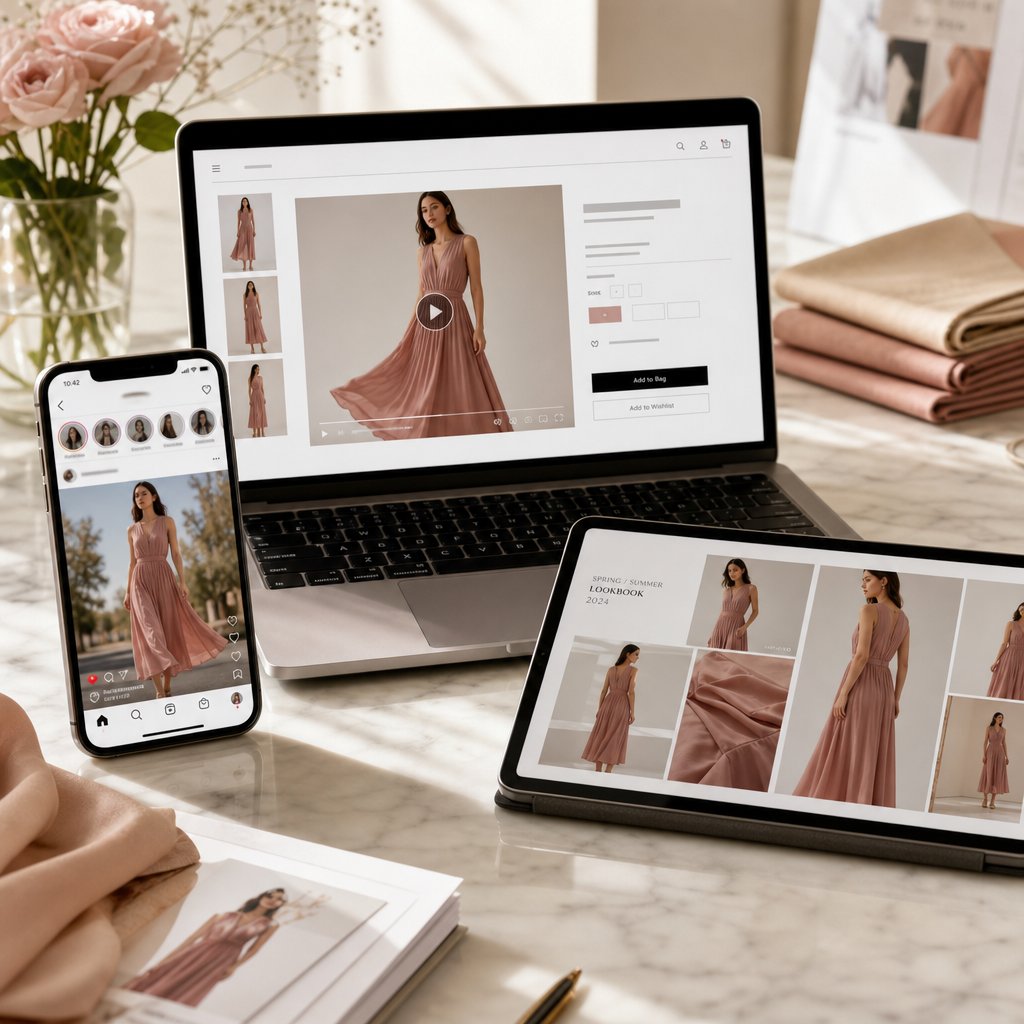
Real-World Applications Across Fashion and E-Commerce
Understanding the technology and mastering the workflow is one thing. Seeing where it actually drives results across live businesses tells you whether the investment of time and learning is worth it. Spoiler: for most fashion-adjacent teams, it already is.
AI-generated runway content has moved well beyond experimental novelty. Brands, retailers, and creators are deploying these videos across channels where motion content outperforms static imagery by measurable margins. Research from SevenAtoms shows shoppers are 64% more likely to purchase after watching a product video, and pages featuring video are 80% more likely to convert than those without. When you can produce that video without a studio, a model, or a week of lead time, the economics shift dramatically.
Here is where AI fashion show video content is making the biggest impact right now:
- E-commerce product listings - Replacing static flat-lay images with short runway-style clips that show how garments move, drape, and fit on a body. Particularly valuable for brands managing hundreds of SKUs where live model shoots for every item are financially impractical.
- Social media marketing - Producing scroll-stopping Reels, TikToks, and Shorts at a pace that matches platform algorithms. One product photo becomes five different video variations in an afternoon rather than a single clip after a full production day.
- Fashion design prototyping - Visualizing how an unreleased garment looks in motion before cutting a single physical sample. Designers test silhouette, proportion, and fabric behavior digitally, shortening the design-to-decision cycle.
- Brand campaign creation - Building cohesive visual narratives across seasonal launches without coordinating photographers, stylists, locations, and talent for every campaign beat.
- Entertainment and editorial content - Digital fashion magazines, virtual fashion week submissions, and creative directors exploring conceptual presentations that would be impossible or prohibitively expensive to produce physically.
E-Commerce and Product Marketing Applications
The most immediate ROI sits in product marketing. LTX Studio reports that fashion brands using AI-generated visual content see a 10% increase in conversion rates and a 12% higher average order value compared to static-only listings. Returns drop because customers understand fit and movement before purchasing, eliminating the guesswork that drives buyer's remorse.
For teams managing large catalogs, the math is straightforward. Traditional fashion video production costs between $10,000 and $100,000 per shoot and takes weeks to schedule, film, and edit. AI generation reduces that cost by up to 90% while compressing timelines from weeks to hours. A direct-to-consumer brand launching 50 new pieces per season can now produce video for every single SKU rather than choosing the top five to feature.
Purpose-built platforms like Snappyit's Fashion Video tool help e-commerce teams and campaign operators scale this production without traditional shoot logistics. Instead of configuring general-purpose video engines for each product, teams work within a fashion-specific pipeline that handles garment visualization at volume, keeping per-unit costs low enough to justify coverage across an entire catalog.
Social Media Content and Brand Campaigns
Social platforms reward volume and freshness. Posting one polished video per week cannot compete with accounts publishing daily. AI generation closes that gap. A single product photo yields multiple video variations: different camera angles, different motion styles, different environmental contexts. That kind of content multiplication turns one afternoon of prompting into a week of scheduled posts.
Industry data shows a 30% improvement in ad click-through rates when brands use AI-generated fashion content versus static imagery. The motion itself is the differentiator. In a feed full of still photos, a garment that moves catches the eye before the viewer consciously decides to stop scrolling. For seasonal campaigns, AI lets teams produce themed content, whether summer collections or holiday lookbooks, without rebuilding entire productions from scratch each quarter.
Design Prototyping and Creative Exploration
McKinsey estimates that generative AI could boost operating profits in fashion, apparel, and luxury by up to $275 billion over the next three to five years. A significant portion of that value comes from accelerating the design process itself. Designers no longer need to produce physical samples to evaluate how a garment moves. A sketch or flat-lay photograph becomes a motion test in minutes, revealing proportion issues, fabric behavior problems, or silhouette weaknesses before any material is cut.
This creative flexibility extends beyond individual garments. Entire collections can be visualized as cohesive runway presentations, helping design teams and stakeholders evaluate how pieces work together in sequence. The feedback loop tightens from months to days, and dinner ideas that once required full sample runs to validate can be tested digitally at near-zero marginal cost.
The technology is not replacing traditional production entirely. Most brands use AI-generated content alongside professional photography and video, reserving traditional shoots for hero campaigns and flagship moments while AI handles the long tail of everyday content needs. That hybrid approach captures the best of both worlds: human craft where it matters most, and scalable automation everywhere else.
Zero Models, Zero Budget FAQs
How does AI turn a single photo into a fashion show video?
AI fashion show video generators use diffusion models that work through a multi-stage pipeline. First, the system analyzes your input image to identify the subject, garment boundaries, and lighting. Then it performs pose estimation to map the body's skeletal structure. From there, it synthesizes natural walking motion, simulates fabric physics based on material type, and renders sequential frames. The entire process typically takes 30 seconds to two minutes, producing a realistic runway clip from one still photograph without any manual animation work.
What are the best AI tools for generating fashion runway videos?
Several platforms handle fashion video generation well, each with different strengths. Snappyit Fashion Video (snappyit.ai/fashion-video) is purpose-built for fashion workflows with reduced production overhead, making it ideal for e-commerce teams. Kling excels at motion fluidity for high-volume catalog work. Runway offers creative control through its Motion Brush feature. Veo delivers 4K cinematic output for premium brand content. For budget-conscious teams, Wan is open-source and self-hostable, while Vidu offers low-cost drafting tiers for quick concept validation.
What kind of input images work best for AI fashion video generation?
For optimal results, use images at minimum 1080p resolution with even, diffused lighting and a clean, uncluttered background. The model should be in a natural standing or mid-stride pose with arms slightly away from the body to avoid occlusion issues. Structured garments like blazers, tailored coats, and fitted dresses render most reliably. Avoid harsh shadows, mixed color temperatures, crossed arms, busy backgrounds, and sheer or heavily layered fabrics, as these introduce artifacts the AI struggles to resolve during motion synthesis.
Can AI fashion show videos replace traditional fashion photography and video production?
AI-generated fashion video is not replacing traditional production entirely but rather complementing it. Most brands adopt a hybrid approach, reserving professional shoots for hero campaigns and flagship moments while using AI to handle the long tail of everyday content needs. The technology reduces cost-per-product visualization by over 50% and compresses timelines from weeks to hours. For e-commerce teams managing large catalogs, platforms like Snappyit's Fashion Video tool make it practical to produce video for every SKU rather than selecting only a handful to feature.
What are the main limitations of AI-generated runway videos?
Current AI fashion video technology produces six common artifact types: hand distortion where fingers merge or bend unnaturally, fabric physics errors where garments clip through the body, face inconsistency across frames, unnatural gait patterns with foot sliding, background flickering, and resolution degradation in longer clips. These stem from temporal instability in diffusion models. Practical mitigations include using clean backgrounds, specifying fabric types in prompts, generating shorter clips of 3-4 seconds, running multiple generations of the same prompt, and trimming artifact-prone first and last frames during post-processing.