What AI swimsuit try-on from photo means
AI swimsuit try-on from photo means uploading an adult image you control and previewing a bikini, one-piece swimsuit, tankini, cover-up, sarong or resort outfit on that same pose. It is a practical middle step between browsing product photos and actually trying on the garment.
The workflow is popular because swimwear shopping is visual and personal. A product page may show a swimsuit on a model, but it does not show whether a certain neckline, color, print, waistband height or cover-up mood fits your own travel plan. A photo-based try-on gives a fast draft before you buy, pack, brief a creator or test a design direction.
It should not be confused with non-consensual undress tools. A responsible swimsuit photo editor works with your own image, a synthetic model or an approved adult model photo, and produces a visible outfit preview.
The workflow naturally overlaps with upload photo swimsuit try-on, virtual swimwear try-on, AI one-piece swimsuit editor, bikini try-on from photo, online bathing suit try-on, beach outfit editor, resortwear try-on and swimsuit photo editor language.
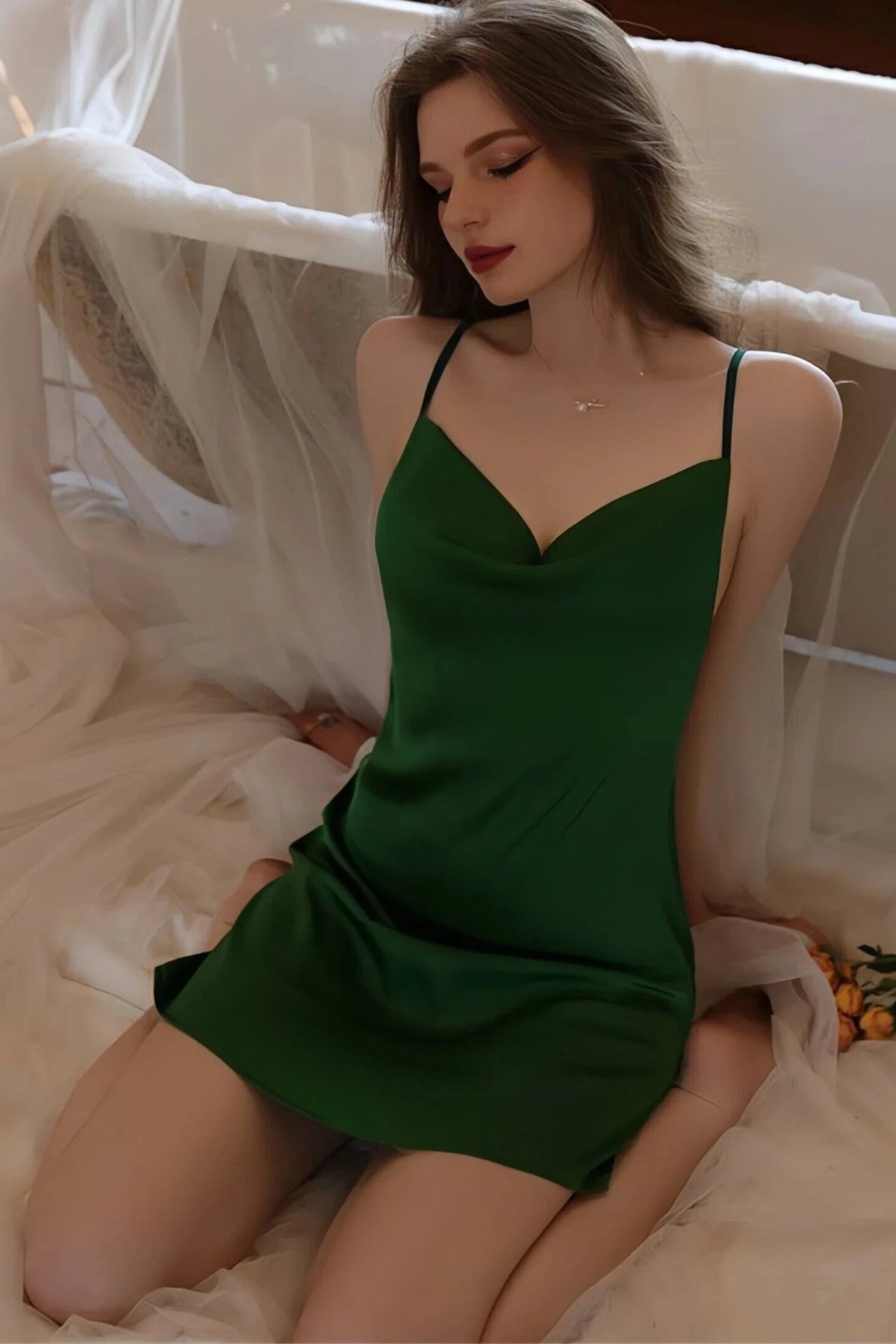
Choose the right photo before generating
The source photo controls most of the result. Use an image with clear body angle, visible shoulders and hips, limited blur and natural lighting. Full-body photos help compare bikini bottoms, sarongs and one-piece silhouettes. Upper-body photos can work for bikini tops, bra-inspired swimwear or resort shirts, but they will not answer how the full outfit reads.
- Avoid screenshots from social media, private photos of others, celebrity images and minors.
- Avoid heavy filters, crossed arms, large bags, oversized coats and cropped limbs.
- Use a beach, pool, hotel, mirror, studio or travel photo that matches the mood you want.
- For commercial output, confirm model release, photographer rights and garment rights before publishing.
If the image is cluttered, the AI may spend effort resolving the source instead of producing a clean swimsuit edit. A calm background and visible pose usually beat a dramatic but messy photo.
Select the swimsuit type or upload a reference
Start broad: bikini, one-piece, tankini, rashguard, cover-up or resortwear. Then narrow the style: triangle top, bandeau, halter, underwire, high-waist bottom, high-leg cut, modest coverage, floral print, solid black, crochet texture or tropical color. This order makes the result easier to judge.
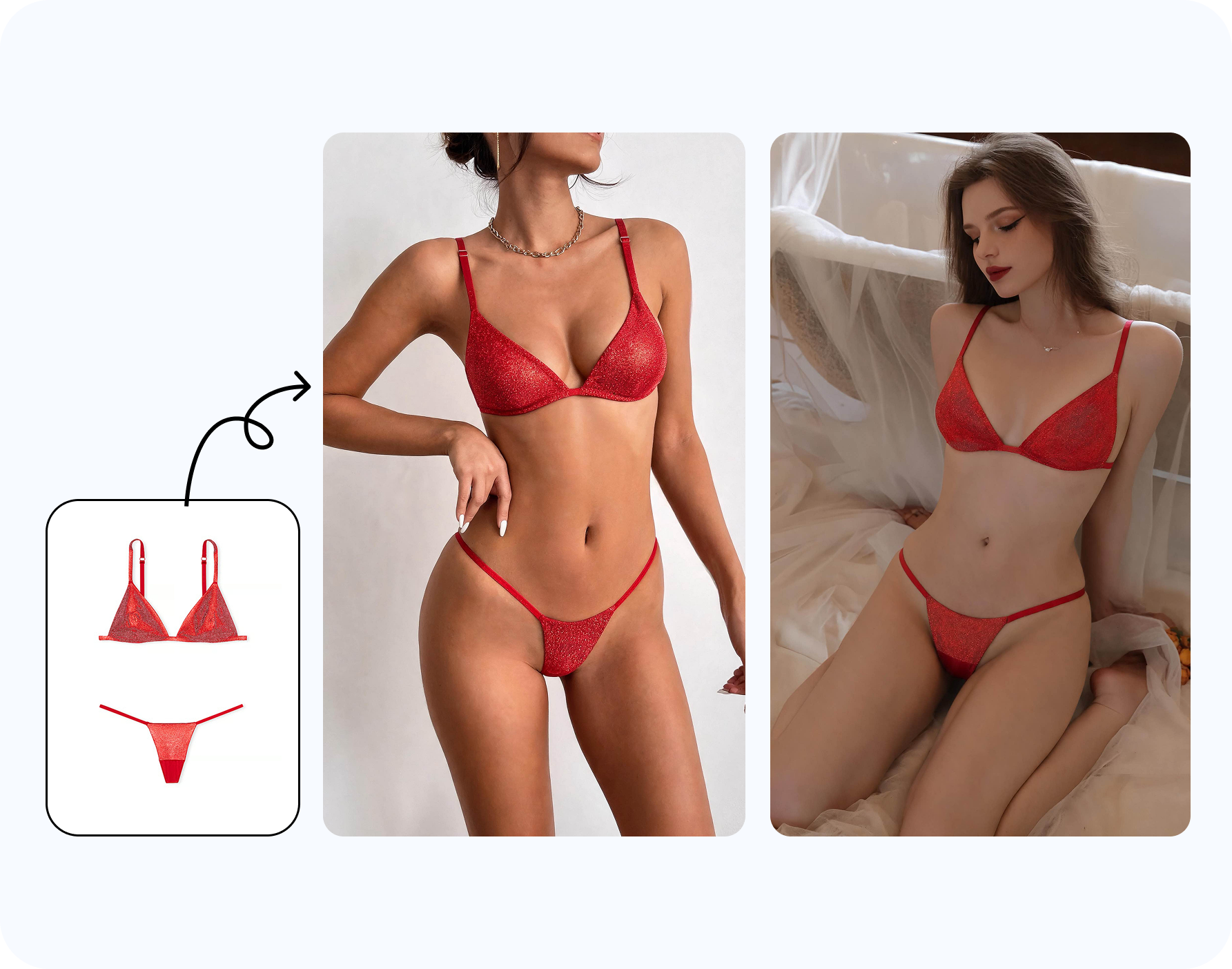
When you already have a product in mind, upload a reference garment. A reference image can guide strap width, cup shape, waistband height, ring detail, bow placement, fabric print and color. Without a reference, the result is better for moodboard exploration than product-specific evaluation.
For sellers and designers, reference control matters more. A generic bikini output may be enough for a shopper deciding a beach mood, but a brand needs the actual SKU to stay recognizable.

Review the swimsuit preview like a fitting-room draft
Look at the result in two passes. First, zoom out and ask whether the swimsuit direction matches the intended beach, pool, cruise, resort, honeymoon or lifestyle scene. Then zoom in and check edges: shoulder straps, hands, hair, waist, underarm, neckline, hips and fabric shadows.
| Check | What good looks like | What to reject |
|---|---|---|
| Silhouette | The swimsuit follows the original body angle. | Floating straps, warped waistline or mismatched torso direction. |
| Color | Color fits the light and does not bleed into skin or background. | Over-saturated fabric, muddy prints or patchy edges. |
| Coverage | The output stays a visible swimsuit or resort outfit. | Nudity, non-consensual framing or edits that imply another person approved. |
| Usefulness | The image helps decide style, mood, coverage or buying intent. | Attractive but misleading results that do not match the source or garment. |
Personal, travel and creator use cases
Before buying
Compare bikini color, one-piece shape, coverage and resort mood before ordering multiple sizes.
Before travel
Plan a beach outfit, pool look, cruise wardrobe, spa-day photo or vacation packing list.
Before content
Creators can test a thumbnail, sponsored swimwear concept or travel photo direction before shooting.
The same workflow can support a designer or seller, but the review criteria become stricter. Product lines, fabric details and campaign claims must match the real garment. Personal use can tolerate a moodboard result; ecommerce use needs product accuracy.
How to do it in Snappyit
Open Snappyit AI Bikini Photo Editor, upload an authorized adult photo, choose bikini, swimwear, lingerie or underwear, or add a reference garment. Generate the preview, then inspect whether the result preserves pose, camera angle, lighting and garment logic.
If you need to prepare an image before try-on, AI Clothes Remover can handle authorized 18+ clothing-area cleanup. If you are comparing clothed bra or cup-size direction, use AI Breast Expansion instead of forcing a swimsuit editor to solve a fit-proportion question.
Try swimsuit try-on from photo
Turn the preview into a shopping or packing decision
The strongest use of AI swimsuit try-on from photo is comparison. Generate one conservative option, one style you are curious about and one outside-your-usual-choice option. For example, compare a black one-piece, a floral high-waist bikini and a white cover-up look. The goal is not to create the most polished image; it is to learn which direction deserves a real purchase or a place in the suitcase.
For travel, organize results by scene: beach day, hotel pool, boat trip, resort dinner, spa, honeymoon, cruise deck or creator shoot. The same swimsuit may look right in one setting and wrong in another. A bright print may be perfect for a tropical beach but too loud for a minimal hotel pool. A one-piece may work better when you plan to layer it with pants or a skirt. A bikini may work better when the trip is centered around swim and sun.
For creators, the decision is often thumbnail-first. Does the color separate from the background? Does the outfit read at phone size? Is the pose compatible with the swimsuit shape? Use the preview to reduce production risk before booking time, packing a bag or pitching a concept.
When to regenerate and when to stop
Regenerate when the idea is right but the execution is wrong: a strap floats, a print smears, a hand becomes awkward, or the waistband does not follow the pose. Change one thing at a time. A cleaner source photo improves structure. A clearer reference garment improves product detail. A broader category request, such as one-piece swimsuit instead of a very specific cutout suit, can help when the source pose is difficult.
Stop when the output is good enough to answer the decision. If you only need to decide between two vacation looks, a perfect editorial image is unnecessary. If you plan to publish commercially, the bar is higher: the result must survive zoom review, rights review and brand review. Knowing which bar applies keeps the workflow fast and honest.
Swimsuit styles worth testing from one photo
Do not test only one bikini. The value of AI swimsuit try-on comes from comparing categories side by side. A triangle bikini can make the image feel casual and beach-first. An underwire bikini may read more structured. A bandeau bikini changes the shoulder line. A one-piece swimsuit can look cleaner for resort, cruise and family travel. A tankini or rashguard can communicate more coverage. A sarong, linen shirt or wrap skirt can shift the same swim look into a full resort outfit.
For color, compare one neutral, one warm tone and one high-contrast option. For print, compare solid, floral, stripe and tropical patterns only when the source image is clean enough for print detail. For body-line decisions, compare high-waist versus low-rise bottoms, halter versus strapless tops and high-leg versus moderate coverage. These are practical shopping questions, not abstract image-generation prompts.
If the goal is buying, keep the test close to products you can actually order. If the goal is creator planning, test the visual direction first and buy later. If the goal is fashion design, use the result as a concept board and confirm real construction separately.
Common failure cases and how to fix them
When a swimsuit preview fails, the problem is usually the source photo, the reference garment or the pose. Crossed arms can confuse bikini tops. Large beach bags can interrupt waistlines. Low-resolution mirror selfies can make straps and cup edges unstable. Strong shadows can make the generated fabric look pasted on. The fix is often a cleaner photo, not a longer instruction.
If the product detail is wrong, add or change the reference garment. If the body angle is wrong, choose a source with a clearer stance. If the output is too generic, specify the category more precisely: one-piece swimsuit, high-waist bikini, halter bikini, bandeau top, underwire bikini, long-sleeve rashguard or sarong cover-up. If the result is too specific and broken, step back to a broader category and regenerate.
Frequently asked questions
Can I try on a swimsuit from a photo?
Yes. Use your own adult photo, a synthetic model or an adult model image you have permission to edit.
What kind of swimsuit can I preview?
You can preview bikini, one-piece, tankini, rashguard, sarong, cover-up and resortwear directions.
Can I use a product photo as a reference?
Yes. A reference garment helps guide color, print, cup shape, strap style and waistband details.
Does it show accurate fit?
No. It is a visual preview, not a size or fabric-stretch guarantee.
Can I use a mirror selfie?
Yes if the image is clear, adult and yours, but full-body or three-quarter photos usually generate cleaner results.
Can I use it for a vacation outfit plan?
Yes. It is useful for beach, pool, cruise, spa, honeymoon and resort outfit planning.
Can creators use it for sponsored swimwear content?
Yes, when they own the image rights and the adult subject has consented to the edit and usage.
Is this an undress AI workflow?
No. It should be used for visible swimsuit and outfit previews on authorized images, not for nudity or non-consensual edits.
What if the first result looks wrong?
Try a cleaner source photo, a clearer reference garment or a broader swimsuit category before changing small details.
Which Snappyit page should I use?
Use Snappyit AI Bikini Photo Editor for swimsuit try-on from photo. Use AI Clothes Remover only for authorized cleanup prep.
