What AI bikini try-on apps actually do
People use the phrase AI bikini try-on app for several different workflows. A shopper may want to see herself in a bikini before ordering. A creator may want to test a beach content idea before a trip. A swimwear designer may want a quick visual of a halter bikini, bandeau top, underwire bikini, one-piece swimsuit or resort cover-up before sampling. A small brand may need a visual draft before committing to a photoshoot.
The useful version is an AI outfit changer for authorized adult images. It changes a visible outfit direction into bikini, swimwear, lingerie, underwear or resortwear. It is not a sizing engine, medical tool, body-rating app or non-consensual clothes remover. Treat the result as a visual styling preview: strong enough to guide a cart, moodboard, brief or campaign direction, but not a replacement for real fit checks.
That distinction matters for search intent. Queries such as virtual bikini try-on, swimsuit try-on online, put bikini on photo, AI beach outfit editor and bikini photo editor usually point to clothed outfit previews. Queries that imply nudity, private image manipulation or deepfake nude output should not be part of a commercial or personal workflow.
This guide also covers adjacent wording shoppers and creators use in practice: AI bikini app, swimsuit try-on app, bikini filter, beach outfit changer, virtual swimwear try-on, try on bikini online, put bikini on photo and AI outfit changer for swimwear. Each term is treated as a permission-first, clothed preview workflow.
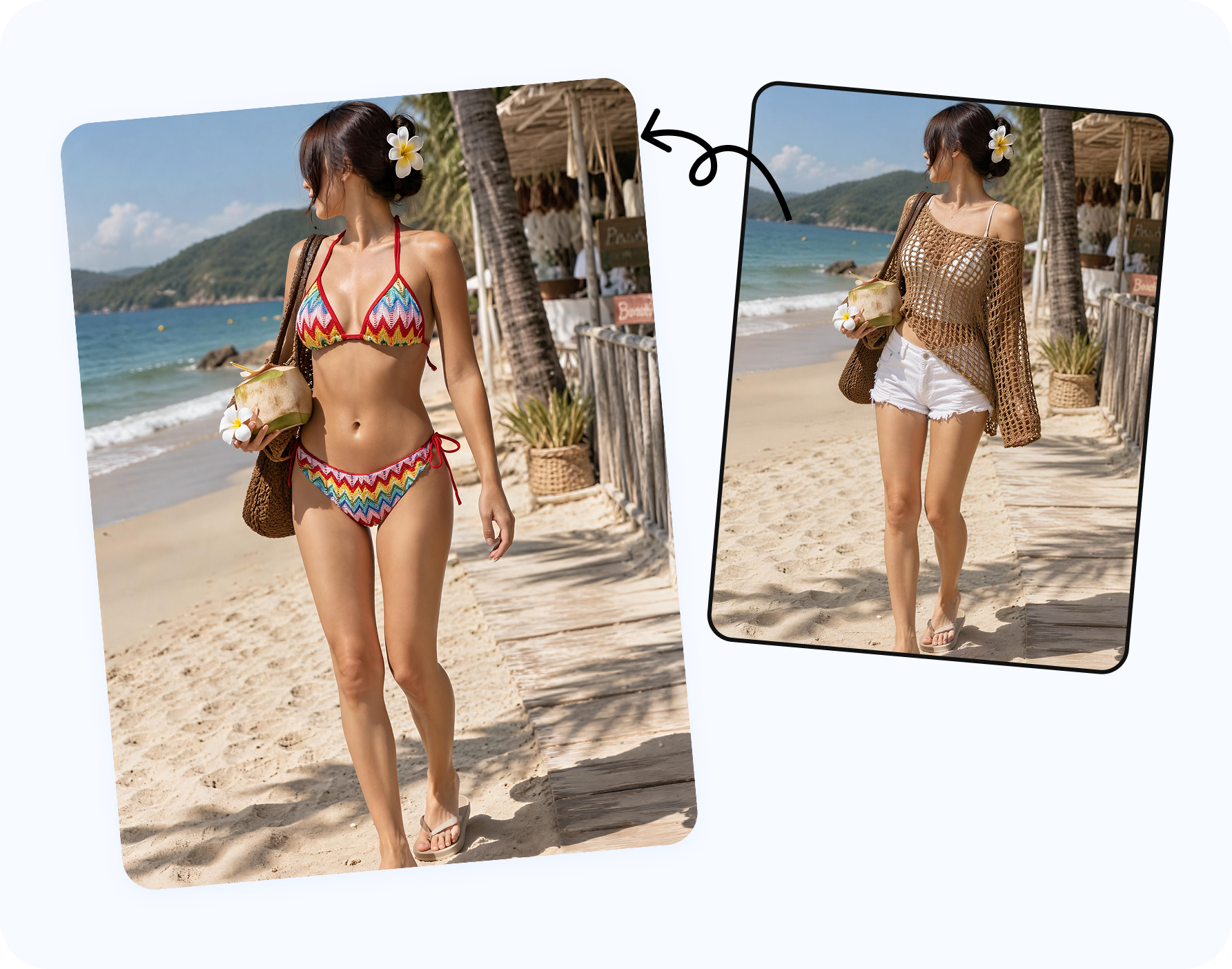
Best AI bikini try-on options to compare
| Option | Best fit | Watch for |
|---|---|---|
| Snappyit AI Bikini Photo Editor | Photo-based bikini, lingerie, underwear and resort outfit previews on authorized adult model images. | Use clear source photos and review garment edges, straps and pose consistency. |
| Retailer virtual fitting rooms | Checking a specific store catalog when the item is already available in the retailer flow. | They may be locked to one catalog and may not support creator, designer or campaign use. |
| Generic AI image editors | Broad creative experiments, moodboards and one-off concept images. | Product accuracy, garment detail and consent controls vary widely. |
| Mobile selfie editors | Fast personal previews from phone images. | Many are built for filters rather than precise swimsuit details. |
| Design moodboard tools | Early concept exploration for colors, coverage, silhouette and resort styling. | They may generate a new model instead of preserving your chosen source photo. |
| Product photo tools | Ecommerce swimwear, bikini and lingerie catalog images. | They should preserve the SKU, not invent a different garment. |
For most people looking for an AI bikini try-on app, the practical question is whether the tool accepts the source you have. If you have your own adult photo, a creator portrait, a synthetic model or an approved adult model image, a photo-based editor is the most direct workflow. If you only have a product file, a fashion model or ghost mannequin tool may be a better starting point.
How to judge the output before trusting it
A bikini try-on result should be judged at normal viewing size and zoomed in. At normal size, the silhouette, mood and color should make sense. At zoom level, straps should attach naturally, waistbands should follow the pose, shadows should agree with the original light, and prints should not smear across hands, hair or background edges.
- Use a source photo with visible pose, uncluttered clothing edges and enough resolution.
- Compare broad categories first: bikini, one-piece swimsuit, tankini, cover-up, sarong or resort shirt.
- Use a reference garment when cup shape, strap width, print, trim or waistband height matters.
- Reject outputs where the garment cuts through fingers, hair, elbows or jewelry.
- Do not treat the image as proof of size, support, fabric stretch or real garment comfort.
For shoppers, the best output answers whether a style direction is worth ordering. For creators, it helps decide a shoot concept. For designers, it helps compare silhouette. For sellers, it helps test a campaign visual before a full production pass.
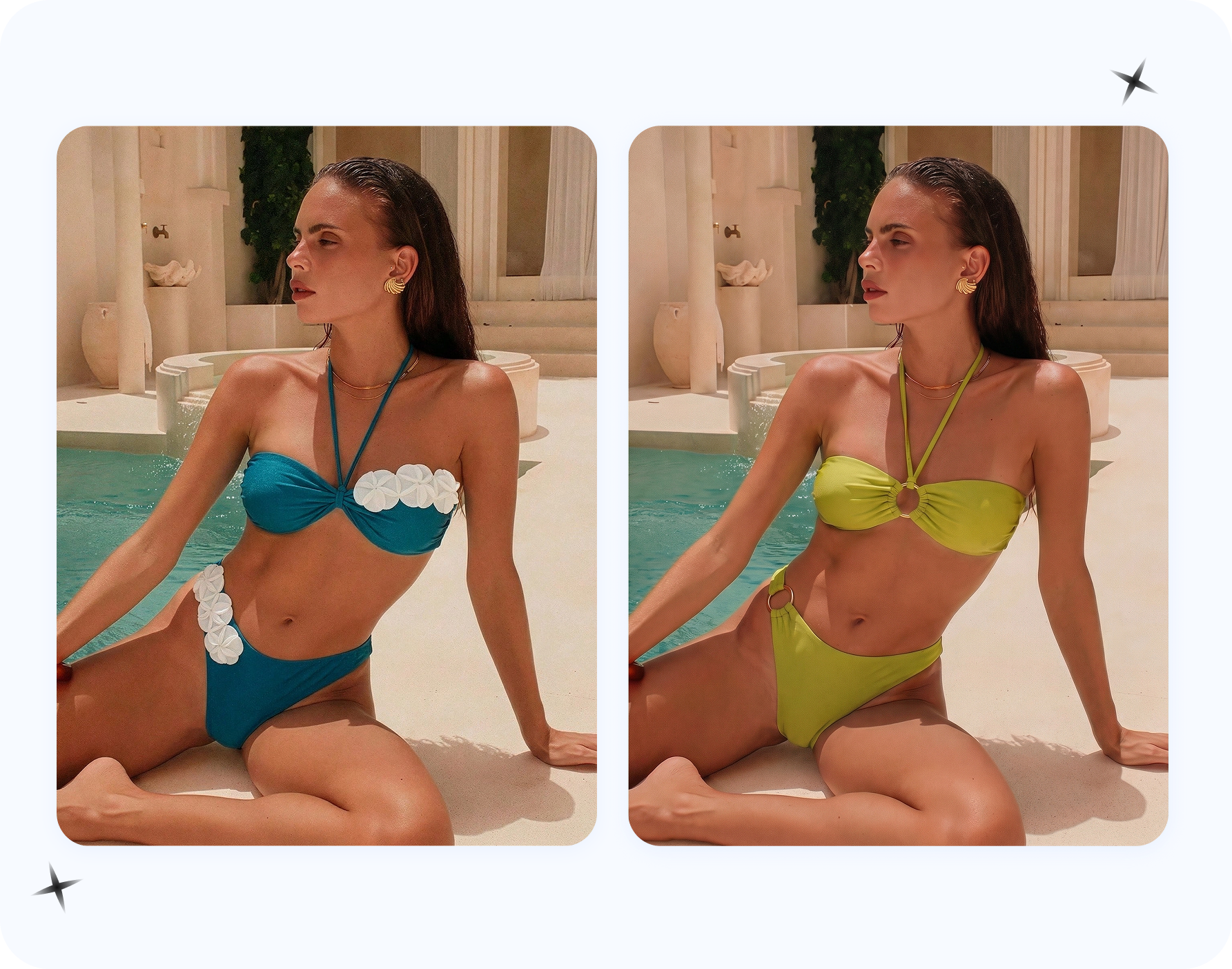
Use cases for shoppers, creators, designers and sellers
Shoppers
Preview swimwear color, coverage and resort mood before buying, packing or returning.
Creators
Draft beach thumbnails, vacation outfits, sponsored post concepts and poolside styling ideas.
Designers
Compare bikini top shapes, high-waist bottoms, one-piece cutouts and cover-up combinations before sampling.
Fashion sellers use the same technology differently. Their goal is not to see themselves in a bikini, but to place a product or approved model direction into listing, ad and campaign variations. That workflow needs stricter product review: the SKU must remain recognizable, the fabric must match the product and the output should not overpromise fit.
Permission, adult-only images and commercial rights
If a result will be used commercially, confirm model release terms, photographer rights, brand permissions and whether the garment reference can be used in marketing. A personal bikini try-on is a private styling draft. A product page image is a commercial asset and needs a different rights check.
Snappyit fits the permission-first side of the market: bikini photo editor, swimsuit try-on, AI clothes changer, AI outfit changer and put bikini on model workflows where the output remains a visible outfit edit.
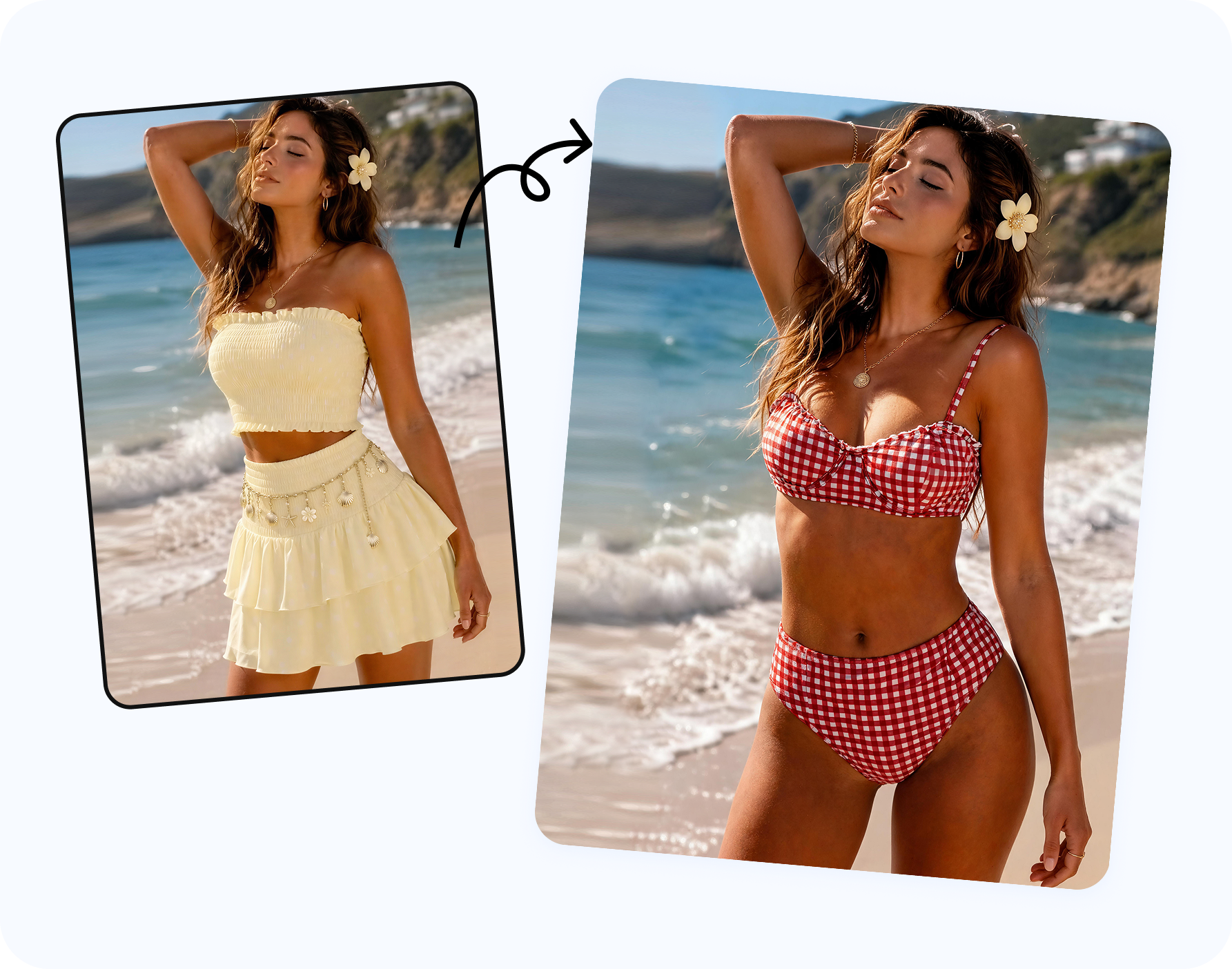
How Snappyit fits the bikini try-on workflow
Start with Snappyit AI Bikini Photo Editor when the job is to change an authorized adult model photo into bikini, lingerie, underwear, bra or resortwear. Choose the clothing type, or upload a reference garment when you need a specific print, strap, neckline or color. Review the output for fabric edges, pose consistency and whether the result still reads as a realistic photo.
If the source image needs clothing-area cleanup before an outfit change, use AI Clothes Remover as a prep step on authorized 18+ model photos. If the question is clothed bra proportion or cup-size direction, use AI Breast Expansion for approved adult images.
A practical scorecard for choosing an AI bikini try-on app
When several apps appear to do the same thing, score them by the job you actually need done. A personal shopper needs privacy, easy upload, a realistic swimsuit preview and a fast way to compare options. A creator needs control over pose, background mood and whether the output still looks like the original shoot direction. A designer needs silhouette testing and reference-garment fidelity. A seller needs commercial rights, repeatability and product accuracy.
A useful scorecard has five columns: source image control, garment reference support, output realism, rights clarity and review effort. Source image control means you can use your own adult photo or approved model image, not only a generic avatar. Garment reference support means the app can follow a real bikini or swimsuit instead of inventing a random look. Output realism means hands, straps, skin tone, hair and lighting stay coherent. Rights clarity means the app fits your intended personal or commercial use. Review effort means you can quickly decide whether the image is ready, needs a cleaner source, or should be rejected.
For a buyer, the highest score may go to a tool that helps compare two or three swimsuit directions quickly. For a swimwear brand, the best app is the one that keeps the SKU honest. The same AI bikini try-on keyword covers both cases, but the evaluation is different.
What not to expect from virtual bikini try-on
Virtual bikini try-on is not a fitting room, a bra-size calculator, a body scanner or proof that a garment will feel comfortable in water. It cannot tell you how elastic recovers after swimming, whether a strap digs into the shoulder, how a lining behaves when wet, or whether a cup provides enough support. Those decisions still require real garment data, reviews, size charts and personal comfort checks.
Use AI for the visual questions it can answer: Does a black triangle bikini fit the mood better than a floral underwire top? Does a one-piece suit look more aligned with a resort trip? Does a cover-up improve the image? Is the color strong enough for a beach thumbnail? If the question involves real-world support, compression, fabric weight or return risk, treat AI as one input, not the final answer.
Privacy, upload flow and workflow fit matter as much as image quality
Many bikini try-on tools look similar in a thumbnail, but the upload flow can change whether the tool is appropriate. A private shopper may want a fast one-photo workflow and no complicated studio controls. A creator may want to preserve face, pose, background mood and camera angle. A seller may need repeatable exports, consistent crops and a clear path from approved model photo to product-page review. A designer may need to test references quickly without building a full ecommerce shoot.
Before choosing an app, check whether it supports the source image you plan to use. Some apps are built around avatars, some around retailer catalogs, some around text-to-image generation and some around direct photo editing. If your search intent is put bikini on photo or swimsuit try-on from photo, a direct photo editor is usually the closest match. If the goal is to show a real SKU on a new model, a product photography or AI fashion model workflow may be more appropriate.
Also consider the review loop. Good output is only useful if you can compare versions, reject bad ones and move quickly toward the decision. An AI bikini try-on app should help you decide, not create a folder of attractive but unusable images.
Frequently asked questions
What is the best AI bikini try-on app?
The best app depends on the source photo and goal. For authorized adult photo edits, Snappyit AI Bikini Photo Editor is built for bikini, swimwear, lingerie, underwear and resort outfit previews.
Can I use AI to see myself in a bikini?
Yes, if you use your own adult photo and keep the output as a visible swimsuit or outfit preview. Treat it as styling guidance, not a fit guarantee.
Is bikini try-on the same as a clothes remover?
No. Bikini try-on should add or change visible clothing on an image you control. Clothes remover language should be limited to authorized cleanup or try-on prep, not nudity or non-consensual edits.
Can I upload a bikini reference photo?
Yes. A reference image helps guide the swimsuit color, print, cup shape, straps, waistline and cover-up details.
Can creators use AI bikini try-on for content planning?
Yes. Creators can test thumbnails, beach outfits and campaign concepts when they own the image rights and the adult subject has consented.
Can fashion designers use bikini try-on apps?
Yes. Designers can compare silhouette, color and styling direction before sampling, though final fit and construction still need real review.
Can sellers use AI bikini try-on commercially?
Only if the source image, model, garment references and output rights allow commercial use. Product accuracy should be checked before publishing.
What photo works best?
A clear adult full-body or three-quarter image with visible torso, simple lighting and limited occlusion usually works best.
Does AI bikini try-on show accurate sizing?
No. It can preview visual style and coverage, but it cannot guarantee fabric stretch, support, measurements or real comfort.
Which Snappyit tool should I start with?
Start with AI Bikini Photo Editor for outfit changes. Use AI Clothes Remover only for authorized cleanup prep and AI Breast Expansion only for clothed adult cup-size previews.
