If you've read more than 3 reseller blogs, you've seen the same advice: "build a $200 home studio, ring lights, sweep backdrop, ironing board, professional camera." It's bad advice for almost everyone selling on Poshmark, Depop, eBay, Mercari, Vinted, or Whatnot — because it ignores the actual constraint: your time, not your photo gear.
This guide is the honest version: the $0 setup that ships 80% of catalogs, the $50 upgrade for trickier items, the $200 "pro" tier and why most resellers don't need it, and the AI workflow that skips physical setup entirely. We'll close with the cost-per-photo math, so you can decide what your time is actually worth.
1. Why Most Reseller "Home Studio" Tutorials Lie About the Cost
The tutorials sell gear. The links are affiliate. The author is paid per click on the $189 ring light, not per resale you ship. So the recommended setup mysteriously requires every accessory in the catalog.
Here's what nobody tells you. A 2024+ phone (iPhone 13 / Pixel 7 or newer) shoots at 12 MP minimum, and current flagships (iPhone 15/16 Pro, Pixel 8/9) push 48–50 MP main sensors that pixel-bin to crisp 12–25 MP defaults. That's already more resolution than any marketplace actually displays — Amazon main image renders at 1500×1500 (zoom layer up to ~3000), Etsy displays at 2000×2000, Poshmark at 1000×1500, Mercari at 1080×1080. A flagship phone with window light has every pixel a marketplace will ever show. Adding $400 in DSLR + lighting gear gets you photos no shopper will visually distinguish from your phone's. The gear sells the gear; it doesn't sell the listing.
"The reseller economy runs on speed, not pixels. The flipper who ships 30 listings in a Sunday afternoon outearns the flipper who staged 5 perfectly. Buy gear that matches your throughput target, not your aspirational catalog."
2. The $0 Window-Light Setup (works for 80% of catalog)
Three things you already own:
- One window. North-facing is best (consistent diffuse light all day). East-facing works for morning shoots. South / west have harsh peak hours — shoot mid-morning or late afternoon.
- One white surface. A king-size flat sheet (Target, $12), a roll of white craft paper, or even a clean wall counts. Tape it to the floor or hang it as a sweep behind a tabletop.
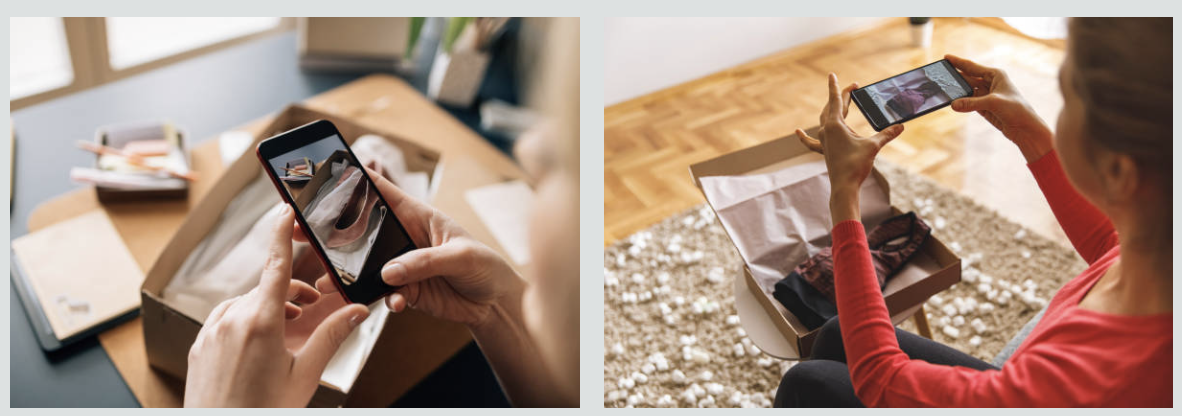
- Your phone. Default Camera app, no filters, no Portrait mode. Tap the brightest part of the garment to set exposure, then drag the slider down -0.3 to keep highlights from blowing out white fabric.
That's the setup. You can ship 30+ listings a week with it. The bottleneck isn't gear quality; it's the 5 minutes per piece you spend staging, shooting, and reviewing. If you can get that down to 2 minutes (most experienced flippers can), you've ended up at ~1 hour of photo work per 30 listings — competitive with any "pro" studio.
3. The $50 DIY Light Box (when window light isn't enough)
Window light fails in three cases: very small items (jewelry, watches), very dark items (black-on-black detail), and night-only shooting schedules. For these, a $50 light box buys you reliability:
- $25 — Foldable PVC light tent with white nylon walls (any "20-inch product photo light box" on Amazon). Sets up in 30 seconds, packs flat against a closet wall.
- $15 — One LED panel light (5500K daylight balanced). Mount it overhead with the included clip. Avoid ring lights — donut reflections give you away.
- $10 — Glass or acrylic shooting platform (a small clear cutting board works). Lets you shoot small items with a clean shadow.
That's it. $50 for the entire kit. Skip the tripods, second light, color cards, gradient backdrops — all the "must-haves" tutorials push. They're not. A simple 3-piece box + overhead light is what 80% of professional product shoots actually use.
When you'd reach for it: jewelry close-ups (where window light produces specular reflection issues), small electronics, watches, dark leather goods. For apparel — which is the bulk of any thrift catalog — window light still wins because the fabric drapes more naturally without the harsh top-down light.
4. The $200 "Pro" Setup (and why most resellers don't need it)
The full-fat home studio, in increasing order of cost:
| Item | Realistic cost | Worth it? |
|---|---|---|
| Tripod (phone or DSLR) | $25 | Only if you batch-shoot 50+ pieces in one session |
| Backdrop stand + sweep paper roll | $60 | Only if you run on-model with mannequins |
| Two LED softbox panels | $70 | Marginal vs window light for apparel |
| Color reference card | $15 | Only if you need cross-listing color match across multiple cameras |
| Mirrorless camera body (used) | $400+ | Almost never; phones beat APS-C for marketplace use |
| Macro lens for jewelry / watches | $200+ | Only if jewelry / watches are your primary category |
The math: a $200 setup recoupable at $0.30 of "saved time per listing" pays back over ~600 listings. If you ship 30 a week, that's 5 months. If you ship 5 a week, that's 30 months — by which point your sourcing strategy or platforms have shifted and the gear is sunk cost. Most resellers should not invest at this tier.
5. AI as the Studio Replacement: Catalog-Grade Photos Without Studio Gear
The category that did shift the reseller economics in 2024–2026 isn't lighting or backdrops — it's AI photo generation. A clean phone photo plus an AI tool produces output indistinguishable from a $1500 studio shoot in 60 seconds — without studio rental, without gear, without a dedicated room:
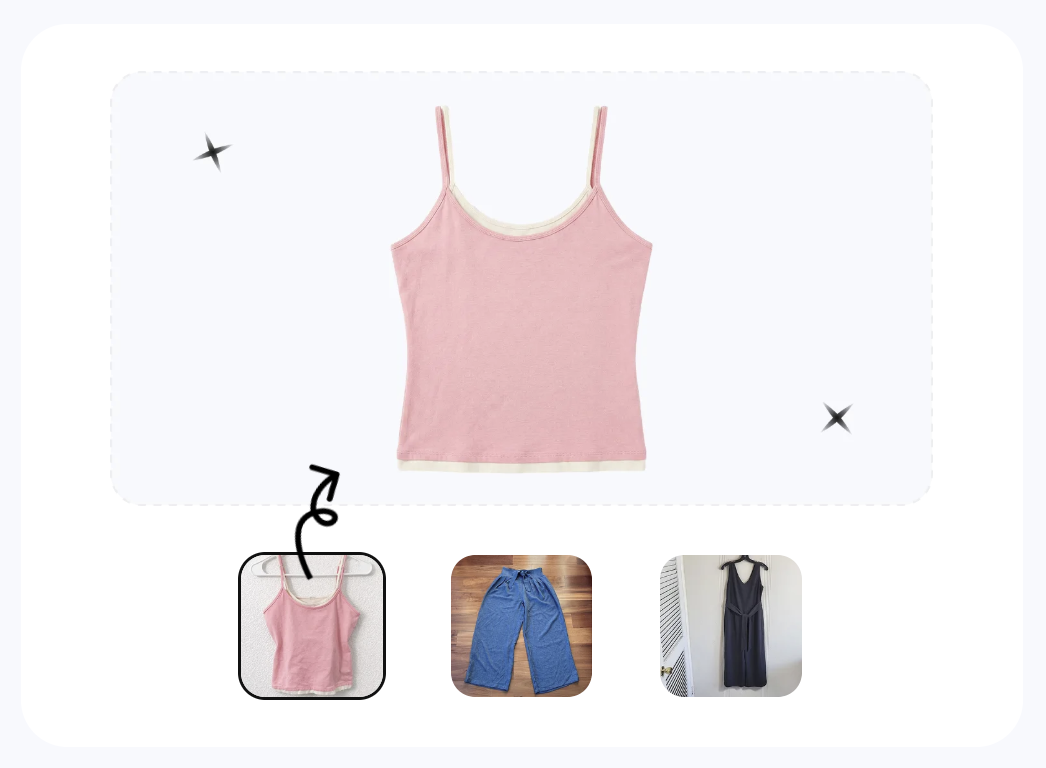
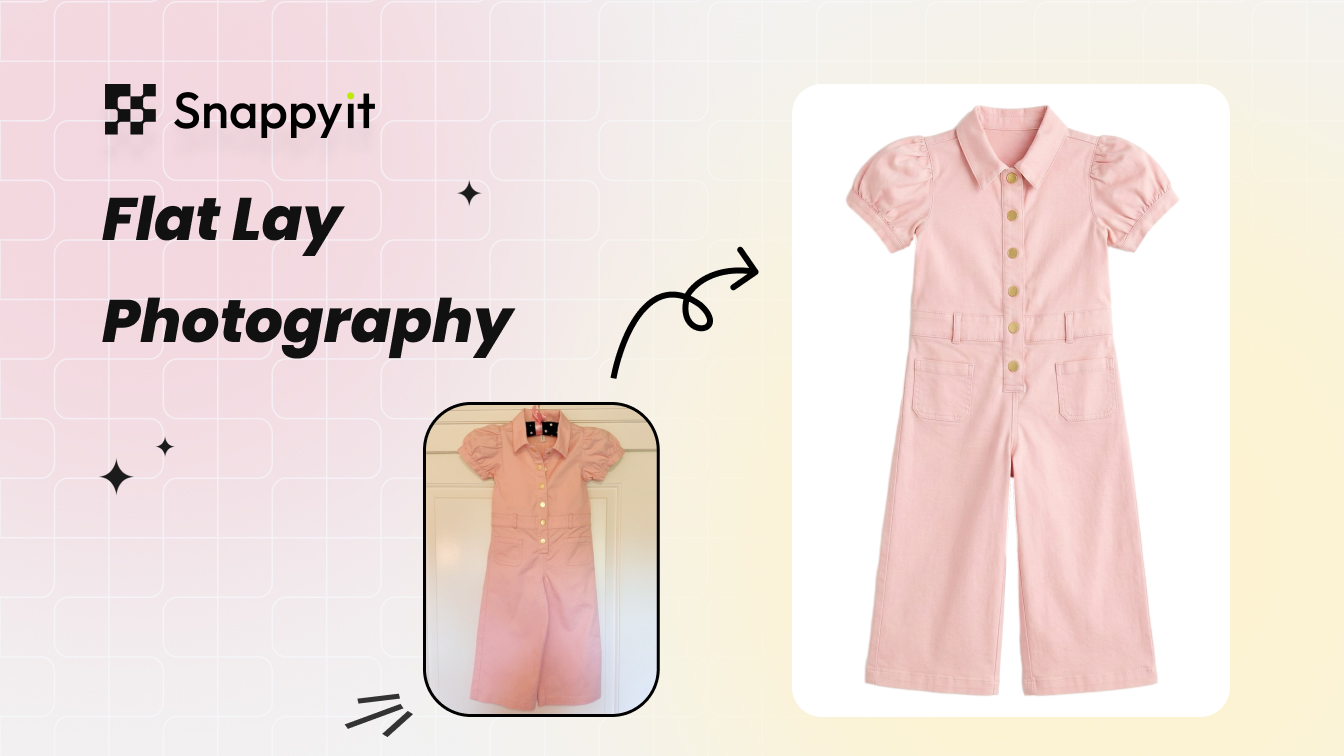
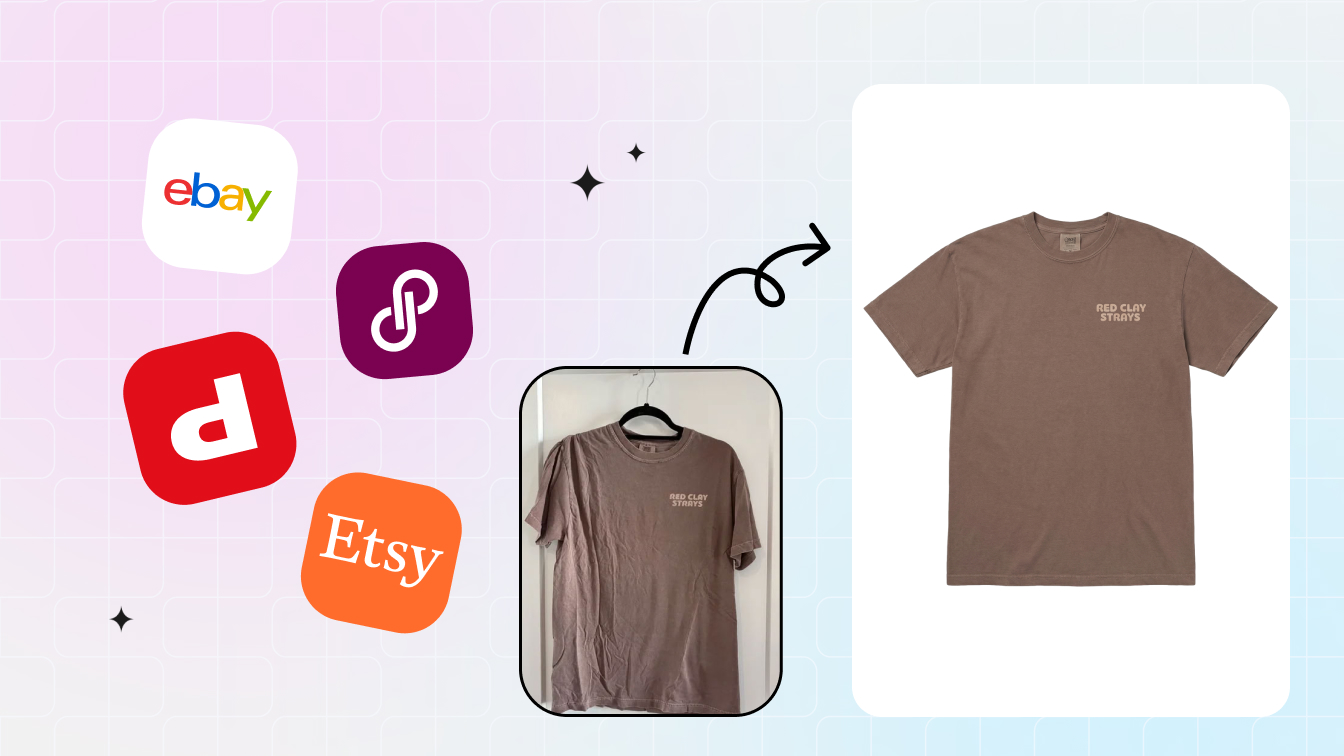
- AI Flat Lay generation — drop in a phone photo of a wrinkled garment on your bedroom floor; output is a smooth catalog flat-lay on pure white, fabric drape natural, wrinkles gone, background replaced.
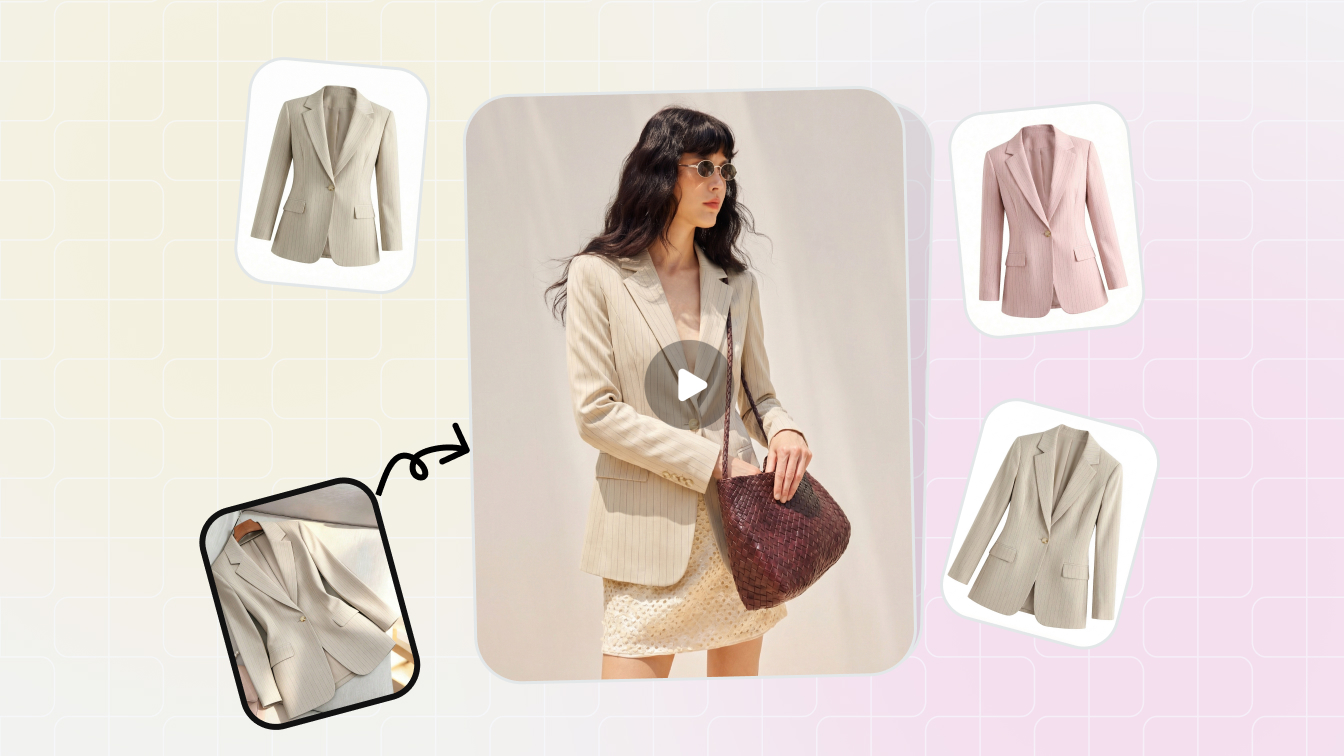
- AI Ghost Mannequin — same input, output shows the garment with a 3D-worn shape, no real mannequin or model needed.
- AI Fashion Model — flat-lay → on-model lifestyle image with a person of your chosen demographic wearing the piece.
- AI Color Change — single source photo → every colorway in your inventory, fabric grain preserved.
Each runs ~$0.10–$0.40 per photo and 60–90 seconds per pass. Compared to the $50–500 it takes to produce equivalent photos in-house with physical gear, the per-piece economics are dramatically in AI's favor — even without studio space, lighting kit, or backdrop sweep. The catch: you still need a clean phone input — wrinkled, badly composed, or low-resolution photos produce mixed AI output. The window-light setup from §2 is the input pipeline; the AI is the output pipeline. They work together.
Try the AI version first. For most catalog work, AI tools clear the bar for quality and ship in seconds. Try Snappyit AI Flat Lay free →
6. Phone Camera Settings That Beat Studio Equipment
Settings matter more than gear. The five that move the needle:
- Resolution: max. iPhone settings → Camera → Formats → "Most Compatible" (JPEG) for cross-platform reseller workflow; Pro models can also enable ProRAW for hero shots. Pixel users: Camera app → settings gear → enable "Full Resolution" if on Pixel 7 Pro / 8 / 9 (default binned 12 MP is fine for marketplace listings).
- HDR: on. Pulls detail out of bright whites and dark blacks simultaneously. Default-on for most modern phones.
- Tap-to-focus on the garment. Tap the actual fabric texture, not the background. Phone's contrast-detect autofocus needs a textured target.
- Exposure compensation: -0.3 for white items, +0.3 for black items. The phone's auto-exposure tries to make everything middle-gray, which over-exposes whites and under-exposes blacks.
- Volume button as shutter. Cuts camera shake by 50%. Hold the phone two-handed, press the volume-up button instead of tapping the screen.
None of these need new gear. They're free upgrades that make every subsequent shot 30% cleaner. Most resellers never bother — and that's why a default-settings $1200 iPhone gives worse results than a tuned 3-year-old phone.
7. When You Still Need a Real Studio
Three legitimate cases for a real (rented or built) studio:
- Premium product photography ($300+ items). Designer bags, fine jewelry, watches, sneakers $400+. Buyers in this tier expect macro detail, controlled reflection management, and consistent ambient lighting that phone + AI can't fully match. The AI cleanup post-processing is still useful, but the input photo deserves studio quality.
- Branded ad campaigns. If you run paid Meta / TikTok / Pinterest ads with a consistent brand-direction look, a real studio gives you control over backdrop color, lighting setup, and creative direction that AI can't fully replicate. Most flippers don't do this. If you're an emerging DTC brand on top of your reseller business, you do.
- 100+ listings per week with consistent SKU types. At that volume, a permanent backdrop + tripod + dedicated lighting saves 1–2 minutes per listing — across 100+ pieces, that's 2+ hours weekly. The setup pays back in 2–3 months. For lower-volume flippers, the per-listing setup is overhead they can't recover.
If none of those three apply to you, you're in the "AI + window light" tier. That's most resellers.
8. Reseller Cost-Per-Photo Math: DIY vs AI vs Studio
The numbers, normalized per listing photo:
| Setup | Cost / piece | Time / piece | Capital outlay | Best for |
|---|---|---|---|---|
| $0 window-light | ~$0.20 in time | 3–5 min | $0–15 | Most thrift / vintage flippers |
| $50 light box | ~$0.20 in time | 2–4 min | $50 | Jewelry, small electronics, dark goods |
| $200 home studio | ~$0.15 in time | 1.5–3 min | $200 | 100+ listings/week steady-state |
| Phone + AI Flat Lay | $0.10–$0.40 (compute) | 30–60s end-to-end | $0 | Catalog scale; mixed inventory |
| Real studio (rented/built) | $5–25 per piece | 1–2 min in-shoot | $2,000+ | Premium $300+ goods, brand campaigns |
The crossover is clear: for 80% of resale catalogs, "phone + AI" wins on time AND on capital. The marginal compute cost ($0.10–$0.40 per AI output) sits below the implicit time cost of a $0 setup ($0.20–0.50 in labor at $15/hr fully loaded), and the time-to-shipped-listing collapses from 3–5 minutes to under one. And neither requires you to dedicate an apartment corner to a backdrop.
The pragmatic 2026 reseller stack: window-light input (free) + AI generation (compute) + honest macro flaw shots (phone, no AI). Built that way, you ship 50+ listings a week with under 2 hours of weekly photography labor — the kind of throughput that turns reselling into a real income stream rather than a side hustle that consumes evenings and weekends.
Frequently Asked Questions
What's the absolute minimum I need to start photographing reseller items?
A phone with a working camera and one window. That's it. The window provides directional natural light (the most flattering kind for apparel and small goods). A white sheet or roll of cheap white paper from the dollar store gives you a clean backdrop. You can ship 30+ listings a week with that setup — every reseller who tells you otherwise is selling photography gear.
Do I need a ring light or softbox to compete?
Probably not. Ring lights cast a giveaway donut-reflection on glossy items (sequins, leather, jewelry, plastic packaging). Softboxes need 6+ feet of clearance you may not have in a small apartment. For 90% of resale categories, north-facing window light beats both. Save the $200 for inventory.
What's the realistic cost of a "$0" home studio?
Free if you already have a phone, a window, and a white sheet. ~$15 if you need to buy a king-size flat sheet for a backdrop. The hidden cost is time: 5 minutes per listing for staging + shooting + reviewing. At 30 listings a week, that's 2.5 hours of weekly photography labor. AI flat-lay generation collapses that to ~30 seconds per piece (input phone photo + click), turning a 2.5-hour weekly task into 15 minutes.
When does it actually make sense to invest in a real studio?
Three cases: (1) You're shooting 100+ listings a week — at that volume the per-piece time savings of a permanent setup pay off in 2–3 months. (2) You sell category-specific premium goods (luxury jewelry, sneakers $300+, designer bags) where buyers expect studio-grade detail shots and will return items if photos look amateurish. (3) You also sell to wholesale or boutique buyers who need a consistent brand-direction look across the catalog. Otherwise, AI + window light is the better ROI.
Can a phone really compete with a $1500 DSLR for product photos?
For 80% of resale categories, yes. A 2024+ iPhone or Pixel outputs 12 MP minimum (and 48–50 MP at full sensor on Pro models) — more than enough for any marketplace's display size (Amazon main image at 1500×1500, Etsy at 2000×2000, Poshmark at 1000×1500). Where a DSLR genuinely wins: (a) very low light (museum, dark loft) where phone sensors get noisy, (b) macro detail at <2 inches, where DSLR depth-of-field control beats phone's computational blur, (c) tethered shooting at 100+ shots per session where a tripod-mounted DSLR is faster. None of those is the average reseller workflow.
Where does AI fit — does it replace the studio, or is it just for cleanup?
It does both, depending on the input. With a clean window-lit phone photo, AI does cleanup: white-balance correction, background removal, wrinkle smoothing. With a messy phone photo (cluttered bedroom, harsh lighting, weird angle), AI regenerates the entire image as a studio-grade flat-lay or on-model output — effectively letting you ship a catalog-grade listing without studio rental, lighting kit, or floor space. The reseller who runs both workflows in parallel ships 3–5× more listings per hour than someone trying to perfect every shot in-camera.
What's the best lighting for reseller product photos at home?
North-facing window light, an hour after sunrise or before sunset, beats almost every artificial setup under $300. It's diffuse, color-accurate, and shadow-soft — exactly what apparel and small-goods buyers want. If you don't have a north-facing window, any window with a sheer curtain or a thin white sheet over it gives the same diffusion. Avoid overhead ceiling LEDs (cool color cast) and direct sunlight (harsh shadows). For consistency across listings, shoot in the same 2-hour daily window so all your photos share the same color temperature.
How do I photograph clothes at home without a model?
Three options, in increasing quality order: (1) flat-lay on a white sheet — fastest, works for 90% of resale categories. (2) hanger shot on a plain wall — better for showing drape and length, takes 2 extra minutes per piece. (3) AI ghost-mannequin or AI on-model from a flat-lay source — Snappyit converts a flat-lay into either a 3D ghost-mannequin shape or an on-model preview without hiring a model or buying a mannequin. The typical reseller mix: 1–2 flat-lays + 1 AI on-model + 1–2 macro flaw shots per listing.
What background should I use for reseller product photos?
White is the safest default — it matches Amazon's main-image requirement (pure white #FFFFFF), reads cleanly on Poshmark / Mercari / eBay search results, and lets the item itself drive the click. A king-size white flat sheet ($10–15) draped on a wall and floor gives you a seamless white backdrop. Avoid wood floors, patterned rugs, and kitchen counters — they steal attention and make AI background-removal harder if you reprocess later. For lifestyle-feel listings (Depop, Whatnot), neutral wood or off-white walls also work.
Does Snappyit work for jewelry, shoes, and bags — not just clothes?
Yes. Beyond apparel flat-lay, Snappyit covers jewelry retouching (chain re-linking, gemstone clean-up, scratch removal), AI ghost-mannequin for handbags and footwear (showing internal shape without a model), and AI recolor for any rigid product. For a multi-category reseller (clothes + jewelry + shoes), the workflow is the same — one source phone photo per item, one click per AI tool — so a jewelry batch of 200 pieces typically finishes in 15–30 minutes of unattended compute time.
Skip the studio. Ship a listing in 60 seconds.
Drop a phone photo of any garment into Snappyit AI Flat Lay and ship a marketplace-ready cover image in under two minutes — no light box, no tripod, no Photoshop. Free to try, no credit card.
Try Snappyit AI Flat Lay free →