
At a glance
Virtual try-on glasses workflow for eyewear retailers and brands: plan PDP previews, catalog images, ads and buyer upload-photo experiences.
| Need | What to do |
|---|---|
| Get oriented | Read the short summary, then use the checklist below. |
| Create a test image | Try Glasses Try-On Free |
Virtual try-on glasses for ecommerce has two audiences at once. Buyers want to know whether a frame suits their face, outfit and style. Eyewear sellers need images that help sell the real SKU across product pages, catalog grids, marketplace listings and campaigns. A useful workflow serves both sides without pretending that a generated image is a medical or measurement-accurate fitting.
Major consumer eyewear sites already train shoppers to expect a try-on entry point. EyeBuyDirect, for example, presents virtual try-on as a way to try eyeglasses or sunglasses through camera or image upload on its virtual try-on page. For a brand or retailer, the question is how to turn that eyewear virtual try-on behavior into better merchandising, not just another button on the PDP.
Where virtual try-on fits in eyewear ecommerce
Virtual try-on belongs between the product catalog and the buying decision. It helps a shopper move from browsing a frame shape to imagining the frame on a face. For a DTC eyewear brand, that can lift confidence on PDPs and ads. For an optical retailer, it can help buyers compare styles before entering prescription, lens or store-visit steps. For a marketplace seller, it can turn a plain frame photo into a more useful listing story.
The B2B value is strongest when the same try-on workflow feeds multiple assets. A frame preview can become a PDP model image, a collection tile, an ad crop, an email banner or a buyer-facing upload-photo example. The team gets more content from one source SKU, while the buyer sees a clearer path from product photo to face preview.
PDP, catalog, ads and upload-photo pages
Different ecommerce surfaces need different degrees of realism and control. A PDP preview should make the frame easy to evaluate. A catalog tile should read at small size. An ad image can show mood, outfit and campaign direction. An upload-photo landing page should explain what the try-on can show and what still depends on frame measurements.
| Surface | Main job | Best image style |
|---|---|---|
| PDP | Help shoppers judge style and face scale | Clean on-face preview with accurate frame shape |
| Catalog grid | Make frames comparable across a collection | Consistent crops, lighting and face scale |
| Ads | Communicate mood and campaign hook | Styled model image with visible frame silhouette |
| Upload-photo page | Capture high-intent try-on behavior | Clear before-and-after style explanation |
The input workflow for AI glasses try-on
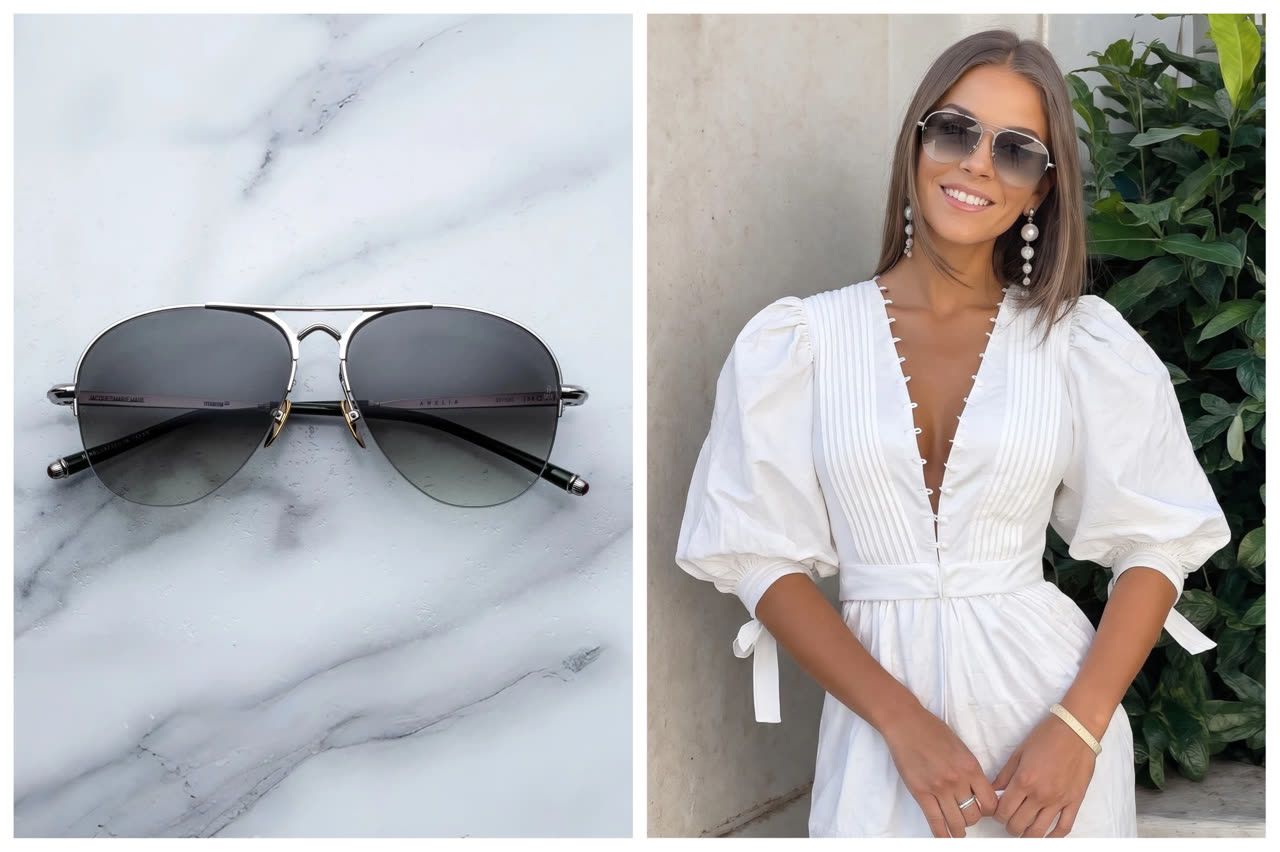
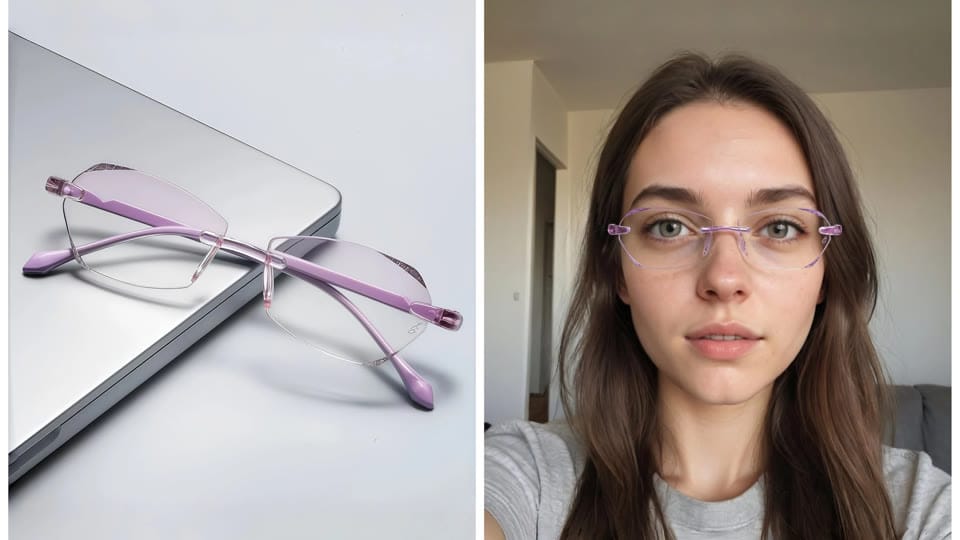
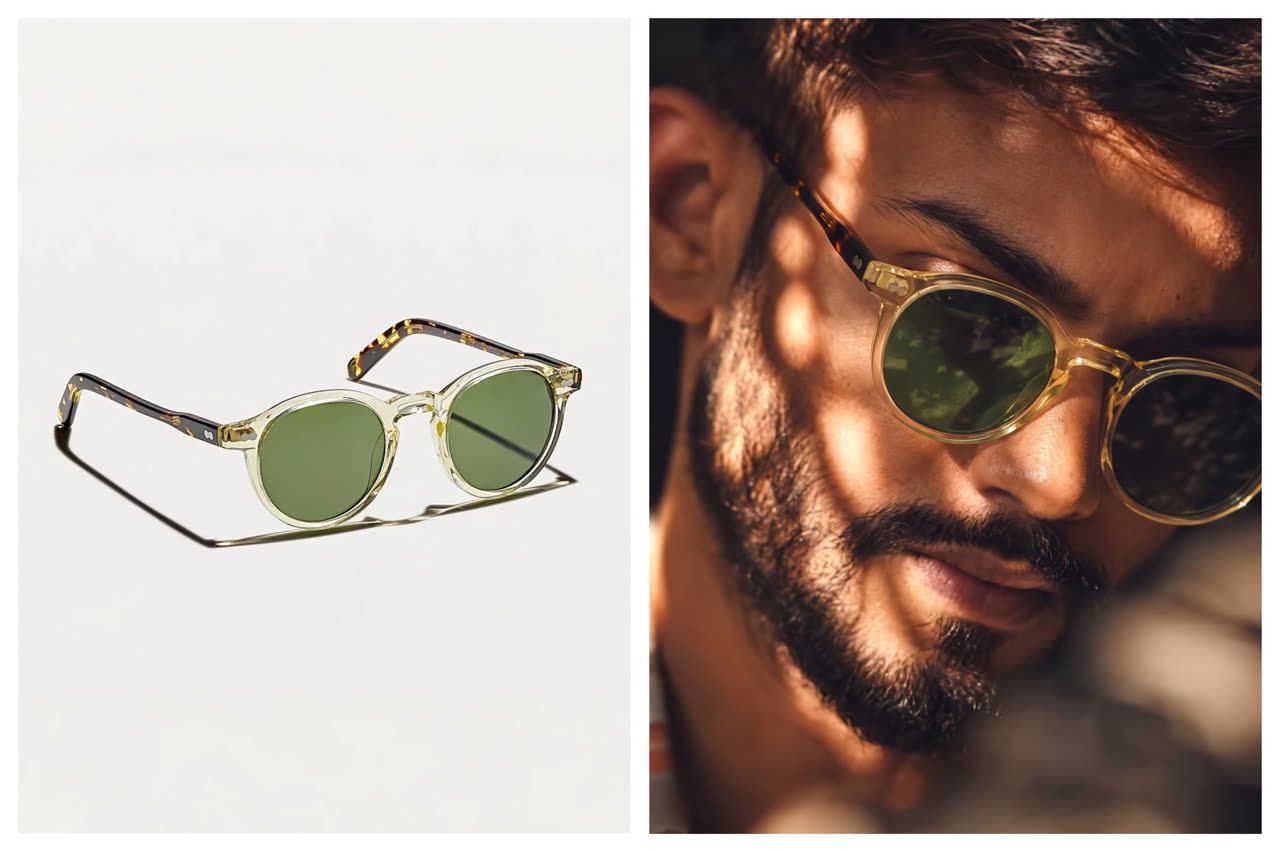
The most reliable workflow starts with the frame product photo. Use the eyewear product photography workflow to standardize that source image before generating PDP or ad previews. The model, buyer selfie or AI model direction comes second. This order matters because the frame is the commercial product. If the tool begins by inventing a face and then loosely adds glasses, the output can drift away from the actual SKU.
Upload the exact frame reference
Use the real SKU image, not a similar frame from a moodboard.
Select the model context
Use a brand-approved model direction for PDP and campaign images, or explain upload-photo try-on for buyer previews.
Generate variants by surface
Make one PDP crop, one catalog crop and one ad crop instead of forcing one image to serve every surface.
Compare against the product image
Review bridge, lens tint, frame thickness, temple angle and color before using the image commercially.
Build an AI glasses try-on image
How buyer preview intent supports sellers
People who search for upload-photo glasses try-on are not only playing with a filter. Many are close to a buying decision and want to reduce uncertainty. The companion guide on how to try on glasses online from a photo covers that buyer-facing intent in more detail. Seller pages should meet that intent with useful product context: frame dimensions, clear packshots, on-face previews, return language and a path from style preview to purchase. Good Housekeeping's online glasses coverage also shows how mainstream buyers compare retailers around virtual try-on and online ordering expectations in its guide to buying glasses online.
For brands, this is where C-side intent becomes B-side conversion work. A buyer asks, "Can I see this frame on my photo?" The seller should answer with a workflow that is fast, clear and honest: preview style and scale, then verify dimensions and prescription details through normal retail steps.
What virtual try-on should not claim
Virtual try-on glasses can preview visual fit: face proportion, frame style, lens tint, outfit pairing and campaign mood. It should not claim exact optical fit unless the product has a separate measurement system behind it. Bridge width, lens height, temple length, pupillary distance and prescription choices still need accurate product data and retailer guidance.
This distinction protects both the shopper and the seller. The shopper gets a useful style preview without overtrusting a generated image. The seller can use AI visuals for merchandising while keeping product specs and service workflows responsible.
Retailer QA for AI glasses try-on images
SKU match
the frame shape, thickness, hinge, color and lens tint must match the real product.
Face placement
the bridge, temples and lens centers should sit naturally, with believable shadows.
Collection consistency
crop, lighting and model scale should be repeatable across frame families.
- Ad readability: the frame must stay visible after cropping for Meta, TikTok, Google Shopping or email.
- PDP clarity: use the AI image beside packshots and dimensions, not instead of them.
Privacy and trust checks for upload-photo flows
Buyer-facing try-on can involve face images, so privacy and retention language need to be clear. The broader retail industry is watching this closely; Vogue Business has reported on virtual try-on class actions and biometric-data concerns in fashion and beauty retail. Use that category risk as a reason to keep upload-photo language direct, avoid silent data reuse and make deletion or processing terms easy to find.
For internal content production, a separate model-release process is also important. Keep ecommerce model workflows, campaign concepts and buyer upload-photo flows distinct. They serve different users, carry different risk and require different approval steps.
Frequently asked questions
How should ecommerce teams use virtual try-on glasses?
Ecommerce teams should use it as a frame-to-face merchandising workflow for PDP previews, catalog consistency, ad crops and buyer upload-photo experiences.
Can eyewear retailers use AI try-on images on product pages?
Yes, as long as the image is reviewed against the real SKU and supported by accurate packshots, dimensions, lens options and product information.
Is virtual try-on the same as exact frame fitting?
No. Virtual try-on is useful for style, face proportion and visual confidence, while exact frame fitting still depends on measurements, prescription needs and retailer guidance.
Which ecommerce pages benefit most from virtual try-on glasses?
PDPs, collection grids, marketplace listings, ad landing pages and upload-photo try-on pages benefit most because they sit close to frame comparison and buying decisions.
Should a seller start with a model photo or a frame photo?
Start with the frame photo because the frame is the product being sold. The person, model or selfie context should come after the SKU reference is clear.
How should brands handle upload-photo trust?
Brands should keep privacy language clear, separate buyer upload flows from internal model production, and avoid vague claims about how face images are stored or reused.