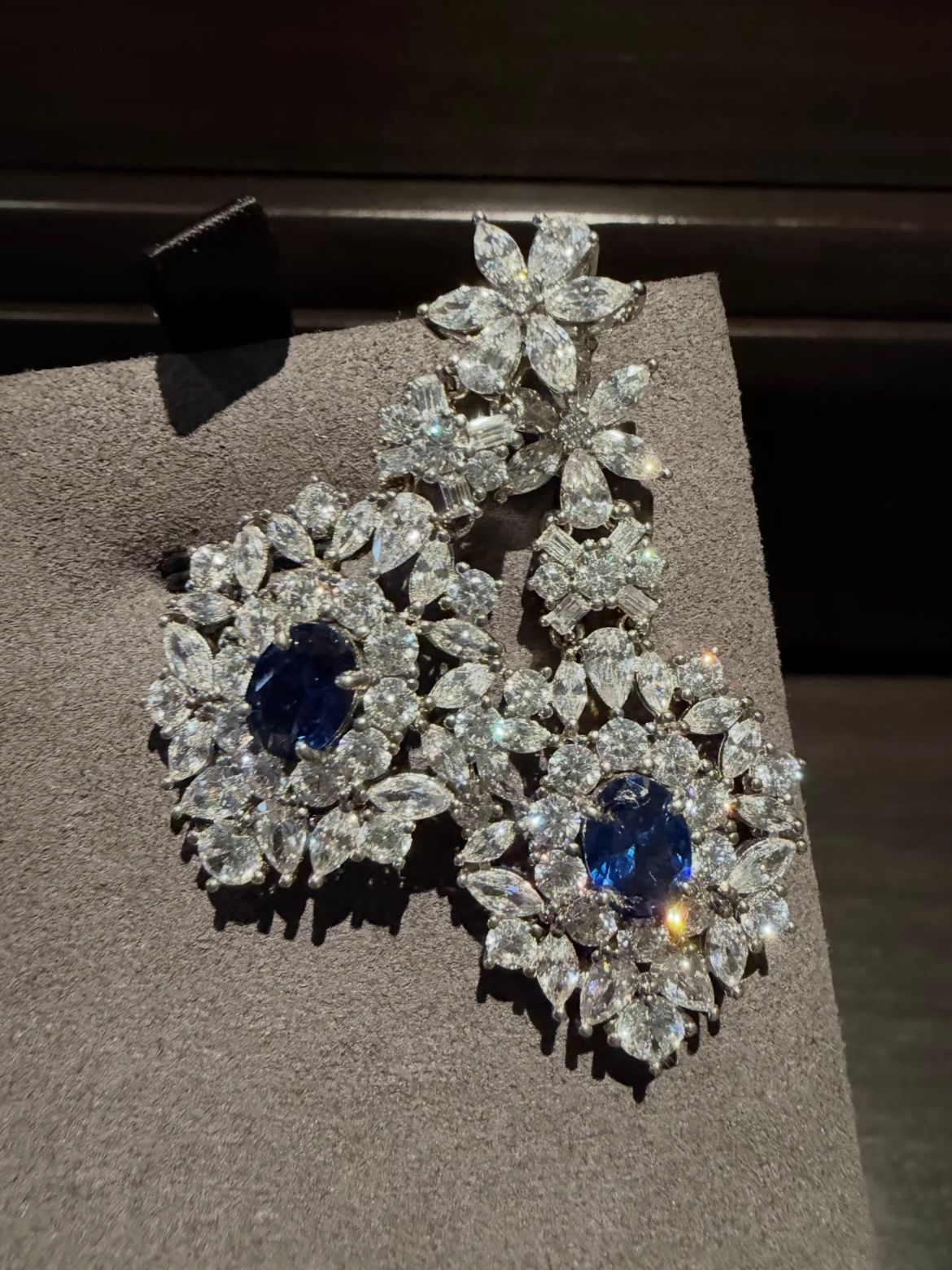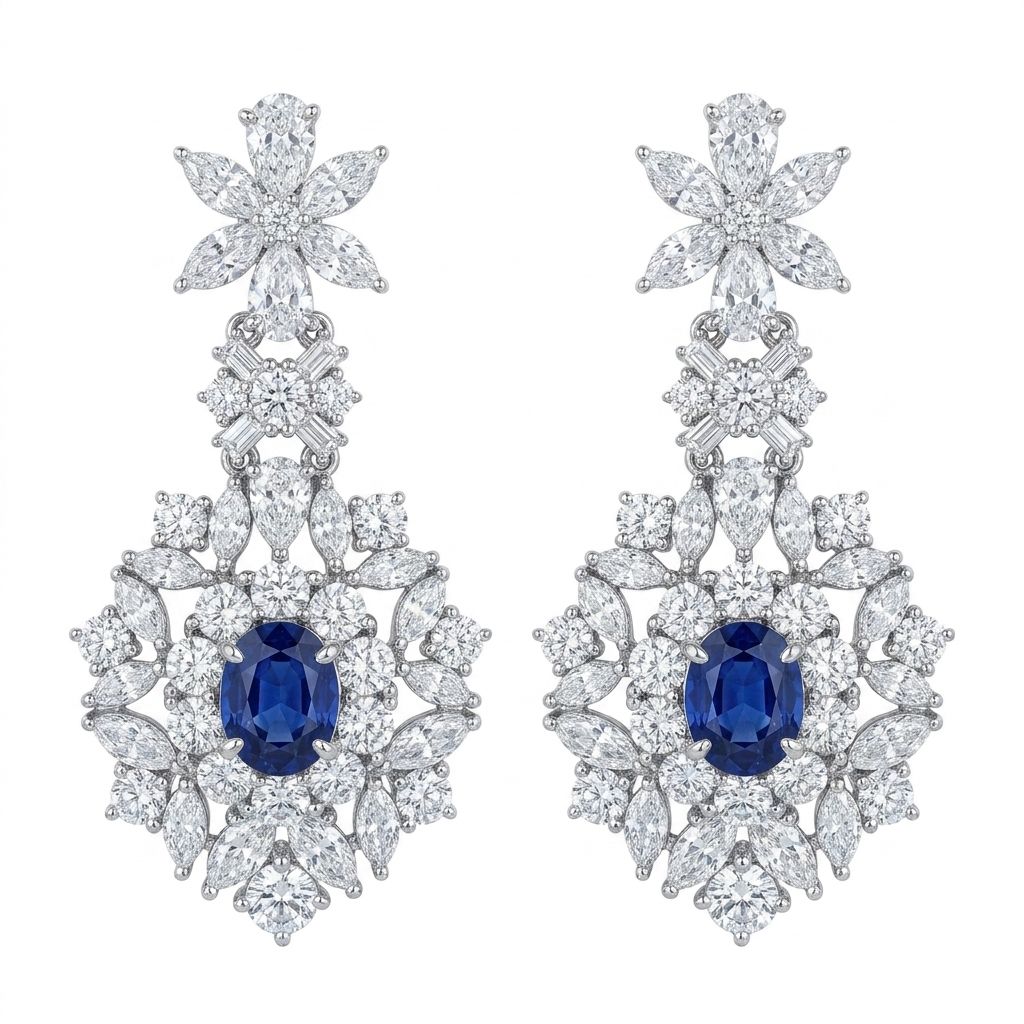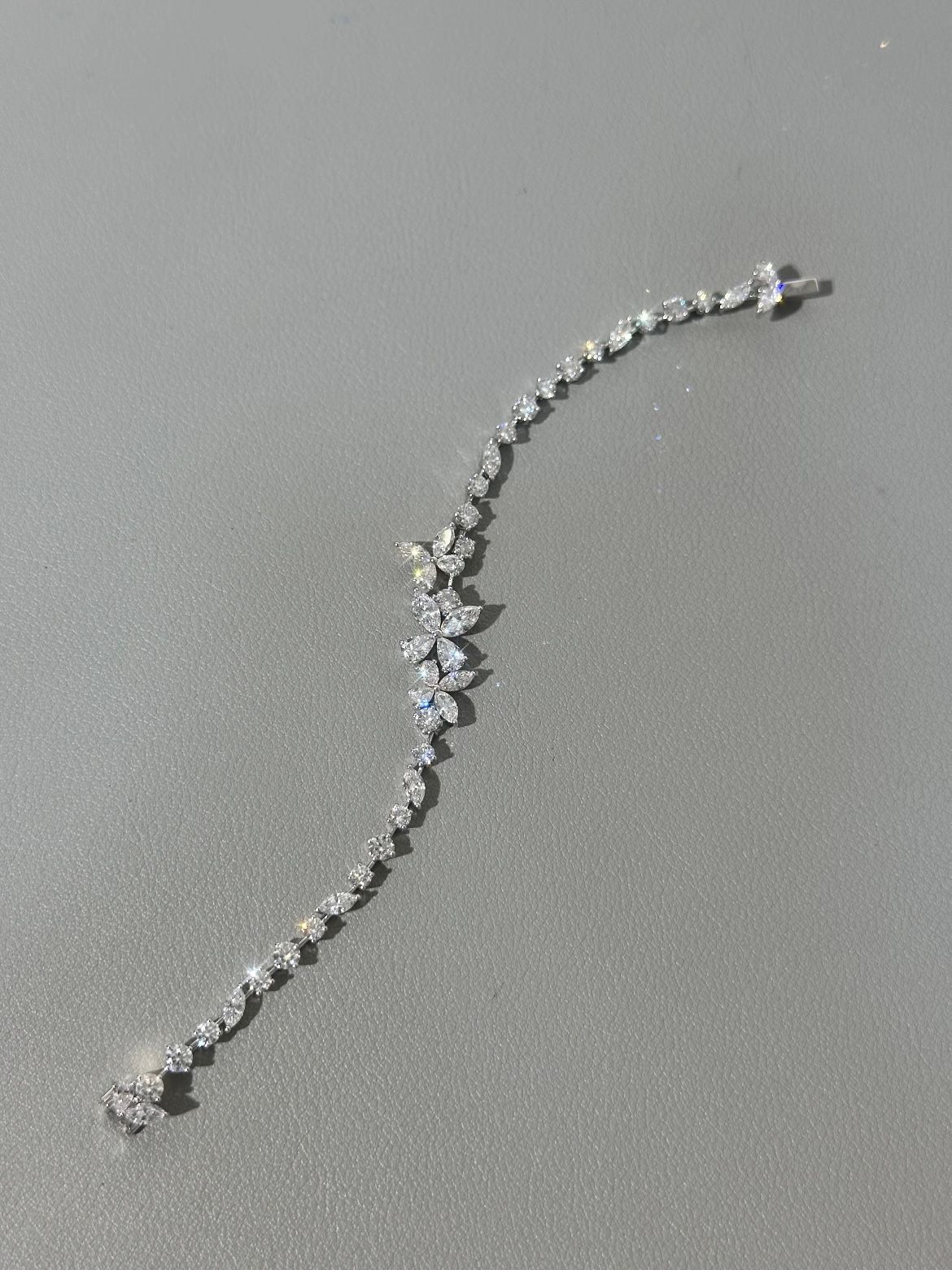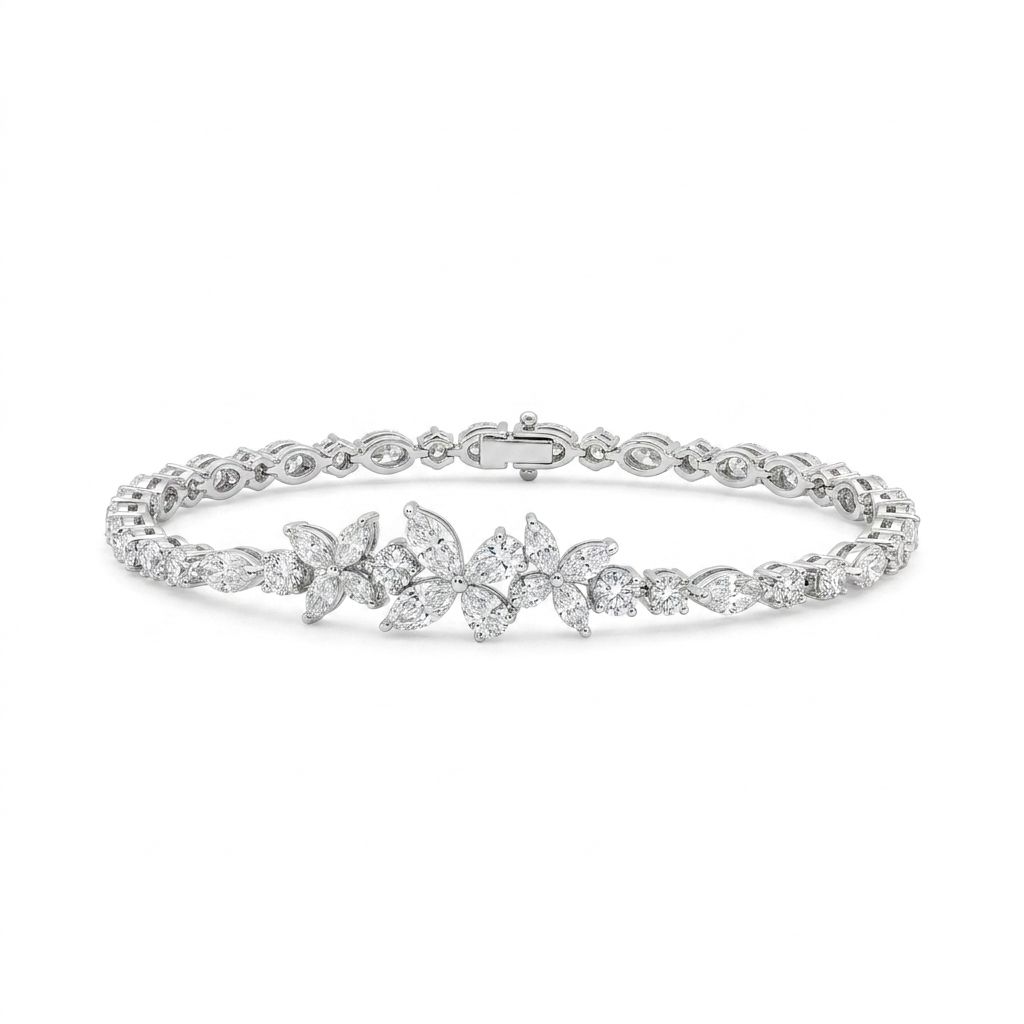

What Is AI Jewelry Retouching and Who Needs It
Every jewelry seller hits the same wall eventually. You photograph a ring that looks stunning in person, upload the image, and somehow it falls flat on screen. Dust particles you never noticed are suddenly glaring, reflections distort the metal, and that brilliant gemstone looks lifeless. Fixing all of this by hand in Photoshop can take 15 to 45 minutes per image. Multiply that across dozens or hundreds of SKUs, and you have a serious bottleneck.
AI jewelry retouching is a direct response to that problem. It uses machine learning models trained specifically on jewelry imagery to automate the most time-consuming editing tasks: cleaning up unwanted reflections on polished metal, enhancing surface shine, removing dust and micro-scratches, swapping or cleaning backgrounds, and normalizing color across a batch. The key distinction here is specialization. General-purpose photo editing AI treats a ring the same way it treats a sneaker or a coffee mug. Jewelry-specific models understand how gold reflects light differently than silver, how a diamond's facets interact with background elements, and how a pearl's soft iridescence requires a lighter touch than a hard metallic surface. That domain awareness is what separates a usable result from one that still needs heavy manual cleanup.
Who Benefits Most from AI-Driven Retouching
Not everyone editing jewelry photos has the same pain points. The value of AI-driven retouching shifts depending on your volume, skill level, and quality standards. Here are the three groups that stand to gain the most:
- Solo Etsy or marketplace sellers — You're photographing and listing your own pieces, often without a professional photography background. AI tools lower the skill barrier dramatically, letting you produce clean, consistent product images without mastering advanced Photoshop techniques like frequency separation or dodge and burn. For sellers competing on platforms where 83% of buyers say product photos are "very" or "extremely" influential in purchase decisions, that visual quality gap matters.
- Professional jewelry photographers — You already know your way around retouching, but the repetitive cleanup work eats into time you could spend shooting or serving more clients. AI handles the tedious tasks — dust removal, background cleanup, basic shine enhancement — so you can focus your expertise on the creative and judgment-based refinements that actually require a human eye.
- E-commerce catalog managers — You're processing hundreds of product images weekly and need consistency across the entire catalog. Manual retouching at that scale means either a large team or long turnaround times. AI batch processing delivers uniform backgrounds, normalized color, and clean surfaces across an entire product line in a fraction of the time.
Where AI Fits in the Jewelry Selling Workflow
It helps to see where this technology actually sits in the production chain. A typical jewellery image retouching workflow looks like this: you photograph the piece, import the files, run them through AI retouching for automated cleanup and enhancement, review the output for accuracy, make any manual corrections needed, export in the right format, and publish to your store or marketplace. AI doesn't replace the steps before or after it. A poorly lit, out-of-focus source image won't magically become catalog-ready, and you still need a human eye on the final output to catch edge cases the model missed.
AI retouching is not a replacement for good photography — it's an accelerator that sits between capture and publication, handling the repetitive work so you can focus on what actually requires your judgment.
That framing matters for the rest of this guide. The goal isn't to hand everything off to an algorithm and walk away. It's to identify which parts of your editing process are slow, repetitive, and predictable enough for AI to handle well — and which parts still need you. The challenge starts with understanding why jewelry is so uniquely difficult to retouch in the first place.

Why Jewelry Is One of the Hardest Products to Retouch
Imagine photographing a white sneaker on a white background. The edges are clear, the surface is matte, and any AI tool can separate the two in seconds. A diamond ring on that same white background? The stone refracts the background right through its facets, the platinum band mirrors everything around it, and the AI has no idea where the product ends and the environment begins. Jewelry retouching is a fundamentally harder problem than most product categories, and the reasons come down to physics.
Reflections and Specular Highlights on Metal Surfaces
Gold, silver, and platinum are all highly reflective, but each metal interacts with light in its own way. Gold absorbs blue wavelengths and reflects warm tones, which means it picks up warm color casts from nearby objects and lighting. Silver and platinum reflect almost the full visible spectrum, acting like tiny curved mirrors that capture the camera, the photographer's hands, overhead lights, and even the color of the tabletop.
These reflections create three distinct retouching headaches. First, unwanted environmental reflections — distorted images of the shooting setup visible on the band or setting. Second, hot spots where a light source creates an overexposed white blob that obliterates surface detail. Third, color casts where the metal picks up hues from surrounding objects, shifting gold toward orange or silver toward blue depending on the environment.
For jewelry photography AI to handle these issues, it needs to distinguish between intentional specular highlights — the bright, crisp reflections that make metal look polished and premium — and distracting reflections that should be cleaned up. A general-purpose editing tool treats all bright spots the same way. A jewelry-trained model understands that removing every highlight would make a platinum ring look like dull gray plastic, while leaving the wrong ones makes it look like it was shot in a garage.
Transparent and Translucent Gemstones
Gemstones introduce an entirely different category of difficulty. Diamonds are transparent, meaning they refract and reflect background elements directly through their facets. A diamond shot on a gray backdrop will have gray tones running through the stone itself. As retouching specialists have documented, a diamond on a white or gray background often shares the exact same pixel brightness and color values as the background, making it nearly impossible for contrast-based AI to find the edge. The result: clipped prongs, background bleed through the stone, and lost facet detail.
Sapphires and emeralds are slightly easier to segment because of their strong body color, but they still scatter light internally in ways that confuse edge detection. A sapphire's deep blue can shift toward purple or green depending on the angle, and the stone's interior reflections create bright spots that AI may misinterpret as background artifacts.
Pearls present yet another challenge. They are neither transparent nor opaque — they are translucent with a soft iridescent surface called orient. That iridescence shifts color depending on the viewing angle, producing subtle pinks, greens, and blues across a surface that has no hard edges. Generic background-removal AI frequently clips into the pearl's soft boundary or leaves a visible halo around it because the gradual luminosity transition doesn't produce the clean contrast line the algorithm expects.
Scale and Detail at Macro Distances
Jewelry is typically photographed at very close range, often with dedicated macro lenses that capture the subject at or near its actual size on the camera sensor. This level of magnification is essential for showing off craftsmanship — the precision of a prong setting, the fire inside a diamond, the texture of a hammered gold band. But it also means every imperfection is magnified right along with it.
At macro distances, dust particles that are invisible to the naked eye become prominent blemishes. Micro-scratches from normal wear show up as bright lines across polished surfaces. Even fingerprints left during staging can appear as smudged patches. As macro photography guides point out, the amount of detail captured at this scale shows "every little bit of dust" and even tiny scratches that only a professional polishing service could physically remove.
Depth of field compounds the problem. The closer you shoot, the shallower your plane of focus becomes. A ring photographed at high magnification might have the front edge sharp and the back completely blurred. Techniques like focus stacking solve this by combining multiple exposures, but they also produce images with extreme sharpness across the entire piece — revealing even more imperfections for the retoucher to address.
The challenge for jewelry image retouching AI is handling this extreme fine detail without over-processing. Aggressive noise reduction or smoothing algorithms can wipe out the subtle surface textures that make jewelry look real and valuable. A brushed gold finish needs to keep its directional grain. A hammered surface needs to retain its dimpled character. The AI must clean up dust and scratches while preserving the textures that communicate quality — a balancing act that generic photo enhancement tools consistently get wrong.
| Material | Primary Challenge | What AI Must Handle |
|---|---|---|
| Gold | Warm color casts and environmental reflections on curved surfaces | Remove unwanted reflections while preserving warm specular highlights that convey luster |
| Silver / Platinum | Mirror-like reflectivity captures the entire shooting environment | Clean environmental reflections without flattening the metal's natural brightness and sheen |
| Diamonds | Transparent facets refract background colors, sharing pixel values with the backdrop | Segment the stone accurately despite minimal contrast and preserve internal fire and brilliance |
| Colored Gemstones (sapphire, emerald) | Internal light scattering and angle-dependent color shifts | Maintain true-to-life hue and saturation without misinterpreting internal reflections as artifacts |
| Pearls | Soft iridescent surface with no hard edges and gradual luminosity transitions | Detect the subtle boundary without clipping into the pearl or leaving halos |
| Fine Chains / Prong Settings | Extremely thin metal elements that AI edge detection frequently deletes | Preserve every link and prong tip at full resolution without merging them into the background |
Each of these materials demands something different from the retouching process, and many jewelry pieces combine several of them in a single shot — a diamond set in platinum with a gold accent band, for example. That layered complexity is exactly why specialized AI models trained on jewelry imagery outperform general tools, and why even the best models still benefit from a human review pass. The real question is how AI-assisted retouching stacks up against doing all of this work manually.
AI-Assisted vs Manual Jewelry Photo Editing Compared
Knowing why jewelry is difficult to retouch is one thing. Deciding how to tackle that difficulty — manually, with AI, or some combination — is where the practical decision lives. Both approaches have real strengths, and neither is universally better. The right choice depends on what you're editing, how much of it you have, and what level of creative control you actually need.
Time Investment and Skill Requirements
Manual jewellery photo retouching in Photoshop is skilled, detail-intensive work. A single jewelry image can take 30 to 60 minutes of expert editing — frequency separation to smooth metal without losing texture, pen tool paths to isolate delicate prong settings, dodge and burn passes to shape highlights and shadows on curved surfaces. These aren't beginner techniques. They take years to learn well, and even experienced retouchers slow down when dealing with the reflective, transparent materials covered in the previous section.
AI-assisted retouching compresses that timeline dramatically. The same source reports that AI tools can process a jewelry image in 30 to 60 seconds — roughly a 60x speed difference. For basic to mid-complexity tasks like background removal, dust cleanup, and color normalization, that gap is consistent. The skill barrier drops just as sharply. You don't need to master layer masks or understand color theory at a technical level. You need to evaluate the output and know when it's good enough — a much more accessible skill set for solo sellers and small teams.
That said, speed without quality is just fast failure. The time savings only matter if the output holds up, which brings us to the harder trade-off.
Quality and Creative Control Trade-Offs
Here's where honesty matters more than hype. Manual jewelry photo editing still delivers superior results for high-stakes creative work. When you're retouching a hero shot for a homepage banner or an editorial spread, a skilled retoucher can shape light, build drama, and make subjective decisions that no algorithm replicates well. Complex tasks like restoring natural diamond sparkle, fixing overlapping reflections on intricate designs, or compositing lifestyle scenes require human judgment and pixel-level precision.
AI excels in a different zone. For standard e-commerce catalog images — the kind that need clean backgrounds, consistent color, and polished surfaces across hundreds of SKUs — AI produces results that are, as one industry analysis puts it, "visually indistinguishable from professional manual editing." Consistency is actually where AI pulls ahead. A human retoucher's output quality can drop 15 to 20% after several hours of repetitive work due to eye fatigue. An AI applies the same logic to image number one and image number five hundred without drift.
Think of it as a spectrum rather than a binary. On one end, you have high-volume catalog work where consistency and speed matter most — AI territory. On the other end, you have one-off creative pieces where subjective artistic decisions drive the result — manual territory. Most jewelry businesses operate somewhere in between, which is exactly why hybrid workflows exist.
Scalability and Cost at Different Volumes
The economics of jewelry photo editing shift significantly depending on how many images you're processing. A solo seller listing ten new pieces per month might spend a few hours retouching manually and consider that perfectly manageable. A catalog manager pushing hundreds of new SKUs weekly faces a completely different equation.
Manual retouching costs range from $5 to $25 per image with freelancers and $25 to $200 per image from professional studios. AI retouching services typically fall between $0.90 and $1.99 per image. For a 200-SKU catalog, that translates to roughly $1,000 to $5,000 for manual editing versus $180 to $398 with AI — a savings of 80 to 95%. At low volumes, the cost difference is noticeable but not transformative. At scale, it fundamentally changes what's financially viable.
Cost isn't just about the per-image price, though. Manual retouching carries a hidden expense: the opportunity cost of time. Hours spent on repetitive dust removal and background cleanup are hours not spent photographing new inventory, optimizing listings, or serving customers. AI doesn't eliminate the need for skilled editing — it redirects that skill toward the work that actually demands it.
| Dimension | Manual Retouching | AI-Assisted Retouching |
|---|---|---|
| Skill Floor | High — requires mastery of Photoshop techniques like frequency separation, pen tool paths, and dodge and burn | Low — requires the ability to evaluate output quality and make minor corrections |
| Time per Image | 30 to 60 minutes for a skilled retoucher | 30 to 60 seconds for standard catalog-level edits |
| Consistency at Scale | Degrades over long sessions due to eye fatigue; varies between different retouchers | Near-identical results from the first image to the last, regardless of batch size |
| Creative Flexibility | Full pixel-level control for artistic direction, compositing, and subjective refinements | Limited to the model's trained capabilities; struggles with novel creative decisions |
| Cost Trajectory | Scales linearly — double the images, double the cost and time | Cost per image decreases at volume; processing time scales minimally |
Neither column wins across every row, and that's the point. The strongest approach for most jewelry businesses isn't choosing one over the other — it's understanding exactly which retouching tasks fall into AI's sweet spot and which ones still need a human hand. That distinction becomes much clearer when you break down the specific editing tasks AI handles best.

Try jewelry-specific retouching first. Run a few of your own product shots through an AI tool built for metals and gemstones. Try Snappyit free →
Core Retouching Tasks AI Automates for Jewelry Image Editing
Feature lists are easy to skim and just as easy to misunderstand. Knowing that a tool offers "background removal" or "color correction" doesn't tell you much unless you understand what those tasks actually involve for jewelry specifically — and why automating them matters more here than in almost any other product category. Here's what each core task looks like in practice, presented in the order you'd typically move through them during a jewellery photo edit workflow.
- Background removal and replacement
- Dust and scratch removal with metal polish enhancement
- Shadow generation and reflection cleanup
- Color correction and white balance
Background Removal and Replacement
This is usually the first automated step after import, and it's where AI delivers some of its most dramatic time savings. The task sounds simple — separate the jewelry from whatever it was photographed on and replace the background with a clean white, transparent, or branded color. In practice, jewelry makes this deceptively hard.
Fine chains are often just a few pixels wide. Prong settings create tiny gaps between metal and stone where the background peeks through. Delicate filigree work has dozens of small openings that need to be preserved, not filled in. Generic background-removal tools frequently clip into these fine elements or leave visible halos around them. AI models trained on jewelry imagery handle these edge cases far more reliably because they've learned what chain links, prong tips, and openwork patterns look like at the pixel level.
Why does this matter beyond aesthetics? Marketplace compliance, for one. Platforms like Amazon and Etsy have specific image requirements — pure white backgrounds (RGB 255, 255, 255), no props, no watermarks. A jewellery retouching service that can batch-process hundreds of images to meet those standards saves hours of manual masking work. Brand consistency is the other driver. When every product image shares the same clean background, your storefront looks cohesive and professional rather than like a patchwork of different shooting sessions.
Dust and Scratch Removal with Metal Polish Enhancement
Remember the macro photography problem from earlier — every dust particle and micro-scratch magnified to full visibility? This is where AI tackles it. The tool scans the image, identifies small imperfections based on patterns it's learned from thousands of jewelry surfaces, and fills them in with texture that matches the surrounding area.
The critical distinction here is between cleaning and smoothing. Removing a speck of dust from a polished gold band is cleanup. Blurring the entire surface until it looks like plastic is destruction. Good AI models understand this difference. They target isolated imperfections — dust particles, fingerprint smudges, fine scratches — while preserving the intentional surface character underneath. A brushed silver finish should still show its directional grain after processing. A hammered texture should retain every dimple. As professional retouching workflows confirm, AI dust removal can handle 80 to 90% of surface imperfections automatically, reducing what would be 15 to 20 minutes of manual healing brush work to roughly 30 seconds of processing.
Metal polish enhancement goes a step further. After imperfections are removed, AI can selectively boost the luminosity and micro-contrast of metal surfaces to create richer, more even shine. Gold gets warmer and more lustrous. Silver and platinum gain brighter, cleaner reflections without blowing out highlight detail. The effect is subtle but meaningful — it's the difference between a product image that looks "fine" and one that makes the piece look as appealing on screen as it does in a display case.
Shadow Generation and Reflection Cleanup
Once the background is clean and the surface is polished, the jewelry piece can look oddly disconnected — like it's floating in empty space. That's because removing the original background also removes the natural shadows that grounded the piece visually. AI solves this by generating synthetic shadows that look realistic.
Drop shadows add a soft, diffused shadow beneath the piece, giving it visual weight. Reflection shadows create a subtle mirror effect below the jewelry, mimicking the look of a piece sitting on a glossy surface. Both types can be generated automatically and applied consistently across an entire batch, which is nearly impossible to achieve manually without spending significant time on each image.
Reflection cleanup is the other half of this task. Polished metal surfaces act like curved mirrors, and even in a controlled studio environment, they pick up reflections of the camera, lighting rigs, and surrounding objects. AI identifies these unwanted environmental reflections and reduces or removes them while keeping the intentional specular highlights that make the metal look three-dimensional and lustrous. Simple reflections — small, diffuse, without identifiable shapes — are handled well. Complex reflections showing recognizable objects still challenge most AI models and may need manual attention, but the automated pass clears the majority of distractions.
Color Correction and White Balance
Color consistency is one of those things customers don't consciously notice when it's right — but immediately feel when it's wrong. If the same 18k gold ring looks warm and rich in one listing photo but slightly orange in another, it erodes trust. Buyers start wondering which version is accurate, and that hesitation kills conversions.
AI color correction normalizes white balance and color temperature across a batch of images, compensating for the minor lighting variations that inevitably occur during a shoot. Even with a controlled studio setup, color temperature can drift slightly between shots as lights warm up, reflectors shift, or the piece is repositioned. AI detects these inconsistencies and adjusts each image so gold reads as consistently warm, silver as consistently cool, and gemstone hues stay true across every angle and variant.
This is the final step in the automated pipeline for good reason. Background work, surface cleanup, and shadow generation can all subtly shift color values. Running color correction last ensures the final output is balanced and uniform, ready for export. For jewelry image editing at catalog scale — where a single collection might include dozens of pieces shot across multiple sessions — this batch-level consistency is something manual editing struggles to match without meticulous reference checking on every single file.
Each of these four tasks builds on the one before it, forming a logical sequence from background work to surface cleanup to lighting refinement to color finalization. But the quality of the output at every stage depends heavily on what goes into the pipeline in the first place. The better your source photography, the less any tool — AI or otherwise — has to compensate for.
How to Prepare Jewelry Photos Before AI Retouching
That last point deserves its own section. AI retouching tools are only as good as the images you feed them. A blurry, poorly lit photo with harsh shadows and color casts will produce a blurry, poorly lit result — just with a cleaner background. The old programming principle applies here: garbage in, garbage out. Spending an extra ten minutes on your photography setup can save you from hours of manual corrections that no algorithm will handle for you.
Whether you're using a jewellery photo retouching service or processing images yourself, these preparation steps apply universally. They cost nothing, require no special software, and dramatically improve the quality of whatever editing pipeline comes next.
Lighting Setup Tips for AI-Ready Jewelry Shots
Lighting is the single biggest factor in jewelry photography, and it directly determines how much retouching work — AI or manual — you'll need afterward. The goal is soft, diffused light that wraps evenly around the piece without creating harsh hot spots or deep shadows.
A lightbox is the most practical solution for most sellers. It's essentially a portable enclosure with translucent white sides that diffuse incoming light and distribute it evenly around the subject. The white panels reflect light into hard-to-reach crevices — under prong settings, inside chain links, along the inner curve of a band — reducing the harsh shadows and environmental reflections that create the most retouching headaches. When you control the light at the source, AI has far less cleanup to do on the output.
If you're working without a lightbox, you can approximate the effect with a few basics. Position your light source at roughly a 45-degree angle to the piece and diffuse it through a white sheet, a translucent shower curtain, or even a sheet of parchment paper. The key is eliminating direct, undiffused light hitting polished metal. Every hard reflection you prevent during the shoot is one fewer artifact the AI needs to identify and remove later.
Pay special attention to environmental reflections. Polished gold and platinum act like curved mirrors, picking up colors and shapes from everything around them. A dark shirt, a colored wall, even the camera body itself can appear as distorted reflections on the metal surface. Shooting inside a white tent or lightbox minimizes this by surrounding the piece with neutral, uniform surfaces. That single step alone can cut jewellery image editing time significantly.
Camera Settings and File Format Recommendations
You don't need a $4,000 camera body to get AI-ready jewelry photos, but your settings and file choices matter more than your gear budget.
Shoot in RAW format whenever possible. RAW files retain the full dynamic range your sensor captures — 14 or more stops of data — giving you maximum latitude to recover blown highlights on diamonds or pull detail from shadowed areas before the image ever reaches an AI tool. If your camera doesn't support RAW, high-quality TIFF is the next best option. Most AI retouching tools accept JPEG and PNG inputs, but starting from a higher-quality source file means the algorithm has more data to work with and produces cleaner results.
For aperture, the sweet spot for jewelry sits between f/11 and f/16. This range provides enough depth of field to keep an entire ring or pendant sharp from front to back without pushing into the diffraction zone where fine details start to soften. At macro distances, depth of field is razor-thin — shoot at f/4 and you might get the front of a gemstone in focus while the back of the setting dissolves into blur. AI can't sharpen what was never captured in focus.
Keep ISO at 100 or 200. Low ISO eliminates the sensor noise that muddies fine engravings, gemstone inclusions, and surface textures. Since you're shooting on a tripod — and you should be — there's no reason to push ISO higher for faster shutter speeds. Use a remote shutter release or your camera's self-timer to prevent any vibration from pressing the button. At macro magnification, even the slight shake from your finger can introduce enough motion blur to soften critical details.
Set white balance manually rather than leaving it on auto. Auto white balance often warms gold too much or cools silver into an unnatural blue-gray, and it can shift between frames as you reposition the piece. A manual setting around 5000K to 6500K, or a custom preset calibrated with a gray card, ensures consistent color from shot to shot — which means the AI color correction step later has less variance to normalize.
Staging and Composition Before the Shot
Even perfect lighting and camera settings can't compensate for a poorly staged piece. AI retouching can remove dust, clean backgrounds, and correct color — but it cannot fix a composition problem, add an angle you didn't shoot, or restore detail that was never captured in the first place.
Start with the piece itself. Product prep specialists recommend using cotton gloves when handling jewelry to avoid leaving fingerprints, applying a final polish with a microfiber cloth immediately before shooting, and using compressed air to blow away dust particles. At macro distances, a single fingerprint smudge or dust speck becomes a prominent blemish that the AI will need to address — and while most tools handle this well, prevention is always cleaner than correction.
For positioning, museum wax or adhesive putty is your best friend. It holds rings upright, keeps pendants at the exact angle you want, and prevents earrings from sliding flat. The putty is easy to remove in post-production — or the AI can handle it during background replacement — but it gives you stable, repeatable positioning that handheld staging simply can't match.
Shoot multiple angles of every piece. Front, side, three-quarter, and detail close-ups of any distinctive features like clasps, engravings, or stone settings. You can always choose not to use an angle later, but you can't add one you never captured. AI tools that offer batch processing work best when they have a complete set of images per SKU to process consistently.
Here's a quick pre-shoot checklist you can reference before every session:
- Clean the jewelry piece thoroughly with a microfiber cloth and compressed air
- Handle pieces with cotton gloves to prevent fingerprint transfer
- Set up diffused lighting using a lightbox, tent, or DIY diffusion panel
- Check for environmental reflections on polished surfaces before shooting
- Mount camera on a tripod and attach a remote shutter release
- Set aperture between f/11 and f/16 for sufficient depth of field
- Lock ISO at 100 or 200 for noise-free detail
- Set white balance manually or calibrate with a gray card
- Shoot in RAW or high-quality TIFF format
- Use museum wax or putty to position pieces securely
- Capture at least three to four angles per piece, plus detail close-ups
- Inspect the glass plate or shooting surface for dust and smudges between pieces
Every item on that list takes seconds to execute but saves minutes — sometimes much more — on the retouching side. The best jewellery photo retouching services and AI tools in the world still depend on quality source material. When you give the algorithm a well-lit, sharp, properly staged image to start from, the automated output gets remarkably close to final quality with minimal human intervention. And that's exactly the foundation you need to build a workflow that combines AI speed with human precision.

The AI Plus Human Hybrid Retouching Workflow
Well-lit source images and a solid understanding of what AI automates are two critical pieces of the puzzle. But here's the piece most guides skip entirely: how do you actually structure a production workflow that uses both AI and human editing without creating chaos, redundancy, or quality gaps? The answer isn't "run everything through AI and hope for the best." It's a deliberate pipeline where each stage has a clear purpose — and where the strengths of automation and human judgment complement each other rather than compete.
This hybrid model is how professional jewelry image retouching services and high-volume e-commerce teams actually operate. It's practical, scalable, and honest about where AI delivers and where it still falls short.
Batch Processing Catalog Images with AI
Catalog work is where AI earns its keep. Imagine you've just finished a product shoot for a new collection — 150 pieces, three to four angles each, totaling somewhere around 500 images. Every one of those images needs a clean white background, normalized color, dust removal, and a natural drop shadow. Manually, that's weeks of repetitive editing. With AI batch processing, it's an afternoon.
You upload the entire folder, apply a consistent set of retouching parameters — background replacement to pure white, automatic dust and scratch cleanup, color temperature normalization, shadow generation — and let the tool process the batch. The output is uniform. Image number one and image number four hundred and eighty-seven get the same treatment, the same background tone, the same shadow angle. That level of consistency is nearly impossible to maintain manually across hundreds of files, especially when multiple retouchers are involved or when editing sessions stretch across several days.
This is the sweet spot for AI: repetitive, high-volume tasks where consistency matters more than creative interpretation. Background removal across an entire product line. Color correction that keeps 18k gold looking identically warm whether the piece was shot at 9 AM or 4 PM. Surface cleanup that catches the same dust particles and micro-scratches on every image without the quality drift that comes from human eye fatigue. Industry analyses confirm that AI ensures uniform brightness, color, and sharpness across product catalogs — the exact qualities that make a storefront look professional and trustworthy.
For mid-volume and high-volume sellers who need to edit jewelry photos at scale, batch processing isn't just a convenience. It's the difference between launching a collection on schedule and falling weeks behind because the editing backlog keeps growing.
Human Refinement for Hero and Editorial Shots
Not every image in your catalog carries the same weight. Your homepage banner, your flagship product hero shot, your campaign visuals for social media or print advertising — these are the images that shape first impressions and drive brand perception. They deserve more than automated processing.
This is where a skilled retoucher steps in. The AI has already handled the foundational cleanup: background is removed, dust is gone, color is normalized, and a basic shadow is in place. That foundational pass might take care of 70 to 80% of the total editing work. The human retoucher then spends their time on the remaining 20 to 30% — the creative, judgment-driven refinements that algorithms can't replicate.
What does that look like in practice? A retoucher might reshape the specular highlights on a diamond ring to create more dramatic sparkle. They might composite the piece into a lifestyle scene — a hand wearing the ring against a textured marble surface — where the lighting, shadows, and reflections all need to feel natural and intentional. They might apply brand-specific color grading that gives the image a signature warmth or coolness that aligns with the company's visual identity. Or they might finesse the edges around an intricate filigree setting where the AI left a slight halo or clipped a prong tip.
The key insight from professional hybrid workflows is that this isn't about AI failing — it's about division of labor. The AI provides speed and the human provides the quality control and creative eye. A skilled editor ensures the bride's dress is true white, not blue. In jewelry terms, they ensure the emerald reads as the exact shade of green the client expects, not the slightly shifted hue the algorithm produced. They check that skin texture on a hand model looks human, not synthetic. These are subjective calls that require experience and taste, not processing power.
By letting AI handle the grunt work first, the retoucher's time is freed up entirely for high-value creative decisions. Instead of spending 45 minutes on a single hero image doing dust removal and background masking before even starting the creative work, they spend 15 minutes on the refinements that actually require their expertise. That's a fundamentally different — and far more sustainable — use of skilled talent.
Building a Scalable Production Pipeline
Combining these two approaches into a single pipeline is where the real operational advantage emerges. Here's what a practical, scalable jewelry photo retouching service workflow looks like from end to end:
- Photograph — Capture all pieces using the preparation guidelines covered earlier: diffused lighting, proper camera settings, RAW format, multiple angles per SKU.
- AI batch retouch — Upload the full batch for automated processing: background replacement, dust removal, color normalization, shadow generation.
- Automated quality check — Review the batch output for common issues: edge artifacts around fine chains, color shifts on complex gemstones, over-smoothed metal textures. Many teams build simple checklists or use visual comparison scripts to flag outliers quickly.
- Flag hero shots for human review — Identify the images that need creative refinement: homepage banners, campaign visuals, flagship product shots, any image where the AI output doesn't meet the higher bar.
- Human refinement — A skilled retoucher handles the flagged images, applying creative enhancements, fixing edge cases, and ensuring brand-specific styling.
- Final export — Output all images in the required formats, dimensions, and color profiles for each target platform.
This pipeline scales cleanly. A solo seller with 30 images per month might handle steps three through five themselves in a single sitting. A mid-volume operation processing 500 images weekly might automate steps one through three entirely and route only 10 to 15% of images to a human retoucher. An enterprise catalog team might integrate the AI step via API, run automated quality scoring, and maintain a small team of retouchers dedicated exclusively to hero and editorial work.
The economics work at every tier because the ratio of AI-processed to human-refined images stays favorable. Most catalog images — the standard product shots on white backgrounds — pass through AI and go straight to export. Only the highest-visibility images get the additional human pass. You're not paying for manual retouching on 500 images. You're paying for it on 50, while the other 450 are handled automatically at a fraction of the cost and time.
Let AI handle volume and consistency while humans focus on creativity and judgment. That division of labor is what makes the hybrid model sustainable at any scale.
The hybrid approach also builds in a natural feedback loop. As you review AI output and identify recurring issues — maybe the tool consistently struggles with opal color accuracy or clips into pavé settings — you learn exactly where human intervention adds the most value. Over time, that knowledge sharpens your pipeline, reduces unnecessary manual passes, and helps you evaluate whether a given AI tool is actually meeting your standards. And knowing how to evaluate those tools is its own skill — one that becomes increasingly important as the number of options on the market grows.
How to Choose the Right AI Jewelry Retouching Tool
Knowing that a hybrid workflow works is the strategic half of the equation. The tactical half is picking the right tool to power the AI side of that pipeline. The market has grown quickly, and the options range from general-purpose photo editors with an AI toggle to purpose-built platforms trained exclusively on jewelry imagery. Not all of them will serve you equally, and the wrong choice can cost more in wasted time and rework than it saves in automation.
Rather than handing you a ranked list, let's walk through the criteria that actually matter when you're retouching jewelry photos at any scale. Once you understand what to look for, matching a tool to your specific situation becomes straightforward.
Key Evaluation Criteria for AI Retouching Tools
The single most important factor is whether the tool was trained on jewelry-specific imagery. This point came up earlier when we discussed why jewelry is uniquely difficult to retouch — reflective metals, transparent gemstones, fine chains, and iridescent pearls all behave differently from standard product photography subjects. A general-purpose AI trained on thousands of sneaker and furniture photos may handle background removal competently but struggle with the edge detection around a pavé setting or the color accuracy of an alexandrite stone. Tools built specifically for jewellery AI workflows understand these materials at a deeper level because their training data includes the exact scenarios they need to handle.
A recent comparison of AI retouching tools evaluated options across several dimensions: jewelry-specific features, detail preservation, batch processing capability, and ease of use. The tools that scored highest for professional jewelry photography retouching were consistently the ones with specialized training data — not the ones with the longest feature lists. General tools like Picsart or PhotoRoom work well for basic product photography, but they lack the material-aware processing that jewelry demands.
Beyond training data, here are the criteria worth evaluating before you commit:
- Supported output formats and resolutions — Does the tool export at the resolution your platforms require? Can it output PSD files for further manual editing, or only flattened JPEGs? If you're feeding results into a human refinement step, layered or high-bit-depth output matters.
- Batch processing capability — Can you upload an entire shoot folder and apply consistent settings across hundreds of images? For catalog-scale work, this is non-negotiable. Tools that only process one image at a time create a bottleneck that defeats the purpose of automation.
- Turnaround speed — Cloud-based tools offload processing to remote servers, which means your local machine stays responsive during large batches. Locally processed tools depend on your hardware. Either approach can work, but you need to know which model you're buying into and whether it fits your equipment and deadlines.
- Integration with existing workflows — Does the tool connect to your e-commerce platform, your DAM system, or your existing editing software? An API for automated uploads and exports can eliminate manual file shuffling entirely. Plugin-based tools that work inside Photoshop or Lightroom keep everything in one ecosystem.
- Edge handling on fine details — This is the real differentiator for jewelry. Ask specifically: how does the tool handle thin chain links, prong tips, and openwork patterns during background removal? Request sample outputs on your own images before committing. A tool that clips into delicate metalwork on every pass will generate more rework than it saves.
One pattern worth noting: the tools that perform best for jewelry photography retouching tend to be narrower in scope. They don't try to be everything — portrait editor, landscape enhancer, social media content creator. They focus on product imagery for e-commerce, and within that, they specialize further in reflective and transparent materials. That niche focus is a feature, not a limitation.
Matching Tools to Your Volume and Budget
Your ideal tool depends heavily on how many images you process and what your budget looks like. A hobbyist seller listing five to ten pieces per month has fundamentally different requirements than a catalog manager pushing hundreds of SKUs weekly. Trying to use the same solution for both scenarios usually means overpaying at low volume or underperforming at high volume.
Here's what each tier should prioritize:
- Low volume (under 50 images per month) — Prioritize ease of use and low or no upfront cost. You need a tool that produces clean results without requiring technical expertise. Free tiers or pay-per-image pricing keep costs proportional to your output. At this scale, batch processing is nice to have but not essential. Focus on output quality per image.
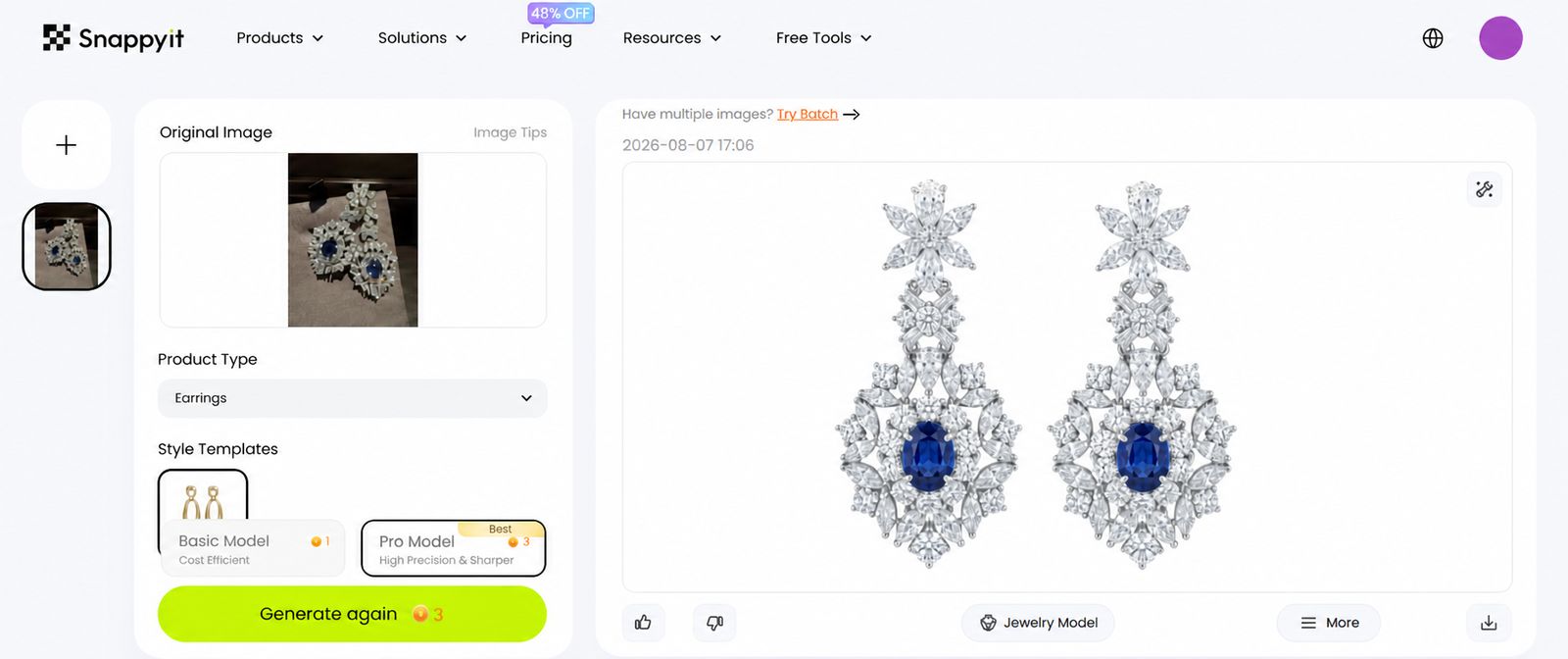
- Mid volume (50 to 500 images per month) — This is where batch processing and consistency become critical. You can't afford to manually review and correct every image, so the AI needs to get it right on the first pass for the majority of your catalog. Look for tools with jewelry-specific training, reliable edge detection, and consistent color normalization across large batches. A purpose-built option like SnappyIT's Jewelry Retouch fits this tier well — it's designed for e-commerce teams and fast-moving jewelry sellers who need scalable, professional results with minimal manual intervention. Speed and consistency at this volume matter more than deep creative control, since your hero shots will go through human refinement anyway.
- High volume (500+ images per month) — At enterprise scale, API integration is essential. You need the AI retouching step to plug directly into your production pipeline — automated upload from your photography station, processing without manual intervention, and direct export to your content management system or marketplace listings. Throughput, uptime reliability, and consistent output quality across thousands of images per batch are the deciding factors. Tools like SnappyIT and OIS.GOLD both target this segment with jewelry-specific processing and batch-oriented workflows.
Cost structure matters too. Pay-per-image pricing works well at low and variable volumes — you only pay for what you use. Flat subscriptions make more sense when your volume is predictable and high enough to bring the per-image cost below the pay-as-you-go rate. Some tools offer hybrid models with a base subscription and overage charges, which can be the most economical option for businesses with seasonal spikes — think holiday collections or trade show launches where image volume temporarily doubles or triples.
One practical step that's easy to overlook: test before you commit. Most tools offer free trials or sample processing on a handful of images. Use that trial on your actual product images, not the tool's demo photos. Upload a polished gold ring, a diamond pendant, a pearl earring, and a piece with fine chain detail. Evaluate the output against the quality checklist criteria that matter most for your specific inventory. A tool that handles gold beautifully but clips into every chain link isn't the right fit for a seller whose catalog is 60% necklaces and bracelets.
The right tool isn't the one with the most features or the lowest price. It's the one that handles your specific materials, at your specific volume, with output quality that passes your specific standards. And knowing exactly what those standards should look like — what to inspect and what to flag — is the final skill that separates a functional workflow from a truly reliable one.

Quality Checklist for AI-Retouched Jewelry Images
You've picked a tool, processed a batch, and the output looks good at a glance. But "looks good at a glance" isn't the standard for jewelry. Buyers zoom in. They pinch-expand on mobile. They compare your listing photos against competitors sitting one scroll away. A jewelry photo quality check before publishing is the step that separates professional-grade output from images that quietly erode trust — and it takes far less time than fixing problems after they've gone live.
This checklist works regardless of which tool or jewellery retouch workflow you're using. Run through it on every batch before you hit export, and you'll catch the issues that AI handles imperfectly before your customers do.
Metal and Surface Texture Accuracy
This is the most common place AI over-corrects. Zoom to 100% on a polished gold band and ask yourself: does this still look like metal, or does it look like a smooth plastic render? AI models sometimes chase a "clean" result so aggressively that they erase the subtle surface characteristics that make precious metals look real and valuable.
Brushed finishes should still show their directional grain — those fine parallel lines are intentional craftsmanship, not imperfections. Hammered textures need to retain their dimpled, organic character. Polished surfaces should have realistic specular highlights with natural falloff, not flat white blobs where the algorithm clipped the highlight data. Professional retouchers have documented that AI tends to over-smooth metals, making them look like plastic rather than precious material. If you notice that waxy, too-perfect quality on any piece in the batch, flag it for manual correction before publishing.
Pay particular attention to mixed-finish pieces — a ring with a polished top and a matte inner band, for example. AI sometimes applies the same smoothing logic to both surfaces, flattening the contrast between finishes that the designer intentionally created. If the two textures no longer look distinct from each other, the retouching has gone too far.
Gemstone Color Fidelity and Edge Sharpness
Color accuracy is a trust issue, not just an aesthetic one. Research on e-commerce returns shows that 22% of online product returns happen because the item looked different in person than it did in the photo — and for jewelry, where a slight hue shift can make a ruby look like a garnet, that number runs even higher. AI color correction can inadvertently push gemstone hues during batch normalization, especially on stones with complex color profiles like opals, alexandrite, or color-change sapphires.
Compare your ai retouched jewelry images side by side with the original RAW files. Does the emerald still read as the same green, or has it drifted toward teal? Does the sapphire hold its depth, or has it lightened into a washed-out blue? Diamonds are a subtler check — look for whether the AI preserved the internal fire (those flashes of spectral color) or flattened the stone into a uniform white. As retouching specialists note, AI can accidentally blur or heal away the very sparkles that make a diamond look valuable.
Edge quality is the other half of this inspection. Zoom into the boundary between the jewelry piece and the background, especially around prong tips, chain links, and the outer edges of gemstones. You're looking for three specific problems: halos (a faint bright or dark outline around the piece), fringing (color artifacts along high-contrast edges), and lost detail where the AI clipped into fine metalwork. Thin chain links and pavé settings are the most frequent casualties — if any links look merged or any prong tips appear truncated, those images need a manual pass.
Background Consistency and Platform Compliance
A clean background sounds like the simplest thing to verify, but it's where subtle artifacts hide. Check for gradient banding — slight tonal shifts across what should be a perfectly uniform white or colored background. These are especially visible on mobile screens and become obvious when multiple product images sit side by side on a category page. Also look for residual shadows from the original shot that the AI didn't fully remove, which can appear as faint gray patches near the base of the piece.
Platform compliance is the final gate. Each marketplace has specific requirements, and images that don't meet them get rejected or suppressed in search results. Amazon requires pure white backgrounds at RGB 255, 255, 255 with the product filling at least 85% of the frame and a minimum of 1,000 pixels on the longest side. Etsy is more flexible on backgrounds but still expects clean, well-lit images. Shopify stores set their own standards, but visual consistency across your grid layout matters for brand perception. Walmart mirrors Amazon's white background requirement and flags over-processed images or fake shadows.
Before exporting, confirm that your images are saved in the sRGB color space with the ICC profile embedded. As color accuracy guides emphasize, sRGB is the universal web standard — it keeps colors stable whether a customer views your product on an iPhone in Tokyo or a desktop monitor in London. Exporting in Adobe RGB or ProPhoto RGB without conversion can cause colors to shift unpredictably across devices, undermining all the careful retouching work that came before.
Here's the full jewelry image quality control checklist to run on every batch before publishing:
- Metal texture — Brushed, hammered, and polished finishes retain their distinct, natural character without artificial smoothing
- Gemstone color — Hues match the original RAW file; no unintended shifts on complex stones like opals, alexandrite, or sapphires
- Diamond fire — Internal spectral reflections are preserved, not flattened into uniform white
- Edge quality — No halos, fringing, or clipped detail around prongs, chain links, or stone boundaries
- Shadow naturalness — Drop shadows or reflection shadows look grounded and realistic, not floating or overly sharp
- Background uniformity — No gradient banding, residual shadows, or tonal inconsistencies across the frame
- File dimensions — Meet or exceed platform minimums (1,000px minimum for Amazon zoom; 2,000–3,000px recommended for high-quality zoom)
- File size — Under platform limits (typically 10MB) while maintaining sufficient quality (JPEG quality 80–90)
- Color profile — Exported as sRGB with ICC profile embedded for consistent cross-device display
- Product framing — Piece fills the appropriate percentage of the frame per platform requirements; consistent centering across the batch
This checklist takes five to ten minutes to run on a processed batch — a small investment compared to the cost of publishing images that misrepresent your product. Returns driven by visual mismatch don't just cost you the shipping and restocking. They cost you the customer's trust, and in jewelry, trust is the entire sale. Building this review step into your pipeline as a non-negotiable gate between AI processing and publication is what turns a fast workflow into a reliable one — and reliability is what lets you scale with confidence.
Practical Next Steps to Improve Your Jewelry Product Photos
A reliable quality checklist keeps bad images from reaching your storefront. But the bigger question is what you do with everything covered in this guide — the material-specific challenges, the manual vs. AI trade-offs, the preparation techniques, the hybrid pipeline, the tool evaluation criteria, and the QA process. Trying to implement all of it at once is a recipe for overwhelm. The smarter move is to start with the one change that removes the most friction from your current workflow.
Start with Your Biggest Bottleneck
Think about where your editing process stalls right now. Is it background removal eating up hours of pen tool work every week? Is it color inconsistency across a batch because your lighting shifted between sessions? Is it the tedious dust-and-scratch cleanup on macro shots that makes you dread post-production?
Whatever that single task is, automate it first. Don't rebuild your entire pipeline. Pick the one retouching step that consumes the most time or produces the most inconsistent results, run it through an AI tool on a small test batch, and compare the output against your manual results. If the quality holds up — and for repetitive catalog-level tasks, it almost certainly will — you've just reclaimed hours of editing time per week without touching the parts of your workflow that already work well.
This incremental approach builds confidence. You learn how the tool handles your specific materials, you discover its edge cases, and you develop an intuition for which images need a manual follow-up pass and which ones are ready to publish straight from the AI output. That knowledge compounds. By the time you're ready to automate a second task, you already understand the tool's strengths and limitations on your inventory.
Match Your Approach to Your Scale
The right level of investment depends on where you sit today. A solo seller listing a handful of new pieces each month has different priorities than a catalog manager processing thousands of SKUs across multiple marketplaces. Here's a quick recap of the jewelry retouching workflow tips that apply at each tier:
Solo and low-volume sellers benefit most from free or low-cost AI tools paired with selective manual refinement. You don't need batch processing or API integration yet. You need clean backgrounds, consistent color, and enough time left over to actually run your business. AI handles the grunt work; you handle the creative calls on your best pieces.
Mid-volume operations — the 50 to 500 images per month range — should invest in a batch-capable, jewelry-specific retouching tool. Consistency across your catalog becomes a competitive advantage at this scale, and manual editing simply can't deliver it without a dedicated team. This is the tier where ai jewelry editing for sellers shifts from a nice-to-have into an operational necessity.
Enterprise and high-volume teams need API-integrated tools embedded directly into their production pipeline, with automated quality scoring and a small team of skilled retouchers dedicated to hero and editorial work. The 80/20 hybrid model — automate 80% of your catalog images, manually refine the top 20% — is the benchmark that scales sustainably without sacrificing quality on the images that matter most.
Regardless of your current volume, the action plan is the same:
- Audit your current retouching bottleneck — Identify the single task that costs you the most time or produces the most inconsistent results across your product images.
- Test an AI tool on a small batch — Process 10 to 20 of your own product images through a jewelry-specific AI retouching tool. Use your actual inventory, not demo photos. Evaluate how the tool handles your metals, gemstones, and fine details.
- Evaluate results against the quality checklist — Run the output through the QA checklist from the previous section. Check metal texture, gemstone color fidelity, edge sharpness, background uniformity, and platform compliance. If the results pass, expand. If they don't, you know exactly where the tool falls short and can adjust accordingly.
That three-step loop — identify, test, evaluate — is how you improve jewelry product photos methodically rather than gambling on a wholesale workflow change. Each cycle teaches you something concrete about what AI handles well for your specific catalog and where human judgment still adds irreplaceable value.
If you're looking for a jewelry-specific starting point to run that first test batch, SnappyIT's Jewelry Retouch is a practical option built for e-commerce and marketplace listings — worth exploring especially if your bottleneck is catalog-scale consistency and speed. Upload a few of your own product shots, compare the output against your current process, and let the results speak for themselves.
The tools will keep improving. The models will get sharper. But the fundamentals covered in this guide — good source photography, the right tool for your materials and volume, a hybrid pipeline that plays to both AI and human strengths, and a disciplined quality check before anything goes live — those principles hold regardless of which specific platform you use or how the technology evolves. Start small, measure what matters, and scale what works.
Test it on your real catalog. Upload 10–20 of your own SKUs and compare the output against your current edit time. Try Snappyit free →
AI Jewelry Retouching: Frequently Asked Questions
1. What is AI jewelry retouching and how does it differ from regular photo editing?
AI jewelry retouching uses machine learning models trained specifically on jewelry imagery to automate tasks like reflection cleanup, metal polish enhancement, background removal, and color correction. Unlike general-purpose photo editors that treat all products the same, jewelry-specific AI understands how gold reflects light differently than silver, how diamond facets interact with backgrounds, and how pearls require a lighter processing touch. This domain awareness produces usable results without heavy manual cleanup, making it particularly valuable for e-commerce sellers who need consistent, professional product images at scale.
2. Can AI retouching completely replace manual Photoshop editing for jewelry photos?
Not entirely. AI excels at repetitive, high-volume catalog tasks where consistency matters most, such as background replacement, dust removal, and batch color correction. It can process images roughly 60 times faster than manual editing. However, manual retouching still delivers superior results for hero shots, editorial imagery, and creative work requiring subjective artistic decisions like dramatic lighting adjustments or lifestyle compositing. The most effective approach is a hybrid workflow where AI handles 80% of catalog images automatically while skilled retouchers focus on the top 20% that need creative refinement.
3. Why do generic background removal tools fail on jewelry images?
Jewelry presents unique segmentation challenges that generic AI tools struggle with. Diamonds are transparent and refract background colors through their facets, often sharing identical pixel values with the backdrop. Pearls have soft iridescent surfaces with no hard edges, causing halos or clipping. Fine chains are only a few pixels wide and get deleted by standard edge detection. Polished metals mirror the environment, confusing contrast-based algorithms. Tools trained specifically on jewelry imagery learn to recognize these materials and handle their unique optical properties, preserving prong tips, chain links, and gemstone boundaries that general tools consistently damage.
4. How should I prepare jewelry photos before using AI retouching tools?
Quality source images dramatically improve AI output. Use diffused lighting through a lightbox or tent to minimize harsh reflections on polished metal. Shoot in RAW format at f/11 to f/16 for sufficient depth of field, with ISO locked at 100-200 for noise-free detail. Set white balance manually around 5000K-6500K for consistent color between frames. Clean each piece with a microfiber cloth and compressed air before shooting, handle with cotton gloves, and use museum wax for stable positioning. Capture multiple angles per piece on a tripod with a remote shutter release. These steps cost minutes but save hours of correction work downstream.
5. What should I check after AI retouching before publishing jewelry images?
Run a quality checklist covering several key areas. Check metal texture at 100% zoom to ensure surfaces look like real metal rather than over-smoothed plastic. Verify gemstone colors against original RAW files, watching for unintended hue shifts on complex stones. Inspect edges around prongs, chains, and stone boundaries for halos, fringing, or clipped detail. Confirm backgrounds are truly uniform without gradient banding or residual shadows. Validate platform compliance including pure white backgrounds for Amazon (RGB 255,255,255), minimum 1000px dimensions, sRGB color profile with embedded ICC, and appropriate file sizes. This review takes five to ten minutes per batch and prevents costly returns from visual mismatch.
Retouch your first jewelry batch in seconds
Stop spending 15–45 minutes per ring in Photoshop. Let AI handle the background cleanup, dust removal, and color correction while you focus on the hero shots that actually need a human eye.