
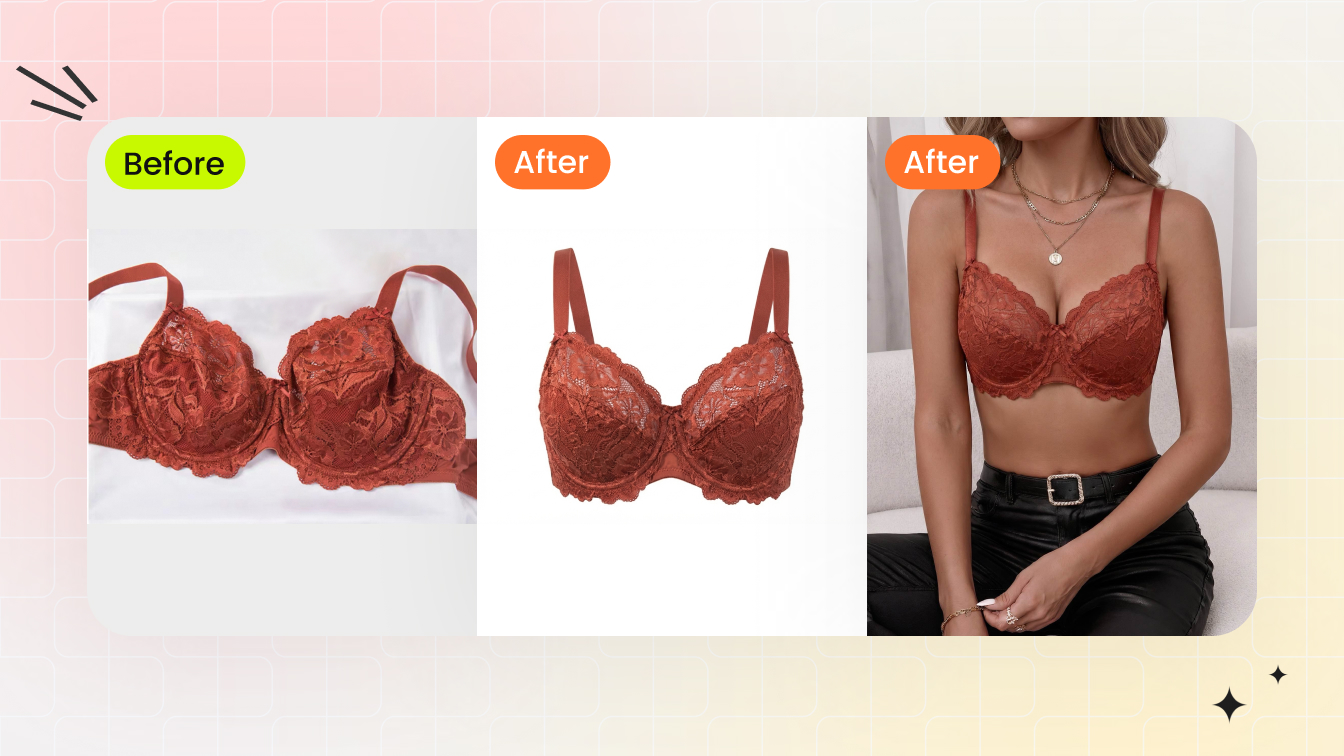

We screened more than 10 AI model generators, then tested these six in detail with the same lingerie and swimwear source photos: Snappyit, SellerPic, WeShop, Pic Copilot, Photoroom, and Pippit. They matched the product-to-model workflow closely enough to compare and produced enough observable output to review. SellerPic and Photoroom still refused several garments, and those refusals remain part of the result.
Each tool received the same source photos. We stayed with the default templates and controls, adding only the basic description a tool required to run. We did not retouch the outputs shown.
Lingerie is where general AI photo tools can start to struggle. Fine lace may soften, mesh can lose transparency, thin straps may change shape, and some platforms block the upload altogether. Those are the details we looked for throughout this review.
How to read the results: We did not force every tool into the same number of generations. We used them as a merchant normally would, stopping when an output was usable, an upload was blocked, or repeated runs showed the same issue. Where our notes captured the number of attempts, we include it. Where no count appears, treat the image as an observed result, not a promise of first-run success. The matrix is a practical shortlist, not a measured success-rate chart.
Quick picks
- Lace or sheer is most of what you sell. Start with Snappyit. In the outputs we reviewed, it preserved the lace construction most faithfully. SellerPic and Photoroom refused these garments, while WeShop, Pic Copilot, and Pippit each changed at least one visible detail.
- Lined shapewear is a real part of the catalog. Snappyit came closest in this test: it kept the lining inside and the garment symmetrical, although the lace placement still needed checking. Pic Copilot separated the layers but lost symmetry; WeShop and Pippit rendered interior material on the outside.
- You want a low listed image cost without an outright refusal in this set. Pic Copilot is the first one to trial, at roughly three to seven cents per image on the annual plans we checked. Your real cost per publishable image can be higher if a SKU needs another run.
- Video matters as well as still images. Start with Snappyit for garment consistency, or WeShop if choosing the aspect ratio before generation is essential. Pippit offered the largest free allowance during our check.
SellerPic and Photoroom do not appear on this list. Both refused most of our test set on content grounds, which is covered in their sections below.
How the six tools compare
One row per tool, one column per garment. The T-shirt bra is the baseline because it has opaque fabric and relatively simple construction. If a tool changes that piece, it deserves extra scrutiny on lace, mesh, or lined shapewear.
✅ Clean result observed · ⚠️ Usable with QA or rework · ❌ Failed or refused in this test Swipe to see all six garments →
| Tool | $ / credit | Credits / image | Credits / 5s video | Best for | T-shirt bra | Maternity | Lace bralette | Sequin bikini | Sheer mesh | Shapewear |
|---|---|---|---|---|---|---|---|---|---|---|
| Snappyit | $0.044–$0.068 | 3 | 6 | Full lingerie and swim pipeline | ✅ | ✅ | ✅ | ✅ | ✅ | ⚠️ |
| SellerPic | $0.017–$0.073 | 1 | 10 | Solo sellers under 30 SKUs | ⚠️ | ✅ | ❌ | ❌ | ❌ | ⚠️ |
| WeShop | $0.006–$0.008 $0.01–$0.03 monthly | 20 10 on the day's first run | 100 | Free-tier volume testing | ✅ | ✅ | ⚠️ | ✅ | ✅ | ⚠️ |
| Pic Copilot | $0.006–$0.013 | 5 10 per run, 2 images | 50 | Cross-marketplace listing | ✅ | ✅ | ⚠️ | ✅ | ✅ | ⚠️ |
| Photoroom | — subscription, no per-image metering | — | — Max plan and up | Existing Shopify studios | ❌ | ⚠️ | ❌ | ❌ | ❌ | ⚠️ |
| Pippit | $0.085–$0.095 | — not shown before generating | — | Prompt-driven video first | ✅ | ✅ | ⚠️ | ✅ | ✅ | ⚠️ |
Same six source photos, tested August 4, 2026. The symbols summarize the results observed during our test sessions; attempt counts were not standardized, so they should not be read as first-generation success rates. Video credits are for a 5-second clip. Photoroom does not meter generation in countable credits, and Pippit did not show the generation cost before it ran. Plans and models change, so check the current product before buying.
How we selected the tools
What makes lingerie hard for AI
The six garments were selected to expose different, commercially relevant failure modes. They do not represent every lingerie construction, but they cover a useful mix of opaque fabric, lace, sheer mesh, reflective detail, maternity design, and layered shapewear.
- Solid-fabric T-shirt bra: baseline cup shape, band tension, and strap placement.
- Lace bralette: repeating pattern, scalloped edges, trim, and soft-cup fit.
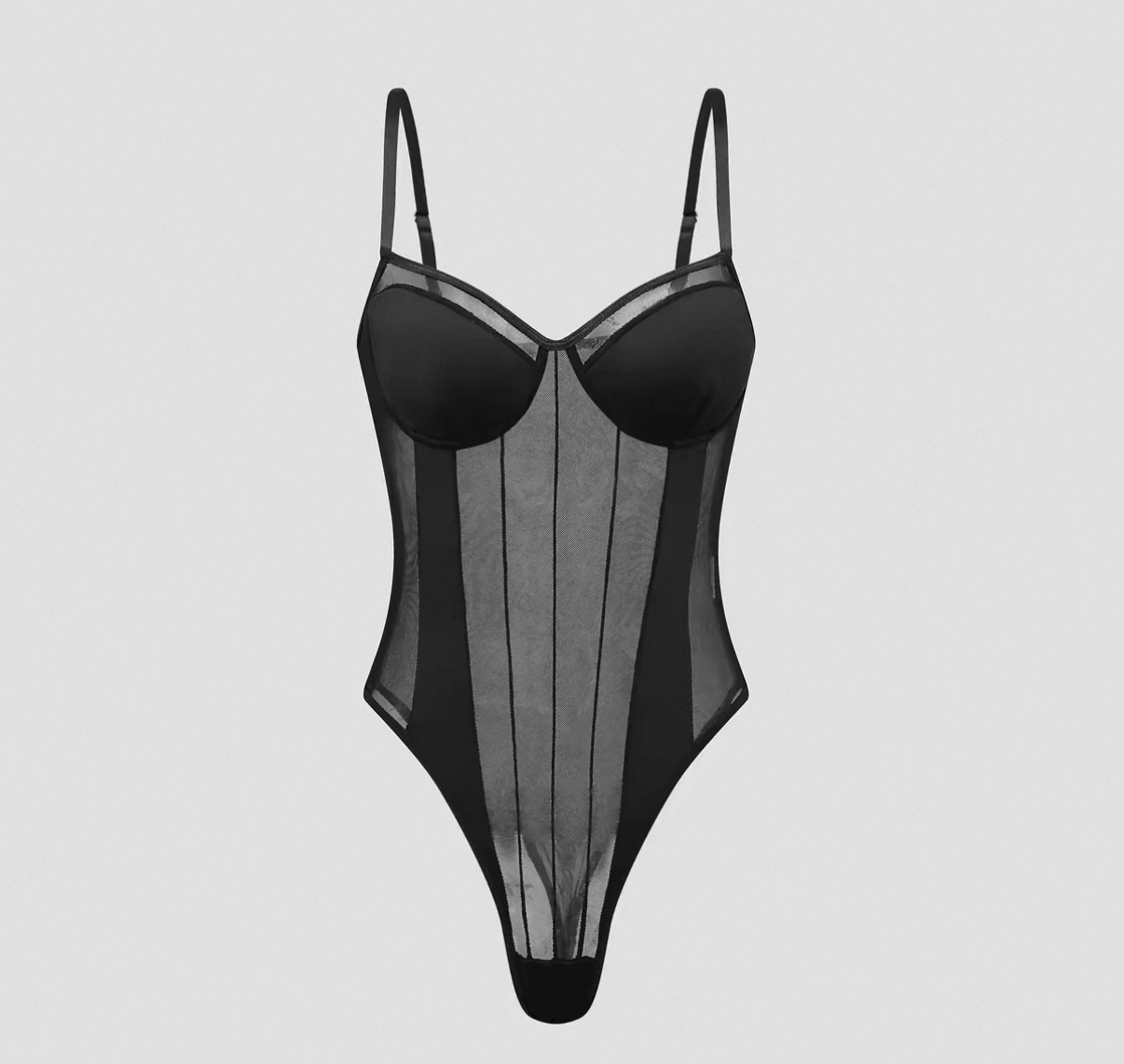
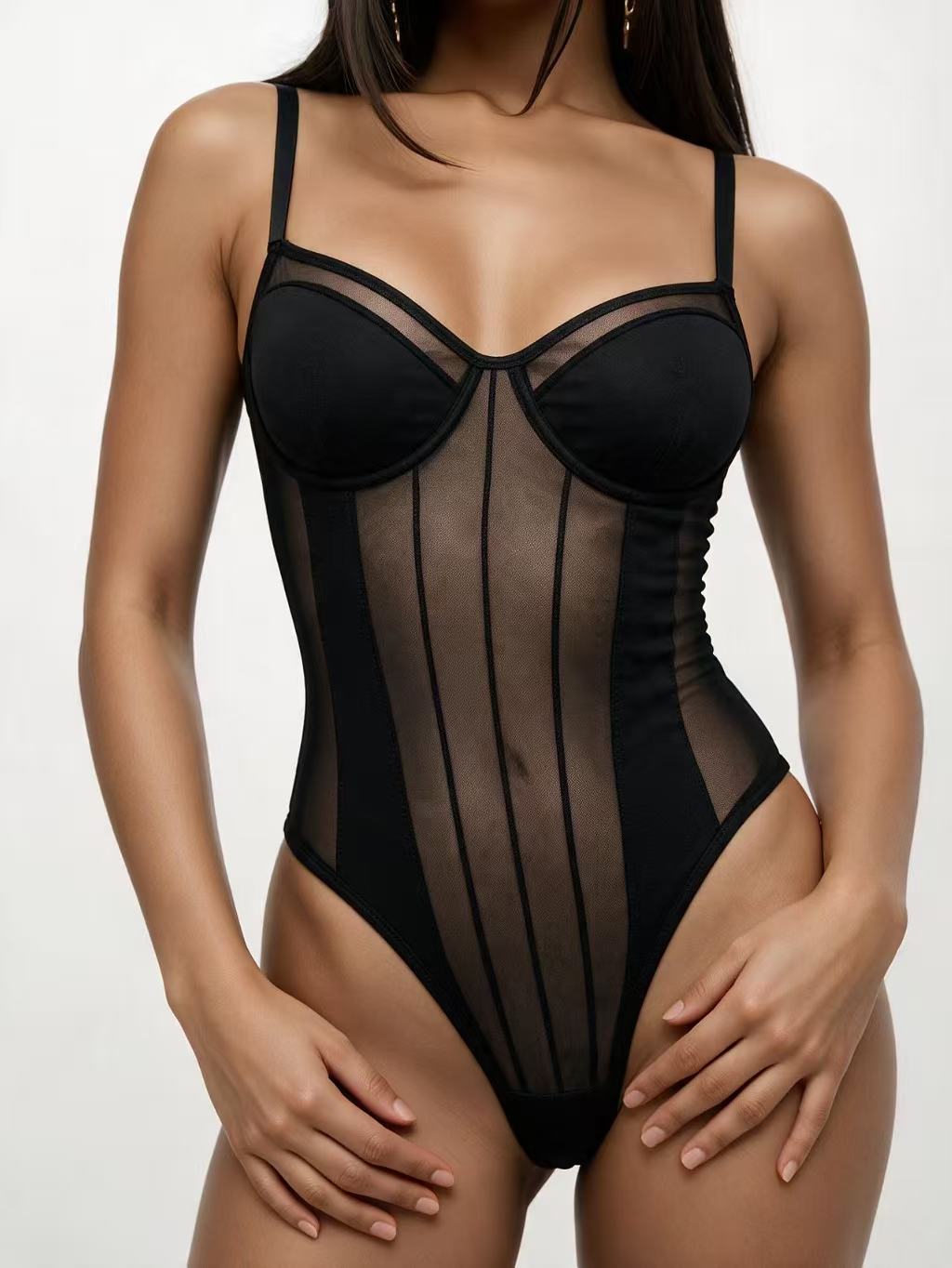
- Sheer mesh bodysuit: transparency, continuous skin tone, drape, and content-policy handling.
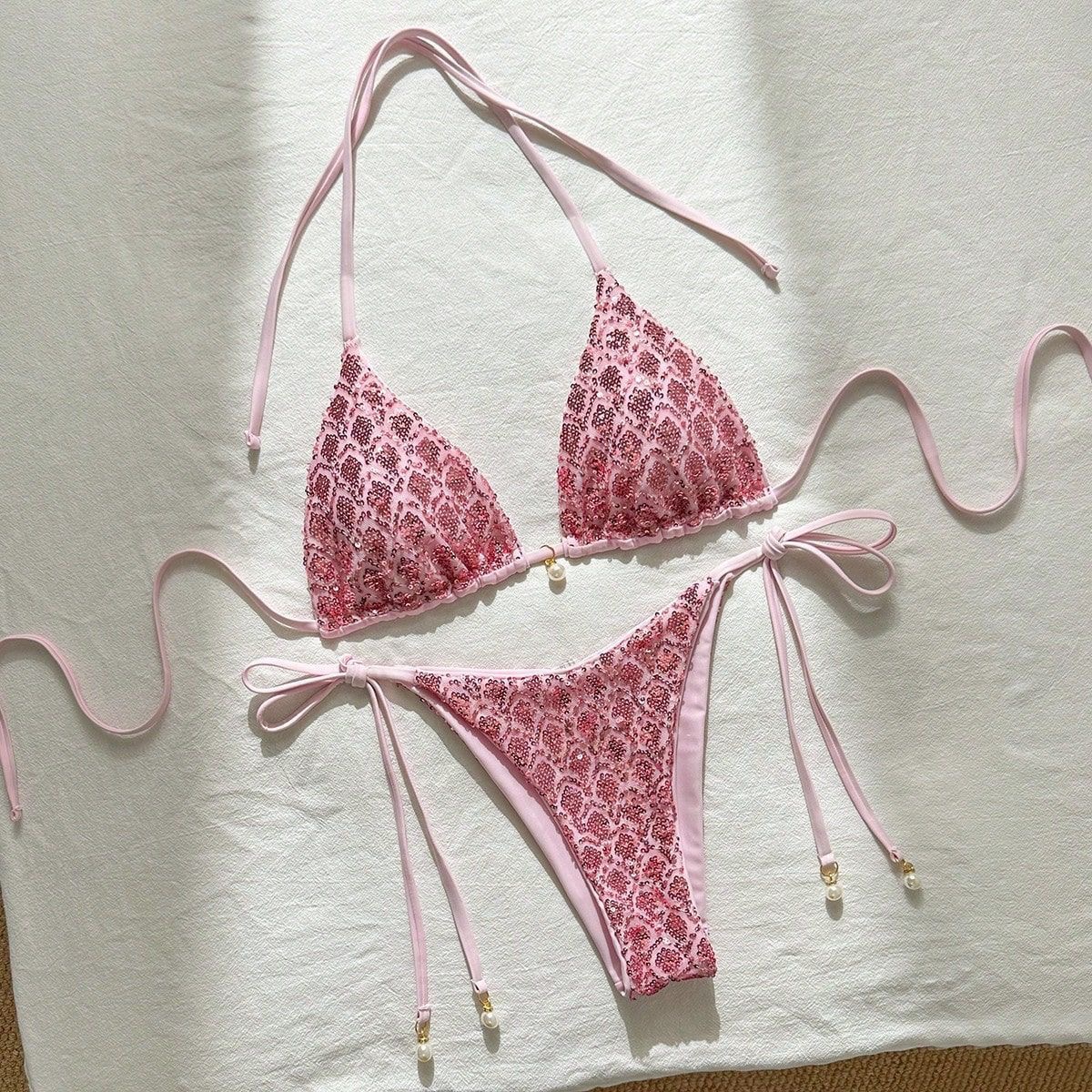
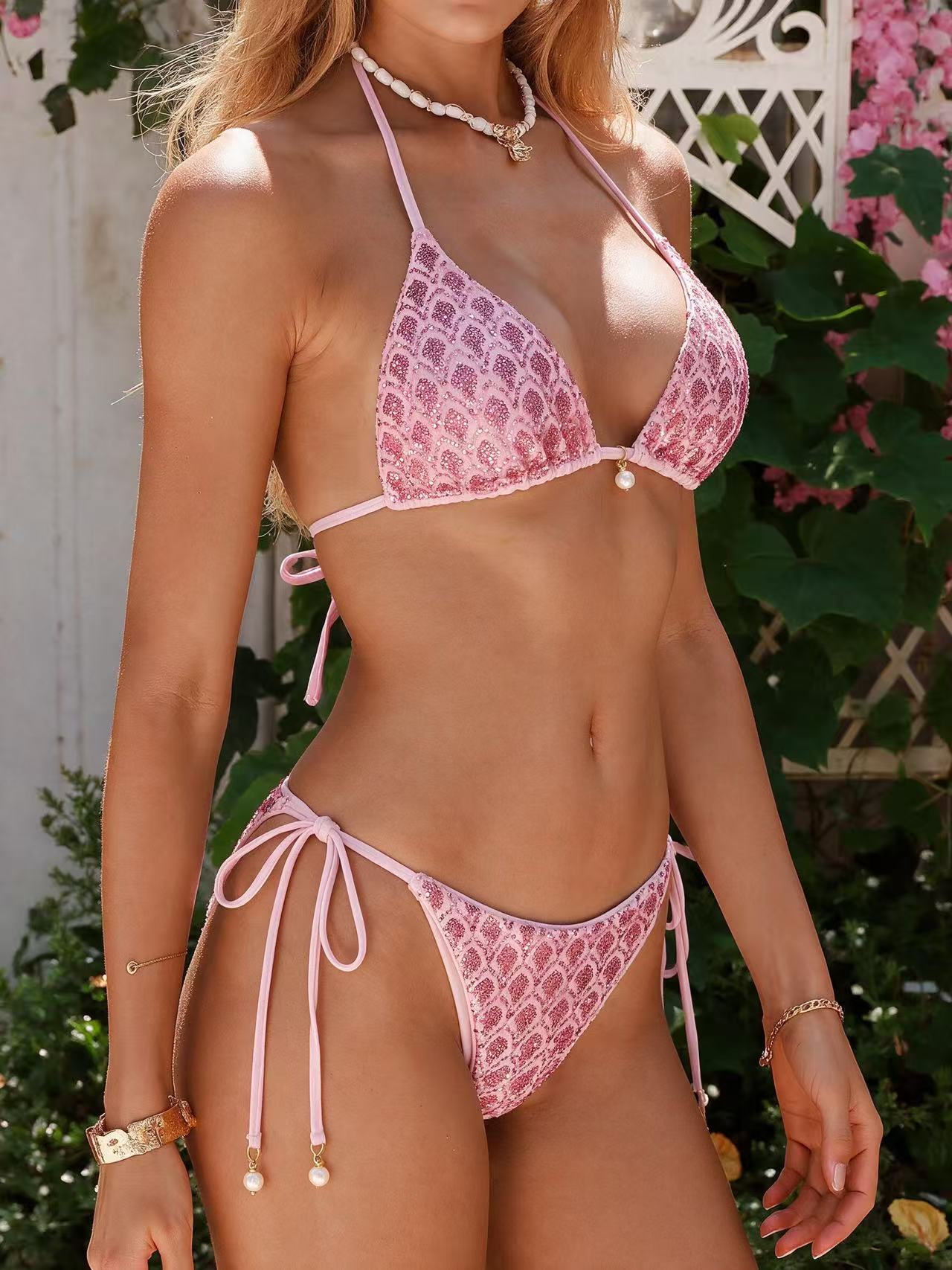
- Sequined bikini top: reflective detail, color accuracy, and narrow ties.
- Maternity bra: suitable model presentation plus clasps, straps, and band construction.
- Structured shapewear: compression, panelling, symmetry, and separation of lining from outer fabric.
How to evaluate an AI lingerie model generator
We checked every output for four listing-critical details:
- Fabric: lace patterns, mesh transparency, reflective detail, and color at 100% zoom.
- Fit: cup contact, level bands, strap tension, body presentation, and shapewear compression.
- Construction: ties, adjusters, clasps, seams, lining, symmetry, and consistent lighting.
- Listing-size QA: details must still hold at the largest marketplace display size, not only as a thumbnail.
Run these checks on your hardest SKU; a clean T-shirt bra does not predict a clean lace bestseller.
Video test method
Every image tool received the same six flat-lay photos. For video, we fed the same Snappyit-generated on-model still and the same prompt into all six video features. The video comparison therefore measures motion and garment stability, not still-image generation.
1. Snappyit
Built for apparel sellers rather than general product photography, which shows up most on the fabrics that break other tools. Color Change, Ghost Mannequin, Fashion Model, and Image-to-Video all run in one account off a single credit pool, and the company publishes a worked example for intimates sellers walking through that pipeline end to end.
Pricing: $0.044 to $0.068 per credit on the plans we checked. An image costs 3 credits and a video costs 6, which works out to $0.13 to $0.21 per image and $0.26 to $0.41 per video. New accounts received 6 free credits during our check, enough for two images, with no card required.
Best for: Lingerie and swimwear sellers who need colorways, on-model shots, and short video off the same source photo.
Verdict: Snappyit generated all six garments in our test without a content-policy refusal. Its shown outputs were strongest on lace and sheer construction. The clearest miss was the shapewear result, where the lace panel extended farther than it did on the source garment.
Workflow cost: Four steps: open AI Fashion Model Generator, upload the flat-lay, pick a model, generate · No prompt writing · An Additional Info field lets you push an output closer without starting over · Batch up to 100 items · Colorways do not need a re-upload
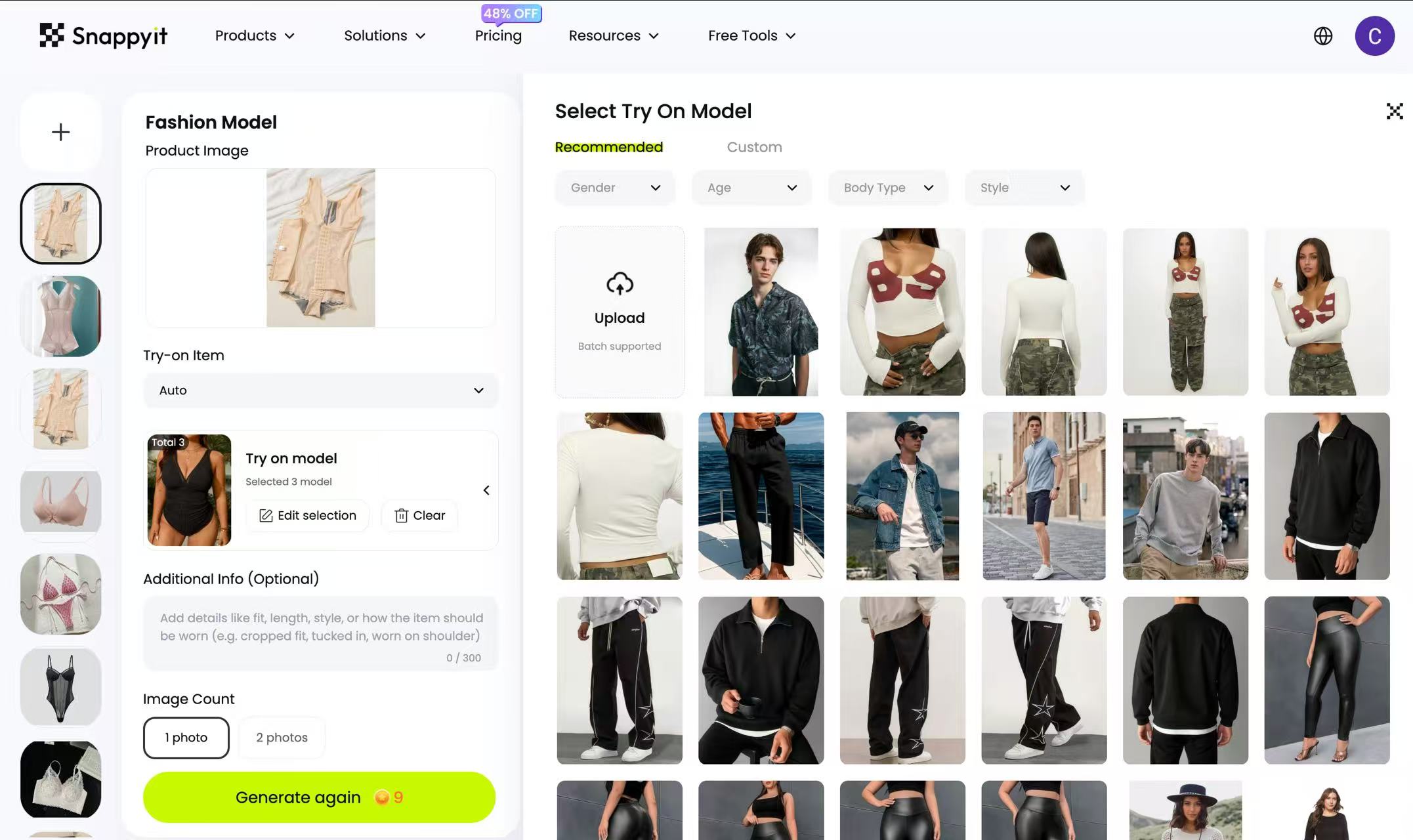
The Snappyit workspace for on-model generation. Captured August 4, 2026.
Unless noted otherwise, the result pairs below use the same source photos and each tool's default generation setup. Outputs are shown without retouching; captured attempt counts are called out where available.
Solid-fabric T-shirt bra
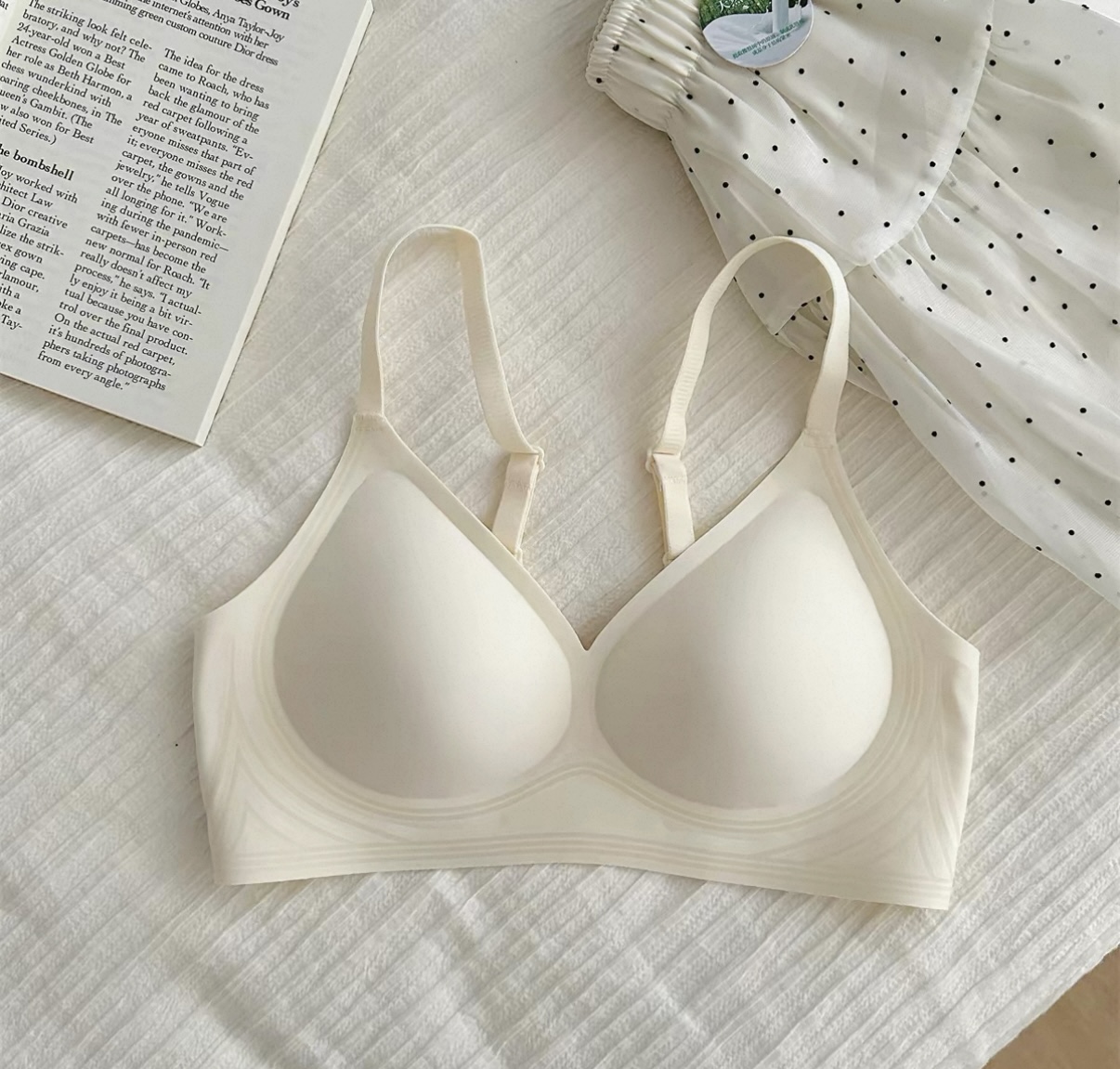
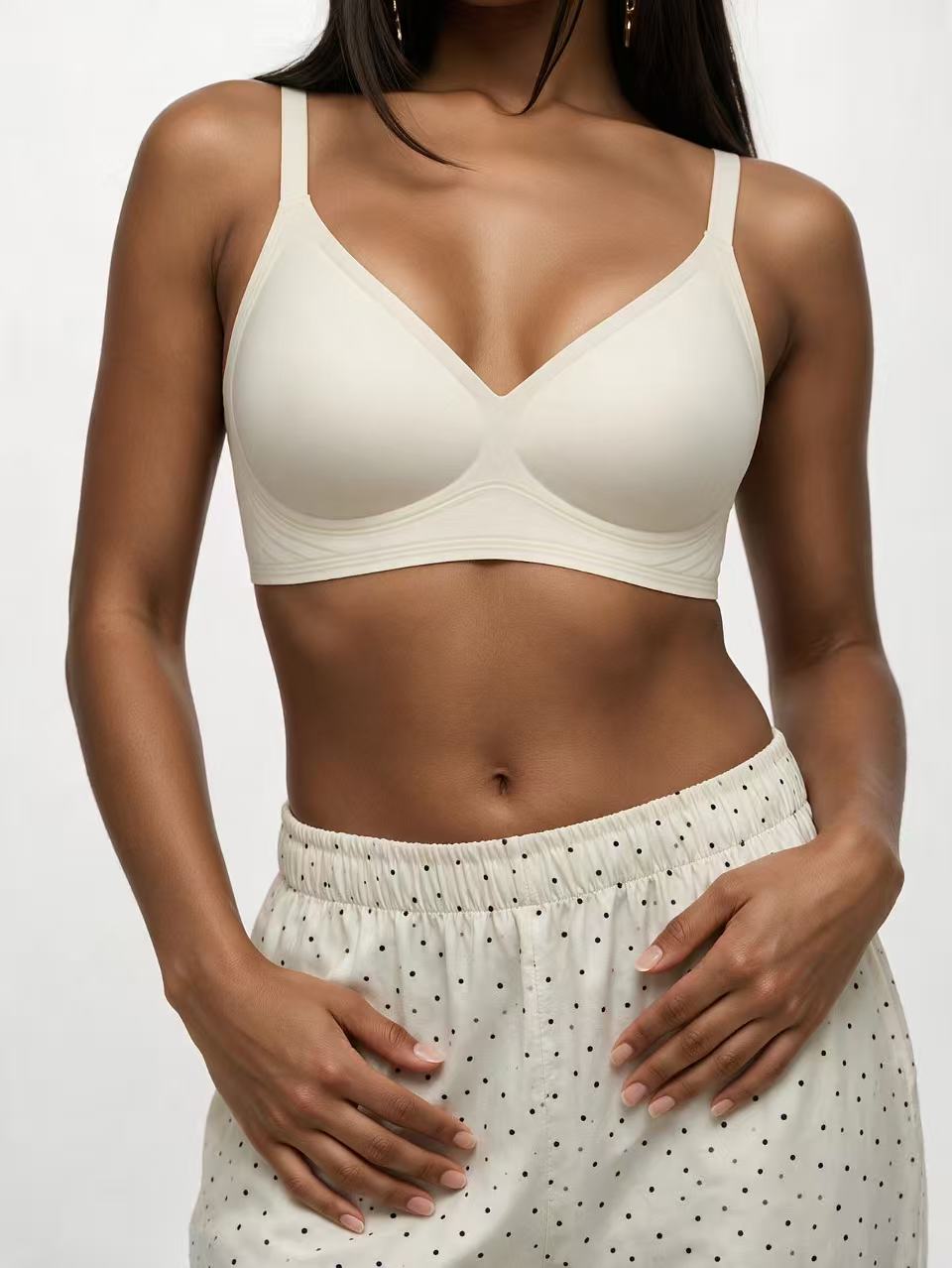
The control garment, and it behaved like one. Cup shape held, the band sits level and under tension rather than reading as a printed line, and the straps indent where they cross the shoulder. One run.
Maternity bra
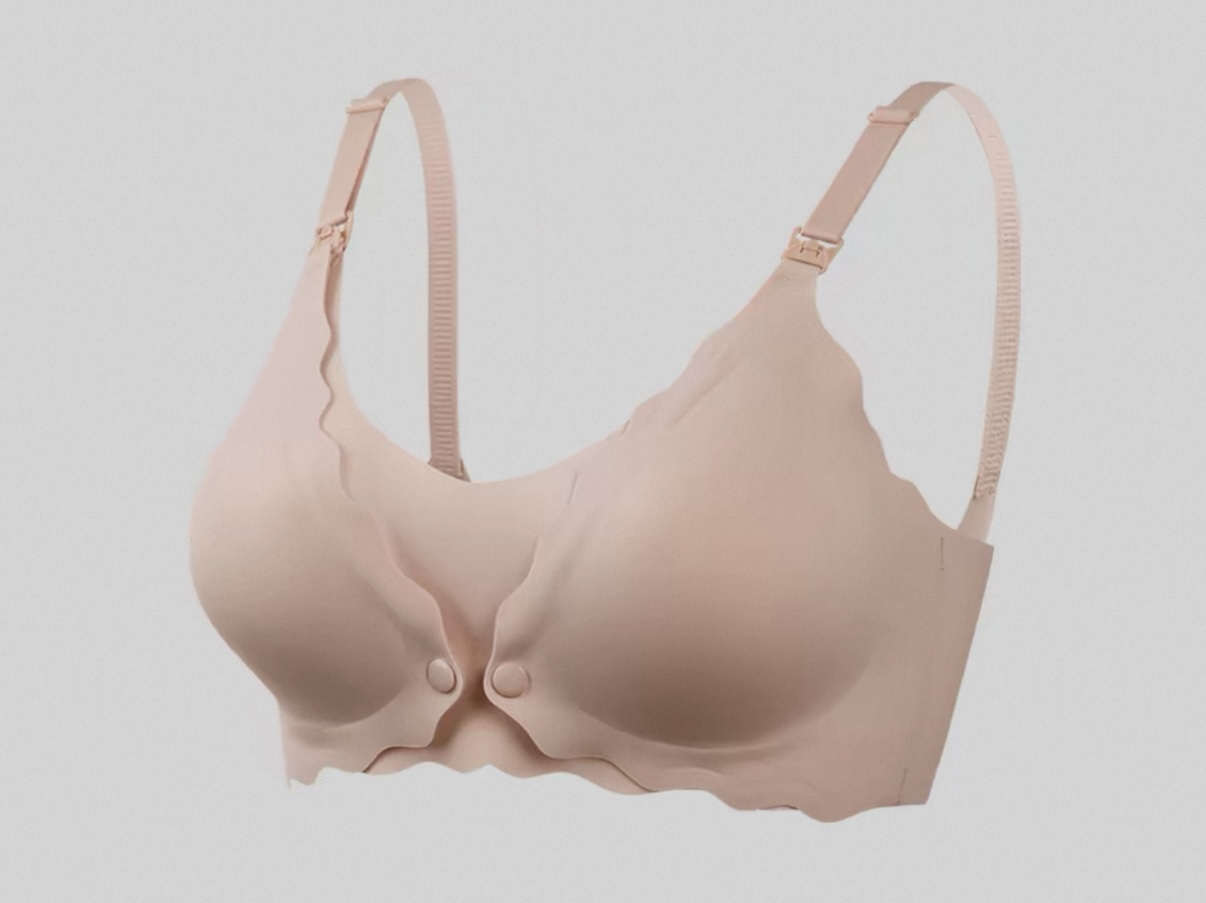
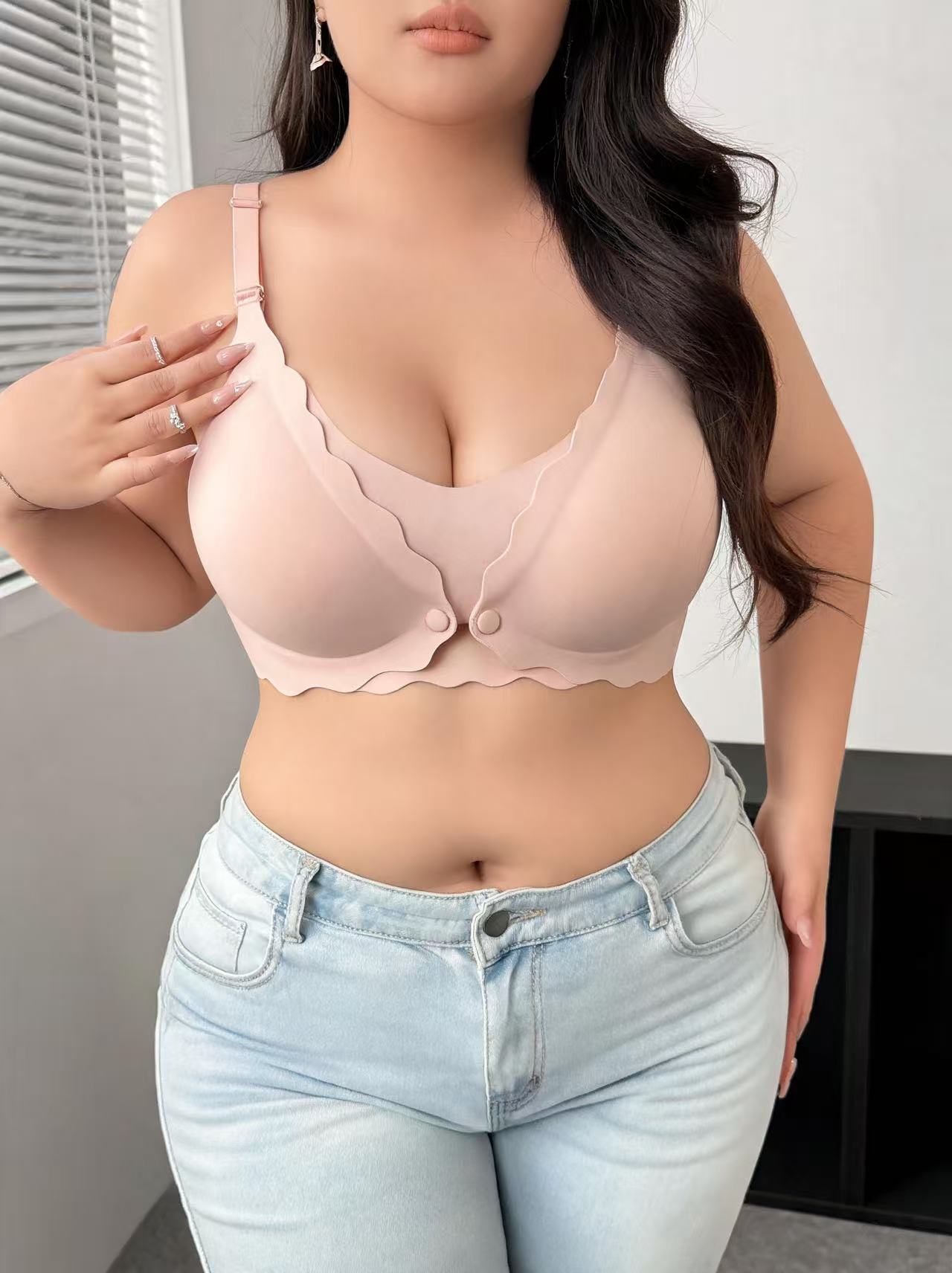
The result communicated the requested maternity use case rather than presenting the bra on a general straight-sized pose. The drop-cup clasps also remained visible.
Lace bralette
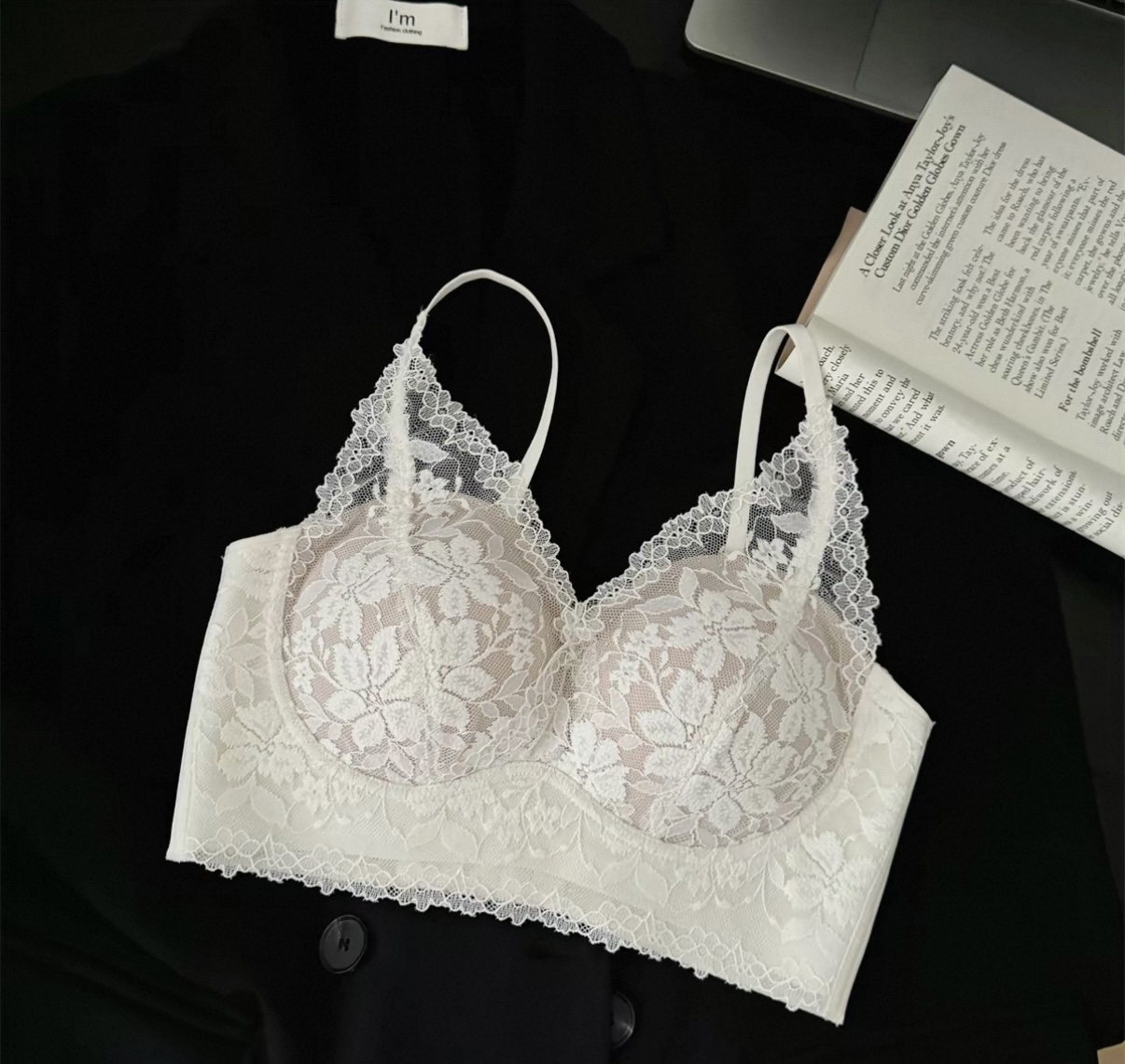
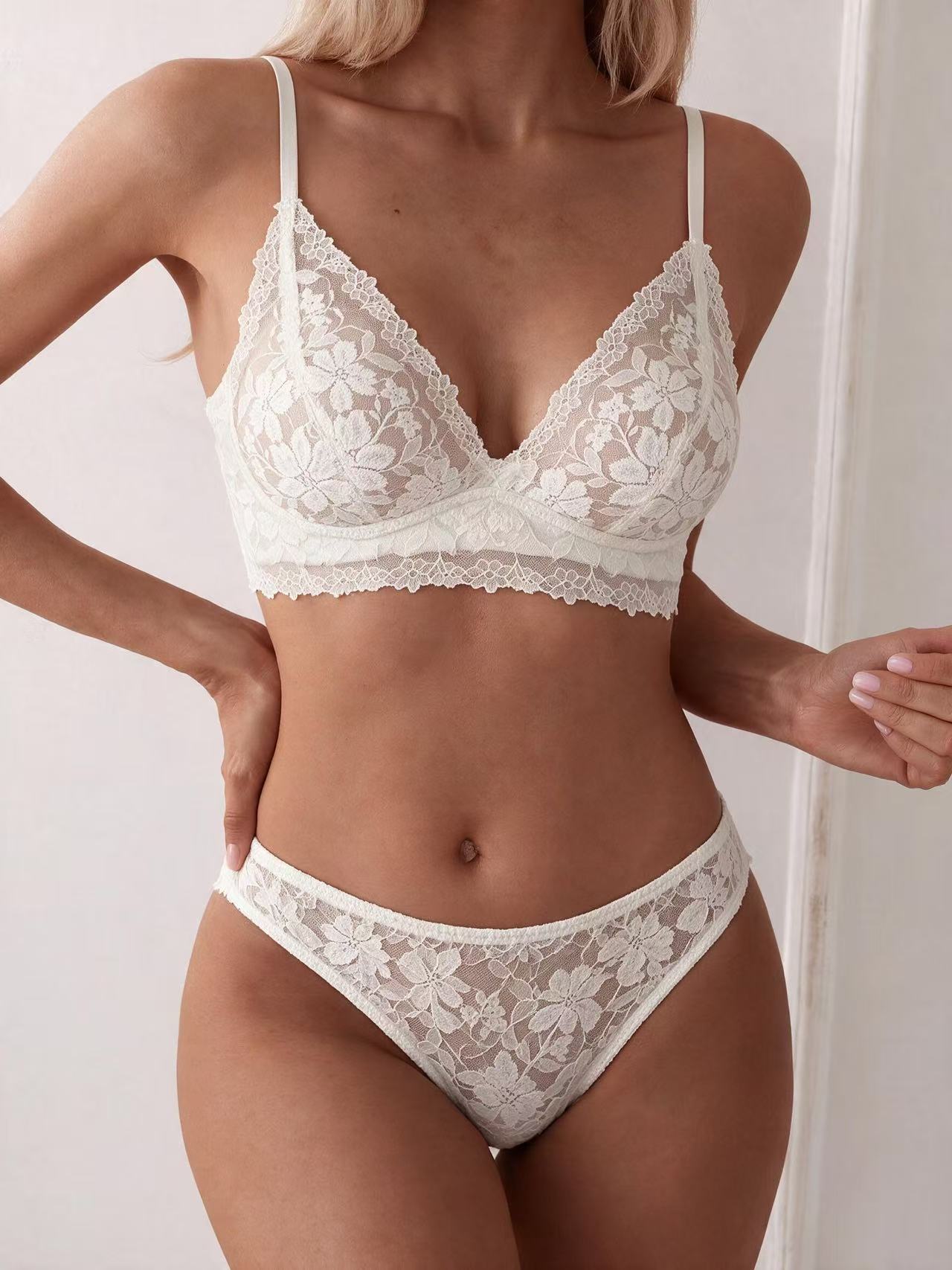
Two attempts recorded.
In the result shown, the lace construction was the closest match we saw in this group. Color, straps, and cup shape stayed close to the source. The tool also added matching bottoms without being asked, which may be useful if you sell a set and unwanted if you only need the top.
Sequined bikini top
First attempt shown.
We expected this one to break and it did not. The sequins came back complete rather than smeared into a single bright patch, and the garment color did not shift from the source photo, which is where WeShop lost this piece. One run was enough. Swim is a different production problem from lingerie and Snappyit documents it as its own workflow.
Sheer mesh bodysuit
Several runs were needed before the strap adjuster came out correctly.
The hardest garment in the set and the panel work is correct: the sheer sections read as sheer, the opaque sections read as opaque, and the skin underneath the transparent fabric runs continuous with the skin around it. Nothing about it looks pasted on. The strap adjuster was the holdout. It came back wrong on the first runs and took several more before it matched the product.
Structured shapewear
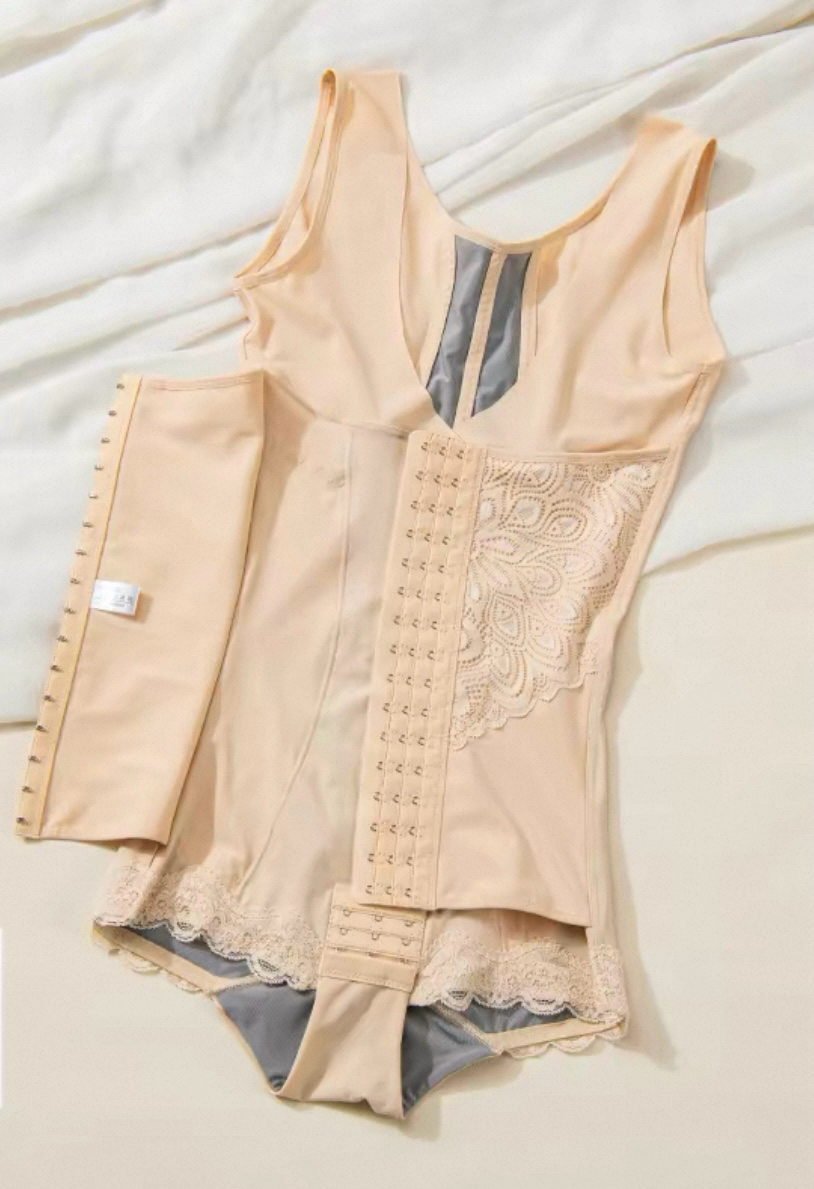
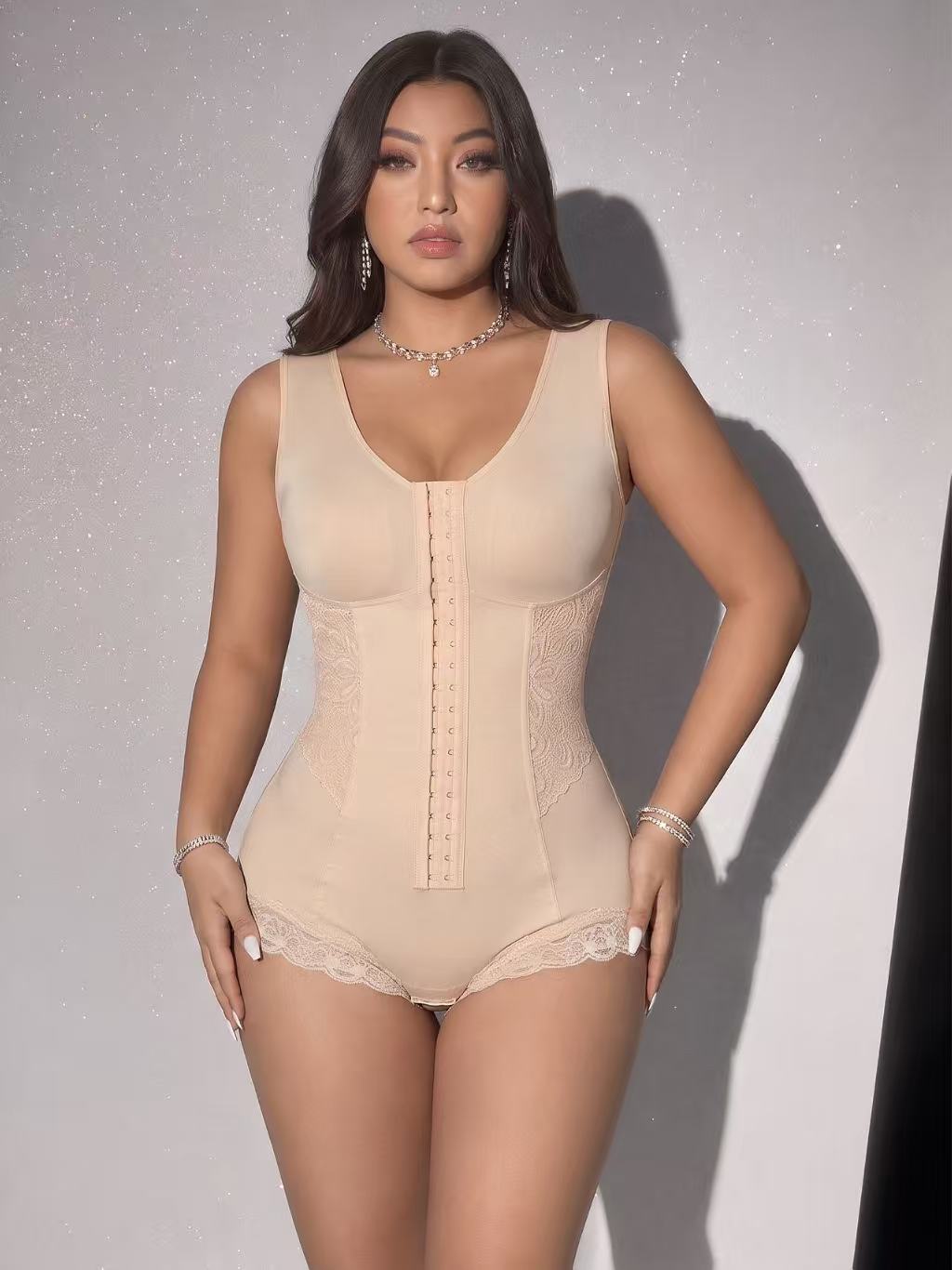
Shapewear came back better than the rest of this group managed. The outer fabric and the lining stayed clearly separated, which is the exact thing that broke two of the other five tools on this garment: they rendered interior material on the outside, where it is never visible on the real piece. Pic Copilot kept the layers apart too, but could not get the two sides of the garment to match.
What is off is the lace across the crotch panel, which came back slightly more extensive than it is on the product. Small enough that it does not read as wrong on its own, large enough to notice against the source photo. On a garment where lace placement is part of the design, that is worth a look before you publish.
Video
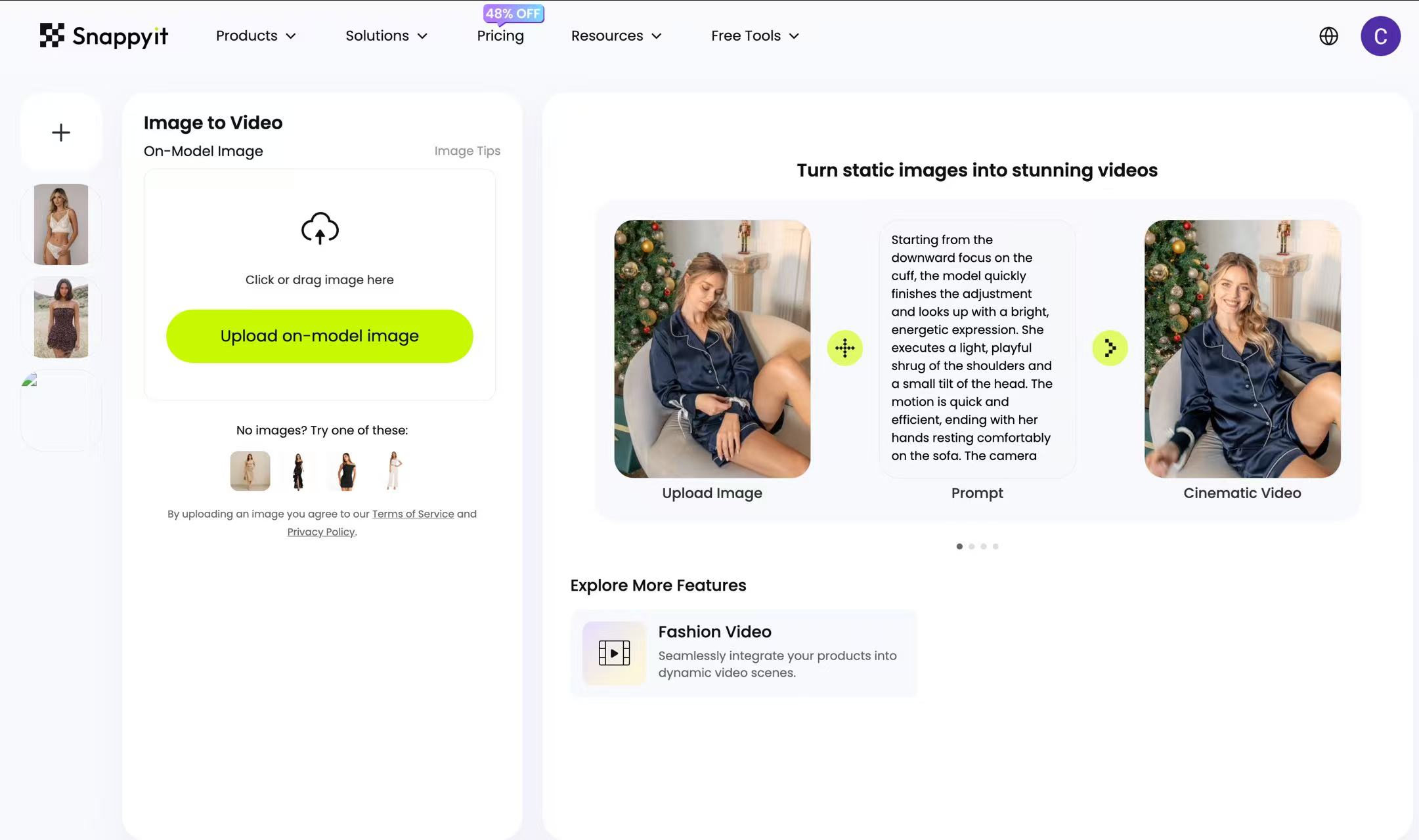
The Snappyit video workspace. Captured August 4, 2026.
Five-second output: 720 × 1078, roughly 2:3.
Snappyit's AI Image to Video kept the lace, hands, face, and garment construction stable through the clip. The model-library workflow requires little prompt writing, but sellers should still compare every output with the source garment.
When to pick something else
If you want publishing handled inside the Shopify admin rather than downloading and uploading, SellerPic and WeShop both ship an app for that. And if you would rather describe what you want in a prompt than pick from a model list, Pippit is built the other way round. On price alone, Pic Copilot runs about a third of what this costs per image.
2. SellerPic
SellerPic is aimed squarely at the small end of the market: solo sellers and one-person shops who want on-model images without learning a photo tool first. The interface is deliberately thin, and the Shopify App Store install lets finished images go straight onto a listing.
Pricing: $0.017 to $0.073 per credit on annual billing, depending on tier. One credit per image and 10 credits for a 5-second video, so $0.017 to $0.073 an image and $0.17 to $0.73 a video. Credits are refunded when a generation is refused. 20 free credits at signup, usable on both images and video.
Best for: Solo Etsy and Shopify sellers under 30 SKUs who need the lowest per-image cost.
Verdict: Refused three of our six garments on content grounds and never produced an image for them. Good on the maternity bra, mediocre to poor on everything it did agree to generate.
Workflow cost: Three steps once you open Visual Try-On from the homepage: upload the flat-lay, pick a model, generate · No prompt writing · One image minimum per run · Color variants need a fresh upload each time
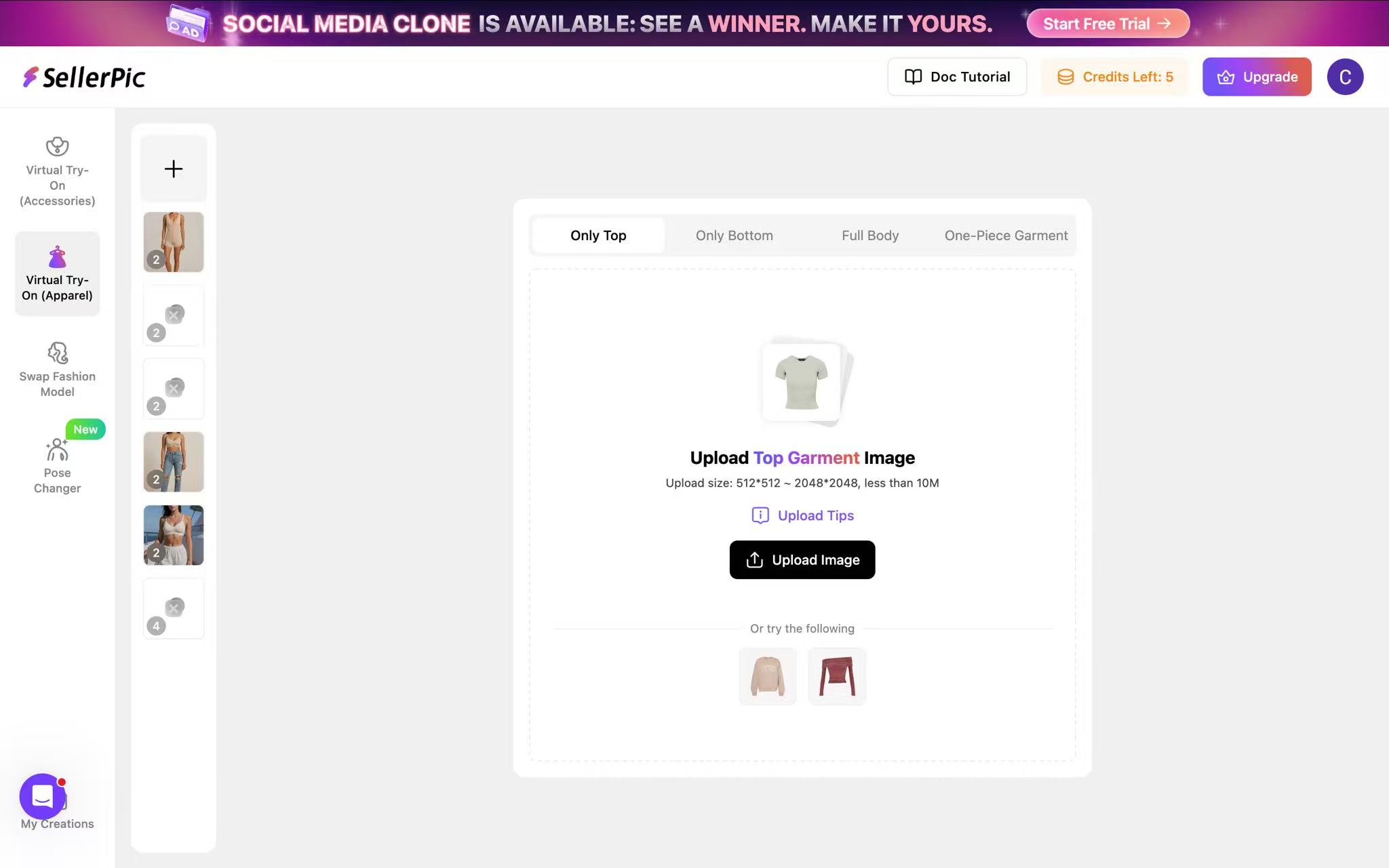
The SellerPic workspace for on-model generation. Captured August 4, 2026.
Solid-fabric T-shirt bra
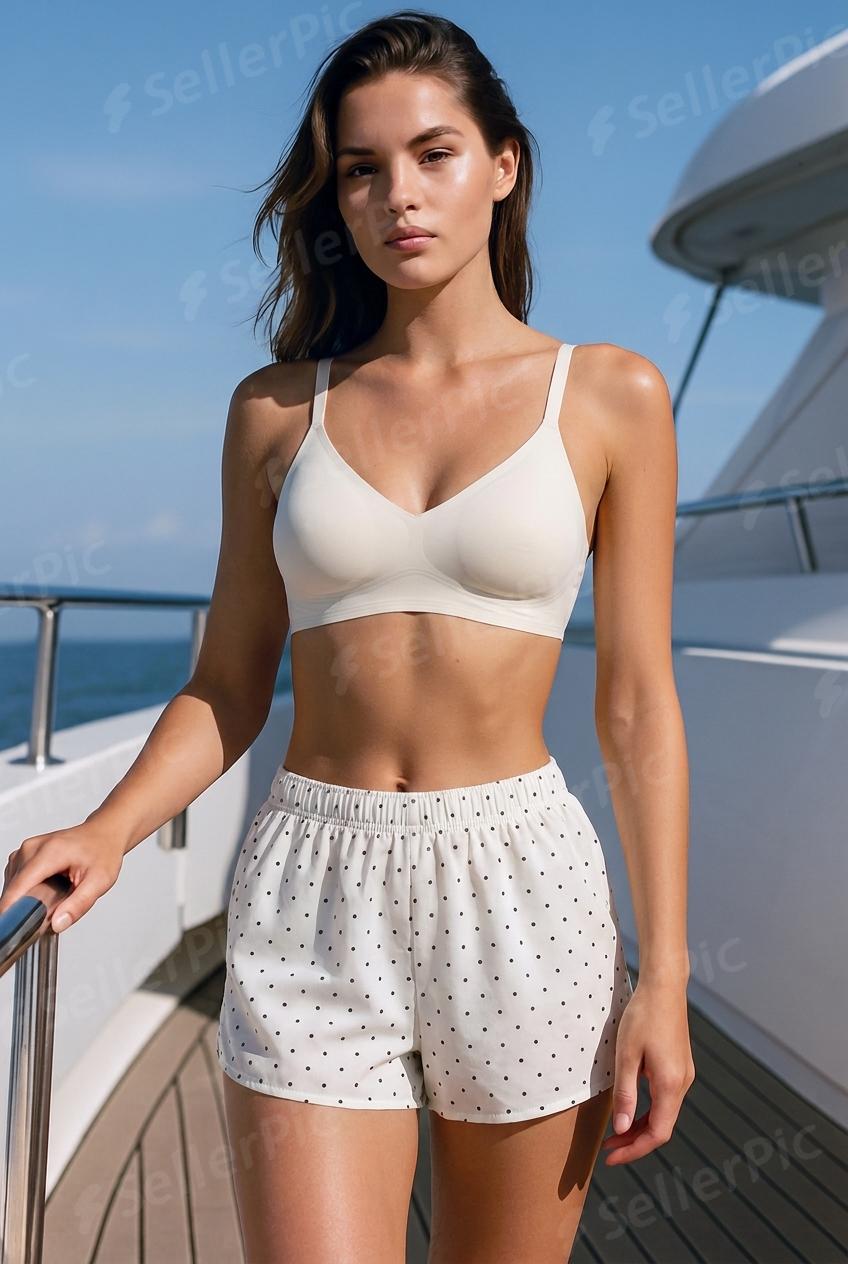
The plain moulded bra is the least demanding garment in the set and SellerPic still only got to average. The overall shape is believable, but the detail does not survive a close look, which is a problem when this is the easiest thing you will ask it to do.
Maternity bra
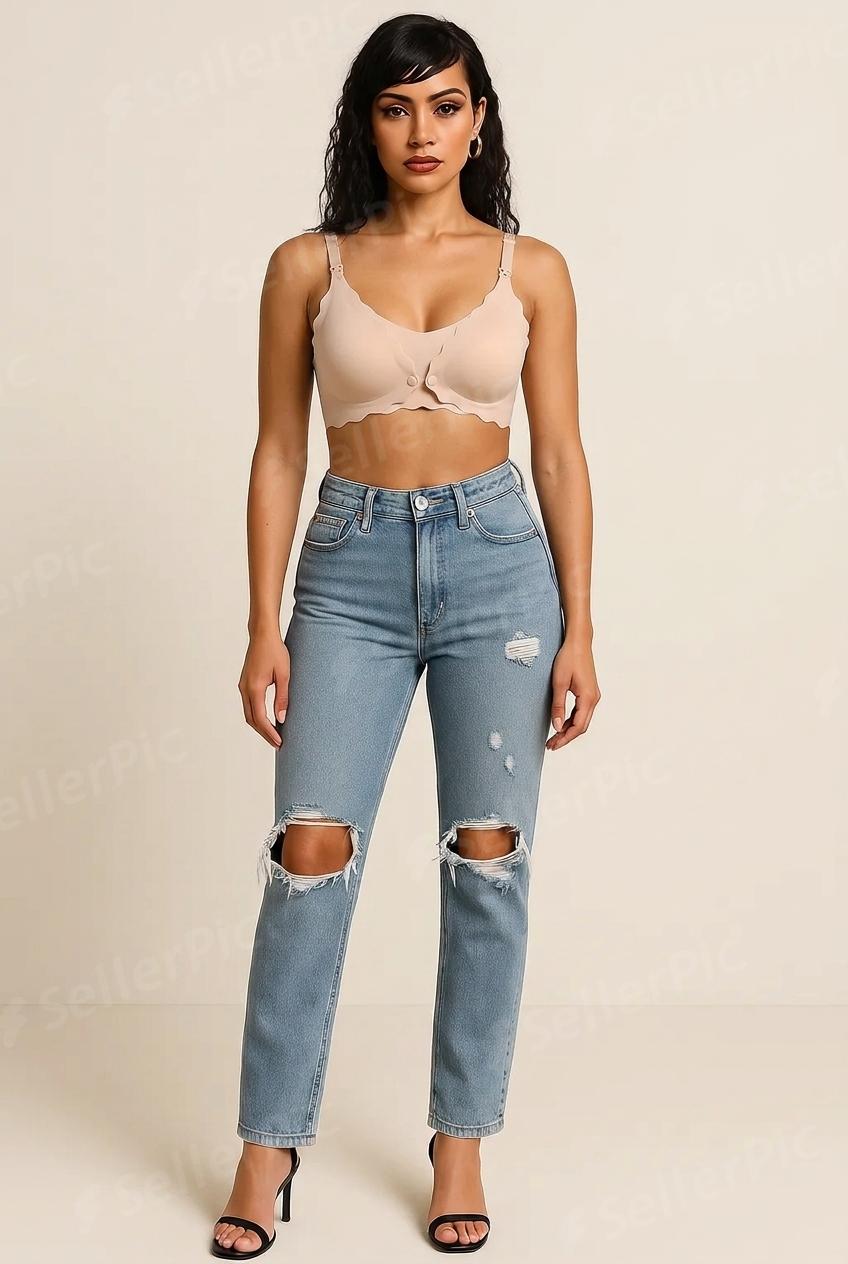
This was SellerPic's clearest result in the set. The image communicated the requested maternity use case, and the drop-cup clasps remained visible down to the hardware.
Lace bralette
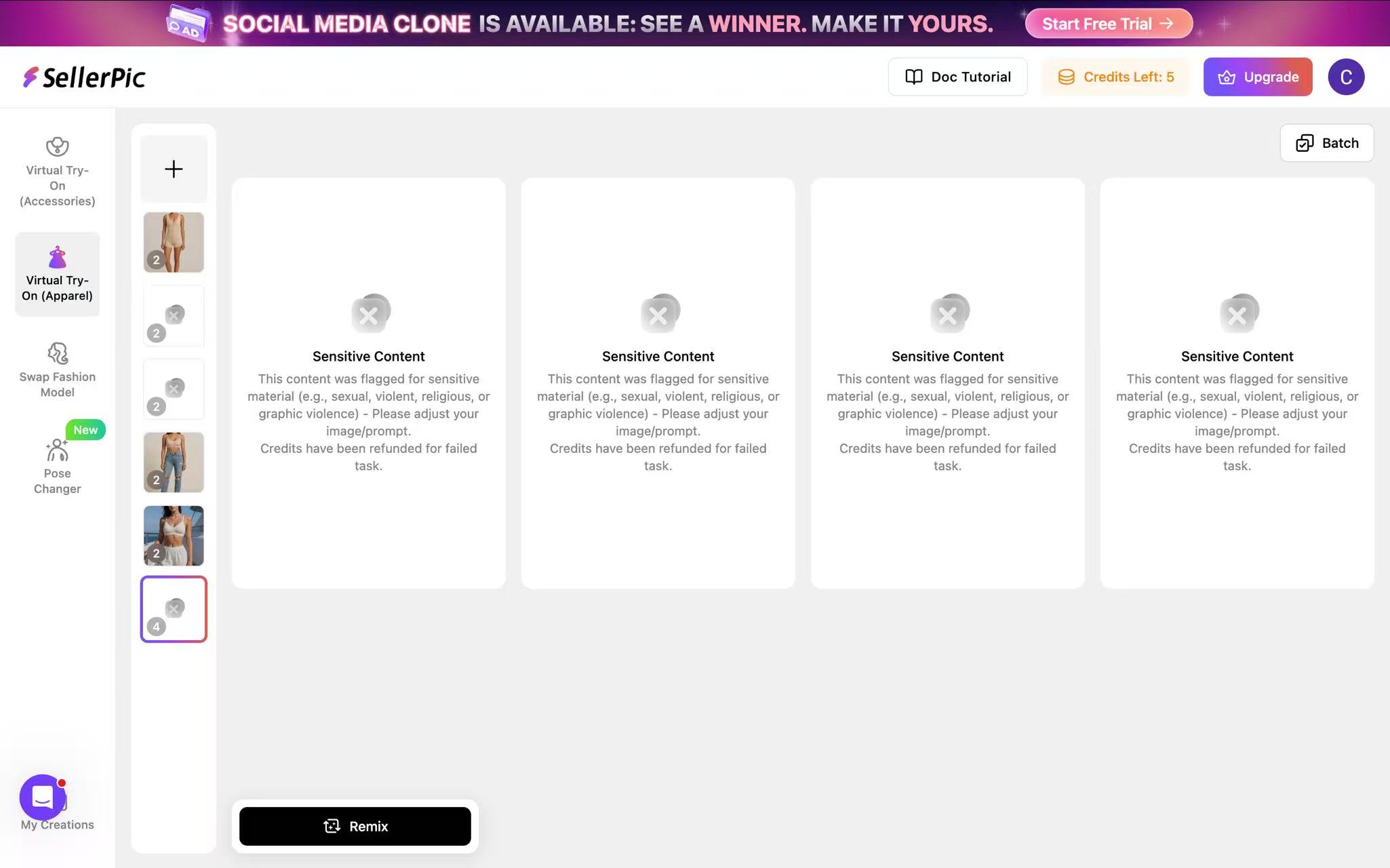
SellerPic returning a Sensitive Content warning on the lace bralette. Captured August 4, 2026.
Refused. SellerPic returned a Sensitive Content warning and produced no image. The same warning appeared for the sheer mesh bodysuit and sequined bikini top, so three of our six garments did not pass the filter during this test. Credits were refunded for the blocked runs. We did not find a setting or wording change that cleared those files in our session, which makes a test with your own catalog important before subscribing.
Sequined bikini top
Refused, same content warning.
Sheer mesh bodysuit
Refused, same content warning.
Structured shapewear
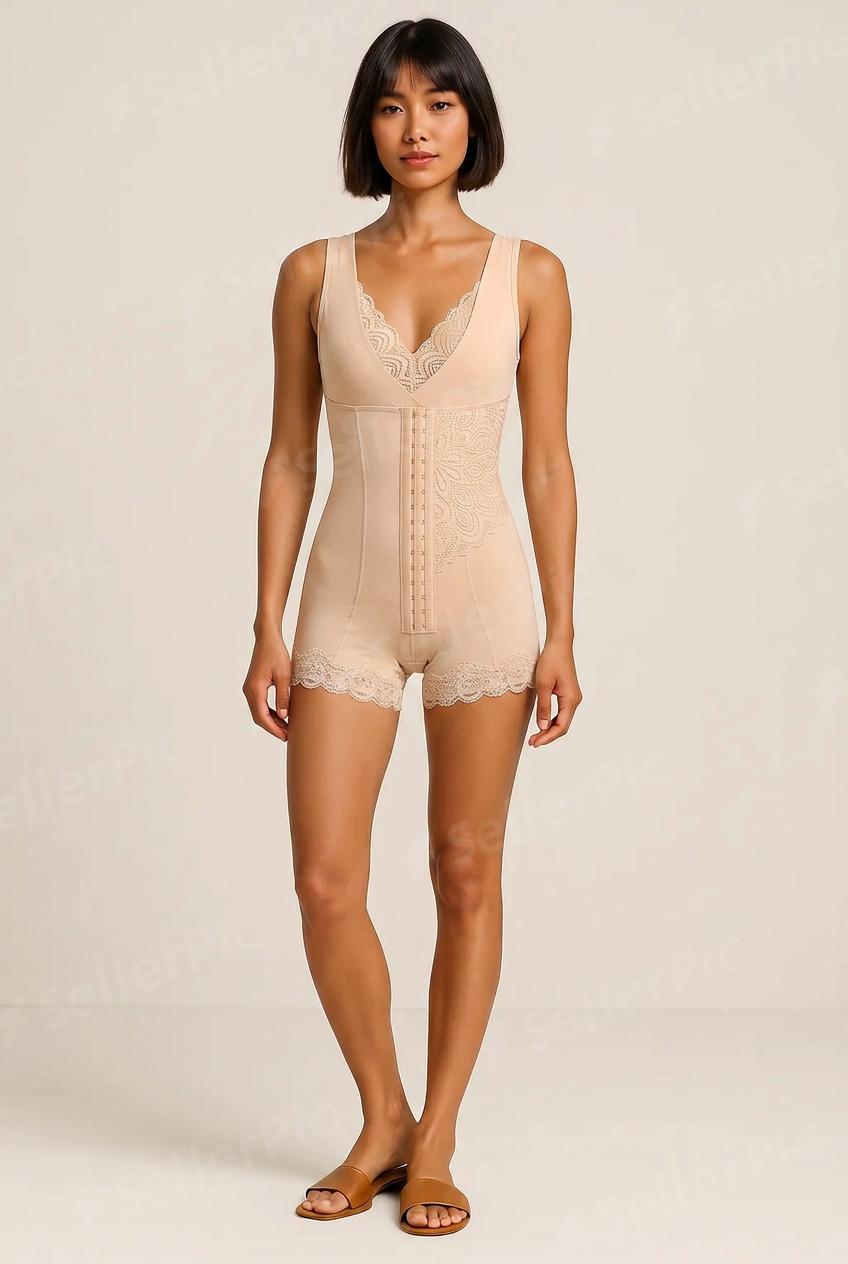
Generated, but not accurately. The crotch panel came out with extra material that is not on the product, and the lace trim rendered asymmetrically across the two sides. We ran it once and got several errors at the same time, which was enough to stop there. Usable as a mood image, not as a listing image.
Video
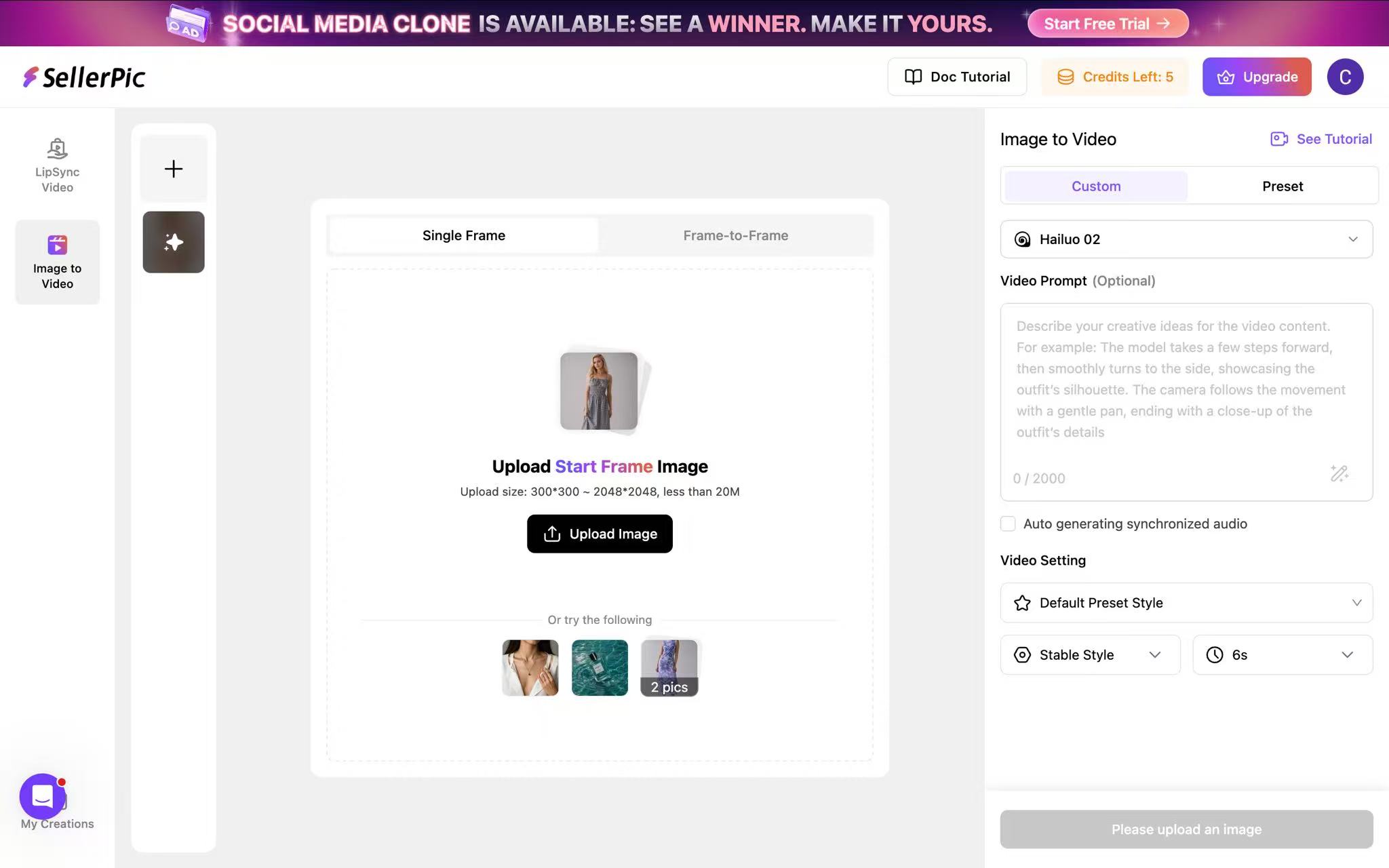
The SellerPic video workspace. Captured August 4, 2026.
Five-second output: 768 × 1150, roughly 2:3.
SellerPic returned a clean but slower-moving clip, with the product detail intact. Its categorized model library is easy to navigate; the larger constraint is acceptance, because three of six still-image garments were refused in our session.
When to pick something else
Choose another option if your catalog resembles this test set and lace, sheer fabric, or swimwear is central to it. SellerPic may still suit a catalog focused on opaque bras and maternity styles, but test your own representative products before relying on it for production.
3. WeShop
WeShop is a broad ecommerce creative studio rather than a lingerie specialist. Alongside AI models it ships background removal, an image expander, a magic eraser, upscaling, and virtual try-on, with one of the largest pose template libraries in this group.
Pricing: $0.006 to $0.008 per point on annual billing, depending on tier. An image costs 20 points and a 5-second video costs 100, which works out to roughly $0.12 to $0.16 an image and $0.60 to $0.80 a video. The first generation of every day is charged at 10 points instead of 20. 200 welcome points at signup, enough for ten images. Paying monthly instead lands between $0.01 and $0.03 a point, so the annual commitment is worth taking if you intend to keep using it.
Best for: Sellers who want to try a wide creative suite on real product photos before paying for anything.
Verdict: A practical comparison candidate, but evaluate it on your own lingerie or swimwear SKU and confirm the current point cost for the exact model you intend to use.
Workflow cost: Four steps: open AI Image, choose Visual Try-On, upload the flat-lay, pick a model and a location, generate · Prompt optional rather than required · One-click color change · No batch generation that we could find
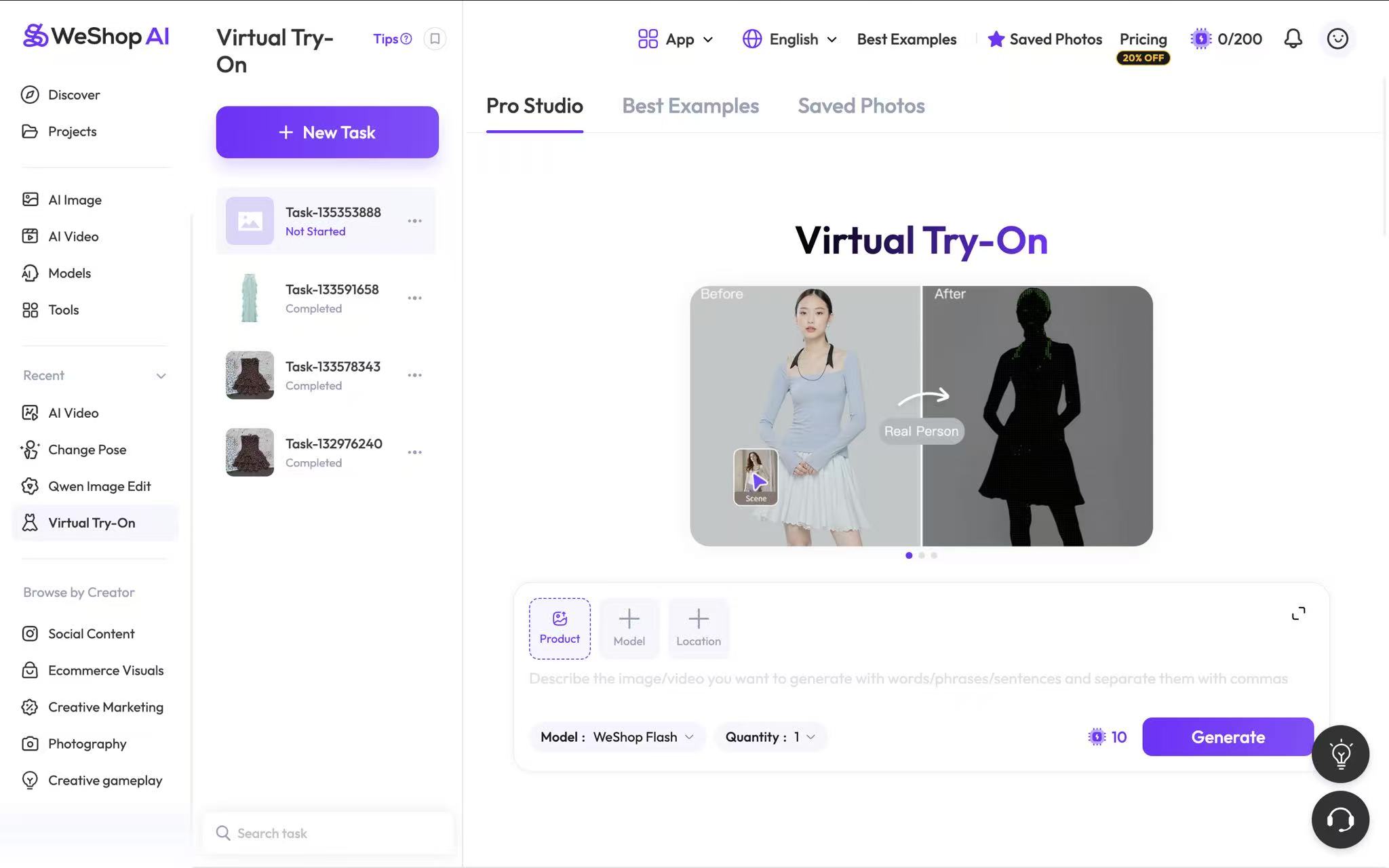
The WeShop workspace for on-model generation. Captured August 4, 2026.
Solid-fabric T-shirt bra
A strong result. The garment is accurate and the detail holds up throughout, with nothing that needed a second run.
Maternity bra
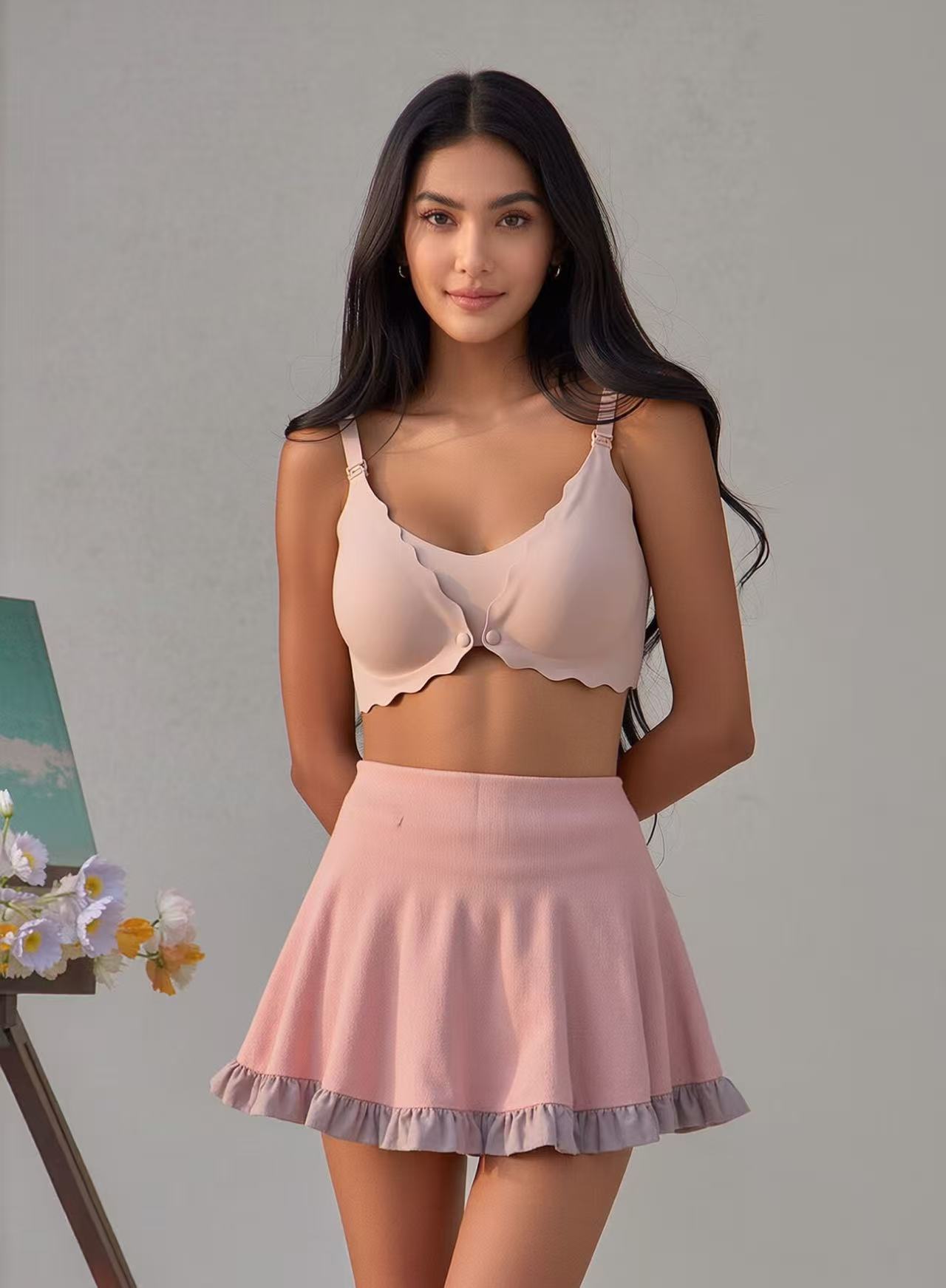
Accurate, with the body shape and the clasp detail both intact.
Lace bralette
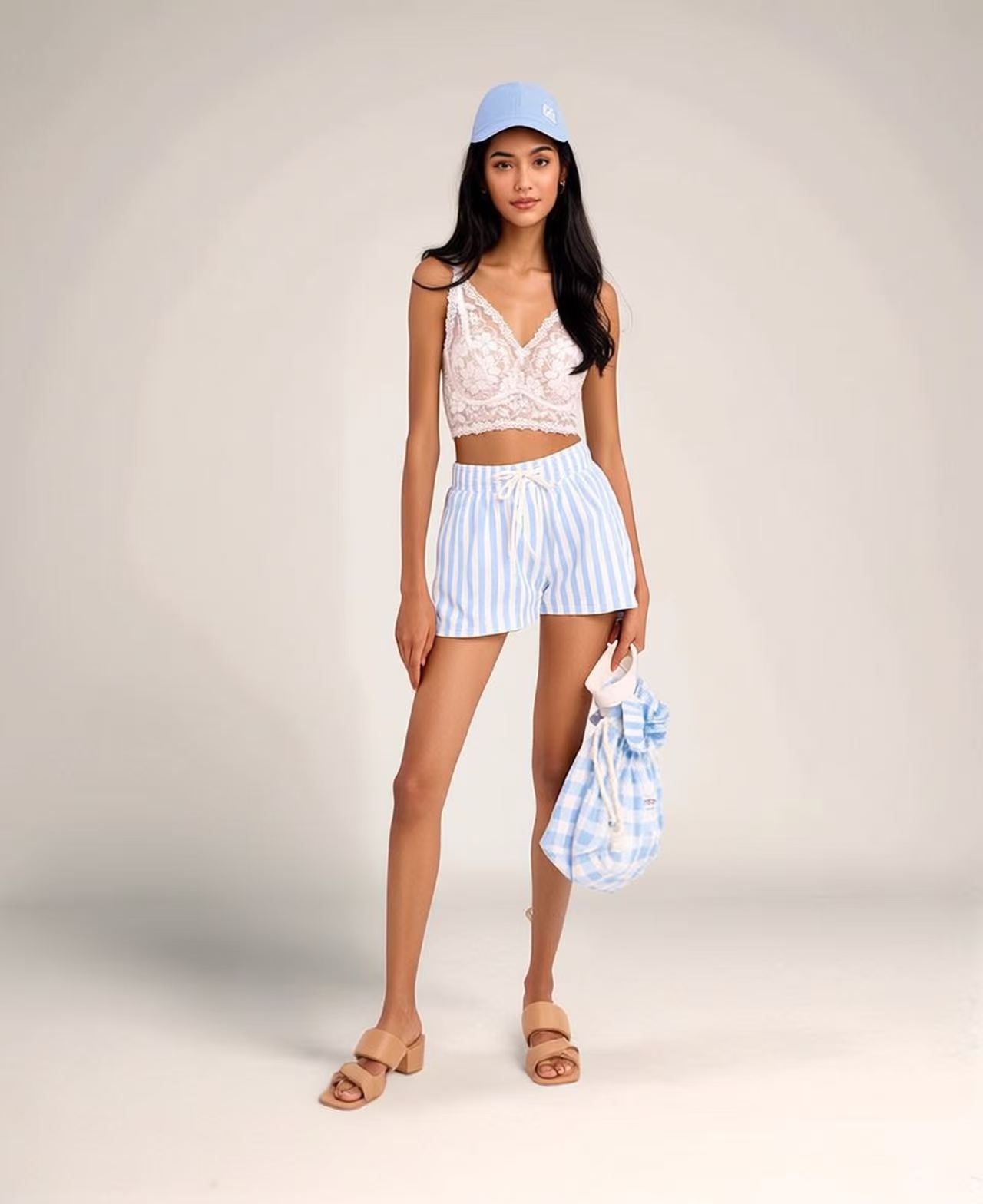
The lace pattern itself came out right, and so did the cup shape, which is more than most of this group managed. Where it slipped was the double-layer panel: that section did not resolve correctly and reads as a single layer. Other tools preserved this construction more accurately in the outputs we reviewed.
Sequined bikini top
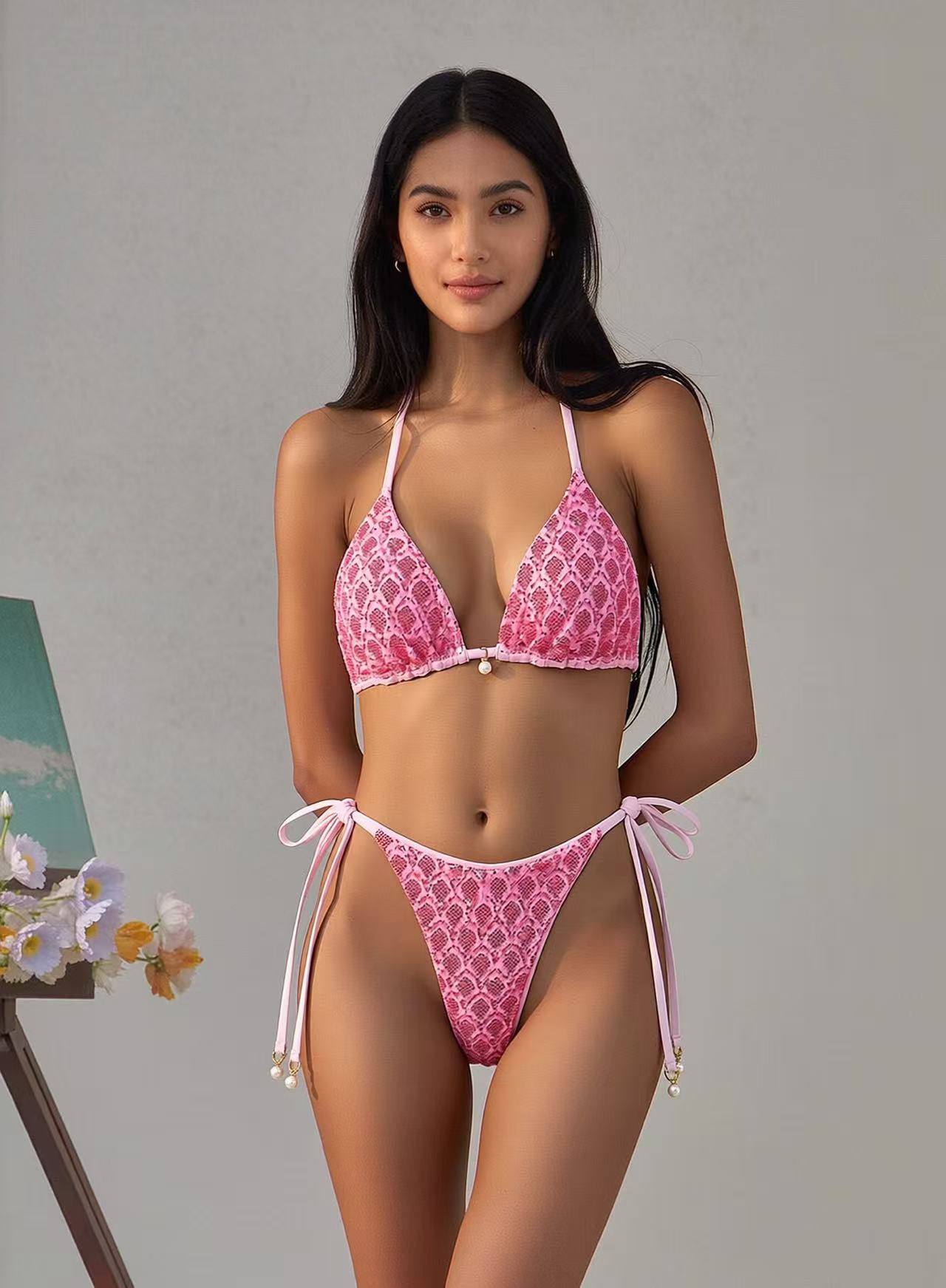
A good result. Every sequin is present and they actually catch the light rather than smearing into one bright patch, the ties are right, and the pearl detailing survived. The one thing off is color: saturation came back higher than the source photo, so the product looks a shade more vivid than it is. On a listing that is exactly the kind of difference that turns into a return.
Sheer mesh bodysuit
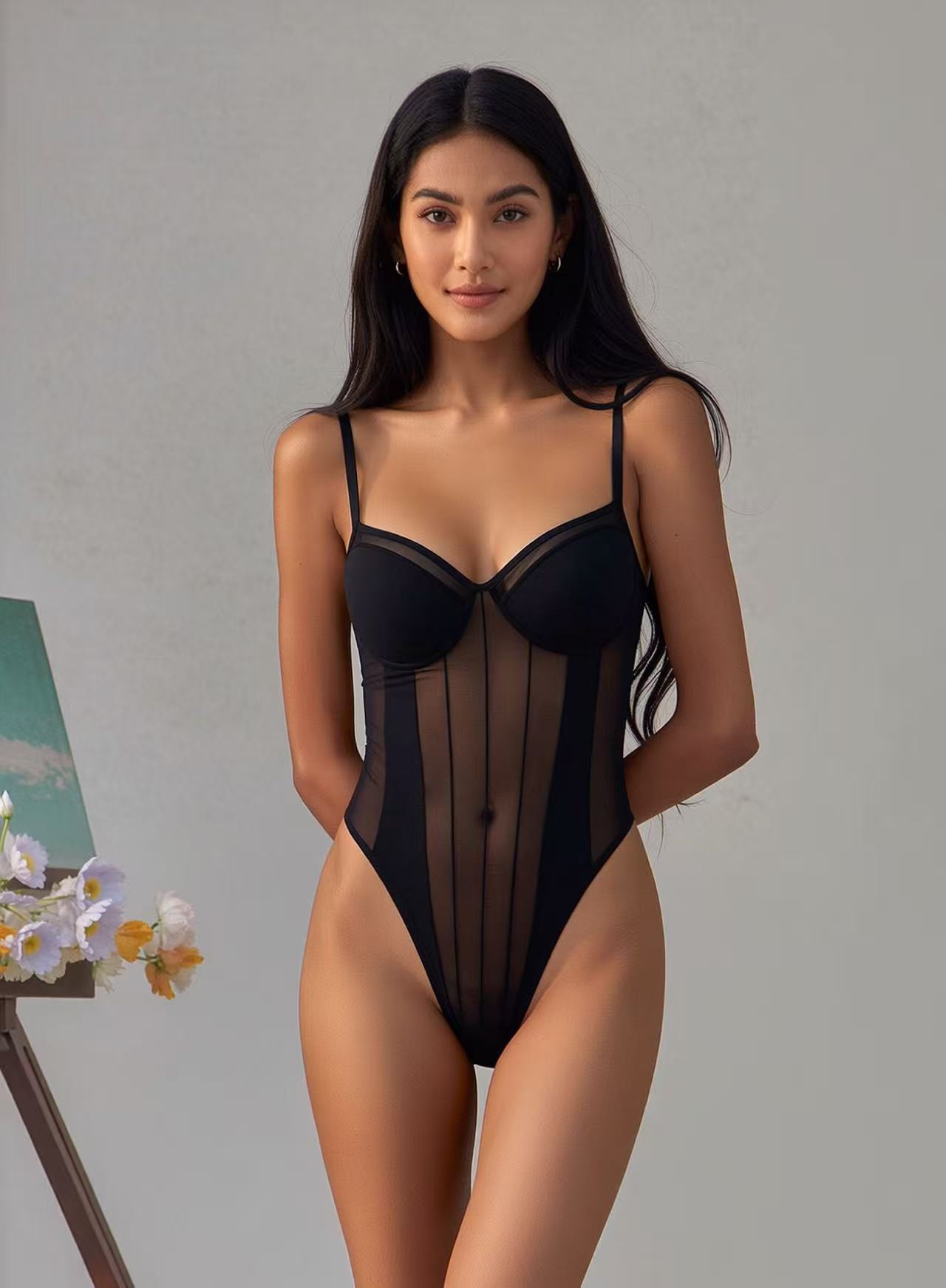
The sheer panels resolve correctly, and the skin underneath remains continuous instead of being flattened. Two of the six tools did not generate this garment at all.
Structured shapewear
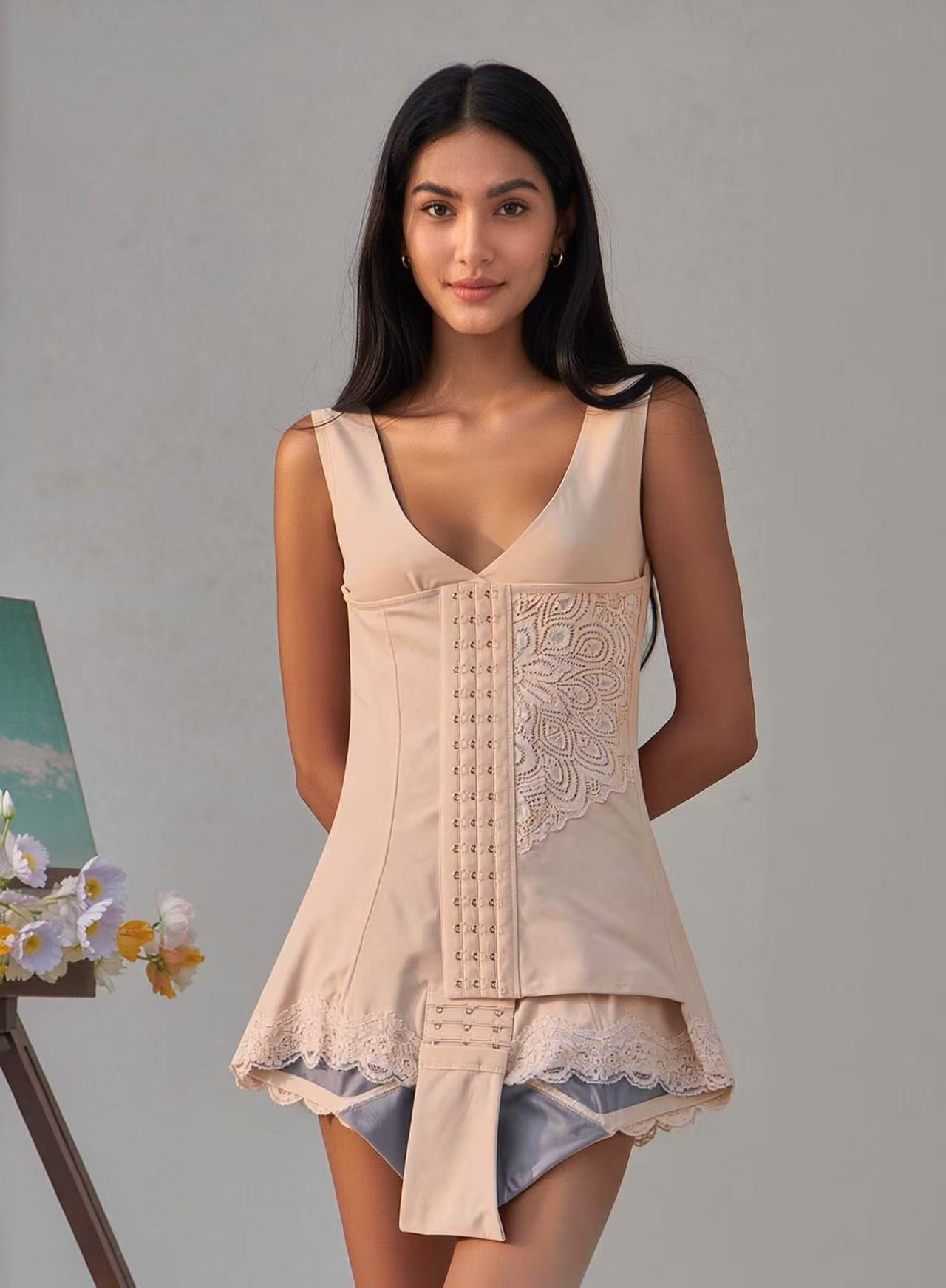
This was the clear miss in our WeShop sessions. The tool confused the flesh tone with the grey lining and rendered interior material on the outside of the garment. The issue repeated, so we would not publish this SKU without trying a different workflow.
Video

The WeShop video workspace. Captured August 4, 2026.
Five-second output: 704 × 1056, 2:3.
WeShop's clip stuttered at the opening, then held fabric shape, lace, and color consistently. It was the only tested workflow that let us choose the aspect ratio before generation, and its model, template, and prompt controls were among the easiest to use.
When to pick something else
Shapewear is the clear exclusion. If lined garments are a real part of what you sell, the lining bleeding through is not something you can retouch your way out of at volume. There is also no batch mode we could find, so a large catalog refresh is one upload at a time.
4. Pic Copilot
Pic Copilot is built around cross-marketplace publishing. One upload produces correctly sized and compliant versions for Amazon, eBay, Shopify, Etsy, AliExpress and the major social channels, with ad creative and short-form video bundled in.
Pricing: $0.006 to $0.013 per Pcoin on annual billing, depending on tier. A run costs 10 Pcoins and returns two images, so 5 Pcoins each, which lands between $0.031 and $0.067 an image. A video costs 50 Pcoins, or $0.31 to $0.67 a clip. 25 Pcoins on the free plan.
Best for: Sellers listing the same SKU on four or more marketplaces who want one upload to cover all of them.
Verdict: The surprise of this test. It generated all six garments, handled the sheer mesh bodysuit more accurately than tools that specialize in intimates, and kept the layers apart on shapewear. Lace and symmetry are where it slipped, and video depends entirely on which input you give it.
Workflow cost: Four steps: open Visual Try-On from the homepage, upload the flat-lay, pick a model, generate · No prompt writing · Two images per run · Batch works for background and watermark removal only, not for try-on or color change
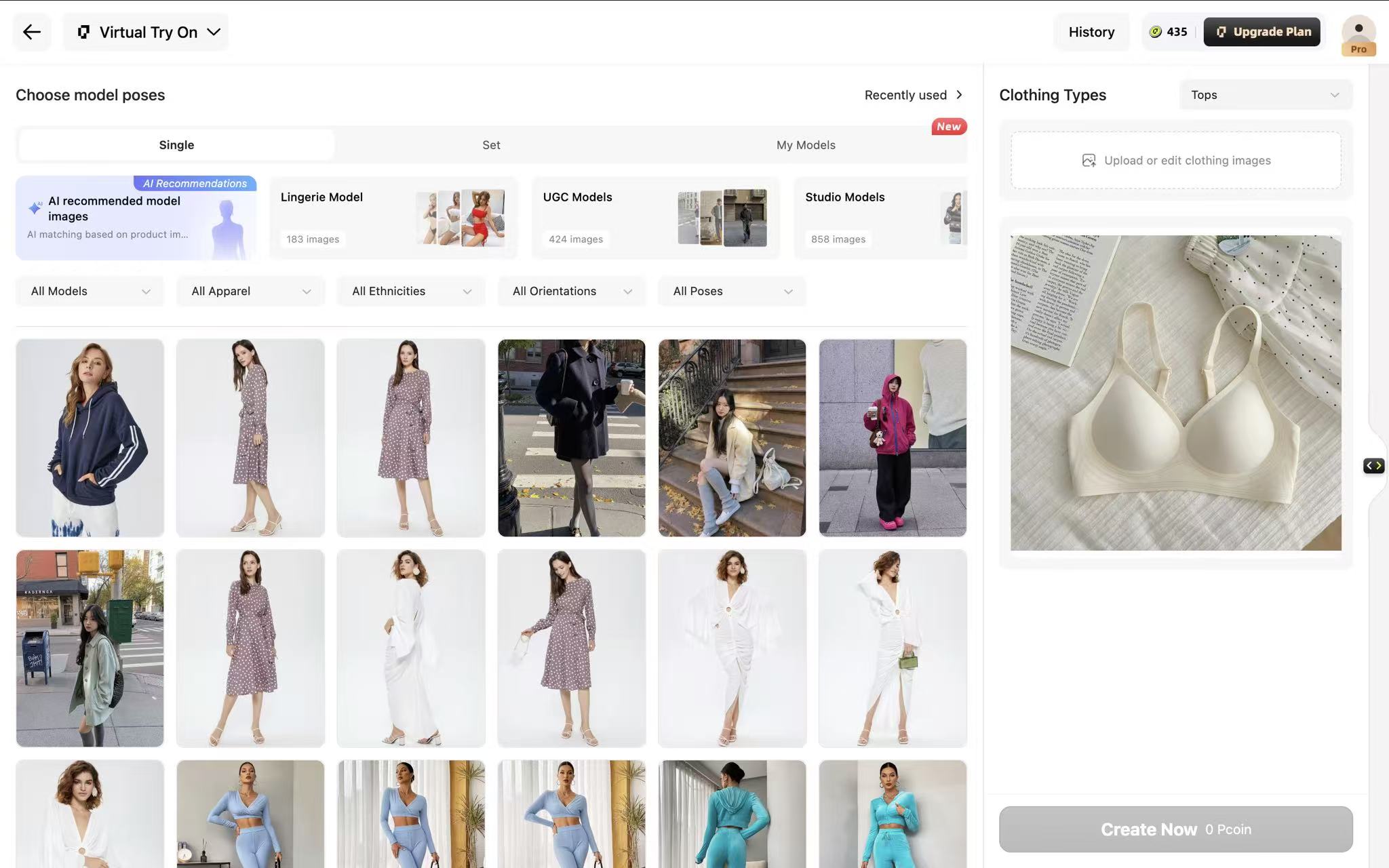
The Pic Copilot workspace for on-model generation. Captured August 4, 2026.
Solid-fabric T-shirt bra
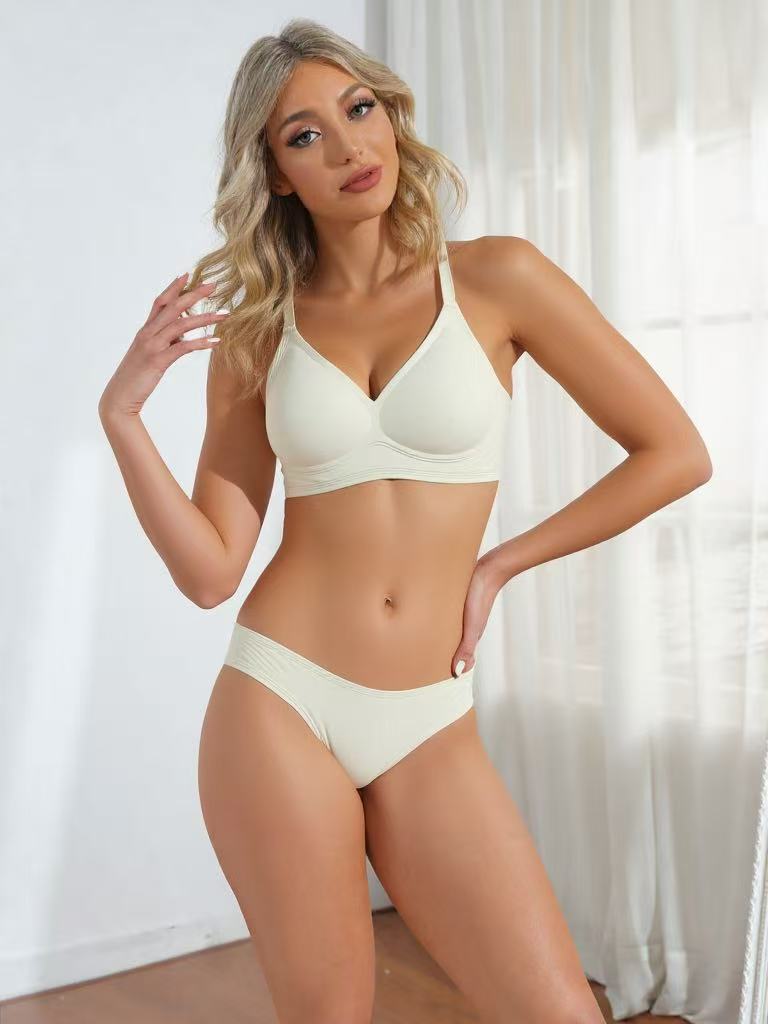
Accurate on the baseline garment, with the cup and band both right.
Maternity bra
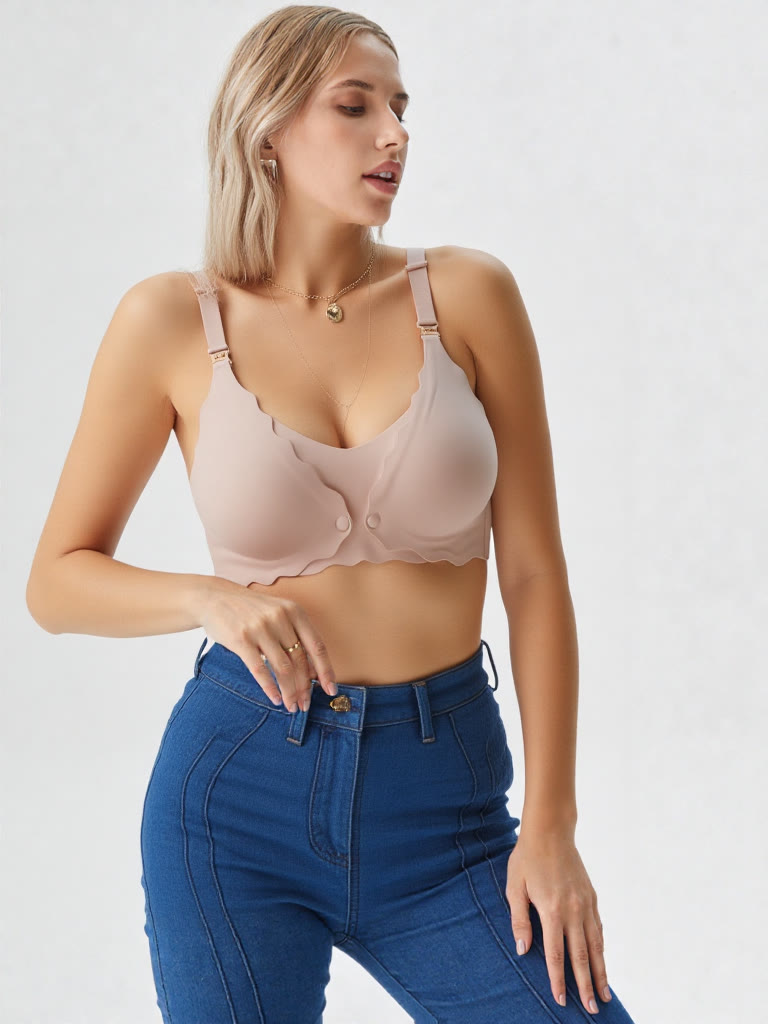
A correct maternity body shape with the garment structure preserved.
Lace bralette
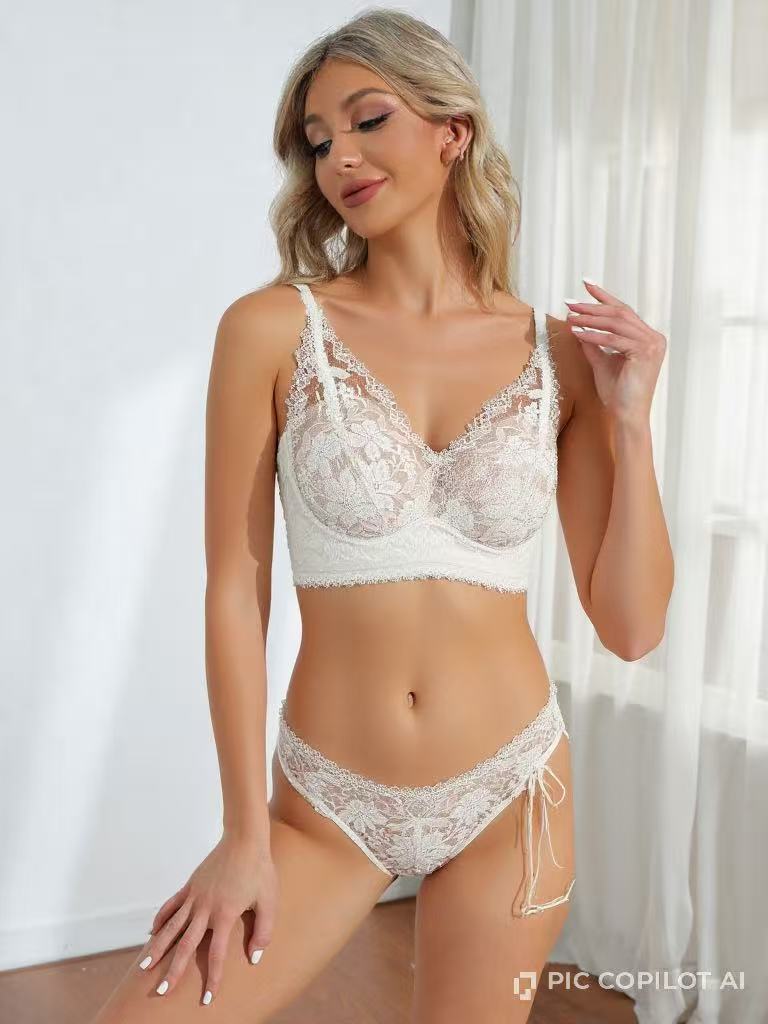
Lace is where it slipped, and the ordering is the interesting part: a tool that rebuilt a body under transparent mesh could not get the same garment's structure right. The lace pattern itself is fine, which is the part most tools lose. What went wrong is around it: the straps came back noticeably thicker than the source photo, and the cup shape is not the cup shape of the product.
Sequined bikini top
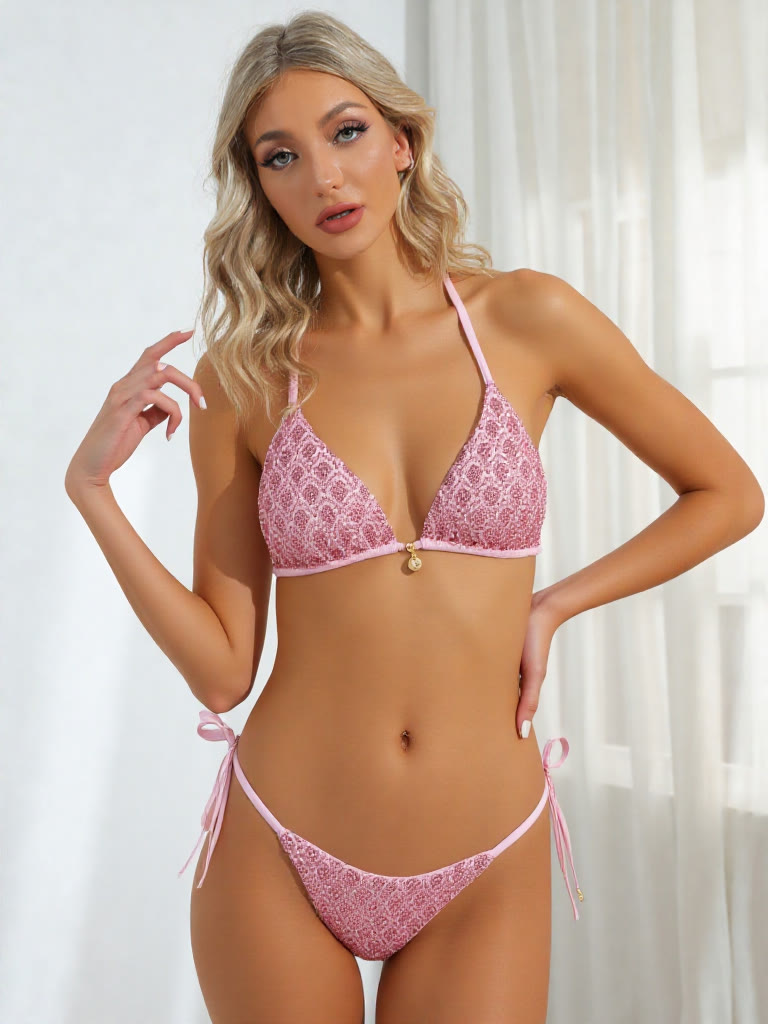
The sequins held together better than reflective fabric usually allows, and the ties came through without breaking.
Sheer mesh bodysuit
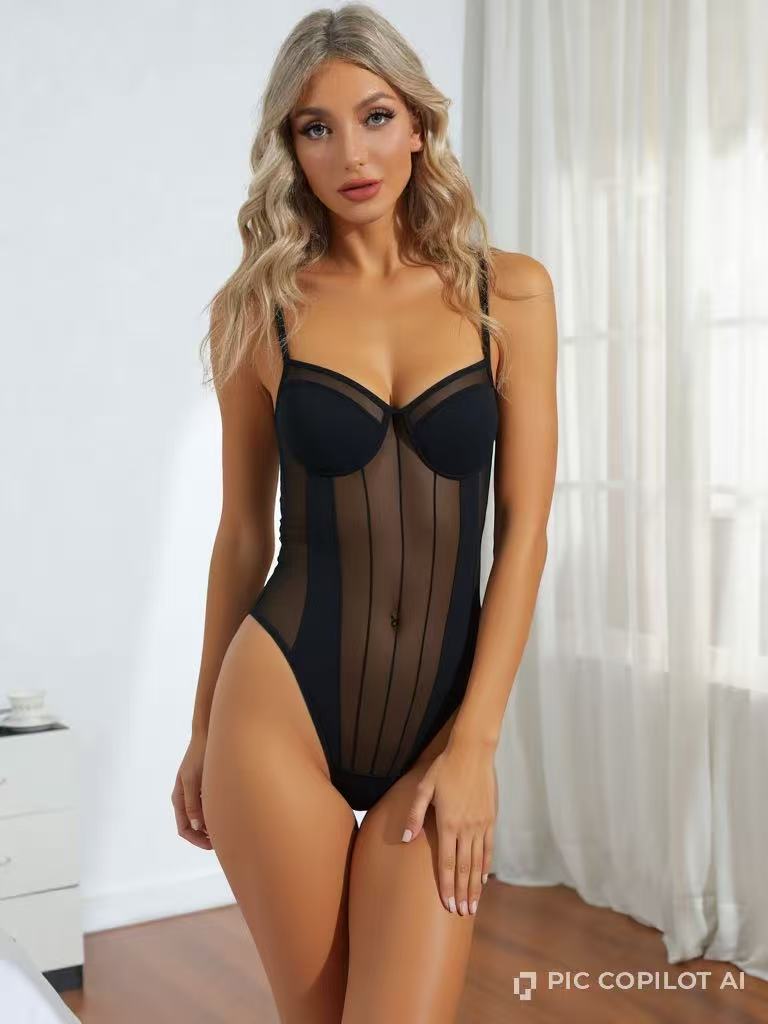
This is the result that did not go the way we expected. The sheer mesh bodysuit is the hardest garment in the set and the one most likely to be refused outright, and a general marketplace tool had no business clearing it. Pic Copilot did, accurately. The mesh sits against the body instead of floating over it, and the skin underneath the transparent panel runs continuous with the skin around it. Nothing about the panel reads as pasted on.
Structured shapewear
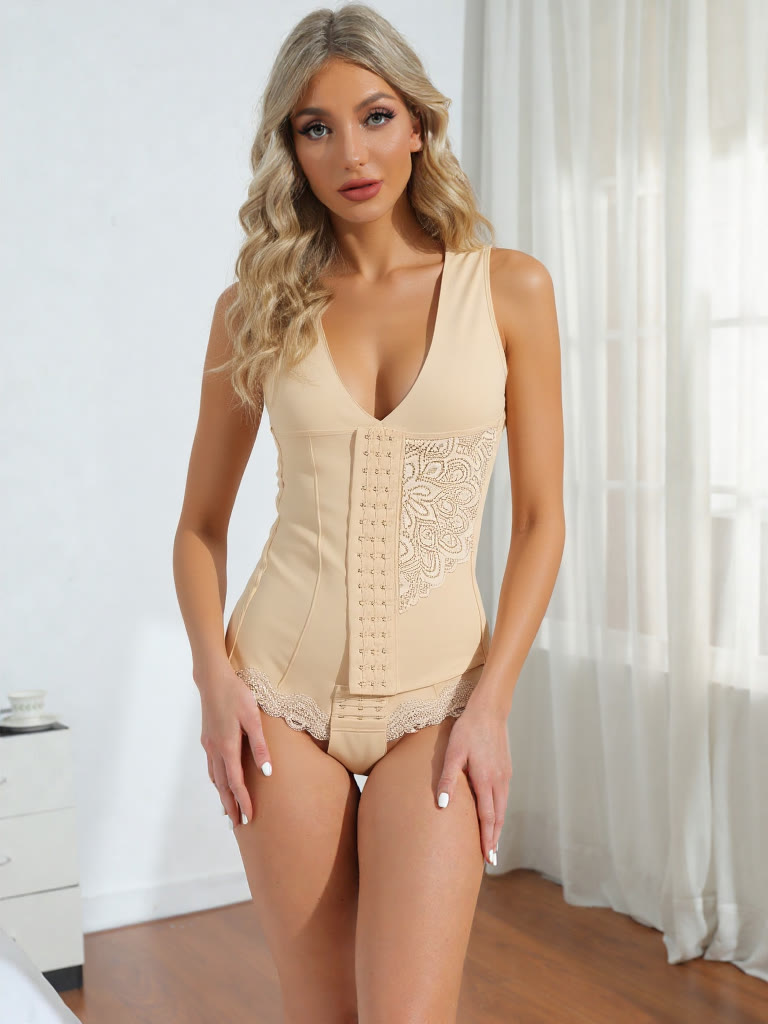
The detail work is good throughout and the colors stayed straight, with a clean line between the outer fabric and the lining, which is precisely where WeShop and Pippit fell apart on this garment. What it could not do is make the piece symmetrical. The two sides of the output do not match each other, and on a garment built around panelling that runs evenly down both sides, that is visible without looking for it.
Video
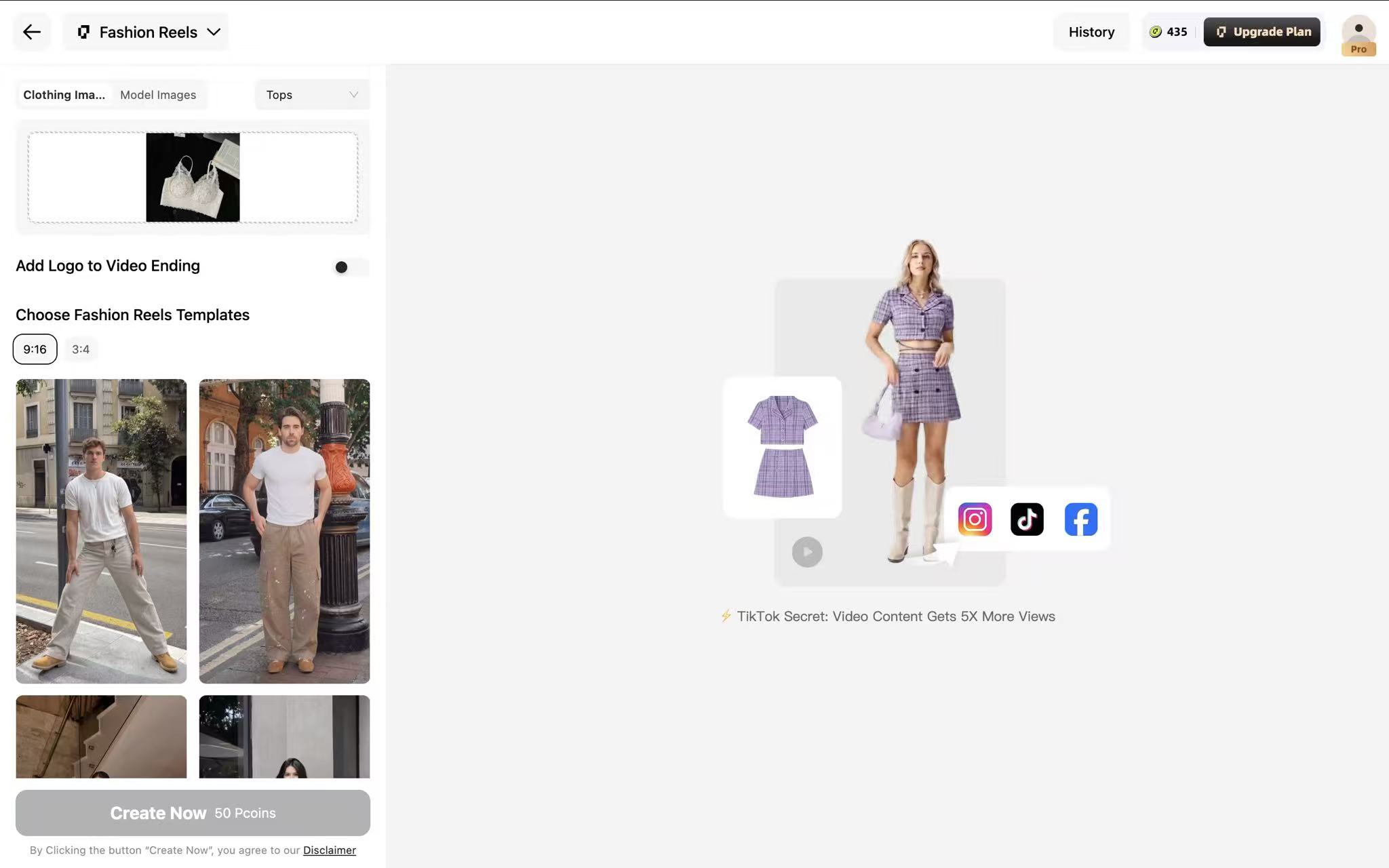
The Pic Copilot video workspace. Captured August 4, 2026.
Five-second output: 480 × 722, roughly 2:3.
Pic Copilot's two video routes produced different outcomes. The standardized finished-model input stayed smooth and stable; its garment-to-model shortcut changed color and garment cut between poses. For listing video, generate the still first and animate that result.
When to pick something else
If lace runs through most of your catalog, test it on your own piece before you commit. The pattern came out fine, but the straps and the cup shape did not, and on a bralette that is most of what a customer is looking at. There is also no batch try-on or batch color change, so a large catalog refresh is one upload at a time.
5. Photoroom
Photoroom is the most established name here, and most sellers meet it first as a background remover. Virtual Model added AI on-model generation to that existing workspace, which makes it less a lingerie tool than a general ecommerce editor that also does models.
Pricing: Subscription only. Pro is $7.50 a month, Max is $20.83 and Ultra is $85.20. There is no credit counter to read: generation draws on a pooled AI allowance rather than a per-image charge, so a comparable cost per image cannot be calculated the way it can everywhere else on this list. Video is gated to Max and above.
Best for: Shopify sellers already running Photoroom for background removal who would rather not add another tool.
Verdict: Mature platform with native Shopify integration, and AI Virtual Model and image-to-video sit inside the broader editing suite. The content policy rules it out here: four of our six garments would not generate, a fifth came back rear-view only, and the sixth came back on the wrong body.
Workflow cost: Five steps: open AI Fashion Models from the homepage, upload the flat-lay, pick a model and a pose, set quality, aspect ratio and background, generate · No prompt writing · Quality, ratio, and background controls are available in one screen
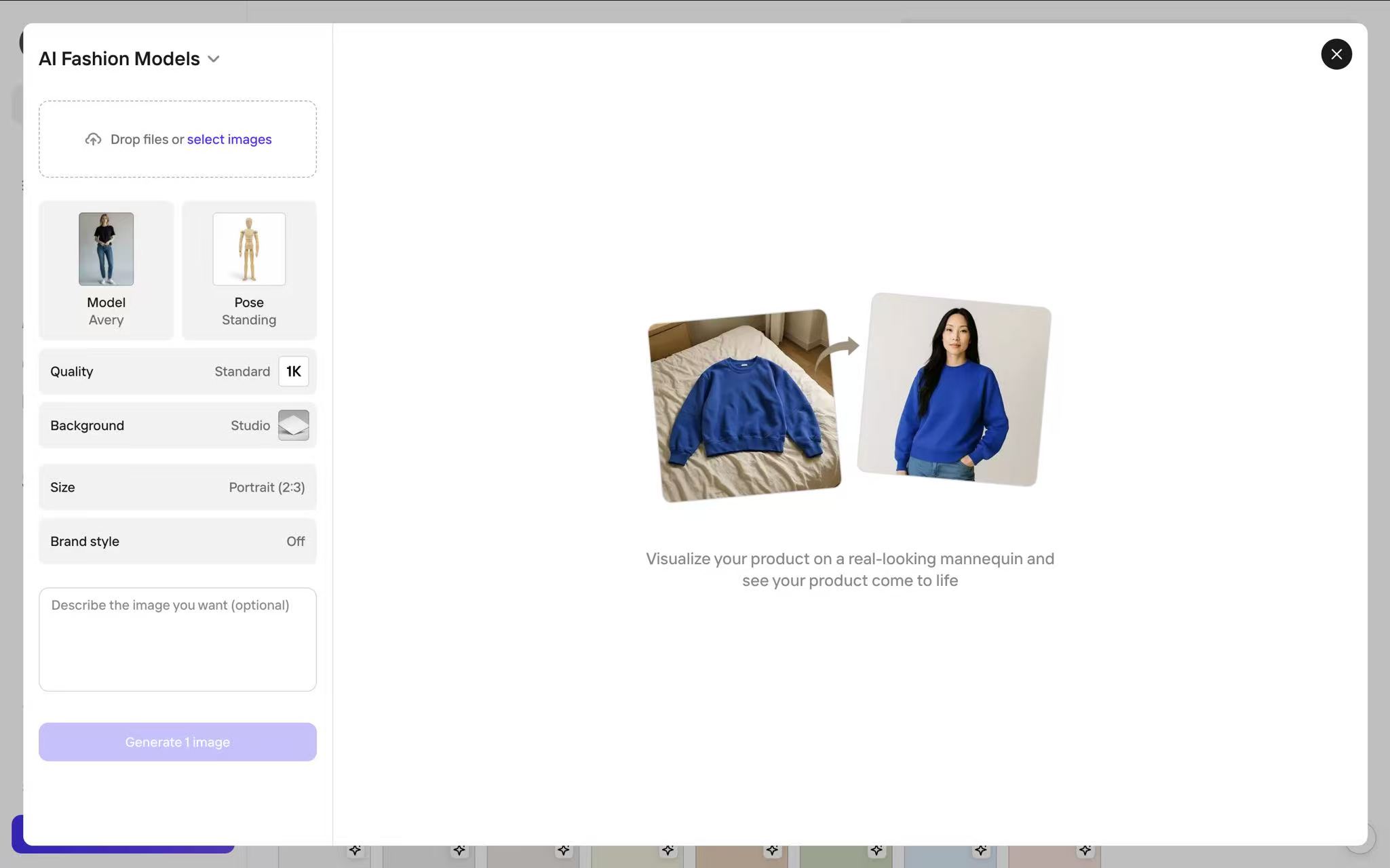
The Photoroom workspace for on-model generation. Captured August 4, 2026.
Solid-fabric T-shirt bra
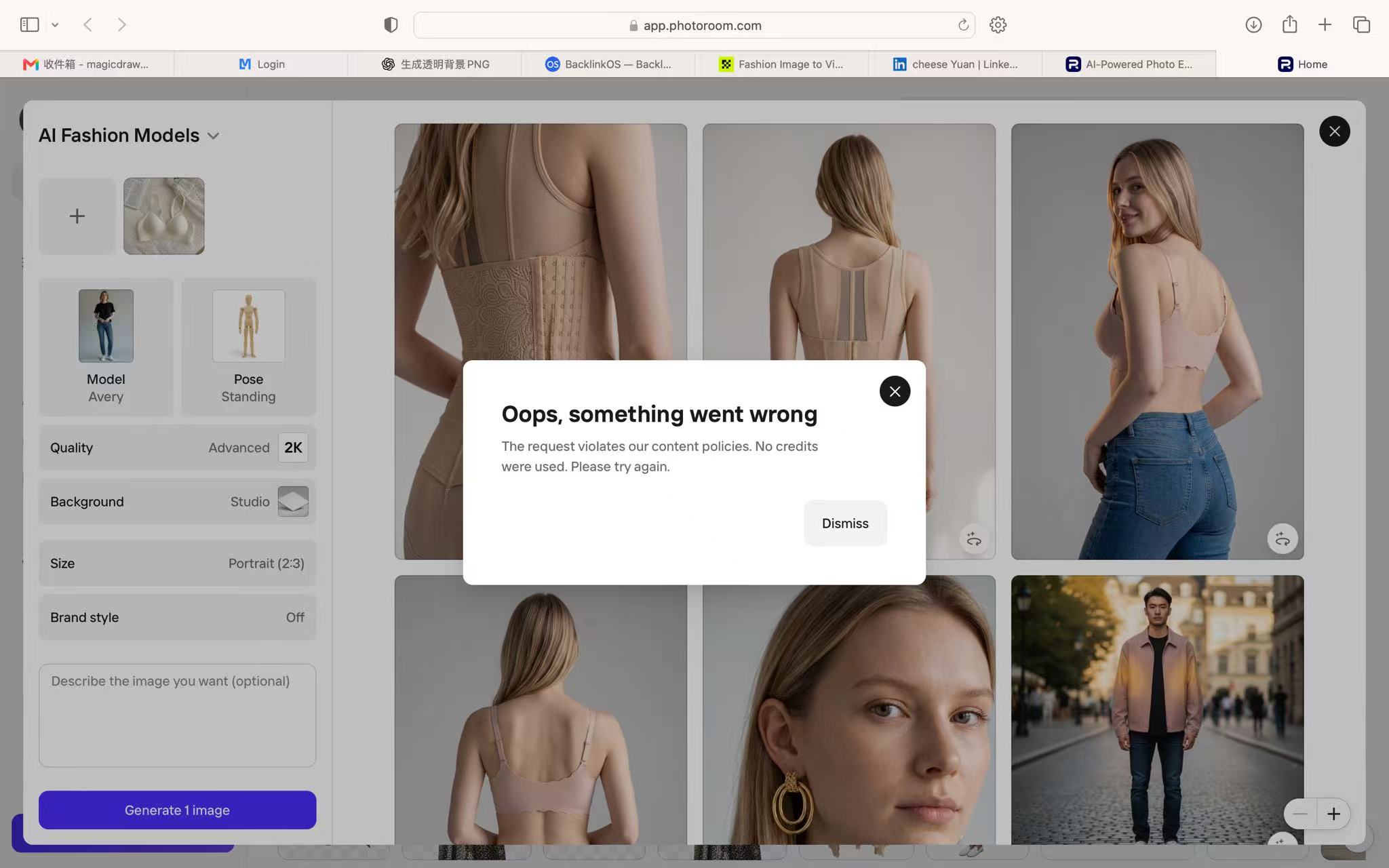
Photoroom refusing one of our lingerie uploads on content policy. Captured August 4, 2026.
Refused. The upload came back as an error saying it does not meet Photoroom's policy, and there is no route around it. The lace bralette, the sheer mesh bodysuit and the sequined bikini top were all refused the same way. Between them that is the plain moulded bra, the lace piece, the sheer piece and the swim piece, which for most intimates sellers is the catalog.
Maternity bra
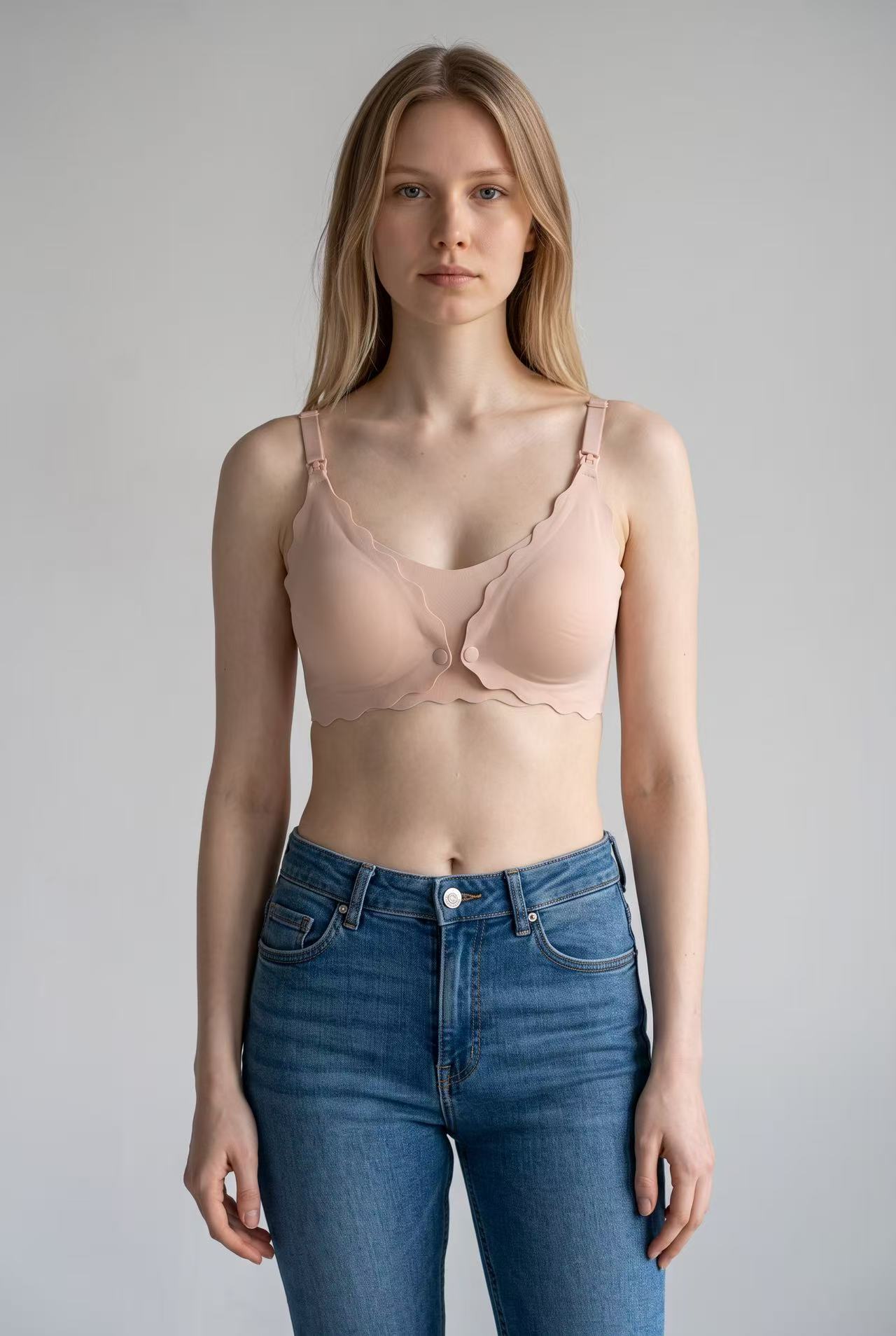
The garment is right. Nursing clips, strap adjusters and the scalloped edge all came through, and the angle is the one a listing would actually use. The body is the problem. Photoroom returned a straight-sized model wearing a maternity bra, which is exactly the failure this category produces more than any other and the one thing a maternity listing cannot carry. Every other tool that generated this garment returned a maternity figure.
Lace bralette
Refused, same policy error.
Sequined bikini top
Refused, same policy error.
Sheer mesh bodysuit
Refused, same policy error.
Structured shapewear
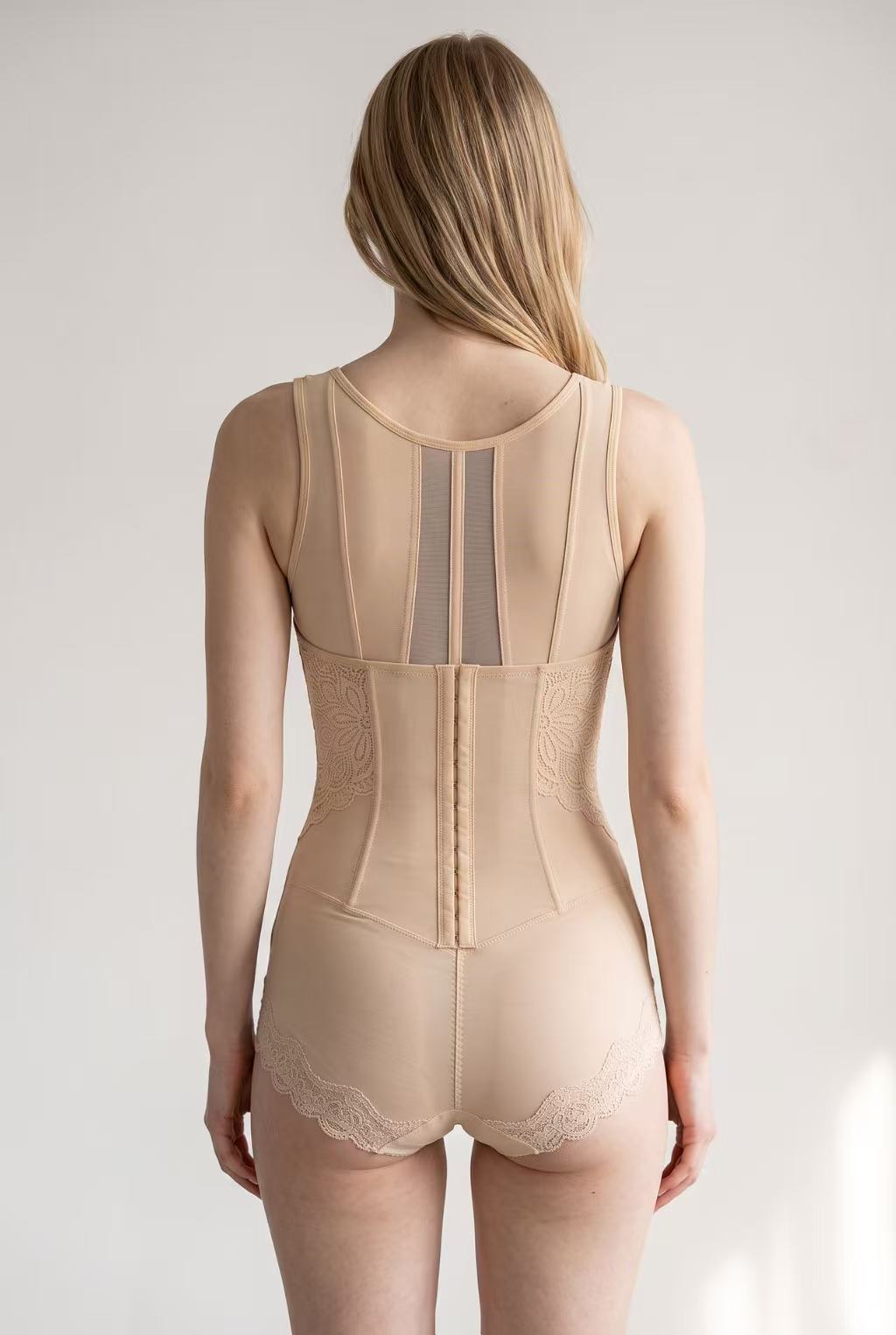
The colors stayed straight and the panelling reads correctly, which is more than two other tools managed on this garment. It is also a rear view, because a front angle was not on offer.
Video
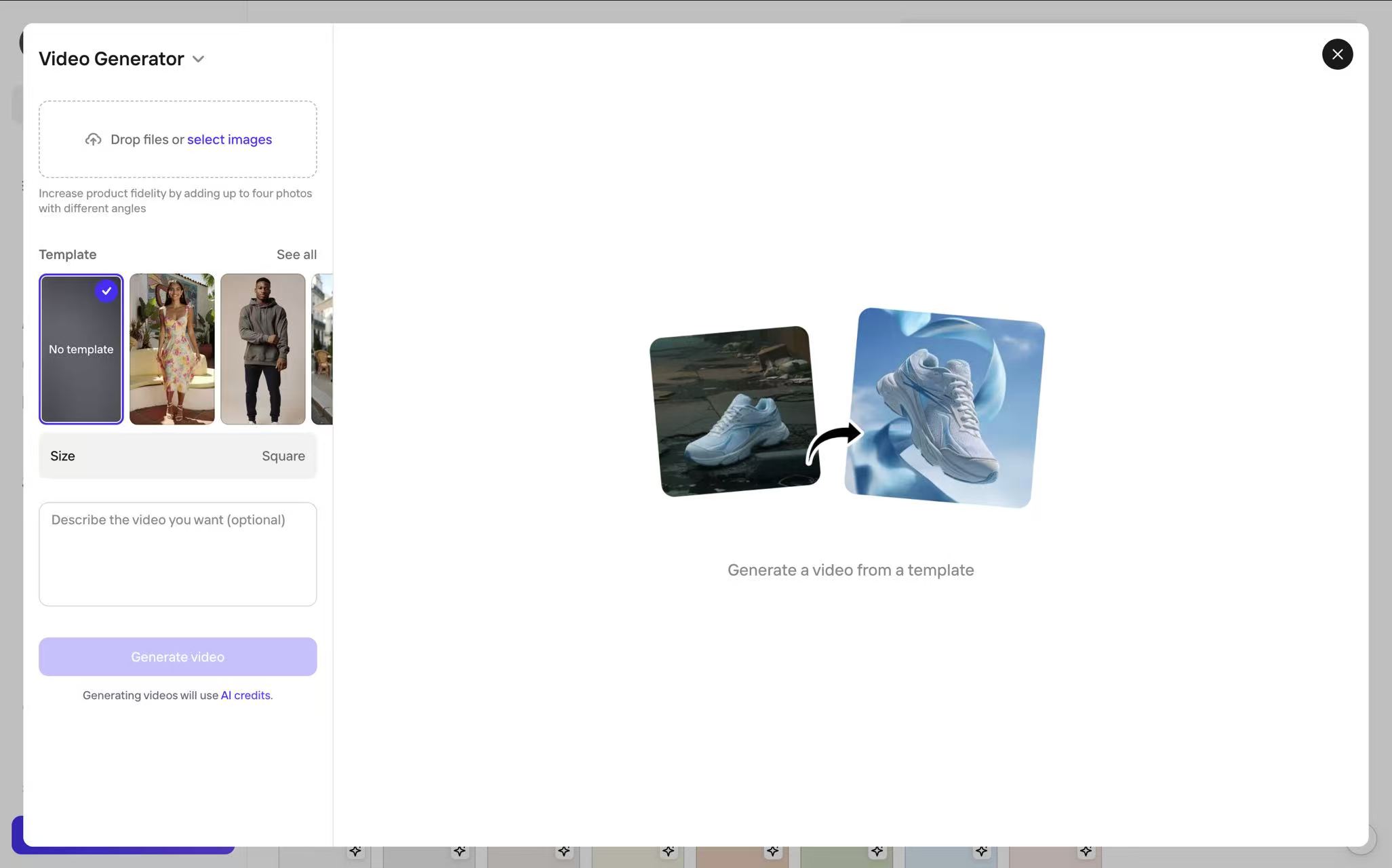
The Photoroom video workspace. Captured August 4, 2026.
Five-second output: 720 × 720, square, not vertical.
Photoroom produced the fastest, smoothest workflow and a stable clip, with three aspect-ratio presets. Video starts on the Max plan. Those strengths did not overcome the still-image policy limits: four of six lingerie inputs were refused in our session.
When to pick something else
For a catalog similar to this test set, start by trialling another option. Four of six garments were refused in our session, the shapewear result was rear-view only, and the successful maternity-bra generation did not use the requested presentation. We could not resolve those issues with the controls we tried. Existing Photoroom customers may still find value in its broader editing workflow, but should validate intimate-apparel acceptance separately.
6. Pippit
Pippit sells itself on turning any idea into a video, and that shapes everything about how it works. Images are part of the toolkit rather than the point of it. There is no library of models to browse and click: you describe what you want, pick an aspect ratio and an engine, and the prompt does the rest. That is a different bargain from every other tool on this list.
Pricing: Annual plans. Starter is $200 a year for 2,100 credits, Plus $600 for 6,700 and Pro $3,000 for 35,500, which works out at $0.085 to $0.095 a credit. You start with 400 free credits and daily tasks top that up. What the tool does not show you is how many credits any given generation will spend, so a cost per image cannot be worked out in advance.
Best for: Sellers whose main output is short-form video and who are comfortable writing prompts to get there.
Verdict: Pippit is the most prompt-led workflow in this group. Five of the six garments produced convincing stills in our sessions, but there is no model library to fall back on, the credit cost was not shown before generation, and the video simplified the garment construction.
Workflow cost: Prompt required for both images and video · No model library to pick from, you describe the model you want · Aspect ratio and engine are selectable · Credit cost per generation is not displayed
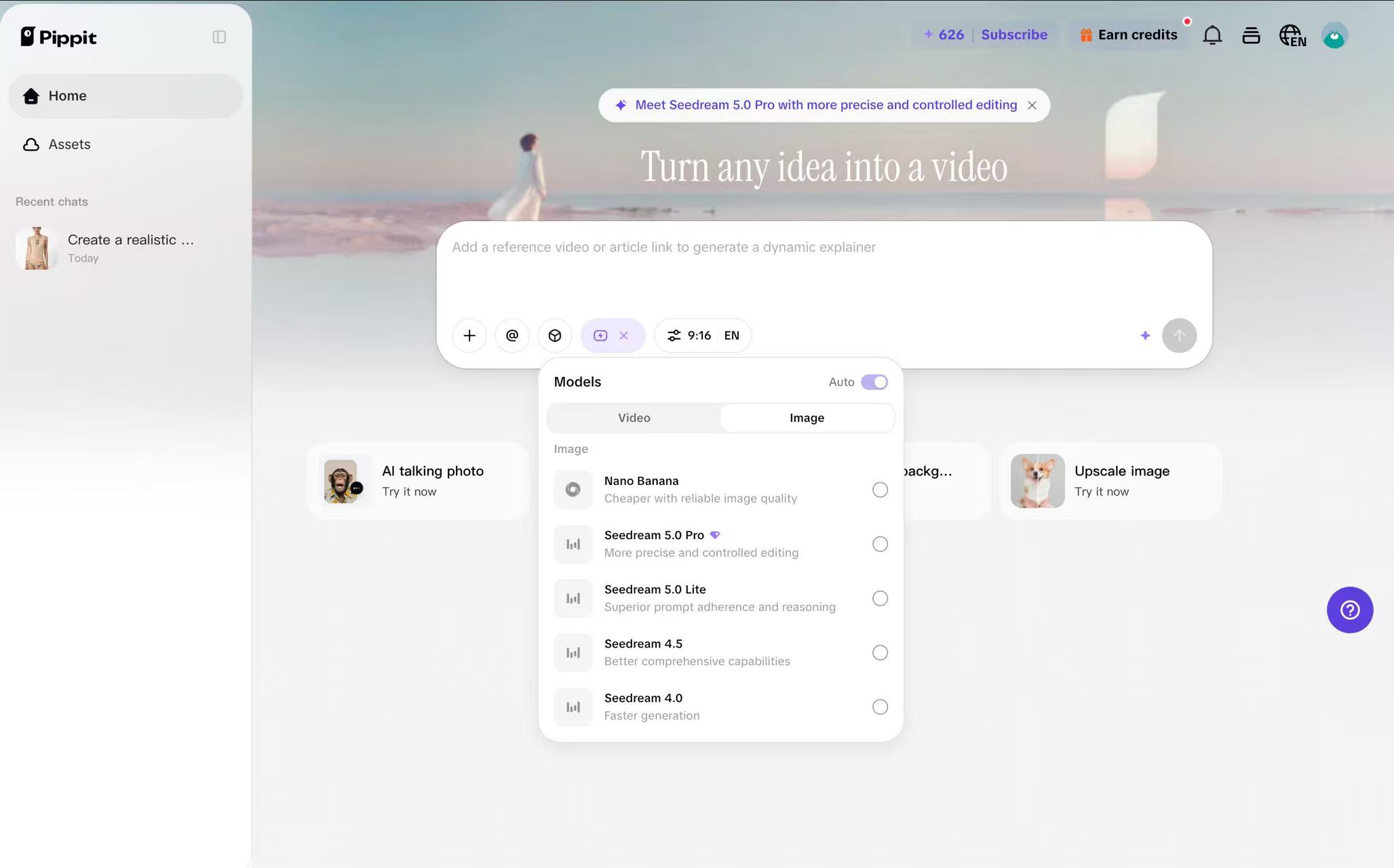
The Pippit workspace for on-model generation. Captured August 4, 2026.
Solid-fabric T-shirt bra
A strong result. The garment is accurate and the detail holds up throughout, with nothing that needed a second run.
Maternity bra
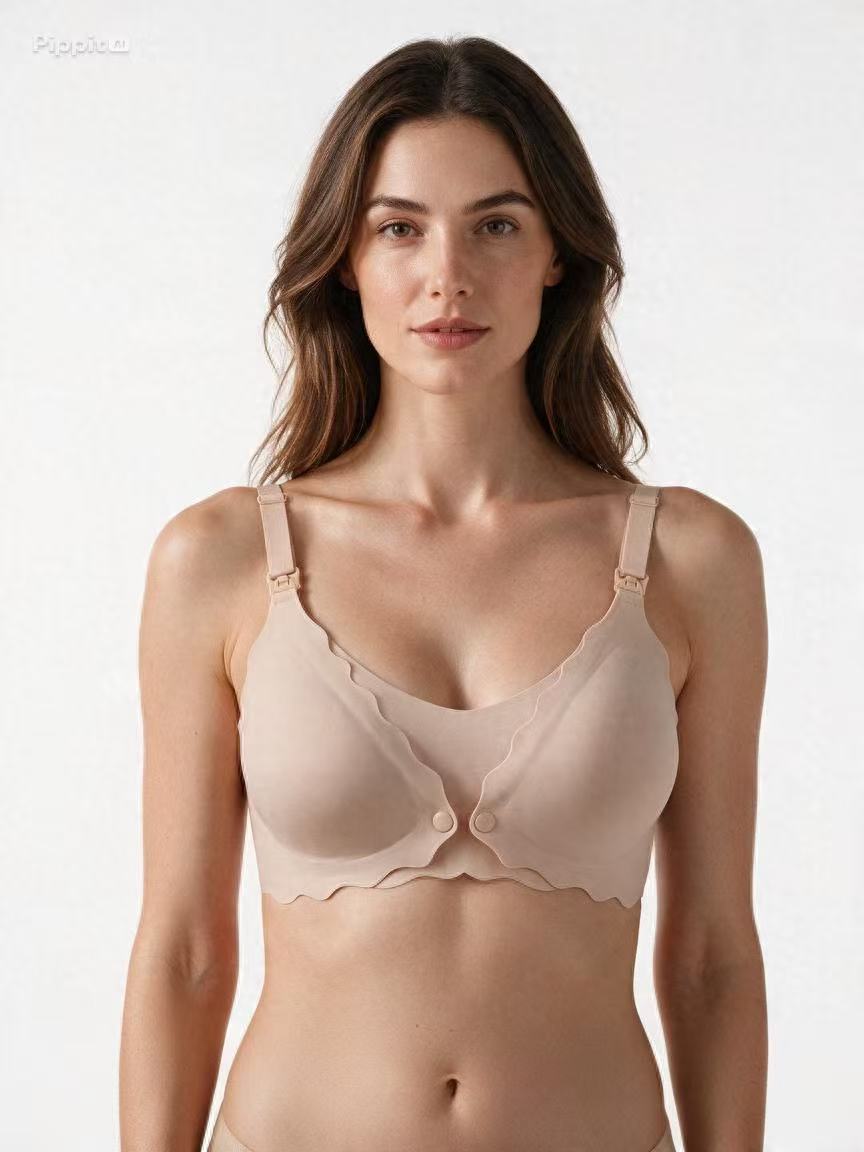
Correct body shape and correct garment. Nothing needed a second run.
Lace bralette
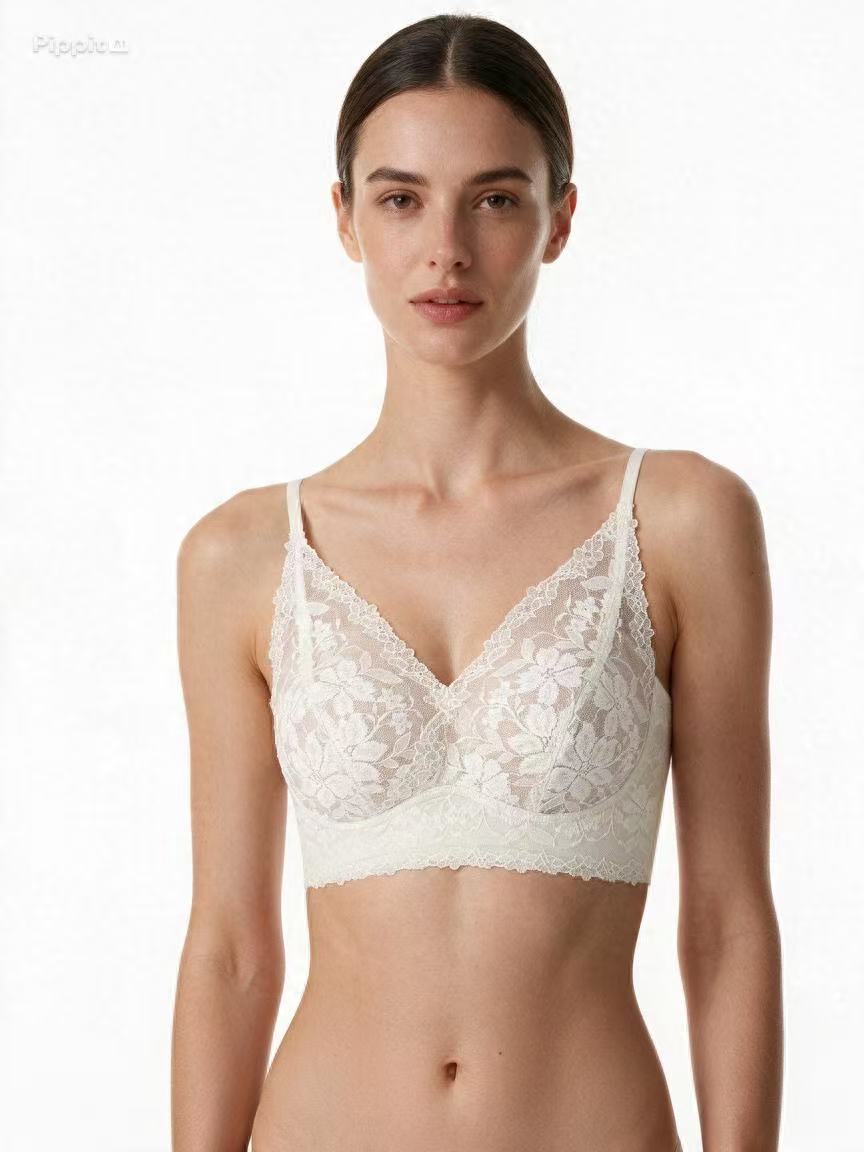
A good result with one flaw. The lace itself came out right and so did the straps, which is the combination most tools in this test missed in one direction or the other. The cup shape is slightly off from the product, not enough to look wrong on its own but enough to notice against the source photo.
Sequined bikini top
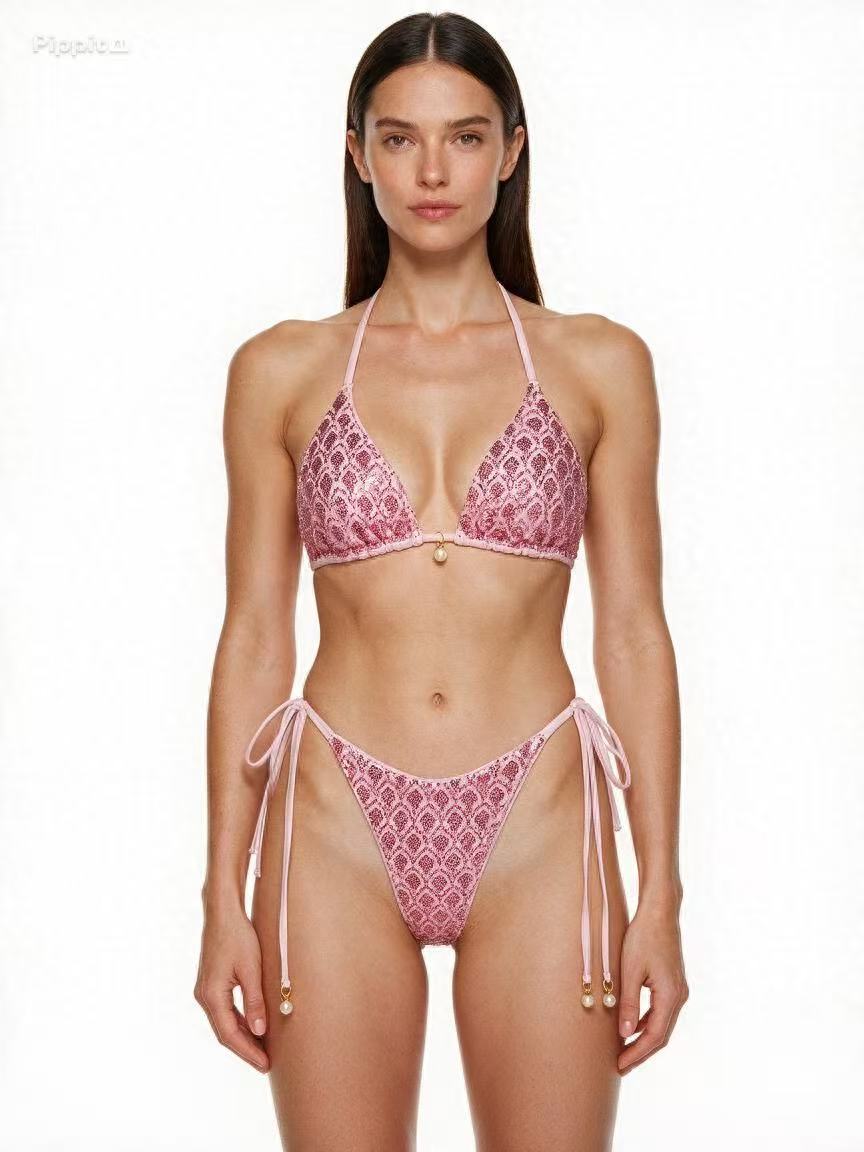
The sequined bikini was one of Pippit's cleanest results in this test. The sequins remained distinct rather than blending into one bright patch, and the pearl detailing was still visible.
Sheer mesh bodysuit
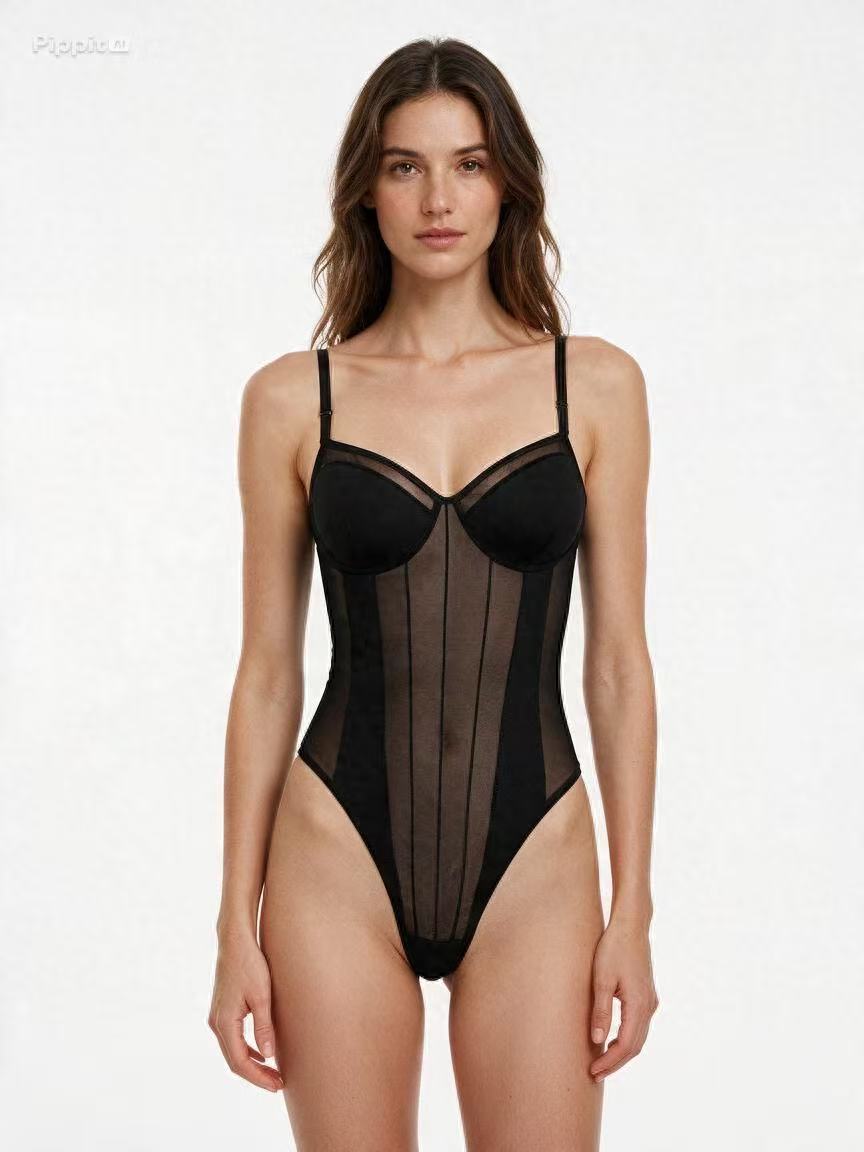
Sheer and opaque sections both read correctly and the body under the transparent panel is rebuilt rather than flattened.
Structured shapewear
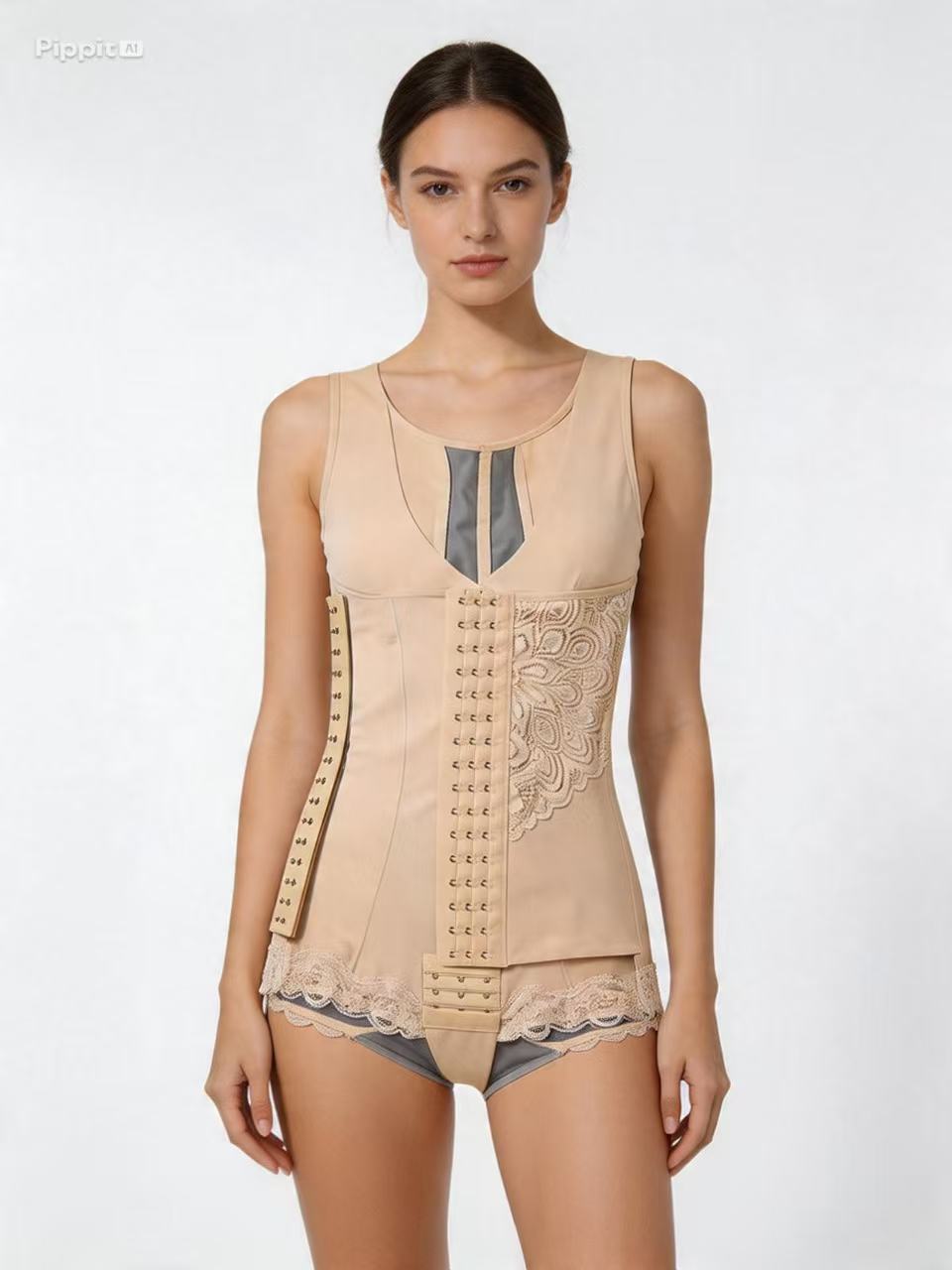
The exception, and the same exception WeShop hit on the same garment: the tool does not separate the outer fabric from the lining. What should stay hidden inside the piece ends up rendered as part of the outside. WeShop failed this garment in exactly the same way, while Snappyit and Pic Copilot both kept the layers apart, which says something about how differently these models read layered construction.
Video
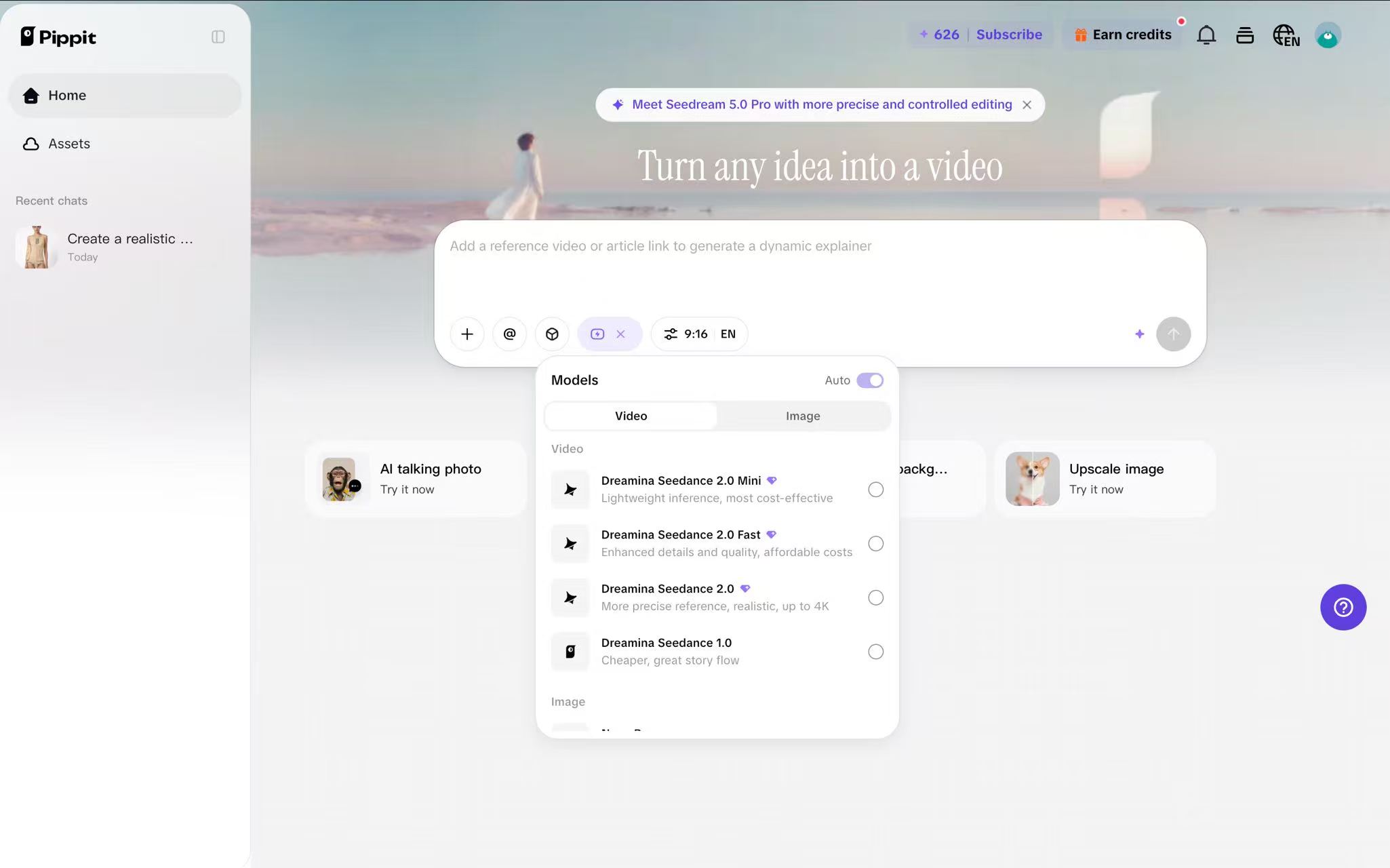
The Pippit video workspace. Captured August 4, 2026.
Five-second output: 480 × 640, 3:4.
Pippit's motion was smooth, but the double-layer panel became a single layer of mesh, making the clip unsuitable as an accurate listing asset. Its generous free credits help experimentation, while the prompt-only workflow adds setup time for sellers who prefer a model library.
When to pick something else
Choose a model-library workflow if you prefer to upload a flat-lay, select a model, and generate without writing a prompt. Pippit's prompt-led flow offers more open-ended control, but it adds setup work. Based on the layered shapewear result in this test, lined garments also need especially close product QA.
What each one costs and what it plugs into
The garment matrix above answers whether a tool can actually shoot your product. This one answers the second question: what it costs to run, and whether it fits the rest of your stack.
| Tool | Free credits | Per-image price | Video | Shopify |
|---|---|---|---|---|
| Snappyit | 6 credits, about 2 images | $0.13–$0.21 3 credits per image at $0.044–$0.068 | Yes, Image-to-Video | Export from app and web |
| SellerPic | 20 credits, images and video | $0.017–$0.073 1 credit per image, annual billing | Yes | Yes, App Store |
| WeShop | 200 points, about 10 images | $0.12–$0.16 20 points per image, annual billing | Yes | Yes, App Store |
| Pic Copilot | 25 Pcoins, about 5 images | $0.031–$0.067 5 Pcoins per image, annual billing | Yes, Reels | Yes, multi-marketplace export |
| Photoroom | 250 exports/mo, watermarked | Subscription only $7.50 / $20.83 / $85.20 a month | Yes, Max plan and up | Yes, native integration |
| Pippit | 400 credits at signup, plus daily tasks | $0.085–$0.095 per credit credits per image not disclosed | Yes | No |
Checked August 4, 2026. Prices are annual billing where the tool offers it. The video column reflects what each tool produced in our test, not what the marketing page claims.
Final words
Choose from the garment that is hardest to reproduce, not from the lowest advertised price.
- For lace and sheer garments, compare pattern survival, strap geometry, and skin-tone continuity at full zoom.
- For lined shapewear, no tool cleared every detail in this test; verify layer placement and symmetry against the source.
- For swimwear, inspect thin ties, reflective details, and color saturation before using an output in a product listing.
- Calculate cost per usable image after refusals and reruns, then validate the winner on your own hardest SKU.
Related reading
Use these to go from picking a tool to running a controlled lingerie image workflow.
- AI lingerie photography for ecommerce — plan per-SKU production and marketplace QA
- Lingerie product photography workflow — build a coordinated set-level image stack
- Swimwear and lingerie marketplace image requirements
Test an AI lingerie model generator on your hardest SKU
The most useful comparison is your own hardest product. Upload a lace bralette, sheer bodysuit, or structured shapewear SKU and compare the output with the source before publishing.
Frequently asked questions
Which AI lingerie model generator is best for Amazon sellers?
During our test sessions, Snappyit, Pic Copilot, and WeShop generated all six garments without a content-policy refusal. Snappyit has the most connected workflow for moving color variants into Fashion Model, Pic Copilot is useful when you need marketplace-sized exports, and WeShop offers a broad set of creative controls. That does not make every output Amazon-ready: check the current category rules, background, crop, pose, and product accuracy before publishing. SellerPic and Photoroom refused much of this particular lingerie set, so test your own SKUs before choosing either one for an Amazon workflow.
Will AI lingerie images look fake or hurt my brand?
The stronger outputs can look credible at listing-card size, but that is not enough on its own. Zoom in on lace, straps, hardware, cup shape, and skin beneath sheer fabric before the image reaches a listing. Snappyit's model seed lock can help maintain a consistent synthetic model across a catalog, but luxury campaigns and ambassador-led creative may still benefit from a real model whose identity carries brand meaning. For routine catalog updates, AI can reduce reshoots when it is paired with careful product QA.
Do these tools handle swimwear and bikini, or only lingerie?
Four of the six generated our sequined bikini top: Snappyit, WeShop, Pic Copilot and Pippit. SellerPic and Photoroom both refused it on content grounds. Among the four that worked, Snappyit and Pippit kept the sequins reading as separate reflective pieces rather than one bright patch, and WeShop returned the garment more saturated than the source photo. Reflective fabric and thin halter ties are a different problem from lace, so test a swim piece specifically rather than assuming a tool that handles lingerie will handle both.
What does a 50-SKU lingerie catalog refresh actually cost?
Fifty SKUs across four body types and three colorways means 600 final images. At one generation per final image, the listed rates we checked work out to roughly $19 to $40 on Pic Copilot, $72 to $96 on WeShop, and $78 to $126 on Snappyit. Those are planning estimates, not guaranteed project totals: they exclude retries, rejected outputs, taxes, unused subscription credits, and any final retouching. Photoroom uses a subscription allowance rather than a simple per-image meter, while Pippit did not show the generation cost before the run.
Which AI lingerie model generators need extra caution?
SellerPic and Photoroom need a catalog-specific trial before you subscribe because they refused three and four garments respectively in our test. WeShop and Pippit deserve an extra check on lined shapewear, while Pic Copilot needs close review on lace shape and symmetry. Snappyit accepted all six garments in our sessions, but its shapewear result still changed the lace placement. The tools we left out either did not match the inventory-to-model workflow closely enough or did not produce enough comparable output; omission is not a blanket judgment on every feature they offer.
References
Checked August 4, 2026.
1. Snappyit — AI Fashion Model Generator
2. Snappyit — AI Image to Video
3. Snappyit — Pricing
4. SellerPic — Virtual Try-On
5. SellerPic — Image to Video
6. SellerPic — Pricing
7. WeShop — Virtual Try-On
8. WeShop — AI Image to Video
9. WeShop — Official Website
10. Pic Copilot — Virtual Try-On
11. Pic Copilot — Fashion Reels
12. Pic Copilot — Pricing
13. Photoroom — AI Fashion Model
14. Photoroom — Video Generator
15. Photoroom — Pricing
16. Pippit — AI Product Photo Tools
17. Pippit — Photo to Video Maker
18. Pippit — Pricing