



 Harper Lee
AI lingerie photography workflow at a glance
For a lingerie, underwear or intimate-apparel catalog, start with one accurate product photo and make it the approval reference for everything that follows. Approve the garment-only image first, then build the on-model set, color variants and short video from that verified asset. This keeps one small error from spreading across an entire SKU gallery.
This guide shows where four Snappyit tools—Ghost Mannequin, Fashion Model, Color Change and Image to Video—fit into that production flow. Before applying it across a catalog, run one representative SKU with the lace, transparency, hardware, or construction most likely to fail. For the wider channel plan, see the Snappyit workflow for lingerie sellers .
Why lingerie product photography needs a specialized workflow
Lingerie and intimate apparel are less forgiving than a basic top because shoppers rely on small visual details to understand the product. Lace can soften, sheer panels can turn opaque, molded cups can lose volume, and thin straps can move or disappear. The same product-accuracy standard applies to bras, panties, lingerie briefs, bodysuits and shapewear, even when a marketplace groups them under the broader underwear category.
Each image in the gallery should answer a different customer question. A flat-lay confirms color, trim and included pieces; a garment-only image shows three-dimensional structure; an on-model image adds proportion and styling context. Used together, they help the shopper understand the SKU without asking one generated image to prove everything.
Marketplace and advertising rules add another constraint. Requirements vary by destination, region and category, so an image that works on a storefront may still need a different crop or presentation for a marketplace feed. AI can reduce production work, but sellers still own product accuracy, policy review and final QA.
How to photograph lingerie without a model
Choose the source image around what the customer needs to verify. A flat-lay is often enough for panties or a soft bralette, while molded bras and corsets may need a form to show structure. Add three-dimensional or on-model context only when it makes the product easier to understand; no single setup works for every bra, bralette, panty, lingerie brief, bodysuit, robe, or swimwear SKU.
| Method | Useful for | Main limitation |
|---|---|---|
| Flat-lay | Panties, lingerie briefs, soft bralettes, color, trim and included-piece evidence | Does not show cup depth or worn proportion |
| Hanger | Robes, slips, camisoles and soft pieces with natural drape | Molded cups, bands and fine straps can collapse |
| Bra form or mannequin | Molded bras, corsets, bodysuits and structured swimwear | The visible support may need removal for the intended listing style |
| Ghost mannequin | Three-dimensional garment-only images of solid or structured pieces | Lace, mesh, cutouts and thin straps need close reconstruction QA |
| AI fashion model | Scale, styling and studio or lifestyle context | Does not prove real size-specific fit, support or compression |
Source-photo setup for lingerie ecommerce
- Steam the garment, remove lint and keep every included piece in frame.
- Support molded cups without overfilling or changing their real geometry.
- Arrange straps, bands, closures and underwire symmetrically without hiding construction.
- Use soft diffused light and a fixed white balance; avoid mixed indoor and window light.
- Photograph front, back and details for lace, mesh, closures, lining and functional features.
- Approve the source against the physical SKU before using it for AI generation.
Keep the flat-lay or another literal product view in the gallery. Generated imagery can make the listing more engaging, but customers should still have a clear image for checking color, included pieces, closures, and construction before purchase.
AI lingerie photography requirements by sales channel
Decide where the image will be published before you generate it. A marketplace main image, a storefront gallery, and a social ad may need different crops and levels of model exposure. Use the table to plan the asset set, then confirm the current rule inside the seller or advertising account used for publication.
| Channel | Start with | Useful secondary assets | Seller check |
|---|---|---|---|
| Amazon | Product-focused image on pure white, following the applicable category rule | Additional angles, details and eligible on-model images | Framing, background, prohibited content and category-specific instructions |
| Etsy | Image that accurately represents the item offered | On-model context, colorways and construction details | Creativity Standards, disclosure and listing accuracy |
| Shopify | Faithful product and variant images | On-model, detail and video media | Color, included pieces, fit claims and consistency across variants |
| TikTok Shop | Listing images that meet the current regional specification | Crop-checked vertical video | Regional image, video and content rules in Seller Center |
| Google and Meta | Garment-focused creative with neutral framing | Conservative on-model creative after policy review | Adult-content, commerce and destination requirements |
Amazon lingerie image requirements
Amazon's clothing image guidance should be checked alongside the rule visible for the exact marketplace and category. For the main image, prepare a pure-white, product-focused option with no visible support or distracting prop. Use alternate slots for additional angles, fabric detail and size context where eligible. Snappyit's Amazon swimwear and lingerie image requirements guide turns those checks into a seller checklist.
Seller workflow: export a clean flat-lay and a Ghost Mannequin option, then use only the asset that satisfies the current category rule. Test one listing before a bulk update.
Etsy lingerie listing images
Etsy listing images should help a buyer understand the item they will receive. Lead with a faithful product view, then add on-model context, colorways and close-ups. Etsy's Creativity Standards guidance on AI creations is relevant to seller-prompted AI content, but sellers should review how the current rule applies to their item and disclosure rather than assume every AI-assisted image is treated identically.
Shopify lingerie product photography
Shopify supports multiple product-media types , but the merchant remains responsible for what the page communicates. Keep at least one literal product view, compare every generated colorway with the physical SKU and avoid using a synthetic image as evidence of exact fit.
TikTok Shop lingerie images and video
TikTok Shop requirements differ by market and can change. Check the current specification in TikTok Shop Academy , prepare the required listing images first and treat video as an additional merchandising asset. Preview the vertical crop and moderation-sensitive framing on one listing before scaling.
Google Shopping and Meta lingerie ad images
Google Merchant Center's adult-oriented content policy and Meta's commerce policy for adult products apply in addition to storefront rules. Neutral garment-only presentation generally creates fewer ambiguity points than suggestive poses or body-focused crops, but no layout guarantees approval. Keep a garment-only fallback and test a small feed segment first.
Ghost mannequin photography for lingerie and swimwear
A flat-lay records the literal garment; a ghost-mannequin image adds cup volume and three-dimensional structure without leaving a physical form in the frame. For lace and sheer pieces, the generated result still needs to be checked for opacity and invented construction. Correct the source photo before generation if its shape, light or colour is inaccurate.
Choose a flat-lay, hanger or mannequin source
A clean flat-lay is efficient for AI generation when straps and panels are fully visible. A hanger can preserve drape for a robe or one-piece, but it is a weak source for molded cups and separated bikini pieces. A correctly sized mannequin is useful when the physical form is needed to establish volume before manual compositing. Whichever source you choose, do not ask the tool to infer a hidden back, lining or closure from one front view.
Bikini ghost mannequin two-shot workflow
Traditional bikini ghost mannequin photography combines an outside image, which records the silhouette and visible fabric, with an interior-reveal image for the cup, waistband or back structure hidden by the support form. Cutouts, halter ties and open backs may need extra detail angles. Match camera position, lighting and scale across the source photos so the composite does not invent an inner edge or break a strap connection.
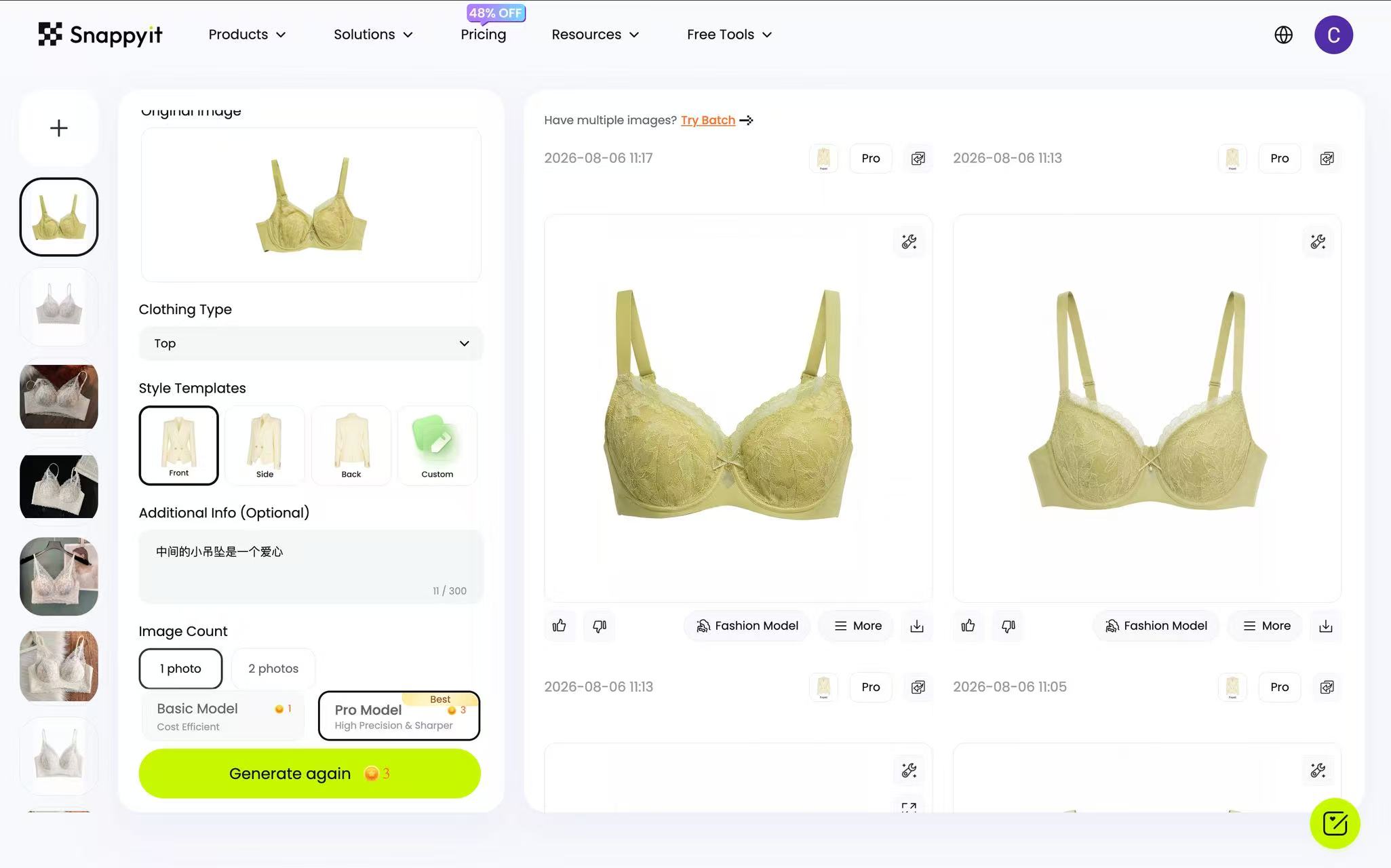 Ghost Mannequin workspace reviewed August 5, 2026.
How to create the garment-only image
- Upload a clean flat-lay with straps and ties separated.
- Select one angle—front, side or back—per generation.
- Keep white as the background when the destination requires it; otherwise describe the intended background.
- Generate one test and compare it with the physical SKU before creating more angles.
Snappyit prices generations in credits, but the selected route and quality mode can affect usage. Confirm the credit total shown in the current interface, then include rejected outputs, regenerations and any manual correction when calculating cost per publishable image.
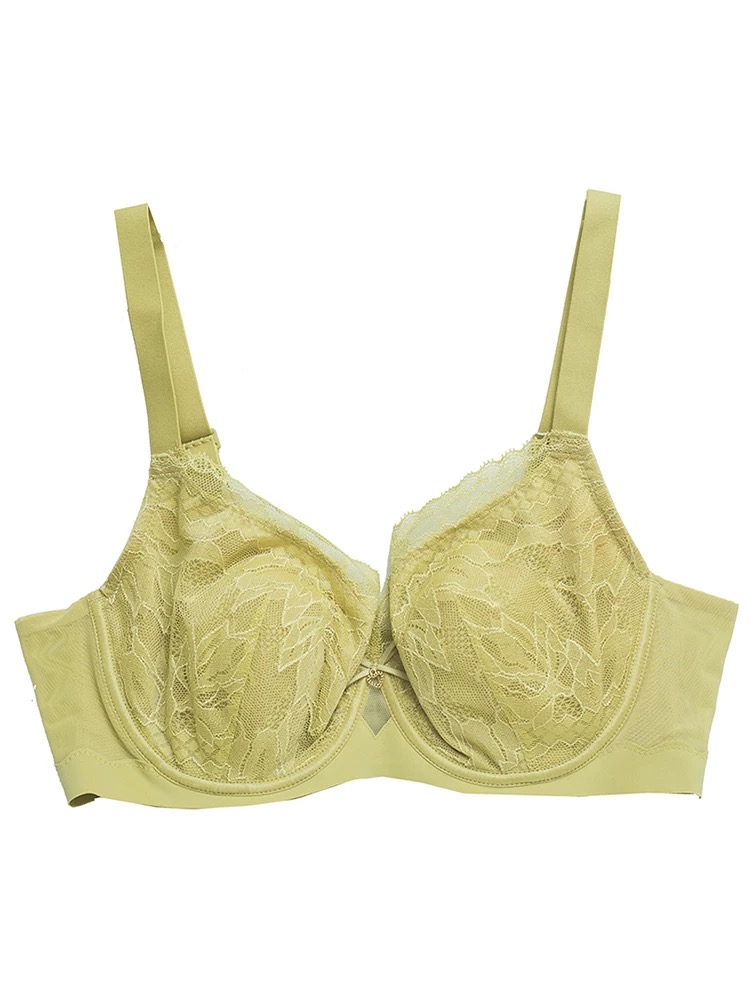
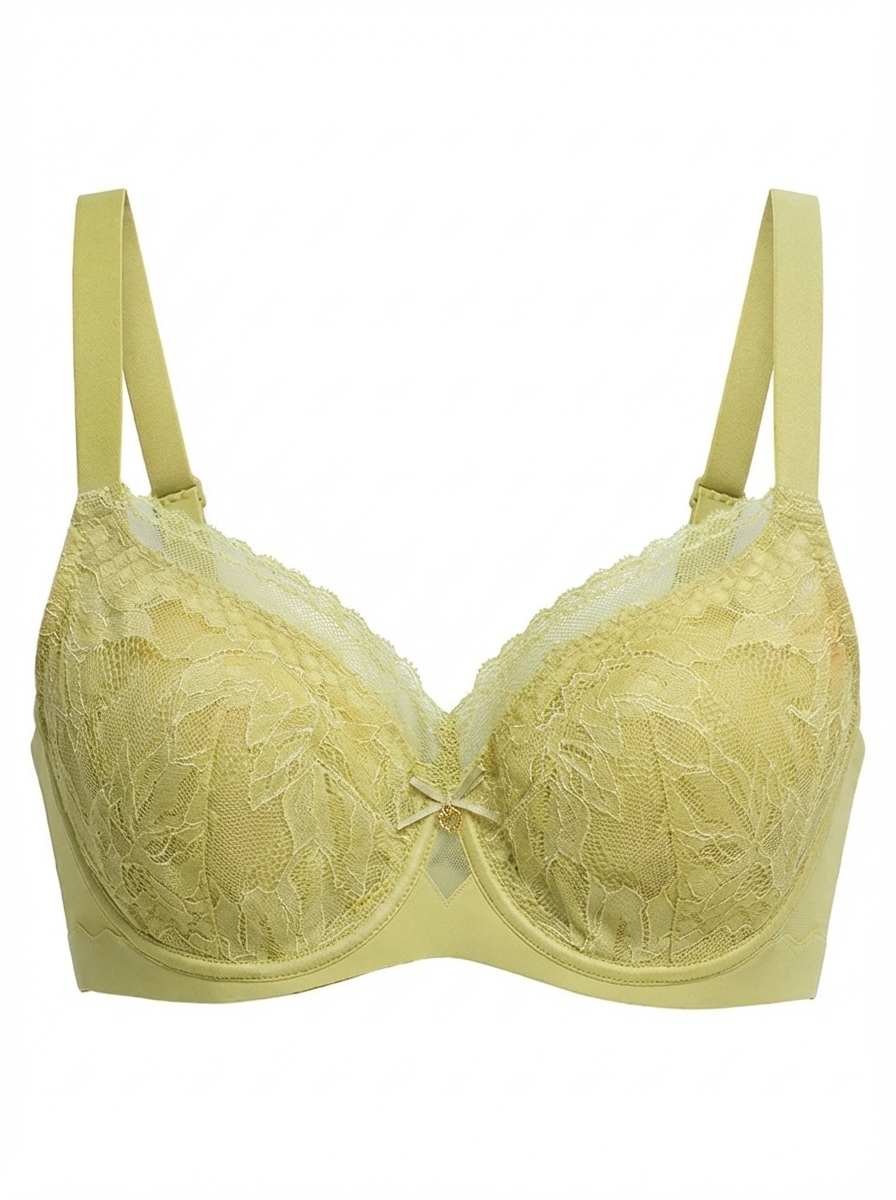
Same source garment and generated result, August 5, 2026.
Ghost mannequin QA for lace and sheer fabric
- Cup structure: use the side view to check whether molded depth was preserved rather than flattened.
- Lace edge: confirm scallops and trim remain separate from a white background at full zoom.
- Transparency: compare sheer panels with the source; a transparent area should not become an opaque fill.
- Product completeness: count straps, closures, bows and included pieces.
Once approved, the garment-only result can serve two jobs: a marketplace-ready product view and a clean source for later model generation. Keep fit claims tied to measurements, fit notes, or real fit photography rather than the render.
Can sellers test a free AI ghost mannequin workflow?
Use free credits or a trial to estimate production effort, not just to produce one attractive sample. Test three to five difficult products and record how many pass on the first attempt, how many need regeneration, and how much manual correction remains. Then check the current watermark, resolution, commercial-use, and credit terms before moving a catalog into production.
Generate AI fashion model images for lingerie ecommerce
On-model imagery helps shoppers understand scale, proportion, and styling in a way a flat-lay cannot. Use the AI Fashion Model tool to strengthen the gallery rather than replace the literal product view, especially for products where support, compression, or fit changes by size.
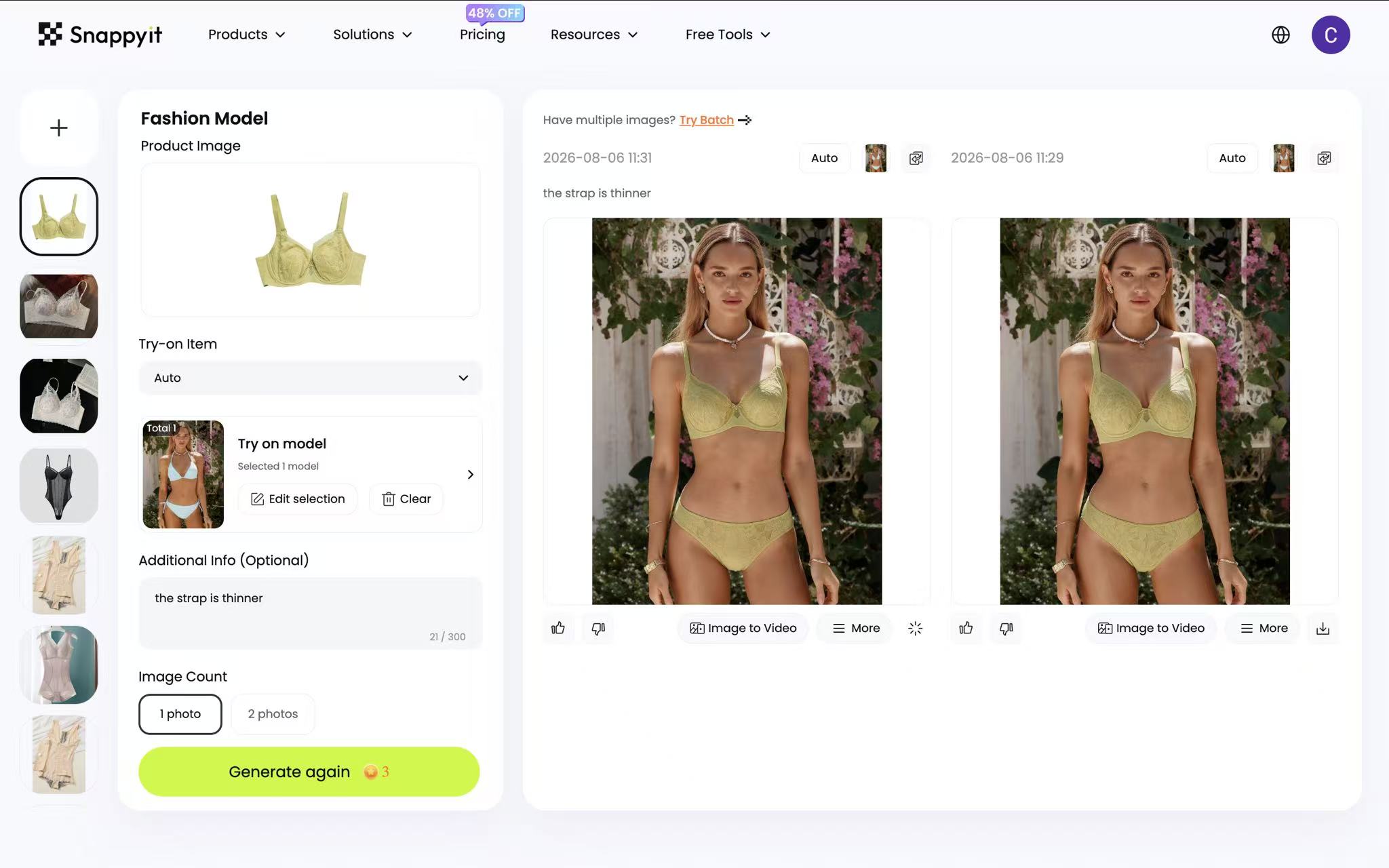 Fashion Model workspace reviewed August 5, 2026.
How to build a consistent on-model catalog
- Upload the flat-lay or an approved ghost-mannequin image.
- Select a library model or upload a model image you have the right to use.
- Generate a small set for one difficult SKU before standardizing the model, crop and background.
- Keep only outputs that pass garment, anatomy and color checks at full zoom.
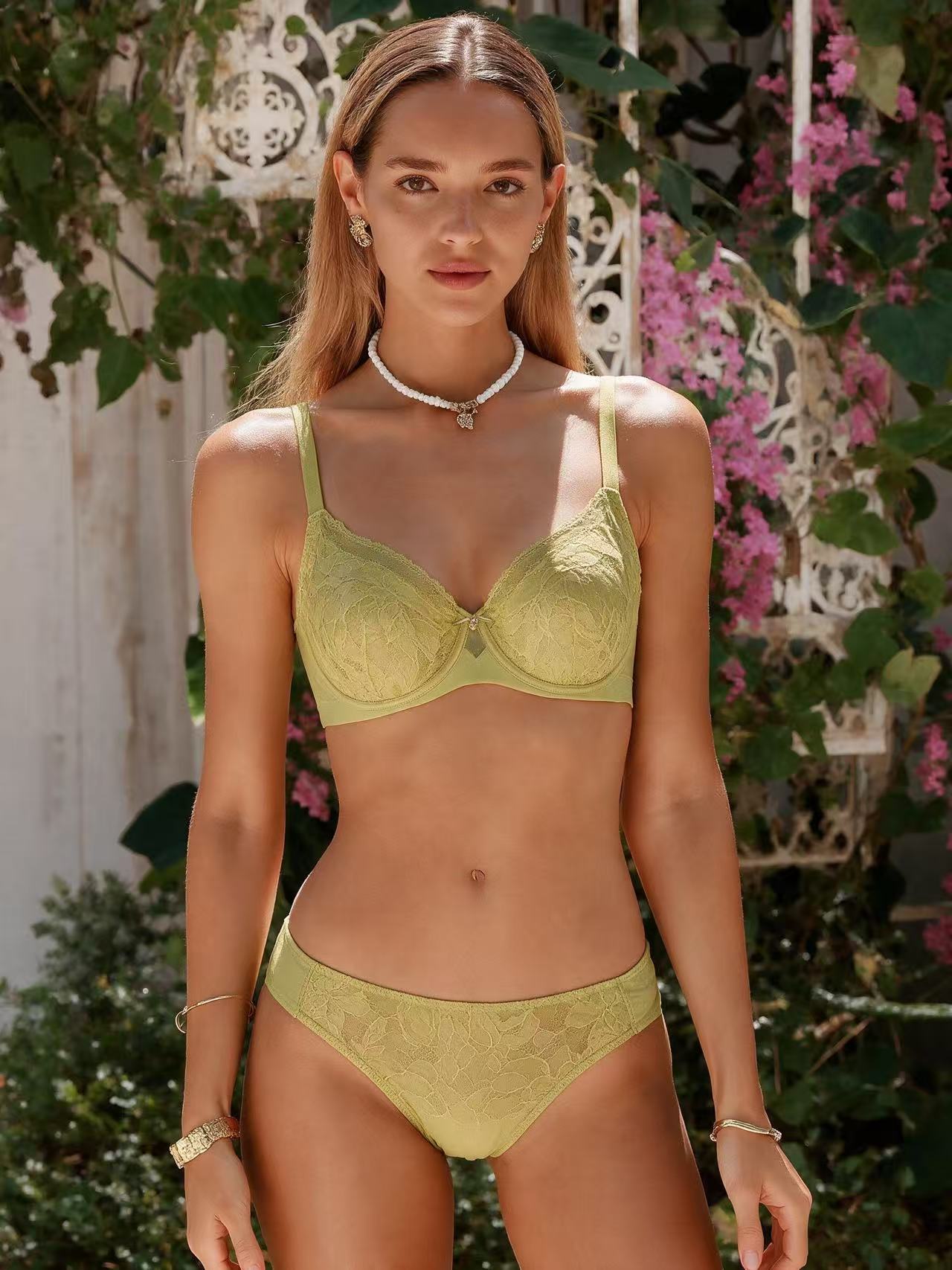 On-model result generated from the same source garment, August 5, 2026.
For catalog consistency, reuse an approved set of model references across SKUs. A broader set of references can support more representative merchandising, but generated bodies are not a substitute for real size-specific fit photography or fit notes.
AI lingerie model image QA checklist
- Sheer panels: skin tone and shadow should remain continuous across the panel edge.
- Lace and seams: compare the pattern, boning, stitching and trim with the source at 100% zoom.
- Fit cues: inspect band placement, strap paths and closures without inferring fit performance from the render.
- Anatomy: check hands, shoulders, ears and any thin element touching the garment.
- Destination crop: preview the exact gallery or feed crop before export.
Approve one on-model image before creating color variants or video. Reusing that verified direction keeps the model, crop, and garment treatment consistent—and prevents an early product error from spreading across every downstream asset.
Create lingerie, bikini and swimwear color variants with AI
The AI Color Change tool can save a separate production pass for every real colorway, especially when construction stays identical. The generated shade is still merchandising content rather than a color measurement, so compare every output with the physical variant under the same viewing conditions before attaching it to a swatch or SKU.
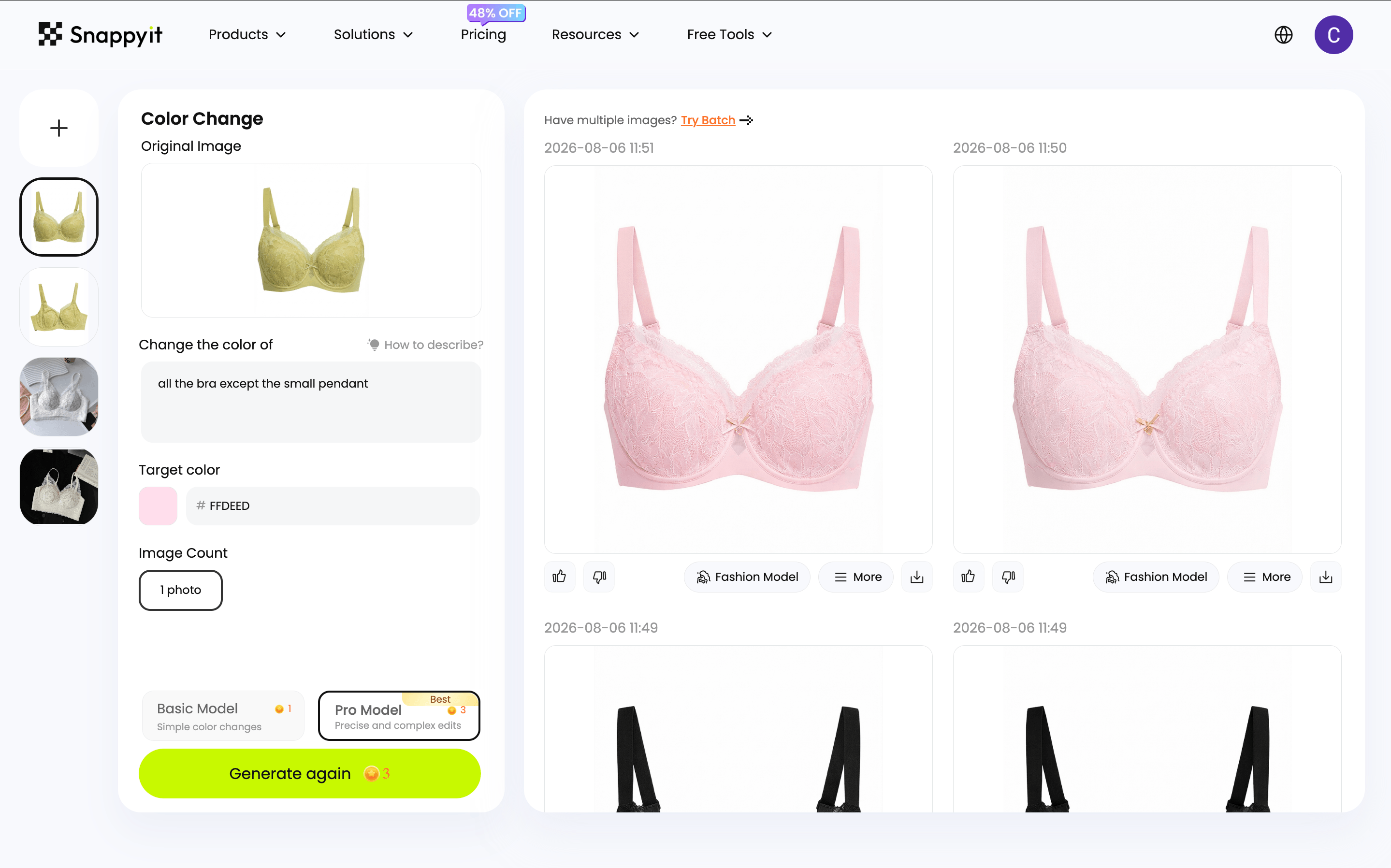 Color Change workspace reviewed August 5, 2026.
How to recolor lingerie product photos
- Upload the approved flat-lay or on-model image.
- Name the exact component to change, such as the lace cup, bikini fabric panel, band or strap.
- Generate one target shade at a time.
- Compare hue, trim, transparency and pattern detail with the real SKU before publishing.
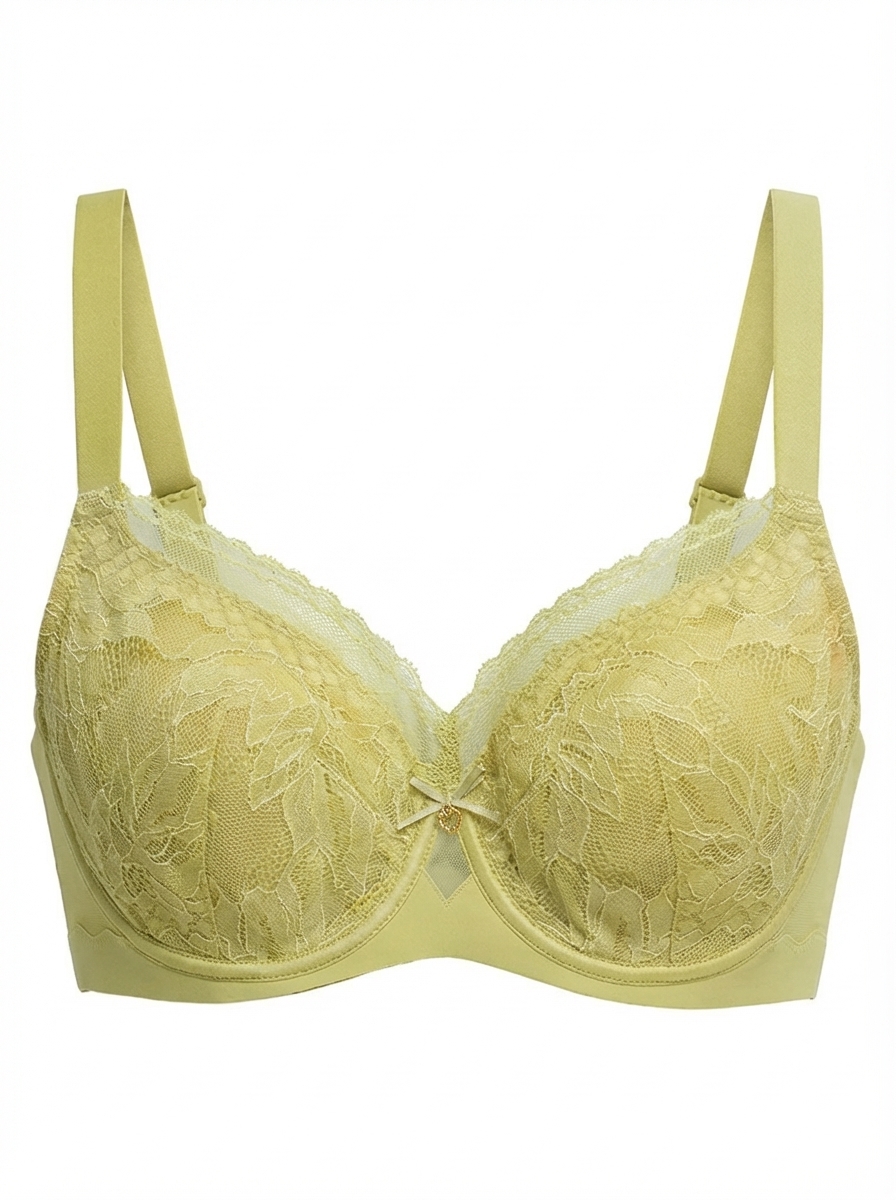
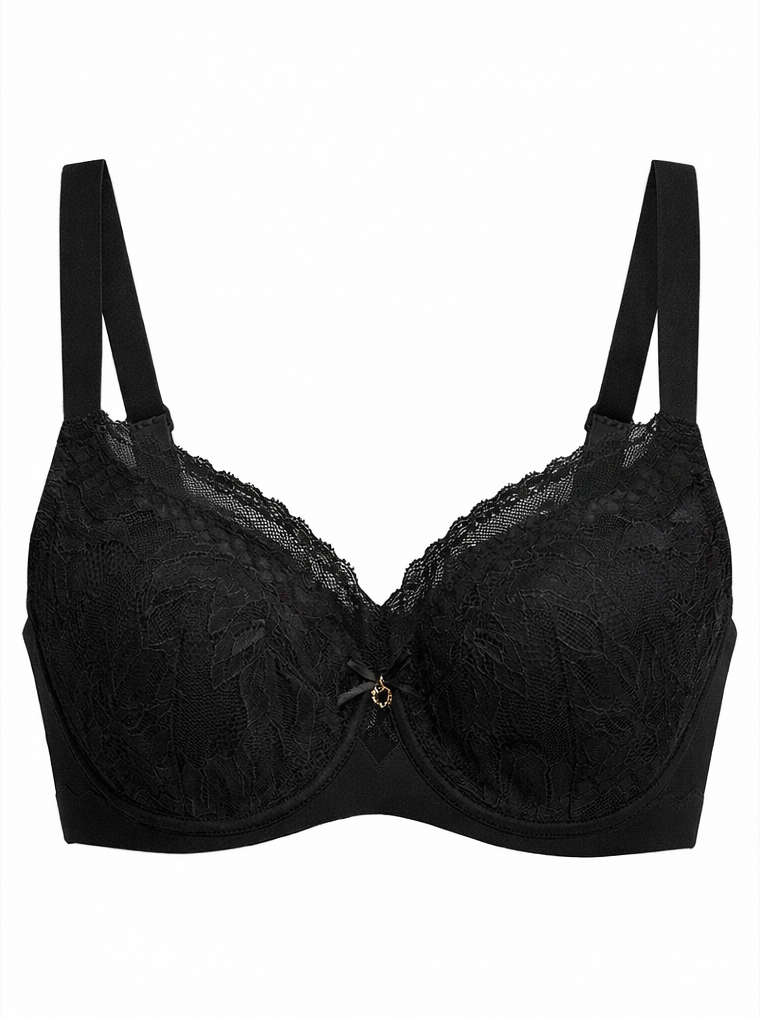
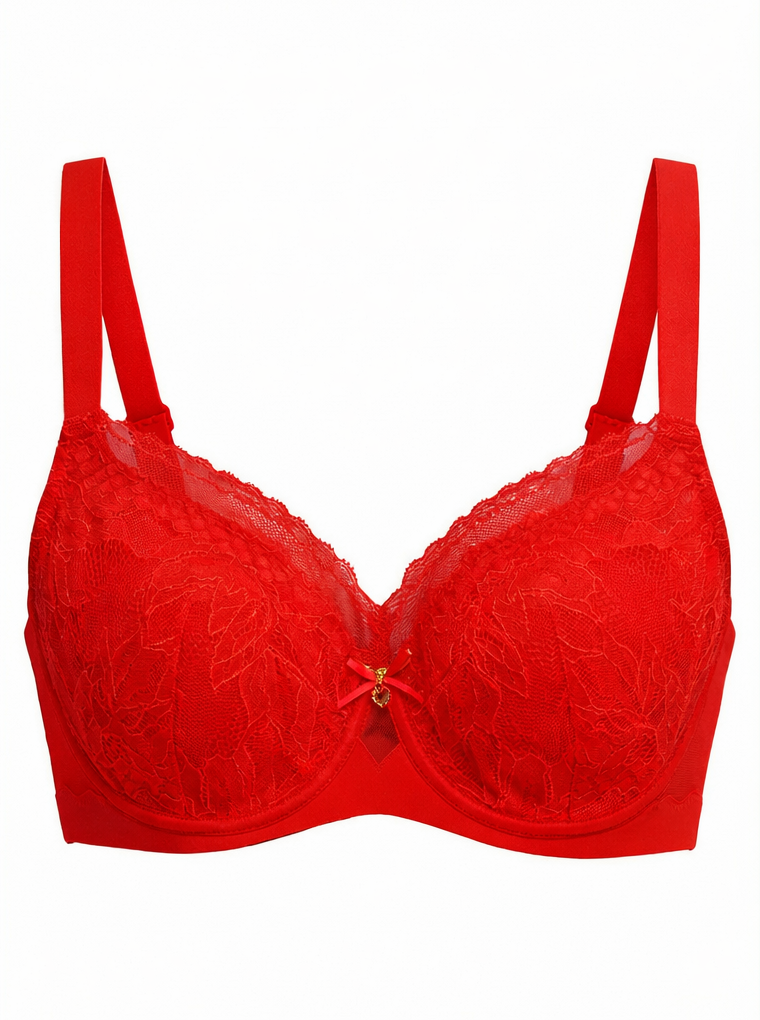
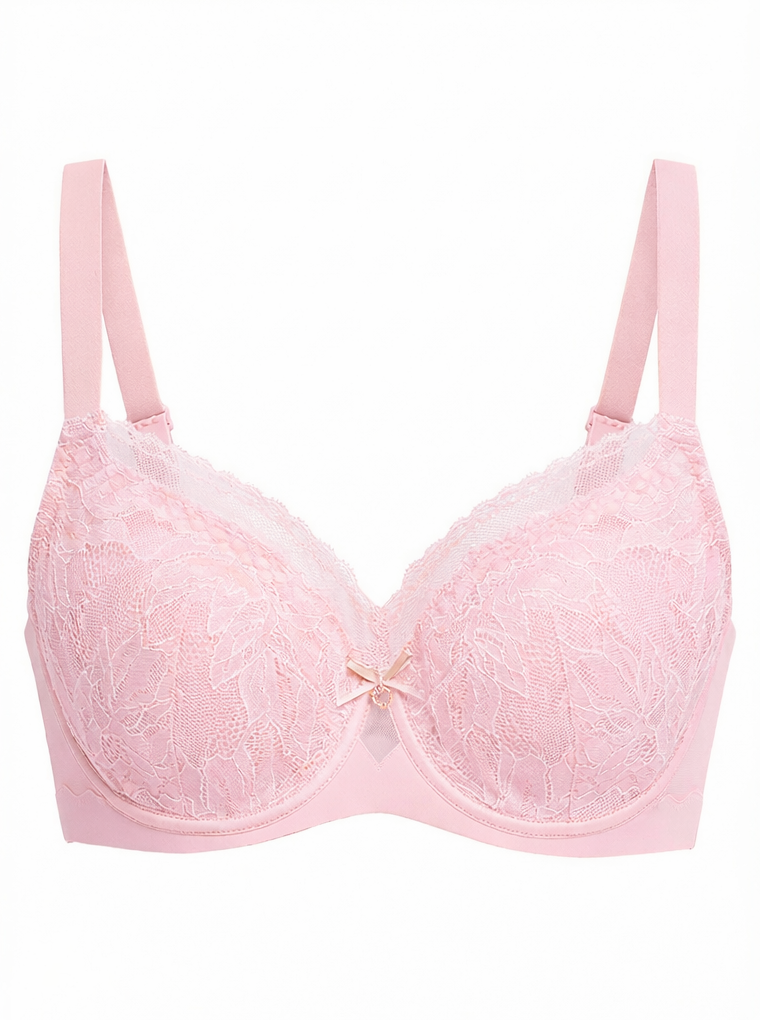
One approved source and three generated color variants, August 5, 2026.
Color variant QA before publishing
- Test the darkest shade first because low contrast can hide lace and mesh detail.
- Check nude and blush colors against the real item; garment and skin boundaries can become ambiguous.
- Verify that only the requested component changed and that hardware, bows and contrast trim stayed consistent.
- Use variant-specific images only after the product title, swatch and selected SKU all agree.
- For swimwear, verify that metal rings, clasps, logo patches, contrast piping, lining and cover-ups remain unchanged.
- Preserve ribbing, sequins, mesh, wet-look finish and the highlights that communicate the real material.
When a bikini or swimsuit colorway needs a new photograph
Recolor only when the real variant shares the same construction and material. If the new option changes the print, binding, lining, hardware, fabric finish, or panel design, photograph it as a separate product reference. Publish a generated color only when customers can buy that exact variant and the selected swatch, SKU, and image all agree.
Make lingerie product videos for TikTok Shop and social commerce
The AI Image to Video tool can add motion and another viewing angle to a product page or social-commerce listing. Begin with an approved on-model still so the generator is not being asked to invent both the garment placement and the movement at once.
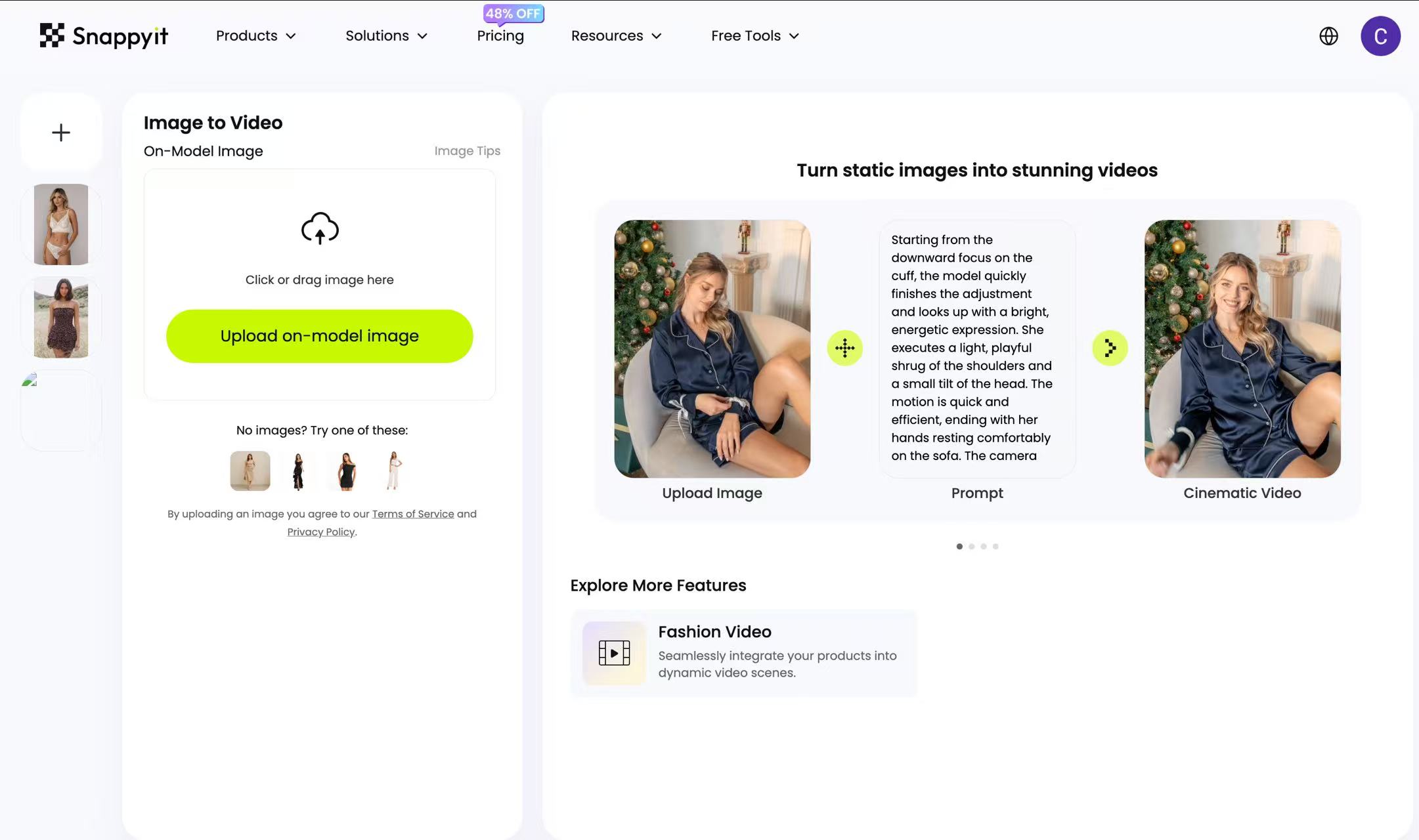 Image to Video workspace reviewed August 5, 2026.
How to generate a vertical lingerie product video
- Upload the approved on-model image.
- Choose a motion template or describe the motion in a prompt.
- Select the available duration and review the credit total shown in the interface.
- Generate one clip, then verify its actual dimensions and crop before creating a batch.
In our August 5 test, a text-prompt output was 720 × 960 for five seconds. That is a 3:4 file, not 9:16, so it would need a different generation route or an intentional crop for a full-screen vertical placement. Treat prompt text as guidance rather than a guarantee of output dimensions.
Test output generated from the approved on-model still, August 5, 2026.
AI product video QA checklist
- Garment stability: the cut, color and trim should remain the same from first frame to last.
- Pattern stability: lace and mesh should not flicker, crawl or redraw during movement.
- Body interaction: straps and fabric should move with the model rather than appear pinned to the frame.
- Placement: preview the actual product-card, Reels or TikTok crop and keep text overlays inside safe areas.
Start video with hero SKUs or campaign products. Scale only after the first clip passes both product-accuracy and destination checks.
Lingerie fabric QA checklist for AI-generated product photos
Use this table to choose a demanding test SKU and focus review on the likely failure point. The observations are directional: results vary by source image, model version and settings.
| Garment or fabric | Useful source | Likely risk | Check before publishing |
|---|---|---|---|
| Solid or padded bra | Clean flat-lay | Cup depth flattened | Side-view volume, band and closures |
| Lace bralette | Flat-lay on a contrasting surface | Pattern softened or lost on dark colors | Scallops, repeat pattern and trim at full zoom |
| Sheer mesh | Hanger or flat-lay with clear contrast | Panel becomes opaque or skin tone changes | Opacity and continuity across panel edges |
| Corset or boning | Form or ghost-mannequin image | Channels bend or move | Seam, busk and boning alignment |
| Shapewear or bodysuit | Flat-lay plus construction detail | Interior panels appear outside | Openings, lining and compression-panel placement |
| Bikini with ties | Flat-lay with every tie separated | Thin straps merge or disappear | Count ties, loops and hardware against the source |
| Maternity or adaptive bra | Flat-lay plus closure detail | Functional features are simplified | Clasps, pockets, openings and stated function |
| Reflective, latex or vinyl finish | Real reference under controlled light | Highlights imply the wrong material | Surface finish and color under several crops |
The linked six-tool comparison used the same source garments across tools and found the largest variation on lace and sheer inputs. Those test results describe that sample, not a universal success rate.
When real lingerie photography is the better choice
Choose real photography whenever the image must prove a product fact that a generated render cannot reliably establish. This is especially important when an inaccurate visual could create the wrong fit expectation or increase returns.
- Exact fit by size: generated bodies and garments should not be presented as evidence of support, compression or fit performance.
- Material proof: macro texture, reflectivity and novel fabric construction deserve a real detail photograph.
- Functional or adaptive features: maternity clasps, mastectomy pockets and technical panels need literal documentation.
- Named-person campaigns: creator, athlete, founder and ambassador work depends on the identity and authorized participation of that person.
- High-concept brand campaigns: use a real production when art direction, set design and repeatable motion matter more than catalog speed.
A practical hybrid is to photograph the campaign, fit evidence and material details, then use carefully reviewed AI assets for routine catalog updates, secondary images and selected color variants.
AI lingerie photography FAQ
1. What is AI lingerie photography for ecommerce?
It is the use of generation or image-editing tools to create garment-only, on-model, color-variant or motion assets from a real product source. For lingerie, the workflow needs extra QA for cup geometry, lace, mesh, transparency, straps and closures. The output remains merchandising imagery and should be checked against the physical SKU.
2. Can AI preserve lace, mesh and sheer lingerie fabric?
It can, but results vary by source and tool. In our same-source six-tool comparison, Snappyit produced clean observed results on the tested lace bralette and sheer-mesh bodysuit. Use a clear source on a contrasting background, then check lace pattern, transparency, skin-tone continuity and thin straps against the physical garment at full zoom.
3. How should a lingerie seller show different body types?
Use model references that represent the intended merchandising range and that you have the right to use. Generated imagery can broaden visual representation, but it does not simulate size-specific fit. Pair it with real measurements, fit notes and real fit photography where support or compression claims matter.
4. Will AI lingerie model images look fake?
Not necessarily. In our same-source six-tool test, Snappyit generated all six tested lingerie and swimwear inputs without a content-policy refusal, although the shapewear output still needed a lace-placement check. Review anatomy, lace, seams, color and hardware at full zoom and in the final listing crop before publishing.
5. How much does AI lingerie photography cost?
Cost depends on the selected route, quality mode, credits consumed, rejected outputs and manual correction time. Check the credit total shown in the current interface, run a representative test batch, and calculate cost per approved image rather than treating the price of one generation as the final catalog cost.
6. What is the best AI workflow for a new lingerie SKU?
Photograph one clean source, create and approve a garment-only option, generate the on-model set, then produce color variants and short video from approved images. Test the full workflow on a difficult SKU first, and confirm product accuracy and destination rules at every step.
7. How can lingerie ads reduce Google or Meta policy risk?
Start with garment-focused creative and neutral framing, check the current adult-content and commerce policies, and keep a garment-only fallback. Test a small feed segment before scaling. Conservative presentation can reduce ambiguity, but it does not guarantee approval.
8. How do you photograph lingerie without a model?
Use a clean flat-lay for literal product detail, a hanger for robes or soft pieces, or a correctly sized bra form for molded cups and structured garments. Steam the product, support cups without changing their real shape, separate straps and closures, and photograph front, back and detail views under soft diffused light with fixed white balance.
9. Can sellers test a free AI ghost mannequin workflow?
Free credits or trials may be available, but allowances, watermarks, resolution and commercial-use terms can change. Test three to five difficult products, confirm the current account terms, and compare first-pass approval, regenerations, manual fixes and cost per publishable image before scaling.
10. Can AI recolor a bikini without changing straps and hardware?
It can when the editable fabric area is clearly defined, but every result needs comparison with a real color sample. Specify which panel should change and which straps, rings, clasps, piping, lining, logos and trims must remain untouched. Photograph the colorway instead if its print, material, hardware or construction differs from the source.
References
- Amazon Seller Central, Clothing image guidelines .
- Etsy Seller Handbook, Etsy's stance on AI creations .
- Shopify Help Center, Product media .
- TikTok Shop Academy, US seller learning centre .
- Google Merchant Center, Adult-oriented content policy .
- Meta Transparency Center, Commerce policy for adult products .
- Snappyit, controlled six-tool lingerie model comparison .
- Snappyit, current pricing and in-product credit display. Used for the recommendation to verify route-specific credit usage before batching.







