
What Is an Invisible Mannequin or Ghost Mannequin Effect?
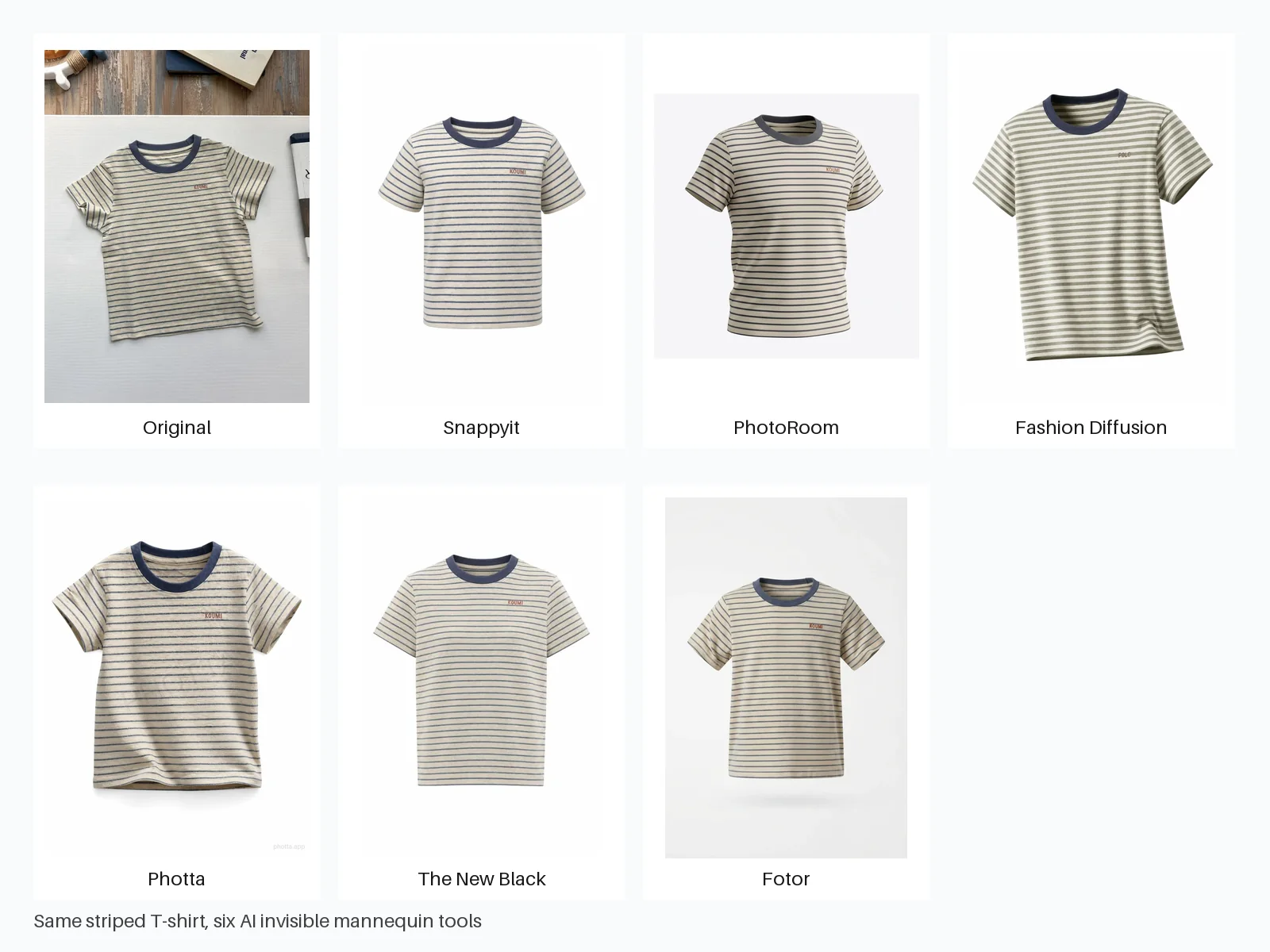
An invisible mannequin effect, also called a ghost mannequin effect, presents clothing with the three-dimensional shape of a worn garment while removing the model or mannequin from view. The finished image keeps details such as the neckline, inner label area, sleeves, waist, and natural drape visible, so shoppers can understand the garment's construction without a person distracting from the product.
It goes beyond basic background removal. A background remover isolates the pixels already in the photo; an invisible mannequin workflow must also reconstruct hidden areas and create believable depth. For ecommerce sellers, the result is useful only when that added volume still preserves the real SKU's color, logo, pattern, seams, proportions, and silhouette.
How we tested AI ghost mannequin generators for ecommerce
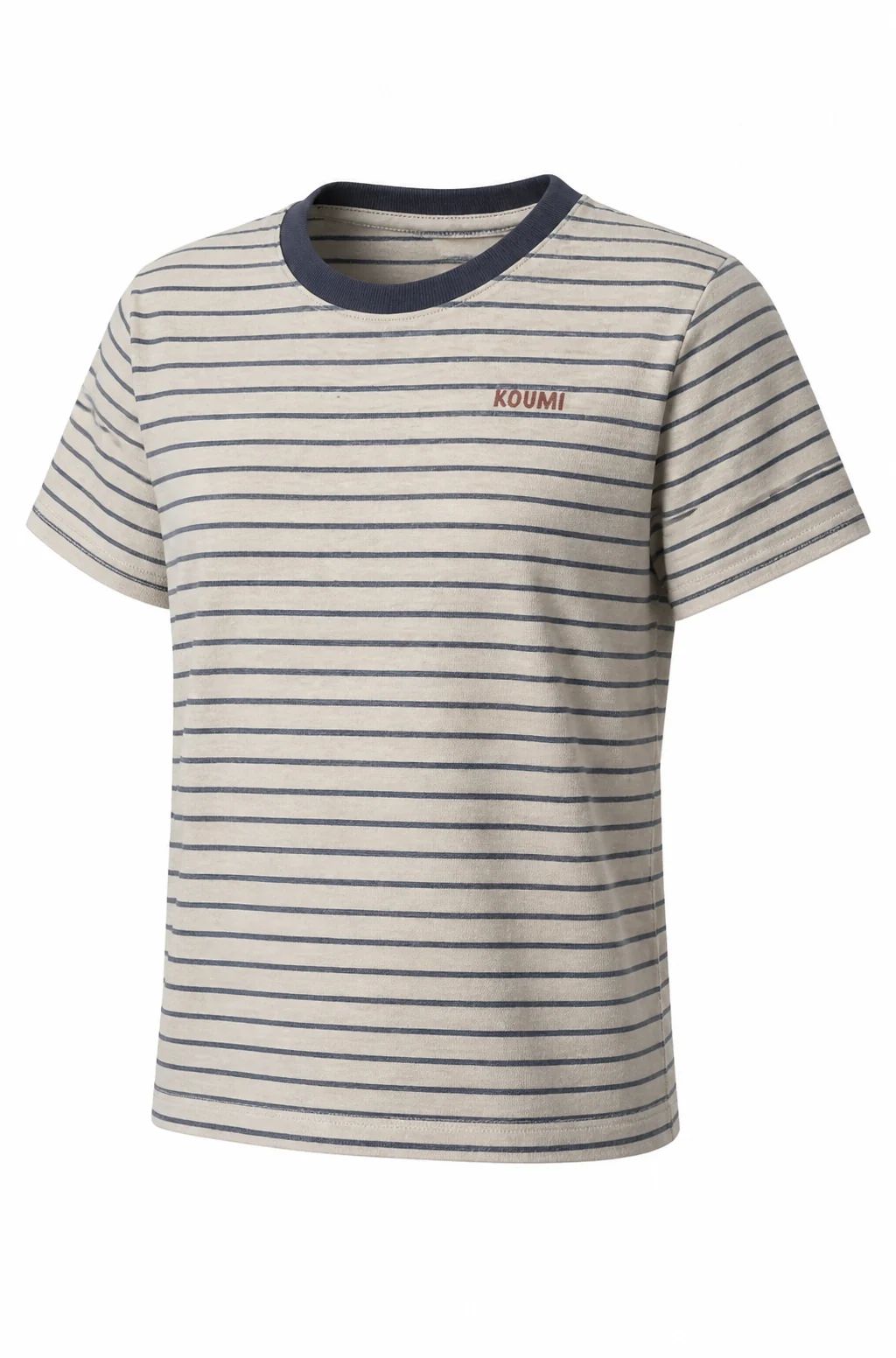
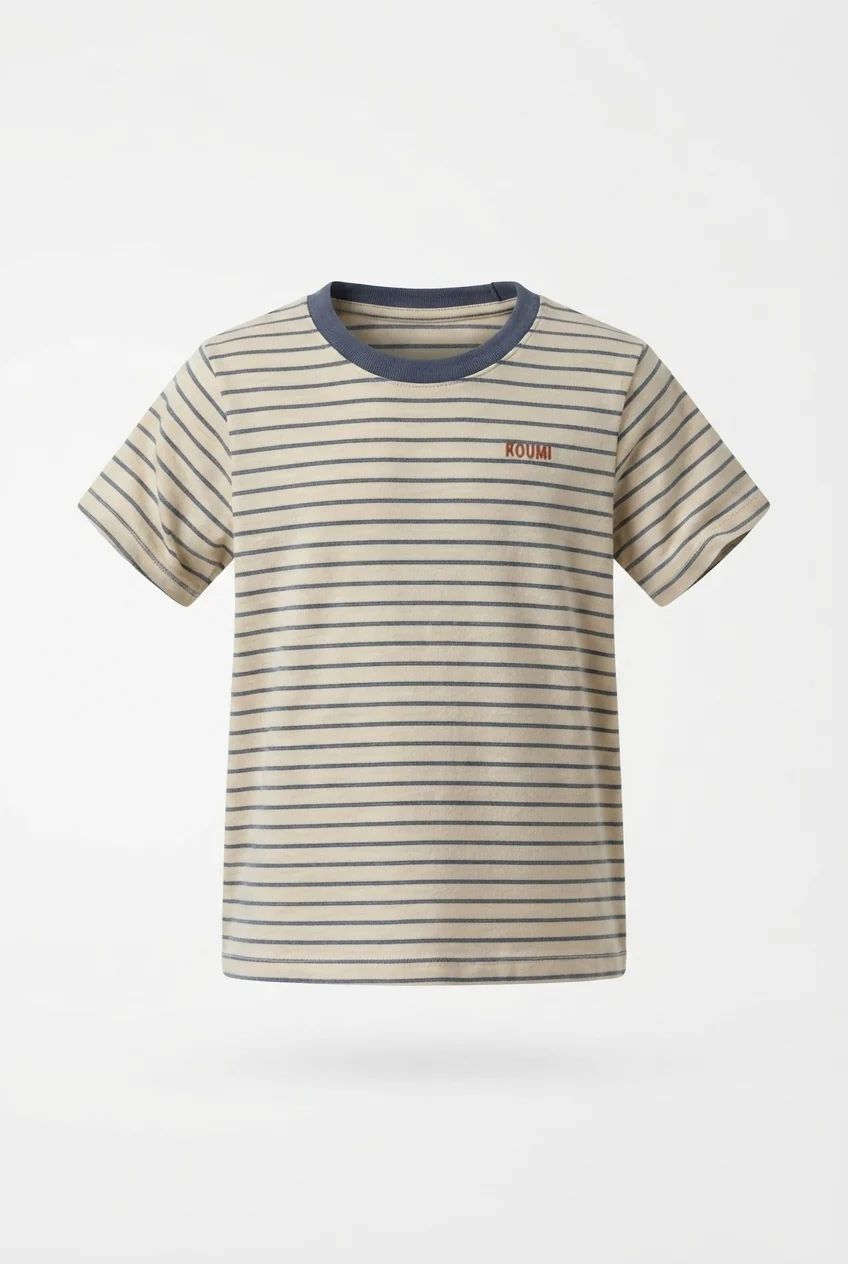
We uploaded the same portrait photo of a short-sleeve striped T-shirt to all six tools. It is an imperfect seller-style input: part of the wooden table is visible and another object enters the frame. Each generator therefore had to isolate the garment, reconstruct a worn shape, and preserve the design.
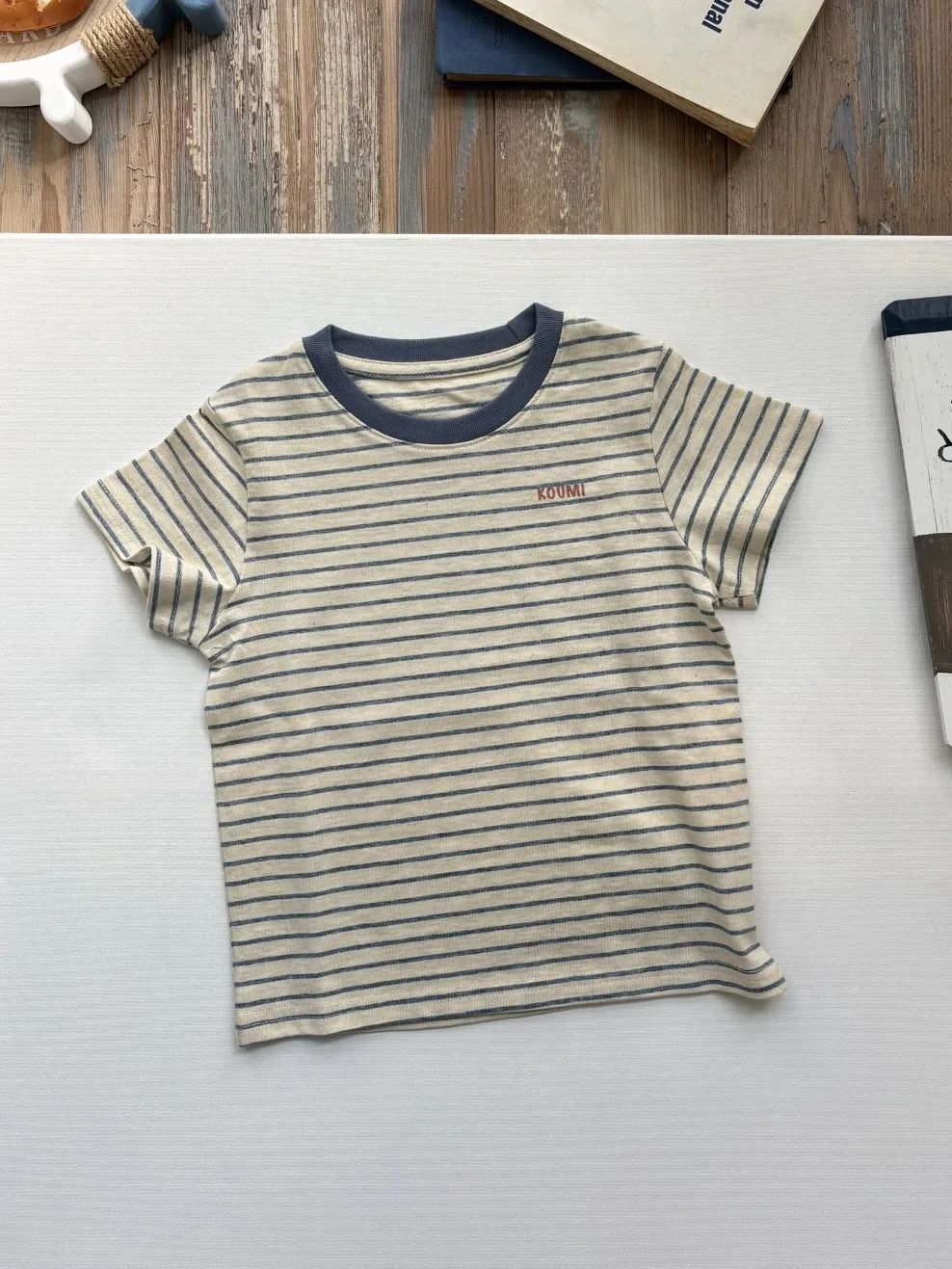
We reviewed silhouette, collar depth, sleeve construction, stripe continuity, logo accuracy, workflow, watermark behavior, and the subscription entry price shown on linked pricing pages or captured during the August 6 test. Logo, pattern, and color errors received the most weight because they can misrepresent a product listing.
Method and disclosure: This was a qualitative one-image test, not a batch benchmark. We did not test APIs or time every run with a stopwatch. Snappyit publishes this comparison and is one of the products tested; all quality conclusions refer only to the outputs reproduced below. Prices can vary by region, promotion, billing cycle, and included usage, so confirm live checkout before subscribing.
1. Snappyit test: strongest fidelity and shape balance on this T-shirt
Snappyit's garment-specific workspace offers clothing-type selection, front, side, back, and custom views, plus batch processing. Our test generation used two credits in the interface, but the comparison below uses subscription entry price rather than estimated cost per image.
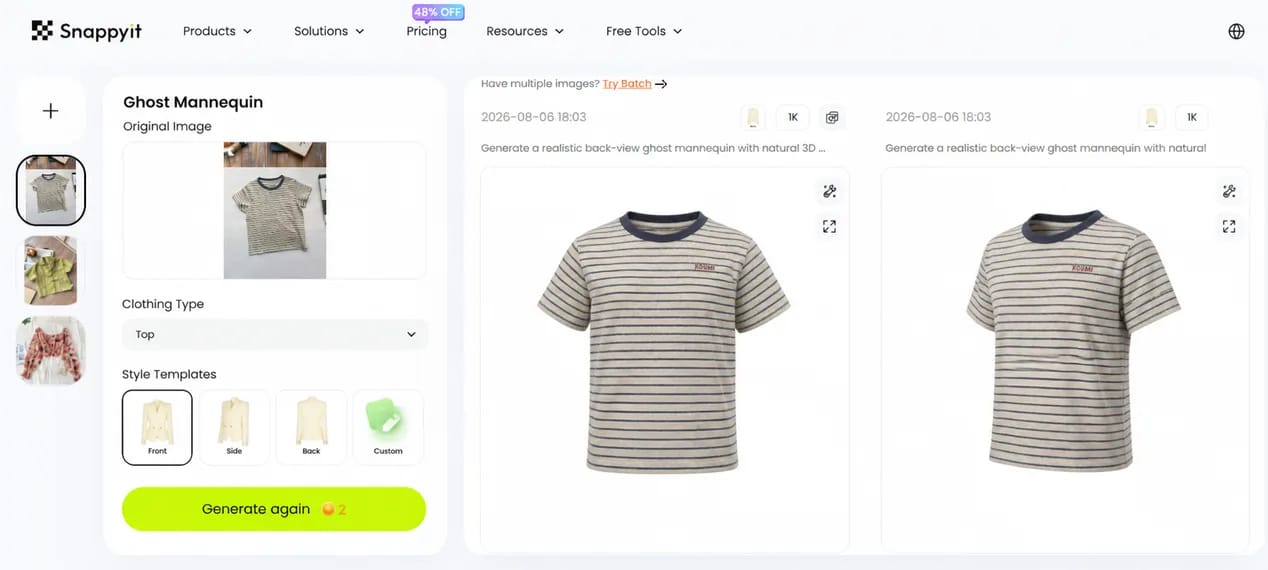
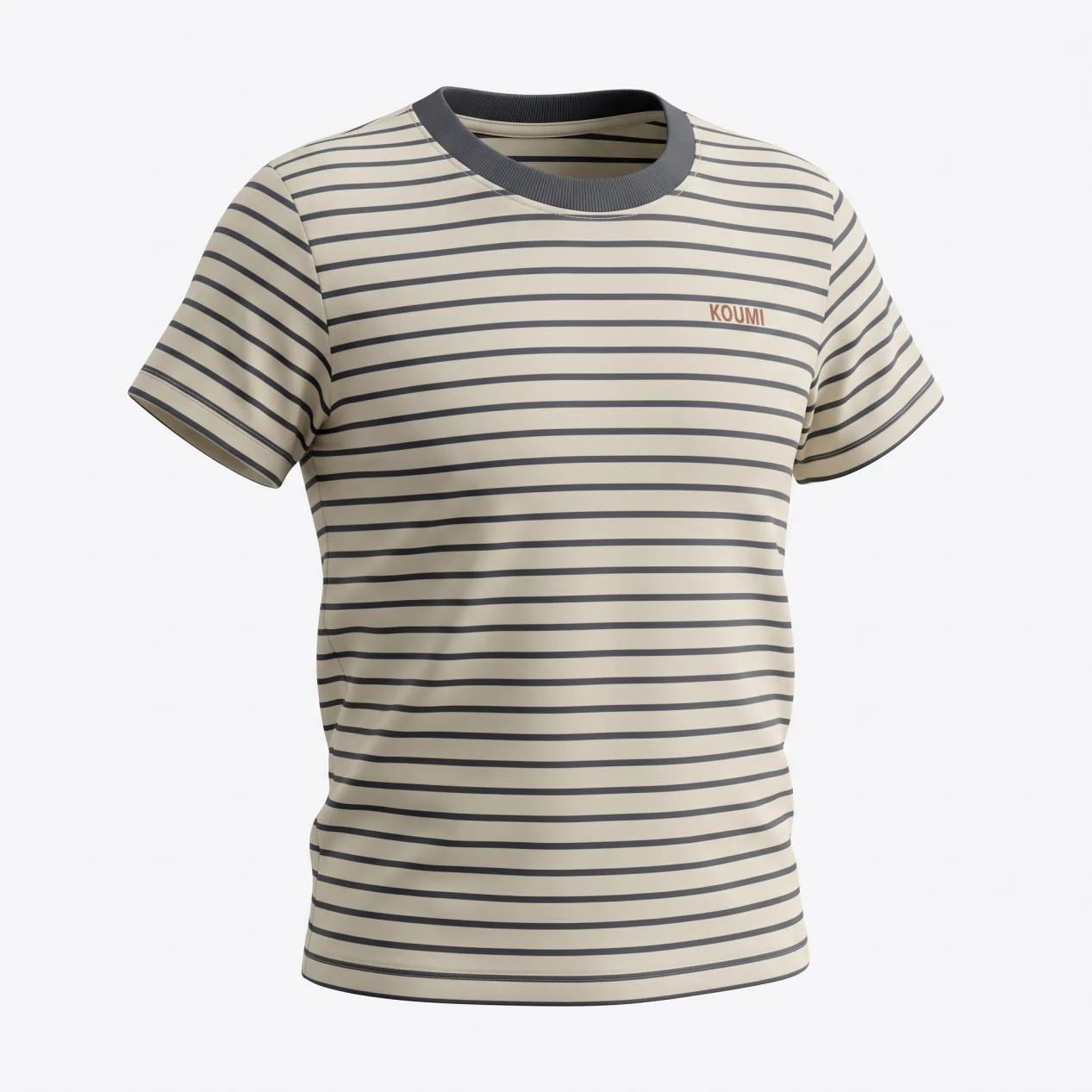
The front result retained the cream base, navy collar, narrow stripes, and KOUMI mark. The angled result added more depth without changing the item into a different SKU. Both outputs reconstructed the drape, so merchants should still check labels, seams, fine knit patterns, and asymmetric details at full resolution.
Snappyit subscription entry price and merchant fit
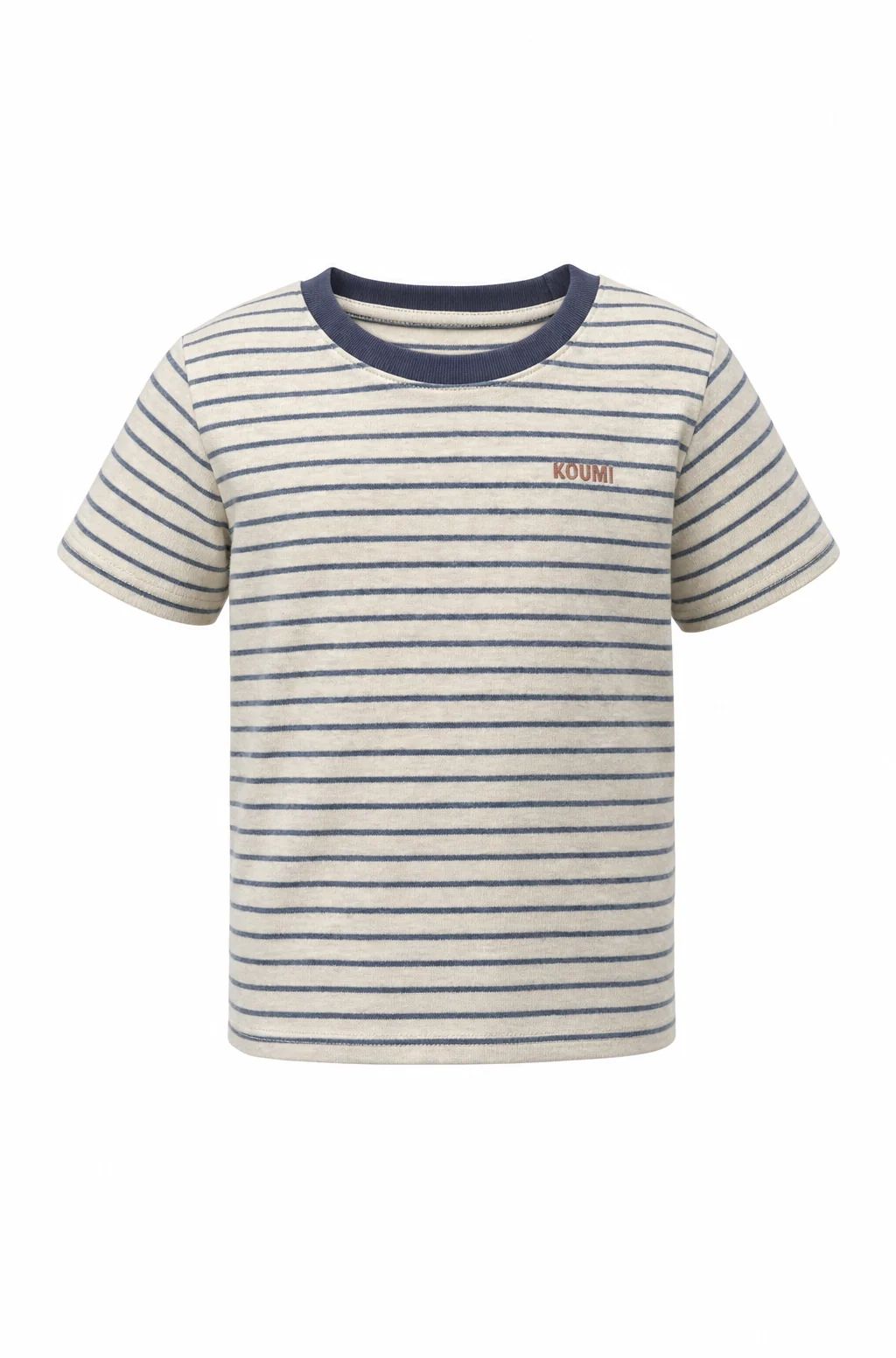
Put Snappyit on the shortlist if your team wants a direct flat-lay-to-ghost workflow and multiple viewing angles. It gave this T-shirt the strongest balance of shape and product retention in our test, but one result is not a catalog benchmark. The subscription entry price recorded for this comparison was $12.90 per month. Test one difficult garment before processing a collection.
2. PhotoRoom invisible mannequin test: polished but more reshaped
PhotoRoom's Ghost Mannequin tool generated two square results from the source photo and placed them in a familiar editing canvas. The workflow offers 2K quality, size and brand-style controls, plus an optional prompt. That makes it approachable if your team already uses PhotoRoom for background removal, resizing, and marketplace graphics.
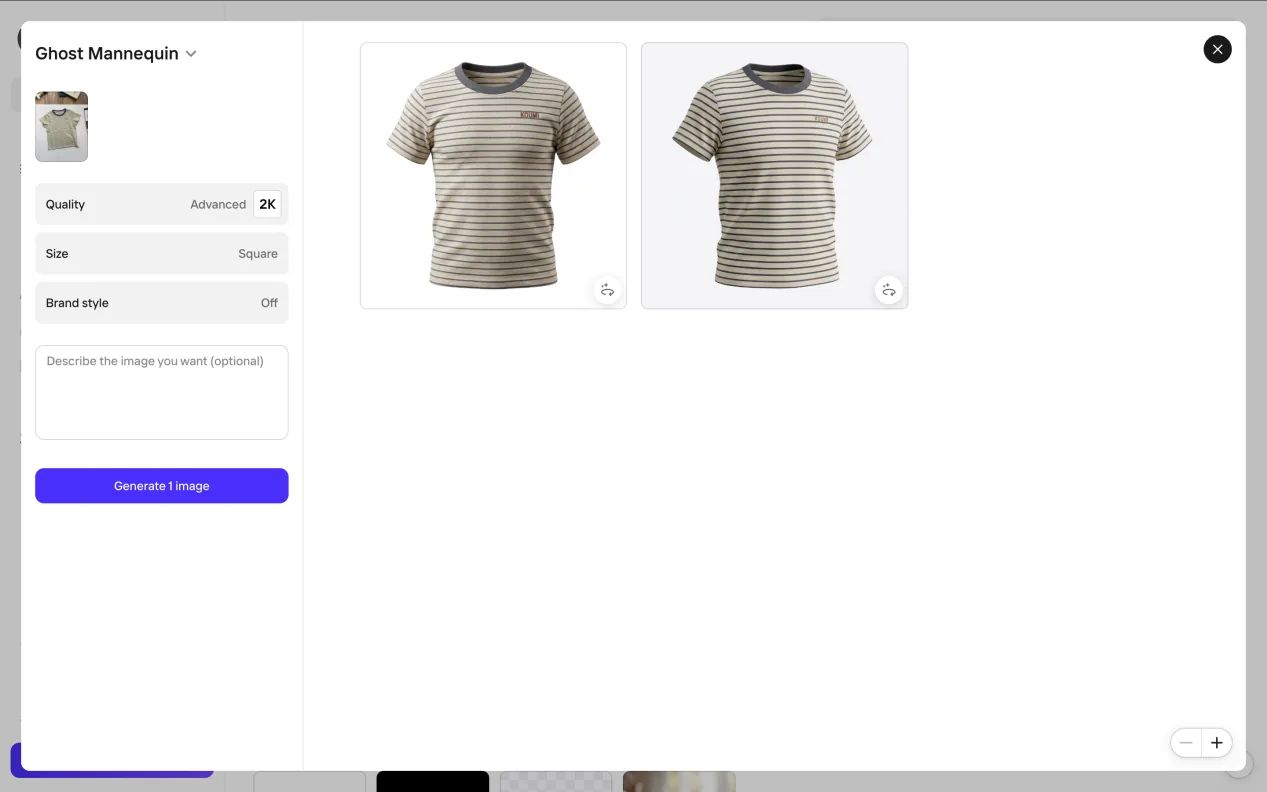
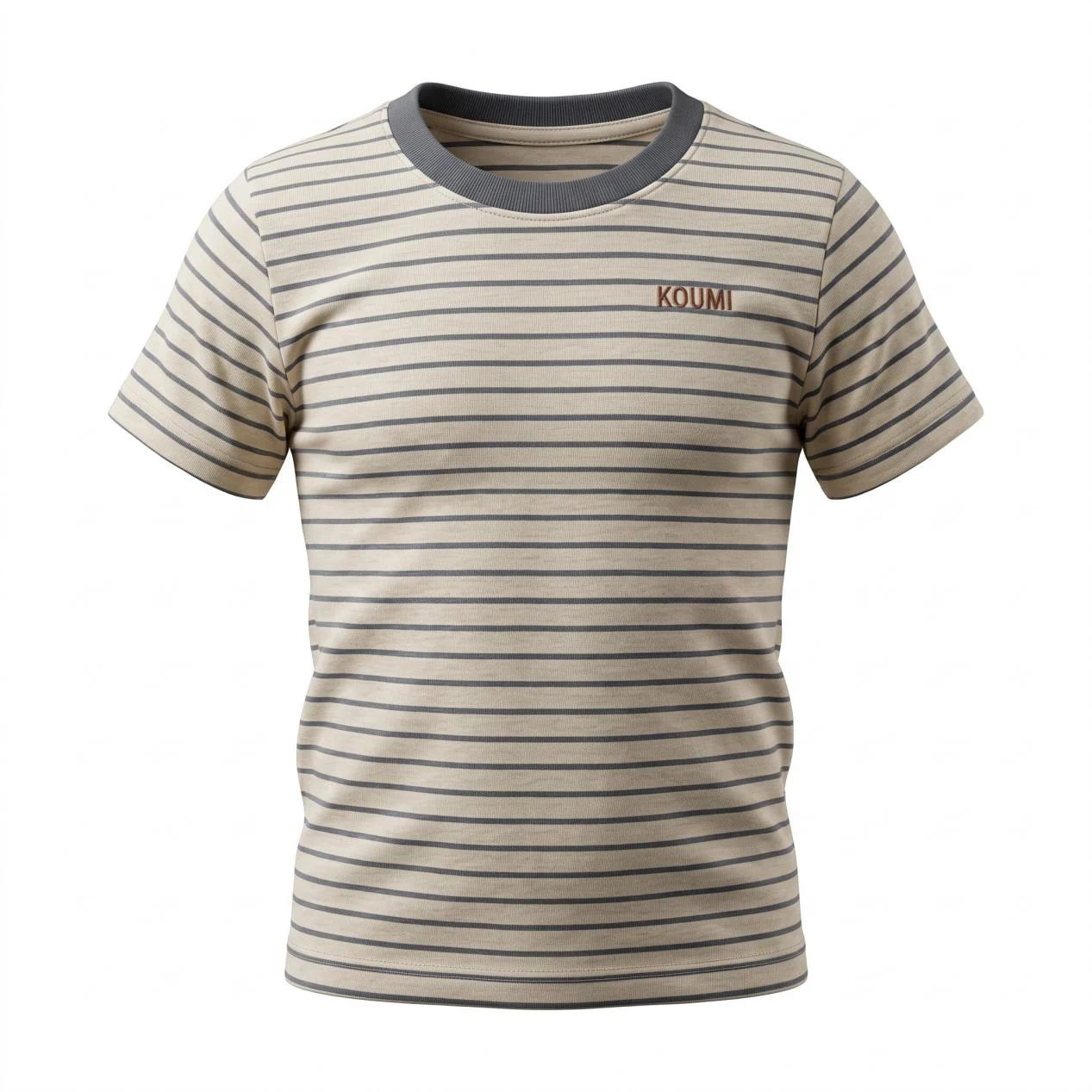
Both outputs looked polished at first glance. The collar had visible depth, the sleeves stood away from the body, and the background was clean. On closer inspection, PhotoRoom interpreted the garment more aggressively than Snappyit. One version widened the torso and made the fabric look smoother; the other narrowed the waist and introduced a stronger fitted silhouette. The KOUMI mark remained readable, but the spacing and stripe rhythm were redrawn rather than strictly preserved.
PhotoRoom subscription entry price and merchant fit
Consider PhotoRoom when the same subscription also needs to cover background removal, resizing, and marketplace graphics. Its output created strong volume on this T-shirt, but it also reshaped the waist and torso, so compare the shoulder width, body width, and hem with the real SKU. The subscription entry price recorded for this comparison was $9.99 per month.
3. Fashion Diffusion ghost mannequin test: weak logo fidelity
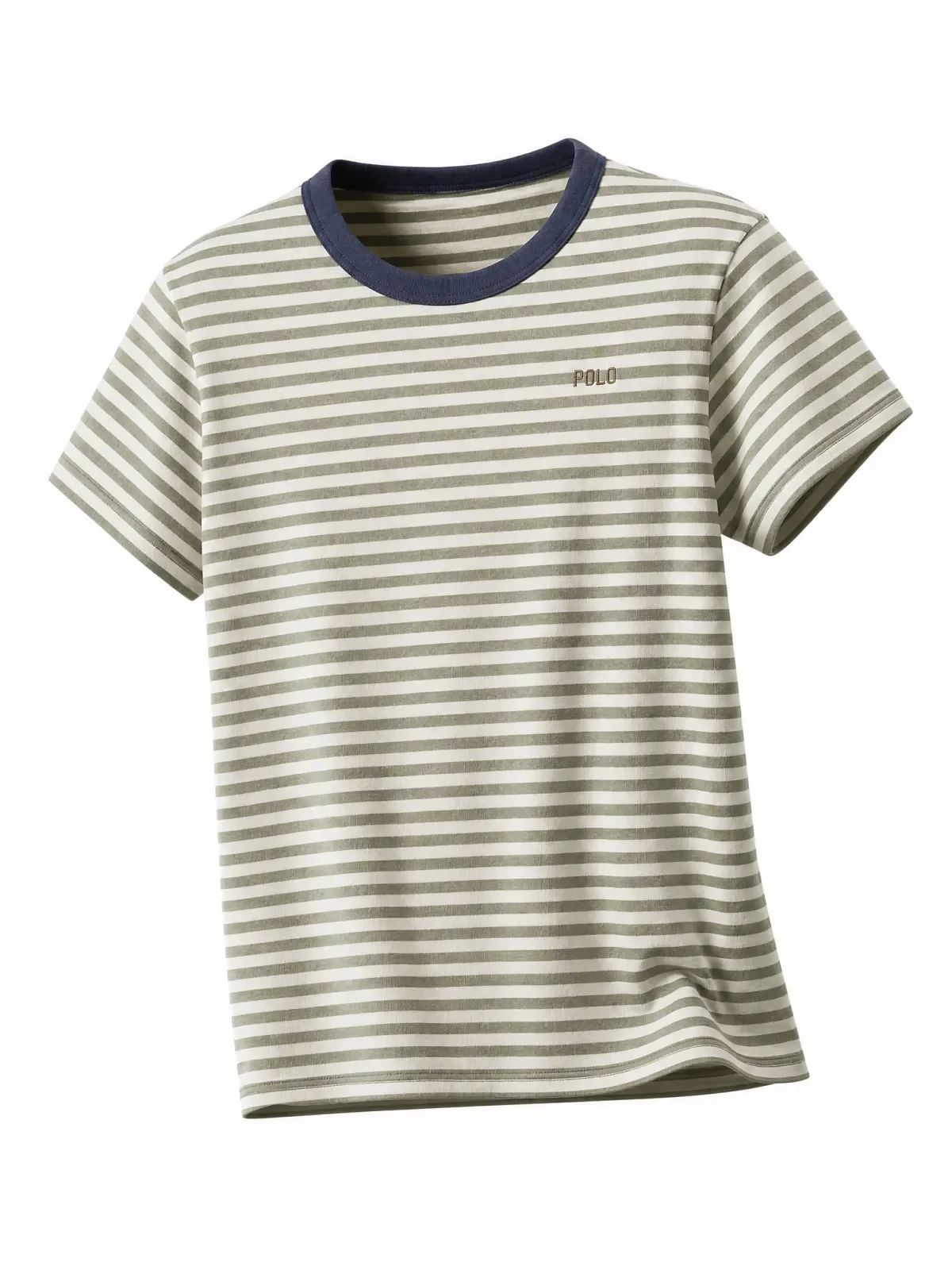
Fashion Diffusion provides a dedicated upload area for ghost mannequin generation and also exposes the result inside a larger fashion photoshoot workspace. The interface is modern, and one generation used one credit in the screen we captured. The output had a believable neckline, sleeves, and gentle drape on a white background.
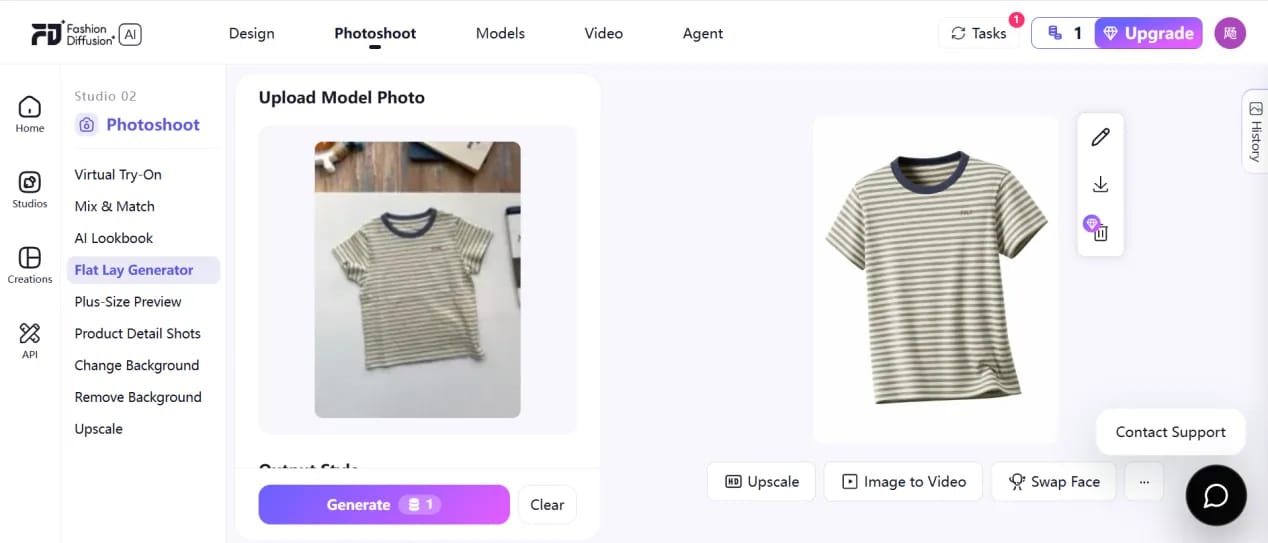
The problem was product accuracy. The original navy stripes shifted toward gray-green, the cream fabric became much whiter, and—most importantly—the chest text changed from KOUMI to POLO. That is not a cosmetic variation; it can misrepresent the product being sold. The lower hem and sleeve structure also became more fashion-styled than the simple source tee.
Fashion Diffusion subscription entry price and merchant fit
The clean shape may suit unbranded concept work, but changing KOUMI to POLO is a listing blocker. Our August 6 capture recorded a $12 monthly entry price. We could not independently refresh that figure because the pricing page failed its TLS connection, so verify it at checkout and require approval for every logo-bearing SKU.
4. Photta invisible mannequin test: useful preview, shallow depth
Photta's workspace offered 2K output for four credits, an optional second-side image, white, gray, or beige backgrounds, and a brand-label control. The extra-side upload is a thoughtful feature: garment construction is easier to infer when the model can see more than the front. Our supplied test used the same single source as the other tools, so we did not give Photta that extra information.
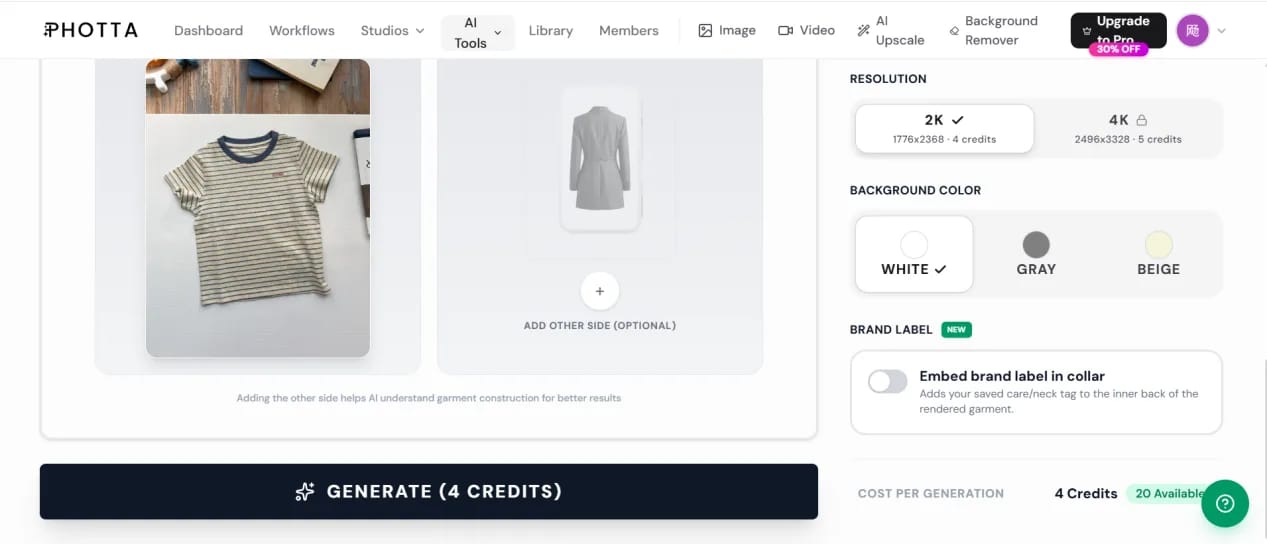
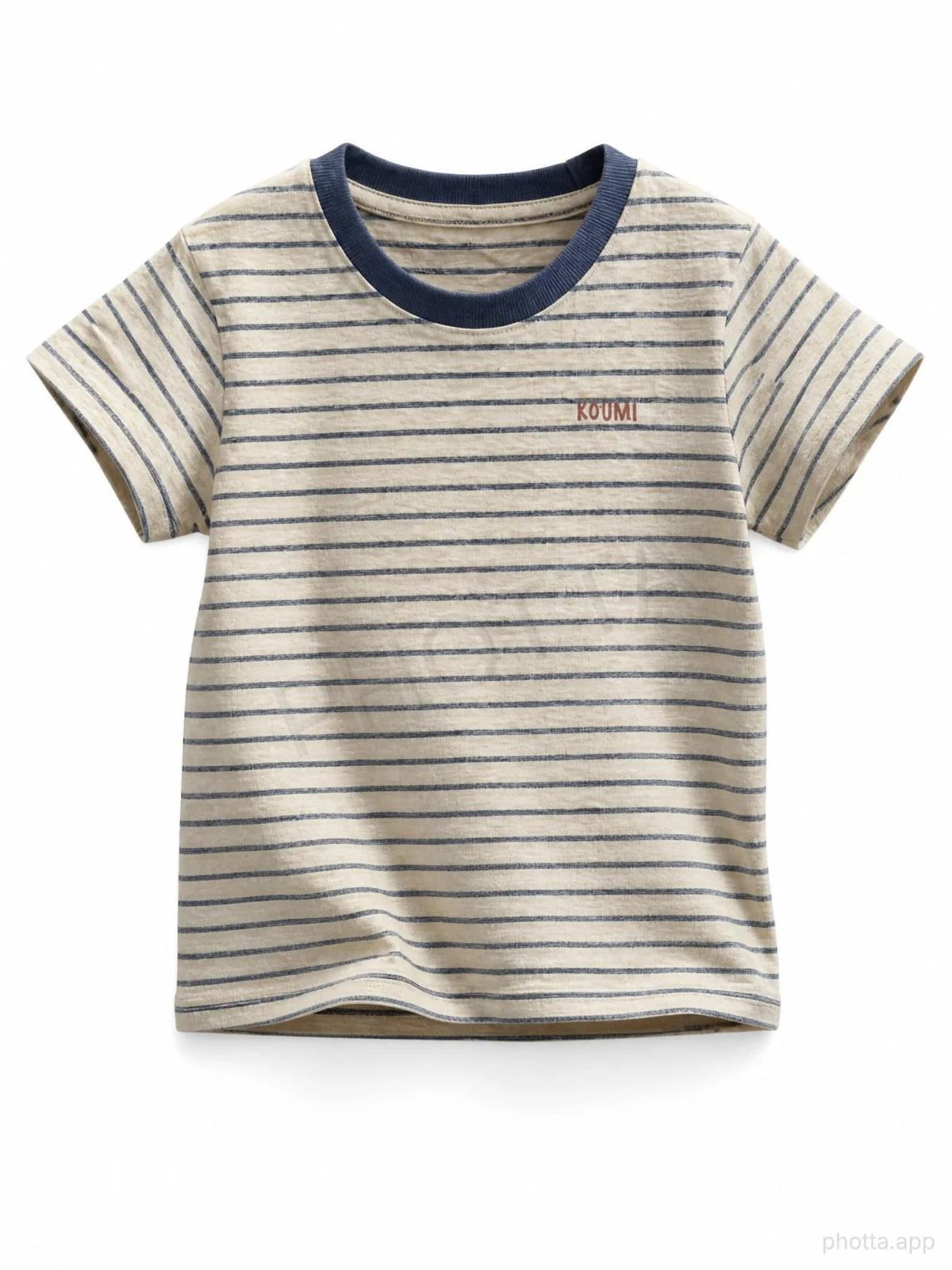
The result preserved the KOUMI mark and the overall cream-and-blue palette. It also kept more of the source fabric wrinkles than the smoother PhotoRoom output. However, the shirt still read more like a cleaned flat garment than a deep invisible-mannequin composite. The neck opening was shallow, and the free image carried a visible “photta.app” watermark in the lower-right corner. The interface explicitly indicated that a subscription was required for watermark-free output.
Photta subscription entry price, watermark, and merchant fit
Photta lets sellers inspect a free preview before paying, although our free export carried a watermark. The price recorded for this comparison was $14 per month, and the captured plan copy described paid exports as watermark-free. The optional second-side photo may improve construction accuracy but adds a capture step.
5. The New Black ghost mannequin test: clean but fairly flat
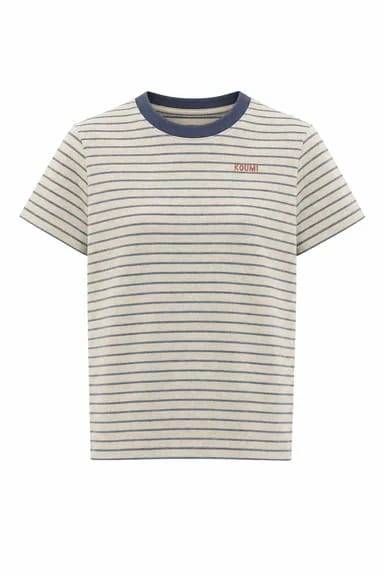
The New Black includes Ghost Mannequin inside a much broader fashion design platform. We uploaded the same T-shirt, selected its standard AI workflow, and received the result in roughly 45 seconds. The tool removed the tabletop and distractions successfully, centered the shirt, and retained both the stripe direction and KOUMI text.
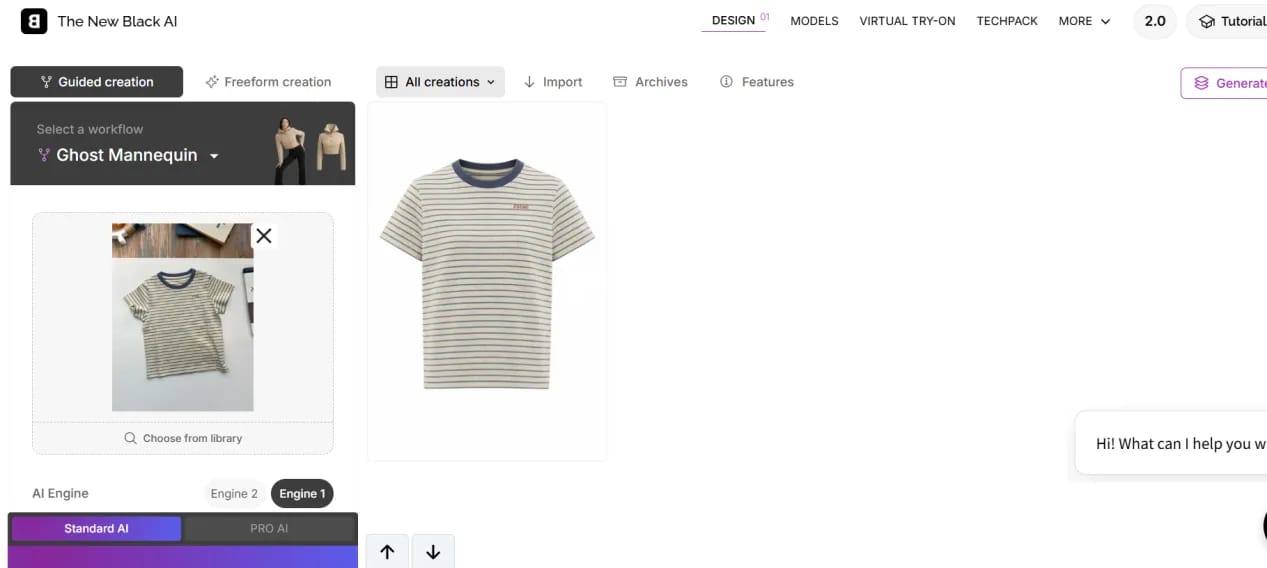
The output is visually tidy, but it does not create much inner-neck depth or side volume. It feels closer to an isolated product cutout than the hollow-body effect many apparel stores expect from ghost mannequin photography. That may be perfectly adequate for a marketplace thumbnail; it is less persuasive if the goal is to communicate fit and construction.
The New Black subscription entry price and merchant fit
Shortlist The New Black if your team also needs fashion design, virtual try-on, or tech-pack features. If the only requirement is a hollow-body listing image, compare the broader subscription against a dedicated tool: this T-shirt result stayed recognizable but remained relatively flat. Our August 6 capture recorded a $15 monthly entry price; confirm the current checkout total.
6. Fotor invisible mannequin test: recognizable but shallow
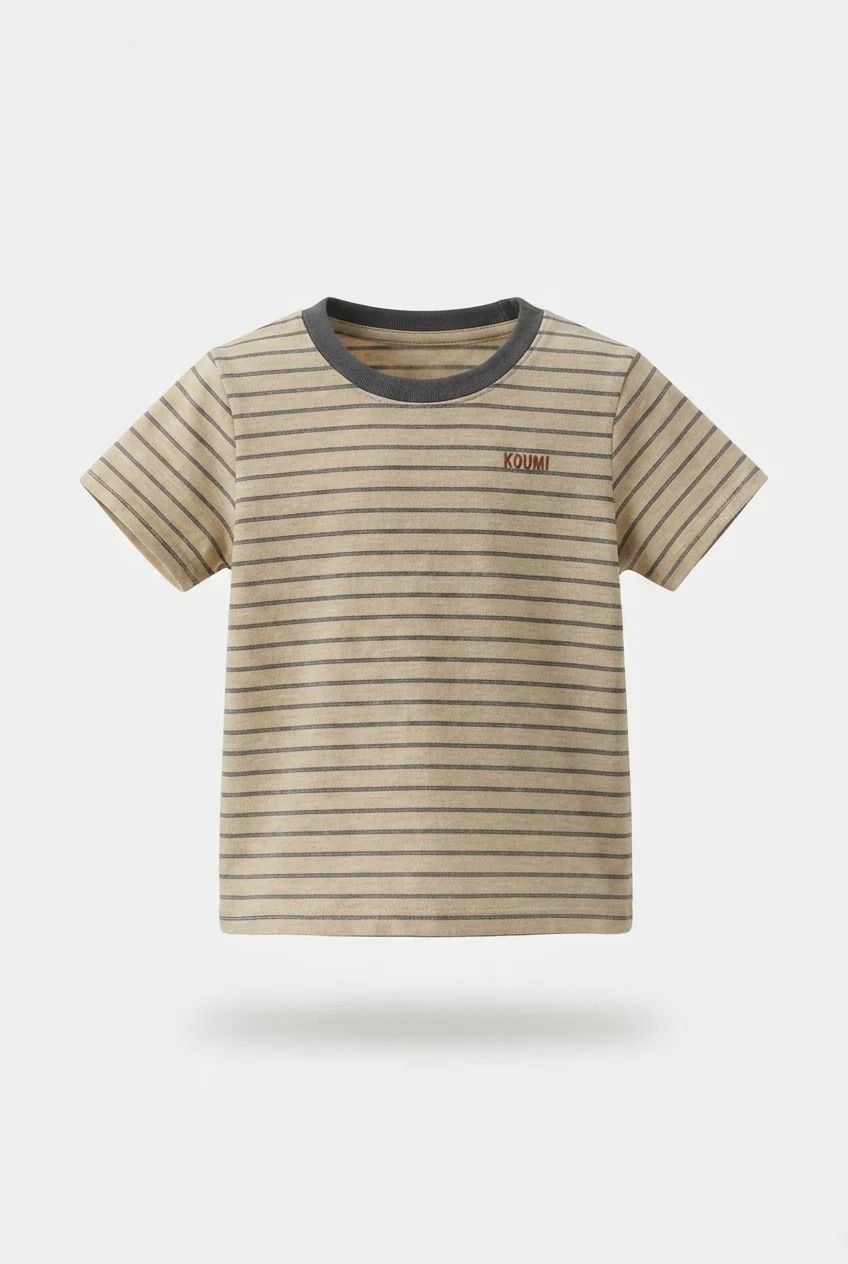
Fotor starts with a simple upload page, then sends the garment into its creation workspace with a prewritten ghost-mannequin prompt. Our run returned two portrait variations. Both cleared the original background and kept the navy collar, narrow stripes, cream fabric, and KOUMI mark recognizable.
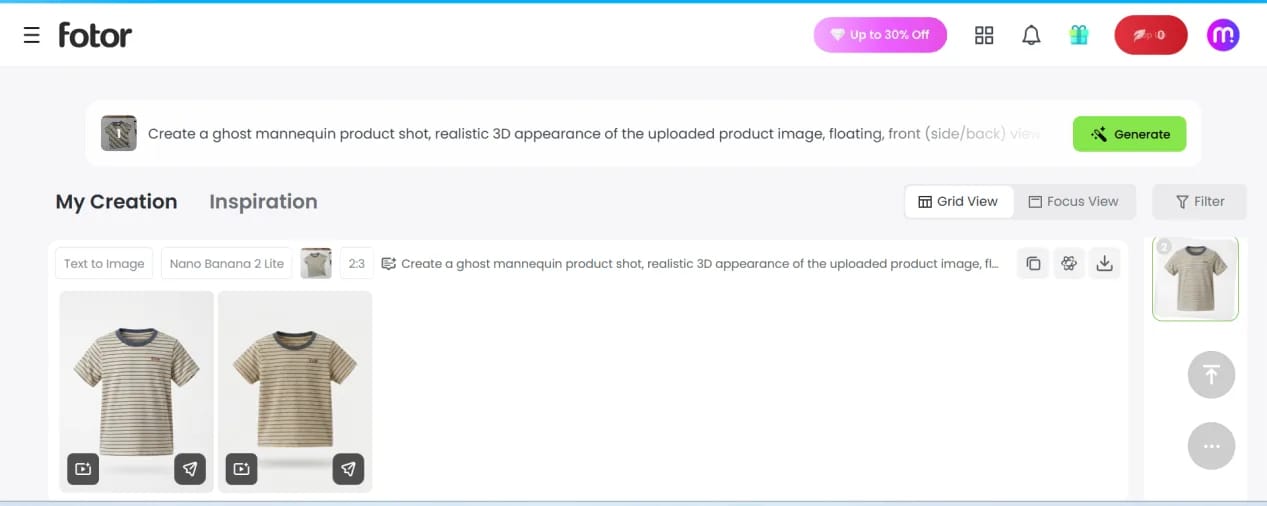
The first result introduced a soft floating shadow and slightly warmer fabric; the second was cleaner and more centered. Neither created a particularly deep hollow neckline, so both sat between a polished cutout and a full ghost mannequin reconstruction. In this test, the KOUMI mark remained recognizable and the overall product identity stayed intact.
Fotor subscription entry price and merchant fit
Consider Fotor for occasional ghost images when your team also uses its general design tools. It kept this T-shirt recognizable, although the hollow effect was shallow. The subscription entry price recorded for this comparison was $10.99 per month; the dedicated Ghost Mannequin page provides the feature reference.
What ecommerce sellers should check in AI invisible mannequin results
Background removal was not the deciding factor; every tool handled it. The buying decision came down to publishable fidelity. Some outputs added stronger volume but also changed the fit, stripe spacing, or text. For a product page, choose the result that stays closest to the SKU, even when another version looks more dramatic.
AI invisible mannequin comparison: fidelity, watermark, and subscription price
| Tool | Test result | Fidelity / depth | Watermark | Subscription entry price | Best merchant fit |
|---|---|---|---|---|---|
| Snappyit | Strongest balance in this test | Strong / strong | None shown | $12.90/month | Apparel sellers wanting a direct catalog workflow |
| PhotoRoom | Polished, with more reshaping | Good but redrawn / strong | None shown | $9.99/month | Teams already using a general product‑photo editor |
| Fashion Diffusion | Changed KOUMI to POLO | Poor in this test / good | None shown | $12/month | Concept work and unbranded garments |
| Photta | Recognizable but relatively flat | Good / light | Free result only | $14/month | Sellers testing quality before a paid workflow |
| The New Black | Clean and accurate, but flat | Good / light | None shown | $15/month | Fashion teams needing design features beyond listings |
| Fotor | Good retention, shallow effect | Good / light | None shown | $10.99/month | Occasional use in a general creative toolkit |
Price note: these are the monthly subscription entry prices recorded for this comparison and linked to each provider's official pricing page. They are not normalized for included usage, export limits, billing cycle, tax, or promotions; confirm the current checkout total before buying.
- Check identity before depth. Reject changed logos, prints, color, labels, or SKU-defining details even when the silhouette looks polished.
- Compare fit with the real garment. AI may narrow the waist, widen the shoulders, or redraw the hem.
- Measure publishable yield. Track how many outputs are usable without reruns or manual retouching.
AI ghost mannequin tools vs Photoshop and outsourced editing
AI, Photoshop, and outsourced editing solve different production problems, so the six-tool ranking should not be read as a comparison with manual workflows. AI offers the fastest test loop; Photoshop provides direct control through techniques such as layer masking documented by Adobe; outsourced editing adds human review but introduces vendor turnaround and pricing.
| Method | Best for | Main advantage | Main limitation |
|---|---|---|---|
| AI invisible mannequin tools | Rapid testing and routine structured garments | Fast output with limited editing skill | May alter logos, patterns, fit, or hidden construction |
| Photoshop neck‑joint editing | Sheer fabrics, complex collars, and exact construction | Direct pixel-level control | Requires suitable source photos, editing skill, and active production time |
| Outsourced editing services | Catalogs that need repeatable human review | Adds specialist capacity and quality control | Turnaround, correction policy, and pricing vary by vendor |
Many catalogs will need more than one route: use AI for garments that pass consistently, Photoshop for construction-sensitive products, and an outsourced team when internal editing or review capacity becomes the bottleneck.
How ecommerce merchants should choose an AI ghost mannequin tool
Choose from your own catalog, not a vendor's easiest demo. Build a small challenge set and score the workflow your team will actually publish:
- Include three to five representative SKUs. Use a plain structured item, a printed or logo-bearing garment, a dark low-contrast product, and one difficult construction.
- Review downloads at 100% zoom. Check text, labels, seams, stripe spacing, color, sleeve shape, neckline depth, and any left-right asymmetry.
- Track publishable yield and correction time. A low subscription threshold is poor value if most outputs need reruns or retouching.
- Match the plan to monthly SKU volume. Compare included usage, export resolution, watermark rules, commercial rights, batch support, and renewal price.
- Keep a fallback route. Send transparent, lace, highly reflective, or construction-sensitive products to Photoshop or a human editor when AI changes a selling detail.
Approve an AI product image only when the delivered garment will still match what the shopper saw.
AI invisible mannequin tool FAQ for ecommerce sellers
What is an invisible mannequin or ghost mannequin effect?
An invisible mannequin or ghost mannequin effect shows a garment with the volume of a worn item while the model or mannequin remains invisible. A convincing image adds natural shape, sleeve volume, drape, and some inner-neck depth.
What is the best AI invisible mannequin tool for ecommerce?
Snappyit ranked first on our single striped T-shirt because it best balanced garment shape with logo, color, and pattern fidelity. Treat that result as a shortlist, then test the difficult SKUs in your own catalog.
How were these AI ghost mannequin tools compared?
We ran the same imperfect T-shirt through all six tools. The comparison reflects that one-image test, with product fidelity weighted most heavily; it is not a universal benchmark.
Is an invisible mannequin generator the same as a background remover?
No. Background removal isolates existing pixels; an invisible mannequin generator also reconstructs worn shape and hidden areas such as the inner neckline. A clean cutout can therefore look flatter than a true ghost effect.
Can an AI ghost mannequin generator work from a flat-lay clothing photo?
Yes. All six tools accepted one garment photo. Structured, opaque items with clear edges are safer starting points; lace, sheer fabric, fine text, unusual collars, and dense patterns need closer review. A matching back or side photo may help when the tool supports it.
Can ecommerce sellers publish AI ghost mannequin images directly?
Only after a full-resolution product check. Verify logos, prints, true color, seams, labels, neckline, and silhouette, then confirm commercial-use, resolution, and watermark terms. Fashion Diffusion changed KOUMI to POLO in this test, showing why human approval is necessary.
Are there free AI invisible mannequin tools, and how much do paid plans cost?
Free previews may carry watermarks or export limits. The monthly entry prices recorded for this comparison were PhotoRoom $9.99, Fotor $10.99, Fashion Diffusion $12, Snappyit $12.90, Photta $14, and The New Black $15. Use the official pricing links in the comparison table and confirm checkout because region, billing cycle, tax, and promotions can change the total.
Should merchants use AI, Photoshop, or outsourced ghost mannequin editing?
Use AI for fast tests and routine structured garments, Photoshop when exact construction or transparency needs direct control, and outsourced editing when repeatable human review matters more than instant turnaround.
How should a seller test an invisible mannequin tool before subscribing?
Run three to five representative SKUs and review them at 100% zoom. Track publishable yield, reruns, retouching time, subscription threshold, included usage, resolution, batch support, watermark rules, and commercial-use terms.
References
Quality conclusions come from the first-party test outputs reproduced above, not vendor marketing. Product capabilities and pricing routes link to official provider pages. Subscription figures are dated records from this comparison rather than normalized or guaranteed checkout prices; plans, regions, taxes, included usage, and promotions can change.
- Snappyit, Ghost Mannequin and Pricing. Official product and checkout references; article price is the dated comparison record.
- PhotoRoom, Ghost Mannequin and Pricing. Official product and checkout references; article price is the dated comparison record.
- Fashion Diffusion, Official Website and Pricing. The $12 figure comes from the August 6 capture; the pricing route could not be independently refreshed.
- Photta, Official Website and Pricing. Official product and checkout references; article price is the dated comparison record.
- The New Black, Official Website and Pricing. The $15 figure comes from the August 6 capture; confirm the current checkout price.
- Fotor, Ghost Mannequin Generator and Pricing. Official product and checkout references; article price is the dated comparison record.
- Adobe, Mask layers in Photoshop, referenced for the non-destructive masking workflow discussed in the Photoshop comparison.