
At a glance
Plan, film, edit, and distribute a fashion promo video that sells. Budget tiers, filming techniques, audio, and platform strategy in one guide.
| Need | What to do |
|---|---|
| Get oriented | Read the short summary, then use the checklist below. |
| Create a test image | Try Fashion Video Free |
What a Fashion Promo Video Is and Why It Matters
Imagine scrolling through your feed and stopping mid-swipe because a 20-second clip made you feel something. Not a product photo. Not a flat lay. A moving, breathing piece of content that pulled you into a brand's world before you even noticed the price tag. That is exactly what a fashion promo video is built to do.
A fashion promo video is a short-form or mid-length video designed to showcase apparel, accessories, or a fashion brand's identity through movement, music, styling, and narrative, with the goal of driving awareness, engagement, or sales.
Defining the Fashion Promo Video
A fashion promo video sits in its own category. It is not a lookbook, which typically presents styled outfits in a sequential, catalog-like format. It is not a runway recording, which documents a live event with minimal editorial control. And it is not standard product photography translated into a slideshow. What sets this format apart is the deliberate combination of visual storytelling elements: how fabric moves on a body, how music sets an emotional tone, how pacing and editing create a narrative arc that static imagery simply cannot deliver.
Think of it this way. A product photo tells you what a jacket looks like. A fashion promo video tells you how it feels to wear that jacket while walking through a rain-soaked city at dusk. The difference is emotional context, and that context is what drives purchasing decisions. In fashion, people do not buy products so much as they buy a feeling. Desire, aspiration, belonging, confidence. Video is where that experience happens.
Why Video Outperforms Static Content for Fashion Brands
The shift toward video is not a passing trend. Social feeds, ecommerce product pages, and paid ad placements all prioritize video over static imagery because it captures and holds attention more effectively. Platforms like Instagram, TikTok, and YouTube have built their algorithms around motion content, rewarding brands that show up with dynamic visuals rather than still frames.
For fashion brands specifically, video solves problems that photos cannot. It demonstrates fit and movement. It communicates lifestyle and context. It builds emotional narratives that make a brand instantly recognizable, sometimes in as little as three seconds. Viewers are more likely to watch a video to the end, click through, and share it with their network, which means stronger connections and higher chances of conversion. In a landscape where attention is scarce and competition is relentless, brands that rely solely on static content risk looking disconnected from how people actually consume culture.
This guide walks you through the entire production lifecycle of a fashion promo video, from writing your creative brief and choosing the right format to filming, editing, selecting music, and distributing across platforms. Whether you are working with a smartphone or a full production crew, every stage of the process matters. The real question is not whether your brand needs video. It is what kind of video will work hardest for your next campaign.
Fashion Promo Video Types and When to Use Each One
Knowing you need video is one thing. Knowing which kind of video to make is where most brands stall out. A seasonal clearance campaign and a brand origin story require completely different creative approaches, yet both fall under the fashion promo video umbrella. The format you choose shapes everything downstream: the shoot, the edit, the platform, and ultimately, the results.
Comparison Table of Fashion Promo Video Formats
The table below breaks down six core formats by purpose, length, tone, and where they perform best. Use it as a decision framework before you write a single line of your creative brief.
| Video Type | Primary Purpose | Typical Length | Tone and Style | Best Platform |
|---|---|---|---|---|
| Lookbook Video | Showcase a collection with styled outfits in sequence | 60 to 90 seconds | Editorial, aspirational, visually clean | Instagram Reels, YouTube, brand website |
| Runway Recap | Capture the energy and highlights of a live fashion show | 1 to 3 minutes | Fast-paced, event-driven, high-energy | YouTube, TikTok, Instagram |
| Brand Story / Mini-Documentary | Communicate brand identity, values, and origin | 2 to 5 minutes | Cinematic, emotional, narrative-driven | YouTube, brand website, LinkedIn |
| Seasonal Sale Promo | Drive urgency and conversions around a limited-time offer | 15 to 30 seconds | Bold, direct, action-oriented | Instagram Stories, TikTok, paid ads |
| Influencer Collaboration | Leverage creator credibility to reach new audiences | 15 to 60 seconds | Authentic, casual, personality-led | TikTok, Instagram Reels, YouTube Shorts |
| Behind-the-Scenes Content | Build trust and humanize the brand through process transparency | 30 to 90 seconds | Raw, candid, relatable | Instagram Stories, TikTok, YouTube |
Matching Video Type to Marketing Funnel Stage
Each of these formats maps to a specific stage in the marketing funnel, and understanding that alignment is what separates a strategic campaign from random content.
At the awareness stage, you want to introduce your brand to people who have never heard of you. Brand story videos and runway recaps excel here. A brand story, much like Chanel's "Once Upon A Time" short film directed by Karl Lagerfeld, creates an emotional first impression that sticks. Runway recaps generate buzz around a collection launch and travel fast across social feeds. These formats are not asking anyone to buy. They are asking people to care.
The consideration stage is where potential customers start evaluating whether your brand is right for them. Lookbook videos let viewers see how pieces are styled together, giving them a sense of fit, movement, and versatility that product photos alone cannot communicate. Behind-the-scenes content works here too. Showing the craftsmanship behind a garment or the creative process behind a campaign builds the kind of trust that nudges someone from "interesting" to "I want that." Brands like ELIE SAAB have used this approach to let viewers follow the journey of a dress from sketch to runway.
At the conversion stage, the goal shifts to action. Seasonal sale promos with clear calls-to-action, countdown timers, and bold visuals create urgency that drives clicks and purchases. Influencer collaborations are equally powerful here because they combine social proof with reach. When Prada invited Charli D'Amelio to Milan Fashion Week, her TikTok videos wearing the brand reached between 26.5 and 74 million views each, turning awareness into real demand almost overnight.
Choosing the Right Format for Your Campaign
The mistake most brands make is defaulting to whatever format feels familiar rather than matching the format to the campaign goal. If you are launching a new collection, a lookbook video paired with a behind-the-scenes teaser covers both consideration and curiosity. If you are running a flash sale, a 15-second promo with a strong call-to-action will outperform a three-minute brand film every time.
You will also notice that several formats can be repurposed from a single shoot. A runway recap can yield short clips for TikTok, a longer cut for YouTube, and still frames for email campaigns. Thinking in terms of content ecosystems rather than one-off videos stretches your budget and keeps your brand visible across channels.
With the right format locked in, the next challenge is translating that vision into a plan detailed enough to execute without wasted time or budget on set.
Planning Your Fashion Promo Video From Brief to Shot List
A locked-in format means nothing if the team shows up on shoot day without a clear plan. The gap between a great concept and a wasted production budget is almost always a planning gap. Pre-production is where you turn creative ambition into a concrete, executable roadmap, and for fashion video specifically, that process starts with one document: the creative brief.
How to Write a Creative Brief for Fashion Video
Think of the creative brief as the single source of truth for everyone involved in the project. A creative brief defines the scope and goals of a project and provides clear guidelines so the entire team is working toward the same outcome. Without one, you are essentially improvising, and improvisation on set is the fastest way to blow through your schedule and budget.
For a fashion promo video, your brief should cover five core elements:
- Campaign objective: What should this video accomplish? Brand awareness for a new label? Conversions for a seasonal drop? Engagement around a collaboration? Pin this down first because it shapes every decision that follows.
- Target audience: Go beyond basic demographics. Include psychographics, style preferences, and the platforms where this audience spends time. The more specific the audience profile, the sharper the creative direction.
- Key message: Distill the video's takeaway into one sentence. If a viewer remembers only one thing after watching, what should it be?
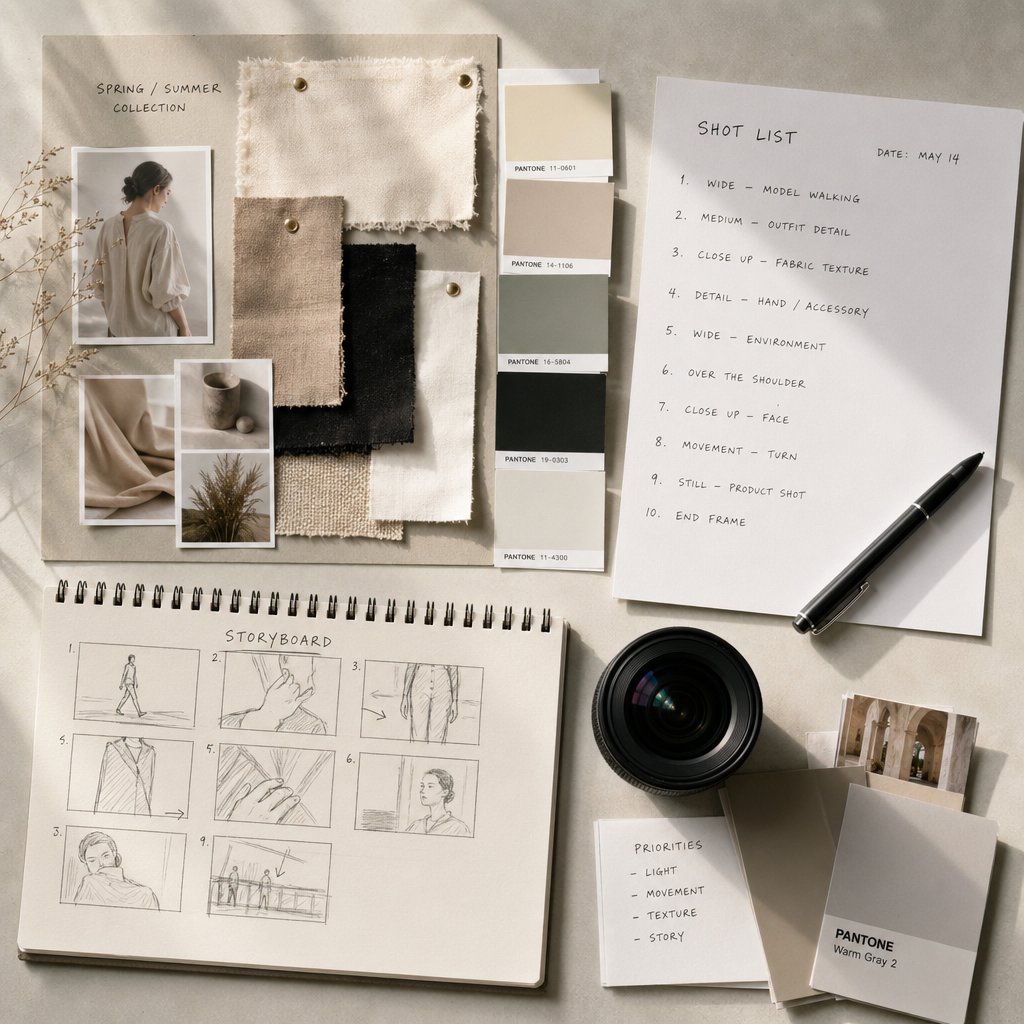
- Visual references and mood board direction: Collect reference clips, color palettes, typography samples, and styling cues that capture the intended look and feel. A mood board eliminates ambiguity faster than any paragraph of description.
- Deliverable specs: Specify aspect ratios, durations, file formats, and platform destinations upfront. A video destined for TikTok and a video destined for a brand website require different framing from the very first shot.
One common pitfall worth avoiding: do not send the brief to stakeholders to fill out on their own. As Adobe's production guidelines note, this often leads to incomplete information or misaligned expectations. Instead, walk through the brief collaboratively so questions get answered in real time.
Building a Shot List and Storyboard
With the brief approved, the next step is translating that vision into visual specifics. This is where shot lists and storyboards come in, and understanding the difference between them helps you choose the right tool for the job.
A shot list is a detailed document that outlines every shot to be filmed, including camera angles, movement, lens choices, lighting notes, and subject action. It is primarily a logistical and technical reference that keeps the crew organized and efficient on set. A storyboard, by contrast, is a visual sequence of sketches or images representing each shot. It communicates the director's vision through composition and framing rather than technical specs.
For most fashion promo videos, a shot list is the more practical starting point. Fashion shoots tend to involve rapid wardrobe changes, multiple locations or setups, and tight timelines, all situations where a quick-reference document you can update on the fly outperforms a rigid visual board. Storyboards become more valuable when the video involves complex choreography, narrative sequences, or scenes where spatial relationships between talent and camera need to be pre-visualized before the crew arrives.
Many productions benefit from using both. The storyboard captures the creative intent; the shot list translates that intent into an actionable checklist for the day.
Here is a step-by-step process for building a shot list tailored to fashion video work:
- Identify hero products. Determine which garments or accessories are the priority. These items need the most screen time and the most flattering angles.
- Plan transitions. Decide how you will move between looks or scenes. Will you cut on motion, use a whip pan, or rely on a simple hard cut? Transition style affects pacing and energy.
- Note camera angles for each setup. Specify whether each shot is a wide establishing frame, a medium shot showing fit and styling, or a close-up on texture and detail. Mixing shot sizes keeps the viewer visually engaged.
- Specify talent wardrobe changes. Map out which outfit appears in which shot and build buffer time into the schedule for each change. Underestimating wardrobe swap time is one of the most common reasons fashion shoots fall behind.
- Map locations or set configurations. Assign each shot to a specific location or backdrop. Group shots by location so the crew can work through setups efficiently rather than bouncing back and forth.
Every hour invested in this planning phase pays off on set. A clear shot list reduces missed shots, prevents redundant setups, and gives the team a shared reference point when the pace picks up during filming.
Planning Text Overlays and Calls-to-Action Early
Here is a detail that separates polished fashion videos from ones that feel like afterthoughts: on-screen text and calls-to-action should be written during pre-production, not cobbled together in the editing room. When you plan text overlays early, you can frame shots with enough negative space to accommodate them. You can match font choices and animation timing to the overall visual identity established in your mood board. And you can ensure the call-to-action, whether it is "Shop the Collection," "Swipe Up," or a discount code, lands at the exact moment the viewer's attention peaks.
Improvising text in post-production often leads to overlays that cover the product, clash with the color palette, or feel disconnected from the video's rhythm. Writing these elements into the brief and noting their placement on the shot list keeps the final product cohesive from the first frame to the last.
Thorough pre-production does not guarantee a perfect shoot, but it dramatically reduces the chances of costly reshoots and keeps the entire team aligned on what success looks like. The real variable that remains is how much production firepower you actually need, and that depends entirely on your budget.
Budget Tiers From Smartphone to Professional Production
Budget is the variable that shapes every production decision. A brand with a smartphone and a free afternoon faces a very different reality than a team booking a studio, hiring models, and scheduling a week of post-production. The good news is that all three tiers can produce effective results when matched to the right campaign goal. The key is knowing what each tier actually delivers and where it falls short.
Smartphone DIY Production on a Minimal Budget
You do not need a cinema camera to start creating fashion video content. Most modern smartphones shoot in 4K with optical image stabilization and AI-powered video enhancements that would have required dedicated hardware just a few years ago. Pair that with natural window light or golden-hour sun, a basic tripod for stability, and a free editing app like CapCut or iMovie, and you have everything you need for social-ready clips.
The smartphone tier works best for behind-the-scenes content, quick outfit reveals, and Instagram Stories or TikTok posts where authenticity matters more than polish. Where it struggles is controlled lighting, clean audio capture, and the kind of depth-of-field separation that makes garments pop against a background. Smartphone cameras rely heavily on ambient light, which can be unpredictable and degrade quality in indoor or low-light settings. If your campaign demands editorial precision, you will feel the ceiling quickly.
Mid-Range Setups and AI-Assisted Alternatives
Stepping up to mid-range production means investing in an entry-level DSLR or mirrorless camera, a basic three-point lighting kit, and a wireless lavalier microphone. Vidyard's equipment guide recommends cameras like the Canon EOS Rebel series paired with a 50mm portrait lens for flattering on-model shots, along with softbox lighting kits and wireless mics from Rode or Sennheiser. This setup gives you manual control over exposure, focus, and color profiles, which translates directly into more polished, brand-consistent footage.
Here is where the landscape has shifted significantly. AI-powered video creation tools are collapsing the gap between budget tiers by letting brands generate polished promotional content from product imagery alone, no physical shoot required. Traditional fashion video production costs between $5,000 and $50,000+ per campaign, but AI tools can reduce those costs by 70 to 90 percent while still delivering content that holds up on product pages and social feeds. Platforms built specifically for fashion video creation, like Snappyit's Fashion Video tool, enable apparel brands and ecommerce teams to turn product photos into dynamic promotional visuals without assembling a crew or renting a studio. For brands that need mid-range quality on a startup budget, this category of tool fits squarely into the gap.
The table below lays out what each tier looks like in practice:
| Category | Smartphone DIY | Mid-Range | Professional Production |
|---|---|---|---|
| Equipment Needed | Smartphone, basic tripod, ring light or natural light, free editing app | DSLR or mirrorless camera, 50mm lens, three-point lighting kit, wireless lavalier mic, editing software (Premiere Rush or DaVinci Resolve) | Cinema camera (Sony FS7, Canon C300), professional lighting rigs, boom and lavalier mics, slider or gimbal, dedicated editing suite |
| Estimated Cost Range | $0 to $200 | $1,000 to $5,000 | $5,000 to $50,000+ |
| Crew Size | 1 person | 1 to 3 people | 5 to 15+ people (director, camera operator, lighting tech, stylist, editor, sound engineer) |
| Typical Output Quality | Social-ready, authentic feel, limited creative control | Brand-consistent, polished, good depth of field and audio clarity | Cinematic, campaign-grade, full creative and technical control |
| Best Use Case | TikTok clips, Instagram Stories, behind-the-scenes content, quick product teasers | Lookbook videos, seasonal promos, product page content, social ads | Brand films, hero campaign videos, TV and high-budget digital ads, runway recaps |
Professional Production and When It Is Worth the Investment
Professional production brings everything: cinema-grade cameras with interchangeable lenses, advanced lighting rigs, dedicated sound design, full styling and makeup teams, and a post-production pipeline that includes color grading, motion graphics, and sound mixing. This is the tier where you get the kind of cinematic storytelling that defines a brand for years.
The investment makes sense when the content needs to carry significant weight. Think hero campaign videos for a seasonal launch, brand films that will live on your homepage for months, or high-budget digital ads where every frame needs to convert. Professional videos signal quality, credibility, and seriousness, which builds trust with customers in ways that lower-tier content sometimes cannot. They also scale well. A professionally shot campaign can be repurposed into dozens of shorter cuts for social, email, and paid placements without losing visual integrity.
That said, professional production is not always the right call. If you are testing a new content format, validating a campaign concept, or simply need to keep your social channels active between major launches, the smartphone or mid-range tier will serve you better. The smartest brands treat budget tiers as a toolkit rather than a ladder, choosing the right level of investment for each specific project rather than defaulting to the most expensive option every time.
Regardless of which tier you land on, the techniques you use during the actual shoot are what separate flat, forgettable footage from content that holds a viewer's attention. Lighting, camera movement, and talent direction all play a role, and each one requires deliberate choices.
Filming Techniques and Production Essentials
Gear and budget set the boundaries. Technique is what fills the frame with something worth watching. Two brands can use the exact same camera and lighting kit, yet produce wildly different results based on how they handle light, move the camera, and direct the talent in front of it. These three variables, more than any piece of equipment, determine whether your fashion promo video looks amateur or intentional.
Lighting Setups That Flatter Fashion Content
Lighting does not just illuminate your subject. It shapes mood, draws attention to texture, and communicates brand personality before a single word of copy appears on screen. The setup you choose should be driven by the story you are telling, not by whatever happens to be available on set.
Soft diffused light is the go-to for editorial and lifestyle fashion content. Positioning your subject near a large window or using a softbox creates gentle, even illumination that flatters skin tones and reveals the subtle details of fabric, from the drape of silk to the weave of linen. As Working Proof's lighting guide notes, natural light streaming through large windows produces a dreamy, ethereal atmosphere that is ideal for capturing delicate textures and intricate garment details. If you are shooting indoors without window access, a two-softbox setup angled at 45 degrees from either side of the model replicates this effect reliably.
Hard directional light creates drama. Think bold shadows, high contrast, and a sense of edge that works well for streetwear, avant-garde collections, or any brand that wants to make a visual statement. Split lighting, where the main light source hits the subject from one side and casts a sharp shadow across the other half of the face or body, is a classic technique for this look. It emphasizes shape, texture, and contrast in a way that feels intentional and striking. Rembrandt lighting, which produces a signature triangular highlight on one cheek, adds depth and a sense of mystery to fashion portraits without feeling as aggressive as a full split.
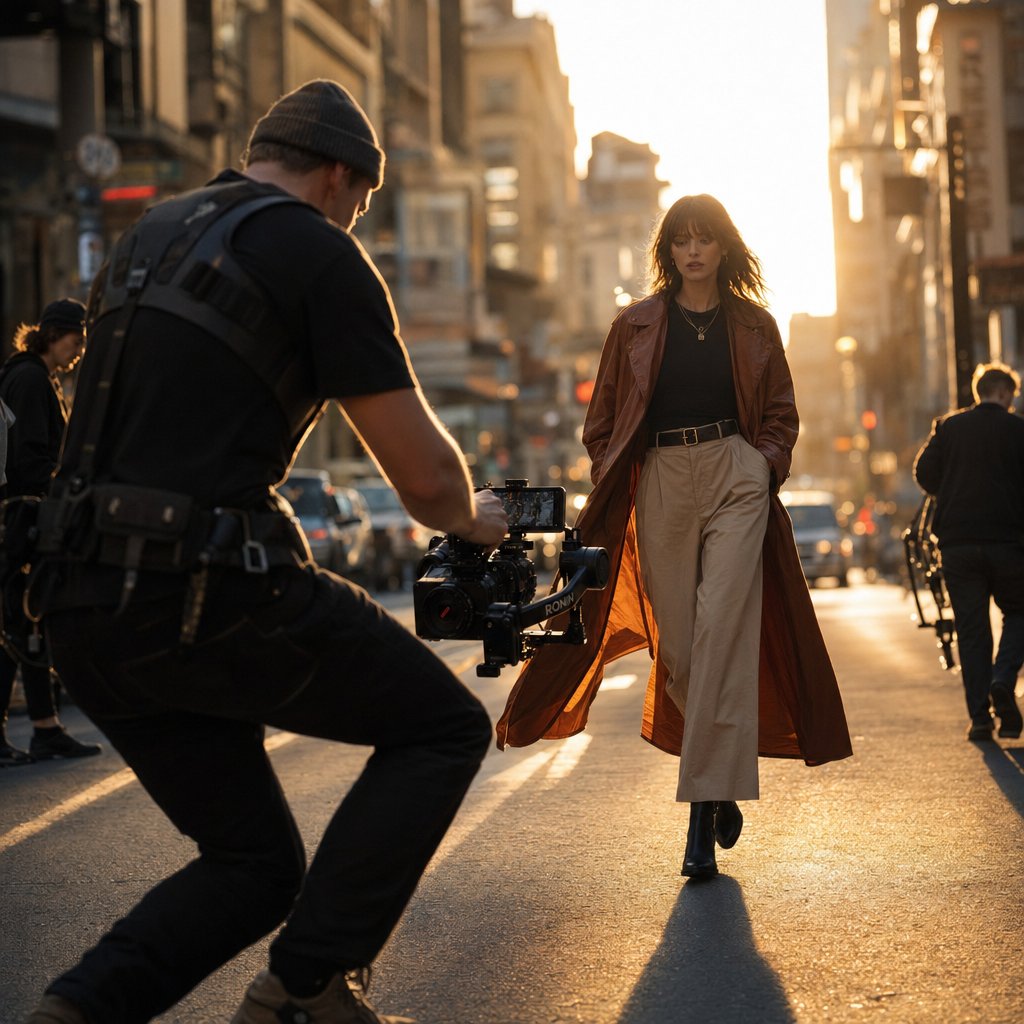
Natural golden-hour light is the outdoor filmmaker's best friend. That warm, low-angle sunlight in the hour after sunrise or before sunset wraps around the subject with a quality that is almost impossible to replicate artificially. It is flattering, cinematic, and free. The tradeoff is that you are working against the clock. Golden hour lasts roughly 30 to 45 minutes depending on your location and season, so you need a tight shot list and a model who can move through setups quickly.
One practical tip that saves time on set: bring a reflector regardless of your lighting setup. A simple five-in-one reflector lets you bounce light into shadow areas, soften harsh sunlight, or add a warm fill without hauling extra fixtures. It is the most versatile piece of lighting gear relative to its cost.
Camera Movement and Composition Choices
How the camera moves, or stays still, communicates just as much as what is in the frame. Each movement type carries its own energy, and the right choice depends on the brand's personality and the specific moment within the video.
Static tripod shots keep the viewer's focus locked on the product. When the camera is fixed, the garment becomes the only moving element in the frame, which is exactly what you want for hero product reveals, detail close-ups, and moments where the clothing needs to speak for itself. StudioBinder's camera movement guide describes the static shot as one of the foundational techniques that allows elements within the frame to move instead of the camera, making it ideal for precise composition and showcasing the subject without distraction.
Handheld movement injects energy and authenticity. The slight imperfection of handheld footage gives it a documentary, in-the-moment quality that resonates with younger audiences and brands that lean into rawness over polish. It works especially well for behind-the-scenes sequences, street-style shoots, and any content where you want the viewer to feel like they are right there. The key is restraint. Too much shake and the footage becomes distracting rather than immersive. A light touch and steady breathing go a long way.
Slider and gimbal movements deliver smooth, cinematic motion that elevates production value instantly. A lateral slide past a model reveals the garment from multiple angles in a single unbroken shot. A slow push-in builds intimacy and draws the viewer closer to a detail, like the stitching on a handbag or the texture of a knit. Gimbal-stabilized tracking shots let you follow a model walking through a location while maintaining fluid, shake-free footage. These movements are where mid-range and professional productions pull ahead of smartphone setups, though affordable gimbals like the DJI OM series have made stabilized motion accessible even at lower budgets.
A useful rule of thumb: match your camera movement to the energy of the brand. Fast whip pans and quick tracking shots suit streetwear and youth-oriented labels. Slow, deliberate slides and static frames suit luxury and minimalist aesthetics. Mixing movement types within a single video creates visual variety, but every movement should feel motivated by the content rather than added for its own sake.
Directing Talent for Fashion Video
Lighting and camera work set the stage. The model's performance is what brings the clothing to life. Directing talent for fashion video is a distinct skill, and it goes well beyond asking someone to pose.
Movement pacing is the first thing to get right. Fashion video lives and dies by how the model moves through the frame. Walking too fast makes it impossible for the camera to capture garment details. Moving too slowly can drain energy from an upbeat edit. Before rolling, walk the model through the movement at the speed you need and do a rehearsal take so both the talent and the camera operator can sync their timing. As fashion photographer Olivia Bossert emphasizes, encouraging subtle movements like turning the head, shifting weight, or adjusting posture keeps poses dynamic and prevents stiffness on camera.
Garment movement affects shot composition more than most people realize. A flowing maxi dress behaves differently than a structured blazer. Fabrics with drape and movement need wider framing and slower pacing so the camera captures the way the material responds to the body. Structured pieces benefit from tighter framing and more deliberate poses that highlight tailoring and silhouette. Plan your shot sizes around the garments, not the other way around.
Wardrobe changes need buffer time. This is one of the most underestimated scheduling traps in fashion video production. Every outfit swap involves not just changing clothes but adjusting accessories, touching up hair and makeup, and sometimes resetting lighting or camera position for a different color palette. Build at least 10 to 15 minutes of buffer per wardrobe change into your schedule. If you have five looks to shoot in a half-day session, those buffers add up to over an hour of non-shooting time that needs to be accounted for.
Communication on set matters just as much as technical preparation. Start with positive reinforcement, use visual references when words fall short, and give small, specific adjustments rather than vague directions. Phrases like "tilt your chin slightly down" or "slow your walk by half" are far more actionable than "give me more energy" or "be natural." A comfortable model delivers better footage, and a comfortable model starts with a director who communicates clearly.
Essential Production-Day Gear
Regardless of your budget tier, certain items should be on set every time you shoot. Missing even one of these can force compromises that show up in the final cut.
- Camera or smartphone with stabilization — whether that is built-in optical stabilization, a gimbal, or a tripod. Shaky footage is the fastest way to make any production look unintentional.
- Lighting kit or reflector — a softbox setup for controlled environments, or at minimum a five-in-one reflector for outdoor and natural-light shoots.
- External microphone — on-camera mics pick up too much ambient noise. A wireless lavalier or a shotgun mic mounted on a boom gives you clean audio that does not need heavy post-production rescue.
- Backdrop or location — whether it is a seamless paper roll in a studio or a scouted outdoor spot, the background should complement the clothing without competing for attention.
- Printed shot list — phones die, apps crash, and scrolling through a document mid-shoot wastes time. A physical copy that the director, camera operator, and stylist can all reference keeps the day on track.
Stock Footage Versus Original Filming
Not every frame in your video needs to come from your own camera. Stock footage from platforms like Vecteezy or Pexels can fill gaps that would be expensive or logistically difficult to shoot yourself: aerial city shots, atmospheric textures, crowd scenes, or seasonal landscapes that set a mood before cutting to your original product footage.
Stock works best as a supporting element. Use it for establishing shots, transitions, or B-roll that adds context without featuring your actual product. The moment stock footage is asked to carry the core message, viewers notice the disconnect. Generic models wearing generic clothing in generic settings will never communicate your brand's identity the way original footage can.
The practical approach is to shoot all product-focused and talent-driven content yourself, then supplement with stock where it adds production value without diluting authenticity. A five-second aerial shot of a cityscape at dusk, followed by a cut to your model walking through that same city wearing your collection, creates a seamless blend that feels cinematic without requiring a drone permit and pilot on your crew.
Strong footage is only half the equation. What happens in the editing room, from cut pacing and color grading to text overlays and audio sync, is where raw clips become a cohesive piece of content that actually holds attention and drives action.
Post-Production Workflow That Elevates Your Fashion Video
Raw footage, no matter how beautifully lit or carefully composed, is not a fashion promo video yet. It is raw material. The editing room is where pacing, mood, and brand identity get baked into every frame. Post-production is also where most fashion brands lose their way, either rushing through the process or making choices that undermine the work done on set. A structured workflow keeps the creative vision intact from first import to final export.
Before touching a single cut, organize your footage. This step feels tedious, but it saves hours downstream. Create a clear folder structure separated by scene, setup, or wardrobe look. Label clips with descriptive names that include the shot type and take number, something like "Look3_MediumShot_Take2" rather than the camera's default file name. Then review everything and flag your best takes. Professional fashion editing workflows treat this selection phase as a critical first step because messy files waste time and can compromise creative output. Flagging the most dynamic, brand-focused shots early means your editor is not hunting through dozens of unusable clips when the creative energy should be going toward storytelling.
Editing Rhythm and Cut Pacing by Brand Style
Cut pacing is the heartbeat of your video. Get it wrong and even gorgeous footage feels flat or chaotic. The rhythm of your edits should mirror the energy and personality of the brand itself, not follow a one-size-fits-all formula.
Fast cuts work for streetwear, youth-oriented labels, and any brand that thrives on energy and urgency. Quick transitions between shots, often synced to a beat drop, create a sense of momentum that matches how younger audiences consume content. Think two- to three-second clips with hard cuts or whip-pan transitions that keep the eye moving. This pacing signals confidence and edge. The first few seconds of a video determine whether viewers stay or scroll past, so leading with a visually striking shot and maintaining that tempo is essential for retention on platforms like TikTok and Instagram Reels.
Slower transitions suit luxury, editorial, and minimalist brands. Longer holds on each shot, four to six seconds or more, give the viewer time to absorb fabric texture, tailoring details, and the overall mood of the scene. Dissolves, gentle fades, and unhurried camera reveals communicate sophistication and intentionality. Rushing through a luxury brand's footage with rapid-fire cuts would undercut the very perception of quality the brand is trying to build.
A useful middle ground is to vary the pacing within a single video. Open with a slower, atmospheric sequence that draws the viewer in, then accelerate through a montage of product shots, and close with a deliberate, lingering frame on the hero piece or call-to-action. This arc creates a sense of narrative progression even in a 30-second clip. The key is that every cut feels motivated. If you cannot articulate why a cut happens at a specific moment, it probably should not be there.
Color Grading as a Brand Identity Tool
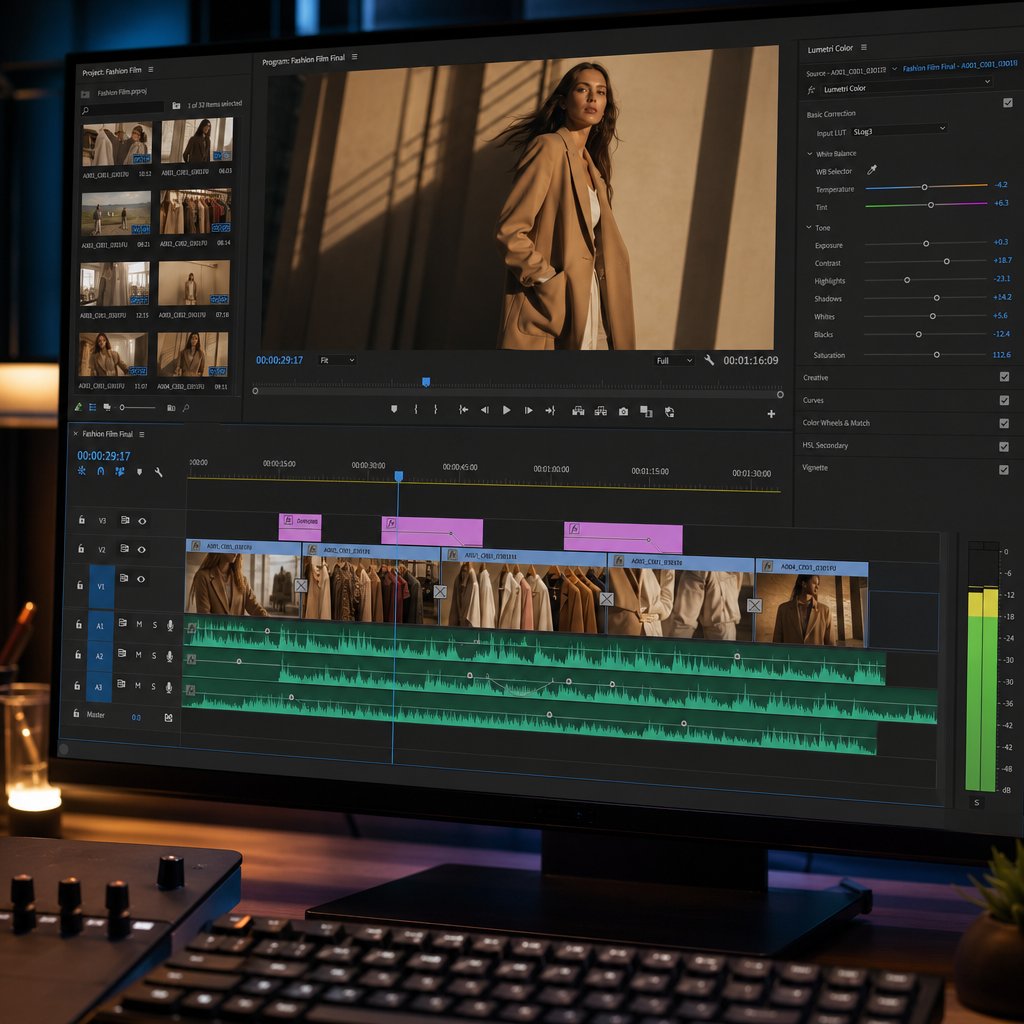
Color grading is where your video stops looking like footage and starts looking like your brand. It is not just a cosmetic pass. Color grading reinforces brand identity, drives emotional engagement, and differentiates your content from competitors in a saturated market. Consistent use of color schemes across your videos makes your brand instantly recognizable, even before a logo appears on screen.
The process typically starts with color correction, which ensures balanced exposure, accurate white balance, and consistent color temperature across all clips. This foundational step makes sure whites look like whites and skin tones appear natural regardless of which setup or lighting condition produced the footage. Skipping correction and jumping straight to creative grading is a common mistake that leads to inconsistent, distracting results.
Once correction is locked, the creative grading begins. Here is where brand personality takes shape:
- Warm tones — golden highlights, soft amber shadows, and slightly boosted saturation — create an approachable, lifestyle-oriented feel. This palette works well for brands that want to evoke comfort, community, and everyday wearability.
- Desaturated palettes — muted colors, pulled-back vibrancy, and cool undertones — signal minimalist aesthetics and understated elegance. Scandinavian-inspired brands and clean-line contemporary labels often lean into this look.
- High-contrast grading — deep blacks, punchy highlights, and vivid color pops — delivers the visual impact that streetwear and bold fashion brands need. This approach makes garments jump off the screen and pairs naturally with fast-paced editing.
Tools like DaVinci Resolve use LUTs (Look-Up Tables) to apply complex color schemes efficiently across an entire sequence, which is especially helpful when you need to maintain a consistent grade across dozens of clips from different setups. The most important rule is consistency. A viewer should be able to watch any video from your brand and immediately recognize the visual tone, the same way they would recognize your logo or packaging. As Altered State Productions notes, maintaining natural skin tones while adjusting the surrounding palette is one of the trickiest balancing acts in the grading process, so monitor skin closely whenever you push creative adjustments.
Text Overlays, Captions, and Graphic Elements
If you planned your on-screen text during pre-production, this phase becomes execution rather than invention. That distinction matters. Improvised text overlays tend to clash with the visual identity, cover the product, or appear at awkward moments. Planned overlays integrate seamlessly because the shots were framed with space for them from the start.
Font selection should align with your brand's existing typography. If your brand uses a clean sans-serif on its website and packaging, carry that into the video. Mixing decorative or novelty fonts into a fashion video rarely works unless the brand identity explicitly calls for it. Legibility on mobile screens is non-negotiable, so stick to simple, readable typefaces and avoid overly decorative styles, especially at smaller sizes.
Animation timing determines whether text feels like a natural part of the video or an afterthought slapped on top. Text should appear in sync with the edit's rhythm. If a new shot cuts in on a beat, the text can animate in on that same beat. Fade-ins work for slower, editorial pacing. Quick pop-on animations match high-energy edits. The duration each overlay stays on screen should be long enough for a viewer to read it comfortably but not so long that it becomes a distraction from the visuals.
Placement rules protect the product. The whole point of a fashion promo video is to showcase the clothing, so text should never sit directly over the garment or the model's face. Lower thirds, upper corners, and areas of negative space in the frame are your safest zones. If you framed your shots with text placement in mind during production, you will already have clean areas to work with. Position text where it naturally draws the viewer's eye, such as the center or lower third of the frame, and always check that it does not get cropped on different platforms and devices.
For captions and calls-to-action, keep the language tight and action-oriented. "Shop the Drop" lands harder than "Click Here to See Our New Collection." Reinforce the CTA you wrote into the creative brief rather than introducing new messaging at this stage. Consistency between what the viewer sees, hears, and reads builds trust and makes the next step feel obvious.
Thumbnail and overlay graphics, such as sale badges, logo lockups, or promotional banners, can be created in tools like Photoshop and imported into your editing timeline as layered assets. This gives you precise control over positioning, transparency, and animation without relying solely on your video editor's built-in text tools.
Post-Production Checklist
Before you export, run through this sequence to make sure nothing slips through:
- Rough cut assembly — arrange your selected takes in sequence, establish the overall structure and pacing, and confirm the video tells the story outlined in your brief.
- Music and audio sync — lay in your music track, align key transitions to beat points, and balance audio levels so music supports the visuals without overpowering them.
- Color grading pass — apply correction first for consistency, then layer in your creative grade. Check skin tones, fabric colors, and overall mood against your brand references.
- Text overlay and graphics insertion — place all on-screen text, CTAs, logos, and promotional graphics. Verify placement on a mobile preview to catch any cropping or readability issues.
- Final review at export resolution — watch the entire video at full resolution on both desktop and mobile. Check for audio pops, color shifts, text timing errors, and any frames where the product is obscured. Export in the correct codec and aspect ratio for your target platform.
Each step in this checklist builds on the one before it. Jumping ahead, say, adding text before the color grade is locked, often means redoing work when the underlying visuals shift. A linear workflow keeps revisions minimal and the final product tight.
With the visual edit locked and the grade dialed in, one major creative decision remains: the audio. Music and sound design shape how viewers feel about everything they just watched, and the wrong track can undo even the most polished edit.
Music Selection and Audio That Strengthen Your Brand
A perfectly graded, beautifully paced edit can still fall flat if the soundtrack works against it. Music is not decoration layered on top of your fashion promo video. It is the emotional current running underneath every frame, shaping how viewers interpret the visuals before they consciously register why. The track you choose tells your audience who your brand is just as clearly as the clothing itself.
How Audio Shapes Brand Perception in Fashion Video
Consider the difference between an upbeat electronic track and a stripped-back acoustic piece. The first signals energy, youth culture, and forward momentum. The second communicates sincerity, warmth, and approachability. Neither is better. They simply point to different brand identities. Research from Zappi found that ads featuring music score an average emotion rating of 56%, compared to 52% for those without. That gap may look small on paper, but in a feed where you have two seconds to earn attention, even a modest lift in emotional response can be the difference between a scroll-past and a full watch.
Music works on the limbic system, the part of the brain responsible for emotion and memory, bypassing the rational filters that process text and visuals. That is why a viewer can forget the specific garments in a video but still remember how the video made them feel. Tempo, key, and instrumentation all contribute to that impression. Fast tempos above 120 BPM create urgency and excitement, which suits seasonal sale promos and streetwear drops. Slower tempos in a major key evoke optimism and trust, a natural fit for lifestyle and heritage brands. Minor keys introduce introspection and sophistication, landing well for luxury and editorial content.
Music bypasses rational processing and connects directly to emotion and memory. When viewers cannot recall a single product detail, they still remember how the soundtrack made them feel, and that feeling is what drives them back to the brand.
Instrumentation carries its own psychological weight. Orchestral strings suggest grandeur and quality. Acoustic guitar signals authenticity. Synthesizers and electronic textures lean futuristic and bold. Matching these tonal qualities to your brand's personality creates a consistent audio identity that viewers begin to associate with your content over time, the same way a consistent color grade makes your visuals instantly recognizable.
Royalty-Free Music Sourcing and Licensing Basics
Finding the right track is only half the challenge. Using it legally is the other half, and getting this wrong can take your video down entirely. Platforms like YouTube use automated systems such as Content ID to detect copyrighted material, and a single flag can result in demonetization, audio muting, or a full takedown of your content.
The most common licensing models break down into three categories:
- Public domain — the composition's copyright has expired, so it is free to use. The catch is that a specific recording of a public domain composition almost always carries its own separate copyright. A modern orchestra's performance of a Beethoven piece is not free to use, even though the original notes are.
- Creative Commons — artists grant permission under specific conditions. The critical distinction is between CC BY (commercial use allowed with attribution) and CC BY-NC (non-commercial only). Using a CC BY-NC track in a monetized video or a paid ad is a direct license violation, regardless of how prominently you credit the artist.
- Royalty-free — you pay a one-time fee or subscribe to a library, and then use the track without ongoing per-play royalties. Despite the name, royalty-free does not mean free of cost. It means the licensing model is simple and predictable, which is why the royalty-free music market has been growing at roughly 12% annually. For fashion brands producing content regularly, a subscription to a royalty-free library is the most practical and legally secure option.
Before downloading any track, verify the license terms, confirm whether attribution is required, and screenshot the license page for your records. If a platform does not display a clear, explicit license for a track, treat it as unusable. The few minutes spent on verification are nothing compared to the cost of a copyright claim pulling your campaign offline mid-launch.
Voiceover Versus Text-Only Approaches
Many fashion videos perform better without narration. When the visuals are strong and the on-screen text is well-timed, adding a voiceover can actually compete for the viewer's attention rather than enhance it. Instrumental tracks occupy a different frequency range than text on screen, so the two elements complement each other without conflict. A voiceover introduces a third layer that the brain has to process simultaneously, and in a format where the clothing is supposed to be the star, that extra layer can dilute the focus.
Voiceover earns its place in longer-form content where storytelling requires context that visuals alone cannot deliver. Brand story videos, mini-documentaries, and founder narratives benefit from a human voice guiding the viewer through the narrative arc. For shorter promotional formats, 15 to 60 seconds, music and text almost always carry the message more efficiently. If you do use narration, choose an instrumental track that sits in a different tonal range than the speaker's voice so the two do not compete. This technique, sometimes called ducking, lowers the music volume slightly when the narrator speaks and raises it during visual-only sequences.
Audio mixing is where all of these elements come together. Set your music bed at a level that supports the visuals without dominating them. A common starting point is placing music 10 to 15 dB below dialogue or at a moderate level that lets ambient sound, like the rustle of fabric or footsteps on pavement, bleed through naturally. Use fade-ins at the opening to ease the viewer into the mood rather than hitting them with full volume on frame one. Fade-outs at the close should feel gradual, giving the final call-to-action room to land without competing audio.
The most impactful mixing technique for fashion video is syncing beat drops to visual transitions. When a bass hit or percussive accent lands at the exact moment a new shot cuts in, the viewer feels the transition rather than just seeing it. This beat-sync approach taps into the brain's hardwired response to rhythm, creating a sense of cohesion that keeps viewers locked in from the first frame to the last. Map your key transitions to the track's natural accents during the edit, and you will notice the entire video feels tighter and more intentional.
With the audio locked and the edit finalized, the video itself is complete. The next challenge is making sure it actually reaches the right audience, in the right format, on the right platform, at the right time.
Platform-Specific Optimization and Distribution Strategy
A finished fashion promo video sitting on a hard drive is worth exactly nothing. Distribution is where production investment turns into actual results, and the difference between a video that reaches thousands and one that stalls at a few dozen views often comes down to platform-specific decisions made before you hit publish. Each channel has its own technical specs, audience behavior, and algorithmic preferences. Treating them all the same is one of the fastest ways to waste good content.
Platform Specs for Reels, TikTok, Shorts, and YouTube
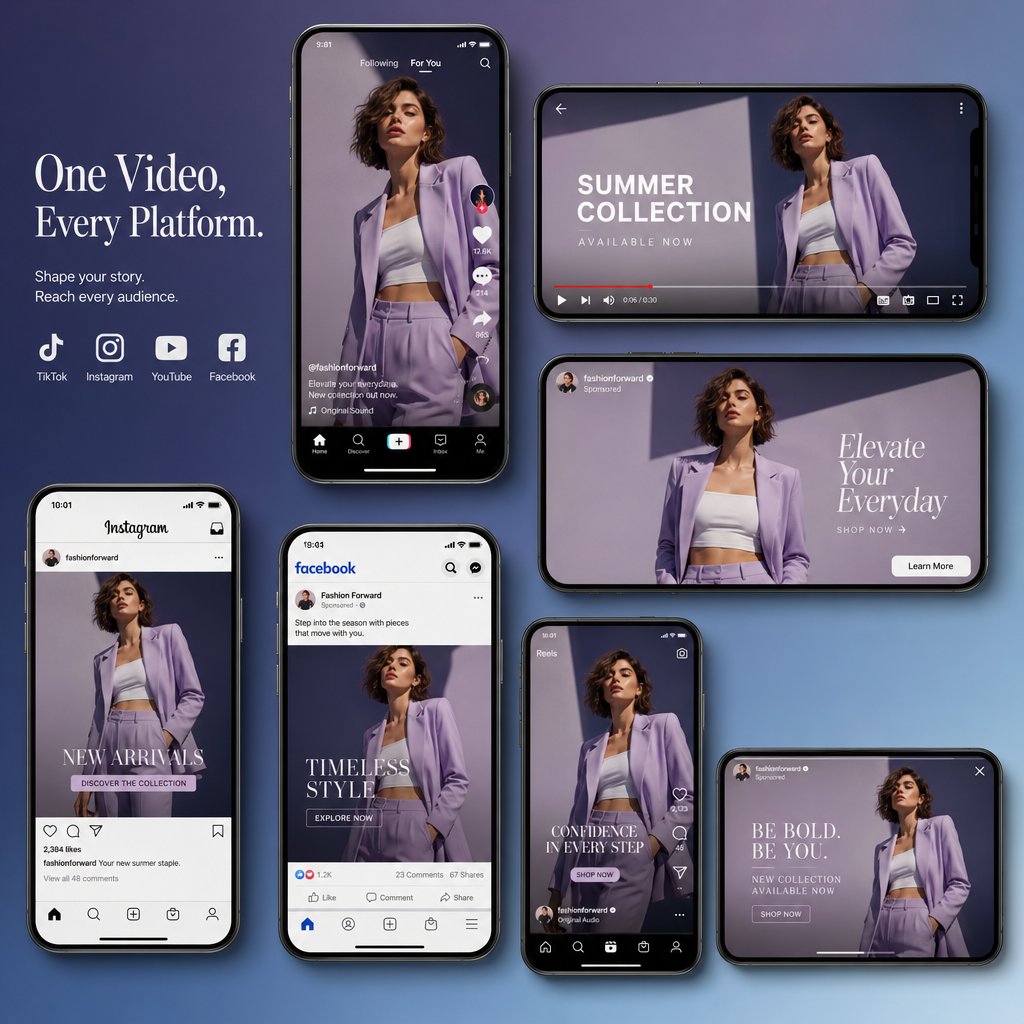
Every platform rewards content that feels native to its environment. A vertical clip optimized for TikTok's fast-scroll feed needs a different hook, pacing, and caption approach than the same footage formatted for YouTube's search-driven ecosystem. The table below breaks down the key specifications and content expectations across the four most relevant platforms for fashion video distribution.
| Platform | Aspect Ratio | Ideal Duration | Content Style | Caption Strategy | Hashtag Approach |
|---|---|---|---|---|---|
| Instagram Reels | 9:16 (vertical) | 30 to 90 seconds | Polished, visually cohesive, brand-forward with editorial flair | Short hook in first line, line breaks for readability, CTA at the end | 3 to 5 targeted hashtags mixing niche fashion tags with broader discovery tags |
| TikTok | 9:16 (vertical) | 15 to 60 seconds | Trend-aware, energetic, authentic feel over high production polish | Conversational, personality-driven, front-load the hook in the text | 3 to 5 hashtags blending trending tags with brand-specific and niche terms |
| YouTube Shorts | 9:16 (vertical) | Under 60 seconds | Clear, informative, single-topic focus that connects to longer content | Direct title (under 40 characters works best), minimal description | 2 to 3 hashtags in the title or description for search discoverability |
| YouTube Long-Form | 16:9 (landscape) | 2 to 5 minutes | Cinematic, narrative-driven, deeper storytelling with room for brand context | Keyword-rich title, detailed description with timestamps and links | 5 to 10 tags focused on task and related fashion keywords |
A few details worth noting. Instagram supports aspect ratios between 1.91:1 and 9:16, but full-screen vertical consistently delivers the cleanest result and the most real estate in the feed. TikTok videos recorded in-app can run up to 10 minutes, though shorter clips between 15 and 60 seconds still align best with how users scroll. YouTube Shorts now supports videos up to 3 minutes, but the sweet spot for engagement remains under 60 seconds. YouTube long-form is the only platform in this group where landscape orientation and longer runtimes are not just acceptable but expected.
The practical takeaway: export your video in the correct aspect ratio and resolution for each destination before uploading. Cropping a 16:9 edit into 9:16 as an afterthought almost always cuts off critical framing, especially when garments and text overlays were composed for the original aspect ratio.
Repurposing One Video Across Multiple Channels
You do not need to produce entirely separate content for every platform. A single well-shot fashion promo video can be adapted across channels with targeted adjustments rather than a full re-edit. This is where the production investment from earlier chapters starts compounding. The footage already exists. You are just reshaping it to fit different containers.
The concept is straightforward, but the execution requires editorial thinking. As Visla's repurposing guide puts it, repurposing is not the same as reposting. Cross-posting the same video to multiple platforms without changes is quick, but it is not repurposing. Real repurposing means adapting the content for the format, audience expectations, and platform norms of wherever it is going next.
Here is what that looks like in practice. Imagine you have a 90-second lookbook video edited in 9:16 for Instagram Reels. To adapt it for TikTok, you might swap the opening for a faster hook, trim the total length to 45 seconds, and rewrite the caption in a more conversational tone. For YouTube Shorts, you could pull the strongest 30-second segment and pair it with a direct, search-friendly title. For YouTube long-form, you might use the full edit as part of a broader brand story or seasonal collection showcase in 16:9, adding context that the short-form versions did not have room for.
The key adjustments between platforms typically fall into a few categories:
- Hook and pacing — TikTok audiences make a keep-or-scroll decision within the first two to three seconds. Reels viewers are slightly more patient but still need an immediate visual payoff. YouTube long-form can afford a slower build because viewers arrived with more intent.
- Caption voice — TikTok captions tend to be casual, direct, and personality-driven. Instagram captions can be slightly more polished and brand-forward. YouTube descriptions should be keyword-rich and informative.
- Aspect ratio and framing — switching between 9:16 and 16:9 is not just a crop. It often means reframing shots so the subject and text overlays remain properly positioned. Plan for this during production by shooting with extra headroom and side space.
- Call-to-action — each platform supports different actions. Instagram has link stickers and profile links. TikTok has bio links and shop integrations. YouTube has end screens, cards, and description links. Tailor the CTA to the mechanism the platform actually provides.
A structured content like a fashion lookbook or seasonal promo repurposes more easily than loosely structured footage because the ideas are organized into clear segments that can stand alone. If you planned your shot list with repurposing in mind, pulling platform-specific cuts from a single shoot becomes a matter of editing choices rather than reshoots.
Measuring Fashion Video Performance by Funnel Stage
Publishing is not the finish line. Measuring performance against your original campaign goals is what closes the loop and informs every video you make after this one. The mistake most brands make is tracking vanity metrics in isolation, celebrating a high view count on a video that was supposed to drive sales, or worrying about low shares on a video designed purely for conversions.
The right KPIs depend on where the video sits in your marketing funnel. CrewsControl's video marketing KPI framework breaks this down clearly: if you are using video at the top of the funnel to attract attention and build visibility, you need different metrics than if you are using it to close deals at the bottom.
Awareness stage — brand story videos, runway recaps, and broad lifestyle content live here. The metrics that matter are reach, impressions, video views, and play rate. Play rate, which measures how many people who encountered the video actually pressed play, tells you whether your thumbnail, title, and opening frame are compelling enough to earn a click. If views are high but play rate is low, the content is being surfaced but not earning attention, which usually points to a weak thumbnail or title rather than a content problem.
Engagement stage — lookbook videos, behind-the-scenes content, and styling tutorials sit in the middle of the funnel. Here you want to track watch time, saves, shares, and comments. Watch time reveals whether viewers stay through the full video or drop off at a specific point. Saves and shares are especially valuable signals because they indicate the content was useful or aspirational enough that someone wanted to return to it or pass it along to your friends and neighbors in their network. A video with modest views but a high save rate is often outperforming a viral clip that nobody bookmarks.
Conversion stage — seasonal sale promos, influencer collaborations, and product-focused ads need to drive measurable action. Track click-through rate, link clicks, and direct conversions such as purchases, sign-ups, or add-to-cart events. Click-through conversions measure the percentage of viewers who convert immediately after watching, while view-through conversions capture people who engage with your brand at some point after seeing the video. Both matter, but view-through conversions are trickier to attribute because the video may be only one element in the buyer's journey.
Social media engagement, including direct shares, comments, and mentions, functions as a cross-funnel signal. A video that generates conversation extends its own reach organically and feeds the awareness stage even when it was designed for conversion. Platform analytics on Instagram, TikTok, and YouTube all surface these metrics natively, so you do not need third-party tools to start tracking. What you do need is a clear connection between each video's intended funnel stage and the specific numbers you are watching.
Distribution Checklist
Before you publish on any platform, run through this list to make sure the content is set up for maximum impact rather than undermined by avoidable oversights.
- Export at the correct resolution and aspect ratio per platform — 1080x1920 for vertical short-form (Reels, TikTok, Shorts) and 1920x1080 for YouTube long-form. Uploading the wrong format leads to letterboxing, cropping, or compression artifacts that make polished content look careless.
- Write platform-native captions — do not copy and paste the same text across every channel. Match the tone, length, and structure to how users read on each platform. Front-load the hook on TikTok. Use line breaks and a CTA on Instagram. Write keyword-rich descriptions on YouTube.
- Schedule posting windows — check your platform analytics for when your specific audience is most active. General benchmarks suggest mid-morning and early evening on weekdays for Instagram, evenings and weekends for TikTok, and consistent upload schedules for YouTube. Your own data will always be more accurate than generic advice.
- Set up tracking links — use UTM parameters on any link in your bio, description, or story so you can attribute traffic and conversions back to the specific video and platform that drove them. Without tracking links, you are guessing which content actually moved the needle.
- Plan paid amplification if budget allows — organic reach has a ceiling on every platform. Even a modest spend behind your best-performing organic post can extend its reach significantly. Boost the video that is already proving itself rather than spending on content that has not been validated by organic engagement first.
Distribution is not a one-time event. The best-performing fashion brands treat it as an ongoing cycle: publish, measure, learn, and adjust the next video based on what the data revealed. A video that underperforms on TikTok might thrive as a Reel with a different hook. A YouTube Short with strong watch time might signal that the topic deserves a longer-form follow-up.
Getting the platform strategy right maximizes the return on every hour spent in pre-production, on set, and in the editing room. But even the strongest distribution plan cannot rescue a video built on avoidable mistakes, and certain pitfalls show up so consistently across fashion video projects that they deserve their own spotlight.
Mistakes to Avoid and Smarter Ways to Produce Fashion Video
Every stage of the production lifecycle covered in this guide exists for a reason. Skip one, and the consequences ripple forward into every stage that follows. The frustrating part is that the most damaging mistakes in fashion promo video creation are not technical mysteries. They are predictable, preventable oversights that keep showing up because teams underestimate how much small decisions compound across a project. Knowing what to watch for is the fastest way to protect your time, your budget, and the quality of the final product.
Common Mistakes That Waste Time and Budget
Some of these will sound obvious. That does not make them rare. Peakbound Studio's production analysis confirms that skipping pre-production planning remains one of the most common pitfalls in video production, leading to videos that lack focus, coherence, and direction. In fashion specifically, where every frame needs to serve both the brand and the product, these errors hit harder than in most other content categories.
- Skipping the creative brief and improvising on set. This is the single most expensive mistake a brand can make. Without a brief that defines the campaign objective, target audience, key message, and deliverable specs, the shoot becomes a guessing game. Decisions that should have been settled in a planning meeting get debated on set while the clock runs and the crew waits. The result is unfocused footage that requires more editing time to salvage and often still misses the mark. As covered earlier in this guide, a collaborative brief session takes a few hours. A reshoot takes days and doubles the budget.
- Ignoring audio quality. Bad audio ruins otherwise beautiful footage faster than almost any other production flaw. Viewers will tolerate slightly imperfect visuals, but poor audio drives them away almost immediately. On-camera microphones pick up room echo, wind noise, and ambient sound that buries the music track or voiceover in post. An external lavalier or shotgun mic is a small investment that prevents a large problem. If your fashion video relies on music rather than narration, clean ambient audio still matters because it gives the editor flexibility to layer in subtle environmental sounds that add texture and realism.
- Using cuts that are too fast for the product to register. Fast editing can feel energetic and modern, but there is a threshold below which the viewer cannot actually process what they are seeing. If a garment appears on screen for less than two seconds, the audience registers movement and color but not the product itself. The whole point of a fashion promo video is to showcase clothing and accessories. When the edit moves so quickly that viewers cannot identify what is being worn, the video generates impressions without generating desire. Match your cut pacing to the product. Detailed pieces with texture and construction need longer holds. Simpler silhouettes can tolerate faster transitions.
- Neglecting platform-specific aspect ratios. A video shot and edited in 16:9 landscape does not magically become effective vertical content when you crop it to 9:16. Critical framing gets lost. Text overlays get cut off. The model's face or the hero product ends up at the edge of the frame instead of the center. As outlined in the distribution chapter, planning for your target platforms during pre-production, not as an afterthought in the export window, is the only reliable way to avoid this.
- Overloading text overlays. When every frame carries a headline, a subtitle, a price tag, and a promotional badge, the viewer's eye has nowhere to rest and the garment disappears behind a wall of graphics. Text overlays should reinforce the message, not replace the visuals. If you find yourself needing more than two lines of text on screen at any given moment, the video is trying to do too much. Simplify the message or extend the runtime to give each point its own moment.
- Failing to include a clear call-to-action. A fashion video that ends without telling the viewer what to do next is a missed conversion opportunity. "Shop Now," "Explore the Collection," "Link in Bio" — the specific CTA matters less than having one at all. Viewers who feel something after watching your video are primed to act, but only if you tell them where to go. Plan the CTA during the brief, write it into the shot list, and execute it in post-production so it lands at the moment of peak engagement.
- Not planning a distribution strategy before filming. This mistake is invisible during production and painfully obvious after. If you do not know which platforms the video will live on before you shoot, you cannot frame shots for the correct aspect ratio, write captions that match platform norms, or schedule posting windows that align with your audience's behavior. Distribution is not a post-production task. It is a pre-production decision that shapes everything from shot composition to export settings. Streamlining your workflow starts with mapping out the entire process from start to finish and identifying where things consistently get stuck. For most fashion brands, the bottleneck is not creativity or talent. It is the absence of a plan that connects production to distribution.
Every one of these mistakes traces back to the same root cause: rushing into production without enough planning. The creative brief, the shot list, the platform strategy, the CTA — these are not bureaucratic extras. They are the infrastructure that keeps a fashion video project from collapsing under its own ambition.
Streamlining Production With the Right Tools
Avoiding mistakes is one side of the equation. The other side is finding ways to produce better content faster without proportionally increasing cost or complexity. The biggest efficiency gains do not come from working longer hours or hiring larger crews. They come from tools that compress multiple production steps into fewer, faster workflows.
Think about what a traditional fashion video requires: a creative brief, a shoot location, talent, lighting, a camera operator, an editor, a colorist, a sound designer, and a distribution plan. Each step involves coordination, scheduling, and cost. For brands producing content at the pace social platforms demand, that traditional pipeline becomes a bottleneck. You cannot shoot a new video every week if every video requires a full production cycle.
This is where AI-powered platforms designed specifically for fashion content are changing the math. Rather than starting from a blank slate with every project, these tools let brands generate polished promotional video directly from existing product imagery. No studio booking. No model casting. No multi-day edit. The product photos you already have become the raw material for dynamic video content that is ready for social feeds, product pages, and paid ads.
AI video tools can reduce fashion content production costs by 70 to 90 percent compared to traditional shoots, and the output quality has reached a point where it holds up alongside conventionally produced content on ecommerce platforms and social channels. For apparel brands managing large catalogs, seasonal drops, or high-frequency social calendars, the ability to turn a product flat lay into a scroll-stopping video in hours rather than weeks is not a novelty. It is a competitive requirement.
Platforms like Snappyit's Fashion Video tool are built for exactly this workflow. Designed for apparel brands, ecommerce teams, and social-first marketers, it converts product imagery into dynamic fashion visuals without requiring a traditional production setup. If your bottleneck is the gap between having products to promote and having video content to promote them with, this is the category of tool that closes it. It fits naturally into the mid-range tier discussed earlier in this guide, delivering polished results without mid-range equipment or crew overhead.
Your Next Step Toward Better Fashion Promo Videos
This guide walked through the full lifecycle: defining the format, writing the brief, building the shot list, choosing a budget tier, filming with intention, editing with brand consistency, selecting audio that reinforces identity, and distributing across platforms with a measurement plan. Each stage feeds the next, and skipping any one of them creates problems that compound downstream.
The brands that consistently produce effective fashion video are not necessarily the ones with the biggest budgets. They are the ones with the clearest plans and the smartest tools. Whether you are shooting on a smartphone in natural light or generating AI-powered visuals from your product catalog, the principles are the same: know your audience, define your message, plan before you produce, and measure what matters.
Pick one project. Write the brief. Choose your format and your tools. The distance between learning how to make a fashion promo video and actually making one is shorter than most brands think, and the only way to close that gap is to start producing.
Frequently Asked Questions About Fashion Promo Videos
1. How long should a fashion promo video be?
The ideal length depends on the format and platform. Seasonal sale promos perform best at 15 to 30 seconds, lookbook videos work well between 60 and 90 seconds, and brand story videos can run 2 to 5 minutes. For short-form platforms like TikTok and Instagram Reels, 15 to 60 seconds is the sweet spot for engagement. YouTube long-form content can extend to 2 to 5 minutes when the narrative supports it. Always match duration to both the campaign goal and the platform where the video will live.
2. How much does it cost to produce a fashion promo video?
Costs range from nearly zero to over $50,000 depending on your production tier. Smartphone DIY setups using natural light and free editing apps cost $0 to $200. Mid-range productions with DSLR cameras, lighting kits, and wireless mics run $1,000 to $5,000. Professional campaigns with full crews, studio rentals, and dedicated post-production start at $5,000 and can exceed $50,000. AI-powered fashion video tools like Snappyit's Fashion Video platform (https://snappyit.ai/fashion-video) can reduce costs by 70 to 90 percent by converting product imagery into dynamic promotional visuals without a traditional shoot.
3. What equipment do I need to make a fashion promo video?
At minimum, you need a smartphone with stabilization, a basic tripod, natural lighting or a reflector, and a free editing app. For higher quality, add an entry-level DSLR or mirrorless camera with a 50mm lens, a three-point lighting kit, a wireless lavalier microphone, and editing software like DaVinci Resolve. Professional productions require cinema cameras, advanced lighting rigs, boom mics, sliders or gimbals, and a dedicated editing suite. Regardless of tier, always bring a printed shot list and an external microphone to set.
4. What is the best platform to post fashion promo videos?
The best platform depends on your campaign goal and audience. Instagram Reels suits polished, brand-forward content targeting fashion-conscious audiences. TikTok excels for trend-aware, energetic clips that prioritize authenticity. YouTube Shorts works for search-discoverable short content that connects to longer videos. YouTube long-form is ideal for cinematic brand stories and detailed collection showcases. The most effective strategy is repurposing one core video across multiple platforms with adjustments to hook, pacing, caption tone, and aspect ratio for each channel.
5. Can I make a professional-looking fashion video without hiring a production team?
Yes. Modern smartphones shoot 4K with AI-powered enhancements, and free editing apps like CapCut provide professional-grade tools. Natural window light or golden-hour sun paired with a basic tripod produces social-ready content. Beyond DIY filming, AI-powered platforms built for fashion content can generate polished promotional videos directly from product photos, eliminating the need for a crew, studio, or models. These tools are particularly useful for ecommerce brands managing large catalogs or high-frequency social calendars where traditional production timelines cannot keep pace with content demand.
Generate your first fashion promo video in 90 seconds
Need a promo video for every drop but not the studio budget? Snappyit AI Fashion Video turns one product photo into platform-ready promo clips in 9:16, 1:1, and 16:9 — production-grade without the production day.
Try Snappyit AI Fashion Video free →