



At a glance
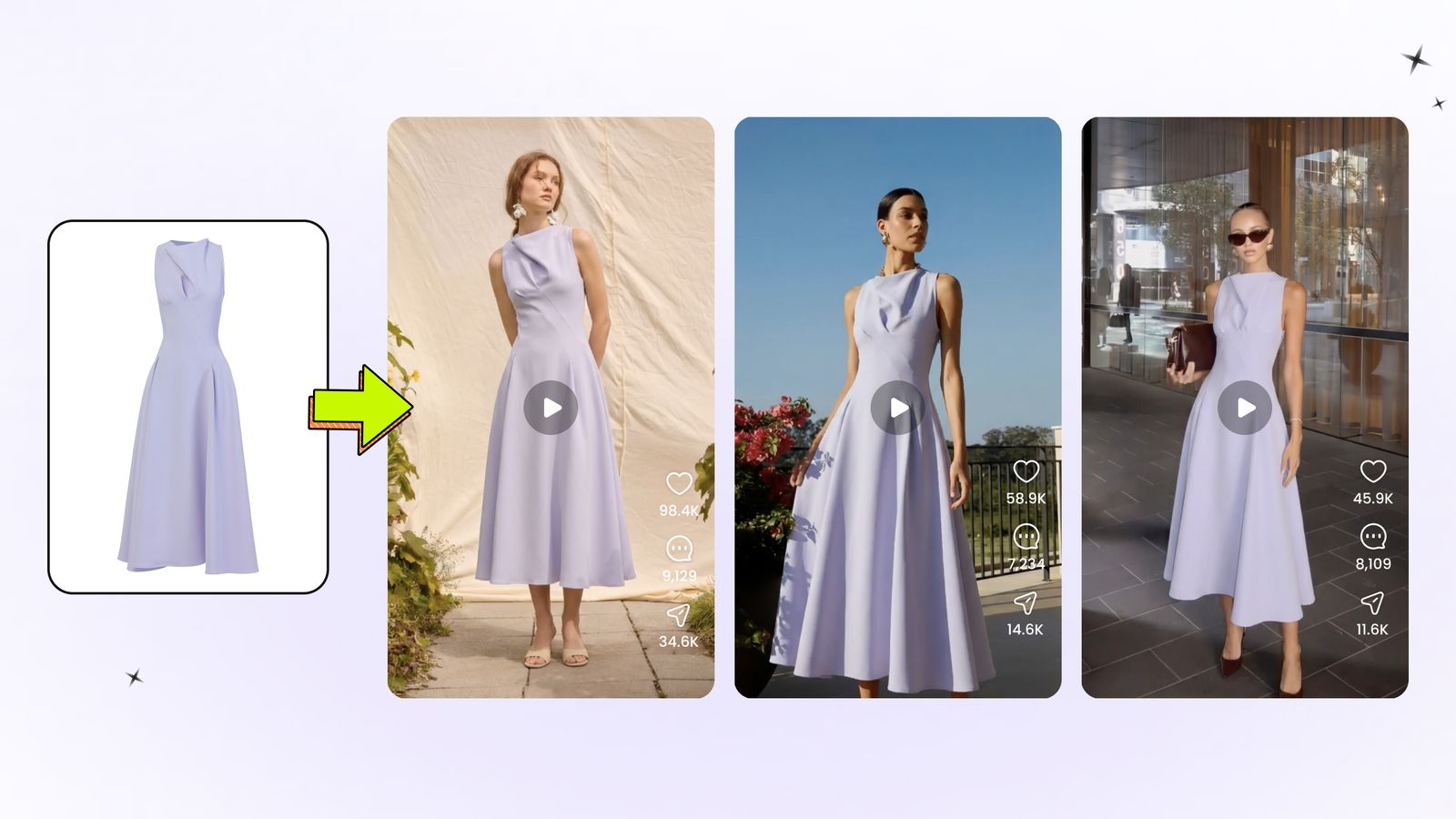
We tested seven AI product video generators with the same two source images: one on-model photo and one garment-only photo. This comparison is designed for apparel sellers and fashion ecommerce teams evaluating repeatable product-video workflows, with attention to output quality, setup effort, input flexibility, and production cost.
| Our test takeaway | What we observed |
|---|---|
| Best template-led workflow | Snappyit produced the strongest result in our template comparison and supports both on-model and garment-only inputs. |
| Most natural prompt-led motion | Hailuo produced the most natural-looking motion in our custom-prompt test. |
| Most ecommerce-oriented interfaces | Snappyit, PhotoRoom, Pic Copilot, SellerPic, and WeShop felt most clearly designed around fashion or ecommerce workflows. |
| API availability | Hailuo and Kling provide APIs for teams that need to integrate video generation into a larger production workflow. |
Disclosure: This comparison is published on the Snappyit blog, and Snappyit is one of the products tested. We keep the conclusions tied to the ecommerce workflows and generated results observed in the test session below.
How We Tested Motion, Garment Accuracy and Prompt Adherence
We used two consistent inputs: an on-model fashion image and a garment-only image. Where a tool allowed a custom prompt, we used the same motion instruction:
“The model takes two slow steps forward, pauses, and turns slightly to the right. Keep the camera fixed and the full outfit visible. Preserve the garment’s original color, print, logo, cut, and fabric texture. Use natural body and fabric movement with no scene change.”
First-generation rule: For every test case, we evaluated the first generation returned by the tool. We did not regenerate to search for a better result or select a later retry. Our goal was to compare whether each workflow could produce a usable clothing video at the lowest credit spend. When one paid run returned multiple candidates, as Pic Copilot did, those candidates were treated as outputs from the same first generation rather than separate retries.
The two source images used across the test
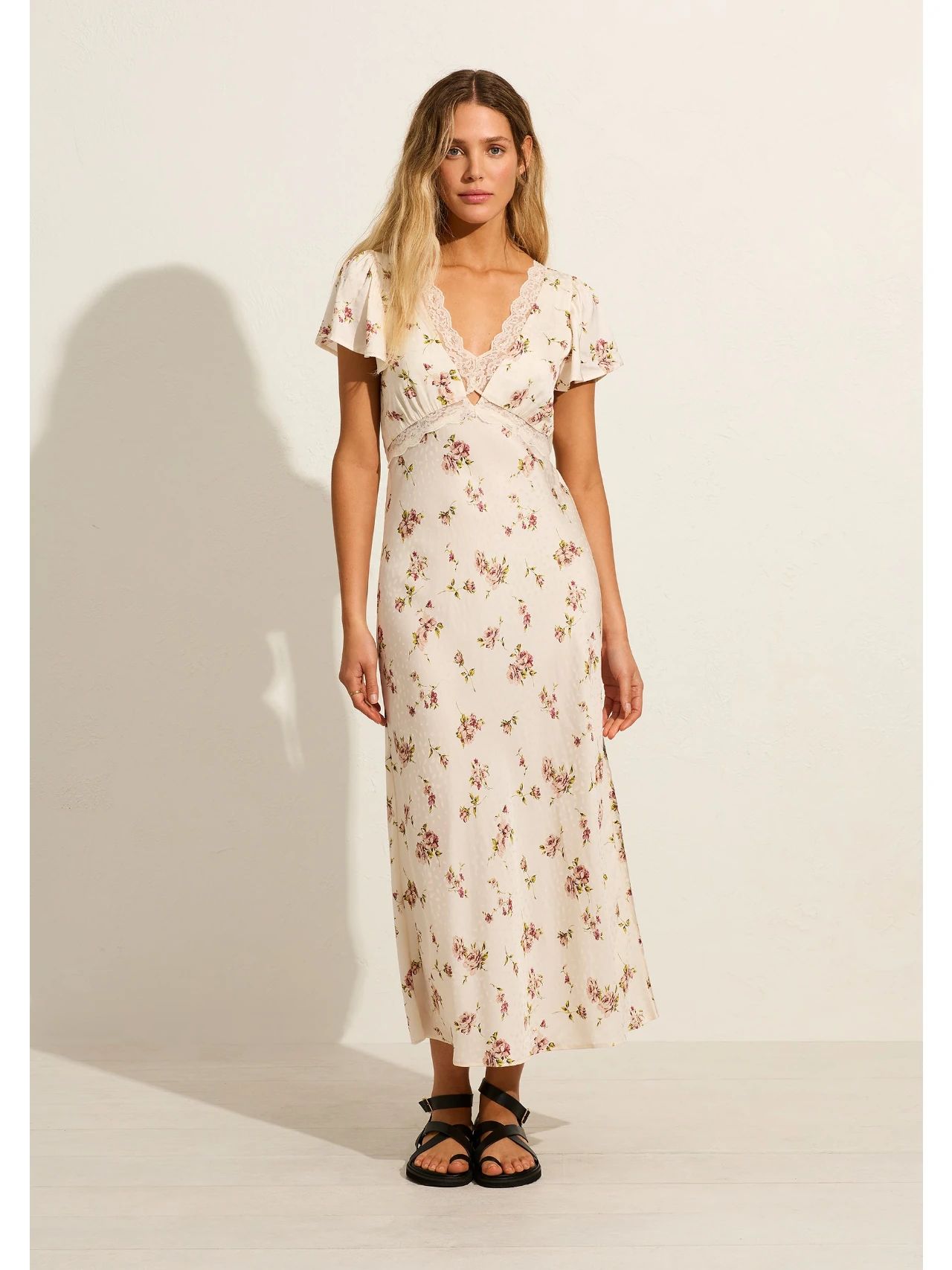
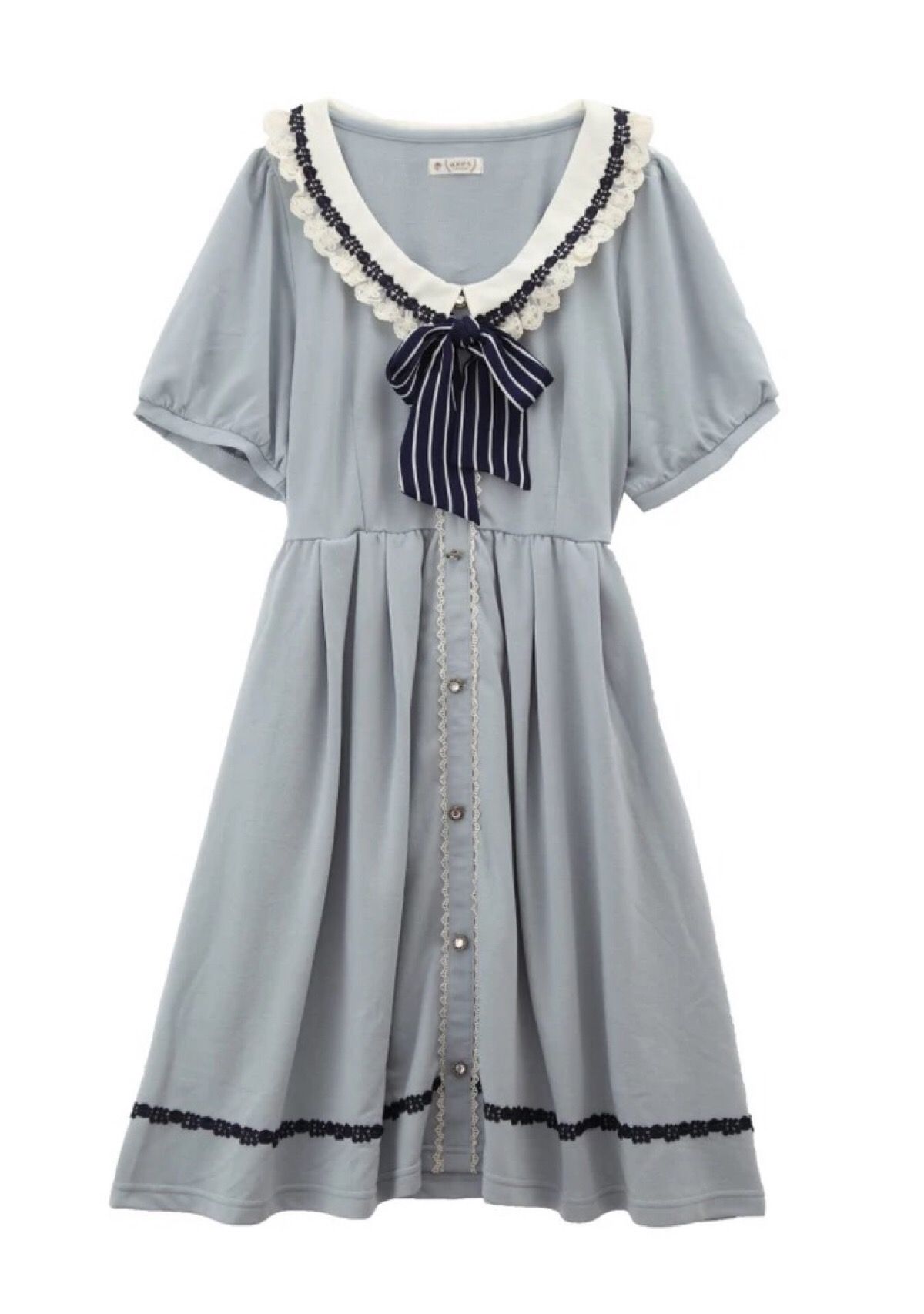
We compared input options, prompt or template control, visible garment or motion artifacts, pricing, and fit for repeat ecommerce production. This was a hands-on workflow check, not a laboratory benchmark. Plans and unit costs can change, so confirm current pricing before purchasing.
Result overview
- Prompt-led output quality: Hailuo > Snappyit > Kling > SellerPic > PhotoRoom > WeShop.
- Template output quality: Snappyit > Pic Copilot > PhotoRoom. PhotoRoom's template result avoided an obvious motion artifact, but the movement looked less natural and the template changed details, including adding pockets and altering the model's hairstyle.
- Audio: Both PhotoRoom results included background music and footsteps. The tested Snappyit and Pic Copilot template exports and WeShop on-model result included BGM; Hailuo added footsteps and movement sounds, while Kling's first result included footsteps.
- Scope: Rankings use the first generation for each case and reflect the specific images, prompts, models, and minimum credit spend tested. Results can vary with different inputs or additional retries.
Quick Comparison: 7 AI Fashion Video Generators
| Name | Price per video | Result quality | Supported inputs and controls | Target users |
|---|---|---|---|---|
| Snappyit | Best unit value: ≈ $0.34 / 5s Weekly plan: ≈ $1.97 / 5s | Strongest template result and second-ranked prompt-led result. | InputOn-model ✅Garment-only ✅ControlsPrompt ✅Ready-to-use AI prompt ✅Templates ✅ | Apparel sellers and fashion ecommerce teams that need a guided, repeatable fashion workflow. |
| PhotoRoom | Not reliably quantifiable in our test Usage was shown as a percentage of pooled AI credits | Fifth-ranked prompt-led result. The garment-only result showed artifacts; a separate template check changed clothing and hairstyle details. | InputOn-model ✅Garment-only ✅References ✅ControlsPrompt ✅Templates ✅ | Apparel sellers who want a familiar ecommerce workflow with templates and built-in audio. |
| Pic Copilot | Best unit value: ≈ $0.45 / 8 candidates Pro plan: ≈ $1.00 / 8 candidates | Natural scene cuts and actions, but a high artifact probability and repeated problem shots made clean candidates harder to find. | InputOn-model ✅Garment-only ✅ControlsTemplates ✅ | Ecommerce teams that value template variety and can carefully review batches for repeated artifacts. |
| SellerPic | Best unit rate for tested model: ≈ $0.17 / 6s Entry credit rate: ≈ $0.73 / 6s; other models cost more | Fourth-ranked prompt-led result, behind Kling and ahead of PhotoRoom. | InputOn-model ✅ControlsPrompt ✅Presets ✅Video model choice ✅ | Fashion sellers who want an ecommerce workflow with access to several AI video models. |
| WeShop | Best annual value: ≈ $0.80 / 5s Monthly plan: ≈ $1.00 / 5s | Sixth-ranked prompt-led result. Its garment-only output did not follow the requested model motion. | InputOn-model ✅Garment-only ✅ControlsPrompt ✅Video model choice ✅Ratio and duration ✅ | Ecommerce teams that want to compare several AI video models in one interface. |
| Hailuo AI | Best unit value: ≈ $0.16 / 6s Standard plan: ≈ $0.20 / 6s | First-ranked prompt-led result, with the most natural motion plus matching footsteps and movement sounds. | InputOn-model ✅Garment-only ✅ControlsPrompt ✅Templates ✅API ✅ | Teams prioritizing natural motion, first-party model development, or API integration. |
| Kling | Best unit route: ≈ $0.42 / 5s Standard subscription: ≈ $0.64 / 5s | Third-ranked prompt-led result; the first result included footsteps. | InputOn-model ✅ControlsPrompt ✅AI prompt assistance ✅API ✅ | Teams that want a first-party general-purpose video model and API access. |
1. Snappyit — Best all-round fashion ecommerce workflow
Product workflow
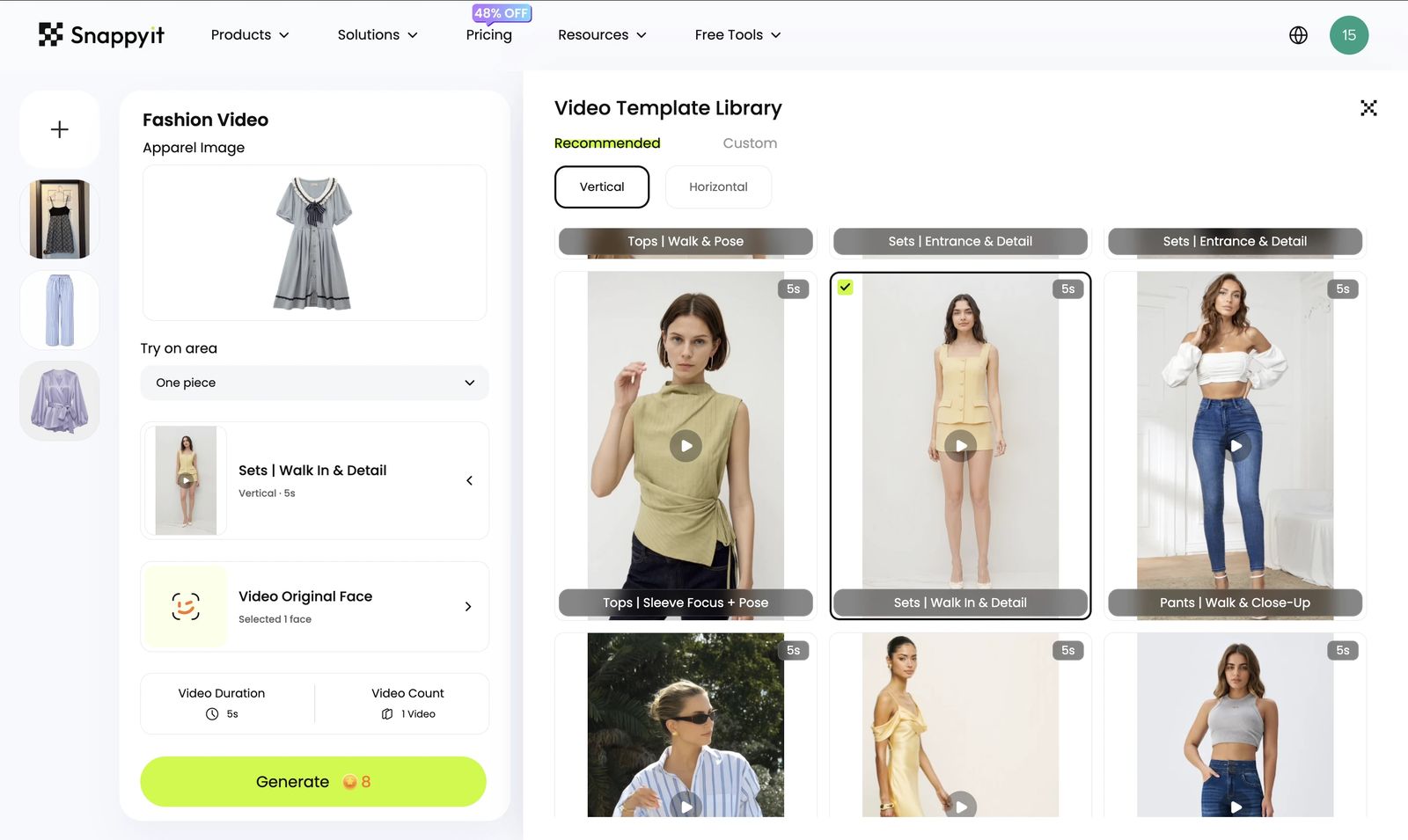
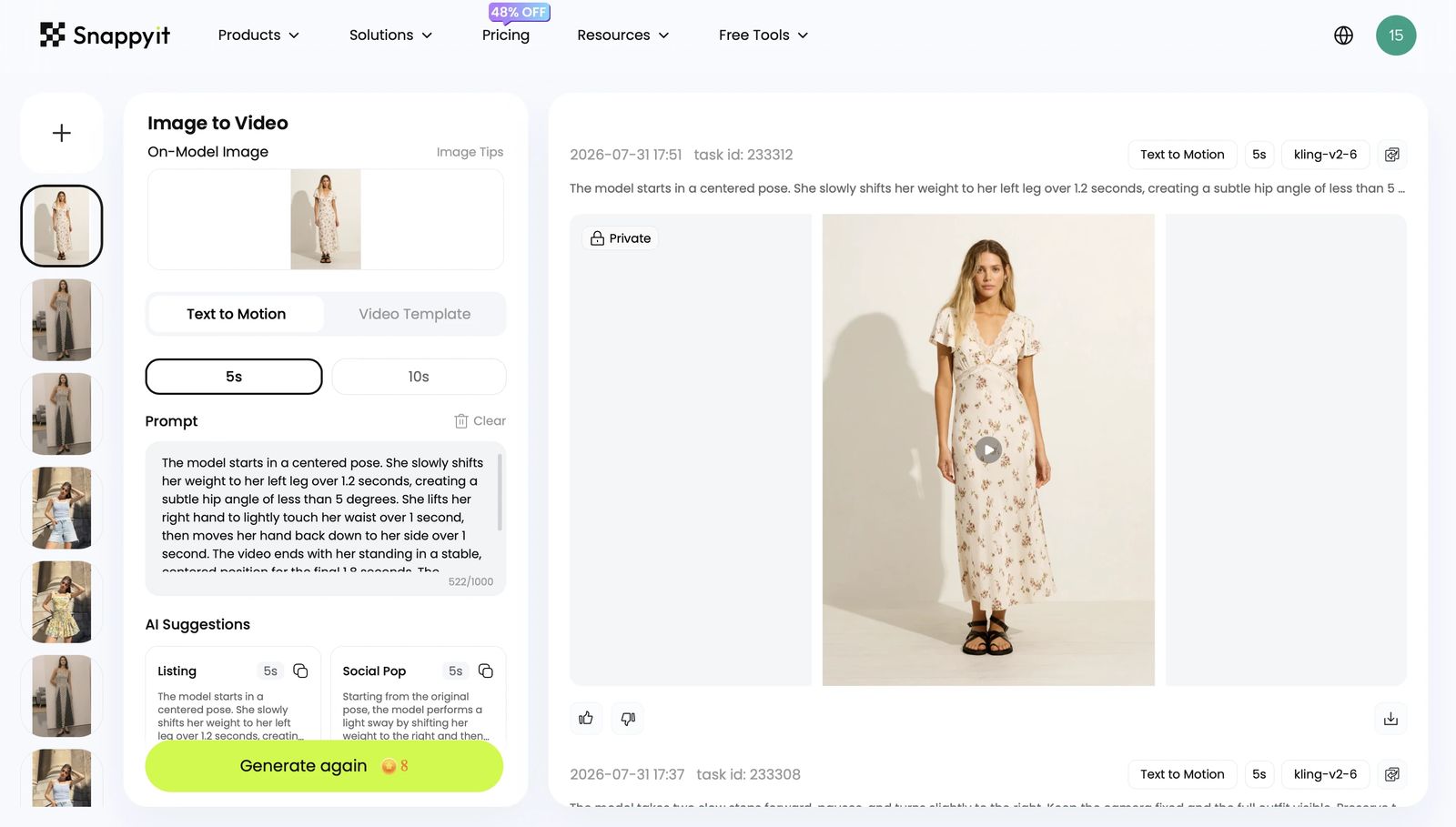
Videos generated in our test
Snappyit was the most flexible fashion-specific product in our test. With an on-model image, we could write our own prompt, let AI generate a prompt, or choose a template. The AI-written prompt was ready to use without manual rewriting in our test. With a garment-only image, the workflow switches to templates, removing the need to write motion instructions.
For a closer look at the garment-first process, see how to turn one clothing photo into fashion model videos.
What worked well
- Supports both on-model and garment-only photos.
- Offers custom prompts, ready-to-use AI-generated prompts, and templates for on-model images.
- Produced the strongest result in our direct template comparison with Pic Copilot.
- The template export included background music, while the AI-prompt result did not include an audio track.
- The workflow is designed around fashion ecommerce rather than general video creation.
Limitations we encountered
- Garment-only generation was template-led and lacked the on-model workflow’s free-form prompt control.
Cost per video
Lowest-cost entry: the $5.90 weekly plan covered roughly three five-second generations in our test, or about $1.97 per video. Best unit value: the annual Custom reference starts at $48.90/month for 1,150 credits; at 8 credits per five-second video, that is about 143 generations or approximately $0.34 per video before retries. For comparison, annual Basic is $8.20/month for 120 credits, or about $0.55 per video.
2. PhotoRoom — Ecommerce workflow with templates and built-in audio
Generation workflow
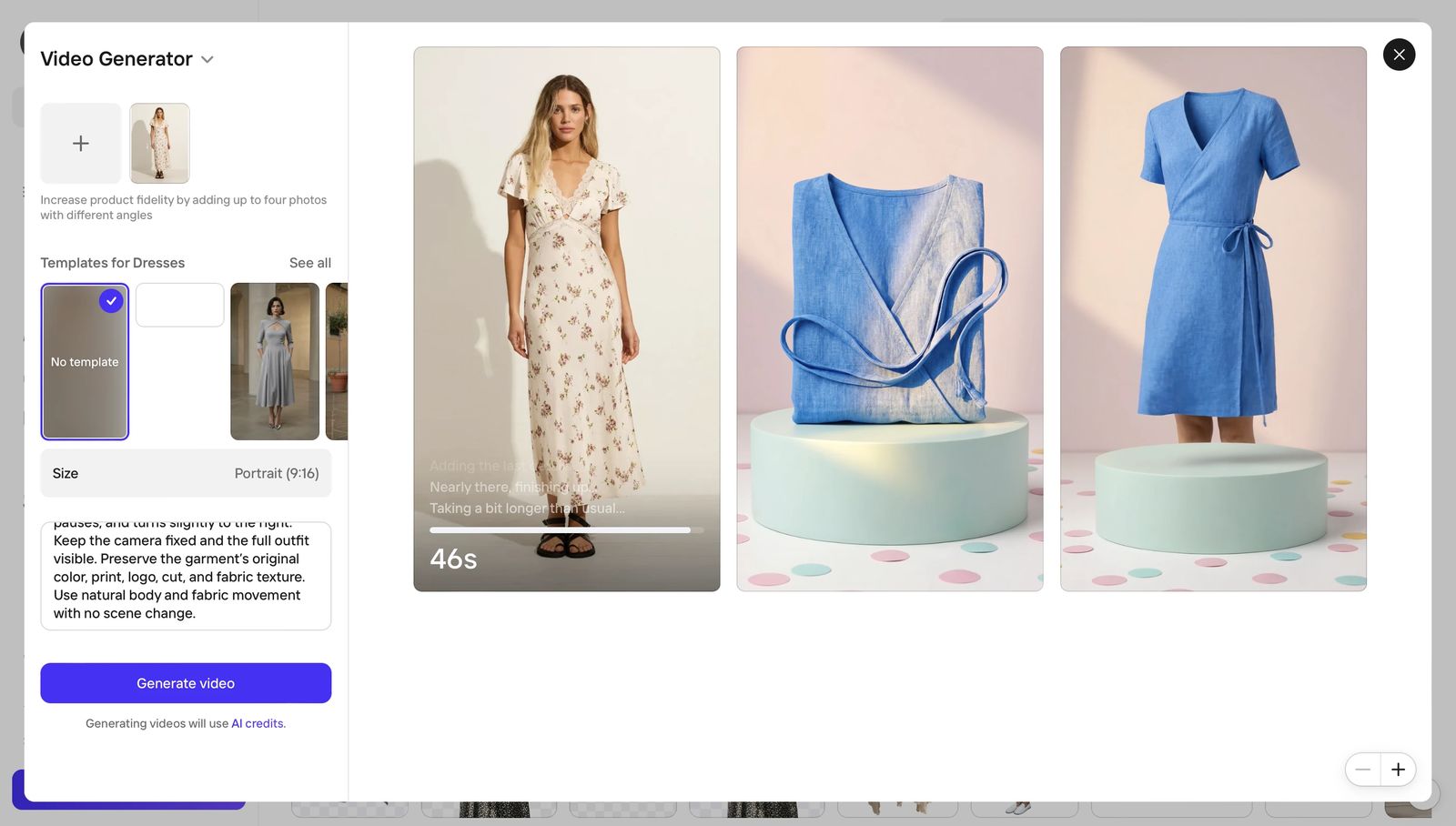
Videos generated in our test
PhotoRoom brings video generation into a familiar ecommerce creative workflow. It accepts on-model and garment-only inputs, allows up to four reference photos, supports custom prompts, and provides clothing templates such as its Dresses category. The two five-second portrait exports shown here used the no-template workflow and included background music and footsteps. We separately checked a clothing template for the written comparison.
What worked well
- Supports both on-model and garment-only fashion inputs.
- Allows up to four reference photos from different angles to improve product fidelity.
- Provides custom prompts and clothing templates, including templates designed for dresses.
- Both displayed exports included background music and footsteps.
- The separate template check did not show an obvious motion artifact.
- The interface is clearly designed around repeat ecommerce content creation.
Limitations we encountered
- The on-model motion was less natural than Kling in our test.
- The garment-only result contained visible artifacts, so it was not ready to publish without review or regeneration.
- The template motion still looked less natural, and the template altered source details by adding pockets and changing the model's hairstyle.
- The interface reported generation usage as a percentage of pooled AI credits rather than a fixed per-video credit amount, preventing a defensible unit-cost calculation.
Cost per video
We could not calculate a reliable dollar cost per PhotoRoom video from the tested interface. Usage was shown as a percentage of an AI-credit allowance, without a fixed per-generation credit deduction or a clear denominator that could be mapped consistently to a plan price. We therefore report the cost as not reliably quantifiable rather than presenting an estimate that may mislead apparel sellers.
Best fit
PhotoRoom fits apparel sellers who want prompts, clothing templates, multiple reference images, portrait output, and built-in audio in a familiar ecommerce content workflow. Review garment-only results for artifacts and template results for changes to garment or model details.
3. Hailuo AI — Most natural custom-prompt motion in our test
Product workflow
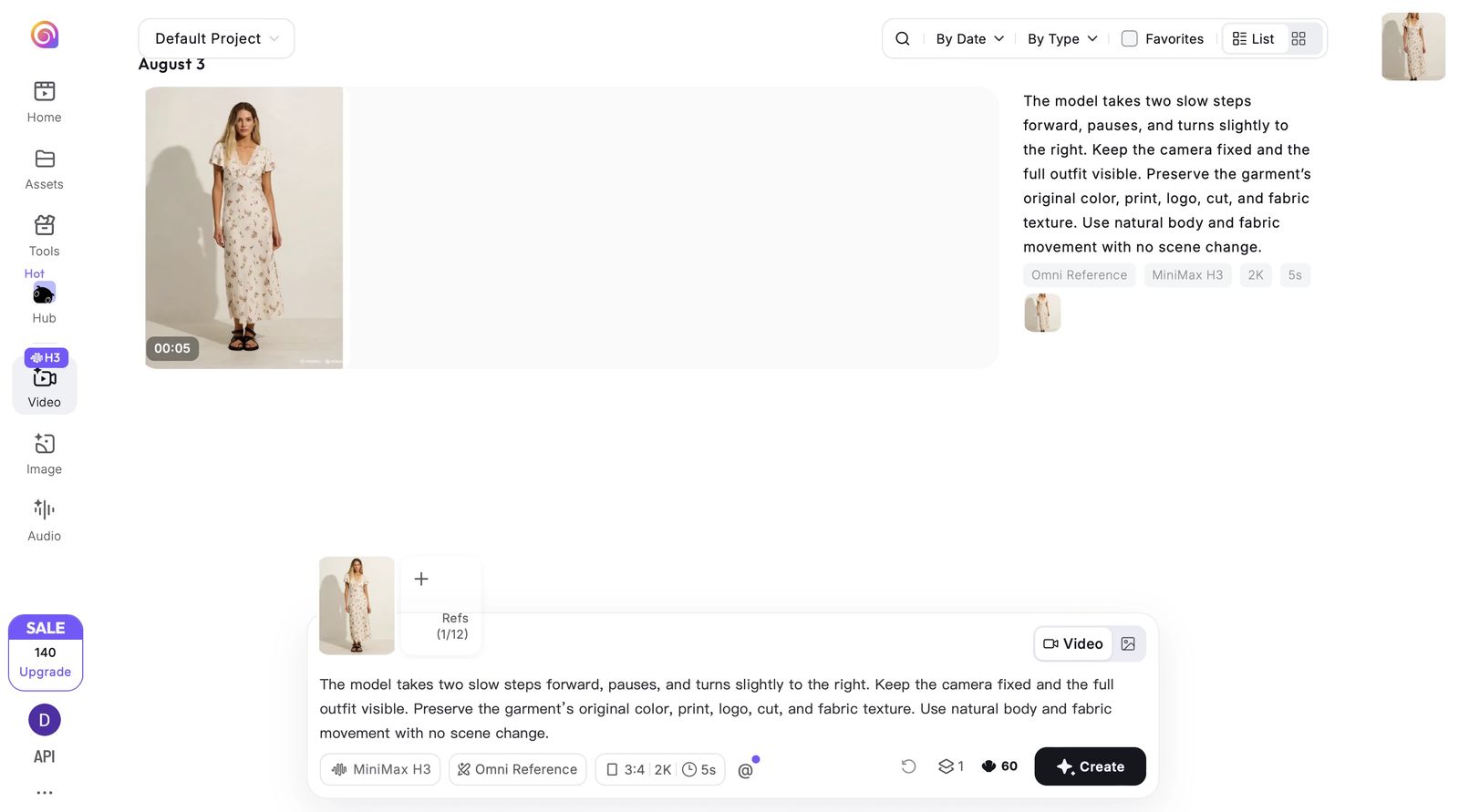
Videos generated in our test
Unlike ecommerce platforms that provide access to several third-party models, Hailuo develops its own video models. Among the tools tested with our shared walking-and-turning prompt, it produced the most natural result. Its agent-style workflow accepts a source image and instruction, then handles generation with relatively little manual setup.
What worked well
- Supports prompt-led image-to-video and accepted a garment image in our workflow.
- Delivered the most natural movement in our custom-prompt comparison.
- The generated footsteps and movement sounds matched the on-screen motion.
- Also provides templates for users who do not want to start from a blank prompt.
Limitations we encountered
- The templates we saw felt more consumer- and entertainment-oriented, with fewer obvious options designed for apparel sellers.
- Custom and garment-image generation required a precise user-written prompt. We did not observe a ready-to-use AI prompt assistant comparable to Snappyit, so this workflow asks more of users' prompt-writing ability.
Cost per video
Lowest-cost entry: Hailuo's Standard plan currently lists a $7.99 promotional price for 1,000 credits, or about 40 six-second 768p videos, which is approximately $0.20 per video before retries ($0.37 at the regular $14.99 price). Best unit value: the Master plan's $63.99 promotional price includes 10,000 credits, or about 400 comparable videos, which is approximately $0.16 per video ($0.24 at the regular $94.99 price).
Best fit
Hailuo is strong when natural motion from a first-party video model matters more than a tightly guided ecommerce workflow.
4. Kling — Strong prompt-led results from a first-party model
Product workflow
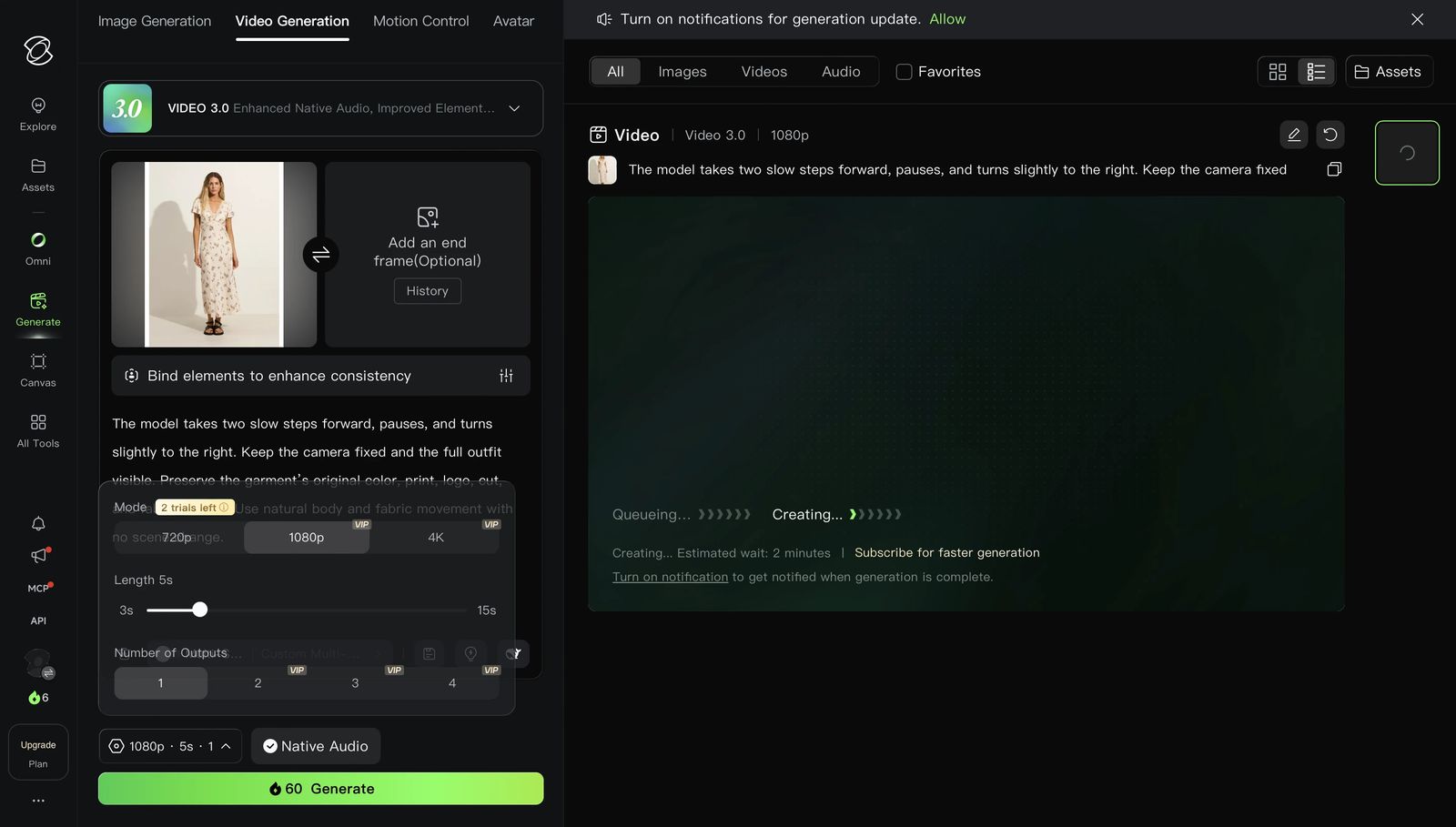
Videos generated in our test
Kling follows the first-party model route, developing its own general-purpose video models rather than serving mainly as an ecommerce interface for several providers. We used two generations to compare prompt-led motion across different fashion inputs.
What worked well
- We could use the latest model available in the interface.
- The shared prompt produced a solid result, ranking behind Snappyit and ahead of SellerPic in this test.
- The first result included footsteps that matched the model's walking motion.
- Kling offered AI prompt assistance, which can help users start from something more structured than a blank prompt.
Limitations we encountered
- We did not find a direct garment-only-to-fashion-video workflow comparable to Snappyit or Pic Copilot.
- The AI-generated prompt was not ready to use as-is in our test and still needed manual editing. Users therefore need more prompt-writing judgment than with Snappyit's directly usable AI prompt.
Cost per video
Lowest subscription entry: the Standard reference is $6.99/month for 660 credits. At the 60-credit rate observed in our web test, that covers about 11 five-second clips, or approximately $0.64 per video before retries. Best unit-cost route: Kling's published usage-based API reference is approximately $0.42 per five-second 720p video (about $0.70 at 1080p). The API figure is usage-based pricing, not a subscription plan.
Best fit
Kling fits users with an on-model source image who are comfortable writing prompts and want to evaluate a general-purpose video model.
5. Pic Copilot — High-volume template output with trade-offs
Product workflow
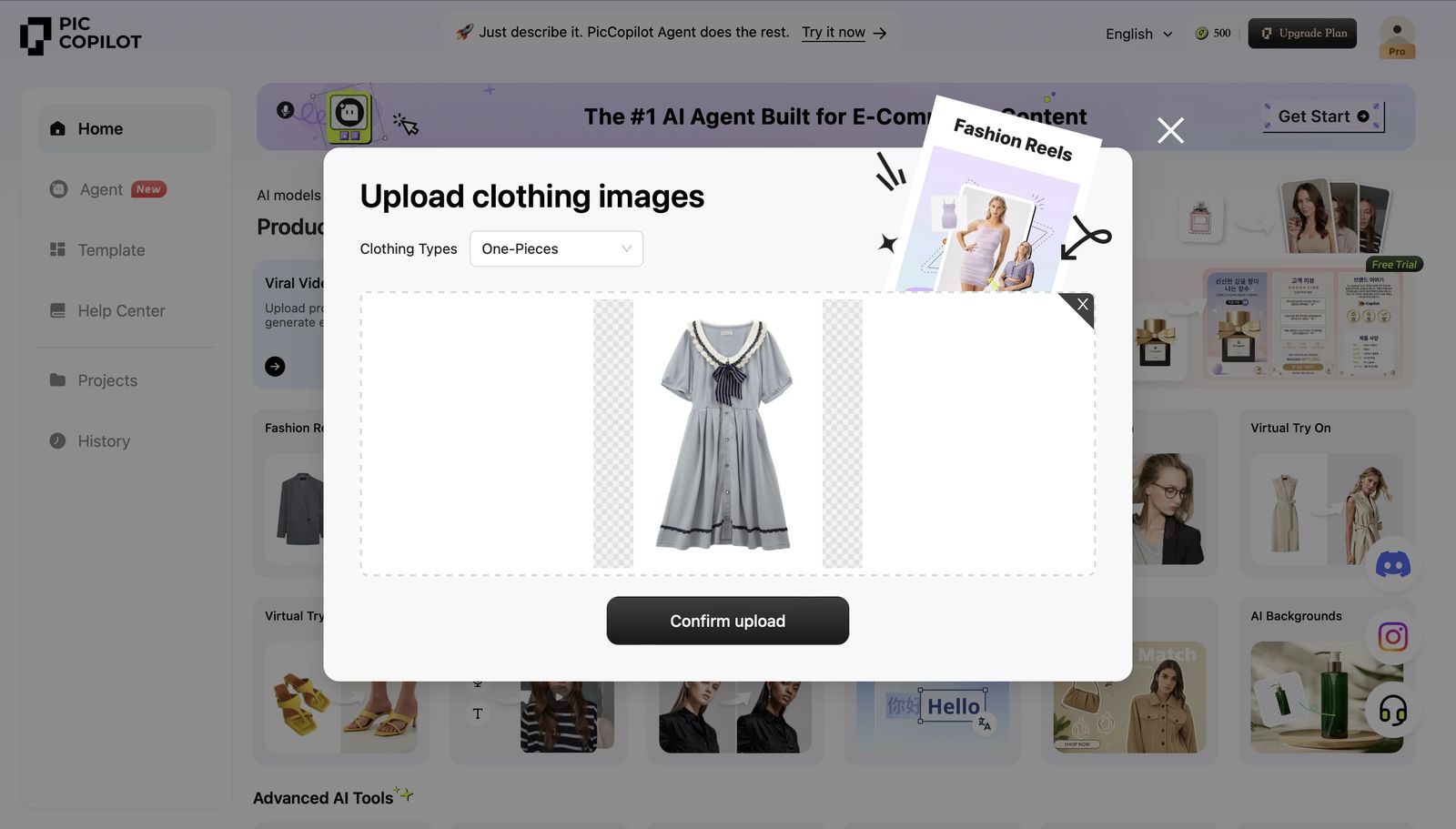
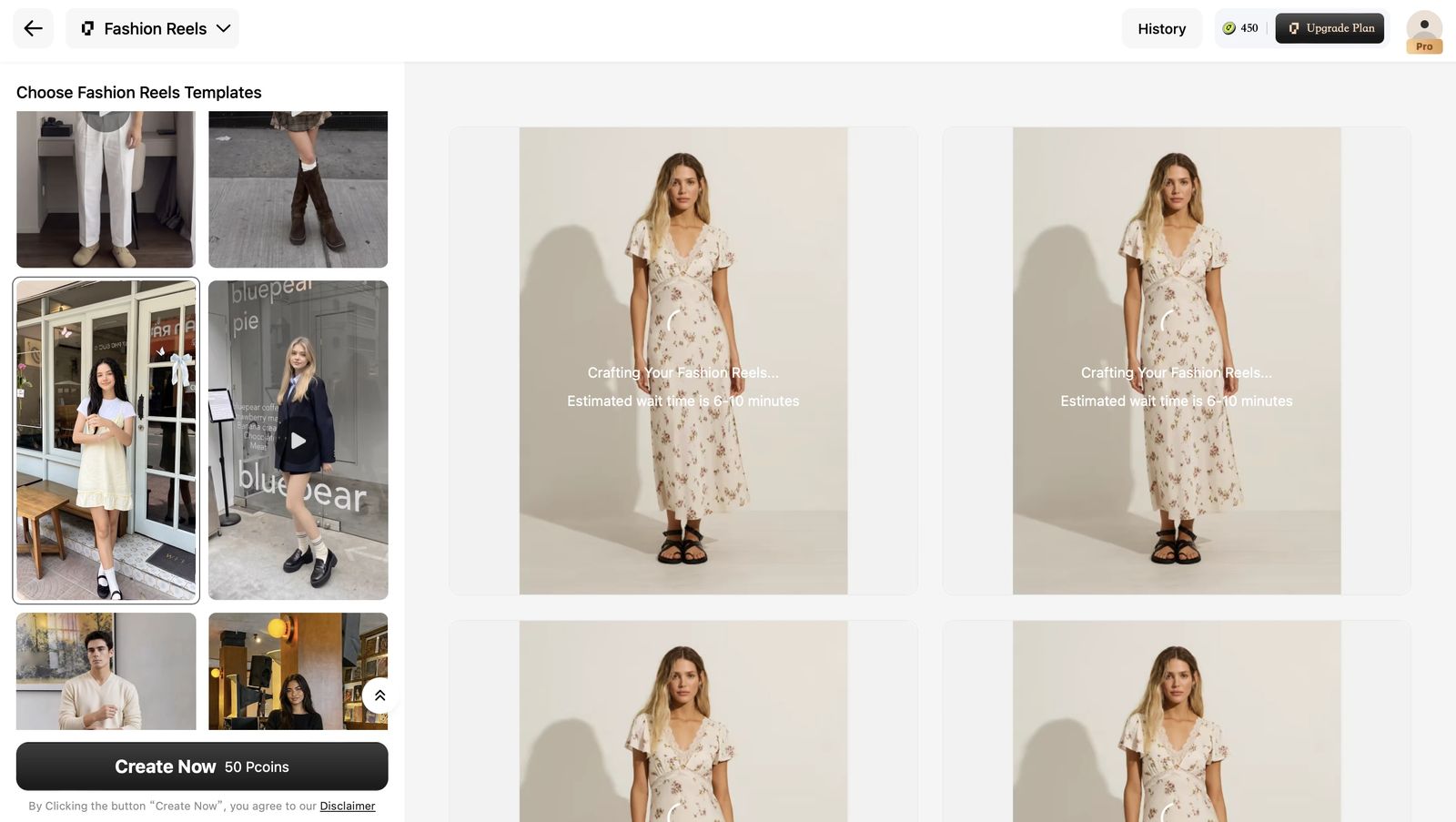
Videos generated in our test
Pic Copilot is designed for commerce teams. It accepts an on-model image or garment image and turns a template into multiple candidate clips. In our test, one 50-Pcoin run returned eight options.
What worked well
- Supports on-model and garment-only inputs.
- One run returned eight candidate edits, providing several arrangements to review.
- It offered a broad selection of templates, with approachable controls for teams that do not want to write prompts.
- The scene cuts and actions in our generated clips generally looked natural.
- The exported candidate clips included background music, making them closer to ready-to-publish social content.
- The product feels oriented toward repeat ecommerce and social production.
Limitations we encountered
- The main limitation was a high probability of visible garment or continuity artifacts in our generated batch.
- The eight outputs looked varied at first, but they mainly rearranged the same set of actions in different orders. When one shot contained an artifact, that same problematic action often appeared in several candidates, making it difficult to select a completely clean final video.
Cost per video
Our run consumed 50 Pcoins and returned eight candidates. Lowest-cost plan: Pro is $5.99/month for 300 Pcoins, equal to approximately $1.00 per eight-candidate batch, or about $0.13 per candidate before rejecting unusable results. Best unit value: Pro+ is $8.99/month for 1,000 Pcoins, equal to approximately $0.45 per eight-candidate batch, or about $0.06 per candidate. Recheck the checkout price because the public pricing page loads plan values dynamically.
Best fit
Pic Copilot is worth considering when template variety, natural scene changes, and a guided commerce workflow matter most. Treat the eight outputs as alternative edits rather than eight fully independent generations, and plan time to review repeated shots for artifacts.
6. SellerPic — Accessible fashion video test with prompt control
Generation workflow
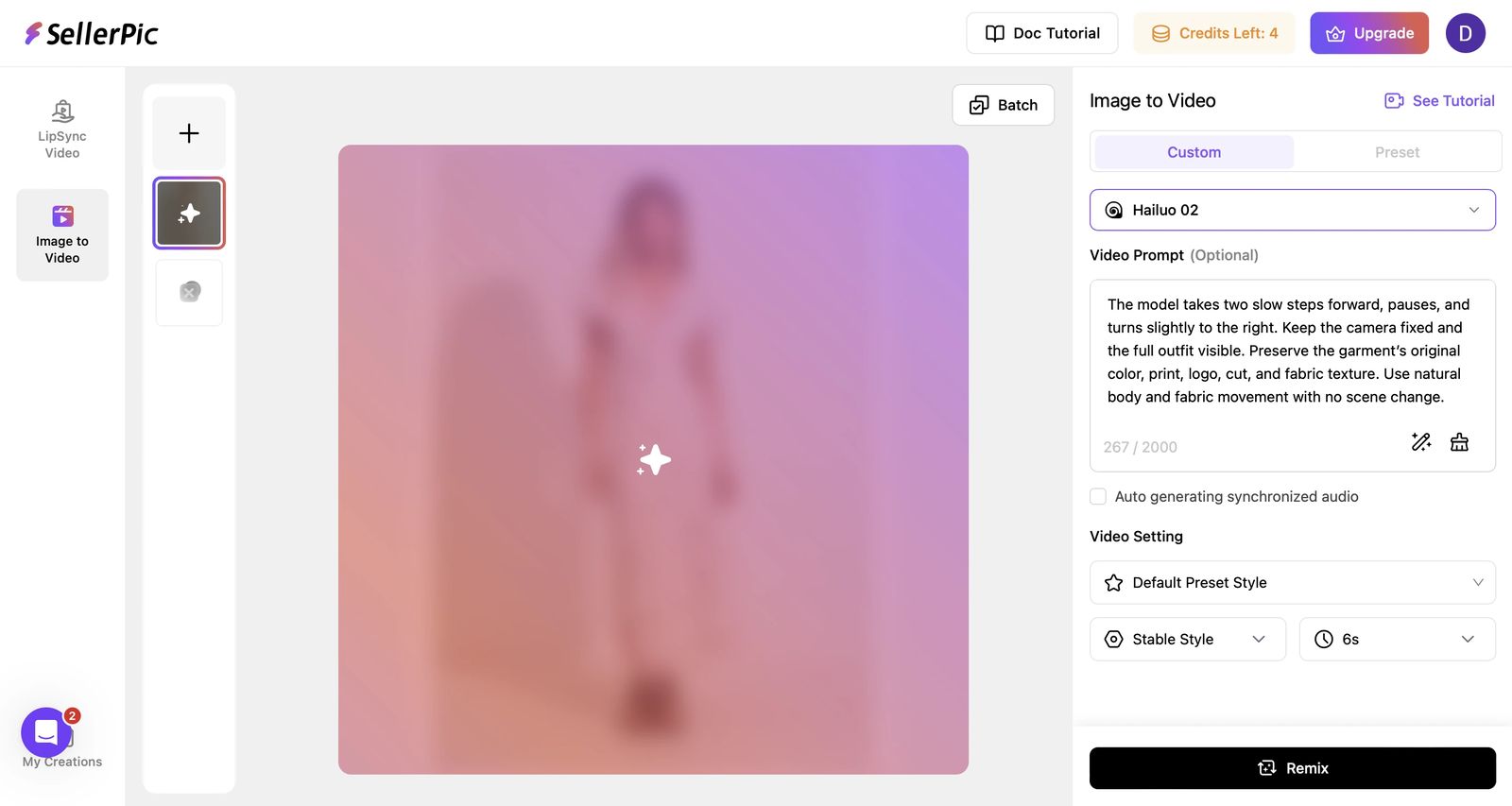
Videos generated in our test
SellerPic combines an ecommerce-oriented workflow with access to several AI video models. We used Hailuo 02 for the shared-prompt comparison and added a second experiment to check how the workflow handled another fashion input.
What worked well
- The shared prompt produced a complete walk, pause, and turn while keeping the camera fixed.
- The floral print, dress silhouette, and overall product identity remained reasonably consistent.
- Users can work with a custom prompt or choose presets, and the interface is clearly oriented toward ecommerce content.
Limitations we encountered
- The result was usable but less natural than Hailuo, Snappyit, and Kling in our shared-prompt comparison.
- Credit use varied substantially by model: options in the interface could require 90, 150, or 200 credits per generation, compared with 10 credits for our Hailuo 02 test.
- The custom workflow depended on the user writing a clear motion prompt. We did not observe a ready-to-use AI-generated prompt, so prompt quality has a larger effect on the result.
Cost per video
SellerPic's video cost depends heavily on the selected model. Our 6-second Hailuo 02 test used 10 credits. Lowest-cost paid entry: at the listed entry credit rate of approximately $0.073, that tested generation costs about $0.73 per video. Best unit value: at the highest-volume listed rate of approximately $0.017 per credit, it costs about $0.17 per video before retries. Other available models required 90, 150, or 200 credits; across the same listed credit rates, those generations would cost approximately $1.53–$6.57, $2.55–$10.95, or $3.40–$14.60 respectively. SellerPic's plan values are dynamic, so we compare credit rates rather than assigning fixed plan names.
Best fit
SellerPic fits fashion sellers who want an ecommerce-oriented interface, custom prompt control, and access to several video models with different credit costs.
7. WeShop — Broad model choice with mixed prompt adherence
Generation workflow
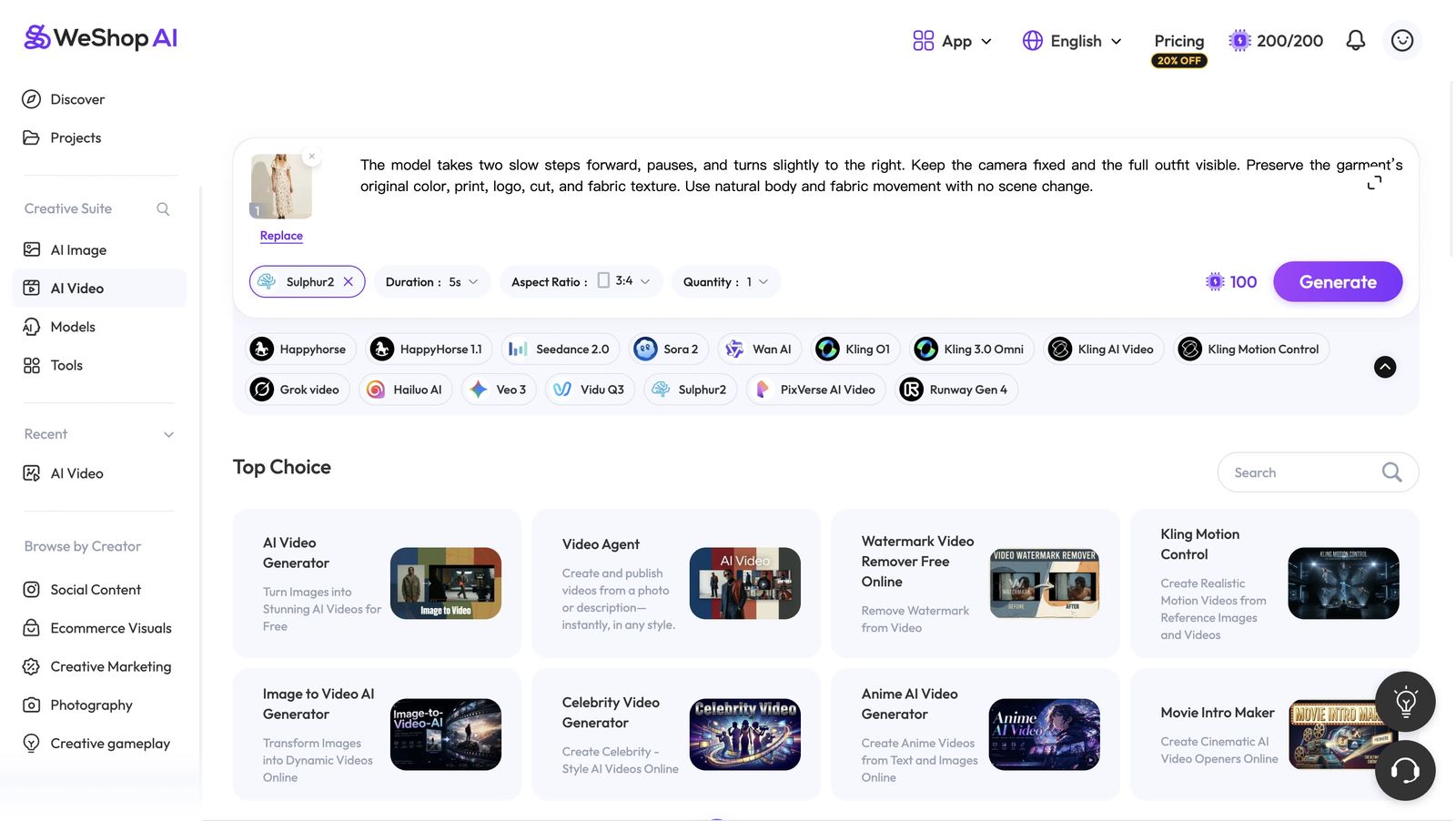
Videos generated in our test
WeShop provides several AI video models in one ecommerce-oriented interface. We tested Sulphur2 with two five-second generations costing 100 points each: one from the on-model image and one from the garment-only image.
What worked well
- The interface exposes model choice, duration, aspect ratio, quantity, and prompt control in one place.
- The on-model result completed the requested walking and turning sequence with a fixed camera.
- The on-model export included background music.
- WeShop accepted both the on-model and garment-only source images.
Limitations we encountered
- The on-model motion was less natural than the four products ranked above it in this test.
- With the garment-only image, the shared person-motion prompt produced a rotating floating dress rather than a model wearing it.
- WeShop relied on a user-written prompt and did not provide a ready-to-use AI prompt in our workflow. Garment-only inputs especially require stronger prompt-writing skill; upload support alone does not guarantee the intended fashion-model result.
Cost per video
The tested Sulphur2 clip used 100 points. Lowest-cost plan: Pro monthly is $9.99 for 1,000 points, or approximately $1.00 per five-second video. Best unit value: Pro annual is equivalent to $7.99/month with 12,000 yearly points, or approximately $0.80 per five-second video before retries. Other models use different point amounts and may require higher plans.
Best fit
WeShop suits users who want one interface for many AI video models, but teams should test prompt adherence carefully before relying on garment-only inputs.
Best AI Fashion Video Generator by Ecommerce Workflow
The key distinction in our test was the workflow available for the source material you already have.
General image-to-video tools vs clothing-focused video generators
General image-to-video tools such as Runway, Pika, and Luma are built for broad creative motion, cinematic effects, and many subject types. Clothing-focused video generators add apparel-specific workflows such as garment-only input, fashion templates, catalog-ready aspect ratios, and checks for preserving color, print, cut, and fabric detail. We did not include Runway, Pika, or Luma in this apparel-focused test: a general tool can be a better fit for experimental campaign footage, while a clothing-focused tool is usually easier to repeat across ecommerce listings.
| If you need… | Start with… | Why |
|---|---|---|
| A garment-only photo turned into a guided fashion video | Snappyit or Pic Copilot | Both accepted garment-only input in a commerce-oriented template workflow. PhotoRoom also accepted garment-only input and offers clothing templates, but its no-template result showed visible artifacts. WeShop accepted the upload, but our prompt produced a rotating product view instead of a model video. |
| Natural motion from an on-model image and a prompt | Hailuo | It delivered the most natural motion in our shared-prompt test. |
| Multiple edits from one template run | Pic Copilot | Our 50-Pcoin run returned eight edits, but they largely rearranged the same actions, so artifacts in a shared shot could recur across multiple candidates. |
| An ecommerce-oriented product | Snappyit, PhotoRoom, Pic Copilot, SellerPic, or WeShop | Their interfaces and positioning aligned most directly with ecommerce teams. |
| Built-in music or environmental audio | PhotoRoom, Snappyit, Pic Copilot, WeShop, Hailuo, or Kling | Both PhotoRoom results included BGM and footsteps. Audio also appeared in the tested Snappyit and Pic Copilot template exports, WeShop on-model result, Hailuo results, and Kling's first result; availability varied by workflow and output. |
| A broad choice of video models | WeShop | It exposed many model options in one interface, although most required a subscription. |
Before purchasing, repeat the test with your hardest garment: a dense print, visible logo, layered outfit, or reflective fabric. One attractive demo is less useful than consistently acceptable output. Sellers building a broader workflow can also compare the best AI tools for online resellers.
If the finished video will support an Amazon listing or campaign, evaluate it alongside the Amazon product image requirements.
Frequently Asked Questions
Best AI Fashion Video Generators by Use Case
No single result answers every fashion-video use case. Based on this test:
- Choose Snappyit for the most complete fashion ecommerce workflow, especially for both on-model and garment-only input plus templates.
- Choose PhotoRoom for a familiar ecommerce workflow with prompts, clothing templates, multiple reference images, and built-in audio, while reviewing garment-only results for artifacts and template results for detail changes.
- Choose Pic Copilot when you value multiple template candidates and can review them for artifacts.
- Choose SellerPic for an ecommerce-oriented prompt workflow with access to several video models, while comparing their substantially different credit costs.
- Choose WeShop to compare multiple video models in one interface, while checking prompt adherence carefully for garment-only inputs.
- Choose Hailuo when natural prompt-led motion from a first-party model is the priority.
- Choose Kling for flexible prompt-led generation with a first-party general-purpose video model and API access.
More Resources for Fashion Ecommerce Teams
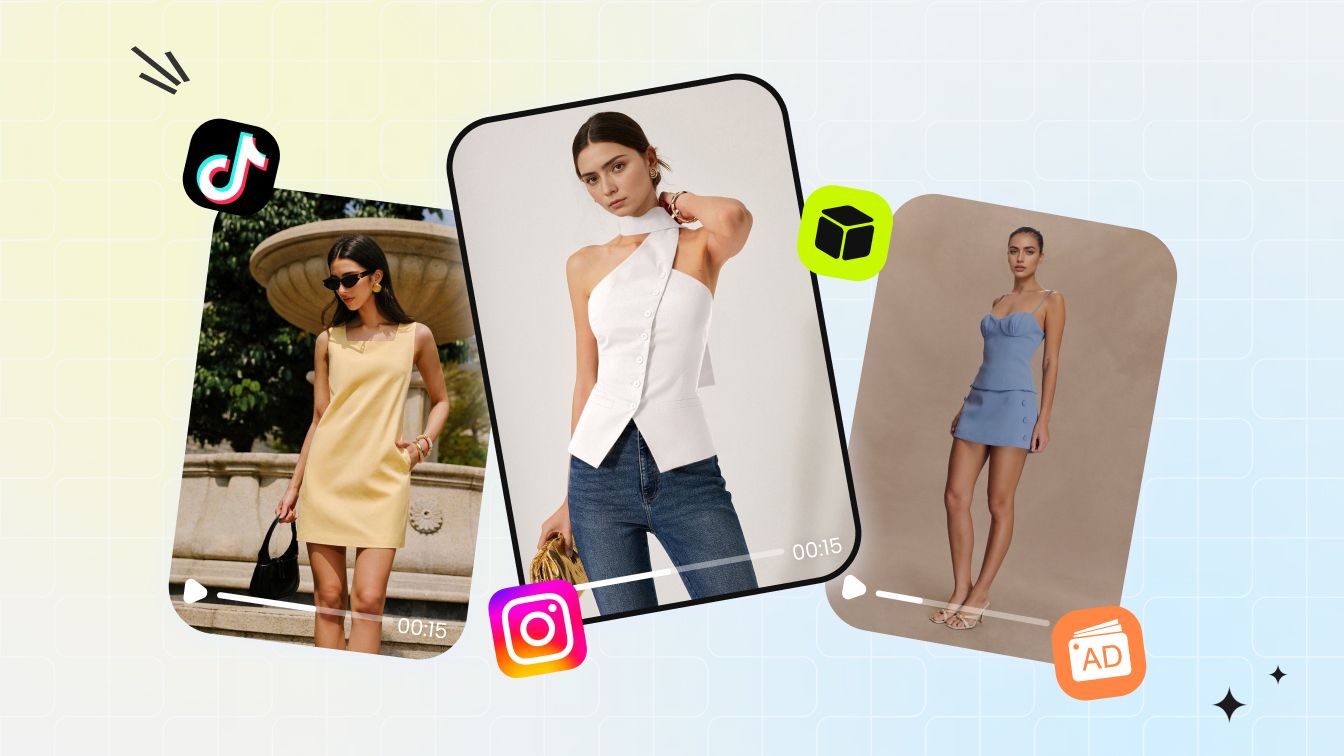 Use CaseTurn One Clothing Photo into Fashion Model Videos
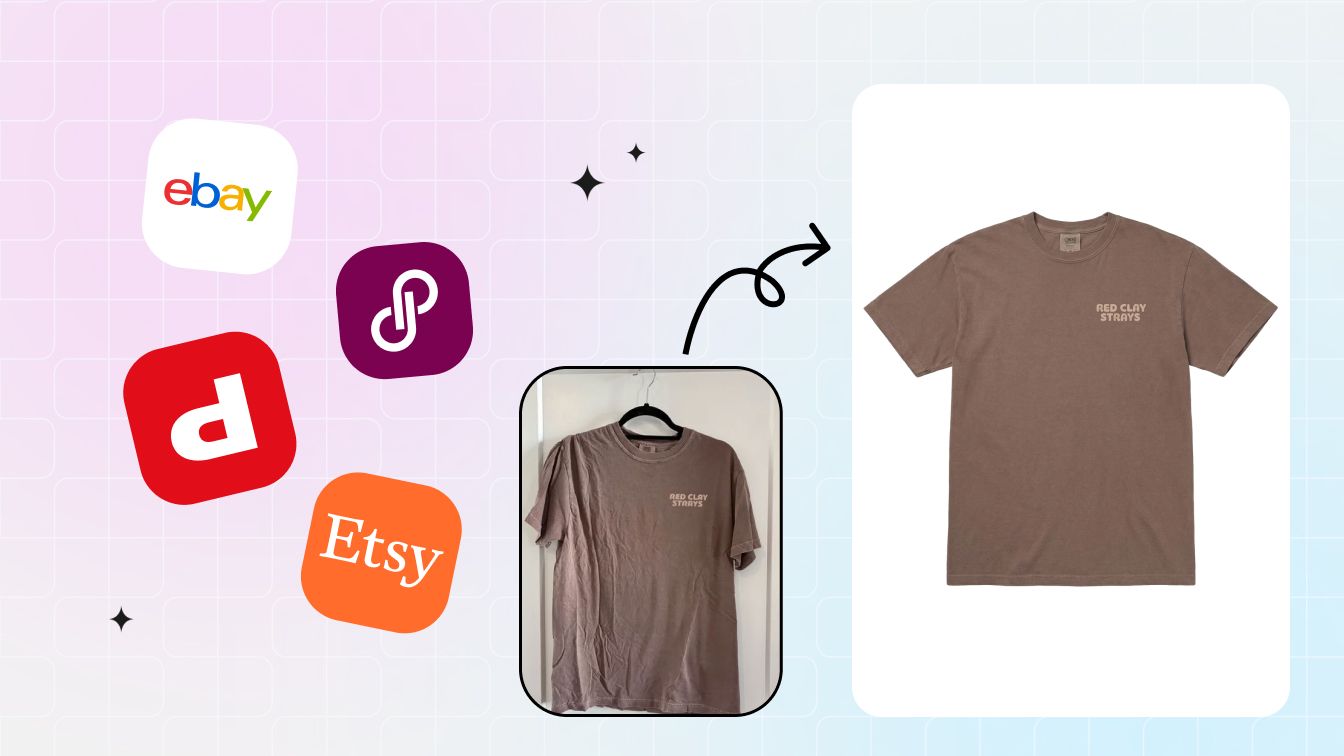 BlogBest AI Tools for Online Resellers
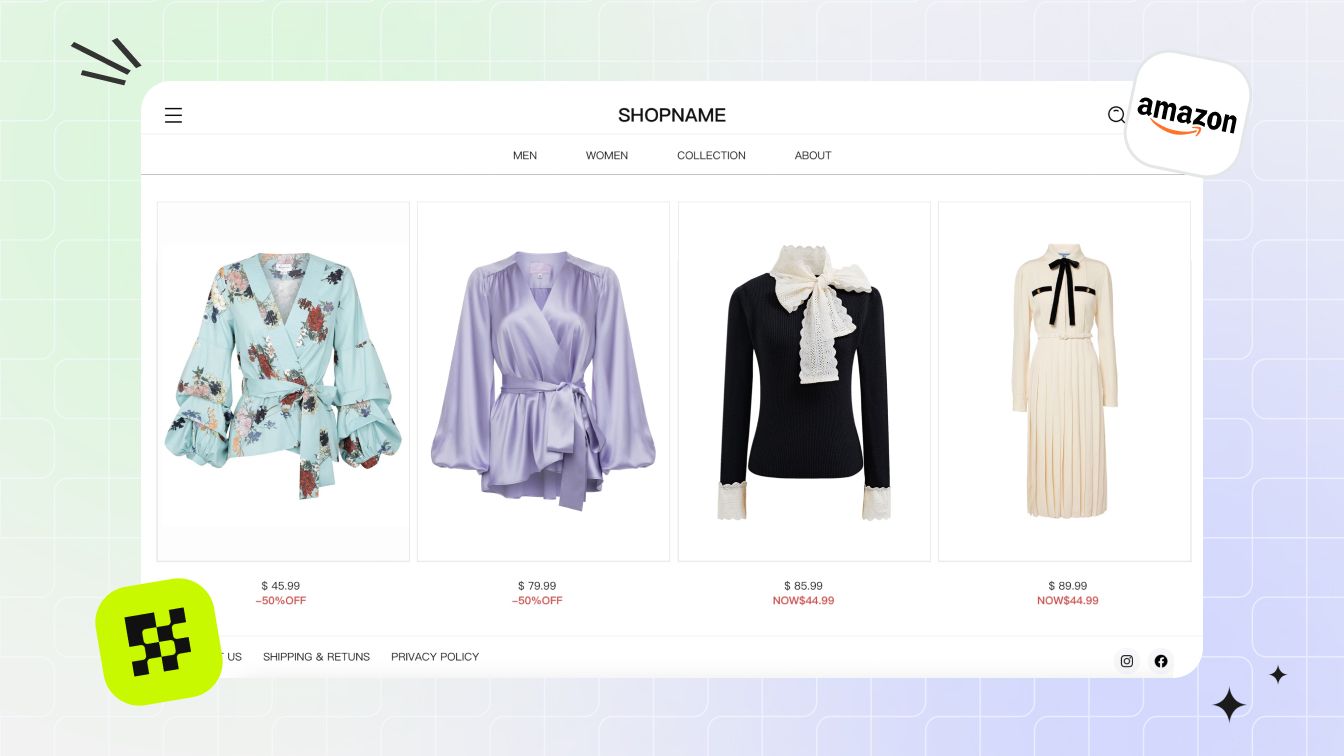 BlogAmazon Product Image Requirements (2026)
References
Official product pages used to verify feature names and workflow availability. Accessed August 4, 2026. Absence statements in this article are limited to the entry-level web interfaces tested from July 31 to August 4, 2026.
- Snappyit, Image to Video
- PhotoRoom, Video Generator
- Pic Copilot, AI Fashion Video Generator
- SellerPic, Image to Video
- WeShop AI, AI Video
- Hailuo AI, Image to Video
- Kling AI, AI Video Generator







