
At a glance
Plan Instagram outfit ideas, OOTD posts and creator looks with an AI outfit generator before posting, buying or shooting new content.
| Need | What to do |
|---|---|
| Get oriented | Read the short summary, then use the checklist below. |
| Create a test image | Try AI Outfit Generator Free |
What is the easiest way to plan an Instagram outfit?
Start with the post you need to make: OOTD, GRWM, travel photo, mirror selfie, creator campaign, affiliate post or product launch. Then preview the outfit before you buy it, pack it, shoot it or publish it.
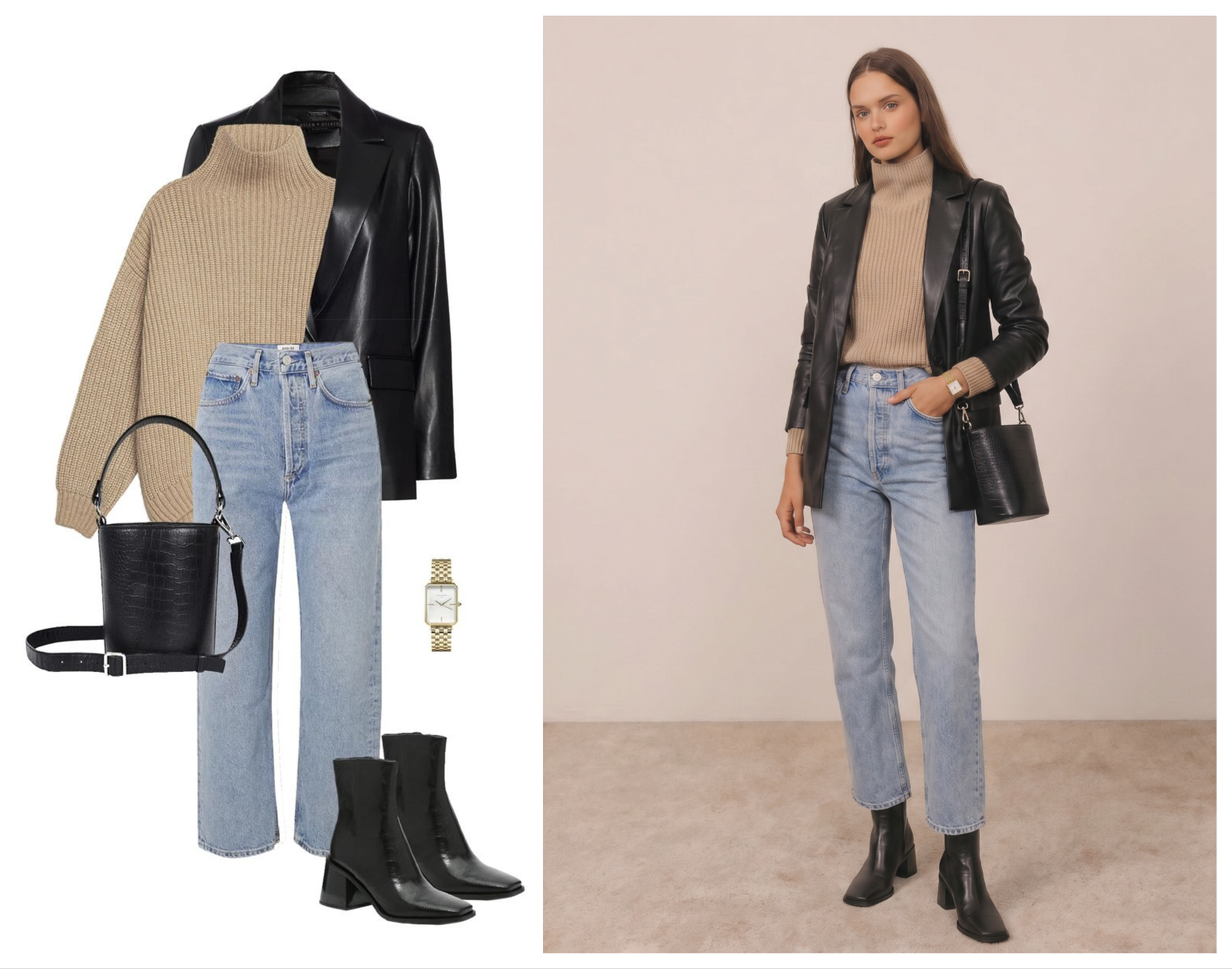
AI outfit previews help you test a dress, blazer, bag, shoe, hat, jewelry piece or complete look against a real crop and use case. If you are still comparing which workflow fits your goal, start with the AI outfit generator tools comparison.
Use your own selfie, a synthetic model or an authorized adult model image. Use outfit and accessory references you own, licensed or have permission to use.
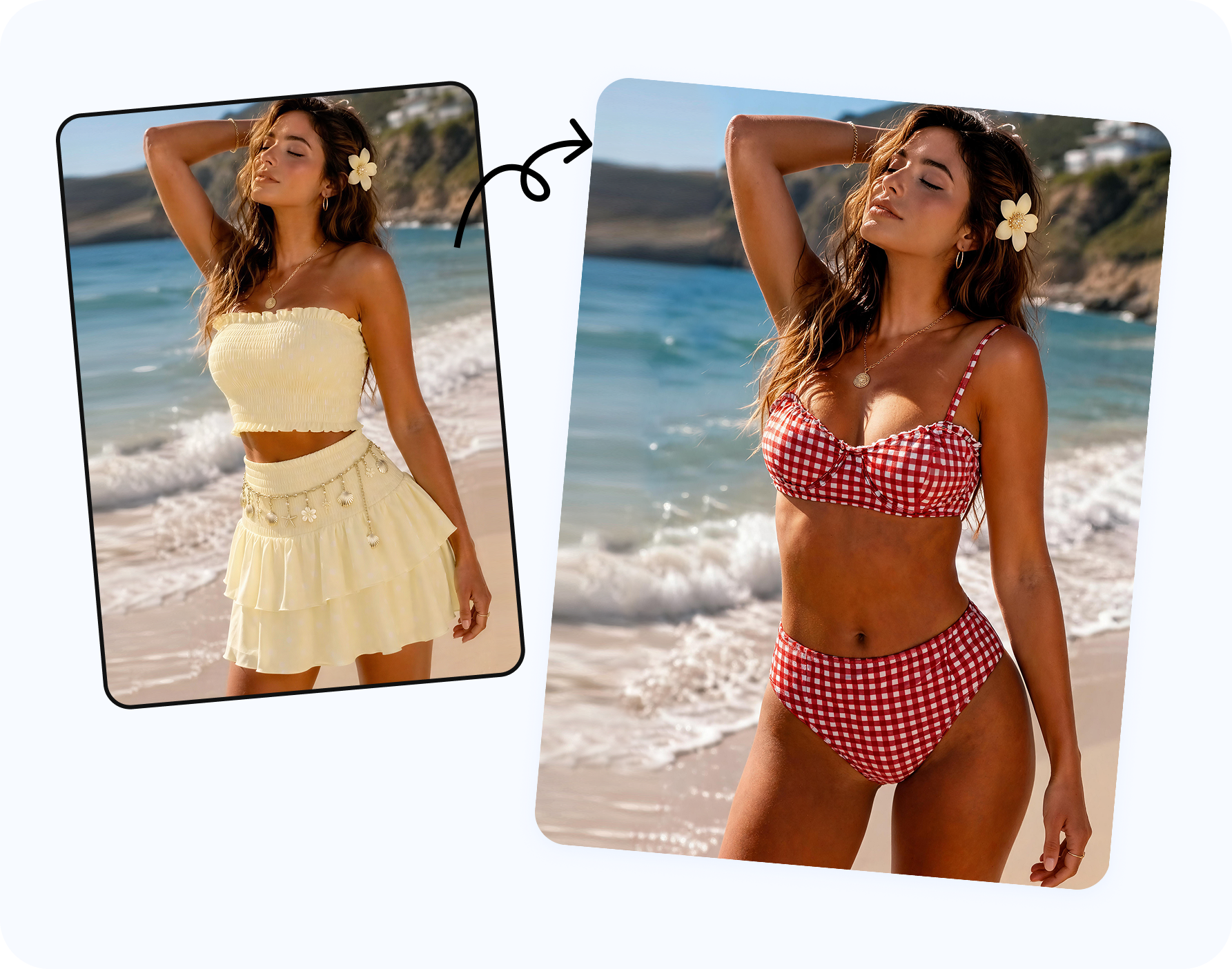
Which outfit idea fits each Instagram post type?
Instagram outfits are not one category. The best look depends on whether the post is personal, creator-led or product-led.
| Post type | Useful outfit direction | AI preview goal |
|---|---|---|
| OOTD post | Simple outfit with one clear statement item. | Check color, silhouette and whether the full body crop works. |
| GRWM or Reels cover | High contrast shape, visible accessory, clean neckline. | Make the first frame readable on mobile. |
| Travel outfit | Comfortable set, resort look, beach layer or city walking outfit. | Preview packing choices before the trip. |
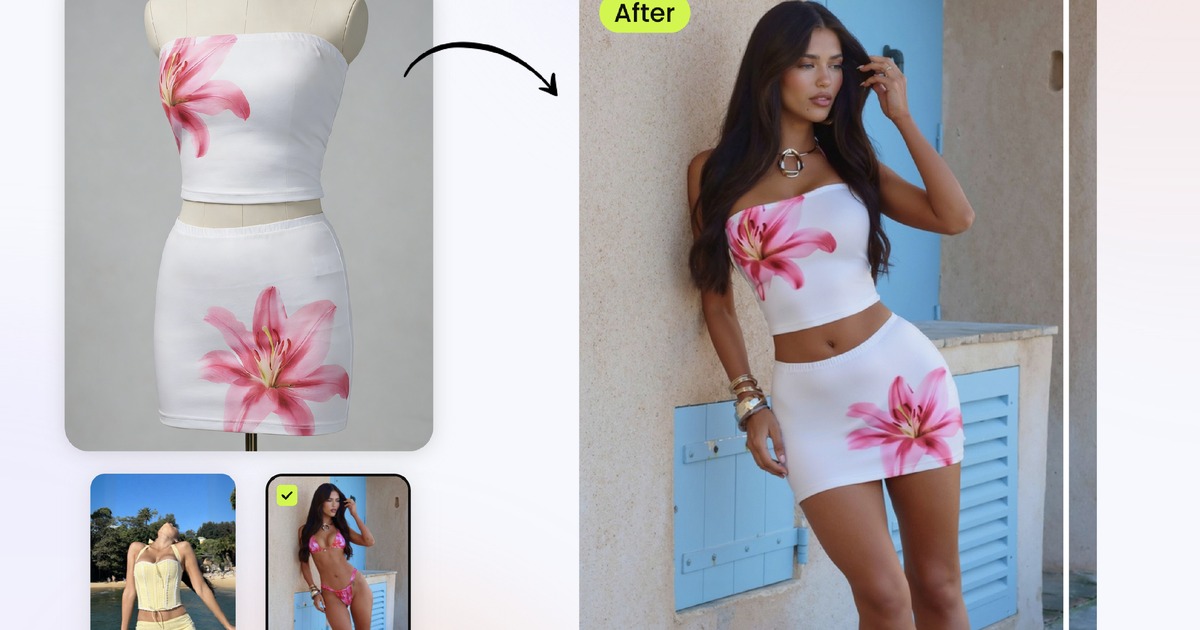
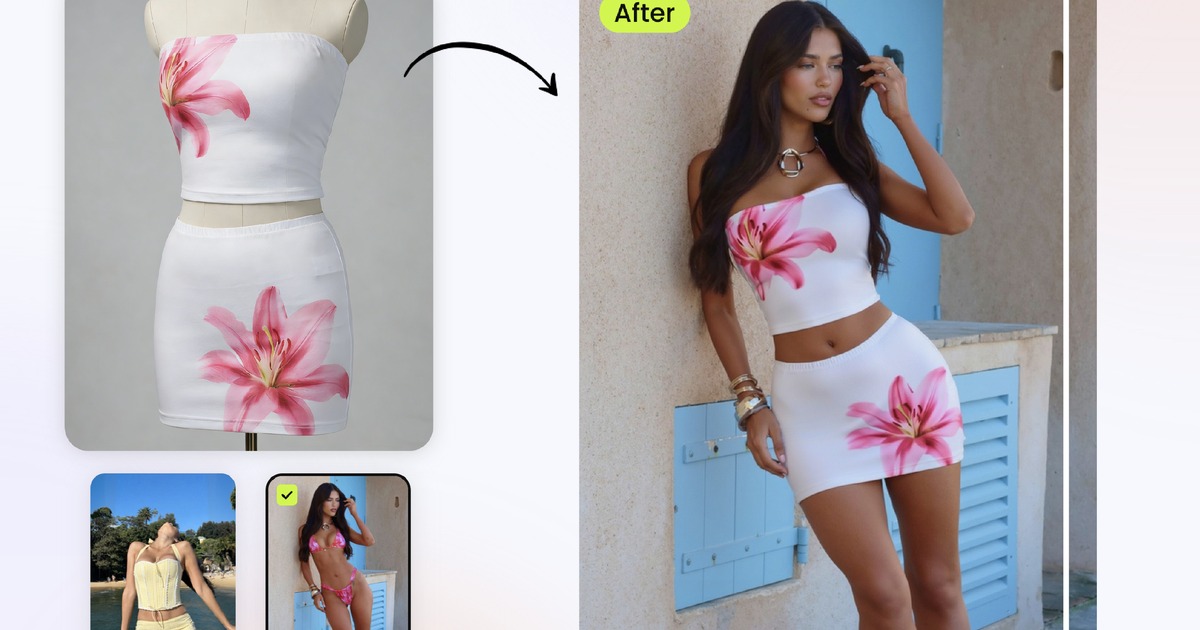
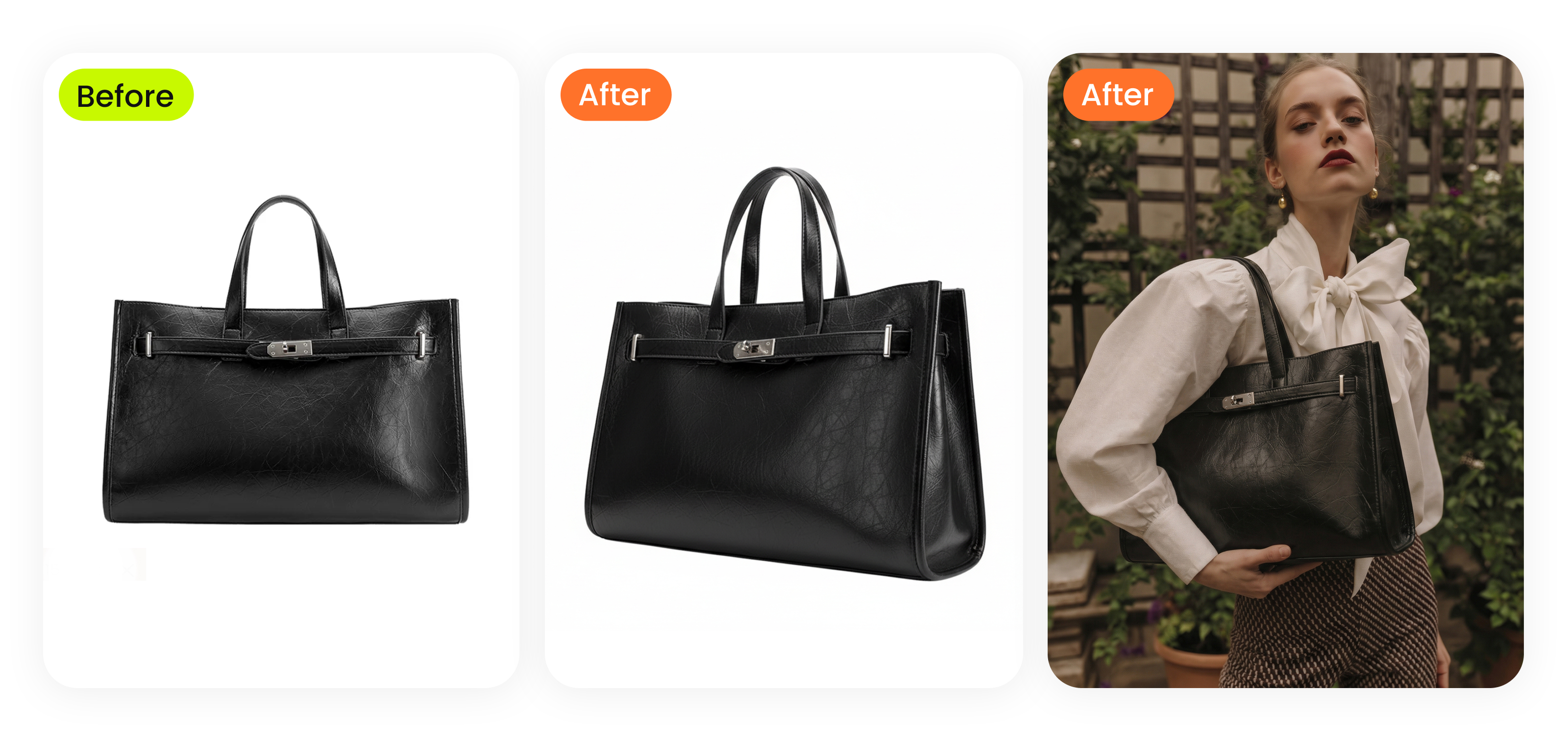
| Brand content | Product-forward look with accurate garment and accessory detail. | Create social assets without another full shoot. |
| Affiliate post | Clear "shop the look" outfit with visible product categories. | Show why the item works and what to tap next. |
If you want a selfie-specific workflow, the change clothes in a selfie with AI guide is the closest match. It explains when a personal photo works and when a cleaner model photo is better.
How do you preview an Instagram outfit with AI?
Choose the content intent
Decide whether you need OOTD ideas, travel looks, wardrobe planning, creator thumbnails or ecommerce product-to-model images.
Upload the outfit reference
Start with clothing, jewelry, shoes, bags, hats or accessories that should appear in the result.
Add the person or model image
Use yourself, an authorized adult model photo or an AI fashion model for campaign work.
- Generate a small set. Two to four versions are easier to compare than a large batch of random outputs.
- Export for mobile. Review 4:5 feed, 9:16 Story/Reels cover and square thumbnail crops before posting.
For the technical order of reference image plus model image, read how to try on clothes online with AI. That workflow is useful for personal styling, sellers and creators.
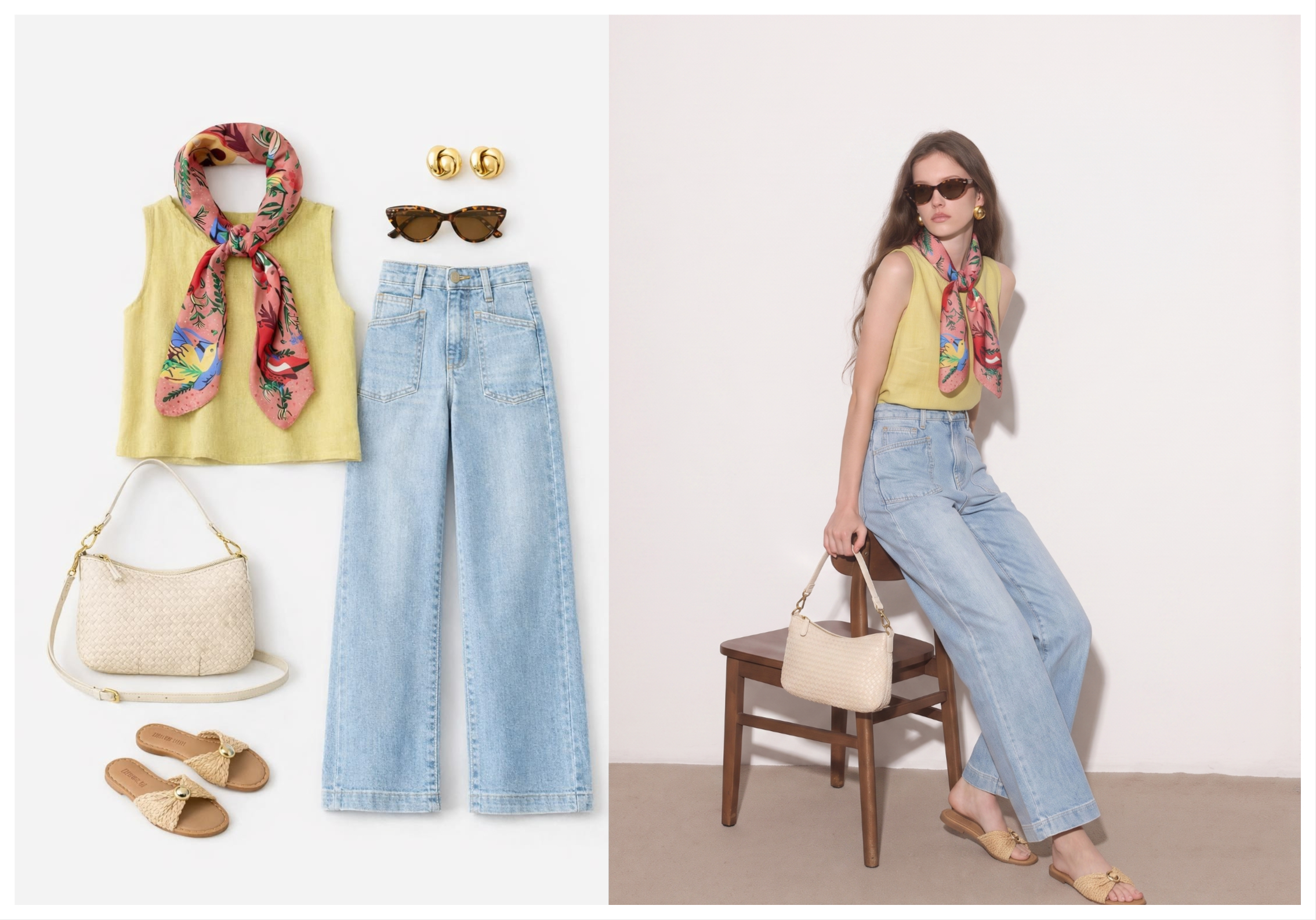
What Instagram outfits should you test first?
Minimal OOTD
Test a white tank, blazer, straight jeans, low-profile shoe and one accessory when you want a clean everyday look that reads quickly in a feed crop.
Vacation outfit
Try linen pants, crochet top, bikini layer, woven bag, sandals and sunglasses when the post is for travel, resort or poolside content.
Accessory-led look
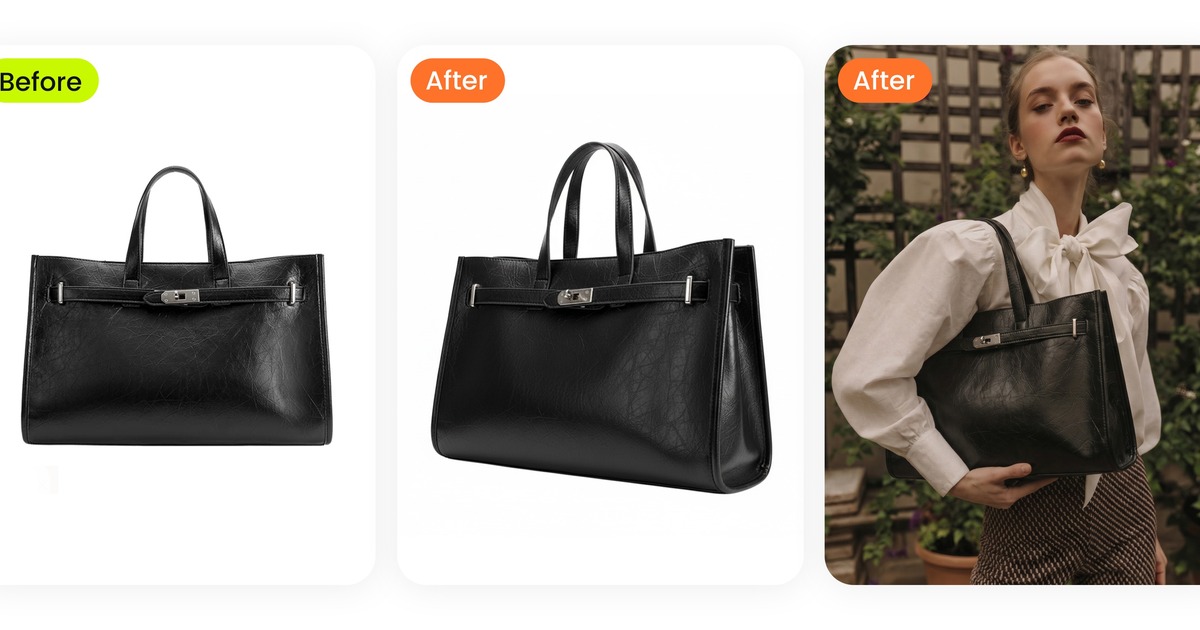
Start with a bag, hat, shoe or jewelry reference when one accessory should define the whole outfit. This is useful for creators and accessory sellers.
Product-to-model post
For sellers, use the real product reference first. The AI result should preserve material, print, logo, strap, hardware and color before it becomes a post or ad.
How should you write the caption after choosing the look?
Write the caption around the decision the image helps make. A personal OOTD can explain where you wore it. A creator post can explain why the pieces work together. A brand post should name the product category, fit note or styling use case. An affiliate post should make the shopping path clear without turning the caption into a hard sell.
Useful caption starters include: "packed this for a beach dinner," "one blazer, three ways," "testing this bag with a neutral outfit," "the shoes change the whole look," and "save this outfit for your next city trip."
What should you check before posting?
- Does the outfit still match the reference image?
- Are hands, sleeves, bag straps, shoes and jewelry scale believable?
- Does the 4:5 crop keep the full outfit visible?
- Will the 9:16 version leave space for Reels text or Story stickers?
- For product content, does the result overstate fit, body shape or garment construction?
Frequently asked questions
Can AI help me plan Instagram outfit ideas?
Yes. Use clothing and accessory references plus your own photo, an authorized model image or an AI model to preview the outfit before posting.
Can I use AI for OOTD ideas?
Yes. AI outfit previews are useful for OOTD, GRWM, travel, wardrobe planning and creator content.
Can I upload an influencer screenshot?
No. Avoid social screenshots or non-consenting people. Use permitted product references and treat influencer looks as styling inspiration.
What image ratio should I plan for Instagram outfits?
Use 4:5 for feed, 9:16 for Stories and Reels covers, and square only when your grid or carousel needs it.
Which Snappyit tool should I use?
Use AI Outfit Generator for general clothing and accessories. Use AI Bikini Photo Editor when the look is swimwear, bikini, lingerie or resortwear.
What should I check before posting an AI outfit preview?
Check hands, sleeves, jewelry scale, bag straps, shoe contact, garment edges and whether the crop still shows the outfit clearly on mobile.