



Can you try on clothes online from a photo?
Yes. Snappyit's AI outfit generator is an online clothes changer that shows how a specific outfit could look on you. Upload a clear image of the clothes you want to try, then add your own photo. The tool combines both references to create a virtual outfit preview of you wearing that look.
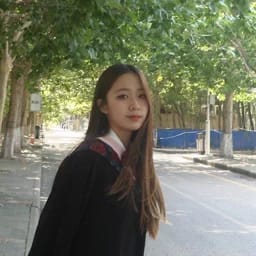
The clothing image supplies the outfit reference; your photo supplies the person and pose. A selfie can work, but a clear half-body or full-body photo gives the generator more visible information about the pose and current outfit.[1]
| Input or decision | What works best |
|---|---|
| Outfit reference | One clear flat-lay or product image showing the full clothing set |
| Your photo | A clear selfie or full-body photo with a visible pose |
| Upload order | Outfit first, then your photo |
| Final review | Check the face, hands, garment edges, print, color and accessory placement |
Use this workflow to compare outfit directions for shopping, an event, a trip or an OOTD post. For this guide, use only your own photo or an adult model image you are authorized to edit; do not use minors, private photos or social-media screenshots.
Online clothes try-on and selfie clothes changing use the same workflow
People describe this task in two ways. If you start with clothes found in a product photo, flat lay or wardrobe image, you are trying on clothes online before buying or styling them. If you start with an existing picture of yourself and want a different outfit in that photo, you are changing clothes in a selfie. In both cases, Snappyit needs two separate inputs: the outfit reference and your own or an authorized adult's photo.
This is a visual comparison, not a fitting. Snappyit does not take body measurements or verify a retailer's size, and a generated image cannot show fabric stretch or tailoring reliably. Use the retailer's size chart, garment measurements, material description and return policy for the purchase decision.
What the reference-based workflow is useful for
In our test, uploading a specific outfit gave us a fixed reference to compare against the result. That made it easier to inspect whether the generated image retained the intended pieces, colors and accessories than a text-only request would have been. It did not guarantee exact product reproduction.
- Preview before buying. See yourself in a dress, jacket, matching set or accessory before deciding whether it belongs on your shortlist.
- Compare looks faster. Try several outfit references on the same photo instead of changing clothes and taking a new selfie each time.
- Plan for real occasions. Explore ideas for travel, weddings, parties, festivals, work or everyday outfits.
- Compare with the source. Keep the product photo or flat lay open while checking the generated garment.
How to try on clothes online with AI step by step
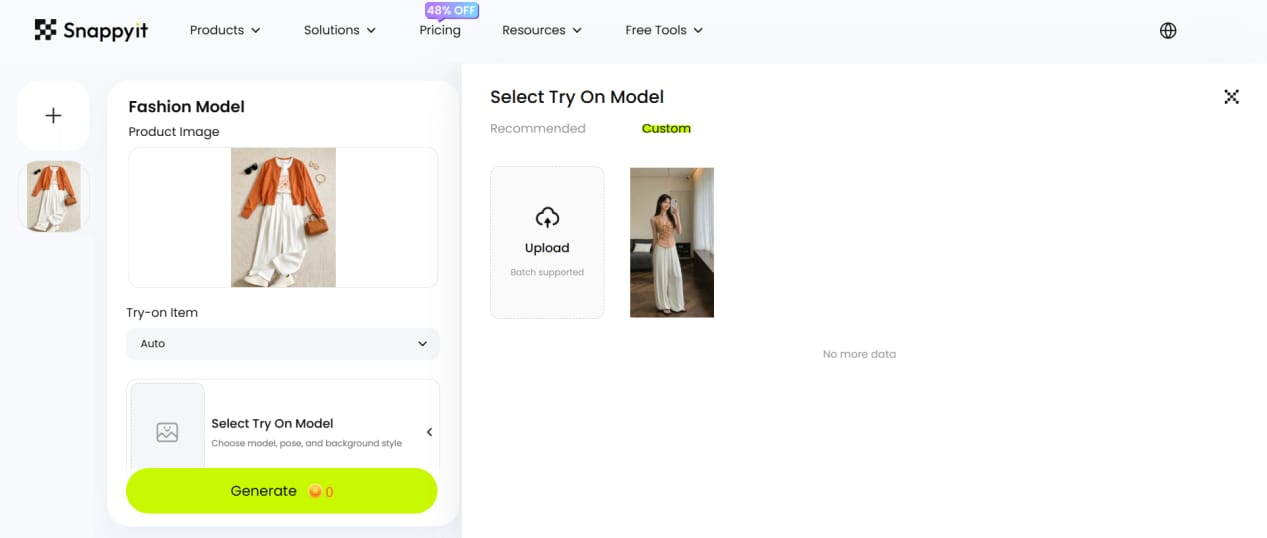
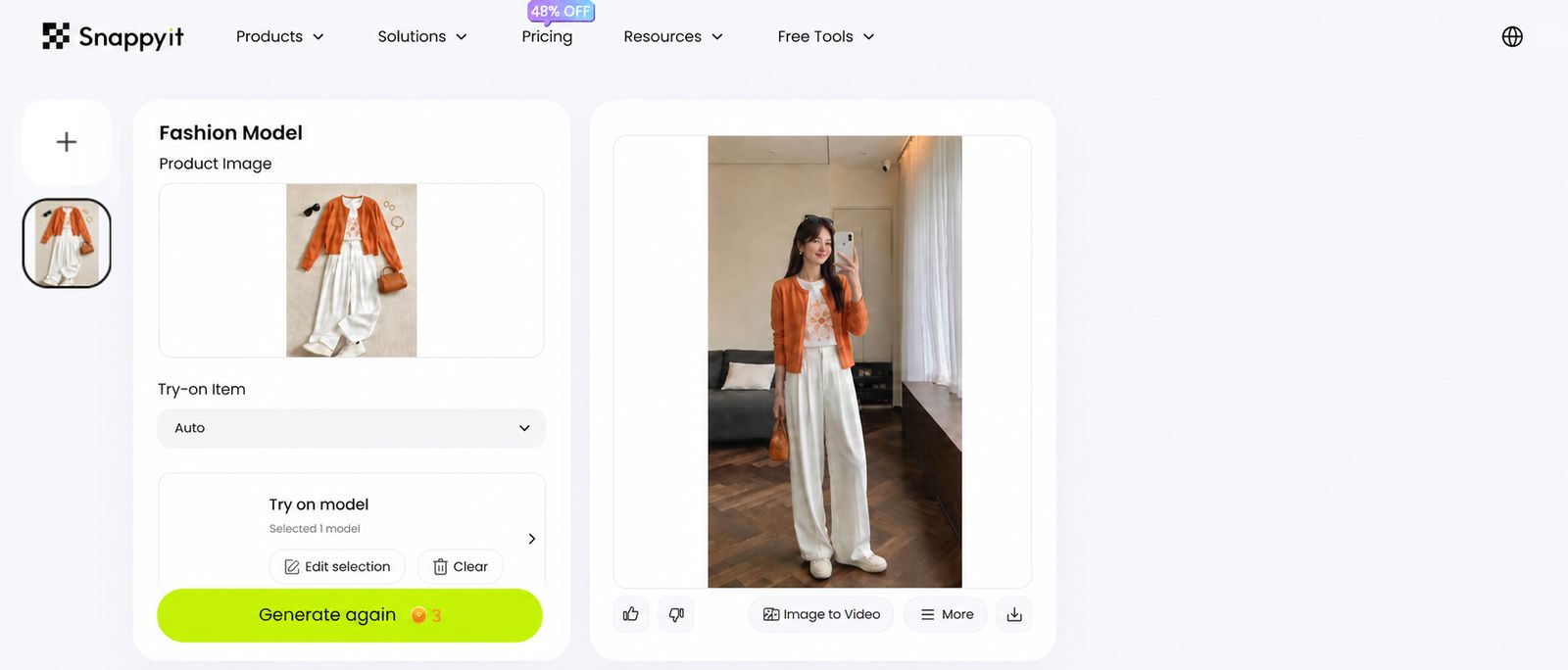
The tested workspace displayed the outfit reference, model selection and generated images together, so we could compare each result with its inputs.
- Upload the outfit. Start with a clear flat-lay or product photo. Avoid collages that contain unrelated items.
- Choose the person. Select Custom to upload yourself or an authorized adult model. If you do not have a person image, choose a model from Recommended.
- Generate the image. In the workspace we tested, each image used three credits; generating two images used six credits.
- Review and download. Check the garment details, hands, face, edges and accessories before downloading.
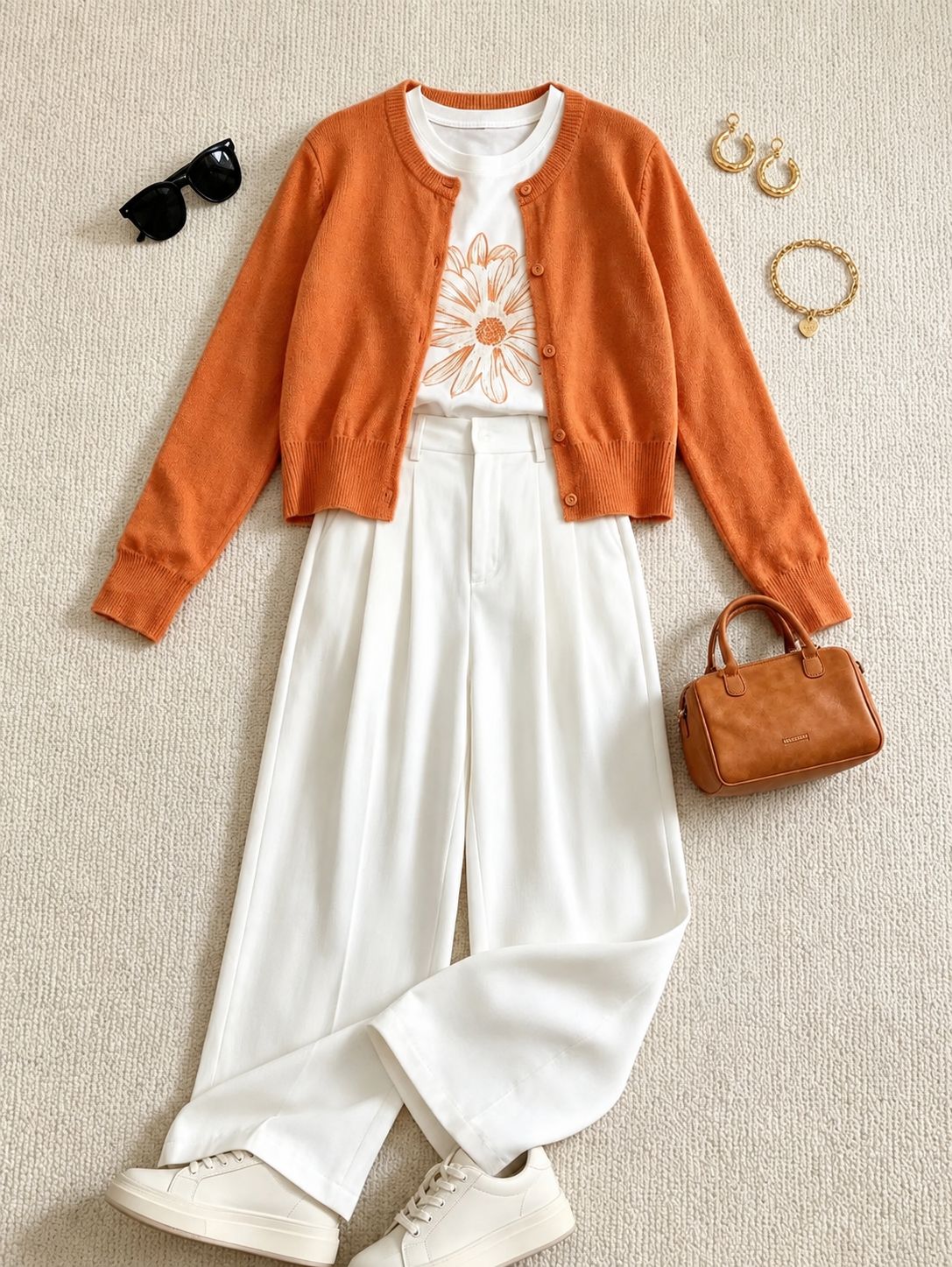
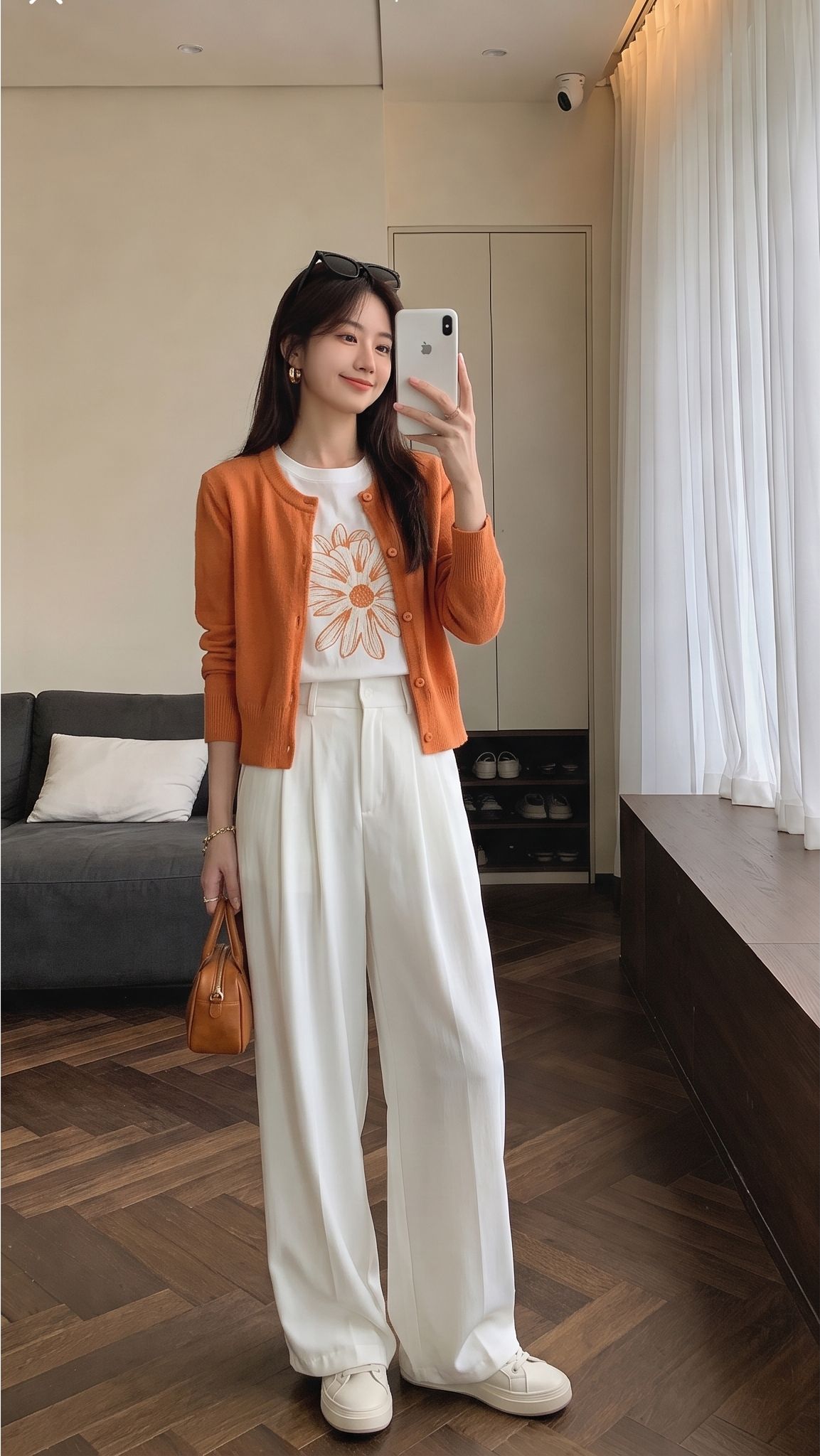
Snappyit cost per generated image
The workspace used for this guide showed that each generated image uses three credits, so two images use six credits. The estimates below use three credits per image and Snappyit's annual-plan monthly equivalents available during our August 2026 review.[2]
| Plan | Monthly equivalent | Monthly credits | Approx. cost per image |
|---|---|---|---|
| Basic | $8.20 | 120 | $0.21 |
| Standard | $18.90 | 360 | $0.16 |
| Pro | $34.90 | 800 | $0.13 |
| Custom | $48.90 | 1,150 | $0.13 |
Estimate: plan price ÷ monthly credits × 3 credits per image. Taxes, promotions, plan terms and credit usage may change, so confirm the live pricing page before purchase.
Personal, lifestyle and travel use cases
Before shopping, upload the product image and your photo to compare the overall color, silhouette and styling direction. Use the preview to shortlist options, then use the retailer's measurements and product information to decide what to order.
For an event, compare a wedding guest dress, date-night outfit, festival look or formal set on the same photo. For travel, preview two daytime looks, one dinner outfit, one beach or resort option and one weather backup. You can also test a style you do not normally wear—such as a brighter color, different silhouette or celebrity-inspired outfit—before changing your wardrobe.
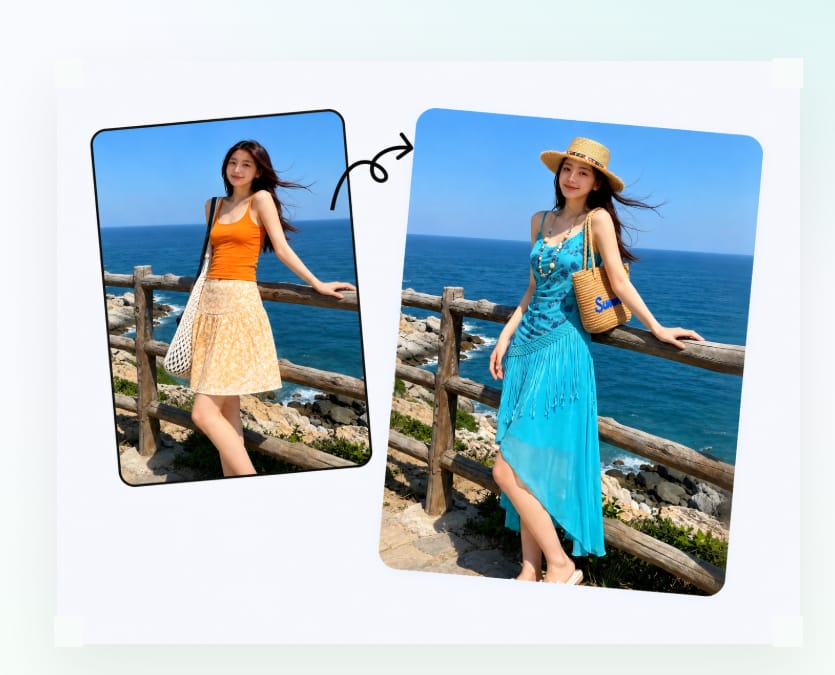
Compare two beach-vacation outfits before packing
For this example, we used the same beach photo with two clothing references. Keeping the person and setting consistent made the color and silhouette differences visible without introducing a second pose or background.
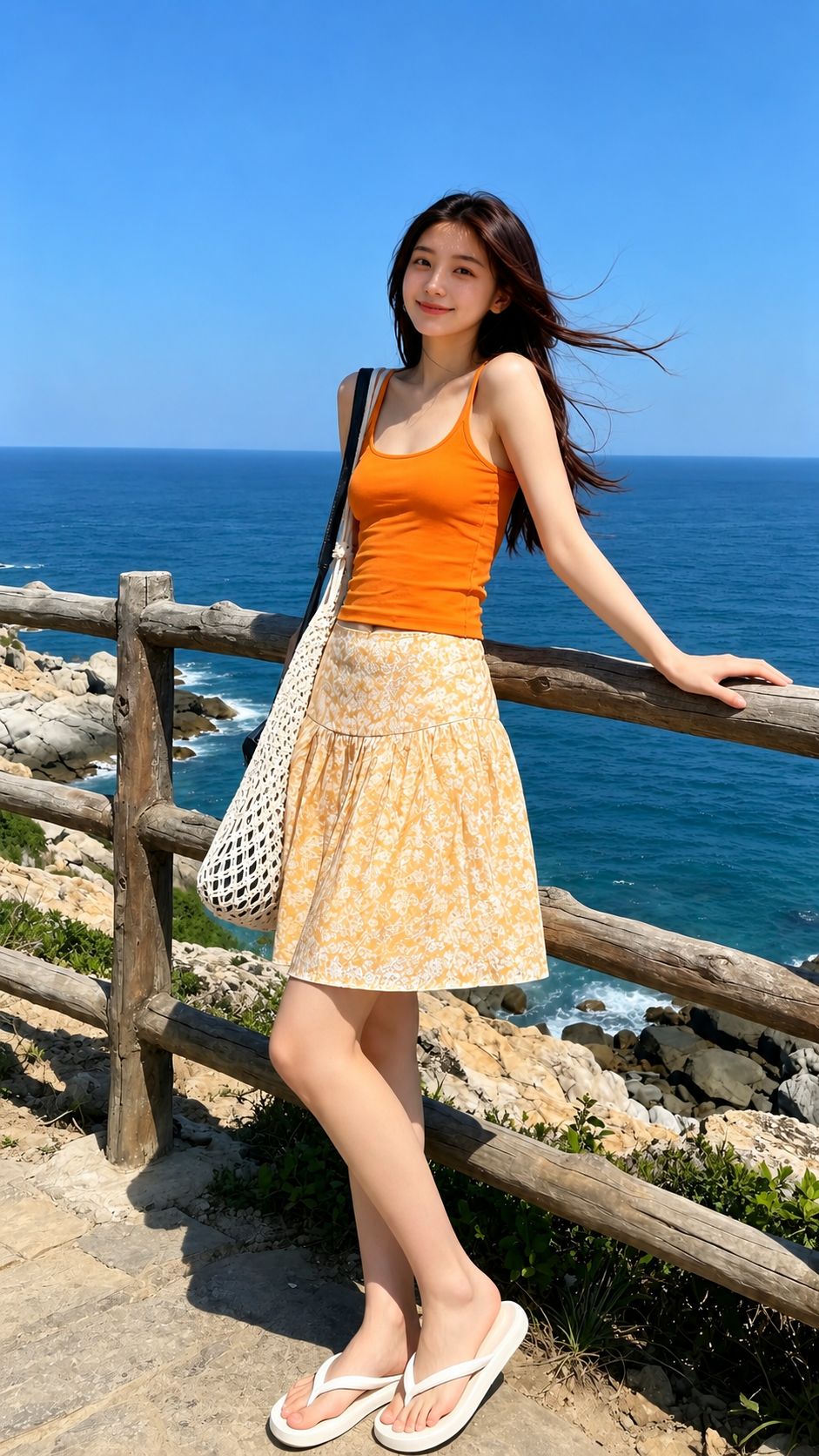
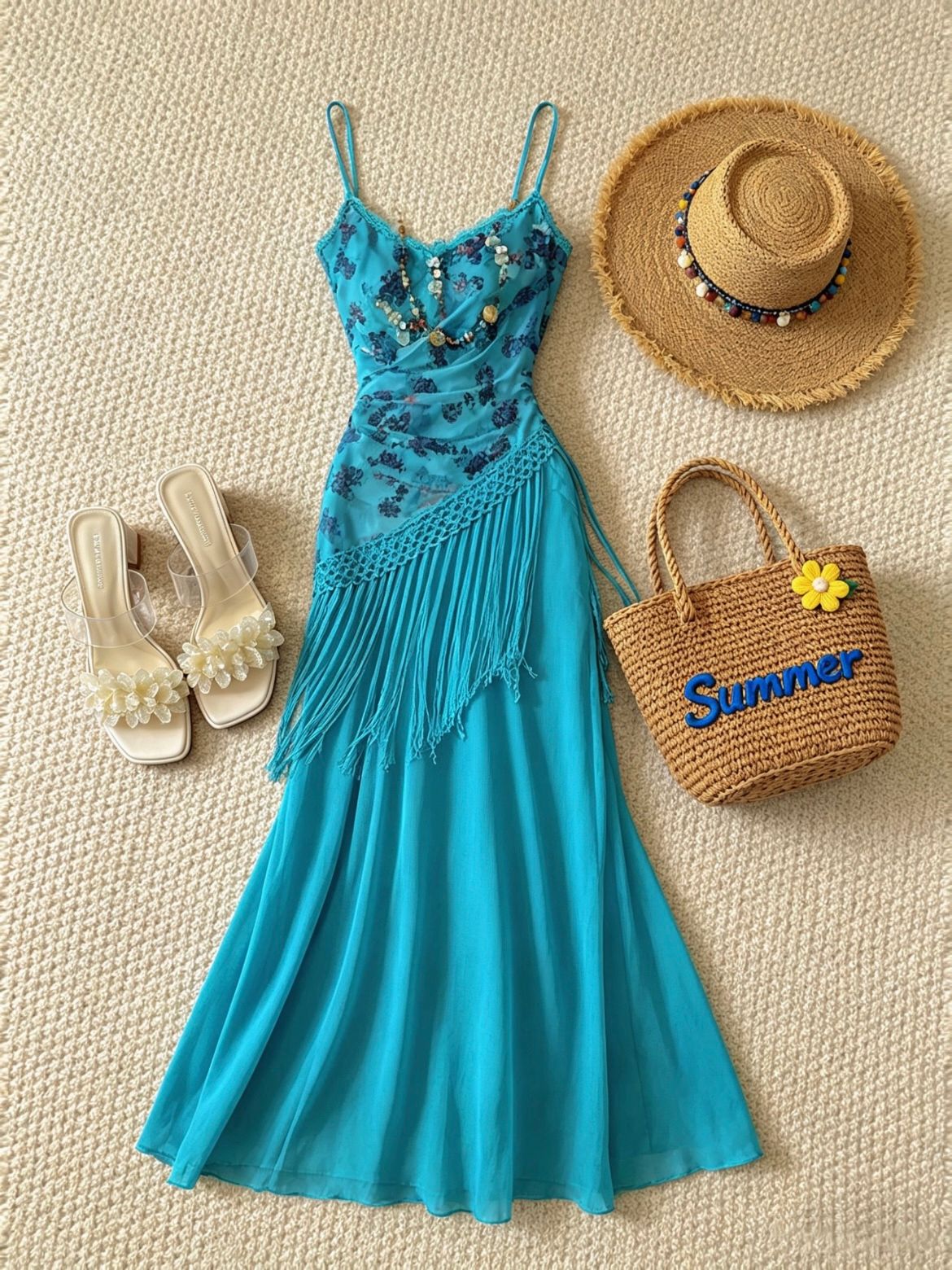
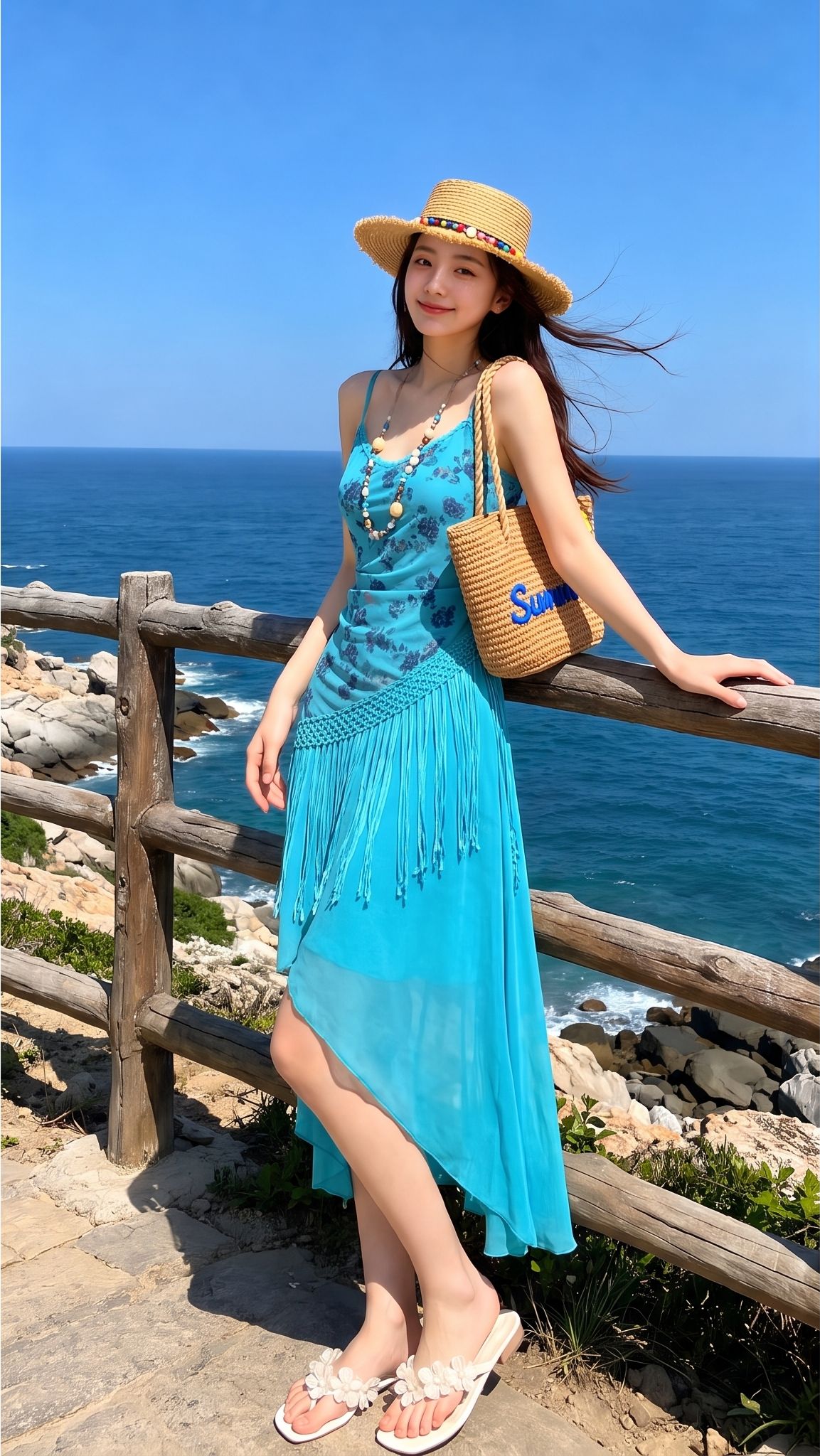
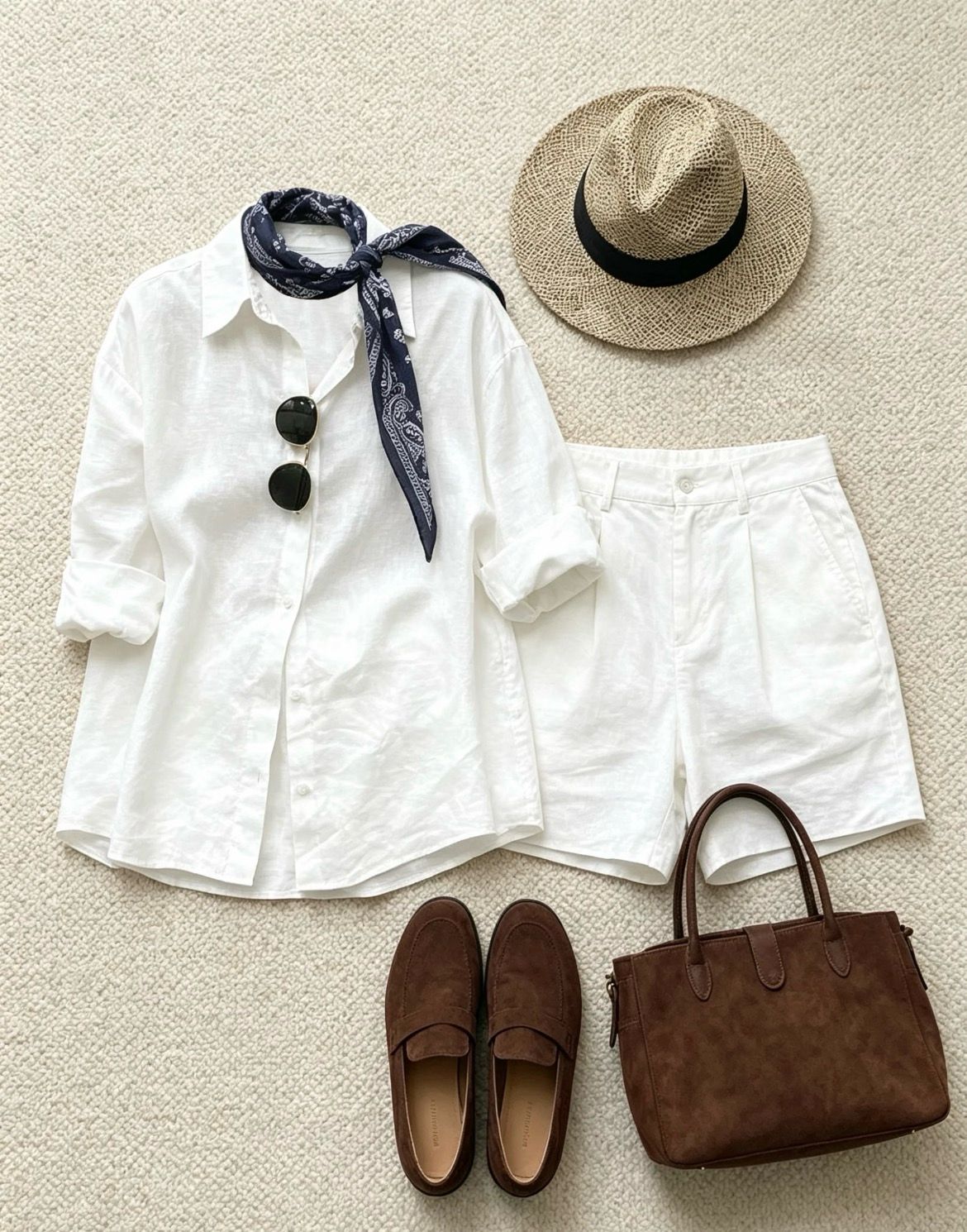
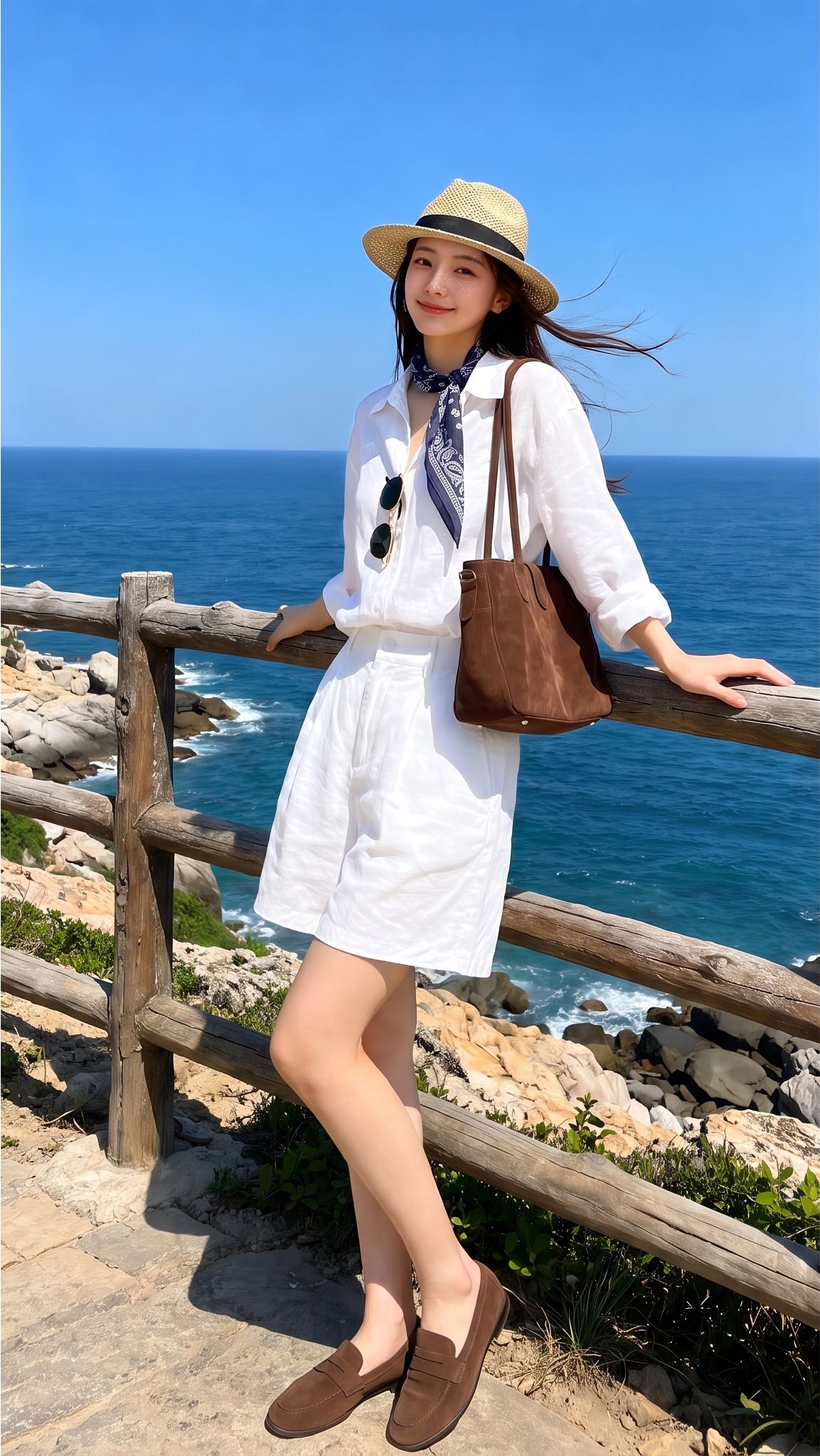
The previews show two styling options; they do not establish which garment will fit better.
Creator and commercial-use boundaries
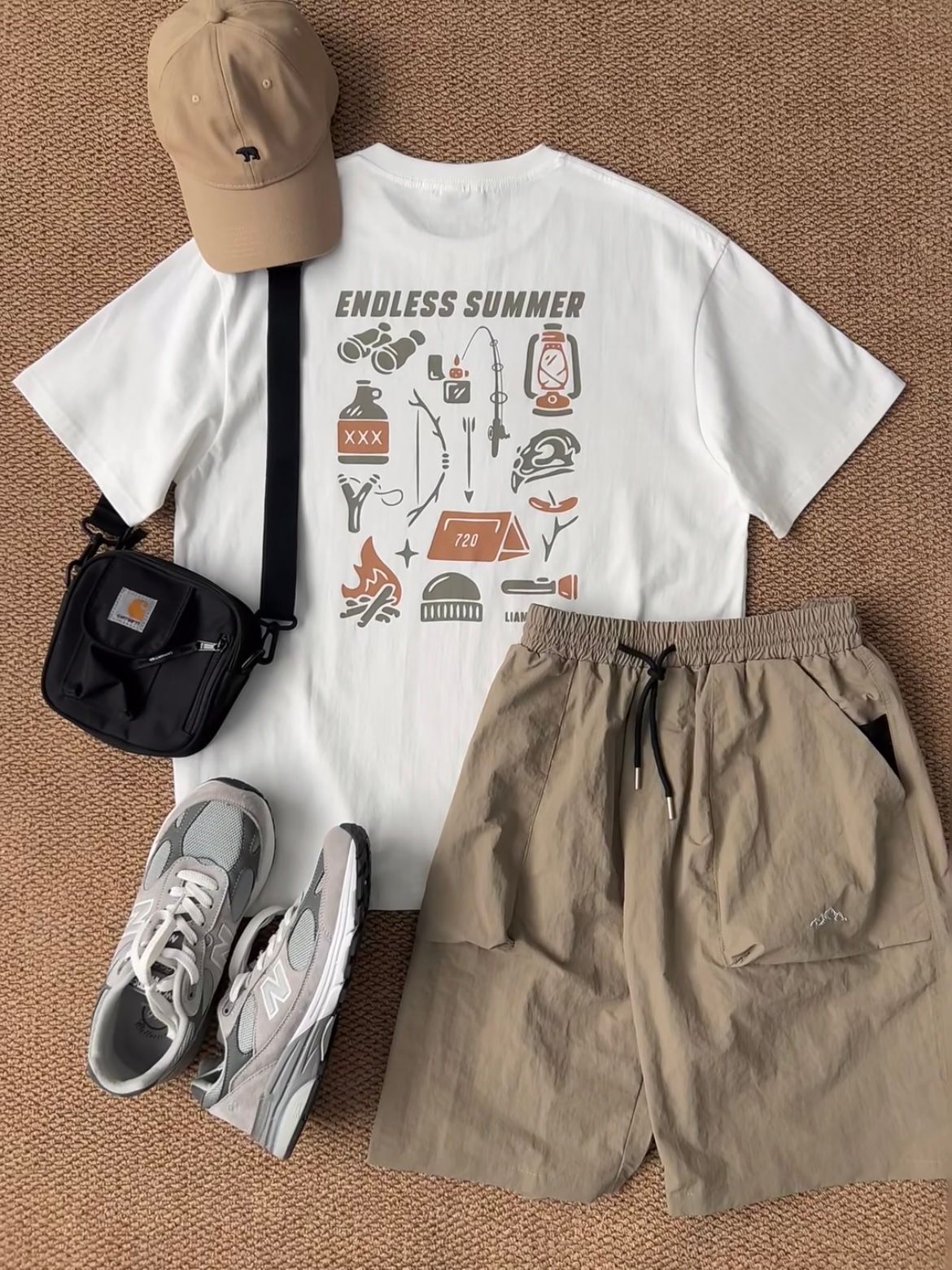
Creators can use an authorized selfie edit for a moodboard, thumbnail draft or styling plan. Before publishing sponsored content, confirm rights to the person photo, outfit reference and generated image, and make any required relationship disclosure clear and hard to miss. The FTC provides specific disclosure guidance for social-media endorsements.[3] Sellers creating product listings should use a product-to-model workflow and compare the generated garment with the source product; see the virtual try-on tools guide.
When to use an AI outfit preview—and when not to
Use an AI outfit preview for style comparison and planning. Before downloading or publishing, apply the checks below.
- Use an authorized adult image. Upload yourself, a synthetic model or a person who has agreed to the edit. Avoid minors, social screenshots and private photos.
- Keep the output fully clothed and respectful. Snappyit only changes clothing and accessories. Avoid humiliating or deceptive edits.
- Protect product accuracy. Sellers should compare the generated garment with the real product before publishing it.
- Check visual details. Review the face, hands, hair, garment edges, prints, logos and accessory scale.
- Confirm commercial rights and disclosures. Verify usage rights and disclose a material brand relationship where required.[3]
For a product listing, start with the actual garment reference and treat it as the source of truth. Use a selfie edit for styling concepts or UGC planning, not as evidence of fit.
Prompt and reference tips for selfie outfit edits
Start with one clear outfit reference and one person image. If you add text, describe only the styling direction or scene, for example: "same pose, uploaded green satin dress, neutral studio lighting." Avoid vague instructions such as "make this outfit more elegant," which do not identify a garment or a specific change.
If the first result changes too many details, retry with a cleaner clothing image, a less obstructed pose and one outfit at a time. Compare each result with the uploaded references. If the goal is organizing several existing garments rather than editing one photo, use the AI wardrobe planner workflow.
Frequently asked questions
Can I try on clothes online with AI from a photo?
Yes. Upload a clear clothing reference first, then add your own photo or an authorized adult model image to the AI outfit generator. The result is a virtual outfit preview for comparing the overall look, not proof of exact size, tailoring or fabric behavior.
Can I change clothes in a selfie with AI?
Yes. Use Snappyit's AI outfit generator with your own selfie and a clothing or accessory reference you have permission to use. The output should stay clothed and permission-first.
What does Snappyit change in a selfie?
Only the clothing and accessories. Snappyit works with clothing and product images, and every output is fully clothed. It keeps your pose and camera angle and swaps in the outfit from your reference, so you can compare looks on the same photo. For the same workflow on a product listing, see the AI fashion model generator.
What image should I upload first?
For Snappyit outfit generation, upload the clothing or accessory reference first. Then upload your selfie or authorized model photo in the generator.
Can I use a friend or influencer photo?
Only with clear permission from that adult person. Do not upload social media screenshots, private photos, minors or non-consenting people.
Can I change a selfie into a travel outfit?
Yes. You can try on beach, resort, city, airport or weekend clothes online as long as the source selfie is yours or authorized. Compare each generated outfit preview on the same photo before packing.
Can I copy celebrity outfits in a selfie?
You can create a celebrity-inspired look using outfit references you own, licensed product images or your own wardrobe photos. Do not upload celebrity photos, social screenshots or non-consenting person images.
Will it preserve my face and pose?
A good workflow should preserve overall pose and camera direction, but results vary. Review face, hands, hair edges and garment boundaries before using the image.
Can creators publish AI selfie outfit edits?
Yes, if they have the necessary rights to the person photo, outfit reference and generated image. For sponsored posts, make any required brand-relationship disclosure clear and hard to miss; see the FTC disclosure guide.
Can sellers use a selfie clothes changer?
Sellers should usually use product-to-model workflows instead. A selfie clothes changer can be useful for UGC concepts, but listings need accurate product preservation. Compare the options in our best virtual try-on tools guide.
What makes a selfie input work better?
Use good lighting, a clear full-body or half-body pose, minimal occlusion, and avoid mirrors, heavy filters, cropped limbs and low-resolution screenshots.
Create your first outfit preview
Upload one clear outfit reference and one authorized person photo, generate a preview, then review the garment details before downloading.
References
Product and pricing sources were accessed August 11, 2026; the FTC guide was checked August 13, 2026. Features, credit usage, promotions, prices and guidance may change.
- Snappyit, AI Outfit Generator.
- Snappyit, Pricing.
- U.S. Federal Trade Commission, Disclosures 101 for Social Media Influencers.







