



1. Why clothes wrinkle—and why it matters for clothing sellers
Cambridge Dictionary defines a wrinkle as a small line or fold in cloth, with packing a dress as one example of how it can form. In a clothing photo, a crease becomes visible through the ridge, shadow, or change in fabric direction it creates. [1]
For clothing merchants, common sources include garments folded for shipping, stock compressed in storage, and fabric bent or bunched during handling and wear. A shirt folded into a package can arrive with lines across the front; trousers may gather creases around the knees during a fitting. The pattern depends on how the fabric has been folded and handled, rather than simply whether the garment is new or used.
These creases affect the way a product is presented. Shopify’s clothing-photography guide identifies wrinkles, lint, pilling, and loose stitches as small details that can spoil an image, and recommends preparing garments before the shoot. [2] For a merchant, the practical effects are:
- Distracting product details: crease shadows can compete with the neckline, print, or seam you want the shopper to notice.
- An uneven catalog: similar products can look inconsistently prepared when one image is pressed and another is heavily creased.
- Extra preparation or editing: staff must either prepare the garment or correct the photograph before adding it to the listing.
Designed pleats, ruching, and a knit’s ribbed structure are different: they are part of the garment’s appearance. Decide which lines are unwanted before choosing a treatment, and review other product photography mistakes that can distract from clothing details.
2. Common ways to remove clothing wrinkles
There are two kinds of work: preparing the physical garment and editing its photograph. Ironing and steaming change the clothing itself. Retouching changes how the creases appear in the image.
| Method | How it is used | When it is useful |
|---|---|---|
| Ironing or pressing | Use the garment’s permitted heat setting and pressure to smooth the fabric. | Preparing shirts, trousers, and broad fabric panels before photography. |
| Steaming | Use steam to help relax unwanted wrinkles, where the care instructions allow it. | Preparing hanging garments and areas that need a softer finish. |
| Manual photo retouching | Repair selected crease lines with tools such as cloning or content-aware filling. | Small corrections that need close control around a print, seam, or edge. |
Shopify recommends ironing or steaming during garment preparation. For heat and steam settings, follow the care label: GINETEX states that the maximum ironing temperature should be selected from the label, rather than inferred from fiber content alone. Some instructions prohibit steam or ironing. [2] [3]
For a photograph, Photoshop’s Clone Stamp copies pixels from a chosen source area, while Content-Aware Fill fills a selected region using surrounding pixels. Both give the editor control over the repair area; repeated patterns and seams need careful sampling. [4] [5]
3. How AI wrinkle removal works in a photo
AI wrinkle removal is an image-retouching task: the software estimates a smoother appearance for creased areas using visual information from the photo. The aim is to soften unwanted fold lines and shadows while retaining the clothing’s recognizable details.
A related image-processing concept is inpainting, which fills or reconstructs image regions from context. Learned inpainting research, such as LaMa, studies how a model can use wider image information to complete missing areas and repeated structures. This helps explain why surrounding texture and a clear source matter in AI image repair. [6]
At a practical level, an AI clothes wrinkle remover uses the source image and editing instructions to produce a candidate result. The strength setting controls the desired finish, and the merchant chooses whether the output works for the product. A stronger setting is not automatically the best choice for every garment, especially when the source has limited detail; if needed, first learn how to make product photos clearer.
Choose the finish for the product and its intended use: a naturally draped garment and a sharply pressed catalog image can call for different amounts of smoothing.
4. How to remove wrinkles from product photos with Snappyit
The Snappyit Remove Wrinkles interface groups the source image, strength, optional instructions, and output count in one panel. The screenshot below shows the controls used for the four examples in this article.
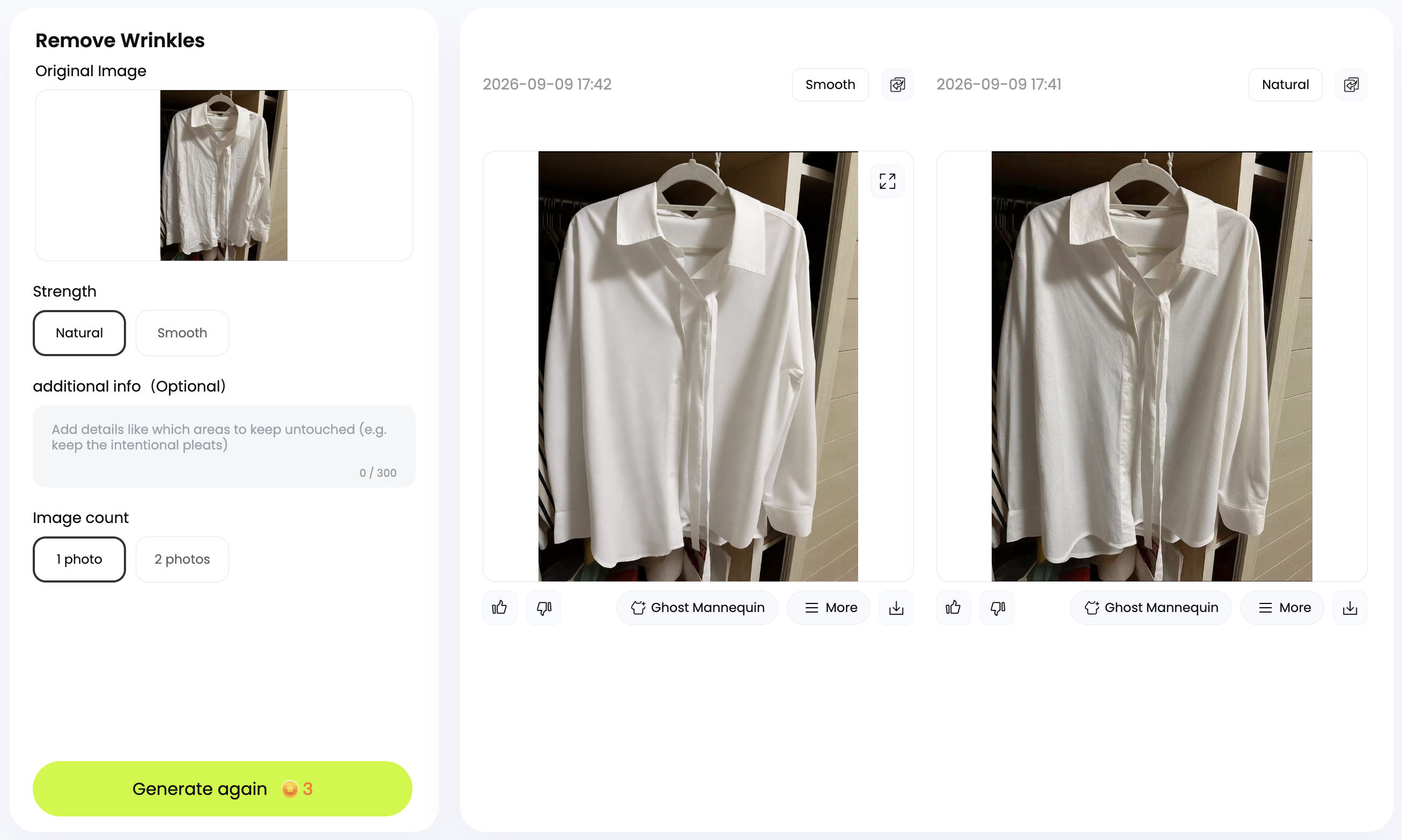
- Open the clothing image. Check the source under Original Image.
- Choose a strength. Select Natural or Smooth under Strength.
- Add instructions if useful. The additional info (Optional) field can describe details to preserve—for example, “Keep the intentional pleats and logo unchanged.”
- Set the output count and generate. Choose 1 photo or 2 photos under Image count. The screenshot shows Generate again after a previous run; the button also displays the credit cost.
- Select and download the result. Use the download icon beneath your chosen output. Before using it in a listing, check the color, fabric, print, and construction details against the original.
Natural vs Smooth: choose the finish
| Strength | Intended appearance | When to consider it |
|---|---|---|
| Natural | A gentler treatment with more of the fabric’s natural surface variation visible. | When you prefer a relaxed finish or want to keep the garment’s everyday character. |
| Smooth | More pronounced smoothing and a more pressed appearance. | When a tidy, even finish suits the product’s catalog presentation. |
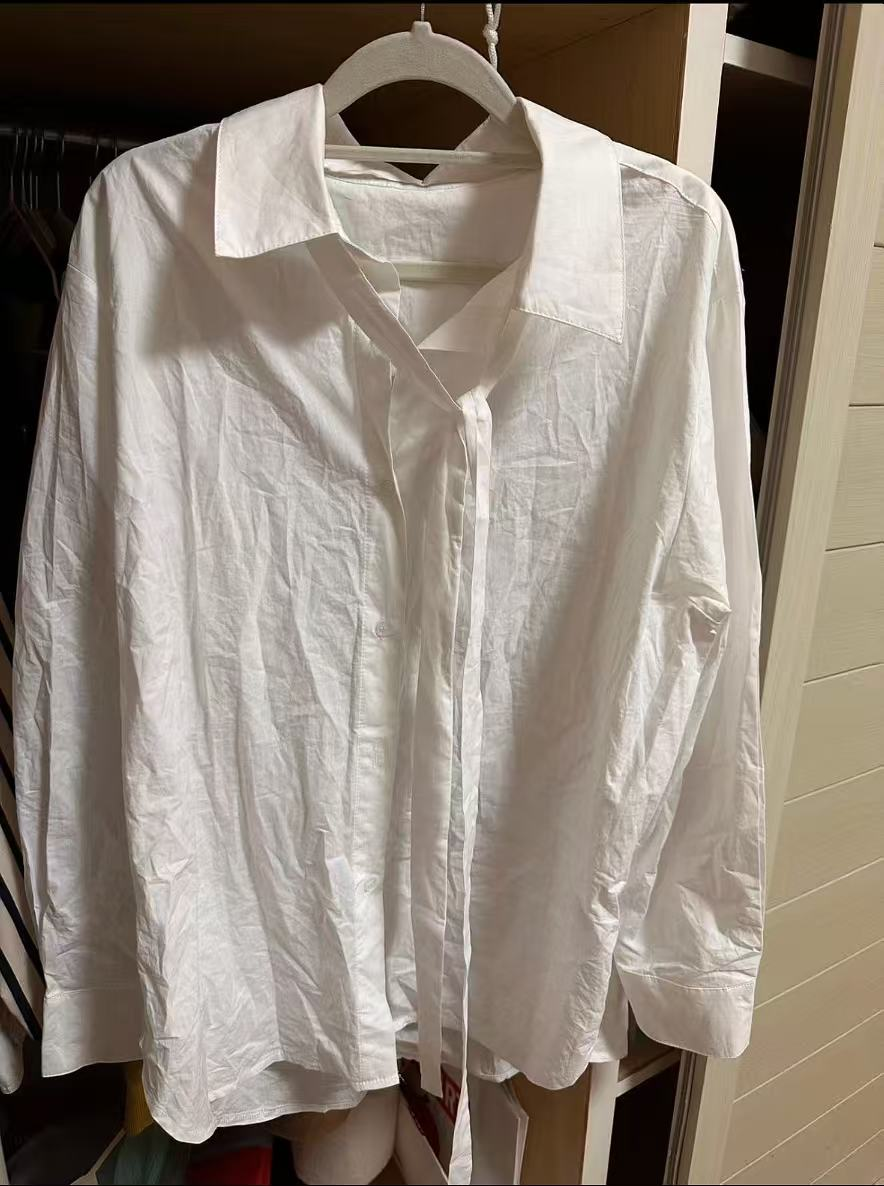
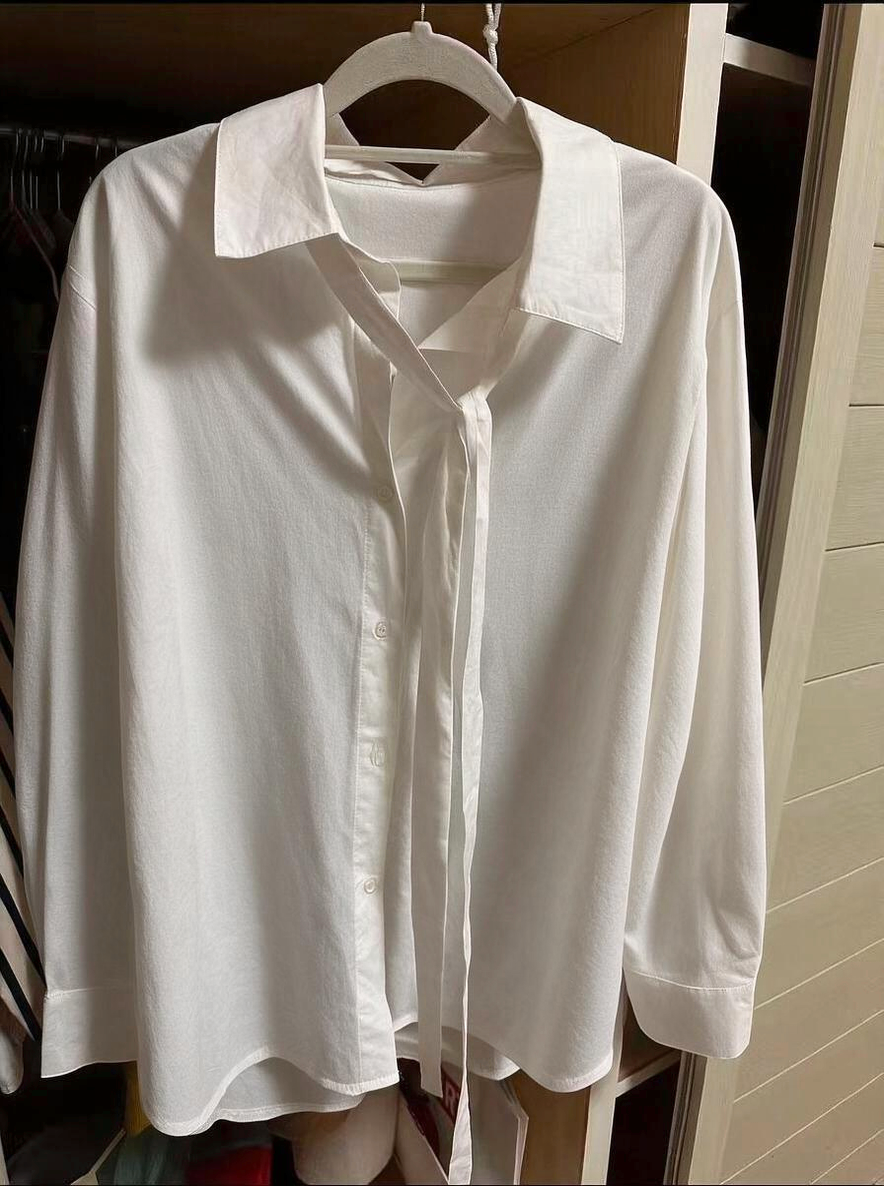
The examples below let you compare the two settings on the same source. Choose according to the garment, the clarity of the photo, and whether the image is intended for a listing, a detail view, or promotional use.
5. Before and after: four clothing photo examples
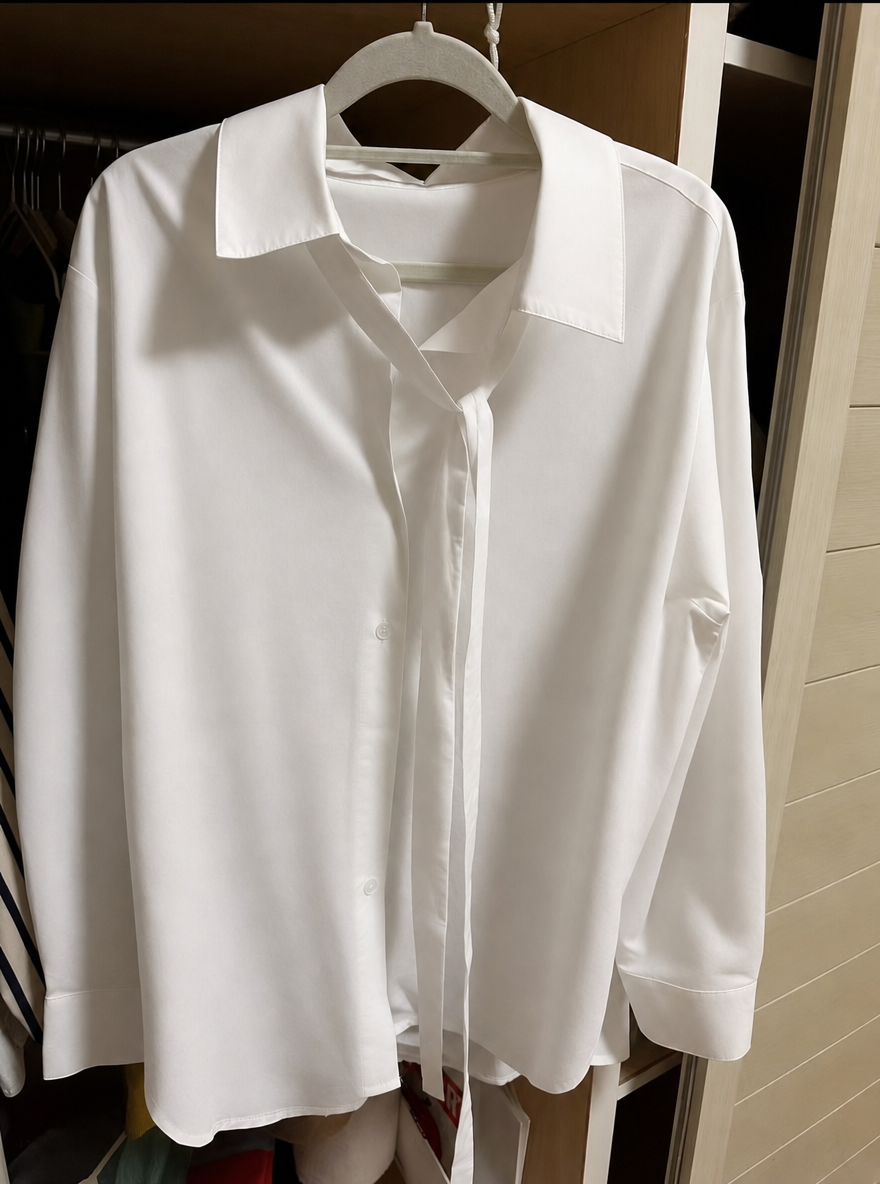
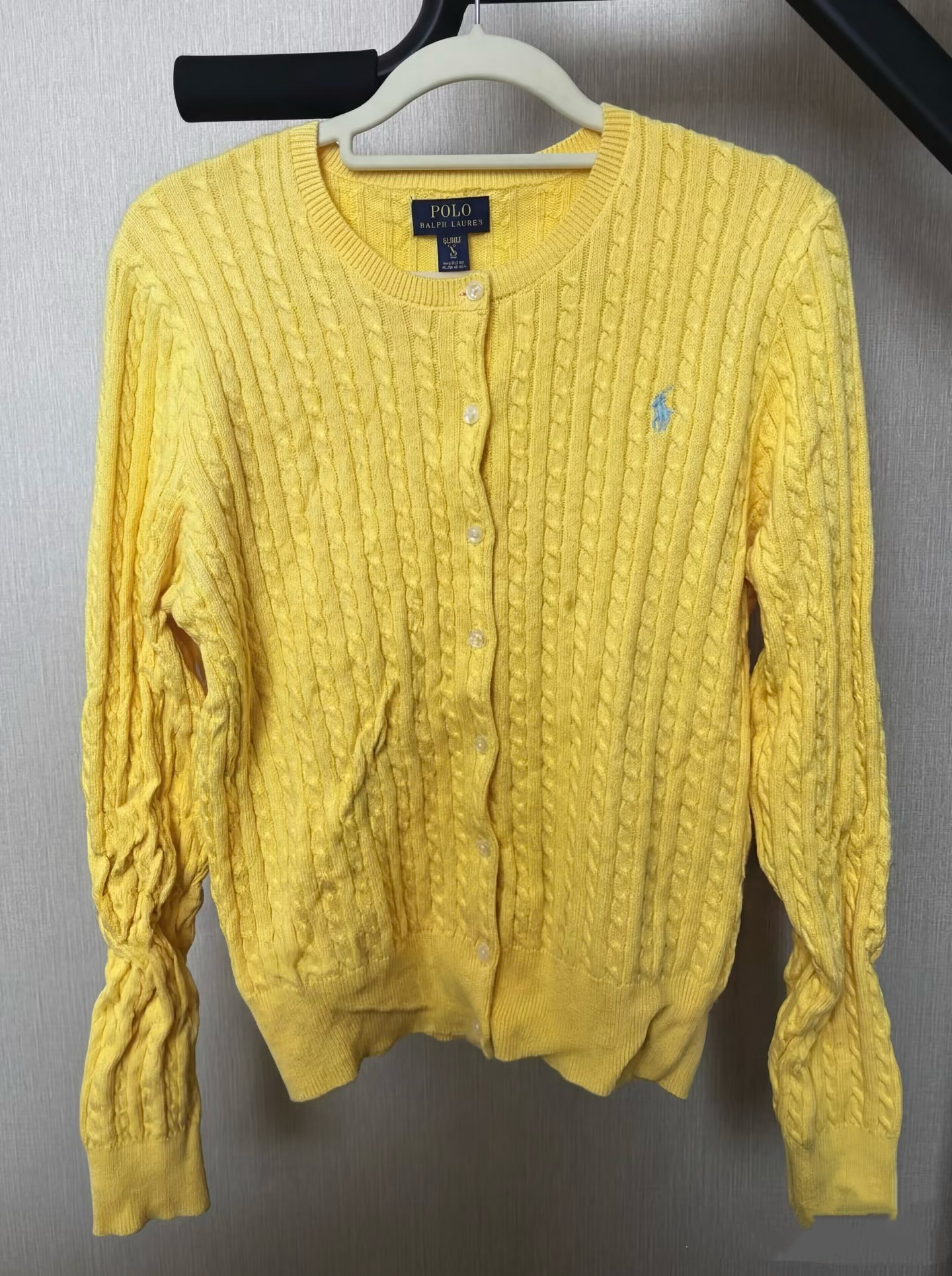
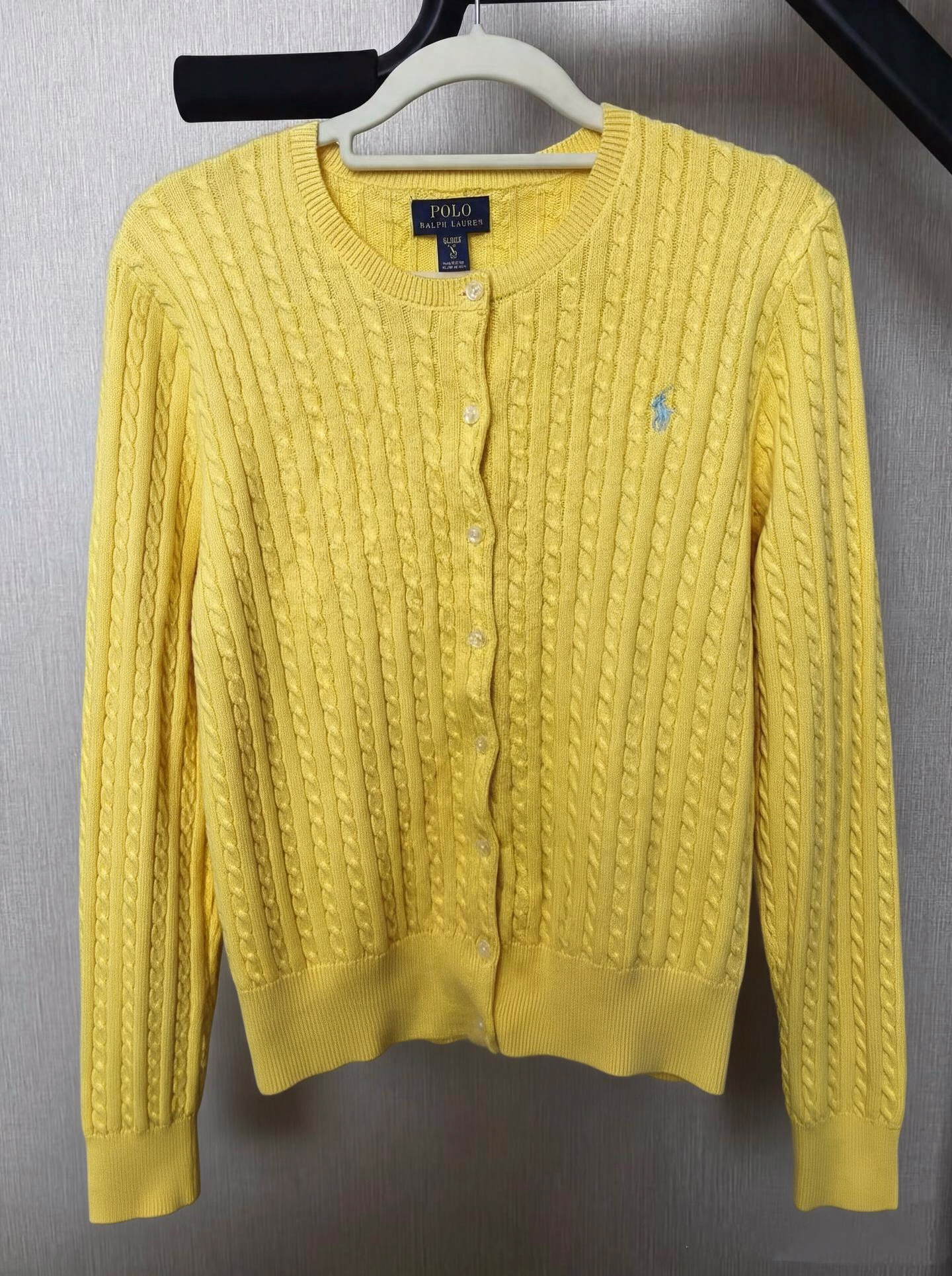
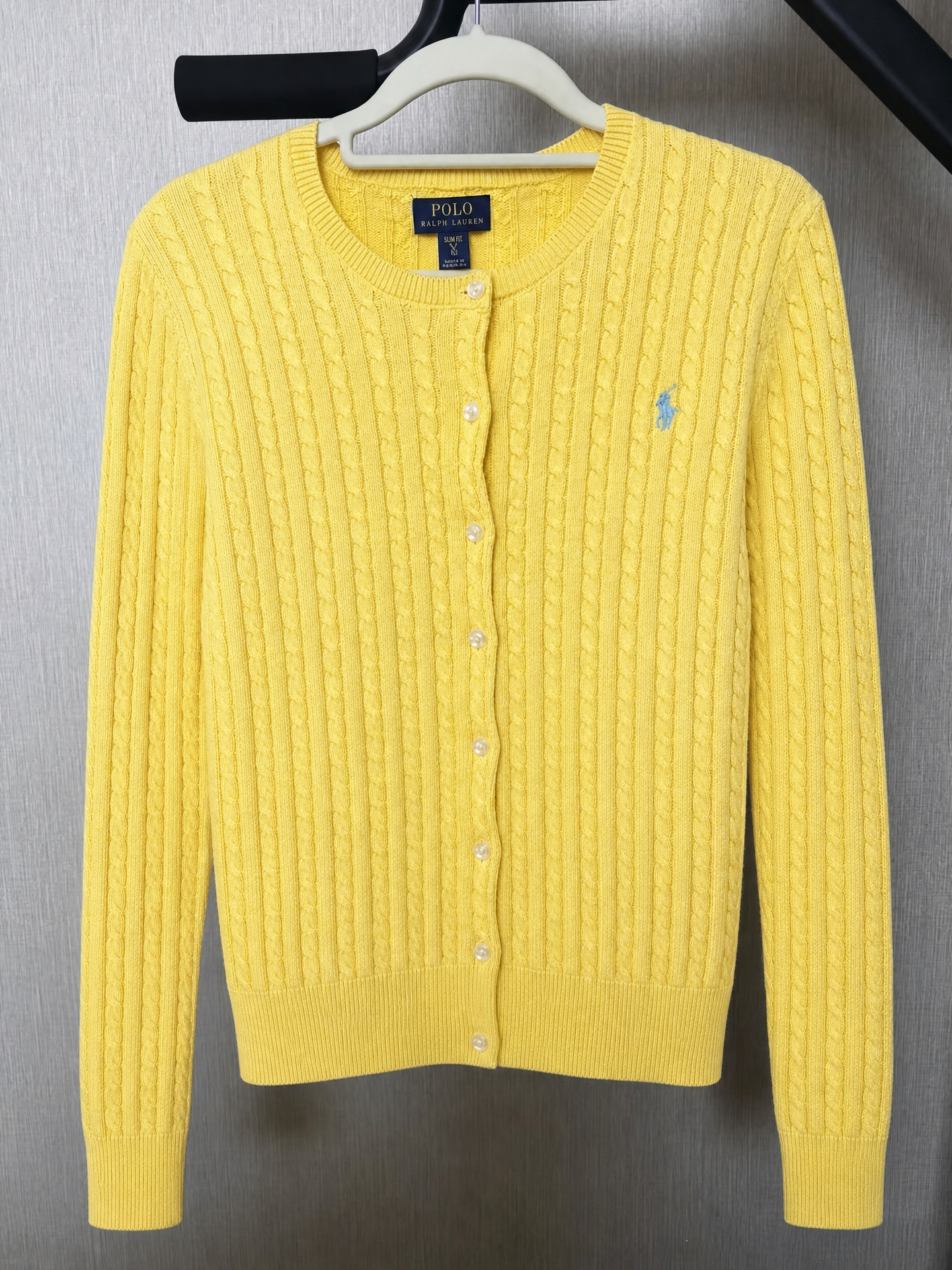
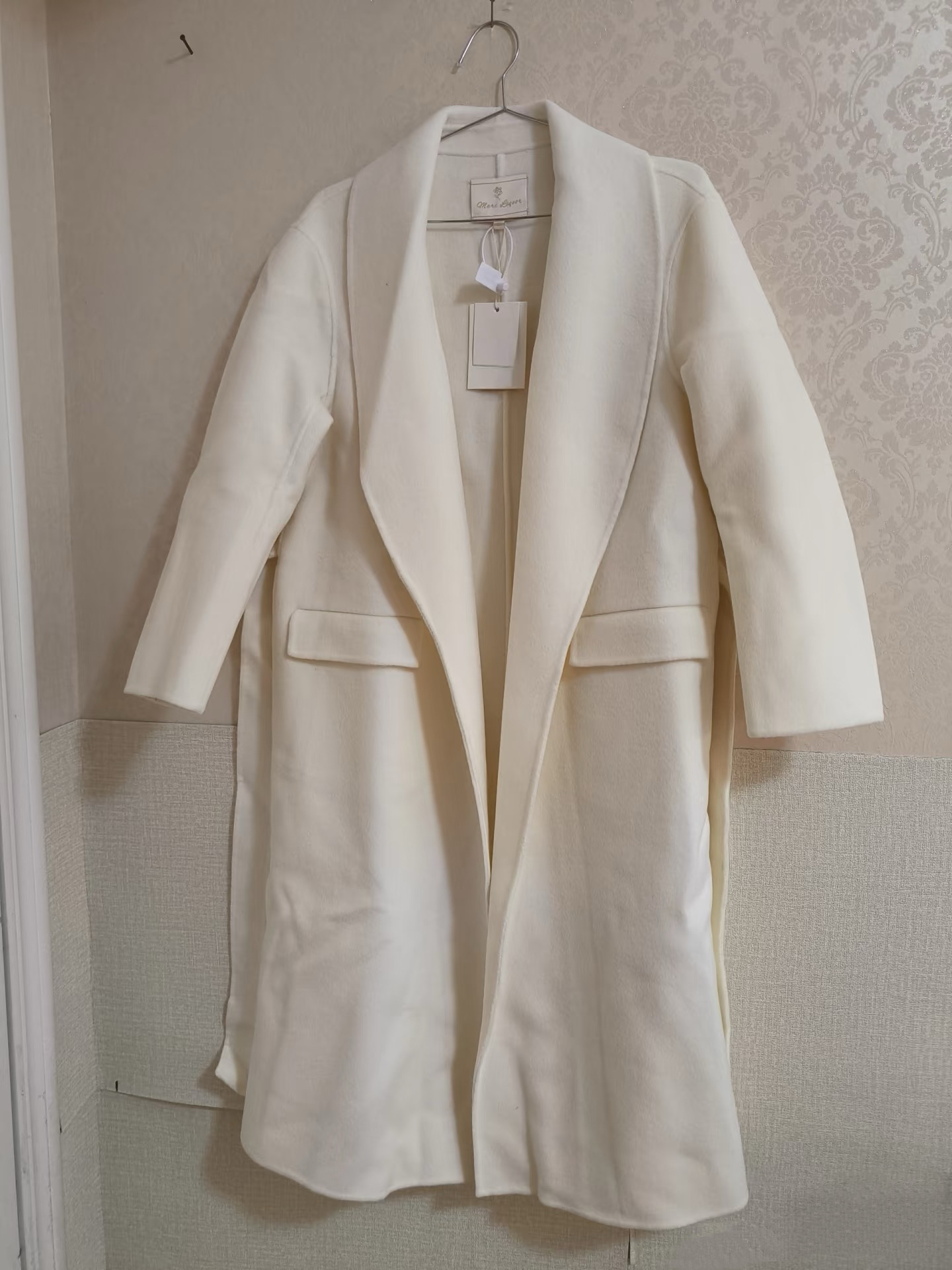
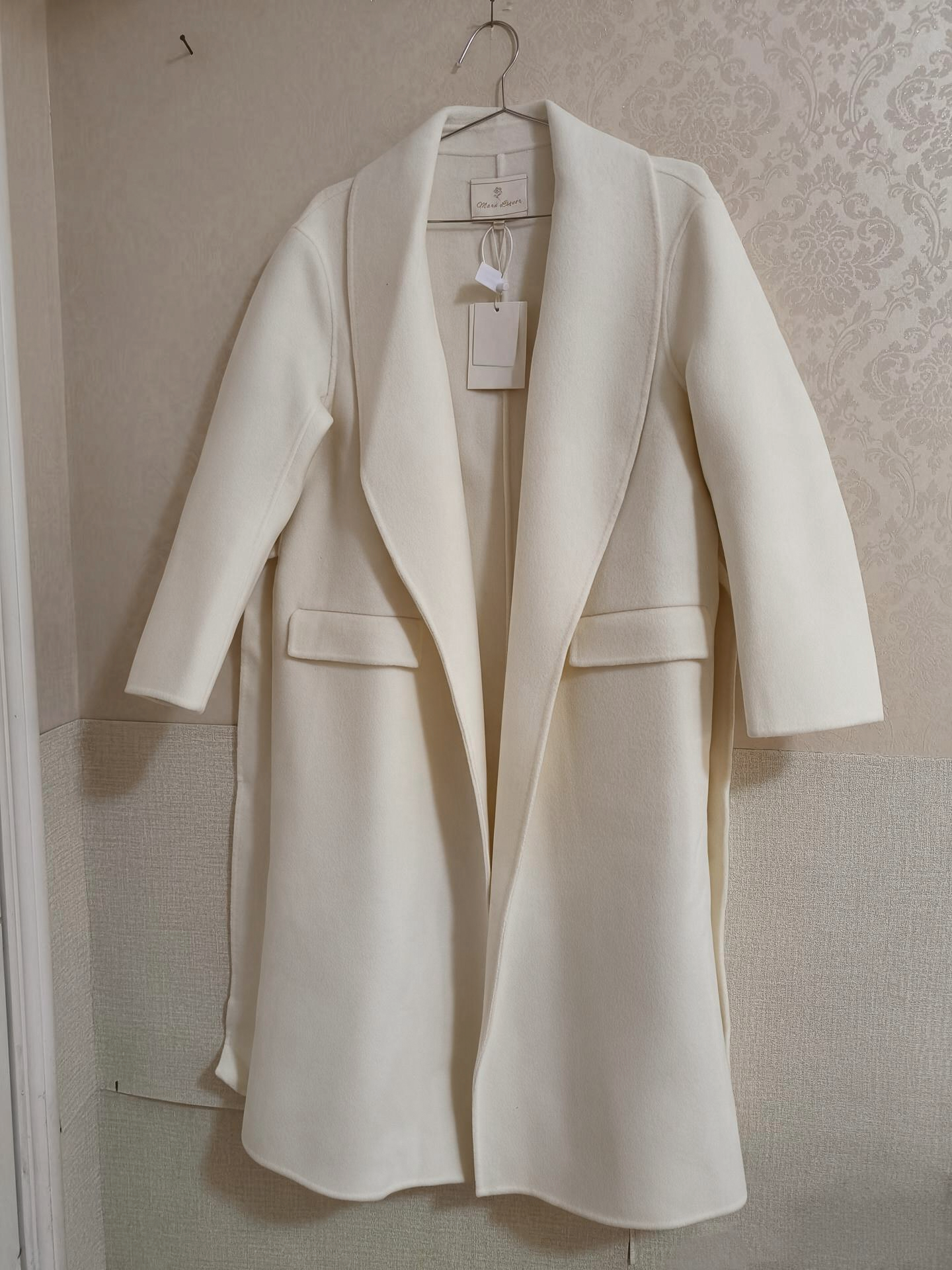
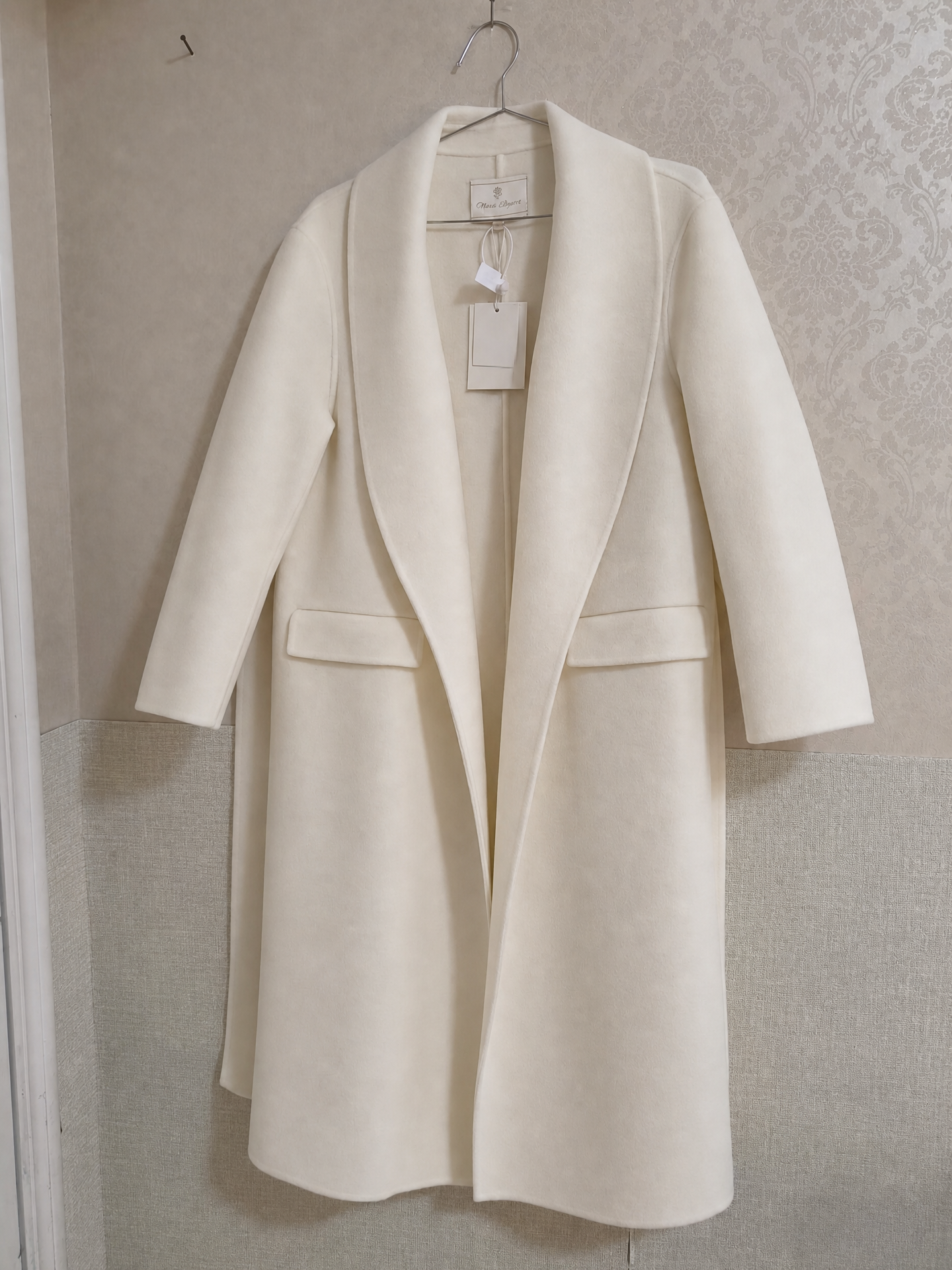
Each row shows Original → Natural → Smooth. Click an image for a larger side-by-side comparison, with the original on the left and the selected result on the right.
White shirt
Cable-knit cardigan
Cream coat
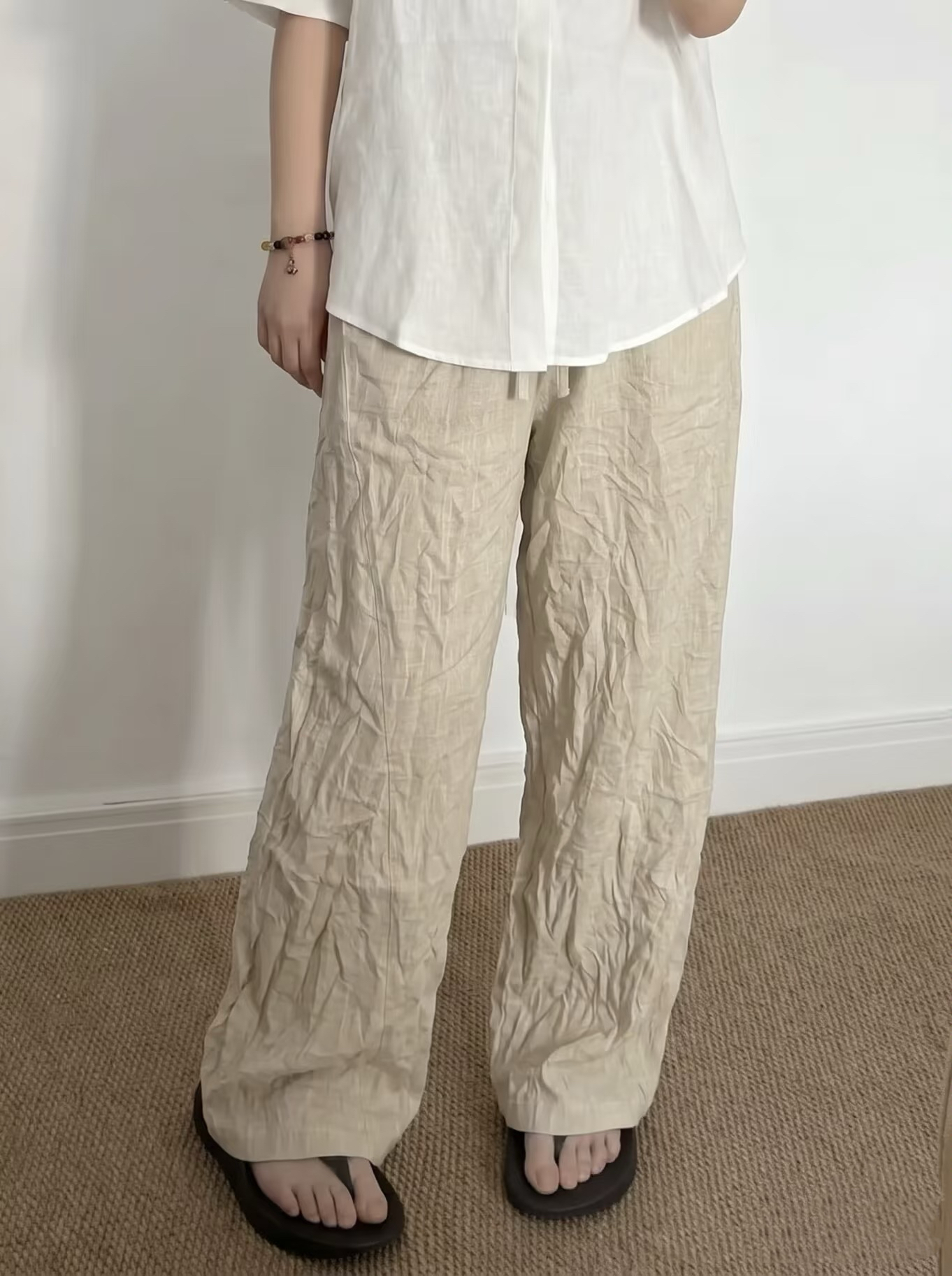
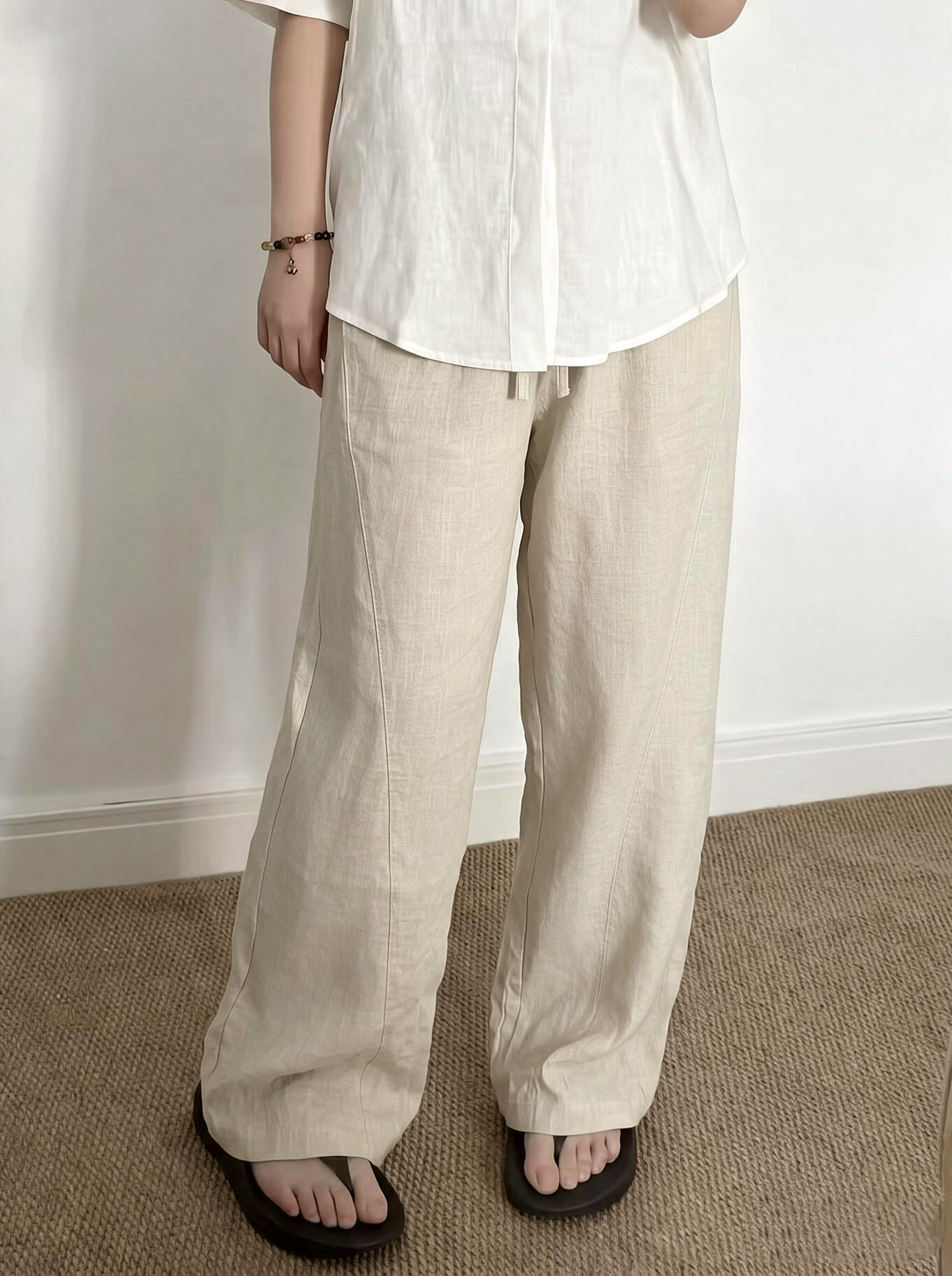
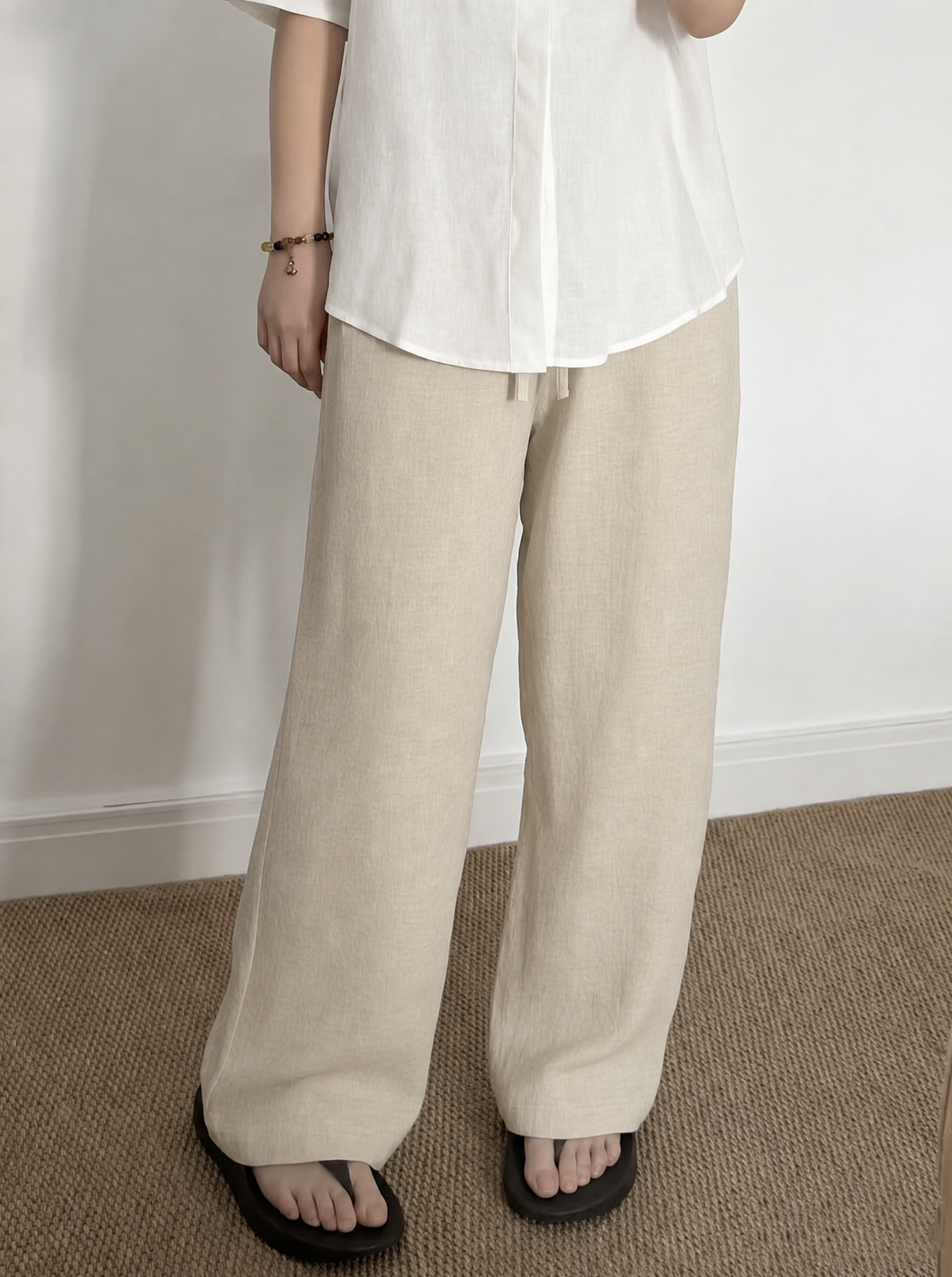
Trousers on a model
The source photo has limited fine fabric detail, and the Smooth result changes the trousers’ material appearance. Pay particular attention to the fabric when choosing a result for this image.
FAQ: AI wrinkle removal for clothing photos
1. How can I remove wrinkles from clothes in a photo online?
Open the clothing image in an online wrinkle remover, choose the strength, and run the edit. In Snappyit Remove Wrinkles, the panel offers Natural and Smooth, optional instructions, and an output count. Review the finished image before downloading it.
2. What is the difference between Natural and Smooth wrinkle removal?
Natural gives a gentler finish, while Smooth aims for a more pressed appearance. Neither is a universal choice: use the same source to compare both settings and select the look that suits the garment and the image’s intended use.
3. Can AI remove deep creases from clothing photos?
AI can soften or remove some deep creases, but the result depends on the source detail and any seams, hems, logos, or textures crossing the fold. Test both strengths and inspect those areas at full size. In the trousers example above, Smooth changes the material appearance, so that result should not be used when an accurate fabric representation matters.
4. Can I remove wrinkles from printed shirts or clothing with logos?
You can try the edit, but inspect lettering, logo edges, and repeated patterns before using the result. The yellow cardigan example includes a small chest motif; large prints and striped garments were not included in these four tests.
5. How do I preserve fabric texture when using an AI clothes wrinkle remover?
Use a clear source—see how to make product photos clearer—and choose a strength that suits the fabric’s appearance. Add preservation instructions for details such as cable knitting or intentional pleats, then inspect those areas at full size. Keep the original as your comparison reference.
6. Can I use AI wrinkle removal for ecommerce and secondhand listings?
Yes, provided the edited image accurately represents the product. Keep actual wear, stains, fading, and pilling visible in secondhand listings, and include condition details where relevant. Follow the image rules of the marketplace where you sell, and use this AI product photography guide to plan the rest of the listing workflow.
7. Is an AI wrinkle remover better than Photoshop for clothing photos?
AI is useful when you want to try an overall wrinkle-removal treatment with a few controls. Photoshop suits selective repairs where you want to choose exactly which area to sample and edit. The better option depends on the size of the correction and the control you need; this comparison of AI batch photo editors for product photos covers broader editing workflows.
8. How much does Snappyit wrinkle removal cost, and how long does it take?
The supplied interface shows 3 credits beside Generate again with 1 photo selected. Check the current displayed cost when changing settings or output count. These examples do not establish a processing-time benchmark; allow time for generation, review, and download.
For marketplace use, the edited photo should still represent the item being sold. eBay’s picture policy provides a useful example of this requirement. [7]
References
- Cambridge Dictionary: “wrinkle.” Definition of a line or fold in cloth, with an example of wrinkling during packing. Accessed September 9, 2026.
- Shopify: Clothing Photography: How To Photograph Clothes. Garment preparation, the effect of wrinkles on product imagery, and ironing or steaming before photography. Accessed September 9, 2026.
- GINETEX: Care symbols. How care labels govern ironing temperature and steam use. Accessed September 9, 2026.
- Adobe Photoshop Help: Retouch images with the Clone Stamp tool. Copying sampled pixels for local image repairs. Accessed September 9, 2026.
- Adobe Photoshop Help: Remove objects with Content-Aware Fill. Using surrounding pixels and a selected sampling area to fill an image region. Accessed September 9, 2026.
- Suvorov et al.: Resolution-robust Large Mask Inpainting with Fourier Convolutions. Research background on learned image completion and visual context; this is not documentation of Snappyit’s model. Accessed September 9, 2026.
- eBay: Picture policy. Requirements for photos that accurately represent the item being sold. Accessed September 9, 2026.







