
At a glance
UGC-style ecommerce ad creatives use creator-like framing, casual scenes and product-in-use visuals, but they should not fake testimonials or misrepresent who used the product.
| Creative type | Good use | Risk to avoid |
|---|---|---|
| Product-in-use image | Show scale, styling or setting | Changing product features |
| Creator-style video | Explain use case or unboxing idea | Fake review or fake endorsement |
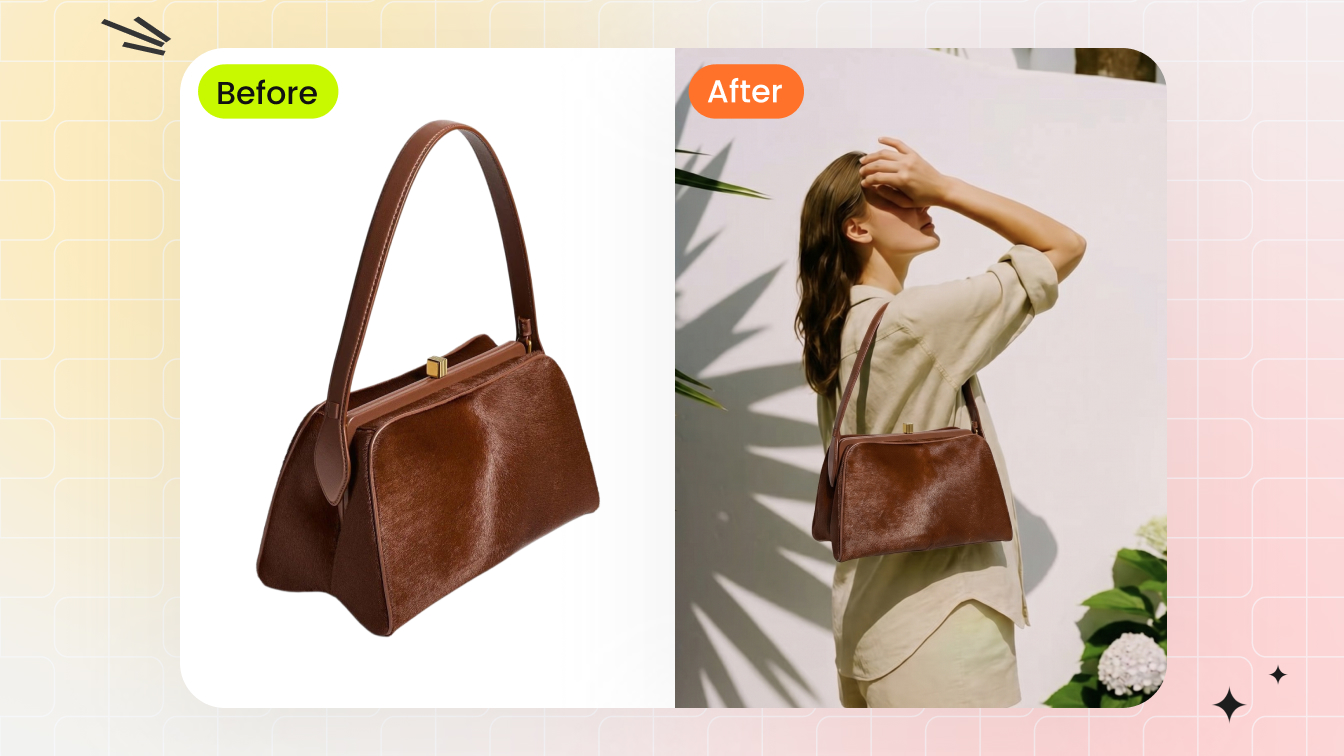
| Before/after visual | Show styling or setup transformation | Misleading performance claim |
| Lifestyle scene | Show where the product fits | Scene stronger than product |
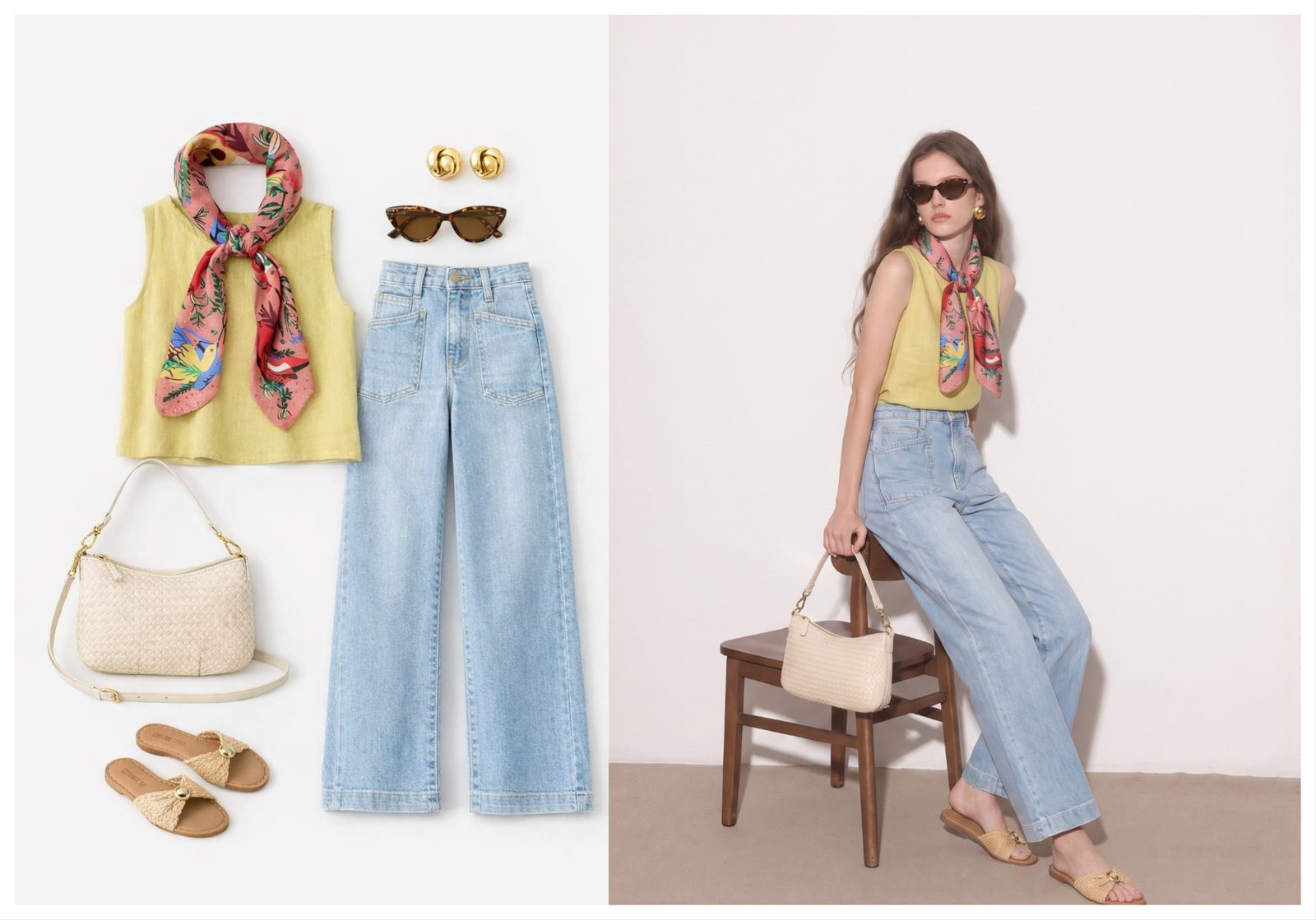
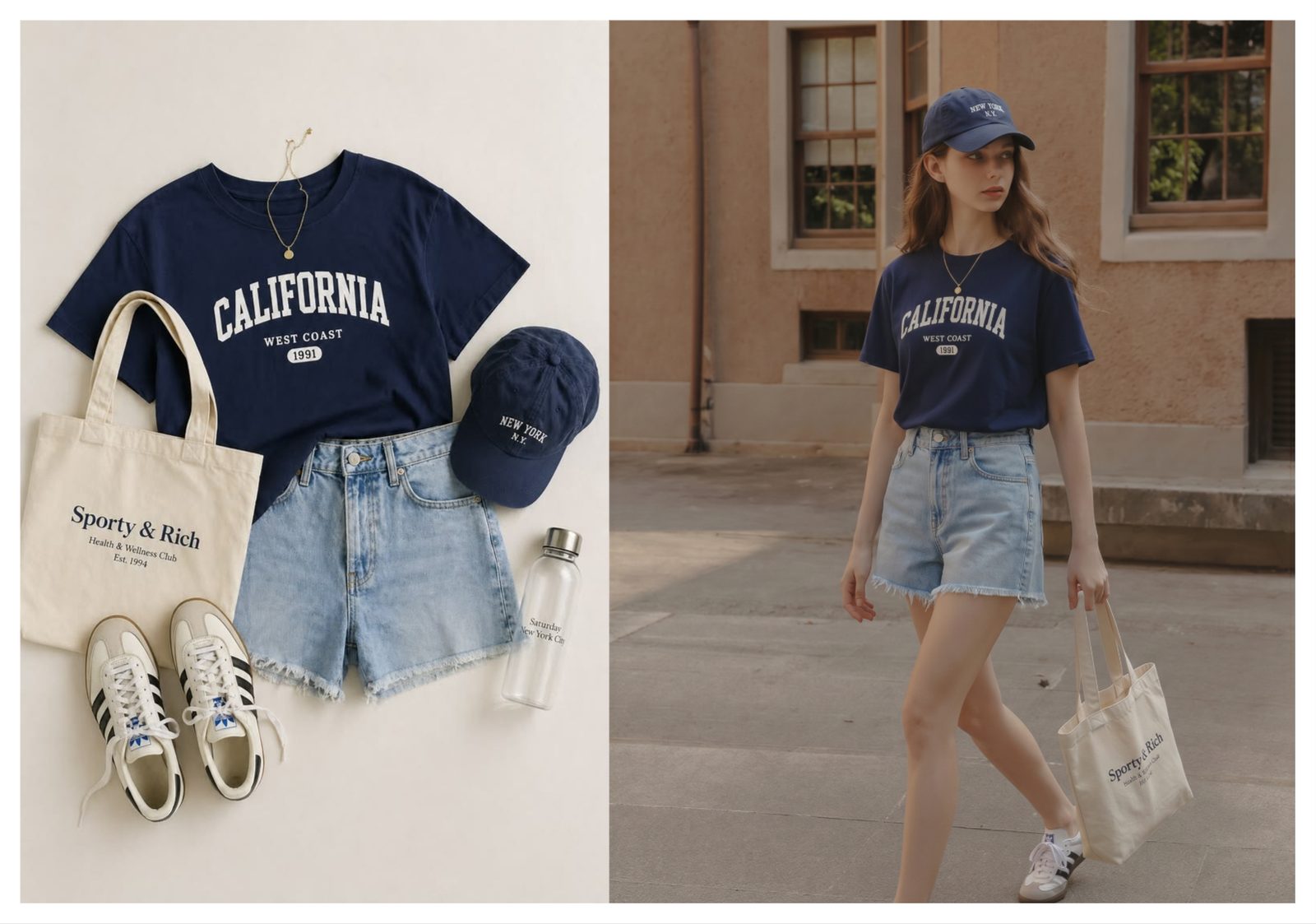
| On-model fashion image | Show fit, styling and outfit context | Unauthorized real-person edits |
For AI-assisted UGC-style ads, use the style of creator content without pretending a real customer made a claim they never made.
What UGC-style means for ecommerce
UGC-style creative means the ad feels native to a social feed while still being brand-owned, reviewed and product-accurate.
Creator-like framing
The camera can feel casual: mirror angle, travel setting, unboxing setup, product-in-hand crop or outfit photo. The brand still controls the product truth.
Product-first story
The product should be the reason the image exists. A UGC-style fashion ad can show the whole outfit, but the garment, shoe or bag being sold must remain easy to identify.
Honest endorsement boundaries
Do not use AI to invent a customer testimonial, fake a creator partnership or imply a person wore a product if they did not. Use AI for visual concepting and production, not deception.
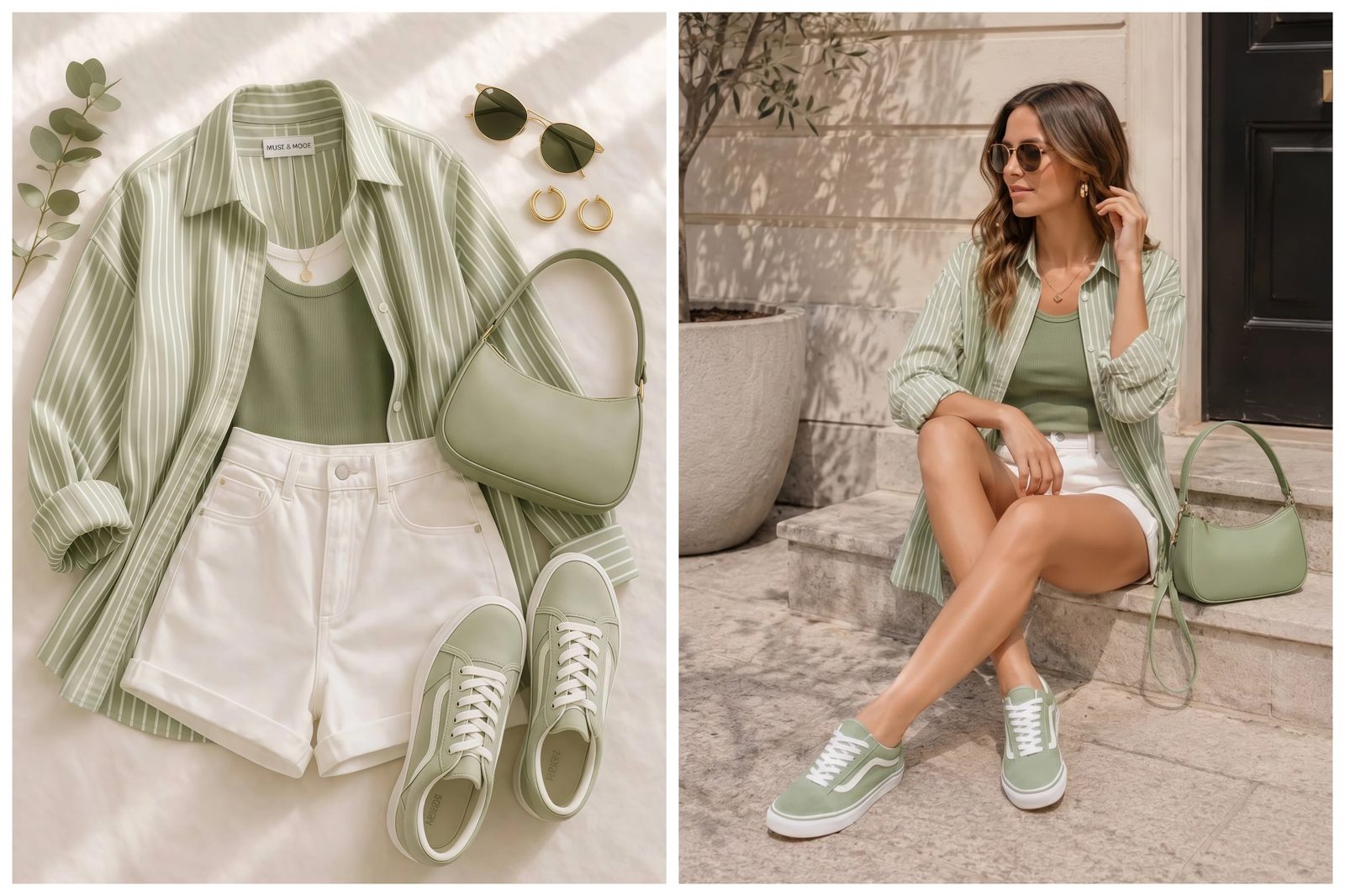
AI workflow for UGC-style ecommerce ads
The AI workflow starts with a real product reference, creates a social-native scene and then checks whether the result still supports the product claim.
- Upload the product, outfit, shoe, bag or accessory reference.
- Choose a model, pose or scene that matches how buyers would use it.
- Create square, 4:5 and vertical variants.
- Add short copy that describes the product, not a fake testimonial.
- Review for artifacts and claim accuracy before launch.
For fashion, the AI outfit generator is useful when you want the product styled on a model or paired with accessories before making Meta ad variations.
UGC-style formats for Facebook and Instagram
Facebook and Instagram UGC-style ads work best when the creative is simple, product-centered and native to the placement.
| Format | Use it for | Creative note |
|---|---|---|
| Feed image | Outfit idea, product-in-use, offer | Keep the product clear in the first view |
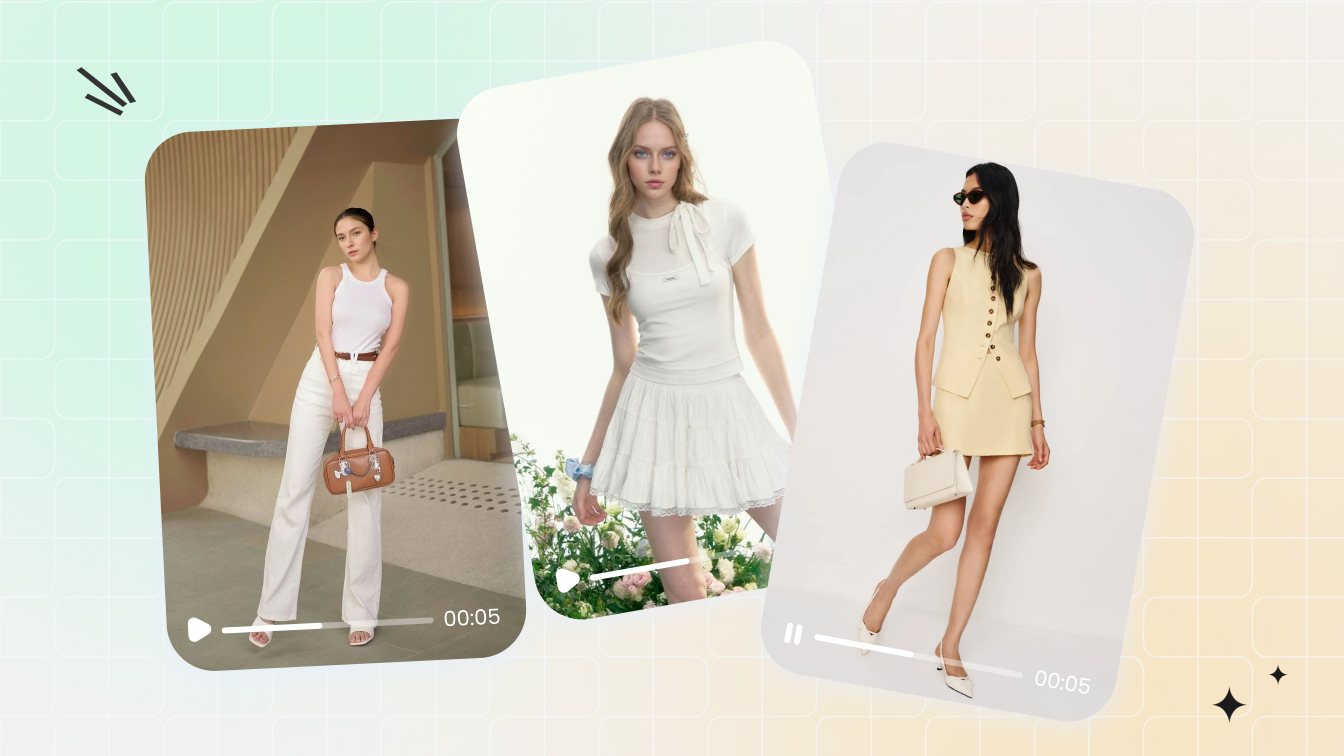
| Story/Reel | Demo, try-on, unboxing, problem-solution | Use motion or sequence, not heavy text |
| Carousel | How to style, bundle, colorways | One idea per card |
| Catalog retargeting | Exact SKU reminder | Use clean product or on-model images |
| Creator-style static | Social proof mood without fake claims | Avoid invented testimonials |
If you also need video, the single-image-to-video guide shows how to turn an approved still image into short motion creative.
Product truth and consent rules
Product truth and consent are the two boundaries that keep AI-assisted UGC-style ads usable for ecommerce.
Product truth
Do not change material, color, print, size, included accessories or fit in a way the shipped product cannot match. This matters more than whether the image looks polished.
Person and likeness rights
Use yourself, an authorized adult model or a synthetic model when a person appears in the image. Avoid private photos, minors, screenshots and non-consenting people.
Claim truth
Do not imply a customer review, influencer endorsement or test result unless the business can prove it. AI can help create the visual style; it cannot create evidence.
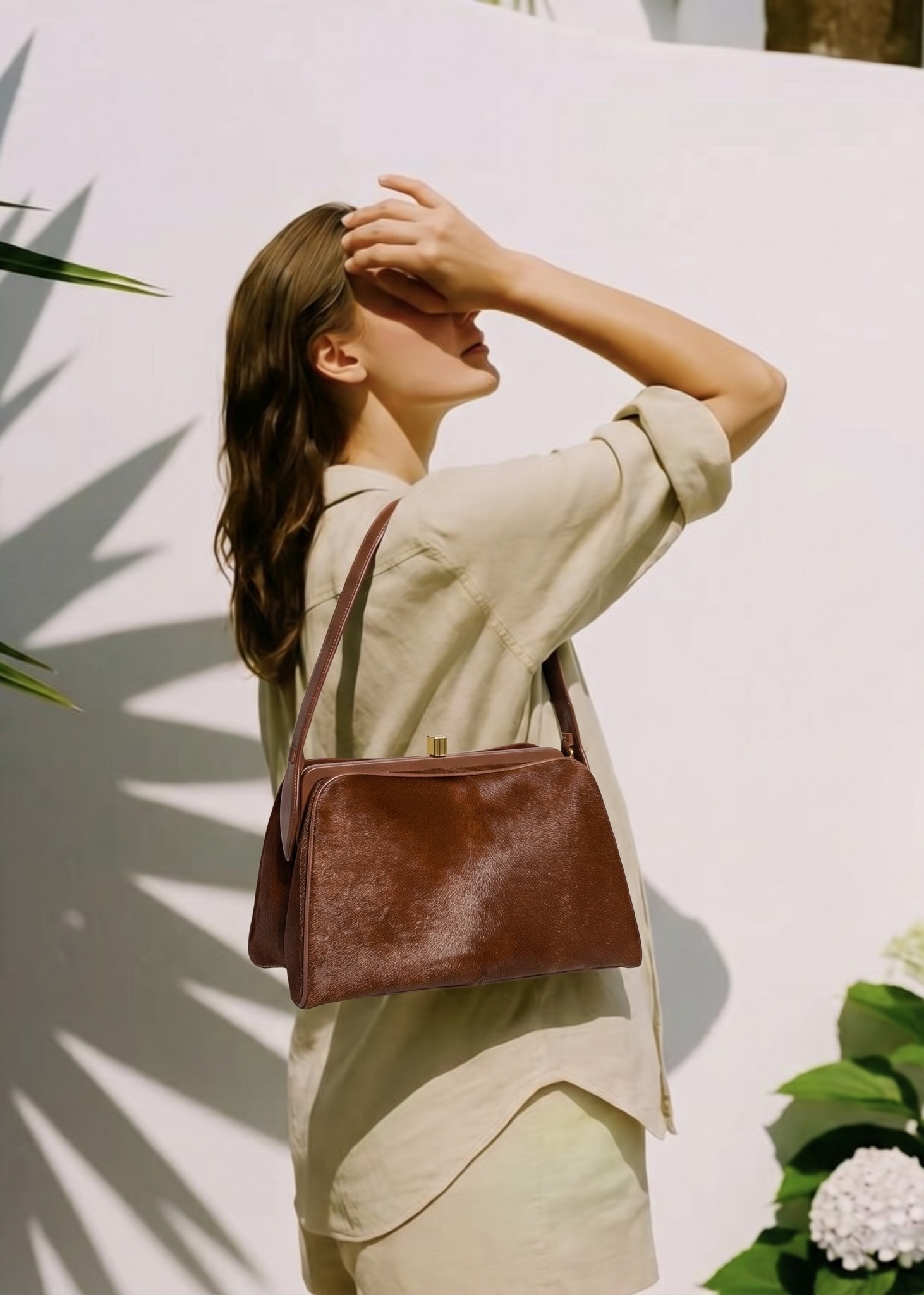
A reusable brief for UGC-style ads
A reusable brief keeps UGC-style ad production fast without making every asset look random.
| Brief field | Example | Why it matters |
|---|---|---|
| Product reference | Black shoulder bag, gold hardware | Anchors the visual to the SKU |
| Audience moment | Weekend brunch, commute, beach trip | Keeps the scene specific |
| Visual format | 4:5 feed plus 9:16 story | Prevents late resizing work |
| Proof point | Hands-free, water-resistant, wide strap | Connects image to reason to buy |
| Forbidden changes | No color change, no logo removal | Protects product accuracy |
Create social-native product visuals. Generate outfit and accessory previews before editing the ad layout. Try Snappyit free
UGC-style ideas by product category
UGC-style ads work best when the scene answers the buyer's real product question instead of imitating creator content in a generic way.
| Category | UGC-style angle | Buyer question answered |
|---|---|---|
| Fashion | Outfit mirror or travel styling | How would I wear it? |
| Shoes | On-foot walk or outfit pairing | What does the shoe look like in use? |
| Bags | Shoulder carry or packed-day scene | How large is it and when would I use it? |
| Beauty | Vanity setup or routine context | Where does it fit in my routine? |
| Home goods | Room scene or setup moment | Will it fit my space and style? |
A weekly production calendar
A weekly calendar helps teams create UGC-style variations without making random one-off assets.
Monday: pick the product story
Choose one SKU, one buyer moment and one proof point. A focused brief creates better AI outputs.
Tuesday to Wednesday: generate and review
Create product-in-use images, on-model options or motion tests, then remove any asset with distorted product details or unclear claims.
Thursday to Friday: format and launch
Export feed, story and carousel versions. Launch a small test and record which angle deserves the next round.
Hooks that fit UGC-style product ads
UGC-style hooks should feel specific to the buyer moment while staying honest about the product.
| Hook type | Good phrasing direction | Risky phrasing to avoid |
|---|---|---|
| Outfit idea | “How I would style this for a weekend trip” | Fake celebrity or customer claim |
| Problem solution | “A lighter work bag for long commute days” | Unproven performance claim |
| Routine | “The shelf setup for a calmer morning” | Medical or guaranteed outcome |
| Gift | “A simple gift idea for frequent travelers” | Fake recipient reaction |
| Try-on | “See the color and fit before the drop” | Non-consensual real-person edit |
Where AI stops and human review starts
AI can create UGC-style visuals quickly, but human review decides whether the ad should represent the brand in public.
AI can handle variation
AI is useful for generating scene options, outfit pairings, background moods, accessory context and short visual sequences from an approved reference.
Humans must handle claims
Only the brand can confirm a testimonial, product performance claim, influencer permission, usage right or before-and-after statement. Do not let an AI-generated visual imply evidence that does not exist.
Humans must handle taste
UGC-style does not mean low standards. The final ad still needs brand fit, inclusive styling choices, accurate product presentation and a landing page that confirms what the ad shows.
A UGC-style production system for ecommerce ads
A reliable UGC-style workflow starts with a clear product proof, then chooses the creator angle and visual format that make that proof easy to understand.
Start with a proof point
Choose one thing the ad needs to prove: fit, comfort, scale, texture, packing size, before-and-after use, styling flexibility or gift value. The image and copy should both support that proof point.
Match the format to the product
Fashion and accessories may need model photos, mirror-style compositions, outfit scenes or close-up detail crops. Beauty and home products may need routine shots, shelf context or hand-held product moments. The format should make the item easy to understand in a scrolling feed.
Keep the brand review step
UGC style does not mean unreviewed. Check whether the product is accurate, the claim is supportable, the scene matches the audience and the final asset can be reused across Facebook, Instagram, TikTok or email.
AI can help produce source visuals and first drafts faster, but the best UGC-style ads still need human judgment around product truth, customer insight and offer clarity.
Frequently Asked Questions
What are UGC-style ecommerce ad creatives?
UGC-style ecommerce ad creatives are brand-owned ads that use the visual language of creator content, such as casual framing, product-in-use scenes and native social layouts.
Can AI create UGC-style ads?
Yes. AI can help create product-in-use images, model previews, short clips and casual social scenes. It should not be used to fake a real customer testimonial or non-consensual person image.
Is UGC-style the same as real UGC?
No. Real UGC comes from customers or creators. UGC-style creative is a brand-made ad that borrows the natural look of social content.
What products work best for UGC-style AI ads?
Fashion, shoes, bags, beauty, home goods, fitness accessories and travel products often work well because buyers want to see use, scale and styling context.
Can I use AI models in UGC-style ads?
Yes, if the output does not imply a real person endorsed the product. Use synthetic or authorized adult model images and review the final ad for accuracy.
Should UGC-style ads be polished or casual?
They should feel casual but not careless. The scene can be natural, but product detail, lighting, crop and claim accuracy still matter.
How do I avoid misleading UGC-style ads?
Do not invent reviews, endorsements, before-and-after results or product capabilities. Keep the image aligned with the exact SKU and the landing page.
Which Snappyit tool fits UGC-style fashion ads?
Use AI Outfit Generator for clothing, shoes, bags and accessories; Fashion Model for on-model apparel visuals; and Image to Video for short motion variants.
Create native-feeling ads without fake claims
Use Snappyit to build social-style product visuals that keep the SKU clear and avoid invented testimonials or endorsements.
More Snappyit Resources