
At a glance
How to sell clothes on Instagram in 2026: what changed after checkout ended, the visuals that convert, and how to make on-model photos from one flat photo.
| Need | What to do |
|---|---|
| Get oriented | Read the short summary, then use the checklist below. |
| Create a test image | Try AI Outfit Generator Free |
Selling on Instagram After the Checkout Removal
Meta removed native in-app checkout from Facebook and Instagram Shops in 2025, which turned Instagram into a discovery and traffic channel: shoppers find your clothes in the feed, but every purchase now completes on your own website. The phase-out rolled out over the summer and was finished by August 2025. Shops, product tags, and the shop tab did not disappear — only the ability to pay without leaving the app did.
For clothing sellers this is mostly good news. You keep the full checkout experience and customer data on your own store, and Instagram's job simplifies to the one thing you can actually control: making people stop scrolling. Three purchase paths survived the change.
Product tags that route to your site
Product tags still work in posts, Reels, and Stories, but tapping one now leads shoppers out to the product page on your website, as documented in the Instagram Help Center. Tagged posts remain the closest thing to shoppable content on the platform.
Link in bio
Your bio link is the default answer to "where do I buy this?" — it should land on a shoppable page that mirrors your recent posts, not a generic homepage.
Comment-to-DM selling
Sellers increasingly ask followers to comment a keyword, then send the product link automatically by DM. It converts warm interest into a click without waiting for a bio-link visit; setup details are covered in the selling mechanics section below.
Your Grid Is Your Storefront
On Instagram, your grid is your storefront window: shoppers who discover one post almost always tap through to your profile next, and they decide whether you look like a real brand based on the first nine images they see. Before optimizing captions or hashtags, make those nine posts earn trust.
Run the first-nine audit
Open your profile as a stranger would and check the top nine tiles against this list:
- At least five on-model photos. A grid of flat lays reads like a closet cleanout, not a brand.
- Consistent light and background. Mixed bedroom floors and studio shots signal "side hustle."
- Readable at thumbnail size. If the garment is not obvious in a small square, re-crop tighter.
- One clear brand moment. A face, a signature color, or packaging that repeats across tiles.
Keep crops consistent
Export every feed image at the same aspect ratio so the grid aligns cleanly — the free image resizer handles the crops in bulk. If you are still setting up the brand itself, our guide on how to start a clothing brand online covers the store side, and the fashion brands use case shows how sellers keep visuals consistent at scale.
On-Model Photos Are the #1 Conversion Factor
On-model photos are the single biggest conversion factor for selling clothes on Instagram, because shoppers buy fit and drape — not fabric folded flat on a table. Across marketplaces and social platforms alike, listings that show a garment on a body consistently out-click and out-convert flat-only listings, and they generate fewer "how does it fit?" DMs.
Why flat lays alone stall
A flat lay tells shoppers what the garment is; it cannot tell them how the waist sits, where the hem falls, or how the fabric moves. That missing information is exactly what stops a purchase, and it is also why flat-only accounts lean so hard on discounting.
Fix the cost problem with AI models
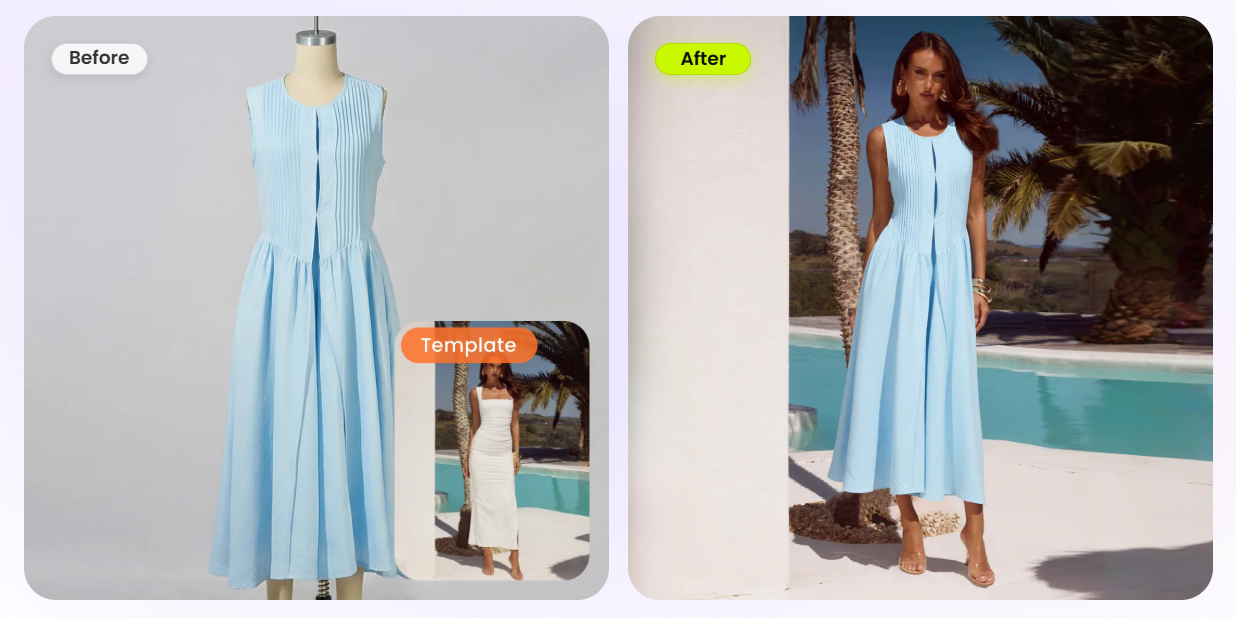
The traditional fix — booking a model, a photographer, and a studio for every drop — is priced for established brands, not for a seller shipping thirty SKUs a month. AI on-model generation removes that constraint: upload one flat, hanger, or mannequin photo to Snappyit's AI fashion model tool and get the same garment worn by a photorealistic model, with the fabric, print, and seams preserved. The on-model tool does the same from an existing mannequin or hanger shot. For the full workflow — choosing model looks, poses, and scenes — see how to create AI fashion models; swimwear sellers have a dedicated playbook in our bikini Instagram photos guide.
See your clothes styled on a model in minutes. Upload one flat photo, pick a model and scene, download the result. Try Snappyit free →
A Week of Feed Content From One Product Photo
One clean product photo can generate a full week of Instagram feed content when you treat it as a master asset and produce variations, instead of shooting every post separately. Here is the batch plan for a single garment, using a flat lay or mannequin shot as the source.
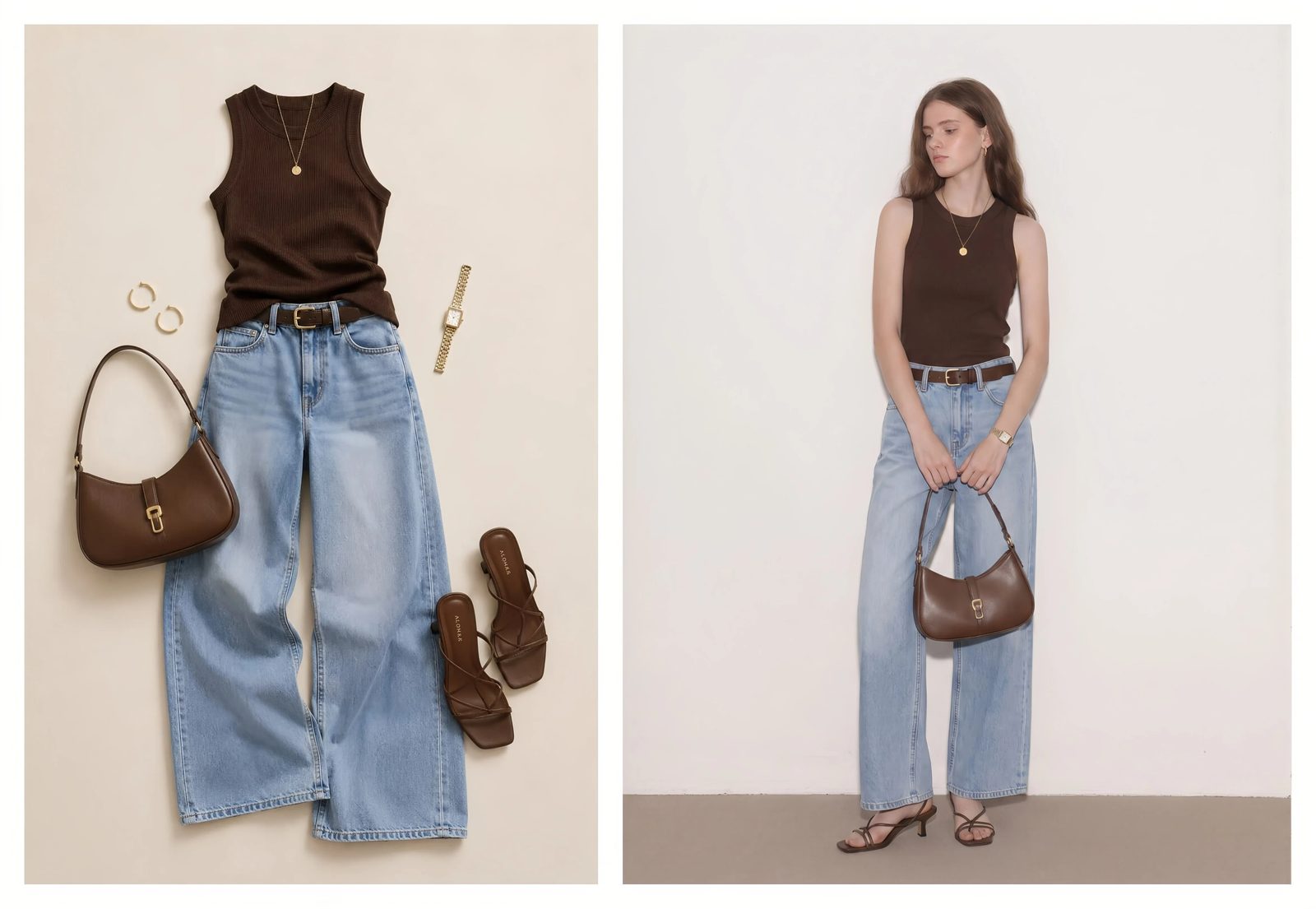
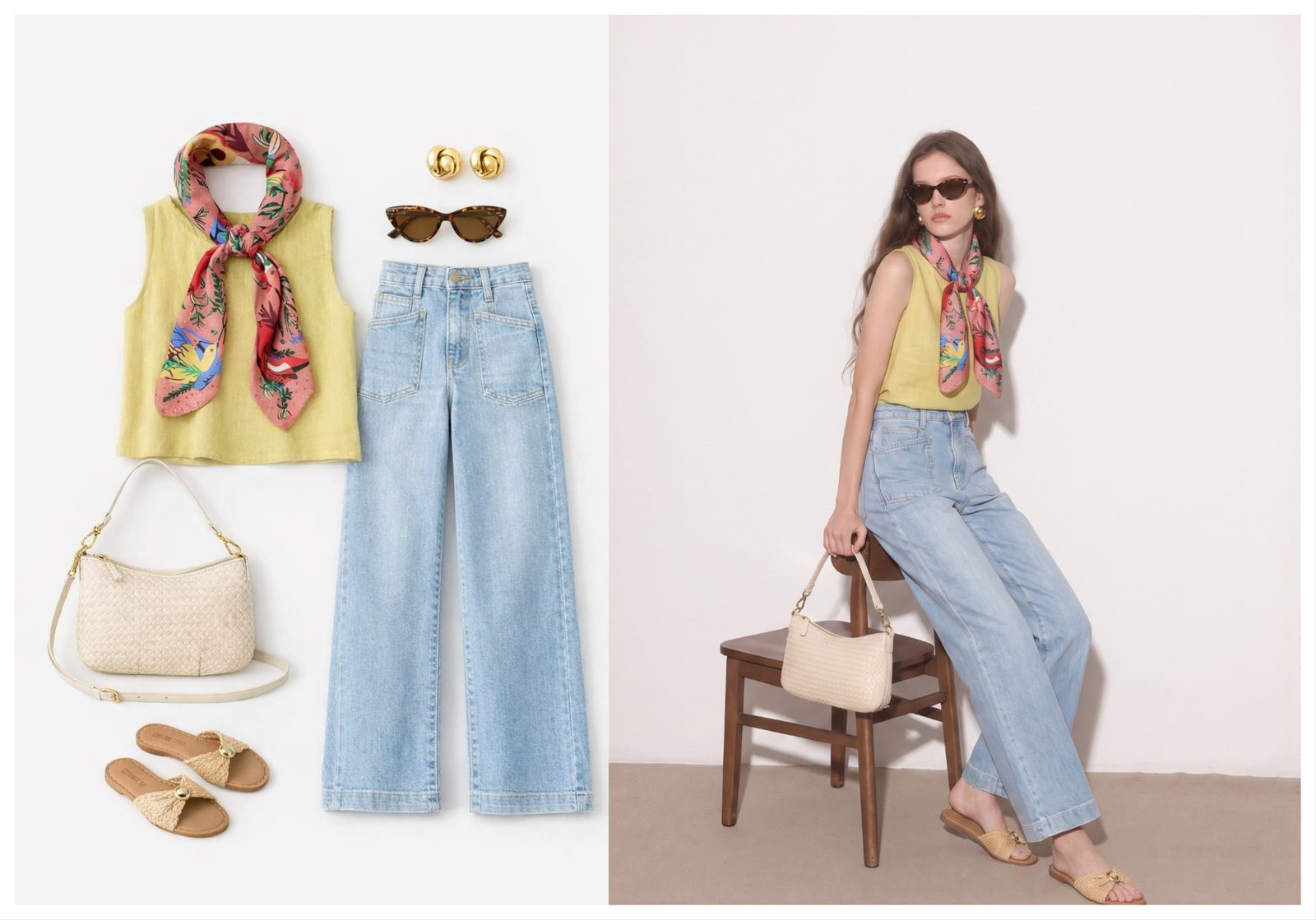
One flat photo of a tank and jeans becomes a studio-quality on-model post.
Monday: the ghost-mannequin hero
Open the week with a clean product-first shot: run the flat or mannequin photo through the ghost mannequin tool so the garment holds a worn 3D shape with no mannequin visible. If you are shooting the source photo yourself, our guide to photographing clothes without a mannequin covers the setup.
Tuesday and Wednesday: two on-model scenes
Generate the same garment on a model in two different settings — a studio look and a lifestyle or street scene — with the AI fashion model tool. Two scenes read as two shoots, and the lifestyle version doubles as ad creative later.
Thursday: the detail crop
Crop into the stitching, print, or fabric texture of your best on-model frame. Detail posts are the cheapest post of the week and they answer quality objections before shoppers ask.
Friday: the colorway carousel
Use the color change tool to render every colorway you stock from the one master photo, then publish them as a swipeable carousel. Carousels are worth the extra slides: Socialinsider's Instagram benchmarks consistently rank them as the highest-engagement post format on the platform.
Batch the exports
Finish by pushing the whole set through the batch product photo editor so backgrounds, crops, and sizes come out consistent in one pass.
| Day | Post | Format | How to produce it |
|---|---|---|---|
| Monday | Ghost-mannequin hero | 4:5 feed post | Ghost mannequin tool on the flat photo |
| Tuesday | On-model, studio scene | 4:5 feed post | AI fashion model, studio background |
| Wednesday | On-model, lifestyle scene | 4:5 feed post | AI fashion model, street or lifestyle scene |
| Thursday | Detail crop | 1:1 feed post | Tight crop of the best on-model frame |
| Friday | Colorway carousel | 4:5 carousel | Color change tool, one slide per colorway |
| Weekend | Reel + Stories | 9:16 vertical | Animate a still (next section) and reshare posts |
Batch next week's feed tonight. One upload becomes five posts. Try Snappyit free →
Reels Put Your Stills in Motion
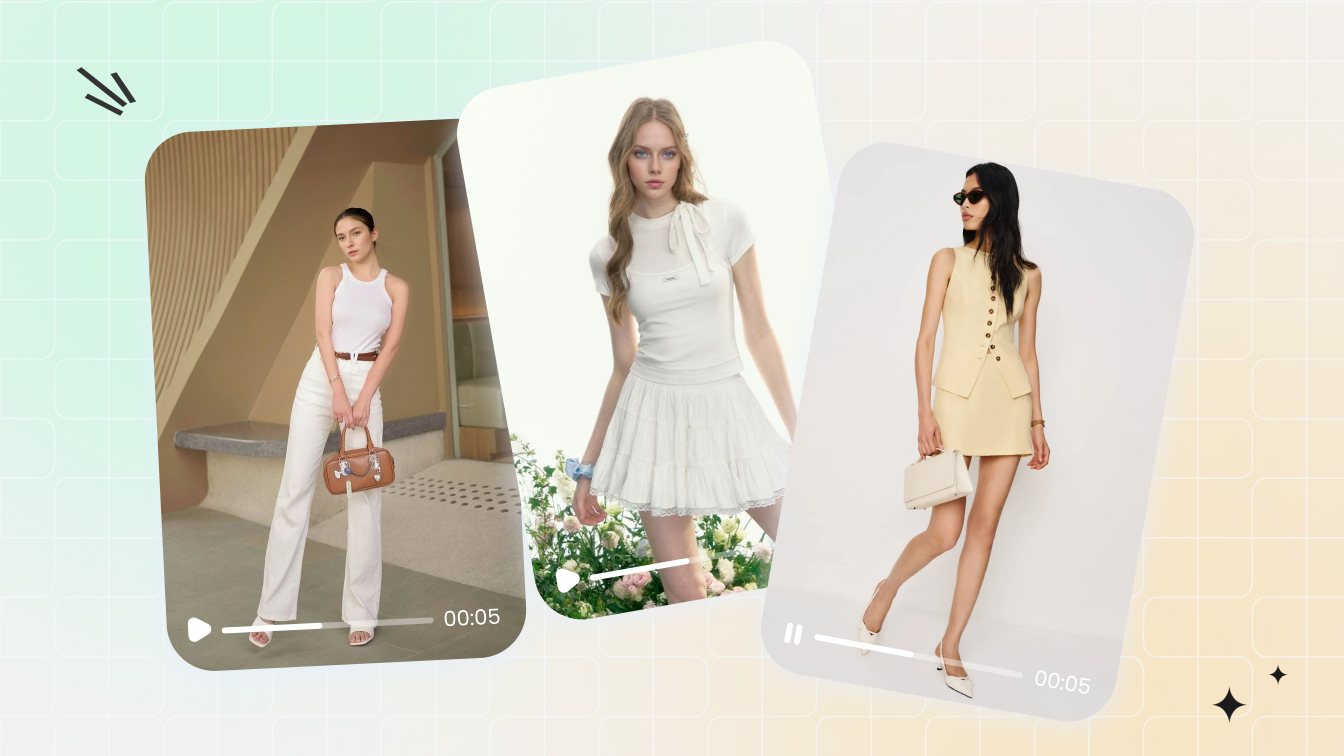
Reels are Instagram's main lever for reaching people who do not follow you yet, and you can produce them from the still photos you already made — no filming required. The image to video tool animates an on-model photo into a short clip with natural fabric and model movement, which is enough for a product-focused Reel with text overlays added in the Instagram app. For format choices and hook structures, see short fashion videos that sell, and for the single-photo workflow in depth, how to make a video from a single image.
Selling Without Checkout: Tags, DMs, and Link-in-Bio
Without native checkout, selling on Instagram runs on three mechanisms: product tags that link out to your store, a shoppable link in bio, and comment-to-DM automation. One honest note before the how-to: Snappyit produces the images and video that make these mechanisms work — it does not schedule posts, run ads, or manage DMs, so use the platform and the tools below for operations.
Product tags
Set up a shop in Meta's Commerce Manager, connect your product catalog, and tag items in posts, Reels, and Stories once approved. The Instagram Help Center walks through eligibility and tagging steps; catalog image rules are covered in the approval section below.
Link in bio
Point the bio link at a page that lists your currently promoted products in the same order as your recent posts. Update it when your grid changes — a shopper who saw Tuesday's on-model post should find that exact item one tap deep.
Comment-to-DM automation
Tools like ManyChat detect a keyword comment ("LINK") and reply by DM with the product URL automatically. Keep the automated message short, one link, no follow-up spam — and check Instagram's current automation policies in the Help Center before turning it on.
Instagram Image Sizes Fashion Sellers Need
Instagram feed posts perform best at 1080 x 1350 pixels — the 4:5 portrait format — because it is the largest space a photo can occupy in the feed. Produce every master image large, then resize down per placement with the free image resizer instead of upscaling later.
| Placement | Size (px) | Production job |
|---|---|---|
| Feed post (portrait) | 1080 x 1350 (4:5) | Default export for on-model and hero shots |
| Feed post (square) | 1080 x 1080 (1:1) | Detail crops; safest crop for the profile grid |
| Carousel slides | 1080 x 1350 (4:5) | Keep every slide the same ratio or Instagram crops them |
| Stories / Reels | 1080 x 1920 (9:16) | Vertical re-crop of on-model scenes; leave top/bottom margin for UI |
| Catalog / product image | 1024 x 1024 or larger (1:1) | Clean-background product shot for shop tags and ads |
These specs shift occasionally and differ by channel, so when you repurpose the same masters for other platforms, check our reference on the best image size for each marketplace. Pinterest sellers should also see how to sell on Pinterest as a fashion brand — the same batch assets power both channels.
Getting Approved: Catalog Image Rules in Brief
Meta requires catalog images to be at least 500 x 500 pixels in JPEG or PNG format under 8 MB, and to show the product accurately without promotional text, watermarks, or misleading composites, per Meta's product image specifications. In practice, aim higher than the minimum: a square 1024 x 1024 image on a clean background sails through review and looks sharp in every shop surface, and the free background remover gets a compliant white background from any photo in seconds.
Image rejections are the most common approval blocker for clothing catalogs, and most are fixable in one edit pass. The complete rule-by-rule checklist — backgrounds, text overlays, crops, and the rejection reasons Meta actually sends — lives in our Instagram Shop image requirements guide; if you list on Pinterest too, the parallel rules are in Pinterest catalog image requirements.
Frequently Asked Questions
Common questions clothing sellers ask about selling on Instagram in 2026.
Is Instagram checkout really gone?
Yes. Meta finished removing native in-app checkout from Facebook and Instagram Shops in August 2025. Shops and product tags still exist, but every purchase now completes on the merchant's own website.
Do Instagram product tags still work?
Yes. Product tags remain active in posts, Reels, and Stories. The difference is that tapping a tag now sends shoppers to your website to finish the purchase instead of keeping them inside an in-app checkout flow.
How many posts per week should a clothing brand publish?
Three to five feed posts per week is a sustainable baseline for a small clothing brand, supported by Stories on most days. Consistency and visual quality matter more than volume, which is why batching a week of content from one product photo works so well.
Do AI-generated product photos need disclosure?
Disclosure rules vary by region and are still evolving, so check current guidance before publishing. The garment itself must always be shown accurately. Our guide on whether AI-generated product photos are legal covers the disclosure question in detail.
What is the best image size for selling clothes on Instagram?
Use 1080 x 1350 pixels (4:5 portrait) for feed posts and carousels, 1080 x 1920 (9:16) for Stories and Reels, and square images of at least 1024 x 1024 for your product catalog. Portrait feed posts occupy more screen space, which helps them get noticed.
Can I sell clothes on Instagram without a website?
You can take orders manually through DMs and send invoices, but you cannot use product tags or run an Instagram Shop without a live website, because product tags must link to a real product page. Even a simple one-page store makes selling far easier.
Start Selling With Better Photos Today
The fastest way to start selling clothes on Instagram is to fix your photos first: one good flat photo per garment is enough raw material for a storefront-quality feed. Work the sequence in order:
- Step 0 — clean your masters for free. Run existing photos through the background remover and image resizer to get compliant, consistent bases.
- Step 1 — generate your on-model set. Turn each flat photo into studio and lifestyle on-model shots with the AI outfit generator.
- Step 2 — batch a week of posts using the plan above, then animate one still into a Reel.
- Step 3 — connect the selling mechanics: catalog, product tags, bio link.