




Choose a Clothing Photography Method Without a Mannequin
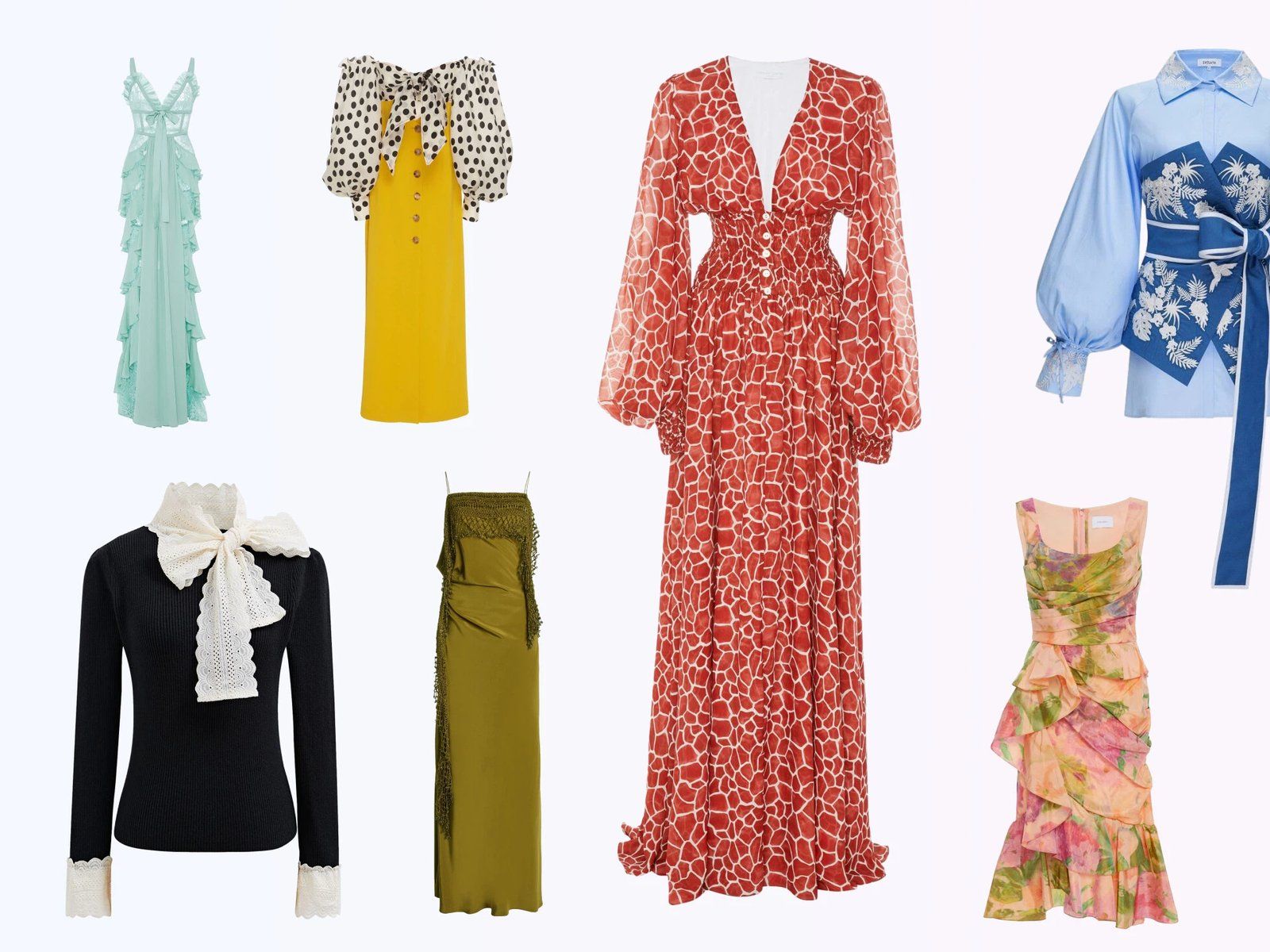
Start with the image your buyer needs, not the equipment you do not own. A flat lay documents construction, a hanger shows drape, an on-model photo explains fit, and an AI ghost mannequin creates a consistent catalog silhouette from a flat source image.
| Seller goal | Recommended method | Best listing use |
|---|---|---|
| List products quickly | Flat lay | Front, back and detail images |
| Show natural drape | Hanger photo | Secondary gallery images and resale listings |
| Control sleeves or hems | Hidden pins or removable tape | Coats, dresses and structured garments |
| Add torso volume cheaply | Stuffed garment | Small catalogs and test shoots |
| Show fit and scale | Friend or model | Fit-led apparel and permitted marketplace main images |
| Create a uniform catalog silhouette | AI ghost mannequin | Independent-store galleries and permitted alternate images |
Method 1: Flat Lay Clothing Photography
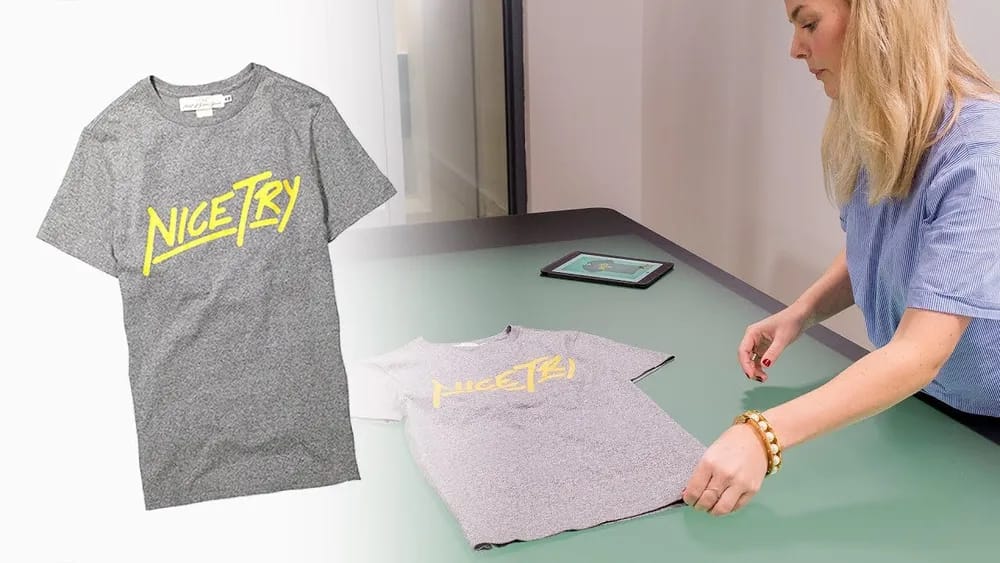
Steam and lint-roll the garment, shape the sleeves and shoot straight down with the phone parallel to the surface. Flat lays are fast to repeat and show color, print and construction clearly. They do not explain fit, so add measurements, a model image or a generated worn-shape view when scale matters.
Method 2: Hanger Clothing Photos
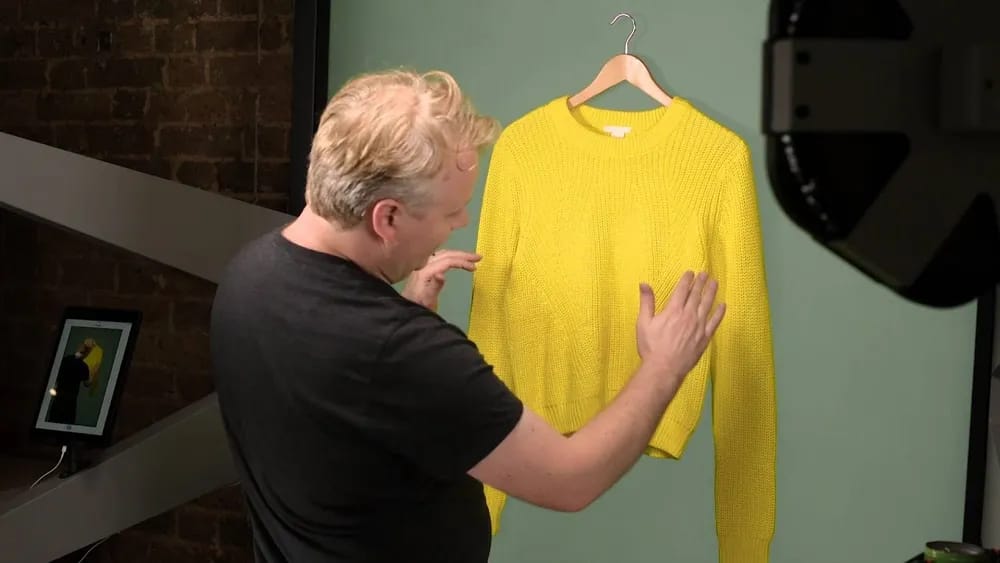
Use a padded or broad wooden hanger so the shoulders keep their shape, then photograph against a plain wall with soft light from one side. A hanger shows more drape and length than a flat lay, but gives buyers limited information about body fit.
Method 3: Pinned Clothing Photography
Hide T-pins or removable tape behind the garment to open lapels, extend sleeves or shape a hem. This suits coats and structured dresses that collapse on a hanger. Keep every support out of frame and do not reshape the product beyond its real construction.
Method 4: Stuffed Garment Photography
Place clean tissue, bubble wrap or a shaped foam insert inside a top to create torso volume without buying a dress form. Use the result to show structure, not fit: stuffing cannot represent a real body or every garment size.
Method 5: On-Model Clothing Photos
A friend or model gives buyers the clearest evidence of fit, length, scale and drape. Baymard's apparel research found that model images help shoppers judge those attributes and that missing human context can reduce confidence. Keep the camera distance, lighting and pose consistent, and publish the model's measurements and garment size.
Amazon's current clothing rules require a standing model for adult-clothing main images. For a repeatable resale workflow, see photographing thrifted clothes for resale.
Create a Ghost Mannequin Look Without a Physical Mannequin
A ghost mannequin image gives clothing a three-dimensional worn shape without showing a person. Traditional production and AI generation can reach a similar visual result, but start from different source material and require different quality-control steps.
Traditional Ghost Mannequin Editing as a Baseline
The traditional workflow normally photographs the garment on a physical form, captures the hidden collar or hem separately, then composites the interior and masks the form out. It is a cost and control benchmark here, not a mannequin-free shooting method.
Adobe lists Photoshop at US$22.99 per month on an annual plan billed monthly. Path lists ghost mannequin editing from US$0.89 per image. If you already shoot on a form, see how to remove a mannequin from a product photo.
AI Ghost Mannequin From a Flat Lay
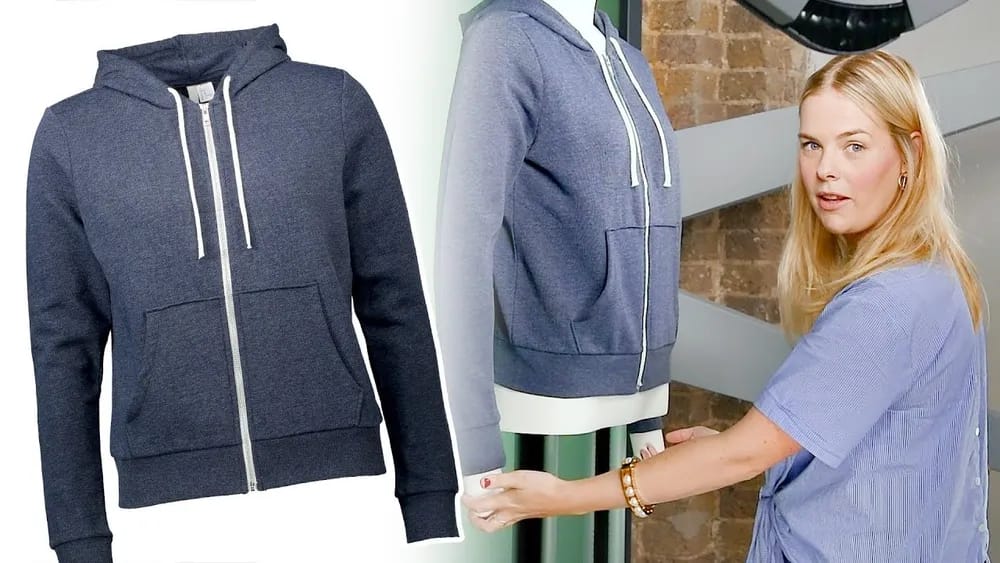
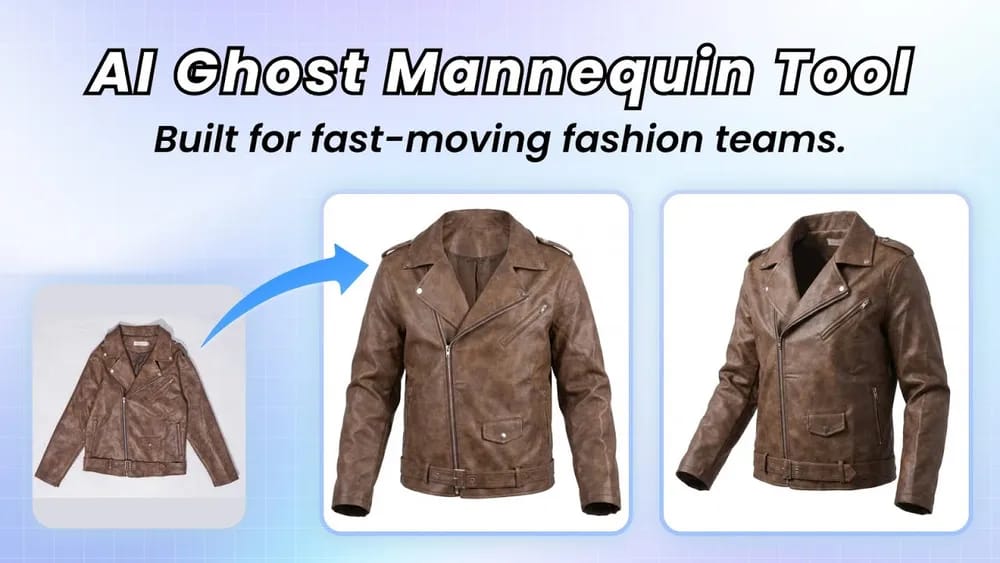
An AI ghost mannequin tool starts from one flat lay and generates a filled, isolated garment shape. It removes the physical-form shoot and manual mask, but may redraw collars, prints, buttons or seams. Treat the result as a draft that must be checked against the physical SKU.
See how the invisible mannequin effect works or our AI invisible mannequin tool comparison.
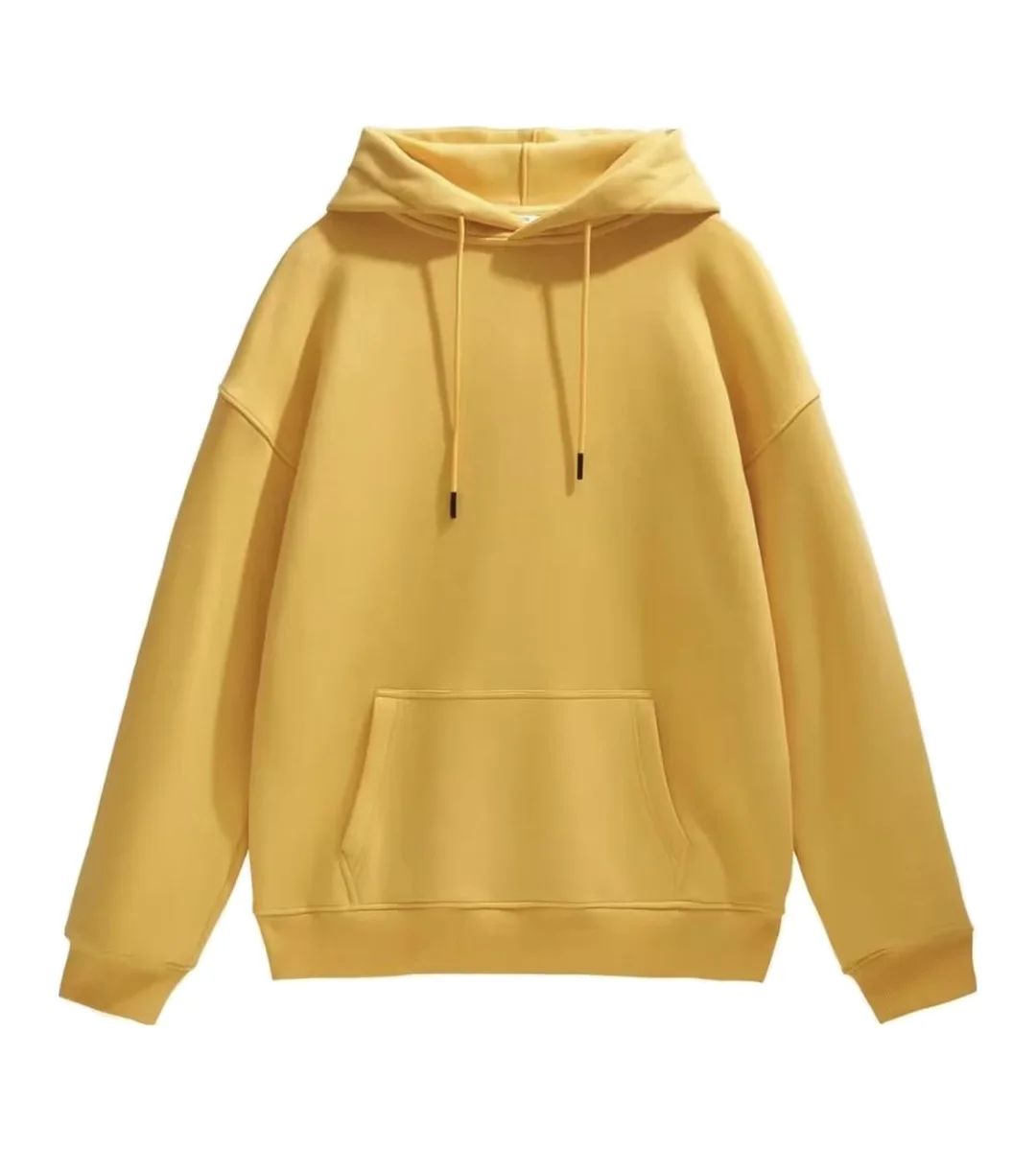
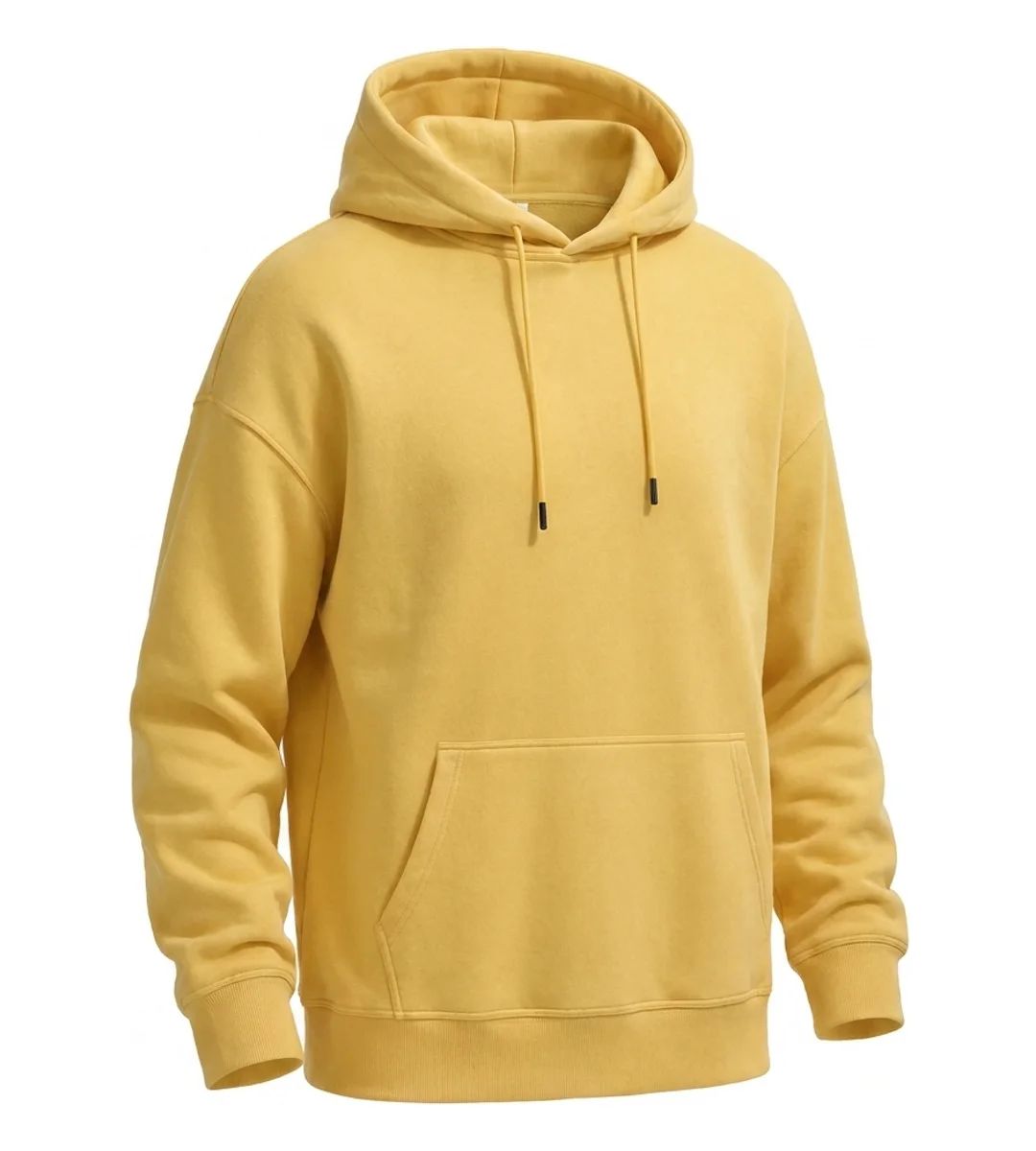
The generated view kept the hood opening, drawstrings, aglets and gathered cuffs visible, but changed the camera angle. A seller still needs to approve that change before using the image.
AI Ghost Mannequin Quality-Control Checklist
- Color: compare the output with the physical garment under neutral light.
- Construction: verify button count, neckline, sleeve openings, seams and hem.
- Brand details: inspect logos, labels, embroidery and placed prints at full size.
- Pattern alignment: check stripes, checks and repeating motifs for redraw errors.
- Export: confirm resolution, crop, background and file format for the destination channel.
Try Snappyit Ghost Mannequin free →
How AI Ghost Mannequin Handles Different Fabrics
Review effort increases when a source photo leaves more garment structure hidden. Test one representative SKU from each fabric, print and construction family before processing a full season.
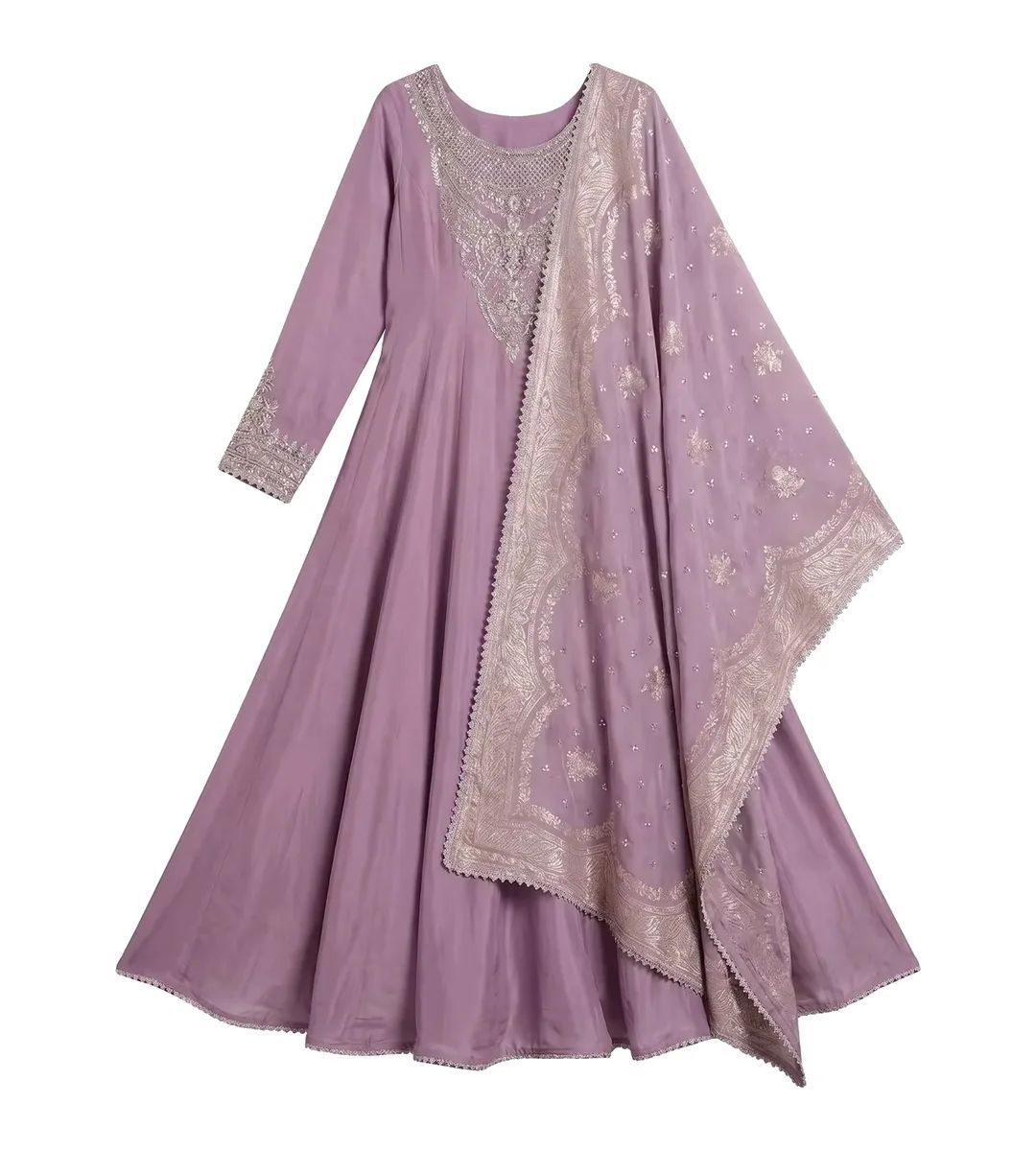
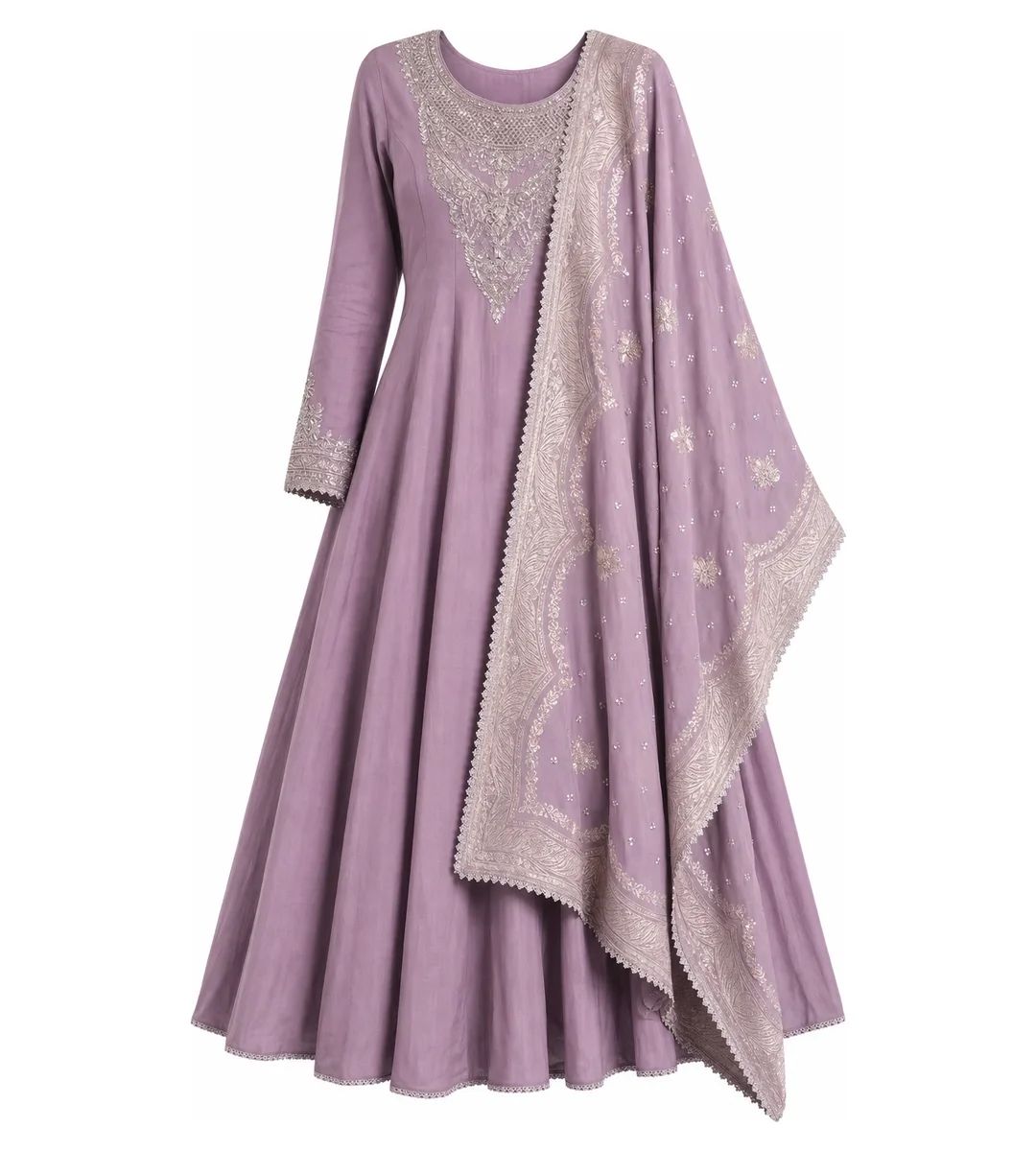
The yoke embroidery remained recognizable and the dupatta still appeared sheer in this output. That result applies to this transparent-over-opaque example; it does not establish how an unsupported transparent garment will render.
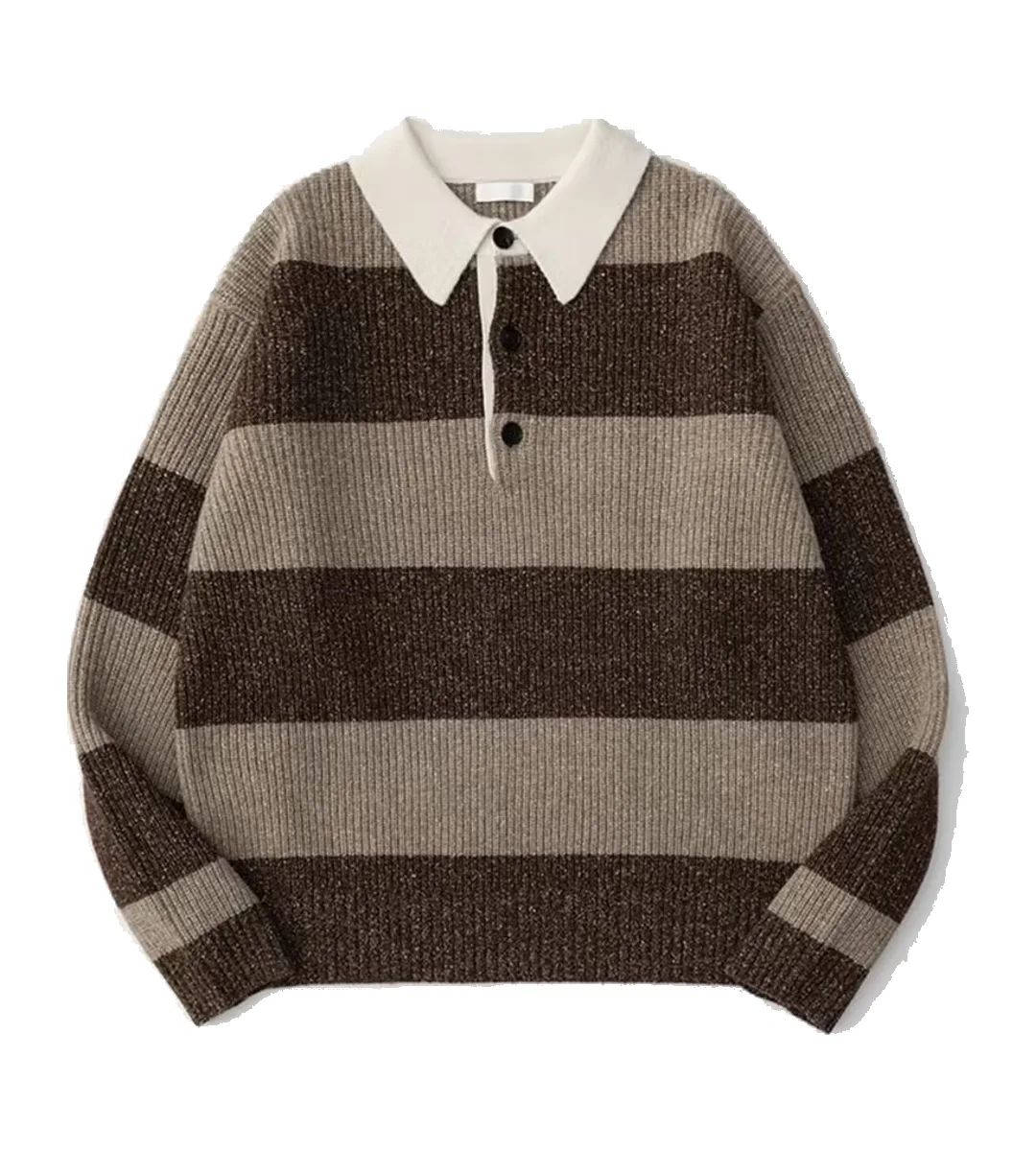
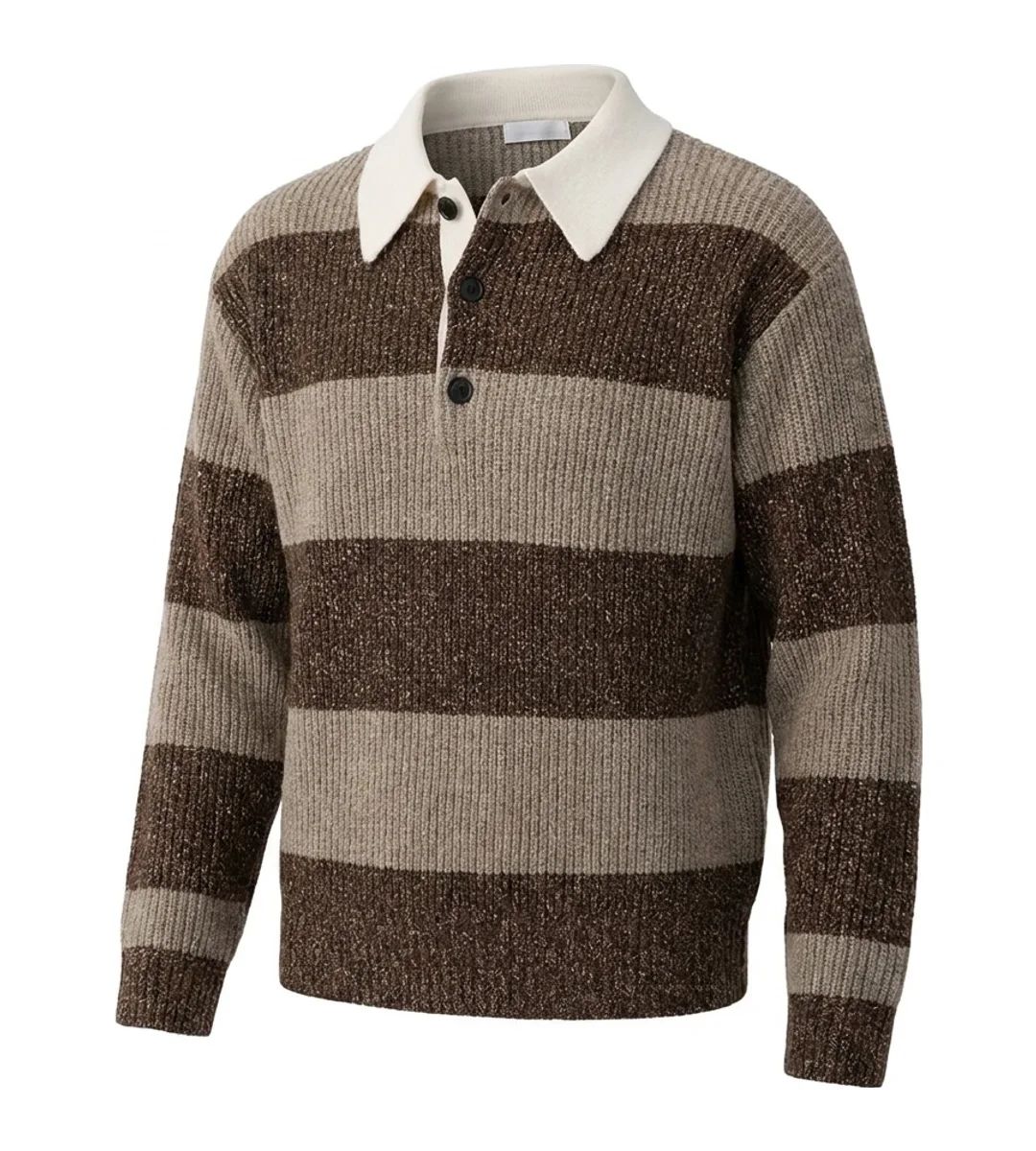
The striped knit retained visible rib texture and collar structure. Repeating lines make small alignment changes easy to spot, so inspect every stripe before approval.
AI Ghost Mannequin Input Requirements
AI ghost mannequin generation does not require a studio setup, but better source information gives the model less room to invent product details. Before uploading a garment photo, check these four points:
- Show the complete garment. Keep the full silhouette in frame and make the neckline, sleeve openings, hem, fastenings, prints and other selling details clearly visible.
- Keep the color true to the product. Professional lighting is optional, but the source photo should reproduce the garment's actual color. Mixed light, strong color casts or heavy filters can lead to inaccurate output.
- Capture enough detail. A phone camera is sufficient when the image is in focus and clear enough to show fabric texture, seams, trims and construction.
- Photograph every required angle. If your catalog needs side or back ghost mannequin views, provide matching side or back photos of the physical garment. Without that reference, the AI may guess at hidden construction.
Clothing Photo Rules for Amazon, Etsy and eBay
Policy note: Requirements vary by category and region and can change. This summary was checked on August 6, 2026; confirm the linked policy in your seller account before publishing.
Amazon Clothing Main Image Rules
Amazon's clothing image guidelines say adult clothing main images must show the item on a standing model. Children's and baby undergarments, leotards, swimwear and similar form-fitting products must be off-model; accessories must also be off-model.
Main images require pure white (RGB 255, 255, 255), at least 85% product fill and no visible mannequin, hanger or holder. At least 1,000 pixels on one side activates zoom. A flat lay, hanger photo or ghost mannequin render therefore does not replace the standing-model main image for adult clothing, though an accurate render may be useful in an alternate slot. Use our marketplace image size guide when preparing exports.
Etsy Listing Image Guidance
Review Etsy's current listing image requirements, image sizing guidance and AI guidance before upload. Use a truthful photograph of the actual item as primary product evidence and place generated views only where current policy permits them.
eBay Clothing Photo Requirements
eBay's official picture policy requires at least 500 pixels on the longest side and prohibits inaccurate images, placeholders, text, marketing artwork, borders and watermarks.
Clothing Photography Cost Comparison for 100 SKUs
| Cost factor | Own a physical form | Outsource ghost editing | AI from a flat lay |
|---|---|---|---|
| Up-front cost | Dress forms from about US$182.99; ghost torsos about US$297.99–$407.99; full-body ghost forms about US$616.99–$1,427.99 | No editing equipment purchase | Depends on provider and plan |
| Per approved image | Shooting labor plus any retouching | Path lists ghost mannequin editing from US$0.89 per image | Successful output cost plus review and reruns |
| 100-SKU starting point | Equipment price, shooting labor and retouching | About US$89 before source photography and optional services | 100 approved outputs plus a rerun allowance |
| Turnaround | Controlled by your production schedule | Path offers 6-, 12- or 24-hour options | Varies by model, provider and queue |
| Main operational risk | One form does not represent every garment size | Brief quality control and editor consistency | Generated changes to color, trims, prints or construction |
Equipment figures are Mannequin Mall dress-form and ghost mannequin list-price snapshots checked August 6, 2026. Prices exclude shipping, tax and labor. Compare cost per approved image rather than cost per first output.
FAQ: Clothing Photography Without a Mannequin
How do I photograph clothes without a mannequin?
Use a flat lay, padded hanger, hidden pins, light stuffing or an on-model photo. Steam the garment, keep the camera parallel and capture front, back and detail views before adding measurements or fit context.
What is the best clothing photography method for an online store?
Build a consistent gallery with a clean front image, back view, fabric close-ups and fit or scale context. Choose a model for fit, a flat lay for detail and a ghost mannequin for a uniform catalog silhouette.
Can I use a ghost mannequin image as an Amazon main image?
Not for adult clothing under Amazon's current clothing rule; the main image must show the item on a standing model. An accurate ghost mannequin render may be considered for an alternate slot. Check the exact category policy before upload.
Can I create a ghost mannequin image from a flat lay?
Yes. An AI ghost mannequin tool can generate a worn-shape view from one flat lay. Review the output against the physical SKU because collars, buttons, patterns, seams and hidden construction may be redrawn.
Is AI ghost mannequin suitable for ecommerce product photos?
It can be useful for consistent alternate catalog views when every output receives SKU-level review. Reject changes to color, buttons, logos, print placement, seams or garment construction.
Which fabrics are hardest for AI ghost mannequin tools?
Sheer fabric, open lace, mesh, dense pleats and thick layers leave more hidden structure for a model to infer. Repeating stripes, logos and placed prints make redraw errors easier to see.
Can I take professional clothing photos at home with a phone?
Yes. Use the main rear camera, soft window light, a stable mount and a lens position parallel to the garment. Lock focus and exposure so framing, brightness and color remain consistent across SKUs.
What should sellers check before publishing an AI clothing image?
Compare the full-size output with the physical SKU. Check color, buttons, logos, print placement, neckline, sleeve openings, seams and hems, then verify the destination channel's dimensions, background and product-image rules.
Sources
- Marketplace policies: Amazon clothing images · Etsy listing images · Etsy image sizing · Etsy AI guidance · eBay picture policy
- Photography and shopper research: Baymard on human-model images · Shopify clothing photography · Adobe flat lay guide
- Pricing references: Mannequin Mall dress forms · Mannequin Mall ghost mannequins · Adobe Photoshop plans · Path editing rates






