OnModel.ai vs Snappyit: AI Fashion Model Swap
Compare OnModel.ai Model Swap and Snappyit Face Swap for on-model photography, garment fidelity, workflow, controls, and pricing on the same apparel photo.
Test Snappyit Face Swap on the same AI fashion model swap task
Click or drag image here
Upload an on-model apparel photo you own, then pick a face from the library. Keep the source photo the same for a fair model-swap comparison.
What we tested, and what we left out
We tested the model-swap task both products expose: start with an on-model apparel photo, change the fashion model with AI, and return a listing-ready image. OnModel.ai calls the feature Model Swap; Snappyit uses Face Swap for the matched task. The workbench screens, outputs and prices below come from that run. Anything beyond this model-swap comparison is listed, not tested.
One source photo, one model choice,
two documented workbenches
The workbenches come first, followed by the output each returned from the same on-model photo. OnModel.ai selects a preset AI fashion model; Snappyit selects a face model from its library. We compare how much of the original apparel photo each model-swap workflow changes.
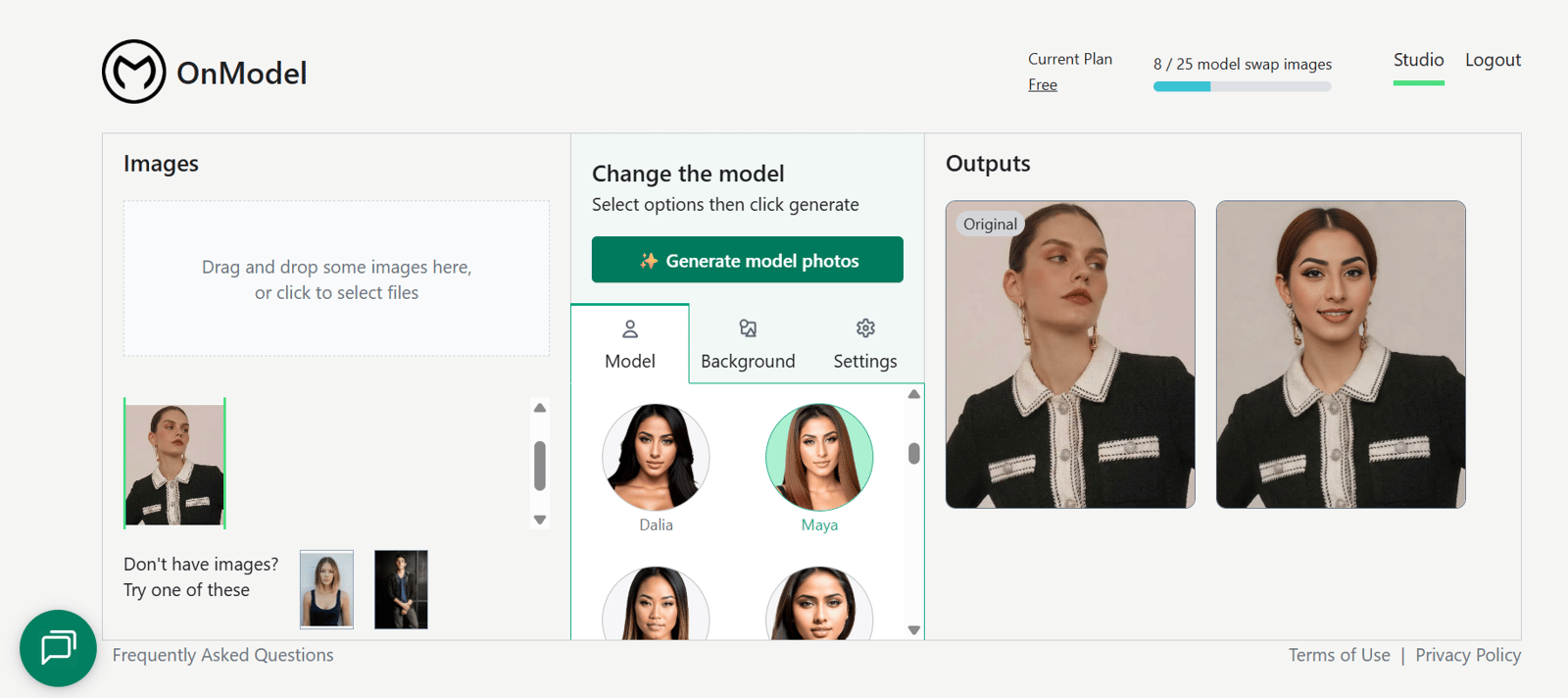
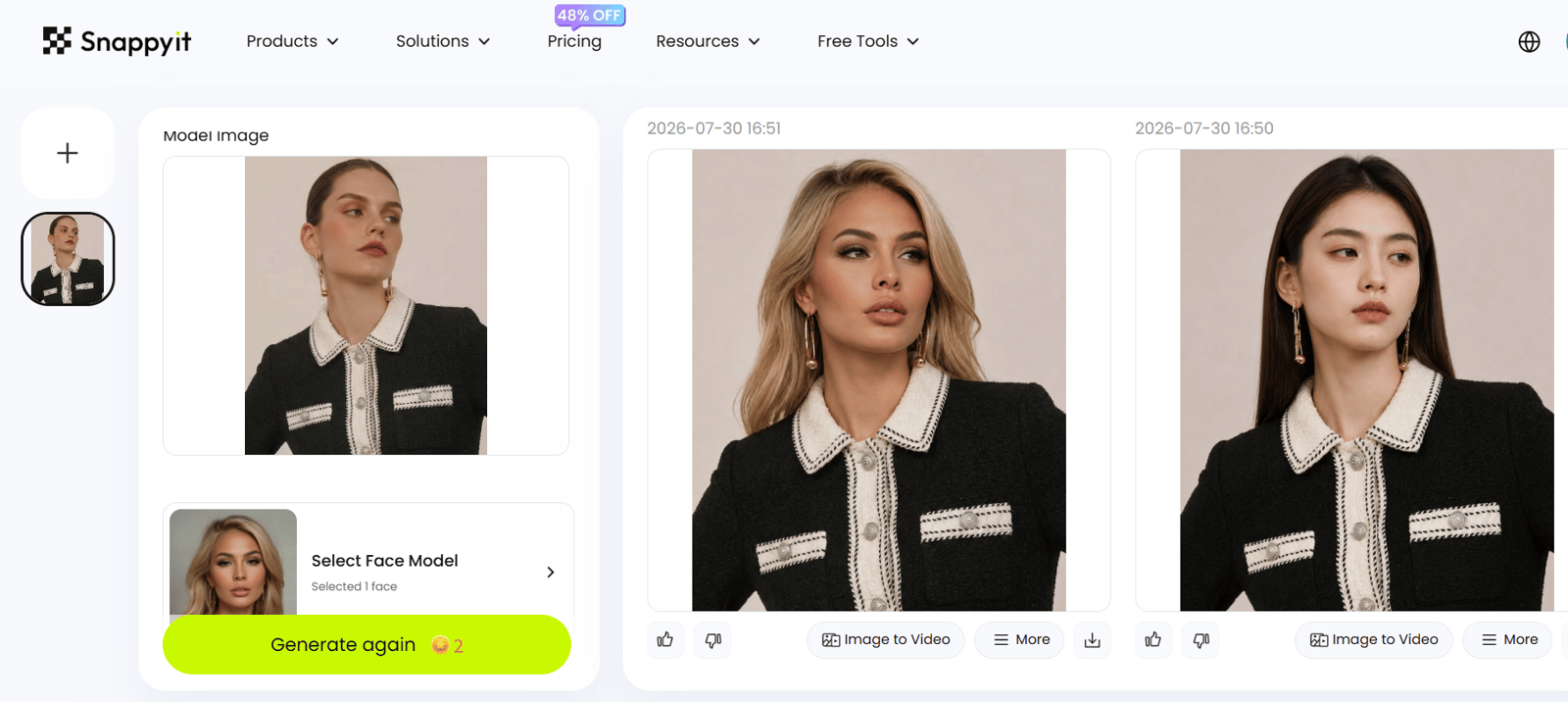
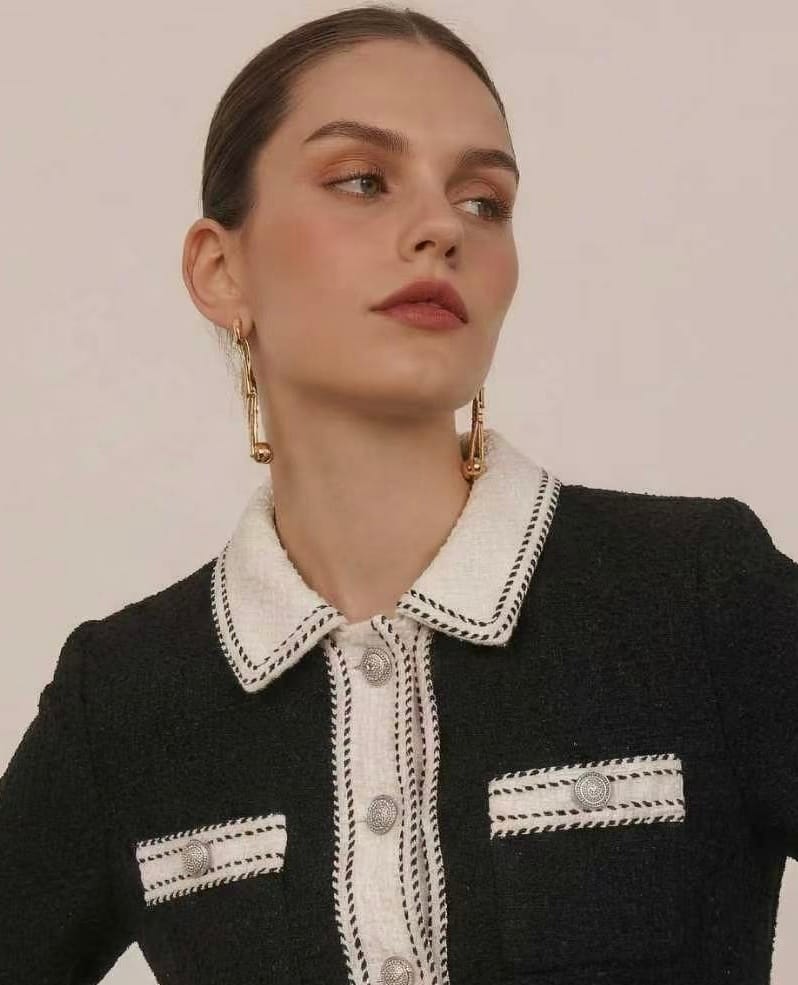
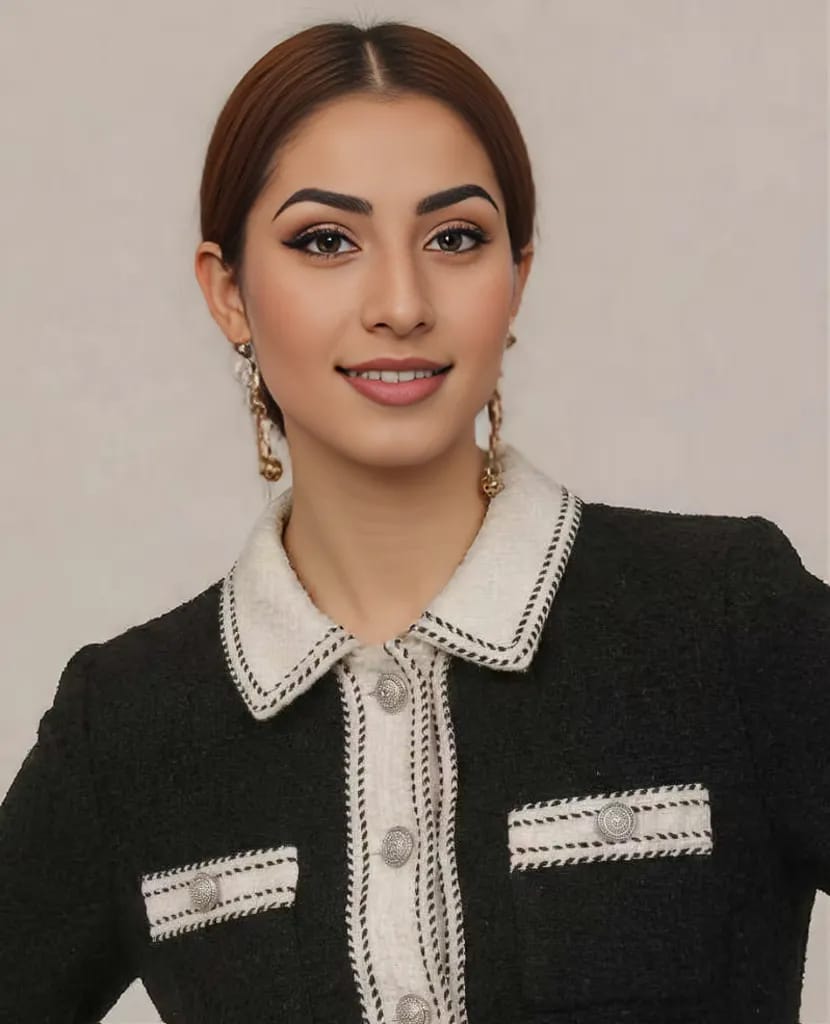
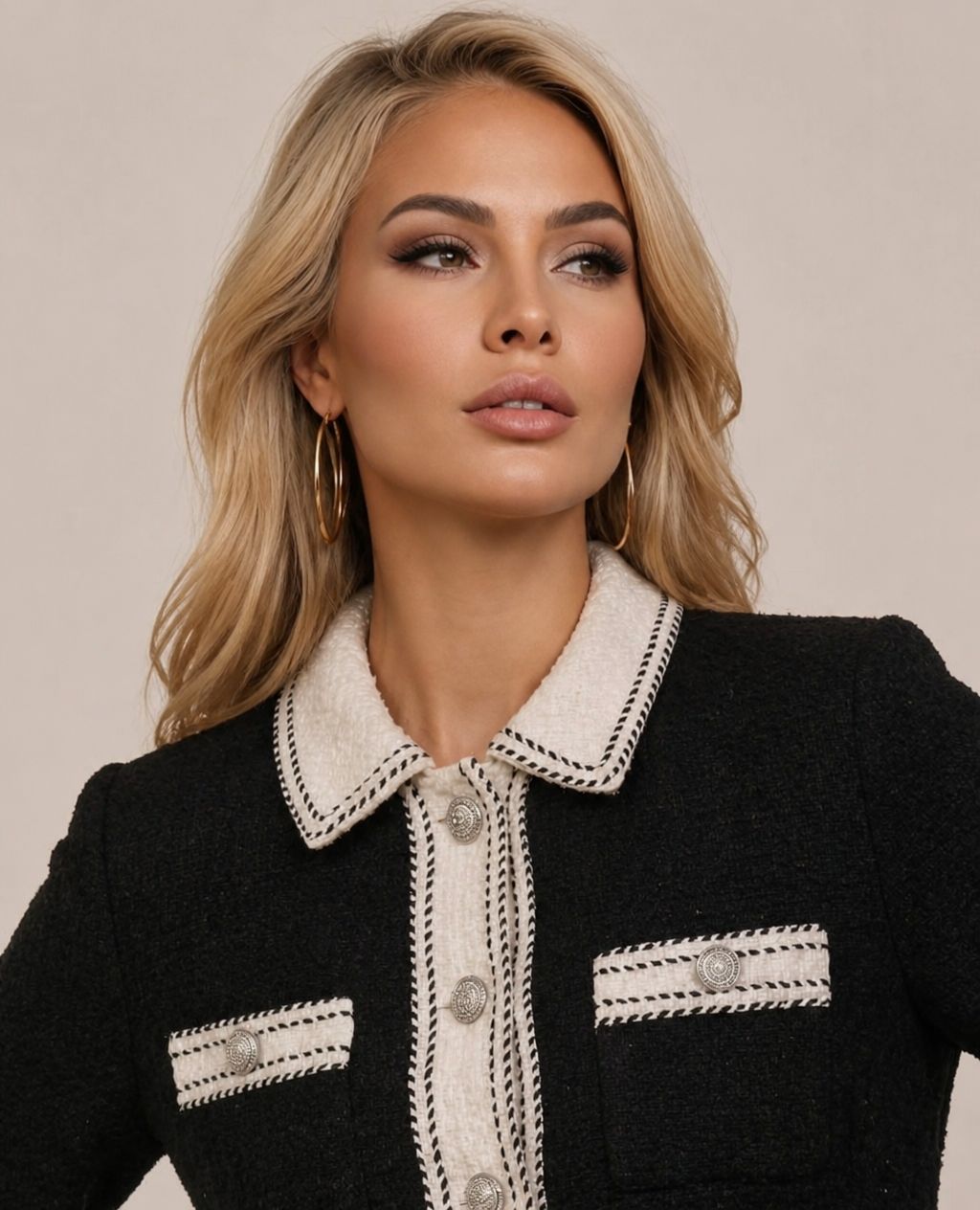
- 30 July 2026 · OnModel.ai Free plan · Snappyit free 6 credits.
- Source: retail product photo, 798×985 JPG, face turned off camera.
- OnModel.ai: preset model Maya, Ethnicity on Random. Snappyit: one face model from the library, two images requested, 4 credits.
- Outputs shown as returned by each product, at the size each one delivered.
Put both products’ customer evidence side by side
Both reviews are public and linked. They are shown in the reviewer's own words and are not evidence of the test results above.
“It’s perfect for taking a regular faceless picture and putting a model face on it which really gives your products that extra pop! Other AI model apps don’t compare. It’s still learning, so difficult clothing designs may need to generate a few times, but I always get a desired result. The OnModel team is very responsive and efficient.”
“As a Shopify apparel seller, Snappyit has completely changed our product photography workflow. We no longer need expensive studio shoots or professional retouchers. It greatly cuts our visual production cost and speeds up our listing launch speed. Highly recommended for fashion brands and online clothing stores”
Compare AI fashion model swap access and workflow
Rows compare OnModel.ai Model Swap with the matched Snappyit Face Swap workflow. Capabilities come from each product's own workbench and listing, captured 30 July 2026.
| Model-swap item | OnModel.ai | Snappyit |
|---|---|---|
| Model and face controls | ||
| Product name | Model Swap | Face Swap |
| Choose the model or face | Preset model roster, e.g. Maya | Face model library, via Select Face Model |
| Gender | ✓ | ✓ |
| Age | ✓ 18–65 | ✓ includes children; no senior option |
| Ethnicity | ✓ | — |
| Background | ✓ set in the workbench | — |
| Original pose kept | Changed in this test | Kept in this test |
| Running the job | ||
| Outputs per run | 1 image | 1 or 2 images, you choose |
| Batch swaps | ✓ | ✓ up to 100 images per upload |
| Where it runs | Shopify app; public API available | Shopify app; no public API listed |
| Integrations | Shopify | Shopify — import listing images, push finished assets back |
| Best fit for | Dropshipping, wholesale and print-on-demand stores | Clothing, footwear, jewelry and accessories sellers |
| Free evaluation | Free plan, 25 model swaps in total | 6 free credits |
| Lowest paid entry | $9/month, 300 swaps | $8.20/month, 120 credits |
| Other tools in the same workspace | — | Flat lay, ghost mannequin, recolor, jewelry try-on, image-to-video |
OnModel.ai price snapshot
Shopify App Store listing · captured 30 July 2026
USD, billed every 30 days. Per swap = plan price ÷ the swaps it includes.
Snappyit price snapshot
Public pricing page · captured 30 July 2026
USD, monthly. A swap costs 2 credits. Prices carry a 48% discount (list $12.90 / $29.90 / $49.90); Custom $48.90 for 1,150 credits is also listed.
Snappyit vs OnModel.ai — Frequently Asked Questions
Common questions sellers ask before moving across.
OnModel.ai (developed by Trendage) is a streamlined, Shopify-native AI apparel model-swap app. Once installed on your store, it converts flat-lay, mannequin or raw product photos into lifelike on-model shots. You can adjust model gender, ethnicity, age, facial expression and makeup with one click, and it supports catalog-wide batch processing plus a genuine free trial tier.
It excels at this single apparel-focused task. Snappyit is also built natively for Shopify with comparable model-swap capabilities, yet it functions as an all-in-one ecommerce image workspace. Beyond fashion model swap, it includes built-in AI jewelry try-on & retouch, garment recolor, ghost mannequin generation, flat-lay rendering, AI image-to-video, and pre-made marketplace aspect ratio presets for Etsy, Amazon, Poshmark, eBay, Whatnot and Vinted.
If you only require apparel model replacement for your Shopify store, OnModel.ai is purpose-built for this narrow use case. If you want a unified tool for model swap, jewelry editing, color adjustment and product video creation across multiple sales channels, Snappyit is the better fit.
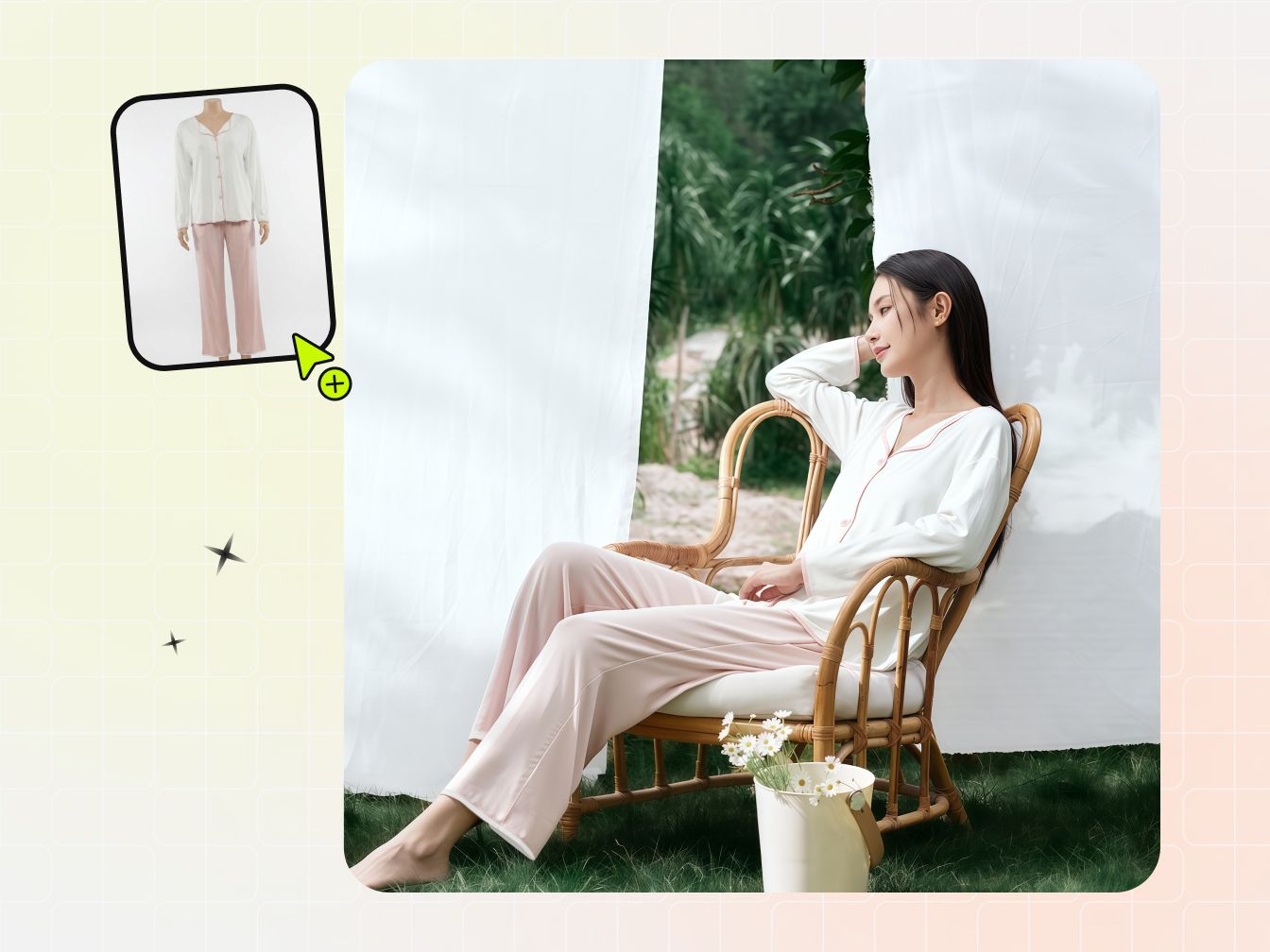
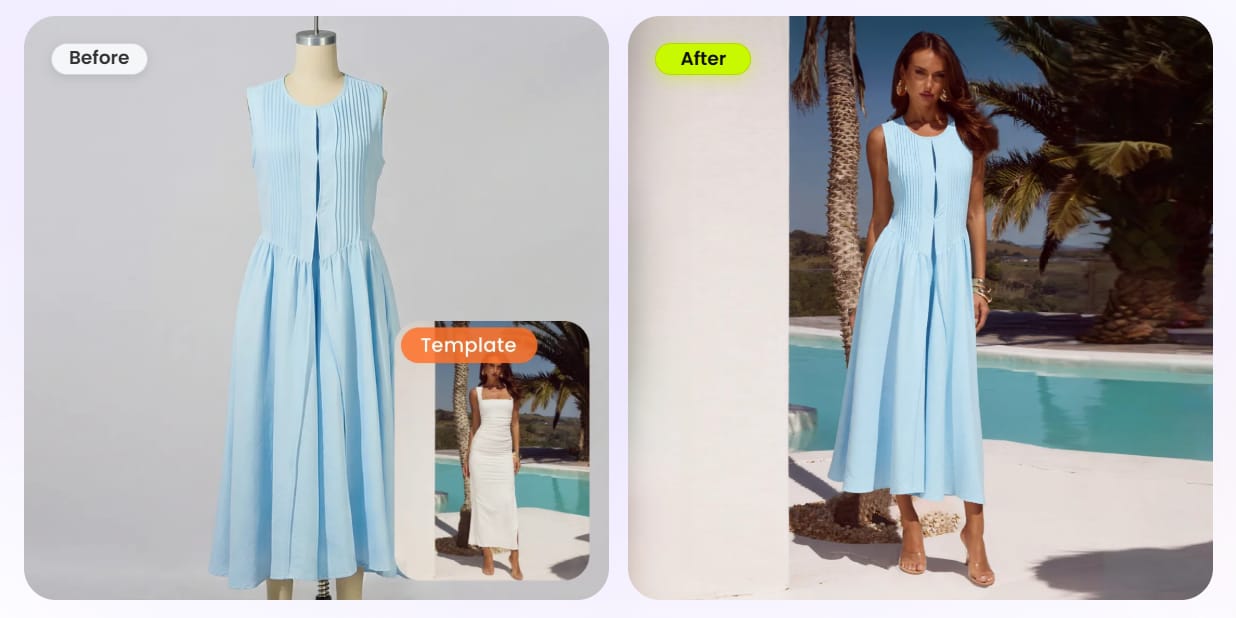
Yes. Snappyit offers AI fashion model swap capabilities comparable to OnModel.ai, allowing Shopify merchants to transform flat-lay, mannequin or existing product photos into realistic on-model images.
OnModel.ai provides a dedicated free tier with 25 complimentary model swaps, letting merchants test rendering quality before paid subscriptions—one of its strongest advantages.
Snappyit also grants new users free trial credits with no credit card required. Unlike OnModel.ai's single-function free quota, Snappyit's credits apply across the entire platform, including fashion model generation, jewelry retouching, garment recolor, ghost mannequin generation, flat-lay rendering and AI image-to-video.
This allows merchants to evaluate a complete AI product image workflow rather than only model swapping before upgrading.
Yes. OnModel.ai supports batch model swap directly inside its Shopify dashboard, which greatly speeds up catalog updates.
Snappyit's dedicated Batch Product Photo Editor supports uploading up to 100 photos per session with extra flexibility. Within one upload queue, you can freely switch between fashion model swap, ghost mannequin, flat-lay, garment recolor and jewelry retouch, plus convert static shots to short videos without reuploading files. The exact cost per image is displayed upfront for full transparency before you confirm rendering.
A single batch upload can deliver multiple types of optimized product assets, not just on-model photos.
OnModel.ai focuses primarily on apparel model swapping. Snappyit extends beyond that by providing a wider range of ecommerce image editing tools, including:
- AI jewelry try-on and professional jewelry retouching
- Garment recolor for generating multiple color variants
- Automatic ghost mannequin generation
- AI flat-lay image creation
- AI image-to-video for product marketing clips
- Marketplace-ready aspect ratio presets for Etsy, Amazon, Poshmark, eBay, Whatnot and Vinted
All of these tools are available within the same batch editing workspace and can be tested using free starter credits without a credit card.
OnModel.ai's biggest strength comes from its singular, focused design. It is a refined, single-purpose Shopify-native AI model swap app with an ultra-simplified one-click workflow to adjust model gender, ethnicity, age, facial expressions and makeup. It also automatically generates complete faces for cropped product images and includes a straightforward free tier with 25 model swaps.
If your workflow is entirely centered on apparel model replacement inside Shopify and you prefer a highly streamlined experience, OnModel.ai is purpose-built for that use case.
Snappyit prioritizes a broader ecommerce content workflow rather than specializing exclusively in apparel model swapping.
Both are Shopify-native AI product image editors, but they target different merchant needs.
OnModel.ai works best for sellers whose primary requirement is apparel AI model swapping.
Snappyit serves as a comprehensive alternative for merchants who need more than model replacement. It combines fashion model generation, jewelry retouching, garment recolor, ghost mannequin generation, flat-lay rendering, marketplace image formatting and AI image-to-video within one workspace.
For brands building a complete AI-powered product content workflow across apparel, accessories and multiple marketplaces, Snappyit offers a more flexible solution.
Both platforms offer free ways to get started, but their free plans differ in scope.
OnModel.ai includes 25 free model swaps focused exclusively on apparel model generation.
Snappyit provides free starter credits with no credit card required, which can be used across multiple AI editing tools including fashion model generation, jewelry retouching, garment recolor, ghost mannequin generation, flat-lay rendering and AI image-to-video.
If you only want to evaluate apparel model swapping, OnModel.ai's free tier is a solid starting point. If you'd like to explore a broader AI ecommerce image workflow before subscribing, Snappyit provides a more versatile free experience.
Your choice depends on your products and workflow.
Choose OnModel.ai if your primary need is apparel model swapping inside Shopify and you prefer a focused, streamlined experience.
Choose Snappyit if you also need jewelry editing, garment recoloring, ghost mannequin generation, flat-lay creation, AI image-to-video, marketplace image optimization and a unified batch editing workspace.
Yes. Snappyit's AI model swap engine is designed to preserve important product details during rendering, including clothing silhouette, fabric texture, color consistency and overall design style.
This helps fashion brands create realistic model images while maintaining the original appearance of their products, which is essential for ecommerce listings and marketing materials.
Yes. Snappyit enables brands to maintain consistent AI-generated model appearances across an entire product catalog.
This is especially valuable for fashion retailers that want a cohesive visual identity across product pages, advertising campaigns and social media content.
Yes. Images generated with Snappyit can be used for commercial purposes, including ecommerce product listings, advertising creatives and social media marketing.
Users should ensure they own or have the necessary rights to all uploaded images and that their use of generated content complies with Snappyit's Terms of Service and applicable laws.
Test one apparel photo before moving a catalog
Start with one owned product image, record the result, and decide with your actual listing workflow in view.