De un vistazo
Las 6 mejores herramientas de cambio de color de IA probadas para fotografías de productos en 2026: precios verificados, calidad de salida y soporte por lotes. Encuentre la herramienta de cambio de color con IA adecuada para su tienda.
| necesidad | que hacer |
|---|---|
| Orientarse | Lea el breve resumen y luego utilice la lista de verificación a continuación. |
| Crear una imagen de prueba | Prueba el cambio de color gratis |
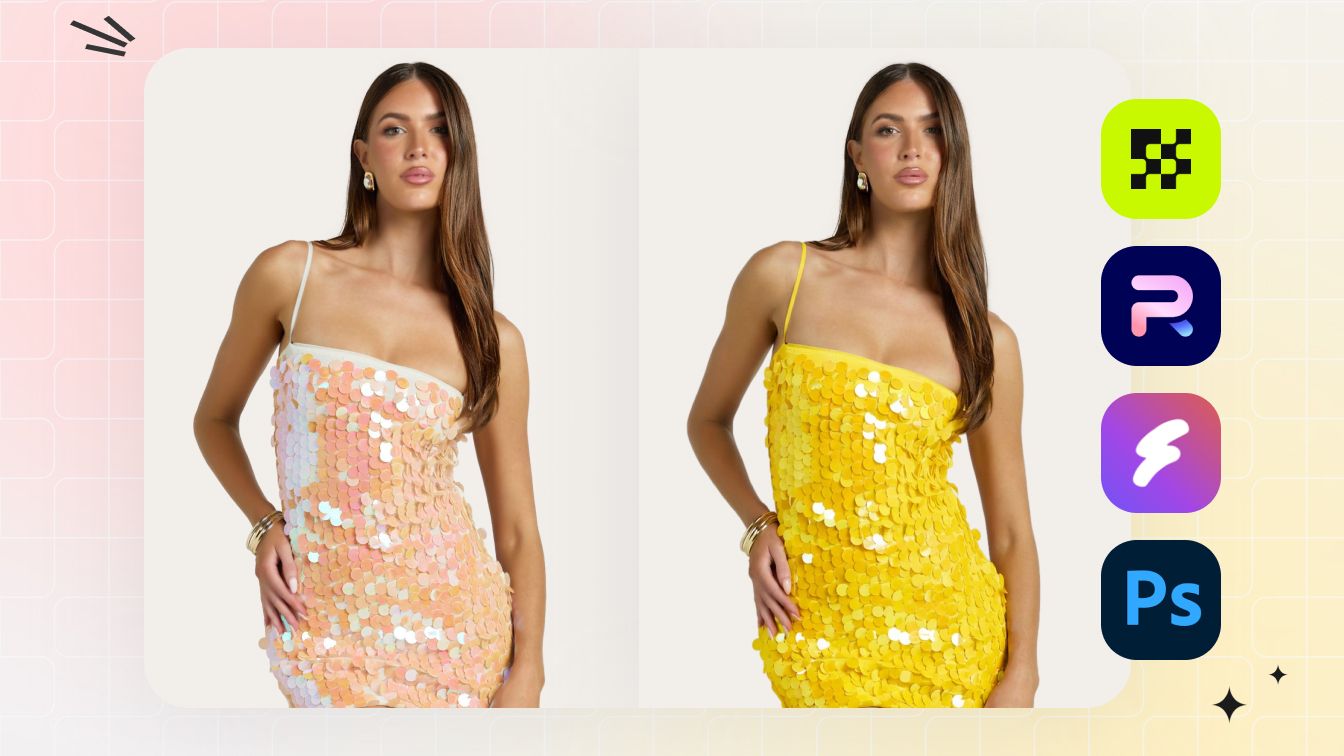
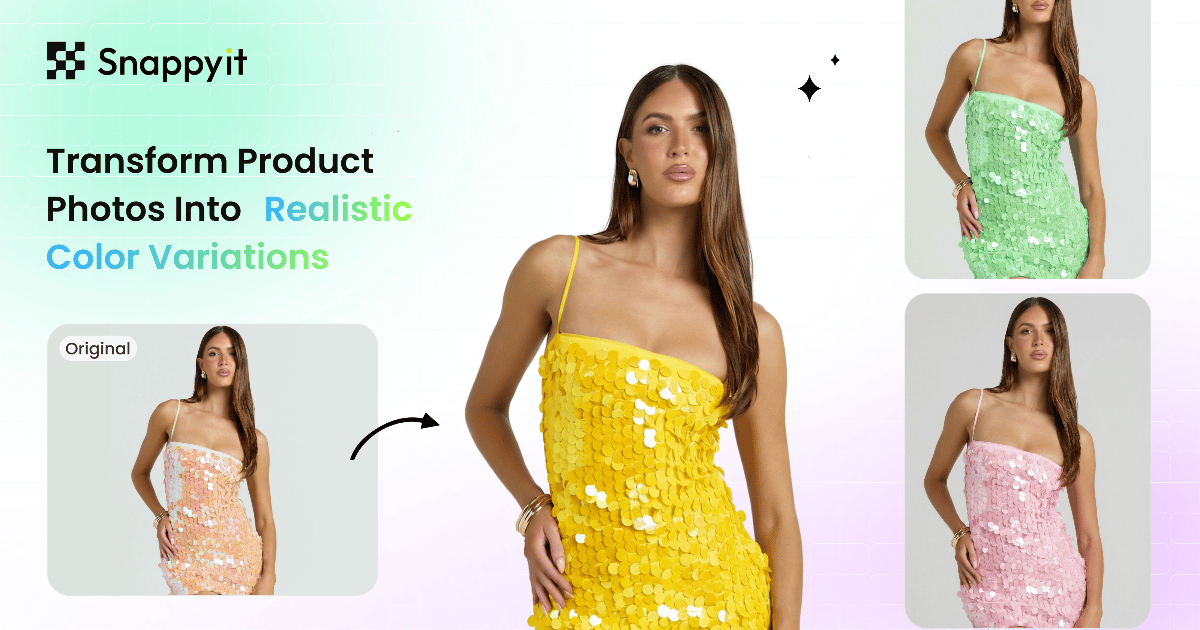
La búsqueda más común en torno a la edición de imágenes con IA en 2026 es alguna variante de "mejor servicio de cambio de color generativo de IA", "mejor servicio de cambio de color generativo de IA" o "dónde encontrar las mejores herramientas de cambio de color generativo de IA": vendedores que buscan una manera de tomar una foto de producto y ejecutar una pasada de cambio de color del producto con un solo clic para generar el mismo artículo en múltiples variantes de color para sus listados. La razón: fotografiar un SKU de indumentaria en cinco combinaciones de colores tradicionalmente significaba cinco sesiones de estudio separadas, más el costo de inventario de tener muestras de cada color antes del lanzamiento. Las herramientas de cambio de color de IA (y los cambiadores de color de productos de IA en particular) reducen ese flujo de trabajo en una sola fotografía de origen más un cambio de color con un solo clic por variante.
Esta guía prueba seis herramientas de cambio de color de IA en la misma prenda: precios verificados en mayo de 2026 para cada herramienta, la calidad de salida realista en telas complicadas (punto texturizado, estampado estampado, seda semitransparente) y una matriz de recomendaciones por tipo de vendedor. Comparamos cada servicio de cambio de color de IA en fotografías de productos planas y de estilo de vida, ya que el flujo de trabajo de cambio de color de estilo de vida de IA (volver a colorear una prenda usada por un modelo o en contexto) es más difícil que cambiar el color de una foto de estudio limpia, y la mayoría de los vendedores necesitan cambiar el color de las fotografías de productos en ambos formatos. La lectura honesta: el espacio de cambio de color de la IA se ha comprimido drásticamente en los últimos 12 meses, y el plan de entrada más económico a menudo produce resultados que no se pueden distinguir del nivel premium en la mayoría de los casos de uso de fotografía de productos.
Si solo quieres la respuesta: Cambio de color de la IA de Snappyit es el costo por imagen más bajo con la mayor preservación de la textura de la tela en esta comparación. El resto de esta guía explica por qué, cuándo ganan otras herramientas y cuánto cuesta cada una.
Cómo evaluamos estas herramientas de cambio de color de IA (metodología)
Cada herramienta en esta comparación se calificó en cinco dimensiones, con la misma entrada de prendas en cada herramienta para mantener la comparación de manzanas con manzanas:
- Precisión del color. ¿La salida coincide con el color solicitado (valor hexadecimal o referencia visual)?¿Conserva el brillo y el tono originales de la tela después del cambio de color?
- Conservación de la textura. ¿La salida mantiene la textura original de la tela (tejido de punto, sarga, brillo de seda) o suaviza los detalles en la región recoloreada?
- Manejo de patrones. Si la fuente tiene un patrón (rayas, cuadros, flores), ¿la IA recolorea el patrón o lo destruye? Algunas herramientas solo manejan recolores de colores sólidos.
- Costo por imagen a 100/mes. Calculado utilizando el plan de entrada 2026 verificado de cada herramienta en facturación anual, cuando esté disponible.
- Soporte por lotes/API. Importante para los vendedores con más de unos cientos de SKU por mes que necesitan flujos de trabajo de cambio de color automatizados por IA.
Las puntuaciones al final de cada revisión de herramientas son sobre 10. Reflejan la idoneidad para un vendedor de comercio electrónico típico que realiza entre 50 y 500 SKU por mes, no para estudios de fotografía o catálogos empresariales (que tienen diferentes prioridades en torno al control de calidad manual).
Comparación de colores de IA de un vistazo
Precios verificados de mayo de 2026 en cada fila."Costo/Imagen" supone 100 imágenes por mes en el plan inicial de cada herramienta con facturación anual cuando se ofrezca. Utilice esta tabla como filtro rápido para encontrar el mejor servicio de cambio de color generativo de IA que se ajuste a su volumen y categoría de producto, luego vaya al análisis profundo por herramienta que aparece a continuación para conocer las ventajas y desventajas.
| Herramienta | Tipo | Plan de entrada | Costo/Imagen | Manejo de patrones | Puntuación |
|---|---|---|---|---|---|
| ★ Cambio de color rápido | ropa de IA | Básico $6.9/mes (100 cr) | $0.07–$0.20 | ✓ Patrones + sólidos | 9.2 |
| Estudio Fotográfico Mágico | Editor de IA en economía | Profesional $7.50/mes | ~$0,08 + créditos de IA | ⚠ Los sólidos son los mejores | 8.0 |
| SellerPic Recolor | Suite de moda AI | Inicial $14.5/mes (200 cr) | $0.07–$0.15 | ✓ Patrones + sólidos | 7.8 |
| Adobe Photoshop (cambio de color generativo) | bricolaje profesional | Fotografía $19.99/mes | $0.20 + tu tiempo | ✓ Control manual | 7.5 |
| Afinidad por Canva | Hazlo tú mismo (gratis) | Gratis | $0 + tu tiempo | ⚠ Selecciones manuales | 6.5 |
| Imágenes de limpieza (reimaginar) | IA genérica | Profesional $3/mes | $0.03–$0.07 | ✗ Sólo sólidos | 5.5 |
Evite las compras comparativas. Snappyit ofrece créditos gratuitos al registrarse. Pruebe el flujo de trabajo de cambio de color con IA en su propia prenda en 30 segundos. Prueba Snappyit gratis →
1. Cambio de color Snappyit (selección del editor: puntuación 9,2)
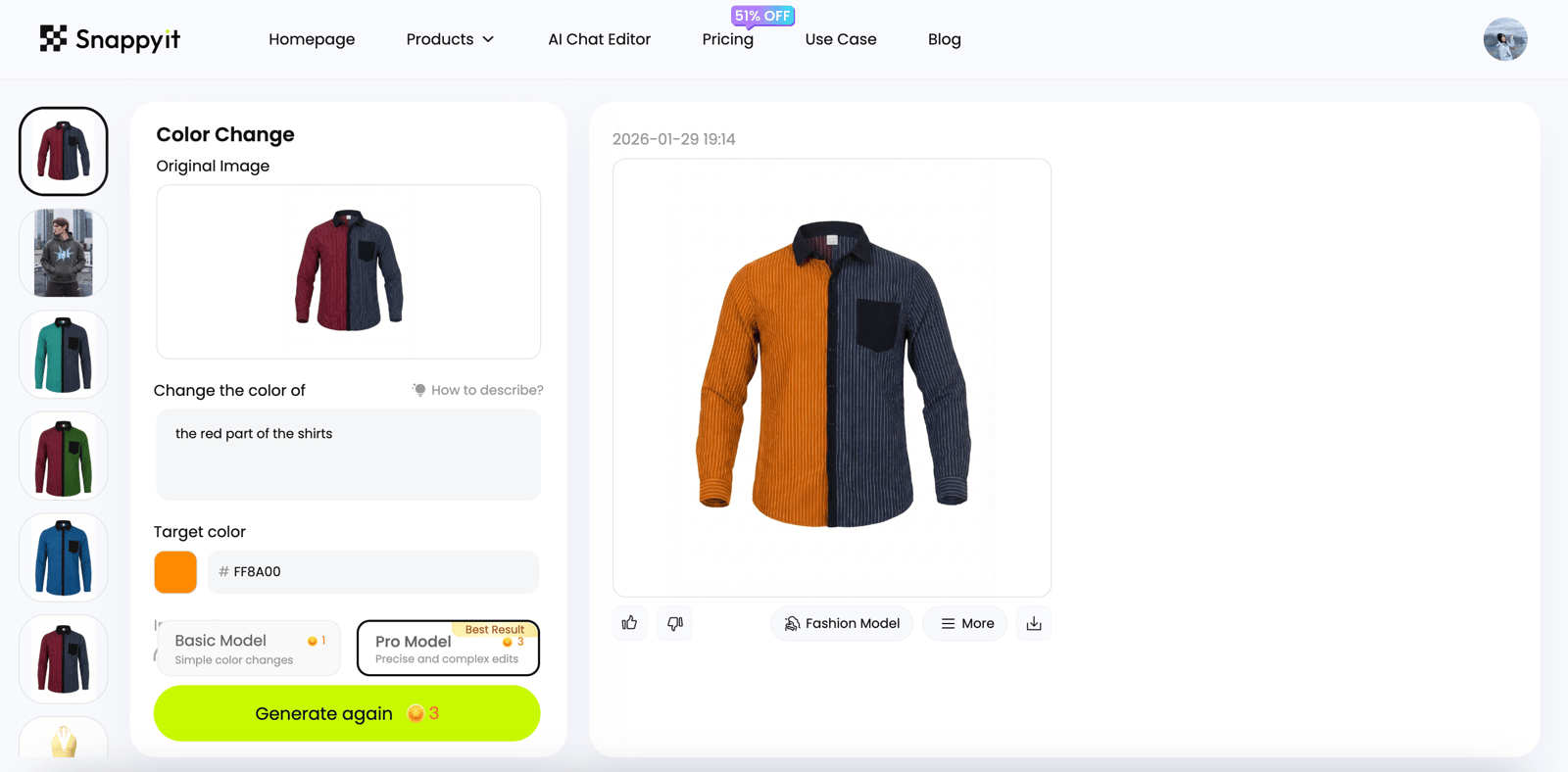
Cambio de color de la IA de Snappyit es la elección del editor para el mejor servicio de cambio de color generativo de IA en esta comparación de 2026. La interacción es la más simple en la categoría: describa el área que desea cambiar de color en un lenguaje sencillo: "el cuerpo de la camiseta", "el cuero del bolso", "solo la parte superior de la zapatilla, no la suela", elija el color objetivo (código hexadecimal, color con nombre o péguelo de una muestra de referencia) y la IA ejecutará una pasada de cambio de color del producto con un solo clic en la región descrita. Sin pinceles, sin máscaras de capa, sin selección manual.
El resultado es fotorrealista. El modelo de cambio de color de IA, equivalente a un cambiador de color de producto totalmente administrado para prendas y accesorios, conserva la textura original de la tela, los detalles de las sombras, la dirección de la iluminación y el patrón (para prendas de rayas, cuadros o flores) mientras cambia solo el color base. Incluso una inspección minuciosa con un aumento del 200% se mantiene: las costuras, el brillo de la fibra, los pliegues y los reflejos destacados se mantienen intactos durante el proceso de recoloración, razón por la cual la producción de Snappyit es la única en esta comparación que se envía lista para el mercado sin retoques en el caso de más del 80%.
Lo mejor para: Vendedores de ropa que lanzan SKU de varios colores a partir de una sola sesión de fotos, dropshippers que limpian las imágenes de los proveedores para que coincidan con la paleta de colores de su marca, revendedores de Etsy que ofrecen combinaciones de colores personalizados sin tener inventario en todos los colores.
- Plan de entrada: Básico $6.9/mes anual (100 créditos) — ver todos los planes
- Pago por uso: $5.9 por 30 créditos (sin compromiso)
- Prueba gratuita: Créditos gratis al registrarse, no se requiere tarjeta
- Tiempo de salida: De 10 a 30 segundos por variante de color
- Lote/API: Carga masiva + API para flujos de trabajo de cambio de color de gran volumen
- Otros flujos de trabajo: La misma suscripción cubre maniquí fantasma, modelo de moda y retoque de joyas: un fondo de crédito para el flujo de trabajo completo de IA de indumentaria.
Escaparate de casos reales: cambio de color generativo de IA en acción
Tres casos representativos de revendedores que muestran lo que hace el servicio de cambio de color generativo Snappyit AI en fotografías de productos reales. Cada caso es una foto original, una pasada de cambio de color del producto, sin retoques manuales.
Caso 1: Camisa a cuadros → cuatro combinaciones de colores (preservación del patrón). Un revendedor de boutique tenía una foto de una camisa a cuadros y necesitaba cuatro combinaciones de colores para el lanzamiento de Shopify. El paso de cambio de color de la IA de Snappyit mantuvo intactos la cuadrícula a cuadros, la textura del tejido y los detalles de las sombras en las cuatro variantes de salida. Tiempo total: menos de dos minutos para cuatro variantes. Costo total en el plan Básico: $0.28. Se estimó que el mismo cambio de color manual de cuatro variantes en Photoshop requería más de 90 minutos de tiempo de retoque en la misma prenda a cuadros.
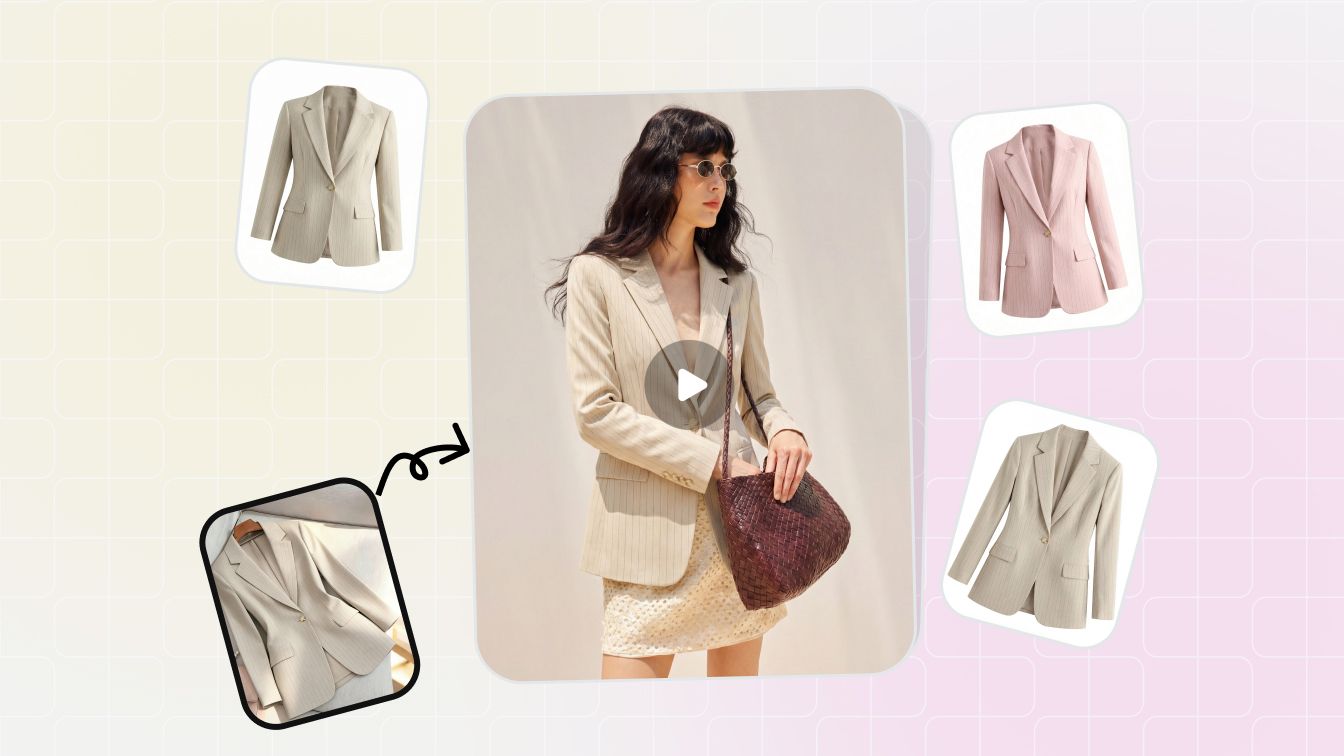
Caso 2: Camiseta lisa → 12 combinaciones de colores de temporada (costo a escala). Un dropshipper que realizó un lanzamiento estacional de 12 colores realizó 12 pases de cambio de color de producto en un solo lote. Snappyit Pro a escala: coste total de 0,84 dólares para 12 variantes frente a un flujo de trabajo manual estimado en tres o cuatro horas de tiempo de Photoshop. Tanto la versión plana como la de estilo de vida según el modelo de cada combinación de colores utilizaron la misma foto de origen como entrada, y la salida de estilo de vida con cambio de color de IA coincidió lo suficiente con la versión de estudio como para enviarla sin retoques, una prueba útil para los vendedores que necesitan volver a colorear las fotografías de productos en ambos formatos.
Caso 3: Bolso de cuero → coincidencia exacta del color de la marca (manejo de materiales). Un revendedor de Etsy necesitaba hacer coincidir un bolso de cuero con un código hexadecimal de marca solicitado por el cliente. El cambiador de color del producto de Snappyit mantuvo intactos el grano del cuero, los detalles de las costuras y los herrajes metálicos mientras cambiaba solo el cuerpo del cuero: una pasada, coincidencia hexagonal exacta, sin enmascaramiento manual. El mismo flujo de trabajo maneja el cambio de color de bolsos, sombreros, relojes y artículos para el hogar, siempre que el producto original tenga una iluminación uniforme, razón por la cual el servicio de cambio de color de IA se generaliza más allá de la ropa y abarca los accesorios.
El patrón en los tres casos: un servicio de cambio de color generativo de IA totalmente administrado como Snappyit maneja el flujo de trabajo típico de un revendedor (recolorear fotografías de productos con calidad de mercado, en segundos, por menos de $ 0,30 por variante) sin tiempo de retoque especializado. Los casos anteriores son reproducibles: regístrese para obtener créditos de prueba gratuitos y ejecute su propia fotografía original a través del mismo flujo de trabajo de cambio de color del producto en menos de un minuto.
Fortalezas: La mejor preservación de textura y patrón en esta comparación. El costo por imagen más bajo a escala. Créditos de prueba gratuitos. Mismas coberturas de suscripción maniquí fantasma, modelo de moda, y retoque de joyas — útil cuando el cambio de color con IA es un paso en un flujo de trabajo de indumentaria más amplio en lugar de la única edición.
Consideraciones: Especializados en fotografía de indumentaria y productos; para el cambio de color de IA de uso general en imágenes que no son de productos (diseño de interiores, pintura de automóviles), una herramienta de IA genérica puede ser una mejor opción.
2. Photoroom Magic Studio (puntuación 8,0)
Magic Studio de Photoroom incluye una función de cambio de color y material que maneja el cambio de color de colores sólidos de manera confiable. Fuerte en el flujo de trabajo de recorte y reescenificación (cambiar el color de la prenda + cambiar el fondo + agregar sombra), útil para los vendedores que desean una herramienta para el flujo de trabajo visual completo del comercio electrónico. Maneja el cambio de color de colores sólidos mejor que los patrones complejos.
Lo mejor para: Vendedores que ya utilizan Photoroom para eliminación de fondo y desea agregar el cambio de color AI como una de varias operaciones de edición en el mismo flujo de trabajo.
- Plan de entrada: Pro $7,50/mes anual ($12,99 mensuales)
- Niveles superiores: Máximo $20,99/mes anual; Ultra y Enterprise arriba
- Prueba gratuita: Prueba gratuita disponible
- Tiempo de salida: 5 a 15 segundos por variante
- Lote/API: 500 exportaciones por lotes/mes en Pro; API en niveles superiores
- Créditos de IA: Recolor consume la asignación de créditos de generación de IA en Pro+
Fortalezas: Aplicación web y móvil pulida. Excelente para el flujo de trabajo visual general del comercio electrónico que combina operaciones de cambio de color, fondo y sombras. Integración de Shopify en el plan Max y superiores.
Consideraciones: El cambio de color por IA de color sólido es confiable; Los patrones complejos (cuadros, flores multicolores) a veces se suavizan en la pasada de cambio de color. Para prendas con patrones críticos, recurra a Snappyit o Photoshop.
3. SellerPic Recolor (puntuación 7,8)
La función de variante de color de SellerPic es parte de su todo en uno Suite de moda AI. Produce resultados de cambio de color de patrones y colores sólidos en fotografías de prendas de vestir con una sólida integración de prueba virtual. Buena opción para las primeras marcas de moda de Shopify que ya usan SellerPic para maniquíes fantasma o flujos de trabajo de prueba virtual.
Lo mejor para: Shopify marcas de moda que necesitan cambio de color mediante IA, además de salida de vídeo en formato corto y sobre el modelo a partir de la misma foto de origen.
- Plan de entrada: Inicial $14.5/mes anual (200 créditos)
- Facturación mensual: $29/mes por 200 créditos (significativamente más que anual)
- Prueba gratuita: 20 créditos gratis al registrarse
- Tiempo de salida: 30 a 60 segundos por variante
- Lote/API: si
- Extras destacables: Vídeo de formato corto de TikTok/Reels a partir de fotos estáticas en el mismo plan
Fortalezas: Verdadera salida de color de IA que preserva la textura de la tela.fuerte flujo de trabajo de prueba virtual. La integración de Shopify está bien desarrollada.
Consideraciones: Se necesita facturación anual para alcanzar el precio de $14,5/mes; la facturación mensual es significativamente más cara. El costo por imagen es aproximadamente el doble del equivalente de Snappyit con el mismo volumen.
4. Adobe Photoshop con cambio de color generativo (puntuación 7,5)
El Relleno Generativo y el Recolor Generativo de Photoshop (con tecnología de Adobe Firefly) brindan el mayor control manual de cualquier herramienta en esta comparación. Usted selecciona el área, escribe el color objetivo y la IA vuelve a colorear solo la región seleccionada conservando todo lo demás. Lo mejor para los casos en los que las herramientas de IA tienen dificultades: reflejos inusuales en la tela, zonas de color asimétricas o retoques manuales después de una pasada primaria de cambio de color por IA.
Lo mejor para: Estudios con un retocador dedicado, marcas que se ocupan de la moda editorial o telas no estructuradas donde el control manual de píxeles perfectos importa más que la velocidad.
- Plano de fotografía: $19,99/mes (Photoshop + Lightroom + 1 TB de almacenamiento)
- Aplicación única mensual: $34.49/mes (cancelar en cualquier momento)
- Anual de aplicación única: $49,99/mes (pago anual)
- Tiempo de salida: 30 segundos a 2 minutos por cambio de color (selección manual + generación)
- Lote/API: No hay lote nativo para el cambio de color por IA; programable a través de acciones
- Prueba gratuita: Prueba gratuita de 7 días
- Créditos generativos: La asignación de crédito de Adobe Firefly se aplica a Generative Recolor
Fortalezas: Control total. Máxima fidelidad en tejidos complicados (transparentes, encajes, tejidos trenzados) donde las herramientas de IA a veces se desvían. El costo de la suscripción es fijo independientemente del volumen de imágenes: con más de 100 cambios de color por mes, las matemáticas superan a las herramientas de inteligencia artificial basadas en créditos.
Consideraciones: Curva de aprendizaje pronunciada. El tiempo activo por imagen (30 segundos a 2 minutos) es el costo real: para un lote de cambio de color de 100 SKU, eso es de 1 a 3 horas de trabajo versus 15 minutos con una herramienta de inteligencia artificial basada en créditos.
5. Affinity de Canva (puntuación 6,5, gratis)
La alternativa de escritorio gratuita a Photoshop desde que Canva consolidó Affinity Photo, Designer y Publisher en una única aplicación gratuita en octubre de 2025. Recolor en Affinity es un flujo de trabajo de selección y ajuste manual en lugar de generación de IA: más lento que Snappyit o Photoroom, pero gratuito e ilimitado.
Lo mejor para: Talleres unipersonales que se encargan de trabajos ocasionales de cambio de color y que no desean una suscripción, y diseñadores que se sienten cómodos con los flujos de trabajo de ajuste manual del color.
- Precio: Gratis (licencia perpetua heredada de $69,99 descontinuada)
- Plataformas: Windows, Mac, iPad
- Tiempo de salida: 1 a 5 minutos por cambio de color (selección manual + ajuste)
- Lote/API: Macros para pasos repetibles; sin API pública
- Publicado: Octubre de 2025 (fusión de propiedad de Canva)
- IA generativa: Actualmente no incluido; el cambio de color se basa en la selección manual
Fortalezas: Gratis, sin suscripción, sin costo por imagen. Herramientas de enmascaramiento y capas equivalentes a Photoshop. Bueno para trabajos ocasionales de cambio de color manual sin comprometerse con Adobe.
Consideraciones: Solo flujo de trabajo manual, sin cambio de color por IA generativa. No conserva la textura de la tela ni las herramientas de inteligencia artificial porque los ajustes de color manuales tienden a aplanar las sombras. Lo mejor para productos de colores sólidos donde la selección manual es sencilla.
6. Cleanup.pictures Reimagine (Puntuación 5,5)
Cleanup.pictures (y su hermano del paquete Clipdrop, Reimagine) maneja el cambio de color de IA de colores sólidos en sujetos simples. Nivel básico económico, salida rápida, pero la calidad del cambio de color de la IA cae drásticamente en telas texturizadas, patrones y cualquier fotografía de producto que sea más compleja que un objeto de un solo color sobre un fondo limpio.
Lo mejor para: Cambio de color rápido en productos simples de colores sólidos a baja resolución, cuando el presupuesto es la principal limitación.
- Plan gratuito: Ilimitado a 720p
- Plan profesional: $3/mes (HD, todos los tamaños)
- Clipdrop Pro: $7/mes (paquete de limpieza, mejora, eliminación de glucemia, cambio de color, etc.)
- Tiempo de salida: 5 a 15 segundos
- Lote/API: API en el nivel Clipdrop
- Prueba gratuita: Gratis a 720p
Fortalezas: La opción de pago más económica con salida HD. Inferencia rápida. Útil si el presupuesto es la restricción dominante.
Consideraciones: La preservación de texturas y patrones es la más débil en esta comparación. Los productos de colores sólidos sobre fondos simples funcionan bien; cualquier cosa con textura de tela, estampados o iluminación compleja necesita una herramienta de cambio de color de IA más especializada.
Casos de uso de cambio de color de IA por categoría de producto
El cambio de color mediante IA se ha convertido en un flujo de trabajo predeterminado en múltiples categorías de comercio electrónico, no solo en prendas de vestir. Cada categoría de producto tiene sus propias peculiaridades: qué herramientas de cambio de color de IA manejan de manera confiable, dónde aún se necesita retoque manual y qué herramienta de cambio de color de IA se adapta mejor. Aquí está el desglose práctico por categoría.
Para imágenes de belleza o creadores donde el objetivo es el cabello en lugar de un SKU de producto, use Cambiador de color de cabello AI en lugar de un flujo de trabajo para cambiar el color del producto.
Ropa y moda
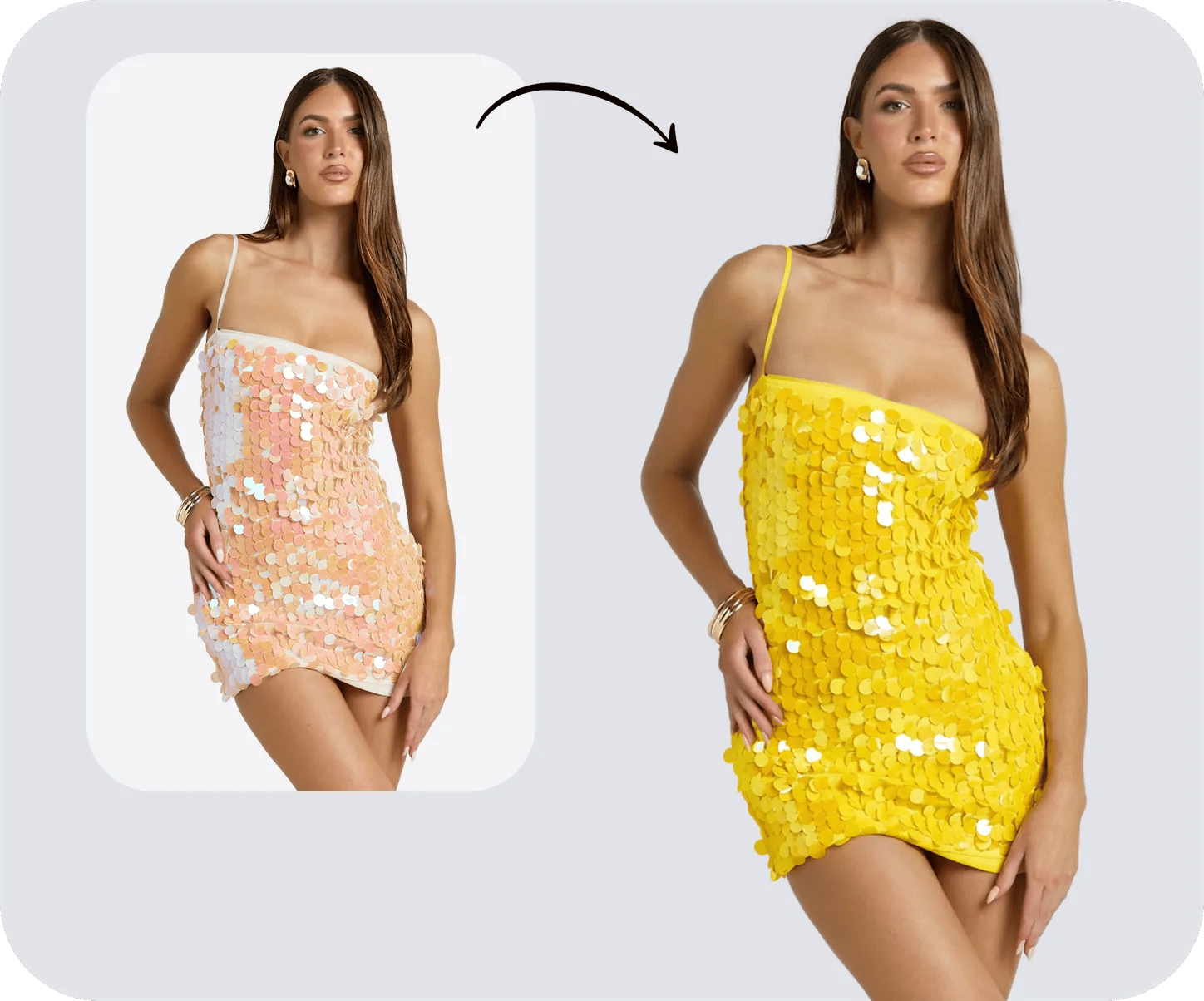
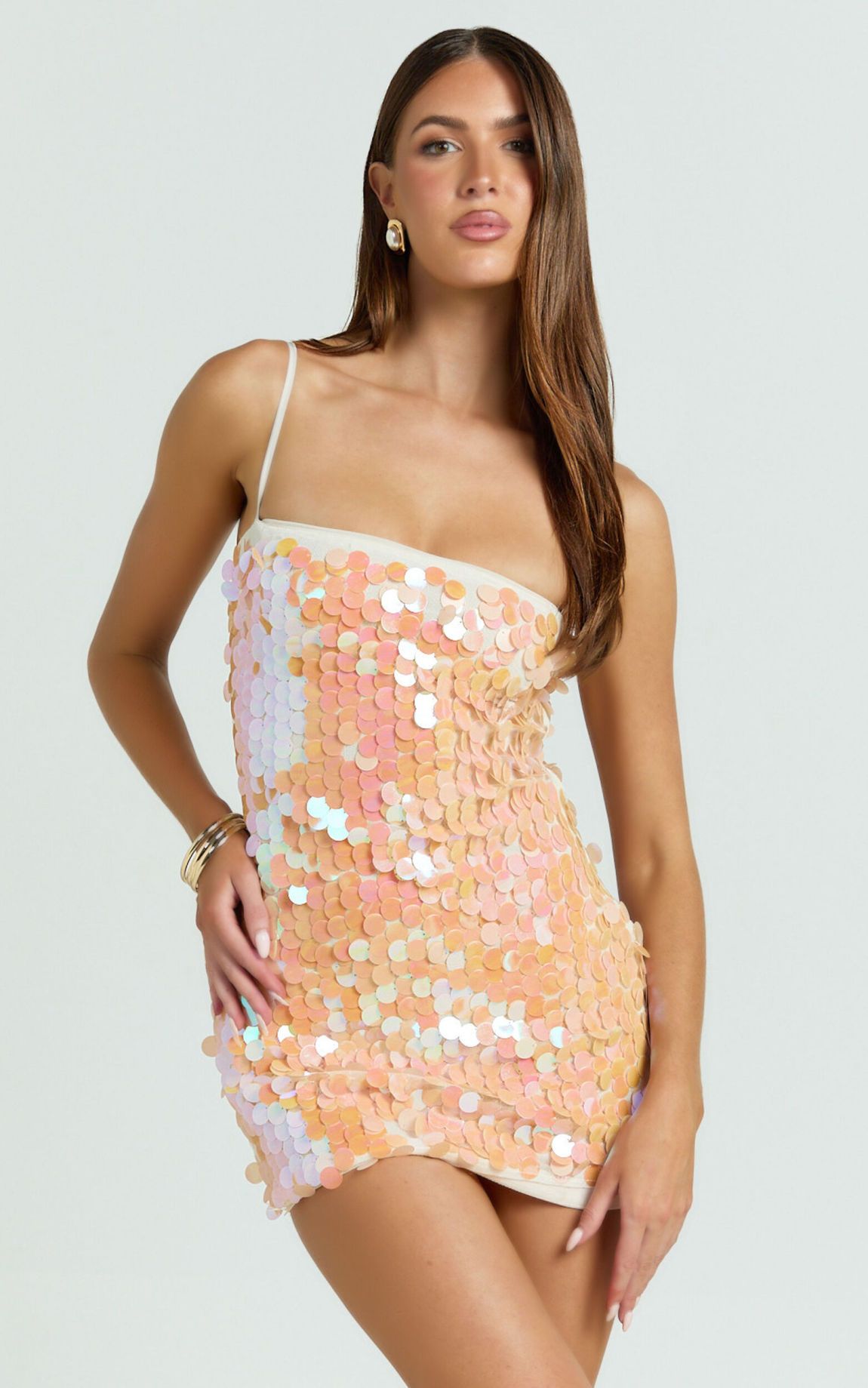
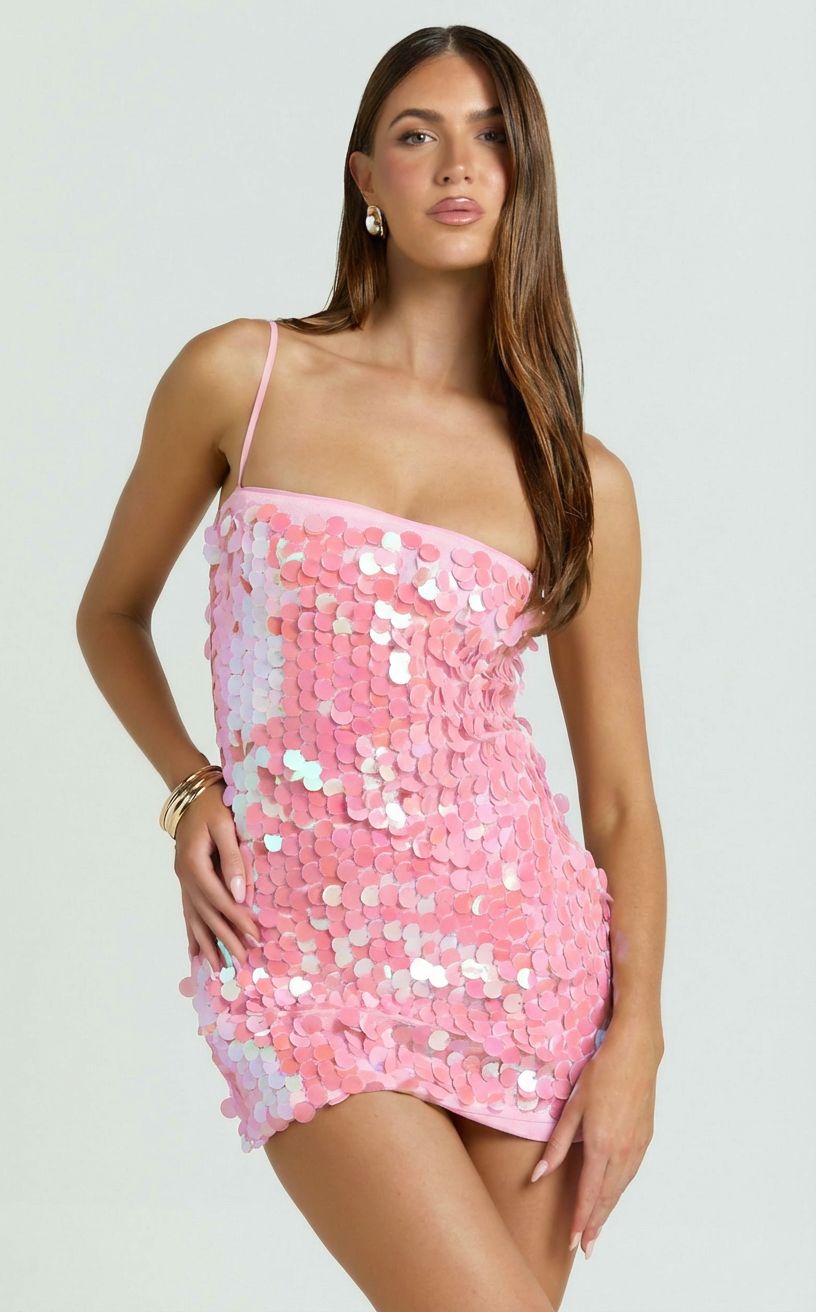
El mayor caso de uso de cambio de color de IA. Camisetas, vestidos, chaquetas y pantalones en colores sólidos cambian de color de manera confiable en todas las principales herramientas de cambio de color de IA; Los patrones complejos (cuadros, florales, estampados multicolores) necesitan una herramienta de cambio de color de IA especializada en prendas como Snappyit o SellerPic. Las telas transparentes (seda, encaje, organza) son el caso más difícil porque la IA tiene que mantener la calidad de transparencia durante el paso de cambio de color sin oscurecer ni aplanar las zonas translúcidas. Para la mayoría de los vendedores de ropa, Cambio de color de Snappyit maneja el 90% de los casos al menor costo por imagen; Generative Recolor de Photoshop cubre el 10% restante que necesita control manual en telas complicadas.
Antes / después del cambio de color de Snappyit AI:
Variantes de color de joyería
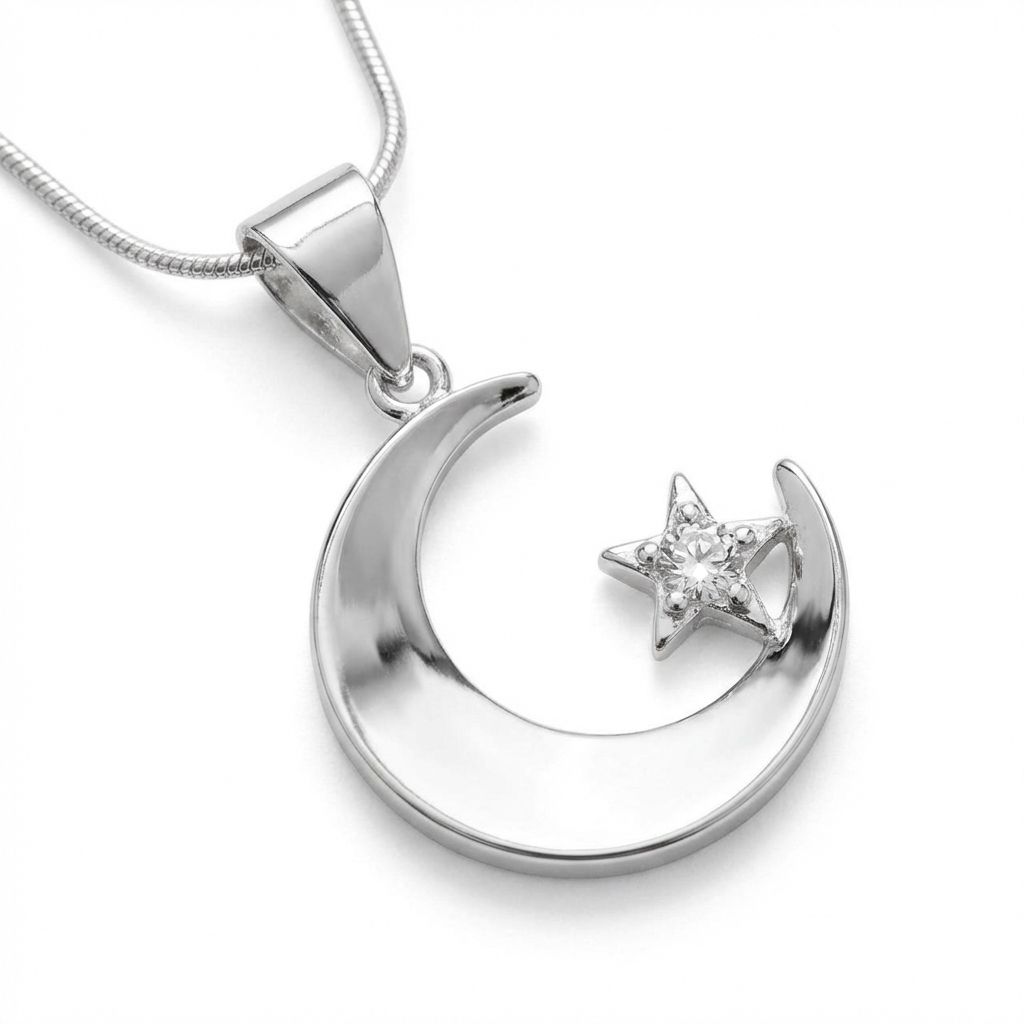
El cambio de color con IA en fotografías de joyería es más difícil que en prendas de vestir porque las superficies metálicas (oro, plata, oro rosa, platino) reflejan la luz de manera diferente que la tela. Pasar del plateado al oro rosa requiere más que un cambio de tono: el patrón de luces cambia, la temperatura de las sombras cambia y la "sensación" metálica de la superficie depende de señales de reflexión sutiles que la IA debe regenerar constantemente. Las herramientas especializadas de cambio de color de IA capacitadas en fotografía de joyería manejan el cambio de color de metal mejor que las herramientas genéricas de cambio de color de IA. El cambio de color de la piedra (de zafiro a rubí, por ejemplo) funciona en cualquier herramienta de inteligencia artificial que admita el cambio de color enmascarado, ya que las piedras tienen reglas de color más simples que el metal.
Antes / después del cambio de color de Snappyit AI:
calzado
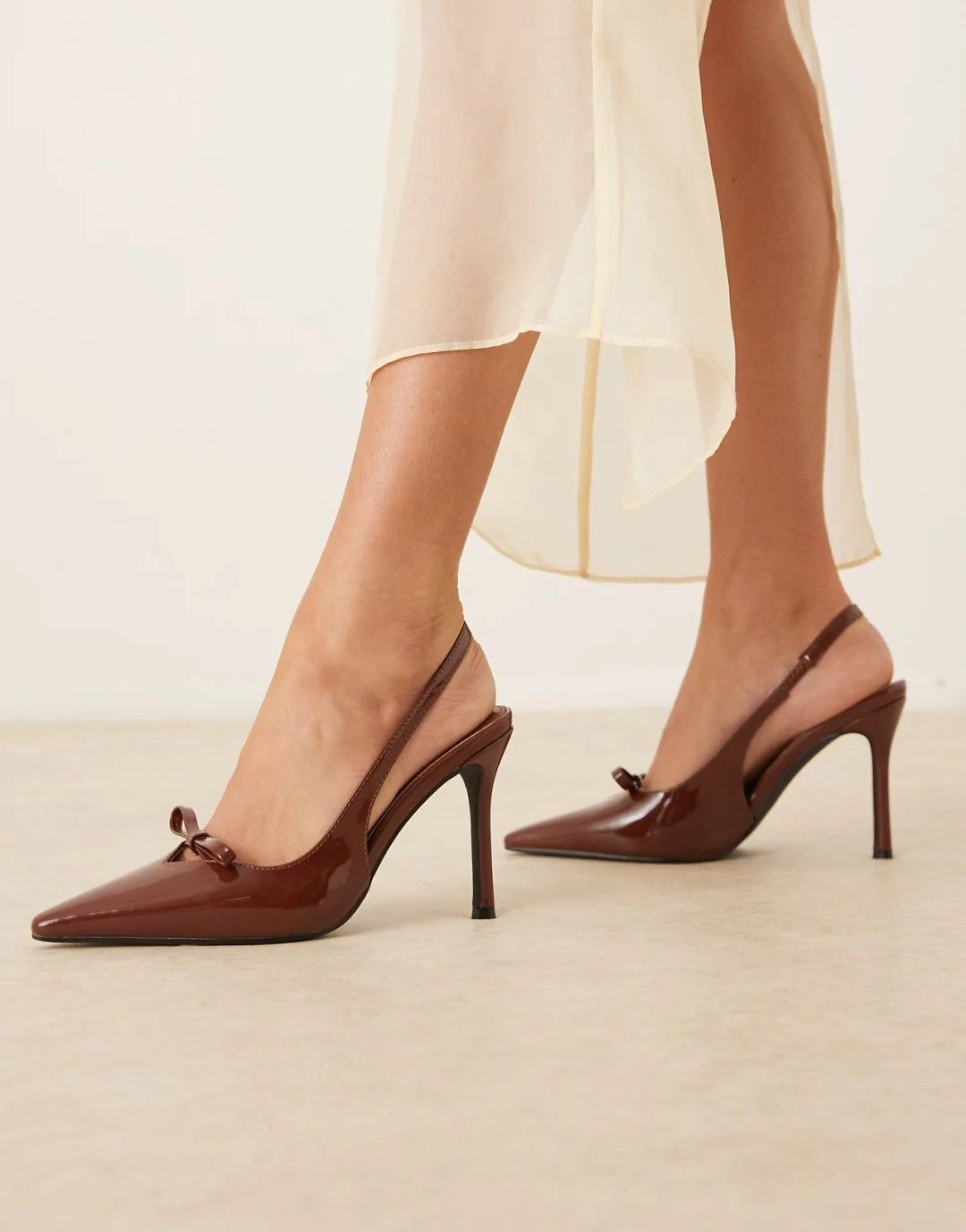
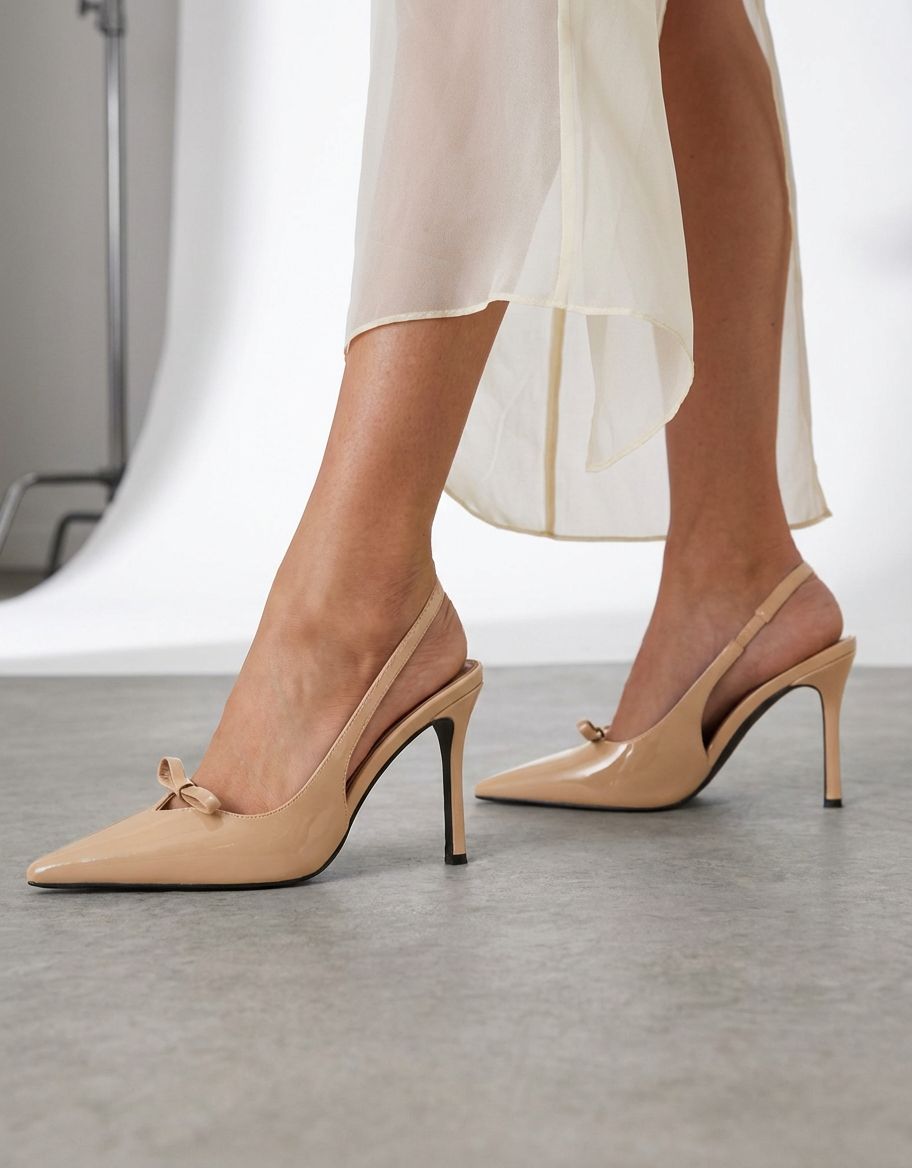
Las zapatillas y los zapatos son un caso interesante de cambio de color de la IA porque normalmente combinan tela, cuero, caucho y materiales sintéticos en un solo producto. La mayoría de las herramientas de cambio de color de IA manejan partes de tela limpiamente, pero tienen problemas con el cuero (que tiene un brillo que depende de la textura) y el caucho (que tiene sus propias reglas de color: la entresuela de una zapatilla deportiva "blanca" tiene propiedades de cambio de color diferentes a las de una parte superior de lona "blanca"). Para zapatos de múltiples materiales, genere pases de cambio de color de IA por zona de material usando una herramienta con selección enmascarada (Photoshop, Snappyit) y luego componga las zonas en la publicación. Las zapatillas de deporte de un solo color y de un solo material funcionan bien en cualquier herramienta de cambio de color de IA.
Antes / después del cambio de color de Snappyit AI:
Accesorios y artículos para el hogar.
Bolsos, sombreros, relojes y artículos para el hogar (muebles, utensilios de cocina, decoración) cambian de color de manera confiable con herramientas de cambio de color de IA cuando el producto original tiene una iluminación uniforme. El desafío es que los artículos para el hogar a menudo se fotografían en contextos de estilo de vida (un sofá en una sala de estar, un reloj en un escritorio, un jarrón en un estante) donde la IA tiene que identificar el producto contra un fondo complejo antes de volver a colorearlo. Las herramientas de cambio de color de IA con una fuerte segmentación de objetos (Snappyit, Photoroom) se encargan de este caso; Las herramientas que se basan en la eliminación uniforme del fondo luchan y producen color que se desvanece en el fondo.
Antes / después del cambio de color de Snappyit AI:
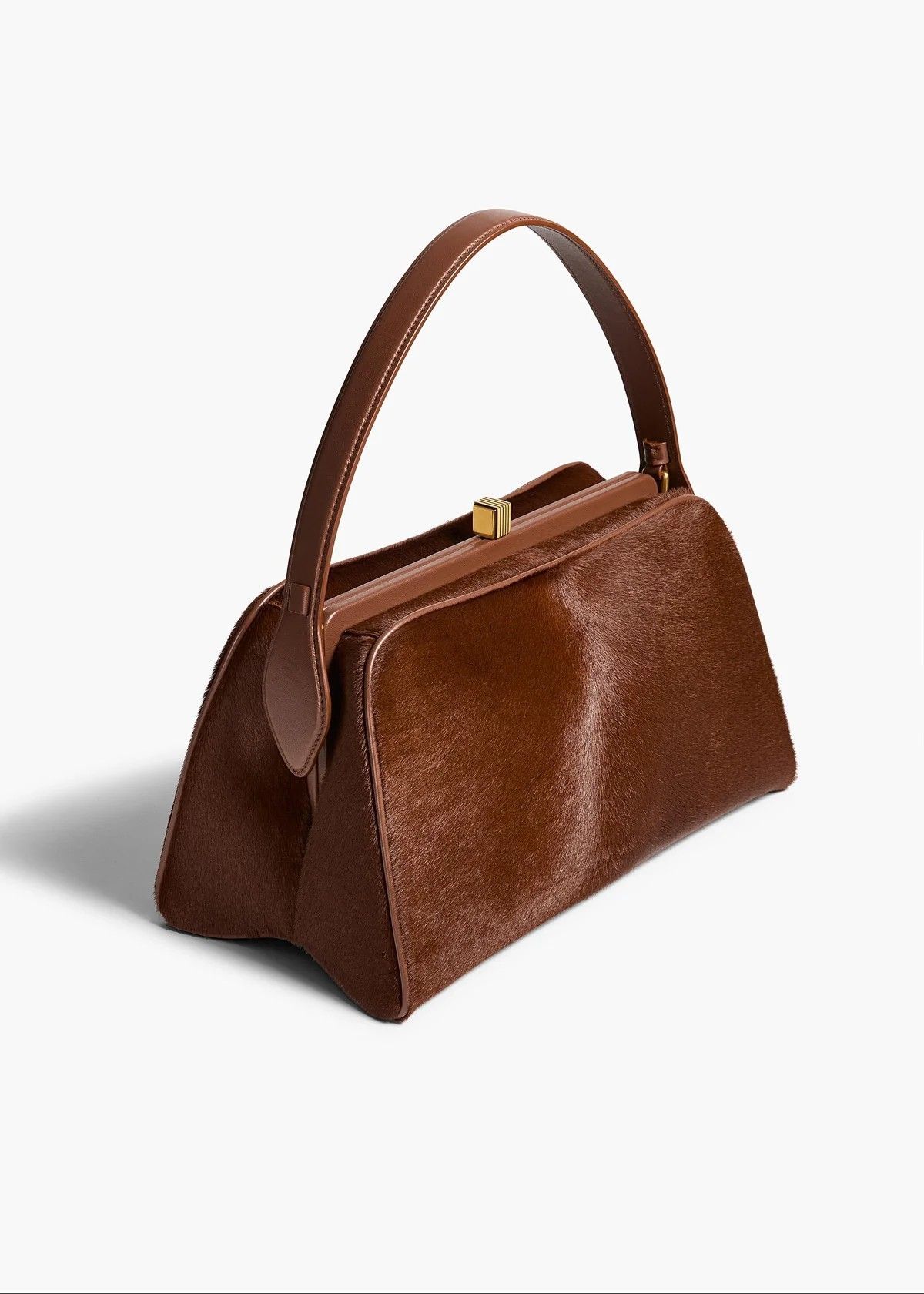
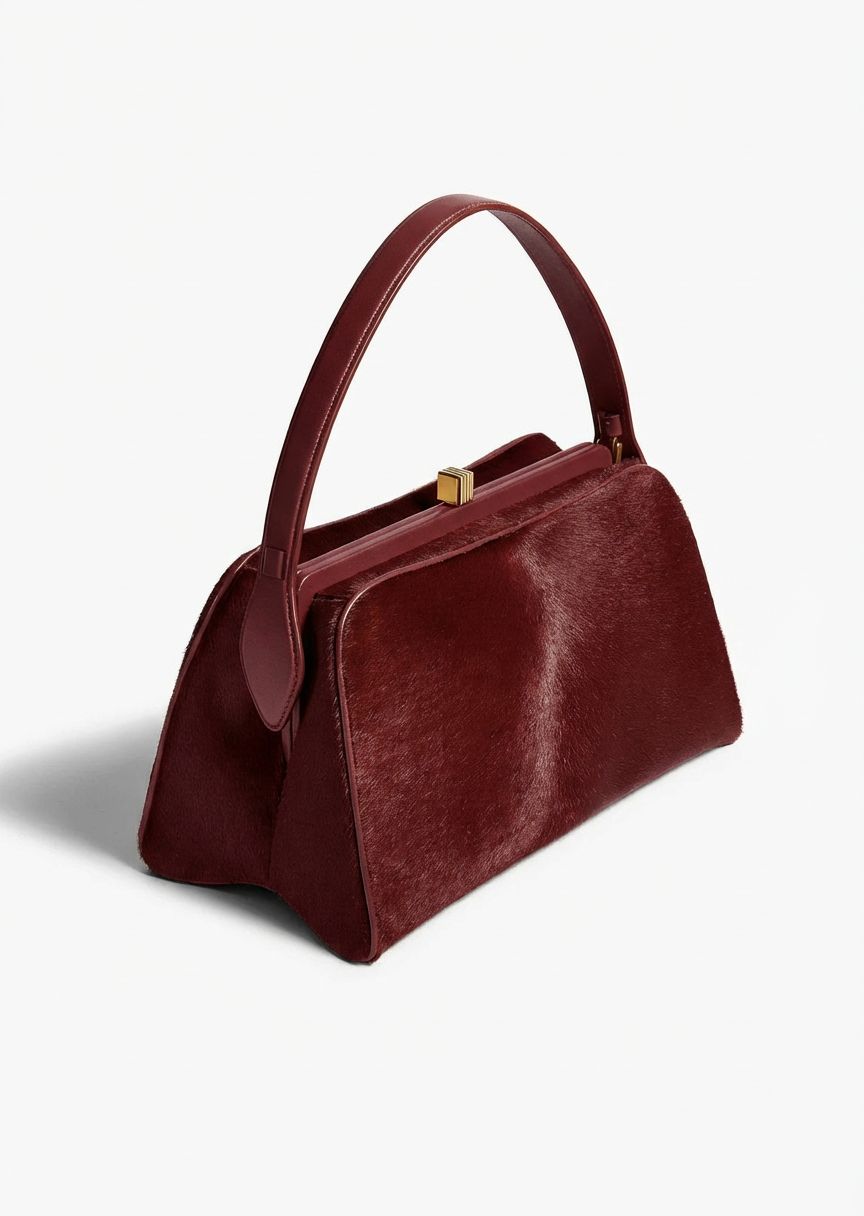
En todas las categorías, se aplica el mismo principio: las herramientas especializadas de cambio de color de IA superan a las herramientas genéricas en desafíos específicos de cada categoría (patrones de ropa, joyería metálica, calzado multimaterial), y las herramientas de cambio de color de IA superan a los flujos de trabajo manuales en velocidad y costo unitario en el caso estándar del 80%. El 20% que necesita control manual se maneja mejor con Generative Recolor de Photoshop, que brinda al flujo de trabajo de selección y ajuste manual que las herramientas de IA no exponen de forma predeterminada.
Calculadora de costos: ¿Qué herramienta de cambio de color con IA gana en su volumen?
La herramienta de cambio de color de IA adecuada depende en gran medida del volumen de imágenes mensual. La comparación de costos en tres niveles de volumen, utilizando el plan más rentable de cada herramienta:
| Volumen / Mes | Snappyit | Photoroom | SellerPic | Photoshop + tu tiempo |
|---|---|---|---|---|
| 100 imágenes | $6.90 | $7.50 + créditos | $14.50 | $19,99 + 1–3 horas |
| 1.000 imágenes | ~$62 (plan Pro) | ~$50 + excedente de crédito | $72.50+ | $19,99 + 10–33 horas |
| 10.000 imágenes | Contactar con ventas | Contactar con ventas | Contactar con ventas | No factible (más de 100 horas) |
Con 100 imágenes por mes, las herramientas de inteligencia artificial están a un dólar de diferencia entre sí en los planes básicos. La diferenciación de costos comienza a partir de más de 500 imágenes por mes, donde las asignaciones de crédito y las tarifas por imagen comienzan a importar. Para los vendedores en ese rango, la herramienta de cambio de color de IA con el costo por crédito más bajo (Snappyit Pro) es significativamente más barata que las alternativas.
Recomendación por caso de uso
Diferentes vendedores tienen diferentes prioridades. El ajuste práctico por caso de uso:
- Revendedor de Etsy que ofrece colores personalizados (< 100 SKU/mes): Snappyit Básico ($6,9/mes). El costo por cambio de color más bajo, la respuesta más rápida y créditos de prueba gratuitos para probar antes de pagar. La misma suscripción cubre el maniquí fantasma si también necesitas flujos de trabajo de vestimenta.
- Shopify boutique lanza combinaciones de colores de temporada (50–500 SKU/mes): Snappyit (cualquier nivel) o SellerPic si también necesitas una prueba virtual. El costo por imagen de $0,07 a $0,20 mantiene un lote de recoloración de 200 SKU por debajo de $40.
- Combinaciones de colores de ropa de ciclismo de Logística de Amazon (100–1000 SKU/mes): Snappyit Pro por el costo. Photoroom si también necesitas eliminar el fondo por lotes en el mismo flujo de trabajo.
- Dropshipper estandarizando colores de proveedores (volumen variable): Pago por uso de Snappyit ($5,9 / 30 créditos). Sin suscripción, sin compromiso.
- Marca editorial de moda con tejido complicado: Adobe Photoshop con Generative Recolor para control manual en zonas de color transparentes, de encaje o asimétricas. Respaldo de herramientas de inteligencia artificial para la rutina del 80 % de los SKU.
- Estudio que realiza trabajos de catálogo de gran volumen: Combine Snappyit (cambio de color primario por IA) + Photoshop (retoque en casos extremos). El costo mensual total se mantiene bajo y la calidad de los resultados coincide con los estándares editoriales.
Qué tener en cuenta en AI Recolor en 2026
Tres desarrollos están remodelando el espacio de cambio de color de la IA en 2026:
- El material cambia más allá del color. Varias herramientas de IA están comenzando a admitir el cambio de materiales además del cambio de color de la IA: convirtiendo una camiseta de algodón en una representación de la misma prenda en seda, mezclilla o punto. Magic Studio de Photoroom tiene la implementación más sólida en la actualidad; Se espera que esto se convierta en una función estándar de cambio de color de IA para fin de año.
- Cambio de color de IA con reconocimiento de patrones. Las primeras herramientas de cambio de color de IA solo podían manejar fotografías de origen en colores sólidos. Las herramientas más nuevas (Snappyit, SellerPic) ahora conservan los patrones durante el cambio de color: las prendas a rayas, a cuadros y florales aparecen con el patrón intacto y solo el color subyacente ha cambiado. Esto hace que el cambio de color mediante IA sea viable para una gama mucho más amplia de SKU de catálogo.
- Consolidación de API y garantías SLA. Las diferencias de costos por imagen entre las herramientas de inteligencia artificial se han comprimido. La siguiente diferenciación es el rendimiento y la confiabilidad de API para vendedores de gran volumen. Esté atento a las garantías de SLA en las herramientas de cambio de color de IA para el cuarto trimestre de 2026.
Preguntas frecuentes
¿Cuál es el mejor servicio de cambio de color con IA en 2026?
Para vendedores de fotografía de indumentaria y productos, Cambio de color de la IA de Snappyit es el mejor servicio de cambio de color de IA en 2026 en términos de relación costo-calidad. Conserva la textura y los patrones de la tela a través del pase de cambio de color de $ 0,07 a $ 0,20 por imagen e incluye créditos de prueba gratuitos al registrarse. Photoroom Magic Studio es una potente alternativa cuando también necesitas eliminar el fondo y preparar el producto en el mismo flujo de trabajo.
¿Dónde encontrar el mejor servicio de cambio de color generativo de IA para fotografías de productos?
El mejor servicio de cambio de color generativo de IA para fotografías de productos depende del volumen y del caso de uso. Por menos de 500 SKU por mes, Snappyit y Photoroom son las mejores opciones por menos de $0,20 por imagen; ambos le permiten cargar una foto original y ejecutar una pasada de cambio de color del producto que produce resultados listos para el mercado en segundos. Para volúmenes más altos, Snappyit Pro y SellerPic ofrecen soporte por lotes y API. Para trabajos editoriales que necesitan control manual, Adobe Photoshop con Generative Recolor sigue siendo la opción de mayor fidelidad a pesar del mayor tiempo activo por imagen. Para fotografías de productos de estilo de vida (usadas por modelos o diseñadas en contexto), el pase de estilo de vida de cambio de color con IA de Snappyit maneja el cambio de color en contexto sin derramar color en el fondo o los tonos de piel.
¿Pueden las herramientas de cambio de color de IA preservar la textura y los patrones de la tela?
Sí, pero solo las herramientas especializadas para cambiar el color de la IA en prendas de vestir. Snappyit y SellerPic están capacitados en fotografía de indumentaria y productos, por lo que preservan la textura de la tela (tejido de punto, sarga, brillo de seda) y el patrón (rayas, cuadros, flores) durante la pasada de cambio de color. Las herramientas genéricas de cambio de color de IA (Cleanup.pictures, flujo de trabajo básico de Photoroom) a veces aplanan la textura durante el cambio de color. Para prendas con patrones críticos, elija una herramienta de cambio de color de IA especializada.
¿Cuánto costará el cambio de color con IA por foto de producto en 2026?
El cambio de color con IA cuesta entre 0,07 y 0,20 dólares por imagen en las principales herramientas de IA (Snappyit, Photoroom, SellerPic) en la facturación anual del plan básico. El precio de pago por uso es aproximadamente 3 veces la tasa anual. Generative Recolor de Adobe Photoshop utiliza créditos Firefly dentro del plan de fotografía de $19,99 al mes; El costo efectivo depende del volumen de imágenes mensual. Cleanup.pictures es el más barato, entre $ 0,03 y $ 0,07 por imagen, pero con una preservación de textura más débil.
¿Qué herramienta de cambio de color con IA es mejor para el procesamiento por lotes?
Snappyit, Photoroom y SellerPic ofrecen acceso API para el procesamiento de cambios de color por lotes con IA. La API de Snappyit está incluida en los planes Pro+; La exportación por lotes de Photoroom varía desde 500/mes en Pro hasta 4000/mes en Ultra; La API de SellerPic está incluida en el plan Starter y superiores. Para los vendedores de gran volumen (más de 1000 cambios de color por mes), el rendimiento y la confiabilidad de la API son más importantes que el costo por imagen.
¿Pueden las herramientas de cambio de color de IA manejar estampados complejos como cuadros o flores?
Las herramientas de cambio de color de IA especializadas en prendas manejan impresiones complejas de manera confiable. Snappyit y SellerPic conservan las cuadrículas a cuadros, la alineación de los patrones florales y la estructura de impresión multicolor a través del paso de cambio de color: la IA cambia la paleta de colores subyacente sin destruir la geometría del patrón. Las herramientas genéricas de cambio de color de IA (Cleanup.pictures, Photoroom básico) a veces aplanan o distorsionan los patrones. Para SKU de patrón crítico, pruebe una muestra antes de comprometerse con un lote de catálogo completo.
¿El cambio de color de la IA es lo suficientemente preciso para los listados del mercado?
Sí para el caso del 80%. La salida de cambio de color de IA cumple con los estándares de calidad de imagen de los listados de Amazon, Shopify y Etsy en aproximadamente el 80% de los SKU en la primera generación. El 20% restante necesita una regeneración o un pequeño retoque manual, generalmente cuando la foto original tiene una iluminación inusual, tela transparente o zonas de color asimétricas. Siempre verifique al azar con un aumento del 200% antes de publicar.
¿El cambio de color por IA funciona en fotografías con modelos o solo en planos?
La mayoría de las herramientas de cambio de color de IA manejan ambos: planos, salida de maniquí fantasma y fotografías de modelos desgastados. La complejidad es mayor en las fotografías de modelos porque la IA tiene que identificar la región de la prenda (frente a la piel, el cabello, el fondo) y recolorear solo esa región sin afectar el tono de la piel. Snappyit, Photoroom y SellerPic manejan fotografías de modelos de manera confiable; Cleanup.pictures y Affinity se benefician de una selección dibujada manualmente en las fotografías de los modelos.
Conclusión: elegir la mejor herramienta de cambio de color con IA
Para el 80% de los vendedores de comercio electrónico, la respuesta es sencilla: la mejor herramienta de cambio de color de IA es una aplicación especializada de cambio de color de prendas de vestir que conserva la textura y los patrones de la tela a un precio de entre 0,07 y 0,20 dólares por imagen. Cambio de color rápido gana en costo por imagen y respuesta; SellerPic es una potente alternativa si también necesita salida de vídeo según el modelo y de formato corto; Photoroom está bien cuando el cambio de color con IA es una de varias operaciones de edición en su flujo de trabajo.
Para el 20% restante (moda editorial, telas transparentes, zonas de color asimétricas), Generative Recolor de Adobe Photoshop aún obtiene su prima a través del control manual que las herramientas de IA no exponen. Affinity de Canva es la alternativa gratuita para trabajos ocasionales de cambio de color manual sin suscripción. Cleanup.pictures es la opción más barata pero con la conservación de textura más débil en esta comparación.
La forma más confiable de encontrar el mejor servicio de cambio de color generativo de IA para su catálogo específico es realizar una prueba en una prenda real de su inventario. Ejecute la misma foto de origen en 2 o 3 candidatos, ejecute una pasada de cambio de color del producto por herramienta, compare la salida una al lado de la otra y verifique si cada herramienta maneja correctamente su tela y patrón típicos. La "mejor" herramienta de cambio de color de IA en cualquier resumen es la que produce resultados limpios en tu productos, tanto fotografías planas como de productos de estilo de vida, no en un vestido genérico de fotografía de archivo.
Pruebe el cambio de color de la IA antes de comprometerse
Snappyit ofrece créditos gratuitos al registrarse. Ejecute la foto real de su producto a través del flujo de trabajo de cambio de color de IA en 30 segundos y vea el resultado antes de comprometerse con cualquier plan.