
At a glance
How AI fashion video generators work, top tools compared, plus practical prompting and input tips for studio-free fashion videos.
| Need | What to do |
|---|---|
| Get oriented | Read the short summary, then use the checklist below. |
| Create a test image | Try Image to Video Free |
What Is an AI Fashion Video Generator
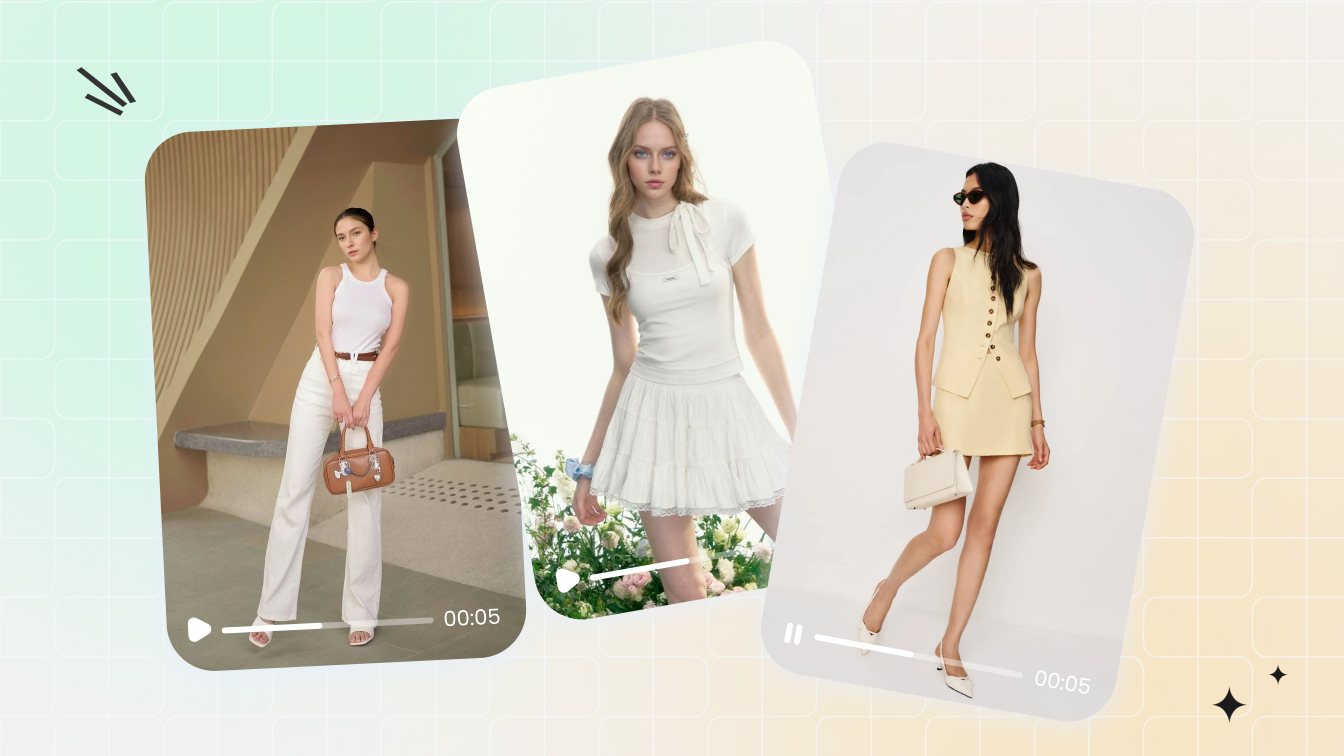
Imagine uploading a single product photo and getting back a polished video clip of that garment in motion, fabric flowing naturally, model turning to show every angle. No studio booking, no crew coordination, no weeks of post-production. That's the core promise behind an AI fashion video generator, and it's reshaping how brands bring their collections to life online.
An AI fashion video generator is software that uses artificial intelligence to transform still fashion images or text prompts into dynamic video content, simulating realistic garment movement, model poses, and styled environments without traditional video production.
The technology draws on deep learning models trained on millions of fashion images and runway footage. These systems learn how fabrics behave under different conditions, how light interacts with textures, and how bodies move in clothing. When you feed in a product photo, the AI analyzes the garment's shape, color, and material properties, then generates frames that simulate natural motion. The output is a short video clip ready for social media, product pages, or ad campaigns.
What an AI Fashion Video Generator Does
At its simplest, this type of tool bridges the gap between static product photography and full video production. You'll notice the technology handles several tasks that traditionally required separate specialists: animating a still image into a walking or turning sequence, generating realistic fabric drape and flow, placing garments on virtual models, and adapting output for different aspect ratios and platforms. McKinsey estimates generative AI could add up to $275 billion in operating profits across fashion and luxury sectors within the next few years, and video content creation is a significant piece of that value.
The process typically takes minutes rather than weeks. A brand uploads a high-resolution product image, the AI processes it through motion synthesis and frame generation models, and the result is a ready-to-publish clip. Compare that to traditional fashion video production, which often runs $10,000 to $100,000 per shoot and requires videographers, lighting specialists, models, stylists, and location scouting.
Who Benefits From AI Fashion Video Creation
This isn't a niche tool for tech-forward startups alone. The audience spans the entire fashion content ecosystem:
- Fashion brands releasing frequent collections who need video assets for every SKU without multiplying production budgets
- Ecommerce operators looking to boost conversion rates and reduce returns by showing garments in motion on product pages
- Content creators and influencers who want polished fashion video without access to professional studios
- Campaign teams and agencies managing multi-channel launches where each platform demands different video formats and styles
The fundamental value proposition is straightforward: replace the cost, time, and logistical complexity of traditional shoots with AI-powered alternatives that scale. A brand with 500 SKUs no longer has to choose which products deserve video treatment. Every item can have dynamic content, tailored to the right platform and audience segment.
This article breaks down how the technology actually works, what approaches exist, and how to get professional results from these tools. No marketing fluff, just a practical technical walkthrough of what's possible today and where the real limitations sit.
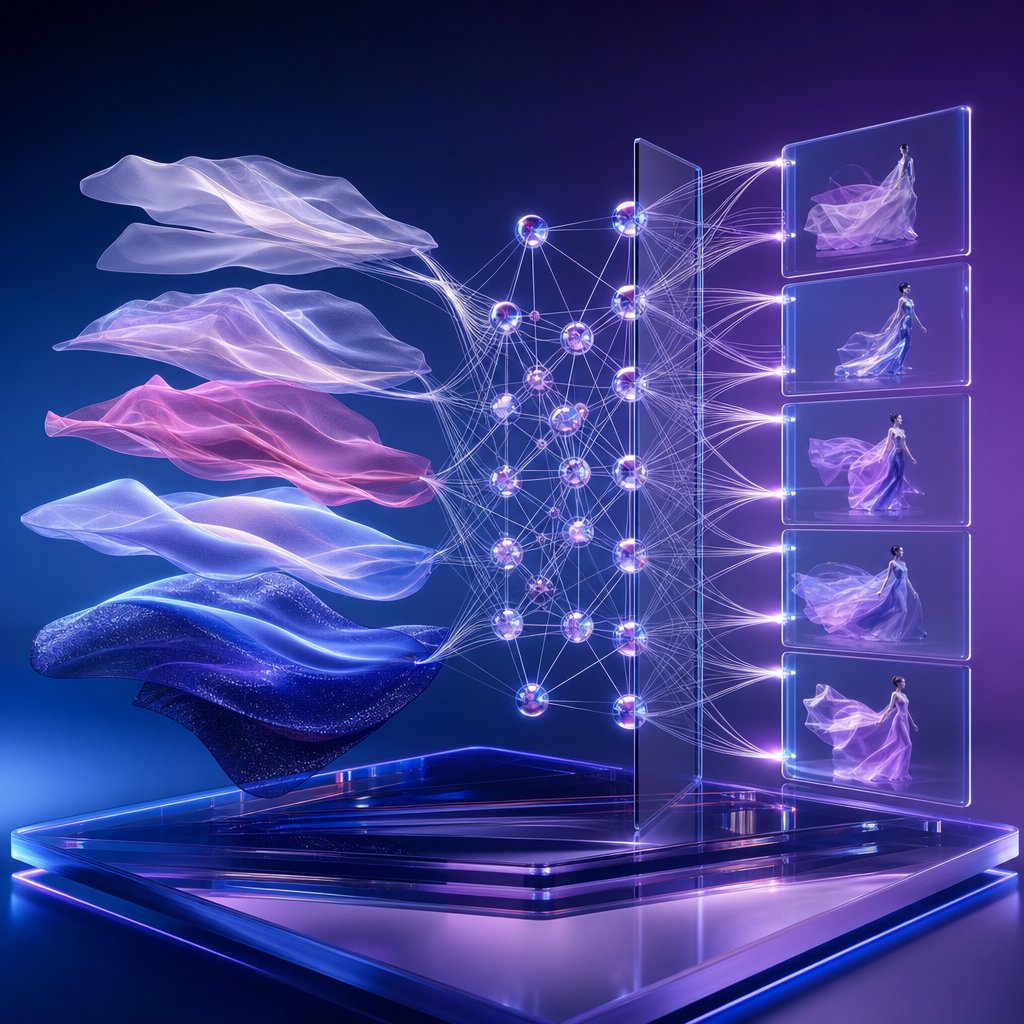
How AI Fashion Video Generation Technology Works
So you upload a product photo and get a video back. But what actually happens between those two steps? The technology behind AI fashion video generation combines several distinct AI systems working in sequence, each handling a different piece of the puzzle. Understanding how these components fit together helps you make better decisions about input preparation, tool selection, and what to realistically expect from the output.
Diffusion Models and Frame Generation
The engine powering most modern AI video generation is a class of neural networks called diffusion models. Sounds complex? The core idea is surprisingly intuitive. A diffusion model learns by studying millions of images, gradually adding random noise until the image becomes pure static, then training itself to reverse that process, reconstructing clean images from noise step by step.
When applied to video, the model doesn't just generate a single image. It produces a sequence of frames that need to look coherent together. This is significantly harder than image generation because the model must maintain temporal consistency across frames, meaning objects, colors, and textures need to stay stable as motion unfolds. A dress can't shift from blue to purple between frame 12 and frame 13.
Modern architectures handle this challenge by factorizing their processing into spatial and temporal components. The spatial layers handle what each individual frame looks like, generating textures, shapes, and lighting. The temporal layers handle how frames relate to each other over time, ensuring smooth transitions and coherent motion. Research from systems like Video Diffusion Models and Stable Video Diffusion shows that inserting dedicated temporal attention blocks after spatial processing layers gives the model a strong sense of frame-to-frame continuity.
For fashion specifically, these diffusion models are often fine-tuned on clothing and runway datasets. This specialized training teaches the model how silk catches light differently than denim, how a pleated skirt moves differently than a fitted blazer, and how garment edges behave during motion. The quality of this training data directly shapes how realistic the final video looks.
Motion Synthesis and Garment Preservation
Generating individual frames is only half the challenge. The other half is making those frames depict believable movement. Motion synthesis modules predict how a body and its clothing should move based on the input image's pose, garment type, and the desired action.
Think about what happens when a model turns to the side in a flowing dress. The body rotates, the fabric follows with a slight delay, the hem swings outward, and gravity pulls it back. Replicating this requires the AI to understand both body kinematics and garment physics. Research into transformer-based garment synthesis demonstrates that attention mechanisms can capture the dependency between body motions and clothing dynamics, learning how garments respond to movement with both spatial and temporal coherence.
Garment preservation algorithms work alongside motion synthesis to maintain fabric identity across the entire clip. These systems track specific visual properties of the clothing, including texture patterns, color gradients, stitching details, and material reflectance, ensuring they remain consistent even as the garment deforms during motion. Without garment preservation, you'd see a striped shirt gradually lose its stripes or a leather jacket suddenly look like cotton mid-turn.
The interplay between these systems is what separates fashion-specific video generation from generic AI video tools. A general-purpose model might animate a person walking, but it won't necessarily preserve the exact weave pattern of a tweed coat or the way a satin lining catches overhead light. Fashion-tuned models prioritize these details because they're exactly what shoppers need to see before making a purchase decision.
The Image-to-Video Pipeline Step by Step
When you feed a still photo into an AI fashion video generator, the system runs through a structured pipeline. Each stage builds on the previous one, and the quality of each step compounds into the final result. Here's how the image-to-video pipeline for fashion content typically unfolds:
- Image analysis and encoding: The system encodes your input photo into a compressed latent representation, extracting key information about the garment's shape, texture, color, and the model's pose. This latent code becomes the foundation for everything that follows.
- Motion prediction: Based on the detected pose and garment type, the model predicts a plausible motion sequence. For a standing model in a dress, this might be a slow turn or a walking motion. The system generates motion vectors that describe how each part of the image should move across time.
- Frame generation via diffusion: The diffusion model takes the latent code and motion vectors, then generates a sequence of frames. Each frame is produced by iteratively denoising from random noise, conditioned on both the original image information and the predicted motion at that specific time step.
- Temporal refinement: A temporal consistency pass smooths out any flickering or discontinuities between frames. This stage uses cross-frame attention, where each generated frame references neighboring frames and often the first frame to maintain identity and coherence throughout the clip.
- Super-resolution and output formatting: The raw frames are typically generated at a lower resolution for computational efficiency, then upscaled through spatial super-resolution models. The final output is formatted to the target resolution, frame rate, and aspect ratio.
The entire process runs in minutes on cloud infrastructure. Some platforms generate clips at lower frame rates first, then use temporal super-resolution to interpolate additional frames and achieve smoother playback. Others, like architectures inspired by Lumiere's space-time approach, generate the full temporal duration in a single pass, which can improve consistency but requires more compute per generation.
One detail worth noting: the quality of your input image has an outsized effect on every downstream stage. A blurry or poorly lit source photo produces a degraded latent code, which cascades into weaker motion prediction and lower-fidelity frame generation. The pipeline amplifies both the strengths and weaknesses of whatever you feed into it.
Different Approaches to AI Fashion Video Creation
The pipeline described above is the shared foundation, but not every tool applies it the same way. Depending on what you're starting with and what you need to produce, there are four distinct methods for generating fashion video with AI. Each accepts different inputs, produces different outputs, and fits different points in a brand's content workflow. Picking the wrong approach for your use case wastes time and credits, so it's worth understanding what each one actually does.
Image-to-Video and Text-to-Video Methods
The most common entry point is image-to-video. You upload a product photo, a flat lay, or an on-model still, and the AI animates it into a short clip showing the garment in motion. This is the best AI method for fashion video when you already have quality product photography and want to add movement without reshooting. Tools like WearView and Kling AI use this approach to produce 5 to 10-second clips with realistic fabric drape and model animation. The output quality is high because the AI has a concrete visual reference to work from, preserving garment details like texture, color, and pattern.
Text-to-video fashion content creation takes a different path entirely. Instead of a photo, you provide a written description: "a model walking down a sunlit street wearing a navy linen blazer and white trousers." The AI generates the entire scene from scratch, including the model, the garment, and the environment. This method offers more creative freedom but less garment accuracy. Since there's no source image anchoring the output, the AI interprets your description rather than reproducing a specific product. It works well for mood content, campaign teasers, and early-stage concepting, but it's less reliable for product-accurate ecommerce video where shoppers need to see the exact item they're buying.
Virtual Try-On Video and AI Model Swapping
A virtual try-on video generator takes two inputs: a garment image and a model photo. The AI maps the clothing onto the model's body, generates a still try-on image, then animates it into a video clip showing the person wearing and moving in that garment. This approach is powerful for showing the same item across different body types without separate photoshoots. According to Camclo's technical breakdown, video-based try-on models trained on massive datasets of real human movement can simulate how different fabrics behave in motion, producing 5 to 10-second clips that show drape, flow, and fit in ways a still image simply cannot.
AI model swapping for fashion shoots takes yet another angle. Here, you start with existing footage or imagery featuring one model and replace that person with an AI-generated model while keeping the garment, pose, and environment intact. This is useful when a brand wants to show diversity across body types, skin tones, and age groups from a single original shoot. The AI isolates the clothing from the original model, generates a new person, and re-renders the scene with the garment mapped onto the replacement figure. The output maintains the original styling and lighting while swapping only the human element.
Choosing the Right Approach for Your Use Case
Each method serves a different production need. Here's how they compare side by side:
| Method | Best Input Type | Typical Output Quality | Ideal Use Case |
|---|---|---|---|
| Image-to-Video | Product photo or on-model still | High, preserves garment detail | Product page videos, social content from existing photography |
| Text-to-Video | Written description or prompt | Medium, creative but less product-accurate | Campaign teasers, mood content, design concepting |
| Virtual Try-On Video | Garment image + model photo | High, realistic fit and motion | Showing items on multiple body types, size-inclusive marketing |
| AI Model Swapping | Existing footage or on-model image | Medium-high, depends on source quality | Diversifying model representation without reshooting |
An emerging trend worth noting: multi-model platforms that aggregate different AI engines under one roof. Rather than locking you into a single generation model, these platforms let you choose between engines depending on the garment type and output you need. For example, some tools offer both Kling and Veo3 as backend options, each with different strengths in fabric physics and motion realism. This matters specifically for fashion content because fabric detail and body movement are the two hardest things for AI video to get right. A model that handles flowing silk beautifully might struggle with structured denim, and vice versa. Having access to multiple engines means you can match the AI to the garment rather than forcing one system to handle everything.
The method you choose also determines what your source material needs to look like. Image-to-video demands a clean, well-lit product photo. Text-to-video requires precise, descriptive prompting. Virtual try-on needs both a garment flat lay and a model reference. Each approach has its own input requirements that directly shape the quality of what comes out the other side.
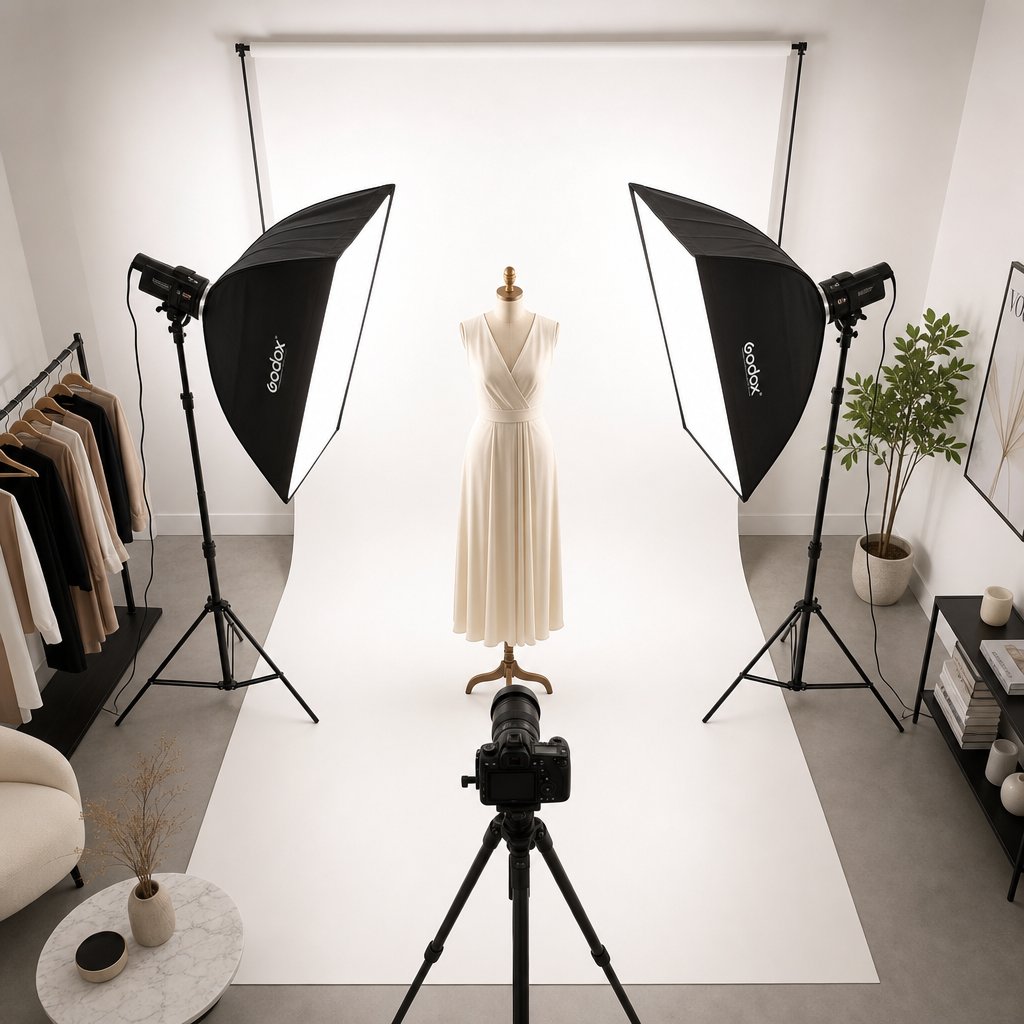
Input Image Best Practices for Better Results
Your source image is the single biggest lever you have over output quality. Feed the AI a sharp, well-lit product photo and you'll get smooth motion with preserved fabric detail. Feed it a dim smartphone snap with a cluttered background and you'll spend credits generating clips full of warping textures and ghosting artifacts. The pipeline amplifies whatever it receives, good or bad, so knowing how to prepare photos for AI video generation saves both time and frustration.
Resolution and Lighting Requirements
The best image resolution for AI fashion video starts at a minimum of 1920x1080 pixels, but higher is better. According to InVideo's optimization guide, images below 720p often produce blurry or pixelated video, especially once motion effects stretch pixel data across frames. For fashion-specific tools, Weartist recommends a minimum of 2000x2000 pixels, with 3000+ pixels producing noticeably better results. If you're shooting specifically for AI video, aim for at least 2500x2500 and export as high-quality PNG or JPEG at 85-95% quality.
Lighting matters just as much as resolution. Even, diffused light preserves detail across the entire garment and gives the AI clean data to work with. Use soft natural light from a large window or two softbox lights positioned at 45-degree angles. Avoid direct flash or harsh overhead lighting that creates strong shadows, because those shadows confuse the AI's depth perception and produce inconsistent motion effects. Mixed color temperatures are another common culprit. When warm and cool light sources compete in the same frame, the AI can amplify color casts during generation, creating unnatural shifts across the video.
Pose Angles and Background Selection
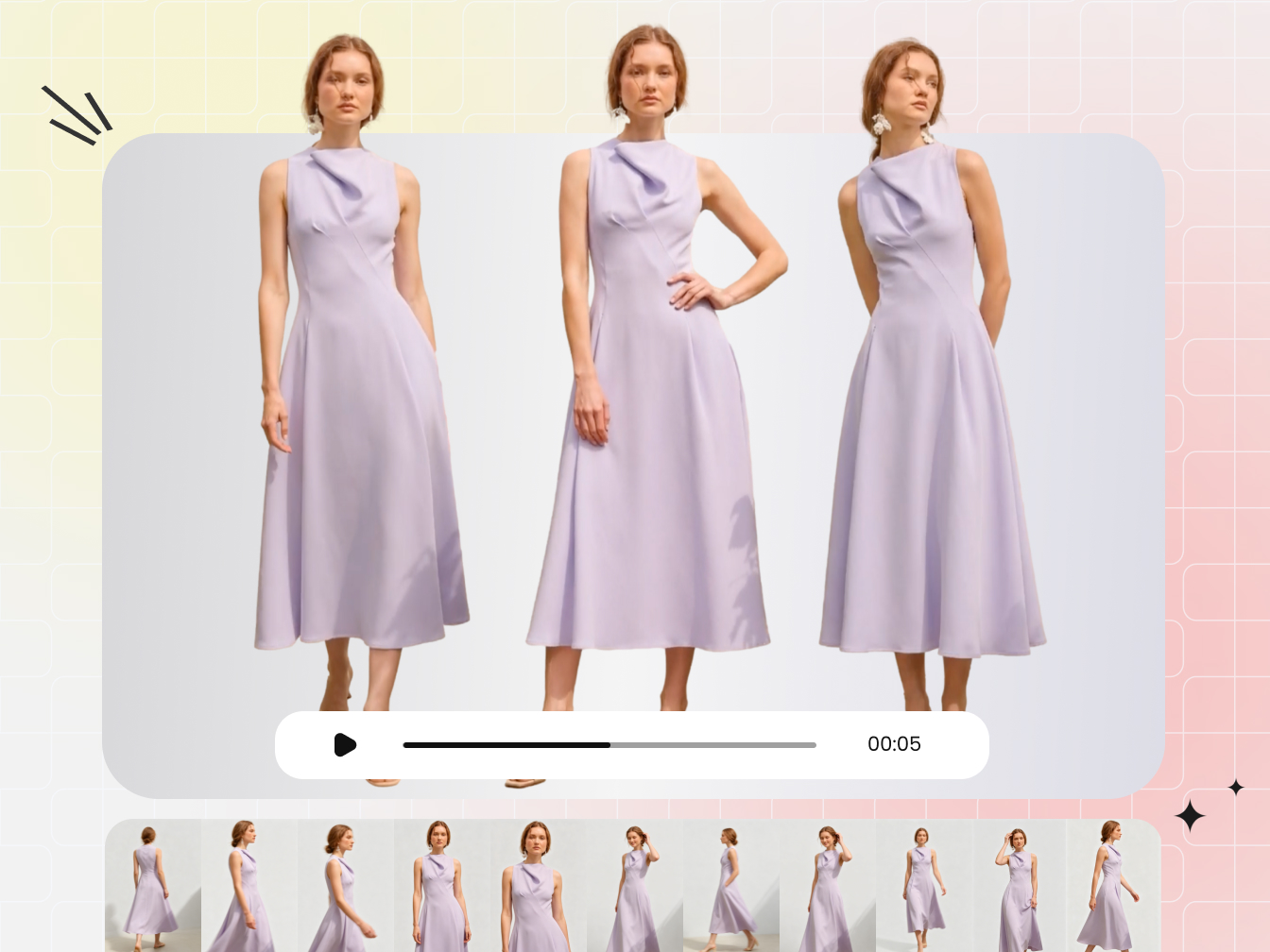
Not every pose translates well into motion. Front-facing poses with arms slightly away from the body give the AI clear garment boundaries to work with. Three-quarter angles add dimension and work well for dresses and outerwear. Avoid poses where limbs overlap the garment heavily or where hands are prominently visible, since hand generation remains one of AI video's weakest points. Walking poses and slight turns tend to produce the most natural-looking animated output because they align with the motion patterns the AI has been trained on.
For backgrounds, plain and simple wins. Pure white or light gray backgrounds let the AI focus entirely on the garment and model without trying to interpret complex environmental elements. Lifestyle backgrounds can work for social media content, but they introduce more variables for the AI to maintain across frames, increasing the chance of background drift or object disappearance. If you do use a contextual background, keep it uncluttered and ensure strong contrast between the garment and its surroundings.
Common Input Mistakes That Ruin Output Quality
Most artifacts in AI-generated fashion video trace back to preventable input errors. Here's a quick checklist of what to get right before you upload:
- Resolution: Minimum 2000x2000 pixels; 3000+ for best results
- Format: PNG for maximum quality, or JPEG at 85-95% (avoid multiple re-saves)
- Lighting: Soft, diffused, and consistent across the entire frame
- Background: Plain white or gray; avoid busy patterns or mixed environments
- Garment prep: Steam out wrinkles, remove tags, lint-roll the fabric
- Pose: Arms away from body, minimal hand visibility, natural stance
- Focus: Tack-sharp on the garment; slight over-sharpening is better than soft focus
- Color space: sRGB for consistent reproduction across AI platforms
The mistakes that cause the most damage? Uploading low-resolution images and expecting AI upscaling to compensate, skipping garment preparation so wrinkles get baked into the animation, and using images with extreme contrast or clipped highlights where the AI has no detail to work with. Each of these forces the model to guess rather than generate from solid data, and guessing is exactly how you end up with melting textures and unrealistic fabric behavior.
One more detail worth noting: consistency matters when generating multiple videos across a product line. If you shoot half your catalog under warm tungsten light and the other half under cool daylight, the AI will produce visually inconsistent clips that look disjointed on your product pages. Develop a repeatable setup, same lighting rig, same background, same camera distance, and your entire video library will feel cohesive.
Getting the input right is the foundation. But even a perfect source image won't save a poorly written prompt. The way you describe the motion, camera behavior, and style you want plays an equally critical role in shaping what the AI actually produces.
How to Write Prompts for Fashion Video Generation
A well-prepared image gives the AI solid raw material. But the prompt is what tells it what to do with that material. How should the model move? Where should the camera go? What mood should the clip convey? Without clear direction, even the best source photo produces generic, aimless output. The difference between an amateur-looking clip and a professional fashion video often comes down to how specifically you describe the motion, framing, and style you want.
Most AI fashion video tools follow a structured prompt formula. Based on Google's Veo 3.1 prompting guide, the most effective approach breaks your prompt into five components: cinematography, subject, action, context, and style. For fashion content specifically, the action and cinematography elements carry the most weight because they control how the garment is revealed to the viewer.
Writing Motion and Camera Movement Prompts
Motion prompts describe what the subject does: walking forward, turning slowly, fabric flowing in wind. Camera movement prompts describe what the viewer's perspective does: panning left, zooming in, orbiting around the model. These are two separate layers of instruction, and combining them gives you precise control over the final clip.
For motion, be specific about the type and speed of movement. "A model walking" is vague. "A model walking forward at a slow pace, dress swaying gently with each step" gives the AI concrete physics to simulate. As FashionInsta's prompt experiments demonstrate, adding a note like "static pose" prevents unwanted motion when you only want camera movement or subtle fabric animation. Without it, models often default to exaggerated dancing or arm movements that look unnatural.
For camera movement, use standard cinematography language that these tools are trained to recognize:
- Tracking shot: Camera follows the model through space, ideal for walking sequences
- Slow pan: Camera rotates horizontally, revealing the garment from different angles
- Dolly-in: Camera moves toward the subject, drawing attention to fabric detail
- Crane shot: Camera rises or descends, establishing scale and environment
- Orbit or arc shot: Camera circles the model, showing the garment from all sides
Separate your camera direction from your subject action in the prompt. According to LTX Studio's production guide, writing "The camera pulls back" as its own sentence rather than embedding it inside a longer description helps the AI parse your intent more reliably. This small structural choice makes a noticeable difference in output accuracy.
Style Cues and Duration Control
Style prompts define the visual mood and aesthetic of your clip. They're distinct from motion prompts and operate on a different layer of the generation process. Where motion prompts control what happens, style prompts control how it looks and feels.
Effective style cues for fashion video include:
- Lighting references: "golden hour lighting," "Venetian lighting," "soft diffused studio light"
- Aesthetic labels: "high fashion editorial," "cinematic," "clean e-commerce style," "documentary realism"
- Technical specs: "35mm film," "shallow depth of field," "bokeh background"
- Mood descriptors: "elegant and minimal," "energetic and bold," "warm lifestyle aesthetic"
Combining a motion prompt with a style prompt is where professional results emerge. "A model turning slowly" plus "high fashion editorial, dramatic side lighting, shallow depth of field" produces something that looks like it belongs in a campaign. The same motion with "bright, clean e-commerce style with even lighting" produces a product page clip. Same movement, completely different output based on style direction.
For duration, most tools currently generate clips between 4 and 8 seconds. Shorter clips (4 seconds) work best for single actions like a turn or a fabric detail shot. Longer clips (6-8 seconds) accommodate walking sequences or camera movements that need time to unfold. Keep your prompt complexity proportional to the duration. An 8-second clip can handle a camera arc plus a model turn. A 4-second clip should focus on one clear action.
Prompt Examples for Common Fashion Scenarios
The best prompts for AI clothing video follow a consistent pattern: they front-load the camera direction, specify the subject and action clearly, then layer in style and lighting. Here are concrete templates you can adapt:
| Scenario | Example Prompt Structure | Expected Output |
|---|---|---|
| Product page video (dress) | "Medium shot, a model in a static pose wearing [garment], slow 180-degree camera orbit, clean white background, e-commerce lighting, sharp focus" | Clean rotation showing garment from all angles, suitable for product listings |
| Social media Reel (streetwear) | "Tracking shot following a model walking forward on urban street, dynamic camera motion, golden hour lighting, 35mm film aesthetic, shallow depth of field" | Energetic walking clip with cinematic feel, optimized for vertical social content |
| Campaign teaser (evening wear) | "Low angle shot, a model posing in [garment], dramatic side lighting, fabric flowing with subtle wind, slow dolly-in to close-up, high fashion editorial style" | Dramatic, editorial-quality clip emphasizing fabric movement and luxury mood |
| Fabric detail shot | "Extreme close-up of [fabric type], camera slowly panning across texture, soft diffused lighting revealing weave detail, macro lens aesthetic, minimal movement" | Texture-focused clip highlighting material quality, useful for premium positioning |
| Lookbook sequence | "Wide shot establishing full outfit, model turns from front to three-quarter angle, natural window light, warm lifestyle photography style, bokeh background" | Full-outfit reveal with natural movement, suitable for lookbook or catalog content |
A few principles hold true regardless of which tool you're using. Keep prompts between 50 and 125 words for most fashion scenarios. Front-load the shot type and camera direction since these receive the most attention from the model. Be visually specific rather than abstract: "dramatic side lighting creating sculptural shadows" works better than "moody vibes." And iterate by changing one element at a time. If the motion looks right but the lighting feels off, adjust only the style cues rather than rewriting the entire prompt.
Prompt effectiveness does vary across platforms. What works perfectly in one tool might need adjustment in another. But the underlying principles of specificity, clear motion description, and separated camera and style instructions remain consistent across the landscape. Master the structure, and adapting to any specific tool becomes a matter of minor tuning rather than starting from scratch.
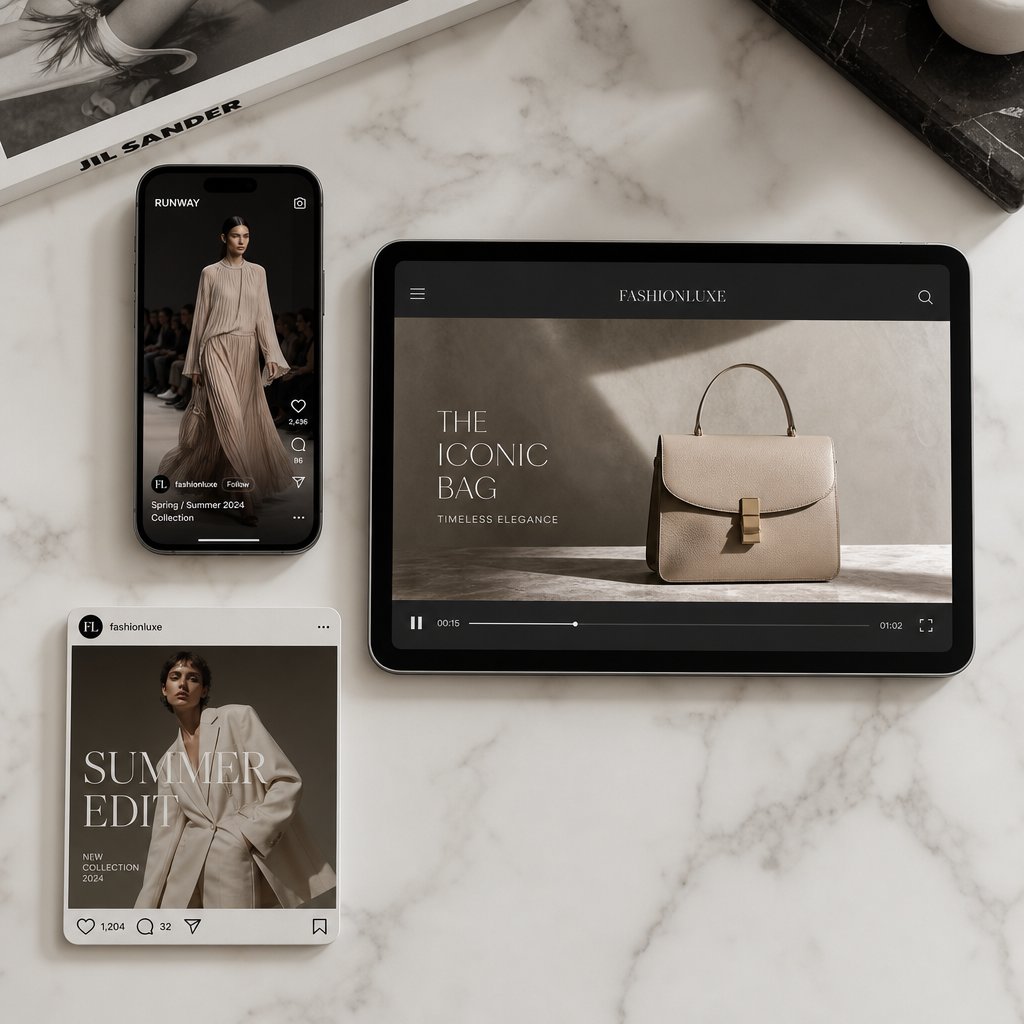
Optimizing AI Fashion Videos for Every Platform
A perfectly prompted, beautifully generated clip means nothing if it looks cropped, stretched, or blurry on the platform where your audience actually sees it. Each distribution channel has its own technical requirements for aspect ratio, resolution, duration, and format. Getting these wrong doesn't just look unprofessional, it can tank engagement or prevent your video from uploading entirely. The best aspect ratio for AI fashion video depends entirely on where that video is going to live.
TikTok and Instagram Reels Video Specs
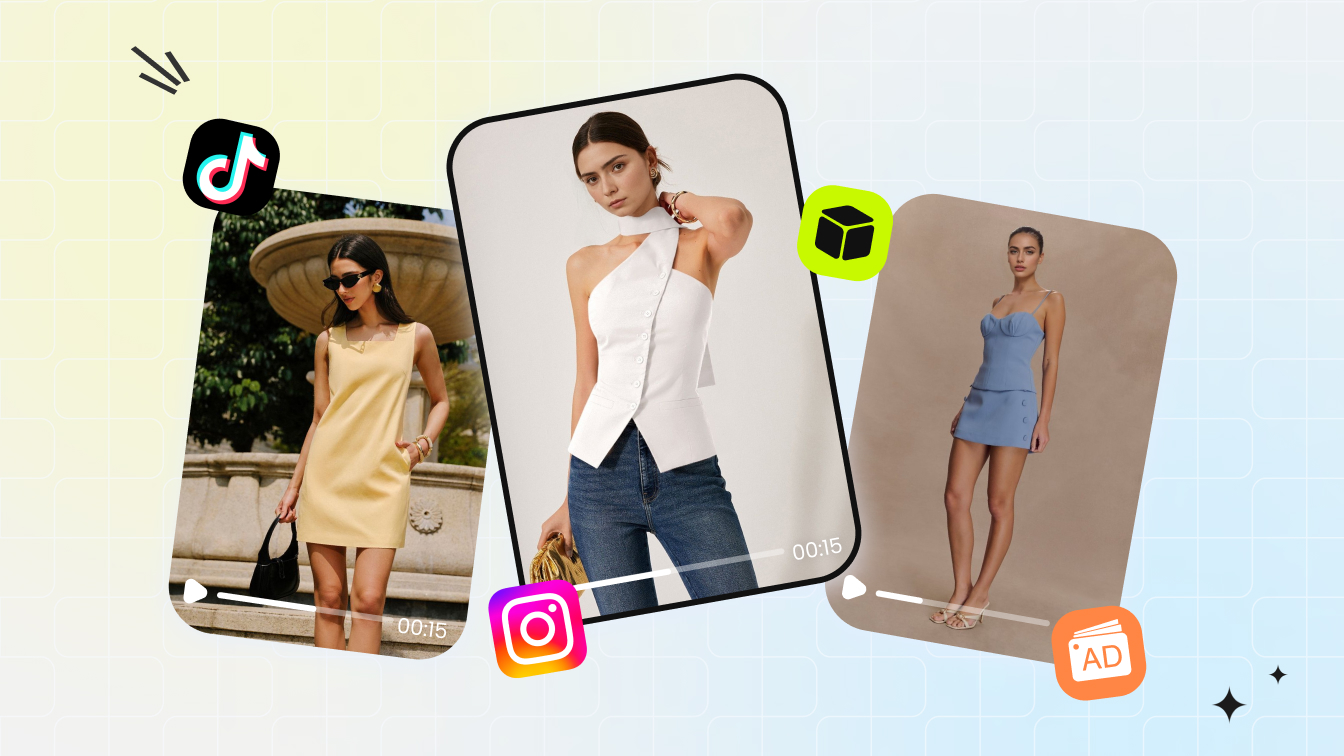
Both TikTok and Instagram Reels prioritize full-screen vertical video. If you're generating AI fashion video for either platform, 9:16 at 1080x1920 pixels is the target. According to Kapwing's 2026 platform guide, TikTok algorithmically prioritizes 9:16 content, meaning non-vertical videos get less distribution. Instagram Reels follows the same standard at 1080x1920.
For AI fashion video specs for TikTok, keep clips under 60 seconds for maximum reach, though the platform technically supports up to 60 minutes. The sweet spot for fashion content sits between 5 and 15 seconds, short enough to loop, long enough to show the garment in motion. TikTok accepts MP4 files up to 72 MB with frame rates of 30 or 60 fps. When configuring your AI tool's output, 30 fps at 1080x1920 in H.264 MP4 format covers you cleanly.
Instagram Reels AI fashion video settings are nearly identical: 9:16 aspect ratio, 1080x1920 resolution, and H.264 MP4 format. Reels supports videos up to 3 minutes, but shorter clips between 5 and 15 seconds tend to perform better for product-focused fashion content. One detail worth noting: both platforms overlay interface elements like like buttons, comments, and captions over portions of the screen. Keep your garment centered and avoid placing critical visual details in the bottom 20% or right edge of the frame.
Ecommerce Product Listing Video Requirements
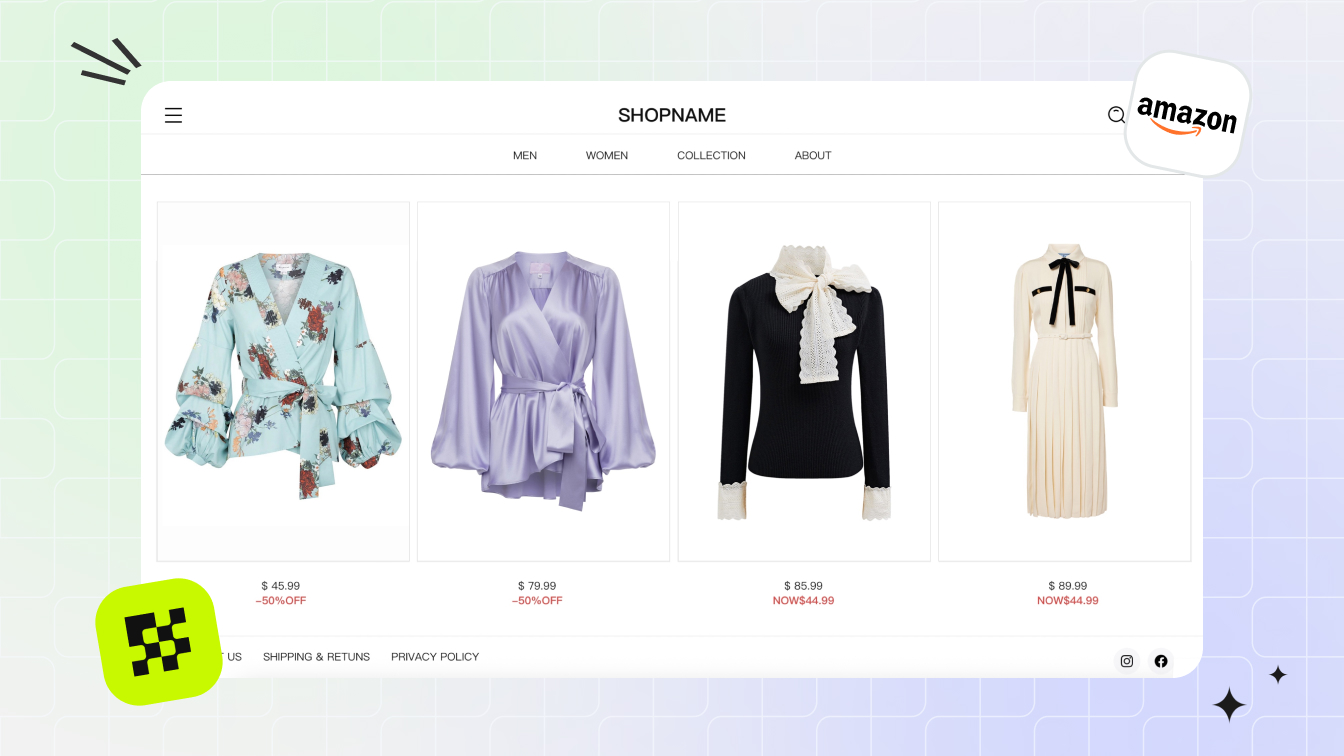
Ecommerce product video AI resolution requirements vary by marketplace. Amazon recommends a 16:9 aspect ratio with a minimum resolution of 1280x720 pixels, though 1920x1080 produces noticeably better results. Amazon accepts MP4, MOV, and several other formats with a 5 GB upload limit. There's no strict duration cap, but 15 to 30 seconds is the recommended range for holding shopper attention.
Shopify product pages and most DTC storefronts are more flexible. Square (1:1) and landscape (16:9) both work well depending on your page layout. Square video at 1080x1080 fits neatly into grid-based product galleries, while 16:9 at 1920x1080 works better for dedicated product detail sections or hero banners. For fashion specifically, vertical 9:16 can work on mobile-first storefronts where the product page scrolls vertically.
The key difference between social and ecommerce video: social platforms compress your upload aggressively, so exporting at higher bitrates (15-20 Mbps) helps preserve fabric texture after compression. Ecommerce platforms generally maintain closer to your original quality, so a clean 8-10 Mbps export is sufficient and keeps file sizes manageable.
Matching AI Output Settings to Platform Needs
Most AI fashion video tools let you select output resolution and aspect ratio before generation. Choosing the right settings upfront produces better results than generating at one size and cropping later, because the AI composes the frame differently for vertical versus landscape orientations. A 9:16 generation places the model centrally with headroom and foot space. A 16:9 generation might frame the model off-center with environmental context.
Here's a quick reference for matching your output settings to each platform:
| Platform | Aspect Ratio | Max Duration | Recommended Resolution | Preferred Format |
|---|---|---|---|---|
| TikTok | 9:16 | 60 seconds (15s optimal) | 1080 x 1920 | MP4 (H.264) |
| Instagram Reels | 9:16 | 3 minutes (15s optimal) | 1080 x 1920 | MP4 (H.264) |
| Amazon Product Listing | 16:9 | No strict limit (15-30s optimal) | 1920 x 1080 | MP4 or MOV |
| Shopify / DTC Product Page | 1:1 or 16:9 | No strict limit (10-20s optimal) | 1080 x 1080 or 1920 x 1080 | MP4 (H.264) |
| YouTube Shorts | 9:16 | 3 minutes | 1080 x 1920 | MP4 (H.264) |
| Pinterest Video Pins | 2:3 | No strict limit | 1000 x 1500 | MP4 |
For frame rate, 30 fps is the safe default across all platforms. Some AI tools output at 24 fps, which still looks smooth for fashion content where motion is typically slow and deliberate. Avoid generating at frame rates below 24 fps, as the motion will appear choppy, especially during fabric flow sequences where smoothness sells the realism.
One practical workflow tip: if you're distributing the same garment video across multiple channels, generate at the highest resolution your tool supports in 9:16 vertical format first. Vertical is the hardest to crop into other ratios without losing the subject, so starting there gives you the most flexibility. You can then crop to 1:1 for product grids or letterbox into 16:9 for Amazon listings without regenerating from scratch. This approach saves generation credits while covering every channel from a single source clip.
Best AI Fashion Video Generator Tools Compared
Knowing the right specs and prompts only gets you so far. At some point, you need to pick a tool and start generating. The landscape of AI fashion video generators has expanded rapidly, with options ranging from free tiers that let you experiment to professional platforms built specifically for fashion ecommerce at scale. The right choice depends on your use case, volume needs, and how much control you want over the output.
Evaluating AI Fashion Video Tools by Use Case
Not every tool serves every workflow equally. Some platforms are purpose-built for fashion brands producing product page videos and social content at volume. Others are general-purpose AI video generators that happen to work well for clothing when prompted carefully. A few sit somewhere in between, offering fashion-specific features alongside broader creative capabilities.
When evaluating the best AI fashion video generator tools compared to each other, focus on four factors: how well the tool preserves garment detail during motion, what input types it accepts, how its output quality matches your distribution channels, and whether it integrates into your existing content workflow. A tool that produces stunning cinematic clips but requires hours of prompt engineering per video won't scale for a brand with 200 SKUs to animate.
Here's how the leading options stack up across these dimensions:
| Tool Name | Best For | Key Strength | Pricing Model |
|---|---|---|---|
| Snappyit | Fashion brands scaling video across catalogs | Conversion-focused fashion video with low production overhead | Subscription-based |
| WearView | Fashion ecommerce with model consistency | Template-driven animations with full model and pose control | From $29/month |
| Kling AI | Cinematic fashion content and lookbooks | Best-in-class fabric movement and texture realism | From $6.99/month; free tier available |
| Modelia | Shopify stores needing photo + video | Combined photo-to-model and video with native Shopify integration | From $12/month; 20 free monthly credits |
| Pic Copilot | Social commerce and marketplace sellers | Platform-ready fashion reels with built-in music and licensing | Free plan available; Pro unlocks Fashion Reels |
| Hailuo AI | Fast mood and lifestyle content | Rapid generation with expressive, stylized output | From $9.99/month; free tier with limited credits |
| Claid | Product photography suites adding video | Subtle animation as part of a full AI photo workflow | From $19/month; free trial with 50 credits |
Snappyit and Scalable Fashion Video Production
For fashion brands and ecommerce operators who need an AI fashion video tool for ecommerce brands that scales without ballooning production costs, Snappyit's Fashion Video solution is worth a close look. The platform is designed around the specific challenge fashion teams face: turning large product catalogs into dynamic video content without the overhead of traditional shoots or the unpredictability of general-purpose AI tools.
What makes Snappyit relevant here is its focus on conversion-oriented output. Rather than optimizing for cinematic spectacle, the platform prioritizes the kind of clean, garment-accurate video that actually moves product on ecommerce pages and social feeds. For campaign teams managing dozens or hundreds of SKUs, this approach to scalable AI video production for fashion means you can generate consistent video assets across an entire collection without per-item production costs spiraling.
That said, Snappyit fits a specific profile best: brands that already have quality product photography and want to activate those assets as video at scale. If your primary need is experimental creative work or text-to-video generation from scratch, other tools in the table above may be a better starting point.
Free vs Premium Tool Tradeoffs
Several platforms offer free AI fashion video generator options, and they're genuinely useful for testing the waters. Kling AI provides 66 credits per day on its free tier (with watermarked output). Pic Copilot includes a free plan with basic AI tools. Hailuo AI offers limited free credits for experimentation. These free tiers let you evaluate output quality, test different prompts, and determine whether AI-generated video fits your brand aesthetic before committing budget.
The tradeoffs are predictable but worth stating clearly:
Pros of Free Tiers
- Zero financial risk for initial testing and learning
- Enough output to evaluate whether AI video works for your specific garment types
- Good for one-off social content or internal presentations
Cons of Free Tiers
- Lower resolution output (often 720p or below with visible compression)
- Watermarks that make content unusable for customer-facing channels
- Daily or monthly credit caps that prevent any real production volume
- Limited aspect ratio and duration options
- No garment-specific features like template-driven fashion animations
According to GenAIntel's comparison of free vs paid AI video models, free generators typically output at 360p to 480p with simpler motion handling and frequent artifacts. Paid models deliver 720p to 1080p with superior motion realism, better prompt comprehension, and integrated audio options. For fashion content where fabric texture and movement quality directly influence purchase decisions, the quality gap between free and paid is more consequential than in other video categories.
The practical recommendation: start with free tiers to validate the concept and test your input images. Once you've confirmed that AI-generated video works for your product type and audience, move to a paid tool that matches your volume needs and distribution channels. For brands producing content at catalog scale, platforms like Snappyit that are built for fashion-specific batch production will deliver better ROI than general-purpose tools where you're paying for capabilities you don't need.
Choosing the right tool is one piece of the puzzle. Equally important is understanding what these tools can and cannot do today, so you set expectations that match reality rather than marketing promises.
Current Limitations and Realistic Expectations
Every tool comparison and prompting guide paints an optimistic picture, and for good reason. AI fashion video generation has improved dramatically. But if you go in expecting perfection on every clip, you'll burn through credits and patience fast. The honest reality is that these tools excel in specific scenarios and fall short in others. Knowing exactly where the boundaries sit helps you plan shoots, set client expectations, and decide when AI is the right call versus when traditional production still wins.
What AI Fashion Video Handles Well Today
For certain content types, AI fashion video quality already meets or approaches professional production standards. The technology performs best when the conditions play to its strengths: simple garments, controlled backgrounds, and predictable motion patterns. Here's where you can confidently rely on AI-generated output:
- Basic model motion: Slow turns, walking forward, and subtle weight shifts look natural and smooth in most tools
- Fabric flow on simple garments: Dresses, skirts, and loose-fitting tops animate convincingly, especially lightweight fabrics like chiffon, silk, and jersey
- Consistent backgrounds: Plain studio backdrops and simple environmental settings remain stable across frames without drift or distortion
- Single-garment focus: One model wearing one outfit produces the most reliable results with minimal artifacts
- Short-duration clips: 4 to 8-second videos maintain coherence far better than longer sequences
- Standard body proportions and poses: Front-facing and three-quarter angles with natural stances generate cleanly
- Color and texture preservation: Solid colors, simple patterns, and consistent fabric textures hold up well across frames
For ecommerce product pages, social media clips, and lookbook-style content, these strengths cover the majority of what brands actually need. A 6-second clip of a model turning in a midi dress against a white background is well within what current tools handle reliably. That's a significant portion of fashion video demand.
Current Limitations and Known Artifacts
The gaps become visible quickly once you push beyond those sweet spots. Common artifacts in AI-generated fashion video fall into predictable categories, and understanding them helps you avoid wasting time on scenarios the technology isn't ready for:
- Hand and finger distortion: Despite significant improvements in AI hand generation, video adds temporal complexity that still produces extra fingers, merged digits, or unnatural bending, especially during gestures or object interaction
- Complex accessories: Jewelry, belts with buckles, sunglasses, and bags with hardware often warp, disappear between frames, or lose structural detail during motion
- Multi-person scenes: Two or more models in the same frame frequently cause identity blending, where facial features or garments swap between subjects across frames
- Long-duration clips: Anything beyond 8 to 10 seconds risks progressive quality degradation, with increasing drift in garment detail, facial consistency, and background stability
- Intricate patterns: Fine stripes, complex plaids, and detailed prints can shimmer, shift, or lose alignment during motion
- Structured garments: Tailored blazers, stiff denim, and garments with rigid construction don't deform as naturally as flowing fabrics
- Extreme close-ups: Zooming in on stitching, buttons, or fabric weave reveals the AI's limited understanding of micro-level garment construction
- Rapid or complex motion: Fast walking, dancing, or dramatic poses introduce more opportunities for limb distortion and garment physics failures
The hand problem deserves special attention for fashion content. While static AI image generators now achieve 85-90% accuracy on hand rendering in standard poses, video generation adds frame-to-frame consistency requirements that make hands significantly harder. A hand that looks fine in frame 1 might gain a finger by frame 15. For fashion video, the practical workaround is to frame shots that minimize hand visibility or keep hands in relaxed, static positions rather than interacting with garments or accessories.
Setting Realistic Expectations for Output Quality
The quality tradeoff in AI fashion video comes down to speed and scale versus fidelity and control. According to Lemonlight's comparison of AI and traditional video production, AI video competes strongly for performance-driven content like social ads and product videos, but traditional production still delivers noticeably higher quality for premium brand films and emotionally complex storytelling. That distinction maps directly onto fashion: AI handles product page clips and social content well, while luxury editorial campaigns requiring precise creative control still benefit from traditional shoots.
A few practical guidelines for calibrating expectations:
Generate multiple versions. Even with perfect inputs and prompts, output quality varies between generations. Plan to produce 3 to 5 versions of each clip and select the best. This is standard practice, not a sign that something went wrong.
Results improve dramatically with proper preparation. The difference between a carelessly uploaded photo with a vague prompt and a well-prepared image with specific motion and style direction is enormous. Most disappointing results trace back to input quality or prompt specificity rather than fundamental tool limitations.
Short and simple outperforms long and complex. A clean 5-second turn in a single garment will look more professional than an ambitious 15-second walking sequence with accessories and environmental interaction. Play to the technology's strengths rather than testing its edges in customer-facing content.
When should you not use an AI fashion video generator? A few clear scenarios:
- Luxury editorial campaigns where every shadow, fold, and gesture must match a precise creative director's vision
- Content requiring specific celebrity or influencer likenesses where accuracy is legally and commercially critical
- Multi-model group shots for campaign imagery where identity consistency between subjects matters
- Videos longer than 15 seconds where narrative continuity and progressive motion are essential
- Garments with complex hardware, embellishments, or construction details that are central to the product's value proposition
The honest framing: AI fashion video vs traditional video production quality isn't a binary competition. They serve different tiers of the same content ecosystem. AI handles the high-volume, fast-turnaround layer where you need dozens or hundreds of clips across a catalog. Traditional production handles the flagship moments where quality of impression drives brand perception. Most brands benefit from using both, allocating each to the content tier where it performs best.
These limitations aren't permanent. The technology improves with each model generation, and what struggles today often works reliably six months later. But planning your content strategy around what works now, rather than what might work soon, keeps your output quality consistent and your audience's trust intact.
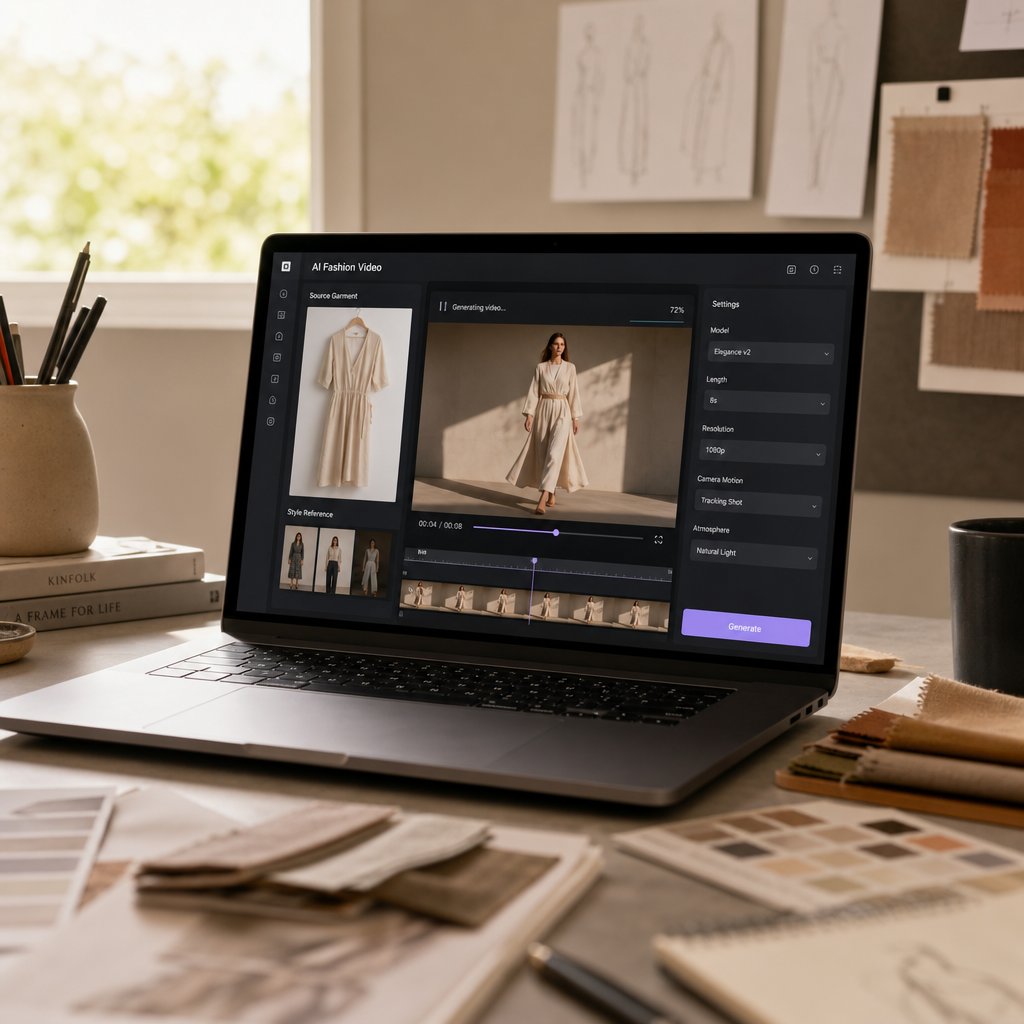
Getting Started With Your First AI Fashion Video
Limitations acknowledged, the practical question remains: how do you actually go from zero to a finished clip? Everything covered so far, the technology, the approaches, the input prep, the prompting, the platform specs, feeds into a single repeatable workflow. Whether you're a brand testing AI video for the first time or a creator looking to add motion to your content, the steps below give you a clear path from product photo to published video.
Your First AI Fashion Video Workflow
Here's the AI fashion video workflow step by step, structured so you can follow it regardless of which tool you choose:
- Define your output goal: Decide where this video will live before you generate anything. A TikTok Reel needs 9:16 vertical at 1080x1920. An Amazon product listing needs 16:9 at 1920x1080. Your platform choice determines aspect ratio, duration, and framing decisions from the start.
- Choose your generation approach: If you have quality product photography, image-to-video is your fastest path. If you need to show the garment on different body types, virtual try-on video is the better fit. Match the method to your available assets and content goal.
- Prepare your source image: Shoot or select a photo at minimum 2000x2000 pixels with even, diffused lighting and a clean background. Steam the garment, remove tags, and ensure the model's pose keeps arms away from the body with minimal hand visibility.
- Write your prompt: Structure it in layers: camera direction first, then subject action, then style cues. Be specific about motion type and speed. Keep it between 50 and 125 words. Example: "Medium shot, slow 180-degree camera orbit, model in static pose wearing [garment], clean white background, e-commerce lighting, sharp focus on fabric texture."
- Configure output settings: Set the aspect ratio, resolution, and duration to match your target platform. Generate at 30 fps in MP4 H.264 format for universal compatibility.
- Generate and iterate: Produce 3 to 5 versions of the same clip. Select the best output based on garment accuracy, motion smoothness, and overall coherence. Adjust one prompt element at a time if results need improvement.
- Review and publish: Check the final clip for common artifacts like hand distortion, pattern shimmer, or background drift. If it passes, export and upload directly to your target channel.
The entire process, from image selection to published video, typically takes 30 minutes to an hour for your first attempt. That time drops significantly once you've established a repeatable setup with consistent lighting, backgrounds, and prompt templates across your catalog.
AI Video vs Traditional Production Overhead
The cost-benefit case for AI fashion video generation becomes clear when you compare the resource requirements side by side. A detailed ROI analysis from Genra breaks down the numbers: a typical 60-second commercial-quality product video costs $4,000 to $18,000 in direct production expenses through traditional methods, with hidden costs like coordination overhead, revision cycles, and timeline delays pushing the true all-in cost to $5,000 to $20,000 per video. Timeline: 2 to 6 weeks from brief to final delivery.
The same video produced with AI tools costs roughly $170 to $700 all-in, including platform fees and human time for prompting, review, and light post-processing. Timeline: 1 to 3 days. That represents a cost reduction of 90 to 96 percent and a time reduction of 85 to 95 percent.
For fashion brands running social ad campaigns, the math gets even more compelling. Testing 10 creative variants traditionally costs $15,000 to $40,000 and takes 4 to 8 weeks. With AI generation, the same 10 variants cost $300 to $1,200 and take 2 to 5 days. The marginal cost of each additional variant approaches zero, which means you can A/B test at a scale that traditional production budgets simply don't allow.
These savings compound at catalog scale. A brand with 200 SKUs needing product page videos faces a traditional production bill that could exceed six figures. AI generation brings that same catalog to life for a fraction of the cost, with the added benefit that refreshing seasonal content or updating videos for new colorways doesn't require rebooking a studio.
The honest caveat: AI video vs traditional fashion photoshoot cost comparisons favor AI overwhelmingly for standard product and social content. For premium brand films, hero campaign content, and scenarios requiring precise creative direction with real human emotion, traditional production still delivers value that justifies its higher price point. The smartest approach is hybrid: AI for the 80% of content that needs to be good, fast, and affordable, traditional for the 20% that defines your brand at its highest level.
Next Steps for Fashion Brands and Creators
Getting started with AI fashion video generation doesn't require a massive commitment. Start small, validate the results, then scale what works. Here's a practical path forward:
Run a low-risk pilot. Pick 3 to 5 products from your catalog that aren't your hero items. Generate video for those SKUs, publish them alongside your existing static imagery, and measure the impact on engagement or conversion. This gives you real performance data without risking your flagship content.
Build a repeatable input system. Standardize your photography setup so every product image meets AI-ready specs: consistent lighting, clean backgrounds, same camera distance. This one-time investment in process pays dividends across every video you generate going forward.
For brands ready to test at scale, Snappyit's Fashion Video platform offers a practical starting point. It's built for the specific workflow fashion teams need: turning existing product photography into conversion-focused video content without per-item production overhead. If you already have quality catalog imagery and want to activate it as video across your product pages and social channels, it's designed for exactly that use case.
Invest in prompt libraries. Once you find prompt structures that produce good results for your garment types, save them as templates. A prompt that works for flowing dresses can be adapted for similar silhouettes across your collection. Over time, your library becomes a production asset that accelerates every future video.
Stay current with model improvements. The tools available today are noticeably better than what existed six months ago, and six months from now they'll handle scenarios that currently produce artifacts. Revisit your workflow quarterly to take advantage of new capabilities as they emerge.
The barrier to making your first AI fashion video has never been lower. The technology works, the cost structure makes sense, and the workflow is straightforward enough to execute in an afternoon. Pick a product, prepare the image, write the prompt, and generate. Your first clip won't be perfect, but it will show you exactly what's possible, and that's where the real momentum starts.
AI Fashion Video Generator FAQs
1. What is an AI fashion video generator and how does it work?
An AI fashion video generator is software that transforms still fashion images or text prompts into dynamic video clips using deep learning. It works through a multi-stage pipeline: first encoding your input image into a latent representation, then predicting motion based on garment type and pose, generating frames through diffusion models, refining temporal consistency between frames, and finally upscaling to your target resolution. The system is trained on millions of fashion images and runway footage, so it understands how different fabrics move, how light interacts with textures, and how bodies behave in clothing. The entire process typically takes minutes rather than the weeks required for traditional video production.
2. How much does AI fashion video generation cost compared to traditional video production?
AI fashion video generation costs roughly $170 to $700 per video including platform fees and human time for prompting and review, with a timeline of 1 to 3 days. Traditional fashion video production typically runs $4,000 to $18,000 in direct costs per video, with hidden coordination and revision expenses pushing totals to $5,000 to $20,000 and timelines of 2 to 6 weeks. That represents a 90 to 96 percent cost reduction. For brands needing video across large catalogs, platforms like Snappyit offer subscription-based pricing designed for scaling fashion video production without per-item overhead, making the economics even more favorable at volume.
3. What are the best input image requirements for AI fashion video?
For optimal results, use source images at minimum 2000x2000 pixels (3000+ recommended) in PNG format or high-quality JPEG at 85-95%. Lighting should be soft, diffused, and consistent across the frame, ideally from two softbox lights at 45-degree angles or large window light. Use plain white or gray backgrounds, ensure the garment is steamed and tag-free, and choose poses where arms are slightly away from the body with minimal hand visibility. Shoot in sRGB color space and maintain tack-sharp focus on the garment. Consistency across your catalog in lighting and background produces cohesive video libraries.
4. Which AI fashion video generator tool is best for ecommerce brands?
The best tool depends on your specific workflow and volume needs. Snappyit is purpose-built for fashion brands scaling video across entire product catalogs, focusing on conversion-oriented output with low production overhead. WearView offers template-driven animations with strong model consistency starting at $29 per month. Modelia integrates natively with Shopify for stores needing combined photo and video. For brands prioritizing cinematic quality over volume, Kling AI delivers excellent fabric movement realism. Start with free tiers to test output quality against your garment types, then invest in a paid platform that matches your scale requirements.
5. What are the current limitations of AI fashion video generators?
Current AI fashion video generators struggle with hand and finger accuracy across frames, complex accessories like jewelry and buckles, multi-person scenes where identities can blend between subjects, clips longer than 8 to 10 seconds, intricate patterns like fine stripes or plaids, and structured garments like tailored blazers. Rapid or complex motion also introduces more artifacts. The technology works best for single-garment clips under 8 seconds featuring simple fabrics, controlled backgrounds, and slow deliberate motion. These limitations improve with each model generation, but planning content around current strengths produces the most reliable results.
Generate your first AI fashion video in 90 seconds
Drop one apparel photo into Snappyit and get a marketplace-ready fashion video in 9:16, 1:1, and 16:9 — under 90 seconds, with model, motion, and lighting baked in.
Generate your first AI fashion video →