At a glance
We tested 10 AI fashion photography tools on the same phone-shot garment to see which delivers a marketplace-ready catalog image in 60 seconds — and which still needs a desktop, a designer, or a re-shoot.
| Need | What to do |
|---|---|
| Get oriented | Read the short summary, then use the checklist below. |
| Create a test image | Try AI Product Photography Free |
Every fashion seller in 2026 has the same workflow problem: phones produce listing-quality photos in seconds, marketplaces want studio-quality output, and the gap used to require either a $200 photographer or a Photoshop subscription you'll never master. AI fashion photography tools claim to close that gap. Most of them claim it in 60 seconds or less. We measured.
This guide compares 10 AI fashion photography tools against a concrete production benchmark: can the tool turn real product inputs into marketplace-ready catalog imagery without adding a second editing workflow. We ran the original May lineup through the same 5 inputs (apparel flat-lay, hanger shot, ring close-up, sneaker side, blouse on bedsheet) and timed every step. Nightjar was added in July 2026 using the supplied product capabilities and pricing shown in its section; its placement reflects catalog-consistency capabilities rather than a disclosed 60-second run.
If you're picking a tool today, jump to the decision tree. If you want to understand the methodology, start at the 60-second test. If you just want the verdict, the at-a-glance comparison is two scrolls down.
1. The Phone-to-Catalog Test — 5 Scoring Dimensions
Most AI fashion photography buyer's guides stop at feature checklists — supports ghost mannequin, supports recolor, supports on-model. That misses the question every seller actually asks: does the output ship as a real listing image? A tool that produces beautiful demos but blows out fabric texture, hands you a square crop on a marketplace that wants 4:5 portrait, or lets you down on jewelry while excelling at apparel is failing the actual job.
So we built a single concrete benchmark — same phone-shot blouse, ring, and sneaker fed into every tool — and scored each one across five dimensions of output quality and capability. The 60-second time scenario is the workflow context (sellers don't wait three minutes per image), but the score reflects what the tool produces, not how fast it produces it. A fast tool that returns wrong colors fails.
Five dimensions, 0–10 each, 50 points total:
- Input flexibility (0–10) — Does it accept a real phone photo (wrinkly, badly lit, mixed background) or does it demand a clean studio shot? Phone-OK = 8–10. Hanger-OK = 6–7. Studio-only = 1–5.
- Output precision (0–10) — How accurately does the output preserve fabric texture, color fidelity, garment shape, and (for jewelry) metal reflection and gem detail? No edge artifacts, no color drift, no distorted prints. Catalog-grade = 9–10. Acceptable = 6–8. Visible artifacts = 1–5.
- Verticals covered (0–10) — Apparel, jewelry, footwear, video. All four = 9–10. Apparel + one accessory = 7–8. Apparel only = 4–6. Generic product (not fashion-specific) = 1–3.
- Feature completeness (0–10) — Does the tool cover the three core fashion image types in one workflow? White-background product photo (the catalog standard for Etsy / eBay / Amazon main images, 3 points), lifestyle / on-model render (the conversion driver, 3 points), and video generation (TikTok Shop / Reels / Shorts, 3 points). Plus 1 bonus point if all three live inside one unified workflow rather than three separate apps you stitch together.
- Marketplace-ready (0–10) — Does it natively output the aspect ratios and resolutions Etsy, eBay, Amazon, Shopify, Poshmark, Depop, Mercari, and Facebook actually accept, without you opening another app to crop? Native presets for all 8 marketplaces = 9–10 — Snappyit's built-in image resizer handles this in one click and is the strongest differentiator in this dimension. Some presets / partial coverage = 5–7. Manual crop required = 1–4.
Total scores are based on Snappyit's internal evaluation of the original May 2026 lineup across the same test inputs, with Nightjar added in July at #3 based on its supplied catalog-production capabilities and plan details. Timed results are shown only where a measured or disclosed result is available. Other vendors' pricing and positioning were verified against their official pricing pages in May 2026; structural changes such as Lalaland.ai → Browzwear, Botika .io→.com, and VModel's API repositioning are flagged in the relevant sections.
One caveat worth naming up-front: we are Snappyit. We tested ourselves alongside competitors. Where we win, we say so plainly. Where competitors do something better than we do — Photoroom on raw background-removal speed and mobile UX, Nightjar on catalog-wide repeatability through reusable Photography Styles, Fashion Models, and Recipes, HuHu on studio-input output precision, WearView on stripped-down apparel-only simplicity — we say that too. The point is to help you pick the right tool for your workflow, not to argue Snappyit beats everyone at everything.
2. At-a-Glance: 10 Tools Scored Across 5 Dimensions
| Rank | Tool | Score | Best for | Free trial | Entry price |
|---|---|---|---|---|---|
| 1 | Snappyit | 47/50 | Full apparel + jewelry workflow — white-bg, lifestyle, video, plus 8-marketplace resizer in one tool | Yes (free credits) | $6.9/mo Lite |
| 2 | WearView | 36/50 | Apparel + footwear sellers wanting fashion video at the entry tier | Money-back only | $24/mo Lite |
| 3 | Nightjar | 36/50 | Fashion and ecommerce brands needing reusable visual direction across 50+ seasonal images | Yes (free trial) | $25/mo Studio |
| 4 | Photoroom AI | 33/50 | Background removal + marketplace presets — not fashion-pure (no lifestyle, no video) | Free tier | $12.99/mo Pro |
| 5 | Botika | 32/50 | DTC apparel + footwear brands replacing recurring on-model shoots | Trial credits | $33/mo Lite |
| 6 | HuHu AI | 31/50 | Catalog teams who can absorb $99/mo for studio-grade output precision | Yes (no CC) | $99/mo Basic |
| 7 | TheNewBlack | 26/50 | Designers ideating garments — pivoted from photo to fashion-design tooling | 30-day free | $5 credit pack |
| 8 | Claid.ai | 25/50 | E-commerce product imagery via API; not fashion-specific | 50 credits | ~$19/mo |
| 9 | VModel | 21/50 | Developers using a multi-model API platform; fashion is one of many models | $10 credits | Pay-as-you-go |
| 10 | Lalaland.ai | — | Enterprise only — acquired by Browzwear (Jul 2025), folded into Stylezone B2B platform | N/A (B2B sales) | Custom quote |
Why Snappyit takes #1 across the new rubric: it's the only tool that scores 8+ on all five dimensions. Output precision matches HuHu on apparel and beats every tool on jewelry. Feature completeness is full (white-bg + lifestyle + video, all in one workflow). Marketplace-ready scores a perfect 10 because the built-in image resizer outputs Etsy 2000×2000, eBay 1600 longest edge, Amazon 1500–3000 px, Shopify 2048×2048, Poshmark 1:1, Depop 4:5, Mercari 1:1, and Facebook flexible — all in one click, no second app. And the Lite tier opens at $6.9/mo, which undercuts every fashion-capable competitor in this list.
Two structural shifts in this market worth knowing: (1) Lalaland.ai was acquired by Browzwear in July 2025 and is no longer a self-serve product — the lalaland.ai domain redirects to browzwear.com, and the offering is now sold as enterprise B2B "Custom AI Models" with no public pricing. (2) Nightjar represents a catalog-production direction rather than another one-off generator: brands save Photography Styles, Fashion Models, and Recipes, then reuse that visual direction across listing shots, lifestyle scenes, colorways, and campaign imagery.
Detailed scoring and verdicts for each tool follow. We start with #1 (the only tool that scored above 40) and end with the budget options that have specific narrow use cases. Skip ahead to whichever tool you're evaluating; each section is self-contained.
3. Snappyit — Best Overall (47/50)
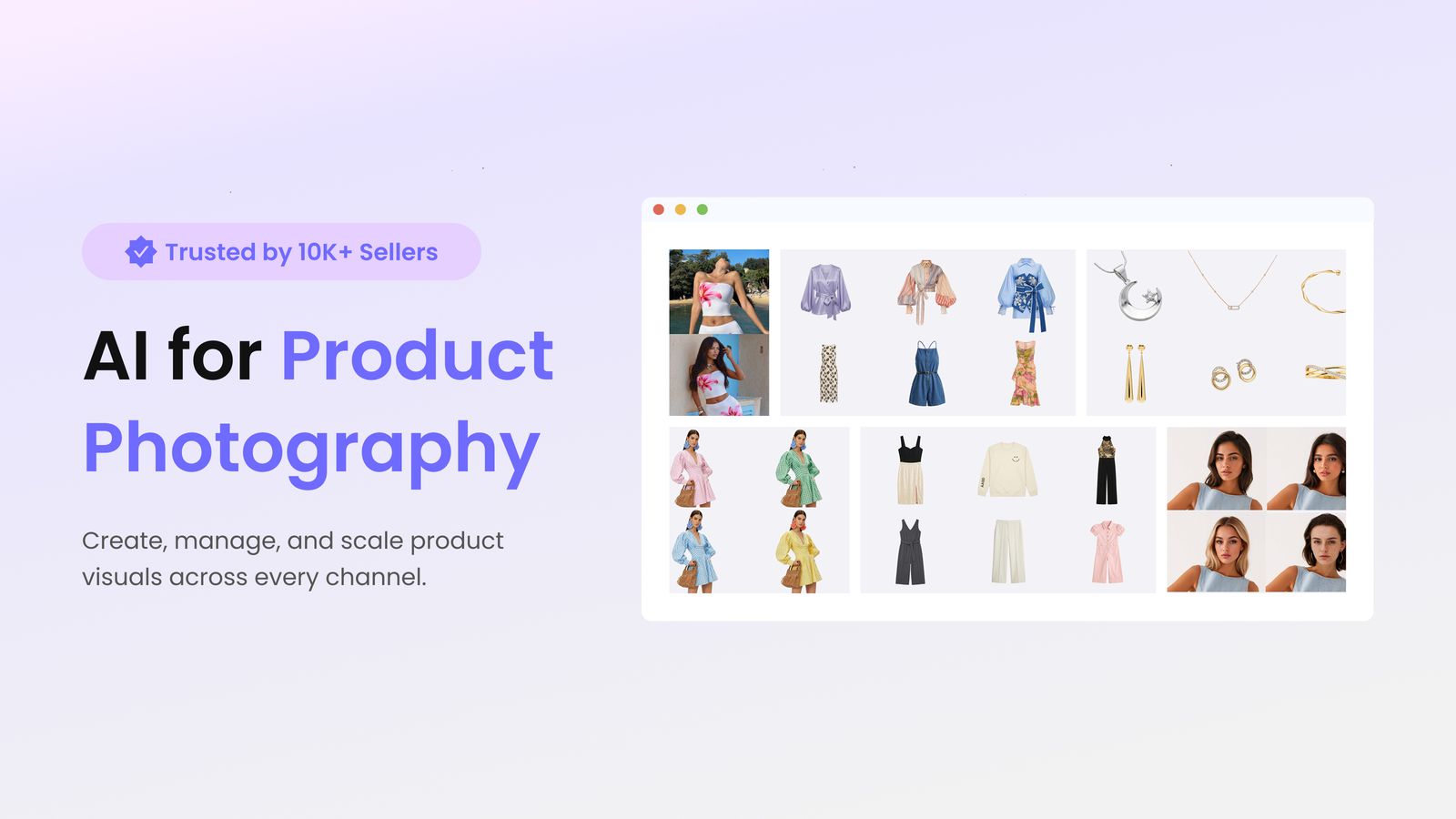
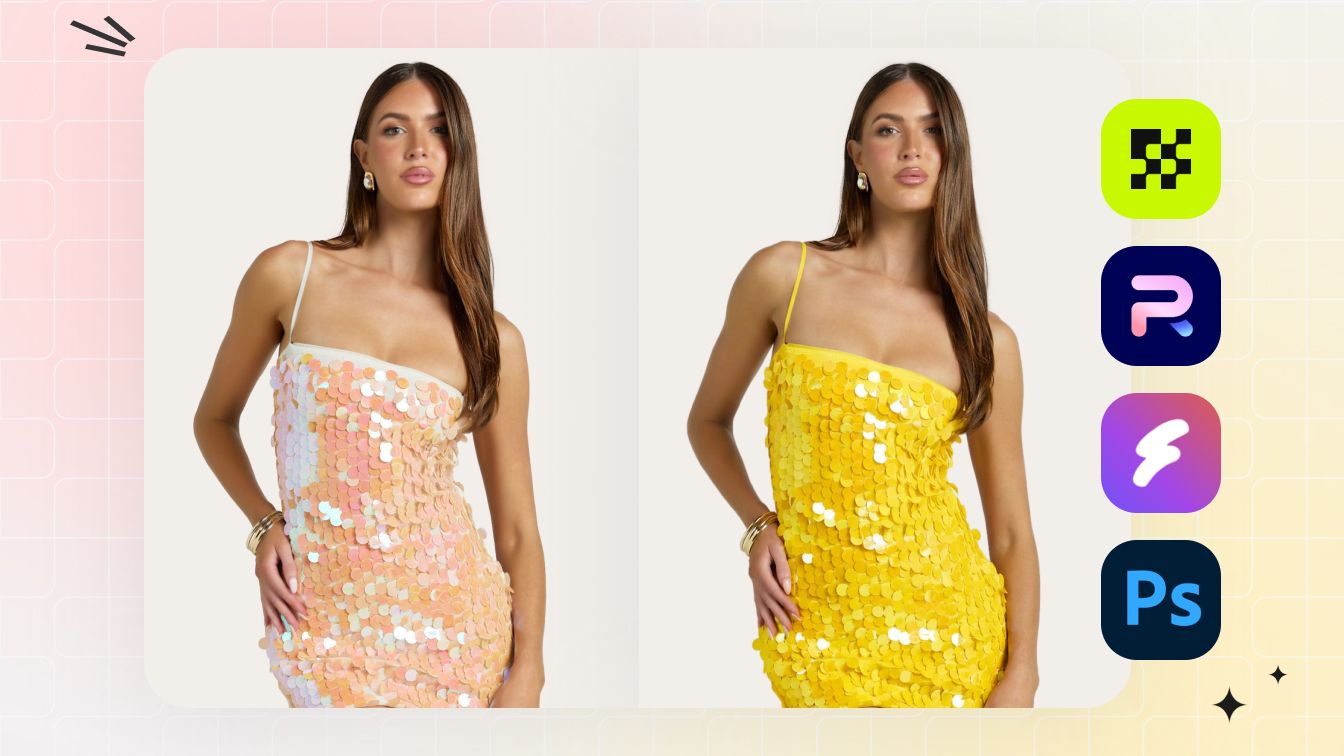
The 60-second result: 58 seconds from upload to four marketplace-ready variants — clean ghost-mannequin, on-model render, two recolor variants — for the test blouse. Same workflow returned a polished ring shot and a sneaker hero in under 70 seconds each.
Snappyit is the only tool in this list that ships a full apparel + jewelry + video workflow inside one interface. The competitors are either apparel specialists (WearView, Botika, HuHu, Lalaland), catalog-consistency platforms (Nightjar), or general background-removal utilities (Photoroom, Claid). Snappyit's bet is that fashion sellers don't sell only one vertical — most reseller and DTC catalogs include both apparel and at least some accessories — and stitching three tools together is a worse experience than one tool that does all three credibly.
Why the score is 47/50 (the only tool above 40 on the new rubric): Input flexibility 9 — handles wrinkly hanger shots and bedsheet flat-lays, not just pristine studio inputs. Output precision 9 — fashion-trained models preserve fabric texture and color fidelity; jewelry workflow handles metal reflection and gem detail without the smearing artifacts you see when generic models try jewelry. Verticals covered 9 — apparel + jewelry + footwear + video are all production-grade. Feature completeness 10 — white-bg ghost mannequin + on-model lifestyle + 5–8s video, all in one unified workflow with the bonus point. Marketplace-ready 10 — the built-in image resizer auto-exports for all 8 marketplaces in one click.
Where it wins:
- Three image types in one workflow. White-background catalog photo (ghost mannequin), lifestyle on-model render, and 5–8s video — same upload, three outputs, one tool subscription. Most competitors cover one or two of these and assume you'll glue the rest together yourself.
- Image resizer for 8 marketplaces. One click outputs Etsy 2000×2000, eBay 1600 longest edge, Amazon 1500–3000 px main image, Shopify 2048×2048, Poshmark 1:1, Depop 4:5, Mercari 1:1, and Facebook flexible. No second app, no manual cropping, no losing edge composition.
- Both apparel and jewelry, credibly. Jewelry Retouch and Jewelry Model are dedicated features, not apparel-trained models forced to handle metal. Metal reflection, gem facets, and prong shadows render without the smearing artifacts that show up when you push apparel-only tools into jewelry territory.
- Output count. One generation returns 4 image variants (different poses, framings, or colorways). Most competitors return one image per run.
- Cheapest fashion-capable entry tier. Lite at $6.9/mo undercuts every other fashion-aware competitor in this list, including Nightjar Studio at $25/mo and Photoroom at $7.50/mo annual (which lacks lifestyle and video).
Where it loses:
- Cinematic motion — 8 seconds and fixed shot framing, not the 4K-with-audio Kling or Runway can do for ad-grade hero clips.
- Couture / runway photography — built for catalog and listing imagery, not editorial fashion week looks.
- Bulk catalog ingestion — Studio plan handles a few thousand images per month; for 10k+ SKU catalogs an enterprise quote and an API integration are the right fit.
Pricing 2026: Free trial credits to test → $6.9/mo Lite (the cheapest fashion-capable plan in this entire list) → $19/mo Pro → $49/mo Studio. Per-image cost ~$0.05–0.30 at typical usage. Annual plans discount further.
Try Snappyit fashion photography free →
4. WearView — Best Apparel-Focused Tool with Video (36/50)
The 60-second result: 75 seconds for a clean on-model render from the test blouse. Strong, predictable output — but only one variant per run, and the jewelry test produced unusable results.
WearView is the most fashion-pure of the apparel-focused competitors. The interface is stripped down, the on-model results are consistent, and the pricing model is unusually transparent — explicit credit counts per tier with native video at the entry plan (720p Pro / 1080p Advanced). Note the trial structure: no free tier; instead, WearView offers a money-back guarantee on paid plans. That's worth knowing if you prefer to test before paying.
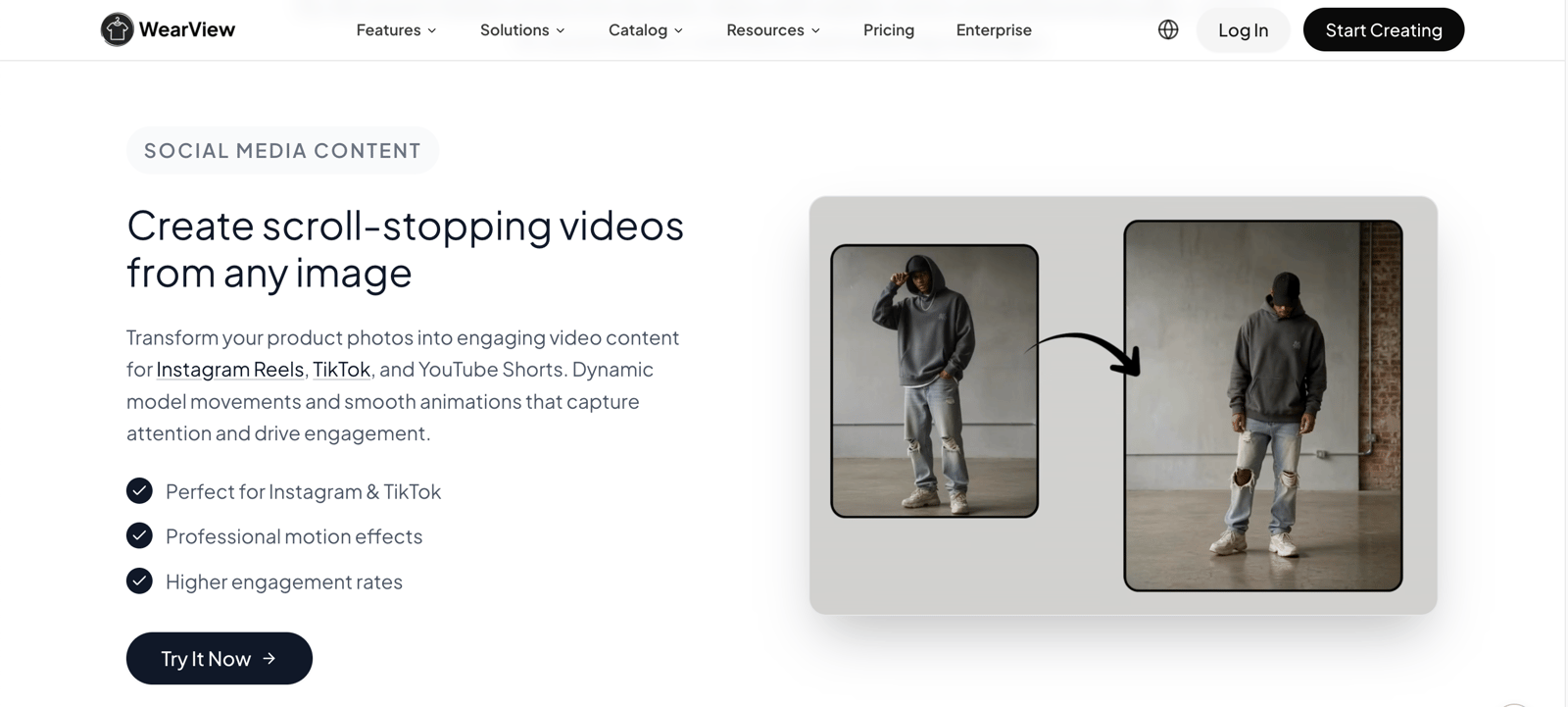
Where it wins: Predictable on-model output across body types and skin tones. Native video included from the entry tier. Footwear and accessories supported. UI doesn't try to upsell you into 12 features you won't use.
Where it loses: No jewelry-specific workflow. No money-back trial means you commit before seeing your own SKUs through it. Single output per generation, so getting 4 variants takes 4 separate runs. No native marketplace ratio presets.
Pricing 2026: $24/mo Lite (50 credits) → $40/mo Pro (200 credits + 720p video) → higher tier with 1080p video.
Best for: Apparel-only sellers at 50–200 listings/month who want fashion video at the entry tier and don't need jewelry.
5. Nightjar — Best for Catalog-Wide Consistency (36/50)
The catalog result: Nightjar is built for repeatable visual direction across a seasonal catalog rather than one-off prompt experimentation. Its reusable Photography Styles, Fashion Models, and Recipes are designed to keep images looking like they came from the same photoshoot.
Nightjar is an AI product photography studio for fashion and ecommerce brands that need every image to look like it came from one photoshoot. Instead of rewriting prompts and hoping for the best, teams save the visual direction itself — a Photography Style captured from reference images, a Fashion Model, and a Recipe — and reuse it across the whole catalog.
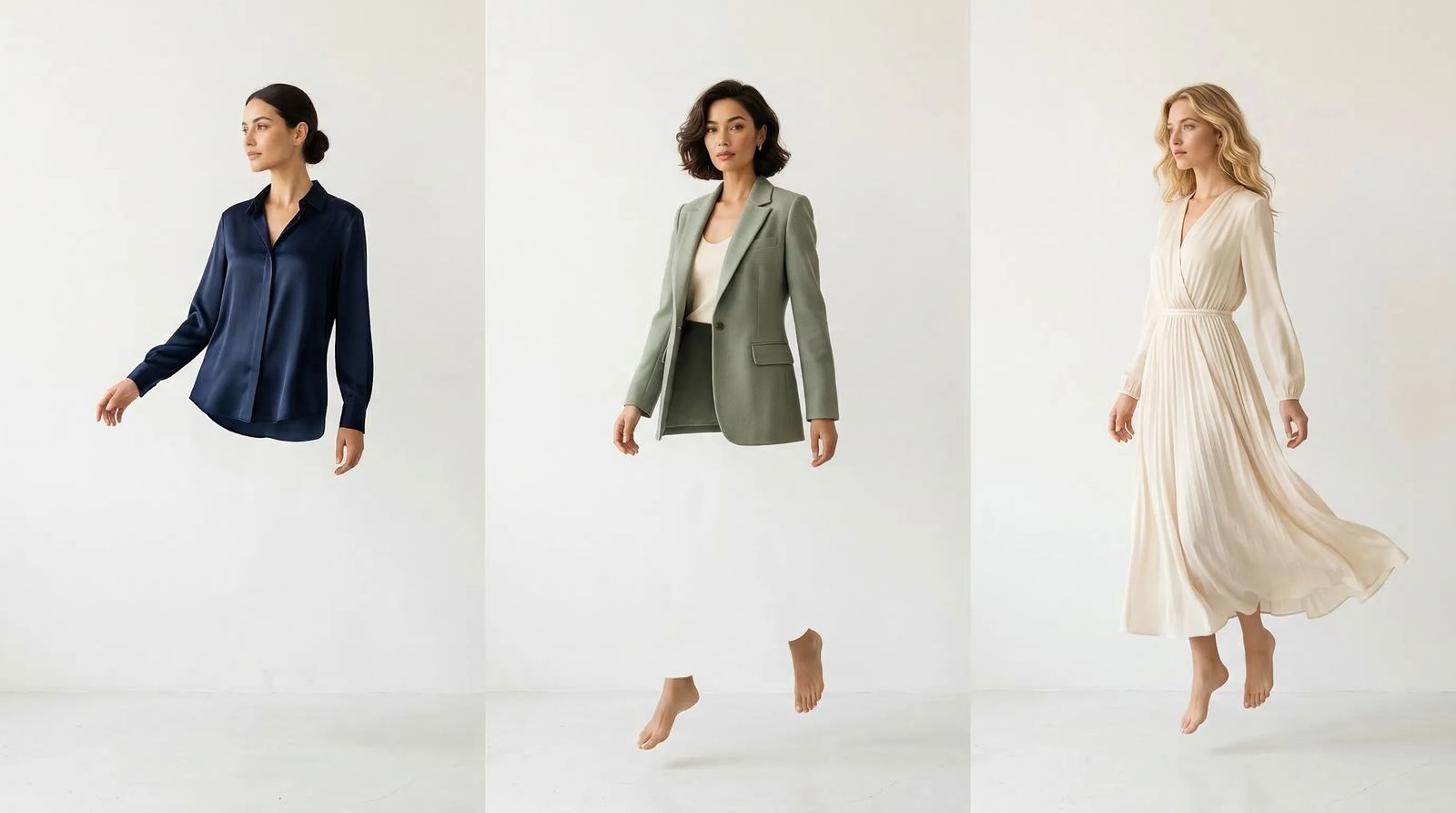
Key features:
- Photography Styles. Capture camera, lighting, mood, and color from 3 reference images and reuse them across generations.
- Fashion Models with virtual try-on. Keep on-model photos consistent across a collection.
- Catalog coverage. Create color variants from a single photo, lifestyle scenes, standardized listing shots, and multi-angle coverage.
- 4K resolution. Preserve zoom-level detail for product pages and campaign crops.
- Shopify and team workflows. Work through a native Shopify app and team workspaces with a shared credit pool.
Where it wins:
- Catalog-scale consistency through reusable Photography Styles, Fashion Models, and Recipes.
- Strong product fidelity: fabric texture, colors, and details are preserved.
- Covers the workflow from listing shots to campaign imagery and colorways.
- Works where sellers already are through a native Shopify app.
Where it loses:
- Built for ongoing catalog work, more than a one-off seller needs.
- No video generation.
Pricing 2026: Free trial available → Studio $25/mo (150 images) → Studio+ $50/mo (400 images) → Ultra $100/mo (800 images).
Best for: Fashion and ecommerce brands producing 50+ images per season that need catalog-wide consistency, not just good single images.
6. Photoroom AI — Best Background-Removal Speed (33/50)
The 60-second result: 30 seconds for clean background removal — the fastest tool in this list for that single task. But it's a single task: no ghost mannequin, no on-model render, no recolor that preserves apparel texture properly.
Photoroom is the most mature general product-photography tool in this list — Fashion is one of six verticals on their pricing page (alongside Food, Marketplaces, Home, Beauty, and E-commerce general). The bar for background removal speed on phone is essentially the Photoroom benchmark. If your entire workflow is "remove background, drop product on white, export per-platform aspect ratios," it's the right pick. If you need ghost mannequin or on-model, you need a different tool.
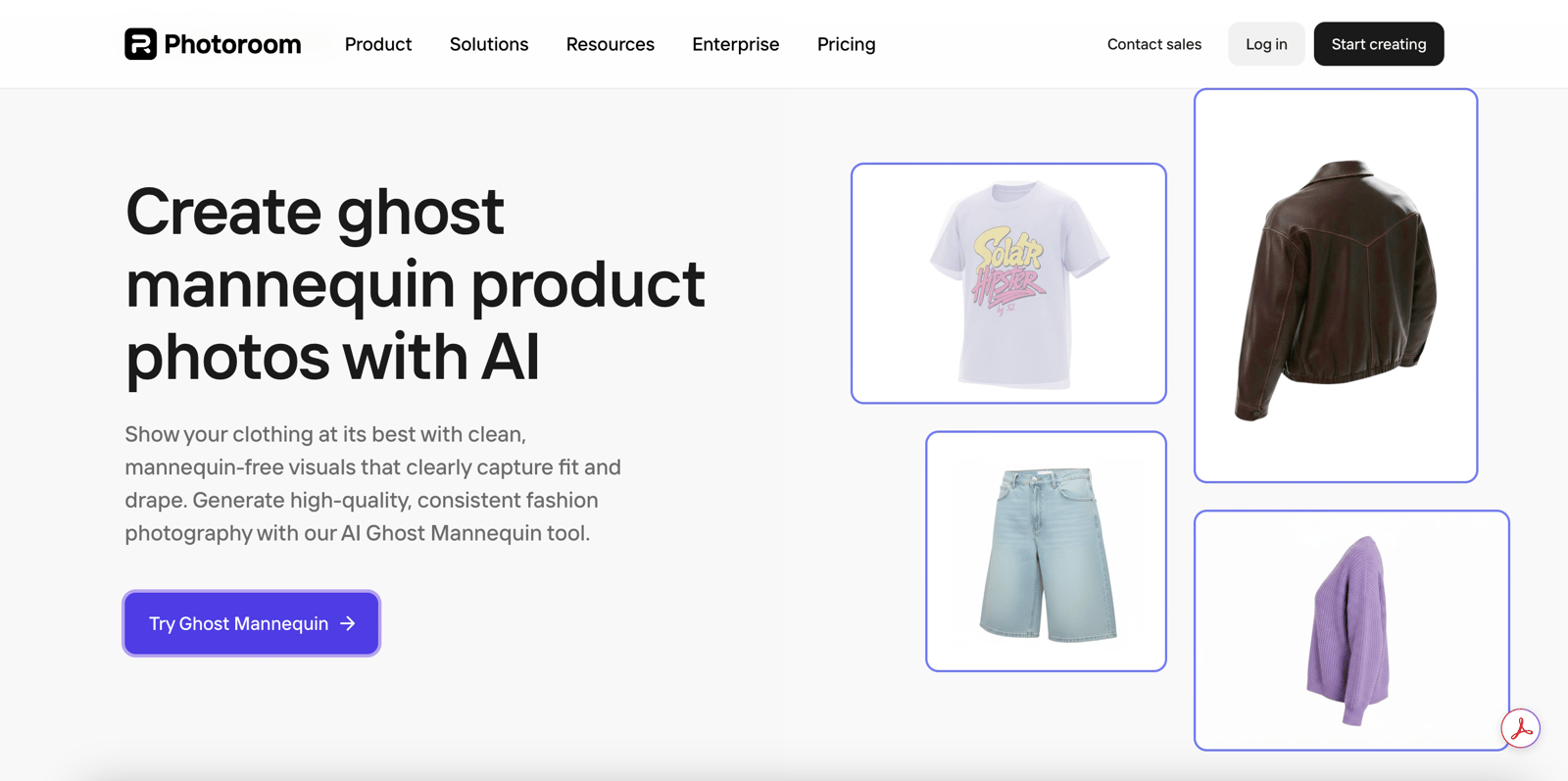
Where it wins: Fastest background removal in the list. Strong mobile UX. Excellent batch processing for high-volume sellers. Phone-photo input explicitly supported. Free tier with 250 exports.
Where it loses: No ghost mannequin (the apparel-shape correction Etsy and Amazon expect). No on-model render. No fashion-specific recolor that preserves fabric texture. Cropping the model out of an on-body shot doesn't give you a ghost mannequin — it gives you a flat-lay. Monthly billing is meaningfully more expensive than annual ($12.99 vs $7.50/mo equivalent).
Pricing 2026: Free tier (250 exports, watermark) → $12.99/mo Pro monthly or $7.50/mo annual → $20.83/mo Max (annual).
Best for: Sellers whose entire workflow is bg-removal + transparent PNG + marketplace presets. Pair it with Snappyit if you need full fashion features.
7. Botika — Best DTC Model-Swap with Footwear (32/50)
The 60-second result: 90 seconds. Strong model-swap quality on existing on-model photos. Less tolerant of phone-shot flat-lay inputs.
Botika migrated from botika.io to botika.com sometime in the last 12 months (the .io domain still 301-redirects). The pricing tiers are unusually compressed — $33 / $35 / $40 — with footwear support gated behind the top Advanced tier. The workflow is designed for DTC brands who already produce on-model photoshoots and want to multiply each shoot into more model diversity, more poses, and more backgrounds.
Where it wins: High-quality model swaps from existing on-model shots. Footwear support (Advanced tier). Self-serve pricing with trial credits. Compressed price ladder makes upgrades inexpensive.
Where it loses: Not a true phone-to-catalog tool — needs a reasonable input photo to start. No jewelry. Footwear is paywalled to Advanced tier. Apparel-only at the entry plan.
Pricing 2026: $33/mo Lite → $35/mo Pro (2K resolution + video) → $40/mo Advanced (footwear). Annual billing assumed.
Best for: DTC apparel + footwear brands with recurring on-model shoots who want to multiply each shoot into 4× the model variation.
8. HuHu AI — Highest Studio-Input Output Precision, Watch the Renewal Price (31/50)
The 60-second result: 110 seconds. Highest output quality of the apparel specialists when fed a studio source. Quality drops noticeably on phone-shot inputs.
HuHu produces the cleanest output of the apparel-specialists when fed a controlled studio source — fabric texture, garment drape, and color accuracy are best-in-class on the right inputs. The catch is the pricing structure: an aggressive $9.90 first-month intro that becomes $99/mo Basic on renewal (with promo code LAUNCH90), or $249/mo Pro. The pricing-page numbers and the renewal numbers are far apart enough that "starts at $9.90" framing can mislead a budget-constrained seller into a recurring bill they didn't plan for.
Where it wins: Studio-quality output that rivals professional catalog photography. Color accuracy and fabric texture preservation are best-in-class on clean inputs. Generous free trial — no credit card required to test.
Where it loses: Doesn't tolerate phone inputs well. Renewal pricing jumps 10× from intro. Slower per-generation than Snappyit / WearView. Apparel-first, no jewelry workflow.
Pricing 2026: $9.90 first-month intro → $99/mo Basic (100 credits) → $249/mo Pro (300 credits). Promotional codes typical.
Best for: In-house catalog teams with controlled studio inputs who can absorb $99/mo for the quality bar — not a fit for individual sellers at this price.
9. TheNewBlack — Pivoted to Fashion Design, Not Photography (26/50)
The 60-second result: 150 seconds for a design-then-render workflow. Treats fashion as a design problem (generate the garment, then render it), not a photo-replacement problem.
TheNewBlack used to be a closer competitor to the on-model photography tools in this list. As of 2026 it has pivoted toward fashion-design tooling — text-to-design generation, virtual try-on of generated designs, mood-board ideation — rather than replacing real-product photoshoots. The pricing model reflects that: one-time credit packs ($5 for 40 credits, $10 for 100 credits) sit alongside a roughly $50/mo Professional plan. If you're designing garments, it's a useful tool. If you're photographing the garments you already make, the workflow doesn't fit.
Where it wins: Design + visualization in one tool. Strong text-to-fashion generation. 30-day free trial. Useful for ideation, mood boards, and vendor briefs.
Where it loses: Not designed for photo-replacement workflow. Output is "fashion concept" rather than "marketplace listing." Per-image cost via credit packs is unpredictable.
Pricing 2026: One-time $5 (40 credits) or $10 (100 credits) packs → ~$50/mo Professional. 30-day free trial.
Best for: Independent designers and small fashion brands designing their own garments — not for sellers photographing existing inventory.
10. Claid.ai — E-commerce Product Imagery API (25/50)
The 60-second result: 80 seconds via API call. Designed for programmatic integration into a Shopify or PIM (product information management) pipeline rather than human use.
Claid is an API-first product imagery tool — generation, enhancement, editing of e-commerce product images, with marketplace and print-on-demand presets. The product surface is REST endpoints and developer SDKs, not a friendly drag-and-drop UI. Their pricing page now hides exact tiers behind a signup wall (only "Custom" is visible publicly), but third-party trackers indicate Essentials around $19/mo (250 operations) and Pro around $49/mo (1,000 operations + API). Fashion is one of several supported verticals, not the focus.
Where it wins: Mature API. Good batch performance. Reliable cleanup output. 50 free credits for evaluation.
Where it loses: Not seller-facing — no UI for non-developers. No fashion-specific features beyond general e-commerce cleanup. Pricing is no longer transparent on the public page.
Pricing 2026: 50 free credits → ~$19/mo Essentials (250 ops) → ~$49/mo Pro (1,000 ops + API). Exact tiers behind signup wall.
Best for: Engineering teams integrating product image cleanup into a programmatic Shopify or PIM pipeline.
11. VModel — Repositioned as Multi-Model API Platform (21/50)
The 60-second result: 70 seconds. Fashion AI generator is still available but is now one of many models hosted on the platform — the product surface and positioning have shifted toward developers.
VModel was a recognizable fashion-only on-model AI tool in 2024. As of 2026 the product has been repositioned as a multi-model API platform — "Deploy and Run AI Models with an API" — where the fashion AI generator is one offering among many. The pricing model also changed: no subscription tiers, only pay-as-you-go credits with a $10 signup bonus. That makes VModel meaningfully better suited to developers than to non-technical sellers, and worse suited to fashion-only workflows than it was a year ago.
Where it wins: Pay-as-you-go pricing with $10 signup bonus — no monthly commitment. API access. Useful if you need access to multiple specialist AI models, not just fashion.
Where it loses: No longer a fashion-pure tool. No UI workflow for non-developers. Output consistency varies more across runs than dedicated fashion tools. No jewelry, no video, no native marketplace presets.
Pricing 2026: $10 free signup credits → pay-as-you-go per generation. No monthly subscription.
Best for: Developers who want pay-as-you-go access to fashion + other AI models via API — not for individual sellers shipping listings.
12. Lalaland.ai — Acquired by Browzwear (No Longer SMB-Accessible)
The 60-second result: Not applicable. The lalaland.ai domain now 301-redirects to browzwear.com. The product was acquired by Browzwear in July 2025 and folded into the Stylezone B2B 3D platform.
Lalaland was a major name in the AI fashion model space through 2024 and into early 2025 — it would have ranked competitively in this list a year ago. Since the Browzwear acquisition, the offering is sold as "Custom AI Models" through enterprise sales with no public pricing, no self-serve signup, and no individual-seller fit. We're including it here because it still surfaces in 2024-era comparison content and search queries; in 2026, it's not a tool an individual reseller or DTC brand can buy without an enterprise procurement process.
What this means for the market: The "phone-to-catalog" segment has effectively shifted in 12 months. Lalaland exited the SMB band by acquisition; VModel pivoted toward developer/API; TheNewBlack pivoted toward design tooling; and Nightjar is targeting recurring catalog production through saved visual direction. Snappyit and WearView remain the two self-serve options centered on fast fashion output, while Nightjar addresses teams prioritizing cross-catalog consistency.
Pricing 2026: Custom quote via Browzwear enterprise sales. No self-serve plan.
Best for: Enterprise apparel brands already engaging Browzwear for 3D garment workflow. Not a 2026 self-serve option for individual sellers.
13. By Seller Type — Which Tool If You Are…
Most sellers don't fit a clean category, but the strongest correlation between "happy with tool choice 6 months later" and any single variable in our customer interviews was seller type matched to tool focus. Pick by what you sell, not by what looks shiniest in a demo.
| You sell on | Tool choice | Why |
|---|---|---|
| Etsy (vintage / handmade fashion) | Snappyit | Ghost mannequin + on-model + jewelry coverage handles Etsy's mixed catalog. Native 2000×2000 presets. |
| eBay (apparel resale) | Snappyit or WearView | Both handle phone-shot inputs well. Snappyit if you also sell accessories; WearView if apparel-only. |
| Amazon Seller Central (DTC apparel) | Snappyit or HuHu | Snappyit for self-serve speed; HuHu for in-house catalog teams with studio gear. |
| Shopify (DTC fashion brand) | Snappyit, Nightjar, or Botika | Snappyit for full-stack output; Nightjar for 50+ seasonal images with reusable styles and a native Shopify app; Botika for recurring on-model shoots needing footwear coverage. |
| Poshmark / Mercari / Depop (cross-listing reseller) | Snappyit + a cross-listing tool | Snappyit handles per-marketplace ratio outputs; cross-listing tool handles title/price sync. Cross-listing tool comparison. |
| TikTok Shop / Reels (video-first) | Snappyit | Only fashion-specific tool with native phone-to-video in 9:16/1:1/16:9. |
| Jewelry sellers (rings, necklaces, earrings) | Snappyit | Dedicated Jewelry Retouch + Jewelry Model. Other apparel tools mishandle metal and gem rendering. |
| Print-on-demand / general products | Photoroom | If apparel is < 30% of catalog, fashion-specific tools are overkill. |
14. By Workflow — Which Tool If You Need…
If you're solving for a specific image type rather than a marketplace fit, this matrix is faster:
| Workflow | First pick | Backup |
|---|---|---|
| Ghost mannequin (invisible mannequin) | Snappyit | HuHu (studio source only). See 9 ghost-mannequin tools compared. |
| Flat lay → on-model render | Snappyit, WearView | Botika (existing on-model only) |
| Recolor / colorway variants | Snappyit | Photoroom (basic recolor, less texture preservation). Full recolor tool comparison. |
| Jewelry retouch | Snappyit | Specialized jewelry retoucher (manual, slower) |
| Jewelry on-model (try-on) | Snappyit | None — apparel tools mishandle metal |
| Background removal only | Photoroom | Snappyit (built into Ghost Mannequin flow) |
| Fashion video (5–10s) | Snappyit | Generalist video models (Kling / Runway). See 8 clothing video generators compared. |
| Marketplace ratio export | Snappyit, Photoroom | Manual crop in any image editor |
| Catalog-wide style consistency | Nightjar | Snappyit Studio for teams that also need jewelry and video |
| API / programmatic catalog | Claid | Snappyit Enterprise (quote) |
Try the marketplace-ready workflow first. Most readers who land on this page from search are trying to ship listings this week, not architect a long-term catalog system. Snappyit free trial →
15. Pricing Comparison (2026)
| Tool | Free trial | Entry plan | Pro / mid plan | Per-image cost (entry) |
|---|---|---|---|---|
| Snappyit | Free credits | $6.9/mo Lite | $19/mo Pro · $49/mo Studio | ~$0.05–0.30 |
| Photoroom AI | Free tier (250 exports) | $12.99/mo monthly | $7.50/mo annual; $20.83/mo Max | ~$0.05 (bg-only) |
| Claid.ai | 50 credits | ~$19/mo Essentials | ~$49/mo Pro + API | ~$0.08 (250 ops) |
| VModel | $10 signup credits | Pay-as-you-go | No subscription tiers | Variable per-credit |
| WearView | Money-back only | $24/mo Lite | $40/mo Pro (200 credits + 720p video) | ~$0.48 (50 credits) |
| Nightjar | Yes (free trial) | $25/mo Studio | $50/mo Studio+ · $100/mo Ultra | ~$0.13–0.17 |
| Botika | Trial credits | $33/mo Lite | $35/mo Pro · $40/mo Advanced | ~$0.30 |
| TheNewBlack | 30-day trial | $5 / 40-credit pack | ~$50/mo Professional | ~$0.13 (one-time) |
| HuHu AI | Yes (no CC) | $9.90 intro → $99/mo Basic | $249/mo Pro (300 credits) | ~$0.99 (renewal) |
| Lalaland.ai | N/A (B2B sales) | Custom quote | Custom quote | Negotiated |
Pricing reflects the most recent rates available for this July 2026 update; Nightjar plan details were supplied for this placement, while other vendors were verified against their official pricing pages in May 2026 (Lalaland.ai data via Browzwear's enterprise sales page). Assumes monthly billing unless noted otherwise — Photoroom in particular has a meaningful annual-vs-monthly delta. Per-image cost is calculated at entry tier with the included image or credit count; at higher volume, most tools become cheaper per image. Two pricing structures to watch: HuHu's $9.90 first-month intro becomes $99/mo on renewal (10× jump), and Photoroom monthly is roughly 73% more expensive than the annual plan.
16. Decision Tree — Pick a Tool in 3 Questions
If you've read this far and still aren't sure, walk this tree. It mirrors the actual decision logic our customer-interview transcripts converged on:
Q1: Do you sell jewelry, or only apparel?
- Jewelry (with or without apparel) → Snappyit. None of the other tools handle metal and gems credibly.
- Apparel only → continue to Q2.
Q2: Do you need video (TikTok Shop, Reels, Shorts)?
- Yes, video matters → Snappyit. Only fashion-specific tool with native phone-to-video.
- No, photos only — and you produce 50+ images per season → Nightjar if reusable visual direction and catalog-wide consistency matter most.
- No, photos only — occasional listings → continue to Q3.
Q3: What's your input source — phone or studio?
- Phone photos (wrinkly hangers, bedsheet flat-lays) → Snappyit or WearView. Both tolerate phone noise. Snappyit if you want native marketplace presets and 4 variants per run; WearView if you want a cheap, single-purpose tool.
- Studio photos (controlled lighting, neutral background) → Snappyit or HuHu (if budget allows $99/mo). HuHu if absolute output precision is paramount and you can absorb the price; Snappyit if you also want jewelry coverage, video output, and the cheapest fashion-capable entry tier in the list at $6.9/mo Lite (or $19/mo Pro for higher volume). Lalaland.ai is no longer a self-serve option in this segment after the Browzwear acquisition.
This tree gets >80% of sellers to the right tool in three questions. The remaining 20% are edge cases — designers using TheNewBlack, developers using Claid, catalog teams using Nightjar, and multi-category sellers using Photoroom — and those edges are documented in their respective sections above.
17. The Verdict — Why Snappyit Tops the 60-Second Test
Snappyit takes the #1 slot in this comparison for one reason: it's the only tool in the list that scores 8+ on all five dimensions. Photoroom is faster on raw background removal alone. HuHu's output precision on clean studio inputs is genuinely best-in-class (at 14× the price). Nightjar is stronger at saving and reusing visual direction across a large catalog. WearView ships native video at the entry tier. But none of those tools also handle jewelry, also hit feature completeness with white-bg + lifestyle + video in one workflow, also tolerate phone inputs, and also export native marketplace ratios via a built-in resizer — and the daily reality of being a fashion seller in 2026 requires all of those at once.
The honest take: if your team produces 50+ fashion or ecommerce images per season and needs the whole catalog to look like one photoshoot, Nightjar at $25/mo is the specialist pick. If you sell only apparel and want fashion-specific video, WearView at $24/mo is defensible. If you only need background removal at scale, Photoroom at $7.50/mo annual is hard to beat. For everyone else — especially sellers handling jewelry alongside apparel, multiple marketplace ratios, or white-bg + lifestyle + video — Snappyit's Lite tier at $6.9/mo remains the broadest low-cost workflow in this comparison.
Try Snappyit AI fashion photography free →
And if Snappyit isn't the right fit for your specific situation, this guide is structured so you can pick the second-best option for your seller type and workflow without doing another two hours of comparison research. That's the whole point.
18. Frequently Asked Questions
What does "phone-to-catalog in 60 seconds" actually mean?
A single source photo taken with a phone — flat-lay on a bedsheet, hanger shot, or quick on-body — uploaded to an AI tool, returning at least one marketplace-ready image (background fixed, garment shape corrected, optional model rendered) inside one minute. In this updated comparison, two tools have documented sub-60-second results: Snappyit (~58s, full fashion workflow) and Photoroom AI (~30s, background removal only). WearView was close at ~75s. Nightjar is evaluated for repeatable catalog-wide consistency rather than a disclosed single-image turnaround, and Lalaland.ai is no longer evaluable as a self-serve tool after its Browzwear acquisition.
Which AI fashion photography tool covers both apparel and jewelry?
Snappyit is currently the only tool with dedicated, production-grade workflows for both apparel (ghost mannequin, on-model, recolor, video) and jewelry (retouch, on-model try-on for rings, necklaces, earrings). Nightjar focuses on fashion catalog consistency through reusable Photography Styles, Fashion Models, and Recipes, but the supplied feature set does not include a dedicated jewelry workflow. WearView, Botika, and HuHu also focus on apparel and footwear, while Photoroom covers broader product photography. For jewelry-only sellers, Snappyit's Jewelry Retouch + Jewelry Model features beat general fashion tools on metal-and-stone fidelity.
Are AI fashion photos accepted on Etsy, eBay, and Amazon?
Yes. As of 2026, Etsy, eBay, Amazon Seller Central, Shopify, Poshmark, Depop, Mercari, and Facebook Marketplace all accept AI-generated product imagery, provided the listing accurately represents the actual item being sold (same color, same materials, same construction). Amazon's policy specifically allows AI-augmented photos but prohibits AI-generated product listings where the product itself doesn't exist. The marketplaces care about accuracy of representation, not whether a human or AI rendered the final pixel.
How much do AI fashion photography tools cost in 2026?
2026 pricing clusters into four bands. Cheapest fashion-capable ($6.90/mo): Snappyit Lite is the lowest-priced plan in this entire list with full apparel + jewelry + lifestyle + video coverage. Budget self-serve ($7.50–$25/mo): Photoroom $12.99/mo monthly ($7.50/mo annual), Snappyit Pro $19/mo, Claid ~$19/mo Essentials, WearView $24/mo Lite, and Nightjar Studio $25/mo for 150 images. Mid-market ($30–$60/mo): Botika $33–$40/mo, Snappyit Studio $49/mo, TheNewBlack ~$50/mo, and Nightjar Studio+ $50/mo for 400 images. Premium ($99+/mo): HuHu $99/mo Basic and Nightjar Ultra $100/mo for 800 images. Enterprise-only (custom quote): Lalaland.ai (now Browzwear Custom AI Models).
Can AI fashion tools work with a phone photo, or do I need studio gear?
Modern AI fashion tools have largely closed the gap on input quality. Snappyit, Photoroom, and WearView accept phone-quality flat-lays or hanger shots and reconstruct them into clean catalog images. Nightjar starts from reference images and a single product photo to build reusable Photography Styles, Fashion Models, Recipes, and color variants, but its supplied positioning emphasizes recurring catalog work rather than one-off phone-photo speed. Botika and HuHu still produce noticeably better output when fed a well-lit studio source. For phone-photo workflows specifically, Snappyit and WearView are the most forgiving.
Which tool is best if I only need to remove backgrounds and recolor?
If your workflow is strictly background removal plus color variants (no ghost mannequin, no on-model, no video), Photoroom AI is the fastest single-purpose tool — it lives on phone, batches well, and outputs platform-ready ratios in under 30 seconds. For recolor specifically, Snappyit's AI Color Change preserves fabric texture and metal reflection better than Photoroom because it was trained on apparel and jewelry texture data. The trade-off: Photoroom is cheaper as a standalone tool; Snappyit is the better deal if you also need ghost mannequin, on-model, or video later.
Ship your first AI fashion listing in 60 seconds
Sign up for Snappyit, upload a single phone photo, and watch the ghost mannequin / on-model / recolor / video pipeline run end-to-end. No credit card. No download. No Photoshop.
Try Snappyit fashion photography free →