Face Swap 36 min read

What Is The Best Free Face Swap App That Actually Stays Free

An honest, independent look at which free face swap apps actually stay free — with transparent scoring, free-tier audits, privacy checks, and practical tips for realistic results.

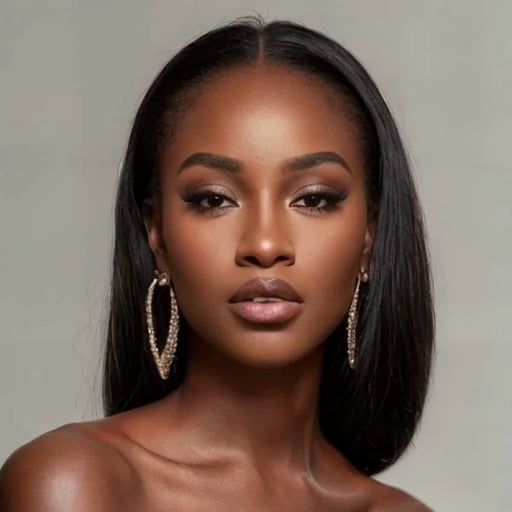
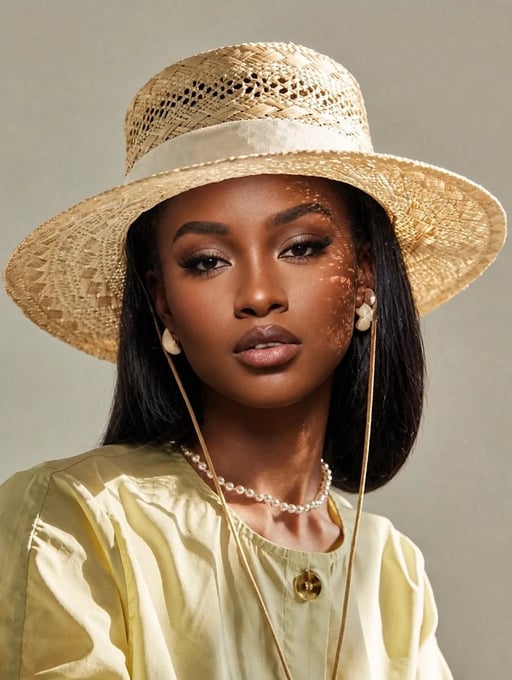
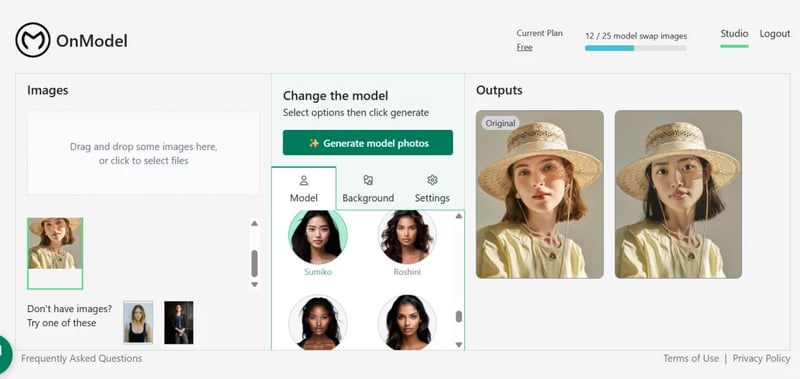
ai powered face swap apps use deep learning to seamlessly blend facial features between photos

The Real Challenge Behind Finding a Free Face Swap App

AI-powered face swap tools have exploded in popularity, and the options keep multiplying. A face swap app uses artificial intelligence to detect a face in one image, map its features onto a face in another image, and blend the result so it looks natural. Think of it as a digital head swap that handles skin tone, lighting, and geometry automatically. The technology behind a simple face swap gif or a polished photo edit is the same deep learning pipeline that once required Hollywood-level budgets.

So what is the best free face swap app? That question sounds simple, but finding an honest answer is surprisingly difficult. Try searching for it yourself. You'll notice that nearly every top result is either a product landing page dressed up as a review or a thinly veiled promotion where the publisher's own tool conveniently lands at number one. Independent, editorial breakdowns are rare. Even the early novelty of the snapchat face swap app gave way to a crowded market where dozens of tools compete for attention, and most of them use the word "free" very loosely.

Why Finding a Truly Free Face Swap App Is Harder Than It Looks

The core problem is that "free" rarely means free. Most face swap apps and face and hole style editors follow a freemium model. You download the app or visit the website, try one or two swaps, and then hit a paywall, a watermark, or a daily cap. Some tools limit free output to low resolution. Others plaster their logo across your result unless you subscribe. A few even require a credit card just to access the free tier.

Most apps marketed as free are actually freemium with aggressive upsells, watermarks, or daily caps. If you have not read the fine print, you have not found a free tool — you have found a free trial.

What This Guide Covers and How It Differs

This guide exists to cut through that noise. Instead of ranking tools based on affiliate deals or brand partnerships, it walks through the AI technology powering these apps, audits what each free tier actually delivers, lays out a transparent evaluation framework, reviews privacy and ethical considerations, and shares practical tips for getting clean results. Whether you want a quick face swap app for a group photo or a reliable tool for ongoing content creation, the goal here is to help you make an informed choice rather than a marketed one.

The technology driving these results is more sophisticated than most people realize, and understanding it changes how you evaluate every tool on the market.

the ai face swap pipeline transforms source faces through detection alignment texture mapping and blending stages

How AI Face Swap Technology Actually Works

Every face swapping app on the market, from a simple face switch app on your phone to a full-featured desktop tool, relies on the same fundamental AI pipeline. The difference between a result that looks convincing and one that looks like a bad Photoshop job comes down to how well that pipeline is built. Understanding the mechanics gives you a real edge when evaluating which tool deserves your time, especially if you are searching for the best face swap app that does not sacrifice quality on its free tier.

Sounds complex? It is, under the hood. But the core idea is surprisingly intuitive once you break it into pieces.

GANs, Diffusion Models, and Neural Rendering Explained Simply

Three main AI approaches power modern face swaps, and each handles the problem differently.

Generative Adversarial Networks (GANs) are the most established method. Imagine two neural networks locked in a competition. One, the generator, creates the swapped face. The other, the discriminator, tries to determine whether the result is real or fake. They train against each other in a loop: the generator gets better at producing realistic faces, and the discriminator gets better at catching flaws. Over thousands of training cycles, the generator learns to produce output that is nearly indistinguishable from a real photograph. This adversarial training process is the reason GAN-based tools can match skin texture, pore detail, and subtle lighting cues so effectively. If you have ever read a deep x swap review or tested a popular face swapping app, the realism you noticed almost certainly came from a GAN-based architecture.

Diffusion-based models take a different path. Instead of a generator-discriminator duel, these models learn by gradually adding noise to an image until it becomes pure static, then training a network to reverse that process step by step. When applied to face swapping, the model starts with the target image, introduces controlled noise in the face region, and then reconstructs that region using identity features from the source face. The result tends to be highly detailed and stable, though the iterative denoising process can be slower than a single-pass GAN. Diffusion models have gained ground rapidly and now power several newer tools, including some that offer facefusion video free processing for short clips.

Neural rendering pipelines combine elements of both approaches with explicit 3D face modeling. The system builds a three-dimensional mesh of the target face, maps the source face's identity onto that mesh, and then renders the composite back into a flat image that matches the original scene's perspective and lighting. Disney Research demonstrated a neural face swapping method capable of photo-realistic, temporally coherent results at megapixel resolution, using a progressively trained multi-way network combined with a light- and contrast-preserving blending strategy. This kind of pipeline is especially valuable for video, where the face must look consistent across hundreds of frames.

Why the AI Model Matters for Output Quality

Each approach has tradeoffs. GANs are fast and produce sharp results but can struggle with temporal consistency in video. Diffusion models deliver fine detail and handle complex lighting well but require more processing time. Neural rendering pipelines excel at preserving 3D geometry and lighting direction, making them ideal for high-resolution video work, though they demand more computational power.

Here is why this matters to you as a user: the AI model an app uses directly determines the quality ceiling of its output. A tool built on a lightweight GAN might process your photo in two seconds but leave visible artifacts around the jawline. A tool using a diffusion backbone might take ten seconds and deliver a seamless blend. When you compare apps side by side, you are really comparing the engineering behind these pipelines.

Regardless of the underlying model, every face swap follows the same general sequence of steps. Knowing this pipeline helps you diagnose why a swap looks off and choose better input photos:

  • Face detection — The model locates every face in the image or video frame, even when faces are partially hidden or turned at an angle.
  • Landmark alignment — Key facial points like the corners of the eyes, the tip of the nose, and the edges of the mouth are identified and mapped to a standard coordinate system so the source and target faces share a common reference.
  • Texture mapping — The source face's identity features, including skin texture, eye color, and facial hair, are projected onto the target face's geometry.
  • Blending — The composited face is merged into the original image, with the model adjusting skin tone, shadow direction, and color temperature to match the surrounding scene.
  • Post-processing — A final refinement pass smooths any remaining edge artifacts, sharpens detail, and in video applications, stabilizes the result across consecutive frames to prevent flickering.

Each of these steps is a potential failure point. If detection misses part of the face, alignment will be off. If alignment is off, texture mapping produces a distorted result. If blending ignores the scene's lighting, the face looks pasted on. The best tools handle all five steps well. The mediocre ones cut corners on blending and post-processing, which is exactly where you notice the difference.

With the technical foundation in place, the next question becomes practical: not all face swaps are created equal, and the type of swap you need, whether real-time, photo, or video, changes which tools and tradeoffs actually matter.

Real-Time vs Photo vs Video Face Swaps Explained

Most lists of the best face swap apps throw every tool into a single bucket, as if a live camera filter and a post-production video editor solve the same problem. They do not. Face swapping actually breaks into three distinct categories, each with its own technical demands, quality ceiling, and free-tier economics. Picking the wrong category for your use case is the fastest way to end up disappointed, so it is worth understanding the differences before you download anything.

Real-Time Camera Filters vs Static Photo Swaps

Real-time face swaps happen live, while your camera is rolling. Snapchat popularized this format, and it remains the most accessible entry point for casual users. The AI runs directly on your device, detecting and replacing faces frame by frame as you record. Speed is everything here. The model has to process each frame in milliseconds to avoid lag, which means it uses a lightweight neural network that sacrifices fine detail for responsiveness. You will not get perfect edge blending or flawless skin-tone matching, but you will get instant results you can share on the spot.

Static photo swaps sit at the opposite end of the spectrum. Because the model only needs to process a single frame, it can afford to run a heavier, more accurate pipeline. That means better landmark alignment, more precise texture mapping, and cleaner blending around the jawline, hairline, and ears. If you have ever compared a live filter result to a dedicated photo swap from a good face swap app, the quality gap is immediately obvious. Photo swaps are where tools like Magic Hour and FaceSwapper.ai tend to shine, delivering polished output without the constraints of real-time processing.

Video Face Swapping and Why It Costs More

Video face swapping is the most demanding category by a wide margin. The AI must perform a full face swap on every single frame, sometimes 30 or 60 per second, while keeping the result temporally consistent. That means no flickering between frames, no sudden shifts in skin tone, and no warping when the subject turns their head. A one-minute clip at 30 fps requires 1,800 individual face swaps that all need to look like they belong together.

This computational load is why video swaps almost always rely on cloud processing rather than running locally on your phone. It is also why free tiers for video tools are the most restrictive. Expect shorter clip limits, lower resolution caps, and watermarks. Tools like Reface cap free video swaps at around 15 seconds. Even platforms marketed as the best ai face swap app for video, such as Akool or PixVerse, reserve their higher resolutions and longer durations for paid plans. If your goal is video, budget your expectations accordingly.

Choosing the Right Type for Your Use Case

The table below maps each category against the factors that matter most when you are evaluating a face swap ai app for a specific task. Use it to narrow your search before you start testing tools.

Type Best For Quality Level Processing Speed Typical Free Tier Limits
Real-Time Camera Filter Live recording, video calls, casual social sharing Low to moderate — optimized for speed over fidelity Instant (on-device) Usually unlimited within the host app (e.g., Snapchat)
Static Photo Swap Polished single images, profile pictures, memes, marketing visuals High — full pipeline runs on one frame 2 to 15 seconds per image 1 to 5 free swaps per day, sometimes watermarked
Post-Production Video Swap Content creation, skits, professional edits, ads Moderate to high — depends on cloud model and resolution Minutes to hours depending on clip length 5 to 15 second clips, 480p to 720p cap, watermarks common

There is one more distinction that most comparison articles ignore entirely: mobile apps versus browser-based web tools. A native mobile app like Pix Nova or FaceMagic can run lightweight models directly on your device, which means offline capability and faster processing for simple swaps. Browser-based tools offload the heavy computation to cloud servers, which typically means higher output quality and support for video, but you need a stable internet connection and your images leave your device during processing.

Neither format is universally better. If you want a quick swap on the go with no upload required, a mobile app is more convenient. If you want the highest quality result or need to process video, a web-based tool usually delivers more. Some platforms, like MaxStudio AI face swap and several of the best face swap apps reviewed later in this guide, offer both a mobile app and a web interface, though feature parity between the two is rarely equal. The web version almost always supports higher resolutions and longer video clips.

Knowing which category and platform format fits your workflow is the first real filter. The next step is defining exactly how to measure whether a tool actually delivers on its promises, which requires a scoring framework you can apply yourself rather than trusting someone else's undisclosed ranking criteria.

Try a watermark-free face swap right now. Snappyit runs clean photo swaps in your browser with no signup and no logo stamped on the result. Try Snappyit free →

A Transparent Evaluation Framework for Face Swap Apps

Browse any "best free face swap app" roundup and you will notice a pattern: the rankings change depending on who publishes them, and almost none of them explain how they arrived at their order. Some lists are thinly disguised affiliate pages. Others rank their own product first without disclosing the conflict. When you search communities like Reddit for the best video face swap discussion, the frustration is palpable — users want honest comparisons, not marketing dressed up as editorial content.

Any ranking that does not disclose its evaluation criteria is marketing, not editorial content. If you cannot see how the scores were calculated, you cannot trust the result.

That is why this guide uses a transparent, criteria-based framework you can apply yourself. Whether you are testing a swappable app you found on social media or evaluating a tool recommended by a friend, these five dimensions give you a repeatable way to judge quality and value without relying on someone else's undisclosed agenda.

Five Scoring Dimensions for Fair Comparison

The dimensions below are ranked by importance for the average user — someone who wants a clean face swap picture without spending money or compromising personal data. If your priorities differ, reorder them to match your own needs. The point is not that this ranking is the only valid one; the point is that any credible comparison should tell you what it measured and why.

  1. Output Quality — This is the dimension that matters most because it determines whether the result is actually usable. Output quality covers edge blending along the jawline and hairline, skin tone matching between the swapped face and the target body, lighting consistency so shadows fall in the right direction, artifact detection around the eyes and mouth, and resolution preservation so the final image is not noticeably softer than the original. A tool that nails all five sub-criteria produces swaps that look natural at full zoom. A tool that cuts corners on blending or lighting produces results that scream "fake" the moment you look closely.
  2. Free Tier Generosity — A tool can produce stunning output, but if the free tier only allows one swap per day with a watermark stamped across the face, it is not genuinely free. This dimension evaluates the number of free swaps allowed per day or month, whether watermarks appear on free exports, resolution caps on free output, and export format restrictions. The best free face swap app is the one that gives you enough room to actually use it without constantly hitting a paywall.
  3. Ease of Use — How long does it take to go from uploading a photo to downloading the result? Is the interface self-explanatory, or do you need a tutorial? This dimension measures upload-to-result time, interface clarity, and learning curve. A tool that requires five clicks and delivers a result in under ten seconds scores higher than one that buries the swap function behind three menus and a mandatory account creation flow.
  4. Platform Availability — Some users want a mobile app for quick swaps on the go. Others prefer a browser-based tool they can use from any device. This dimension checks whether the tool is available on iOS, Android, and the web, and whether features are consistent across platforms. A swappable app that offers high-resolution output on its website but caps mobile exports at 480p loses points here because the experience is not equal.
  5. Privacy Policy — You are uploading your face, which is biometric data. This dimension examines whether the app stores your photos on its servers after processing, how long facial data is retained, whether it is shared with third parties, and whether your images are used to train AI models. A tool with a clear, concise privacy policy that deletes uploads immediately after processing scores far higher than one with vague language about "improving our services."

How to Judge Output Quality Yourself

Output quality sits at the top of the list for a reason: it is the one dimension you can verify with your own eyes in under a minute. Here is a quick method you can use every time you test a new tool.

Start by zooming in to 100% on the final image. Look at the boundary where the swapped face meets the original skin. Do you see a visible seam, a color shift, or a blurred halo? That is an edge blending failure. Next, compare the skin tone of the swapped face to the neck and ears. If the face looks warmer or cooler than the surrounding skin, the model did not match tones correctly. Then check the lighting direction. If the original photo has light coming from the left but the swapped face appears lit from the front, the result will look unnatural even if the blend is technically smooth.

Finally, look at the resolution. Open the original photo and the swapped version side by side. If the swapped face is noticeably softer or shows compression artifacts that were not in the original, the tool is downscaling during processing — a common trick to hide imperfections. Tools reviewed on sites like aifaceswapper.io and similar aggregators do not always flag this, so checking resolution yourself is essential.

These checks take less than sixty seconds and tell you more about a tool's real capability than any star rating or promotional screenshot ever will. Technical benchmarks from comparative analyses of face swap models confirm that metrics like SSIM (structural similarity) and blend consistency scores vary dramatically across frameworks, even among tools that market themselves as top-tier. The gap between the highest and lowest performers is not subtle — it is the difference between a result you would actually post and one you would immediately delete.

With a clear scoring system in hand, the next step is putting it to work. Applying these five dimensions across the most popular free tools reveals which ones genuinely deliver and which ones lean on marketing to cover for mediocre output.

free face swap tools span web browsers and mobile apps each with different strengths and free tier limits

Top Free Face Swap Apps and Tools Compared

Scoring criteria only matter if you actually apply them. Using the five-dimension framework outlined above, I tested a range of popular face swap apps and web tools across mobile and desktop to see how they hold up in practice. The table below summarizes the results, followed by specific observations you will not find on any product landing page.

App Name Platform Free Tier Details Output Quality Watermark on Free Tier Best For
Snappyit Face Swap Web Multiple free swaps daily, no signup required High — clean edge blending, accurate skin tone matching No Fast, polished photo swaps without installing anything
Remaker AI Web Daily free limit, standard resolution Excellent — best-in-class realism on single faces No Maximum realism on individual portrait swaps
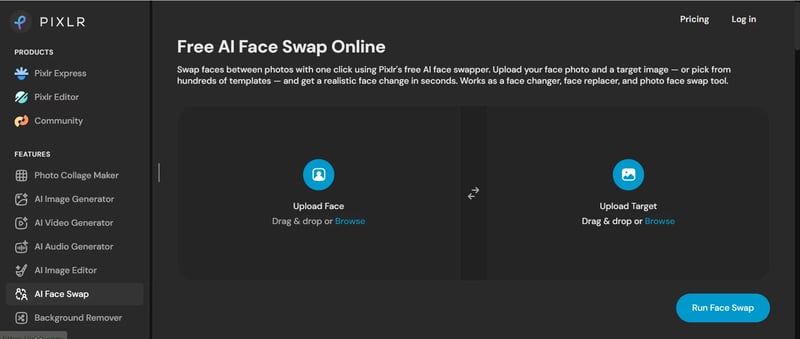
Pixlr Web Free access with template library Good — solid blending, occasional softness at edges No Template-based swaps and quick creative edits
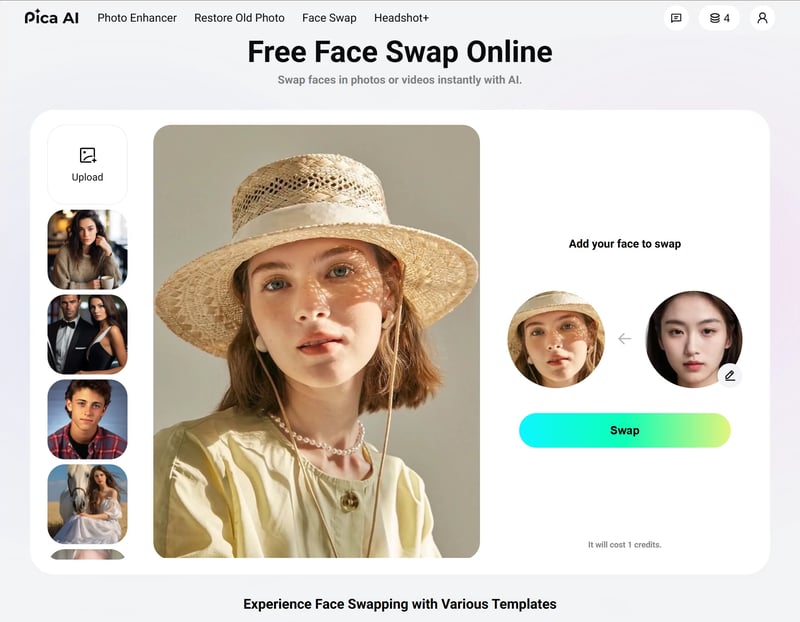
Pica AI Web, iOS, Android Credit-based free tier Very Good — strong multi-face detection No Group photos with multiple faces
Reface iOS, Android Limited free swaps, watermarked exports Good — optimized for video over photos Yes Short video and GIF face swaps
FaceApp iOS, Android Basic swap free, advanced features locked Good — versatile but swap is not the core strength No (on basic swap) All-around face editing beyond just swapping
FaceMagic iOS, Android Limited templates, watermarked Good — expression mapping is a highlight Yes TikTok-style short-form video content

Web-Based Face Swap Tools Worth Trying

Browser-based tools have a clear advantage for anyone who does not want to install yet another app: you open a tab, upload your photos, and download the result. No app store, no storage space, no platform lock-in.

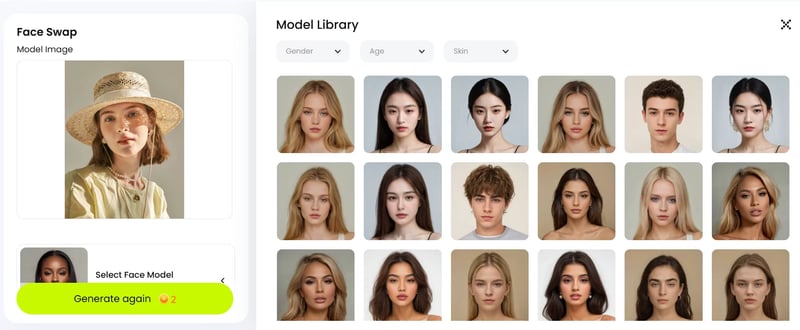
Snappyit Face Swap stood out during testing for its combination of speed and output polish. The interface is minimal — upload a source face, upload a target image, and the swap processes in roughly five to eight seconds. Edge blending around the jawline and hairline was consistently clean across my test set, and skin tones matched well even when the source and target photos had noticeably different lighting. For social creators, digital marketers, or online sellers who need attention-grabbing visuals without a learning curve, it hits a practical sweet spot. The main limitation is that it focuses on static photo swaps, so if you need a face swap video app, you will need to look elsewhere.

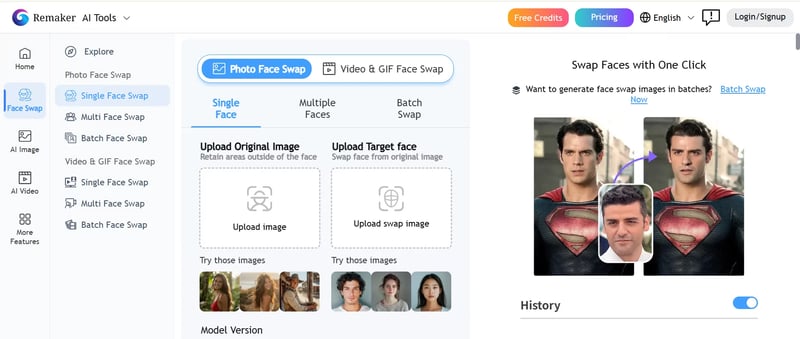
Remaker AI delivered the most natural-looking single-face swaps in my testing, with independent reviewers confirming its strength in matching pore texture and shadow direction. The free tier imposes a daily cap that creative professionals will bump into quickly, but for occasional use the quality is hard to beat. Pixlr rounds out the web category with a template-driven approach that works well for users who want guided creative options rather than a blank-canvas workflow.

Top Mobile Face Swap Apps for Android and iPhone

If you prefer working from your phone, the mobile landscape splits into two camps: video-first apps and general-purpose editors.

Reface remains the strongest face swap mobile app for video and GIF content. Its template library is massive, processing is fast, and the results sync well with lip movements and expressions. The tradeoff is a visible watermark on free exports and limited photo swap quality compared to dedicated photo tools. Discussions across best ai faceswap reddit threads consistently praise Reface for video but note that photo-only users are better served elsewhere.

FaceApp offers the broadest feature set of any face swap iPhone or Android app, bundling age filters, gender swaps, and style transfers alongside its swap function. The swap itself is competent but not its headline feature. Think of it as a Swiss Army knife — good at many things, best-in-class at none. FaceMagic carves out a niche for TikTok creators with expression-mapped templates, though its free tier is among the most restrictive, with watermarks and a single-face-per-video limit on the unpaid plan.

Pica AI bridges both worlds with a web interface and native mobile apps. Its standout capability is multi-face detection in group shots, handling crowded images more reliably than any other tool I tested. The credit-based free tier is modest, but if group photos are your primary use case, it is worth the signup.

Where Each App Excels and Falls Short

No single tool wins across all five scoring dimensions. Remaker AI leads on raw output quality but gates access behind daily limits. Snappyit delivers the smoothest browser-based workflow with no watermark, though it does not support video. Reface dominates video swaps but charges for clean exports. FaceApp is the most versatile editor overall, yet its swap feature is not its strongest suit. Pica AI handles group shots better than anyone else but feels less polished on single-face edits.

Platform parity is another gap worth flagging. Several tools that perform well on the web deliver a noticeably different experience on mobile. Pica AI's web version supports higher resolution exports than its app. Reface has no desktop version at all. If you plan to use the best face swap software across multiple devices, test both versions before committing to a workflow.

These rankings reflect what each tool actually delivers on its free tier today. But "free" is a word that deserves its own audit, because the gap between what these apps promise and what they actually give away without payment is where most users get burned.

What Free Actually Means and Hidden Costs Exposed

The word "free" appears on nearly every face swap app landing page. It is also the single most misleading word in this entire product category. When you search for a face swapper free tool, what you typically find is a freemium product that lets you do just enough to get hooked before locking the useful features behind a subscription, a credit pack, or a per-export fee. The gap between what these apps advertise and what they actually deliver at zero cost is where most users lose time and patience.

To cut through the ambiguity, I dug into the free tiers of the most popular tools and documented exactly what you get without paying. The results are eye-opening.

What Free Really Means Across Popular Apps

There are three distinct models hiding behind the word "free" in this space, and recognizing which one you are dealing with saves real frustration.

A true free tier gives you ongoing access to core features with defined limits — no trial clock, no expiring credits. A free trial hands you a one-time batch of credits or a short window (often 3 to 7 days) before the paywall activates. A freemium bait model technically lets you generate a swap for free but then watermarks the output, caps the resolution at an unusable level, or blocks the download entirely until you subscribe. As testing by Wavespeed AI confirmed, the three most common gotchas are watermarks removed only on paid plans, export resolution capped at 576p or lower for free users, and a daily clip limit of two to five short videos.

Imagine you want to learn how to change face in photo for a birthday card or a social post. You find a swap face app that says "free" in bold on its homepage. You upload your images, wait for the result, and then discover a semi-transparent logo stamped across the face you just swapped. That is not free — that is a demo with a ransom note attached.

The table below breaks down what each major tool actually provides at zero cost, based on current free-tier policies.

App Name Free Swaps Per Day Watermark on Free Max Free Resolution Premium Price
Reface Limited (varies, roughly 2-3 video swaps) Yes Standard (compressed for social sharing) $2.49/week or $24.99/year
FaceApp Unlimited basic edits, advanced filters locked No (on basic swap) Standard device resolution $4.99/month or $29.99/year
Remaker AI ~5 photo swaps No Standard definition From ~$12/month
Pica AI Credit-based (~3-5 swaps) No Standard, HD locked to paid From $5.99/month
FaceMagic Limited templates Yes Restricted $9.99/month
DeepSwap No meaningful free tier N/A N/A $9.99/month (credit-based)
AIFaceSwap.io ~3 video swaps No Standard definition Free (ad-supported)
Vidwud Unlimited (queue-based) No Standard definition Free (ad-supported)
Snappyit Face Swap Multiple daily swaps No Good (web-optimized) Free tier available

A few patterns jump out immediately. Most mobile apps offer between 1 and 5 free swaps per day, with watermarks being the norm on video exports. Web-based tools tend to be slightly more generous, especially ad-supported platforms like AIFaceSwap.io and Vidwud, though they compensate with lower export resolution. The best free face swap app for Android users looking for video will almost always involve a watermark unless they move to a browser-based alternative.

Hidden Costs and Upsell Tactics to Watch For

Beyond the headline limits, several apps use subtler tactics to push you toward a subscription. Here are the most common ones worth watching for.

Credit expiration. Some tools give you a handful of free credits when you sign up, but those credits expire within 24 to 72 hours. If you do not use them immediately, they vanish, and you are back to zero with a subscription prompt waiting.

Feature gating on export. A few apps let you generate the swap for free and even preview it in the interface, but the moment you tap "Download" or "Save," a paywall appears. You have already invested the time choosing photos and waiting for processing, which makes the upsell feel harder to refuse. This is especially common when users look up how to face swap on FaceApp and discover that the basic swap is free but the more advanced morphing filters require a Pro subscription to export at full quality.

Resolution bait-and-switch. The preview looks sharp inside the app, but the exported file is noticeably softer or smaller. Some tools process at full resolution internally and then downscale the free export to 480p or 576p, reserving the original quality for paid users. You will not notice this until you try to use the image at full size.

Per-credit pricing that adds up fast. Detailed pricing analysis shows that credit-based models like DeepSwap charge 1 credit per 15 seconds of video footage, meaning a two-minute clip can consume 8 credits in a single generation. At $19.99 for 20 credits, casual experimentation gets expensive quickly.

Always check the fine print before committing to any tool. A free landing page is not a free product — look at the export resolution, watermark policy, daily limits, and credit expiration before you upload a single photo.

The honest takeaway is that genuinely free, no-strings-attached face swapping exists, but it lives in a narrow band. Ad-supported web tools and open-source desktop software come closest to true free access. Everything else operates on a spectrum of freemium, and the only way to avoid surprises is to test the export before you invest time in a workflow.

Knowing what you are actually paying — in money, resolution, or watermarks — is half the equation. The other half is knowing how to get the cleanest possible result from whichever tool you choose, because even the best free tier cannot fix a bad input photo.

proper lighting resolution and angle matching dramatically improve face swap quality

How to Get the Best Face Swap Results Every Time

A great tool with a bad input photo will always produce a mediocre result. This is the part most guides skip entirely, but it is arguably the most useful section in this article: the practical steps that separate a convincing face swap from one that looks obviously fake. These tips apply whether you are using a browser-based tool at your desk or running a face swap on iPhone during your commute. The AI does the heavy lifting, but as experienced practitioners consistently note, the quality of your input photos has a massive impact on how realistic the final result looks.

Ideal Photo Specifications for Clean Swaps

Think of the AI as a translator between two faces. The more information you give it, the better the translation. Here is what to aim for in both your source face and target image.

Resolution matters most. A blurry or low-resolution source photo forces the AI to work with limited facial data, and the result will be soft and unnatural. Use the highest quality photo you have available. A crisp smartphone photo at 12MP or higher will outperform a compressed, resized screenshot every time. For web-based tools, aim for at least 512 by 512 pixels as a minimum, though 1024 by 1024 or higher gives the model significantly more detail to work with.

Match the head angle between photos. If your target photo shows a person looking straight at the camera, use a source face that is also facing forward. The AI can adjust for angle differences, but the closer the match, the more natural the blend. A profile-facing source on a front-facing target is the single most common cause of an unnatural-looking swap.

Keep lighting conditions similar. Lighting mismatches are the second most common reason a face swap looks fake. An outdoor, daylight source face placed onto a flash-lit indoor target will stand out immediately, no matter how good the blending algorithm is. Natural, even, front-facing lighting in both photos gives the AI the best chance to produce a convincing result. As DomoAI's testing found, lighting consistency matters more than resolution — similar lighting conditions beat higher pixel counts every time.

Keep the face fully visible. Sunglasses, masks, hands near the face, hair covering the forehead, and heavy shadows all reduce the AI's ability to accurately detect and map facial features. For the source face especially, use a clean, clear photo where the entire face is visible from forehead to chin.

Use unfiltered photos. Instagram filters, beauty modes, and Snapchat lenses alter skin tone, add artificial lighting, and distort facial proportions. When the AI uses a heavily filtered face as the source, those distortions carry over into the swap and create inconsistencies with the target image. Stick to unedited or lightly edited photos for the source face.

Common Mistakes That Ruin Face Swap Results

Even users who pick the right tool and upload decent photos can sabotage their results with a few avoidable errors. Here are the ones I see most often.

Using a full-body shot as the source. The more of the frame the face occupies, the more detail the AI has to work with. A selfie or headshot where the face is the main subject gives far better data than a group photo where the face is a small fraction of the image. If your best source photo is a full-body shot, crop it to focus on the face before uploading.

Extreme facial expressions. A wide-open mouth, exaggerated squinting, or intense emotion distorts facial geometry. The AI blends those distortions into the target face, which looks unnatural if the target has a neutral expression. For the most seamless swap, use a source photo with a relaxed or mild expression. Save the dramatic faces for meme projects where an exaggerated result is the goal.

Screenshots from video calls. These are tempting because they are easy to grab, but they combine several problems at once: low resolution, uneven webcam lighting, compression artifacts, and often an unflattering angle. A dedicated selfie taken in natural light will always produce a better swap than a Zoom screenshot, even if you are doing a quick face swap on iPhone with a casual tool.

Stacking multiple swaps without checking intermediate results. If you are swapping faces in a group photo, process one face at a time and review each result before moving to the next. Batch-processing an entire group in one pass can compound small errors across faces, and by the time you notice, you have to start over.

Quick Checklist Before You Swap

Run through this list before you upload anything. It takes thirty seconds and consistently improves output quality regardless of which tool you use.

  • Resolution — Source and target images are at least 512 by 512 pixels, ideally 1024 or higher. No visible compression artifacts or pixelation.
  • Lighting — Both photos have similar lighting direction and intensity. Avoid mixing outdoor daylight with indoor flash or heavy shadow.
  • Angle — Head angles roughly match between source and target. Front-facing to front-facing produces the cleanest results.
  • Expression — Source face has a neutral or mild expression. Extreme expressions distort geometry and reduce blending accuracy.
  • Face visibility — No sunglasses, masks, hands, or hair obstructing the face in the source photo. The full face from forehead to chin is clearly visible.
  • Background contrast — The face in the source photo has reasonable contrast against the background. A face that blends into a similarly colored background can confuse detection algorithms.
  • No heavy filters — Source photo is unedited or lightly edited. Beauty filters, color overlays, and lens effects introduce distortions the AI will carry into the final result.

Following even three of these guidelines — high resolution, matching angle, and similar lighting — will noticeably improve your results. All seven together produce swaps that look genuinely realistic, regardless of whether you are using a YoUCam Perfect face swap feature, a Max Studio face swap tool, or any other option from the comparison table above.

Getting the technical inputs right is one side of the equation. The other side is less about pixels and more about people — specifically, the ethical, legal, and privacy questions that come with putting someone else's face into your content.

face swap apps handle biometric data making privacy policies and consent essential considerations

Picking the right tool and nailing the input photo gets you a clean result. But a technically perfect face swap can still land you in serious trouble if you ignore the human side of the equation. Every time you swap a face, you are manipulating someone's likeness, and that carries ethical, legal, and privacy implications that most app reviews never mention. Whether you are creating a harmless multi face gif swap for a group chat or producing polished content with the best photo face swap ai tool you can find, the rules still apply.

Consent Laws and Right of Publicity

Using someone's face without their permission is not just rude — in many jurisdictions, it is illegal. Right of publicity laws protect individuals from unauthorized commercial use of their likeness, and the legal landscape is tightening fast. In 2025 alone, both Washington State and Pennsylvania enacted significant deepfake legislation. Pennsylvania's Act 35 classifies creating or distributing deepfakes with fraudulent or injurious intent as a first-degree misdemeanor, carrying fines up to $10,000 and up to five years in jail. If the deepfake is used to defraud or steal, it escalates to a third-degree felony with penalties reaching $15,000 and seven years. Washington's House Bill 1205 criminalizes forged digital likenesses used to harass, threaten, or intimidate, with gross misdemeanor penalties of up to 364 days in jail and a $5,000 fine.

These are not isolated cases. Tennessee's ELVIS Act prohibits AI-generated mimicry of a person's voice or likeness without consent. At the federal level, the TAKE IT DOWN Act signed in May 2025 prohibits nonconsensual publication of intimate visual depictions, including deepfakes, and requires platforms to remove them upon notice. The trend is clear: legislators are closing the gap between what the technology can do and what the law allows. Even a casual face swap shared publicly could trigger liability if the person depicted did not agree to it.

Always get explicit consent before swapping someone else's face, even for humor or entertainment. What feels like a harmless joke to you may feel like a violation to them, and the law increasingly agrees.

Social Media Platform Rules on Synthetic Media

Even if you stay on the right side of the law, platform policies add another layer of rules. Every major social network now has specific guidelines for AI-generated and manipulated content, and violating them can result in content removal, reduced reach, or account suspension.

A detailed cross-platform policy analysis shows the current landscape breaks down like this. YouTube requires creators to disclose realistic altered or AI-generated scenes through a checkbox in YouTube Studio. Content that could mislead viewers about real people or events must be tagged. Since July 2025, purely AI-generated videos without human creative input are not eligible for monetization. TikTok allows AI-generated content but requires clear labeling if it could mislead viewers. Crucially, TikTok forbids deepfakes of private individuals entirely and only permits synthetic depictions of public figures in limited contexts like parody. Meta applies "Made with AI" labels to content its systems identify as AI-generated on both Facebook and Instagram, using metadata detection and user self-reporting. X (formerly Twitter) takes a more reactive approach, labeling or removing synthetic media that is deceptively promoted and likely to cause harm.

The common thread across all platforms is straightforward: creative AI use is welcome, but presenting synthetic content as real without disclosure is not. If you are uploading a youcam video face swap or sharing the best video face swap clip you have ever made, label it honestly. A transparent caption costs nothing and keeps your account safe.

This matters especially for users who download a video face swap apk mod from unofficial sources. Modified apps often strip metadata and watermarks that platforms use to detect AI-generated content, which means your uploads may bypass automated detection but still violate platform rules if reported. The risk is not worth the convenience.

How to Evaluate an App's Privacy Policy

Beyond legal and platform risks, there is a more personal concern: what happens to your face data after you upload it? Every face swap app requires you to submit biometric information — the geometry of your face, your skin texture, your unique facial landmarks. Not all apps treat that data responsibly.

Consider FaceApp as a case study. A privacy audit of FaceApp revealed that uploading an image grants the company a royalty-free, perpetual license to use your photo however it wants, including creating derivative works and feeding images into AI training models. The app collects device data including EXIF tags, device IDs, IP addresses, and advertising identifiers. While FaceApp claims photos are deleted from servers within 48 hours, there is no independent audit verifying that claim. And even if the photo is deleted, the license you granted does not expire when you delete the app.

FaceApp is not uniquely bad — it is just one of the few apps whose practices have been publicly scrutinized. Many face swap tools have similar or vaguer policies. Here are the red flags to watch for when reviewing any app's privacy policy before you upload a single photo:

  • Indefinite or perpetual licensing language — Terms that grant the app a "worldwide, royalty-free, irrevocable" license to your uploaded content, even after account deletion.
  • No specified deletion timeline — The policy does not state when or whether your uploaded photos are deleted from servers after processing.
  • Third-party data sharing without specifics — Vague references to sharing data with "partners" or "service providers" without naming them or explaining what data is shared.
  • AI training clauses — Language that permits the company to use your uploads to "improve our services" or "train our models," which typically means your face becomes part of a training dataset.
  • No independent security audit — The company claims data protection practices but provides no third-party verification, SOC 2 certification, or transparency report.
  • Excessive device permissions — The app requests access to your contacts, location, or microphone when none of those are needed for a face swap.
  • Biometric data stored outside your jurisdiction — Your facial data is processed or stored on servers in countries with weaker data protection laws than your own, with no disclosure of where those servers are located.

A trustworthy tool will have a concise, readable privacy policy that specifies exactly what data is collected, how long it is retained, and whether it is shared or used for training. If the policy is longer than the app's feature list and filled with legal hedging, treat that as a warning sign. The best practice is to test a tool with a non-personal image first — use a stock photo or a creative commons portrait to evaluate output quality before uploading your own face or anyone else's.

These privacy, legal, and ethical dimensions are not edge cases. They apply every time you use a face swap tool, whether you are a casual user sending a funny edit to a friend or a content creator building a brand. Keeping them in mind does not slow you down — it just means the results you share are ones you can stand behind. With the risks mapped out, the final question is the most practical one: given everything this guide has covered, which tool actually fits your specific situation?

Which Free Face Swap App Fits Your Needs

There is no single best answer to this question, and anyone who tells you otherwise is selling something. The right tool depends entirely on what you are trying to do, how often you need it, and how much you care about where your face data ends up. Instead of crowning one winner, here are scenario-matched picks based on everything tested and documented above.

Best Pick for Casual Fun

If you just want to drop your face into a meme, make a face swap app Snapchat-style gif for a group chat, or try a face in a hole app experience for laughs, keep it simple. Pica AI handles group photos well and requires minimal setup. For solo swaps, Remaker AI delivers impressive realism on its free tier without watermarks. Both work directly in a browser, so there is nothing to install and no commitment beyond a few clicks. Casual users rarely need more than a handful of swaps per week, which keeps you comfortably inside most free-tier limits.

Best Pick for Content Creators and Marketers

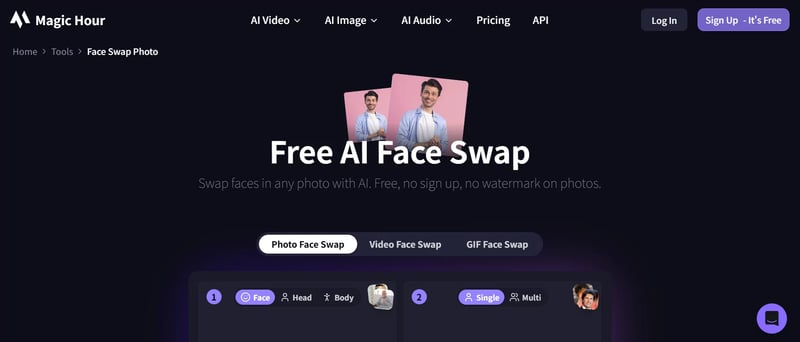
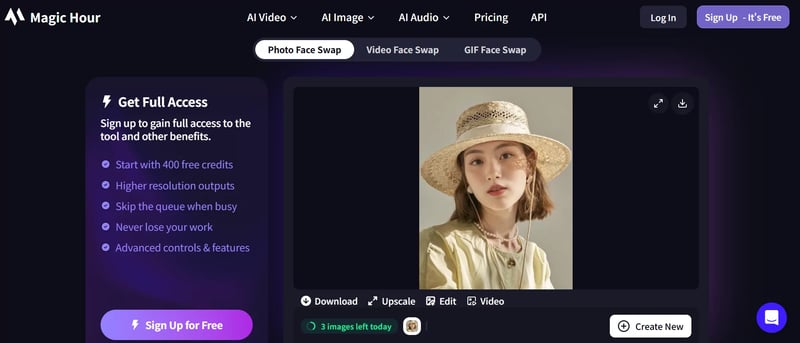
Creators and marketers have different demands: consistent output quality, no watermarks, and a fast workflow that does not interrupt content production. For static photo swaps — thumbnails, ad mockups, product visuals — Snappyit Face Swap fits this profile well. The browser-based workflow means no app installation, processing takes under ten seconds, and the free tier delivers clean, watermark-free exports with solid edge blending. Social creators, digital marketers, and online sellers building attention-grabbing visuals can go from concept to finished image in a single browser tab. For video-first creators who need a free face swap video app, Reface remains the strongest mobile option despite its watermarked free exports, and discussions across ai face swap reddit communities consistently back that up. If you need both photo and video in one place, Magic Hour offers the broadest format support, though its free tier is limited to non-commercial use.

Best Pick for Privacy-Conscious Users

If your primary concern is what happens to your face data after the swap, your options narrow quickly. WaveSpeed Face Swapper stands out by deleting uploaded images from its servers after processing, requiring no signup, and applying no watermarks. It is the closest thing to a zero-trust face replace app available right now. The output quality is good rather than exceptional, but for users who weigh privacy above polish, that tradeoff makes sense. As a general rule, always test any new tool with a stock photo before uploading your own face, and review the privacy red flags outlined earlier in this guide.

Whichever profile fits you, the five scoring dimensions — output quality, free tier generosity, ease of use, platform availability, and privacy policy — give you a repeatable way to evaluate any tool on your own terms. Here are the three takeaways worth remembering from this entire guide:

  1. "Free" almost never means unlimited. Most face swap apps operate on freemium models with daily caps, watermarks, or resolution limits. Know the constraints before you build a workflow around any tool.
  2. Input quality determines output quality. High-resolution, well-lit, angle-matched photos produce dramatically better swaps than low-quality uploads, regardless of which app you use.
  3. Your face is biometric data — treat it accordingly. Read privacy policies, check deletion timelines, and get consent before swapping someone else's likeness. The legal landscape is tightening, and the ethical principle is simple: if you would not want it done to you, do not do it to someone else.

Skip the freemium maze. Snappyit Face Swap gives you fast, clean, watermark-free exports straight from your browser. Try Snappyit free →

Frequently Asked Questions About Free Face Swap Apps

1. Is there a face swap app that is completely free with no watermark?

Yes, several options exist. Web-based tools like Snappyit Face Swap (snappyit.ai/face-swap) and Remaker AI offer daily free swaps without watermarks on exported images. Ad-supported platforms like Vidwud and AIFaceSwap.io also provide watermark-free output, though they compensate with lower export resolution. Most mobile apps, however, add watermarks on free-tier video exports. The key is checking whether the tool applies watermarks specifically on the export file, not just in the preview.

2. Are face swap apps safe to use with my photos?

Safety varies significantly between apps. When you upload a photo, you submit biometric facial data to the app's servers. Some tools delete images immediately after processing, while others retain them indefinitely or use them to train AI models. Red flags include perpetual licensing language, no specified deletion timeline, and vague third-party sharing clauses. Always test a new tool with a stock photo first, review the privacy policy for data retention details, and avoid apps that request unnecessary device permissions like contacts or location access.

3. What is the difference between a real-time face swap and a photo face swap?

Real-time face swaps use lightweight AI models that process video frames instantly on your device, prioritizing speed over quality. They work during live recording or video calls but produce lower fidelity results. Photo face swaps process a single image using heavier, more accurate AI pipelines, delivering superior edge blending, skin tone matching, and lighting consistency. Video face swaps are the most demanding, requiring cloud processing to maintain consistency across thousands of frames, which is why free tiers for video tools are the most restrictive.

4. How can I make my face swap look more realistic?

Three factors matter most: resolution, angle matching, and lighting consistency. Use source photos of at least 1024x1024 pixels with the face clearly visible and unobstructed. Match the head angle between source and target images as closely as possible — a front-facing source on a front-facing target produces the cleanest blend. Ensure both photos have similar lighting direction and intensity. Avoid heavily filtered source images, extreme facial expressions, and low-quality screenshots from video calls, as these introduce distortions the AI carries into the final result.

5. Is it legal to use face swap apps on other people's photos?

Using someone's likeness without consent can violate right of publicity laws in many jurisdictions. In 2025, states like Pennsylvania classify creating deepfakes with fraudulent intent as a first-degree misdemeanor with fines up to $10,000. The federal TAKE IT DOWN Act prohibits nonconsensual publication of intimate deepfakes. Social media platforms also require disclosure of AI-generated content and ban deepfakes of private individuals. Always get explicit permission before swapping another person's face, even for humor, and label synthetic content when posting publicly.

Try a clean, free face swap in seconds

You have the framework, the scoring criteria, and the privacy checklist. Now put them to work. Snappyit Face Swap runs entirely in your browser, processes most photos in under ten seconds, and exports clean, watermark-free results with no signup required.

Try Snappyit free →


More Resources for Creators and Sellers