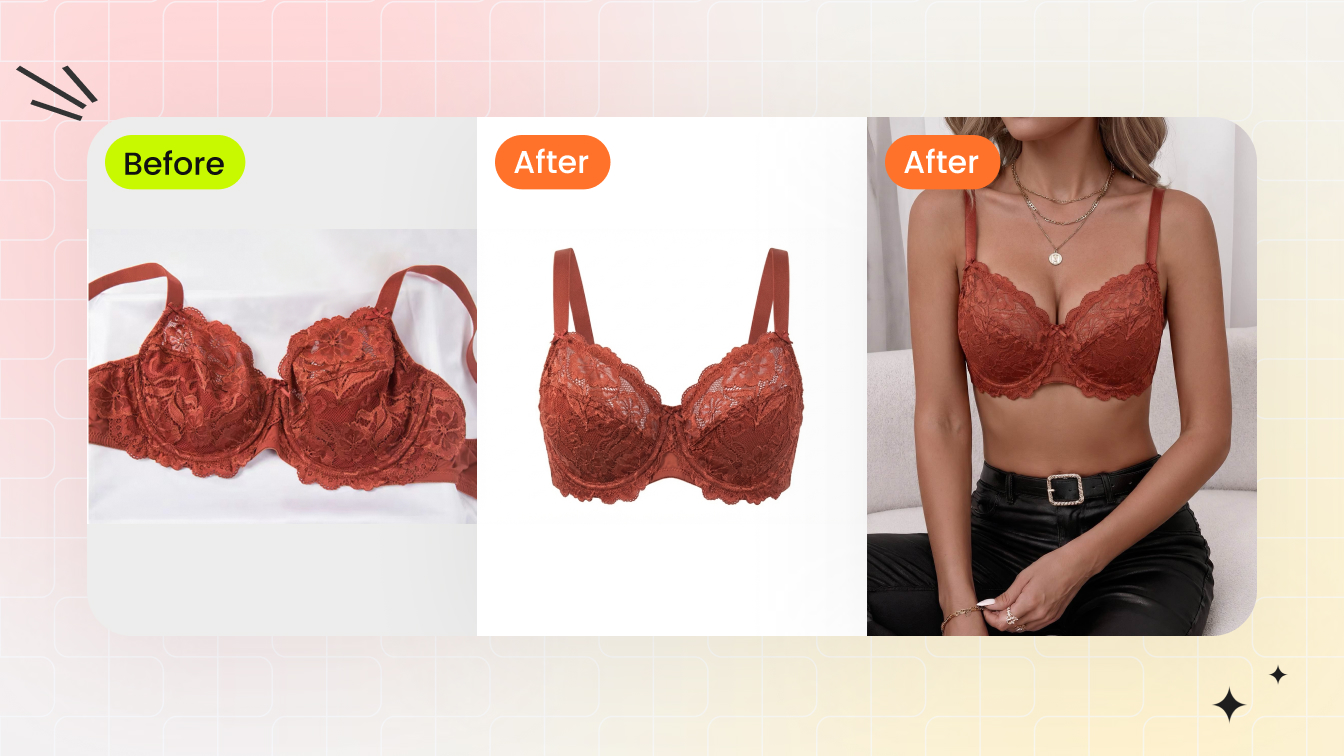
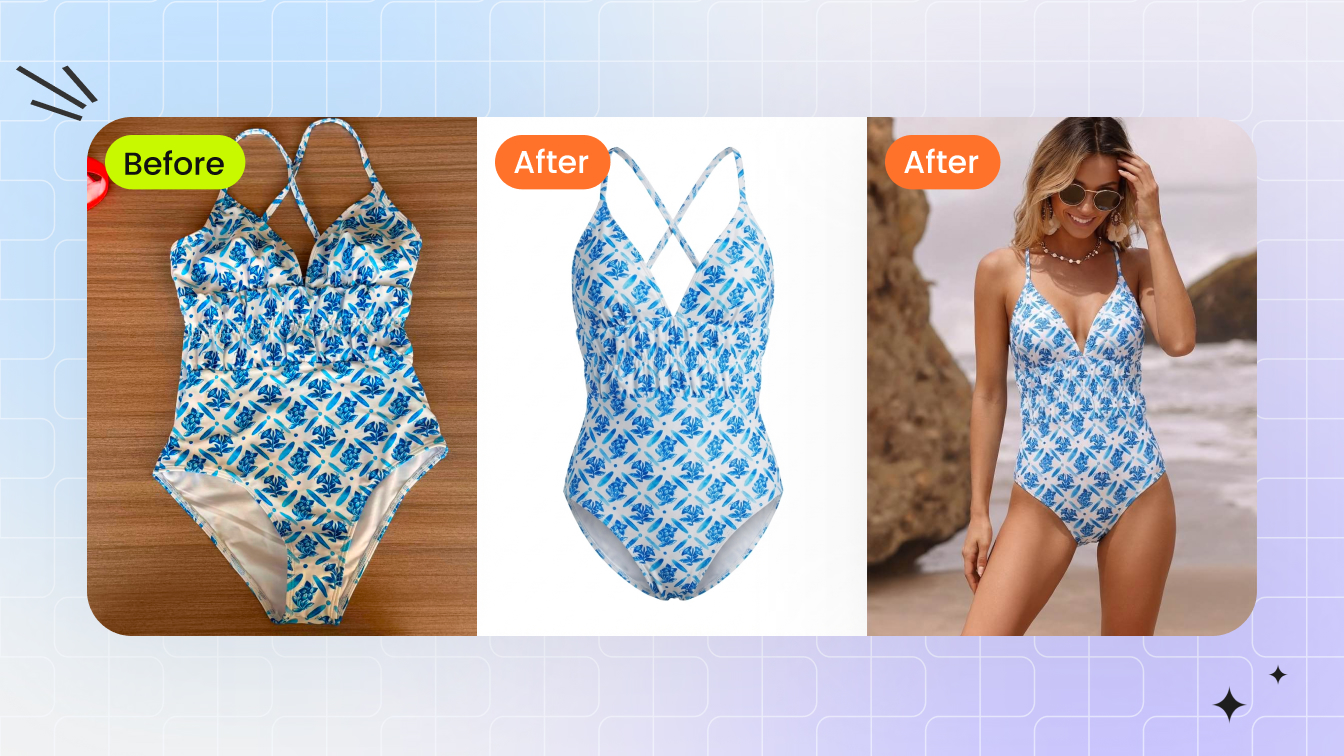
First, let's clear the air about what this tool actually does
If you sell bras, bralettes, or underwear and you search for an AI bra model generator, you wade through a swamp. The intimates SERP is contaminated with "undress" apps and tools that promise to generate or manipulate images of real people. That is not what this is, and it is worth saying plainly before anything else.
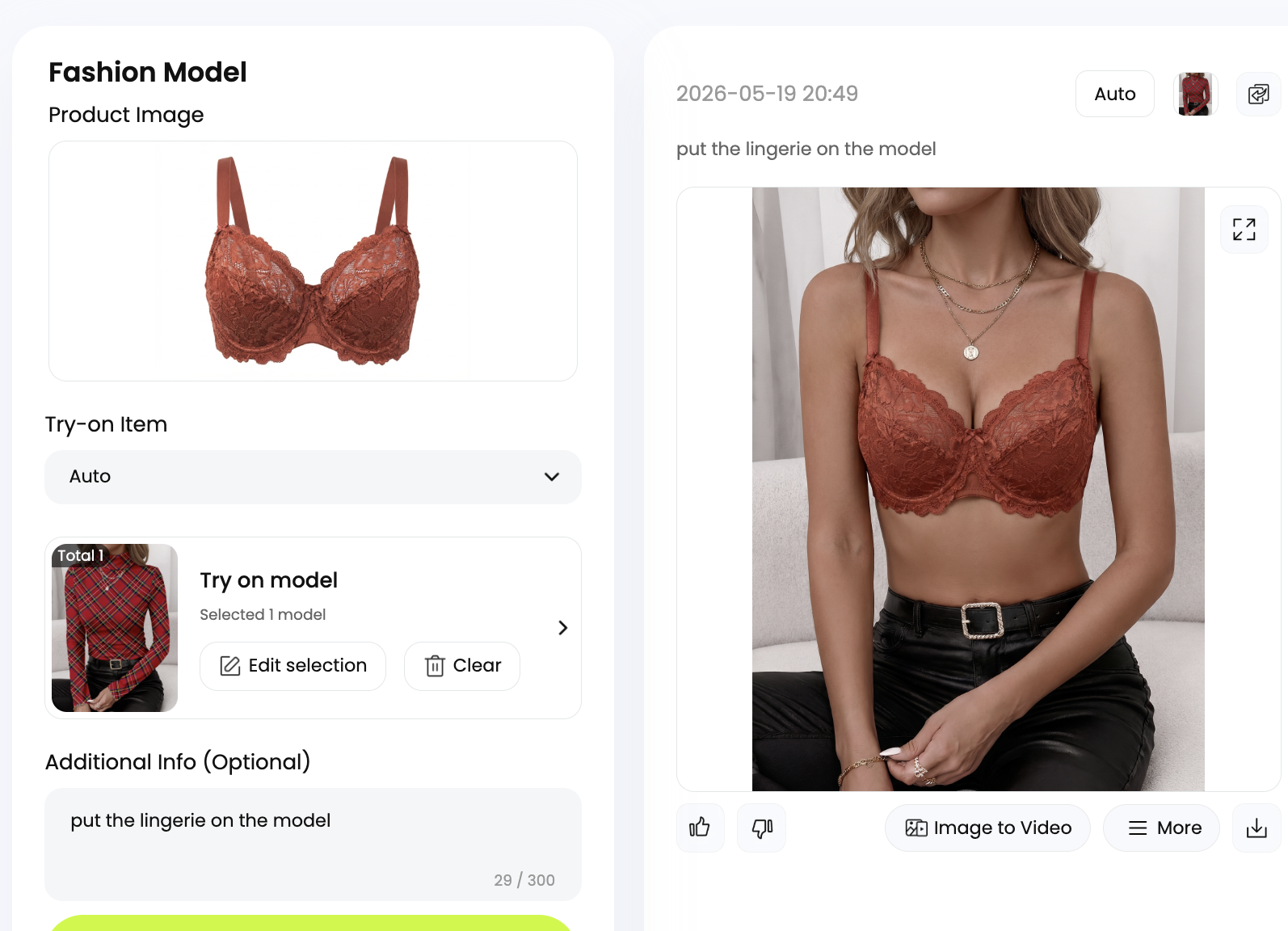
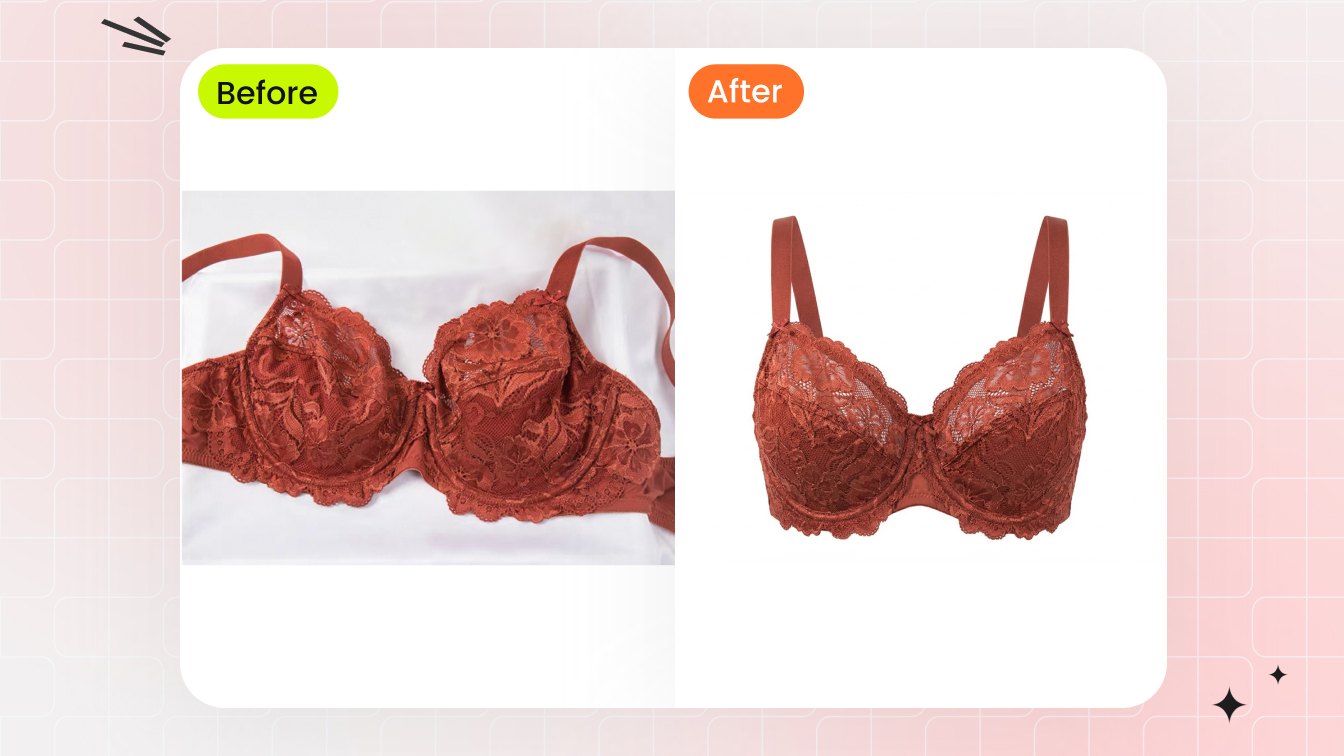
Snappyit's free AI bra and underwear model generator for sellers does exactly one job: it takes your product — the physical bra or panty you already photographed on a flat surface or on a visible mannequin — and renders it as a clean, listing-ready image. The garment is the subject. The output is a clean underwear product photo on a model (or on a ghost-mannequin) destined for an Amazon, Shopify, or eBay listing, the same way a studio would shoot a hoodie or a pair of jeans.
It does not generate nude or sexualized imagery. It does not apply anything to photos of real customers or influencers. It does not "remove clothes" from anyone. Those use cases are explicitly out of scope and unsupported. What you get is a commercial apparel image — your inventory, photographed in the way marketplaces require — produced from the flat-lay you already own. Keep that framing in mind through the rest of this guide, because every technique below is built around it.
Why a flat bra shot quietly costs you sales
A bra photographed flat on a table tells the shopper almost nothing about how it will sit on a body. And in intimates, body-sit is everything. Fit is the single largest driver of apparel returns — McKinsey's "Returning to order" (2021) found that roughly 70% of apparel returns are caused by "poor fit or style", against US online clothing return rates of about 25% — roughly one in four (UpCounting, citing Statista Consumer Insights, Apr 2024–Mar 2025), with up to ~30–40% of online fashion returned by some estimates. Around 48% of shoppers "bracket" — buying multiple sizes intending to send back what doesn't work. Bras amplify all of this, because a single style spans a wide grid of band and cup combinations.
The flip side is what a body-on image does for the shopper. An on-model or well-structured ghost-mannequin shot helps shoppers judge fit and reduces the fit uncertainty that drives so many returns, because it shows band line, cup shape, and strap placement in context rather than as a flattened outline. So the flat-lay isn't just under-selling — it leaves shoppers guessing on exactly the fit cues that decide whether a bra stays or comes back.
The catch has always been cost. Booking a fit model, a photographer, and studio time for every colorway of every style is exactly why so many small intimates sellers stay stuck on flat-lays. That economic wall is what a free AI bra generator is meant to knock down — letting you show a bra on a model without a photoshoot, not by faking people, but by rendering your garment in a form shoppers can actually read.
Flat-lay vs ghost-mannequin vs on-model: which to use for a bra
You have three legitimate ways to present a bra in a listing, and they are not interchangeable. Here is how they actually differ for an intimates SKU.
| Format | What it shows | Best for | Marketplace fit |
|---|---|---|---|
| Flat-lay | The garment laid flat — color and trim, but no 3D shape or drape | Secondary/detail images, swatch reference | Not allowed as an adult-apparel main image |
| Ghost mannequin | A hollow, floating 3D form — true cup shape, band line, and structure with no body | Sellers who want shape without a person; consistent catalog look | Compliant main image for adult apparel |
| On-model | The garment worn, showing fit and proportion in context | Hero shots that need to communicate real-world fit | Compliant main image for full-coverage adult apparel — but thongs/panties without full front-and-back coverage (and any children's items) must use a no-model image (flat or ghost-mannequin) |
This matters because of a specific rule: for full-coverage adult apparel, Amazon requires the main image to be on a live model OR shot with the ghost-mannequin (invisible-mannequin) technique. A physically visible mannequin in the frame is not allowed, and a bare flat-lay won't pass as the hero either. One important exception: thongs and panties without full front-and-back coverage (and any children's items) cannot use a live model at all — they require a no-person main image, such as a flat product shot or a ghost-mannequin, and intimates must always read demure rather than suggestive. So a bra seller's flat-lay or mannequin shot is, by the rulebook, a non-compliant main image — and converting it to an on-model or ghost-mannequin image is the compliant path. Both keep the garment as the subject; you choose based on whether you want a body in frame or a clean floating form. Our ghost-mannequin tool handles the second route, and the on-model generator handles the first.
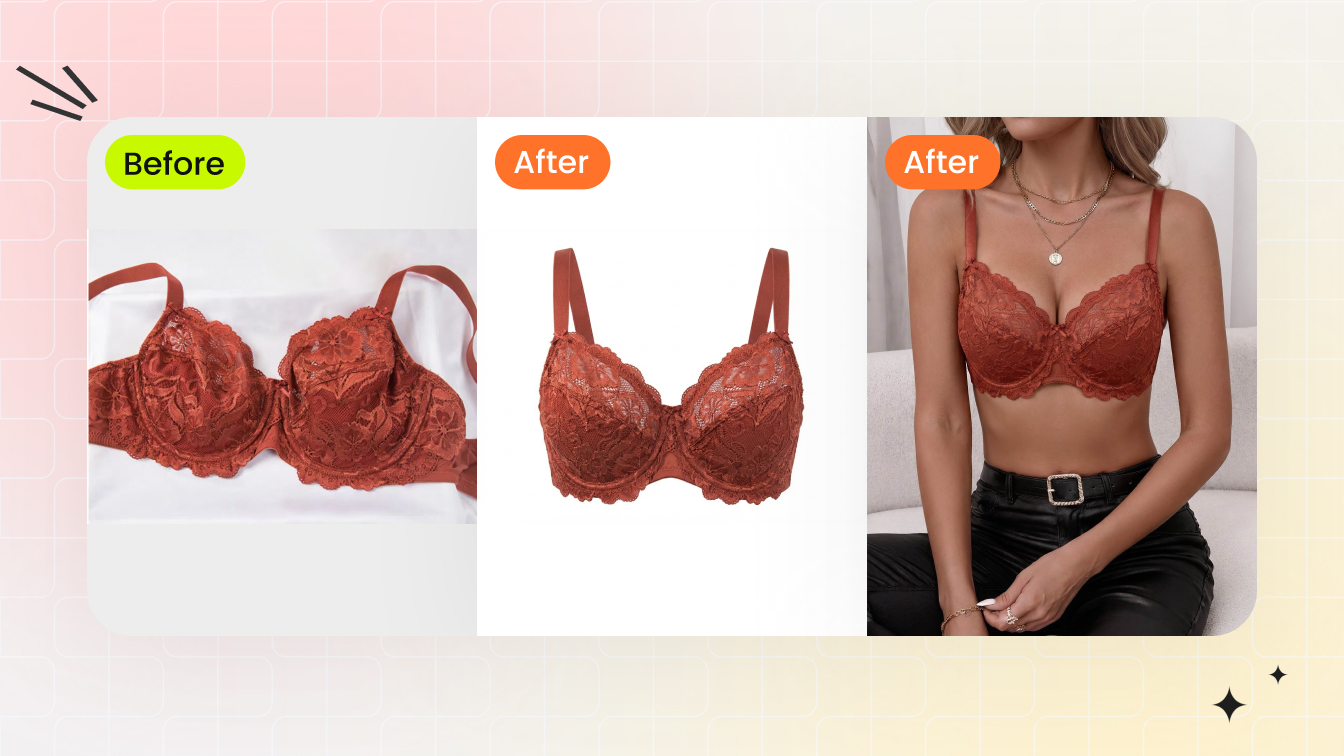
What ghost-mannequin actually means (and why catalogs lean on it)
If you've never shot it traditionally, here's the technique. Ghost-mannequin photography — also called invisible-mannequin — means dressing the garment on a mannequin, shooting it (plus secondary inside-neckline and back shots), and then editing the mannequin out so the piece appears as a hollow, three-dimensional "floating" form. The point is to show the garment's true shape, drape, and structure with no part of the mannequin left visible. For a bra, that hollow form reveals cup volume, the band curve, and how the straps sit — information a flat-lay simply flattens away.
This is why ghost-mannequin has become a catalog standard among apparel and marketplace sellers: it's consistent, scalable, and cheaper per unit than booking a model for every product. The traditional version still needs a mannequin, careful lighting, and a retoucher. The 2026 shortcut is that AI tools can produce the ghost-mannequin effect from a single flat-lay in under about two minutes, reconstructing the garment's shape and drape — so one bra flat-lay becomes a listing-ready hollow-form image without a studio day. The garment is reconstructed; nobody is generated.
Showing cup, band, and strap — the parts that actually sell a bra
A bra's fit lives in a few specific, photographable components, and a good listing image makes each one legible. Knowing the anatomy tells you what your hero shot has to communicate:
- Band — the even-numbered measurement that sits level around the ribcage. It provides roughly 70% of a bra's support, which is exactly why the band line should be clearly visible and level in your image.
- Cup — the letter size; cups should hold tissue without gaping or spilling. Your shot needs to show cup shape and seaming honestly, not over-smoothed into a shape the real product won't make.
- Straps — only about 10% of support, but shoppers want to see strap width and adjusters. They should keep cups flush, not do the lifting.
- Underwire (where applicable) — it sits flat under the tissue, not on top, so the wire channel is worth showing on structured styles.
Translate that into imaging guidance: because the band and cup structure carry the fit story, those should be the focus of the hero — not a tightly cropped, suggestive frame. When you generate an on-model or ghost-mannequin image, check that the band reads level, the cup seaming is intact, and strap placement looks natural. That honest rendering is what sets accurate fit expectations and pulls down the fit-driven returns we covered earlier. Overclaiming with a flattered shape just sends product back to you.
Generating colorway variants that don't break your variation gallery
Most bra styles ship in five or ten colors, and shooting each one traditionally is where budgets disappear. Generating colorways is where an AI bralette model generator for ecommerce earns its keep — but only if the set stays visually consistent.
Here's the marketplace mechanic to respect. Amazon uses a parent-child variation structure: each child SKU (each color) gets its own main image plus a required color swatch image. Those swatches are tiny — about 30 px on the longest side at 72 ppi — and they're the first thing a shopper sees in the variation picker. If your colorway images drift in pose, crop, lighting, or framing, the gallery looks sloppy and the swatches misrepresent the product.
So the rule for a colorway batch is: keep pose, crop, lighting, and framing identical across every color, change only the garment color, and supply an accurate swatch per child SKU. Snappyit's color-change tool lets you recolor one approved hero into a matched set so the whole variation gallery reads as one coherent product. Consistency here is both a compliance best practice and a conversion one — shoppers trust a tidy, uniform swatch row.
Turn your bra flat-lay into a listing image — free
The underwear-listing compliance rules you can't skip
Intimates sit in a gated 'adult products' category on Amazon with rules layered on top of the standard apparel ones. Get these wrong and the ASIN can be suppressed from search. The seller-safe checklist:
- Pure white main background — RGB 255,255,255 (#FFFFFF), with the product filling at least 85% of the frame, no text, logos, graphics, or watermarks, and the full garment visible without cropping.
- On-model or ghost-mannequin only for the main image of full-coverage pieces; no physically visible mannequin in frame. Low-coverage thongs and panties (those without full front-and-back coverage), and any children's items, must use a no-person main image — a flat product shot or a ghost-mannequin, never a live model.
- No tight crops to intimate body parts (breasts, buttocks, groin) — these are prohibited.
- No transparent garments that expose intimate body parts, and no partially-undressed models in unnatural settings (e.g. outdoors).
- An 'ADULTS ONLY' label may be required in storefront or A+ sections.
Read those together and the compliant approach writes itself: keep the garment as the subject, show it cleanly on a model or ghost mannequin, avoid suggestive cropping or posing, and respect the category gating. This is the same product-listing discipline a footwear or denim seller follows — it just happens to be the exact opposite of what the nudify tools polluting the search results do. For the broader playbook, our AI lingerie photography guide and the lingerie sellers use case go deeper.
Tricky fabrics, plus the ratio presets to export per marketplace
Bra and underwear fabrics are genuinely hard to shoot: stretch lace, power mesh (which stretches roughly 20% vertically and 35% horizontally), satin, and metallic or Lycra blends are shiny, stretchy, and often semi-sheer. Reflective surfaces throw hot spots and blown highlights and pick up unwanted environment reflections; stretch fabrics need an accurate on-body drape to read as true fit. Traditionally you fight this with softboxes, diffusers, a polarizing filter, an off-axis camera angle, and a tighter aperture around f/5.6–f/11. Generating an on-model or ghost-mannequin image from a controlled flat-lay sidesteps the studio-lighting battle while still rendering the garment's drape and sheen — and the material rendering stays on the garment, where it belongs.
Once you have a clean hero, export it per channel. A square 1:1 image at roughly 2000 px works as a universal default across all three majors:
| Marketplace | Recommended size | Watch out for |
|---|---|---|
| Amazon | ~1:1 square, longest side ≥1000 px to enable zoom (2000 px+ recommended, max 10000 px) | Pure white main + 85% fill rule |
| Shopify | Square 1:1 ~2048×2048 px (max 5000×5000 / 20MB) | Zoom-enabling, theme-safe |
| eBay | 500 px minimum, 1600 px recommended for zoom | No added borders allowed |
Run your cutouts through the free background remover to hit Amazon's pure-white requirement, then export the square master everywhere. For the wider context on how these images fit your whole catalog, see the AI product photography pillar.
A simple, repeatable workflow for your next bra drop
Pull it together into a routine you can run on every new style without thinking:
- Shoot one clean flat-lay of the bra (or use your existing mannequin shot) on an even surface with the band, cups, and straps clearly laid out.
- Pick your format — ghost mannequin for a floating-form catalog look, on-model when you want fit-in-context. Both are main-image compliant.
- Generate the hero, then check the band reads level, cup seaming is honest, and the framing is product-first, not suggestive.
- Batch the colorways with identical pose, crop, and lighting; export a matching swatch per child SKU.
- Clean and export — pure-white background, square 1:1 ~2000 px master, then per-marketplace tweaks.
That's it: one flat-lay in, a compliant, conversion-ready listing set out, with your garment as the subject from start to finish. Start with the AI lingerie model tool for the bra and underwear workflow, and lean on the no-model lingerie photography walkthrough if you want to go fully studio-free.
Try the free AI bra & underwear model generator
Frequently Asked Questions
Does this tool generate images of real people, or 'undress' photos?
No. This is a product-listing tool, full stop. It takes your own garment — a flat-lay or mannequin shot of the bra, bralette, or panty you sell — and renders it as an on-model or ghost-mannequin listing image where the garment is the subject. It does not generate nude or sexualized imagery, does not manipulate photos of real customers or influencers, and does not 'remove clothes' from anyone. Those use cases are unsupported and out of scope. Think of it as the intimates equivalent of shooting a t-shirt for a catalog.
Is the output actually compliant with Amazon's intimates rules?
It's built to be. For adult apparel, Amazon requires the main image on a live model or via the ghost-mannequin technique, on a pure-white background (#FFFFFF) with the product filling at least 85% of the frame and no text or logos. Intimates also sit in a gated adult category that prohibits tight crops to intimate body parts, transparent garments exposing them, and undressed models in unnatural settings. The tool keeps the garment as the subject and produces clean, model-or-ghost-mannequin images — you still review each one against the checklist before publishing.
Should I use ghost-mannequin or on-model for a bra?
For a full-coverage bra, both are valid main-image formats; pick based on what you want shown. Ghost-mannequin gives a hollow, floating form that shows true cup shape, band line, and structure with no body in frame — great for a consistent catalog look. On-model shows fit and proportion in context, which tends to communicate real-world fit best. Many sellers use a ghost-mannequin hero plus on-model supporting shots. A bare flat-lay is not allowed as the main image for a full-coverage bra. One exception to watch: thongs and panties without full front-and-back coverage (and any children's items) cannot use a live model — those require a no-person image such as a flat shot or ghost-mannequin, and intimates must read demure.
Can I make all the colorways of one bra style at once?
Yes, and consistency is the whole point. Generate or recolor from one approved hero so pose, crop, lighting, and framing stay identical across every color — change only the garment color. Amazon's parent-child variation structure gives each color its own main image plus a required color swatch (tiny, ~30 px), and a uniform set keeps the variation gallery clean and the swatches accurate. Use the color-change tool to build a matched set from a single approved image.
What image size should I export for each marketplace?
A square 1:1 image at roughly 2000 px is a safe universal master. Amazon wants ~1:1 with the longest side at least 1000 px to enable hover-zoom (2000 px+ recommended, max 10000 px) and a pure-white main image filling 85% of the frame; Shopify recommends square 1:1 at ~2048×2048 px (max 5000×5000 / 20MB); eBay needs at least 500 px (1600 px recommended for zoom) and prohibits added borders. Export the square master, then apply the per-channel tweaks.
Will an AI-generated listing image actually reduce my returns?
It can help, indirectly. McKinsey's 'Returning to order' (2021) found about 70% of apparel returns are caused by 'poor fit or style' — and bras are especially fit-sensitive. An honest on-model or well-structured ghost-mannequin image that shows the band line, cup shape, and strap placement helps shoppers judge fit and reduces fit uncertainty far better than a flat-lay does. The key word is honest: render the garment's real shape, don't flatter it into something the product won't deliver, or you'll get the returns right back.
My fabrics are shiny and semi-sheer and impossible to shoot — does that break the tool?
That's actually one of the reasons sellers use it. Stretch lace, power mesh, satin, and metallic blends throw hot spots and reflections that take softboxes, diffusers, and polarizing filters to tame in a traditional studio. Generating the listing image from a controlled flat-lay sidesteps most of that lighting battle while still rendering the garment's drape and sheen. Start with a clean, evenly-lit flat-lay and the output will represent the material faithfully — with the focus staying on the garment.
Is the tool really free, and what's the catch?
You can convert a flat-lay into an on-model or ghost-mannequin listing image to try the workflow at no cost. It's positioned as a genuine seller utility, not a free-trial bait. Run a couple of your real SKUs through it, check the output against the compliance checklist in this guide, and decide whether it fits your catalog cadence before scaling up.