
Jewelry Retouching 34 min read

Why Your Jewelry Looks Cheap: High End Jewelry Retouching Fixes

Expensive pieces shot flat read as costume jewelry on screen. Here's how high end jewelry retouching fixes metals, gemstones, and pearls — with material-specific workflows, the mistakes to avoid, quality benchmarks, and platform specs.

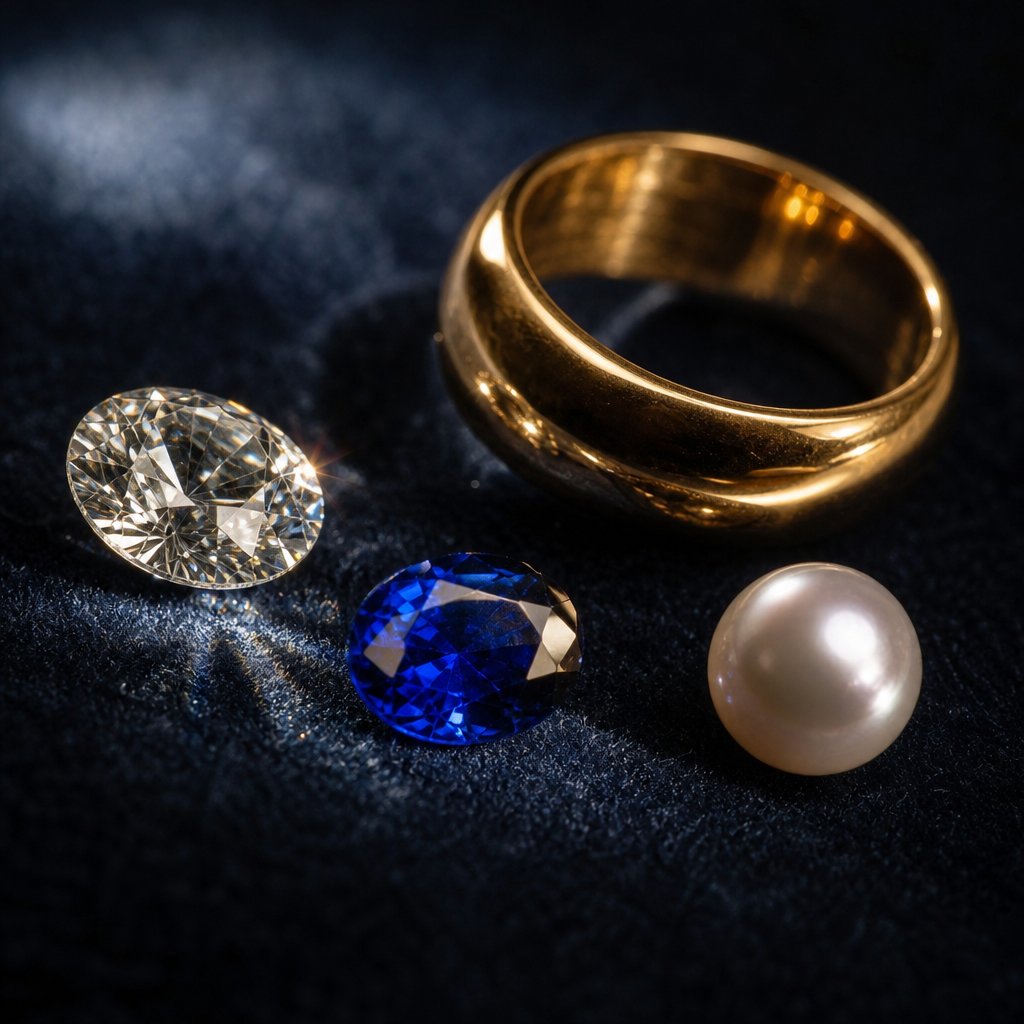
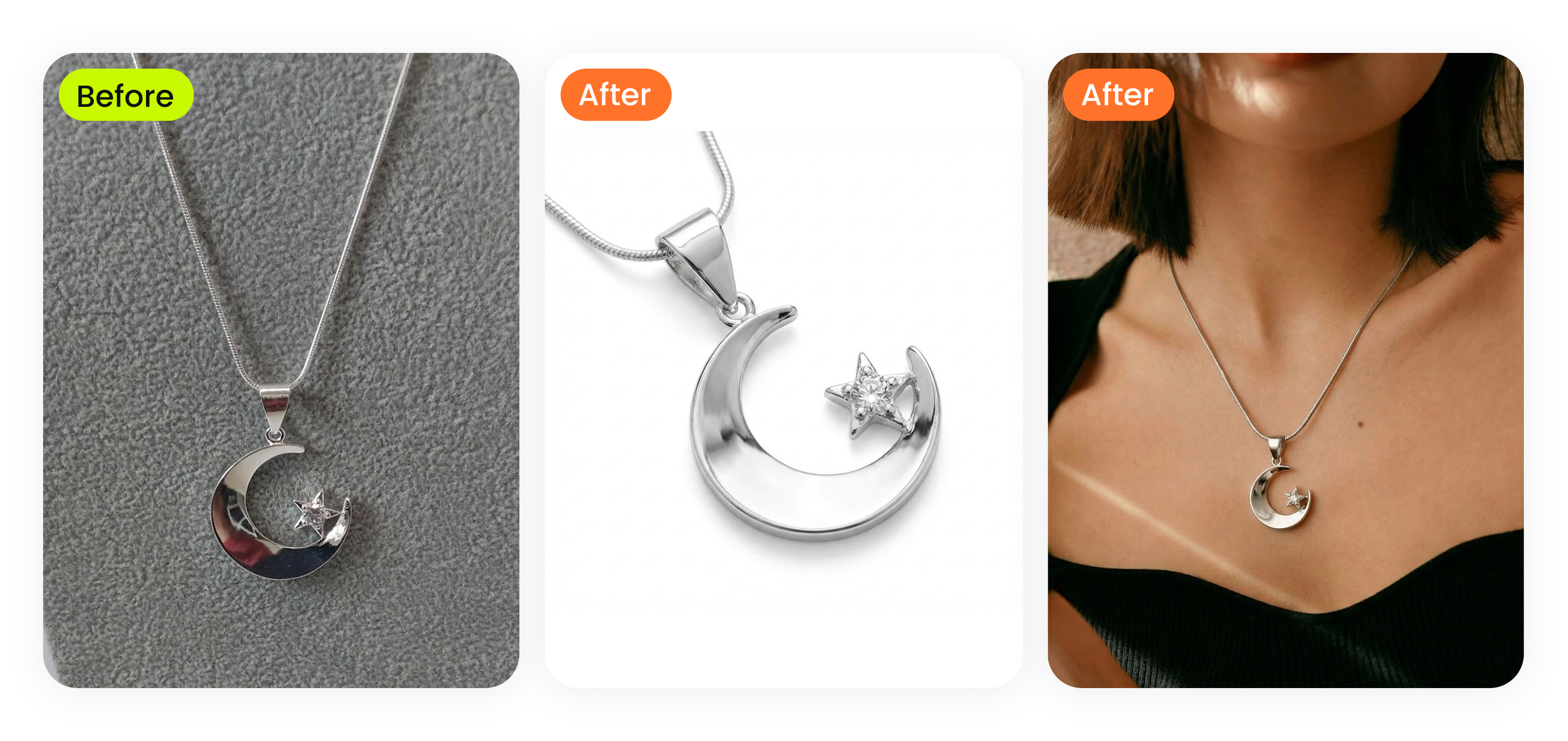
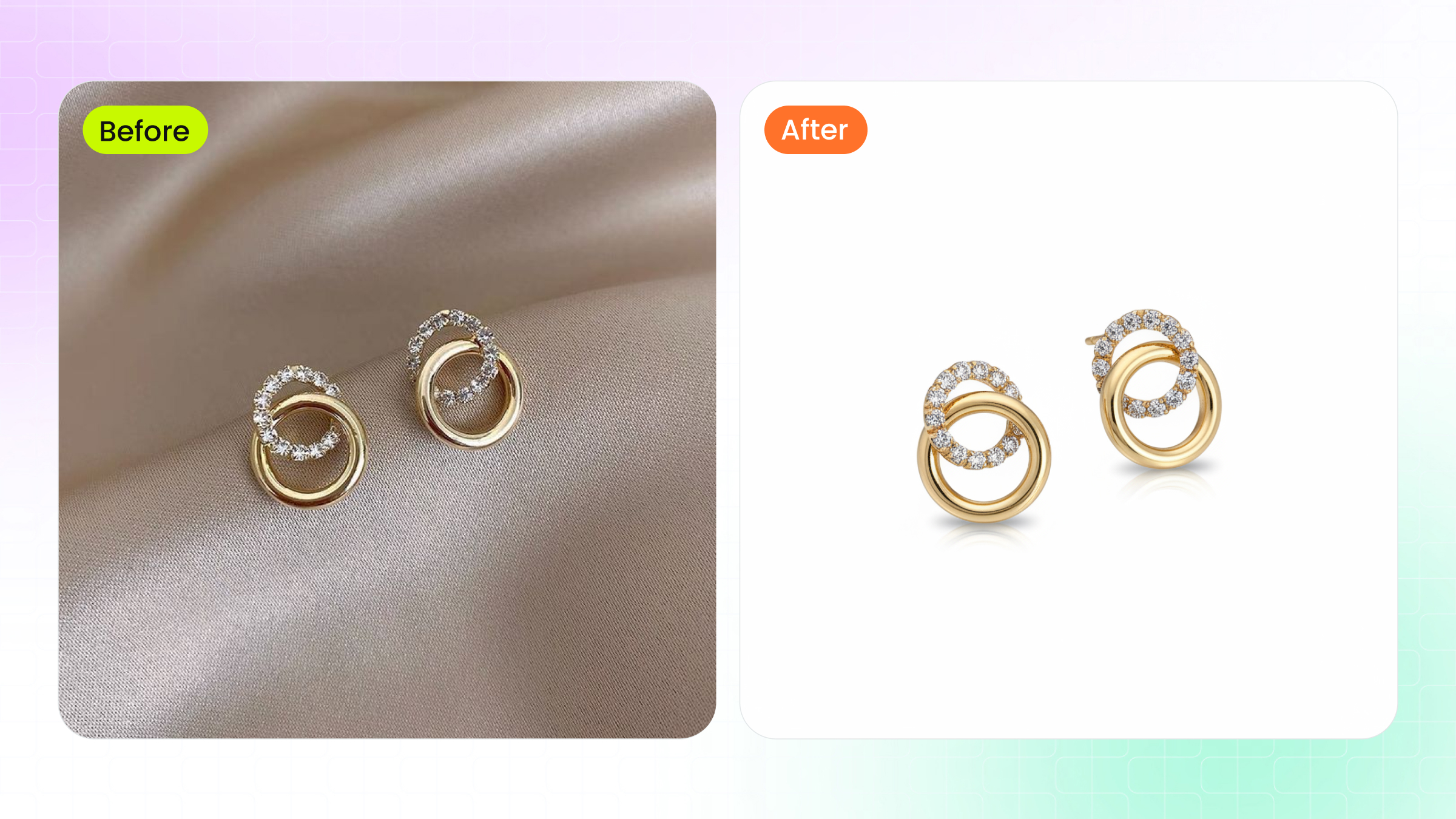
high end jewelry retouching transforms flat captures into images that convey the true brilliance and value of precious materials

What High End Jewelry Retouching Actually Means

High end jewelry retouching is the specialized post-production process of enhancing precious jewelry imagery while preserving the authentic optical behavior of metals, gemstones, and organic materials. It sits at the intersection of photography, material science, and digital artistry, requiring retouchers to understand how light physically interacts with gold, platinum, diamonds, and pearls before making a single edit.

That distinction matters. When you adjust brightness on a snapshot, you're doing basic editing. When you sculpt light across a diamond's facets to replicate how brilliance and fire behave in real life, you're working at an entirely different level. One makes an image acceptable. The other makes a piece of jewelry feel valuable on screen.

The quality of retouching directly shapes perceived product value. Research shows that 93% of consumers consider visual appearance a key purchase decision driver, meaning a poorly retouched image doesn't just look bad — it actively costs you sales and buyer confidence.

What Sets High End Retouching Apart From Basic Editing

Basic photo editing handles universal corrections: cropping, exposure adjustments, white balance fixes. High end photo retouching services go far deeper. They address material-specific challenges like controlling specular highlights on polished platinum without flattening its surface character, or preserving the internal light refraction inside a sapphire rather than simply boosting saturation.

Think of it this way. A basic editor sees a bright spot on a ring and reduces it. A specialist recognizes that bright spot as a reflection that tells the viewer the metal is polished and real, then reshapes it to look intentional rather than accidental. The difference is subtle, but buyers feel it immediately.

Who Needs Professional Jewelry Retouching

Luxury brands use jewelry retouching services to maintain visual consistency across campaigns and catalogs. Auction houses rely on it to accurately represent estate pieces worth tens of thousands. Premium ecommerce sellers need it because, as one industry study found, 34% of online jewelry returns happen because the item looked different than expected.

Whether you're selling a $500 engagement ring on Shopify or photographing a $50,000 necklace for Christie's, the retouching approach needs to honor what makes precious materials precious. Strip that away with generic filters or over-smoothing, and even a flawless piece starts looking like costume jewelry.

The gap between amateur and professional results often comes down to what happens before retouching even begins — specifically, how the image was captured in the first place.

How Photography Quality Shapes Retouching Outcomes

Every jewelry photo retouching service operates within the boundaries set by the original capture. A retoucher can enhance, refine, and polish, but they cannot manufacture data that was never recorded by the sensor. The photography-to-retouching pipeline is a chain, and the weakest link determines the ceiling of your final image quality.

Imagine handing a blurry, underlit phone snapshot to the world's best retoucher. They'll improve it, sure, but the result will never match what's achievable from a properly exposed RAW file shot on a macro lens with controlled studio lighting. The capture sets the floor and the ceiling. Retouching works within that range.

What Post-Production Can and Cannot Fix

Not all flaws are created equal. Some problems are recoverable in post-production, while others permanently degrade image quality regardless of how skilled the retoucher is. Understanding this boundary saves time, money, and frustration.

Here's what falls on each side of that line:

  • Recoverable: Minor exposure errors (within 1-2 stops in RAW), small dust particles on the jewelry or sensor, slight color casts from incorrect white balance, minor scratches or fingerprints on the piece, and background imperfections.
  • Not recoverable: Motion blur from camera shake or subject movement, severe sensor noise from extremely high ISO settings, completely blown-out highlights where specular detail is lost forever, and out-of-focus areas caused by missed focus or insufficient depth of field.

Motion blur is particularly unforgiving in jewelry photography retouching. A diamond's facet edges need to be razor-sharp to convey brilliance. When those edges blur even slightly, no amount of sharpening will recreate the crisp geometry that makes a stone look alive. You'll just introduce halos and artifacts that make the piece look digitally manipulated.

White balance, on the other hand, is almost entirely fixable when shooting RAW. A gold bracelet photographed under fluorescent lighting will have a green cast, but that color data is still intact in the raw file and can be corrected without quality loss. The key word there is RAW. Shoot JPEG, and your white balance correction options shrink dramatically because the camera has already baked its interpretation into a compressed file.

RAW Processing and Color Space Selection for Jewelry

RAW files are non-negotiable for professional jewelry work. They preserve the full tonal range captured by your sensor without any compression or color space assignment. Think of a RAW file as the complete set of ingredients before cooking. A JPEG is the finished dish — you can add seasoning, but you can't un-cook it.

Where things get nuanced is color space selection during the editing and export phases. Three color spaces dominate the conversation:

  • sRGB: The smallest gamut. Works everywhere — web browsers, social media, most monitors. But it cannot fully express the saturated hues of many gemstones, particularly deep emeralds, vivid rubies, and electric tanzanites.
  • Adobe RGB: A wider gamut that captures more cyan, green, and yellow tones. This is the recommended working space for jewelry photo retouching services because it preserves gemstone hue accuracy while remaining practical and manageable.
  • ProPhoto RGB: The widest gamut, representing every color a camera sensor can capture. Powerful but risky — improper handling can introduce color shifts that are difficult to detect until output.

For jewelry retouching specifically, the workflow should follow a clear path: capture in RAW (where color space is irrelevant since raw data has no profile assigned), edit in Adobe RGB for maximum color fidelity, and export to sRGB for web and ecommerce delivery. This approach ensures that a sapphire's deep blue or an emerald's saturated green is preserved throughout the editing process, only converting to the smaller sRGB gamut at the final output stage.

Why does this matter for catalog consistency? When you're retouching 200 pieces for an online store, even small color space mismanagement compounds across the collection. A yellow gold ring edited in sRGB might look identical to a rose gold piece because the smaller gamut cannot differentiate those warm tones as precisely. Working in Adobe RGB gives your jewelry photo retouching service the tonal headroom to maintain accurate distinctions between 14k yellow gold, 18k yellow gold, and rose gold across every single product image.

Monitor calibration ties directly into this pipeline. An uncalibrated display can show you colors that don't actually exist in the file, leading to corrections that push the image further from accuracy. For gemstone work especially, where a client expects the online image to match the physical stone, a calibrated wide-gamut monitor is not optional — it's foundational.

Controlled lighting and proper macro setups during capture reduce retouching time dramatically. A jewelry piece shot with diffused lighting in a light tent, on a tripod, with correct white balance and adequate depth of field gives the retoucher a clean starting point. They spend their time enhancing rather than rescuing. That efficiency difference is where the real cost savings live, and it's also where the quality gap between average and exceptional results begins to widen — particularly when each material in a piece demands its own retouching strategy.

each precious material interacts with light differently requiring distinct retouching strategies for gold diamonds gemstones and pearls

Material-Specific Retouching Challenges Explained

Gold doesn't behave like silver. Silver doesn't behave like a sapphire. And none of them behave like a pearl. Each material in a jewelry piece interacts with light according to its own physical properties — reflectivity, transparency, surface texture, internal structure. A retoucher who treats all these surfaces the same way produces images that feel flat and unconvincing. Professional jewellery photo retouching requires understanding why each material looks the way it does before deciding how to enhance it.

Think of it this way: you wouldn't paint a portrait using the same brushstroke for skin, hair, and fabric. The same logic applies here. Every precious material has its own visual language, and the retouching approach needs to speak it fluently.

Retouching Gold and Platinum Surfaces

Gold reflects warm-spectrum light and produces broad, smooth highlights that roll gradually across curved surfaces. The challenge is managing those highlights without clipping them into featureless white patches. When you lose highlight detail on a gold band, the surface stops reading as metal and starts looking like a yellow plastic tube. Careful dodge and burn work preserves the gradual tonal transitions that communicate "polished precious metal" to the viewer's eye.

Platinum and white gold introduce a different problem. Their cool, neutral reflectivity produces sharp specular highlights that blow out easily — especially on polished surfaces with tight curvature. Silver behaves similarly but with even more aggressive specular response. The retouching strategy here involves recovering or painting back highlight detail while maintaining the crisp, bright character that makes these metals look expensive rather than dull.

Preserving Gemstone Depth and Diamond Brilliance

Gemstones are transparent or translucent, meaning light enters the stone, bounces around internally, and exits at various angles. This internal refraction creates depth, color variation, and life. Flatten that with heavy-handed saturation boosts or contrast adjustments, and you'll turn a three-dimensional gemstone into a colored blob.

Diamonds present an even more precise challenge. A well-cut diamond has 57 or 58 facets specifically arranged to maximize light reflection and dispersion — creating brilliance (white light return) and fire (spectral color flashes). In retouching, each facet edge needs to remain crisp and distinct. The proportions and angles of those facets determine how light behaves inside the stone, so any retouching that softens or blurs facet boundaries destroys the very geometry that makes a diamond sparkle. High end jewellery retouch work on diamonds means enhancing contrast between individual facets while preserving their precise angular relationships.

Handling Pearls and Organic Materials

Pearls sit in a category entirely their own. They're neither reflective like metals nor refractive like gemstones. Instead, pearls produce a soft, diffused luster created by light interacting with microscopic layers of nacre on their surface. The British Pearl Association notes that too little contrast makes pearls look plastic, while too much contrast turns them into harsh, metallic objects. The retouching sweet spot preserves that delicate overtone of color — the subtle pink, green, or blue iridescence that floats across the surface — without pushing the pearl into artificial territory.

The table below breaks down how jewelry image retouching services should approach each material type based on its optical behavior:

Material Optical Properties Common Retouching Challenges Recommended Techniques
Gold (Yellow/Rose) Warm reflections, broad smooth highlights, high reflectivity Highlight clipping, loss of surface gradient, color cast from environment Gentle dodge and burn, warm tone preservation, gradual highlight rolloff
Platinum/White Gold/Silver Cool neutral reflections, sharp specular highlights, high contrast Blown-out specular points, surface appearing flat or grey Highlight recovery, reflection painting, controlled specular placement
Colored Gemstones Transparent/translucent, internal refraction, color depth variation Flattened depth, oversaturated color, loss of internal light play Selective contrast within stone, preserve color gradients, avoid global saturation
Diamonds High refractive index, spectral dispersion, precise facet geometry Soft facet edges, lost brilliance, muddy contrast between facets Facet-level sharpening, micro-contrast enhancement, preserve angular geometry
Pearls Surface nacre luster, diffused light, subtle color overtones Plastic appearance, lost iridescence, harsh contrast Soft contrast control, preserve overtone colors, avoid over-sharpening

Each row in that table represents a fundamentally different retouching mindset. A single piece — say, a pearl and diamond pendant set in yellow gold — might require three distinct approaches applied to different areas of the same image. Knowing which technique belongs where is what separates skilled retouching from generic filter work. And applying those techniques effectively depends on mastering a specific set of professional workflows built for this exact kind of complexity.

Skip the manual masking. Snappyit retouches jewelry photos material-aware in seconds — metals, gemstones, and pearls. Try Snappyit free →

Core Techniques Behind Professional Jewelry Retouching

A pearl and diamond pendant in yellow gold demands three distinct retouching mindsets within a single file. Delivering that level of precision requires more than good taste — it requires a structured technical workflow. The techniques below form the backbone of any professional jewelry retouching service, separating polished commercial results from amateur attempts that fall apart under scrutiny.

Before diving into individual techniques, here's the complete retouching pipeline from capture to delivery:

  1. Import RAW files into Camera Raw or Lightroom for initial exposure, white balance, and lens correction adjustments.
  2. Perform focus stacking to merge multiple focal planes into a single sharp composite.
  3. Build a non-destructive layer structure with grouped adjustment layers, retouching layers, and smart objects.
  4. Execute micro-level cleanup — dust removal, scratch correction, and surface blemish elimination on dedicated layers.
  5. Apply frequency separation to refine metal textures without destroying surface grain.
  6. Sculpt form and dimension using dodge and burn on neutral gray layers.
  7. Paint or reshape reflections to control specular highlights and enhance three-dimensionality.
  8. Perform final color grading, sharpening, and output-specific export (sRGB conversion, resizing, file format selection).

Each step builds on the previous one. Skip or rush any stage, and the problems compound downstream.

Focus Stacking and Compositing for Jewelry Macro Shots

When you photograph a ring from 8 to 12 inches away with a macro lens, the depth of field becomes razor-thin — often just a few millimeters. The front of the band might be sharp while the back dissolves into blur. No aperture setting solves this completely. Stopping down to f/22 introduces diffraction softening that defeats the purpose.

Focus stacking solves this by capturing multiple images of the same piece, each focused on a different area, then blending them into one fully sharp composite. A typical ring might need three to five focus slices for web use. Larger prints or full-page magazine ads may require 10 to 15 stacked images shot at wider apertures like f/5.6 to maximize per-slice sharpness.

The process in Photoshop follows a straightforward path: load all focus slices as layers (File > Scripts > Load Files into Stack), auto-align them to correct for minor camera movement between shots, then auto-blend using the Stack Images option. Photoshop creates layer masks that reveal only the sharpest portions of each frame. After blending, you'll often need to clean up transition artifacts at the edges where masks overlap — this is where manual retouching skill separates clean results from visible seams.

Non-Destructive Layer Workflows for Complex Pieces

A complex jewelry composite can easily reach 50 or more layers. Without disciplined organization, the file becomes unmanageable and edits become irreversible. Non-destructive editing preserves the original image data at every stage, letting you revise any decision without starting over.

The core principles that jewellery photo retouching services rely on include:

  • Adjustment layers for all color and tonal changes — never applying Curves or Levels directly to pixel layers.
  • Smart Objects for any element that might need re-scaling or re-filtering, since they allow non-destructive transforms without pixel degradation.
  • Empty layers for all retouching work (Clone Stamp, Healing Brush) with "Sample All Layers" enabled, keeping corrections separate from original data.
  • Neutral gray layers set to Overlay or Soft Light blending mode for dodge and burn work.
  • Layer groups organized by function: base composite, cleanup, color correction, light sculpting, and final sharpening.

This structure means a client can request "make the gold warmer" three revisions later, and you adjust a single Curves layer rather than rebuilding the entire edit. For jewellery retouching services handling high volumes, this efficiency isn't just convenient — it's what makes consistent quality at scale financially viable.

Dodge Burn and Reflection Painting Techniques

Dodge and burn is the technique that transforms flat-looking metal into something that feels three-dimensional and luxurious. By selectively lightening and darkening areas on a neutral gray layer, you sculpt the perception of form — deepening shadows where surfaces curve away from the viewer and brightening highlights where they face the light source.

For jewelry specifically, this technique controls how the eye reads a piece. A gold band that looks like a flat yellow stripe in the original photo gains volume and weight when you burn the edges and dodge the center ridge. The key is subtlety. Each stroke should be nearly invisible on its own. The cumulative effect creates dimension without any single edit looking artificial.

Reflection painting takes this further. Rather than accepting whatever reflections the studio lighting produced, skilled retouchers paint controlled specular highlights directly onto metal surfaces. This involves creating a new layer, selecting a soft white brush at low opacity, and carefully placing highlights that follow the physical curvature of the piece. The reflections need to obey the laws of physics — they should wrap around curved surfaces, taper at edges, and maintain consistent directionality with the established light source.

Done well, painted reflections make jewelry look like it's sitting under perfect showroom lighting. Done poorly, they create impossible light patterns that the viewer's brain registers as fake, even if they can't articulate why. This is one of the clearest dividing lines between competent retouching and truly professional results — and it's also where many common mistakes originate.

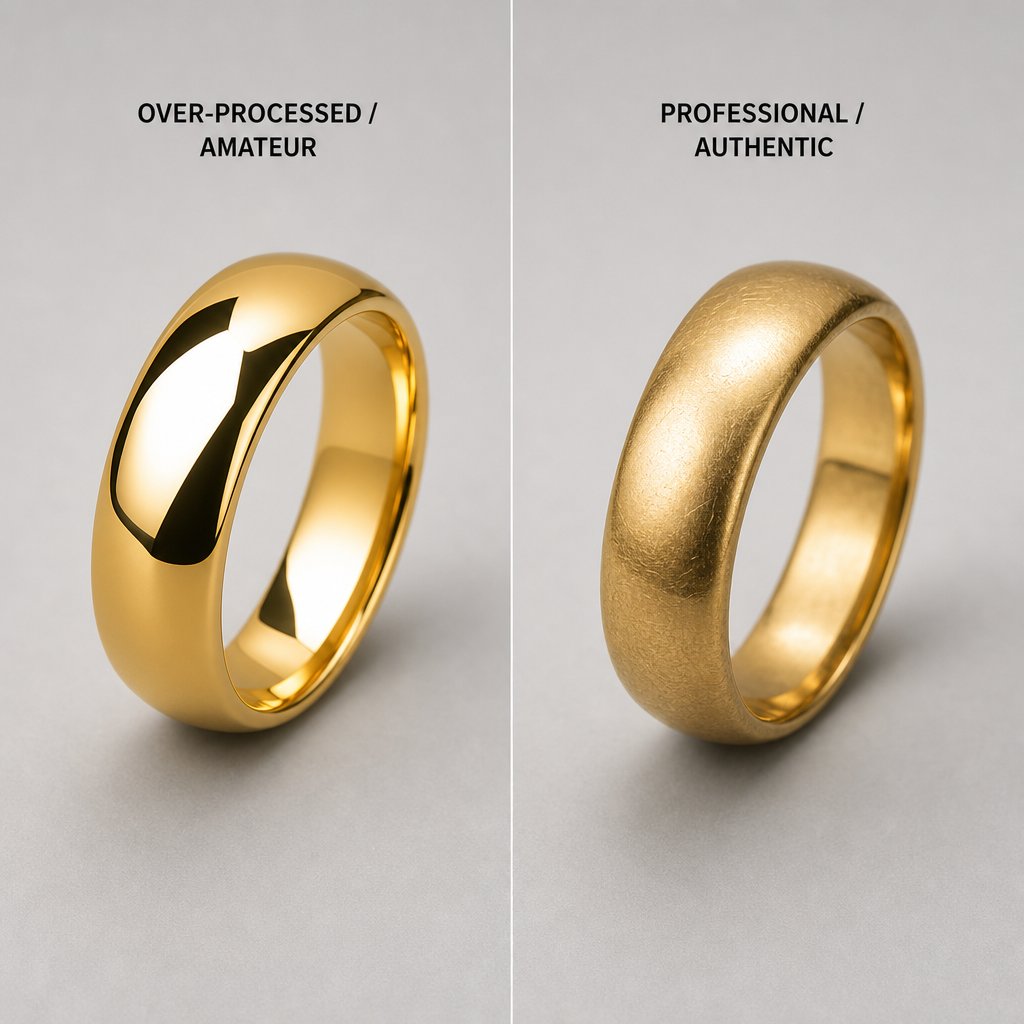
over smoothing metal texture is the most common retouching mistake that makes expensive jewelry look cheap and artificial

Common Mistakes That Ruin Jewelry Images

Painted reflections that defy physics. Metal surfaces that look like melted plastic. Gemstones flattened into colored stickers. These aren't hypothetical problems — they're the exact errors that make expensive jewelry look cheap online. And the frustrating part? Most of them happen because the retoucher was trying too hard to make the image look "perfect."

Whether you're editing in-house or evaluating results from a cheap jewelry photo retouch service, recognizing these mistakes is the first step toward avoiding them. Let's break down the most damaging errors and why they happen.

Over-Smoothing and Loss of Natural Metal Texture

This is the single most common mistake in jewelry retouching, and it's the one that does the most damage to perceived value. When editors apply aggressive smoothing or noise reduction to metal surfaces, they strip away the subtle grain and micro-texture that tells the viewer's brain "this is real gold" or "this is polished platinum."

Real precious metals have character. Yellow gold shows faint directional brushing marks from polishing. Platinum has a slightly satiny quality even when mirror-finished. Remove those cues, and the surface reads as a 3D render — technically smooth but emotionally dead. Industry research confirms that over-smoothing is the number one retouching error that makes luxury pieces look artificial.

The fix is restraint. Use frequency separation to address actual flaws — scratches, dust, fingerprints — on the high-frequency layer while leaving the low-frequency tonal structure intact. Clean up problems. Don't erase texture.

Unnatural Reflections and Gemstone Depth Destruction

Reflections tell our brains about shape, material, and environment. When a retoucher adds or modifies reflections without respecting the established light direction, the result feels wrong immediately — even to viewers who can't articulate why. Copy-pasting a highlight from one side of a ring to the other, or adding specular points that don't follow surface curvature, creates visual contradictions that trigger subconscious doubt.

Gemstone depth destruction is equally damaging. When you boost contrast or saturation globally across a stone, you flatten the internal light play that gives it three-dimensionality. A sapphire should show darker zones near the edges and brighter areas where light exits after bouncing through the pavilion facets. Flatten that variation, and you've turned a living gemstone into a colored disc.

Here's a complete list of the most damaging retouching mistakes, why they happen, and how to prevent them:

  • Over-smoothing metal surfaces — Happens from aggressive blur tools or automated noise reduction. Avoid by retouching on separate layers and preserving original texture underneath.
  • Unnatural reflection angles — Happens when reflections are painted or cloned without matching the original light source direction. Avoid by always referencing the key light position before adding specular highlights.
  • Flattened gemstone depth — Happens from global contrast or saturation adjustments applied to the entire stone. Avoid by using selective masks and preserving internal tonal gradients.
  • Pearls that look like painted spheres — Happens from over-sharpening or excessive contrast that kills the soft nacre luster. Avoid by using minimal sharpening and preserving the subtle color overtones that create iridescence.
  • Inconsistent lighting direction — Happens when compositing elements from different shots or adding shadows that contradict the key light. Avoid by establishing a single light direction reference and checking all elements against it.
  • Over-sharpening with visible halos — Happens when sharpening radius is set too high or applied globally rather than selectively. Avoid by using edge masks and checking at 100% zoom for white or dark fringing along metal edges.
  • Misaligned symmetry — Happens when rings or earrings are photographed slightly off-axis and not corrected. Avoid by using guide overlays and transform tools to ensure paired elements mirror correctly.
  • Camera or retoucher reflected in polished surfaces — Happens on highly reflective bezels and flat metal areas. Avoid by inspecting all reflective surfaces at high magnification and cloning out unwanted reflections carefully.

Different jewelry categories also carry their own category-specific pitfalls. Rings demand precise symmetry correction — a band that appears even slightly tilted or uneven reads as poorly manufactured rather than poorly photographed. Necklaces require chain link consistency, where every link maintains uniform brightness, sharpness, and spacing across the entire length. A single soft or dark link breaks the visual rhythm and draws the eye to the wrong place. Watches are perhaps the most demanding category, requiring absolute precision on dial details: indices must be perfectly aligned, text must remain crisp and legible, and the hands need to sit at exact positions without any retouching artifacts softening their edges.

Many of these errors stem from a fundamental misunderstanding: the goal of retouching isn't to make jewelry look perfect in an abstract sense. It's to make jewelry look like the best possible version of itself under ideal conditions. That distinction — between enhancement and fabrication — is also what separates professional-grade results from amateur work. Defining where that line sits requires measurable benchmarks rather than subjective opinion.

Quality Benchmarks That Define Professional Standards

Saying an image "looks good" isn't a quality standard. It's an opinion. Professional jewelry photo editing services operate on measurable criteria that can be evaluated objectively, repeated consistently, and communicated clearly between retouchers, photographers, and clients. Without these benchmarks, quality becomes a moving target — and inconsistency creeps into every catalog.

So what separates a professionally retouched jewelry image from an amateur attempt? You can break it down into five observable indicators that anyone can check at 100% zoom.

Measurable Quality Indicators for Professional Results

Each indicator below addresses a specific visual property that viewers perceive — consciously or not — when evaluating whether a piece of jewelry looks expensive or cheap on screen.

Edge sharpness without halos. Professional results show crisp metal and facet edges with no white or dark fringing. When you zoom to 100% on a ring's edge against its background, the transition should be clean and precise — one to two pixels wide at most. Halos appear when sharpening is applied too aggressively or with too large a radius, creating a glowing outline that screams "over-processed."

Reflection accuracy matching real-world physics. Every specular highlight in the image should be traceable to a logical light source. Reflections wrap around curved surfaces, taper at edges, and maintain consistent directionality. If a highlight on the left side of a band suggests light coming from the upper left, every other reflection in the frame should agree.

Color consistency across the catalog. When a customer browses 30 yellow gold rings on your site, the gold tone should look identical across all 30 listings. Inconsistency — where one ring appears warm and rich while another looks pale and greenish — signals amateur work and erodes trust in the entire collection.

Clean background transitions. The boundary between product and background should be invisible at normal viewing distance. No jagged edges, no leftover fringe from the original background, no visible masking artifacts. The piece should appear to exist naturally in its environment rather than looking cut-and-pasted.

Natural shadow rendering. Shadows ground a piece in physical space. Professional shadows have soft, graduated edges that match the apparent light source, appropriate density relative to the piece's distance from the surface, and correct directionality. A shadow that's too sharp, too dark, or pointing the wrong way makes the entire image feel artificial.

Quality Criteria Amateur-Level Results Professional-Level Results
Edge Quality Visible halos from over-sharpening, jagged mask edges, soft or inconsistent borders Clean 1-2 pixel transitions, no fringing, crisp facet and metal edges at 100% zoom
Color Accuracy Inconsistent gold tones across catalog, gemstone hues shifted from reality, white balance drift between images Uniform metal tones across all products, gemstone colors match physical stones under D65 illuminant, consistent white balance
Reflection Realism Reflections contradict light direction, copy-pasted highlights, specular points that ignore surface curvature All reflections traceable to a single logical light source, highlights follow surface geometry, natural falloff and taper
Background Cleanliness Visible fringe or halo around product, uneven background tone, leftover artifacts from masking Seamless product-to-background transition, perfectly uniform background, no visible extraction artifacts
Shadow Quality Hard-edged or missing shadows, incorrect direction, uniform density that looks pasted on Graduated soft edges, correct directionality matching key light, natural density falloff with distance

Color Accuracy and Catalog Consistency Standards

Color accuracy in jewelry retouching isn't just about making things look pretty. It's about truthful representation — and it starts with your monitor. A jewellery retouching service working on an uncalibrated consumer display is essentially editing blind. The colors they see bear little resemblance to what the file actually contains or what the customer's screen will show.

Professional standards require hardware-calibrated monitors with wide color gamut coverage (at minimum 99% sRGB, ideally 95%+ Adobe RGB) calibrated to a D65 white point at 120 cd/m2 luminance. Calibration should happen monthly at minimum, using a colorimeter like an X-Rite i1Display or Datacolor SpyderX. Without this foundation, every color decision is a guess.

Metamerism adds another layer of complexity. This phenomenon occurs when two colors appear identical under one light source but different under another. A gemstone that looks perfectly matched to its real-world counterpart on your calibrated monitor under D65 simulation might appear noticeably different when the customer views it on their phone under warm incandescent lighting. Research in gemstone color measurement has shown that color differences (Delta E) greater than 3 are perceptible to the human eye, and differences above 6 become unacceptable. Professional retouchers account for metamerism by avoiding extreme saturation pushes that exaggerate color shifts across viewing conditions.

For catalog consistency specifically, the workflow needs standardized reference values. Many professional studios establish a "gold standard" reference image for each metal type — a master file showing the exact warmth, brightness, and saturation that 18k yellow gold should display across the entire collection. Every subsequent image gets matched to that reference using Curves adjustments and selective color tools, ensuring the 200th ring in the catalog looks like it belongs with the first.

This brings up an important ethical boundary. There's a meaningful difference between enhancement and misrepresentation. Correcting a color cast so yellow gold looks like yellow gold rather than greenish-yellow? That's honest enhancement. Boosting a pale, included diamond to appear colorless and flawless? That crosses into deception. The ethical line sits at a simple question: would the customer feel misled when the physical piece arrives?

Ethical retouching enhances what's already there. It corrects technical shortcomings of the photography process. It does not fabricate qualities the piece doesn't possess.

Acceptable enhancement includes removing dust, correcting white balance, cleaning background distractions, and optimizing lighting to show the piece at its best. Unacceptable manipulation includes removing visible inclusions from gemstones, changing metal color to suggest a higher karat, adding fire or brilliance a diamond doesn't actually produce, or altering proportions to make a stone appear larger.

For ecommerce sellers, this isn't just a moral consideration — it's a financial one. Misrepresented products generate returns, negative reviews, and lost customer lifetime value. The goal of professional retouching is to show the piece exactly as it would appear under ideal showroom lighting, in the hands of a knowledgeable salesperson. Nothing more, nothing less.

These quality benchmarks and ethical boundaries define what professional results look like. But achieving them consistently — especially at scale — increasingly involves deciding which parts of the workflow benefit from automation and which still demand a human eye.

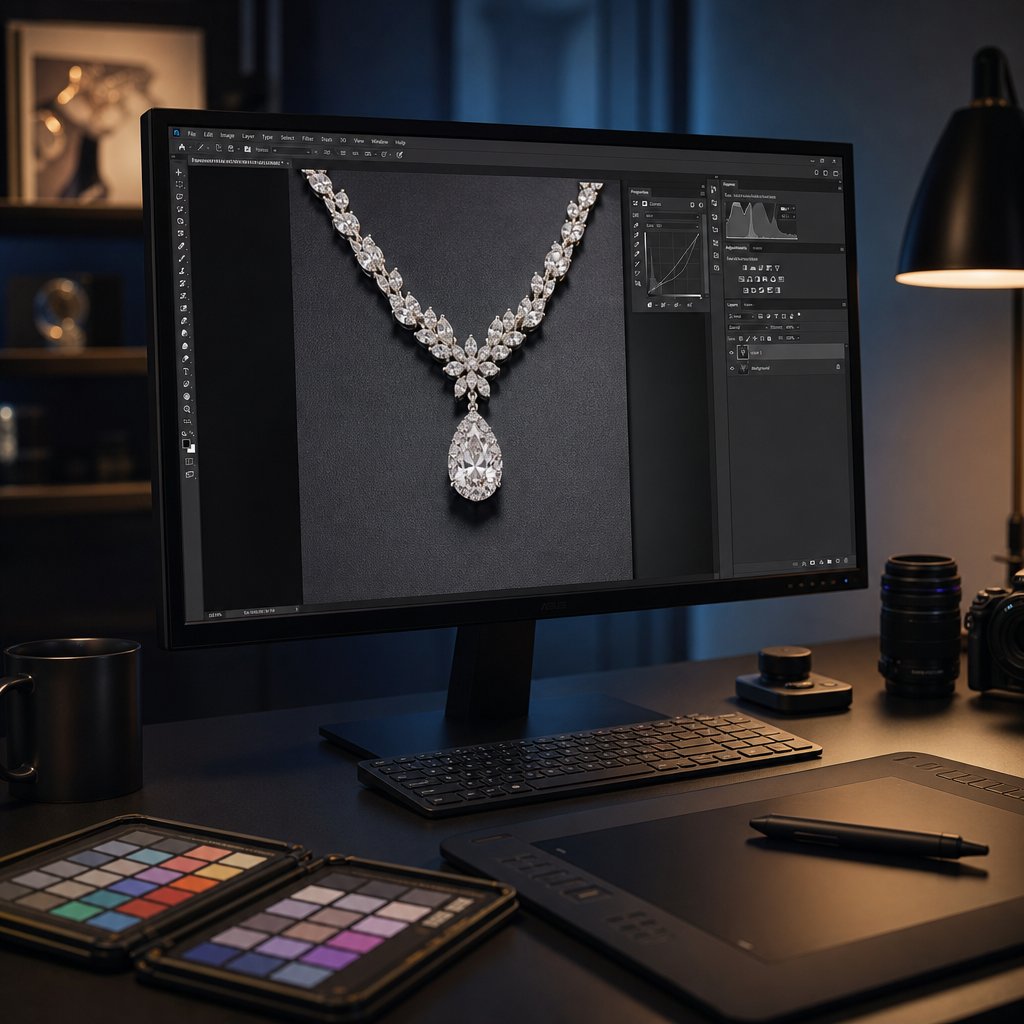
ai assisted tools handle routine jewelry retouching tasks efficiently while human expertise remains essential for material specific refinement

AI-Assisted Retouching Tools and Their Limitations

Automation sounds appealing when you're staring at 200 product images that all need retouching by Friday. AI-powered tools have made genuine progress in jewelry photo editing, handling repetitive tasks faster than any human could. But speed and quality aren't the same thing — and for jewelry specifically, the gap between what AI delivers and what luxury imagery demands remains significant.

A 2026 head-to-head study by Color Experts International found that AI was 22.7 times faster than human retouchers on average, but delivered 41.7% lower quality scores. Human retouchers scored 8.85 out of 10 while the best-performing AI model reached only 6.00. That performance gap tells you exactly where AI fits in a professional workflow — and where it doesn't.

What AI Can Handle in Jewelry Retouching

AI excels at tasks that are repetitive, rule-based, and don't require subjective judgment about material behavior. For any jewelry photo editing service processing high volumes, these capabilities save real time and money:

  • Background removal and replacement — AI detects product edges and isolates jewelry from studio backgrounds with reasonable accuracy, even on complex shapes like chain links and prong settings.
  • Dust and scratch detection — Machine learning models identify and remove small surface blemishes automatically, handling the tedious cleanup that would otherwise consume the first 10 minutes of every manual edit.
  • Batch color correction — AI applies consistent white balance and exposure normalization across hundreds of images, ensuring catalog-wide uniformity for basic tonal values.
  • Image upscaling and noise reduction — Neural networks reconstruct detail at higher resolutions and suppress sensor noise without the heavy-handed smoothing of older algorithms.
  • Output formatting — Automated resizing, file format conversion, and platform-specific export settings eliminate repetitive manual steps at the end of the pipeline.

For ecommerce sellers managing large catalogs, these capabilities translate directly into cost savings. Batch AI processing can reduce per-image costs from $5-$15 with traditional retouching down to under $2, while cutting turnaround from weeks to hours.

Where AI Falls Short for Luxury Imagery

The problems start when you need more than basic corrections. Jewelry demands material-aware decisions that current AI models simply cannot make reliably:

  • Nuanced metal texture preservation — AI tends to over-smooth polished surfaces, stripping the micro-grain that communicates "real precious metal" to viewers. It cannot distinguish between a flaw that should be removed and a texture that should stay.
  • Gemstone refraction and depth — Internal light play within transparent stones requires understanding of how light behaves inside crystalline structures. AI flattens this complexity rather than enhancing it.
  • Creative reflection work — Painting or reshaping specular highlights to sculpt three-dimensional form requires artistic judgment about where light should fall. AI produces reflections that often look synthetic or physically impossible.
  • Brand-specific aesthetic consistency — Luxury brands have distinct visual identities. The warm, romantic glow of a Tiffany campaign looks nothing like the stark, architectural precision of a Cartier shoot. AI cannot internalize and replicate these nuanced brand languages.
  • Complex compositing decisions — When multiple focus-stacked layers need blending, or when elements from different shots are combined, AI lacks the contextual judgment to handle transition zones cleanly.
  • Label and fine detail accuracy — AI sometimes distorts engravings, hallmarks, or small text elements on jewelry pieces, creating outputs that misrepresent the actual product.

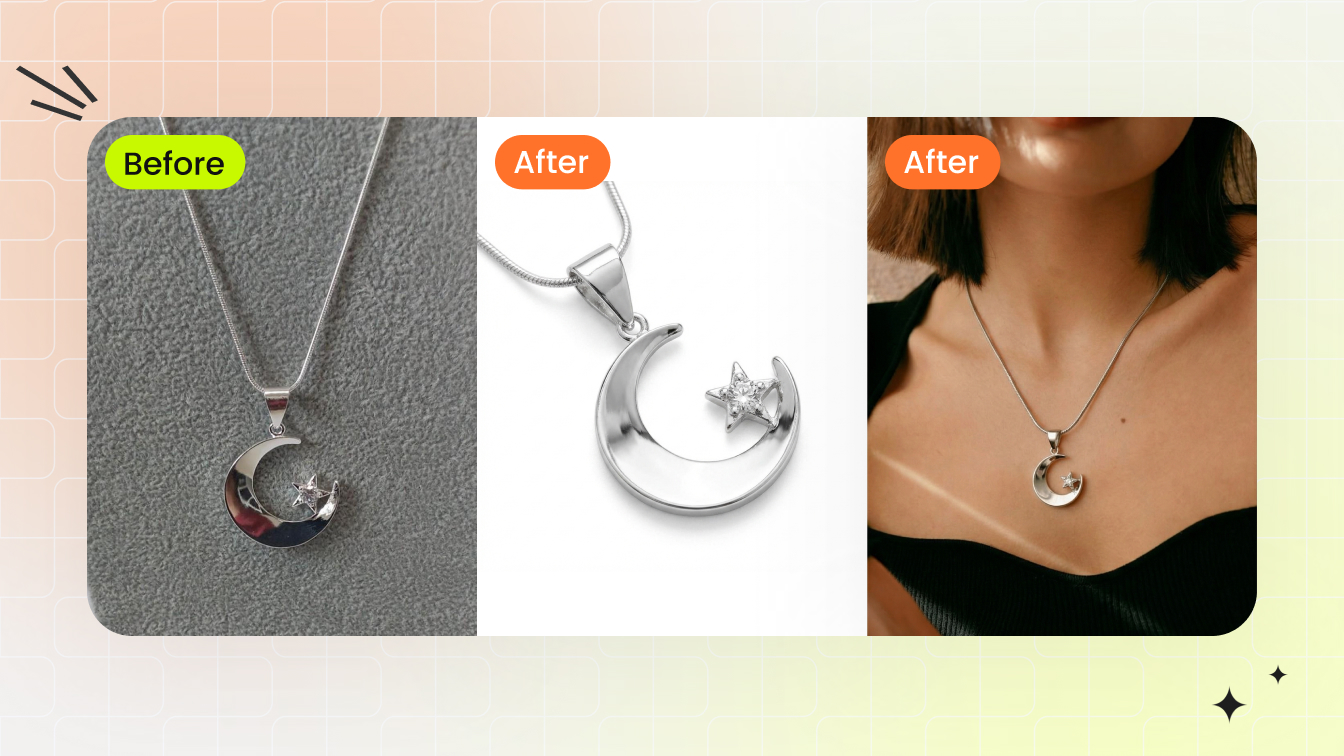
The practical conclusion isn't AI versus human — it's AI plus human. The most effective jewellery photo editing services use a hybrid approach: AI handles the predictable, time-consuming groundwork (background removal, basic cleanup, batch normalization), then skilled retouchers step in for the material-specific refinement that requires genuine understanding of how precious metals and stones behave under light.

Platforms like Snappyit represent this hybrid model in practice, combining AI-driven efficiency for routine processing with quality controls designed specifically for jewelry workflows. The AI handles volume; the quality standards ensure each image still meets professional benchmarks for clarity, shine, and material accuracy.

This hybrid reality raises a practical question for jewelry sellers: at what point does it make sense to handle retouching yourself, and when should you hand it off entirely?

When to DIY and When to Outsource Your Retouching

You've got the techniques, you understand the materials, and you know what professional results look like. The remaining question is purely operational: should you do this yourself, or pay someone else to do it? The answer depends on five factors that interact differently depending on whether you're a solo Etsy seller photographing rings on your kitchen table or a studio managing 500 SKUs per month for a luxury brand.

There's no universal right answer here. But there is a framework that helps you avoid the two most expensive mistakes — overpaying for outsourced work you could handle yourself, or burning hours on retouching when your time generates more value elsewhere.

Factors That Determine the DIY vs Outsource Decision

Before choosing a path, honestly assess where you stand on each of these criteria:

  • Monthly image volume — Are you retouching 10 images a month or 500? At low volumes, the learning investment of DIY pays off over time. At high volumes, the math shifts dramatically toward outsourcing because your per-image time cost compounds.
  • Piece complexity — Simple stud earrings on white backgrounds are manageable for a skilled amateur. Multi-stone necklaces with mixed metals, focus stacking requirements, and reflection painting? That's specialist territory.
  • Turnaround pressure — If you need images live within 24 hours of a shoot, in-house retouching creates bottlenecks unless you have dedicated staff. Outsourcing to a service with guaranteed delivery windows removes that constraint.
  • Current skill level — Be honest. Can you execute frequency separation on a platinum surface without destroying grain? Can you preserve gemstone depth while cleaning inclusions? If not, the learning curve is months, not days.
  • Cost-per-image economics — This is where most people miscalculate. Your true in-house cost isn't just your time multiplied by hourly rate. It includes software subscriptions, hardware, monitor calibration equipment, training time, and the opportunity cost of not doing something else with those hours.

That last point deserves emphasis. A common mistake is dividing a retoucher's salary by their maximum image capacity and calling that the per-image cost. According to Pixelz's total cost of ownership analysis, the real figure must include health insurance, equipment, office space, HR overhead, management time, vacation days, sick days, and inevitable downtime during slow periods. Their calculator puts the total annual cost of a single in-house retoucher at over $124,000 — far beyond the $75,000 salary line item most people budget for.

For solo sellers and small businesses, the calculation is simpler but the principle holds. If you spend three hours retouching a ring and your time is worth $50 per hour in other business activities (product design, marketing, customer service), that ring cost you $150 in retouching — far more than any professional service would charge.

Matching Your Volume and Quality Needs to the Right Solution

Different business stages call for different approaches. Here's how the decision typically breaks down:

Low volume, learning stage (under 30 images per month). If you're a new jewelry seller building your first collection, DIY retouching makes sense. The volume is manageable, the learning builds a valuable skill, and you develop an eye for quality that helps you evaluate outsourced work later. Invest in a calibrated monitor, learn non-destructive workflows, and accept that your first 100 edits won't be perfect.

Growing volume, consistent quality needed (30 to 200 images per month). This is the awkward middle ground where most sellers get stuck. You know enough to see quality problems but don't have enough hours to fix them all properly. This is where outsourcing specific tasks — background removal, basic cleanup, batch color correction — while handling creative retouching yourself creates the best balance.

High volume, catalog consistency critical (200+ images per month). At this scale, in-house retouching requires dedicated staff, and the total cost of ownership climbs fast. Outsourcing to a specialized jewelry retouching service becomes the economically rational choice. The key is finding a partner whose quality standards match yours and whose workflow scales without requiring proportionally more of your management time.

The hidden cost that catches most growing businesses off guard? Time to market. Research on retouching bottlenecks shows that a two-week delay in getting product images live doesn't just shift revenue — it reduces total earning time and peak sales potential. For a jewelry seller with $300 average order value moving 1,000 units monthly at 8% margin, a two-week retouching delay costs roughly $11,200 in lost revenue. That number alone often justifies the outsourcing decision.

When you do outsource jewelry photo retouching services, evaluate vendors on more than per-image price. Ask about onboarding time, revision policies, and whether their team actually specializes in jewelry. A generalist retouching service that handles apparel, food, and electronics won't understand the material-specific challenges covered earlier in this article. They'll over-smooth your gold, flatten your gemstones, and deliver images that need rework — which means you're paying twice.

For ecommerce sellers specifically, platforms like Snappyit's jewelry retouching service offer a middle path: purpose-built workflows for jewelry imagery that combine processing efficiency with the quality controls needed for precious materials. This model works particularly well for sellers who need consistent catalog-quality output without managing a retouching team or spending hours on revision cycles.

Whichever path you choose, the decision shouldn't be permanent. Many successful jewelry brands start with DIY, shift to partial outsourcing as they grow, and eventually move to full-service partnerships when catalog scale demands it. The framework above helps you recognize when you've outgrown your current approach — before the quality gaps start costing you sales.

One factor that shapes both DIY and outsourced workflows equally: knowing exactly what each selling platform requires before you start editing, so you're building toward the right specifications from the beginning rather than reformatting at the end.

jewelry images require platform specific formatting for amazon etsy shopify and editorial use to maximize visual impact across every channel

Platform-Specific Output Requirements for Jewelry Sellers

Reformatting a finished image for a different platform is like tailoring a suit after it's already sewn shut. You can force it to fit, but the result never looks as clean as building to the right measurements from the start. Every selling platform has distinct technical requirements for jewelry images, and your retouching workflow should target those specifications from the moment you open the RAW file — not as an afterthought during export.

Why does this matter so much for jewelry specifically? Because resizing a diamond ring image from 4000 pixels down to 1000 pixels after sharpening introduces different artifacts than sharpening at the target resolution. Cropping a necklace shot to square after compositing may cut off chain ends you carefully retouched. Converting from Adobe RGB to sRGB at the wrong stage can shift that emerald's hue just enough to trigger a return. Planning your output destination first eliminates these problems entirely.

Amazon and Marketplace Image Requirements

Amazon enforces the strictest image standards of any major marketplace. Their jewelry category guidelines leave little room for creative interpretation on main listing images. You'll need a pure white background (RGB 255, 255, 255), no text or watermarks, no mannequins or models, and the product must occupy at least 80% of the image area. The longest side must fall between 500 and 2100 pixels, with a minimum of 1000 pixels on either dimension to enable the zoom function.

For practical purposes, shoot and retouch at 2000 pixels or larger on the longest side. This gives Amazon's zoom feature enough resolution to show gemstone detail and metal texture clearly. JPEG is the preferred format, though TIFF and GIF are accepted. Keep your file in sRGB color space for upload — Amazon's system doesn't handle embedded Adobe RGB profiles consistently across all devices.

One detail many sellers miss: Amazon requires that the product appear outside of any packaging. For jewelry, this also means no ring boxes, velvet displays, or branded pouches in the main image. Secondary images allow more flexibility, including lifestyle shots and scale references, but the hero image must be the piece alone on pure white.

Etsy, Shopify, and Editorial Specifications

Etsy takes a fundamentally different approach. The platform rewards lifestyle imagery, storytelling, and brand personality. Square images (recommended minimum 2000 x 2000 pixels) perform best in search results and grid layouts. Unlike Amazon, Etsy allows — and even encourages — styled backgrounds, props, and on-model shots that help buyers imagine wearing the piece.

For a jewellery photo editing service handling Etsy work, this means retouching extends beyond the product itself. Background textures, styling elements, and environmental lighting all need attention. Color consistency still matters across your shop, but the aesthetic can be warmer and more personal than marketplace standards demand.

Shopify gives you complete creative control since you own the storefront. The recommended image size is 2048 x 2048 pixels for sharp zoom functionality, with file sizes ideally under 3MB to maintain fast page loads. The critical factor here is consistency across your entire catalog — uniform dimensions, backgrounds, and lighting style create the polished look that converts browsers into buyers.

Editorial publications (magazines, lookbooks, brand campaigns) operate on entirely different parameters. Print work requires 300 DPI at final output size, often in CMYK color space rather than RGB. A full-page magazine ad at 8.5 x 11 inches needs roughly 2550 x 3300 pixels minimum. The retouching approach shifts too — editorial imagery prioritizes mood and storytelling over pure product accuracy, allowing more creative license with lighting and color grading.

The table below compares requirements across platforms so you can plan your retouching pipeline from the start:

Platform Background Minimum Resolution Recommended Size File Format Max File Size Color Profile
Amazon Pure white (RGB 255,255,255) 1000 x 1000 px 2000 x 2000 px JPEG (preferred), TIFF, GIF 10MB sRGB
Etsy Flexible (lifestyle or clean) 1000 x 1000 px 2000 x 2000 px (square) JPEG, PNG, GIF 10MB sRGB
Shopify Seller's choice (consistency key) 800 x 800 px 2048 x 2048 px JPEG, PNG, WebP 20MB (under 3MB ideal) sRGB
Google Shopping White or neutral 250 x 250 px (apparel) 800 x 800 px+ JPEG, PNG, non-animated GIF 16MB sRGB
Editorial Print Creative/contextual 300 DPI at print size 2550 x 3300 px (full page) TIFF, PSD (uncompressed) No practical limit Adobe RGB or CMYK

Here's the practical takeaway: if you sell on multiple platforms simultaneously, your retouching master file should be built at the highest common denominator. Work at 3000+ pixels in Adobe RGB, perform all your retouching at that resolution, then create platform-specific exports as the final step. This means sharpening, resizing, color space conversion, and format compression happen only once — at the very end — tailored to each destination. You never degrade your master file, and every platform gets an image optimized specifically for its requirements.

For sellers who outsource jewelry photo clipping services or full retouching workflows, communicate these output specs upfront. A good retouching partner will deliver multiple export versions from a single master edit, saving you the hassle of reformatting and the risk of introducing quality loss through repeated conversions. Build to spec from the beginning, and your jewelry looks its best everywhere it appears.

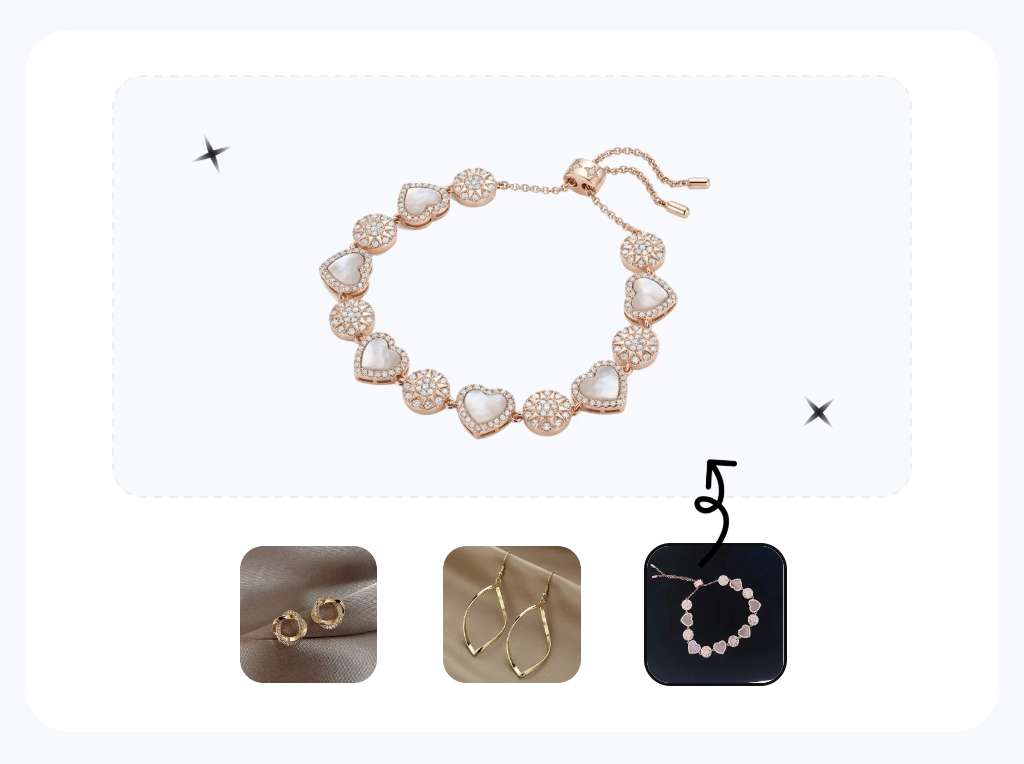
Want studio-grade jewelry shots without a retoucher? Snappyit handles background, reflections, and color in one pass. Try Snappyit free →

Retouch your jewelry catalog in seconds

Upload a flat capture and let Snappyit deliver clean backgrounds, true-to-life metal and gemstone detail, and platform-ready exports — no retoucher, no Photoshop layers.

Try Snappyit free →

Frequently Asked Questions About High End Jewelry Retouching

1. What should I budget per image for professional jewelry retouching?

Professional jewelry retouching typically ranges from $5 to $15 per image for manual work, depending on piece complexity, turnaround time, and the level of detail required. AI-assisted services like Snappyit can reduce costs to under $2 per image for routine tasks such as background removal and batch color correction, while maintaining quality controls specific to jewelry workflows. Multi-stone pieces, focus-stacked composites, and editorial-grade retouching sit at the higher end of the pricing spectrum due to the specialized skill and time involved.

2. What is the difference between jewelry photo editing and high end retouching?

Basic jewelry photo editing covers universal corrections like cropping, exposure adjustment, and white balance fixes. High end retouching goes significantly deeper by addressing material-specific challenges: sculpting light across diamond facets to replicate real brilliance, managing specular highlights on platinum without flattening surface character, and preserving internal refraction within gemstones. The distinction lies in understanding how each precious material interacts with light and applying techniques like frequency separation, dodge and burn, and reflection painting to enhance rather than fabricate visual qualities.

3. Can AI replace human retouchers for jewelry images?

Not for luxury-grade results. AI handles repetitive tasks well, including background removal, dust cleanup, and batch color normalization, delivering results 22 times faster than humans. However, studies show AI scores roughly 41% lower on quality compared to skilled retouchers. AI struggles with nuanced metal texture preservation, gemstone refraction depth, creative reflection work, and brand-specific aesthetics. The most effective approach combines AI efficiency for routine processing with human expertise for material-aware refinement, which is the hybrid model platforms like Snappyit use for jewelry-specific workflows.

4. Which jewelry retouching mistakes most often cheapen a piece?

The most damaging mistakes include over-smoothing metal surfaces (which strips natural grain and makes gold look like plastic), adding reflections that contradict the established light direction, flattening gemstone depth through global contrast adjustments, over-sharpening that creates visible halos on metal edges, and inconsistent lighting direction across composited elements. Each error stems from the same root cause: prioritizing abstract perfection over physical accuracy. Professional retouching preserves the optical behavior that makes precious materials look real and valuable.

5. What image specifications do Amazon and Etsy require for jewelry listings?

Amazon requires pure white backgrounds (RGB 255,255,255), minimum 1000x1000 pixel resolution (2000x2000 recommended for zoom), JPEG format in sRGB color space, with the product filling at least 80% of the frame. Etsy recommends square images at 2000x2000 pixels minimum, allows lifestyle backgrounds and styled shots, and accepts JPEG, PNG, or GIF formats. For sellers on multiple platforms, the best practice is retouching a master file at 3000+ pixels in Adobe RGB, then creating platform-specific exports as the final step to avoid quality degradation.


More Resources for Jewelry Sellers