
At a glance
Remove the background from jewelry photos without Photoshop. A method decision rule for rings, chains, and gemstones, the halo/ghosting fixes, exact Amazon/Etsy/Shopify specs, and the batch economics — free, no pen tool.
| Need | What to do |
|---|---|
| Get oriented | Read the short summary, then use the checklist below. |
| Create a test image | Try Background Remover Free |
Why Jewelry Is the Hardest Product to Cut Out
A cotton t-shirt is an easy cutout. Jewelry is the opposite — it breaks almost every assumption a background remover makes, which is why so many sellers still drag supplier photos into Photoshop and trace them by hand. Four things make a ring or a necklace hard:
- Reflective metal mirrors the background. Polished gold, silver, and platinum act like mirrors that mimic the exact color of whatever they sit on, so the AI cannot separate a legitimate metal reflection from the studio backdrop and carves into the band.
- Prongs and claw settings are tiny. The four or six prongs holding a stone are a few pixels wide, with background showing between them. Tools that look for one smooth silhouette bridge the gaps and bury the prongs.
- Thin chains are mostly background. A fine chain is a row of small links with daylight between every one. The correct cutout keeps the metal and drops the gaps — most one-click tools do the reverse, or thin the chain into a dotted line.
- Gemstones are semi-transparent. Faceted stones bend and pass light, so the AI mistakes the inside of a diamond for the background — and either traps the backdrop inside the stone or erases its sparkle.
None of this means you need Photoshop. It means you need a cutout engine trained on jewelry, plus a brush to fix the last few percent — and a rule for when even that is not enough.
AI, AI-Hybrid, or Manual: Pick the Method Before You Start
The single thing every "remove jewelry background" tutorial skips is when to use which method. Pick wrong and you either ship a sloppy cutout or waste an afternoon pen-tooling a piece the AI would have nailed. There are three methods, not one:
- Method A — AI one-click. Fine for matte or brushed metal, opaque cabochon stones, and simple closed silhouettes: signet rings, stud earrings, solid pendants.
- Method B — AI-hybrid. The AI strips the bulk in seconds, then you brush the mask to restore prongs and clear pixels trapped between chain links. This is the right default for most catalog SKUs.
- Method C — pure manual / clipping path. Reserved for faceted or transparent diamonds, mirror-polished metal, multi-strand pearls, and filigree, where a vector boundary is mandatory.
A 30-second triage tells you which branch you are on. Does the piece have (1) see-through or faceted stones, (2) mirror-finish metal reflecting the backdrop, (3) negative-space holes like chain gaps or openwork, or (4) sub-2mm chain links? Zero of these and Method A is safe; one or more and you go Method B and inspect; all four — a faceted diamond tennis bracelet — is the rare case for Method C.
| Jewelry type | Best method | Why | Watch-outs |
|---|---|---|---|
| Matte / brushed signet ring, opaque cabochon studs, solid pendant | AI one-click (free remover) | Closed silhouette, no transparency or reflective spill for the AI to misread | Inspect edges at 200-300% before publishing |
| Most catalog SKUs: hoops, charm necklaces, open-link bracelets | AI-hybrid (AI + brush the mask) | AI strips the bulk in seconds; you restore prongs and clear gaps between links | Brush black into negative-space holes; restore any clipped link |
| Mirror-polished gold / silver bands, large reflective surfaces | AI-hybrid with light defringe / edge-choke | Metal mirrors the backdrop color, leaving spill and halos | Choke the edge -10% to -20%; check the metal color did not shift |
| Faceted / transparent diamonds, glass, multi-strand pearls, filigree | Pure manual or outsourced clipping path | A vector boundary plus channels keeps refraction and openwork intact | Never decontaminate a transparent stone; budget $1-$3.50/image at agencies |
| Sub-2mm fine chains and delicate earring hooks | AI-hybrid, inspect every link | Generic AI erases thin lines; jewelry-grade tools hold ~1mm chains | Keep feathering light so micro-geometry is not smeared |
The cost gap is the reason to start with AI: Methods A and B are seconds and free in Snappyit's background remover, while a manual clipping path runs roughly $0.49 to $3.50 per jewelry image at an agency and compounds across a catalog.
The Photoshop Pen Tool vs an AI Background Remover
The "proper" manual way is the pen tool: lay anchor points around every edge, close the path, convert to a selection, then mask. It produces a crisp clipping path — and it is genuinely slow, manual, and skill-dependent. Piece by piece:
| Task | Photoshop pen tool / clipping path | AI background remover |
|---|---|---|
| Trace the outline | Manual anchor points around the whole piece | Automatic in a few seconds |
| Reflective metal edge | You decide every point; reflections are easy to clip by mistake | Kept as part of the piece by a jewelry-trained model |
| Chain gaps & openwork | A compound path carving out each hole by hand | Auto, then a black-brush pass to clear trapped pixels |
| Time per ring | 10-25 minutes for a clean path | Under a minute, including refinement |
| A batch of 50 SKUs | A full day of tracing | Well under an hour |
Photoshop still wins on a single hero image when you need pixel-perfect compositing and already own the skill. For catalog volume — 50 supplier photos to clean white listings this afternoon — the pen tool is the bottleneck the AI removes.
Step-by-Step: Remove a Jewelry Background in the Free Tool
The whole flow takes under a minute for a clean ring, two or three for a chain-heavy piece.
- Open the tool. Go to snappyit.ai/free-tool/background-remover. No account, no email — the editor loads in your browser.
- Upload the photo. Drag in the supplier image or your studio shot. JPG, PNG, and WebP up to 4096 x 4096. Use the highest resolution you have so fine chains keep their detail.
- Let the AI auto-cutout run. The model isolates the piece and builds soft alpha edges around the metal and stone. For a clean ring on a plain backdrop this is often listing-ready.
- Inspect at zoom. Scroll to zoom and press
Dto toggle the edge line. Check the jewelry trouble spots: prong gaps, the inner hole of a ring, chain links, and any reflection mistaken for background. - Refine with the brushes. Paint green to keep (restore a thinned chain link or a clipped prong) and red to remove (clear backdrop trapped inside the band or between links). The cutout updates after every stroke.
- Export. Download a full-resolution PNG — transparent for your master, or solid white (RGB 255,255,255) for Amazon. No watermark either way.
Remove a jewelry background — free, no signup
The 4 Hardest Jewelry Edges — and How to Fix Each
1. Reflective metal (gold, silver, platinum)
Why it fails
the band reflects the backdrop, so a generic remover treats the mirrored grey as background and carves into the metal. The fix: green-brush any spot where the band looks "bitten," and toggle D to confirm the edge runs along the true metal outline, not inside a reflection.
2. Prongs and claw settings
Why it fails
prongs are a few pixels wide with background between them, so tools bridge the gaps and the stone looks glued in. The fix: zoom to 300% on the setting, red-brush the background trapped between prongs, green-brush any prong tip the AI shaved.
3. Thin chains and fine necklaces
Why it fails
a chain is mostly the gaps between links; removers either keep the gaps (a solid grey ribbon) or thin the links to a dotted line. The fix: work at high zoom with a small brush — red between links to open the daylight, green on any link that got thinned. Upload a high-res file so each link is more than a pixel or two wide.
4. Gemstone facets and transparent stones
Why it fails: faceted and transparent stones bend light, so their boundary is a soft transition. The fix: let the soft alpha edge do the work — do not hard-erase up to the stone. If the old backdrop ghosts through a clear stone, exporting onto solid white hides it, which is one reason white is the safe export for gemstone pieces.
Halos, Stepping, and Ghosting — Why They Happen and How to Kill Them
When an AI cutout looks wrong on jewelry, it is almost always one of three named failure modes:
- Stepping — aliased, pixelated edges that look like tiny stairs along the band.
- Ghosting — a semi-transparent halo around the metal where edge pixels still carry spill from the old background.
- Clipping — delicate prongs or sub-2mm chain links erased entirely.
The hybrid fix sellers can actually do, in order: choke the mask edge inward (roughly -10% to -20% edge shift) to cut the halo, enable decontaminate / defringe so spill pixels are replaced with the adjacent jewelry color, then brush white into the mask to restore clipped prongs and black to clear pixels stranded between chain links. One hard rule: for see-through stones, never run color decontamination — it destroys the natural transparency and the gem ends up looking like plastic. Keep feathering light, because heavy blur smears micro-geometry like chain links, and inspect every fix at 200-300%.
Marketplace-Ready Output Specs for Jewelry
The cutout is only half the job — the export has to clear each marketplace's rules, and jewelry has a few quirks worth knowing. Amazon main images need a pure white background at exactly RGB 255,255,255; off-white or light grey gets auto-scanned and rejected even when the difference is invisible to your eye. The product must fill at least 85% of the frame — but necklaces get a documented exception and may touch or be cropped by the frame edge. And reflections that are inherent to the metal are allowed, so you do not need to erase every natural highlight.
| Marketplace | Background | Min / recommended size | Jewelry-specific note |
|---|---|---|---|
| Amazon (main image) | Pure white, RGB 255,255,255 | 1000px min for zoom; 1600px+ rec; 2000x2000 best | Necklaces may touch or crop the frame edge; inherent metal reflections are allowed; product fills 85%+ |
| Etsy | White / neutral recommended (not required) | 2000px+ on the shortest side, square 1:1 | Leave 10-15% padding so a 4:3 thumbnail crop does not clip the piece; transparent PNG renders black |
| Shopify | White or transparent (your theme) | 2048x2048 square recommended | Use a transparent PNG for grid and banner reuse; add a drop shadow so it does not look like it is floating |
| Walmart | Seamless white required | 1000x1000 min, 85%+ coverage | No logos, borders, or watermarks on the main image |
One myth to drop: jewelry images do not need to be 300 DPI. That is a print concept — web marketplaces care about pixel dimensions, not DPI, so hit the pixel sizes above and ignore the DPI tag.
White Background, Transparent PNG, or Black Velvet?
The cutout is the hard part; the ending depends on where the piece goes.
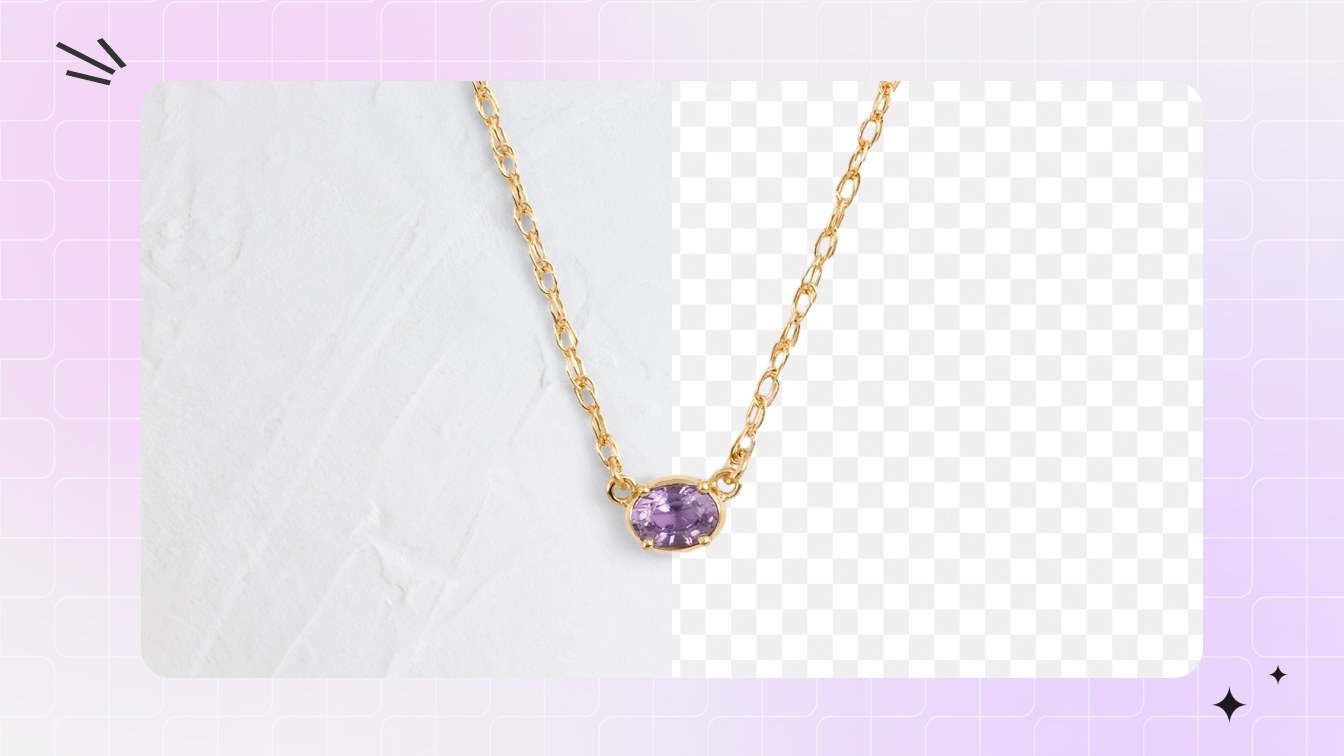
- Pure white (RGB 255,255,255) for the Amazon, Walmart, and marketplace hero.
- Transparent PNG master kept on file, so you can reuse the piece on Shopify grids, banners, and ads without re-cutting. Note that Etsy renders a transparent PNG with the transparent area as black, so flatten to white before uploading there.
- Black or black velvet for secondary and ad shots, where the dark backdrop absorbs light and makes diamonds and gold pop — never as the Amazon main.
One detail that separates amateur from catalog-grade: a flat cutout dropped onto white looks like it is floating, and a floating product erodes buyer trust. Add a subtle drop shadow — low distance, high blur, opacity around 30-50% for small items — and leave 10-15% padding so square thumbnail crops never clip a chain. Keep the transparent PNG master and generate the shadowed-on-white and flat-white versions from it; one cutout fuels every placement. When a campaign needs the backdrop in white, grey, or black velvet, you drop the cutout onto a solid backdrop instead of re-cutting — the full workflow is in changing a product background color for every marketplace.
Batch Removal at SKU Scale: The Real Economics
For a single hero shot, method choice barely matters. For a catalog, it is the whole game. An AI cutout is roughly 2-10 seconds per image and free; a manual clipping path runs about $0.49 to $3.50 per jewelry image at an agency because chains, reflections, and multiple paths are labor-intensive. A 500-SKU jewelry line at $1-3 an image is $500-$1,500 per catalog refresh — and that recurs every time you reshoot or add a metal variant.
The seller pipeline is simple: batch-remove backgrounds, export transparent PNG masters, flatten to white JPG for the Amazon hero, then bulk-upload to Shopify and Etsy via CSV. Leading removers handle up to ~10,000 images per batch, so a full catalog is one pass, not one-by-one. The quieter win is consistency — a fixed batch profile gives every SKU the same crop, padding, and pure-white backdrop, which is exactly what hand-clipping at scale struggles to hold.
Batch-remove your jewelry catalog — free
Keep the Metal Color True (and Spin Up Variants)
Removing the background can shift the metal. Mirror-finish surfaces pick up a color cast from the old backdrop or from aggressive decontaminate settings — gold reads brassy, rose-gold drifts pink, silver goes warm. Always verify the metal matches the physical SKU, not just that the background is gone: compare the cutout against a reference shot before publishing, because "looked different in person" is an expensive return. The upside of a clean transparent master is leverage — from one cutout you can re-export the piece onto white, grey, or black-velvet backdrops for different channels, a flexibility hand-clipping never makes economical.
And when a cutout alone is not enough — dust lodged between prongs, micro-scratches, a gemstone that looks flat and grey straight out of camera — that is retouching, not removal. Send those to catalog-grade Jewelry Retouch.
Frequently Asked Questions
Can I remove the background from a jewelry photo without Photoshop?
Yes. Upload the photo to Snappyit's free background remover, let the AI cut out the piece automatically, fix any prongs or chain links it missed with the green keep and red remove brushes, and export a full-resolution PNG with a transparent or pure-white background. No Photoshop, no pen tool, no subscription, and no watermark.
Which jewelry needs manual clipping and which is fine with one-click AI?
Run a 30-second triage: does the piece have see-through or faceted stones, mirror-finish metal, negative-space holes (chain gaps, openwork), or sub-2mm chain links? Zero of those and AI one-click is safe — signet rings, stud earrings, solid pendants. One or more and you go AI-hybrid (AI strips the bulk, you brush the mask). All four, like a faceted diamond tennis bracelet, is the rare case for a manual or outsourced clipping path.
Why does the inside of my diamond or gemstone still show the background after I remove it?
Translucent stones refract light, so an AI remover cannot tell the backdrop bleeding through the gem from the stone's real internal facets, and it leaves the old background trapped inside. Use an ecommerce-grade remover that preserves internal reflections, or extract the stone from its highest-contrast color channel, and never run color decontamination on a transparent extraction — it flattens the sparkle and makes the gem look like plastic.
Will reflections on my polished metal get my Amazon listing flagged?
No. Amazon allows reflections on the main image when they are inherent to the product's material rather than added effects, so you do not need to erase every natural specular highlight on gold or silver. What gets flagged is a non-white background, off-white that is not RGB 255,255,255, watermarks or text, or the product filling less than 85% of the frame.
How do I keep the gaps inside a chain or openwork ring transparent instead of filled with leftover background?
Those interior holes are negative space, and one-click AI often leaves background pixels trapped in them. Go hybrid: after the AI pass, brush black into the mask to clear the gaps between links, then zoom to 200-300% to confirm every gap is see-through. For a faceted tennis bracelet or filigree piece, a manual compound clipping path that carves out each hole is the reliable route.
My gold looks brassy and my rose-gold looks too pink after removing the background — what happened?
Mirror-finish metal picks up a color cast from the old backdrop or from aggressive edge-decontamination settings, shifting the metal tone. Compare the cutout against a reference shot and correct the metal color so it matches the physical SKU — true color cuts 'looked different in person' returns. From one clean cutout you can also generate gold, silver, and rose-gold variants without reshooting.
My cutout looks like it is floating on the white background — how do I fix it?
Add a subtle floating drop shadow: low distance, high blur, and opacity around 30-50% for small items like jewelry. That grounds the piece so it does not look pasted on, and a floating, shadow-less product erodes buyer trust. Pair it with 10-15% padding so square thumbnail crops never clip a chain or earring hook.
Do jewelry product images need to be 300 DPI?
No — that is a print myth. Web marketplaces care about pixel dimensions, not DPI. Hit at least 1000px on the longest side for Amazon (1600px+ recommended), 2000px square for Etsy, and 2048px square for Shopify. A 300-DPI tag does nothing for an online listing if the pixel count is too low.
Should a jewelry listing use a white, black, or transparent background?
Use a pure-white JPG (RGB 255,255,255) for the Amazon and marketplace hero. Keep a transparent PNG master so you can reuse the piece on Shopify grids, banners, and ads without re-cutting. Black or black-velvet backgrounds make diamonds and gemstones sparkle through contrast for secondary and lifestyle shots — but never as the Amazon main image.
How much does it cost to clip jewelry backgrounds at catalog scale versus doing it with AI?
Manual clipping-path agencies charge about $0.49 to $3.50 per jewelry image because chains, reflections, and multiple paths are labor-intensive — a 500-SKU line can run $500 to $1,500 per refresh, and it recurs every reshoot or variant. An AI remover does each image in seconds for free, and you reserve manual work only for the hardest faceted-stone or mirror-metal pieces.
Is the free export really full resolution and watermark-free?
Yes. The free tool exports at the resolution of the file you uploaded, up to 4096 x 4096 pixels, as a PNG with a transparent or solid background. There is no preview-size cap, paid HD tier, or watermark, and the cutouts can be used in commercial product listings.
What about reflections, dust, and color cast — not just the background?
Background removal isolates the piece; it does not clean the piece itself. Macro jewelry shots reveal dust lodged between prongs, micro-scratches, and dull stones a cutout cannot fix. Run those through Snappyit Jewelry Retouch, which cleans reflections and color-corrects gemstones to a catalog standard on top of the white-background cutout.
Remove Your First Jewelry Background Now
Grab the piece that made you reach for the pen tool — a chain bracelet, a prong-set ring, a reflective gold cuff — run the 30-second triage, and put it through the workflow above. AI auto-cutout, a few green and red strokes on the prongs and links, full-resolution transparent or pure-white PNG out the other side. No Photoshop, no account, no watermark.
Remove a jewelry background free — full resolution, no signup