



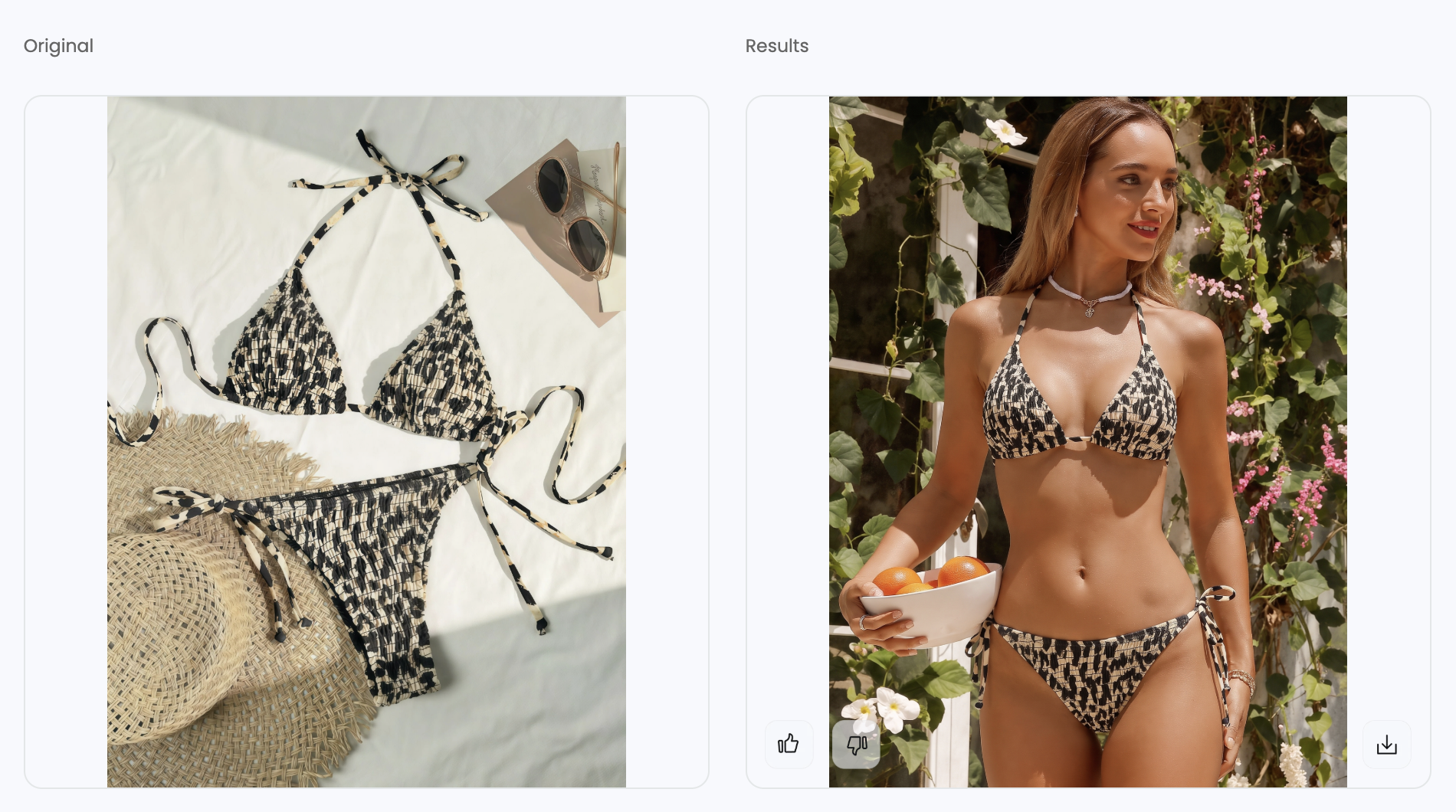
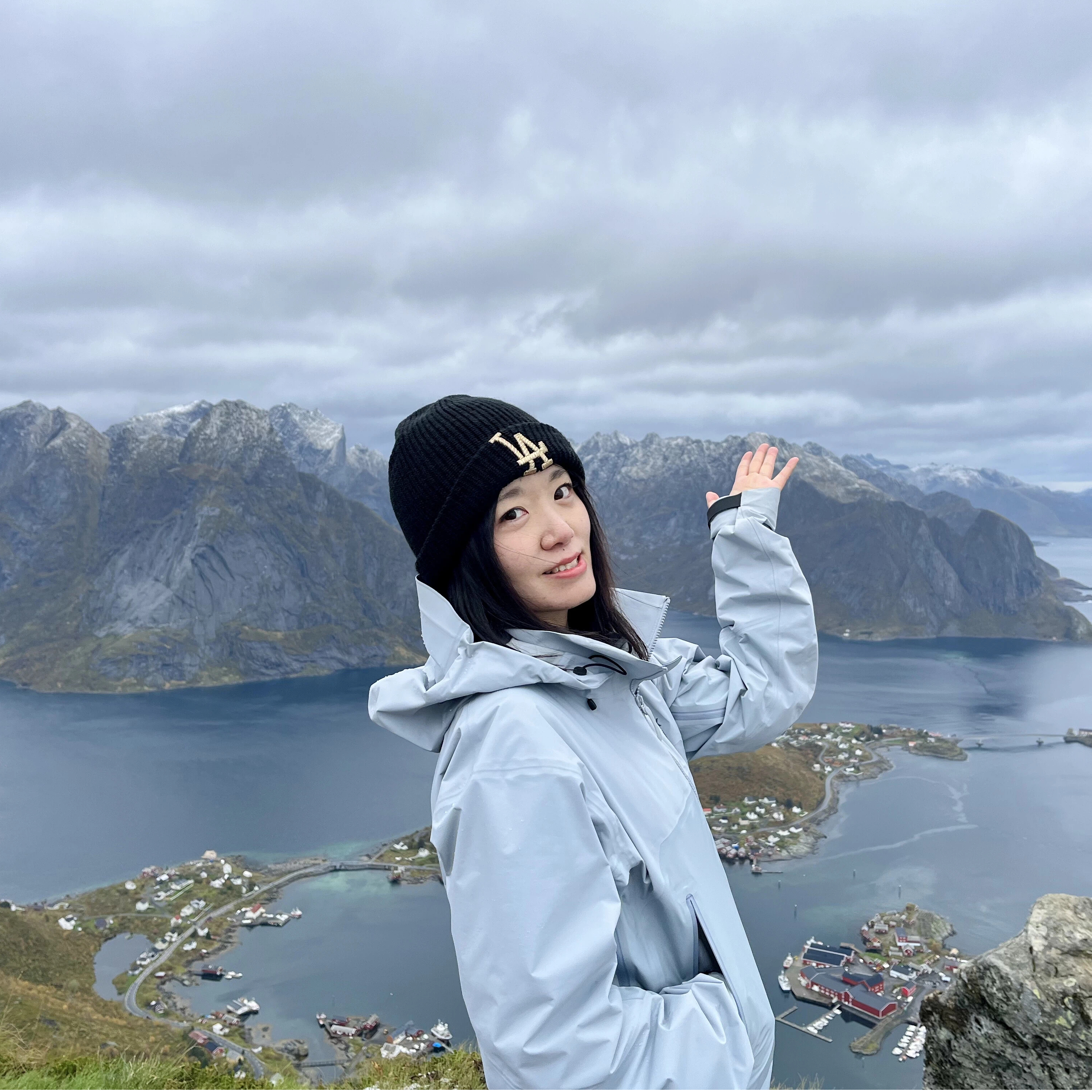
What Is an AI Swimwear Model Generator for Ecommerce?
An AI swimwear model generator turns an existing flat-lay, mannequin photo, or garment cutout into an on-model ecommerce image. For a seller, that can mean creating catalog and campaign images for a bikini, one-piece swimsuit, tankini, monokini, rash guard, resort set, or cover-up without arranging a new photoshoot for every SKU.
The practical value is speed: one approved product photo can support a clean studio image, a beach or poolside scene, marketplace assets, and social creative. But the tool still has to merchandise the item customers will receive. A useful AI bikini model generator keeps the real SKU as the visual anchor while giving the seller control over the model, pose, crop, lighting, and background.
Swimwear leaves little room for approximation. A changed cup shape, missing bikini bottom, moved side tie, shortened cover-up, or simplified print can turn a polished image into an inaccurate listing. Some platforms also reject high-skin-exposure inputs even when they support general apparel. Treat each generation as a draft for the product page, and approve it against the physical SKU before it reaches a listing, feed, or campaign.
How to Photograph Swimwear Without a Model
You do not need a live model to build a useful swimwear gallery. Choose the source format around the shopper question you need to answer: a flat-lay documents exactly what is included, a ghost mannequin shows shape, and an AI model adds proportion and styling context. Even when AI supplies the hero image, keep at least one real product view so customers can inspect the actual construction.
| Method | Best for | Main limitation |
|---|---|---|
| Flat-lay | Prints, color, hardware, two-piece sets, and construction details | Does not show worn proportion or cup volume |
| Hanger | Structured one-pieces, rashguards, and cover-ups | Bikini pieces, cutouts, and thin ties can collapse or separate |
| Ghost mannequin | Three-dimensional garment-only views of structured styles | Sheer panels, complex ties, and open cutouts require careful reconstruction |
| AI fashion model | Studio and lifestyle on-model context from a product photo | Cannot prove real fit, support, compression, or unseen construction |
Swimwear source-photo setup for ecommerce
- Prepare the item as you would for a product-page shoot: smooth packaging folds and remove lint, clips, or temporary tags.
- Keep the camera parallel to the garment and use soft, repeatable light so colors remain consistent across the catalog. Reduce bright hotspots on glossy, sequin, or metallic fabric.
- Lay out every strap, tie, clasp, and matching bikini piece clearly. If a component is hidden in the source, the generator may omit or redesign it.
- Add front, back, and detail photos whenever lining, hardware, closures, or reverse construction affects the buying decision.
- Compare the finished source file with the physical SKU before generating. Fixing color or construction here is cheaper than correcting a full batch later.
For most catalogs, a flat-lay is the most dependable starting point because it records the complete item without requiring the tool to remove a person or mannequin. Use a hanger or ghost-mannequin source when the garment loses important shape on a flat surface.
How to Turn a Flat-Lay Swimwear Photo Into an AI Model Image
The goal of a flat-lay-to-model workflow is to add selling context while preserving the evidence in the source photo. Start with a simple studio result, where construction errors are easier to spot. Move into beach or resort scenes only after the garment is approved; complex lighting and poses can make a flawed result look convincing at first glance.
- Start with the complete SKU. Show the bikini top, bottom, cover-up, straps, and ties included in the purchase, with nothing cropped at the frame edge.
- Clean the presentation, not the product. Remove background clutter while preserving mesh, open spaces, fine ties, and reflective details.
- Choose a model and pose that sell the garment clearly. Match the intended customer and avoid poses that hide cups, closures, side ties, or layered pieces.
- Approve a studio result first. Compare coverage, openings, strap paths, print scale, hardware, and included pieces with the flat-lay before producing more assets.
- Build lifestyle variations from the approved direction. Once the SKU is accurate, adapt it for beach, pool, resort, or campaign placements.
- Keep the flat-lay on the product page. It gives shoppers a literal product view and gives your team a stable QA reference for later generations.
Source-photo requirements by swimwear type
| Product | Useful source | Approval focus |
|---|---|---|
| Strappy bikini | Complete top and bottom with ties separated | Coverage, strap topology, hardware, and print placement |
| One-piece or monokini | Flat-lay or clean garment cutout | Neckline, leg opening, torso proportion, and cutouts |
| Tankini or rash guard | Front and back flat-lays, with separate pieces visible | Top length, sleeve shape, hem coverage, and matching bottoms |
| Sequin or metallic style | Real photo with controlled highlights | Surface texture, reflections, and trim |
| Swimsuit with cover-up | Full set plus separate detail views | Included pieces, layering, print, and cover-up length |
| Mesh or cutout style | High-contrast background | Transparency, open spaces, and skin-to-garment boundaries |
What an AI swimwear model generator cannot infer safely
A single front flat-lay cannot reliably reveal a hidden back closure, lining, cup padding, tie connection, or exact worn fit. If those details influence returns or sizing decisions, add real back and detail photos rather than letting the model guess. Generated bodies also cannot prove support, compression, or size-specific performance, so reject any output that changes coverage, construction, included pieces, or product proportions.
The failures in the test below show why this matters: one result omitted a bikini bottom, another invented straps, one shortened a cover-up, and another added underwear that was not in the source. These are product errors, not cosmetic preferences.
How We Tested 5 AI Swimwear Model Generators
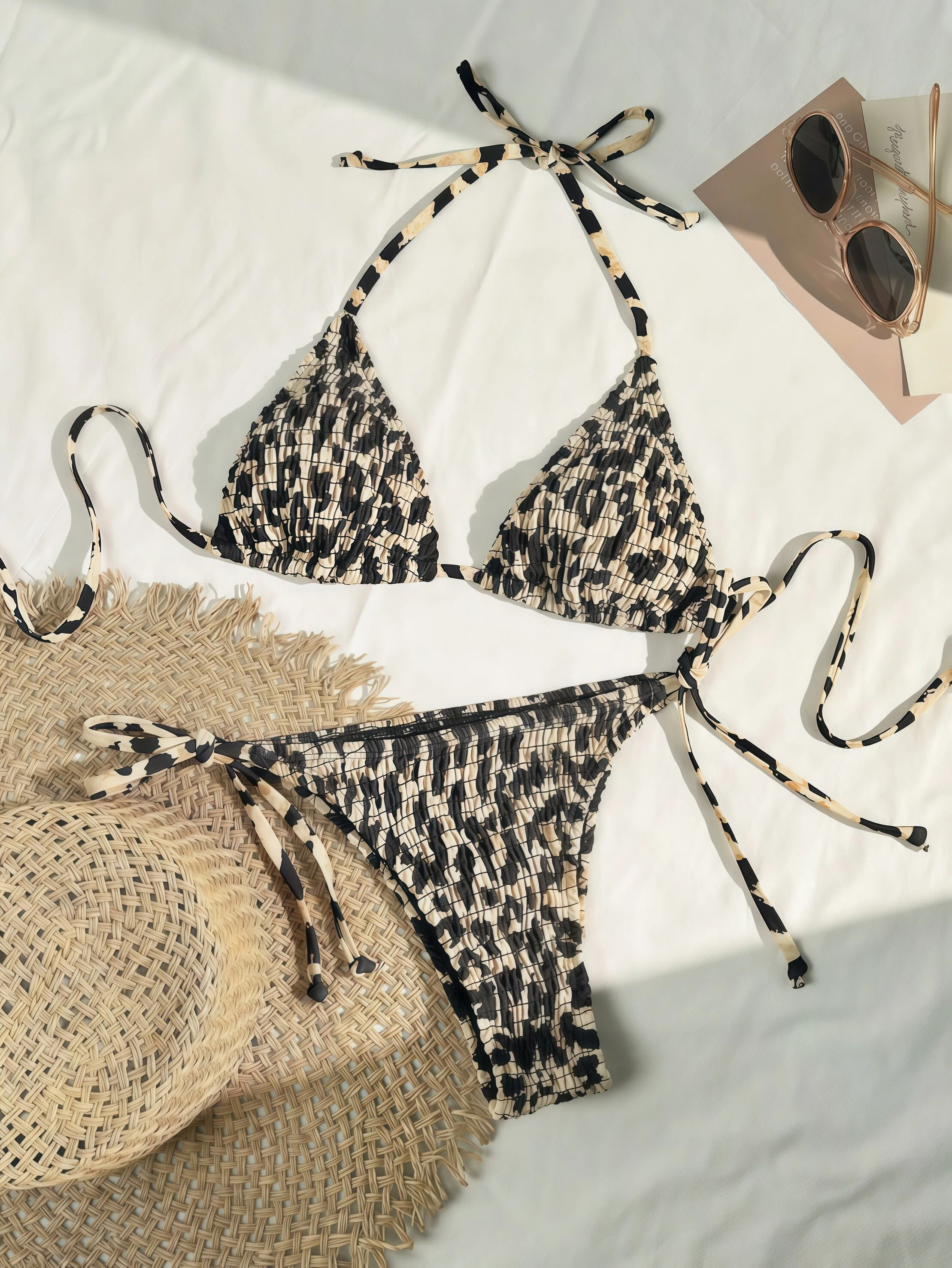
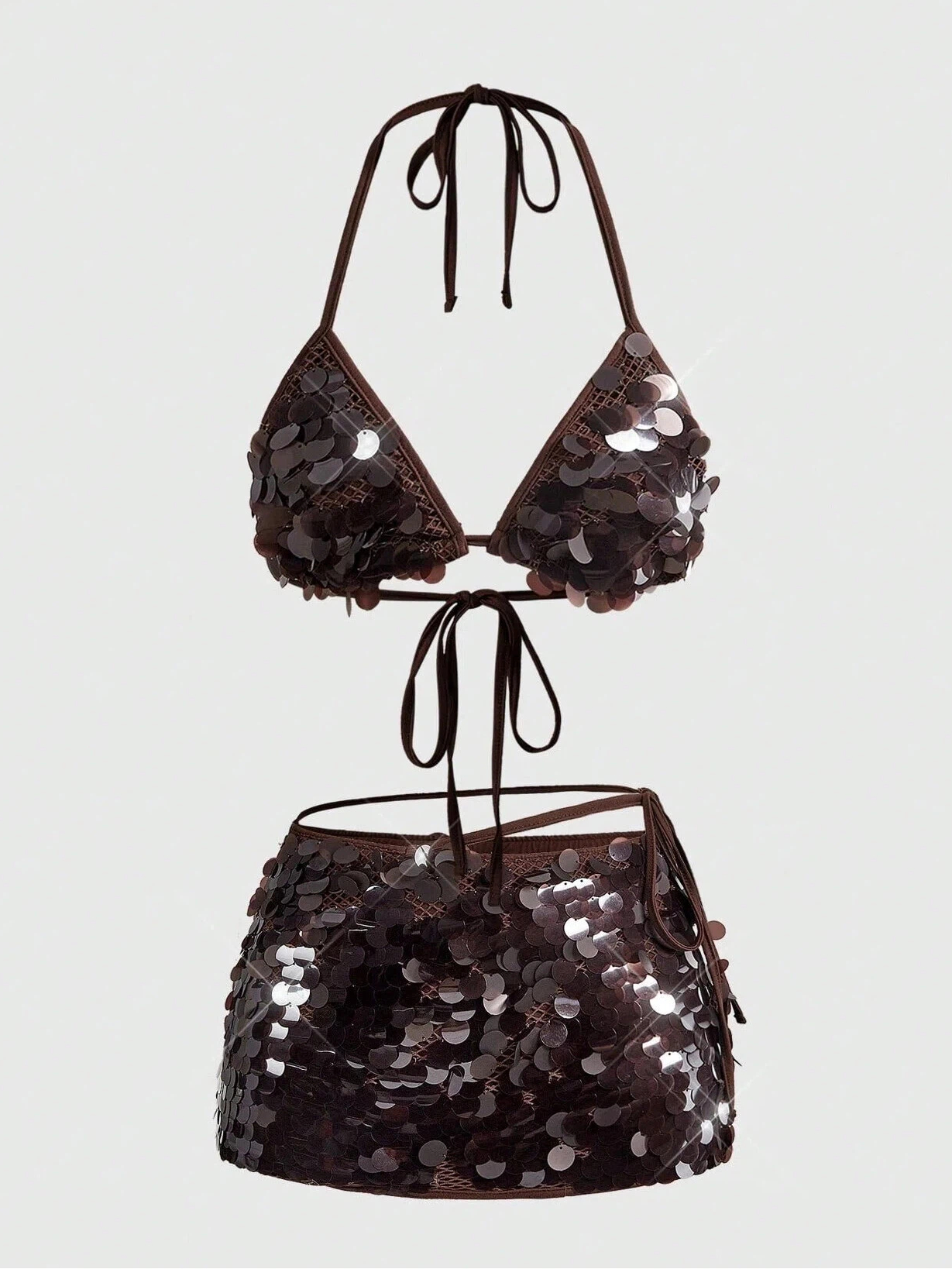
Every tool receives the same three source products wherever its upload rules allow. For each product, we request one studio result and one lifestyle result using the closest equivalent model, pose and aspect ratio. We evaluate exported files rather than platform previews.
Studio and lifestyle swimwear model images
Studio ecommerce images
A clean, controlled setup tests catalog readiness, garment edges, anatomy, and model-to-background integration.
Lifestyle campaign images
A beach, pool, resort, or similar setting tests product fidelity under more complex lighting, poses, and backgrounds.
Swimwear product photos used in the test
1. Printed strappy bikini
2. Metallic or sequin bikini
3. Swimsuit with cover-up
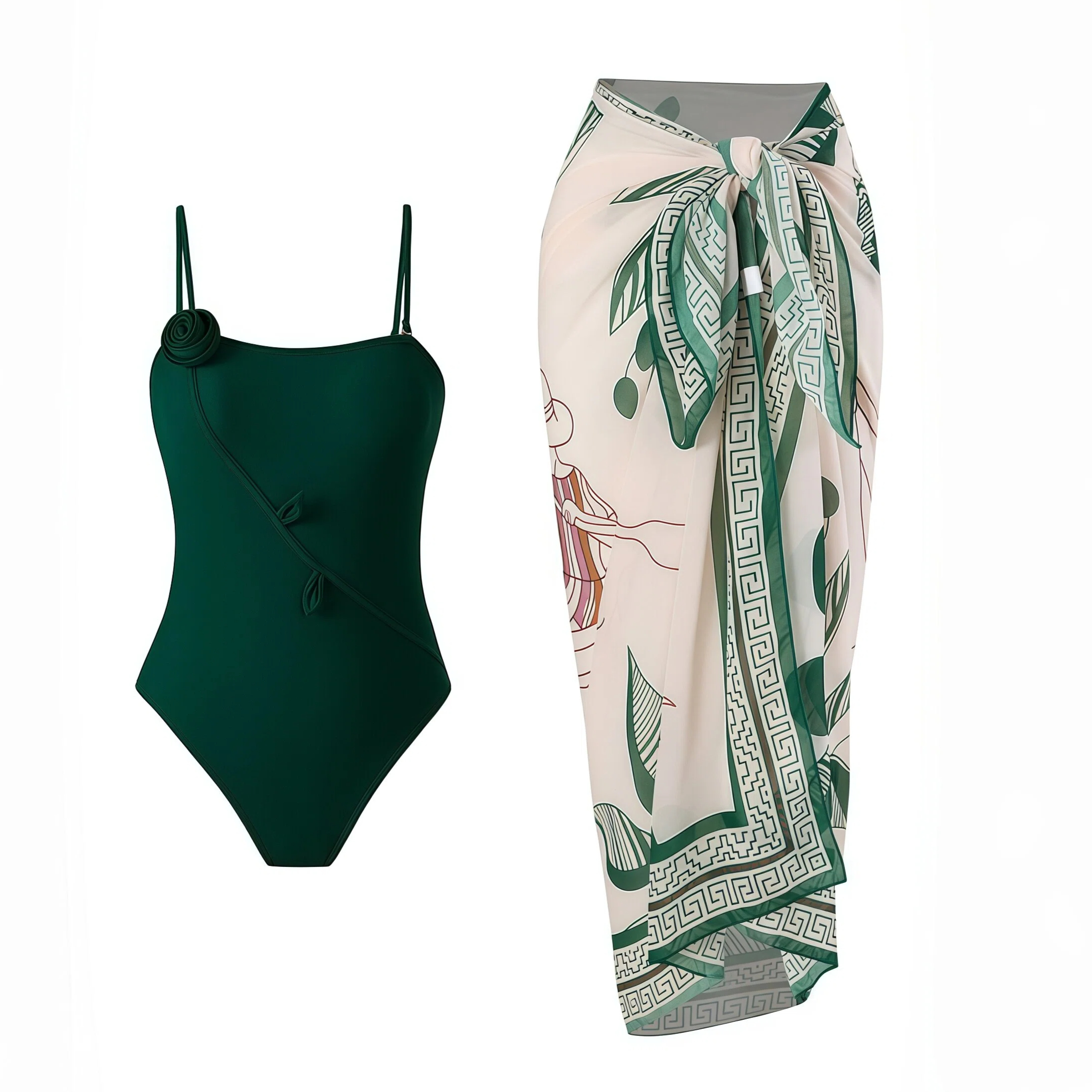
How We Evaluated AI Swimwear Product Image Quality
We review each generated product against five ecommerce and product-photography criteria. Instead of assigning points, the comparison records whether the product generated correctly, needs editing, was materially altered, or was blocked by content policy.
| Criterion | What we check |
|---|---|
| Garment, Fabric & Pattern Fidelity | Silhouette, coverage, construction, straps, print placement, texture, and reflective surface details match the source SKU. |
| Model Pose & Expression | The pose, anatomy, facial expression, and garment-to-body interaction look natural and commercially usable. |
| Scene & Background Realism | Lighting, perspective, shadows, and environmental details read as a coherent product photograph. |
| Image Sharpness & Detail | The export is crisp enough for ecommerce zoom, with clean edges and visible garment details. |
| Swimwear & Revealing-Apparel Support | The platform accepts and consistently generates bikinis and other high-skin-exposure apparel without content-policy blocks. |
5 AI Swimwear Model Generators Compared for Sellers
| Tool | Printed bikini | Sequin set | Swimsuit + cover-up | Best for | Subscription entry price |
|---|---|---|---|---|---|
| Snappyit | ✅ | Needs editing | ✅ | High-fidelity studio and lifestyle swimwear model images | $12.90/mo |
| Photoroom | Blocked by content policy | Blocked by content policy | ✅ | General apparel; not suitable for revealing styles because of content-policy limits | $9.99/mo |
| WearView | Garment altered | ✅ | ✅ | Simpler garment categories; detail-heavy styles may generate inaccurately | $29/mo |
| WeShop | Not usable | Background issue | Inaccurate details | Not recommended for swimwear catalog production | $9.99/mo |
| Botika | Blocked by content policy | Blocked by content policy | Garment altered | Not suitable for swimwear due to policy blocks and garment changes | $33/mo |
Hands-On AI Swimwear Model Generator Reviews
Each review uses the same source products and separates workflow flexibility from listing readiness. A tool can offer strong creative controls and still fail if it blocks a SKU or changes the garment.
1. Snappyit AI Fashion Model for Swimwear
We generated one studio image and one lifestyle image for each of the three source products. The six exported results were reviewed against the source photos for garment construction, straps, print or surface treatment, model realism, background realism and clarity.
How the AI swimwear model workflow works
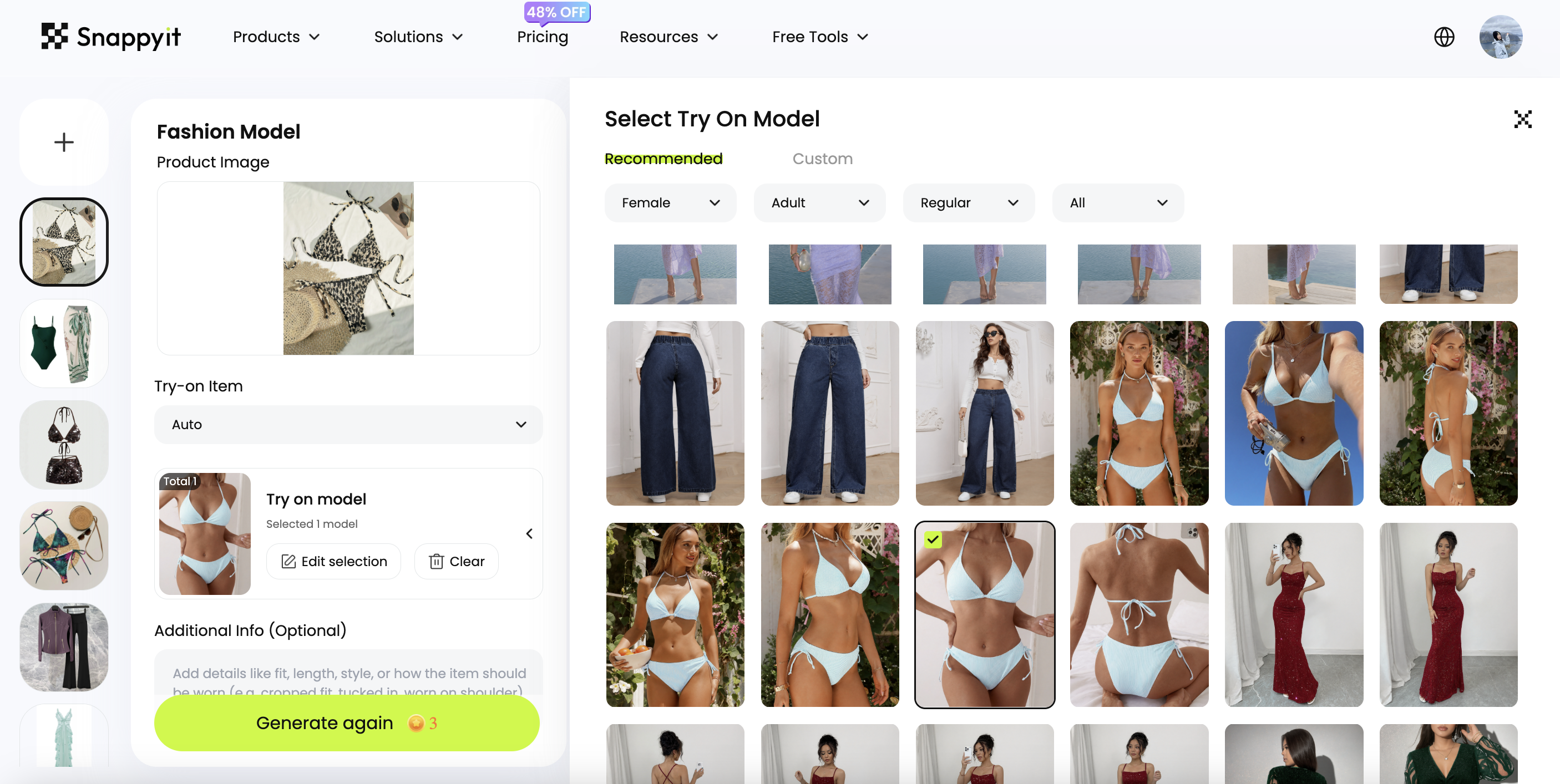
- Upload the product photo.
- Choose a recommended template or upload a custom model reference.
- Add an optional prompt for fit or styling details, then generate and review the result.
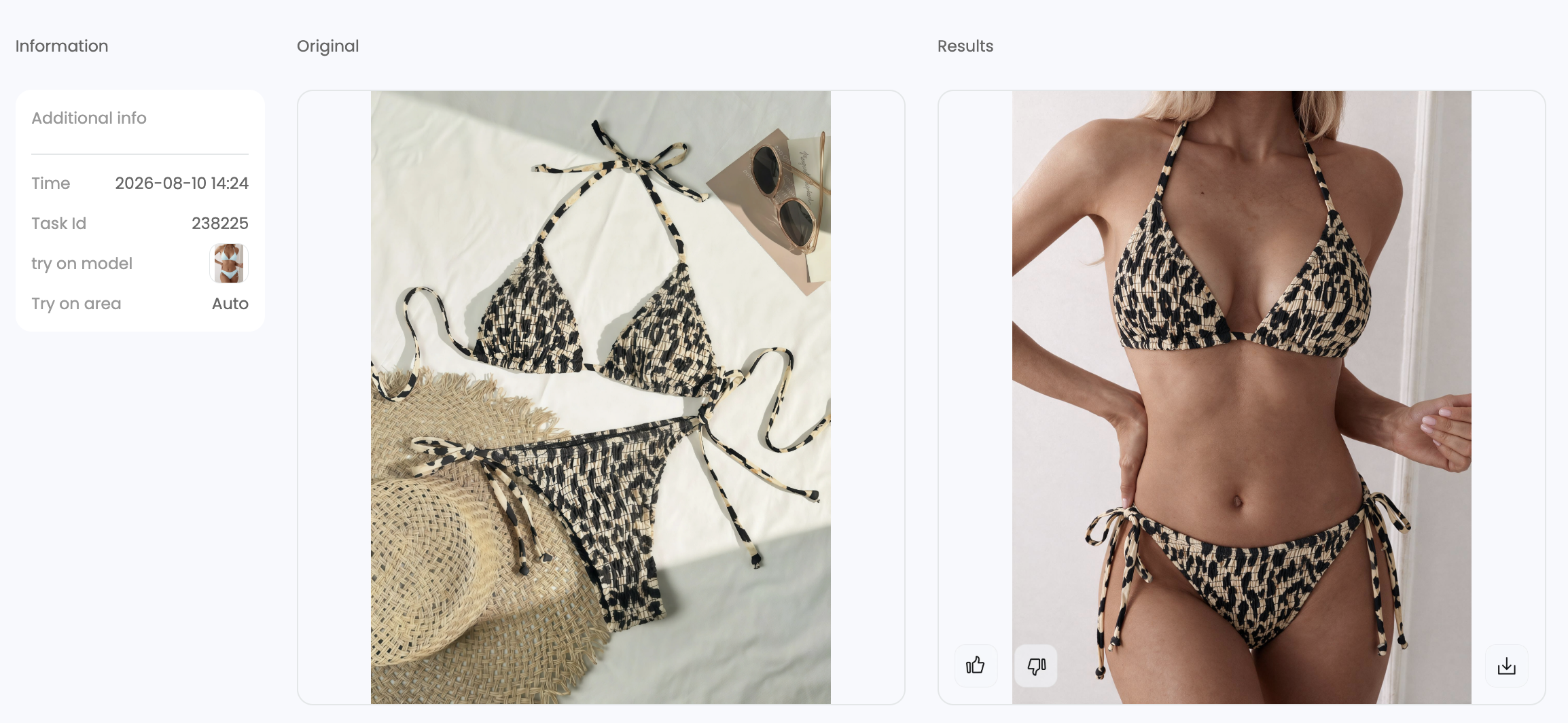
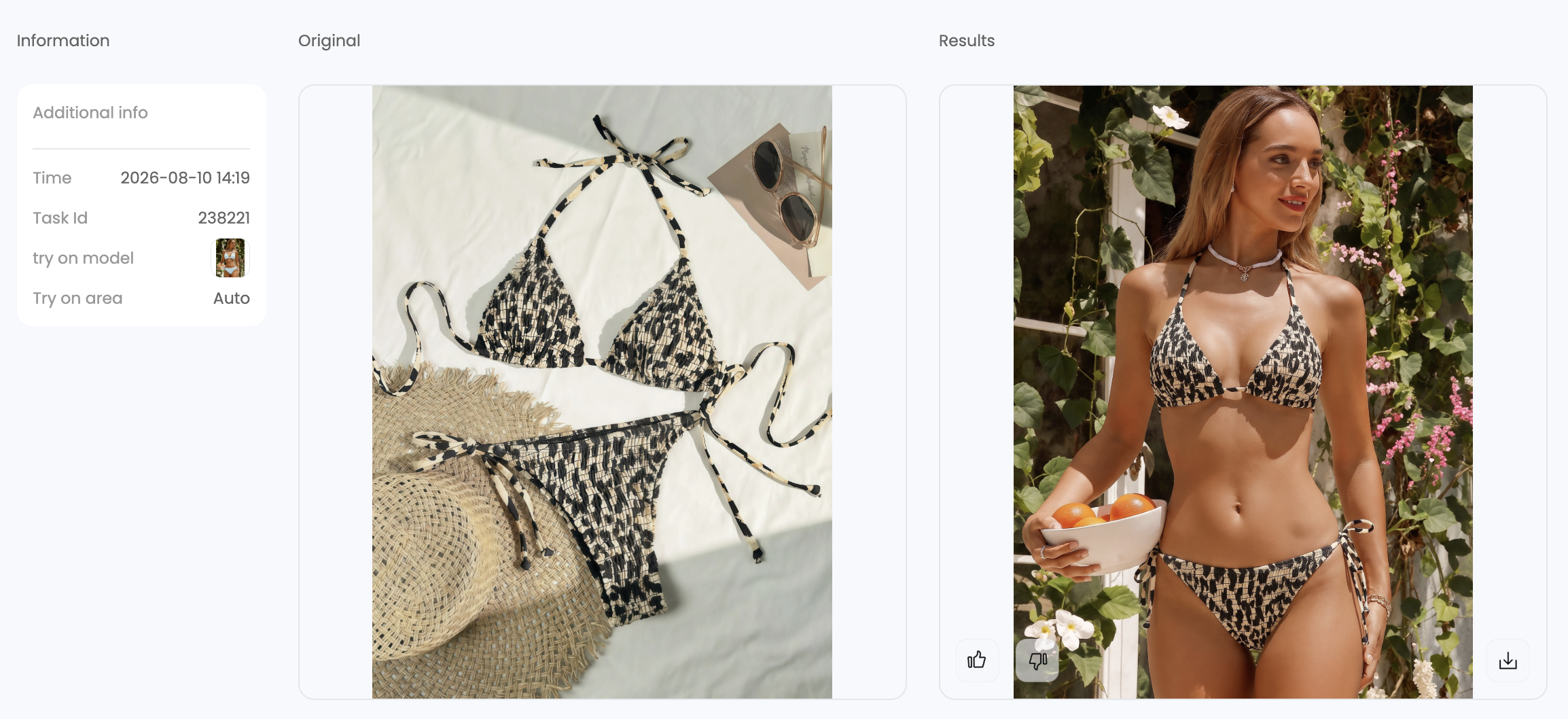
Printed strappy bikini
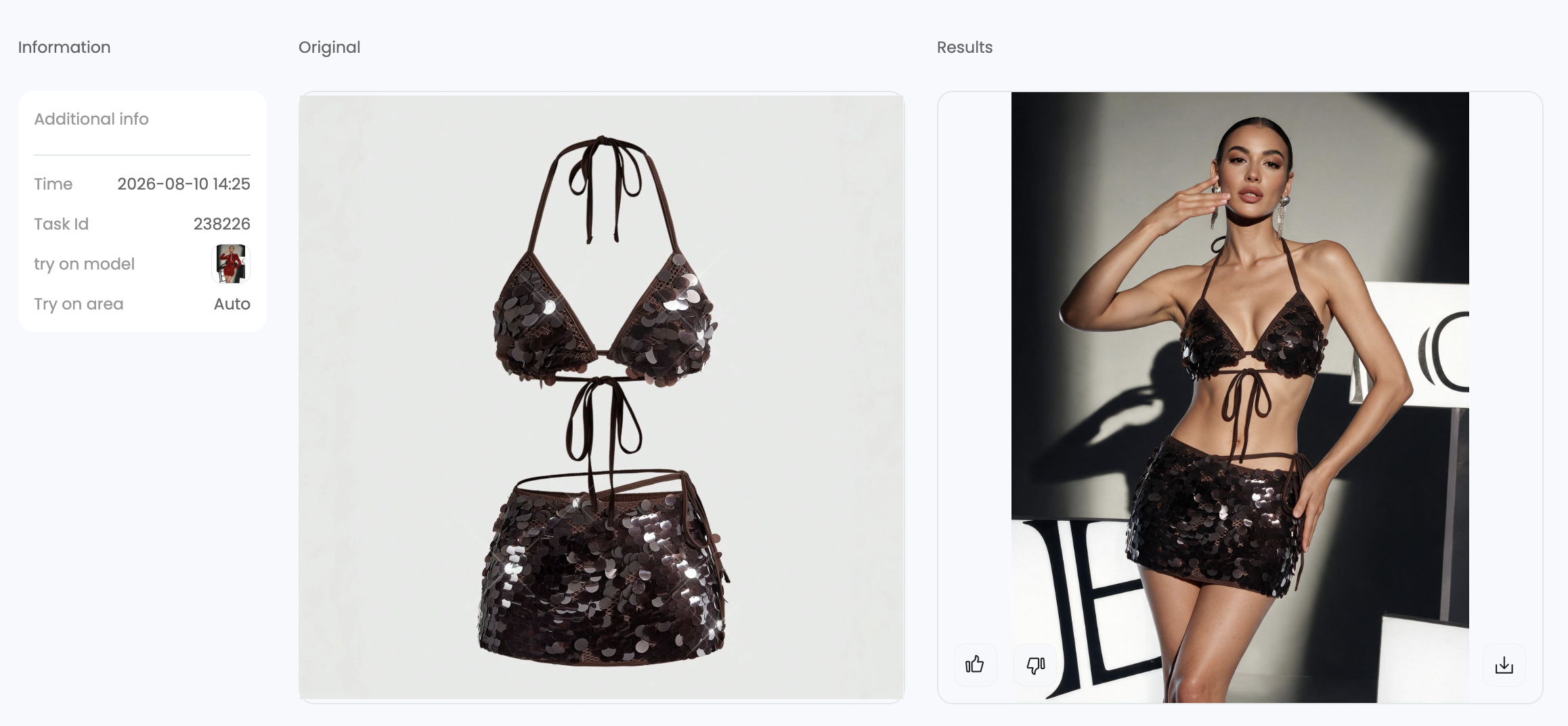
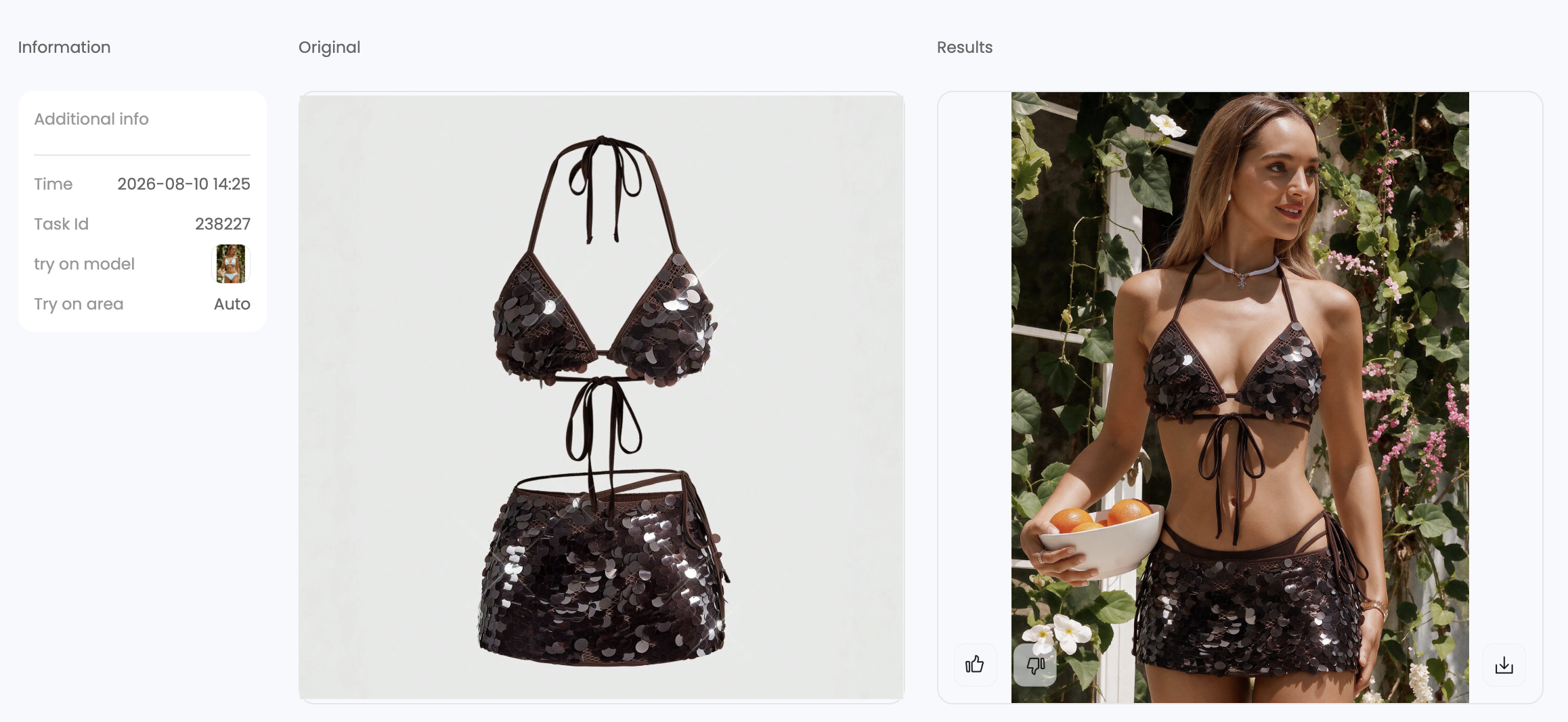
Metallic or sequin bikini
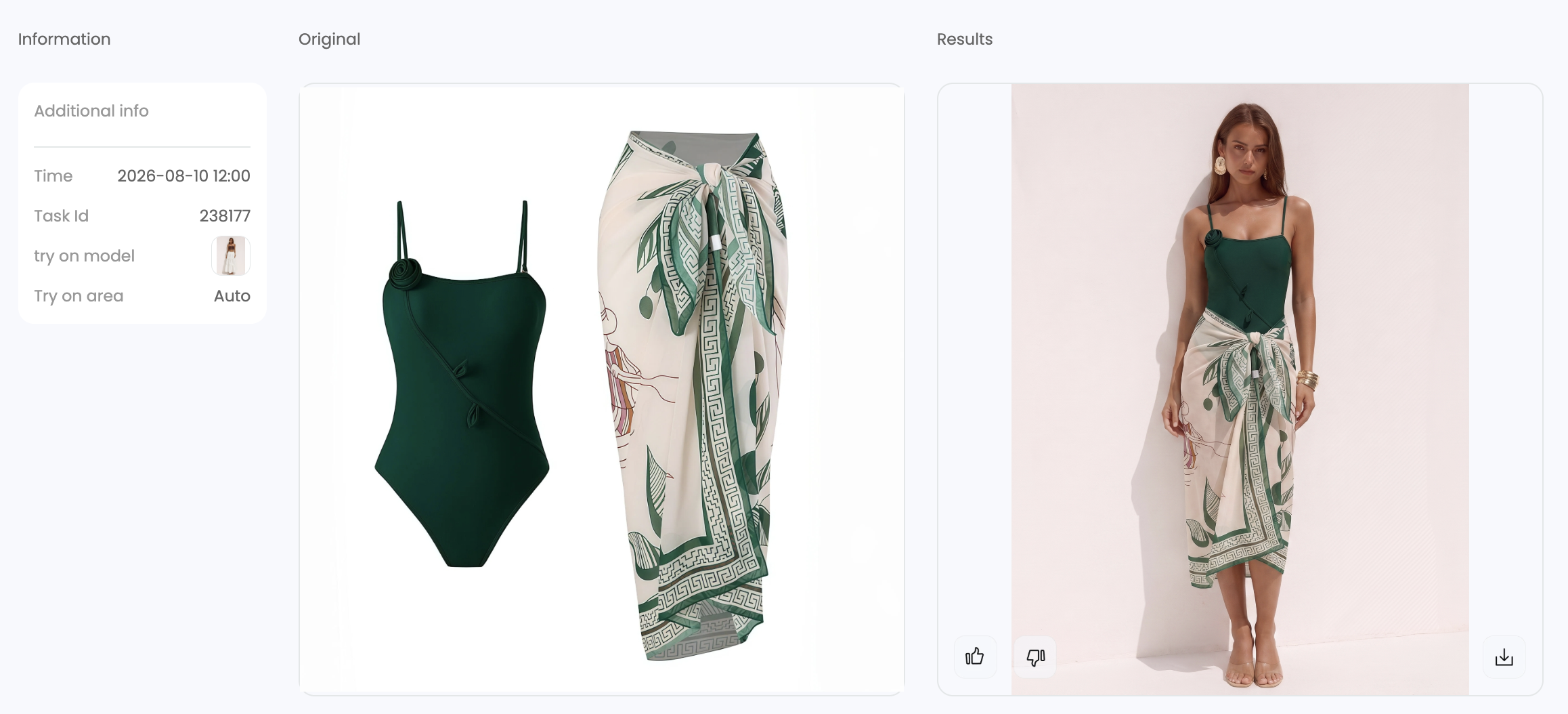
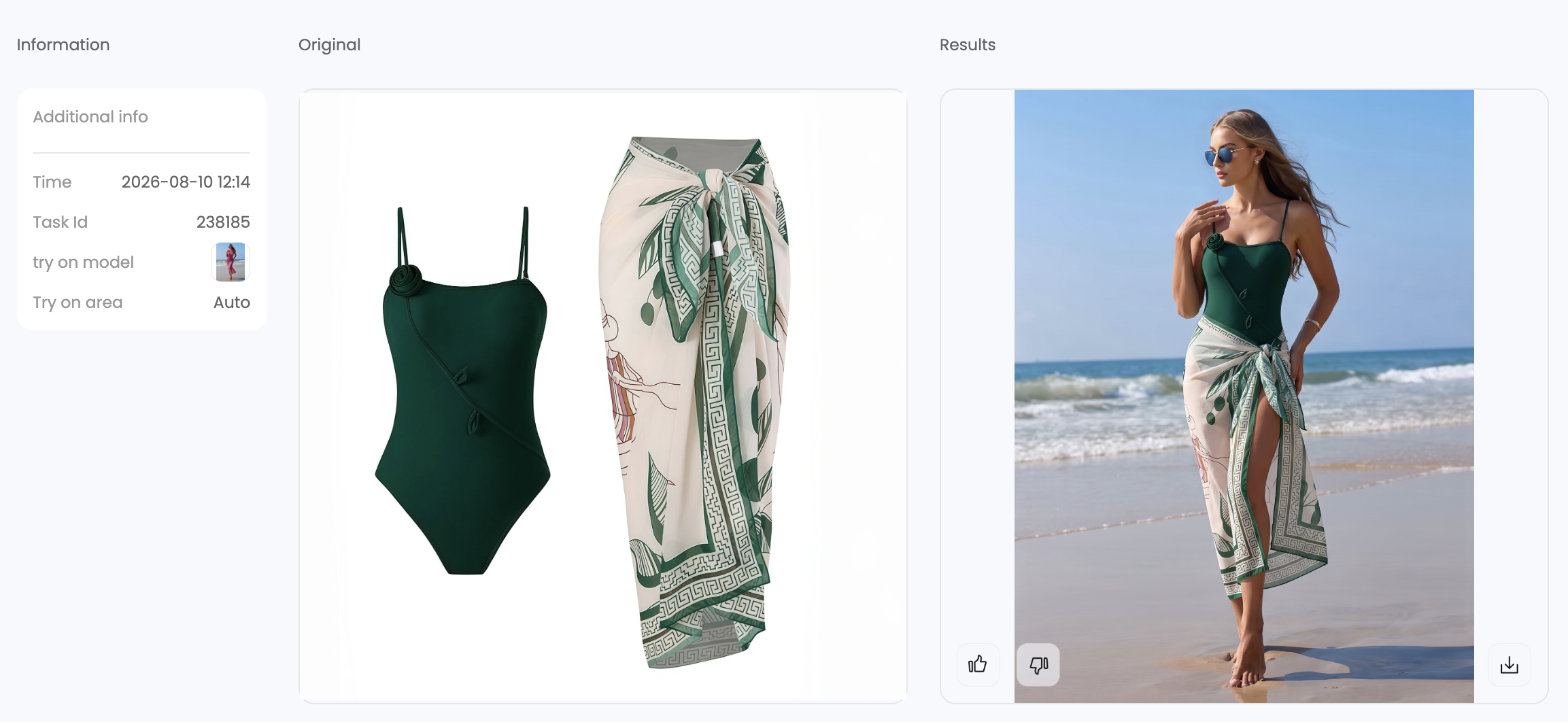
Swimsuit with cover-up
- What worked
- The template-led workflow delivered the strongest visual consistency in this test. Results closely followed the selected model’s face, pose, and scene, which makes it easier to maintain a repeatable campaign look across multiple SKUs. Garment details, prints, layered pieces, reflective surfaces, and overall image sharpness were also reproduced well.
- What failed
- The brown sequin set’s lifestyle result added underwear beneath the skirt that was not part of the source product, so the sequin set is marked as Needs editing. Because the template identity is reproduced closely, sellers who want a different face may also need a separate face-swap pass.
- Best use case
- Swimwear catalogs and coordinated campaigns that need strong product fidelity plus repeatable model, pose, and scene direction.
2. PhotoRoom Virtual Model for Swimwear
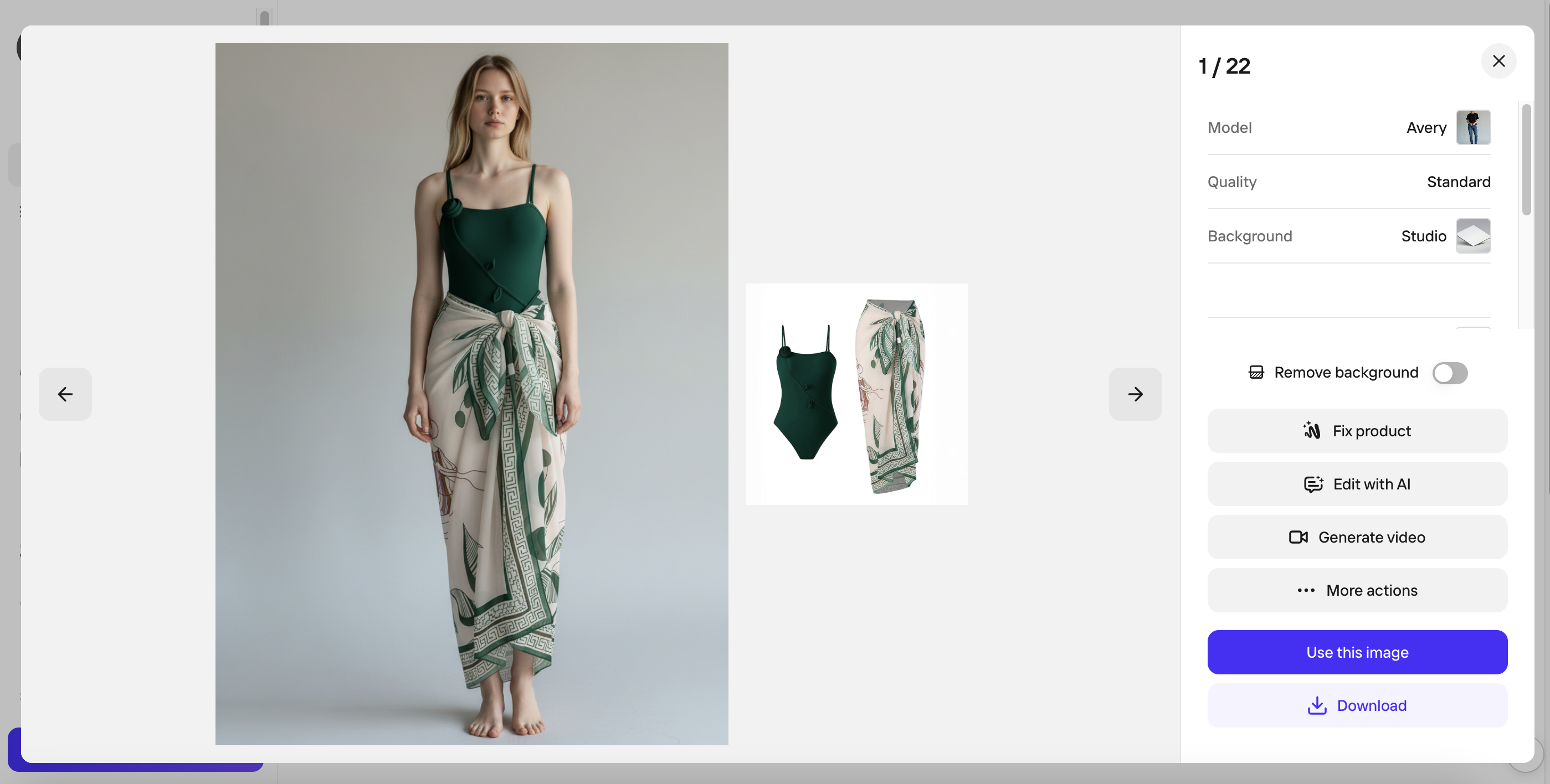
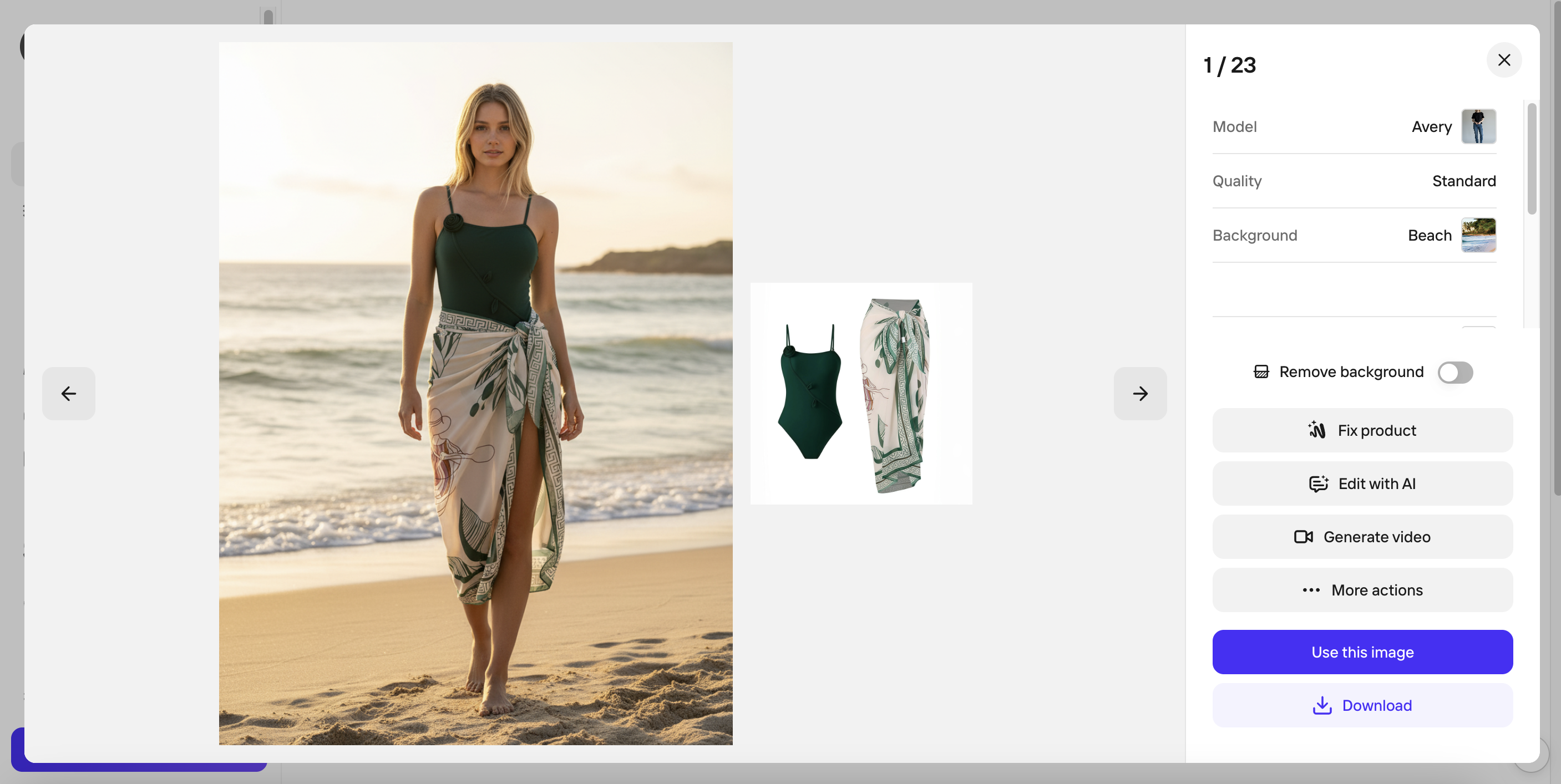
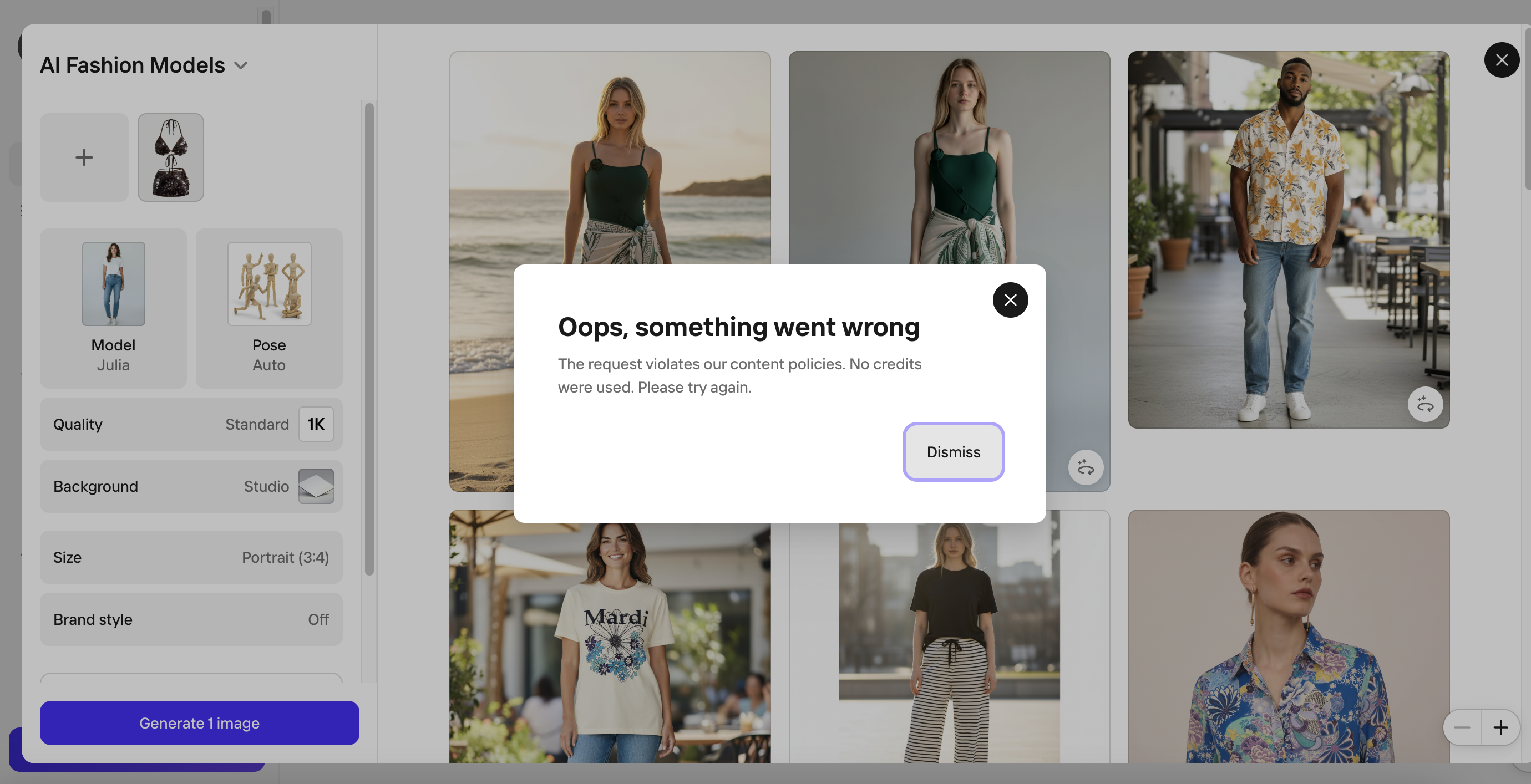
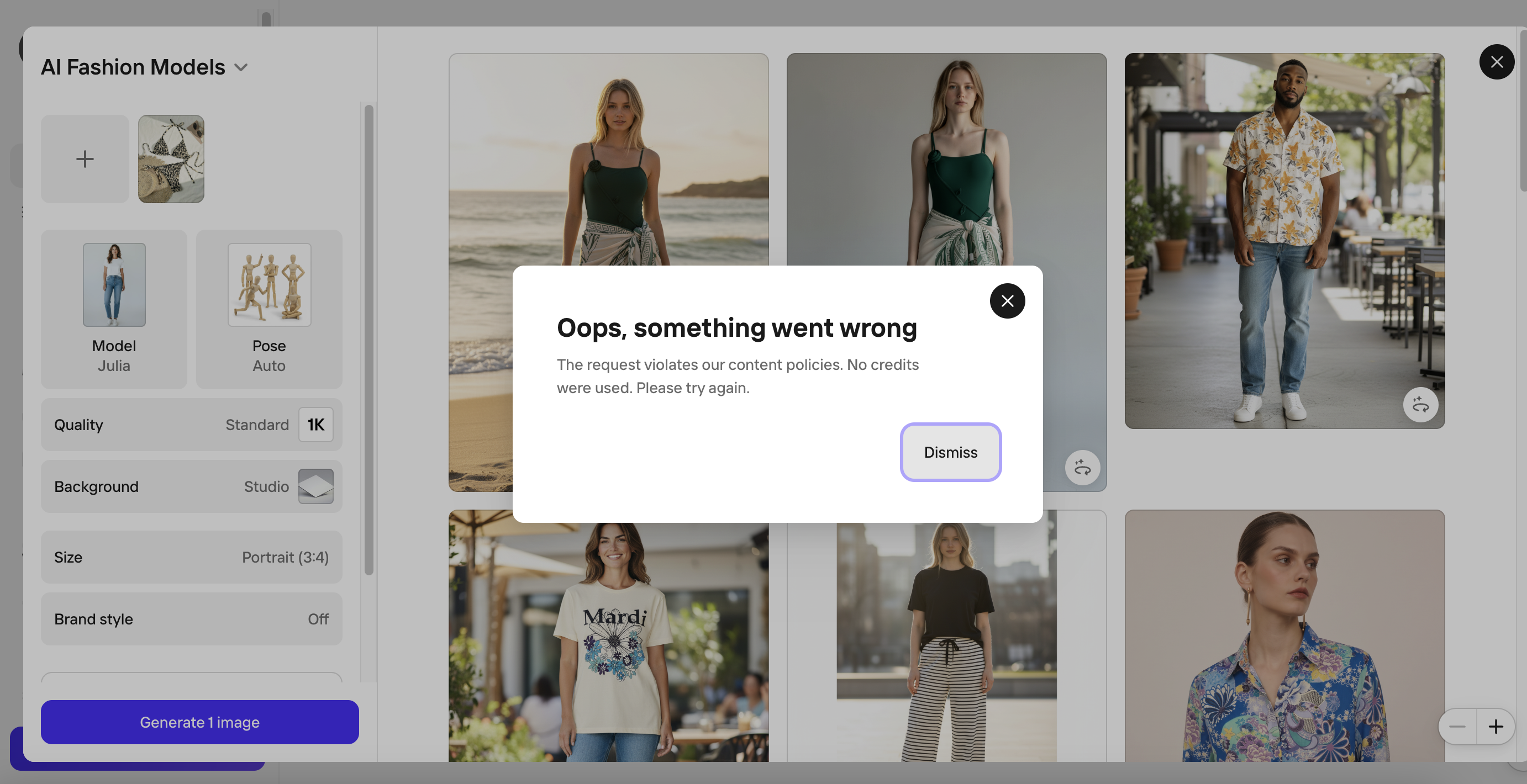
PhotoRoom completed the studio and beach scenes for the green swimsuit with cover-up, but its content policy rejected both the printed bikini and the brown sequin set. That left only one of the three test products available for evaluation.
How the AI swimwear model workflow works
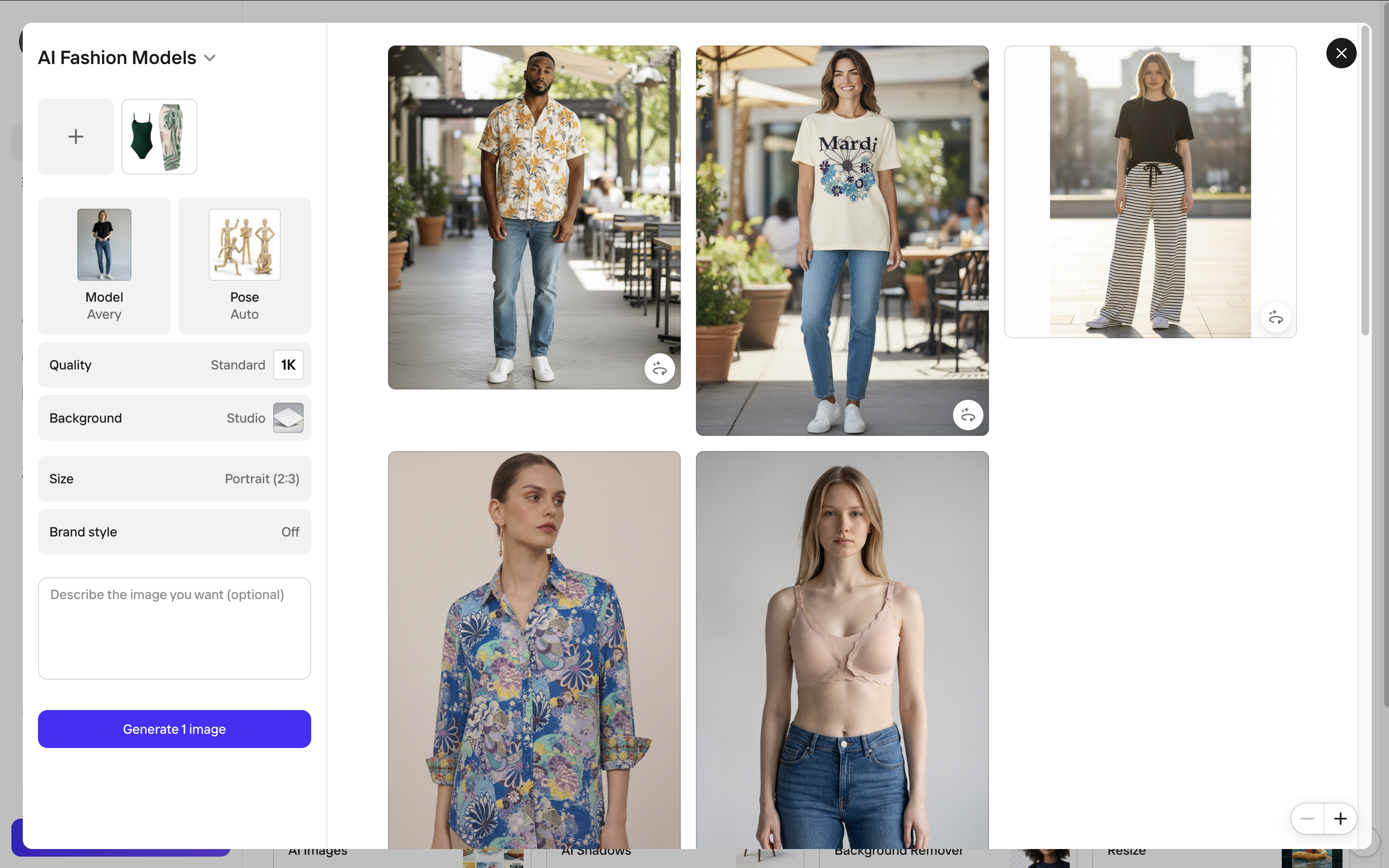
- Upload the product photo.
- Select a model and pose.
- Choose a scene and output settings such as quality and aspect ratio, then generate.
Successful product: swimsuit with cover-up
Content-policy blocks
- What worked
- PhotoRoom provides flexible art direction: sellers can adjust the model, pose, scene, quality, and image format independently. Both green-set results kept the garment recognizable, and the beach image paired it with natural-looking coastal light and a convincing background.
- What failed
- Two of the three swimwear products could not be generated because of content-policy filtering. The successful green set had no material product-generation issue, but the policy blocks make the workflow unreliable for sellers who need consistent coverage across a swimwear catalog.
- Best use case
- General apparel teams that value flexible one-off casting and scene controls; not recommended as the primary production tool for swimwear sellers. For a broader look at its ecommerce workflow and feature set, see our Snappyit vs PhotoRoom comparison.
3. WearView AI Try-On for Swimwear
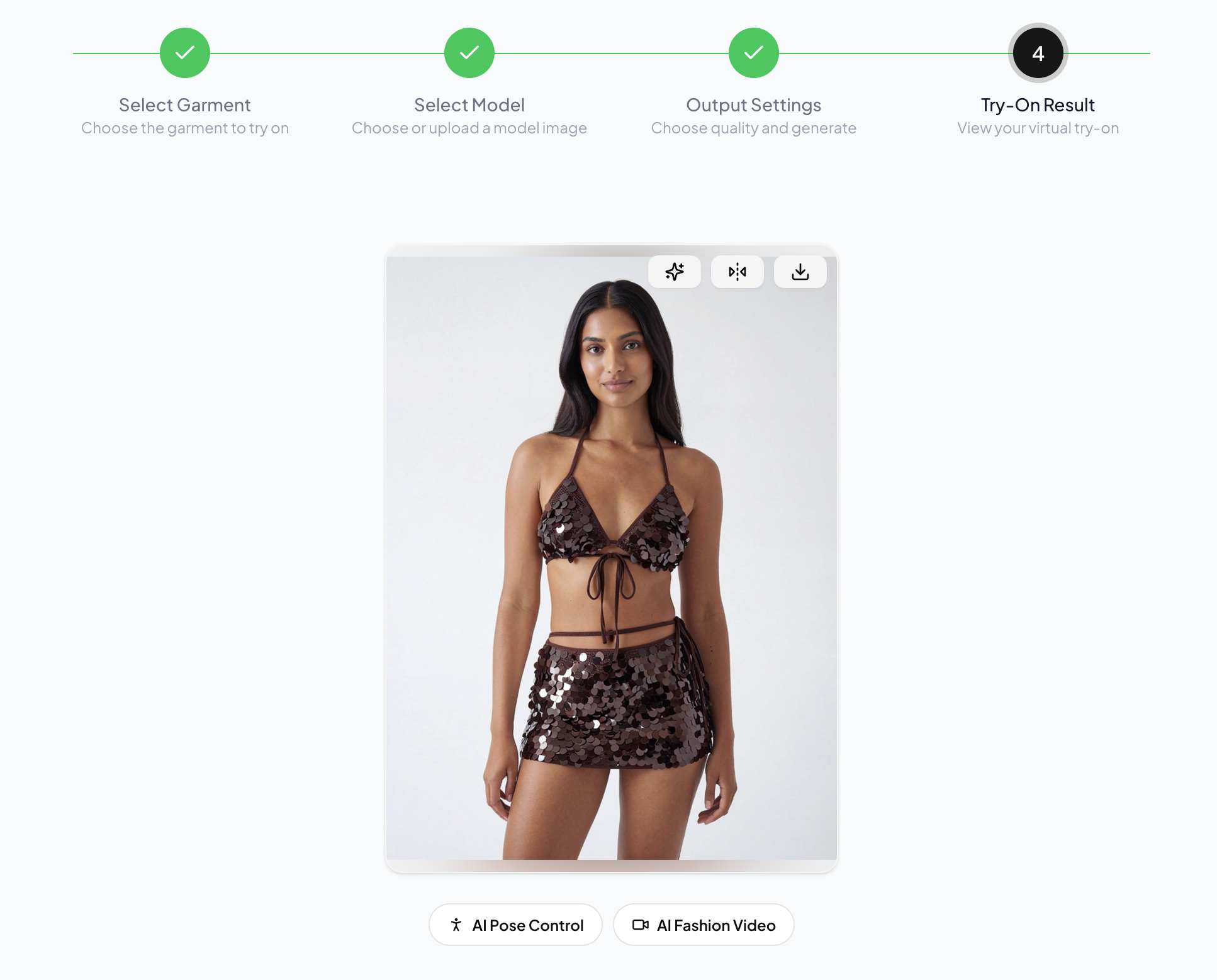
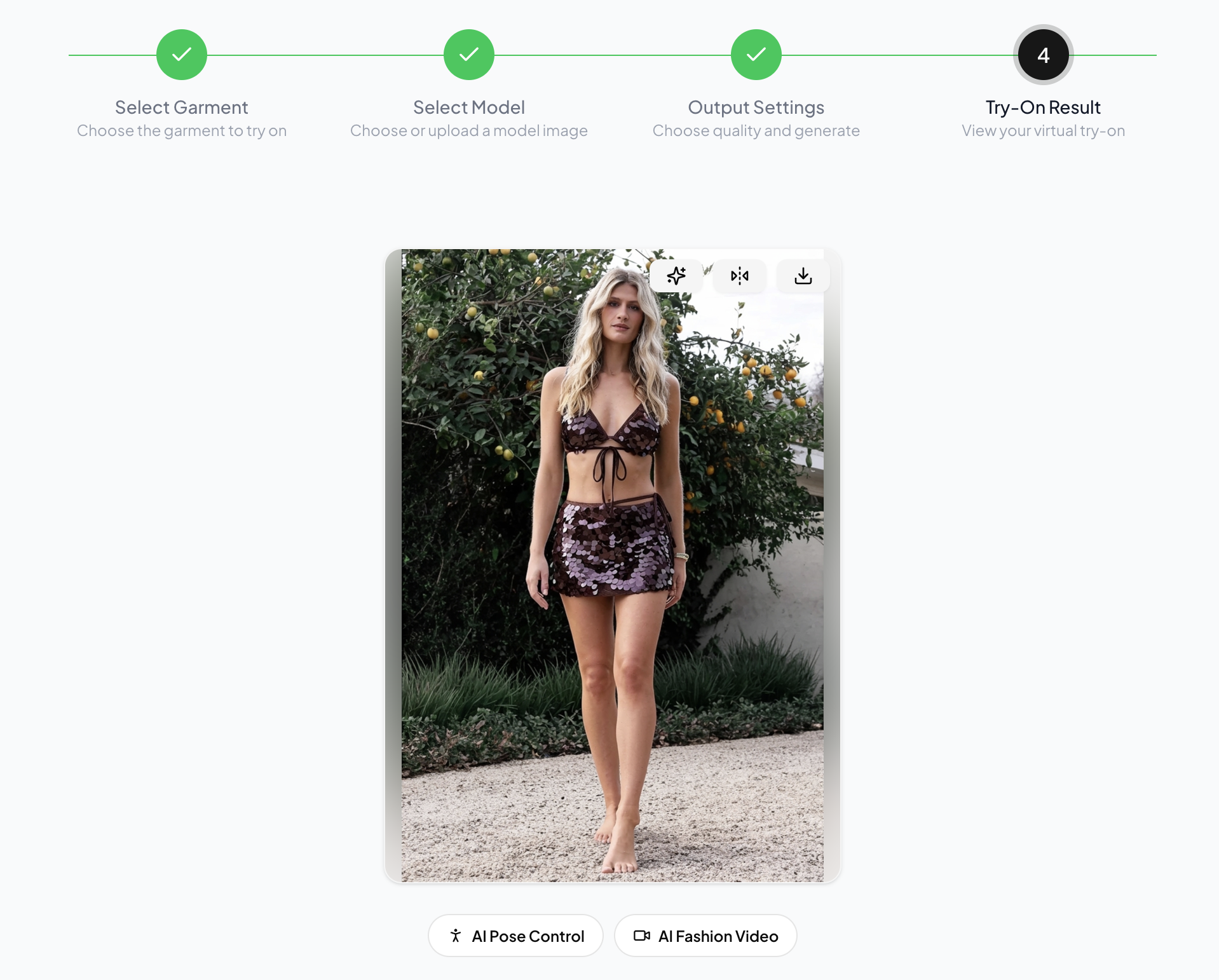
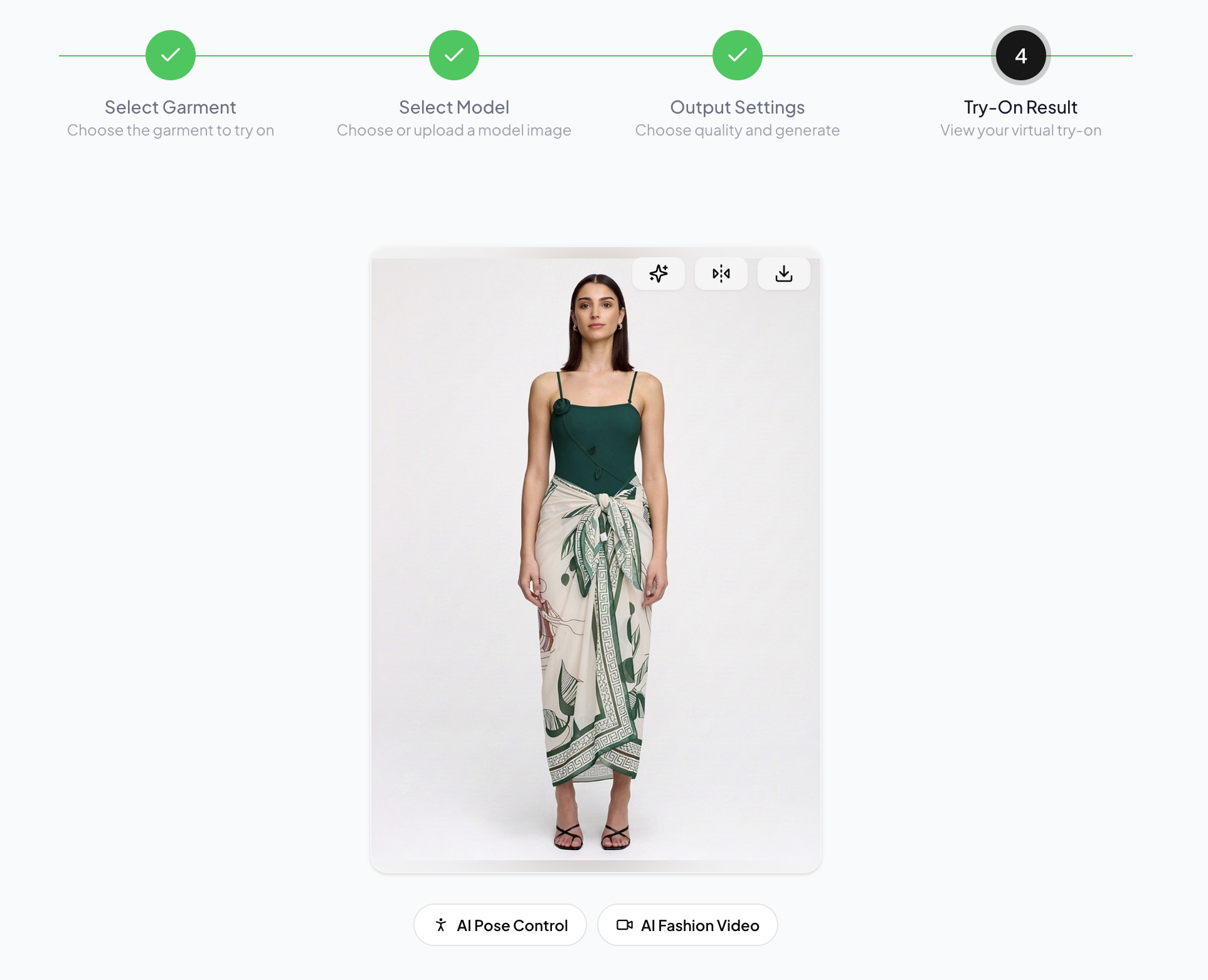
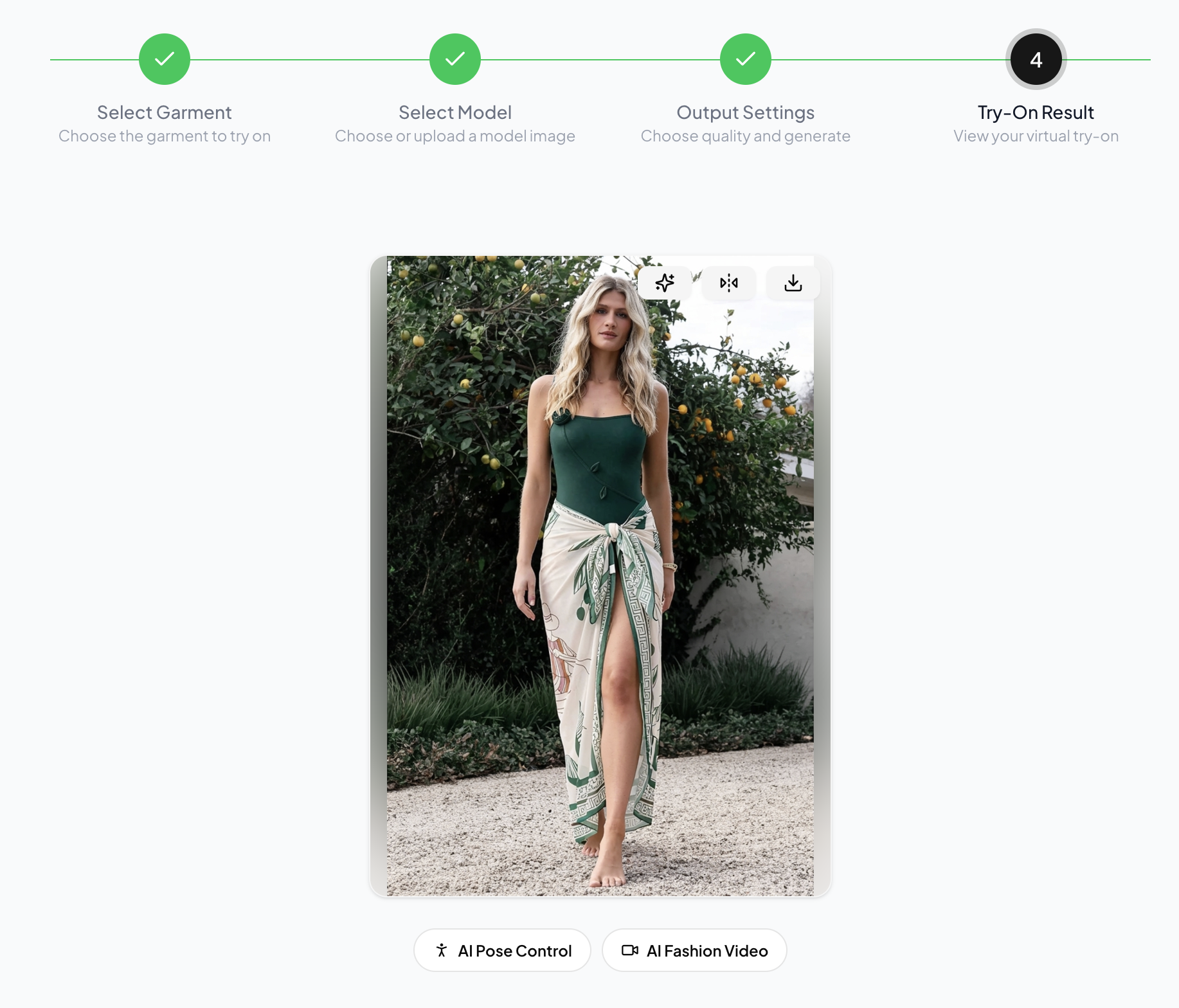
WearView completed all six test scenarios and accepted every swimwear input. Its strongest results preserved the layered green set and the reflective brown sequin surface while keeping the selected models and their settings commercially believable.
How the AI swimwear model workflow works
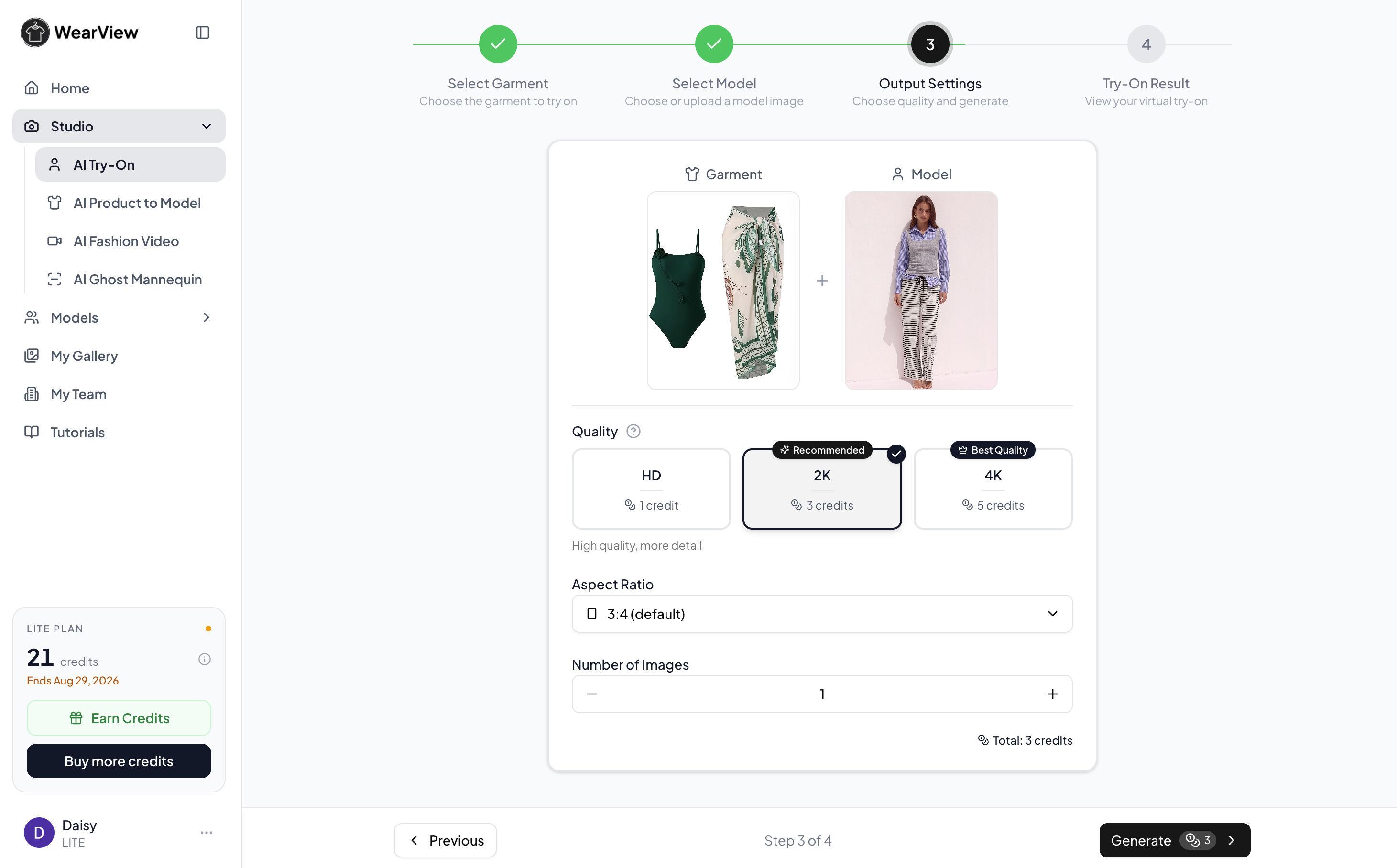
- Upload the garment image.
- Select a model from the library or upload a custom model photo.
- Choose the output quality, aspect ratio, and number of images, then generate the try-on.
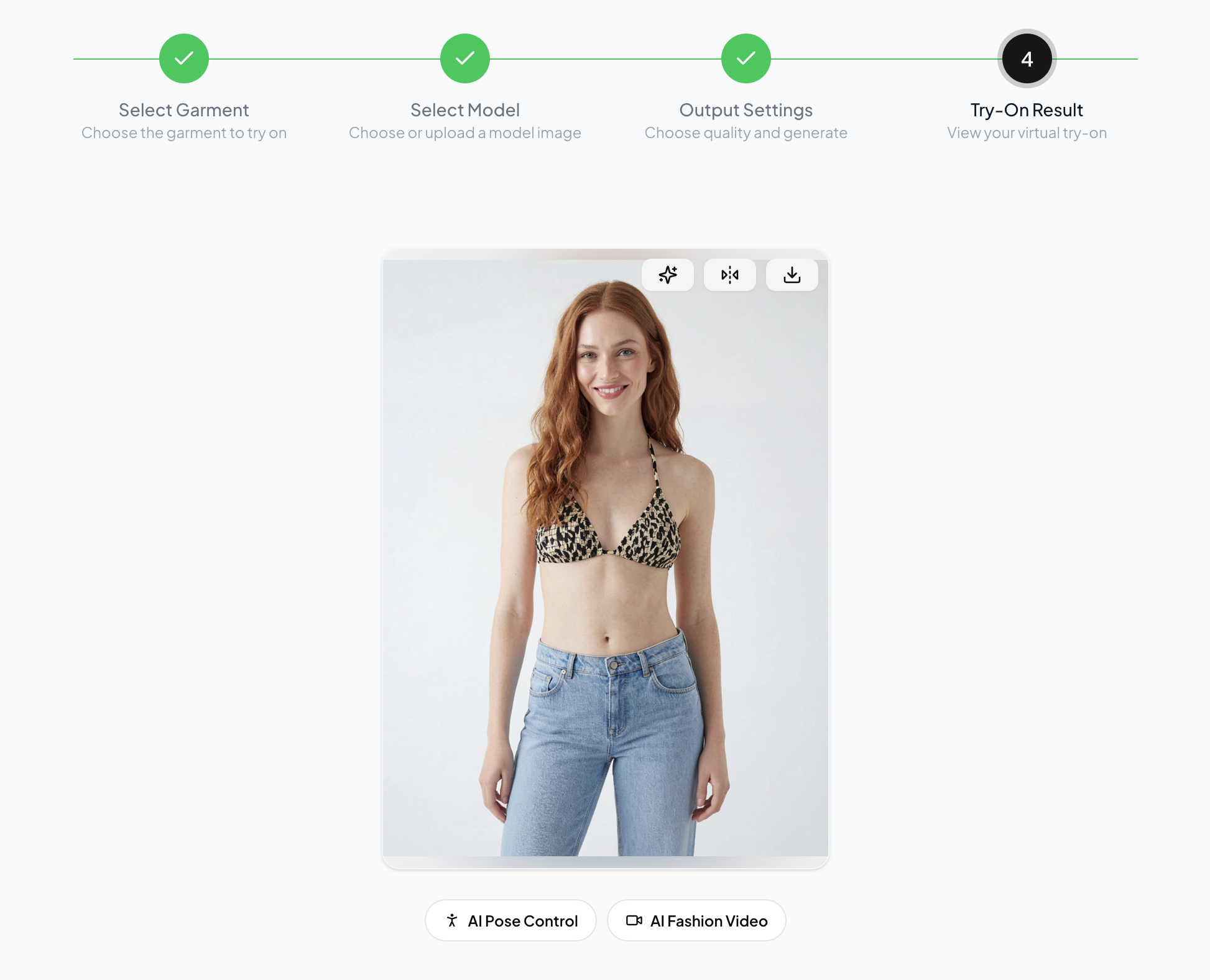
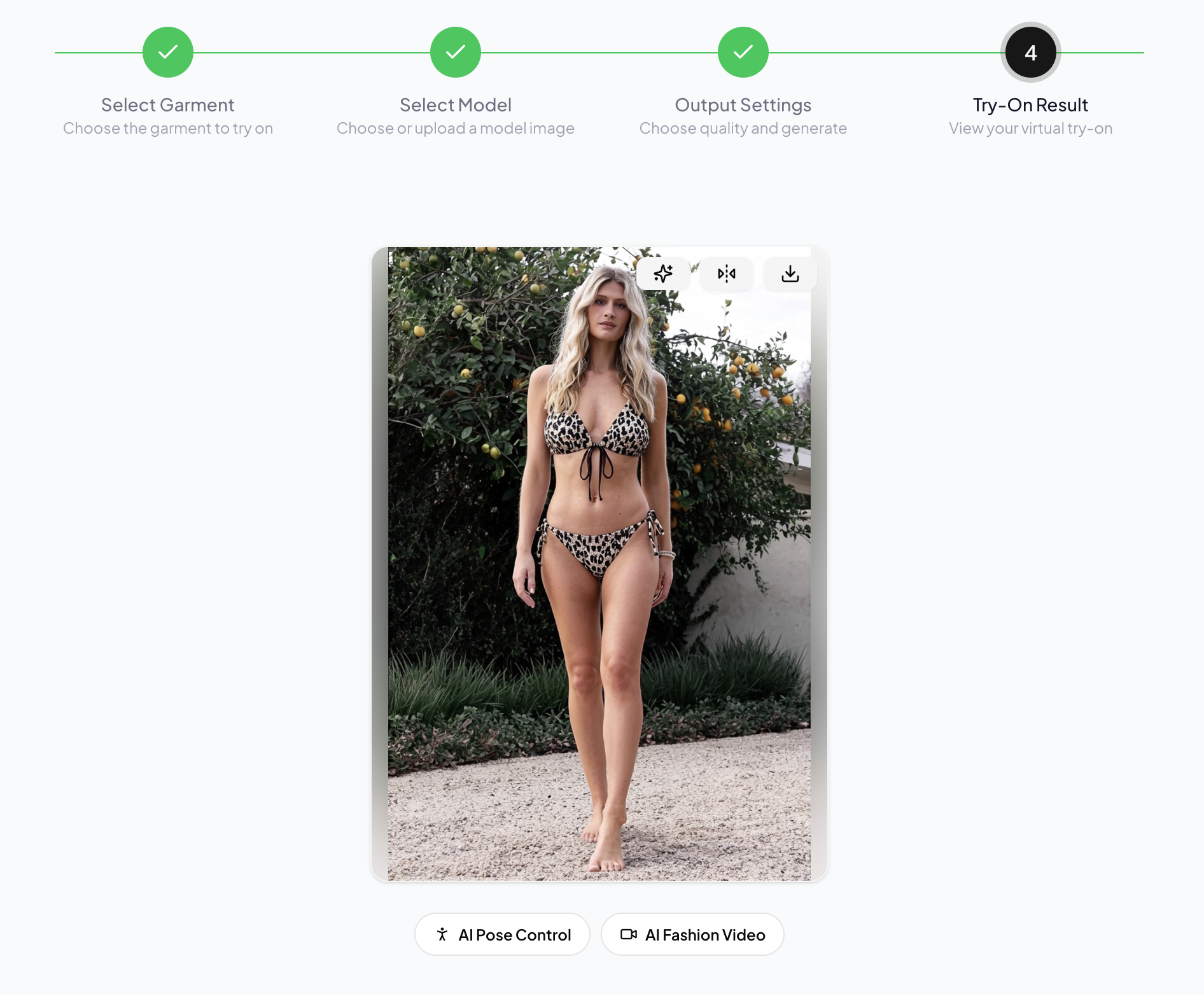
Printed strappy bikini
Metallic or sequin bikini
Swimsuit with cover-up
- What worked
- WearView accepted all three high-skin-exposure products and produced both studio and lifestyle versions. Model anatomy and backgrounds were natural, the green layered set remained easy to identify, and the sequin set retained convincing highlights and surface texture. The HD, 2K, and 4K controls also make output quality explicit before generation.
- What failed
- The printed bikini failed at SKU level in both scenes. The studio result applied only the top and left the model in jeans instead of generating the matching bikini bottom. The lifestyle result generated both pieces but invented additional straps across the chest. Both outputs also simplified the source fabric’s gathered texture and irregular black-and-cream motif. Scene direction is tied to the selected or uploaded model image rather than controlled as a separate background step.
- Best use case
- Swimwear teams that want high-resolution try-on images and already have suitable studio or lifestyle model references to define the pose and setting. Our Snappyit vs WearView comparison covers the model-reference workflow and output controls in more detail.
4. WeShop AI Virtual Try-On for Swimwear
WeShop completed all six scenarios, but the results varied substantially in product fidelity, image sharpness, model-background integration, and anatomical accuracy.
How the AI swimwear model workflow works
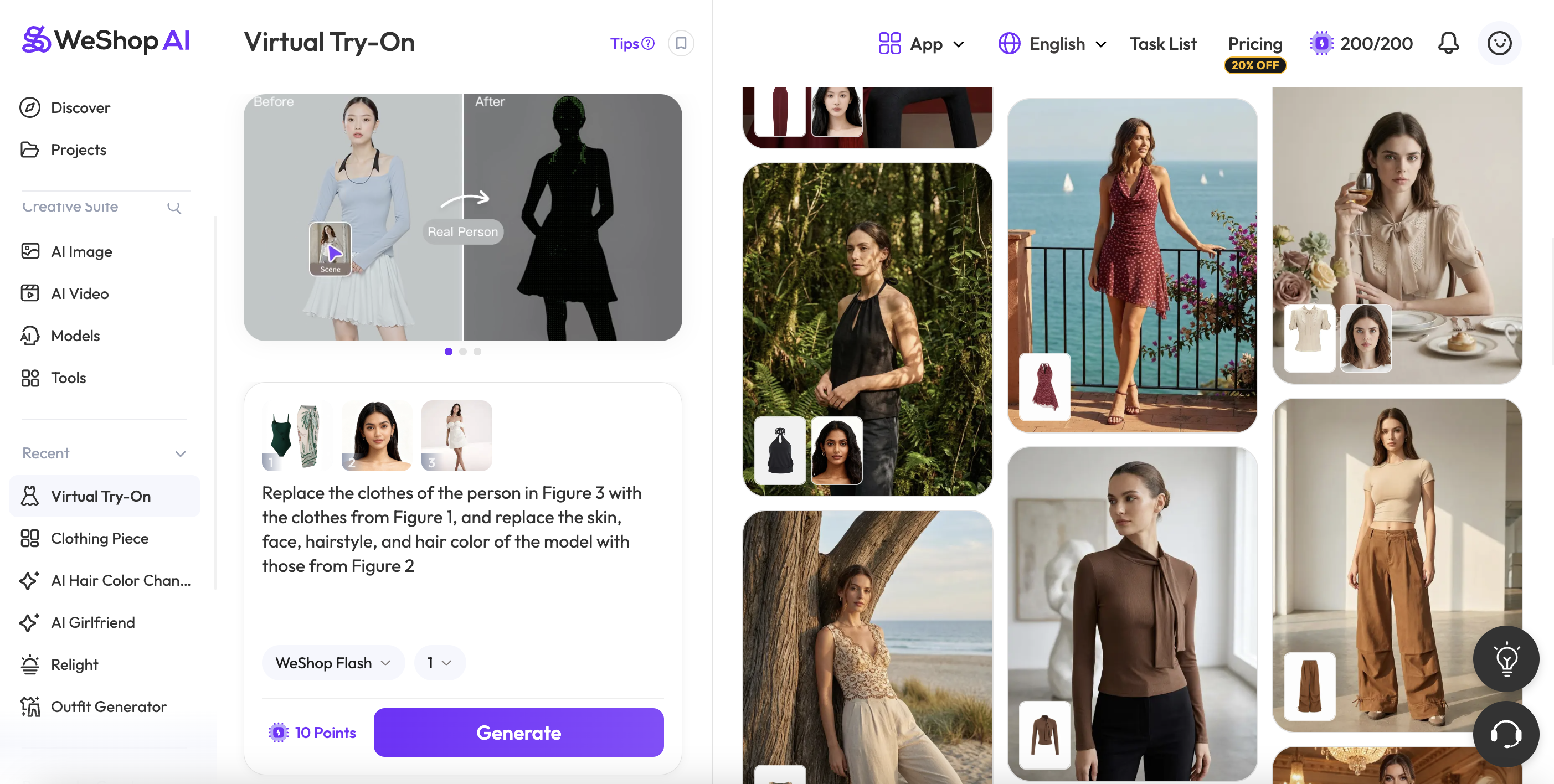
- Upload the product photo.
- Select the model independently.
- Choose a scene, refine the direction with a prompt if needed, and generate.
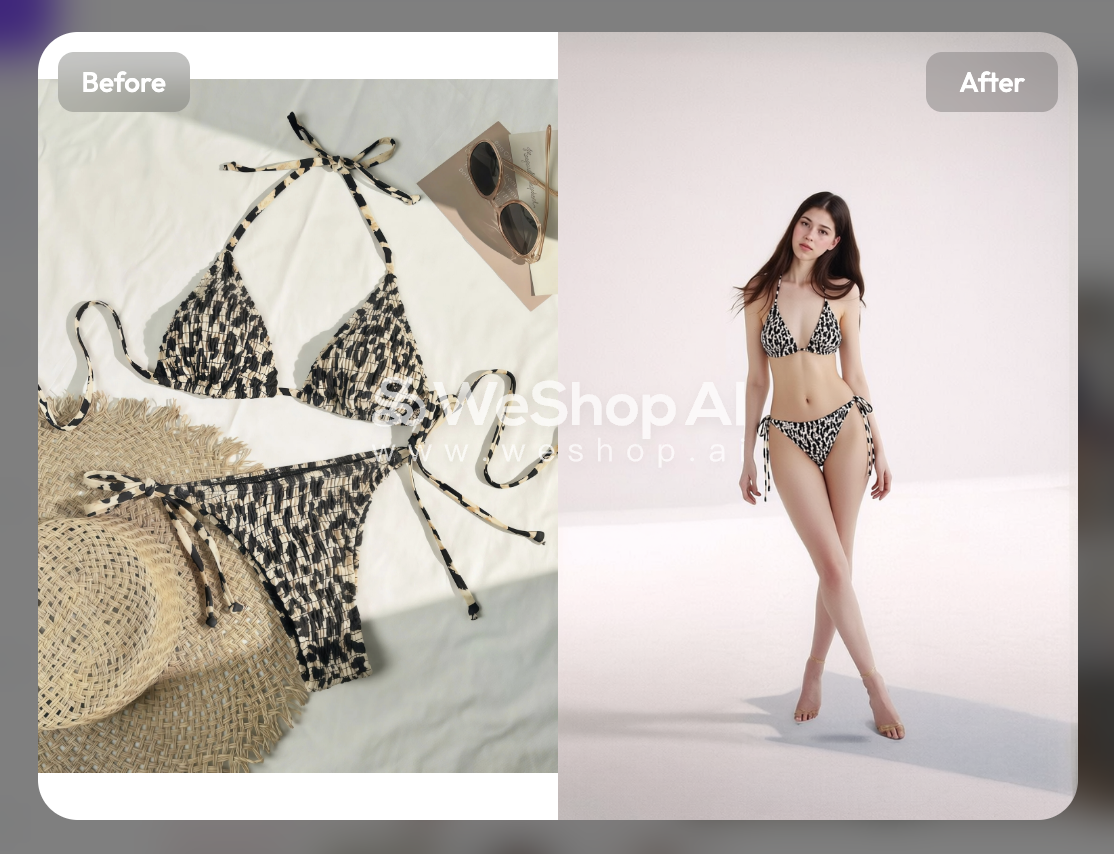
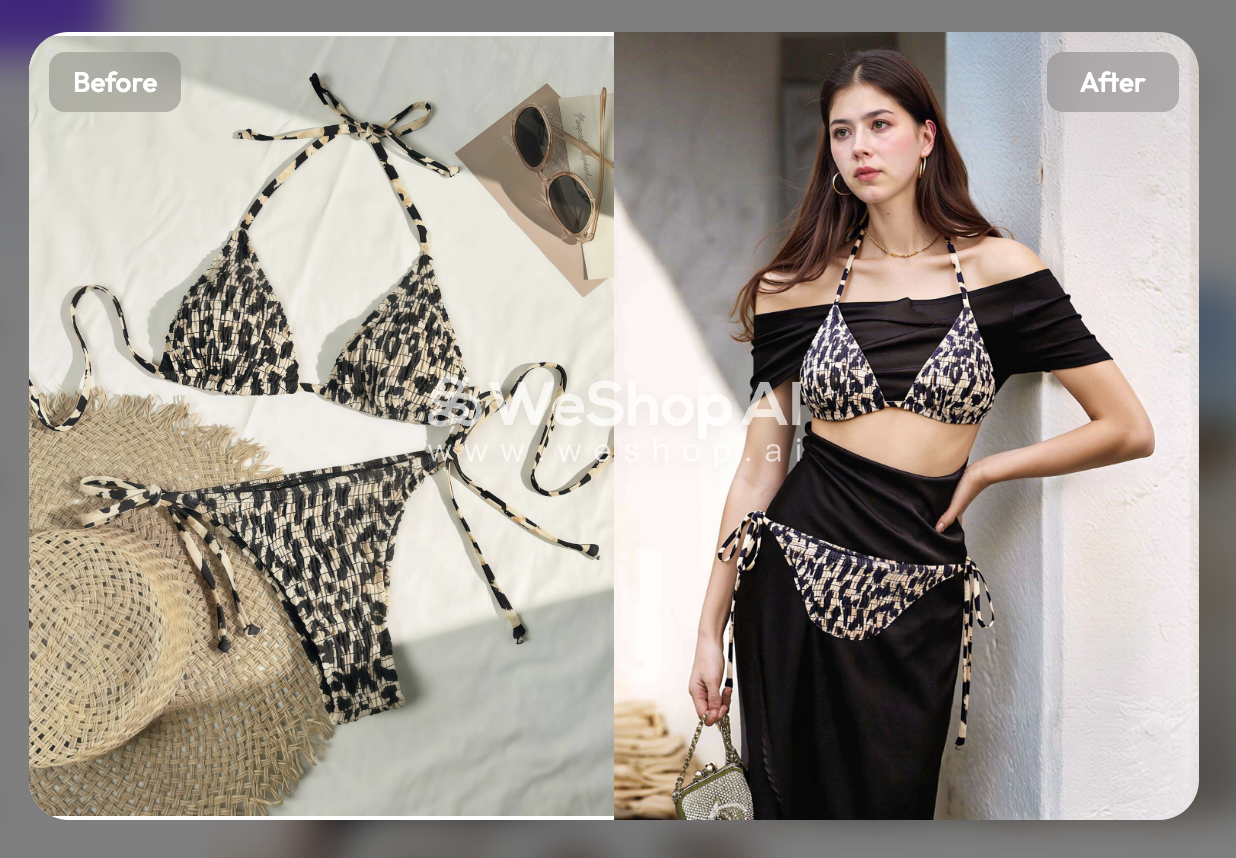
Printed strappy bikini
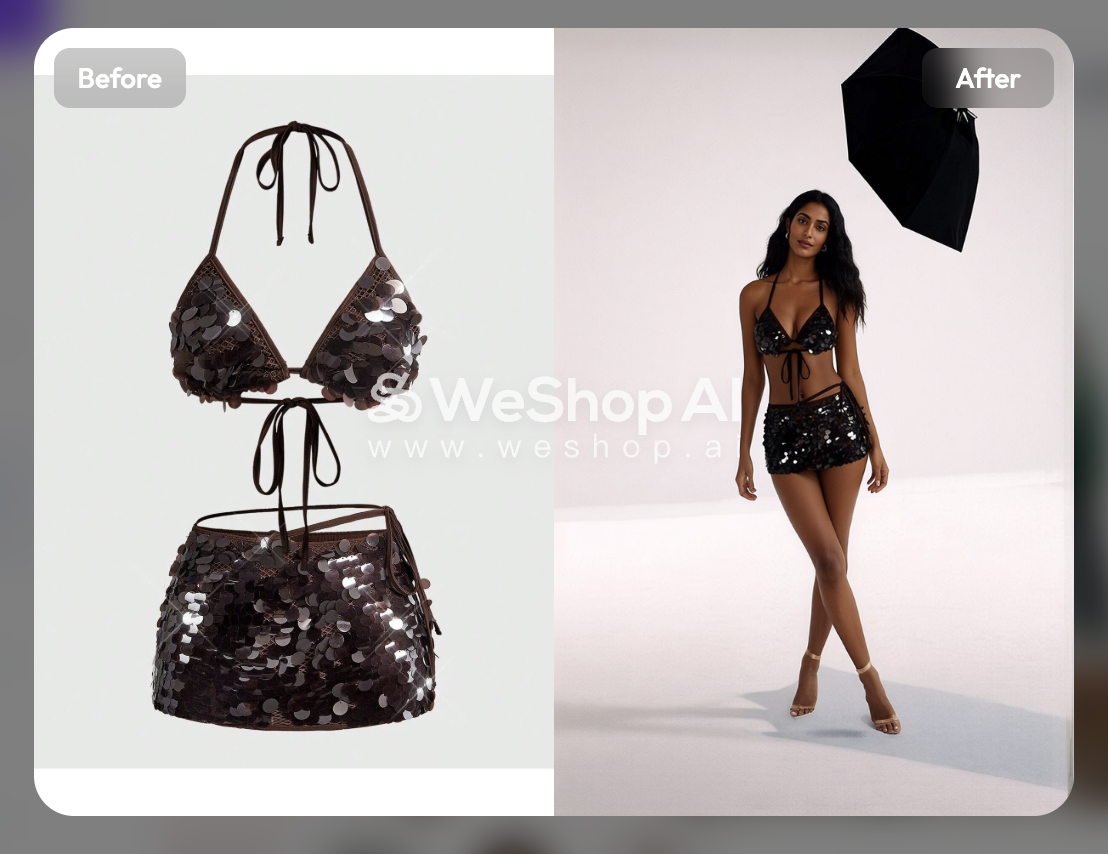
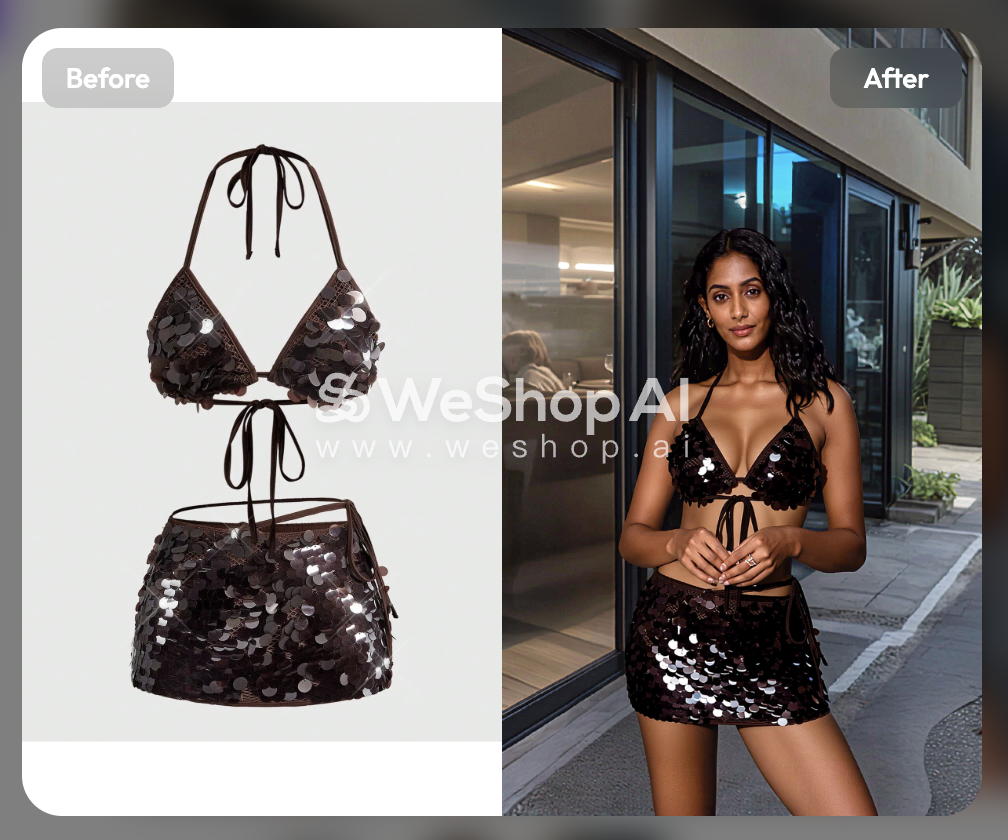
Metallic or sequin bikini
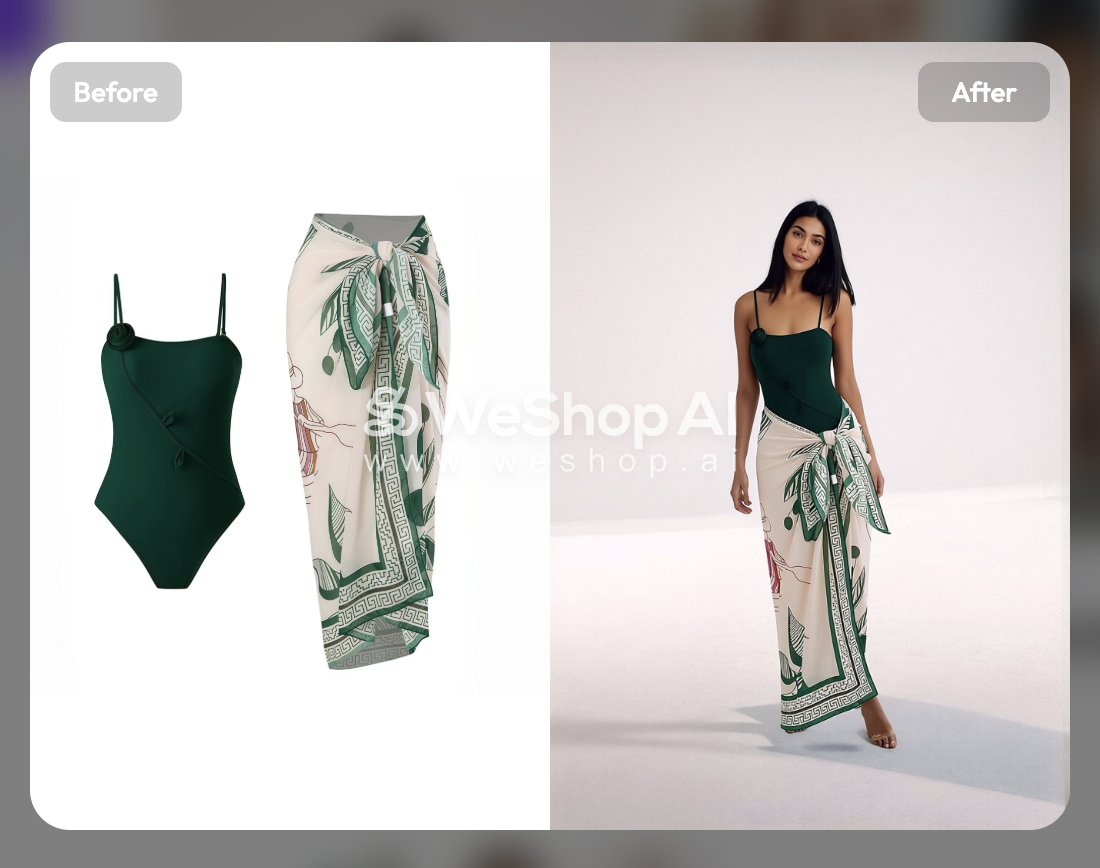
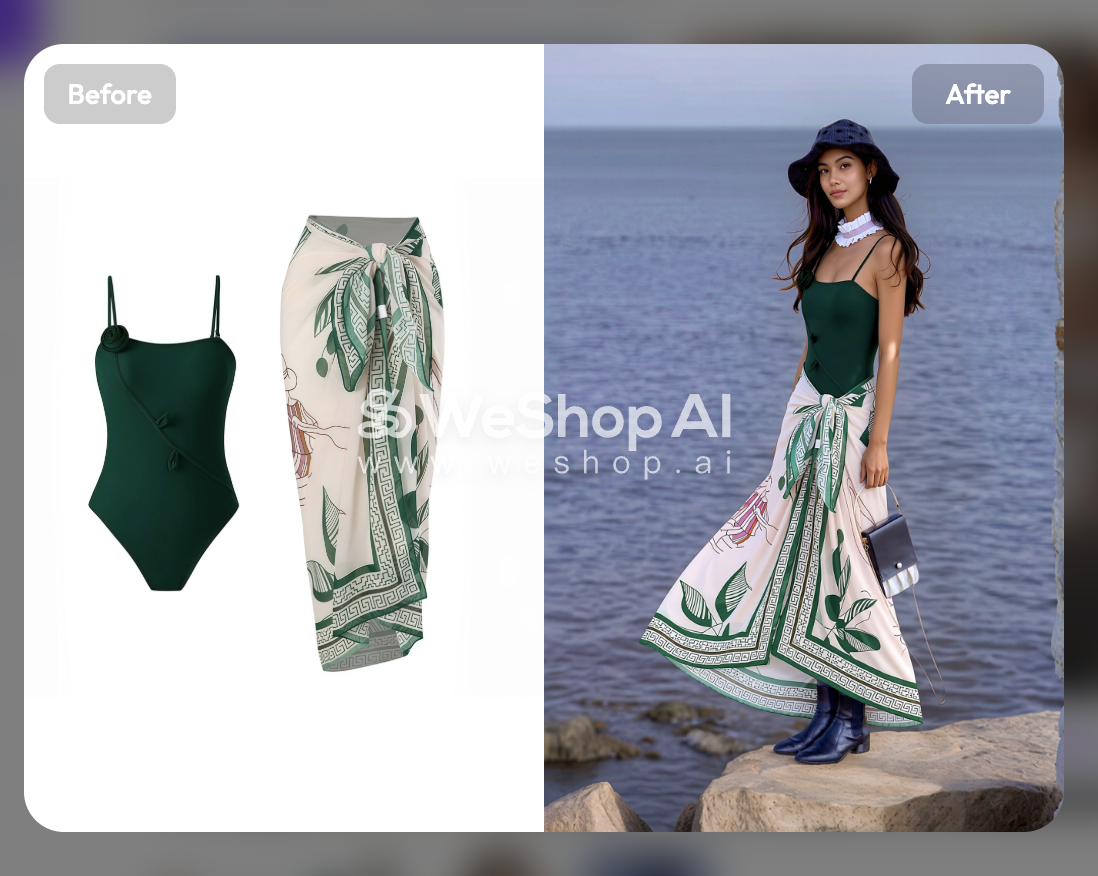
Swimsuit with cover-up
- What worked
- Model casting and scene selection are handled independently, which gives sellers useful control when building a campaign direction. Some individual models and locations looked natural at viewing size.
- What failed
- The printed bikini was not production-ready: its Studio image was soft with poor model-background integration, and its Lifestyle image did not fit the garment correctly to the model. The sequin Studio image introduced a large black light, while its Lifestyle background looked noticeably AI-generated. The green set also contained inaccurate details, including a missing foot in Studio and incorrect skirt movement in Lifestyle.
- Best use case
- Early lifestyle concepts and social creatives where a natural-looking person and setting matter more than exact SKU-level product fidelity.
5. Botika AI Fashion Models for Swimwear
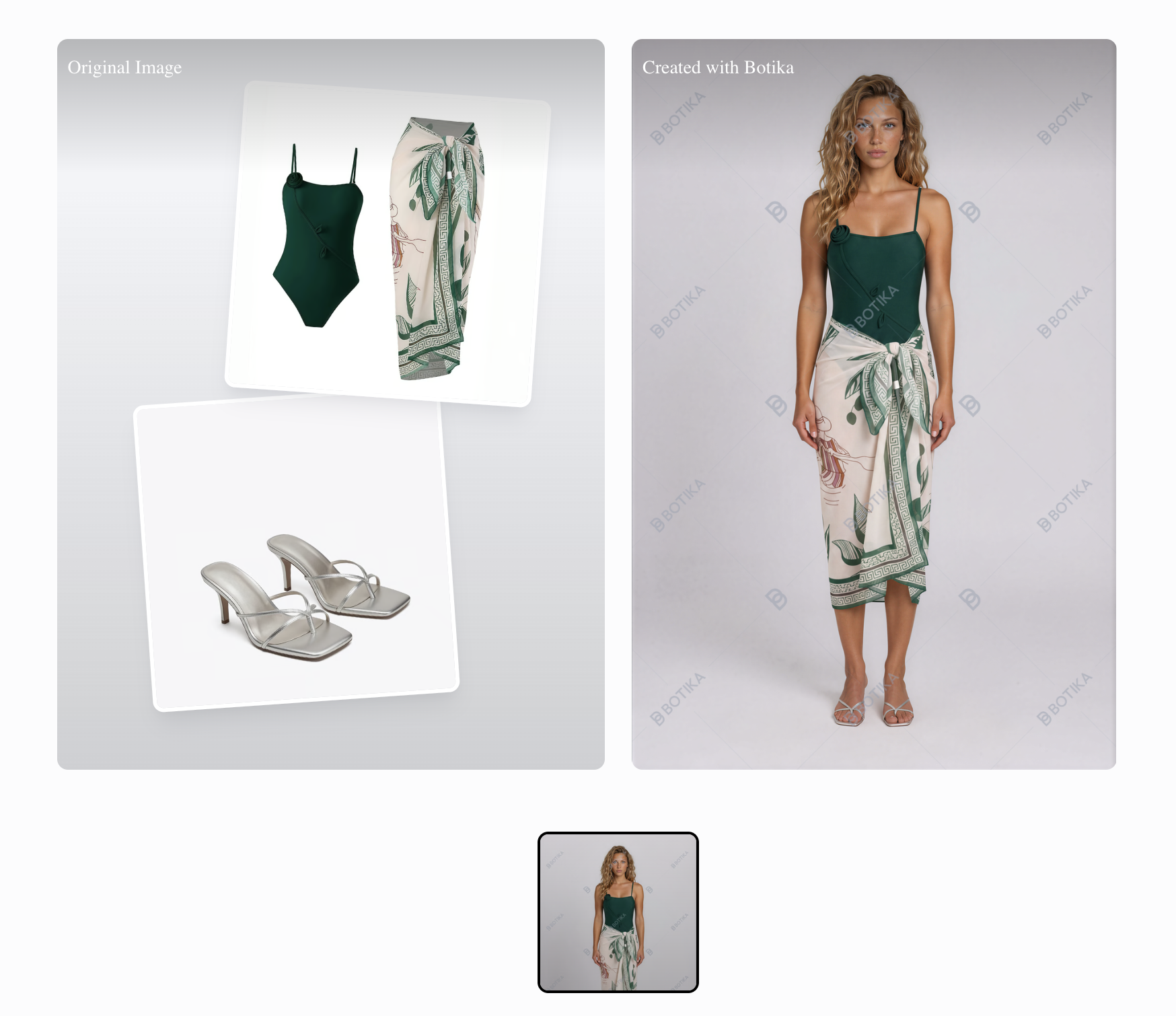
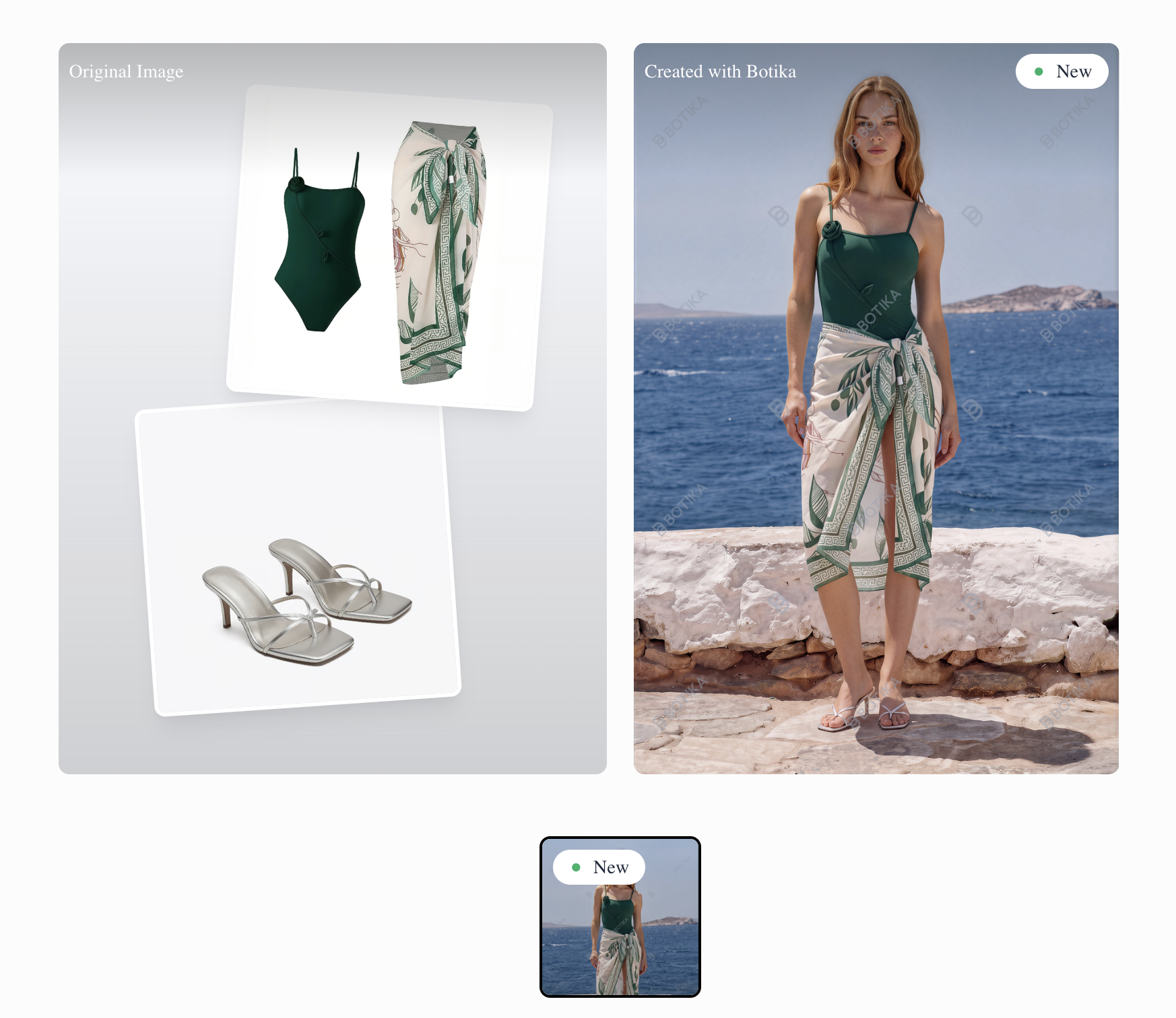
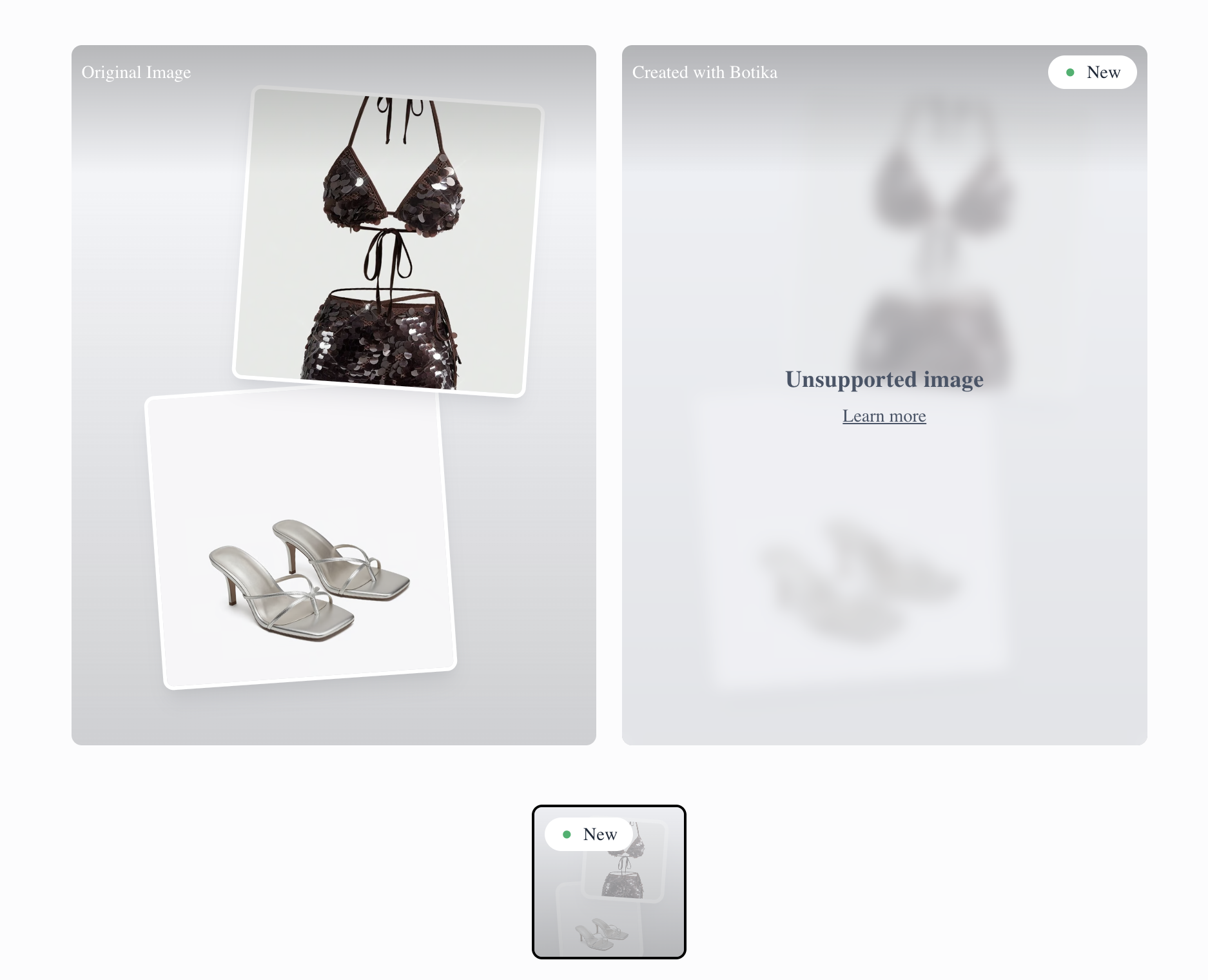
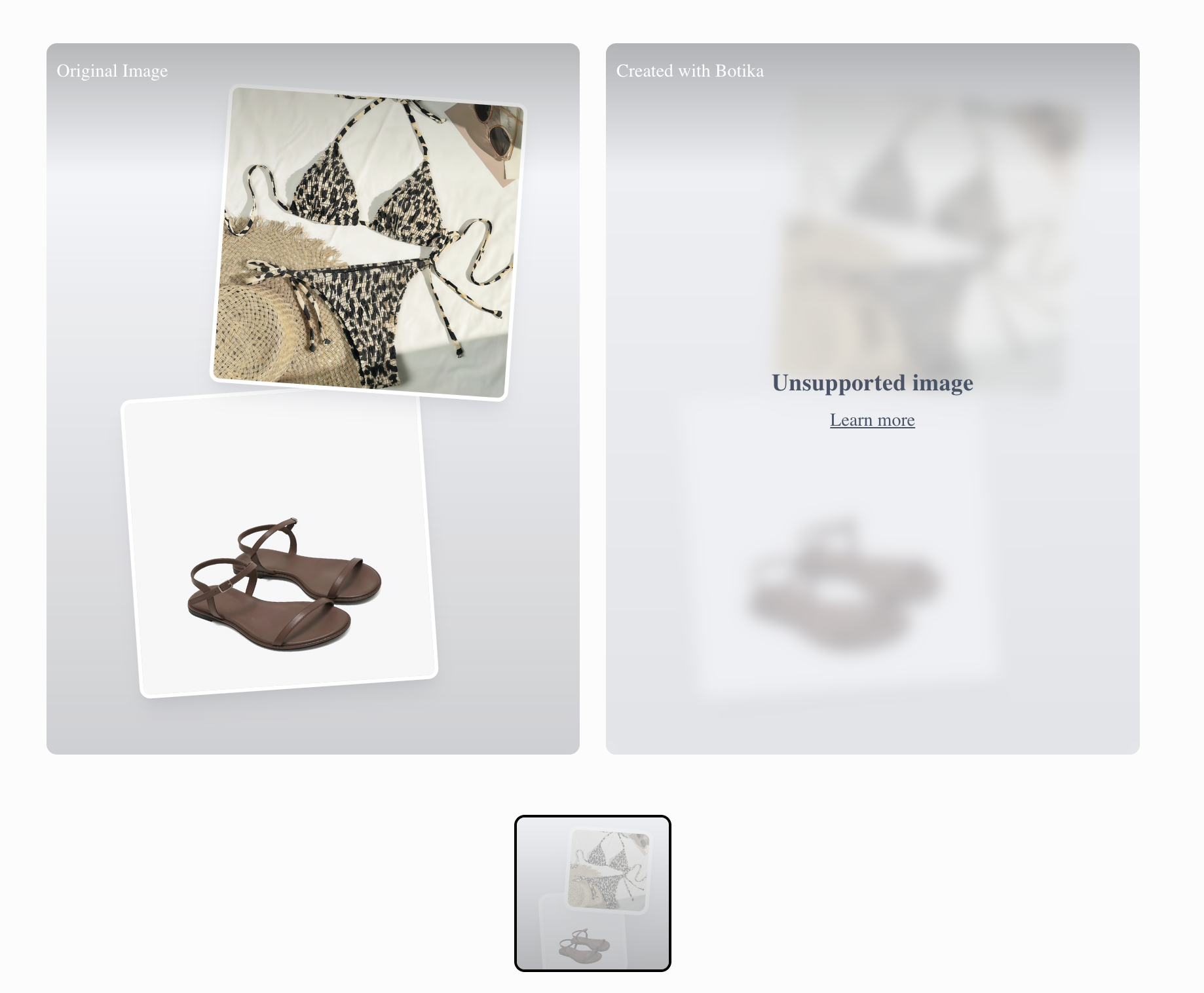
Botika generated Studio and Lifestyle images only for the green swimsuit with cover-up. The printed bikini and brown sequin set were both rejected as unsupported images, preventing a complete swimwear catalog test.
How the AI swimwear model workflow works
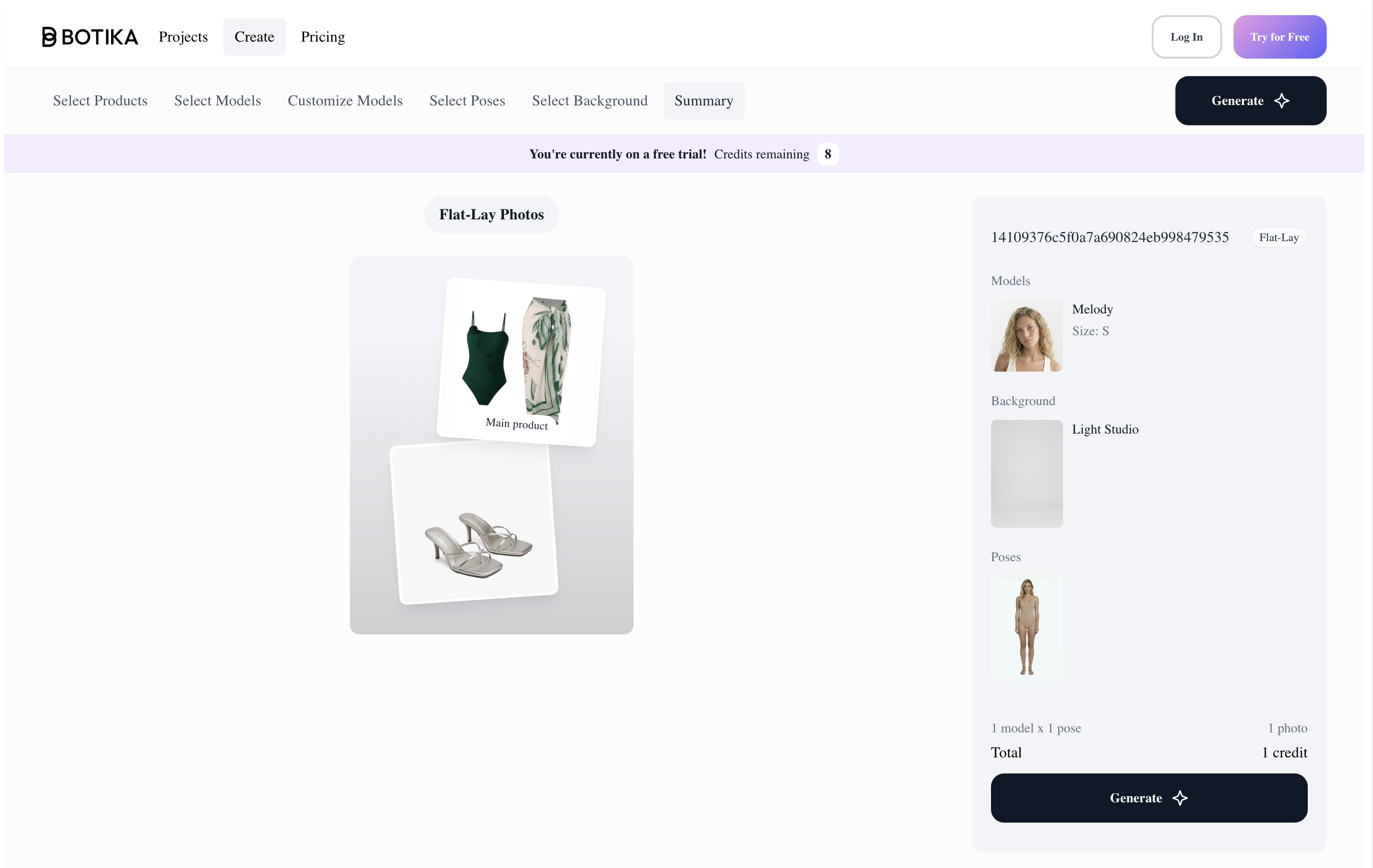
- Upload the product image and add any supporting product assets.
- Select or customize a model, then choose the pose.
- Select a background, review the summary, and generate the image.
Successful product: swimsuit with cover-up
Unsupported swimwear inputs
- What worked
- Botika provides separate controls for product assets, model casting, pose, and background. For the accepted green set, the swimsuit design, model anatomy, and selected Studio and coastal settings were generally coherent.
- What failed
- Two of the three swimwear products could not be generated because Botika classified them as unsupported images. In both successful green-set outputs, the cover-up was shortened substantially, changing a key SKU detail. These restrictions and garment changes make the workflow unsuitable for swimwear catalog production.
- Best use case
- General apparel workflows that need separate model, pose, and background controls; not recommended for swimwear sellers.
Ecommerce QA Checklist for AI-Generated Swimwear Photos
- Compare every strap, closure, ring, bow, cup, and underwire with the source SKU.
- Check print placement, sequin highlights, texture, and seam continuity at full size.
- Inspect hands, feet, body anatomy, and every edge where skin meets the garment.
- Review shadows, perspective, and subject-to-background integration in both studio and lifestyle scenes.
- Reject results that change coverage, fit, construction, included pieces, or cover-up length.
- Confirm the exported resolution and crop work for the intended product page, marketplace, or campaign placement.
Best AI Swimwear Model Generator for Ecommerce Sellers
Snappyit is the best overall AI swimwear model generator in this test. It accepted all three products and produced the most consistent balance of garment fidelity, fabric rendering, model realism, background quality, and image sharpness across Studio and Lifestyle scenes. Two products generated correctly in both settings. The only material miss was the brown sequin Lifestyle image, which added underwear beneath the skirt and would need editing before publication.
WearView is the strongest alternative for selected products. It generated convincing results for the sequin set and the swimsuit with cover-up, but failed on the printed bikini: the Studio image omitted the matching bottom, while the Lifestyle image invented extra chest straps. Sellers should test detail-heavy or multi-piece garments before committing a catalog.
PhotoRoom and Botika are not reliable primary tools for swimwear catalogs. Both blocked the two higher-exposure products. PhotoRoom’s accepted green set generated correctly, while Botika shortened the cover-up in both scenes. WeShop had the lowest entry price but the weakest production usability: the printed bikini was unusable, the sequin set had background problems, and the green set contained anatomy and garment-motion errors.
This is a focused three-product test rather than a benchmark of every swimsuit style. Sellers should run a representative sample of their own catalog—including the most complex straps, reflective fabrics, layered sets, and highest-exposure products—before choosing a production workflow.
AI Swimwear Model Generator FAQ for Sellers
What is the best AI swimwear model generator for ecommerce sellers?
Snappyit was the best overall performer in our five-tool test. It accepted all three products and delivered the most consistent garment fidelity, fabric detail, model realism, background quality, and image sharpness. Its only material miss was added underwear beneath the brown sequin set's skirt in one lifestyle result.
Can AI fashion model tools generate bikinis and revealing swimwear?
Support varies by platform. Snappyit, WearView, and WeShop accepted all three test products, while PhotoRoom and Botika blocked the printed bikini and brown sequin set. Sellers should test their highest-exposure styles before choosing a tool for catalog production.
How should sellers evaluate an AI-generated swimwear product photo?
Compare the output with the source SKU at full size. Check garment construction, coverage, straps, print placement, fabric texture, model anatomy, garment-to-body fit, background realism, and image sharpness. Reject any result that changes the product customers will receive.
Can AI swimwear model generators preserve sequins, prints, and cover-ups?
They can, but performance depends on the tool and product. Snappyit and WearView preserved the tested sequin surface well, while WearView altered the printed bikini and Botika shortened the cover-up. Detail-heavy and layered products need SKU-level quality control.
How much do AI swimwear model generators cost?
At the time of our August 11, 2026 prepublication check, monthly entry prices were $9.99 for WeShop, $12.90 for Snappyit, $9.99 for PhotoRoom, $29 for WearView, and $33 for Botika. Plans and included generation allowances can change, so confirm current terms on each provider's pricing page or in the account checkout.
How do you photograph swimwear without a model?
Use a clean flat-lay for literal product detail, a hanger for structured one-pieces or cover-ups, or a ghost mannequin when three-dimensional garment shape matters. Photograph under soft, consistent light with every strap, tie, clasp, and included piece visible. A faithful flat-lay can then be used as the source for an AI on-model image.
Can an AI swimwear model generator work from a flat-lay photo?
Yes. Start with a sharp, complete flat-lay that separates straps and shows every piece in the set. Generate a controlled studio image first, compare coverage, construction, print placement, ties, and included pieces with the source, and create lifestyle scenes only after the product has passed that check.
Should sellers keep the original flat-lay after generating an on-model image?
Yes. The flat-lay is useful as a literal product view and as the reference for approving generated images. Keep it in the product gallery so shoppers can inspect prints, hardware, included pieces, and construction that may be less visible on a model.
AI Swimwear Tool Pricing, Feature, and Test Sources
- Snappyit AI Fashion Model and Snappyit pricing — product workflow and subscription source.
- PhotoRoom Virtual Model and PhotoRoom pricing — product controls and subscription source.
- WearView and WearView pricing — product workflow, resolution options, and subscription source.
- WeShop AI — official product site; the $9.99/month entry price was recorded in the tested account on August 10, 2026.
- Botika — official product site; the $33/month entry price and unsupported-image results were recorded in the tested account on August 10, 2026.
- Primary test evidence: three source product photos, five workspace screenshots, exported results, and content-policy rejection captures collected on August 10, 2026 and reproduced in this article.







