Ghost Mannequin 35 min read

Ghost Mannequin for Ecommerce That Sells - Not Just Looks

A complete playbook for using ghost mannequin photography to lift conversions, cut returns, and scale your apparel catalog across every marketplace.

What Ghost Mannequin Photography Actually Is

Imagine browsing an online store and seeing a shirt that looks like it is being worn by an invisible person. It holds its shape, shows depth at the neckline, and gives you a clear sense of fit without a model or hanger in sight. That is the ghost mannequin effect in action, and it has become the visual backbone of apparel ecommerce.

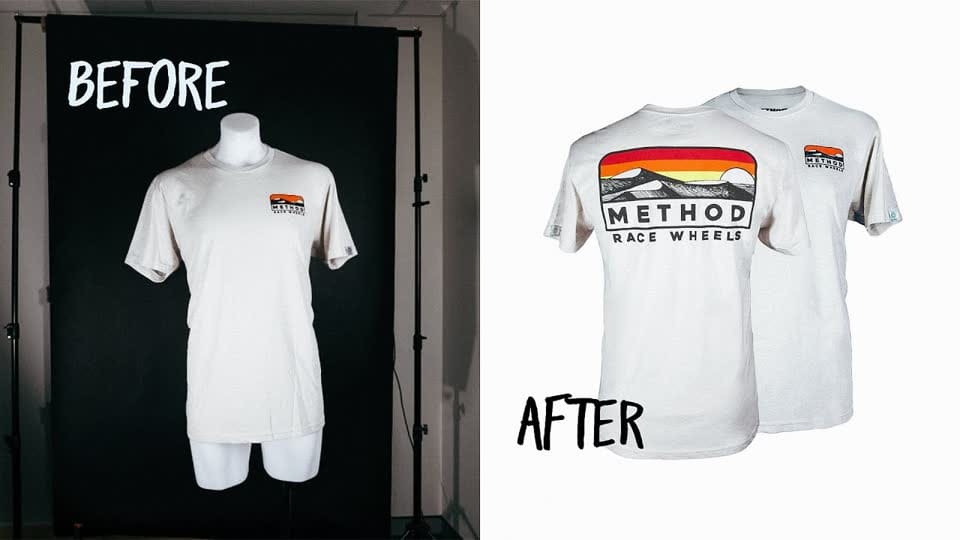
Ghost mannequin photography is a post-production technique where a garment is photographed on a mannequin, then the mannequin is digitally removed to create a hollow, three-dimensional floating effect that keeps the product's natural shape and structure intact.

Defining the Ghost Mannequin Effect

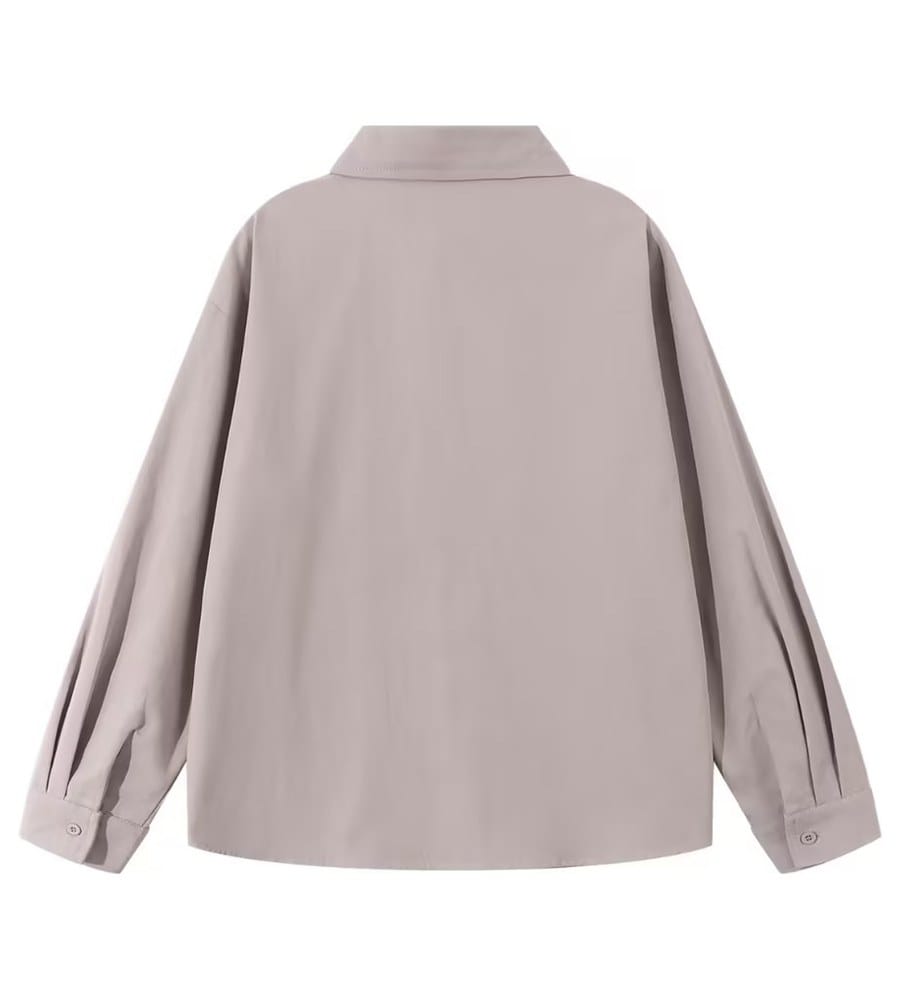
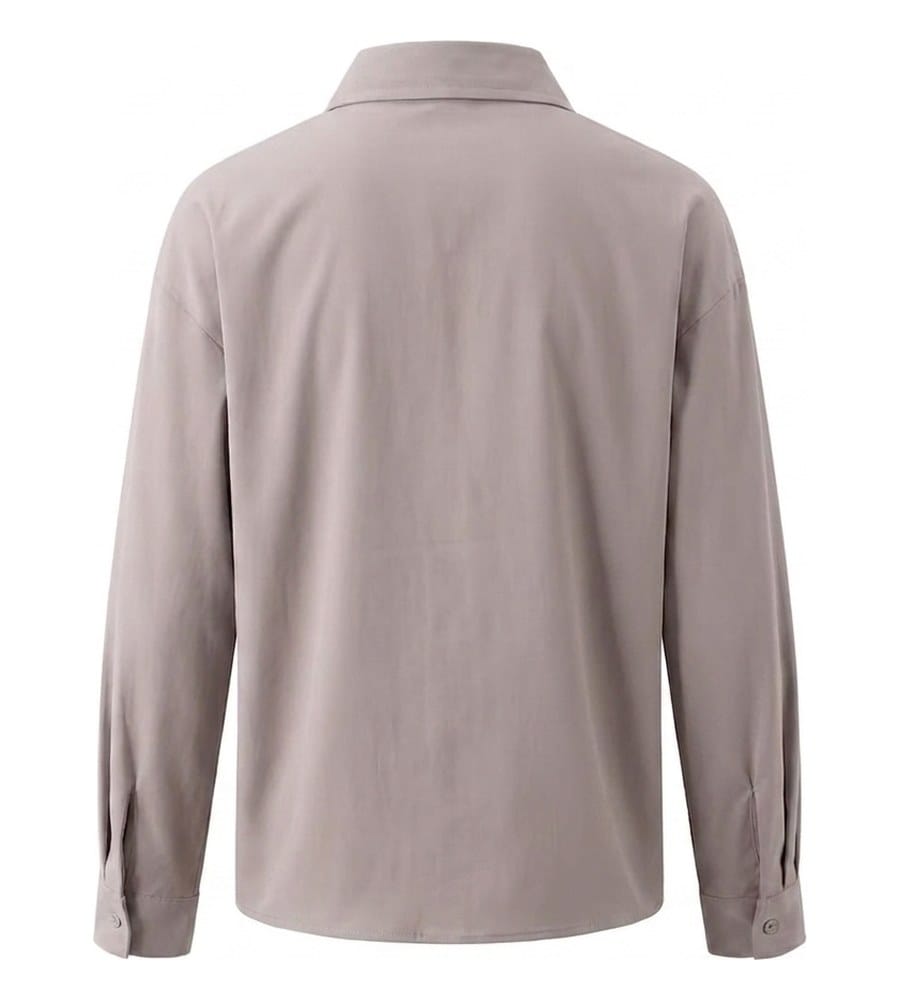
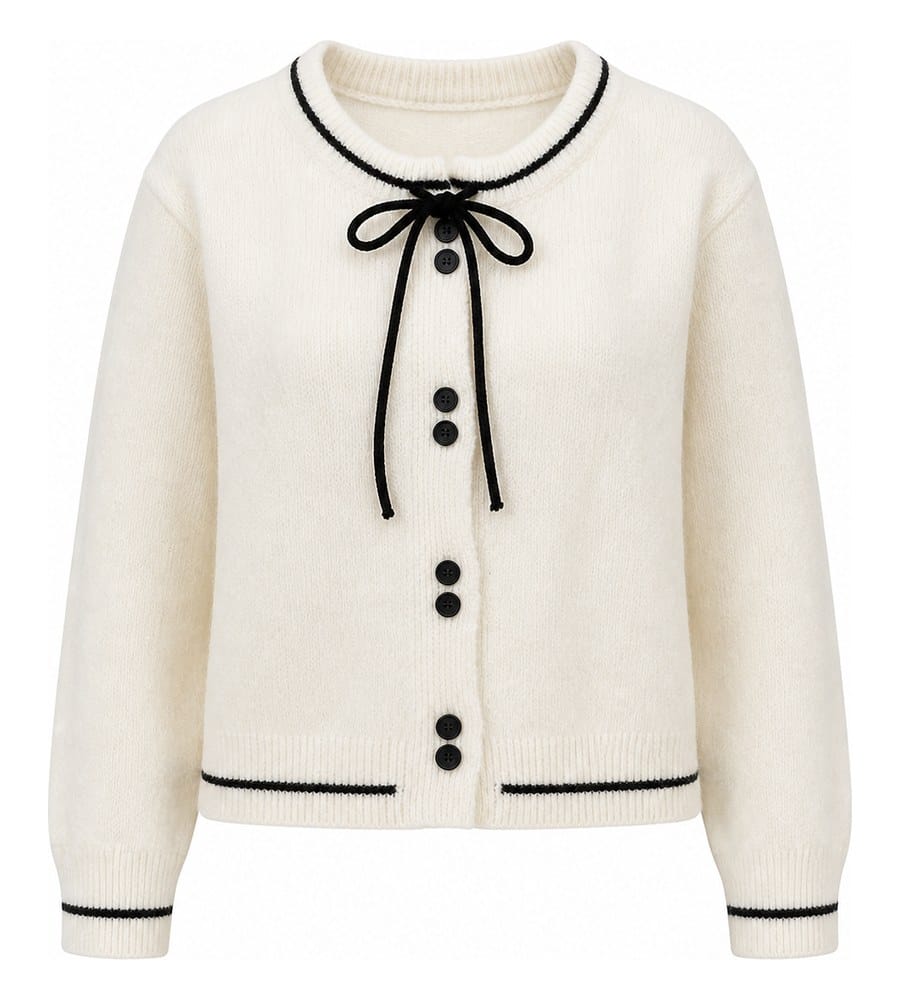
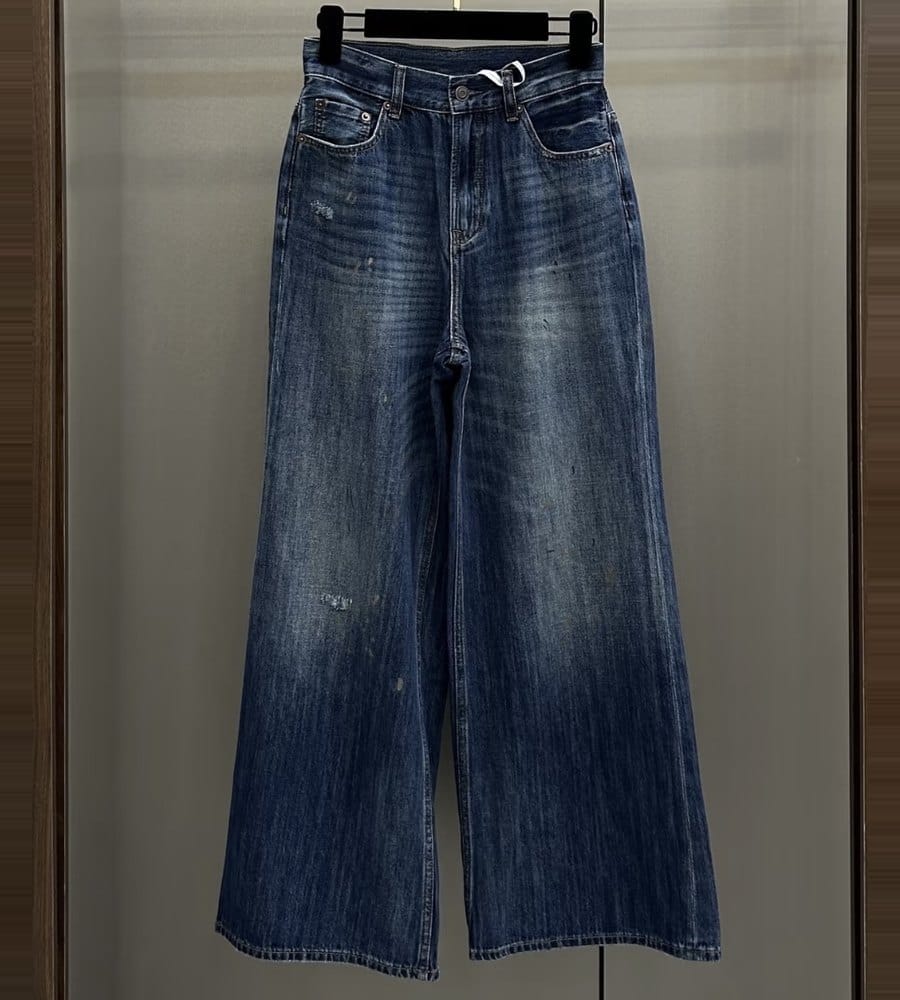
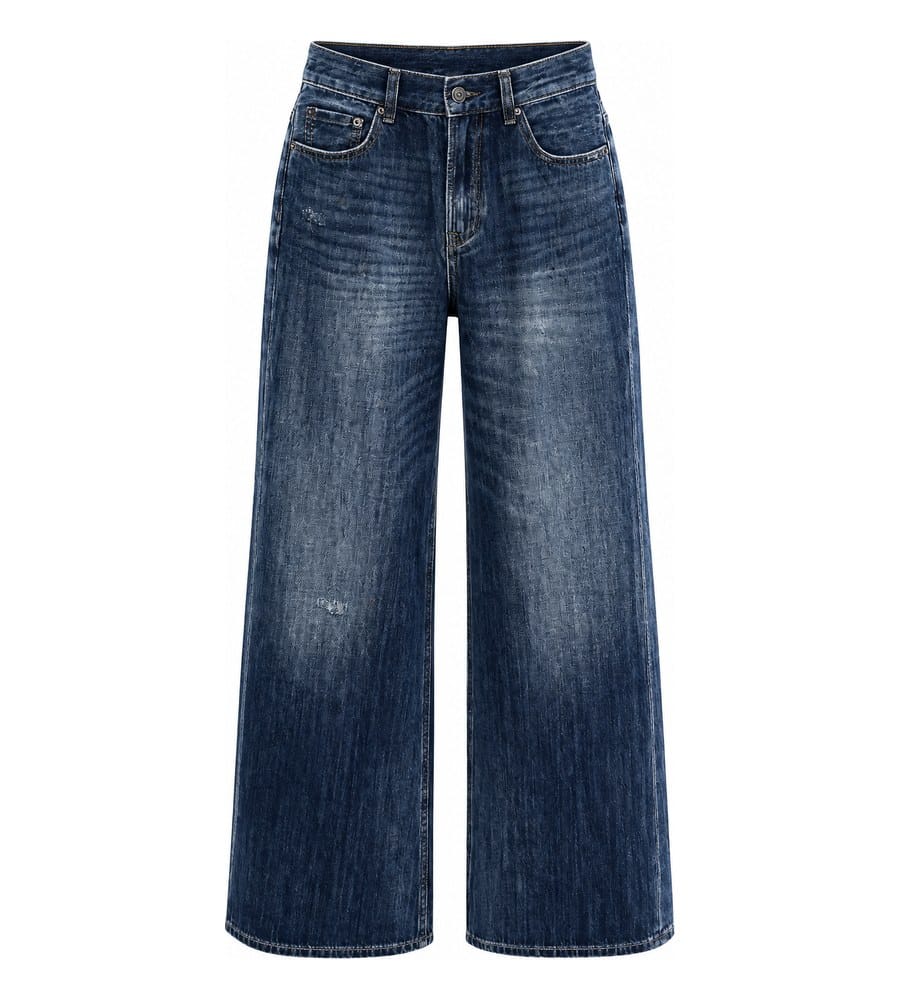
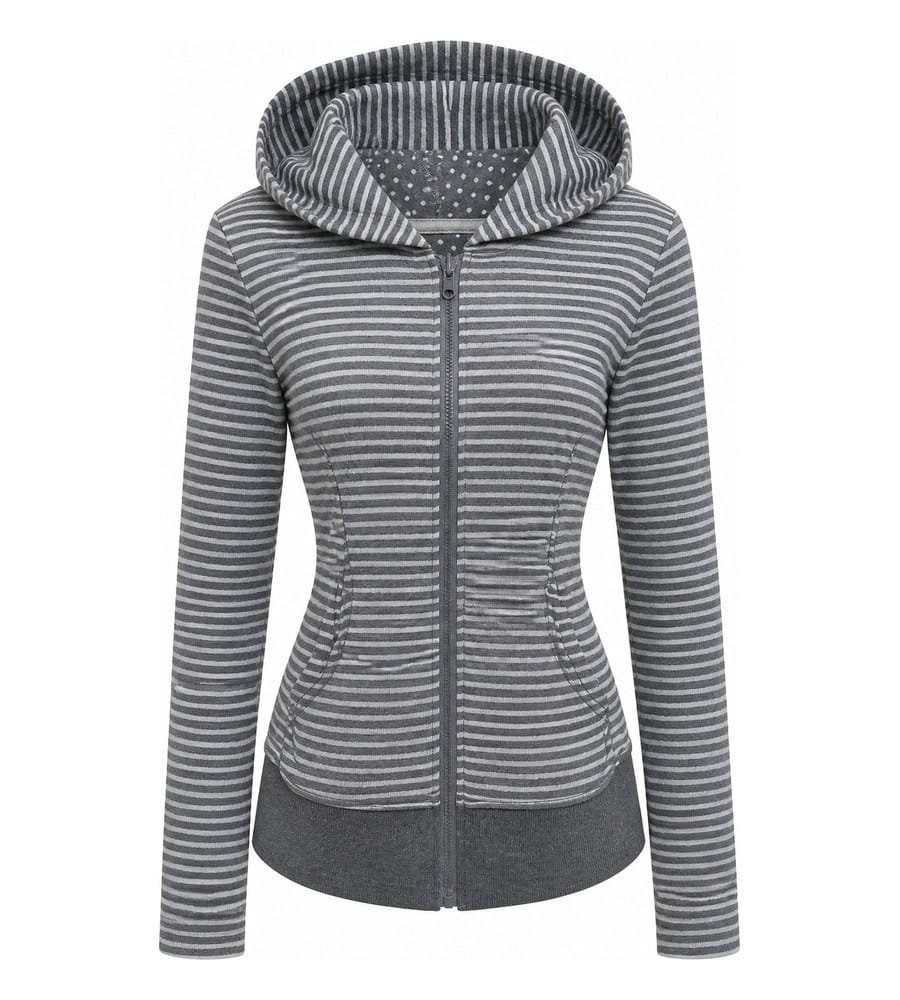
The ghost mannequin effect gives clothing a lifelike, worn appearance without any visible support. The garment appears to float in space, sculpted and dimensional, so shoppers can focus entirely on design, fabric, and silhouette. This clean, distraction-free presentation is why nearly every major apparel brand relies on the technique for product pages.

How Invisible Mannequin Photography Works

The process starts in a ghost mannequin photography studio where the garment is dressed on a mannequin, styled, and lit under controlled conditions. The photographer captures a front shot on the mannequin, then removes the garment, turns it inside out, and photographs the interior (collar, tag area, or lining) separately. In post-production, these images are composited together while the mannequin body is masked out. The result is invisible ghost mannequin photography that reveals both the exterior and interior construction of the piece in a single, seamless image.

Key Terminology Every Seller Should Know

You will see several terms used interchangeably across the industry. "Ghost mannequin," "invisible mannequin," and "hollow man effect" all describe the same core technique. "Neck joint" refers specifically to the compositing step where the interior collar area is blended behind the front neckline. "Ghost clothing photography" is a broader label some studios use to cover any garment shot where the support structure is removed digitally. Understanding this vocabulary helps when comparing ghost mannequin photography services or communicating with editors and retouchers.

Sellers gravitated toward this method because flat-lay shots lack dimension and on-model photography is expensive to scale. The ghost mannequin approach sits in the middle: it delivers the three-dimensional realism of a model shoot at a fraction of the cost and with far greater consistency across large catalogs. That balance between visual quality and operational efficiency is exactly what makes the technique so valuable for growing ecommerce brands.

Why Ecommerce Brands Rely on Ghost Mannequin Images

Visual quality and operational efficiency are compelling reasons to adopt the technique, but the real question for any seller is: does it move the needle on revenue? The short answer is yes. Ghost mannequin for ecommerce is not just a styling preference. It is a business decision rooted in how shoppers evaluate, trust, and ultimately buy apparel online.

Online buyers cannot touch fabric, check stitching, or hold a garment up to their body. The product image is the closest substitute for that physical interaction. Research from Baymard Institute shows that 56% of shoppers explore product images as their very first action on a product page, before reading titles or descriptions. When that first impression comes through a crisp, three-dimensional ghost mannequin shot, it immediately communicates shape, fit, and construction in a way flat-lay images simply cannot.

How Product Image Quality Shapes Buyer Decisions

Think about the last time you scrolled past a listing with dim, blurry photos. You probably did not click. That instinct is backed by data: Salsify's 2025 Consumer Research Report reported that 77% of shoppers weigh high-quality images and video heavily when deciding what to buy. Ghost mannequins deliver exactly the kind of clean, distraction-free presentation that builds confidence. The garment is the focal point, shadows fall naturally, and the three-dimensional form helps buyers mentally picture how the piece will look on their own body.

Marketplace data reinforces this connection between image quality and sales. eBay's listing data shows that products with higher-quality photos are 4.5% more likely to sell overall, with category-specific lifts reaching 17% for shoes and 25% for handbags. For apparel sellers managing hundreds of SKUs, even a modest per-listing improvement compounds into significant revenue gains.

The Link Between Consistent Imagery and Brand Trust

Imagine landing on a store where one product has a white-background ghost mannequin shot, the next is a wrinkled flat lay on a bedsheet, and a third uses a dark lifestyle photo. That inconsistency signals disorganization and erodes trust before a shopper reads a single product description.

Ghost mannequins solve this problem at scale. Because the technique uses a standardized setup, every item in your catalog shares the same lighting, background, and presentation style. That uniformity creates a cohesive brand experience that tells shoppers your operation is professional and reliable. Higher-quality, more attractive visuals are directly linked to increased perceived trustworthiness and willingness to pay, a pattern researchers documented across online marketplaces where visual quality signals seller credibility.

For ghost mannequin photography specifically, consistency also speeds up the browsing experience. When every garment is presented in the same dimensional format, shoppers can quickly compare silhouettes, necklines, and proportions across your collection without adjusting to different image styles.

Reducing Returns With Accurate Apparel Representation

Returns are one of ecommerce's most expensive problems. The NRF/Happy Returns 2024 report puts online return rates at 16.9% of total retail sales, representing roughly $890 billion in returned merchandise in the US alone. In apparel, that rate climbs even higher, with size and fit issues driving approximately 67% of fashion returns.

Ghost mannequin images directly address this gap. By showing a garment's true three-dimensional shape, internal construction, and proportional fit, they set accurate expectations that flat-lay shots cannot match. Shoppers see how a collar sits, how sleeves taper, and how a hemline falls, all without the distraction of a model's pose or body type influencing their perception. When customers understand what they are buying before checkout, the mismatch between expectation and reality shrinks, and so do return rates.

  • Consistent brand presentation - Every SKU shares the same lighting, background, and dimensional format, reinforcing professionalism across your entire catalog.
  • Improved perceived value - Clean, three-dimensional imagery signals quality and justifies pricing, making shoppers more willing to purchase at full price.
  • Reduced returns from accurate representation - Showing true garment shape and construction sets realistic expectations for fit, cutting down on costly size-related returns.
  • Faster browsing for shoppers comparing items - Standardized presentation lets buyers quickly scan and compare silhouettes, necklines, and proportions without visual noise.

These benefits compound over time. A catalog full of professional ghost mannequin images does not just look better on day one. It builds cumulative brand equity, lowers operational costs through fewer returns, and creates a browsing experience that converts casual visitors into confident buyers. The question is not whether the investment pays off, but how quickly you can bring that consistency to your entire product line.

four apparel photography methods compared ghost mannequin flat lay on model and ai generated imagery

Ghost Mannequin vs. Flat Lay vs. On-Model vs. AI

Knowing that ghost mannequin images build trust and reduce returns is one thing. Knowing whether they are the right choice for every product in your catalog is another. The reality is that no single photography method wins across every scenario. Your product type, budget, volume, and brand positioning all influence which approach delivers the best return. Here is a structured breakdown to help you decide where mannequin product photography fits and where other methods might serve you better.

Comparison Table of Apparel Photography Methods

When you are evaluating how to photograph clothing on a mannequin versus other options, the differences come down to five practical factors: what it costs per image, how fast you can produce at scale, the visual quality you get, and which products each method handles best.

Method Cost Per Image Range Time to Produce Scalability Image Quality and Realism Best Use Cases
Ghost Mannequin (Traditional) $15 - $50 per SKU (shoot + editing) 2 - 7 days from shoot to final file Moderate - limited by studio capacity and editing turnaround Very high - true fabric texture, accurate shadows, precise 3D form Structured garments: blazers, jackets, tailored shirts, dresses, trousers
Flat Lay $5 - $20 per image Minutes to hours (minimal post-production) High - simple setup, fast turnaround Moderate - shows color and detail but lacks dimensional depth Casual basics, accessories, scarves, T-shirts, social media content
Live Model (On-Model) $60 - $500+ per image Days to weeks (booking, shoot, retouching) Low - constrained by model availability, scheduling, and cost Highest - shows movement, drape, and lifestyle context Premium brands, editorial campaigns, lifestyle storytelling, lookbooks
AI-Generated Ghost Mannequin $0.10 - $15 per image (platform-dependent) Seconds to minutes Very high - batch processing with no physical bottleneck Consistently good - studio-grade for standard garments, may struggle with complex construction High-volume catalogs, fast fashion drops, dropshipping, rapid SKU launches

A few things stand out immediately. Traditional ghost mannequin photography delivers the highest fidelity for structured garments, but it carries real time and cost overhead. Flat lay is the budget-friendly workhorse for simple items. On-model shoots justify their premium when storytelling and brand aspiration matter more than pure product clarity. And AI tools have carved out a powerful niche for sellers who need speed and volume above all else.

When Ghost Mannequin Is Not the Right Fit

Ghost mannequin photography excels with garments that hold their shape on a form. But not every product cooperates. Here are the scenarios where this technique falls short:

Heavily draped or unstructured fabrics. Think oversized knitwear, flowing chiffon wraps, or loose linen tunics. These garments collapse or bunch unnaturally on a mannequin because they are designed to move with a body. Without a living form to create natural drape, the result looks stiff or deflated. Flat lay or on-model shots often represent these pieces more honestly.

Accessories without a mannequin form. Handbags, belts, jewelry, hats, and shoes do not have a standard ghost mannequin solution. While partial forms exist for some categories, most accessories photograph better on dedicated props, styled flat lays, or contextual lifestyle setups.

Ultra-premium brands where storytelling justifies the cost. If you are selling a $2,000 hand-tailored coat, your customer expects to see it in motion on a person. The emotional connection and aspirational context of on-model photography can justify the higher cost because the brand narrative is part of what the buyer is purchasing. As Visuals Clipping notes, high-end and luxury brands often use ghost mannequin images as secondary product shots while leading with on-model editorial imagery.

Highly reflective or transparent materials. Sheer lace, metallic fabrics, and sequined garments can create tricky reflections and boundary-detection challenges, particularly for AI-based removal. Traditional retouching handles these better, but even then, the results may look less natural than a model shot where the fabric interacts with skin and movement.

Where AI Tools Outperform Traditional Shoots and Vice Versa

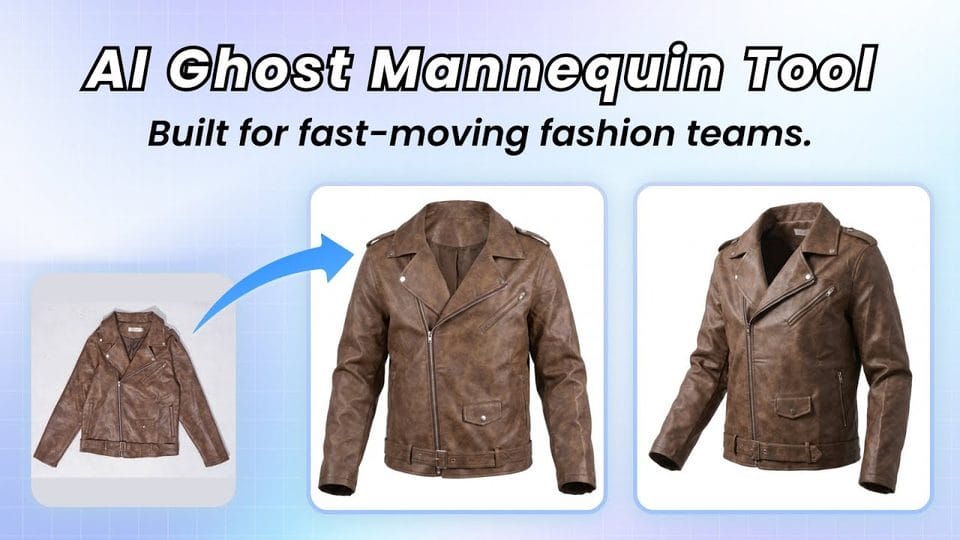
AI ghost mannequin services have matured rapidly. Platforms now use generative models trained on garment construction and fabric physics to reconstruct 3D volume from a simple flat lay or hanger photo. The workflow is radically different: snap a photo, upload it, and receive a processed image in under 30 seconds. No studio, no mannequin, no retoucher.

Where AI wins clearly:

  • Speed - Processing takes seconds versus days. A new shipment can go from warehouse to live listing the same morning.
  • Cost at scale - Industry data shows traditional ghost mannequin photography runs $15 to $50 per SKU when you combine the shoot and editing, while AI platforms can reduce that to pennies per image.
  • Consistency - AI applies the same lighting, shadow depth, and spatial reconstruction to every image mathematically. No variation between editors or shooting days.
  • Batch processing - Upload 50 or 500 images at once. There is no physical bottleneck limiting throughput.

Where traditional photography still wins:

  • Complex garment construction - Asymmetrical cuts, unusual necklines, layered pieces, and garments with intricate hardware (zippers, buckles, chains) still challenge AI boundary detection.
  • Fabric texture accuracy - Silk sheen, corduroy ridges, delicate embroidery, and hand-knit textures are captured with higher fidelity through controlled studio lighting and a real camera sensor.
  • Precise shadow rendering - Traditional photography produces natural shadows from actual light sources. AI-generated shadows are convincing for standard shapes but can look slightly artificial on complex silhouettes.
  • Creative control - A photographer and stylist can make real-time decisions about pinning, drape, and angle that AI cannot replicate from a flat input image.

The honest takeaway? For 80-90% of standard apparel SKUs (T-shirts, polos, jeans, basic dresses, hoodies), AI ghost mannequin tools deliver results that are visually indistinguishable from traditional shoots at a fraction of the cost and time. But for hero products, complex construction, or garments where texture is the selling point, traditional mannequin product photography still earns its premium.

Many growing brands land on a hybrid strategy: AI handles the bulk catalog while traditional shoots cover flagship pieces and marketing assets. That split lets you scale without sacrificing quality where it matters most. The key is matching the method to the garment, not defaulting to one approach for everything.

Of course, whichever method you choose, the quality of your final image depends heavily on what happens before the camera clicks. The right equipment and setup can make the difference between a polished result and hours of frustrating post-production fixes.

Skip the studio and the retoucher. Snappyit turns a flat-lay or hanger photo into a clean, three-dimensional ghost mannequin image in seconds. Try Snappyit free →

Equipment and Setup for Invisible Mannequin Photography by Budget

Your photography method is only as good as the gear behind it. Whether you are launching your first apparel line from a spare bedroom or running a dedicated studio, the right combination of mannequin, camera, lighting, and backdrop determines how much post-production headache you create for yourself. Here is a structured breakdown across three budget tiers so you can invest where it counts.

Entry-Level Setup for New Sellers

Starting out does not require thousands of dollars. An adjustable dress form, a crop-sensor DSLR or mirrorless body with a 50mm prime lens, a single softbox, and a roll of white seamless paper will get you producing clean mannequin photography results. The key at this tier is consistency: lock your camera on a tripod, mark your mannequin position on the floor with tape, and keep your single light source at the same angle for every shot. You will spend more time in post-production than a professional studio would, but the raw material will be workable.

Mid-Range and Professional Studio Gear

As your catalog grows, upgrading to a professional photography mannequin with detachable neck, arm, and torso sections dramatically speeds up your workflow. These invisible mannequin forms let you capture interior collar and lining shots without fully removing the garment, which cuts compositing time in half. Pair that with a full-frame camera body, a two or three-light softbox kit for even coverage, and a dedicated shooting space, and you are operating at the level of brands producing hundreds of SKUs per season.

Budget Tier Mannequin Type Camera and Lens Lighting Estimated Setup Cost Range
Entry-Level Adjustable dress form (fixed torso, no detachable parts) Crop-sensor DSLR or mirrorless with 50mm prime lens Single softbox with reflector for fill $300 - $700
Mid-Range Ghost mannequin with detachable neck and arms Full-frame mirrorless with 50mm or 85mm prime lens Two-light softbox kit at 45-degree angles $1,200 - $2,500
Professional Studio Multiple ghost mannequin forms (male, female, child) with full detachable sections Full-frame mirrorless with 85mm prime and 24-70mm zoom, tethered to monitor Three or more lights: key, fill, and background separation light with modifiers $4,000 - $8,000+

Choosing the right mannequin size and gender depends on your primary product line. If you sell mostly women's apparel in sizes S through L, a size 6 or 8 female form covers the broadest range. Menswear sellers typically start with a size 40 chest form. Brands offering both should invest in at least one form per gender to avoid awkward fit compromises that show up in the final image.

Selling accessories like handbags, hats, or scarves? Standard torso forms will not help. Look for partial mannequin forms designed for those specific categories: head forms for hats and headwear, hand forms for gloves, and shoulder bust forms for necklaces or scarves. These niche forms extend the ghost mannequin approach beyond apparel and into product categories that many sellers overlook.

Camera Settings Reference for Ghost Mannequin Shoots

Regardless of your budget tier, dialing in the right camera settings ensures sharp, color-accurate files that make editing straightforward. Here is a quick reference you can tape to your tripod:

  • Aperture: f/8 to f/11 for maximum depth of field and edge-to-edge sharpness across the garment
  • Shutter speed: 1/125s or slower (studio strobes freeze motion, so speed is less critical than with natural light)
  • ISO: 100 to 200 for minimal noise and maximum detail in fabric textures
  • White balance: Set manually to match your lighting color temperature (typically 5000-5500K for daylight-balanced strobes). Never use auto white balance, as color shifts between frames will create batch-editing nightmares
  • File format: Always shoot RAW for maximum latitude in exposure and color correction during post-production

With your gear dialed in and your mannequin positioned, the next variable that separates amateur results from professional ones has nothing to do with equipment at all. It is how you prepare and style the garment before it ever faces the lens.

garment preparation process showing steaming stuffing and pinning techniques before a ghost mannequin shoot

Garment Prep and Styling That Make or Break Your Shots

You can own the best camera and the most expensive ghost mannequin on the market, and still produce images that look off. The difference between a polished mannequin photoshoot and a frustrating reshoot almost always comes down to what happens in the ten minutes before you press the shutter. Garment preparation is the unglamorous step that professional studios obsess over and beginners skip, and it shows in every wrinkle, sag, and asymmetrical sleeve that makes it into the final frame.

Steaming, Pinning, and Stuffing Techniques

Every garment that goes on a photoshoot mannequin should pass through a consistent preparation sequence. Rushing or skipping steps creates problems that are expensive to fix in post-production, if they can be fixed at all. Follow this order for reliable results:

  1. Inspect the garment. Check for loose threads, missing buttons, stains, and construction defects. Anything visible to the naked eye will be amplified by a high-resolution camera sensor.
  2. Steam or press. Use a handheld steamer to remove wrinkles and shipping creases. A steamer works better than a flat iron for most fabrics because it relaxes fibers without creating new press lines. Hold the nozzle a few inches from the fabric and work top to bottom, letting gravity pull the garment smooth.
  3. Position on the mannequin. Dress the form carefully, aligning shoulder seams with the mannequin's shoulder points and centering the garment front-to-back. Button or zip everything as it would be worn.
  4. Stuff and shape. Use tissue paper or crepe paper to fill sleeves, giving them a natural rounded volume rather than a flat, deflated look. For the body, foam inserts or rolled tissue placed inside the torso area create subtle fullness that mimics a human form. Photorobot's styling guide recommends using double-sided tape to hold cuffs, collars, and hemlines in place without visible clips.
  5. Pin from behind. Attach styling clips or pins vertically along the center back, pulling excess fabric evenly to create a fitted silhouette from the front. Keep pins aligned down the spine of the garment so tension distributes evenly. Never pin from the side the camera faces.
  6. Final check for symmetry. Step behind the camera and look through the viewfinder or live view screen. Confirm that sleeves hang at equal lengths, the collar sits level, hemlines are even, and no pins or tape edges are visible from the shooting angle.

That last step is the one most sellers skip, and it is the one that catches 90% of problems before they become editing headaches.

Adapting Prep for Different Fabric Types

Not every garment responds to the same treatment. The fabric dictates your approach:

Knits and stretch fabrics. These materials are forgiving in some ways but unforgiving in others. Overstuffing a knit sweater stretches the weave and creates an unnatural silhouette that looks nothing like the garment off the mannequin. Use minimal, soft tissue paper and let the knit drape naturally. Pin gently, as aggressive pinning pulls knit stitches and leaves visible distortion marks.

Structured blazers and tailored jackets. These are the ghost mannequin effect's best friends. Adjust the mannequin's shoulder padding to match the garment's built-in structure. If the jacket has padded shoulders, reduce or remove the mannequin's shoulder inserts so the garment sits at its intended width. Button the jacket and smooth the lapels flat, using a tiny piece of double-sided tape on the underside if a lapel refuses to lie correctly.

Lightweight and sheer fabrics. Chiffon, organza, and silk charmeuse collapse without a body inside them. These fabrics need internal support, but that support must be invisible. Use flesh-toned or white tissue paper layered thinly inside the garment to hold volume without showing through the fabric. A light reflector positioned below the garment can also help illuminate sheer areas and reduce the visual flatness that makes lightweight pieces look lifeless on a form.

Styling Mistakes That Ruin Ghost Mannequin Shots

Even experienced stylists fall into patterns that sabotage the final image. Watch for these common problems during your mannequin photoshoot:

Over-pinning. When you use too many pins or pull them too tight, the fabric bunches between pin points and creates unnatural creases that look nothing like how the garment actually fits. Two or three well-placed pins almost always outperform a dozen scattered ones.

Uneven stuffing. One sleeve fuller than the other, or a lopsided chest area, distorts the garment's silhouette and makes it look defective rather than dimensional. Always stuff both sides equally and check from the camera angle, not from where you are standing beside the mannequin.

Ignoring the camera's perspective. A garment can look perfectly styled from three feet away at eye level, then reveal crooked hems, visible tape, or asymmetrical collars through the lens. As Pixc's photography guide emphasizes, always do your final inspection from the exact camera position and focal length you will use for the shot. What your eyes see standing next to the mannequin is not what the sensor captures.

Skipping the re-steam after dressing. Pulling a garment over a mannequin often introduces new creases, especially around the shoulders and underarms. A quick touch-up with the steamer after the garment is fully positioned eliminates these handling wrinkles before they become permanent in your image files.

Solid garment prep is invisible in the best way: shoppers never notice it, they just see a product that looks clean, professional, and true to life. That invisible quality carries directly into the next phase of the workflow, where your raw captures become polished, marketplace-ready images through careful post-production editing.

post production editing workflow showing layer masking and mannequin removal in photo editing software

The Complete Post-Production Editing Workflow

Your raw files are sitting on a hard drive. The garments looked great on the mannequin for photography, the lighting was even, and you nailed the interior collar shots. What happens next determines whether those captures become polished ghost mannequin images or sit in a folder collecting digital dust. Post-production is where clothing photography ghost mannequin technique truly comes to life, and it is also where most guides get vague. Here is the full workflow, step by step, from import to export-ready files.

Layer Masking and Mannequin Removal Step by Step

The editing process for ghost mannequin product photography follows a specific sequence. Skipping steps or working out of order creates compounding problems that are harder to fix later. Here is the complete pipeline:

  1. Import and organize raw files. Bring your RAW captures into Lightroom or Capture One. Tag each image by SKU, angle (front, back, interior), and garment type. Consistent file naming at this stage prevents confusion when you are editing dozens of products in a single session.
  2. Apply base exposure and white balance corrections. Batch-adjust your entire shoot for consistent brightness, contrast, and color temperature before moving into Photoshop. This ensures your front and interior shots share the same tonal foundation.
  3. Select your front and interior shots. For each garment, identify the sharpest front-on-mannequin image and the corresponding interior shot showing the collar, neckline, or lining area. Open both as layers in a single Photoshop document.
  4. Create a layer mask to isolate the garment. Use the Pen Tool for hard edges along the garment outline, switching to Refine Edge or manual masking for complex textures like lace, loose knit, or frayed hems. The goal is to hide the mannequin body completely while preserving every fiber of the garment edge.
  5. Composite the interior shot behind the front layer. Position the interior image so the collar, tag area, or lining fills the void left by the removed mannequin. Use Free Transform to align scale and perspective, then mask the interior layer so only the visible inner portion shows through.
  6. Clean up edges and remove visible pins or clips. Zoom to 100% and work around the entire garment perimeter. Use the Clone Stamp and Healing Brush to eliminate any pin marks, tape residue, or mannequin artifacts that survived the initial mask.
  7. Color correct and match white balance across layers. The interior shot was often captured under slightly different lighting conditions than the front. Adjust Curves, Levels, or Hue/Saturation on the interior layer until the tones blend seamlessly with the front.
  8. Final retouching for fabric texture. Remove lint, stray threads, and minor wrinkles that steaming missed. Be careful not to over-smooth. Shoppers zoom in on product pages, and they want to see real fabric texture, not an airbrushed surface that looks synthetic.
  9. Export in web-ready and archive formats. Save a high-resolution master (TIFF or PSD with layers intact) and export a web-optimized version (JPEG or PNG at your platform's required dimensions, typically 2000-3000px on the longest side, sRGB color profile).

For sellers managing large catalogs, Photoshop Actions and Lightroom presets can automate repetitive steps like base exposure correction, canvas sizing, and export settings. Recording an Action for your standard crop, background fill, and sharpening pass alone can shave minutes off every single image, which compounds into hours saved across a 200-SKU collection.

Mastering the Neck Joint Composite

The neck joint is the single most technically demanding step in the entire workflow. This is where you blend the interior collar or tag area with the front neckline to create the illusion that you are looking inside a garment worn by an invisible person. Get it wrong, and the image looks like two photos awkwardly glued together.

The challenge is alignment. Your front shot and interior shot were captured at slightly different moments, possibly with minor shifts in garment position. When you layer the interior behind the front, the collar edges need to meet precisely. Even a two-pixel misalignment creates a visible seam that breaks the illusion.

Start by reducing the opacity of your front layer to 50% so you can see both layers simultaneously. Use Free Transform on the interior layer to match the collar width and curvature exactly. Once aligned, restore full opacity and use a soft-edged brush on the front layer's mask to feather the transition zone where the two layers meet. The blend should feel gradual, not abrupt. As Clipping Path Zone's editing guide notes, adjusting brightness and contrast on the interior patch so it matches the front shot's lighting is critical for a natural-looking neck joint.

For V-neck garments, the interior area is larger and more visible, which means any lighting mismatch becomes more obvious. Crew necks and collared shirts are more forgiving because the visible interior area is smaller. Hoodies and jackets with hoods require the most complex compositing because you may need multiple interior shots to fill the void left by the mannequin's head and neck.

Troubleshooting Common Editing Artifacts

Even experienced retouchers encounter recurring problems during ghost mannequin editing. Knowing what causes these artifacts helps you fix them faster or avoid them entirely.

Unnatural shadow lines at the neck joint. This happens when the interior shot has a different shadow direction than the front. The fix: paint a subtle gradient shadow on a separate layer set to Multiply blending mode, matching the shadow angle from your front shot's lighting. Build the shadow gradually with a low-opacity brush rather than painting it in one stroke.

Color shifts between composite layers. Your front and interior shots may have slightly different color temperatures, especially if the garment shifted position between captures and caught light differently. Use a Curves adjustment layer clipped to the interior layer and match the midtone warmth to the front. Sampling a neutral area (like a white tag or inner seam) with the eyedropper gives you an objective reference point.

Visible seams at composite edges. Hard transitions where the front mask meets the interior layer are the most common giveaway of a poorly executed ghost mannequin edit. Feather your mask edges by 1-2 pixels and use a soft brush at 20-30% opacity to blend the transition zone. If the seam persists, try adding a slight Gaussian blur to just the edge area of the mask.

Halo effect around garment edges. This appears as a thin bright or dark line around the garment perimeter, usually caused by imprecise masking that includes a sliver of the mannequin or background. Contract your selection by 1 pixel before creating the final mask, and use Defringe (Layer > Matting > Defringe) to eliminate residual edge color.

AI-powered editing tools can handle mannequin removal and background cleanup effectively for standard garments like T-shirts, polos, and simple dresses. They excel at the initial isolation step and can process hundreds of images in the time it takes to manually mask a single complex piece. But for the neck joint composite, shadow refinement, and texture-level retouching, manual work still produces noticeably better results. The most efficient workflow for high-volume sellers combines AI for the heavy lifting of background removal with human retouchers handling the finesse work on neck joints and edge cleanup.

With your images edited and polished, the next challenge shifts from individual file quality to catalog-wide consistency. Managing hundreds or thousands of ghost mannequin images across multiple platforms requires a systematic approach to file organization, optimization, and visual standards.

Scaling Ghost Mannequin Photography for High-Volume Catalogs

A single polished ghost mannequin image is a craft project. Five hundred polished images delivered on deadline every month is an operational system. The gap between those two realities is where most growing apparel brands struggle. You have the editing skills, the photography mannequins, and the studio space, but without a repeatable pipeline connecting shoot day to live product listing, quality drifts and bottlenecks multiply with every new SKU.

Batch Shooting and Editing Pipelines

High-volume invisible mannequin photography demands a workflow that moves garments through predictable stages without losing track of individual products. Start with file naming. A consistent naming convention is the backbone of catalog organization. Structure each filename to include the SKU, garment type, angle, and sequence number: SKU12345_blazer_front_01.ARW. This format lets anyone on your team locate, sort, and batch-process files without opening them first.

From there, build your pipeline around defined stages with quality checkpoints between each one:

  1. Batch shooting blocks. Group similar garments by type and color. Shooting all black dresses together, then all white shirts, minimizes lighting adjustments and keeps your ghost mannequin photographer in a rhythm rather than constantly restyling.
  2. Ingest and tagging. Import files immediately after each block. Apply metadata tags (season, collection, category) during import so nothing gets orphaned in an unnamed folder.
  3. Base corrections. Apply batch white balance and exposure presets across the entire block before any individual retouching begins.
  4. Mannequin removal and compositing. Process standard garments through AI-assisted removal first, then route complex pieces (unusual necklines, layered construction) to manual retouchers.
  5. Quality control gate. A dedicated reviewer checks every image against your brand standards before export. Flag issues like inconsistent shadow direction, color drift, or visible artifacts and return them for correction.
  6. Export and delivery. Batch-export final files in platform-specific dimensions and formats, then push them to your listing tool, DAM system, or marketplace upload queue.

High-volume ecommerce studios treat this pipeline like a production line: each step is standardized, each handoff is documented, and data from quality control feeds back into process improvements. The studios that scale successfully are the ones that simplify and standardize their workflow rather than adding complexity with each new product category.

Image Optimization for Web Performance

Beautiful ghost mannequin images that take five seconds to load on a mobile connection are worse than mediocre images that appear instantly. Image optimization research shows that images account for 21% of average web page weight, and on product-heavy stores that figure can reach 40-60% of total page weight. A single uncompressed product photo can push your Largest Contentful Paint score into poor territory, directly hurting both search rankings and conversion rates.

Here is how to optimize without sacrificing the detail your invisible mannequin photography captures:

Format selection. WebP is the standard choice for product images in 2026. It delivers files 25-35% smaller than JPEG at equivalent visual quality, with near-universal browser support. Reserve PNG only for images requiring true transparency. AVIF offers even better compression (40-50% smaller than JPEG) but browser support is still catching up.

Compression targets. Quality settings between 75-85 hit the sweet spot for apparel images. At quality 85, compression artifacts are virtually invisible at normal viewing sizes, but file sizes drop 50-70% compared to uncompressed exports. No product image should exceed 200 KB when uploaded, and most should land under 100 KB.

Resolution. Upload at 2048 x 2048 pixels for product main images. This enables zoom functionality on most platforms and stays sharp on retina displays without being wastefully oversized. Thumbnails and swatches only need 400 x 400 pixels.

Alt text. Every ghost mannequin image needs descriptive alt text that serves both accessibility and SEO. Describe what is literally in the image using natural language: "Navy merino wool V-neck sweater for women, front view on white background" outperforms both a generic "sweater" and a keyword-stuffed string. Image SEO best practices recommend keeping alt text under 125 characters, skipping filler phrases like "image of," and matching the description to the page's search intent. For large catalogs, auto-generating alt text from product titles and attributes provides a workable baseline, but manually reviewing high-priority products is worth the effort.

Maintaining Visual Consistency Across Large Catalogs

Consistency is what separates a professional brand catalog from a collection of random product photos. When a shopper scrolls through your collection page, every image should feel like it belongs to the same family. That uniformity builds trust and speeds up comparison shopping. Here are the standards every catalog should enforce:

  • Background color: Pure white (RGB 255, 255, 255) or a single consistent neutral across all product images. Never mix background tones between SKUs.
  • Lighting direction and intensity: Same key light angle, same fill ratio, same shadow depth for every garment. Document your lighting diagram and replicate it exactly for each shoot session.
  • Image dimensions and aspect ratio: Every product image uses the same pixel dimensions and aspect ratio (square 1:1 is the safest default for multi-platform selling).
  • Garment positioning: Center the garment in frame with consistent margins. The top of the collar should sit at roughly the same vertical position across all tops; hemlines should land at a consistent distance from the bottom edge.
  • Shadow style: Choose one approach (natural drop shadow, soft reflection, or no shadow) and apply it uniformly. Mixing shadow styles across a catalog looks disjointed.
  • Color accuracy: Calibrate your monitor and use a color checker card at the start of each session. Color drift between shooting days creates visible inconsistency when products appear side by side on a collection page.

These standards should live in a documented style guide that every ghost mannequin photographer, stylist, and retoucher on your team can reference. When you outsource editing or bring on new team members, that guide becomes the single source of truth that prevents quality from degrading as you scale.

Consistency and optimization get your images ready for the web. But each selling platform has its own specific requirements for background color, resolution, and compliance rules that determine whether your listings even go live, let alone rank well in marketplace search.

ghost mannequin product images displayed across multiple ecommerce platforms with consistent formatting

Meeting Image Standards Across Shopify, Amazon, and More

Each marketplace has its own rulebook for product images, and a listing that looks perfect on your Shopify store might get suppressed on Amazon or appear cropped on Etsy. The good news? Ghost mannequin editing already aligns with most platform requirements by design. The clean white background, distraction-free presentation, and dimensional garment form check the majority of boxes across channels. But the details matter, and getting them wrong can mean invisible listings, lost search ranking, or rejected uploads.

Amazon Product Image Standards and Compliance

Amazon is the strictest marketplace when it comes to main image requirements. Their product image guide spells out rules that directly affect whether your listing appears in search results or gets suppressed entirely:

  • Pure white background - RGB values must be exactly 255, 255, 255. No off-white, no gradients, no shadows bleeding into gray.
  • Minimum 500 pixels on the longest side, with a maximum of 10,000 pixels. For zoom functionality and sharp display, aim for at least 1600-2000 pixels.
  • No visible mannequin of any kind - Amazon explicitly states that main images must not show "any part of a mannequin, regardless of the mannequin's appearance. This includes being clear, solid-color, flesh-toned, framework, or on a hanger."
  • Product must fill 85% of the image frame with no text, logos, borders, or watermarks.
  • Adult clothing must be shown on a model for the main image, though ghost mannequin shots are accepted for secondary images and for non-adult apparel.

Here is where it gets nuanced for mannequin ghost photography. Amazon requires adult-sized clothing to appear on a live model in the main image slot. That means your ghost mannequin shots serve as secondary images showing construction details, back views, and interior features. For children's clothing, accessories, and non-apparel items, ghost mannequin images can serve as the main photo mannequin shot, provided the mannequin is completely invisible in the final edit.

The compliance stakes are real. Amazon may suppress listings with non-compliant main images from search results entirely. Since marketplace search ranking directly correlates with image quality and guideline adherence, a suppressed listing is effectively invisible to buyers.

Shopify Store Image Best Practices

Shopify gives sellers more creative freedom than Amazon, but that flexibility comes with its own challenges. There is no single enforced standard because image display behavior depends on your theme, and different themes crop, scale, and position images differently.

The recommended Shopify product image dimensions fall between 800 x 800 pixels and 2048 x 2048 pixels for square images. Square (1:1) is the safest aspect ratio because it avoids unwanted cropping across themes and devices. If you prefer rectangular images, stick to a consistent 4:3 or 3:2 ratio across your entire catalog.

Key Shopify considerations for ghost mannequin images:

  • Consistent aspect ratio across all products. Mixing square and rectangular images within a collection creates a jagged, unprofessional grid layout. Pick one ratio and apply it to every SKU.
  • File size under 200 KB for performance. Shopify allows up to 20 MB per image, but anything above 300 KB slows page load. Compress your ghost mannequin exports to 100-200 KB without sacrificing zoom-level detail.
  • Theme-dependent display behavior. Some themes auto-crop product thumbnails to fit grid layouts. Test your ghost mannequin images in your active theme's collection page, product page, and mobile view before publishing an entire batch.
  • No background restrictions. Unlike Amazon, Shopify does not mandate white backgrounds. However, pure white remains the standard for apparel brands because it maximizes visual consistency and keeps the focus on the garment.

For sellers managing both a Shopify storefront and marketplace listings, tools like Snappyit's Shopify and Amazon seller workflow can help bridge the gap between edited ghost mannequin images and live, compliant listings across channels. This kind of integration reduces the manual work of reformatting, resizing, and re-uploading the same images to meet each platform's specifications.

Quick Reference Table for Multi-Channel Sellers

When you are selling across multiple platforms simultaneously, keeping track of each channel's requirements gets complicated fast. This table gives you a scannable reference for the four most common ecommerce channels:

Platform Background Requirement Minimum Resolution Aspect Ratio Ghost Mannequin Compliance Notes
Amazon Pure white (RGB 255, 255, 255) for main image 500px minimum (1600px+ recommended for zoom) No strict ratio; square preferred for consistency Main image requires live model for adult apparel. Ghost mannequin accepted for secondary images and non-adult clothing. No visible mannequin parts allowed.
Shopify No enforced requirement (white recommended) 800 x 800px minimum; 2048 x 2048px recommended Square (1:1) recommended; 4:3 or 3:2 acceptable Fully compliant. No restrictions on ghost mannequin presentation. Ensure consistent sizing across collections for clean grid display.
Etsy No enforced background color 2000px+ recommended; 635px minimum for search visibility Horizontal or square for first image; consistent shape across listing Fully compliant. Ghost mannequin images work well. First image should be landscape or square to avoid thumbnail cropping issues.
eBay White or light neutral for main image 500px minimum (1600px+ recommended) No strict ratio; square common Fully compliant. No mannequin restrictions as long as the form is invisible. Clean white backgrounds improve search placement.

You will notice that ghost mannequin images naturally satisfy the requirements of every major platform except Amazon's main image rule for adult apparel. The technique's core strengths, a clean background, distraction-free presentation, and accurate garment representation, are exactly what marketplace algorithms reward when ranking product listings in search results.

Image compliance is not just about avoiding suppression. Platforms like Amazon and eBay use image quality as a ranking signal. Listings with sharp, properly sized, guideline-compliant photos consistently outperform those with blurry, undersized, or non-compliant images in marketplace search. For multi-channel sellers, investing in properly formatted ghost mannequin images pays dividends across every platform simultaneously.

The practical takeaway: shoot and edit your ghost mannequin images at the highest common denominator (2048 x 2048px, pure white background, sRGB color profile), then batch-export platform-specific versions from that master file. One shoot, one edit, multiple compliant outputs. That efficiency is what turns photography from a bottleneck into a competitive advantage, especially as your catalog grows and you need to decide which workflow approach matches your business stage.

Choosing the Right Ghost Mannequin Approach for Your Business

One shoot, one edit, multiple compliant outputs. That principle sounds simple, but the path to getting there looks different depending on whether you are listing your first 20 products or managing 5,000 SKUs across four channels. The right ghost mannequin photography setup is not about buying the most expensive gear or hiring the fastest retoucher. It is about matching your workflow to your current volume, budget, and growth trajectory.

Recommended Path for New Apparel Sellers

If you are launching your first collection with fewer than 50 SKUs, keep things lean. An entry-level setup (adjustable dress form, crop-sensor camera, single softbox) paired with manual editing in Photoshop gives you full creative control while you learn the craft. Your priority at this stage is not speed. It is building a consistent mannequin photo style that defines your brand from day one. Invest your time in garment prep and mastering the neck joint composite. Those skills compound as your catalog grows.

Scaling Strategy for Growing Brands

Brands managing 100 to 500 SKUs hit the tipping point where manual editing becomes a bottleneck. Industry analysis suggests that once you exceed roughly 500 images per year, the cumulative cost of outsourcing or slow manual workflows starts to exceed the investment in a more efficient system. At this stage, upgrade to a mid-range ghost mannequin with detachable sections, adopt AI-assisted editing for standard garments, and reserve manual retouching for complex pieces. Build a documented style guide so every ghost mannequin photo in your catalog matches, whether you edit it yourself or hand it to a freelancer.

Next Steps to Improve Your Product Listings

Here is a quick reference for choosing your path based on where your business sits today:

  • New sellers (under 50 SKUs): Entry-level equipment, manual Photoshop editing, focus on learning garment prep and building a consistent visual identity. Priority: quality over speed.
  • Growing brands (100-500 SKUs): Mid-range studio gear, AI-assisted mannequin removal with manual neck joint finishing, outsource overflow during peak seasons. Priority: repeatable pipeline with quality checkpoints.
  • Established operations (500+ SKUs, multi-channel): Professional studio with multiple mannequin forms, hybrid AI and human editing pipeline, dedicated quality control, and platform-specific batch exports. Priority: catalog-wide consistency and listing speed across channels. For sellers at this stage, resources like Snappyit's Shopify and Amazon seller workflow can help connect your ghost mannequin photography service output directly to compliant, live marketplace listings without manual reformatting bottlenecks.

Ghost mannequin for ecommerce is not just a visual technique you apply once and forget. It is an operational investment that compounds over time through faster listing creation, stronger brand consistency across every channel, and the kind of buyer confidence that turns browsers into customers. The sellers who treat their ghost mannequin photo workflow as infrastructure, not a one-off project, are the ones who scale without sacrificing the image quality that earned them trust in the first place.

Make every SKU marketplace-ready. Batch-generate consistent, white-background ghost mannequin images that meet Amazon, Shopify, and eBay specs. Try Snappyit free →

Create a ghost mannequin image in seconds

Upload a single garment photo and let Snappyit reconstruct the dimensional, hollow-man look your product pages need — no mannequin, no studio, no manual masking. Scale it across your whole catalog with consistent, compliant output.

Try Snappyit free →


More Resources for Apparel Sellers

Ghost Mannequin for Ecommerce: Frequently Asked Questions

1. What is the ghost mannequin effect in ecommerce photography?

The ghost mannequin effect is a post-production technique where clothing is photographed on a mannequin, then the mannequin is digitally removed to produce a hollow, three-dimensional floating appearance. The process typically involves capturing a front shot on the mannequin and a separate interior shot of the collar or lining area, then compositing them together in Photoshop. This gives shoppers a clear view of the garment's shape, fit, and internal construction without any visible support structure, making it ideal for online product listings where buyers cannot physically handle the item.

2. What is the typical per-image price of ghost mannequin photography?

Traditional ghost mannequin photography typically costs between $15 and $50 per SKU when you combine the studio shoot and post-production editing. AI-powered ghost mannequin services can reduce that cost dramatically, ranging from $0.10 to $15 per image depending on the platform. Your total investment also depends on your equipment tier: entry-level setups start around $300 to $700, mid-range studios run $1,200 to $2,500, and professional multi-form setups can reach $4,000 to $8,000 or more. Many growing brands use a hybrid approach, processing standard garments through AI tools while reserving traditional photography for hero products and complex construction.

3. Can you use ghost mannequin images as the main photo on Amazon?

For adult-sized clothing, Amazon requires a live model in the main image slot, so ghost mannequin shots must be used as secondary images showing construction details, back views, or interior features. However, for children's clothing, accessories, and non-apparel items, ghost mannequin images can serve as the main product photo as long as no part of the mannequin is visible in the final edit. Amazon is strict about this: any visible mannequin element, whether clear, solid-color, or framework, will result in listing suppression from search results.

4. Which gear is essential to begin shooting ghost mannequin images?

At minimum, you need an adjustable dress form, a crop-sensor DSLR or mirrorless camera with a 50mm prime lens, a single softbox with a reflector for fill light, a white seamless paper backdrop, and a sturdy tripod. Set your camera to f/8-f/11 aperture for sharp detail, ISO 100-200 for minimal noise, and manual white balance matched to your lighting temperature. As you scale, upgrading to a ghost mannequin with detachable neck and arm sections significantly speeds up the interior shot process and reduces compositing time during editing.

5. Is AI ghost mannequin photography good enough to replace traditional studio shoots?

For approximately 80-90% of standard apparel items like T-shirts, polos, jeans, and basic dresses, AI ghost mannequin tools produce results that are visually indistinguishable from traditional shoots at a fraction of the cost and turnaround time. They excel at speed, batch processing, and consistent output. However, traditional photography still outperforms AI for garments with complex construction, unusual necklines, intricate hardware, or fabrics where texture is the primary selling point. The most effective strategy for growing brands is a hybrid workflow: AI handles the bulk catalog while traditional shoots cover flagship pieces and marketing assets.