
At a glance
The most common e-commerce product photography mistakes — bad lighting, inconsistent backgrounds, off color — and how to fix each one fast with AI.
| Need | What to do |
|---|---|
| Get oriented | Read the short summary, then use the checklist below. |
| Create a test image | Try Product Photo Editor Free |
When a shopper lands on your listing, they decide whether to keep reading in under a second — and that decision is driven almost entirely by the first image. They cannot touch the fabric or hold the garment up to the light, so the photo carries every signal of quality, fit, and trust. This is why product photography is the single highest-leverage thing most sellers can fix: get it right and the product sells itself; get it wrong and even a great item stalls in search.
Bad photos also drive returns. When the color on screen does not match the parcel, or the cut looks different on a body than on a hanger, the item comes back — and on apparel, returns are already brutal. Cleaning up your ecommerce product photography is one of the few levers that lifts conversion and lowers returns at the same time.
Below are the 11 product photography mistakes we see most often from sellers shooting their own catalogs, each paired with a concrete fix and an AI shortcut that solves it on the photos you already have — usually faster and cheaper than booking a studio or re-shooting the rack.
Mistake 1: Inconsistent backgrounds across your catalog
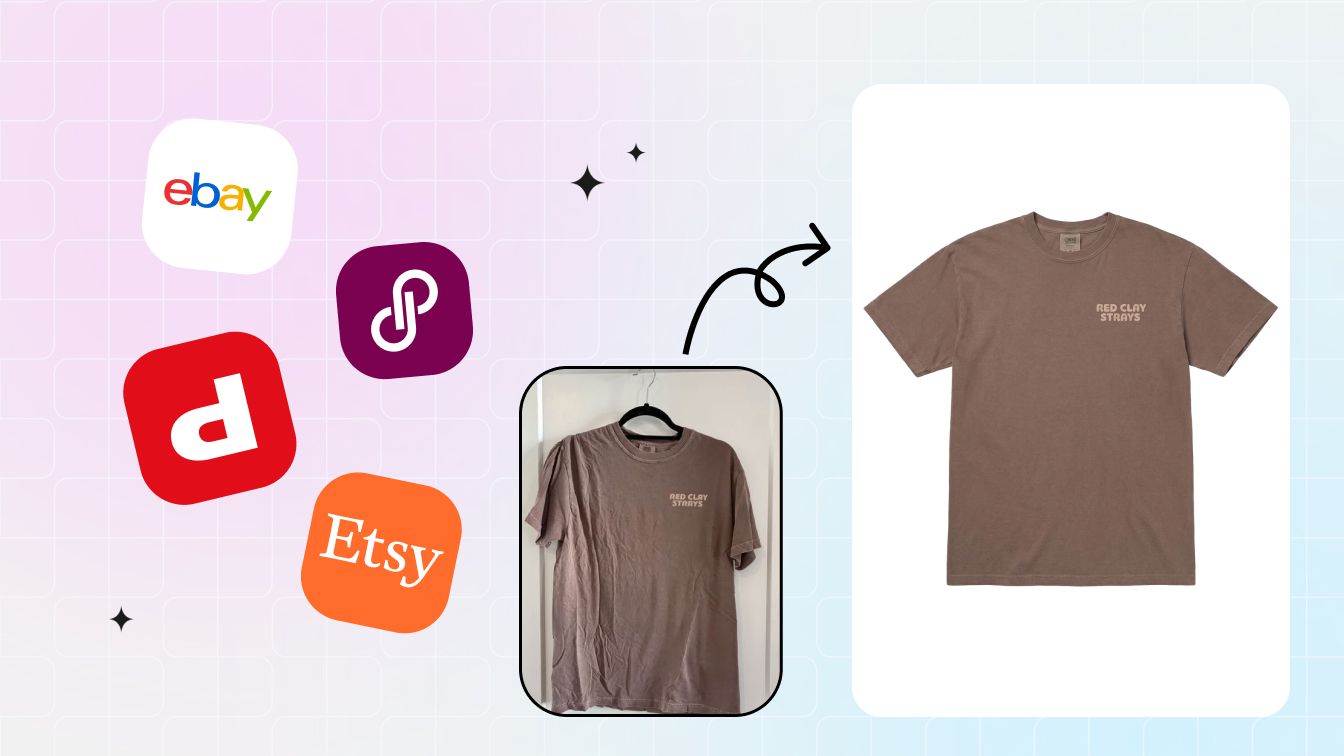
You shoot one top on the bedroom floor, the next on the kitchen counter, a third against a wall — and your storefront ends up looking like a yard sale. Mismatched backdrops are the fastest way to read as amateur, because the eye notices the set changing even before it judges any single product. A patchwork catalog also undercuts brand trust: buyers subconsciously assume an inconsistent shop is a careless one.
The fix
pick one background and enforce it everywhere. Pure white for main and catalog images, a single neutral tone if you want warmth. Every new arrival should match the look of everything already live.
AI shortcut: instead of rebuilding a uniform setup for each shoot, run every photo through AI background and flat-lay cleanup. It strips whatever messy backdrop you captured and drops the product onto a clean, identical surface in seconds — so a year of inconsistent shots becomes one cohesive set without re-photographing a thing.
Mistake 2: Harsh shadows and bad lighting
On-camera flash and a single overhead bulb are the usual culprits. They blow out highlights, crush detail into hard black shadows, and flatten texture so a knit looks like printed paper. Apparel lives or dies on texture — buyers want to read the weave, the sheen, the drape — and harsh lighting erases exactly that information.
The fix: shoot in soft, diffused light. North-facing window light is free and excellent; a cheap pair of softboxes works year-round. Avoid direct flash, and bounce light to fill the shadow side.
AI shortcut: for shots already taken under bad light, AI relighting and retouching can lift crushed shadows, recover detail, and even out hotspots without you re-staging the scene. It is the difference between deleting a hundred salvageable photos and shipping them.
Mistake 3: Inaccurate color
This is the mistake that generates returns. A navy that photographs as black, a warm cream that renders cold grey, a "burgundy" that arrives as red — every color mismatch is a disappointed buyer and a return label. Indoor bulbs cast orange, overcast skies cast blue, and phone auto-white-balance guesses, often wrong.
The fix: set a custom white balance with a grey card, shoot in consistent light, and check the final image against the physical product before you publish. If the swatch on screen does not match the garment in your hand, do not list it.
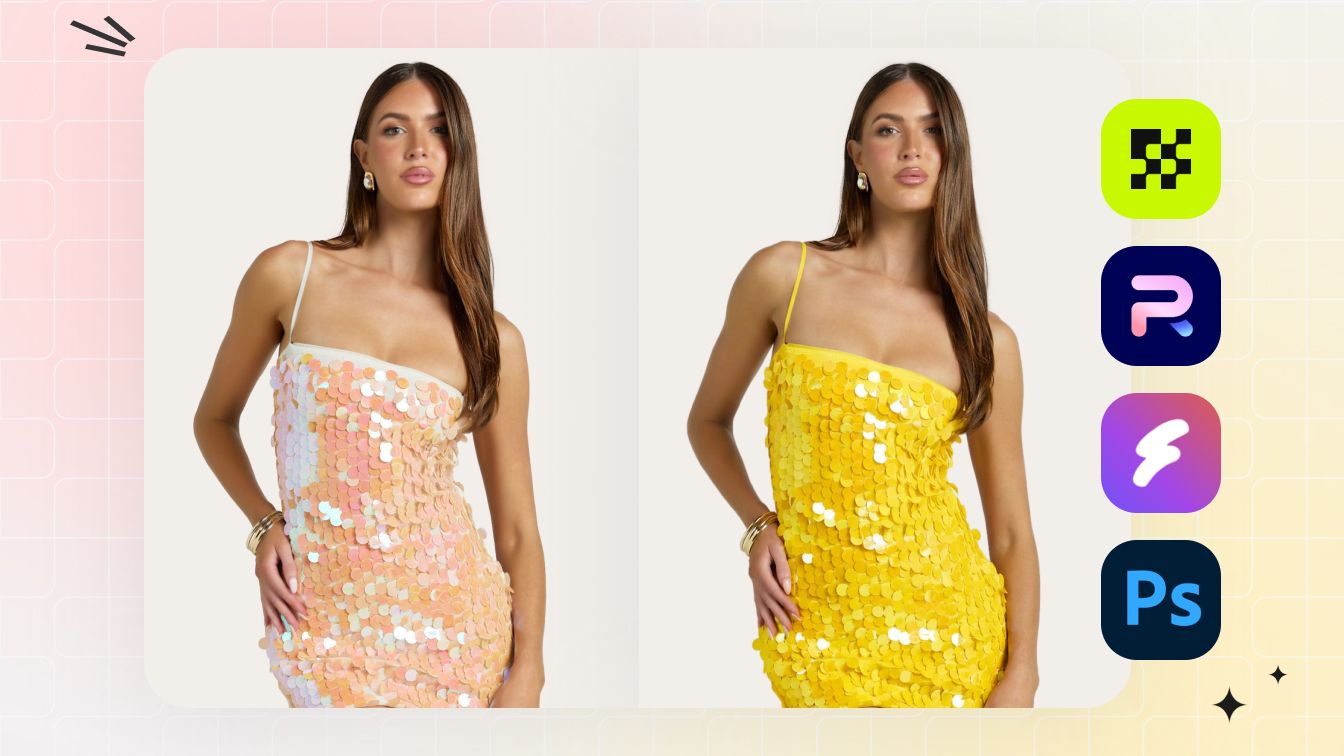
AI shortcut: AI color correction and recolor tools snap a garment back to its true shade — and the same engine lets you generate accurate colorway variants from one source photo, so a shirt shot once can be listed in every color you stock without a separate shoot. Below, one source tee regenerated into a different colorway with the fabric texture and weave preserved:
Before / after AI color correction and recolor:
Mistake 4: Low resolution and no room to zoom
Marketplaces let buyers zoom, and shoppers use it constantly to inspect stitching, prints, and fabric grain. If your image is small or soft, the zoom turns it into mush — and a buyer who cannot inspect the detail they care about simply moves on. Tiny images also fail platform minimums; Amazon's zoom only activates at 1000 pixels or more on the longest side, and recommends 1600.
The fix: shoot at full resolution, keep the product large in the frame, and export at least 1600 pixels on the long edge. Never upload a screenshot or a downscaled WhatsApp copy of your own photo.
AI shortcut: AI upscaling and enhancement can rescue legacy supplier photos that are too small to use, sharpening edges and reconstructing detail so an old 600-pixel image becomes a usable, zoomable listing shot.
Fix the look of every photo first. Clean background, even light, true color — all in one pass. Try Snappyit free →
Mistake 5: Too few angles — no back, no detail
One front-on hero shot is not a listing; it is a teaser. Buyers want the back, the side, the collar, the hem, the closure, the label, and a tight crop of any signature detail. Missing angles create doubt, and doubt is what makes a shopper bounce to a competitor who showed more.
The fix: standardize a shot list per product — front, back, both sides, one or two detail close-ups, and a scale or texture shot. Use the same angles for every item so listings feel uniform and complete.
AI shortcut: AI can generate additional ghost-mannequin angles and on-model views from a small set of source photos, filling out a thin listing. The one thing it cannot do is invent a back you never captured — so always shoot enough real angles to give the AI something true to work from.
Mistake 6: Cluttered, distracting backgrounds
A power outlet, a stray hanger, a pet, a reflection of you holding the phone — anything competing with the product steals attention and cheapens the shot. On marketplaces it can also break the rules outright: most platforms reject main images with props, text, or busy scenery.
The fix: clear the frame. Nothing in the shot but the product and a clean surface. Sweep the background, remove props, and frame tight.
AI shortcut: AI background removal isolates the product and drops in a clean white backdrop instantly, so even a photo taken in a cluttered room becomes a compliant, distraction-free main image — no sweep, no studio, no re-shoot.
Mistake 7: No sense of fit or shape
A garment shot only as a flat lay tells buyers what it looks like folded on a table — not how it falls on a body. Shoppers struggle to picture the drape, the length, the way a neckline sits. That uncertainty is a top driver of apparel returns: the item "looked different" once worn.
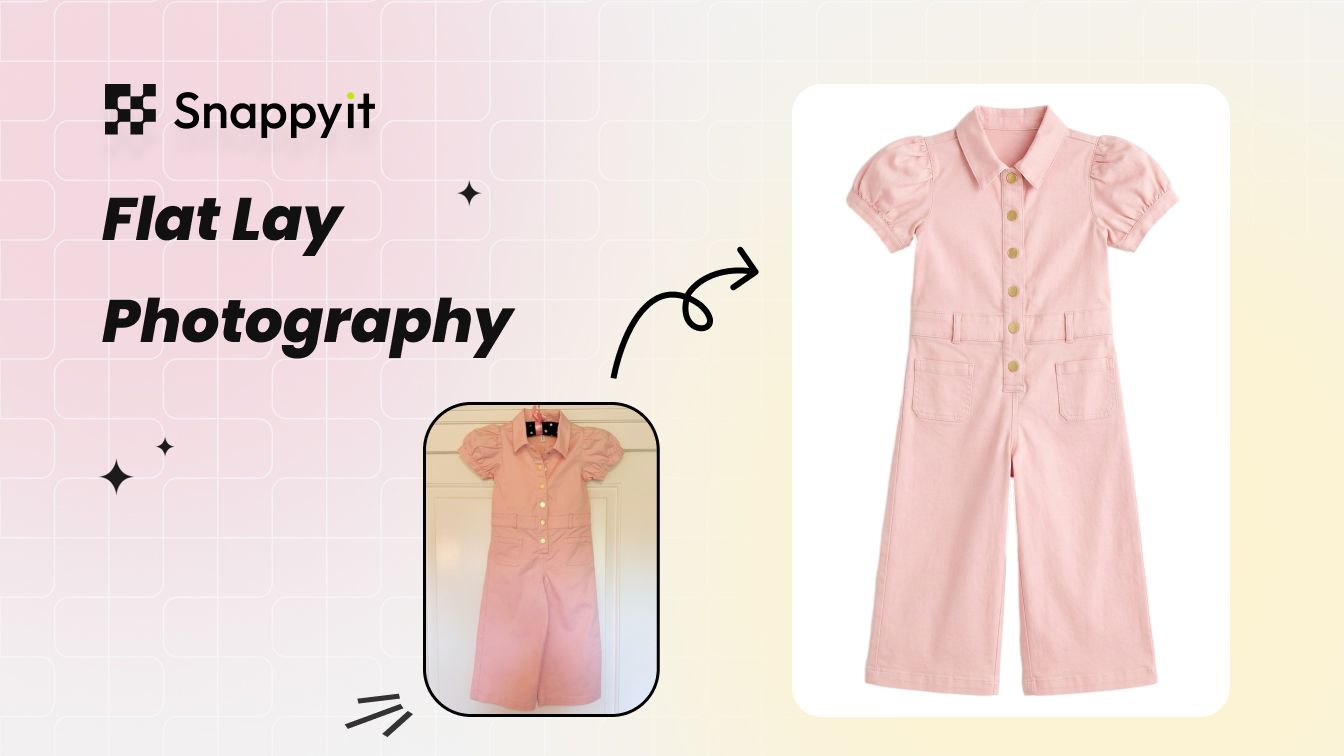
The fix: show shape. Add an on-model image, a ghost-mannequin shot that gives the garment a 3D worn silhouette, or both. Keep the flat lay for the clean catalog image, but never make it the only view.
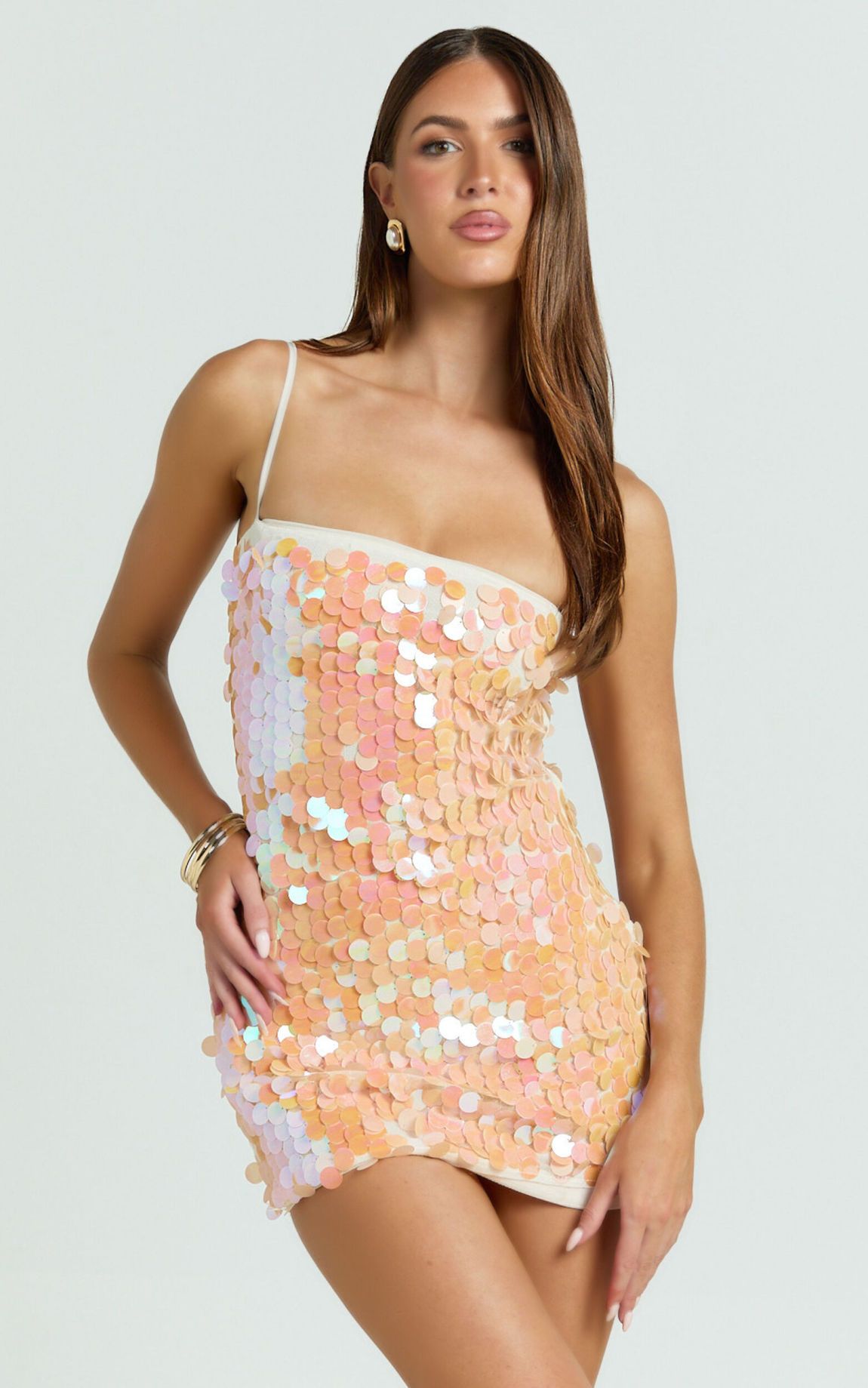
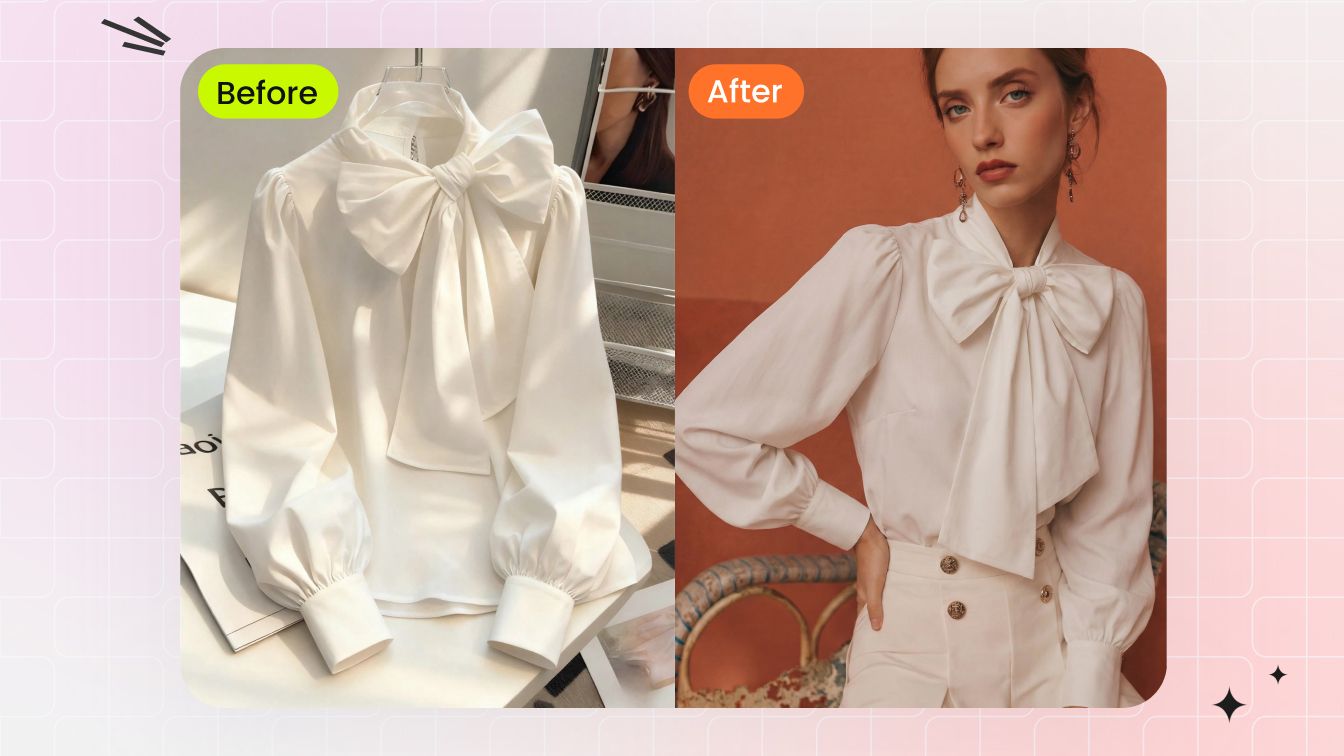
AI shortcut: drop a flat-lay or hanger photo into AI fashion model or ghost-mannequin generation and get a body-worn version back in under a minute — no model booking, no studio day. The same flat lay becomes a clean catalog image and a confidence-building on-body shot:
Before / after AI on-model generation:
Mistake 8: Over-editing into plastic
Cranked saturation, smeared skin, fabric retouched until the texture disappears — heavy-handed editing reads as fake, and fake reads as untrustworthy. It also misleads: an over-polished photo sets an expectation the real product cannot meet, which loops straight back into returns.
The fix: edit toward accuracy, not perfection. Keep skin and fabric texture intact, leave natural fall-off in the lighting, and aim for "this is exactly what arrives," not "this is a magazine cover."
AI shortcut: apparel-trained AI tools preserve weave, drape, and natural skin texture by design, because they are built to keep the product believable rather than to airbrush. The output looks clean without crossing into the uncanny, plastic territory that manual over-editing falls into.
Mistake 9: Ignoring marketplace specs
Every platform has rules, and the main image rules are strict. Amazon requires a pure-white background (RGB 255, 255, 255), the product filling at least 85% of the frame, no text or watermarks or borders, no visible mannequin on apparel, and at least 1000 pixels for zoom. Etsy, eBay, and the resale apps each have their own framing and ratio preferences. Ignore them and your listing gets suppressed, flagged, or simply outperformed.
The fix: build your main image to the strictest platform you sell on — usually Amazon — and reuse it everywhere. Keep lifestyle and detail shots for the secondary slots where context is allowed.
AI shortcut: AI background and ghost-mannequin tools output pure-white, no-mannequin, spec-compliant main images from any source photo, so meeting Amazon's rules stops being a separate manual chore.
One clean spec-compliant set, every channel. Generate white-background and on-model images that pass marketplace rules. Try Snappyit free →
Mistake 10: Wrinkled, poorly styled garments
A creased shirt, a bunched collar, a twisted strap — wrinkles scream "snapped this in a hurry," and styling sloppiness makes even a quality garment look like a reject. It is the cheapest mistake to make and one of the most visible.
The fix: steam or press before you shoot, smooth the lay, square the seams, and tuck stray threads. Two minutes of styling is worth more than two hours of editing.
AI shortcut: for the wrinkles you missed, AI wrinkle removal smooths creased fabric and re-renders a clean drape, turning a rushed phone shot into a pressed-looking catalog image without ironing the actual garment a second time.
Mistake 11: Not batching — every shot is a one-off
Editing one photo at a time guarantees drift. By image fifty your crop has crept, your white point has wandered, and the last batch no longer matches the first. One-off editing is also where time disappears: it is the single biggest reason sellers fall behind on listings.
The fix: work in sets. Lock one crop ratio, one background, one color profile, and apply them across the whole group at once so every image comes out identical.
AI shortcut: AI batch editing applies a single background, crop, and color correction to hundreds of photos in one pass. New arrivals inherit the same look automatically, so consistency stops depending on you remembering your own settings.
Quick reference: every mistake, fix, and AI shortcut
Use this as a pre-publish checklist. If a listing trips any row, fix it before it goes live.
| Mistake | Manual fix | AI shortcut |
|---|---|---|
| Inconsistent backgrounds | Standardize on one backdrop everywhere | AI background cleanup to one uniform surface |
| Harsh shadows / lighting | Soft, diffused light; no direct flash | AI relighting and shadow recovery |
| Inaccurate color | Custom white balance; check vs product | AI color correction and recolor variants |
| Low resolution / no zoom | Shoot full-res; export 1600px+ | AI upscaling and enhancement |
| Too few angles | Standard shot list per product | AI ghost-mannequin and on-model angles |
| Cluttered background | Clear the frame; clean surface | AI background removal to white |
| No sense of fit | Add on-model and ghost-mannequin views | Flat-lay to on-model / ghost-mannequin |
| Over-editing | Edit for accuracy, keep texture | Apparel-trained AI preserves fabric |
| Ignoring marketplace specs | Build to strictest platform, reuse | Spec-compliant white / no-mannequin output |
| Wrinkled garments | Steam and style before shooting | AI wrinkle removal and drape re-render |
| Not batching | Lock crop, background, color profile | AI batch editing across hundreds of photos |
How fixing these mistakes shows up in your numbers
None of this is cosmetic. Fixing your product photography moves two metrics at once. A stronger main image lifts click-through from search, and a complete set of angles and on-body views lifts conversion once the buyer is on the page. Meanwhile, accurate color and a true sense of fit reduce the "not as described" and "did not fit" returns that quietly eat your margin — which is why these mistakes are worth treating as a revenue problem, not a styling one.
The reason the AI shortcuts matter is leverage. Re-shooting a catalog is expensive and slow; editing the photos you already have is neither. Fix the worst three mistakes — background, color, and fit — across an existing catalog in an afternoon, and you will usually see the difference in listing performance before you would have finished booking a studio. Start with the mistakes costing you returns, then work down the checklist.
Fix your worst three photos in the next 10 minutes
Pick your three lowest-performing listings, run them through clean background, color correction, and an on-model render, and re-upload. That is the whole experiment — and it is enough to see whether better product photography moves your numbers.
Try Snappyit free → No studio, no re-shoot, free credits for new accounts.
Frequently asked questions
What is the most common product photography mistake?
Inconsistent backgrounds across a catalog is the single most common mistake we see from self-shooting sellers. Each product gets photographed in a slightly different spot, under different light, against a different surface, so the storefront looks like a patchwork instead of a brand. The fix is to standardize on one background — pure white for marketplaces, or a single neutral tone — and apply it to every listing. AI background cleanup does this in seconds per image without re-shooting anything, which is why it is usually the first correction worth making.
Why do my product photos look unprofessional?
Photos usually look unprofessional because of a stack of small product photography mistakes rather than one big one: harsh on-camera flash, a cluttered background, a color that does not match the real product, wrinkled garments, and low resolution that falls apart when buyers zoom. Each one individually is minor, but together they signal amateur. Fixing the top three — even lighting, a clean consistent background, and accurate color — closes most of the gap. AI editing handles all three on existing shots, so you do not need new gear to look polished.
What background should ecommerce product photos use?
Pure white (RGB 255, 255, 255) is the safest default for ecommerce main images because Amazon requires it for the primary photo and it reads as clean on every other marketplace. Use white for catalog and main images, then add lifestyle or on-model backgrounds for secondary images that show context and fit. A consistent white or neutral background also keeps your whole storefront looking like one brand. AI background tools can swap any messy source backdrop to clean white and generate lifestyle scenes for the supporting shots.
How do I keep product photos consistent across a catalog?
Consistency comes from locking the variables that change between shots: background, lighting direction, framing, and color profile. Shoot or edit every product against the same background, at the same crop and angle, with the same white balance. The fastest way to enforce this at scale is batch editing — apply one background, one crop ratio, and one color correction across the entire set at once instead of tuning each image by hand. AI batch tools standardize hundreds of photos to a single look so new arrivals match older listings automatically.
Can AI fix bad product photos?
Yes, for most of the common product photography mistakes. AI can replace a cluttered background with clean white, even out harsh lighting, correct color so the product matches reality, smooth wrinkles, place a flat-lay garment on a model, and generate a ghost-mannequin shape — all from an ordinary phone photo. What AI cannot invent is information that was never captured, such as the back of a garment you only shot from the front, so you still need enough source angles. For everything else, editing existing photos is faster and cheaper than re-shooting.
What are Amazon main image requirements?
Amazon's main listing image must show the product on a pure white background (RGB 255, 255, 255), with the product filling at least 85% of the frame, no text, logos, watermarks, borders, or props, and no visible mannequin for apparel. The recommended size is 1600 pixels on the longest side so the zoom feature works, and the file should be a JPEG, TIFF, PNG, or GIF. Ghost-mannequin or flat-lay shots satisfy the no-visible-mannequin rule for clothing. AI background and ghost-mannequin tools produce compliant main images from a single source photo.