
At a glance
Snappyit vs Pixelcut for AI product photography: compare ghost mannequin, on-model, jewelry, recolor, video and 2026 pricing for fashion sellers.
| Need | What to do |
|---|---|
| Get oriented | Read the short summary, then use the checklist below. |
| Create a test image | Try Product Photo Editor Free |
1. What is Pixelcut, and where does it fit in AI product photography?
Pixelcut launched as a mobile background remover and grew into a multi-feature AI photo editor used by solo sellers and small businesses across many verticals — fashion, food, home, beauty, accessories, electronics. In 2026 the platform integrated Flux.2 for generative image creation and Google Veo for AI video, layered on top of its core background removal, magic eraser, image upscaler, AI Shoot product staging, and batch tools.
As an AI product photography tool, Pixelcut is best understood as a general-purpose multi-vertical editor optimized for mobile workflows. The bet is breadth — one tool covers product staging for a food blogger, a home goods seller, a beauty solopreneur, and a fashion seller, all on phone, at $8/month annual. For sellers whose catalog touches multiple verticals and whose primary task is fast background removal plus batch export, Pixelcut is among the best tools in the category.
Snappyit covers the same fundamental tasks at a comparable price ($6.9/month annual) and adds the fashion-and-jewelry-specific workflows Pixelcut leaves at a generic level — native ghost mannequin, on-model fashion with body-type controls, jewelry retouch and on-model rendering, texture-preserving recolor, and longer-form fashion video. For apparel-and-jewelry sellers the two tools are not interchangeable.
2. Snappyit vs Pixelcut — at a glance
Thirteen dimensions where these tools either align or pull apart. Lime rows mark moments where the gap matters for an apparel or jewelry seller's listing workflow.
| Capability | Snappyit | Pixelcut |
|---|---|---|
| Entry annual plan | $6.9/mo Basic | $8/mo Pro |
| Free tier | Trial credits, no watermark, commercial use | Free, limited bg-remove and upscale, no watermark |
| Pay-as-you-go pack | $5.9 / 30 credits, no subscription | n/a (subscription only) |
| Apparel ghost mannequin | Native dedicated workflow | No (generic AI Shoot only) |
| On-model fashion render | Yes — body type, pose, ethnicity controls | No (no fashion-specific control surface) |
| Jewelry retouch | Yes, dedicated tool | No |
| Jewelry on-model | Yes — ring, necklace, earring, bracelet | No |
| Color change / recolor | Texture-preserving | Generic recolor |
| AI product video | Image-to-Video + Fashion Video | Google Veo video, animate static product |
| Generative AI image | Within fashion / jewelry templates | Flux.2 generative fill, broad-purpose |
| Batch export | Up to 100/batch per run | 1,000/mo Pro · 2,000/mo Business |
| Team seats | Pro plan: collaboration features | 3 (Pro) · 10 (Business) |
| Marketplace image resizer (8 platforms) | Yes, one-click | Marketplace presets, mobile-first |
The pattern is clear. The two tools are close on batch export, video, and entry pricing. They diverge sharply on fashion-and-jewelry-specific workflows — Snappyit ships them as native features; Pixelcut handles them at a generic level via Flux.2 prompts, which produces inconsistent fashion output and does not preserve jewelry macro detail. The pay-as-you-go pack is a Snappyit-only option for sellers who need occasional access without a recurring subscription.
3. Where Pixelcut is genuinely better
Pixelcut is a strong tool for its target customer. Three places where it outperforms Snappyit:
- Mobile-first UX and daily-driver polish. Pixelcut's iOS and Android apps are the primary surface. The phone experience is smoother than any other AI product photography app aside from Photoroom. For sellers who never open a desktop tab, Pixelcut's mobile workflow is the right choice in the category.
- Batch export ceiling at the Pro tier. Pixelcut Pro at $8/month ships 1,000 batch exports per month, and Business at $24/month ships 2,000. Snappyit's batch caps at 100 per run, oriented around per-SKU listing work rather than catalog-wide ingestion. For high-volume bg-removal pipelines, Pixelcut's ceiling is more generous.
- Multi-vertical coverage and Flux.2 generative fill. Pixelcut's general-purpose generative AI (Flux.2 for image, Google Veo for video) handles food, home, beauty, and accessories at the same level as fashion. For a multi-vertical small business whose catalog spans many product categories, one Pixelcut subscription covers the workflow. Snappyit's fashion-and-jewelry specialization is the strength and also the constraint — it does not solve for food, beauty, or home staging the way Pixelcut does.
4. Where Snappyit wins for apparel and jewelry sellers
Snappyit is purpose-built around fashion and jewelry catalog work. Six places where the gap is biggest:
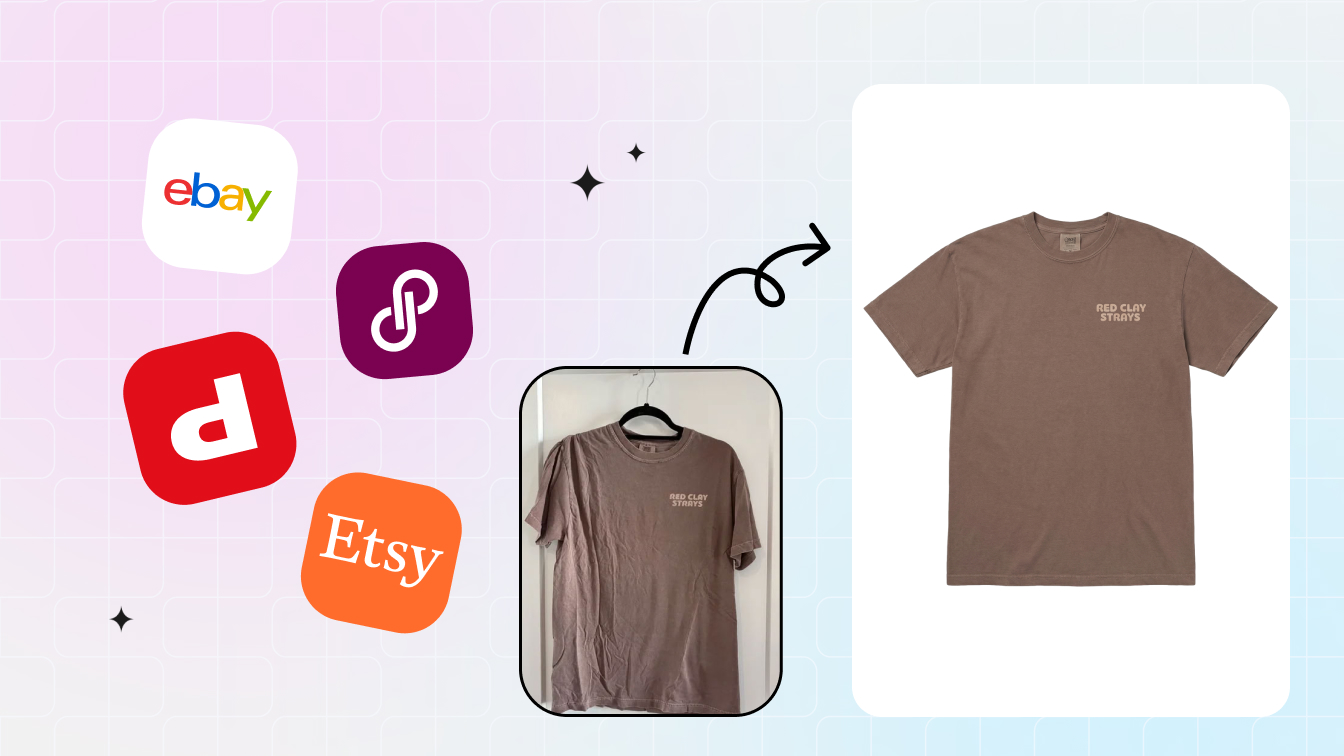
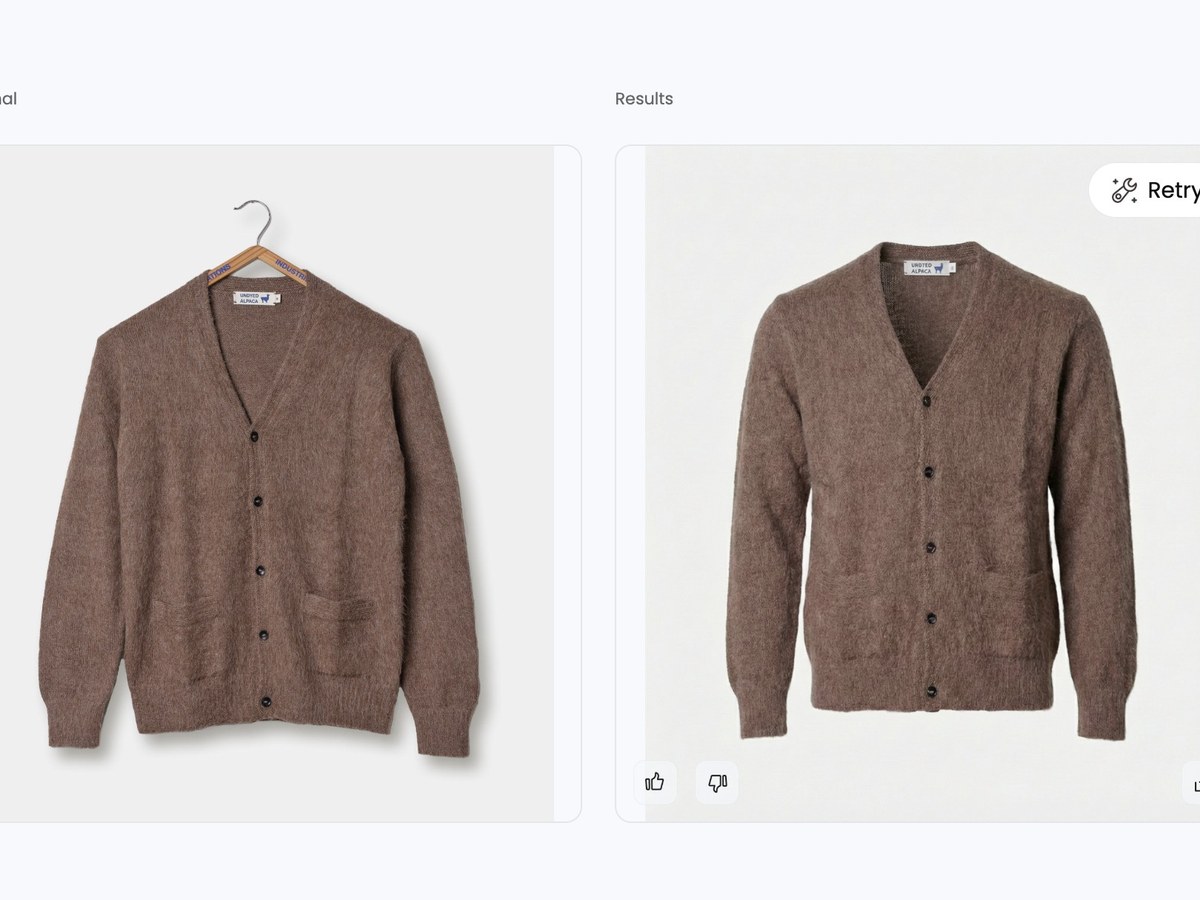
- Ghost mannequin is a native first-class feature. Snappyit's ghost mannequin generator produces the floating-on-form invisible-mannequin catalog shot that Etsy, Amazon, and Shopify image search reward for apparel. Pixelcut has no apparel ghost mannequin workflow — its AI Shoot feature stages products against backgrounds but does not reconstruct hanger or flat-lay garments into worn-form catalog images.
- On-model fashion with body-type and pose control. Snappyit's AI Fashion Model exposes ethnicity, body type, pose, styling, and background as explicit controls. Pixelcut's generative fill produces on-model imagery at a generic level when prompted, but the control surface is text prompt only — without explicit fashion controls the output drifts across runs.
- Full jewelry workflow. Jewelry Retouch and Jewelry Model ship at every Snappyit tier. Pixelcut has no jewelry-specific workflow — macro metal reflection, prong shadows, and gemstone clarity are not preserved by generic background removal or generative fill.
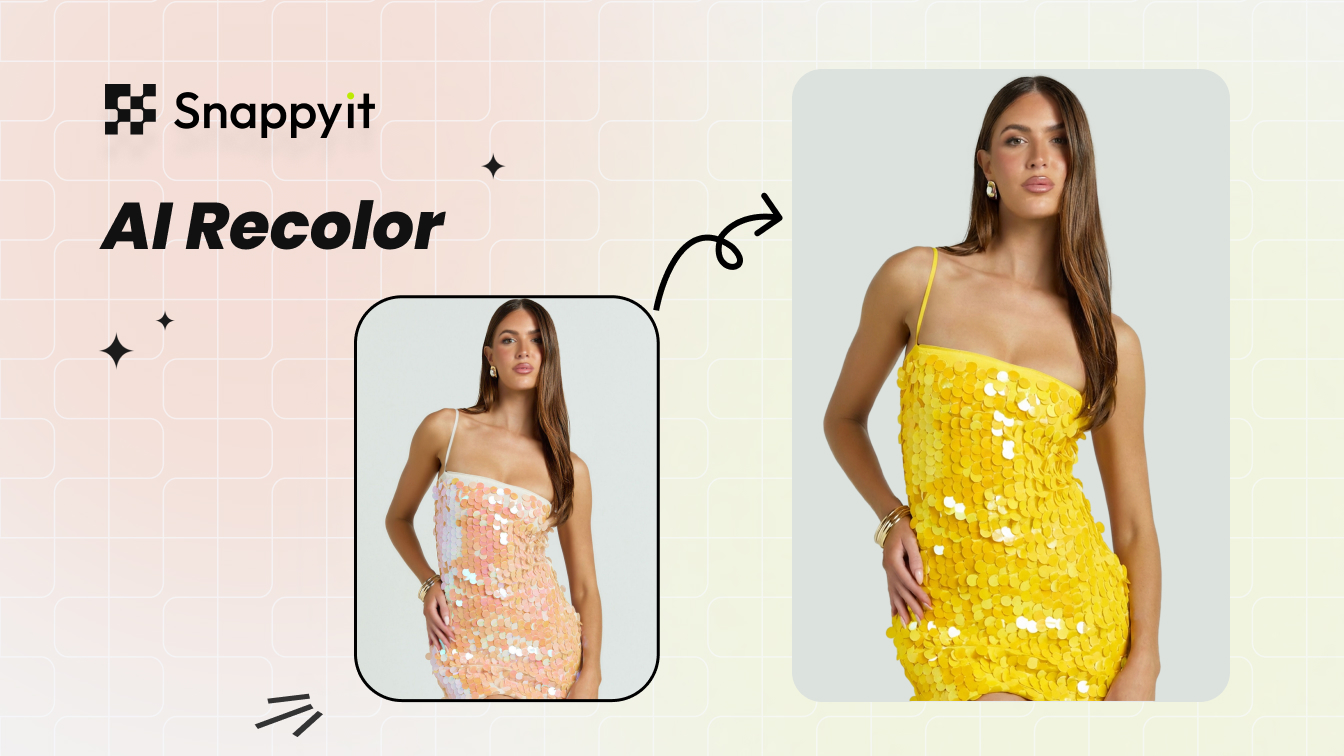
- Recolor that preserves fabric texture. Snappyit's AI Product Recolor is trained on apparel and jewelry texture data — shift hue without flattening weave or stitching. Pixelcut's recolor is general-purpose; complex prints and metallic surfaces drift visibly past one or two swatches.
- Longer-form fashion video. Snappyit Basic ships Image-to-Video and Fashion Video with outputs tuned for marketplace and social video formats. Pixelcut's Google Veo video is general-purpose; for fashion-specific motion (model walks, garment drape, jewelry rotation), Snappyit's outputs are more usable for listing pages and ad creative.
- One-click 8-marketplace image resizer. Snappyit's image resizer auto-exports for Amazon, Etsy, Shopify, eBay, Poshmark, Mercari, Depop, and Facebook Marketplace. Pixelcut ships marketplace ratio presets but the breadth and one-click flow for fashion cross-listing is narrower.
Try Snappyit's AI product photography toolkit free →
5. Pricing — what you actually pay in 2026
The two tools price within a couple of dollars of each other at the entry tier. The decision should be made on feature coverage, not price.
| Tier | Snappyit | Pixelcut |
|---|---|---|
| Free | Trial credits, no watermark, commercial use | Limited bg-remove, no watermark, commercial use |
| Entry (annual) | $6.9/mo Basic — for low-SKU sellers | $8/mo Pro (600 credits, 1,000 batch, 3 seats) |
| Entry (monthly) | $9.9/mo Basic | $10/mo Pro |
| Mid (annual) | $11.1/mo Standard — for mid-SKU sellers | $24/mo Business (3,600 credits, 2,000 batch, 10 seats) |
| Top self-serve (annual) | $34.9/mo Pro — for high-SKU and brand teams | Custom for higher volume |
| Pay-as-you-go pack | $5.9 / 30 credits — occasional or seasonal need, no subscription | n/a (subscription only) |
| Per-image cost, typical use | $0.05 – $0.30 (subscription) · ~$0.20 (pack) | $0.01 – $0.10 (bg-remove and basic edits) |
Snappyit's three annual subscription tiers — $6.9/mo Basic, $11.1/mo Standard, $34.9/mo Pro — are sized for low, mid, and high-SKU sellers respectively, with all apparel and jewelry workflows included at every tier. On top of subscriptions, Snappyit ships a pay-as-you-go pack at $5.9 for 30 credits for sellers with occasional, seasonal, or one-off needs. Pixelcut is subscription-only across Free, Pro, and Business — there is no equivalent pack for low-frequency sellers who don't want a recurring commitment.
Pixelcut's per-image cost on simple tasks is lower than Snappyit's because Pixelcut's pricing rolls 600 or 3,600 generic AI credits at $8–$24/month. For basic background removal at scale, that's the most efficient unit cost in the category. For specialized fashion-and-jewelry workflows where Pixelcut has no equivalent feature, the per-image cost comparison breaks down — you cannot price-compare a feature that does not exist. For one-off seasonal listings (a holiday collection, a single product drop, a thrift-flip lot), the $5.9 / 30-credit Snappyit pack is more economical than starting a Pixelcut Pro subscription.
6. Which tool fits which seller
Seven seller profiles, and the tool that fits the workflow best:
- Solo multi-vertical seller (food + home + beauty + accessories) — Pixelcut. One tool covers everything at a generic level.
- Solo Etsy fashion seller — Snappyit. Ghost mannequin and on-model fashion-specific output matter more than batch ceiling at this volume.
- Solo Etsy jewelry seller — Snappyit. Pixelcut has no jewelry workflow at any tier; the gap is total.
- High-volume bg-removal operation (5,000-plus images per month) — Pixelcut Business or Photoroom Max. Batch ceiling beats Snappyit's per-SKU orientation.
- DTC fashion brand — Snappyit Standard or Pro. Body-type and pose controls Pixelcut does not expose, plus AI Fashion Video for ad creative.
- Print-on-demand — Snappyit. Recolor that preserves print and garment texture; Pixelcut's recolor is too generic for printed apparel.
- Mobile-first daily editor on a phone-only workflow — Pixelcut. Mobile UX is sharper than Snappyit's tablet-first web interface for daily quick edits.
Try the fashion-and-jewelry tool first. Snappyit Basic ships ghost mannequin, on-model fashion, jewelry, recolor, and video at $6.9/month. Try Snappyit free →
7. Workflow scenarios — phone snap to marketplace-ready
Four common AI product photography workflows, and how each tool handles them:
- Wrinkly phone-shot hanger blouse → ghost mannequin listing image. Snappyit reconstructs into a clean ghost mannequin in roughly 30 seconds. Pixelcut's AI Shoot can stage the blouse against a background but does not reconstruct the worn-form catalog shape — the output is closer to a styled flat-lay than a ghost mannequin.
- Flat-lay → on-model lifestyle render. Snappyit AI Fashion Model — pick body type, pose, ethnicity, background; about 45 seconds for four variants. Pixelcut Flux.2 generative fill — prompt-driven, results drift across runs without explicit fashion controls; usable for casual lifestyle but inconsistent for catalog-grade on-model.
- Static jewelry photo → on-model jewelry try-on. Snappyit Jewelry Model — drop the piece, pick a hand pose, render. Pixelcut — not supported; sellers fall back to a separate jewelry tool or to traditional photography.
- Multi-vertical catalog → 200 background-removed transparent PNGs. Pixelcut Pro batch — 200 images through the bg-removal pipeline in one motion. Snappyit handles the same task but is structured around per-SKU listing work rather than catalog-wide ingestion.
8. When to use both side by side
For fashion sellers who also have a wider catalog, the dual stack is genuinely practical:
- Fashion brand with an accessories line — Snappyit for the apparel and jewelry SKUs (ghost mannequin, on-model, jewelry retouch, jewelry model, fashion video); Pixelcut for the accessories, hats, bags, and lifestyle staging where general AI Shoot is enough.
- Mobile-first founder doing daily quick edits + occasional catalog drop — Pixelcut on phone for daily bg-removal and product staging; Snappyit on web when prepping a new catalog drop with ghost mannequin, on-model, jewelry, or video work.
- High-volume listing operation — Pixelcut Business handles the 2,000-image batch bg-removal pass; Snappyit handles the fashion and jewelry subset that needs catalog dressing.
Combined entry annual cost: Snappyit Basic $6.9 plus Pixelcut Pro $8 = $14.90 per month. Two specialists for the price of one mid-tier studio shot, with non-overlapping workflows.
9. The verdict
Pixelcut and Snappyit serve different customers. Pixelcut wins for multi-vertical solo sellers who need one general-purpose AI photo editor that handles mobile, batch, and broad ecommerce staging at $8/month. Snappyit wins for apparel and jewelry sellers who need fashion-tuned workflows — ghost mannequin, on-model with body controls, jewelry retouch, jewelry on-model, texture-preserving recolor, longer-form fashion video, and 8-marketplace resizer — at $6.9/month.
For most sellers in 2026 the choice is straightforward: pick by what your catalog actually contains. Fashion-and-jewelry-heavy → Snappyit. Multi-vertical or accessories-heavy → Pixelcut. If your catalog mixes both, the dual stack at $14.90/month annual is the most practical answer.
10. Frequently Asked Questions
Is Snappyit a Pixelcut alternative for AI product photography?
Yes, and it serves a different target customer. Pixelcut is a mobile-first, multi-vertical AI photo editor built around fast background removal, batch export, Flux.2 generative image fill, and Google Veo video — a general-purpose ecommerce toolkit. Snappyit is a fashion-and-jewelry-specialist platform with native ghost mannequin, on-model fashion with body-type controls, jewelry retouch and modeling, texture-preserving recolor, and an 8-marketplace image resizer. For apparel and jewelry sellers Snappyit is the more focused alternative; for multi-vertical small-business sellers (home, food, beauty, accessories) Pixelcut may still be the simpler primary tool.
Does Pixelcut do ghost mannequin and on-model fashion shots?
Pixelcut does not ship a dedicated apparel ghost mannequin workflow. Its AI Shoot and product staging features can place a product on a background or stage, but they do not reconstruct a flat-lay or hanger shot into the invisible-form catalog image that Etsy, Amazon, and Shopify image search reward for apparel. On-model fashion render is also not a first-class Pixelcut feature — the platform's generative AI is broad-purpose and not exposed with the body-type, pose, and ethnicity controls that Snappyit AI Fashion Model ships. For apparel-pure sellers this is the largest feature gap between the two tools.
Does Pixelcut handle jewelry photography?
No. Pixelcut has no jewelry-specific workflow. Background removal and product staging on rings, necklaces, or earrings work at the generic level but do not preserve metal reflection, gem clarity, prong shadows, or chain detail at macro scale. Snappyit ships two jewelry tools — Jewelry Retouch for scratch removal, shine enhancement, and prong-shadow correction; Jewelry Model for placing rings, necklaces, earrings, bracelets, and watches on realistic AI models. For Etsy, Amazon Handmade, or Shopify jewelry sellers, this is the single largest capability gap.
Is Pixelcut cheaper than Snappyit in 2026?
Snappyit's annual subscription ladder is $6.9/month Basic, $11.1/month Standard, and $34.9/month Pro — sized for low, mid, and high-SKU sellers respectively. Pixelcut's ladder is $8/month Pro and $24/month Business (Free tier limited). Snappyit Basic undercuts Pixelcut Pro by $1.10/month. Snappyit Standard at $11.1/month undercuts Pixelcut Business at $24/month by more than half. Snappyit also offers a pay-as-you-go pack at $5.9 for 30 credits — useful for occasional or seasonal needs without a recurring subscription, an option Pixelcut does not offer. For apparel-and-jewelry workflows Snappyit covers ghost mannequin, on-model fashion, jewelry, recolor, video, and marketplace export — all of which Pixelcut either does not ship or ships at a generic level. For multi-vertical mobile-first sellers with high-volume bg-removal needs, Pixelcut Pro's batch ceiling may still justify the subscription.
Is Pixelcut just a background remover, or does it have AI features?
Pixelcut is meaningfully more than a background remover in 2026. The platform integrates Flux.2 for generative image creation and Google Veo for AI video, alongside its core background removal, magic eraser, image upscaler, and batch tools. The AI Shoot feature places products against generated lifestyle scenes. However, these AI features are general-purpose — they are not tuned for apparel fabric, jewelry macro detail, or fashion-specific workflows like ghost mannequin and on-model swap. Pixelcut is best understood as a strong general-purpose AI image editor; Snappyit is a specialist fashion-and-jewelry photography platform.
Which tool fits a mobile-first solo seller best?
If the workflow is daily quick edits, batch background removal, and general product staging across multiple verticals — Pixelcut is the better mobile daily driver. Its app is the primary surface, the UX is polished, and Pro at $8/month annual includes 600 AI credits and 1,000 batch exports. If the workflow centers on apparel or jewelry listings — Snappyit is the better choice even for mobile-first sellers; Snappyit works well on tablet and desktop and the apparel/jewelry-specific workflows are not available in Pixelcut at any tier.
Can I use Snappyit and Pixelcut together?
Yes. A practical dual stack: Pixelcut on mobile for daily background removal, magic eraser, and batch operations across the full catalog; Snappyit on web for the apparel-and-jewelry subset that needs ghost mannequin, on-model fashion, jewelry retouch, jewelry on-model, texture-preserving recolor, longer-form video, and 8-marketplace export. Combined entry annual cost is $6.9 plus $8 = $14.90 per month — still 95-plus percent cheaper than a single studio shoot. The two tools cover non-overlapping workflows so the dual stack rarely produces redundant work.
Are Pixelcut and Snappyit outputs accepted on Amazon, Shopify, and Etsy?
Yes. As of 2026, Amazon, Shopify, Etsy, eBay, Poshmark, Mercari, Depop, Walmart, and TikTok Shop all accept AI-generated and AI-augmented product photography provided the listing image accurately represents the real item being sold. Both tools preserve actual product color, texture, and detail. Pixelcut free-plan exports ship without watermark and with commercial use; Snappyit free trial credits also ship watermark-free and commercially licensed. For first-listing testing on either tool, the output can go on a live marketplace listing the same day.
Build your next AI product photography listing in 60 seconds
Snappyit ships ghost mannequin, on-model fashion, jewelry retouch and modeling, recolor, image-to-video and the 8-marketplace image resizer in one workspace — at $6.9/month annual, free trial credits with full commercial use. No card required.
Try Snappyit's AI product photography toolkit free →