How to photograph clothing laying flat: quick answer
For an ecommerce-ready clothing flat lay, prepare the garment on a hanger, mount the camera directly overhead, keep one diffused lighting setup fixed, and shape the silhouette before correcting small wrinkles. Lock exposure and white balance for the batch. For pants, center the fly, smooth from waistband to hem, and use parallel legs for the clearest catalog view.
| Goal | Best starting point | Check before publishing |
|---|---|---|
| Clean ecommerce flat lay | Neutral background, 90-degree camera, diffused light, symmetrical styling | Color, scale, edges, product shape, and destination image rules |
| Color-consistent apparel catalog | Stable light, RAW capture, gray-card reference, fixed camera settings | Physical swatch, embedded color profile, consistency across the batch |
| Pants product image | Fly centered, waistband closed, downward smoothing, parallel legs | Rise, leg width, hem shape, pockets, and equal leg length |
| AI-assisted flat lay | Clear source photo with the complete garment visible | Construction, print, material, and color against the real SKU |
When flat lay apparel photography works best
A flat lay is a top-down photo of a garment arranged on a horizontal surface. For sellers, its main advantage is consistency: one locked station can produce comparable front, back, colorway, and detail images across many SKUs. It works best when the product's shape and features are clear without showing fit on a body.
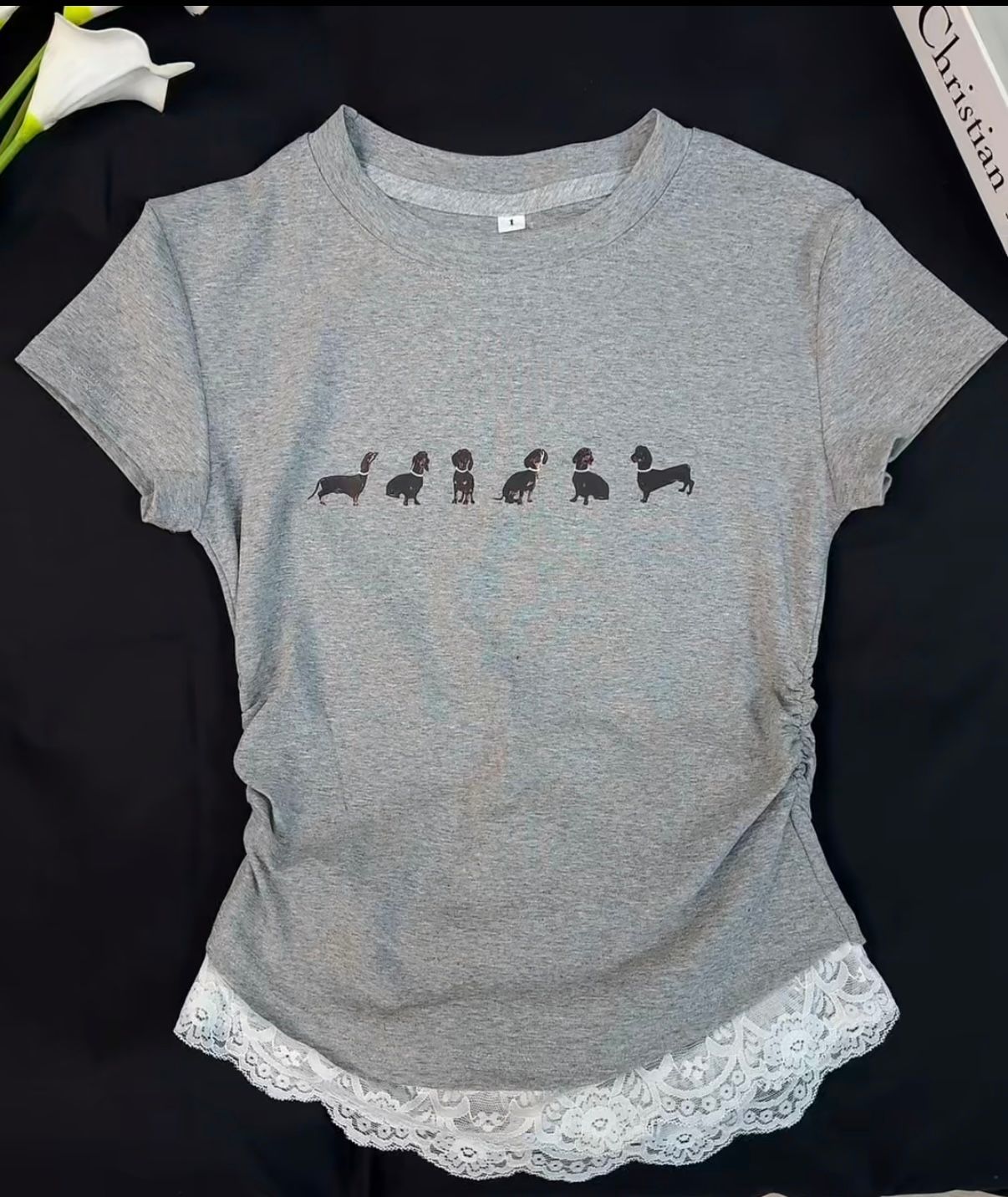
- Good flat lay candidates: T-shirts, tanks, knitwear, casual dresses, skirts, sweatshirts, joggers, leggings, kids' basics, scarves, socks, and multipacks.
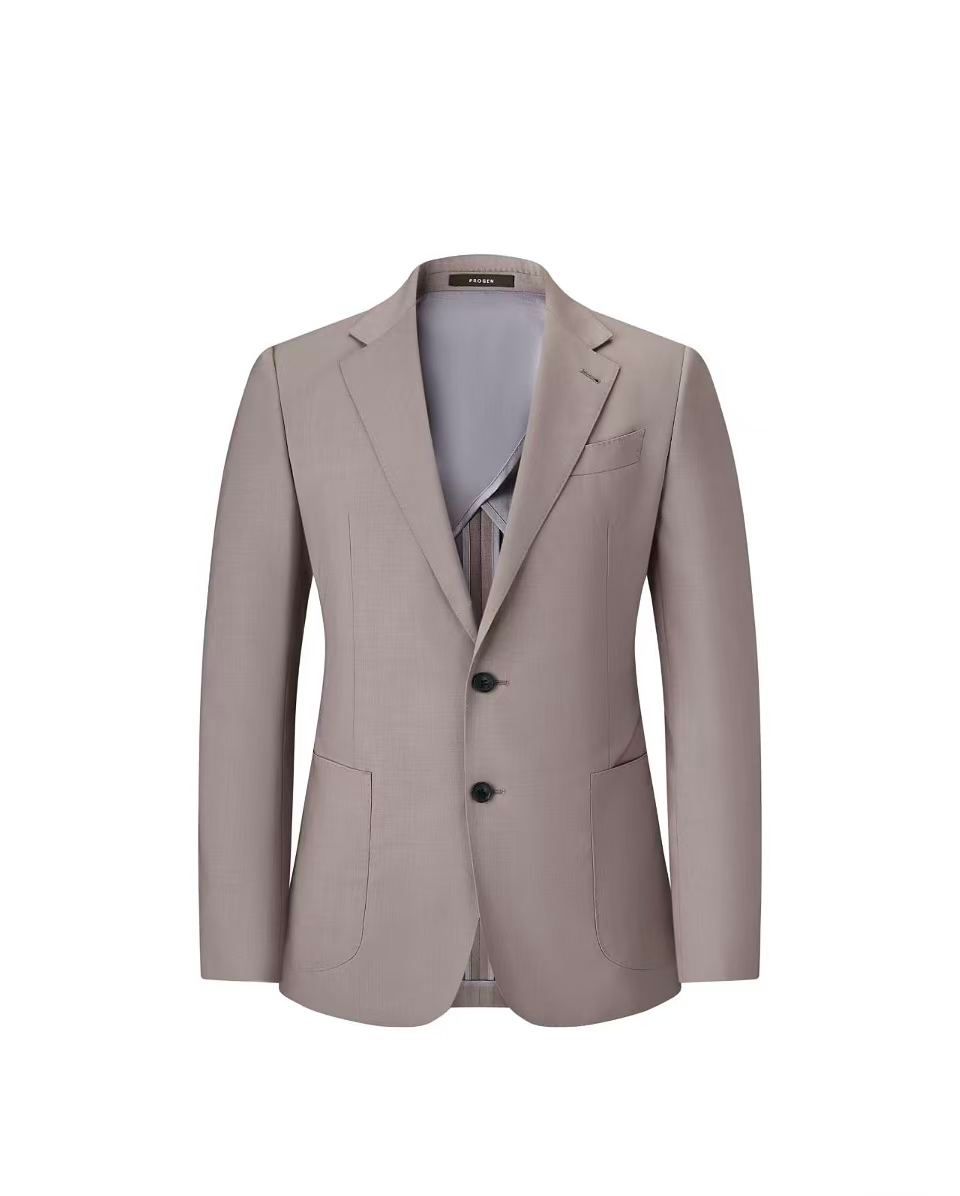
- Usually better on a form: Tailored blazers, structured coats, molded bras, fitted swimwear, corsetry, and products whose shoulder, bust, or waist construction drives the buying decision.
Use a physical shoot when the image must document the exact item, color, texture, or construction. Use an AI flat-lay workflow when you already have a clear garment photo but need a cleaner background or more consistent presentation. For structured apparel, keep the flat lay as a supporting image and use a model or ghost mannequin for the main fit view.
Flat lay clothing photography setup
Build the station before preparing the first SKU. The shooting surface must fit the full garment and the crop required by the listing. Pants and maxi dresses often need a large table, floor-level board, or higher camera position. Keep the prep kit beside the set so every item follows the same process.
| Item | What it controls | Practical choice |
|---|---|---|
| Camera or phone | Resolution, perspective, and color capture | Use the main lens rather than an ultra-wide view; raise the camera until the garment fits without edge distortion |
| Overhead support | True 90-degree alignment and repeatability | Copy stand, boom tripod, C-stand, or a securely mounted phone arm |
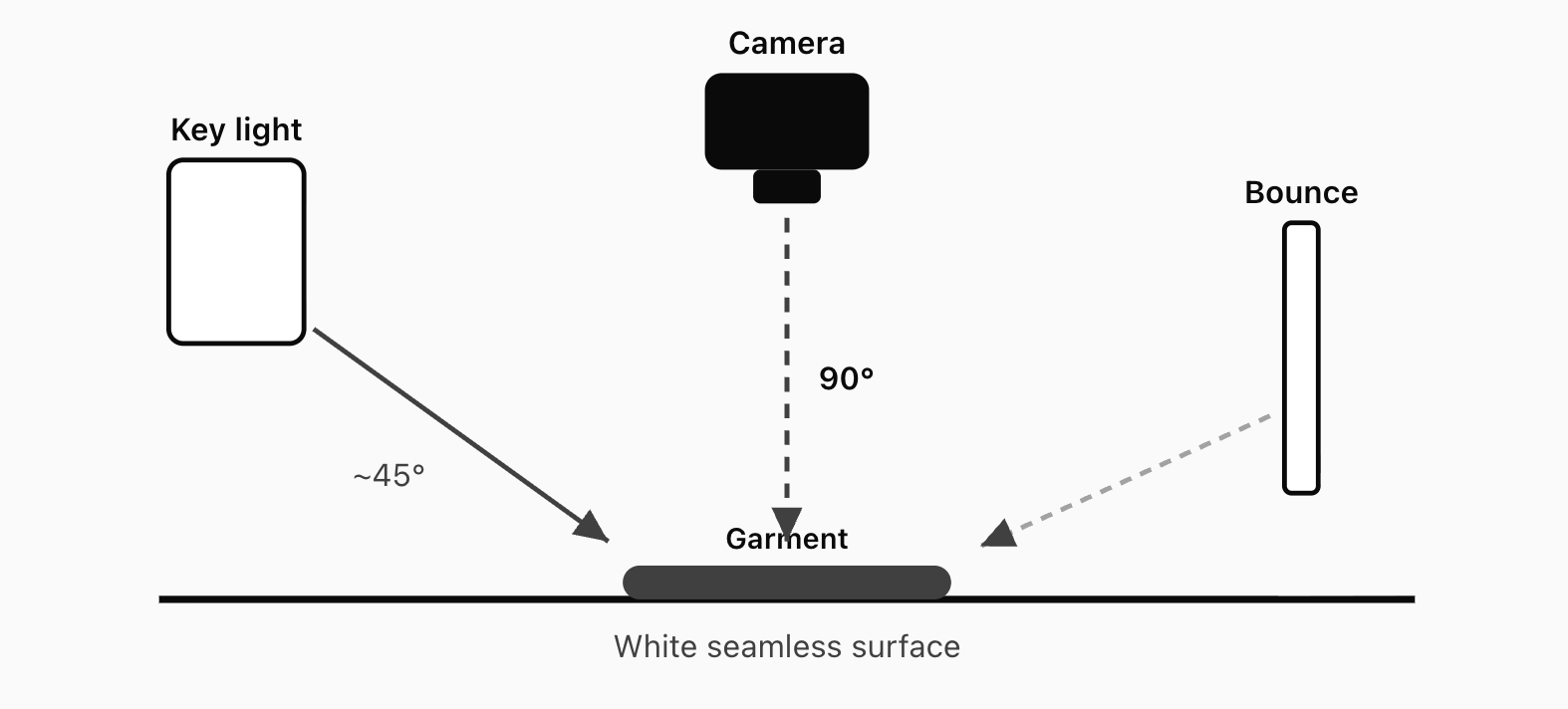
| Large diffused light | Texture, highlight control, and color stability | A consistent LED or strobe through a large softbox or diffusion frame |
| White bounce or second matched light | Shadow depth on the opposite side | Foam board for a simple setup; a matched soft light for larger garments |
| Neutral surface | Background consistency and reflected color | White or light gray seamless paper, acrylic, or a clean matte board |
| Prep and styling kit | Wrinkles, lint, shape, and hidden support | Steamer, lint roller, acid-free tissue, thin card, pins, clips, and double-sided tape |
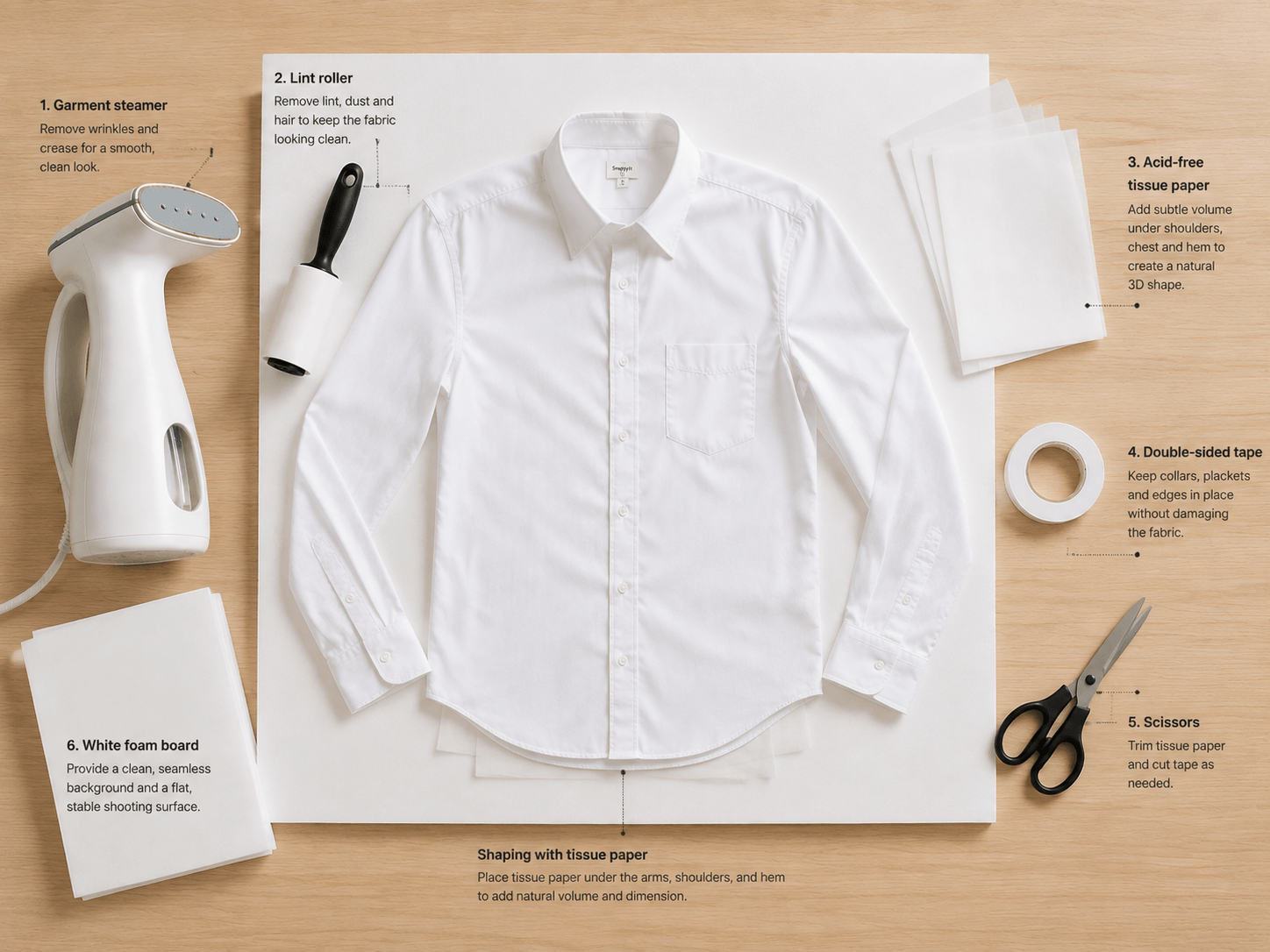
Prepare garments for a catalog flat lay
- Read the care label, close buttons and zippers, empty and flatten pockets, trim loose threads, and lint-roll both sides.
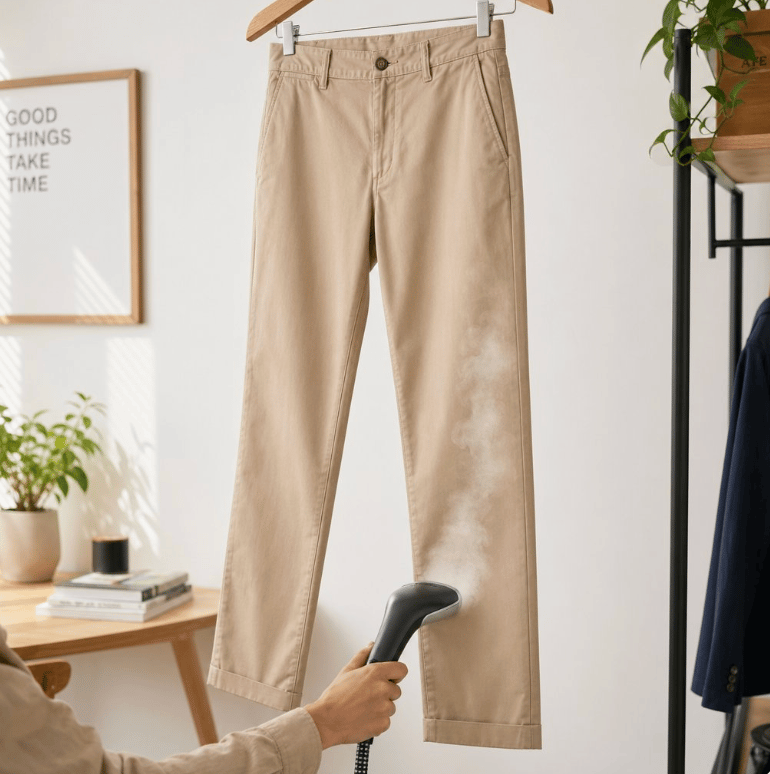
- Steam on a hanger from top to bottom. Let damp or warm fabric cool before laying it down.
- Place the garment on the surface without dragging it. Align the center line first, then shoulders or waistband, then hems and sleeves or legs.
- Add only enough hidden support to show the intended silhouette. Support must not change the real cut or dimensions.
Set the camera and lighting for flat lay apparel photos
Keep the lens plane parallel to the surface and confirm alignment with a grid or level. Avoid an ultra-wide view; raise the camera and use a normal focal length so the shoulders, side seams, and hems stay proportional. On a camera, use low ISO and a middle aperture as a starting point, then set shutter speed for the fixed light and support. On a phone, lock focus, exposure, and white balance when the camera app allows it.
Place one large diffused light to one side so fabric texture creates a soft shadow. Add a white bounce opposite if the dark side loses detail. Before the batch, inspect the four corners, garment center, reflective trim, dark fabric, and the final crop at full size.
Keep apparel colors accurate in flat lay photos
Color consistency starts on the set. Use one stable light source, remove mixed room light, and keep colored walls, floors, props, and clothing from reflecting onto the product. Compare a test frame with the physical garment before shooting the full batch.
Use RAW, a neutral reference, and a managed export
Shoot RAW when the camera supports it and place a gray card or color checker on the garment plane under the final light. Adobe's Camera Raw documentation explains that camera white balance is stored as metadata in raw files and can be adjusted with Temperature and Tint controls. Capture a new reference whenever the light, modifier, room light, or shooting day changes.
Finish in a color-managed workflow and embed the intended output profile. The International Color Consortium describes ICC profiles as the mechanism used to translate color data between devices and applications. For a web listing, export a platform-compatible file and compare a representative image with the physical SKU before approving the batch.
Adjust the capture for each fabric
| Fabric | Typical problem | Capture adjustment |
|---|---|---|
| Matte cotton | Weave shadows make color look slightly darker | Broad diffusion; add gentle fill if the texture closes up |
| Satin or silk | Specular highlights erase hue and detail | Increase source size, change its angle, and protect highlights in the histogram |
| Dark denim, wool, or leather | Shadow detail collapses and navy or green reads black | Open exposure carefully and add soft fill without clipping hardware |
| Sheer mesh or chiffon | Background changes the apparent color | Use the intended listing background and compare with the real garment |
| Mixed-color pattern | Light areas clip before dark areas separate | Flatten contrast with diffusion and fill; use local RAW corrections instead of global saturation |
| Neon or highly saturated dye | Color may sit outside the final sRGB gamut | Soft-proof the export and verify against a physical swatch |
Keep a repeatable apparel catalog workflow
Mark camera height, light position, power, and background placement. Keep an approved reference image beside the tethered view, and capture a new color reference at the start of each session and after any setup change. Correct white balance and exposure before local fabric adjustments; if the reference shifts during a long batch, correct only the affected group rather than forcing one preset across the entire day.
Flat lay apparel styling by garment type
Keep the station fixed and change only the styling. The goal is to show the real silhouette, fabric behavior, and features buyers use to compare products.
How to flat lay T-shirts, shirts, and blouses
Center the neckline, level the shoulders, and smooth toward the hem. Keep sleeves mirrored for the main catalog image; use a gentle curve only for a secondary styled shot. For button-downs, fasten the placket, align the collar points, and shoot separate details for cuffs, labels, and interior construction. Small tissue supports can lift lightweight shoulders without making the garment look stuffed.
How to flat lay dresses, skirts, and outerwear
Run the center line from neckline or waistband to hem. Fan A-line and full skirts evenly and leave a few controlled folds in fluid fabric so buyers can read the drape. Close the main fastening on jackets and support the natural lapel roll. If shoulder structure or waist shaping defines the product, use a model or ghost mannequin for the lead image and the flat lay for print, lining, closures, and back details.
How to flat lay knitwear, activewear, lingerie, and sets
Let knits rest after steaming and do not stretch ribbed cuffs or hems beyond their natural width. Lay stretch garments relaxed, apply even tension, and check reflective logos for clipped highlights. Support molded cups without changing their shape. Arrange multipiece sets in their wearing relationship so scale and function remain clear.
How to flat lay pants for ecommerce
Pants need a separate method because the waistband, rise, crotch, legs, and hems must all align. Use a surface large enough for the full length and intended leg width. Steam on a hanger, close the fly and waistband, flatten pocket bags from inside, and inspect seams, belt loops, cuffs, and hems before placing the garment.
1. Align the waistband, rise, and hems
Place the fly or center front on the frame's vertical axis. Keep the waistband level and leave enough room around bootcut, flared, cuffed, or raw hems to show their true shape. Compare both leg lengths before moving to smaller details.
2. Smooth pants from waistband to hem
Push trapped air downward in long passes, working from the center toward the outer seams and finishing through the hems. Make a separate pass along each inseam. This reduces bubbles around the heavier fly, pocket, and waistband area without stretching the fabric.
3. Choose a catalog or styled leg position
Use parallel legs for the main ecommerce image because buyers can read the rise, cut, and leg width without interpretation. For a secondary lifestyle image, bend one knee slightly or offset one hem. Keep the change small enough that the garment still compares cleanly with other SKUs.
4. Style different types of pants
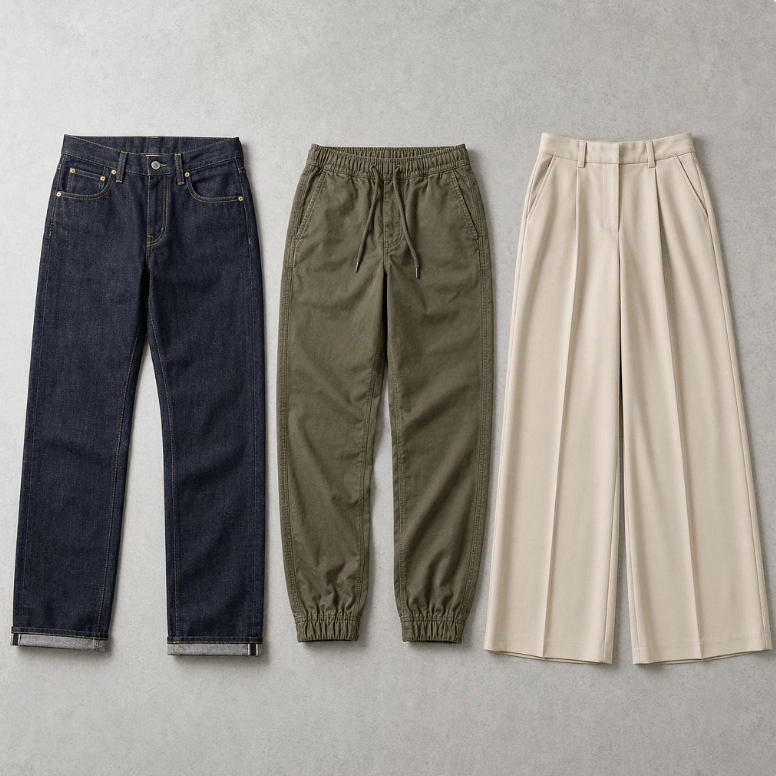
| Pant type | Main failure mode | Styling method |
|---|---|---|
| Rigid jeans | Every reset creates a new hard crease | Commit to placement early; use one controlled knee fold if depth is needed |
| Chinos and dress pants | Light twill wrinkles and loses its pressed shape | Work soon after steaming; slide thin card inside each leg and align the crease |
| Joggers | Elastic cuffs and waistband bunch or curl | Extend them only to their natural width and pin from behind |
| Shorts | The short inseam leaves too much empty space | Place them slightly higher and angle the openings outward |
| Leggings | Stretch fabric clings and distorts when dragged | Lift and place in sections from waistband to ankle; do not slide |
| Wide-leg or palazzo | Fluid hems collapse inward and hide the silhouette | Fan from knee to hem; add tissue or non-slip support underneath and retain soft waves |
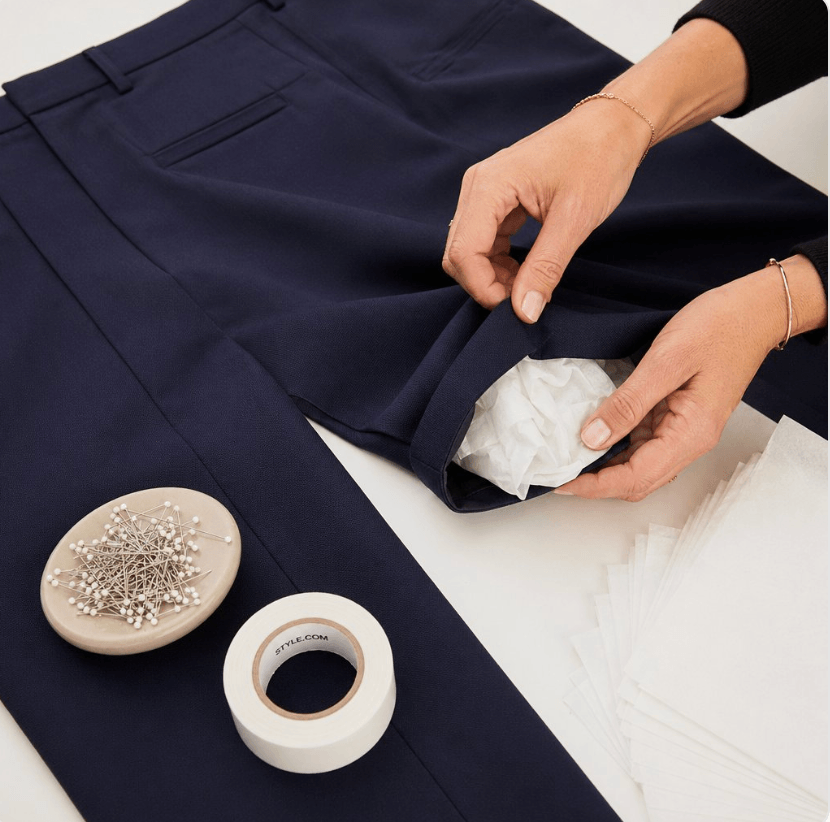
5. Use hidden support without changing the cut
Heavy denim and canvas usually need control at the folds; slippery fabrics need a matte surface or concealed non-slip layer. Use tissue for light volume, thin card to keep a leg crisp, and small pieces of tape or hidden pins to hold hems. Support should remain invisible and must not narrow the waist, widen the leg, or otherwise misrepresent the SKU.
6. Capture the pants listing set
- Main listing images: Clean background, parallel legs, consistent crop, and front and back views.
- Product details: Pockets, hardware, cuffs, labels, fabric texture, and distinctive construction.
- Secondary merchandising: A controlled bend or a small prop set that does not cover the waistband, leg shape, or hems.
How to create flat lay clothing images with AI
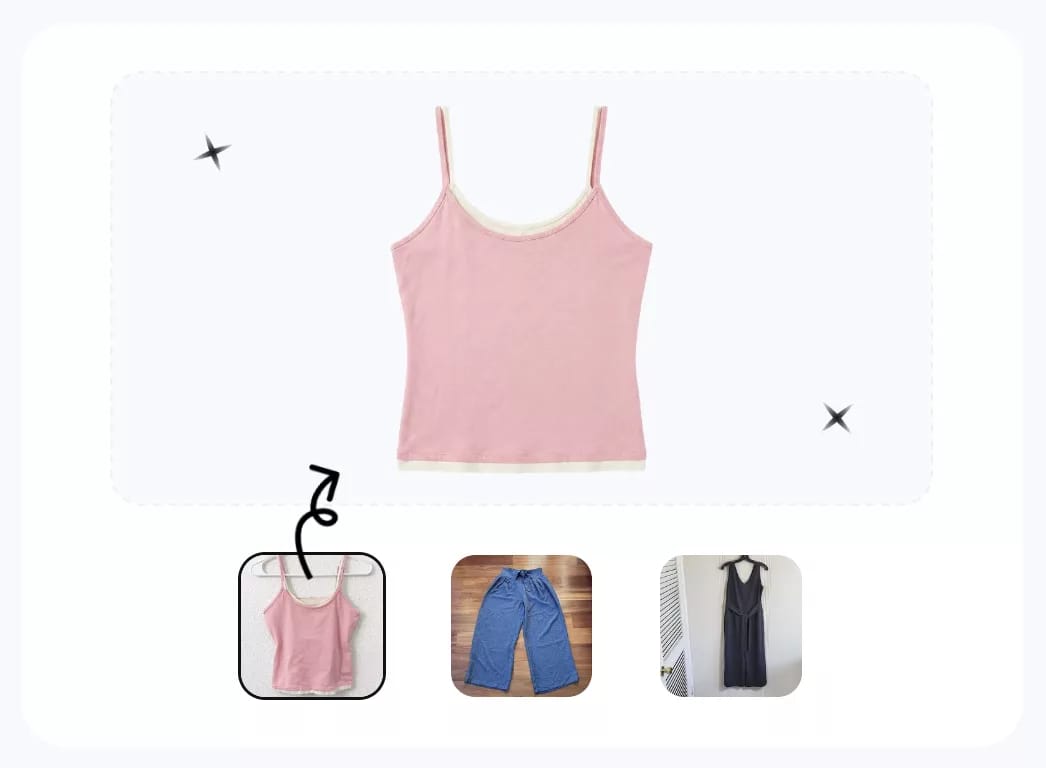
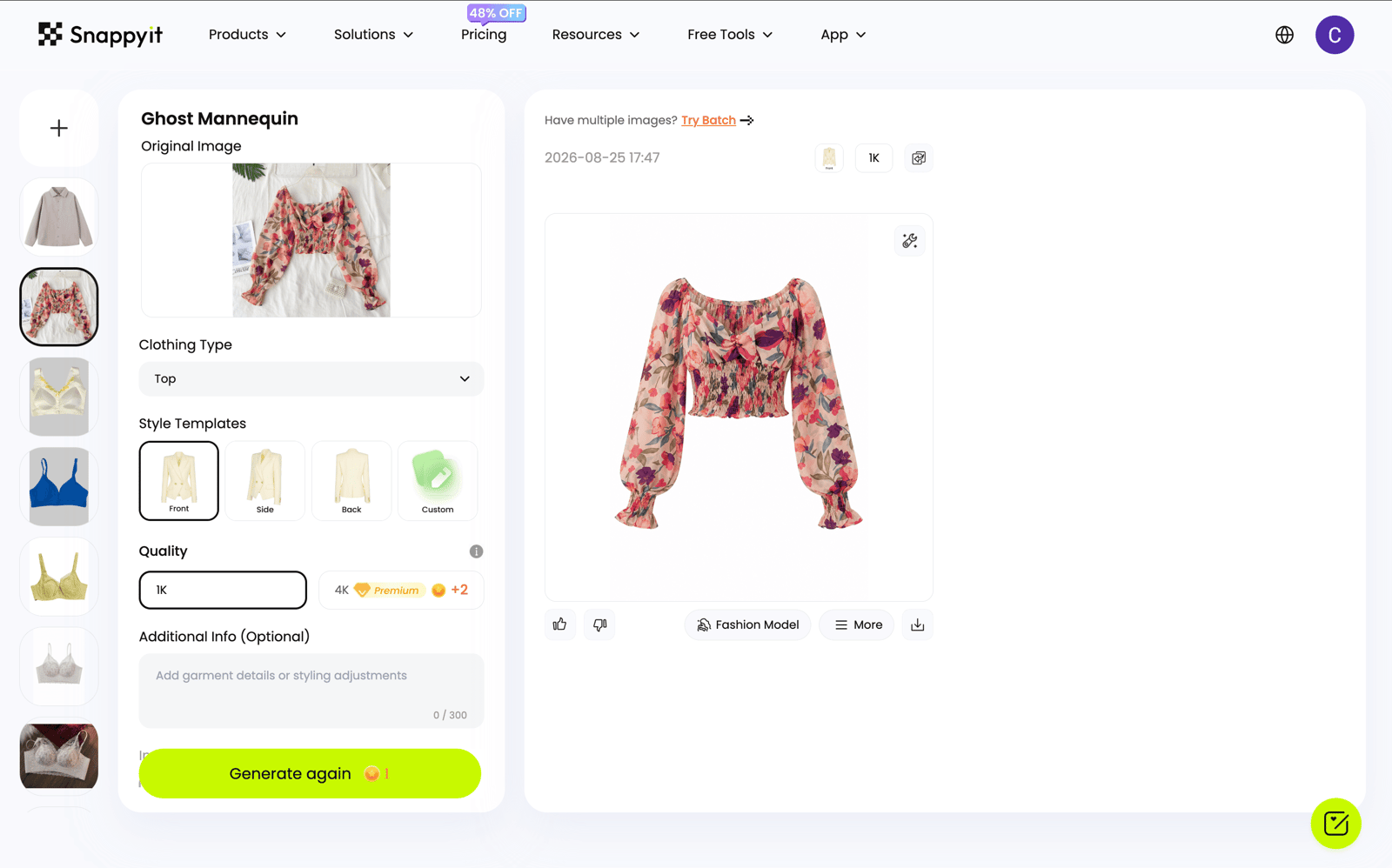
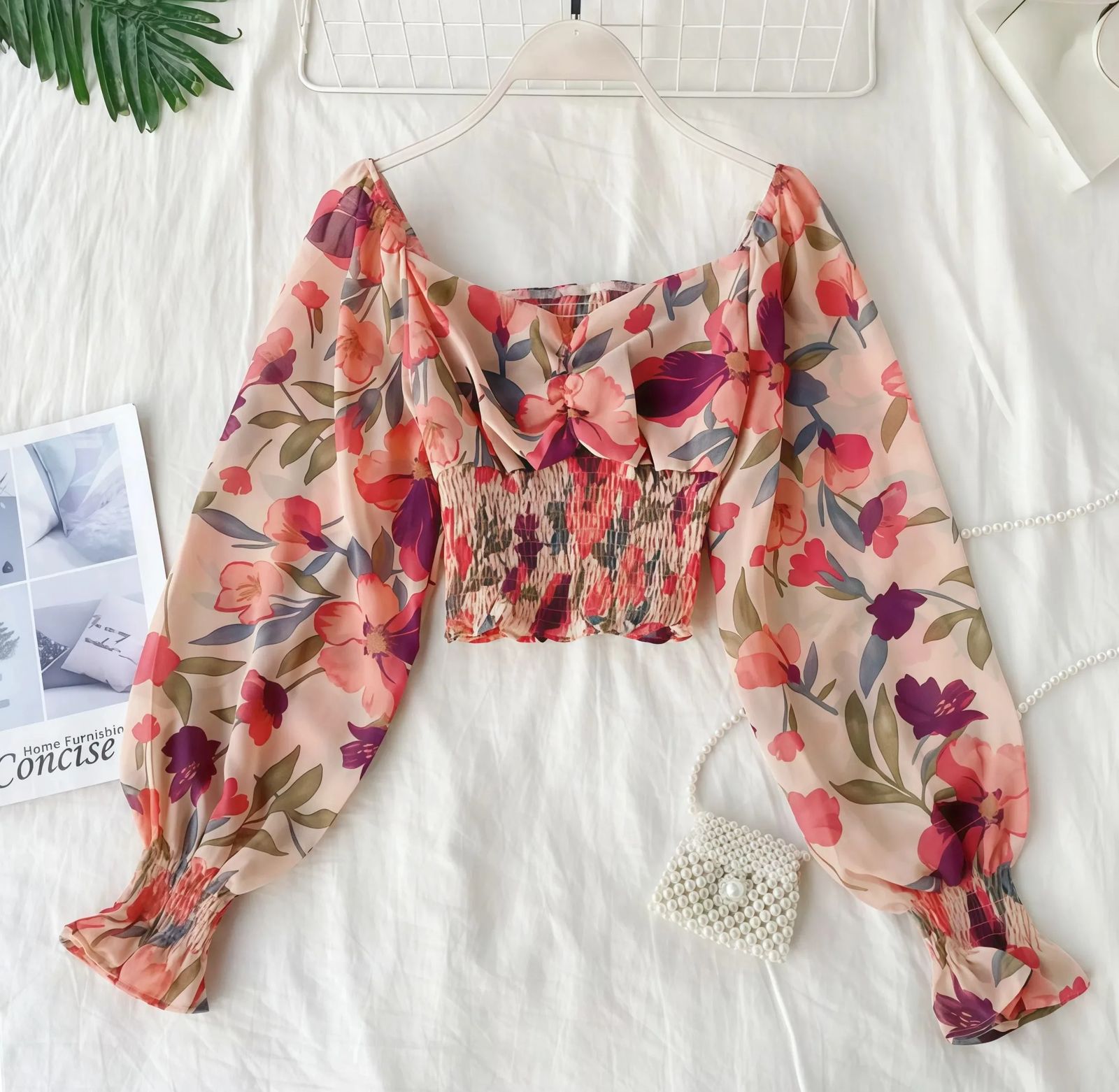
If the complete garment is already visible in a hanger or phone photo, an AI flat-lay tool can produce a cleaner catalog candidate without rebuilding the set. This workflow uses Snappyit AI Flat Lay.
- Upload a clear image showing the complete garment with important edges and details unobstructed.
- Select the correct target item, such as top or bottom, so the tool starts from the right geometry.
- Choose the output count and add only constraints that can be checked against the real product.
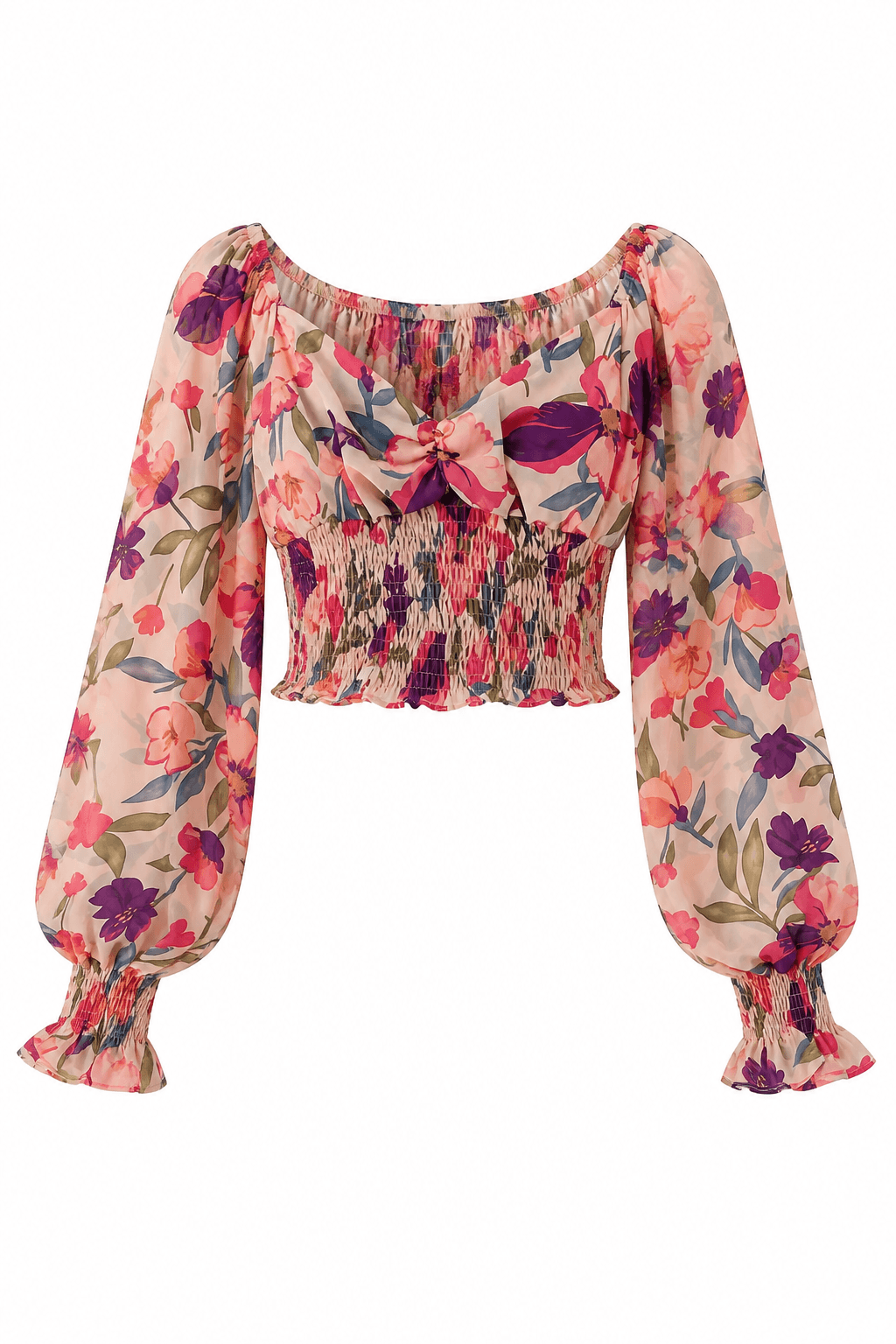
- Generate the images, then compare each candidate with the SKU before approval.
As checked in the Snappyit interface on August 26, 2026, Flat Lay costs 3 credits per generated image, so two outputs cost 6 credits. Treat the interface total as the current source of truth because plans and allowances can change.
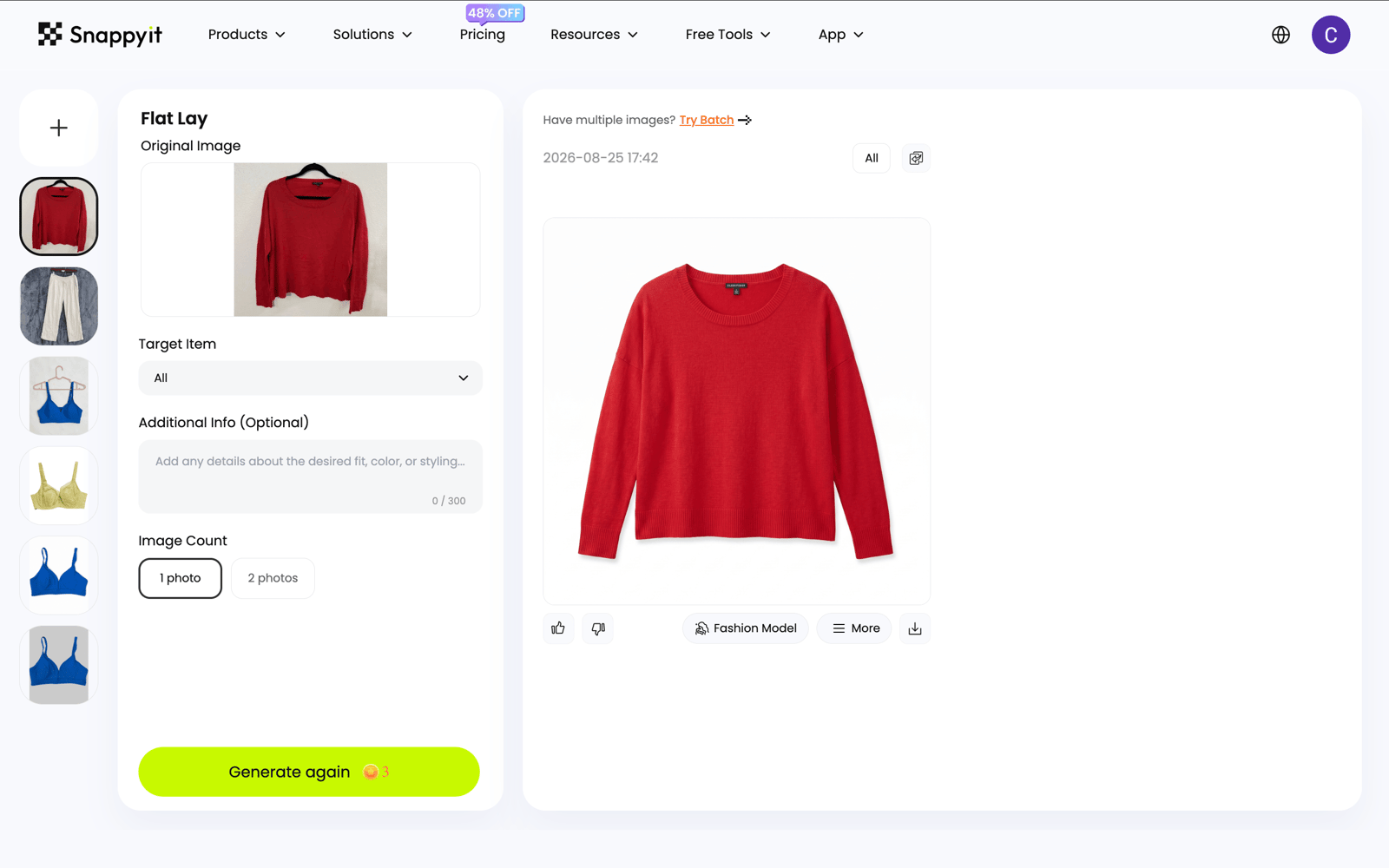
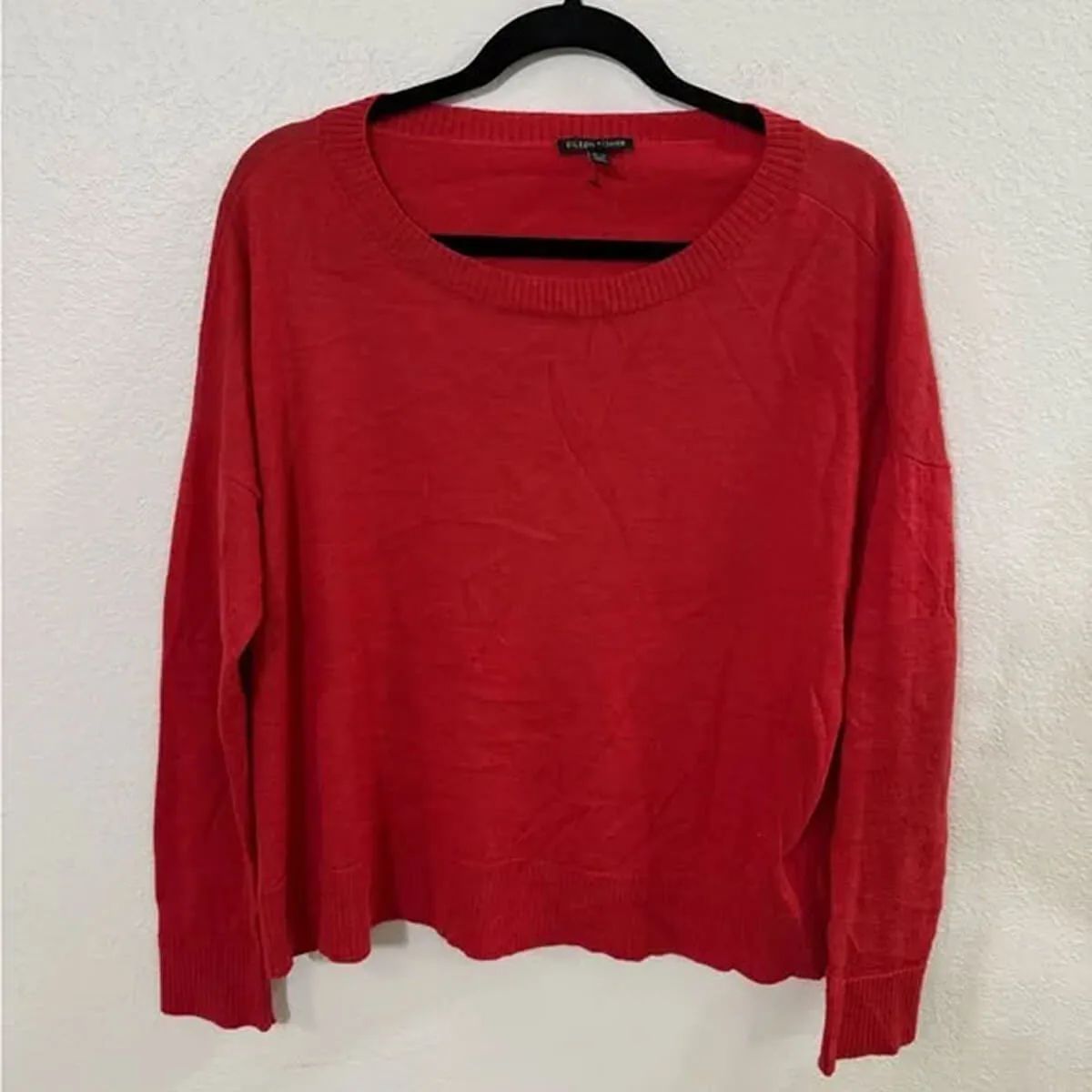
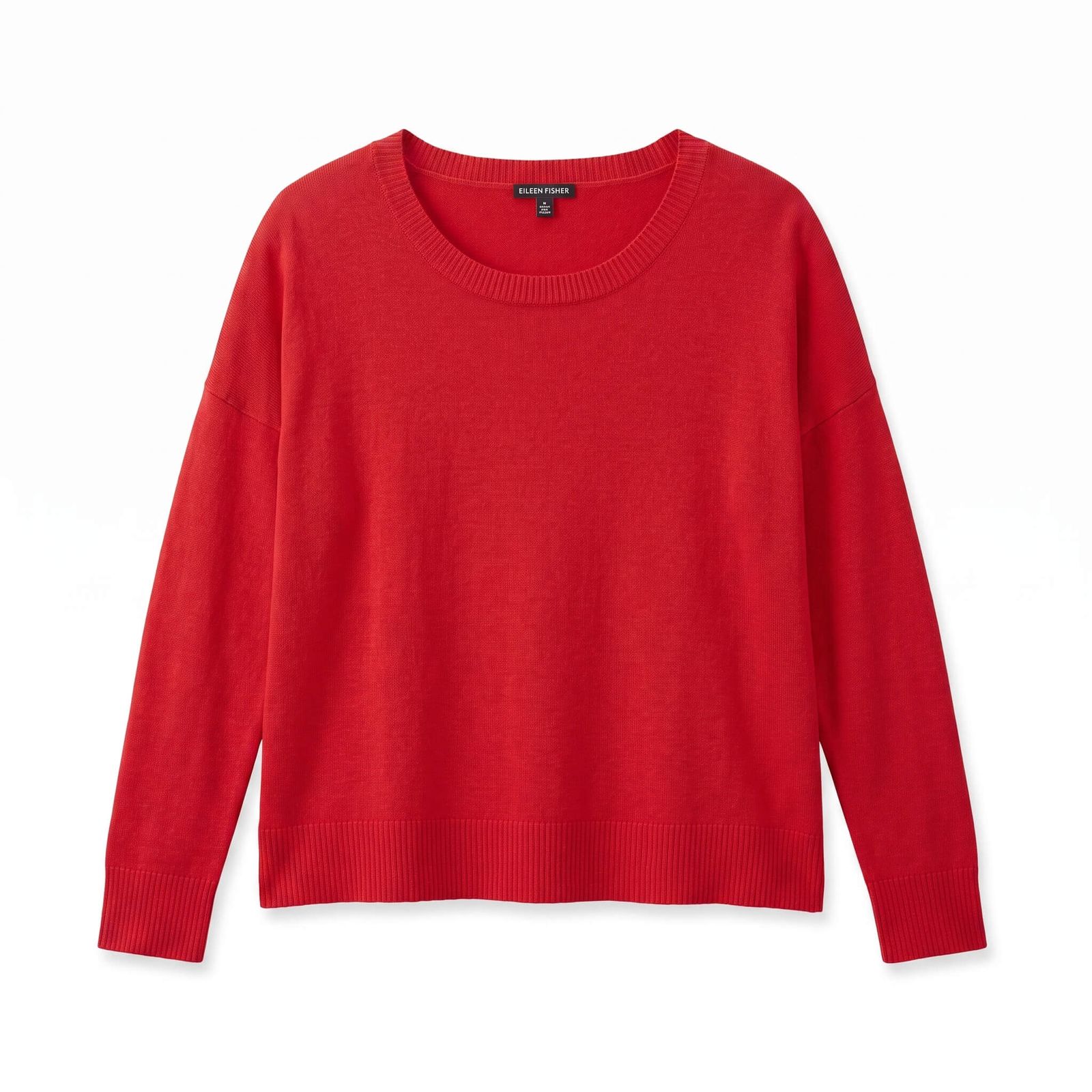
A source photo cannot supply details it does not show. Check the neckline, sleeve or leg length, print scale, seams, logos, hardware, material, and color. Reject any polished-looking image that no longer matches the item the customer will receive.
How to make flat lay clothes look three-dimensional
For a physical flat lay, place small amounts of acid-free tissue under the shoulders, chest, hips, or legs. Add gentle curves to sleeves and pant legs, then let side light create a soft shadow. Keep tape, pins, card, and tissue out of view and use only enough support to show the product's natural volume.
If buyers need a clearer view of worn structure, create a separate ghost-mannequin image. Compare the inferred neck opening, shoulder line, sleeve volume, closures, and back construction with the real garment before using it on a product page.
Reuse one apparel flat lay across ecommerce assets
An approved flat lay can anchor the rest of a product's image set:
- Background cleanup: inspect thin straps, lace, sheer hems, and fuzzy knit edges at full size.
- Ghost mannequin: verify the inferred opening, shoulder shape, sleeve volume, and back construction.
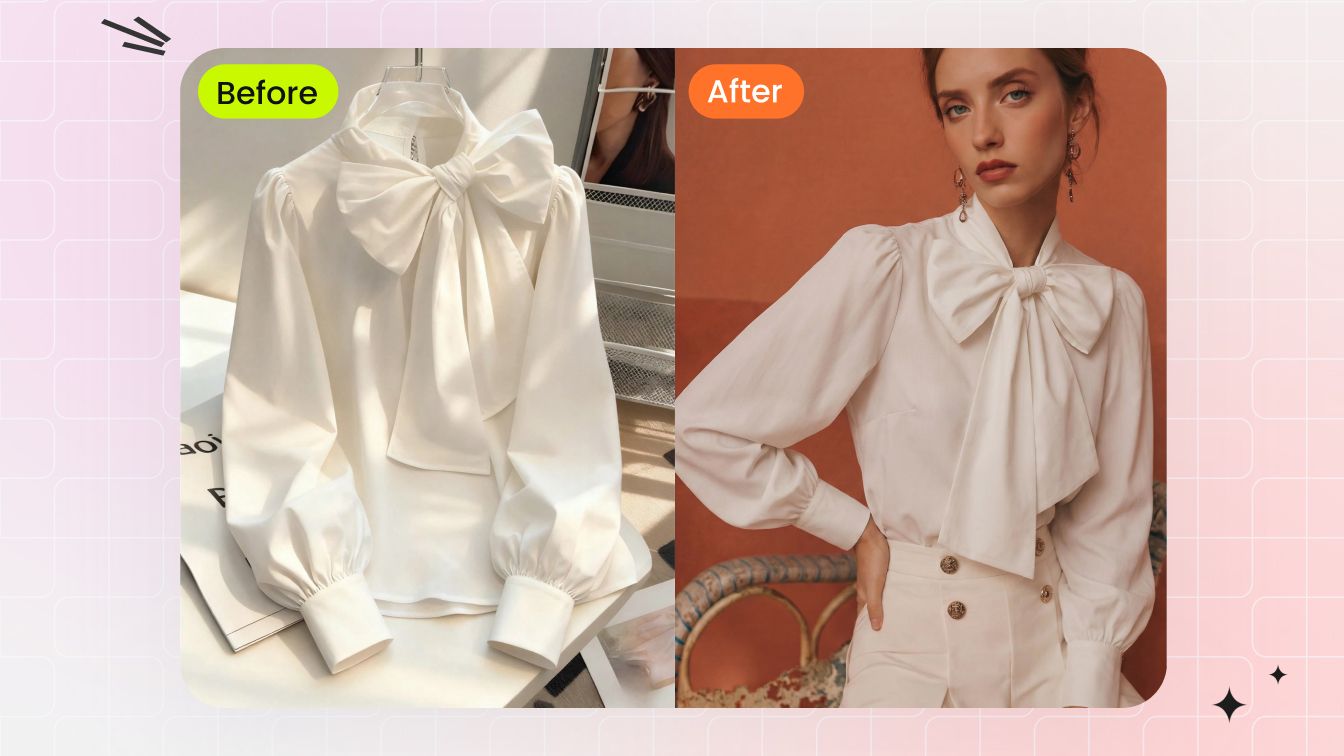
- On-model image: compare garment length, print scale, and construction with the source. Snappyit's AI Fashion Model is one option.
- Color variants: use AI Color Change only for real variants with matching construction and material, then check against the physical swatch.
- Short video: animate an approved still with Image to Video and reject motion that distorts the product.
Use only images you own or are authorized to edit. Keep the real SKU beside the final files during approval, and check the current image and disclosure rules for each sales or advertising channel rather than assuming one format works everywhere.
Flat lay clothing photography mistakes and checklist
| Mistake | Fix on the set |
|---|---|
| Crooked shoulders, fly, or center line | Align the garment to the grid before shaping smaller details |
| Wrinkles and trapped air | Steam while hanging; smooth outward and toward open hems |
| Flat, lifeless silhouette | Add minimal hidden volume and controlled curves without changing the cut |
| Washed-out texture | Move a large diffused key light to the side and retain gentle shadow |
| Color shifts across the batch | Remove mixed light, lock white balance, and capture a new reference after setup changes |
| Distorted proportions | Level the camera, avoid ultra-wide lenses, and increase shooting height |
| Wrong presentation for the product | Use a form for structured, fit-critical garments and keep flat lay for details |
| AI output looks good but is inaccurate | Compare every construction and color detail with the real SKU at full size |
Frequently asked questions
How do you photograph clothing laying flat?
Prepare the garment on a hanger, mount the camera directly overhead, and place the item on a clean neutral surface. Align the center line, shoulders or waistband, and hems before adding minimal hidden support. Keep the lighting, exposure, white balance, crop, and camera height fixed while you shoot the batch.
What equipment do you need for flat lay clothing photography?
You need a camera or phone, a secure overhead support, a surface large enough for the garment, one large diffused light, and a basic prep kit. A white foam-board bounce, steamer, lint roller, tissue, thin card, pins, and removable tape cover most small ecommerce setups.
Which camera settings work best for clothing flat lays?
Use low ISO, a middle aperture that keeps the full garment sharp, and a shutter speed that suits the fixed light and camera support. Avoid ultra-wide views, keep the lens parallel to the surface, and lock exposure and white balance so similar products remain comparable.
How do you keep apparel color accurate in a flat lay?
Use one stable light source, remove mixed room or window light, and keep colored surfaces from reflecting onto the garment. Shoot RAW when available, capture a gray-card or color-checker reference under the final light, and compare the exported file with the physical SKU.
How do you keep flat lay product images consistent across a catalog?
Mark the camera height, light position and power, background placement, crop, and garment alignment. Keep an approved reference image beside the live view, capture a new color reference after setup changes, and apply batch edits only to images made under the same conditions.
How do you flat lay pants without wrinkles or bunching?
Steam the pants on a hanger, close the fly and waistband, flatten the pockets, and center the fly in the frame. Smooth downward from waistband to hem, align both seams and leg lengths, and use parallel legs for the main ecommerce image. Add tissue, thin card, tape, or hidden pins only where the fabric needs support.
Can AI turn a garment photo into a flat lay or ghost-mannequin image?
Yes, if the source clearly shows the complete garment. Treat the result as a product-image draft and compare the neckline, length, print scale, seams, logos, hardware, material, and color with the real SKU before publishing.
For ecommerce apparel listings
Create an ecommerce clothing flat lay
Upload one clear garment photo, generate a clean flat lay, then check the shape, color, seams, print, and hardware against the real SKU before adding it to your listing.