



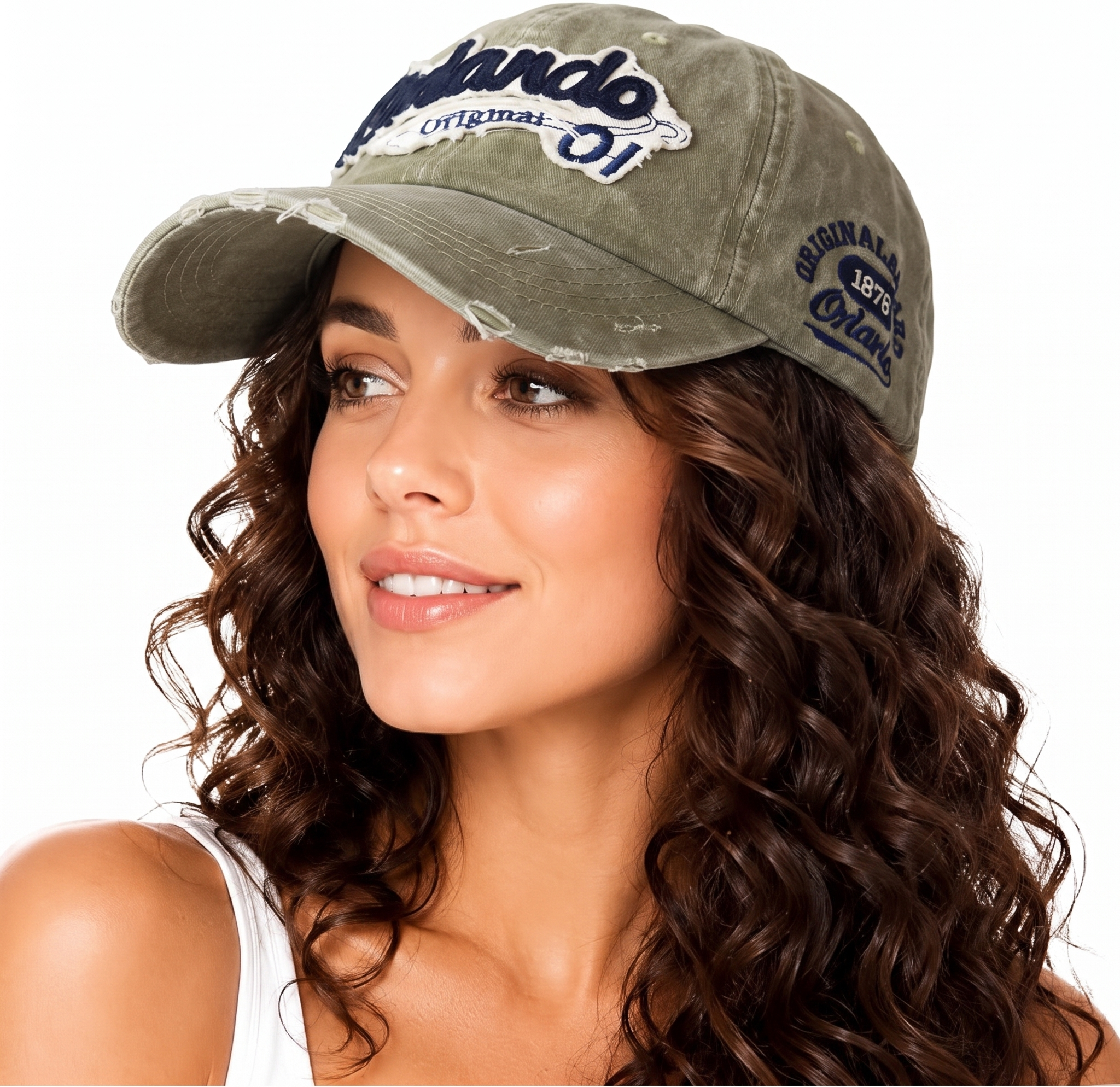

Ecommerce merchants need hat photos that show the crown, brim, closure, material, and condition accurately. A phone, soft window light, a plain background, and discreet crown support are enough to photograph the core listing views without arranging a model shoot or using a mannequin.
How to photograph hats for ecommerce: quick answer
- Clean and reshape the hat. Remove lint, straighten the closure, and return the crown and brim to their normal shape.
- Support a soft crown. Place loosely crumpled acid-free tissue or a removable insert inside, keeping it below the visible edge so it does not stretch or distort the hat.
- Set up a seamless background. Use matte white or neutral paper that curves from the wall onto the shooting surface.
- Use soft side-front light. Position the hat so window light reaches it from roughly 45 degrees in front and to one side, then place a white card on the opposite side to lift the shadow.
- Position the phone carefully. Use the main camera at crown height or slightly above it, and move back far enough to avoid exaggerating the brim.
- Capture a complete listing set. Photograph the front, three-quarter view, side, back, top, interior, and important details such as embroidery, labels, closures, wear, or damage.
How to photograph a hat without a model or mannequin
The detailed workflow below focuses on three problems that commonly weaken hat listings: a collapsed crown, heavy shadow under the brim, and missing views that leave shoppers unsure about construction or condition. The crown is the upper part of a hat; the brim is the projecting edge below it [1].
1. Hat preparation and crown support
Preparation begins with removing lint and dust, straightening the closure, and arranging the brim as it is normally worn. The care label determines whether steam or heat is suitable, particularly for straw, leather, and structured hats.
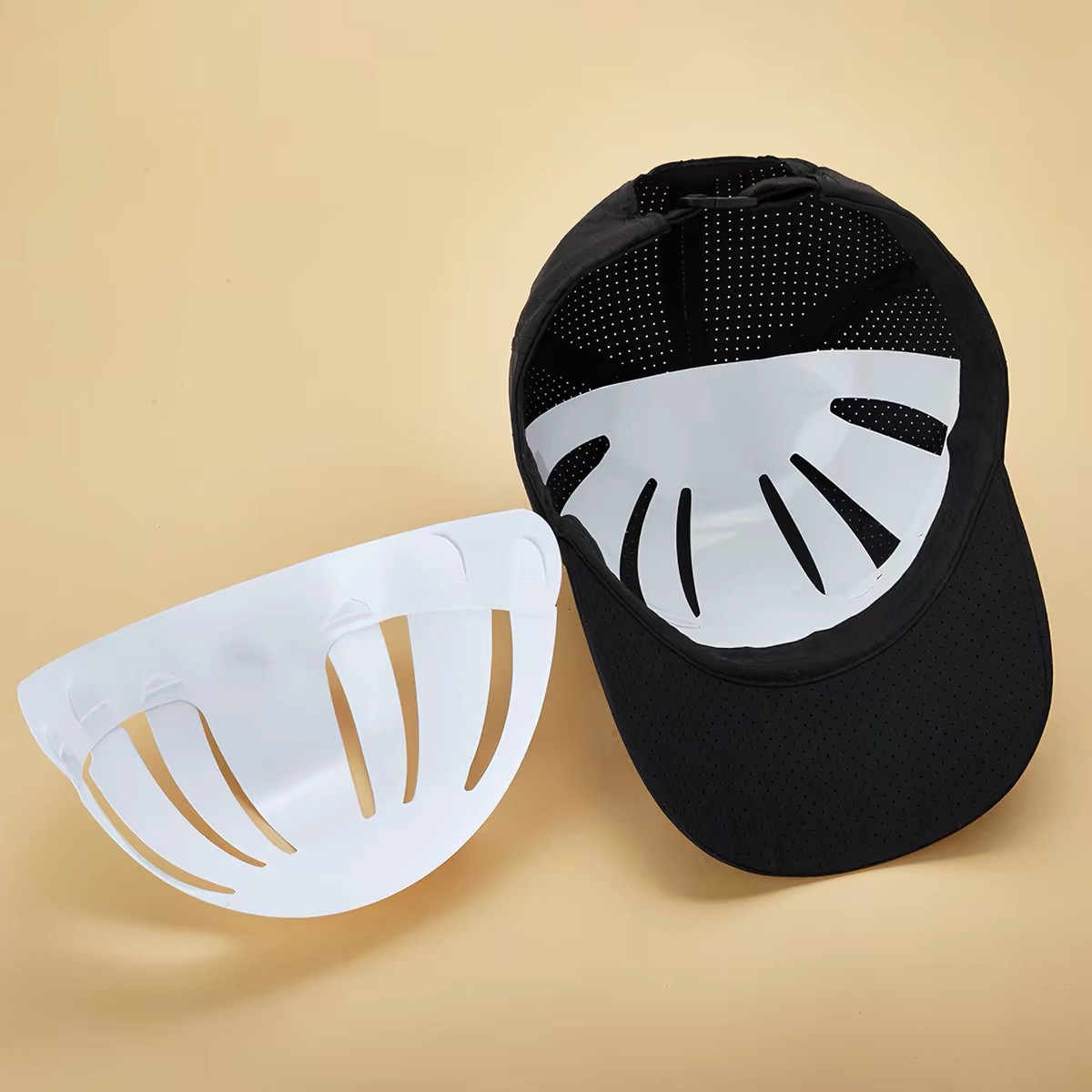
For a soft cap or bucket hat, a small amount of loosely crumpled, acid-free tissue inside the crown can prevent collapse. The filling should stay below the visible edge without stretching the fabric or turning a shallow crown into a tall dome. A structured hat may stand on its own.
For a beanie, a tidy flat-lay can clearly show the knit, cuff, and logo. Filling can add shape, but the proportions should remain natural. A filled hat does not demonstrate how tightly it will fit.
A removable cap insert can also support the front panels. A suitable insert follows the natural crown shape without stretching the fabric. Interior photos require the insert to be removed.
2. A plain background and soft light
A matte white or neutral surface near a window with indirect light provides a simple shooting area. A curved sheet of paper behind it can hide the line where the table meets the wall. Nearby lamps are best switched off if they introduce a different color cast.
Window light falling slightly from the front and one side gives the hat definition. A white card on the darker side bounces light into the front panel and under the brim. Small changes to the card position or hat angle can make the logo more readable, while a little soft shadow preserves the shape of the crown and brim.
3. Phone positioning without brim distortion
The main phone camera generally preserves proportions better than an ultra-wide lens. For a three-quarter front view, keep the phone steady at crown height or slightly above it and move back until the entire hat fits comfortably in frame. An extreme overhead angle can hide crown depth; shooting too close can exaggerate the brim.
Focus on the front detail and balanced exposure help preserve texture in light fabric and seams in dark fabric. Beauty filters and portrait blur can soften embroidery or cut into the brim. A full-size review of the first shot helps catch these problems before the rest of the set is photographed.
4. A consistent setup across products
Marks for the hat and phone positions help maintain a consistent camera distance, background, and light direction. Rotating the hat keeps the setup stable across views. Noticeable changes in daylight call for another brightness and color check. [2]
The original files provide a reference for background edits, AI comparisons, and different store crops.
Useful angles for each hat type
Use the angles below as starting points, then adjust them to the construction of the actual product. A snapback describes a closure, for example, and does not necessarily have a flat brim.
| Hat type | Starting view | What to make visible | Extra view to capture |
|---|---|---|---|
| Baseball cap / dad cap | Three-quarter front | Front embroidery, crown profile, natural brim curve | Back closure and side profile |
| Snapback | Three-quarter front | Front panels and the actual brim shape | Snap closure and underside of brim |
| Beanie | Straight overhead for a neat flat-lay | Cuff fold, knit texture, logo placement | Side or verified wearing view for styling and slouch |
| Bucket hat | Slightly elevated three-quarter front | Crown height and downward brim | Side view and lining or reversible side |
| Fedora | Side three-quarter | Crown pinch, hatband, brim profile | Interior band and size label |
| Cowboy hat | Front three-quarter | Actual crown crease and brim curl | Side profile and interior band |
A complete hat product photo set
A strong listing answers different questions with different images. The views below cover the main information buyers need; combined images work only when the important details remain easy to see.
- Overall product view: the whole hat, with space around the brim and an angle that clearly shows its shape.
- Side and back views: crown depth, brim profile, seams, and the adjustment mechanism, including the full closure rather than just a tight crop of the buckle.
- Detail view: a close look at embroidery, a patch, stitching, or fabric texture. Resale listings also need photos of wear, stains, or damage.
- Interior and label view: the sweatband, lining, size label, and relevant care information, with temporary filling removed.
- Optional wearing view: styling and appearance alongside the real product photos, with any AI result checked against the actual hat.
The listing also needs the actual size or head-circumference range and adjustment details. Relevant crown depth and brim length measurements should include a clear measurement method. A photograph of a hat on a person cannot establish how it will fit every buyer.
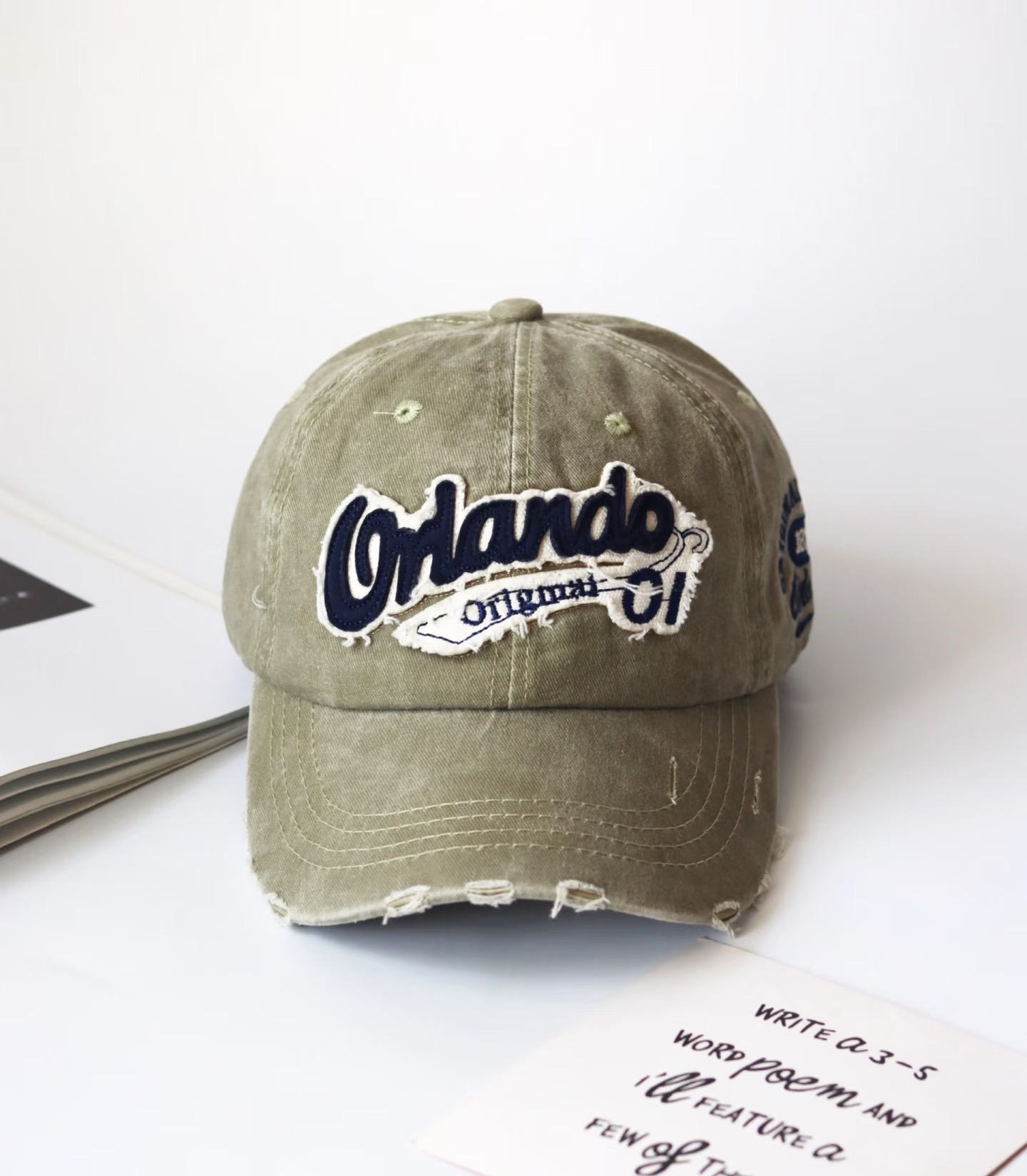
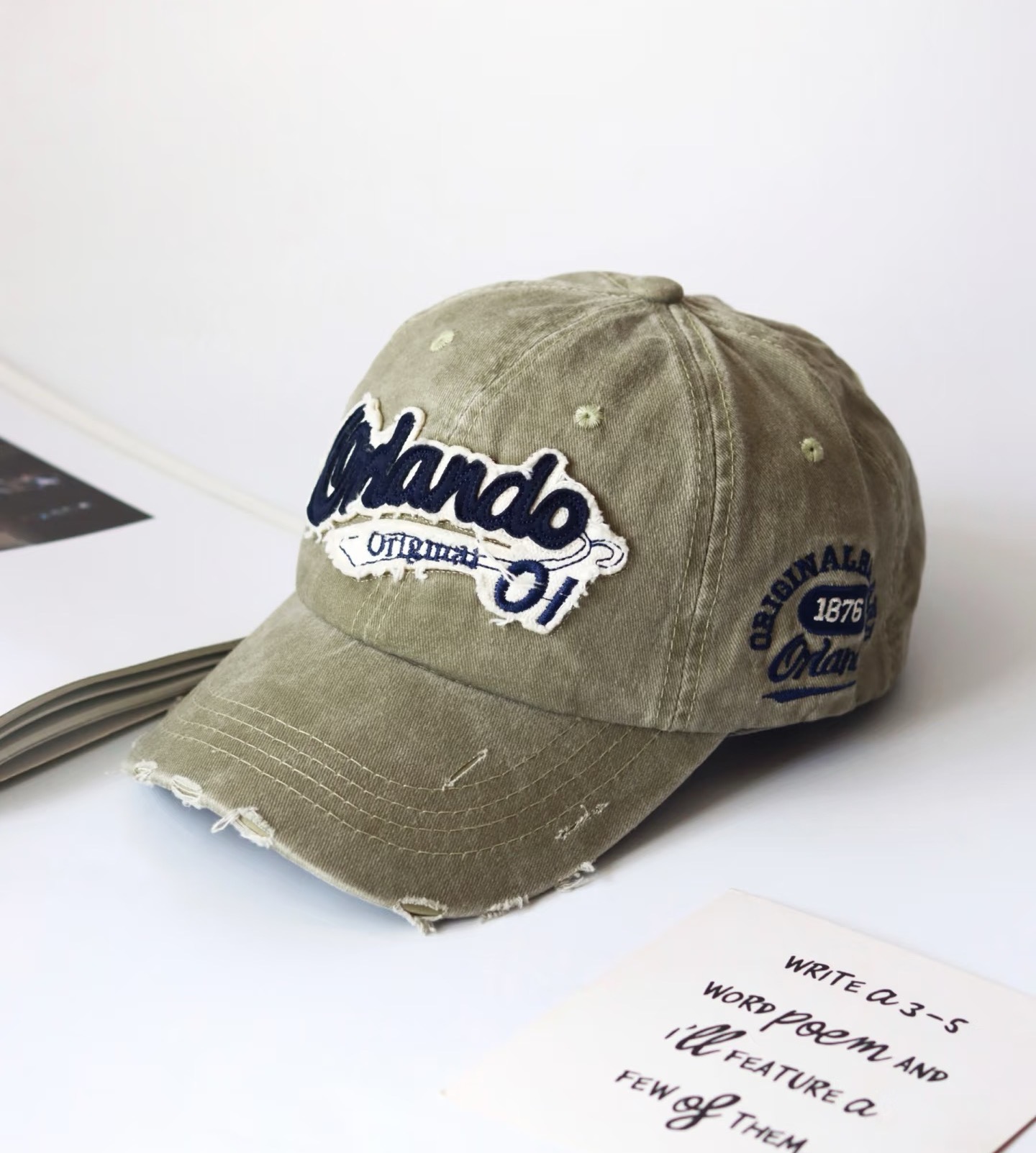
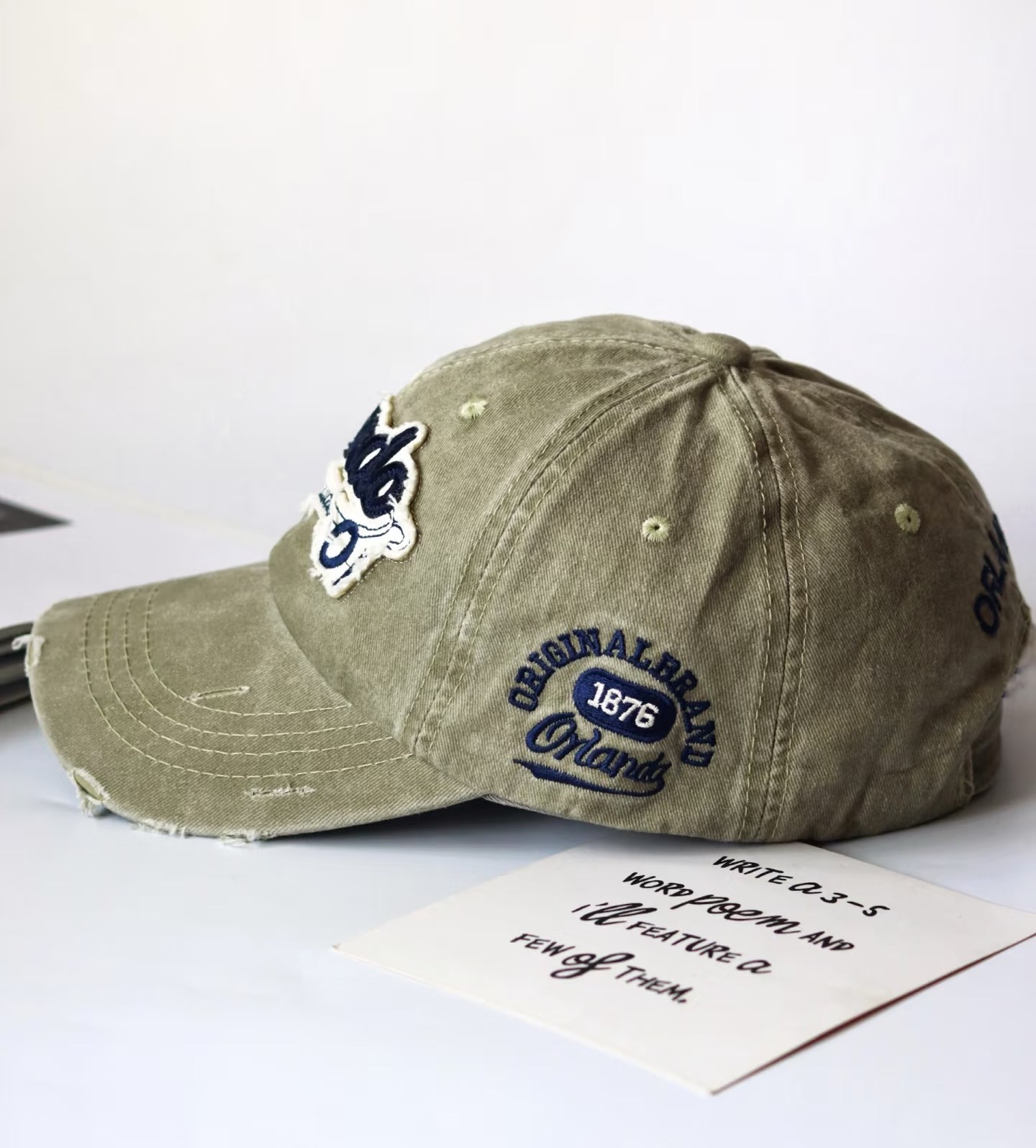
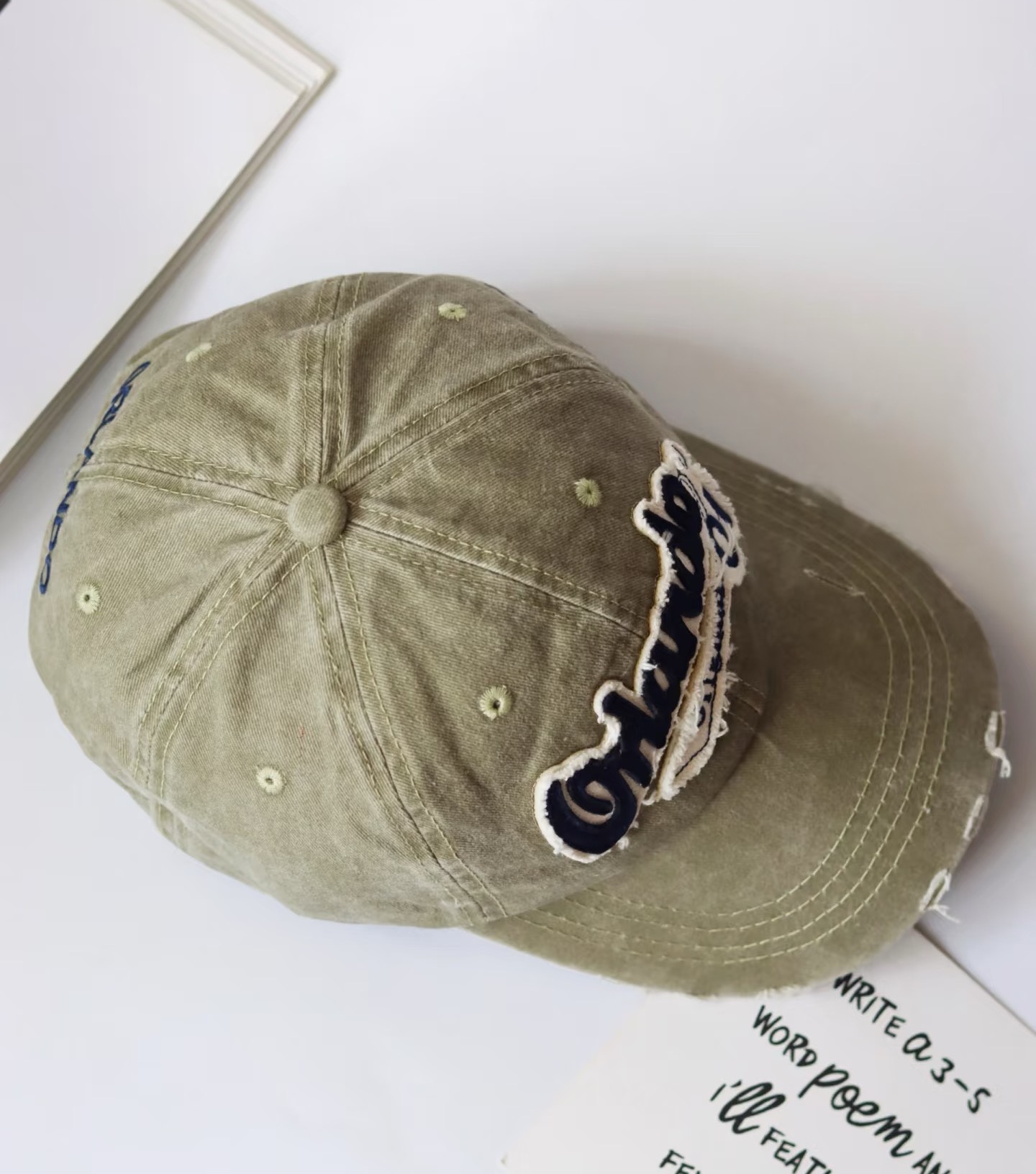
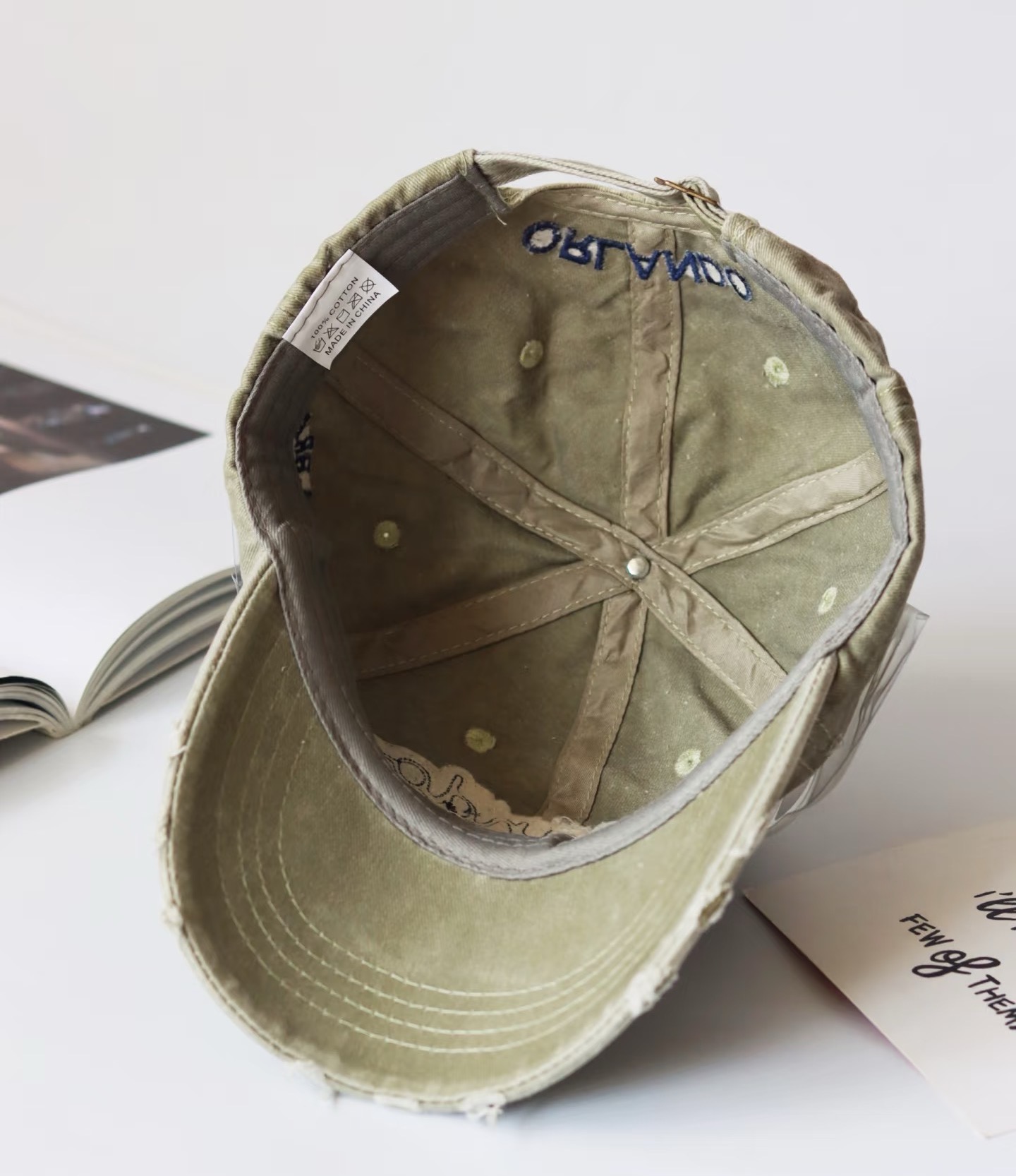
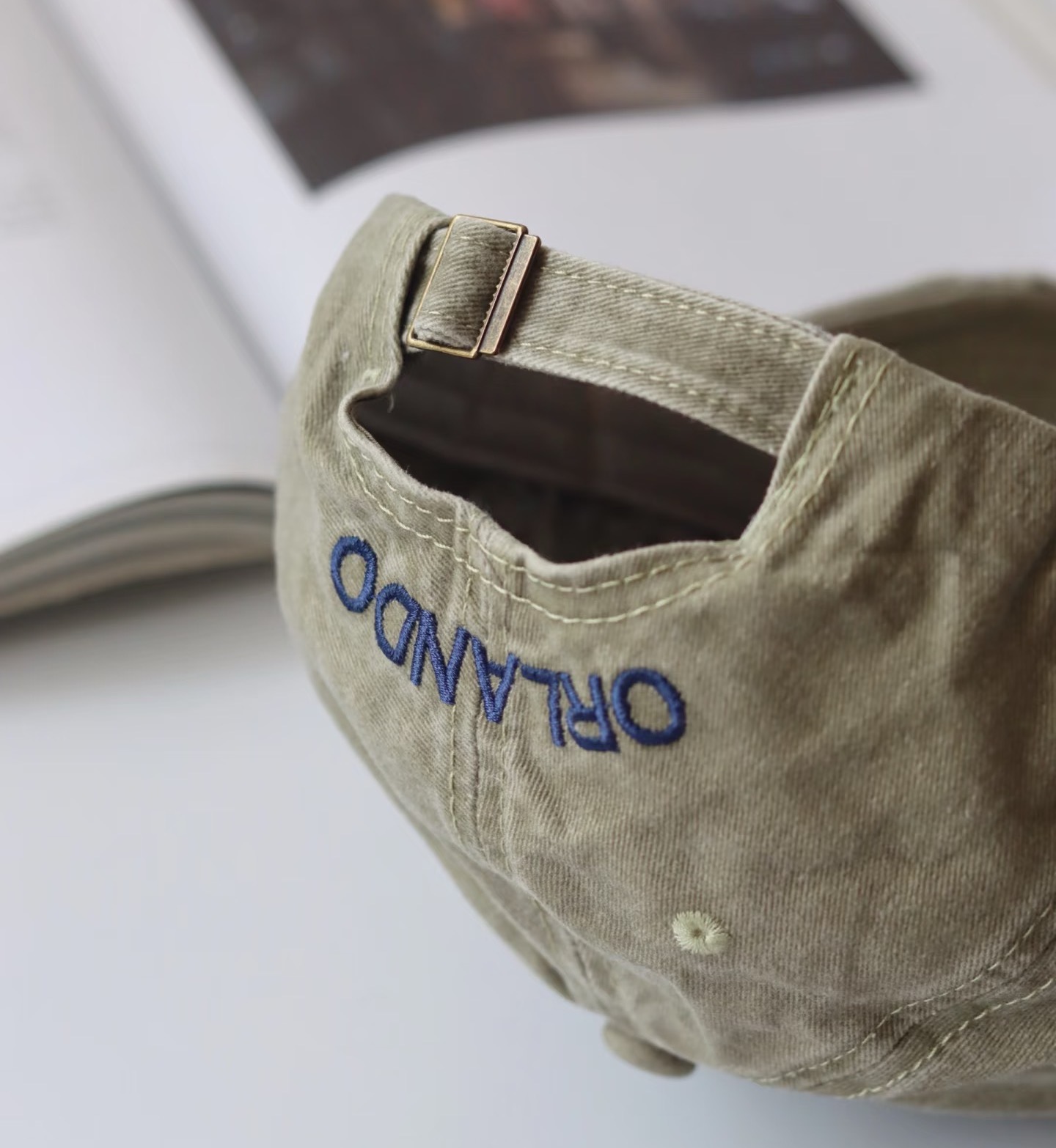
Six views of the same cap. Each image opens at full size.
AI wearing and floating views
Merchants can use clear product photos to test optional AI presentation images before processing a full catalog. Because one source photo does not show every surface or dimension, any generated view may invent details that were not visible.
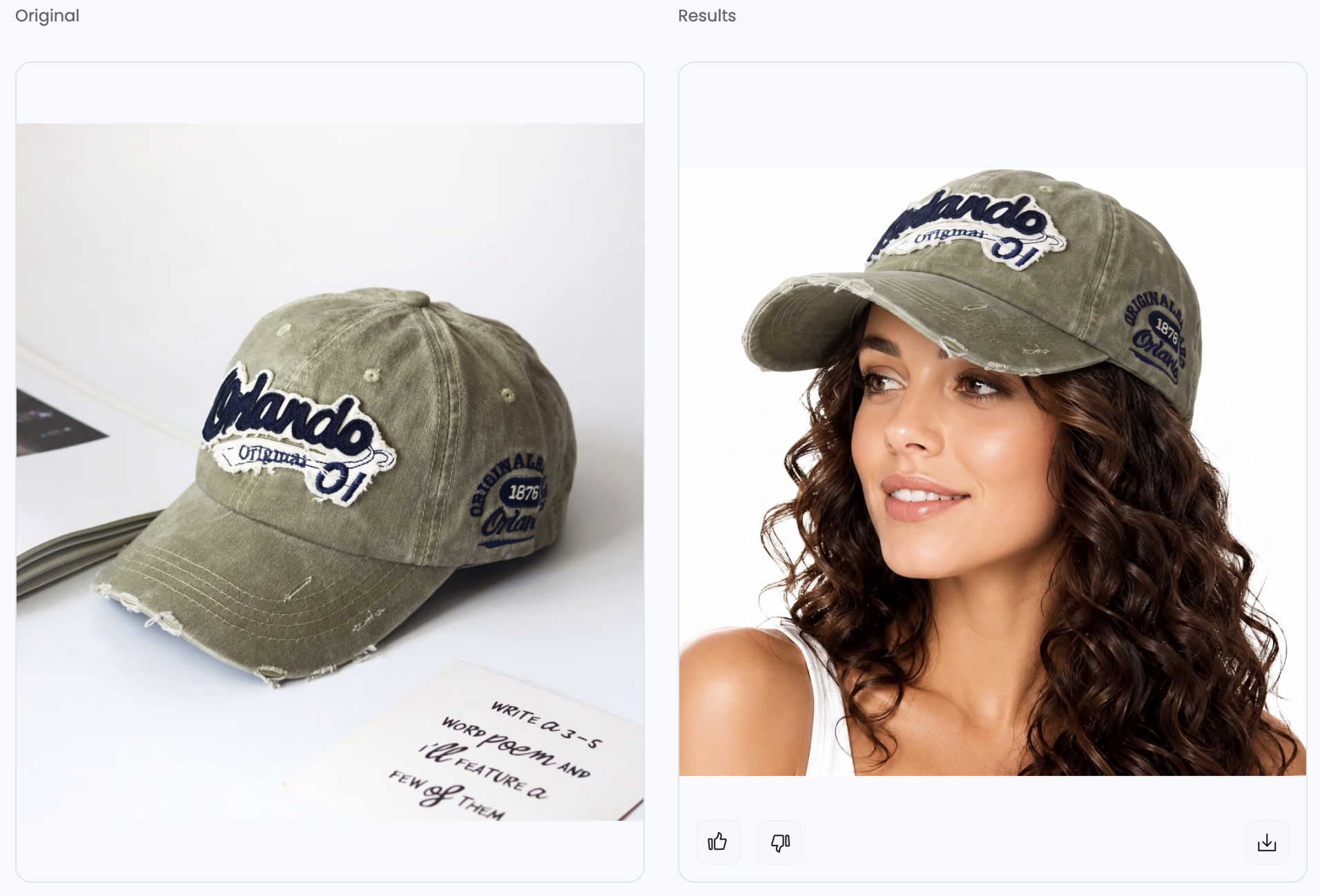
AI wearing views from a product photo
- Source selection. A suitable source is sharp, with the entire hat visible and the logo unobstructed. For a structured hat, an angled photo often gives more shape information than a flattened view.
- Model composition. Sellers can upload the photo to Snappyit AI Fashion Model and use the available model or scene options to start with a clear head-and-shoulders view. An angle that exposes the front panel and brim makes comparison easier.
- Product comparison. The review covers logo lettering, embroidery, panel count, crown height, brim curve, color, and the point where the hat meets the head. Hair crossing the logo or a brim blending into the face can make the result unsuitable.
- Result selection. A clearer source or different composition may help if the tool changes the product. The real product photo remains the better choice when the result still does not match.
A wearing image can suggest how to style the hat. It does not verify its size, comfort, or fit on a particular head circumference, so measured product information remains necessary alongside it.
Floating hat images
A floating image presents the hat with no visible head or support. A carefully styled tabletop photo may already be sufficient for a structured hat. For a softer style, merchants can test a ghost mannequin workflow, then compare the output with the real product photos.
A shaped, angled source should clearly show the crown and brim. The original front, side, and interior photos provide references for reviewing the output. Crown height, the brim edge, and any visible lining or sweatband need particular attention: details missing from the source may be generated incorrectly.
The real supported product shot is preferable if the result changes the construction or invents an interior. The destination’s current category rules determine whether a floating view is suitable as a main or additional image.
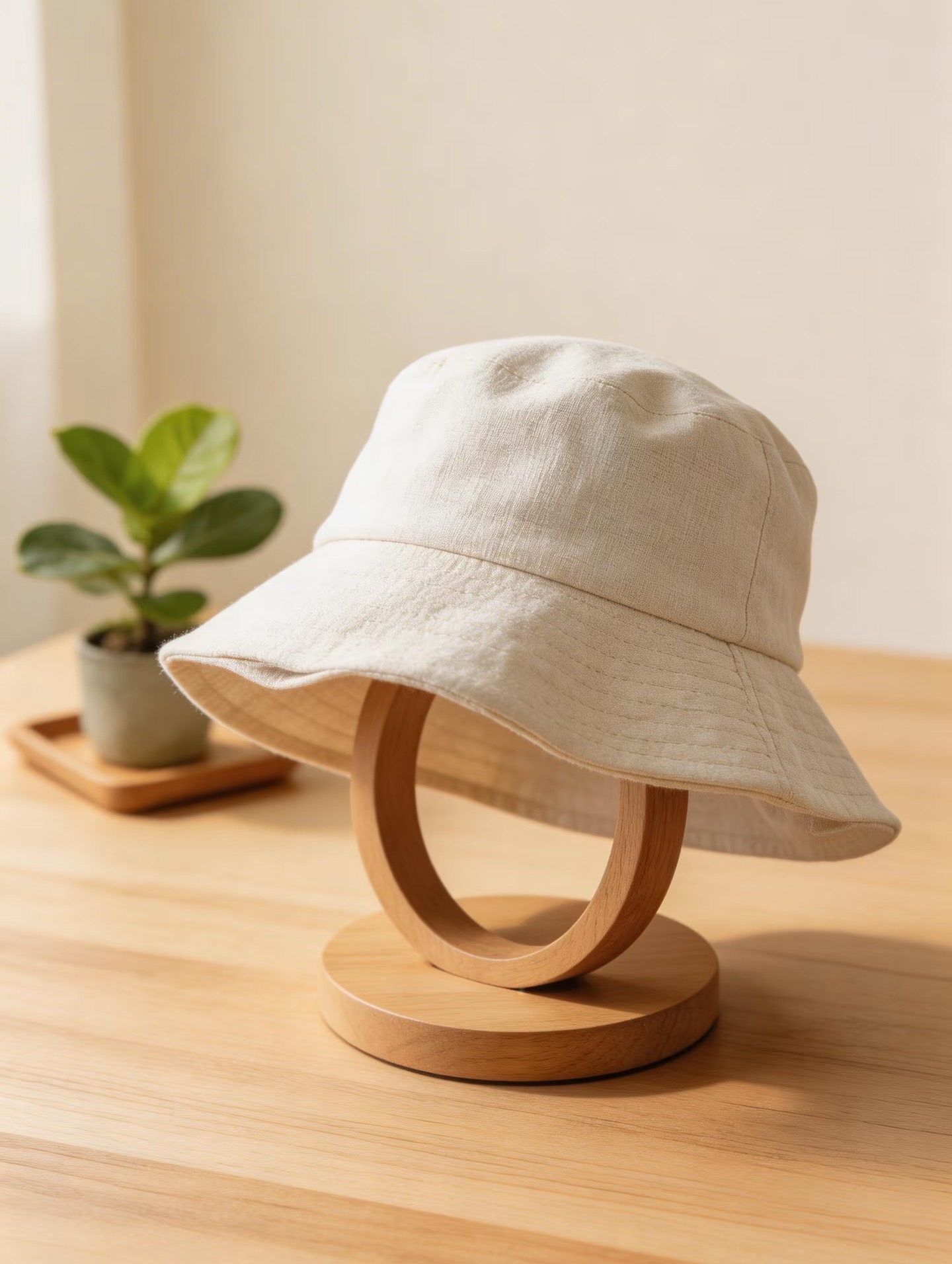
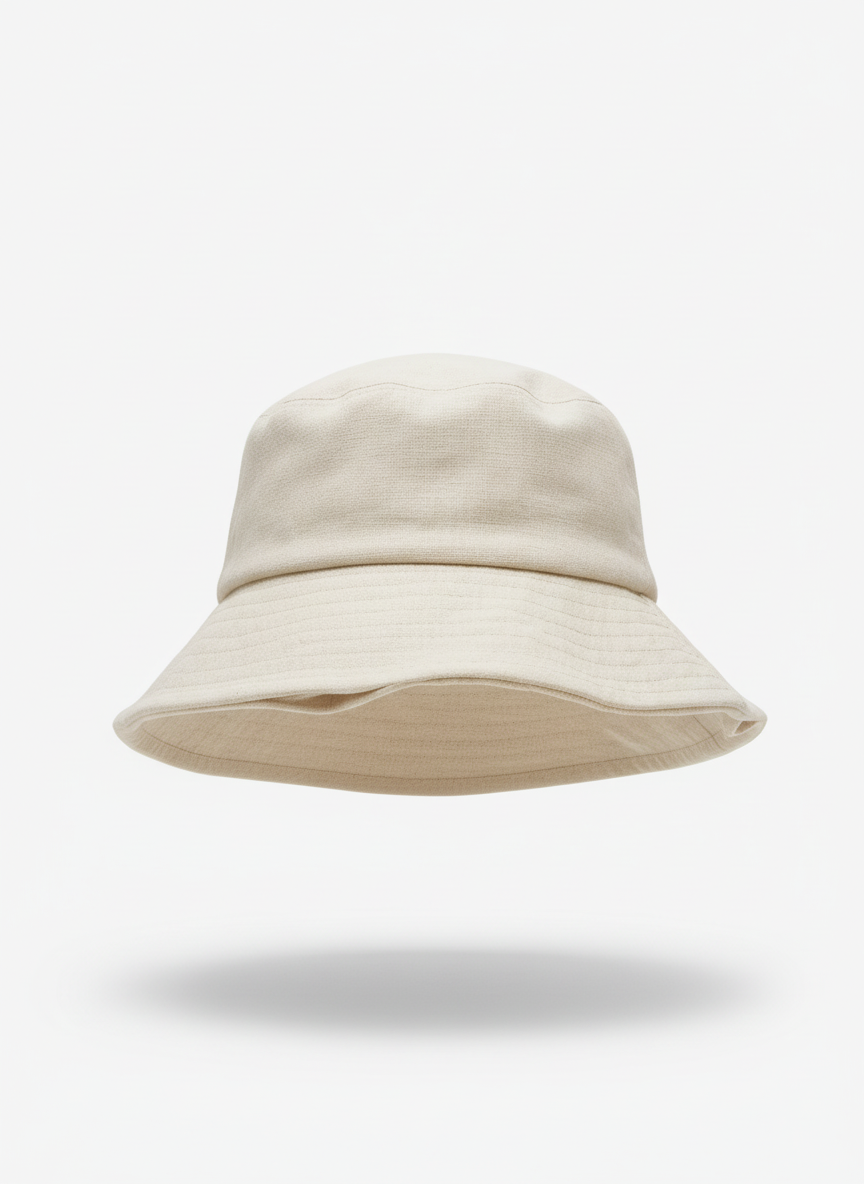
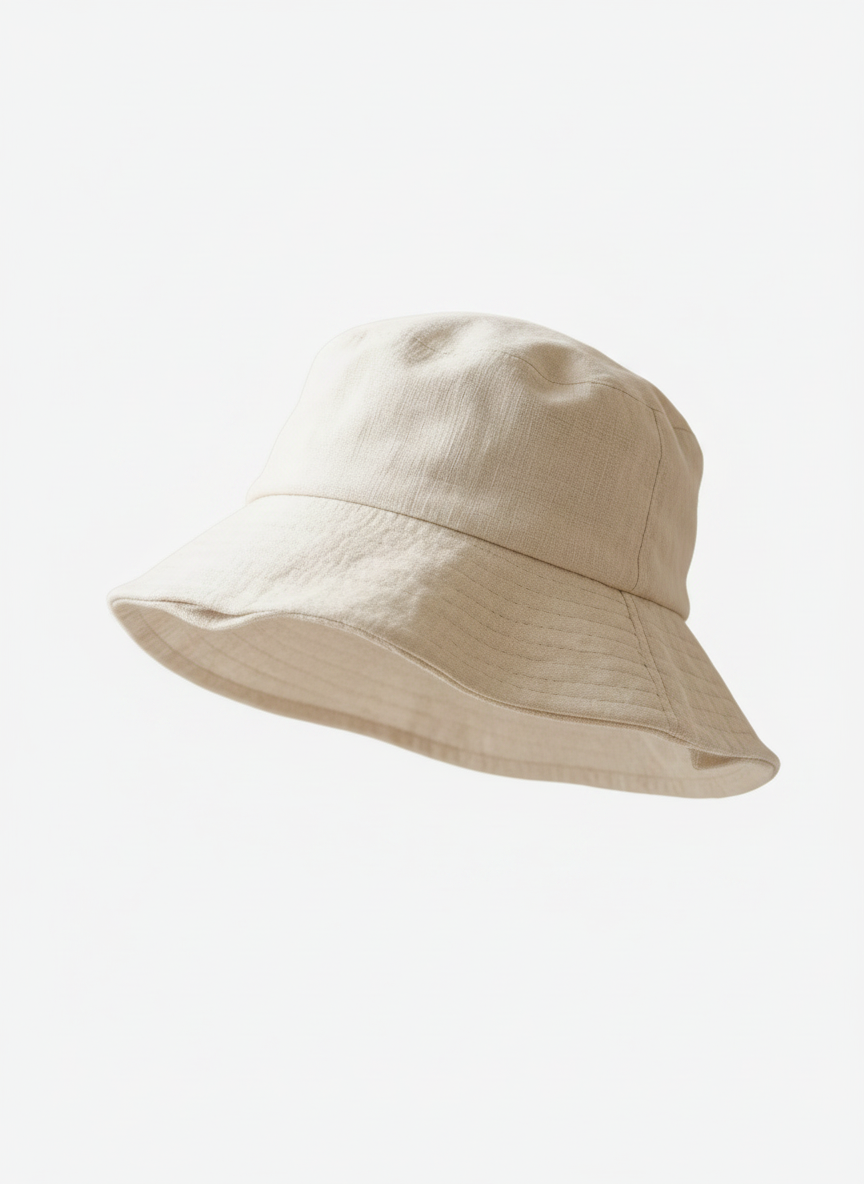
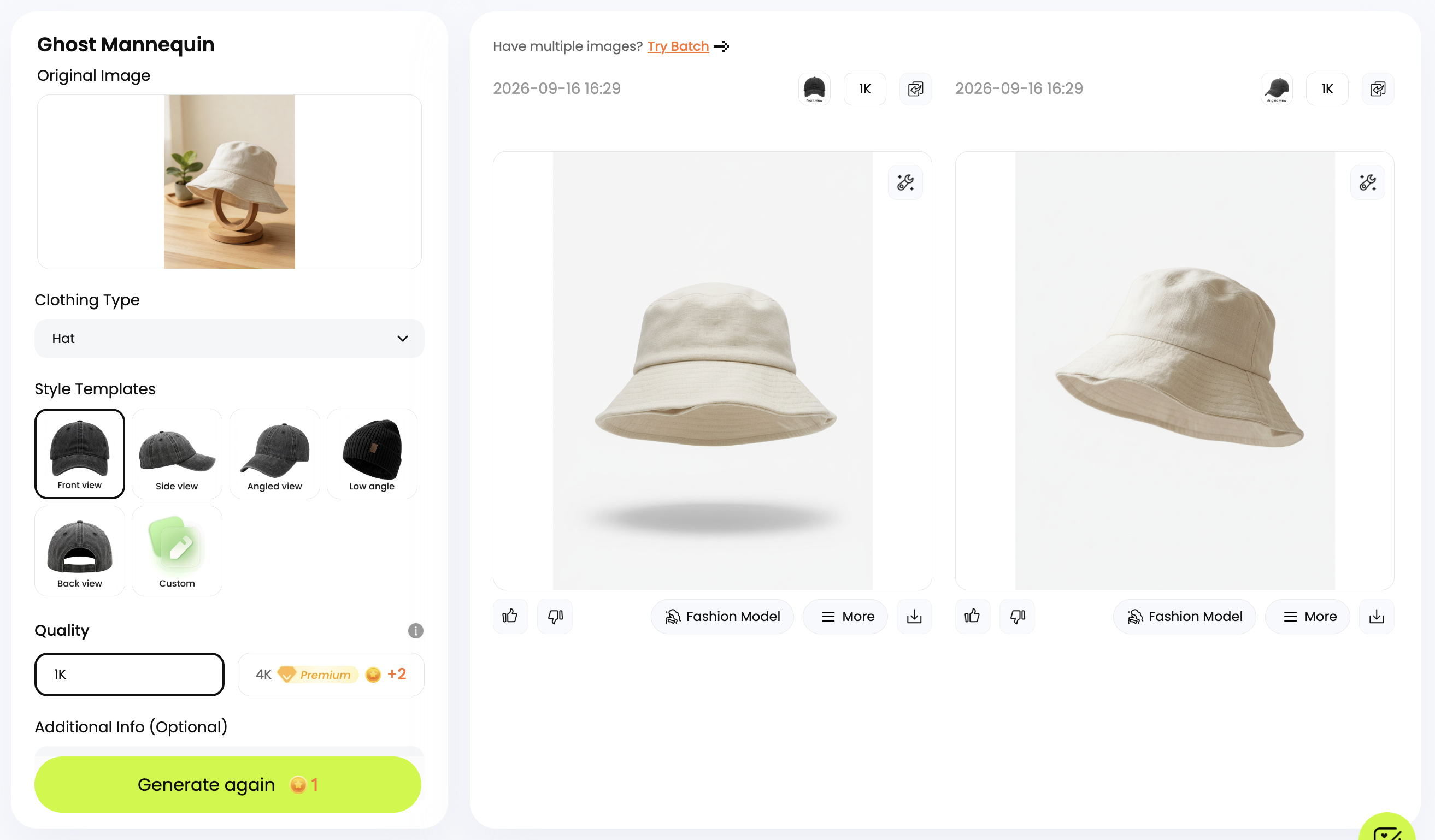
AI can supplement a simple tabletop shoot with wearing or floating views, without arranging a model shoot or using a mannequin.
Color variants for actual products
For a hat sold in several colors, an AI recolor tool can produce consistently framed variant images. Each displayed color must correspond to a real product, checked against a physical sample or a reliable supplier reference.
- Base image. Visible fabric texture and even lighting provide a useful starting point. Deep shadows and blown highlights make color matching harder.
- Areas to change. The selected panels may need recoloring while the embroidery, stitching, closure, and underside of the brim remain unchanged.
- Color comparison. The review covers hue, lightness, texture, and edges around logos and seams. The actual variant must also have the same construction as the base hat.
- Separate variant photography. A different fabric, printed pattern, contrast seam, or trim needs its own accurate representation. A color edit cannot represent those differences accurately on its own.
Consistent framing helps the variant set look cohesive, but each color still needs an individual check. Screen differences can affect appearance; they do not excuse a visibly inaccurate product color.
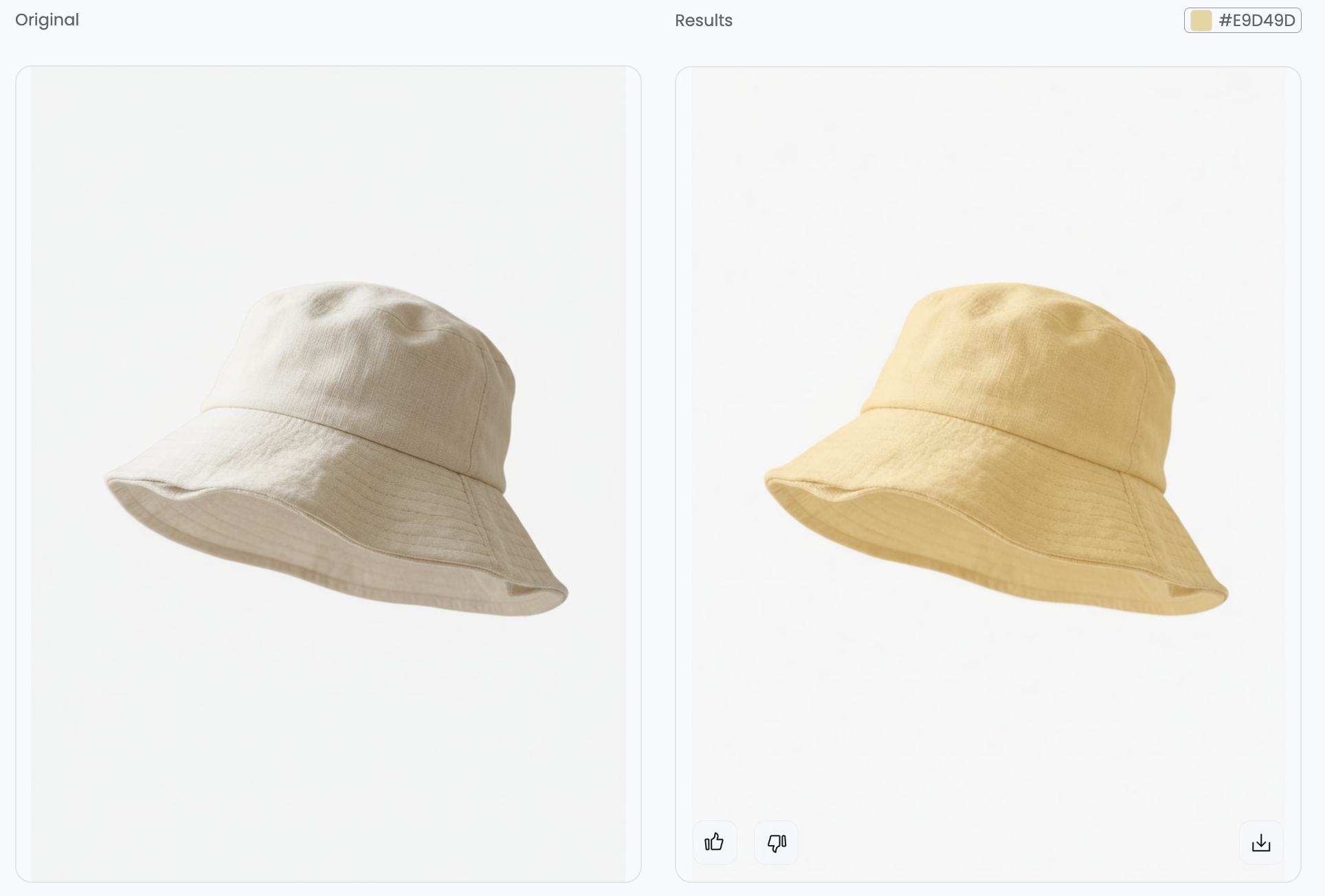
Image checks before uploading
- Product accuracy: every edited or generated image should match the real hat, including logos, seams, closures, and color. Secondhand listings also need visible condition details.
- Useful information: back and interior views where relevant, plus real size and adjustment information in the listing.
- Image quality: a full-size review for soft embroidery, rough background edges, unnatural shadows, and AI artifacts. Exports should come from the original file rather than a screenshot.
- Crop and consistency: space around the brim, a readable phone thumbnail, and consistent product scale and background across the catalog.
- Platform requirements: the current rules for the destination marketplace, category, and image position apply. Background, dimensions, added text, and generated-image requirements can differ. A clean white background alone does not establish compliance.
Export requirements can differ by marketplace, category, and image position, so merchants should check the current rules for each destination instead of assuming one crop will work everywhere. Keep accurate photos of the real product alongside any AI presentation images.
Frequently Asked Questions
1. Can I photograph hats with just a phone?
Yes. The main camera, soft indirect light, a plain background, and a stable phone position can produce useful hat photos. Sharp focus on the logo and fabric texture matters, while wide-angle distortion and filters can alter the product’s appearance.
2. Is a flat-lay photo enough for a hat listing?
A flat-lay can show the knit and cuff of a beanie or the front design of a cap. A complete listing also needs views that explain the crown, brim, closure, and interior. A single flat-lay rarely communicates all of those details.
3. How can I photograph a black or white hat without losing detail?
For a black hat, a nearby white reflector can lift dark areas without washing out the fabric. For a white hat, lower exposure can preserve highlight texture, and a slightly darker neutral background may help when the destination allows it. Seams and embroidery should remain clear at full size.
4. What if AI changes the logo or shape of my hat?
A result that changes the product is unsuitable as an accurate listing image. A sharper source with the logo and structure visible may help; otherwise, the original photo is preferable. Lettering needs a character-by-character check, alongside a comparison of crown and brim proportions with the original product photos.
5. Can I use AI hat images on a marketplace?
This depends on the current policy for the marketplace, product category, and image slot. Generated images must not misrepresent the product for sale, and some contexts require original product photography. An image suitable for a seller’s own store may not be suitable for every marketplace.
More Resources
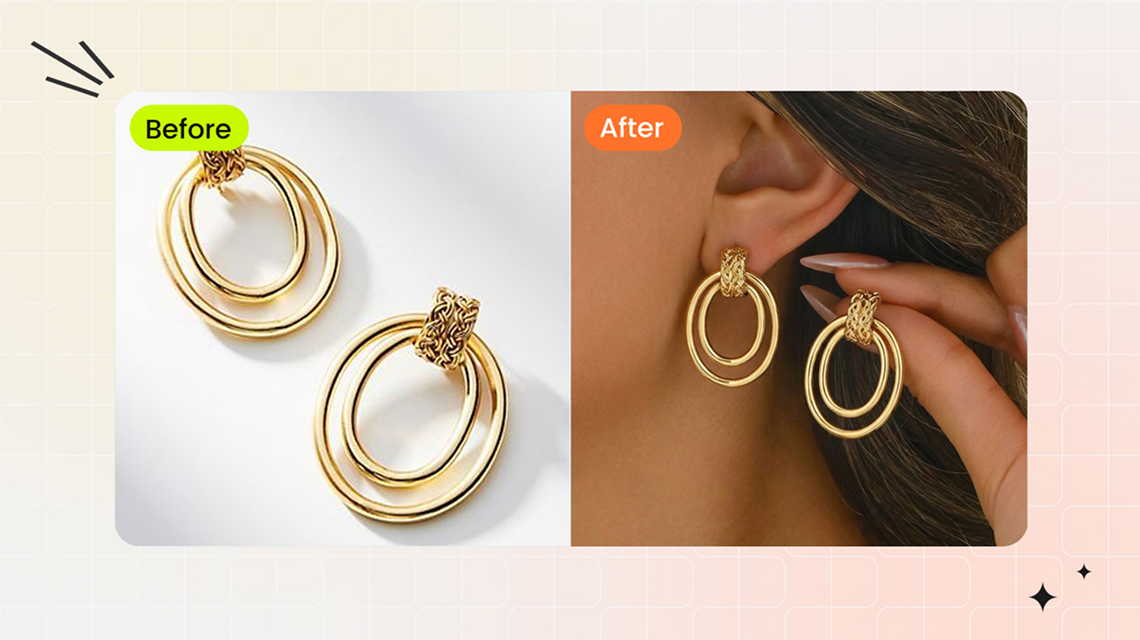
Turn phone photos of hats and other accessories into consistent, listing-ready product images.
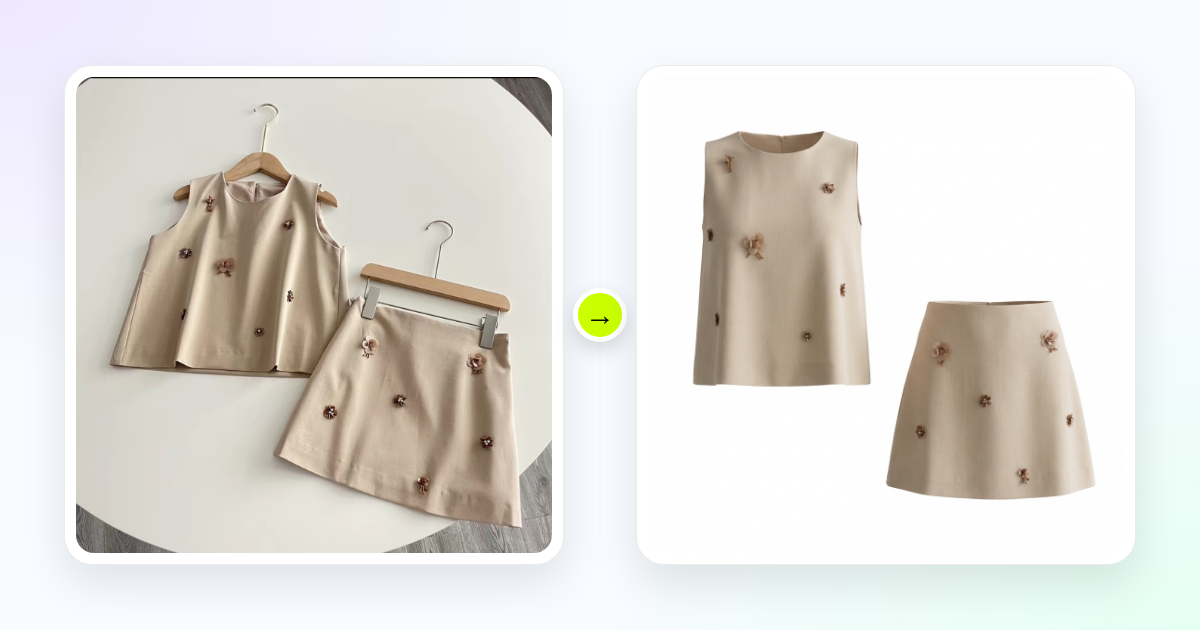
Follow a phone workflow for floating product images and review generated details before export.

Fix lighting, inconsistent backgrounds, inaccurate color, and other issues that weaken ecommerce listings.
References
- Wikipedia — Hat — Definitions of the crown, brim, and hatband, and common hat styles.
- Adobe — Product photography — Product photography fundamentals, lighting, and consistent shooting conditions.
- Snappyit — AI Fashion Model — AI model photography workflow.
- Snappyit — Ghost Mannequin — Images without a visible model or mannequin.
- Snappyit — AI Color Change — Product color-editing workflow.






