



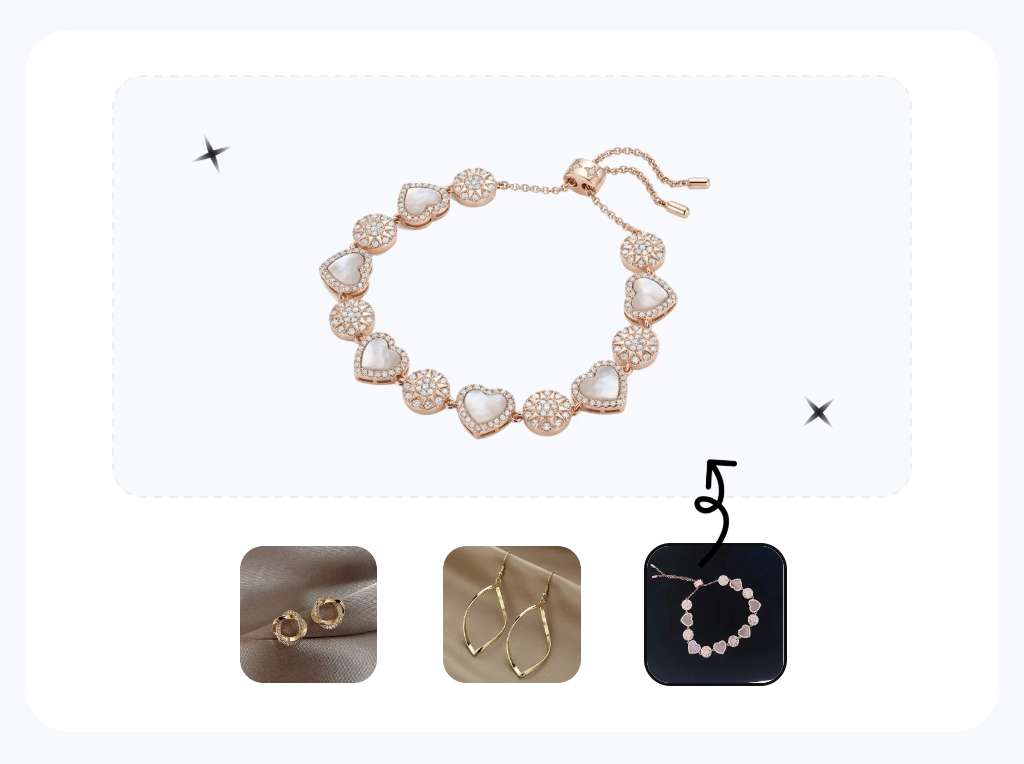

What accessory product photography means
For an ecommerce seller, accessory product photography is the image set that helps a shopper judge the item before buying. A hat needs to show its crown and fit. A bag needs shape, scale, hardware, and interior details. Jewelry needs clean material detail plus an on-body view for size.
A strong listing usually combines a clear main image with the views that answer practical buyer questions: What does it look like from the back? How large is it when worn? What does the clasp, sole, lining, or surface finish look like up close? Those answers matter more than producing a large number of decorative images.
For a busy ecommerce team, AI can take care of repeatable catalog work such as clean backgrounds, worn views, color options, and short product videos. That saves staging and model-shoot time, but it does not replace photos of details the camera never captured. The AI product photography guide shows which tool to use for each type of listing image.
Plan the source photos around the product. Soft hats need clear crown and brim shapes; bags need interiors and closures; jewelry needs controlled reflections; sunglasses need clean lenses and hinge details. Start with one strong main photo, then add only the angles the listing still needs.
Quick workflow: start with one clear photo
If the product is fully visible, begin with one sharp, evenly lit phone photo and build the listing images you need from there. Shoot extra angles for any back, interior, sole, clasp, logo, or texture the main photo does not show. Use the table to choose the next image and see what needs checking before it goes live.
| Need | What to do |
|---|---|
| Get oriented | Decide which listing images you need, then choose the matching workflow. |
| White-background main from a flat-lay | Ghost Mannequin turns a flat source into an upright product image; check seams and any shape the source did not reveal. |
| Worn or on-model shot | Fashion Model adds worn context; check scale, attachment points, logos, and product shape. |
| Colorway variants | Color Change creates additional colorways; check grain, stitching, hardware, and logos before publishing. |
| Jewelry on a hand, wrist, or ear | Jewelry Model adds on-body context and can reduce distracting reflections; check material detail and scale. |
Traditional vs. AI-assisted workflows
Choose the workflow based on what the listing needs to prove. Traditional shooting gives you full control over texture, hidden construction, and hero imagery. AI is faster for repeatable supporting images when the relevant product details are already visible. Many small ecommerce teams use both.
| Factor | Traditional accessory shoot | AI-from-one-photo workflow |
|---|---|---|
| Gear needed | Camera, macro lens, lightbox or tent, polarizers, props, stuffing, fishing line, sometimes a model | A phone and a clean, evenly lit surface |
| Per-item time | 15–45 min to shoot + retouch each piece | Varies by tool and output; video generally takes longer than still images |
| On-model / worn shots | Book a model or hand-model; schedule a shoot day | Create a worn image, then check scale and product geometry |
| Color and material variants | Re-shoot every colorway physically | Create additional colorways, then check material, hardware, and logos |
| Listing video | Separate video shoot and edit | Animate an approved still, then inspect the clip frame by frame |
| Cost at catalog scale | Adds up fast across hundreds of SKUs | Tool or credit costs vary; capture costs may fall, but review time remains |
| Best for | Hero pieces, texture-driven products, brand campaigns | Routine catalog images based on product details visible in the source |
Use real macro photography when the surface sells the item: hand-tooled leather grain, a watch dial's sunburst, or the fire in a center stone. AI can handle supporting images when the original photo already shows the details you need. You do not have to choose one method for the whole catalog.
Soft accessories: hats, belts, scarves
Soft accessories often look lifeless in a flat product photo. A beanie loses its crown, a coiled belt gives no sense of fit, and a scarf cannot show its drape. Forms, steamers, and styling props can solve those problems, but they slow down a catalog shoot.
Start with the whole item visible in soft, even light. A ghost mannequin tool can add shape for a clean product image, while an on-model tool can show fit and scale. Before publishing, check the details shoppers will notice: brim shape, buckle design, finished edges, pattern placement, and color. See the flat-lay vs. AI guide for more ways to turn simple source photos into listing images.
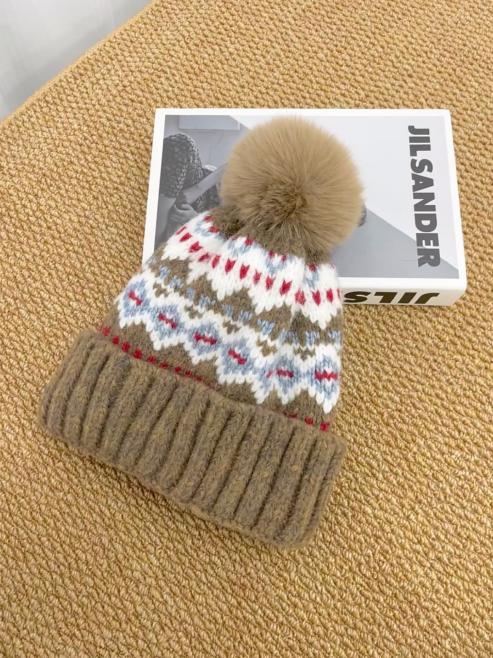
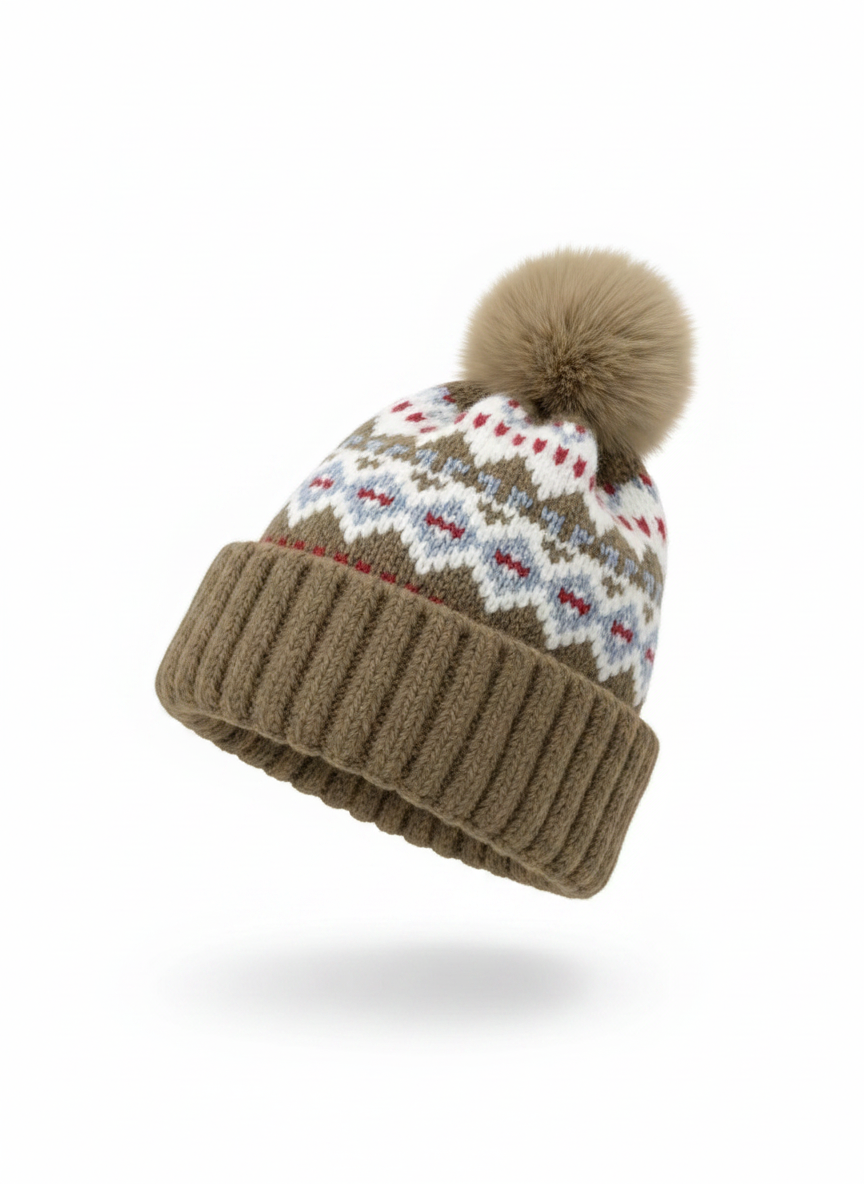
From a flat beanie photo to a shaped product image. Check the crown, brim, knit, and pom-pom before listing.
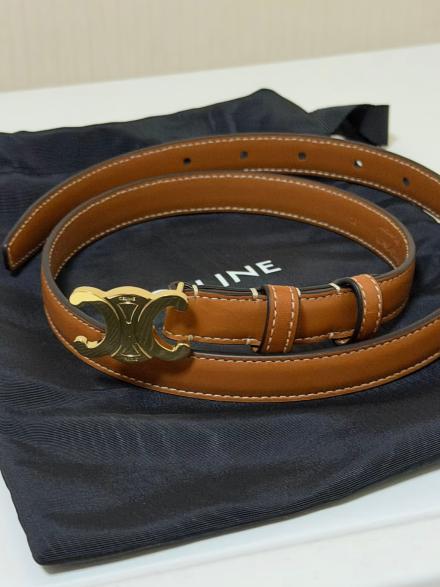
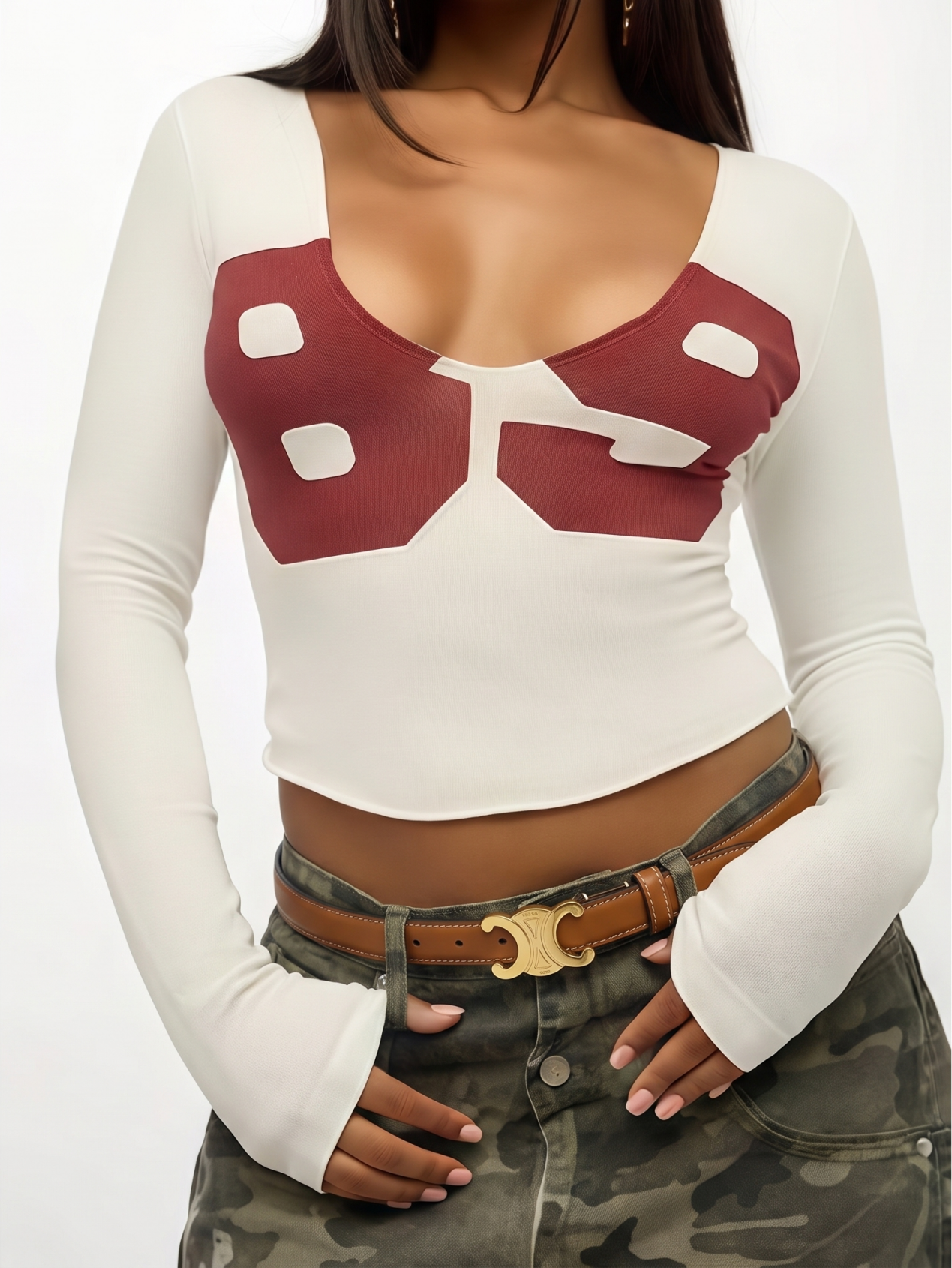
A worn view helps shoppers judge the belt's width and fit. Check the buckle, hole count, color, and scale.
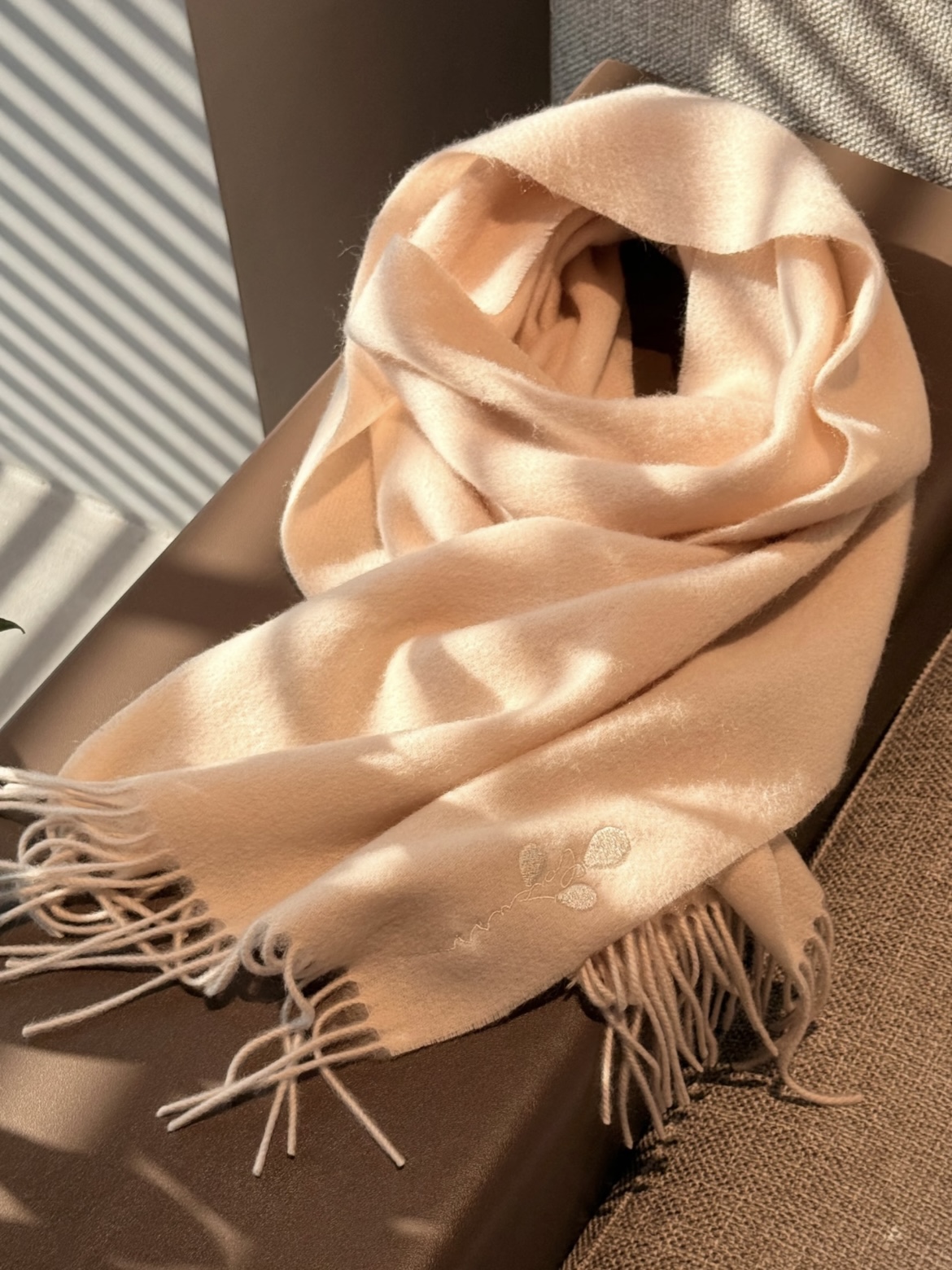
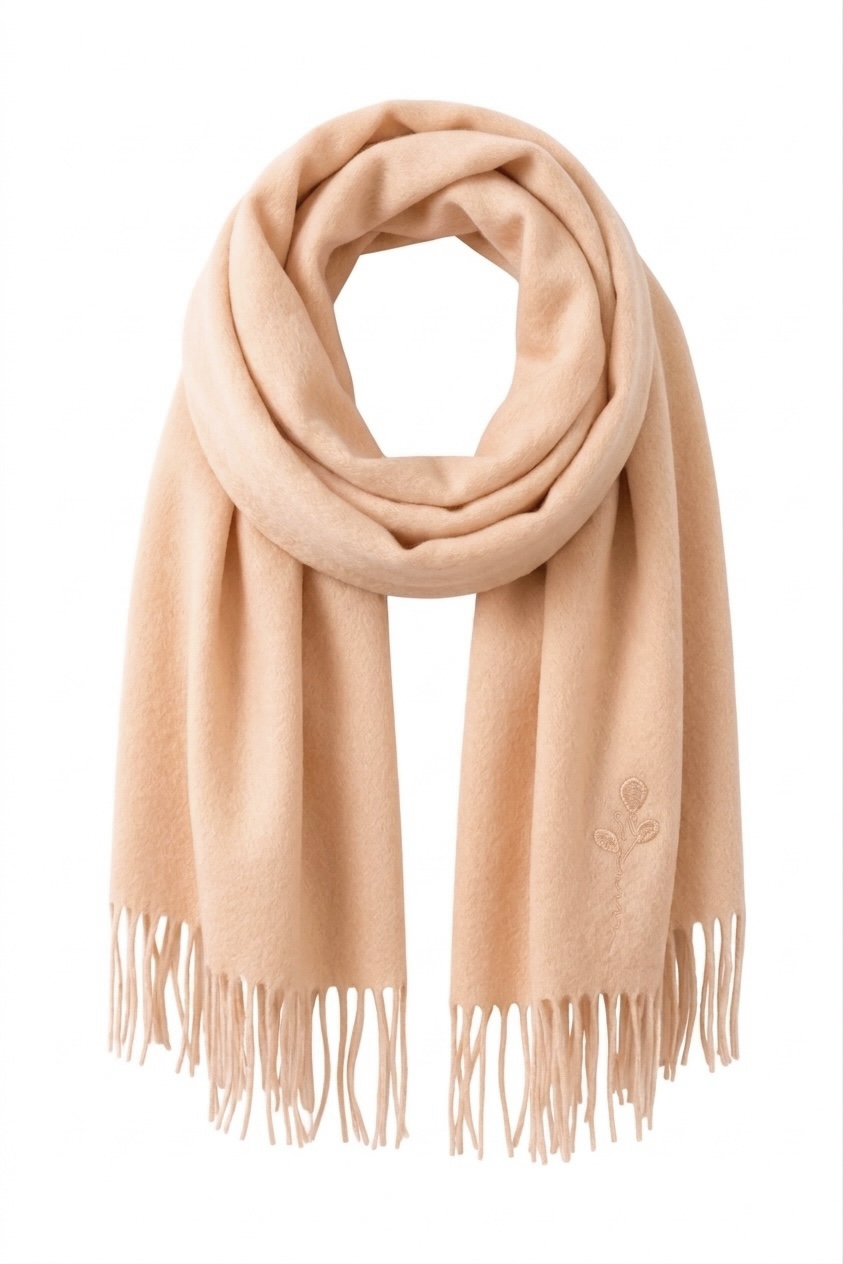
A styled view shows how the scarf drapes. Check the weave, finished edges, pattern placement, and color.
Quick rules for soft accessories
- Hats: show the full brim and crown so the finished image keeps the right proportions.
- Belts: lay the belt flat with the buckle clean and visible; this gives you a better base for both product and worn images.
- Scarves: photograph the complete pattern or weave first, then create a draped or on-model view to show how it falls.
Do not hide large sections of the product in the source photo. If a fold covers part of the pattern, edge, or fastening, take another photo that shows it rather than relying on the tool to fill it in.
Bag Photoshoot Without a Model or Studio
A bag listing usually needs more than one polished front view. Shoppers also want to see how the bag holds its shape, how large it looks when carried, what fits inside, and how the handles, closures, and hardware are made. Creating all of those images with tissue, acrylic inserts, hidden supports, and a model can be slow when you have many styles to list.
For the main image, lay the bag on a neutral surface and keep its panels, seams, handles, and hardware unobstructed. You can then create a clean upright version for a white or lifestyle background without stuffing or fishing line. Photograph the back, base, interior, closure, and hardware separately whenever those details need their own listing image.
If the same bag is sold in several real colorways, AI color change can help you keep the image set consistent without restaging every version. Match each result to the actual variant, especially the material grain, stitching, edge paint, metal finish, and logo. The AI recolor tools roundup compares practical options for ecommerce catalogs.
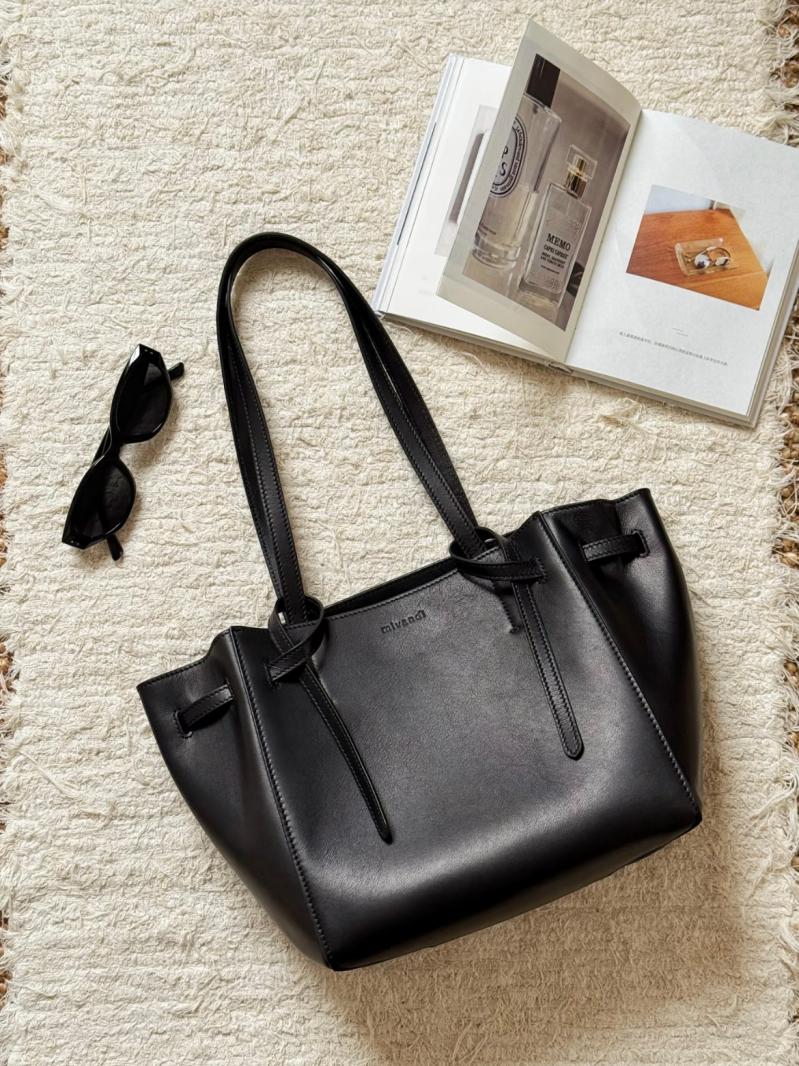
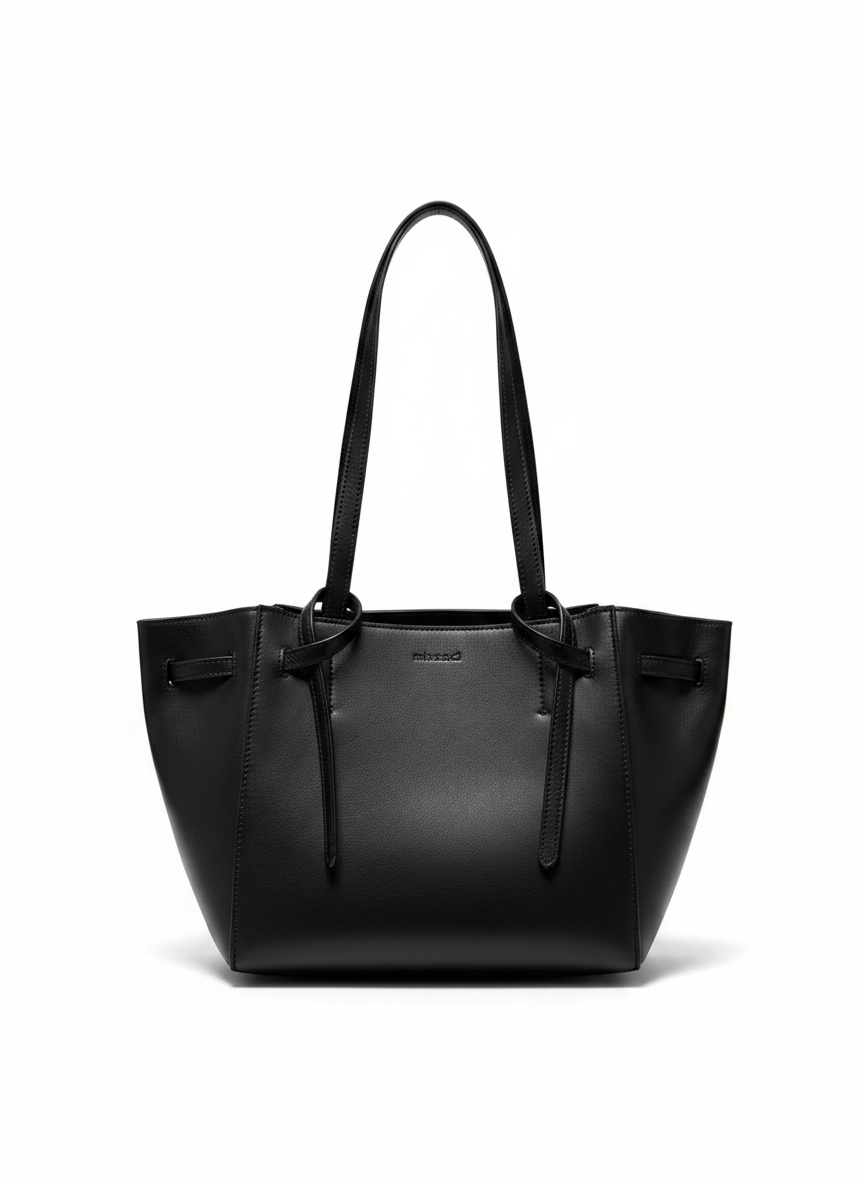
A flat source photo turned into an upright main image. Check the silhouette, handle attachments, seams, hardware, and color.
Build a complete bag listing
Create the upright main image first, then add the colorway and on-model views your listing needs. Keep real photos of the interior and construction details that are not visible from the front. Explore all AI photo tools →
Reflective accessories: jewelry, watches, sunglasses
Jewelry, watches, and sunglasses are difficult to photograph because every polished surface reflects the room around it. Metal picks up dark shapes, watch crystals catch windows, lenses show the phone, and fingerprints become obvious in a close-up. A light tent and polarizing filter give you more control, but careful cleaning and soft, even light already make a major difference.
Jewelry retouching and on-model tools can clean up distracting reflections and place the product on a hand, wrist, ear, or face. The worn image gives shoppers a useful sense of scale, but it still needs to match the product: check its dimensions, attachment points, stone count, engraving, metal color, lens tint, and logo placement.
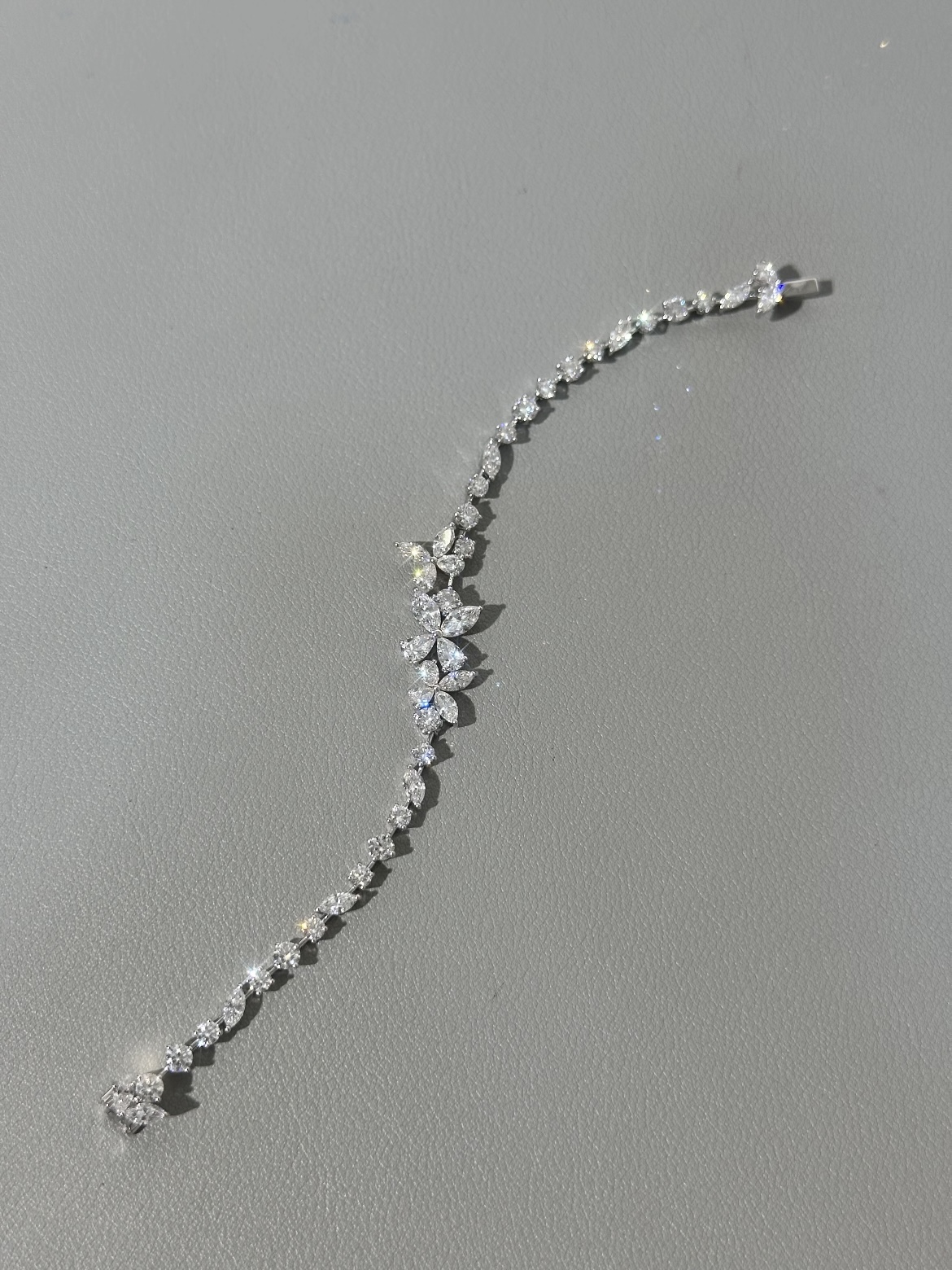
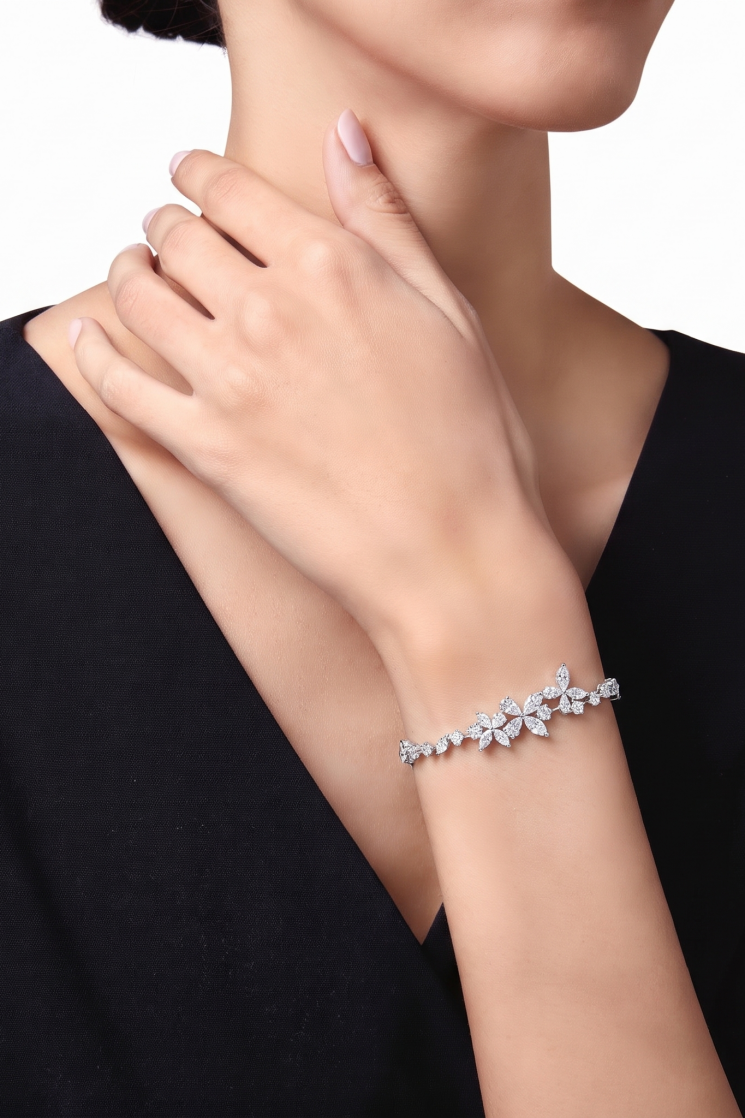
The on-wrist image adds scale. Check the stone count, setting, clasp, metal color, and bracelet size.
Reflection and fingerprint rules
- Wipe before you shoot. Use a microfiber cloth on lenses, crystals, and metal so fingerprints do not become part of the image.
- Use soft, even light. Small, harsh lights create bright hotspots; diffuse light keeps more of the material visible.
- Photograph the details buyers need. Take separate photos of the back, clasp, temple, dial, engraving, or any feature the main view does not show.
Do not remove so much reflection that polished metal turns dull or a gemstone loses its facets. The finished image should look cleaner, not like a different material.
Marketplace outputs and policy checks
You can adapt one clean product photo into several channel-ready images, but the tool cannot decide whether an image meets every marketplace rule. Requirements differ by region, product category, and image position, and they change over time. Use the official links below as a starting point, then check the current rules in your own seller account before uploading.
| Channel | Policy or presentation check | Useful listing output |
|---|---|---|
| Amazon | Check the current Amazon product image requirements for your region, category, and image slot | Accurate white-background image that follows the applicable main-image rules |
| Etsy | Review Etsy's image requirements and crop guidance; lifestyle styling is an editorial choice, not a universal rule | Accurate product image plus optional worn or styled context |
| Shopify | Your theme controls presentation; choose a consistent aspect ratio and test desktop and mobile crops | Consistent main images and accurate colorway images |
| TikTok Shop | Requirements vary by market and category; verify the current TikTok Shop Academy guidance | Compliant product image plus an optional short vertical video as separate listing media |
Start with the required main image for each channel, then add styled, worn, and colorway views where they help shoppers. For optional motion media, the image-to-video tool can animate an approved still. Watch the finished clip from beginning to end and look for changes to the product's shape, text, logo, color, or hardware.
Build the full channel-ready set
Use background, model, recolor, and video tools to prepare the right mix for each storefront. Before upload, compare every image with the real product and check the current channel policy. Explore all AI photo tools →
How many source photos you need
Five to seven images is a useful starting point for an accessory listing. One clear source photo can support a main image, a styled scene, a worn view, or a colorway image when the relevant details are visible. It cannot show the back, interior, sole, or fine construction that was never photographed, so capture those views separately.
- Main: clean white-background hero, product filling most of the frame.
- Secondary structure: capture a source photo of the back, interior, or profile whenever that construction must be exact.
- Scale or worn: the item on a model, hand, head, or in a hand for size reference.
- Detail crops: use real close-ups of hardware, stitching, clasp, engraving, or material.
- Lifestyle: the product in a styled scene to set the mood.
The angle priorities shift by category:
- Hats: front, 3/4, and a worn shot; the crown shape and how it sits matter most.
- Bags: capture the front, back, interior, and hardware close-ups; add a worn or held image for scale.
- Shoes: capture separate profile, top-down, sole, and 3/4 photos. For on-foot images, see the virtual shoe try-on comparison.
- Jewelry and watches: use a clean product shot, a real macro of the setting or dial, and an on-body image for scale.
- Sunglasses and belts: a flat or front shot, a worn shot for fit, and a detail of the lens, buckle, or temple.
Build your first accessory set
Here is a simple way to turn one clear tote photo into a coordinated main image, colorway, and on-model view using the Snappyit workbench. Take separate photos for the back, interior, base, closure, and hardware details you also want to show.
Step 1 — Shoot one phone photo
Lay the bag flat on a plain surface in even light. Make sure the full outline, seams, handles, hardware, and logo are easy to see. The source photo and finished upright image appear in the bag section above.
Step 2 — Rebuild it with Ghost Mannequin
Upload the photo to the ghost mannequin tool, select the closest product type, and generate an upright version. Check the silhouette, handles, seams, and hardware before using it as the listing's white-background image.
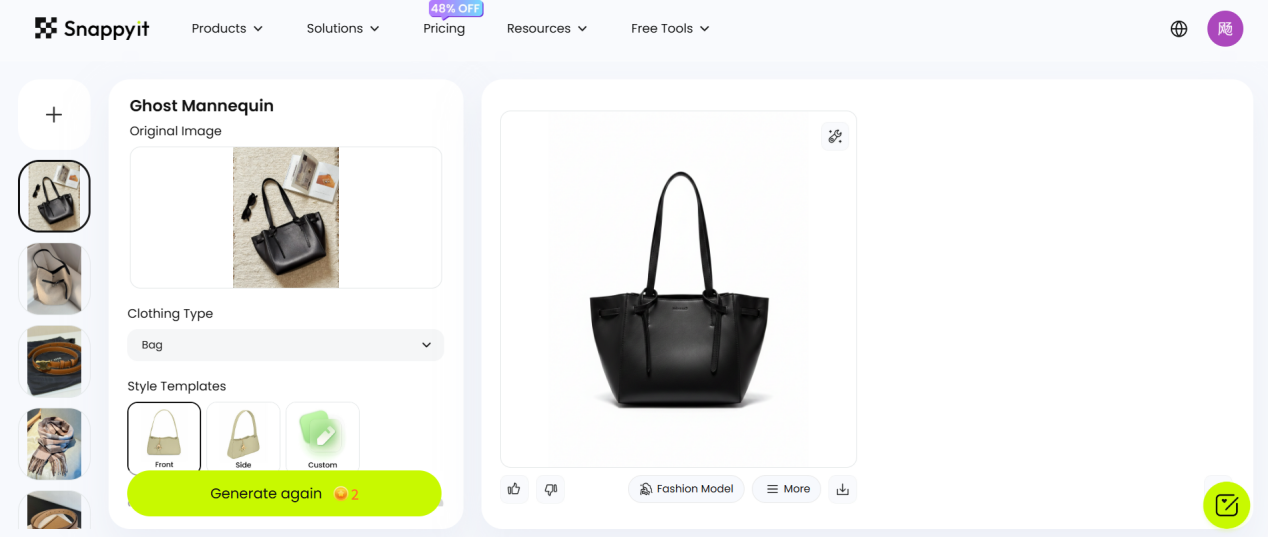
Ghost Mannequin turns the flat tote photo into a clean upright product image.
Step 3 — Add a colorway with Color Change
Send the approved upright image to AI color change and select the color of a real variant you sell. Compare the result with that bag, paying particular attention to grain, stitching, edge paint, hardware, and logos.
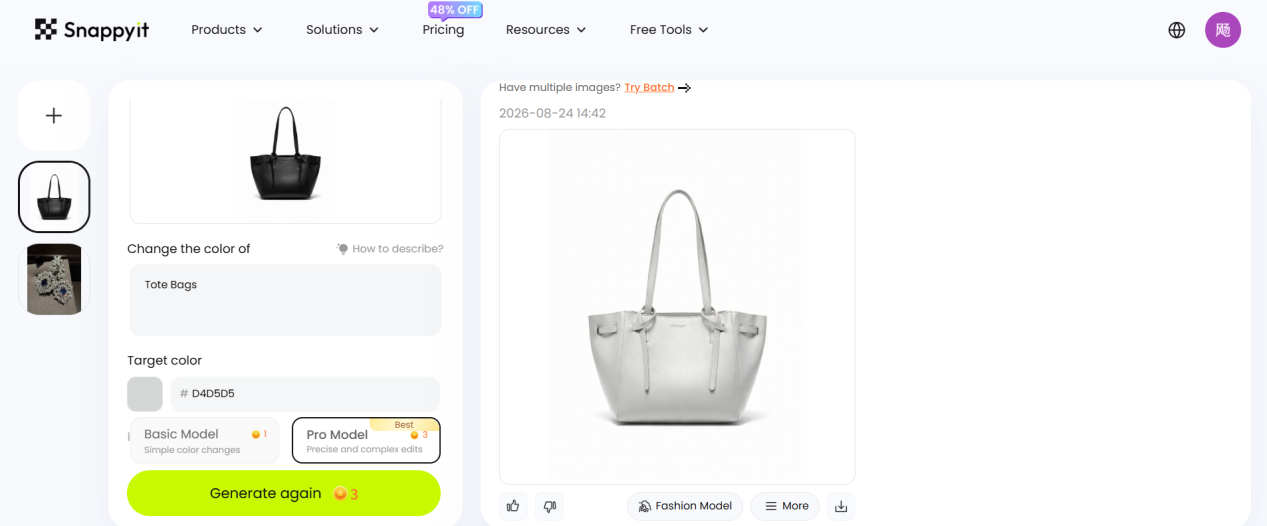
Select the target color, generate the new image, and compare it with the real variant.
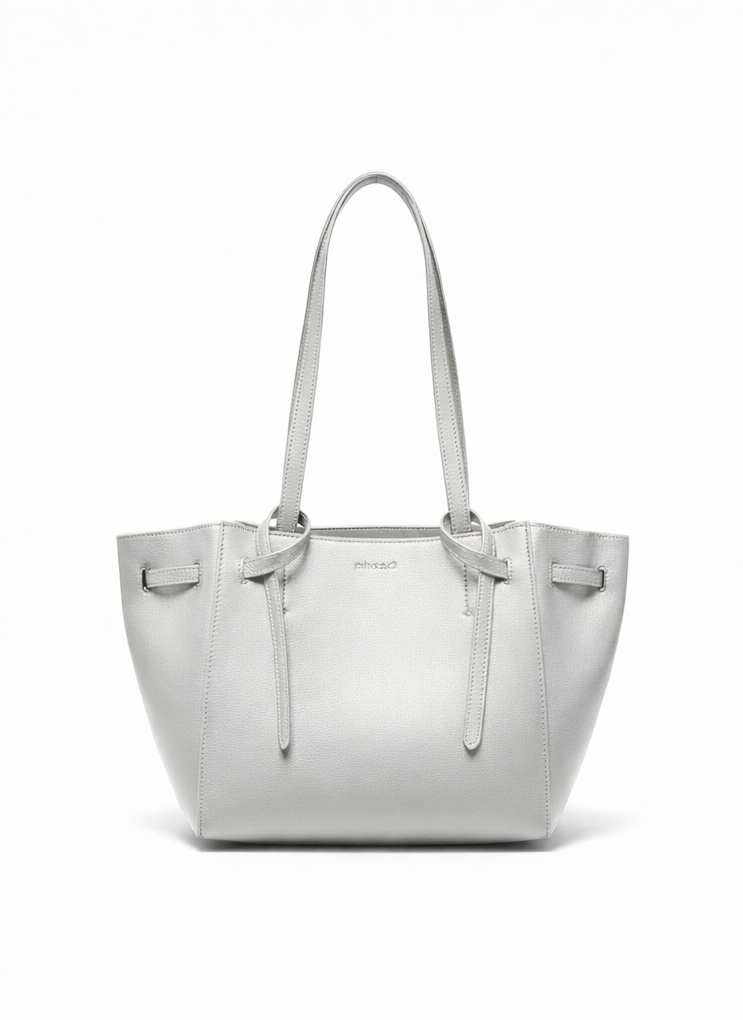
For the gray-white colorway, check the color, grain, stitching, and hardware before publishing.
Step 4 — Put it on a model with Fashion Model
Finish with the fashion model tool: load an approved colorway, choose a model, and create an on-model image. Use the bag's measurements to check its size and strap position on the model.
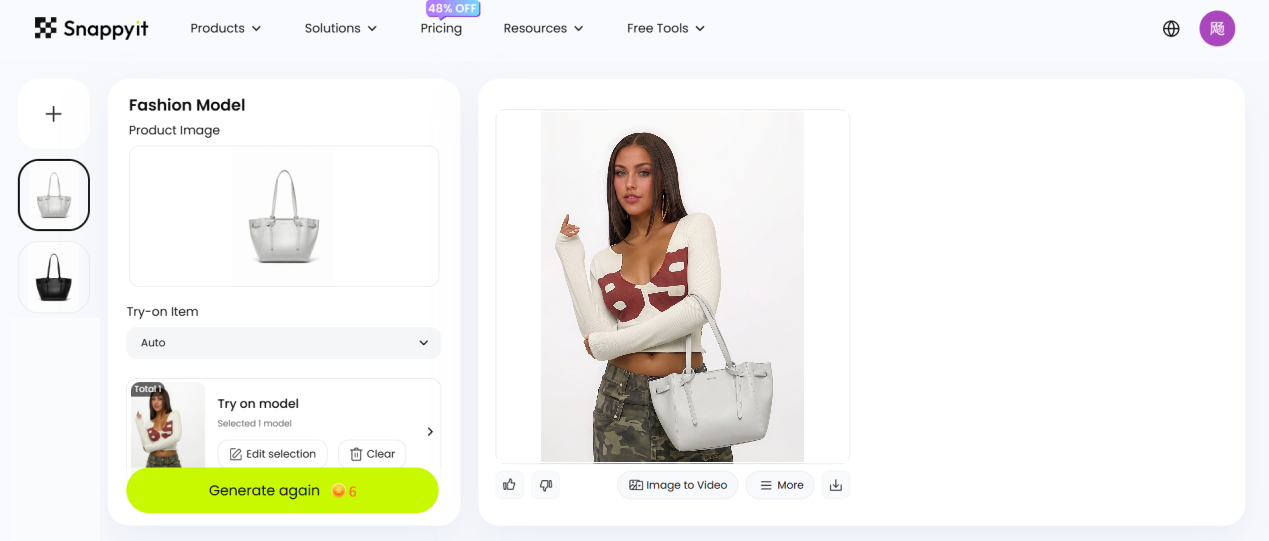
The on-model image shows how the tote looks when carried; check its scale and placement.
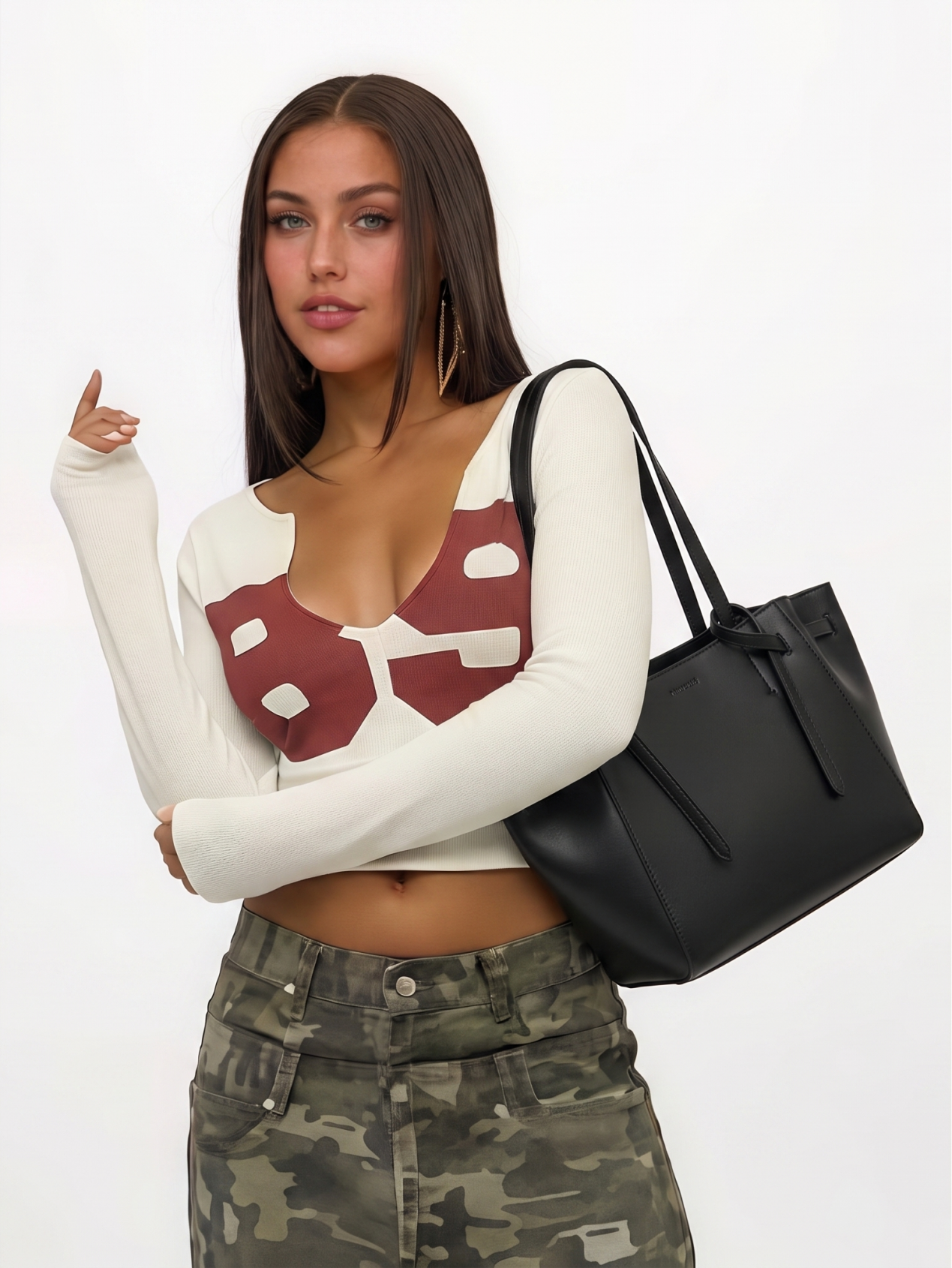
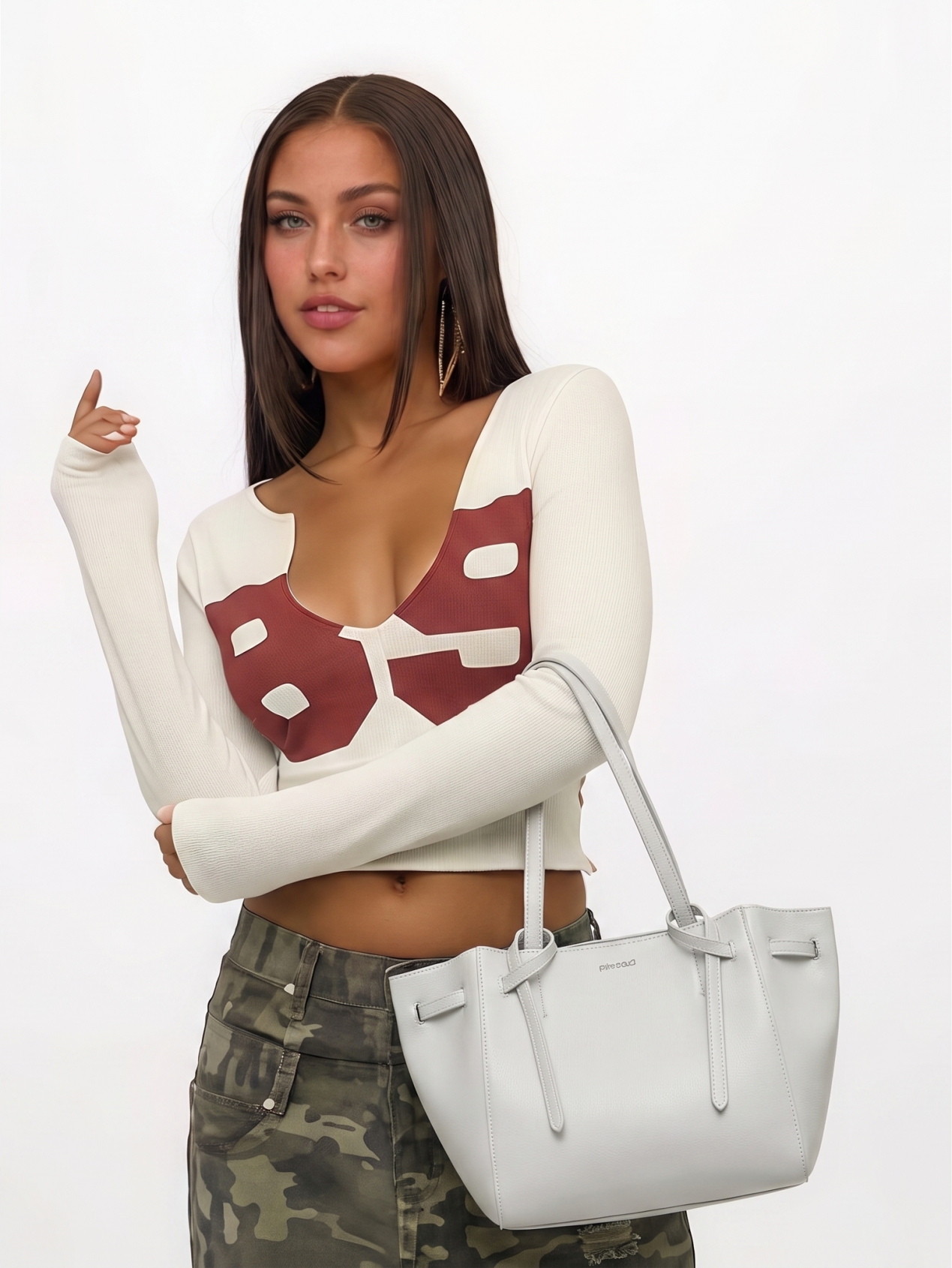
Showing both colorways on the same model keeps the listing consistent. Check scale, strap placement, color, and bag shape.
This one photo supports several front-facing listing images. You still need separate photos for an accurate back, interior, base, closure, or hardware close-up.
Create Your Accessory Image Set →
Frequently Asked Questions
What does accessory product photography actually mean?
Accessory product photography is the set of images that presents a hat, bag, shoe, belt, scarf, watch, or piece of jewelry in an online store. The images should help shoppers judge shape, size, color, material, fit, and important details before they buy. A useful set usually includes a clean main image, the necessary back or interior views, close-ups, and at least one image that shows scale or use.
Do I need a studio or a lightbox to photograph accessories for ecommerce?
Not for most routine catalog images. A sharp phone photo taken in soft, even light can be enough to create a clean main image, a worn view, a colorway image, or a short product video. Use a studio or macro setup when fine texture, gemstones, reflective surfaces, or campaign-level styling is central to the sale.
How many photos does an accessory listing need?
Five to seven images is a practical starting point: one clean main image, the key back or interior view, a worn or scale image, one or two detail close-ups, and a lifestyle image. You may need more for products with compartments, complex hardware, or important construction details. Check the current image limits and requirements for your marketplace, region, and category before uploading.
Can AI put my accessories on a model without hiring one?
Yes. An on-model tool can place bags, hats, belts, sunglasses, or jewelry into a worn setting from a clear product photo, which is useful when you need consistent scale images across a catalog. Before publishing, compare the product's size, shape, attachment points, strap position, and logo with the real item.
How do I keep a bag or backpack in shape without stuffing it?
Photograph the bag flat with its outline, handles, seams, and hardware clearly visible, then use a ghost mannequin tool to create an upright product image. This can replace tissue, acrylic inserts, hidden props, and fishing line for the front-facing image. Take separate photos of the back, base, interior, and closure because those details cannot be recovered accurately from a front view.
What is the hardest part of photographing jewelry, watches, and sunglasses?
Reflections and fingerprints are usually the biggest problems. Clean the product with a microfiber cloth and use large, soft light so metal, crystals, gemstones, and lenses keep their material detail without showing the whole room. Retouching can reduce distractions, but the finished image must preserve the real stone count, engraving, metal finish, lens tint, and logo.
Does Amazon allow AI-generated accessory images?
Amazon requires product images to represent the item accurately and follow the rules that apply to the seller's region, category, and image position. Main images, secondary images, apparel images, and A+ Content can have different requirements. Check the current Seller Central policy for the exact listing before uploading an AI-generated image.
Can I get marketplace-specific images from one source photo?
You can use one clear front photo to create a white-background image, a lifestyle scene, a worn view, a real colorway, or a short video for different storefronts. That photo cannot supply an accurate back, interior, sole, clasp, or engraving if those details are hidden, so photograph them separately. You are still responsible for checking the finished assets against the product and each channel's current rules.
Which accessory types should I still shoot traditionally?
Use a traditional shoot for flagship products, campaign imagery, and items whose value depends on fine material detail. Hand-tooled leather, a sunburst watch dial, gemstone settings, transparent materials, and highly reflective finishes often need controlled lighting and real macro photography. Many sellers use a hybrid approach: faster AI-assisted images for routine catalog work and a full shoot for the products that need it.
References
Official marketplace guidance used for the policy checks in this article. Requirements can vary by region, category, and seller account. Accessed August 23, 2026.
- Amazon Seller Central, Product image requirements.
- Amazon Seller Central, Image guidelines for clothing.
- Etsy Help Center, Requirements and Best Practices for Images in Your Etsy Shop.
- TikTok Shop, TikTok Shop Academy: product image and video guidelines.







