



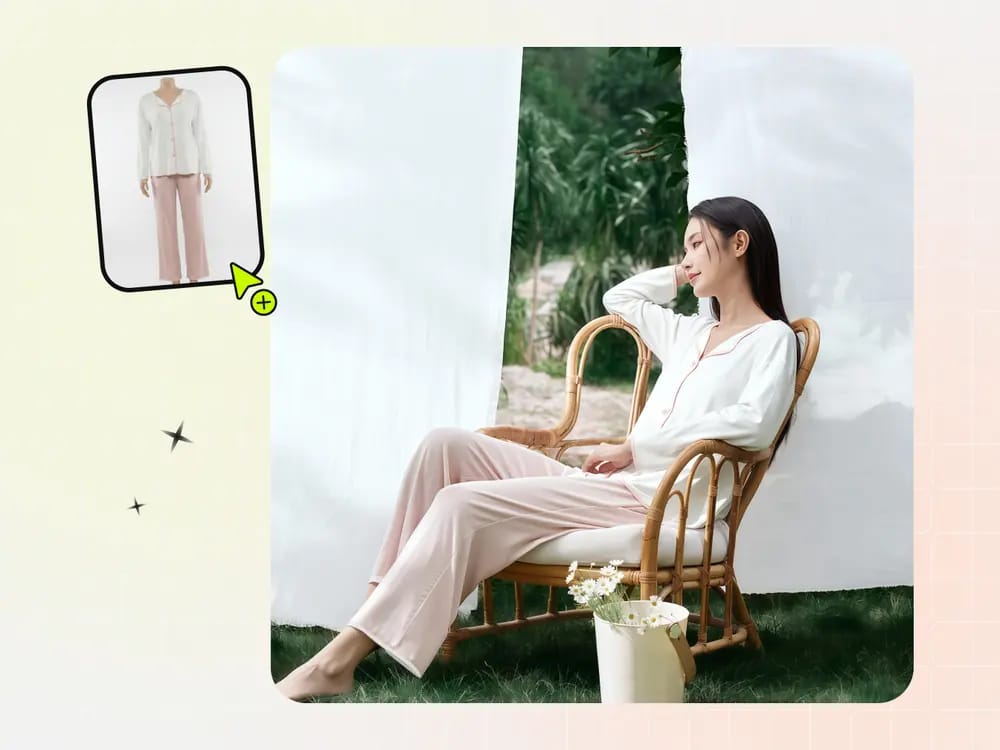

We tested five Botika alternatives for ecommerce sellers, comparing garment fidelity, workflow, and cost on matched product inputs.
Botika alternatives for ecommerce sellers: at a glance
Choose by the bottleneck you need to remove: mixed-category production, consistent model identity, multi-engine testing, or design-to-campaign work. This is a shortlist by workflow, not a universal ranking.
| Tool | Best fit | Paid entry | Cost per image |
|---|---|---|---|
| Snappyit | Apparel and jewelry listing workflows | Basic $12.90/mo | $0.04–$0.12 |
| WeShop AI | Multiple image and video engines | Pro $9.99/mo | $0.06–$0.08 |
| SellerPic | Apparel and jewelry try-on | Starter $29/mo | $0.02–$0.07 standard; $0.05–$0.22 in our tested 4K workflow |
| WearView | Consistent try-on across a collection | Lite $29/mo | $0.16–$0.48 for VTO HD; $0.33–$2.40 for other tested resolutions |
| TheNewBlack | Fashion design and content in one suite | Starter $15/mo | $0.08–$0.10 |
| Botika | Studio-style apparel model images | Lite $22/mo | $0.40–$0.48 |
Pricing was checked August 19, 2026. “Paid entry” is each provider's lowest month-to-month subscription. “Cost per image” is a nominal range calculated from paid allocations and image charges; free credits and retries are excluded. Before subscribing, verify current billing, resolution, watermark, and commercial-use terms.
How we tested Botika and five AI fashion model tools
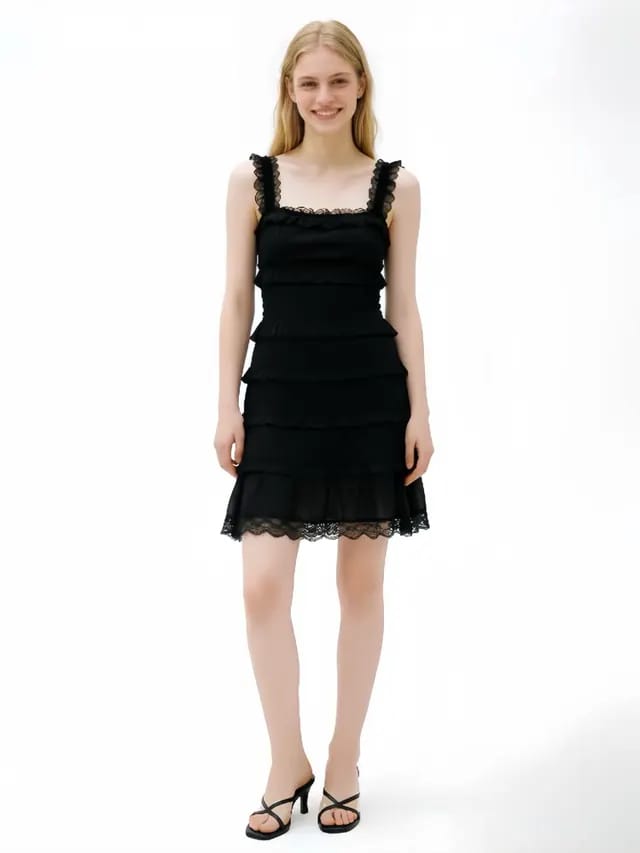
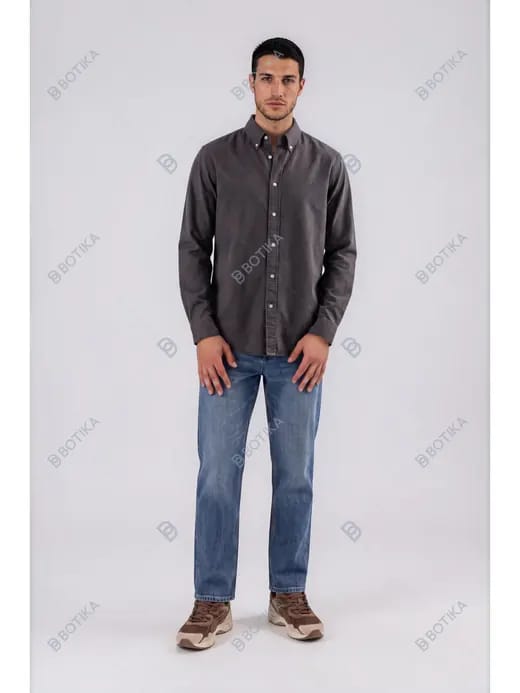
We used the same printed T-shirt in all six platforms, then added a tulle dress and jeans to probe drape and fit. Snappyit, WeShop, SellerPic, and WearView accepted the supplied model photo; Botika used a preset model, and TheNewBlack used a model-creation workflow. For each setup we retained the first returned file—even the unusable WeShop denim result—so the page does not quietly replace failures with retries.
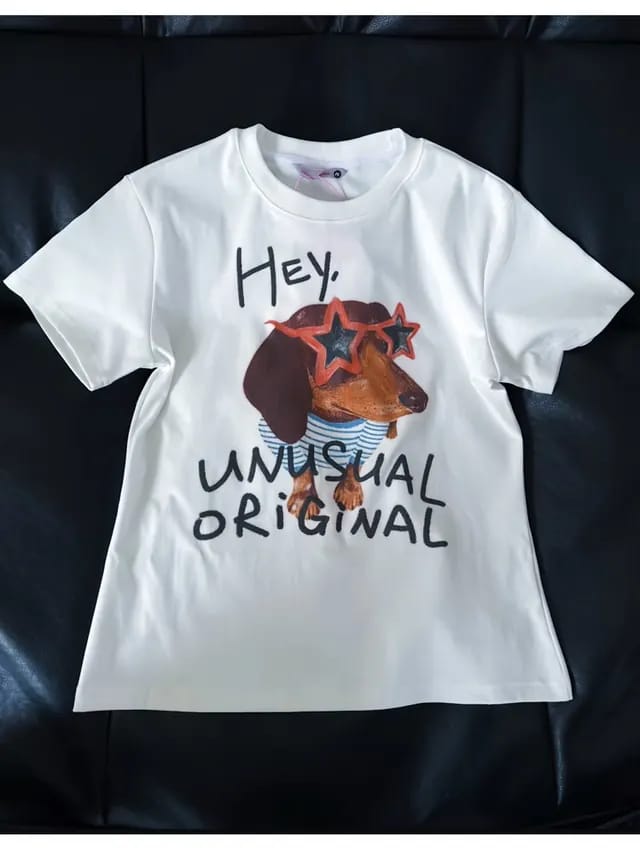
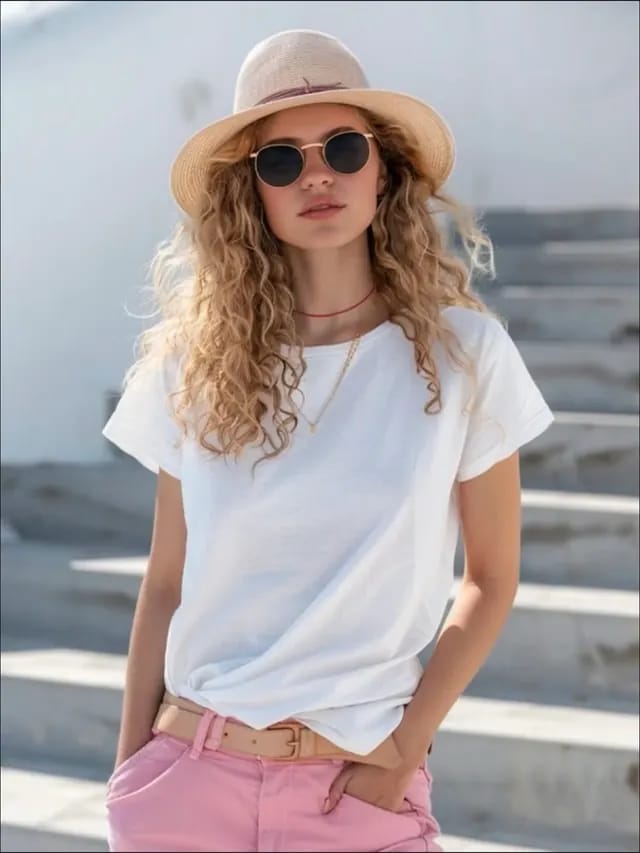
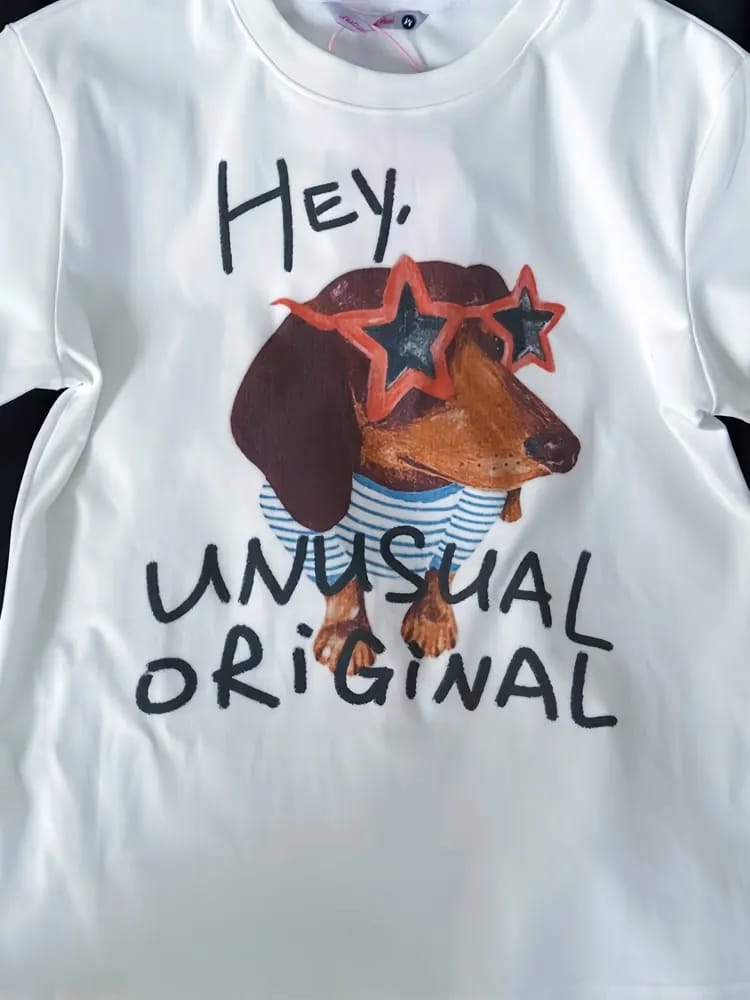
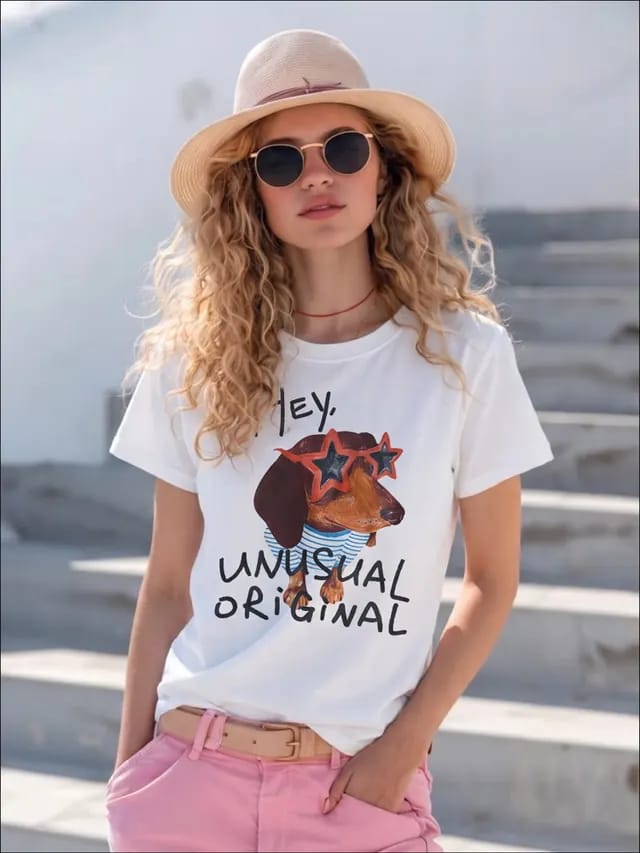
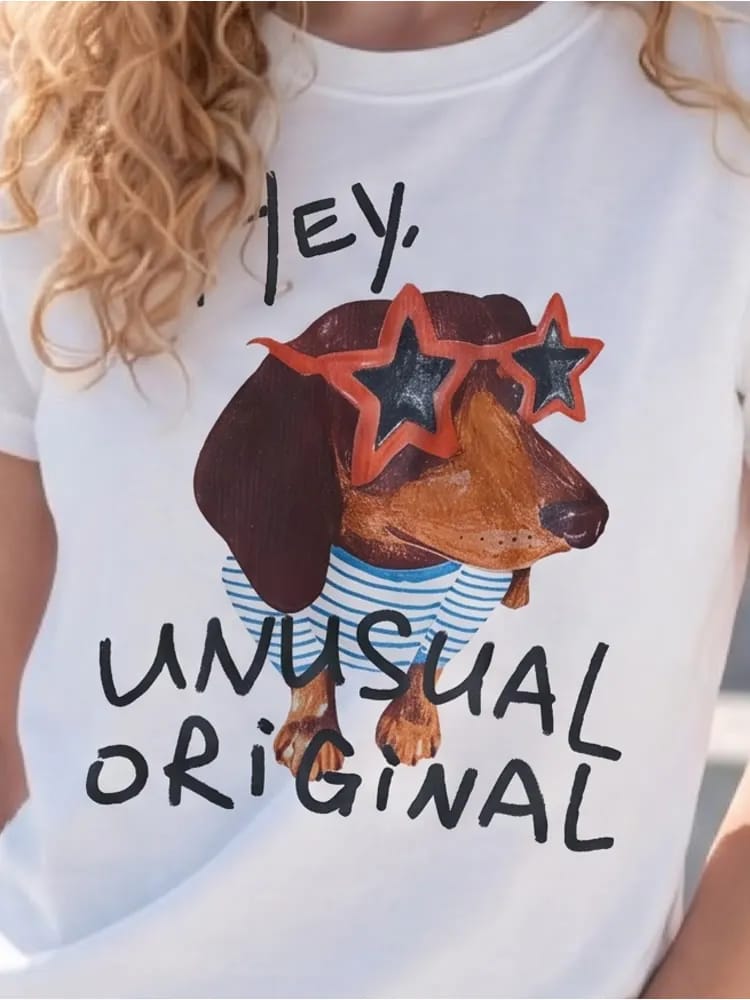
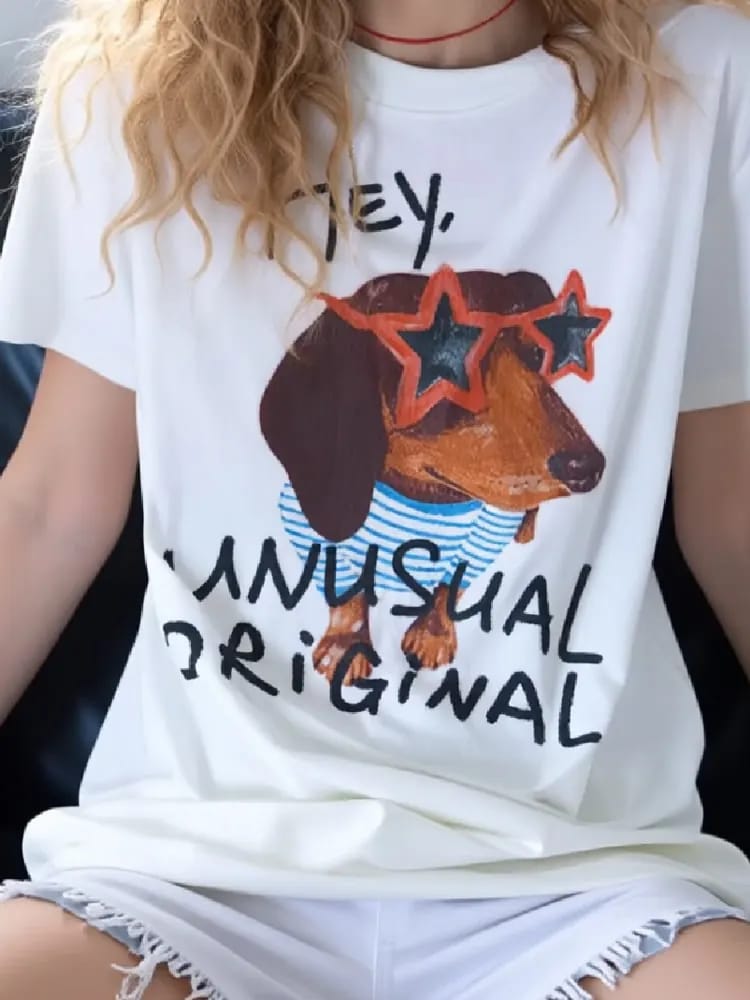
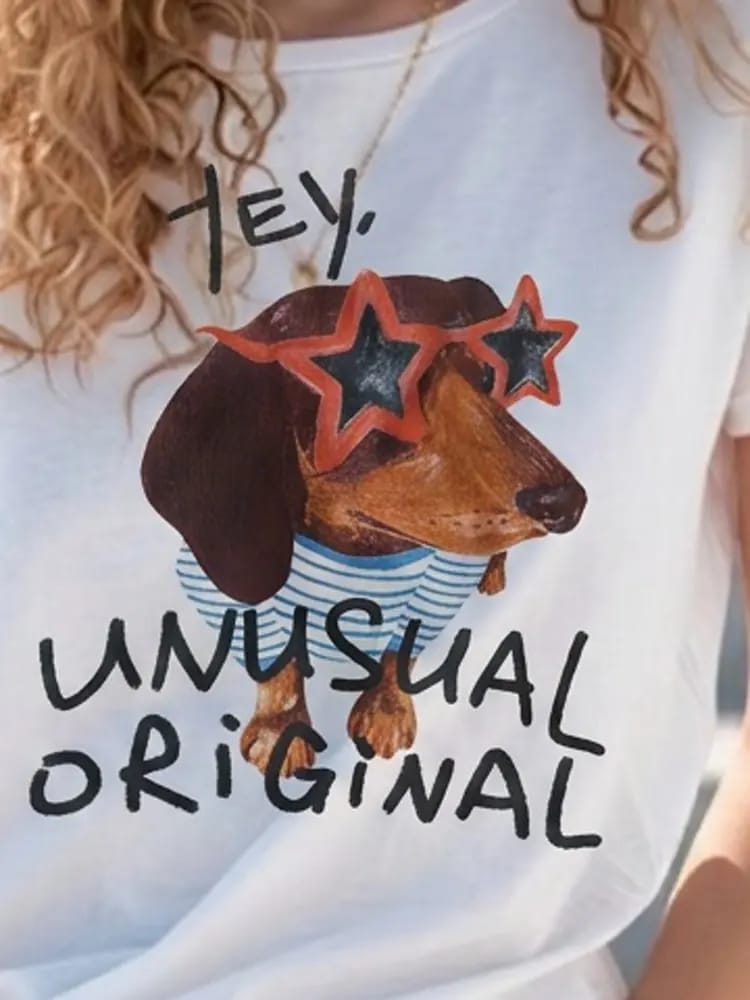
We chose an illustrated chest print because small letters, stripe count, and line work reveal redraws that can disappear at listing size. Each result below includes a 100% crop before we move to dress drape and jeans fit.
1. Snappyit — a Botika alternative for mixed ecommerce catalogs
Snappyit is built for sellers whose catalog needs more than on-model apparel images. It combines AI fashion models with ghost-mannequin, jewelry-model, recolor, flat-lay, ratio, batch, and video workflows in one workspace.
Across the three runs, images returned in 30–60 seconds, kept the supplied frame, and downloaded without a watermark. The T-shirt retained most visible print details. The model's long gold necklace and the T-shirt's tied hem disappeared, so styling details still need a SKU-level check.
Try Snappyit AI Fashion Model free →
2. WeShop AI — engine choice for fashion photos and video
WeShop combines virtual try-on, AI fashion models, product photography, and video with a choice of listed engines such as Kling, Seedance, and Sora. Its paid plans also list API access and higher concurrent-job limits. That makes it a practical shortlist for sellers or agencies testing several engines in one workspace, although cost and output behavior depend on the mode selected.
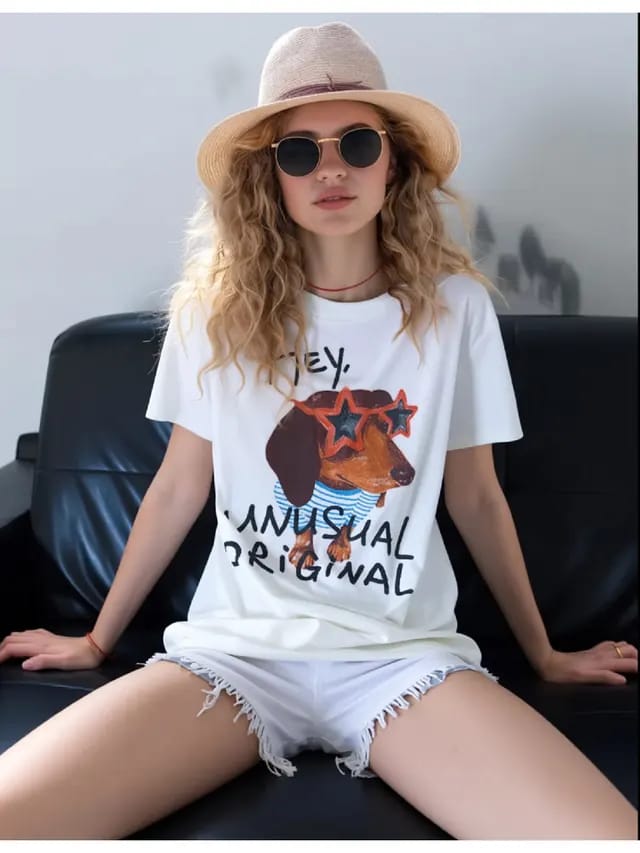
WeShop accepted our model photo but did not reliably preserve its frame. The T-shirt output imported the garment photo's black sofa instead of keeping the original background. The try-on mode we used charged 10 points per render.
3. SellerPic — apparel and jewelry virtual try-on
SellerPic groups apparel, jewelry and accessory try-on with model swap, color change, and image-to-video in one credit system. In our workspace, product photos could also be imported from Shopify. This combination is relevant to stores that sell both clothing and jewelry and want fewer download-and-reupload steps.
A run took 30–60 seconds. The tested flow used 1 credit for generation and 2 more for a 4K download. Both necklaces and most T-shirt details remained recognizable, but our trial downloads carried a tiled watermark.
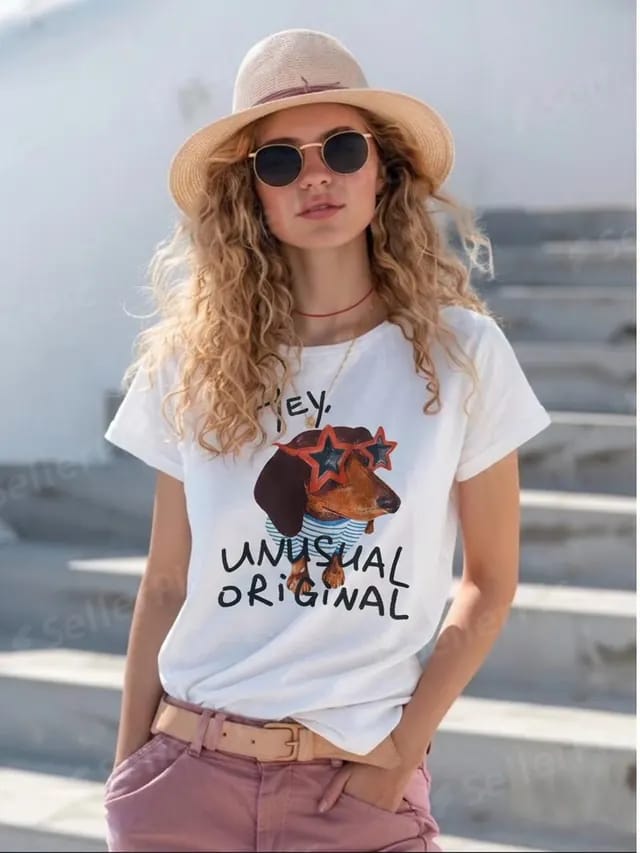
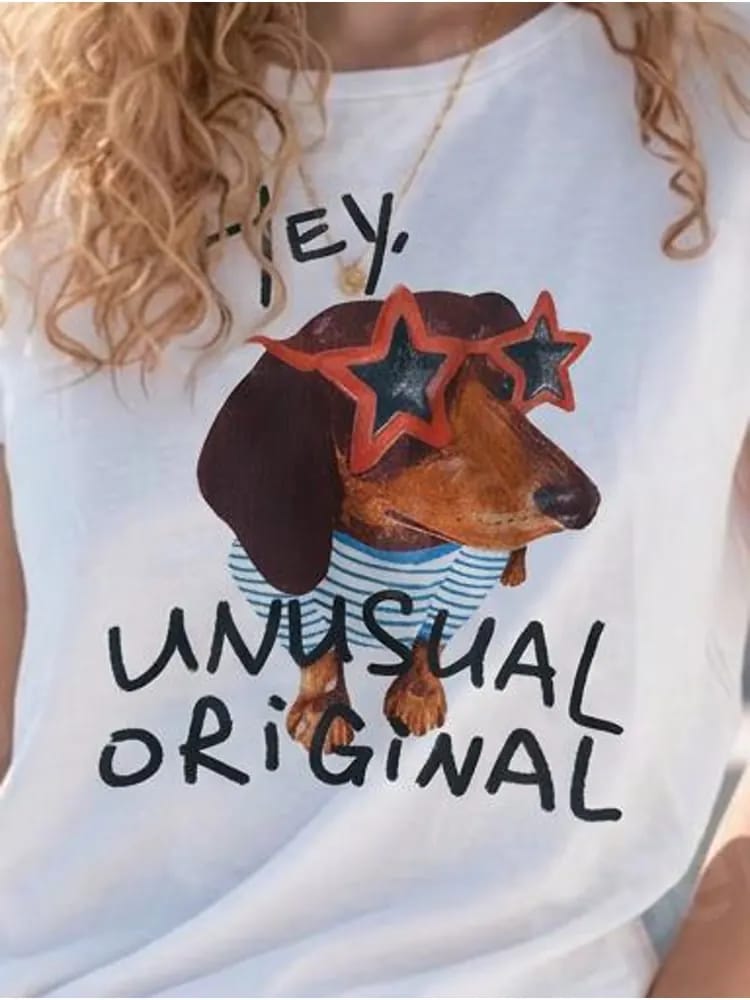
4. WearView — consistent AI fashion models across a collection
WearView focuses on virtual try-on, AI model generation, product-to-model images, and consistency controls. Pro adds AI Ghost Mannequin, while API access is presented for enterprise workflows. The narrower apparel focus makes sense when a brand wants one repeatable look across a collection rather than the broadest set of product categories.
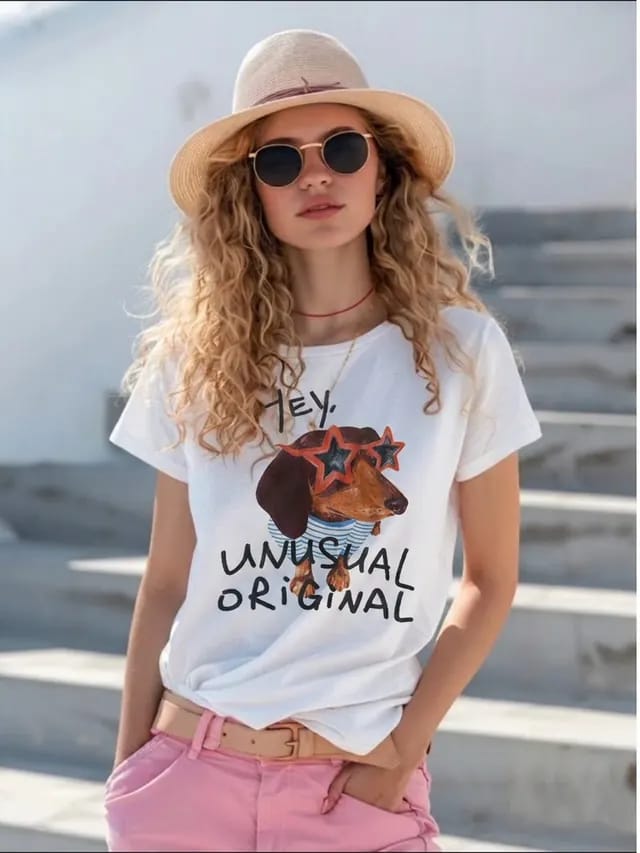
We used Product to Model, which charged 2 credits at HD; Virtual Try-On is listed at 1. Each run took 30–60 seconds and largely kept the supplied pose and background; the T-shirt result also retained the hat and both necklaces. Fine stripes were redrawn, and the tied hem was smoothed out.
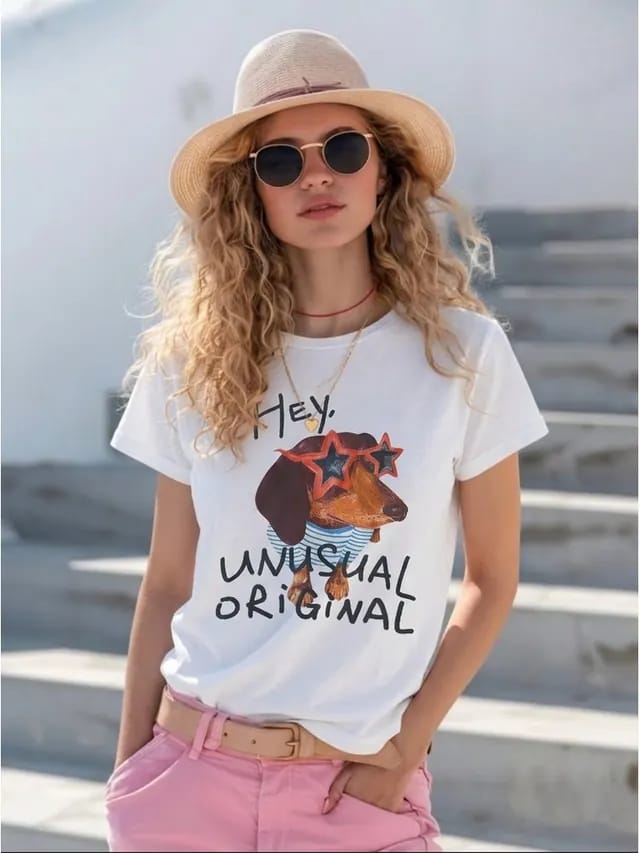
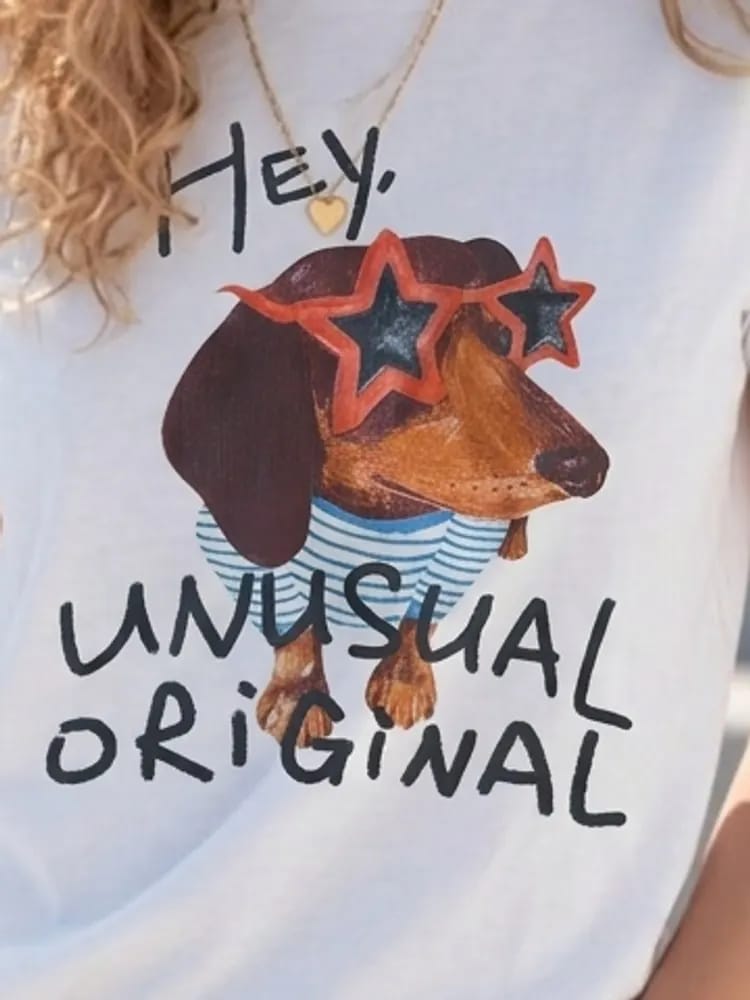
5. TheNewBlack — fashion design and AI model content in one suite
TheNewBlack reaches further upstream than the other Botika alternatives. Its official feature page combines clothing design, AI fashion models, virtual try-on, tech packs, and 3D garments in one workspace. That can connect product development with campaign content, but a seller who only needs listing-photo conversion is buying into a broader design workflow.
In our test, TheNewBlack created a reusable model from a written description, then let us dress that model and change the pose by prompt. A run took about 45 seconds. It kept an asymmetric tuck at the T-shirt hem but redrew the artwork.
6. Botika — studio-style AI apparel photography baseline
Botika's current product menu covers on-model images, flat lay, mannequin photography, and fashion video. In the on-model flow we tested, however, Botika used its own studio models rather than accepting our model photo. For a closer look at how this preset-model approach differs from frame editing, see our Snappyit vs Botika comparison.
Our account offered five preset models before upgrade. For the jeans, the workflow also required a top and shoes rather than a lower-body-only setup. The run took about six minutes—the slowest single observation in this comparison—and used 1 credit. Our account displayed 8 free credits.
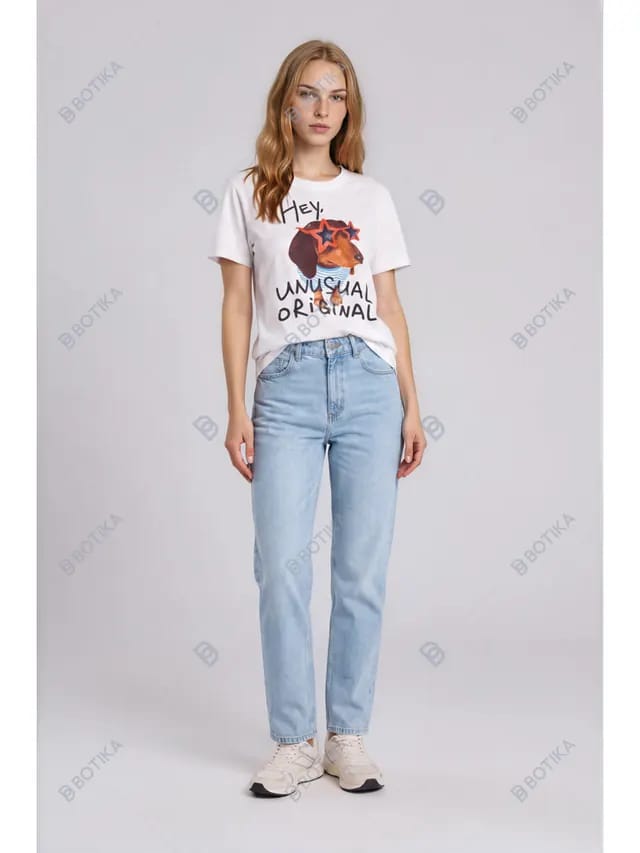
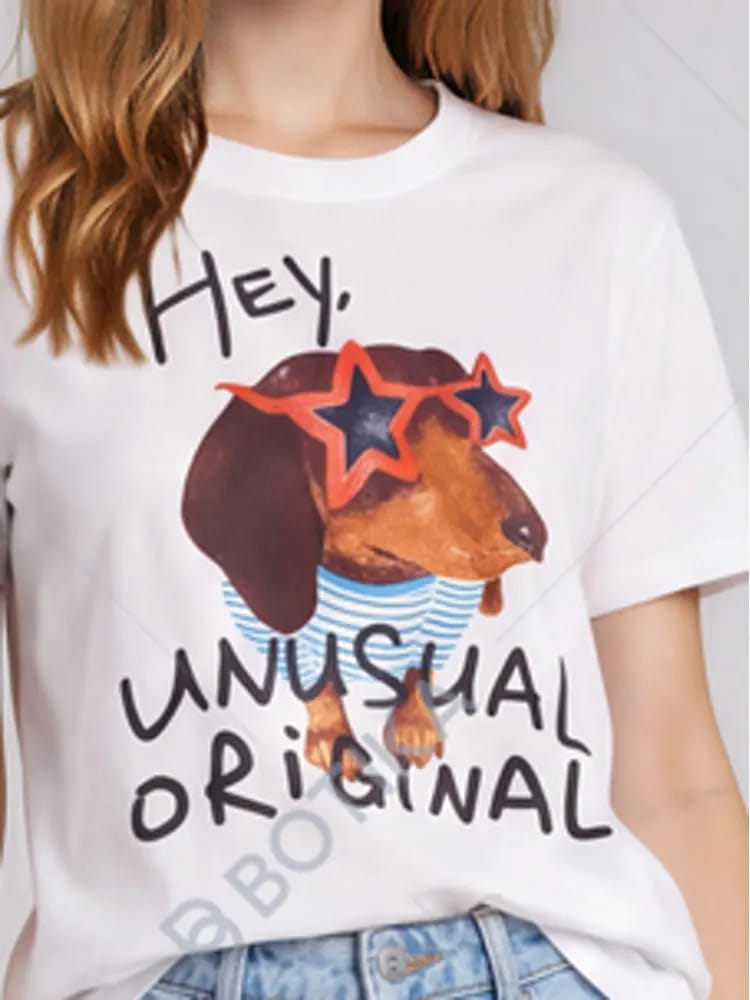
The full-length preset-model composition made the print smaller, and our saved trial output carried a watermark. Check the export entitlement attached to the plan you intend to use.
Garment accuracy tests: dress drape and jeans fit
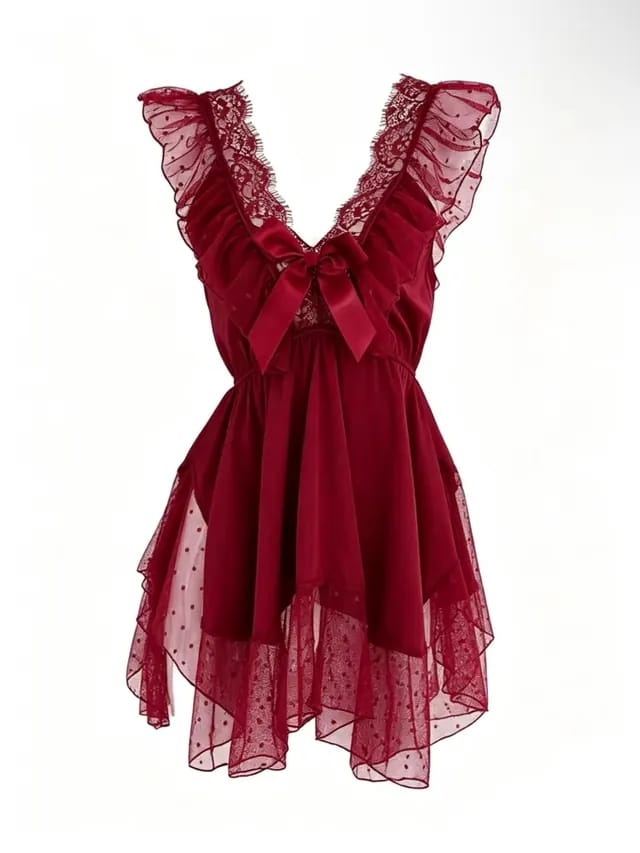
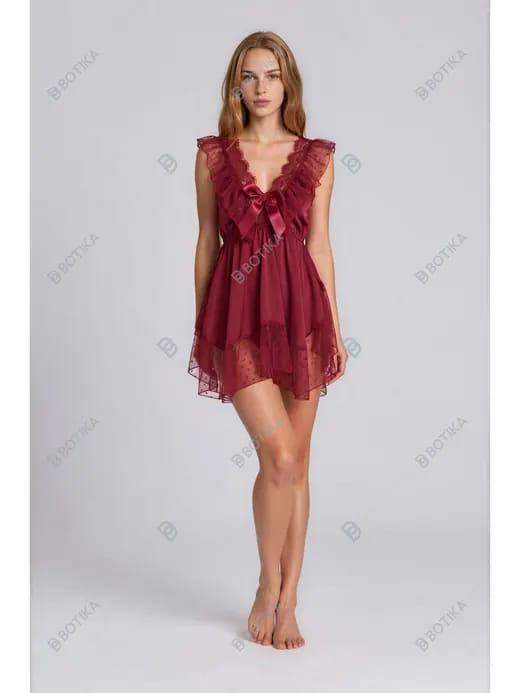
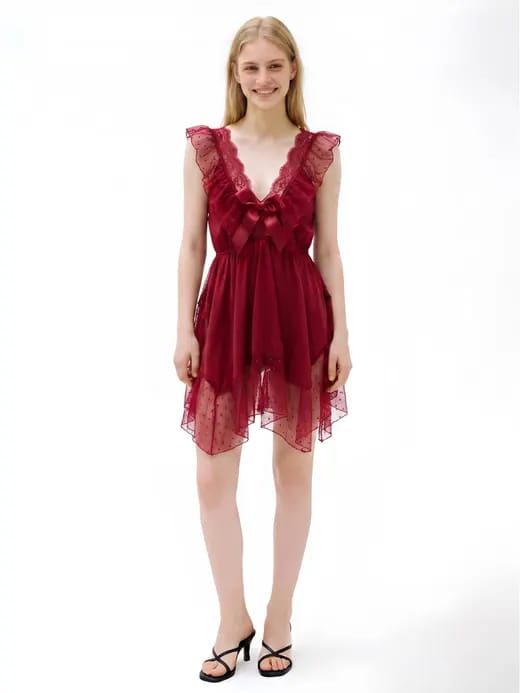
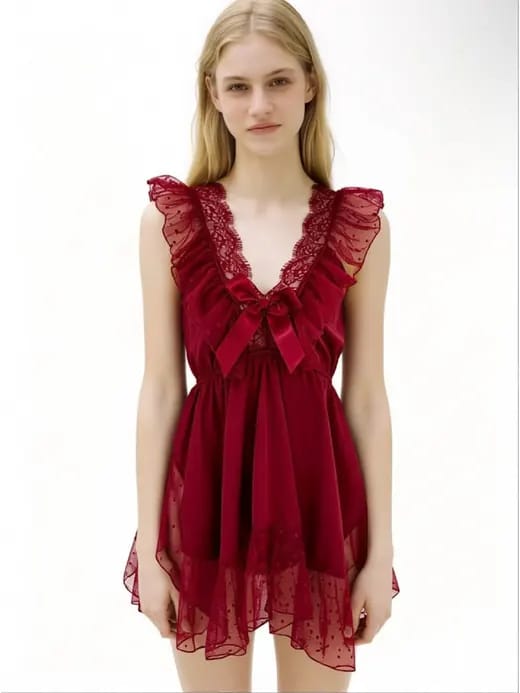
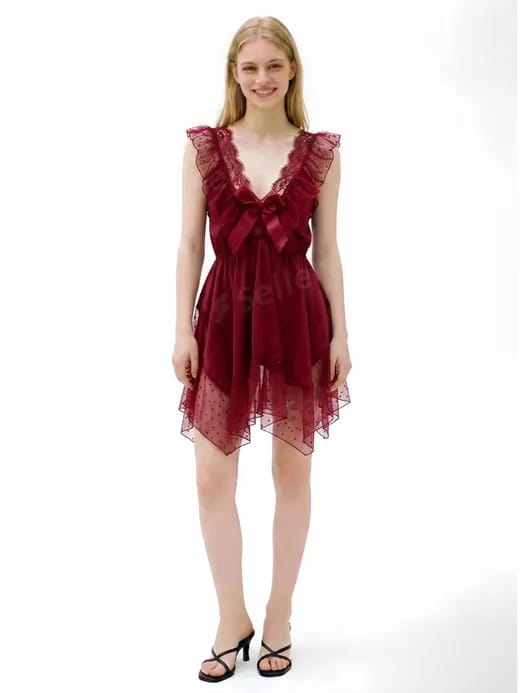
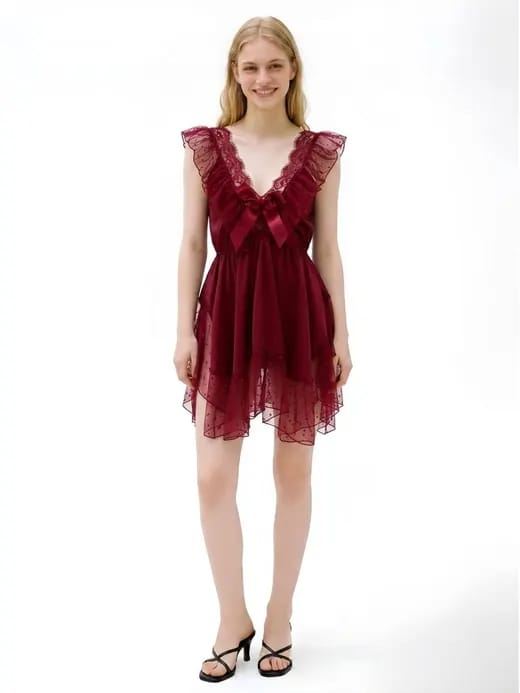
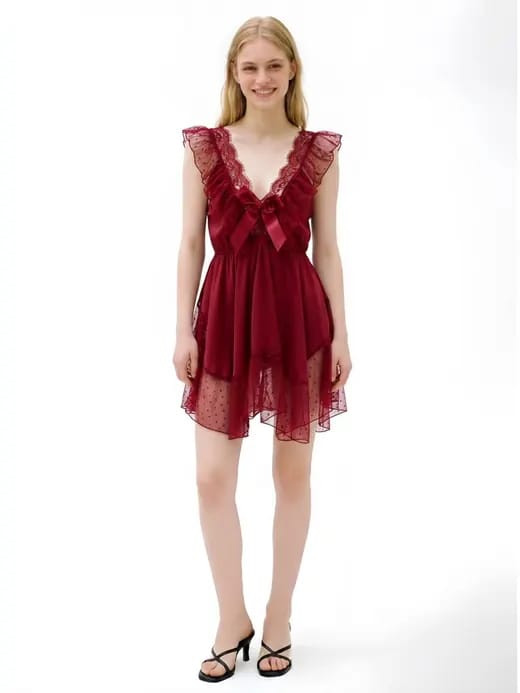
The T-shirt exposed print errors. The burgundy tulle dress and straight-leg jeans tested two other merchant risks: whether sheer trim stays distinct and whether an AI try-on changes the product silhouette.
Tulle dress: sheer trim and color
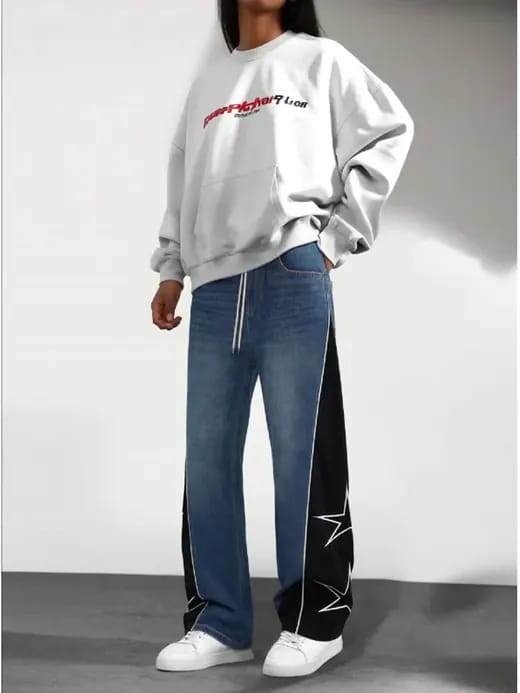
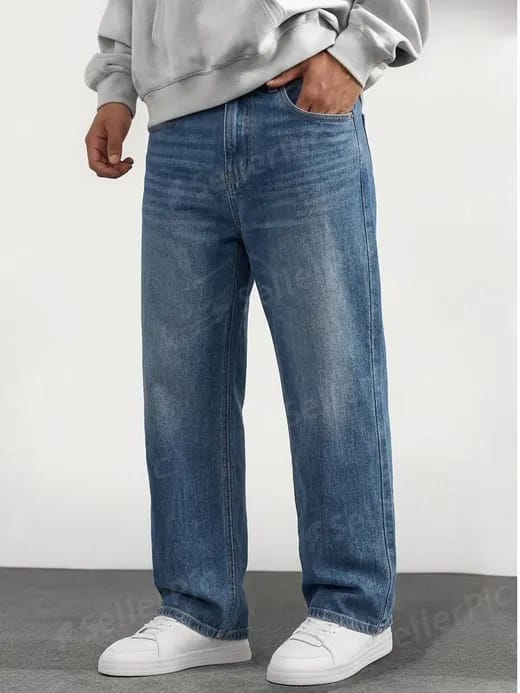
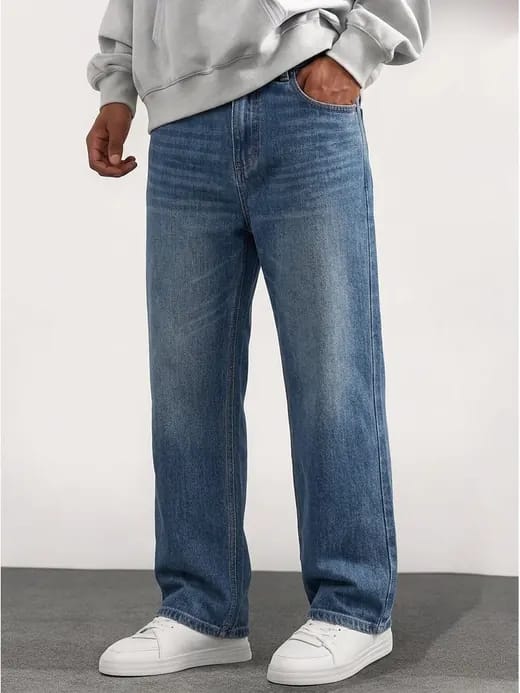
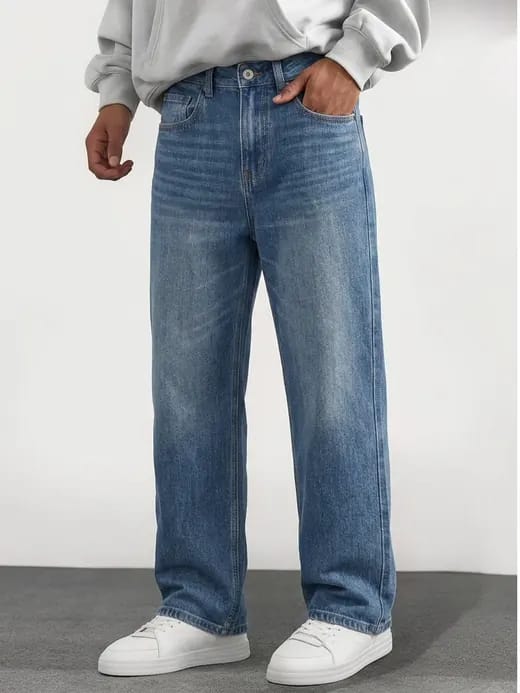
Straight-leg jeans: cut, wash, and source-garment removal
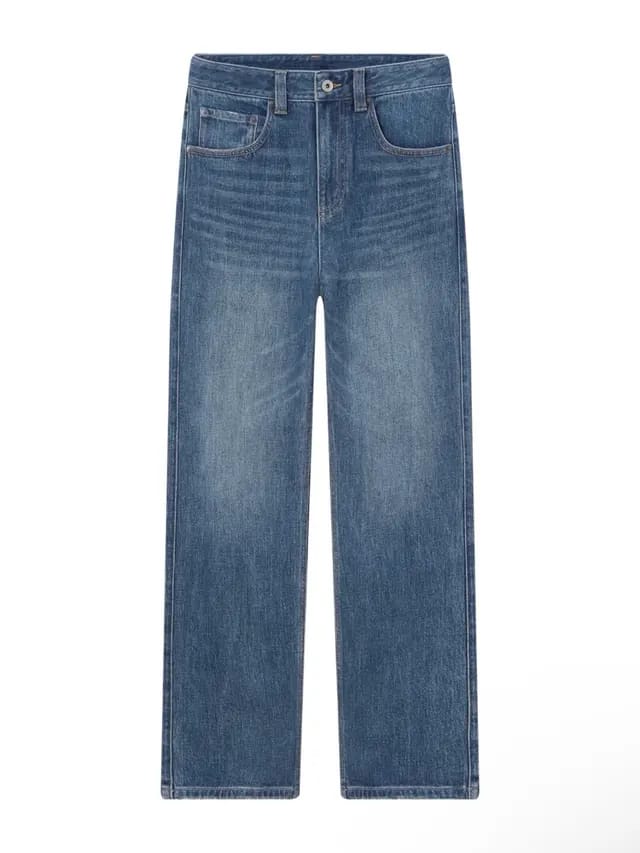
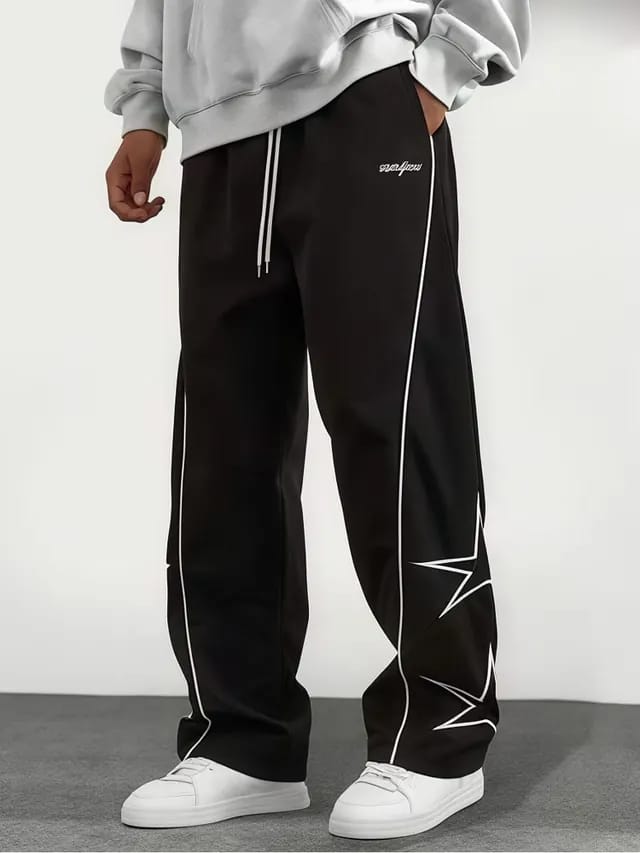
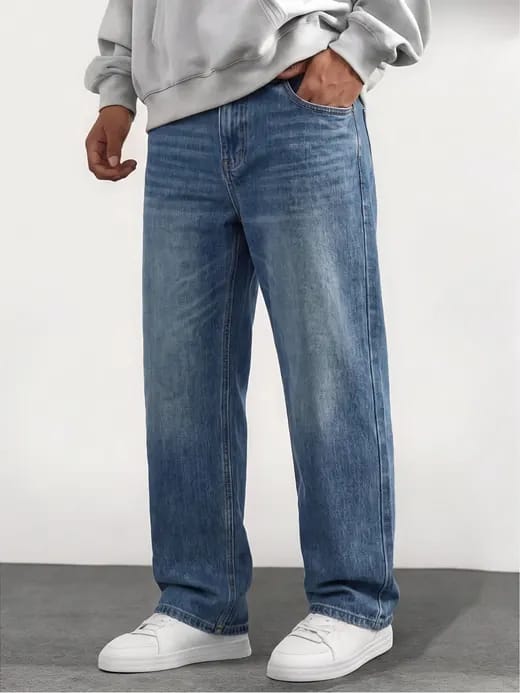
The table consolidates the visible differences from both tests.
| Tool | What it does well | Where it falls short |
|---|---|---|
| Botika | Produced a clean preset-model studio frame; the dress bow retained its satin sheen. | It replaced the supplied frame. The jeans looked slimmer than the flat-lay, while dress lace, mesh, and denim grain were softened. |
| Snappyit | Kept dress lace, dotted mesh, fabric separation, denim grain, and topstitching readable. | The jeans looked more relaxed through the leg than the flat-lay, so silhouette still needs a SKU-level check. |
| WeShop AI | The visible dress color, collar lace, and hem dots looked close to the source. | The dress lost the full-body crop; the jeans swap left the track pants and star panels visible, darkened the wash, and added lettering to the sweatshirt. |
| SellerPic | Kept dress lace and mesh distinct, with natural drape and natural-looking jeans creases. | The denim wash and grain looked slightly softer than the source. |
| WearView | Kept the dress layers distinct, with crisp denim seams and a straight jeans silhouette. | The dress hem became shorter and more even, while the jeans wash gained stronger whiskering. |
| TheNewBlack | Produced a natural dress fall and readable denim grain. | Dress lace and hem details were redrawn; jeans whiskering became heavier and more regular. |
Botika alternatives and AI fashion model FAQ
1. Can ecommerce sellers use AI-generated model photos on Amazon and Etsy?
Neither marketplace gives blanket approval to every AI fashion image. Amazon requires product images to represent the item accurately, while category and main-image rules still apply. Etsy's listing-image rules center the actual item, and its AI guidance requires disclosure when an item is created with seller-prompted AI. For clothing, keep an accurate photo of the product as the primary evidence and use an AI on-model image as a supplemental view unless the current category policy says otherwise.
2. Can AI fashion model photos improve conversion or reduce returns?
This comparison cannot establish a conversion or returns effect because we did not collect either metric. Treat those outcomes as hypotheses to test. Before an A/B test, check every render's fit, length, color and product details against the item you will ship.
3. What input photo works best for an AI clothing model generator?
Start with a sharp, evenly lit image that shows the full garment front-on. Flat lay, hanger and mannequin inputs can work, depending on the tool. In our tests, the clearest failures came when a tool changed the crop or lighting, or did not fully replace the garment already on the model. Include difficult source photos in your pilot rather than assuming a clean demo will represent every SKU.
4. What image resolution do Amazon and Google Shopping require?
Amazon image requirements vary by category and image type, so check the current Seller Central rules for the listing you are creating. Google Merchant Center recommends images around 1,500 x 1,500px or larger and says a 500 x 500px minimum for all products begins January 31, 2027. Confirm both the channel rule and the tool's export size before buying credits.
5. Why does my real cost per image end up higher than the plan price?
Plan prices measure renders, not publishable images. Retries, higher-resolution exports, watermark removal and licensing requirements can raise the amount you spend. Divide your total credits or spend by the outputs you can actually publish.
6. What is the difference between virtual try-on and an AI fashion model generator?
Virtual try-on applies a garment to a supplied person image and may preserve its pose, crop and background. An AI fashion model generator can create a new model and scene. Many platforms offer overlapping modes, so check whether the selected workflow edits your frame or generates a new one.
Sources and methodology references
- Botika — Pricing, plan features, and FAQ, checked August 19, 2026
- Snappyit — Pricing and plan features, checked August 19, 2026
- WeShop AI — Plans, engines, points, and API access, checked August 19, 2026
- SellerPic — Pricing, watermark, and commercial-use terms, checked August 19, 2026
- WearView — Pricing, resolution charges, and plan features, checked August 19, 2026
- TheNewBlack — Pricing, checked August 19, 2026
- TheNewBlack — AI design, model, virtual try-on, tech-pack, and 3D features, checked August 18, 2026
- Amazon Seller Central — Product image requirements, checked August 18, 2026
- Google Merchant Center — Image link requirements, checked August 18, 2026
- Etsy — Listing Image Requirements, checked August 18, 2026
- Etsy Seller Handbook — AI creations, checked August 18, 2026







