
At a glance
Turn a flat-lay or on-form bikini, bra or one-piece into a no-person ghost-mannequin main image — free AI tools, white-bg compliance, and straps/sheer…
| Need | What to do |
|---|---|
| Get oriented | Read the short summary, then use the checklist below. |
| Create a test image | Try Ghost Mannequin Free |
Why Ghost Mannequin Is the Right Default for Intimates and Swim
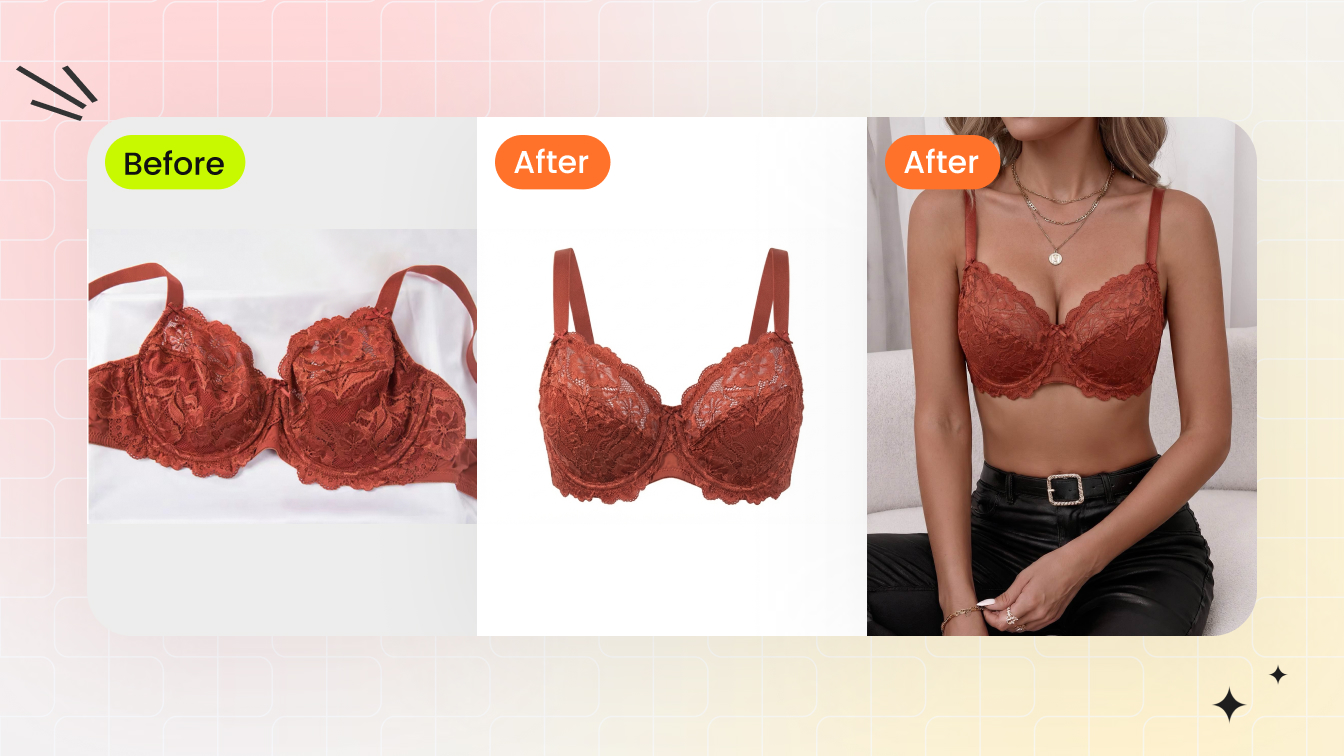
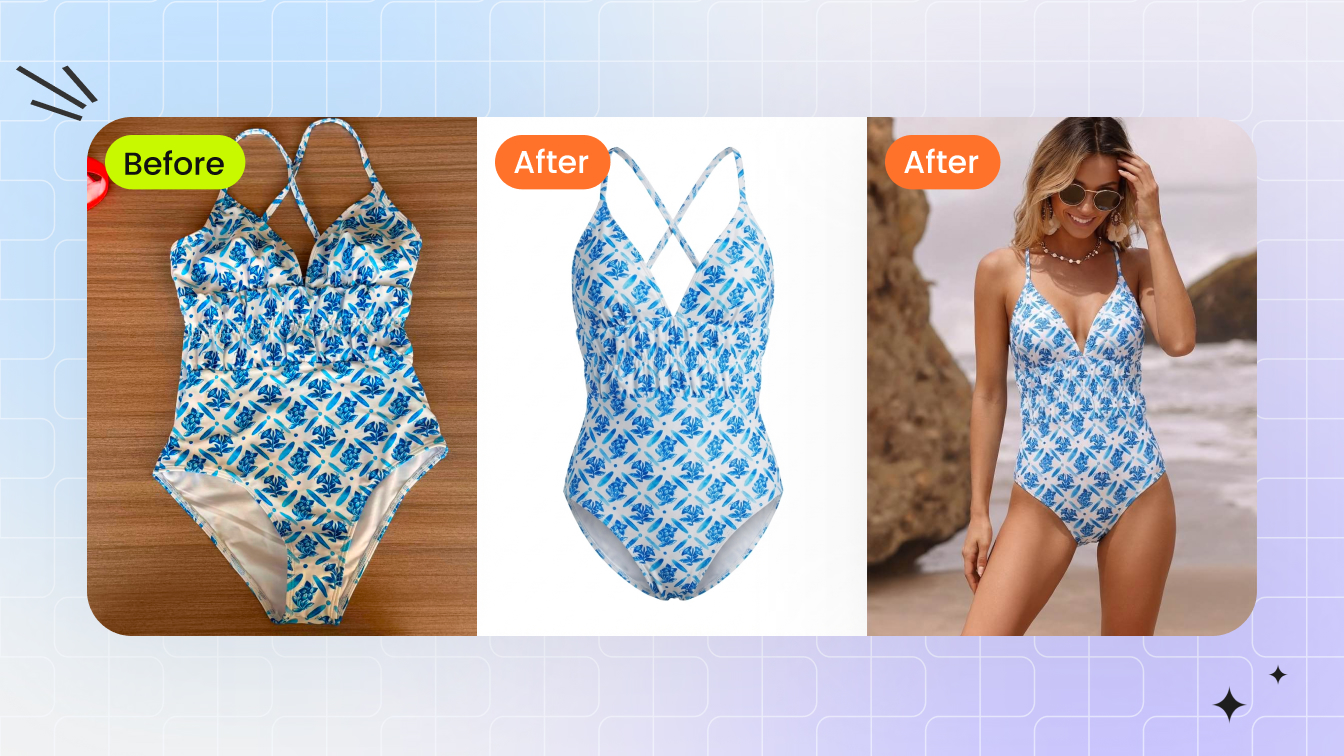
If you sell bras, bralettes, briefs, bikinis or one-pieces and you want one image format that is simultaneously the cheapest to produce and the least likely to get flagged, ghost mannequin is it. The technique — also called the invisible or hollow-man mannequin — photographs the garment on a form, then removes the form in editing so the piece keeps its three-dimensional shape with nothing inside it. No person is ever shown. The cup keeps its curve, the waistband holds its band tension, the bikini bottom shows how it sits — but there is no body, no face, no model release, and nothing a buyer or a marketplace reviewer can read as suggestive.
That last point matters more in this category than in any other. Amazon's Fashion guidance is explicit that images of intimate clothing, lingerie and swimwear may not be sexually explicit, and that the look should read as demure rather than sexy. It also requires that thongs and panties without full front-and-back coverage be shown without a live model in the main image — a flat (laydown) product image or a ghost-mannequin shot both satisfy that no-model rule. For fuller-coverage bras, bikinis and one-pieces a live model is permitted, but a ghost-mannequin shot is the lowest-risk route because the subject is the product and only the product. This is a ghost mannequin tool that works on lingerie and swimwear, so the same export covers a low-coverage thong, a bikini ghost mannequin and a structured one-piece alike. For a deeper look at on-model options for this category, our AI lingerie photography guide walks through the full range, but for a compliant main image, hollow-garment imagery is the safe starting point.
The Compliance Math: White Background and No Person
Two hard rules govern almost every marketplace main image, and ghost mannequin clears both cleanly. First, the background. Amazon's image bots check for a literal pure white — RGB 255/255/255 (hex #FFFFFF). Off-white, cream or pale-gray backgrounds you might not even notice on your monitor are enough to trigger automated suppression. The frame should also carry no text, logos, watermarks, borders or inset graphics, and the product should fill roughly 85% or more of it. Resolution should be at least 1,000 px on the longest side to enable zoom, with 2,000 px or larger recommended.
Second, the no-model rule for revealing intimates. Because a ghost-mannequin export contains no person at all, it side-steps the entire category of suggestive-pose, full-coverage and model-release concerns in one move. You are showing a manufactured object on white. That is the lowest-risk listing asset you can hand a marketplace.
| Requirement | Spec | Ghost mannequin? |
|---|---|---|
| Main-image background | Pure white, RGB 255/255/255 | Export on #FFFFFF |
| Product fills frame | ~85%+ of the canvas | Crop tight to garment |
| Longest side | 1,000 px min, 2,000 px+ ideal | Tool-dependent — check free-tier caps |
| Low-coverage thong/panty main | No live model (flat or ghost) | Satisfied — no person present |
| Fuller-coverage bra / bikini / one-piece main | Live model permitted; off-figure also fine | Lowest-risk off-figure option |
| Suggestive content | Prohibited | No body present |
How AI Handles Straps, Sheer Lace and Reflective Lycra
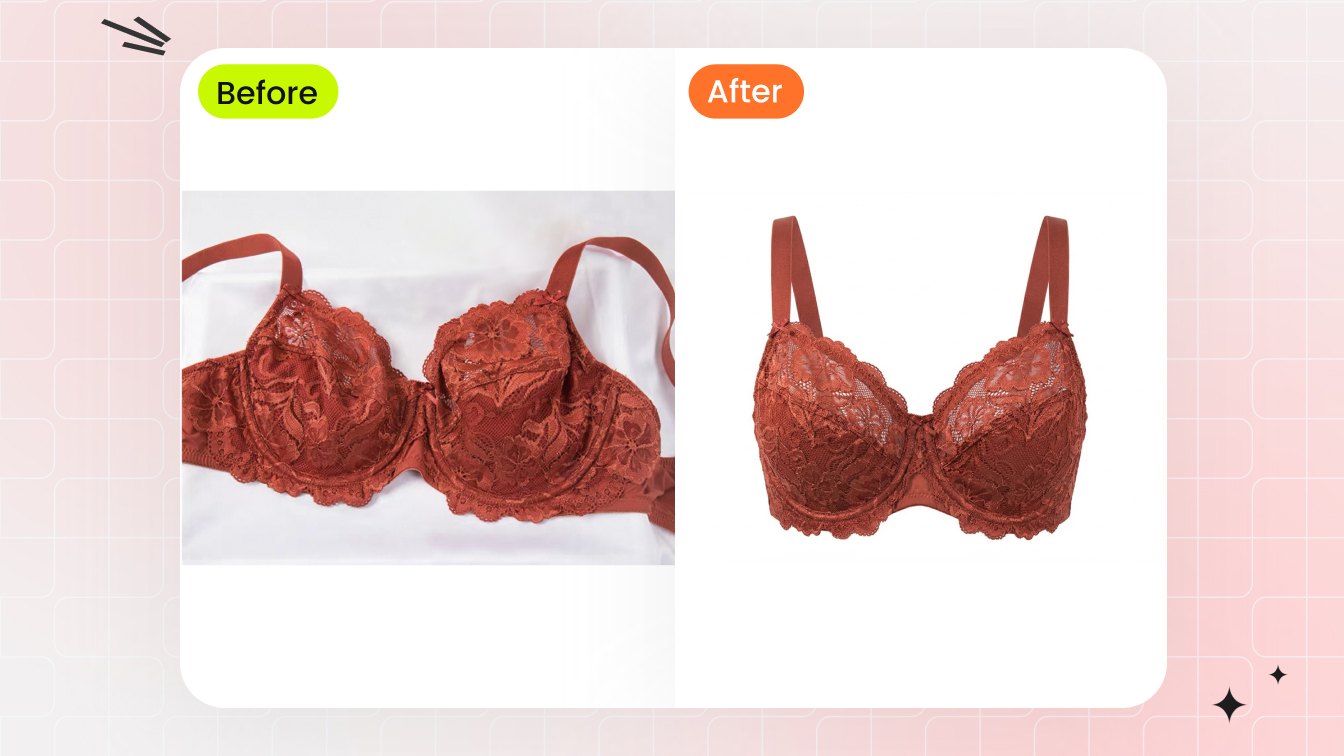
The reason ghost mannequin used to be expensive in this category is the fabric. Bras and swim are built from the two materials that defeat ordinary cutout tools: semi-transparent mesh and lace, and reflective lycra. A standard magic-wand or auto-select reads edges by contrast, so on sheer panels it either deletes the fine micro-threads or leaves the gray plastic of the form bleeding through the mesh. On glossy swim, studio flash blows the reflective strips and any sheer section reveals the physical mannequin underneath, which kills the floating-garment illusion the whole technique depends on.
Manual retouchers solve this with channel masking — isolating transparency by color data rather than edge contrast — plus luminosity masking and blend modes, frequently zooming to around 400% to hand-mask lace edges, straps, underwires and hook-and-eye closures. It works, but it is slow, which is exactly the gap AI ghost-mannequin models target. The better 2026 tools are trained to preserve thin straps and band edges, to keep a believable level of sheerness on mesh instead of either erasing or graying it, and to reconstruct the inner neckline or band so the garment looks genuinely hollow. They are not magic on every fabric — see the quality test below — but on a clean, well-lit input they collapse a 20-to-40-minute manual edit into seconds.
What to Feed the Tool: Flat-Lay, Hanger or On-Form
AI ghost-mannequin generators accept several input types, and your choice affects how good the output looks. In rough order of result quality:
On-form shot
(garment on a clear acrylic or color-matched mannequin/bust form): gives the model the most three-dimensional shape to work from, so cups, bands and bikini gussets come out most realistic. Best for structured bras and one-pieces.
Hanger shot
: quick to stage; works well for bralettes, robes and unstructured swim, where there is less internal architecture to reconstruct.
Flat-lay
: the easiest to shoot at home with a phone and a window, but the model has to infer all the depth. Pair this route with our flat-lay to model guide if you also want a styled on-body version. For pure flat-lay technique, swimwear flat-lay photography covers lighting and styling.
Whichever you shoot, the rules are the same: even, diffuse light; no harsh shadow falling across the cup or crotch; clasp the back so the band holds its real shape; and shoot against a plain, contrasting surface so the tool has a clean edge to work from. Garbage in still produces garbage out, even with strong AI.
Free vs Paid: Where the Free Tier Actually Stops
By 2026 there are at least eight dedicated AI ghost-mannequin tools aimed at apparel sellers, and several offer a real free entry point — credits for new users, no credit card, browser-based. Snappyit gives free credits to start with no card; PixFocal is free to try and outputs ghost-mannequin, on-model, flat-lay and hanger results in under two minutes; Photoroom converts a flat-lay or hanging garment into an invisible-model image; Pokecut offers a few free credits per day with no login; and WearView turns flat-lay, hanger or mannequin shots into a clean ghost-mannequin output.
The free tiers are genuinely useful for testing and for low-volume shops — but they are credit-capped, and they typically gate the things a catalog seller needs: full resolution, watermark removal, and batch processing. So the honest framing is this: use a free tier to prove the tool handles your fabrics before you pay, then move to a paid plan once you are running real catalog volume. The economics still favor AI heavily either way. A full model-and-studio shoot day runs $2,000–$5,000 and up; traditional ghost mannequin (physical form, multi-angle shoot, manual Photoshop compositing) runs roughly $10–$80 per image; AI ghost-mannequin output lands around $0.50–$2 per image, often under a dollar. The free tier is for de-risking; the paid tier is still a fraction of the alternatives.
Try the free AI ghost-mannequin generator
Batching a Whole Catalog Without a Studio
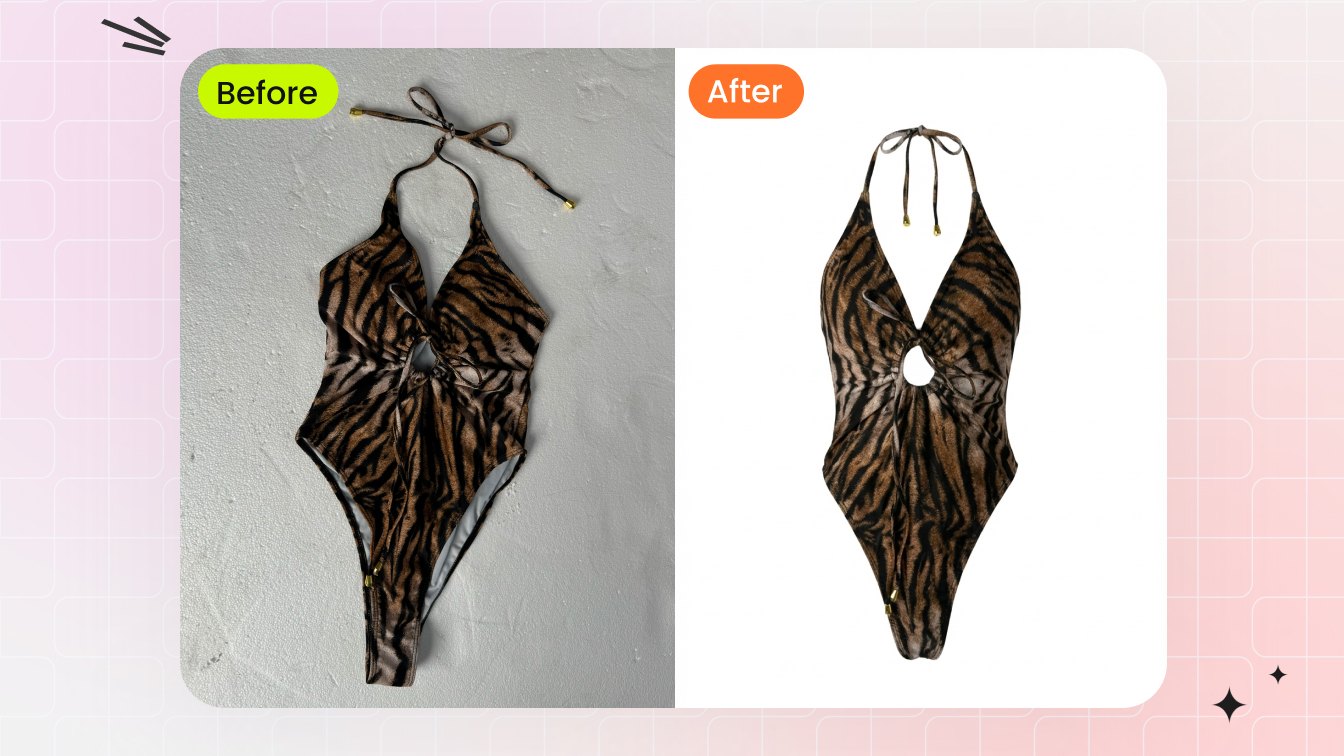
A single hero image is a demo; a catalog is the actual job. If you carry 40 colorways of a bikini or a bra in six sizes across three prints, the per-image savings compound fast, and the workflow shifts from can it do one to can it do a hundred consistently. This is where free tiers run out of room — daily credit caps and one-at-a-time processing make a 200-SKU drop painful — and where a paid plan with batch upload pays for itself.
A practical pipeline: shoot each style once on the same form under the same light, run the batch through the ghost-mannequin model, then standardize the output. Snappyit's background remover cleans any residual edge halo and locks every export to a true white canvas, and color change lets you generate every colorway from one physical sample instead of photographing each dye-lot — a real time-saver in swim and intimates, where the same cut ships in a dozen shades. The dedicated ghost mannequin tool page covers the structured-apparel workflow if your line includes more constructed pieces.
The Business Case: Fit Clarity and Returns
There is a revenue argument for ghost mannequin beyond cost and compliance. Apparel return rates run high — commonly cited around 20–40%, with women's fashion near 28% — and fit and sizing is consistently the number-one reason items come back, blamed in anywhere from roughly half to two-thirds of fashion returns. US online apparel and footwear returns were estimated at roughly $38 billion in returned-merchandise value in 2023 (Coresight Research). For intimates and swim, fit is the entire purchase decision: how a band sits, how much support a cup gives, how a bottom is cut.
A flat-lay flattens all of that into a 2D silhouette. A ghost-mannequin image restores the three-dimensional read — strap placement, band depth, cup projection, the real drape of the fabric — so the buyer's expectation is closer to what arrives. That is not a guarantee against returns, but a clearer, more honest main image is one of the few levers a seller controls that pushes the fit-mismatch return rate down. Our pillar on AI product photography connects this to the broader listing-conversion picture.
A Quick Quality Test Before You Commit
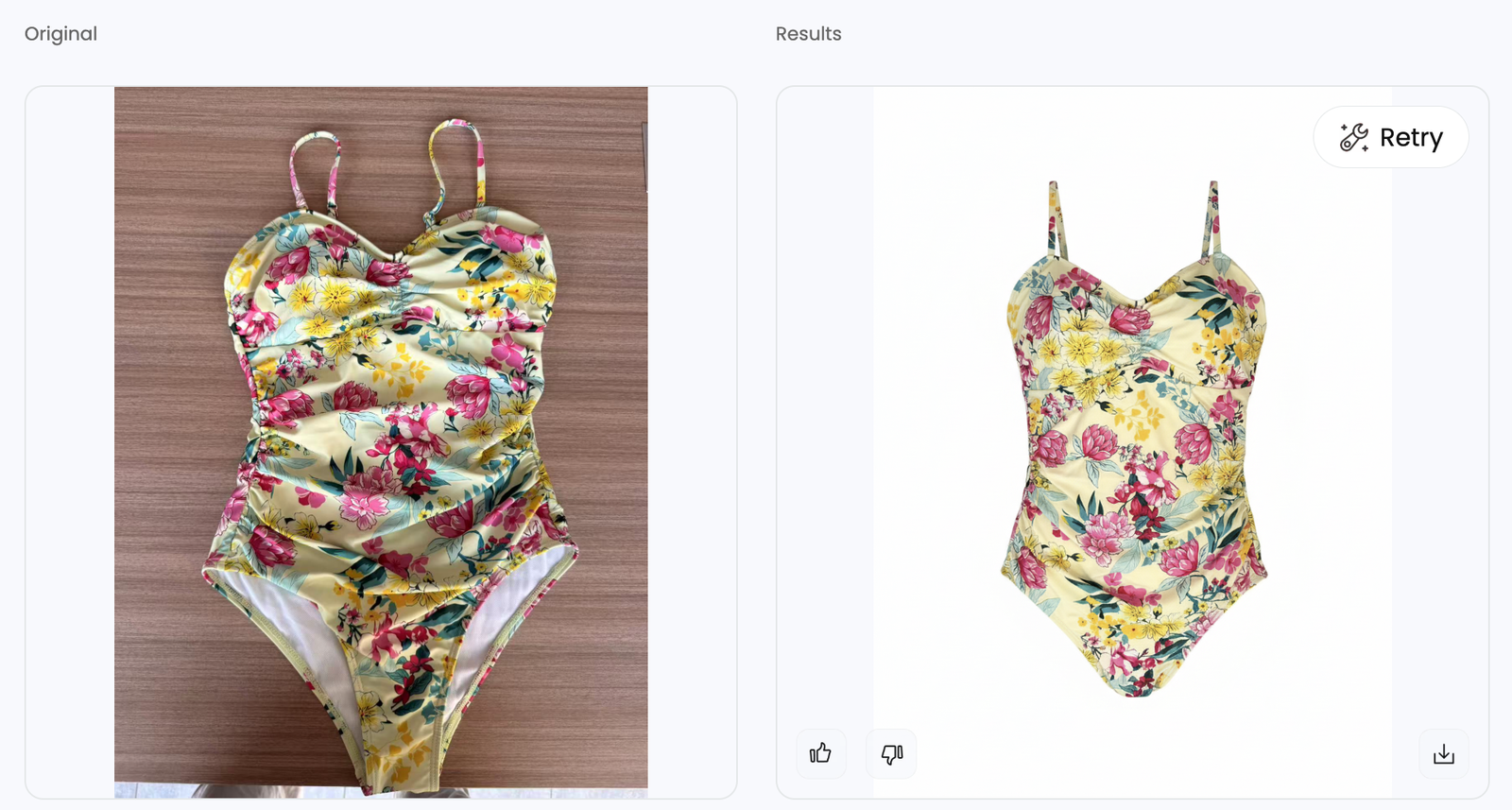
Before you build a whole catalog on any free or paid tool, run your hardest SKU through it and zoom to 100%. Check these five failure points, because they are where AI ghost-mannequin output breaks in this category specifically:
Strap and band edges
— thin straps should stay crisp and continuous, not feather out or get truncated where they meet the cup.
Sheer and mesh panels
— should keep a believable translucency; watch for gray bleed-through (form not fully removed) or total erasure of the fabric.
Inner neckline / band reconstruction
— the hollow interior should look like a real opening, not a smeared patch.
Reflective lycra highlights
— glossy strips should read as fabric sheen, not blown-out white holes.
- Edge halo on white — no gray or colored fringe where the garment meets the #FFFFFF background.
If a tool passes on your worst fabric, it will sail through the easy ones. If it fails on straps or sheer — the two things that define intimates and swim — keep the free tier for testing and move on. For sellers who also want an on-model version of the same piece, our swimwear sellers and lingerie sellers use-case pages show how ghost-mannequin and AI-model images work together in a listing.
Generate your first ghost-mannequin image free
Frequently Asked Questions
Is a ghost-mannequin image allowed as an Amazon main image for swimwear and lingerie?
Yes. Amazon's clothing guidance permits off-figure main images that are either flat/laydown or on a ghost (invisible) mannequin — a visible mannequin is not allowed, but a hollow garment with the form removed is fine. Thongs and panties without full front-and-back coverage must use an off-figure main image with no live model — a flat (laydown) product image or a ghost mannequin both qualify, and ghost mannequin works well for fuller-coverage intimates; children's items must also be shown flat with no model. Fuller-coverage adult bras, bikinis and one-pieces may use a live model. Just make sure your export sits on pure white (RGB 255/255/255) and fills about 85% of the frame.
Does Snappyit generate images of real people, or 'undress' or alter anyone in a photo?
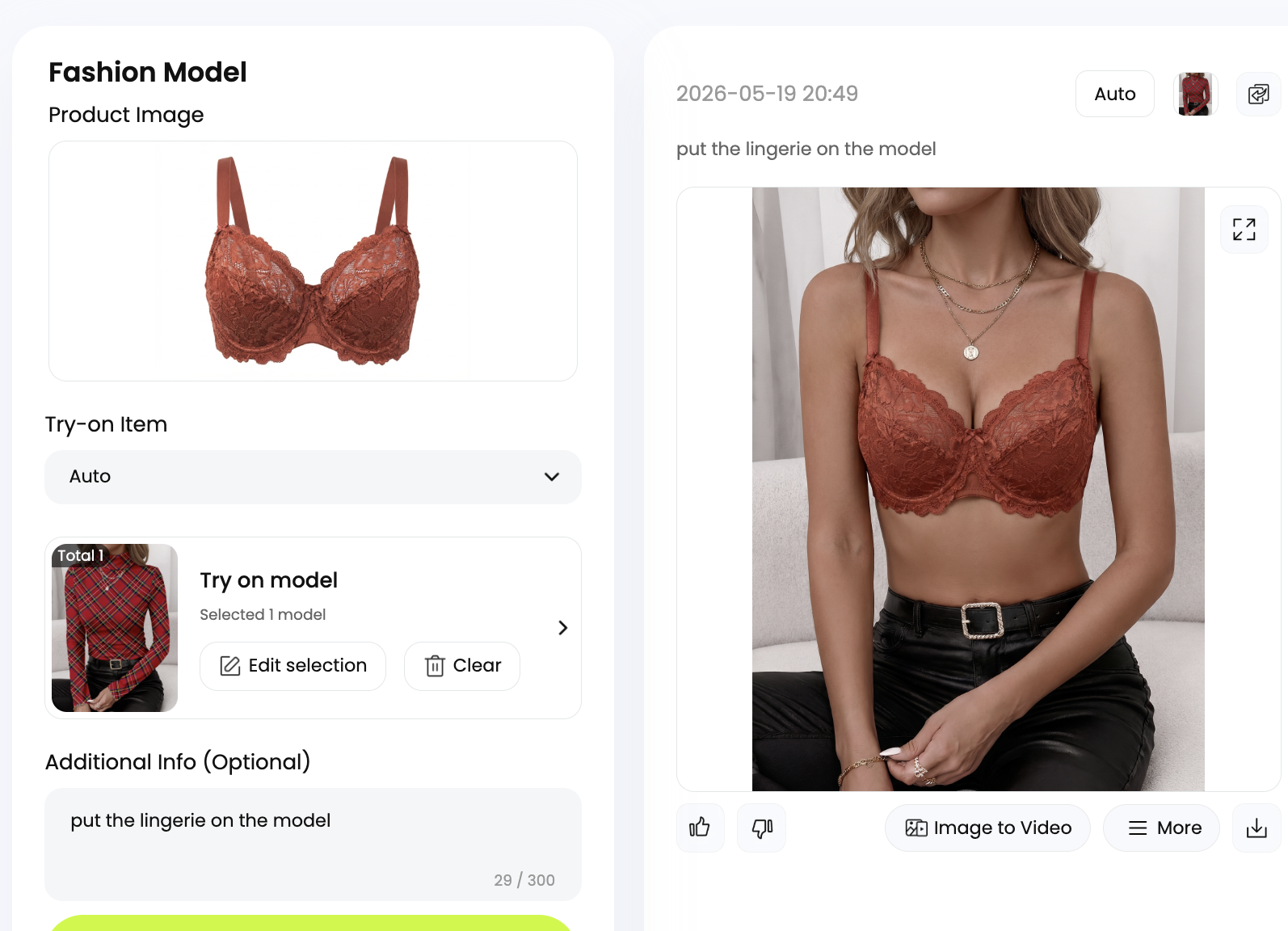
No, and this is important. Snappyit is a tool for product display, not for altering photos of real people. Ghost mannequin is the purest example of that: the output shows your garment hollow on nobody at all — no body, no face, no person is ever depicted or modified. The subject is always your product on a white background or an AI-generated model wearing your product for a listing. We do not offer nudify, undress, or any feature that applies clothing changes to a real person's photo.
What input photo gives the best ghost-mannequin result for a bra or bikini?
An on-form shot — the garment on a clear acrylic or color-matched bust/mannequin form — gives the AI the most 3D shape to work from, so cups and bands look most realistic. Hanger shots work well for bralettes and unstructured swim. Flat-lays are easiest to shoot at home but force the model to infer depth, so results are slightly less dimensional. Whichever you use, light it evenly and clasp the back so the band holds its true shape.
Can the free version handle sheer lace and shiny swim fabric?
The better 2026 tools are trained to preserve thin straps and a believable level of sheerness on mesh, and to read reflective lycra as fabric sheen rather than blown-out white. But quality varies, so run your hardest SKU through the free tier first and zoom to 100% to check the strap edges, mesh translucency and reflective highlights before you build a full catalog on it.
How much does AI ghost mannequin cost compared to a real shoot?
A model-and-studio shoot day runs roughly $2,000–$5,000 and up; traditional ghost mannequin with a physical form and manual Photoshop compositing runs about $10–$80 per image. AI ghost-mannequin output is roughly $0.50–$2 per image, often under a dollar, and free tiers let you start with no credit card. Free tiers are credit-capped and may add watermarks or limit resolution, so catalog-scale work usually moves to a paid plan that is still a fraction of the alternatives.
When should I pay instead of staying on the free tier?
Stay free while you are testing whether a tool handles your specific fabrics and for very low volume. Move to paid when you need full resolution for marketplace zoom, watermark-free exports, or batch processing for a catalog. Daily credit caps and one-at-a-time processing make a large SKU drop impractical on a free plan, and that is the point where a paid tier earns its cost.
Will ghost-mannequin images actually reduce my returns?
They can help. Fit and sizing is the number-one return driver in apparel — blamed in roughly half to two-thirds of fashion returns — and a ghost-mannequin image restores the 3D read of strap placement, band depth and cup shape that a flat-lay flattens out. A clearer, more honest main image sets accurate buyer expectations, which is one of the few return levers a seller fully controls. It is not a guarantee, but it pushes in the right direction.
Do I need any of my own photos, or does the tool invent the garment?
You always supply your own product photo — a flat-lay, hanger or on-form shot of your actual garment. The AI removes the form and reconstructs the hollow shape; it does not invent a product or a body. The output is your real piece, shown on nobody, on a white background, ready for a listing.