



 Florence Xiang
Build a bikini gallery from existing product photos
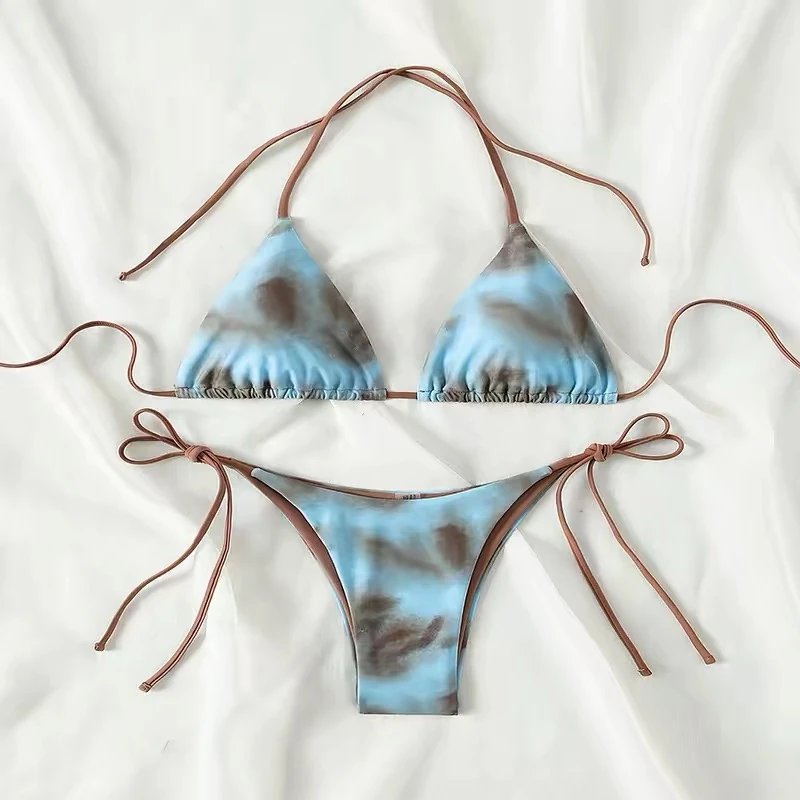
Start with the real front, back and detail photos that identify the bikini. Add an on-model image for styling context or a ghost mannequin view to show the pieces without a visible person.
Use consistent templates and framing across the collection so shoppers can compare products easily.
| Image | What it helps shoppers see |
|---|---|
| Real front, back and detail photos | The cut, closures, lining and pieces included in the listing. |
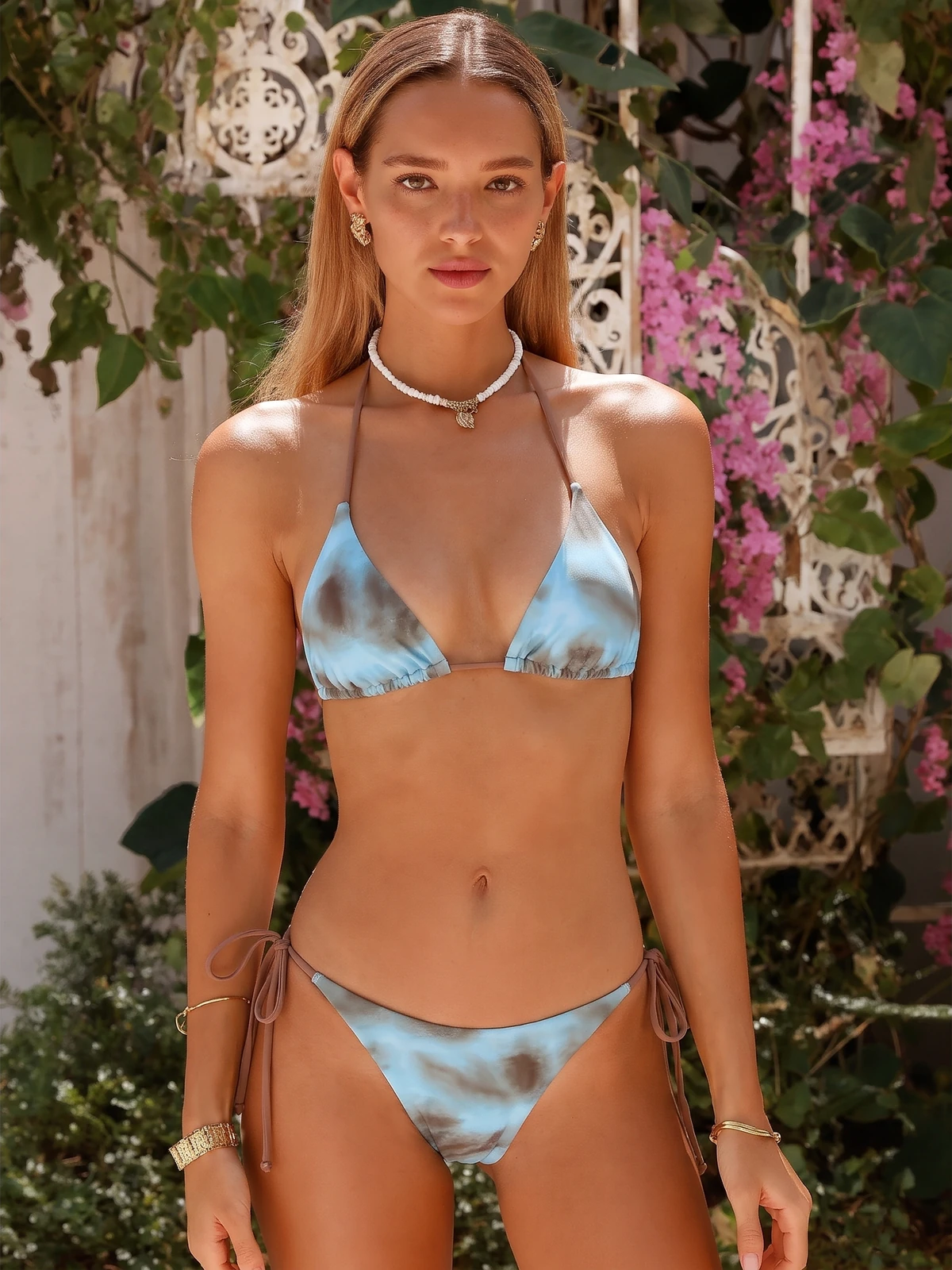
| On-model view (Fashion Model) | How the bikini is styled and how its proportions look on a body. |
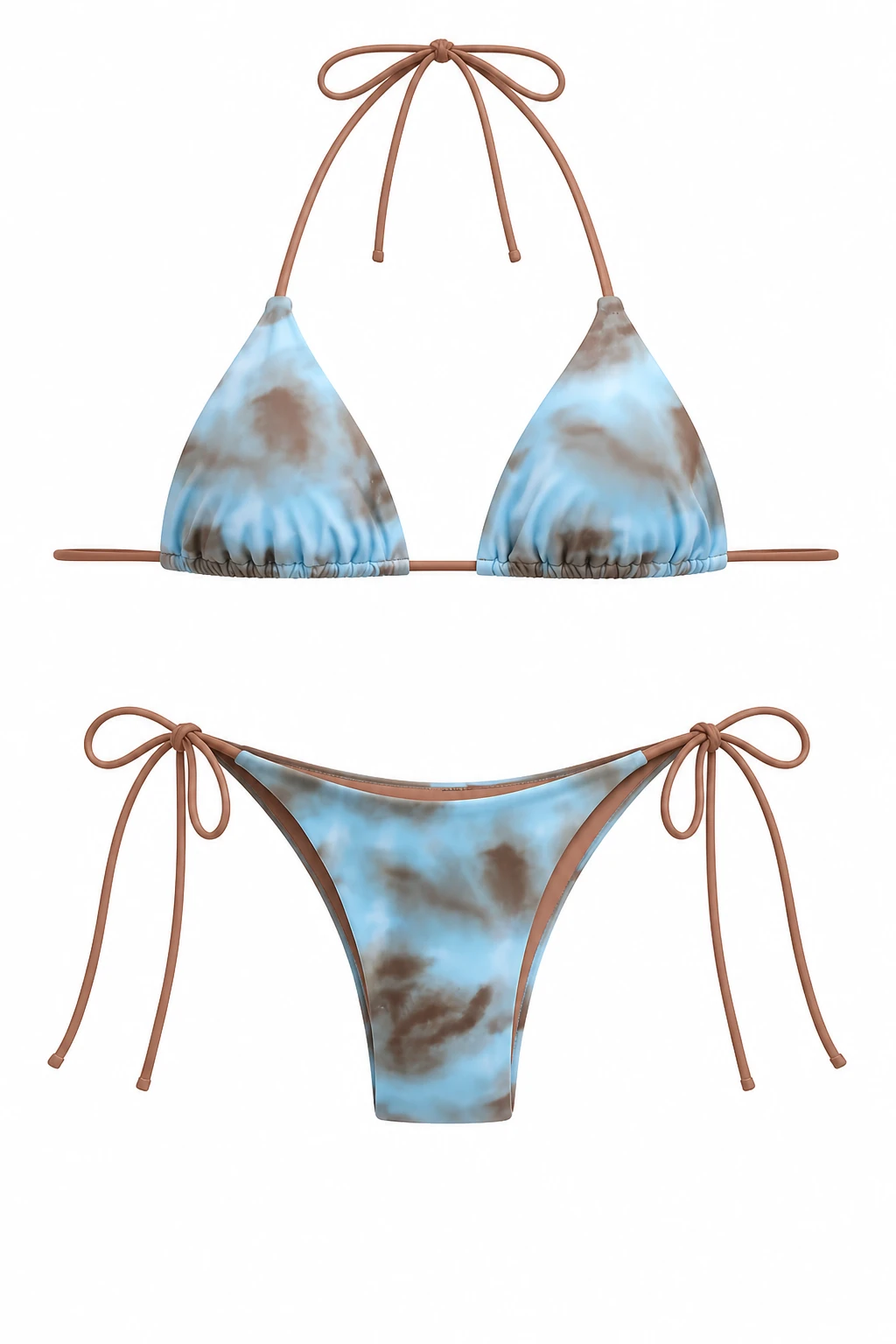
| Ghost Mannequin | A shaped view of the top and bottom without a visible model. |
Keep the real product photos in the gallery. For on-model results across different tools, see our AI swimwear model generator comparison.
For brands planning AI lingerie product photography or AI underwear product photography, start with clear photos of the actual item and review fabric texture, seams, trims and color before publishing. This guide uses a bikini product as its example.
Prepare your bikini product photos
Choose a clear reference photo of one SKU and colorway. Both pieces should be fully visible, with the cup edges, ties and fastenings easy to distinguish. Use the same source for both workflows.
- Front and back: photograph the cut and fastenings on both sides.
- Details: include rings, clasps, seams, lining and any reversible finish.
- Color and print: use consistent lighting and the actual item you will sell.
Create bikini product photos and video with AI
The steps below use the web tools. On your phone, open the Snappyit app and choose Fashion Model or Ghost Mannequin; the app’s controls may differ from the web interface.
Get the Snappyit app from the App Store or Google Play.
1. Upload the bikini photo
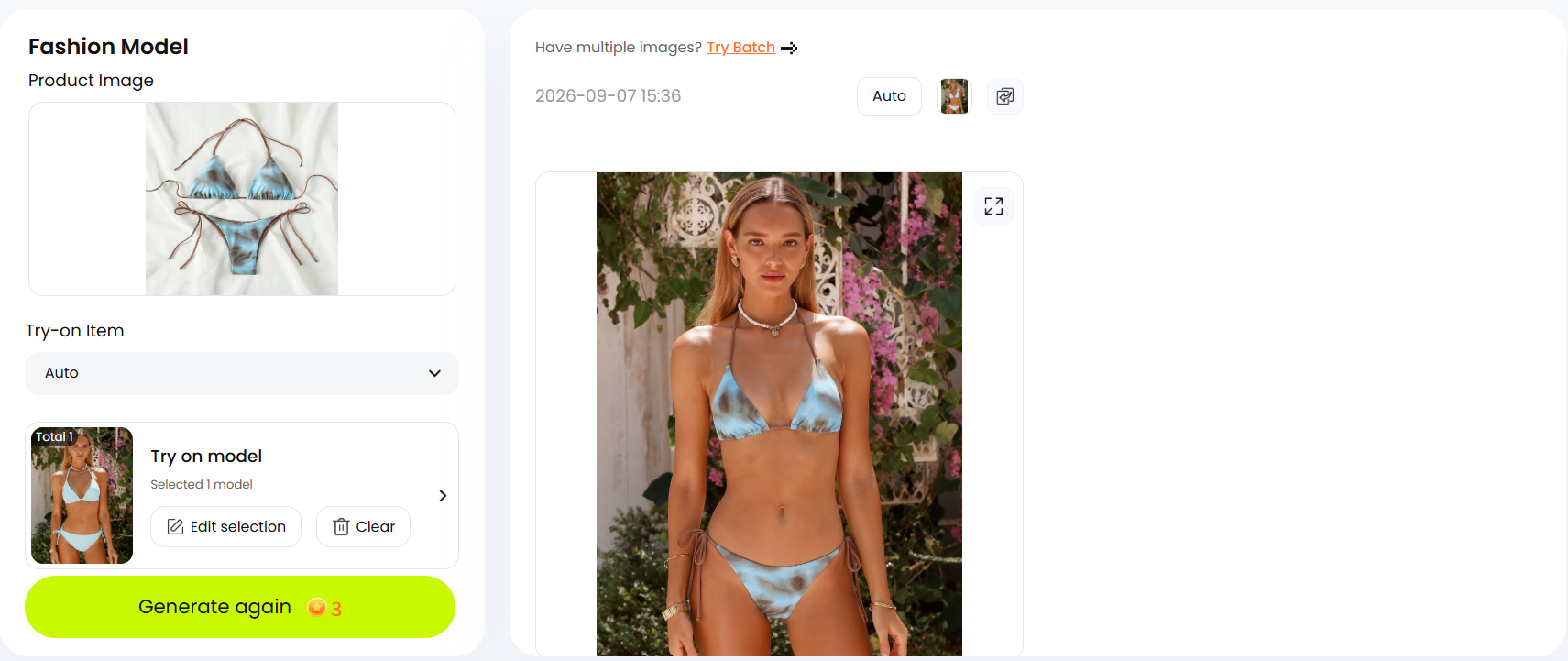
Open Snappyit Fashion Model and add the garment photo under Product Image.
2. Choose a model
Use Auto under Try-on Item, then select a model under Try on model. Pick a model whose pose keeps the bikini unobstructed.
3. Generate and review
Generate an image and open it at full size beside the product photo. Follow the checklist below. If a detail changes, try a clearer source photo or a different model.
4. Add a model-free view if needed
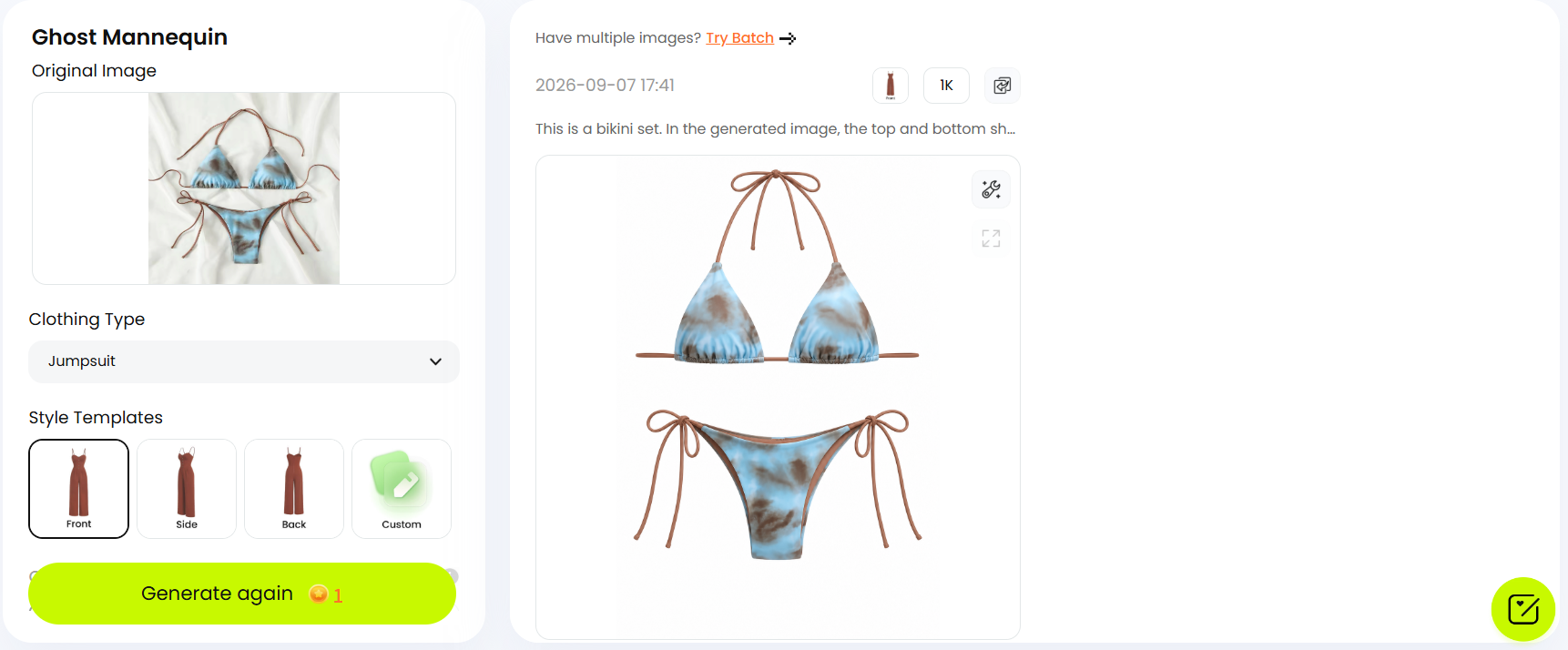
Open Snappyit Ghost Mannequin with the original garment photo. Select the clothing type and a style template, then generate the image.
5. Animate your model photo
Open Snappyit Image to Video and upload your on-model photo under On-Model Image. Choose Text to Motion to describe a simple movement, or select a Video Template. Set the duration and generate the clip. The example below uses Text to Motion for a 10-second video.
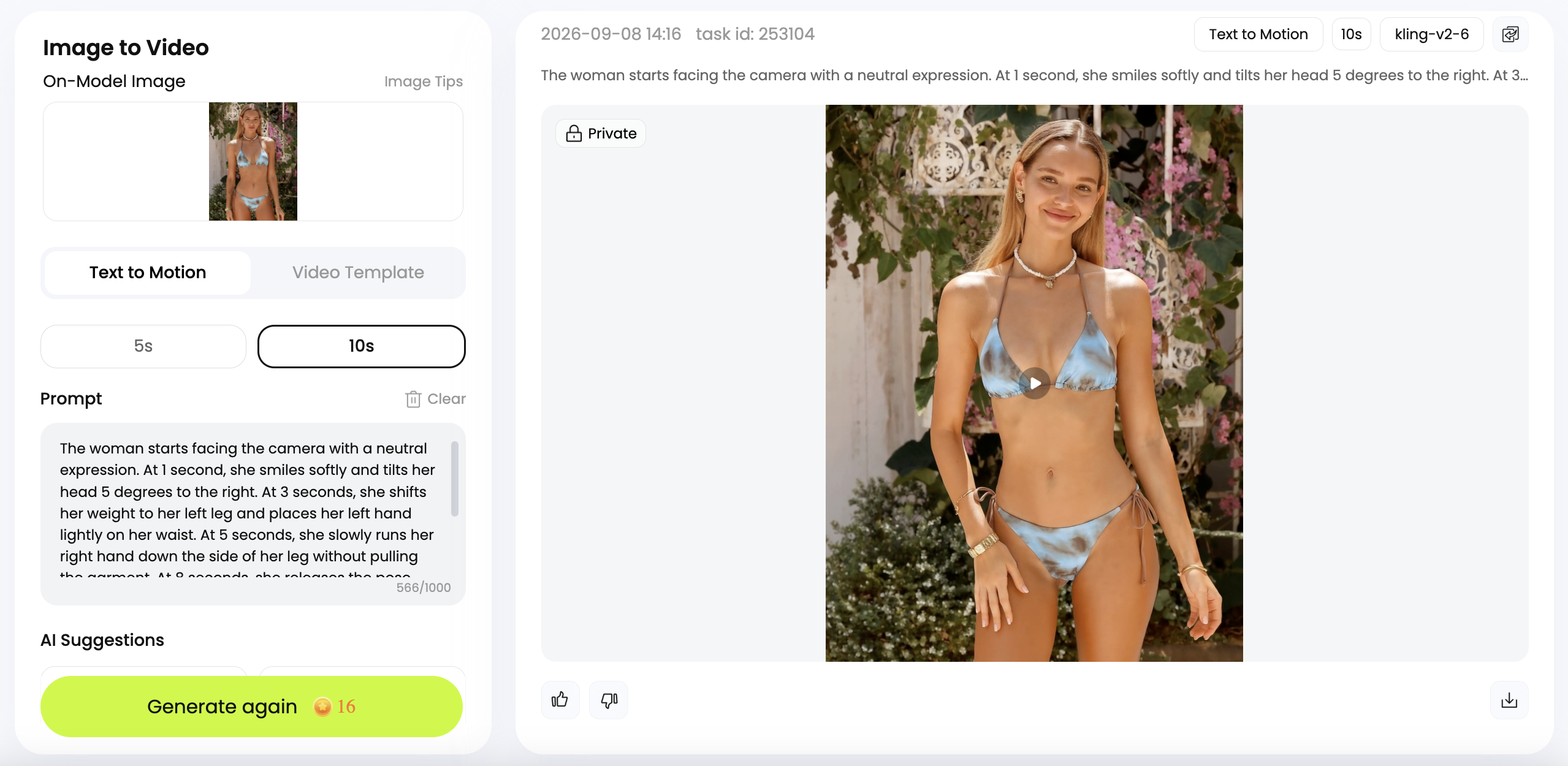
Watch the full video and check that the ties, cup shape and print stay consistent as the model moves.
6. Export your gallery images and video
Name each file with the SKU, colorway and view. Export at your theme’s recommended dimensions, compress the upload copies and check them on a phone. Keep full-resolution masters.
Check bikini details before publishing
Compare the result with your product photo, checking these details:
| Check | Reject or correct |
|---|---|
| Straps, ties and hardware | Missing ties, moved connections or added rings and clasps. |
| Cups, waistband and cut | Changed cup edges, waist height or leg openings. |
| Color, print and fabric | A different colorway, displaced print or invented padding, lining and finish. |
| Framing and listing contents | Hands or crops hiding the garment, body artifacts, or pieces shown together that are sold separately. |
The examples do not show the back fastening or confirm support. Add real back and detail photos to complete the gallery. If a feature changes in the AI result, use its product photo for that view.
Ghost Mannequin
On-model
Choose images for product pages and ads
On a product page, put clear garment views near the start of the gallery, followed by model context and close-ups. Keep the top and bottom visible when selling a set, and make separate-piece listings easy to distinguish. Similar crops across products help shoppers compare styles without adjusting to a different layout each time.
For collection pages and ads, choose an on-model image that suits the setting and campaign. Check that mobile crops keep the cups and hip ties visible.
For Google Shopping, the main image should show the entire product with minimal staging. Check Google Merchant Center’s image requirements before submitting it.
Frequently asked questions
Can I use phone photos as the source?
Yes. Use even light, avoid digital zoom and keep the full product sharp and unobstructed. Both pieces and their ties should be visible when the bikini is sold as a set.
Should I choose ghost mannequin or on-model images?
Choose a ghost mannequin view for a model-free presentation, or an on-model view for styling context. Use both only when each adds useful information to the gallery.
How should I compare AI photography costs?
Compare cost per usable image, including credits or subscriptions, retries and editing time. For a photoshoot, include the model, crew, location and retouching in the same calculation.
Can AI model images confirm fit or support?
No. Provide actual measurements and fit information from samples or try-ons. A generated appearance does not establish support or comfort.
What should I do if the result changes a product detail?
Try a clearer source or another model selection. If the detail still changes, use a real product photo for that view.
References
- Shopify. The Complete Guide to Ecommerce Photography. Product-image types and capture setup.
- Shopify. Clothing Photography: How To Photograph Clothes. Garment preparation and model photography.
- Shopify. Website Image Size Guidelines. Image dimensions, aspect ratios and compression.
- Google Merchant Center. Image link [image_link]. Product-image requirements for a Google Shopping feed.
- Snappyit. AI Fashion Model Generator. Product-image inputs and model selection.
- Snappyit. AI Ghost Mannequin Generator. Model-free product presentation.







