
Photoroom is a familiar starting point for fast product-photo editing, but growing ecommerce teams and professional creators may need more control over flat lays, model references, apparel details, jewelry workflows, and production cost. To make that choice more practical, we tested five Photoroom alternatives with the same garment and compared the path from a phone photo to catalog-ready flat-lay and on-model images—not just the tools' feature lists.
How we tested Photoroom alternatives for ecommerce product photos
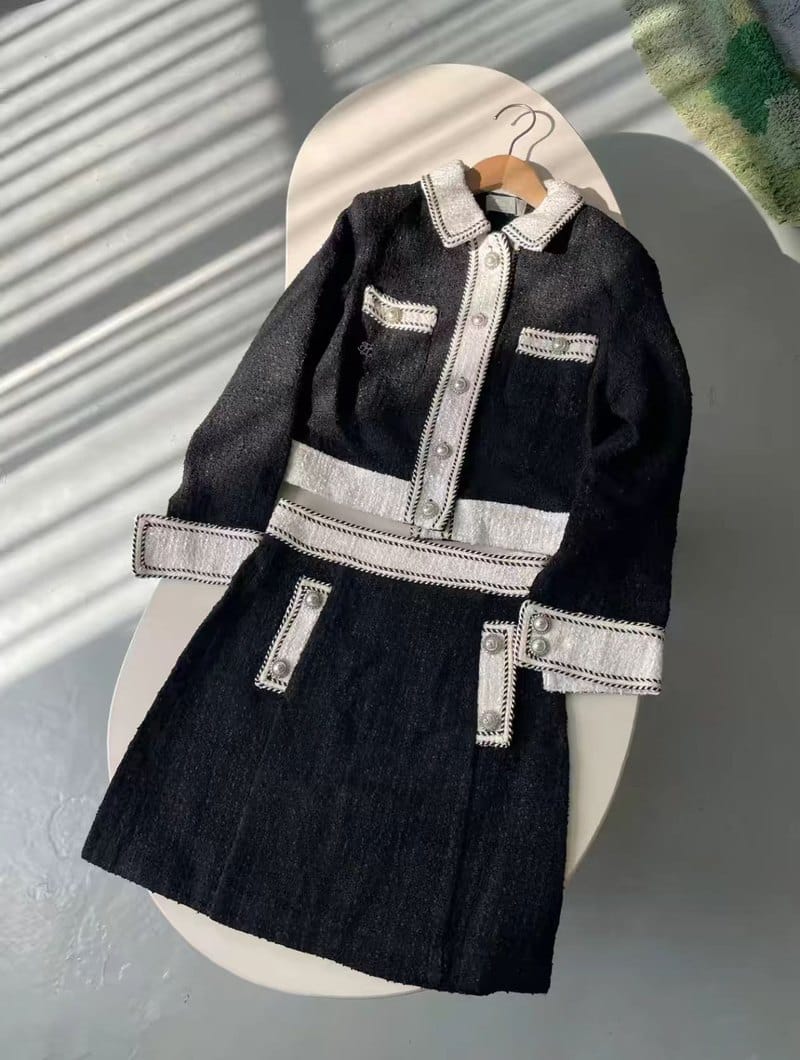
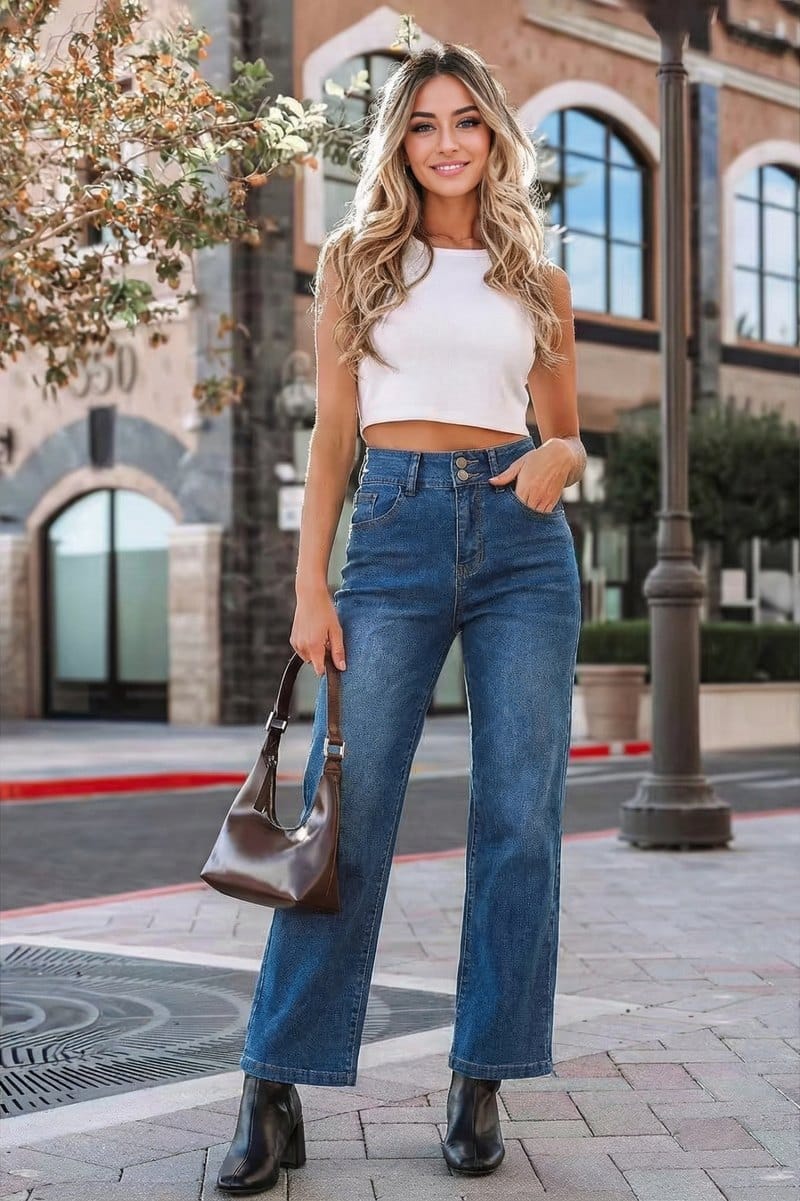
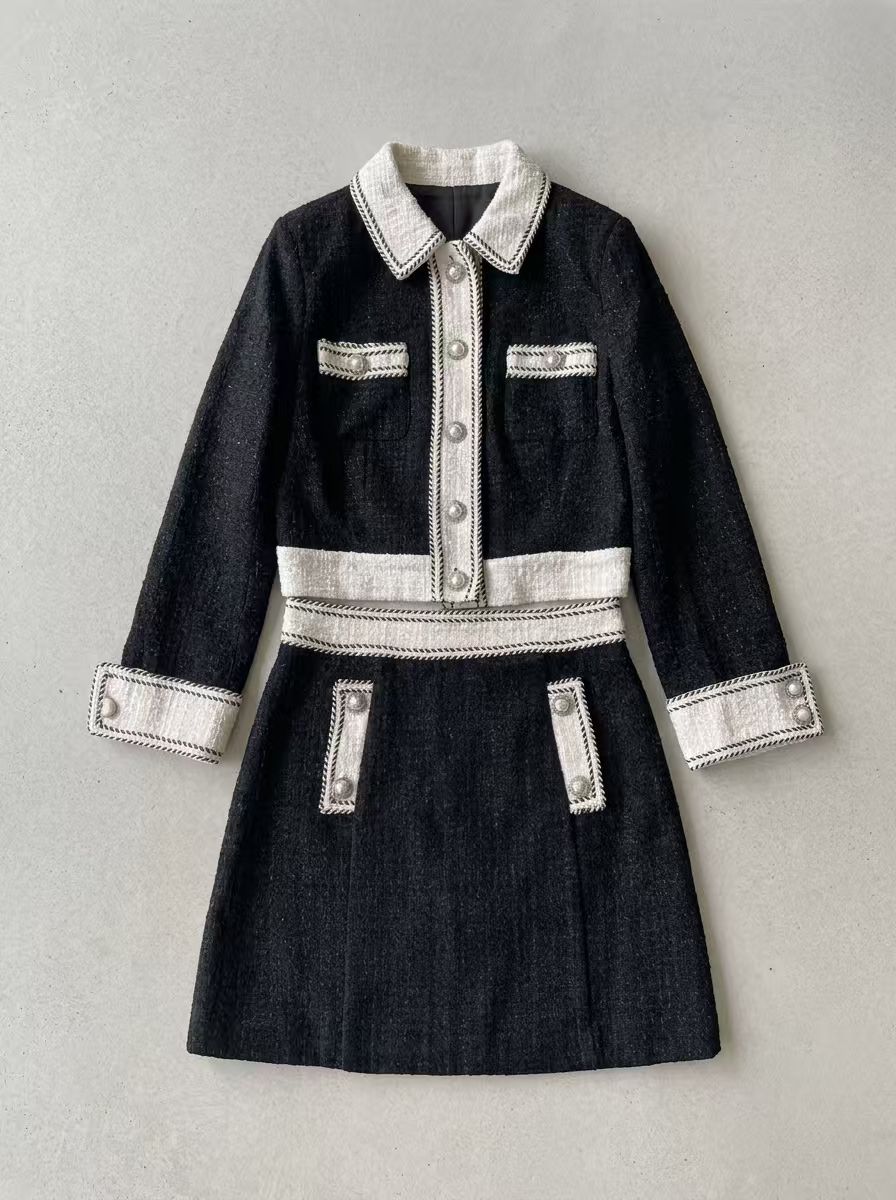
We tested each tool with the same black tweed two-piece set and used the same model reference wherever uploads were supported. We compared garment fidelity, color, background, model control, and the amount of manual checking needed before publishing.
Photoroom baseline: flat lays and AI fashion models
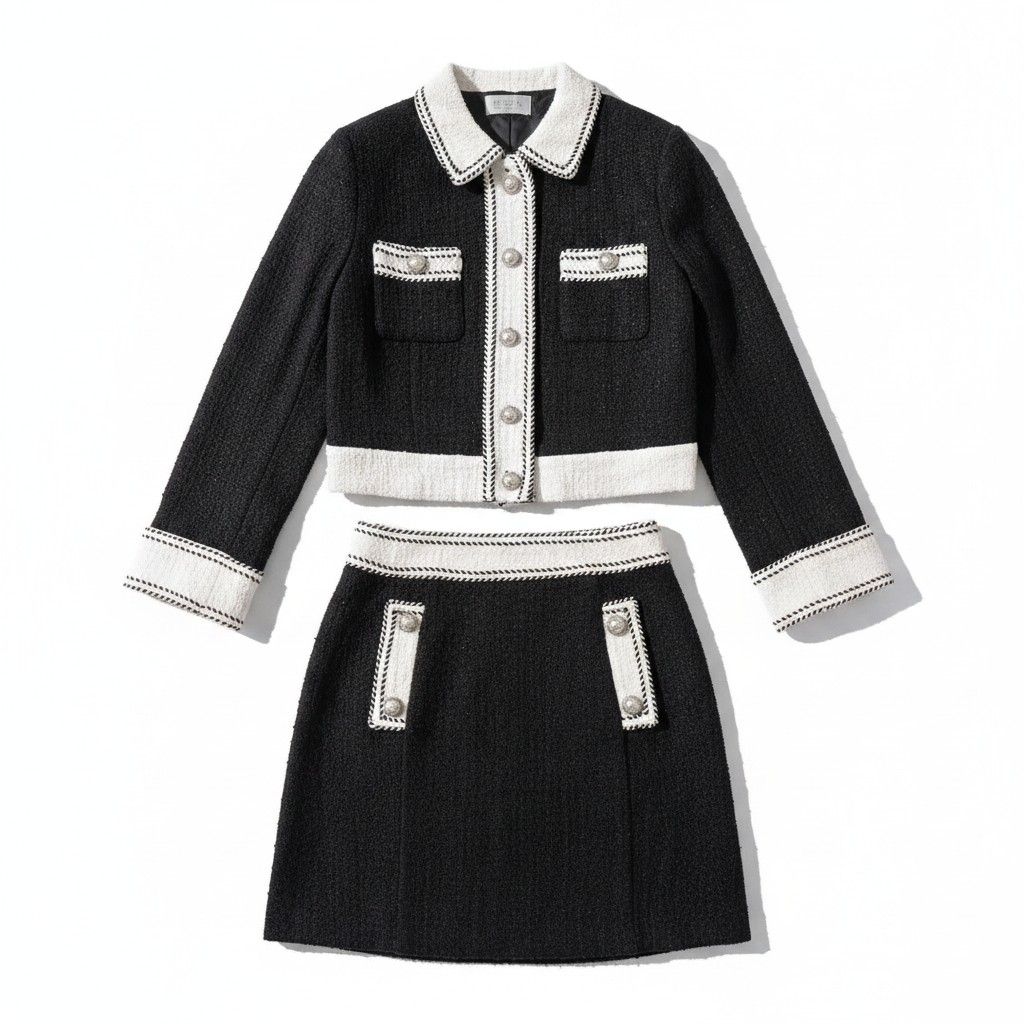
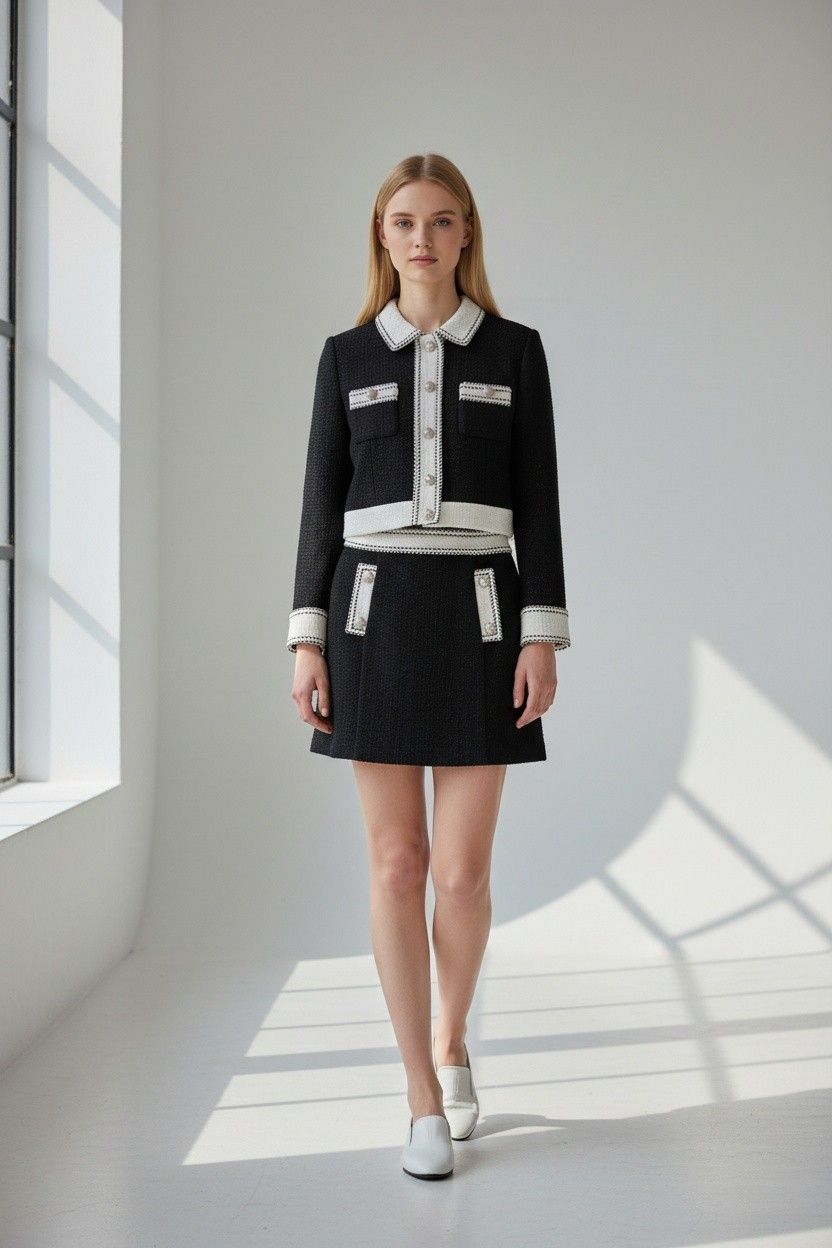
To establish a baseline, we generated a Flat Lay and passed it into AI Fashion Models, using one generation per step. The free workflow used a library model; uploading a custom model required paid access in our test.
Photoroom flat lay and AI fashion model test
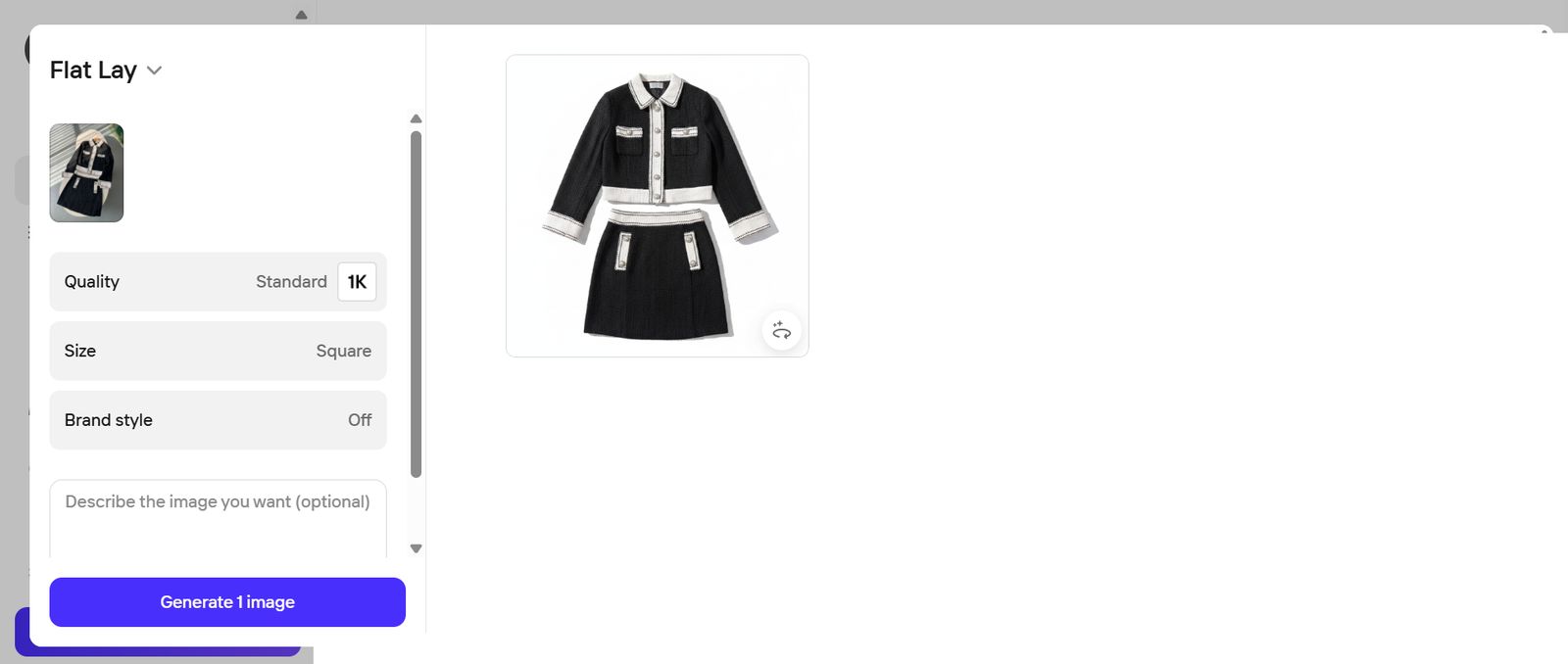
Step 1 — Flat Lay
We used Standard 1K, Square, Brand style off, and no prompt.
Step 2 — AI Fashion Models
We selected Avery from the model library, with Pose on Auto and Background on Auto Neutral.

What Photoroom does well — and where it falls short
Photoroom turned the hanger shot into a clean flat lay and a credible library-model image without masking or prompting, which keeps the baseline workflow quick for catalog teams. Custom-model generation required paid access in our test. Photoroom's Virtual Model page lists support for clothing, jewelry, eyewear, and footwear, although we did not find standalone Jewelry Model or Jewelry Retouch tools on the official pages reviewed.
Snappyit for apparel and jewelry product photography
Snappyit combines AI Fashion Model, Ghost Mannequin, Jewelry Model and Retouch, Color Change, and marketplace presets. This test used only Flat Lay and Fashion Model.
Snappyit flat lay and AI fashion model test
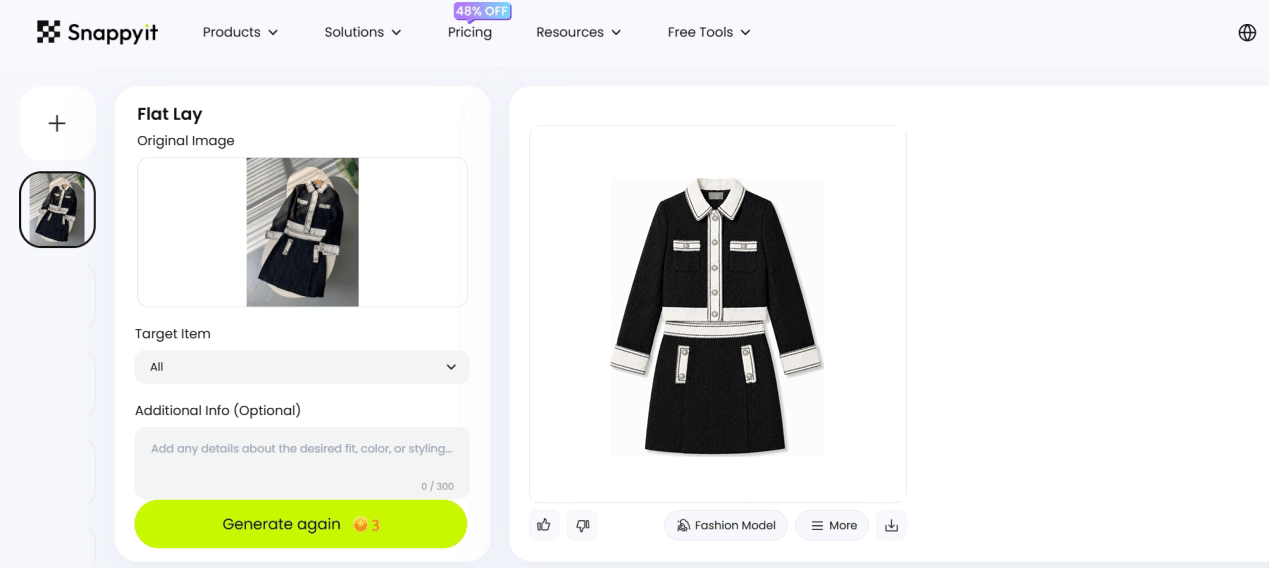
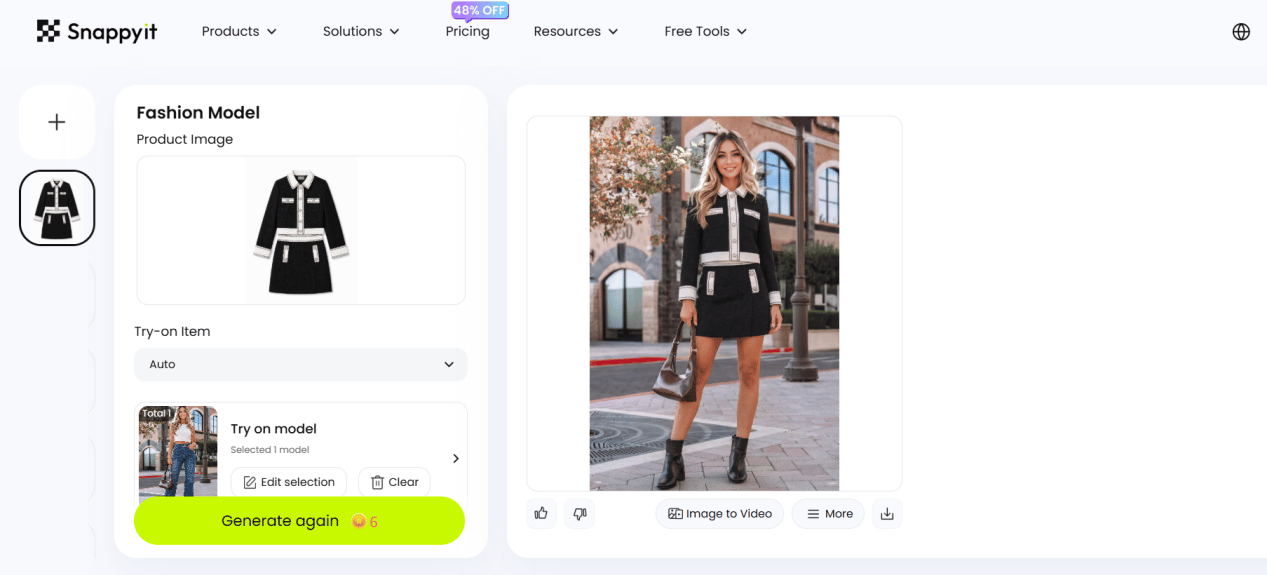
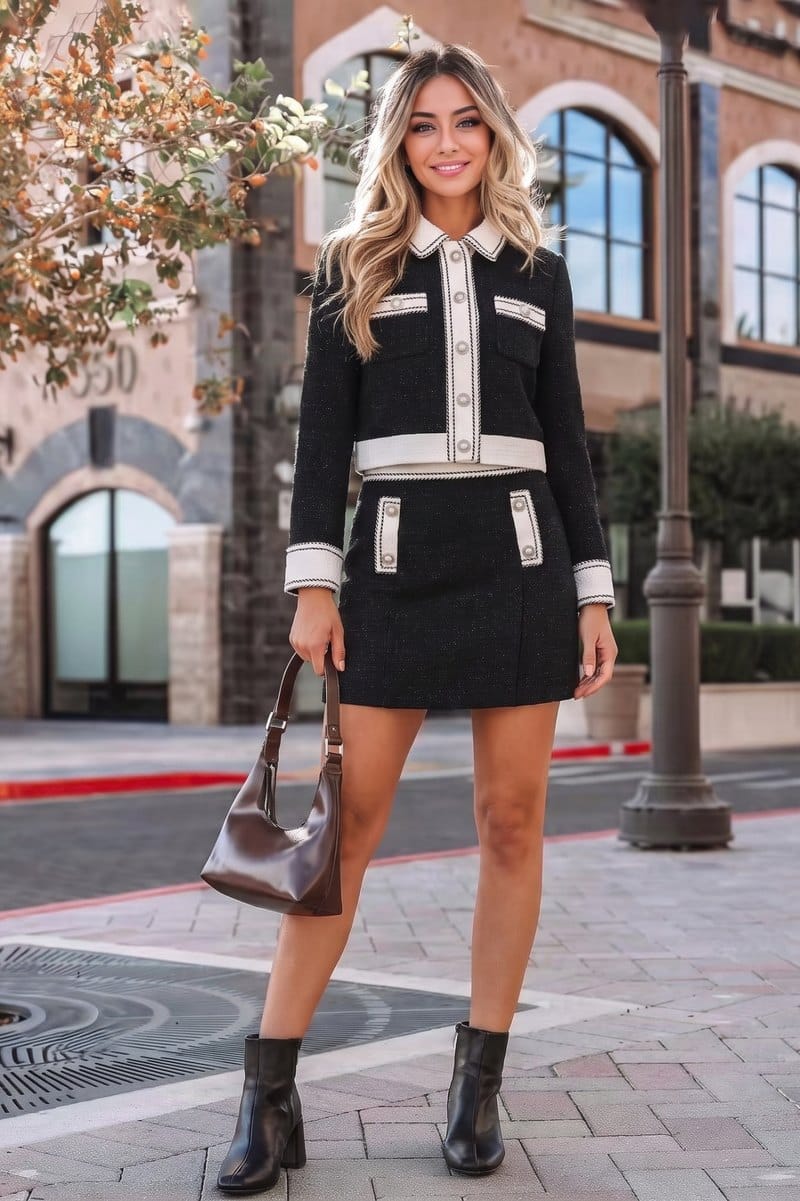
We uploaded the tweed set to Flat Lay, then sent that result to Fashion Model with our reference model selected. The two-step run used no mask or prompt.
Step 1 — Flat Lay
We left Target Item on All and the optional prompt empty.
Step 2 — Fashion Model
The flat lay became the product input, with Try-on Item on Auto and the uploaded reference model selected.

What Snappyit does well — and where it falls short
Snappyit kept the two-piece structure, braid trim, and button layout recognizable across both steps and accepted the uploaded model reference. Its mix of apparel and jewelry tools may reduce tool-switching for a varied catalog. Merchants should still inspect texture, trim alignment, and fasteners at full resolution before publishing.
Pixelcut for mobile product photo editing
Pixelcut combines background removal, Product Studio, batch export, generative fill, and video tools. Product Studio also lists Ghost Mannequin and AI Jewelry Photography formats, making it a broader editor than the fashion-only tools in this comparison.
Pixelcut flat lay and custom-model product photo test
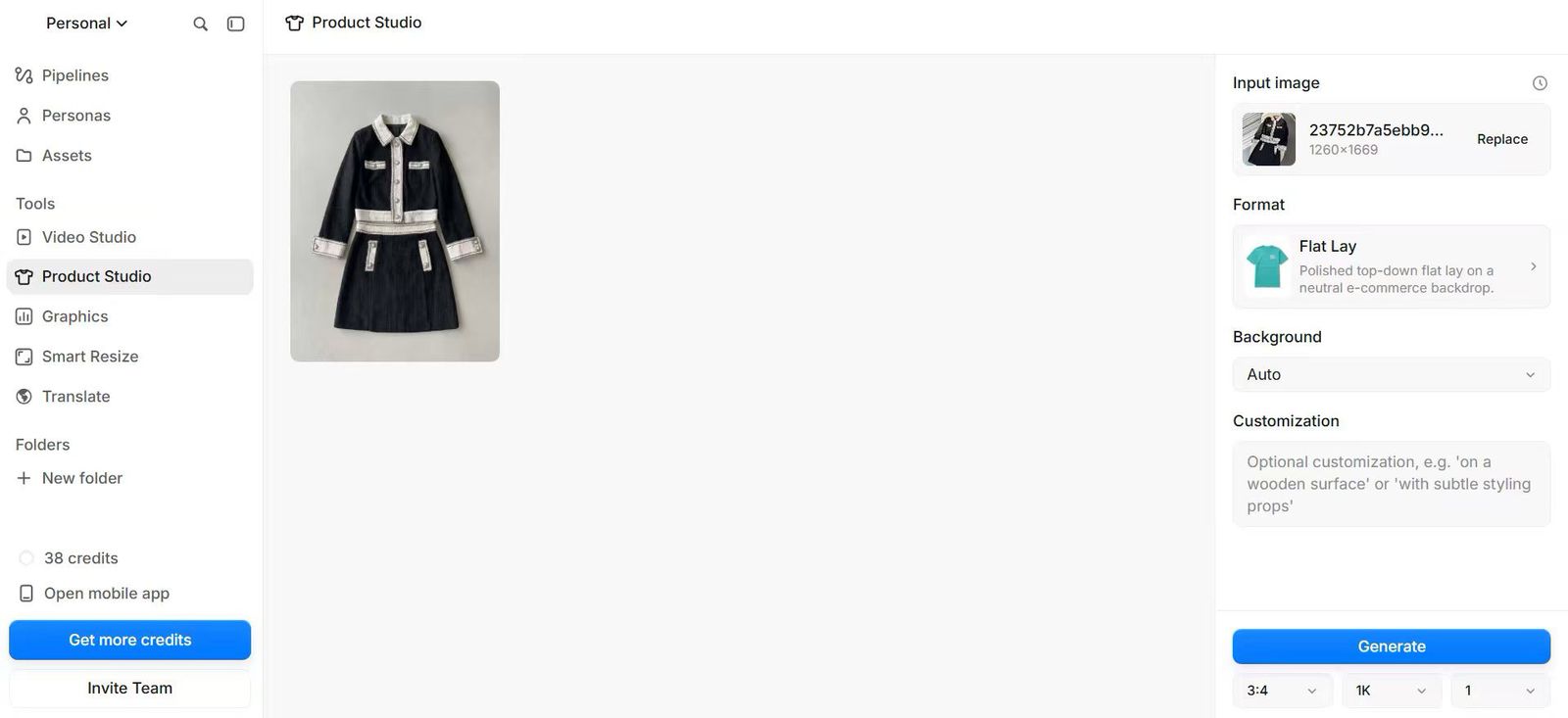
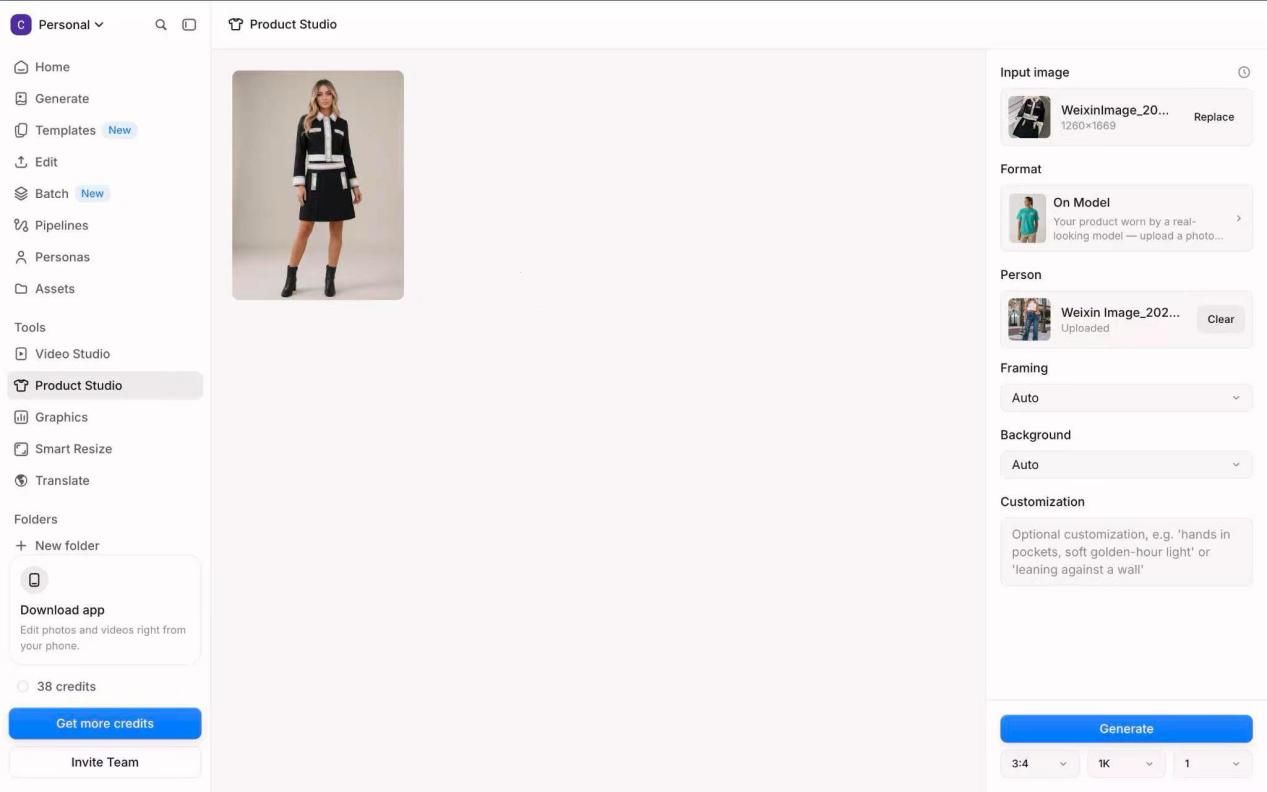
We ran Flat Lay, then On Model with our reference image, both at 3:4 and 1K with the customization box empty.
Step 1 — Product Studio, Flat Lay
We selected Flat Lay and left Background on Auto.
Step 2 — Product Studio, On Model
Pixelcut exposes a Person slot for a custom model photo in Product Studio. We uploaded the reference and left Framing and Background on Auto.
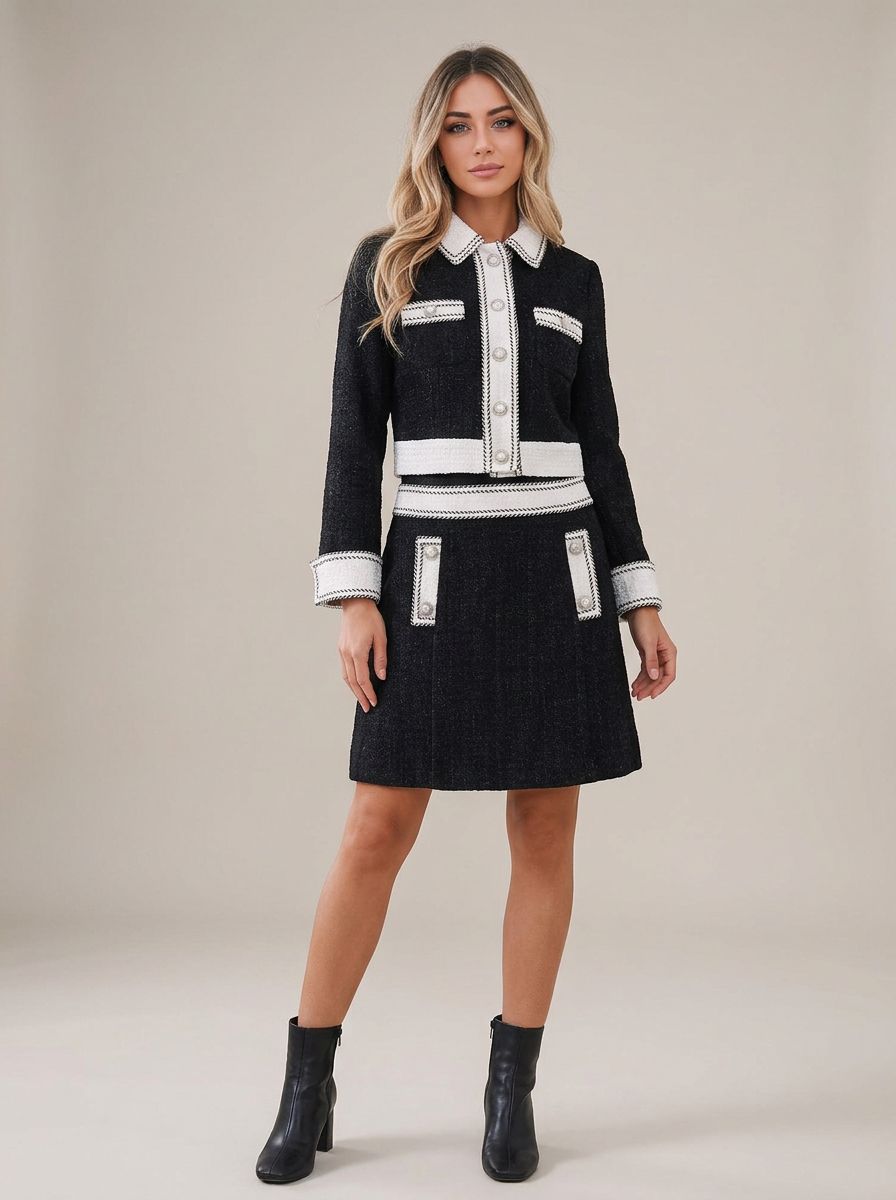
What Pixelcut does well — and where it falls short
Pixelcut accepted the uploaded model reference inside a broad mobile editing workflow, a useful fit for merchants who also need batch exports, background work, or short-form creative tools. In this run, the flat lay was warm grey rather than marketplace white, and both images showed some proportion drift that would require a product check.
KOOZEE AI for flat lays and virtual try-on
KOOZEE AI pairs its Flat Lay Generator with AI Model Virtual Try On in a focused apparel workflow.
KOOZEE AI flat lay and virtual try-on test
Step 1 — Flat Lay Generator
We set Select clothing area to Set and left Ratio on Auto.
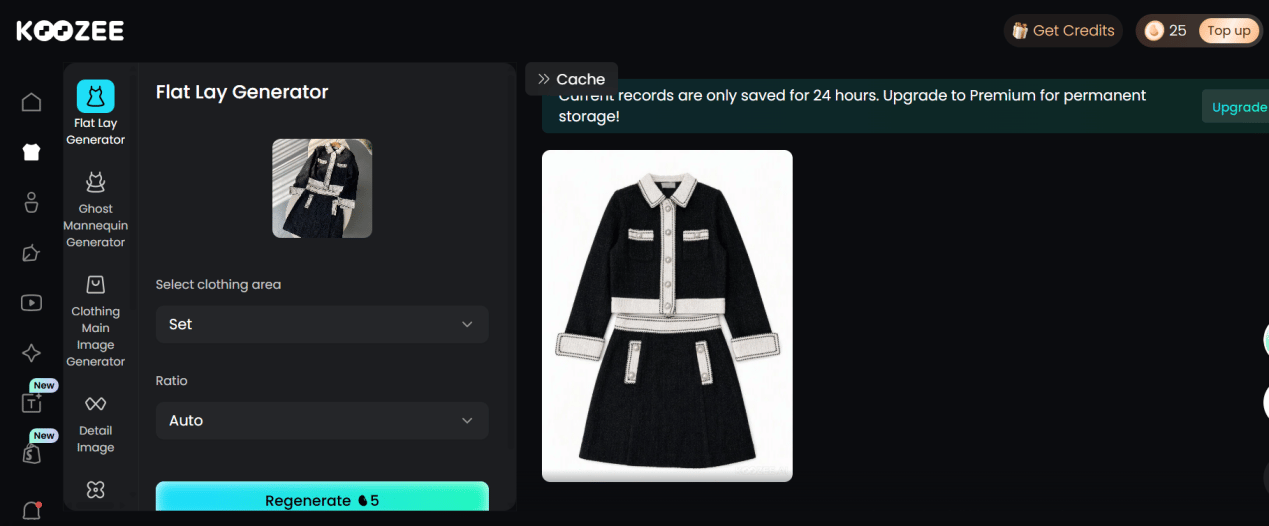
Step 2 — AI Model Virtual Try On
We used the generated flat lay as the clothing input, selected the model reference, and again set the clothing area to Set.
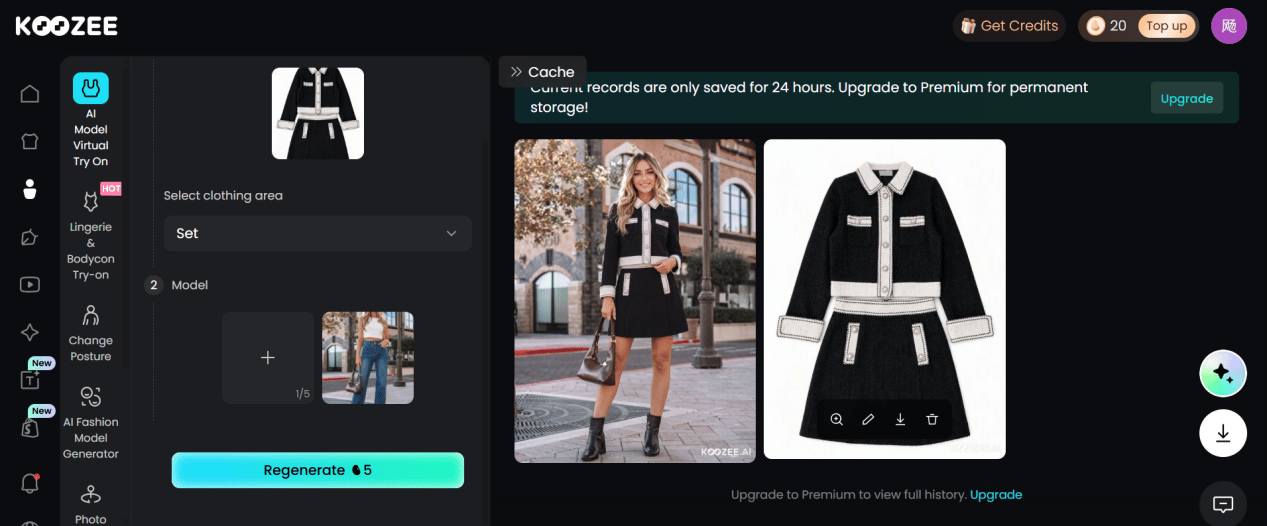
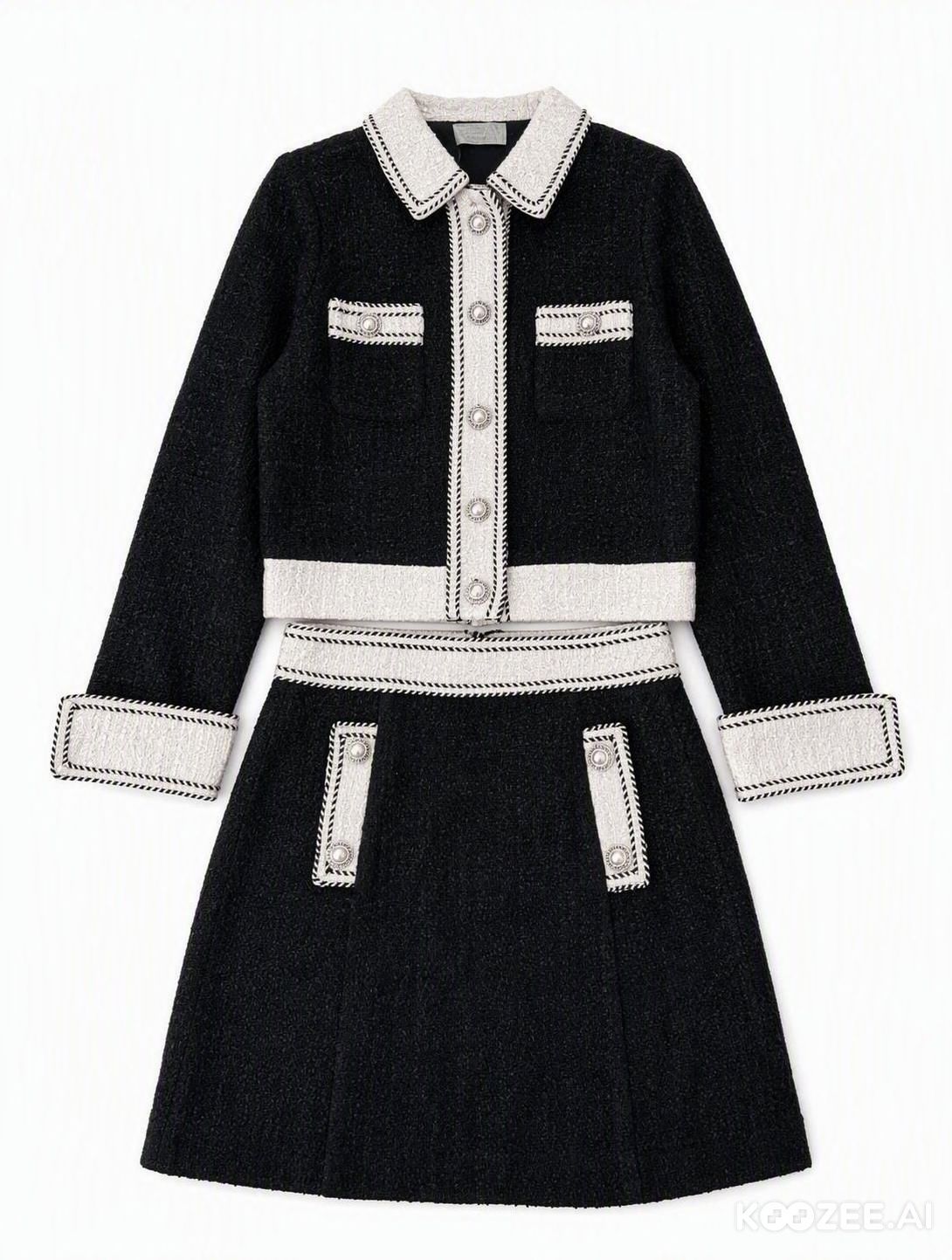
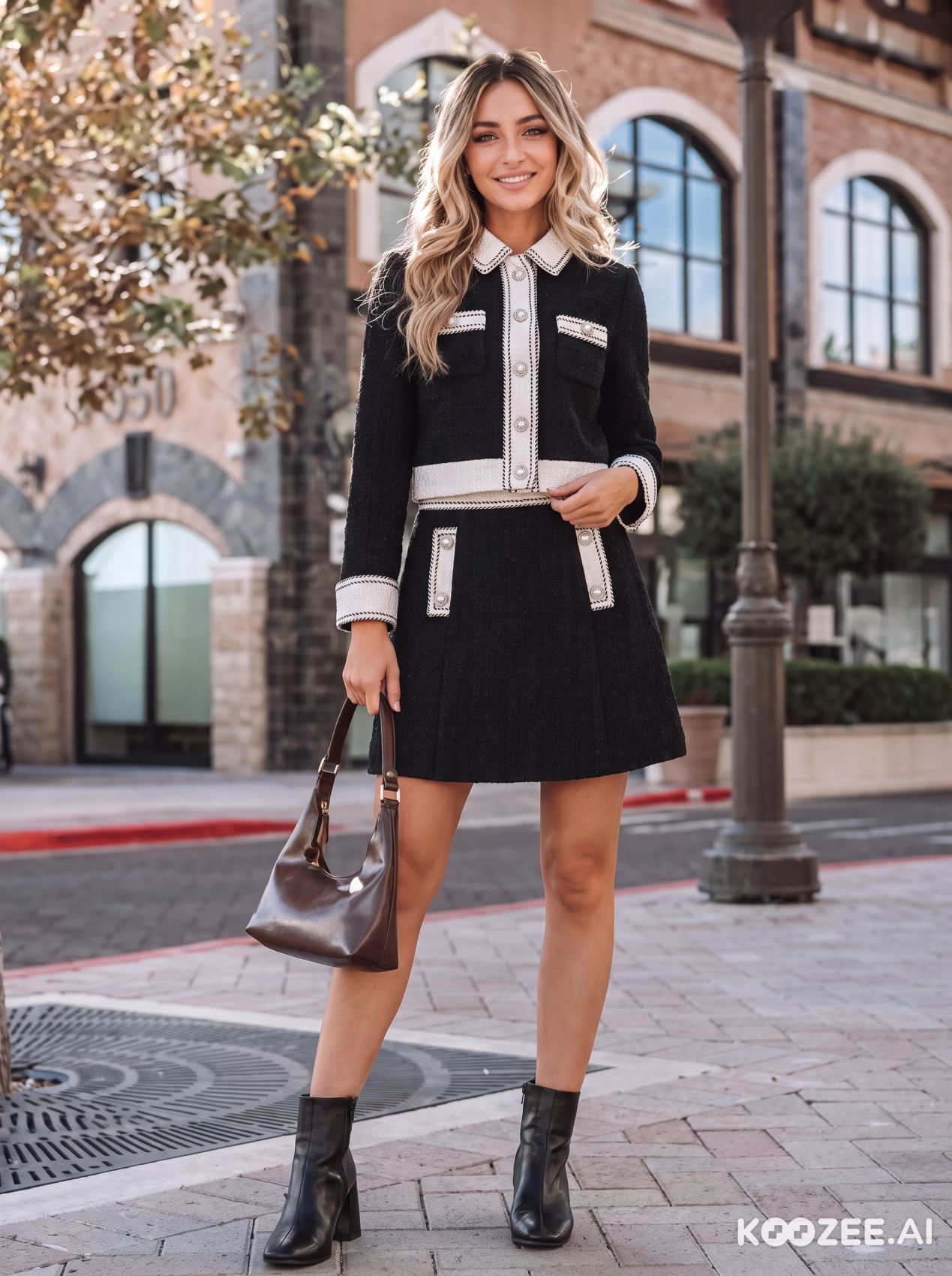
What KOOZEE AI does well — and where it falls short
KOOZEE AI provided a direct apparel path from a hanger photo to a white-background flat lay and then an uploaded-model try-on. It kept the overall two-piece silhouette, but rebuilt some trim and styling details, so sellers of detail-heavy garments should allow time for close review.
FASHN AI for apparel packshots and virtual try-on
FASHN AI combines editing, Packshot, and Try-On in one apparel-focused canvas.
FASHN AI packshot and virtual try-on test
Step 1 — Flat-lay edit
We opened the garment in Studio and regenerated it as a centered product image.
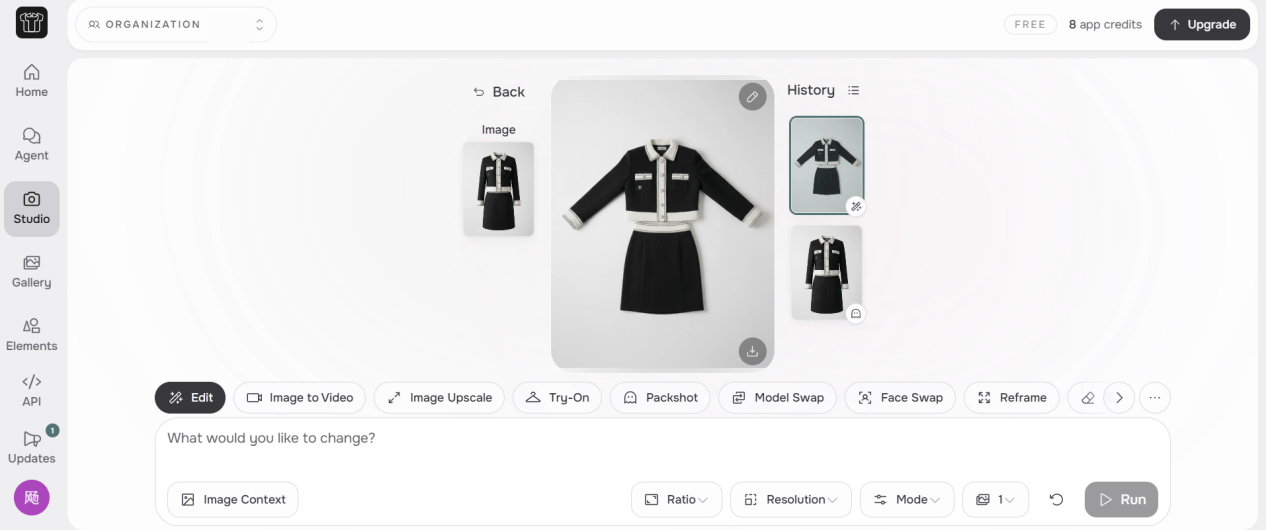
Step 2 — Try-On
This tested Try-On workflow did not expose a custom model slot, so we selected a library model and supplied the original garment.
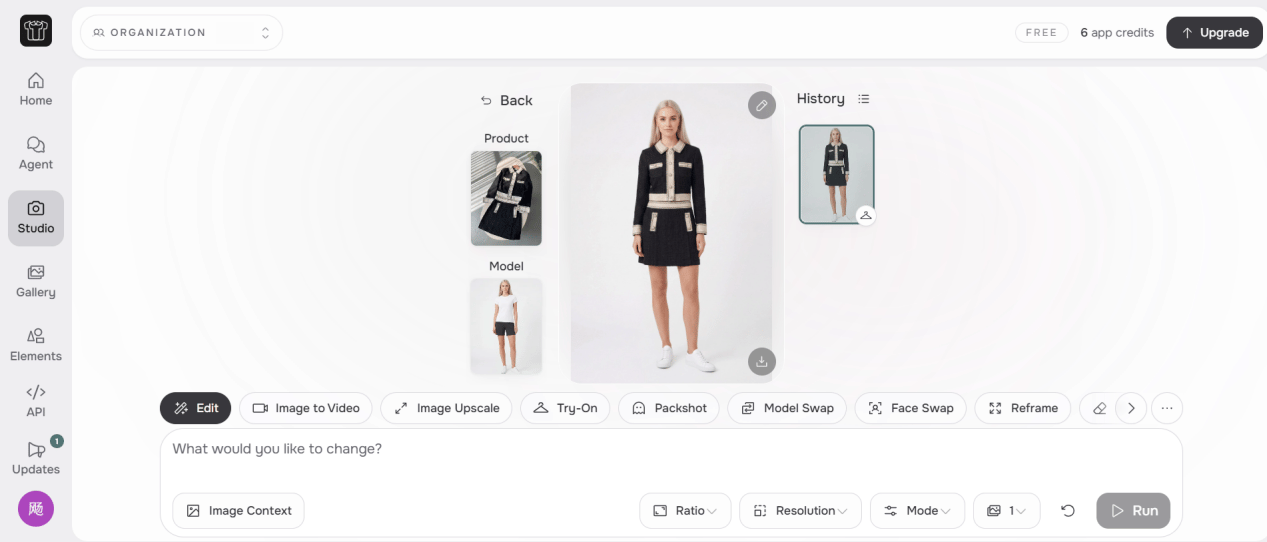
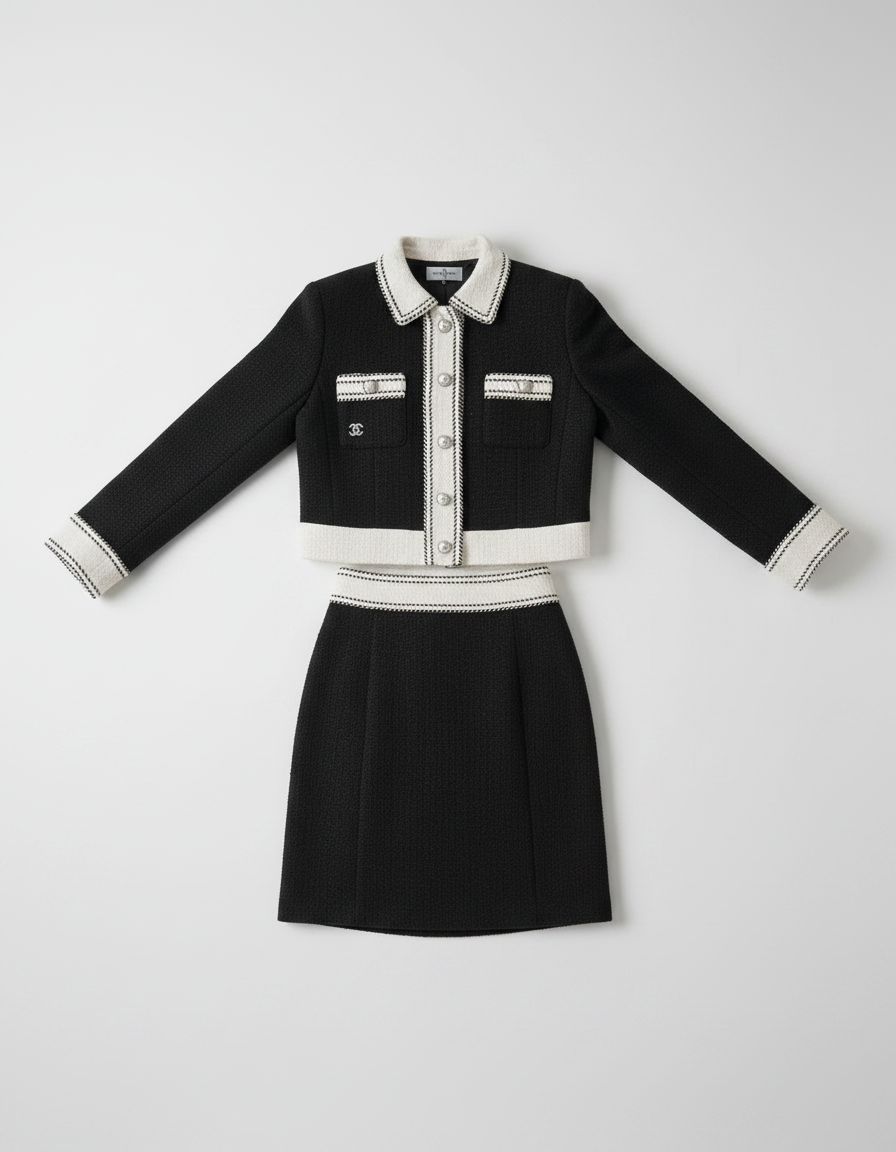
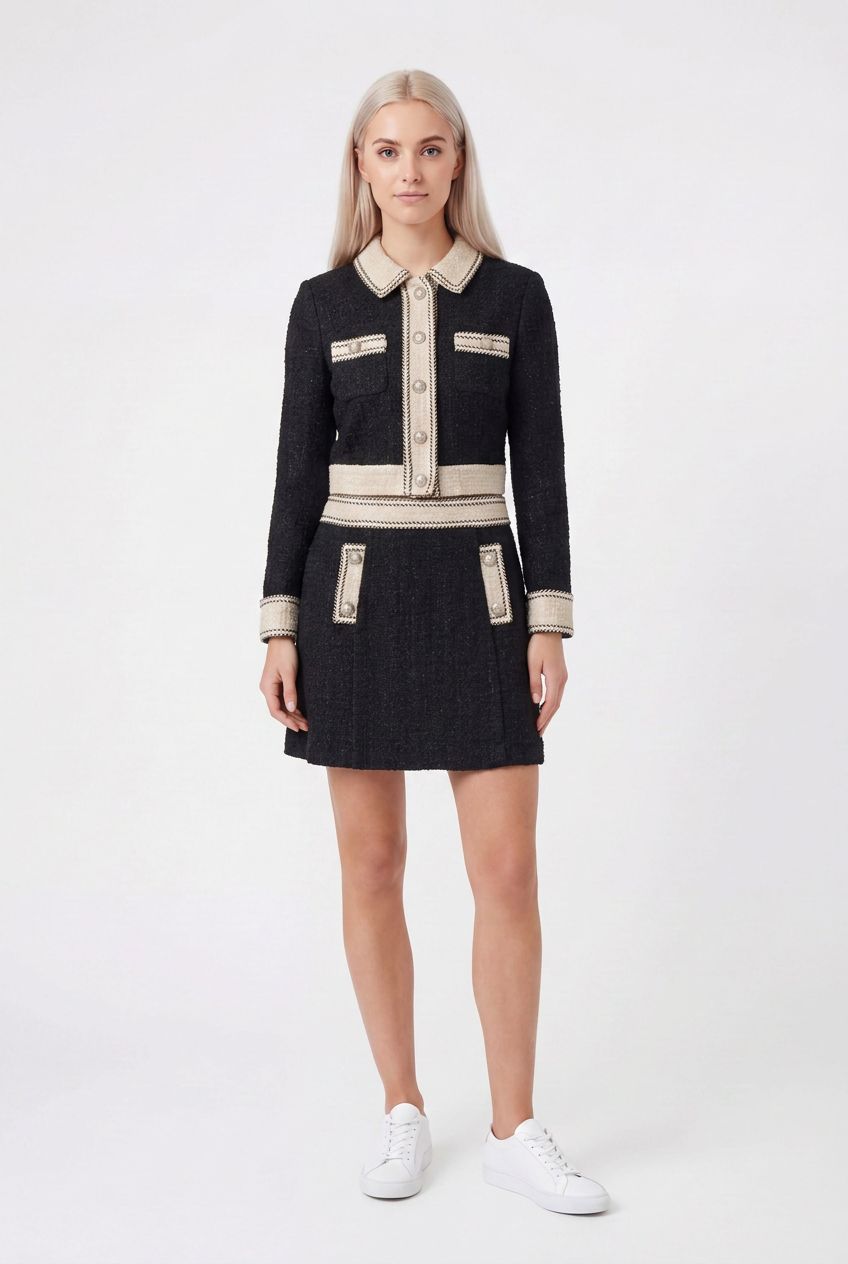
What FASHN AI does well — and where it falls short
FASHN AI produced clean, recognizable studio images in a compact apparel workspace. The flat lay simplified some proportions and trim, the on-model result shifted the white tones slightly, and our tested workflow used a library model rather than the supplied reference.
WeShop AI for AI fashion model images
WeShop AI connects its Clothing Piece Generator with AI Fashion Model and supports iterative edits.
WeShop AI flat lay and fashion model test
Step 1 — AI Clothing Piece Generator
We regenerated the hanger photo with a white-background flat-lay prompt.

Step 2 — AI Fashion Model
The flat lay then went into AI Fashion Model with the reference image. We used several Edit again passes to reach the version shown.
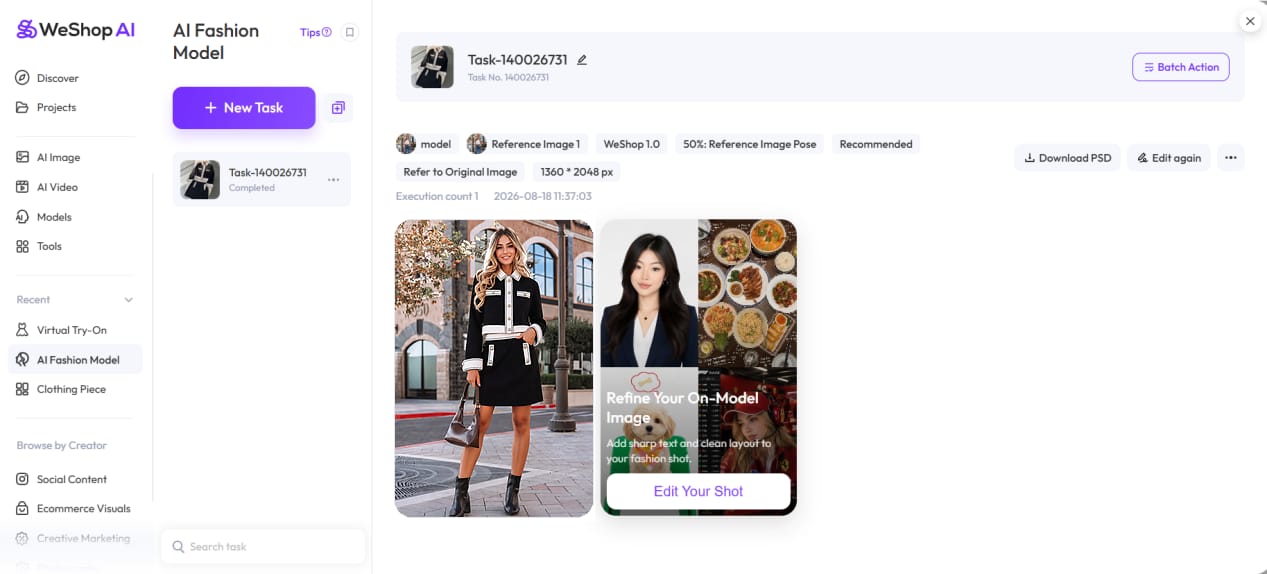
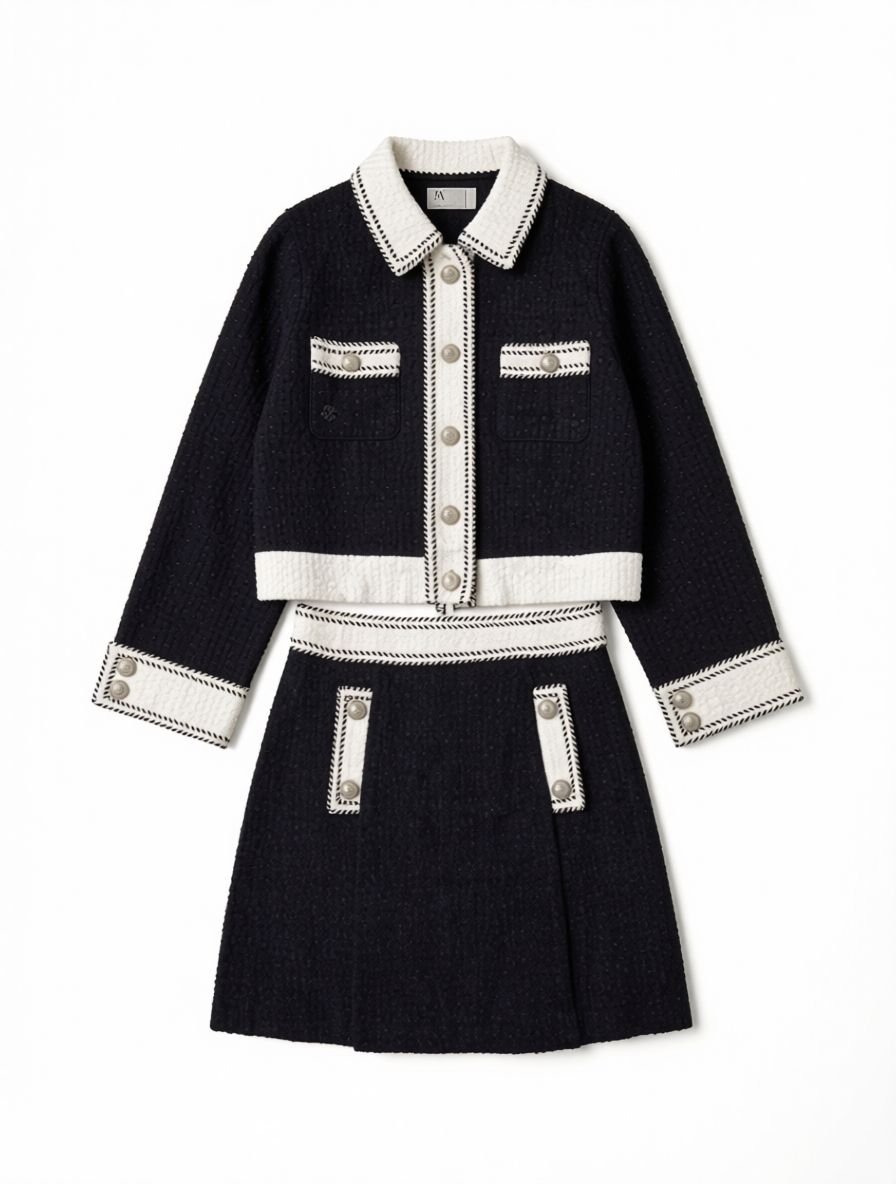
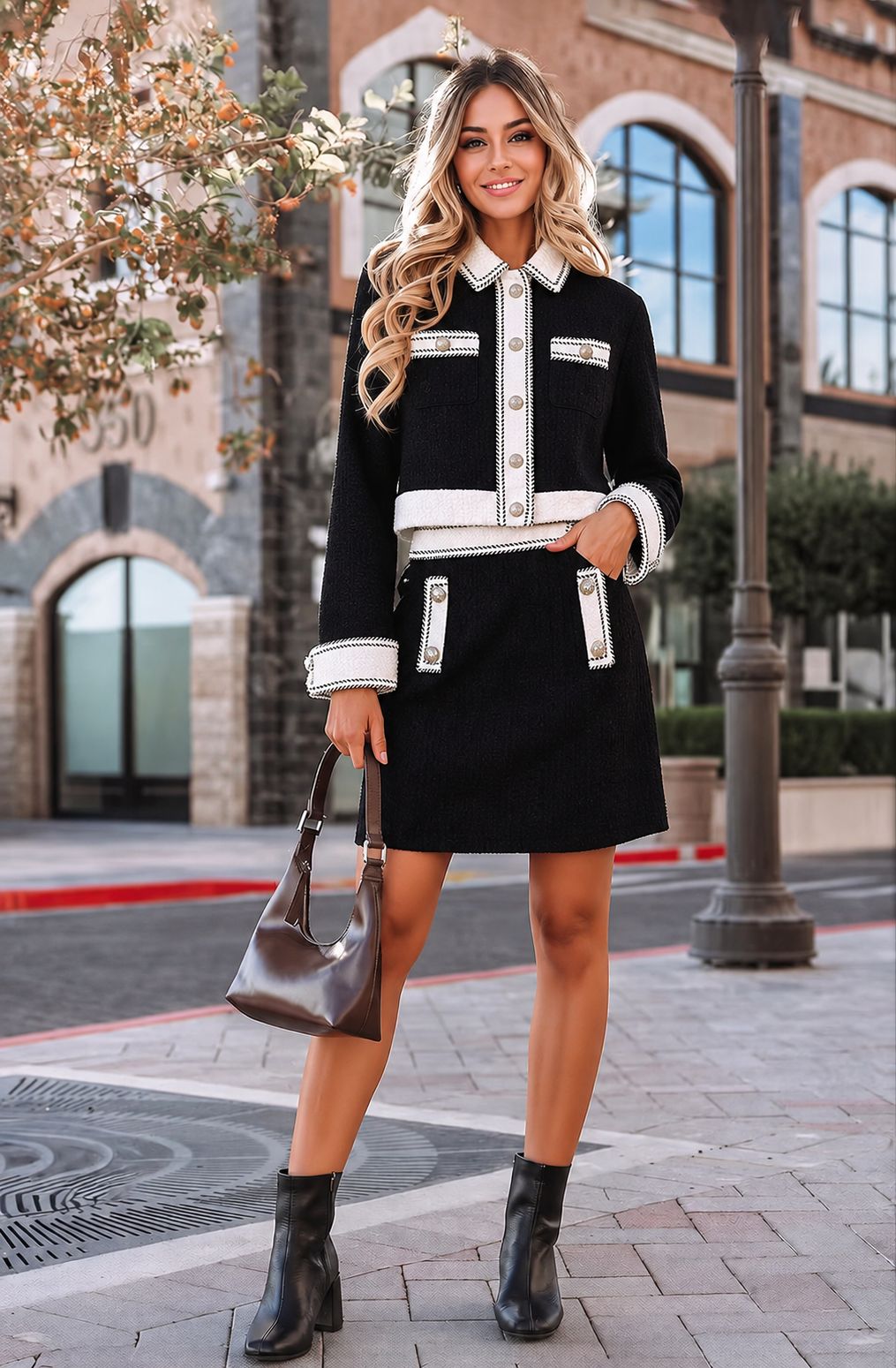
What WeShop AI does well — and where it falls short
WeShop AI produced a marketplace-style white flat lay and offered more room to refine the on-model image than a one-click workflow. That control comes with a time and credit tradeoff: the displayed result took several passes, and the waist and smaller details still need review.
How to choose a Photoroom alternative for ecommerce
Start with the bottleneck in your catalog workflow: mobile editing, marketplace-ready flat lays, reusable model references, apparel-specific generation, or one workspace for both clothing and jewelry. Then compare the plan structure with the credits and review time a usable image actually takes. A low subscription price can become expensive when a SKU needs several generations.
Photoroom alternatives: strengths and pricing at a glance
On a phone, swipe the table horizontally to view every column.
| Tools | Key strengths | Paid entry | Cost per image |
|---|---|---|---|
| Photoroom | Mobile editor with background tools, reusable templates, batch exports, and virtual models | Pro: $89.99/year ($7.50/mo eq.) · $12.99 monthly 8,000 AI credits · 1,000 exports/mo | Subscription-based — no fixed per-image price |
| Snappyit | Apparel and jewelry workflows, including flat lay, fashion model, ghost mannequin, color change, and marketplace presets | One-off pack: $5.90 Basic: $8.20/mo annual · $12.90 monthly | Approx. $0.04– |
| Pixelcut | Broad mobile product editor with batch export, generative fill, video, ghost mannequin, and jewelry formats | Pro: $8/mo annual · $10 monthly 600 AI credits · 1,000 batch exports/mo | Est. $0.47– |
| KOOZEE AI | Focused flat-lay and virtual try-on flow with uploaded model references | Pro: $16.90 first month 600 credits/mo; renewal shown at checkout | Est. $0.14– |
| FASHN AI | Packshot, editing, and virtual try-on in an apparel-focused canvas | Basic: $190/year ($15.83/mo eq.) · $19 monthly 200 credits/mo | Est. $0.08– |
| WeShop AI | Editable clothing-piece and fashion-model generation for iterative apparel work | Pro: $7.99/mo annual · $9.99 monthly 12,000 points/year or 1,000/mo | Est. $0.08– |
Cost methodology: estimates use the annual-plan monthly equivalent through the monthly price, multiplied by the credits or points shown for one 1K generation: Pixelcut 35 / 600, KOOZEE AI 5–10 / 600 using the $16.90 first-month offer, FASHN AI 1 / 200 in Fast mode, and WeShop AI 10–20 / 1,000. *Snappyit's $0.04–$0.12 is a company-supplied estimate for typical paid-plan image workflows; its public pricing page does not support one universal per-image calculation. Photoroom tools consume different amounts from a shared AI-credit pool, so there is no single fixed rate. Retries and unused credits increase effective catalog cost.
Create AI product photos for your catalog
Upload a flat lay, hanger photo, mannequin image, or product cutout to test the workflow with your own catalog. Free credits for new users; no credit card required.
Photoroom alternatives FAQ
1. What is the best Photoroom alternative for ecommerce in 2026?
There is no single best option for every catalog. Pixelcut suits merchants who want a broad mobile editor; KOOZEE AI and FASHN AI center on apparel workflows; WeShop AI emphasizes iterative fashion-model editing; and Snappyit combines apparel and jewelry tools. Test a representative SKU before committing.
2. Is there a free Photoroom alternative?
Yes. Offers reviewed on August 19, 2026 included 6 introductory credits from Snappyit, 30 from KOOZEE AI, 10 from FASHN AI, and a 400-point WeShop AI trial. Pixelcut lists a free plan but did not state a fixed AI-credit allowance on the pricing page we reviewed. Free access is best used to test representative SKUs because allowances and tool costs can change.
3. How much does Photoroom cost in 2026?
Photoroom Pro was listed at $89.99 per year (about $7.50 per month) or $12.99 month to month in the US. The plan listed 8,000 AI credits and 1,000 exports per month. Because different tools consume different numbers of shared AI credits, Photoroom does not have one fixed cost per generated image.
4. Is Photoroom worth it for ecommerce product photos?
Photoroom is worth considering when a merchant needs a polished mobile editor, background tools, templates, batch exports, and library virtual models in one subscription. In our apparel test it produced a clean result quickly, but custom-model access was paid and the final value will depend on monthly volume and which credit-consuming tools you use.
5. Photoroom vs Pixelcut: which is better for product photos?
Both are broad, mobile-friendly product editors. In this test, Photoroom produced a clean image with a library model, while Pixelcut accepted our uploaded model reference but showed some proportion drift. Choose based on model-source control, batch needs, credit rules, and a trial with your own products.
6. Which Photoroom alternative works for apparel and jewelry product photography?
Snappyit and Pixelcut both advertise apparel and jewelry workflows, while KOOZEE AI, FASHN AI, and WeShop AI are more apparel-centered. Photoroom's Virtual Model page also lists jewelry among supported fashion items. This comparison tested apparel only, so jewelry merchants should run a representative ring, necklace, or eyewear image before choosing.
7. Can I switch from Photoroom without re-shooting product photos?
Usually. Keep the original source files and confirm supported formats, resolution limits, and model-reference requirements. Generated projects, masks, templates, and edit history generally do not transfer between services.
References
Official pricing, help, and product pages used for the plan details, credit rules, and feature availability above. Rechecked August 19, 2026; prices and allowances can vary by region and change without notice.
- Snappyit, Pricing.
- Photoroom, Pricing.
- Photoroom Help Center, AI credits.
- Photoroom, Ghost Mannequin.
- Photoroom, Virtual Model.
- Pixelcut, Pricing.
- KOOZEE AI, Pricing, Flat Lay Generator, and AI Model Virtual Try On.
- FASHN AI Help Center, App subscription plans and credit costs.
- WeShop AI, Plans and pricing and AI Fashion Model.