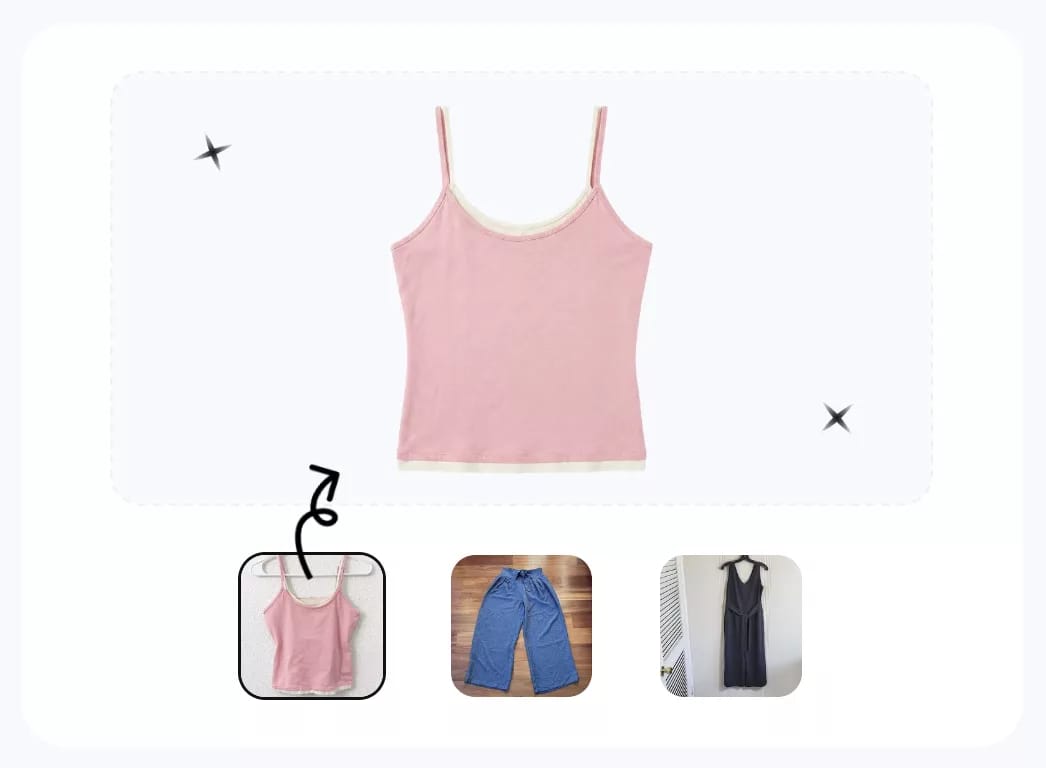

Flat Lay Photography: Studio vs AI at a Glance
| Decision factor | Traditional studio flat lay | AI flat lay workflow |
|---|---|---|
| Best fit | Hero images, campaigns, complex styling, exact art direction | Routine catalog images, listing backlogs, consistent white-background output |
| Input | Physical product, styling surface, camera, lighting, garment preparation | Clear source photo that shows the complete item and its important details |
| Control | Direct control over folds, lighting, props, and camera settings | Control depends on the tool; generated details can vary |
| Speed constraint | Physical setup, shooting, and retouching | Generation, retries, and human quality control |
| Cost driver | Per-image fee or staff, equipment, studio, and editing time | Plan or credits, retries, review time, and correction work |
| Main risk | Inconsistent sessions, shadows, dust, wrinkles, and setup time | Changed text, pattern, color, construction, transparency, or item count |
| Marketplace readiness | Requires export and listing-specific QC | White-background output can help, but still requires listing-specific QC |
What Ecommerce Listings Require
Flat lay photography shows a product arranged on a flat surface and photographed from above. It is useful for apparel because shoppers can see the garment outline without a model, while sellers can keep the frame simple and repeatable.
Before choosing a workflow, define the image slot. A marketplace main image, a secondary detail image, a social post, and an editorial campaign do not have the same job. Amazon's product-image requirements call for a pure white main-image background. By contrast, eBay's official photo guidance describes white as a safe choice, recommends centering the item and showing it fully, and notes that a solid color can help a light product stand out. Check the current platform, category, and image-slot rules instead of applying one marketplace's main-image rule everywhere.
A useful source set normally includes a clean full-product view plus real close-ups of labels, texture, closures, damage, measurements, and any detail that could affect the buying decision. An AI-generated cover should not replace evidence that helps shoppers understand the actual item. For planning the wider catalog beyond flat lays, see Snappyit's AI product photography workflow for ecommerce.
Traditional Studio Workflow
- Prepare the product. Steam or press it, clean visible lint, close fasteners, and decide how the garment should be shaped.
- Build the set. Place the item on a clean surface, position the camera directly overhead, and create even light with controlled shadows.
- Style and shoot. Adjust sleeves, hems, symmetry, and spacing; then capture the front, back, and detail views needed for the listing.
- Edit and export. Correct exposure and color, remove dust or background distractions, crop consistently, and export for the target platform.
This workflow provides the most deliberate control. It is particularly valuable for reflective materials, transparent lace, complex layering, editorial styling, or products whose construction must be reproduced exactly.
AI Flat Lay Workflow
- Capture a source photo. Show the complete product in sharp focus with no hands or objects blocking important details.
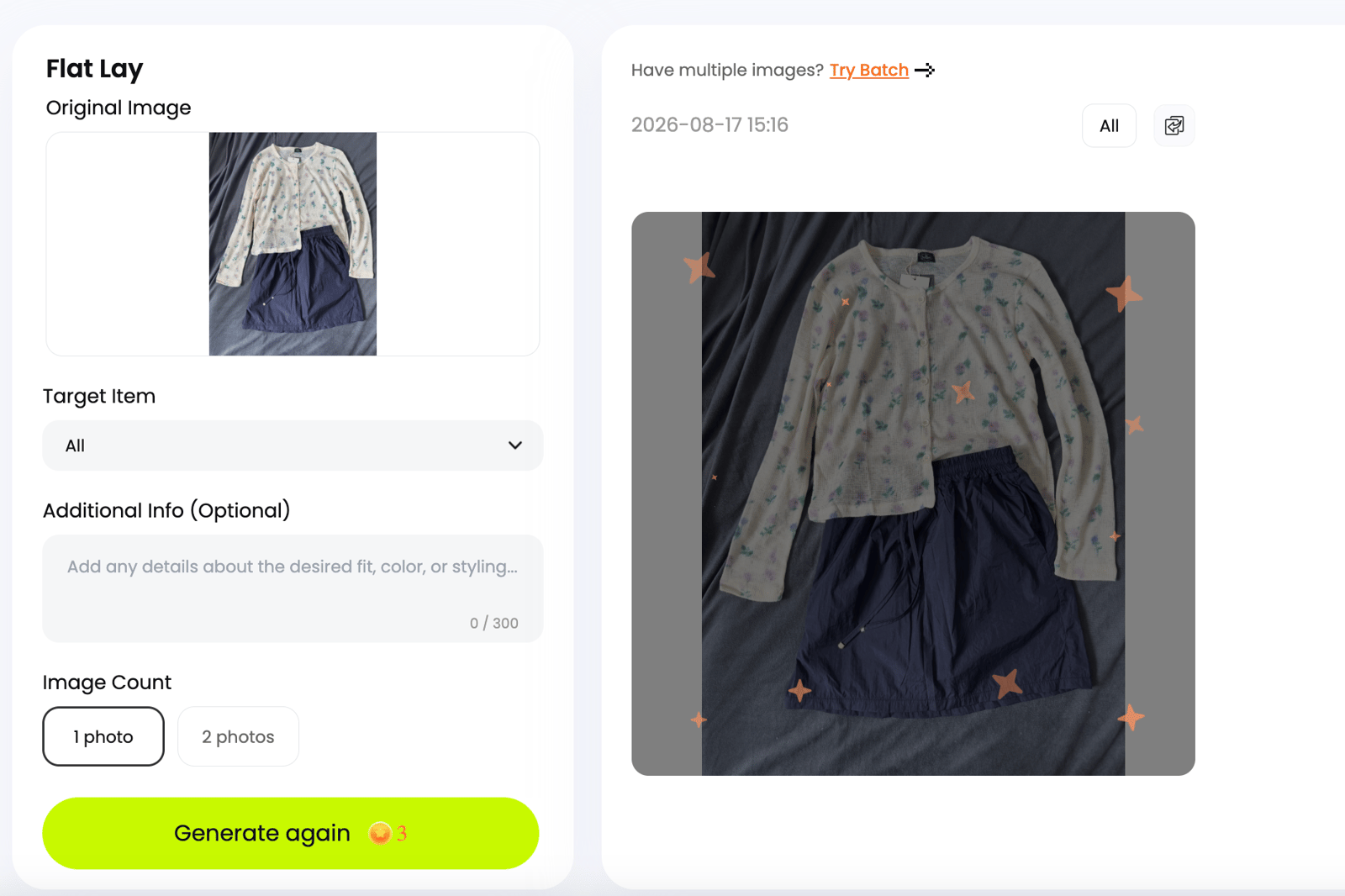
- Upload and choose the output. Select the flat lay workflow, background, and number of results supported by the tool.
- Generate candidates. Treat every output as a candidate, not an automatically approved listing image.
- Compare with the source. Use the quality-control checklist below before approving any candidate.
- Export for the listing. Confirm crop, resolution, background, and current marketplace rules.
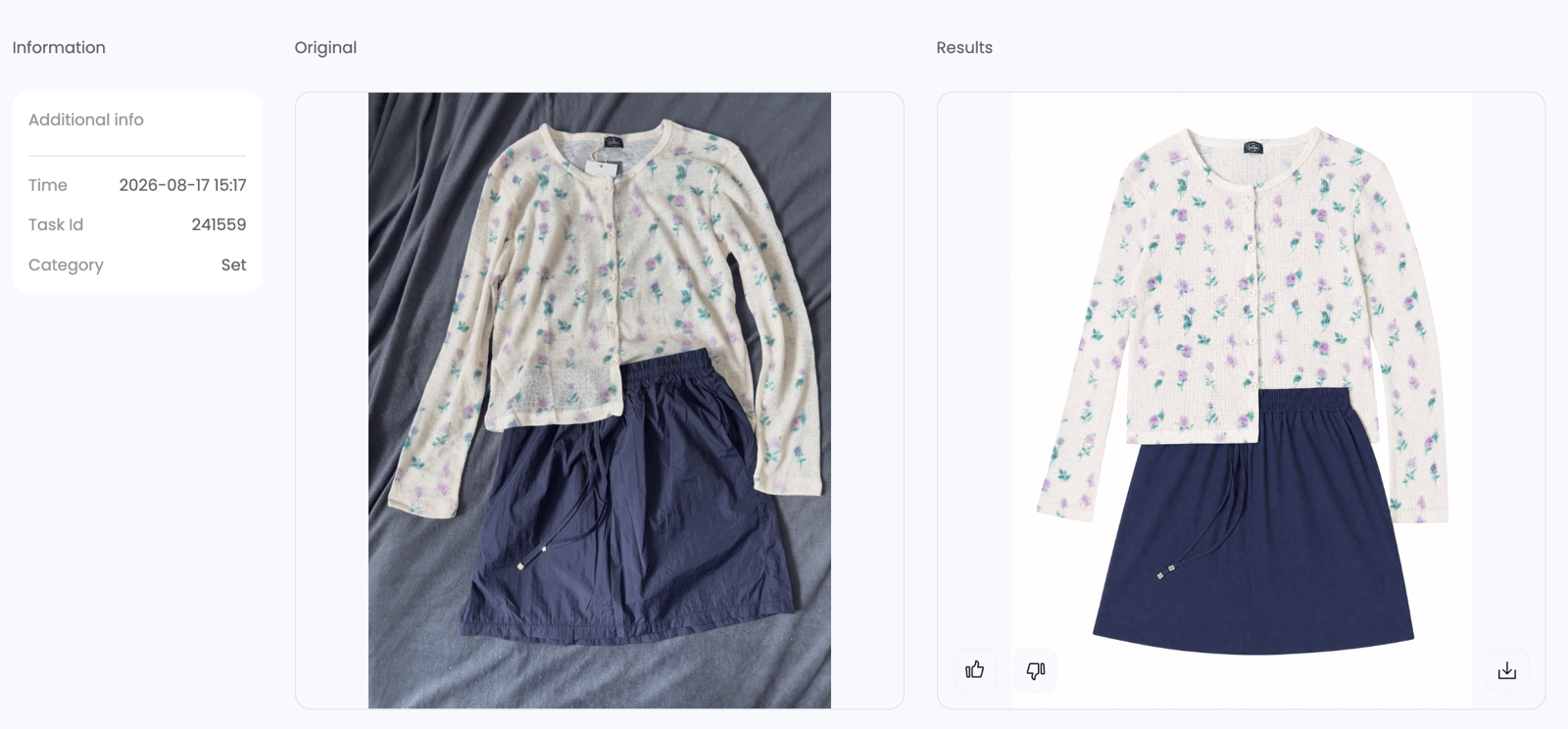
The screenshots below show the two interface stages used in this workflow: setting up the source image and reviewing the generated results.
Try the AI flat lay workflow →
Examples from Three Clothing Listings
These supplied examples pair phone photos with generated results. Use them to see what needs checking before an image goes into a listing.
Peach Lace Dress: Check Lace and Color
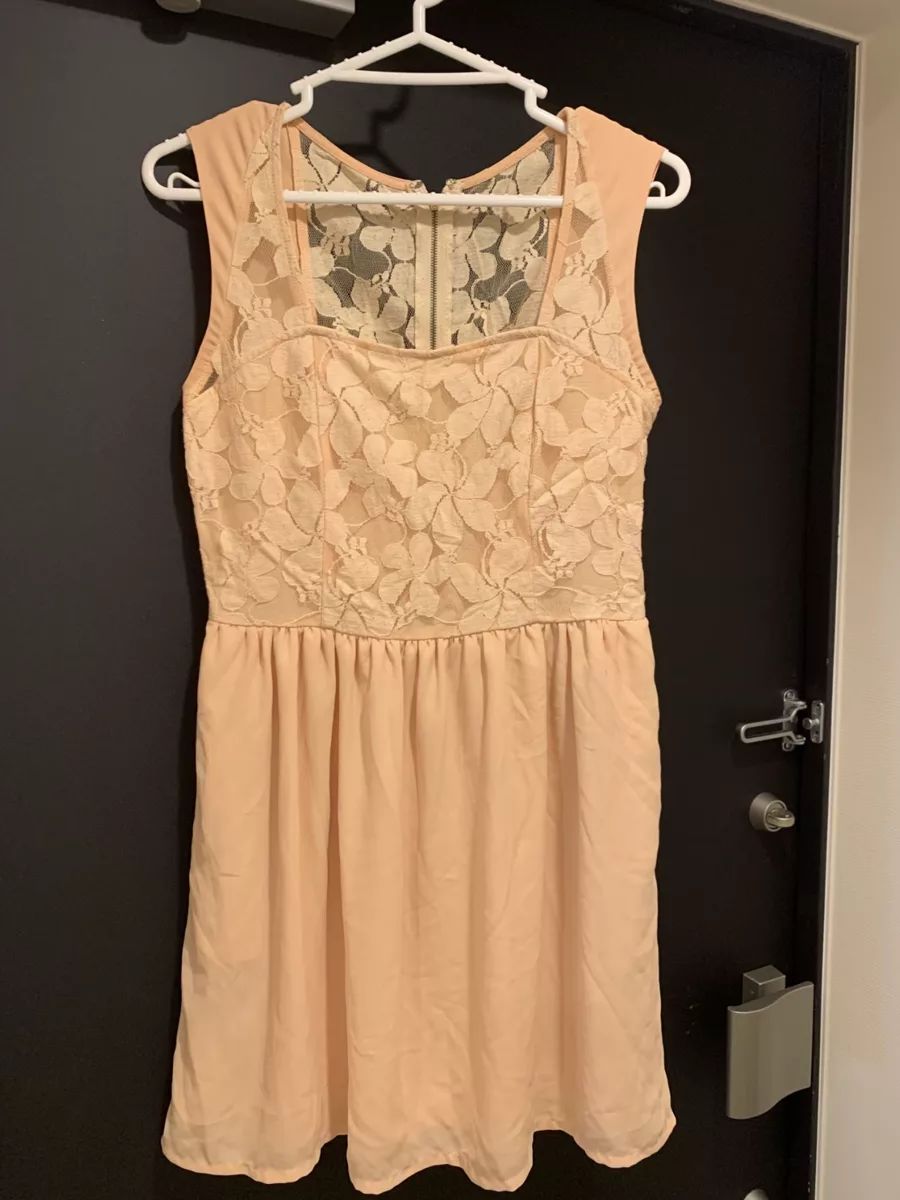
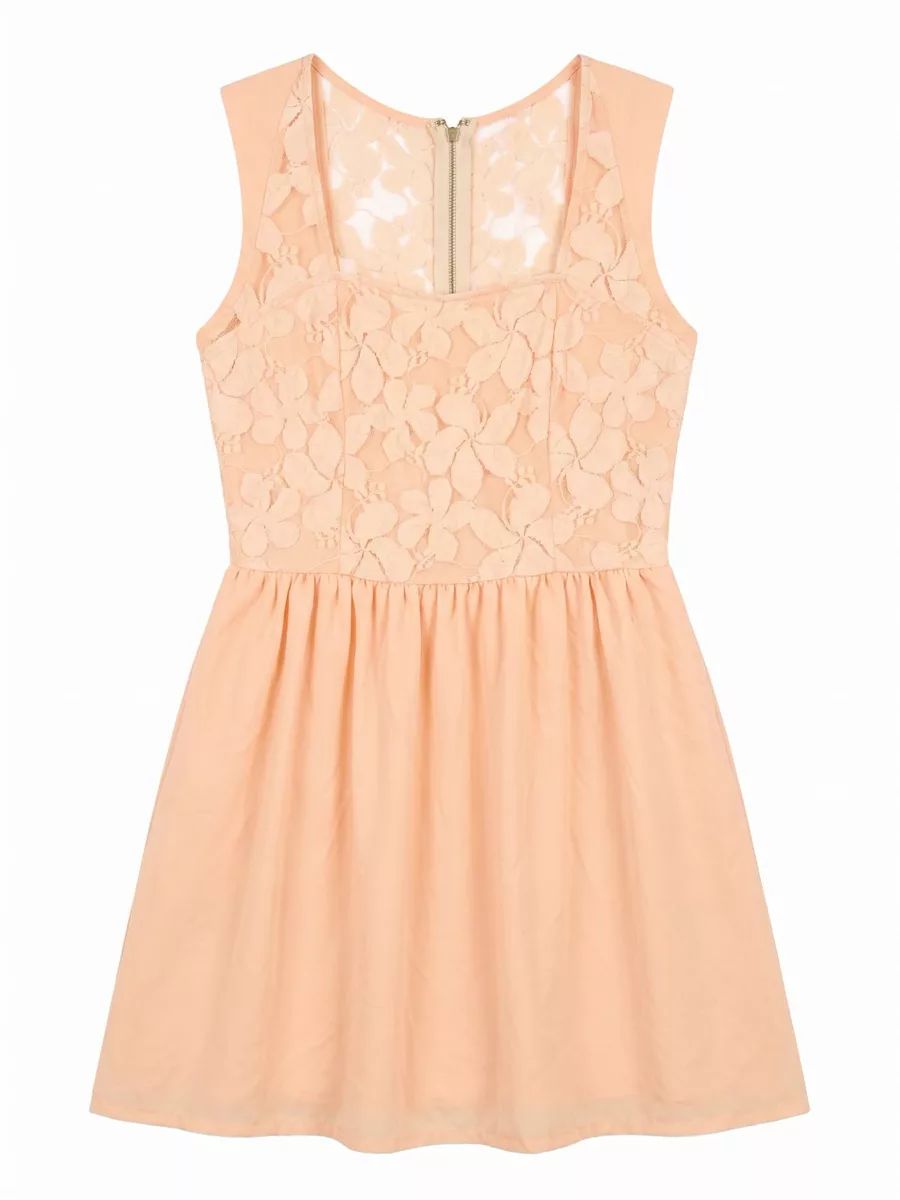
The result removes the hanger and dark door and creates a centered catalog frame. Before publishing, compare the lace motifs, zipper, waist seam, hem, and peach tone with the item in hand.
Two-Piece Outfit: Confirm Both Items
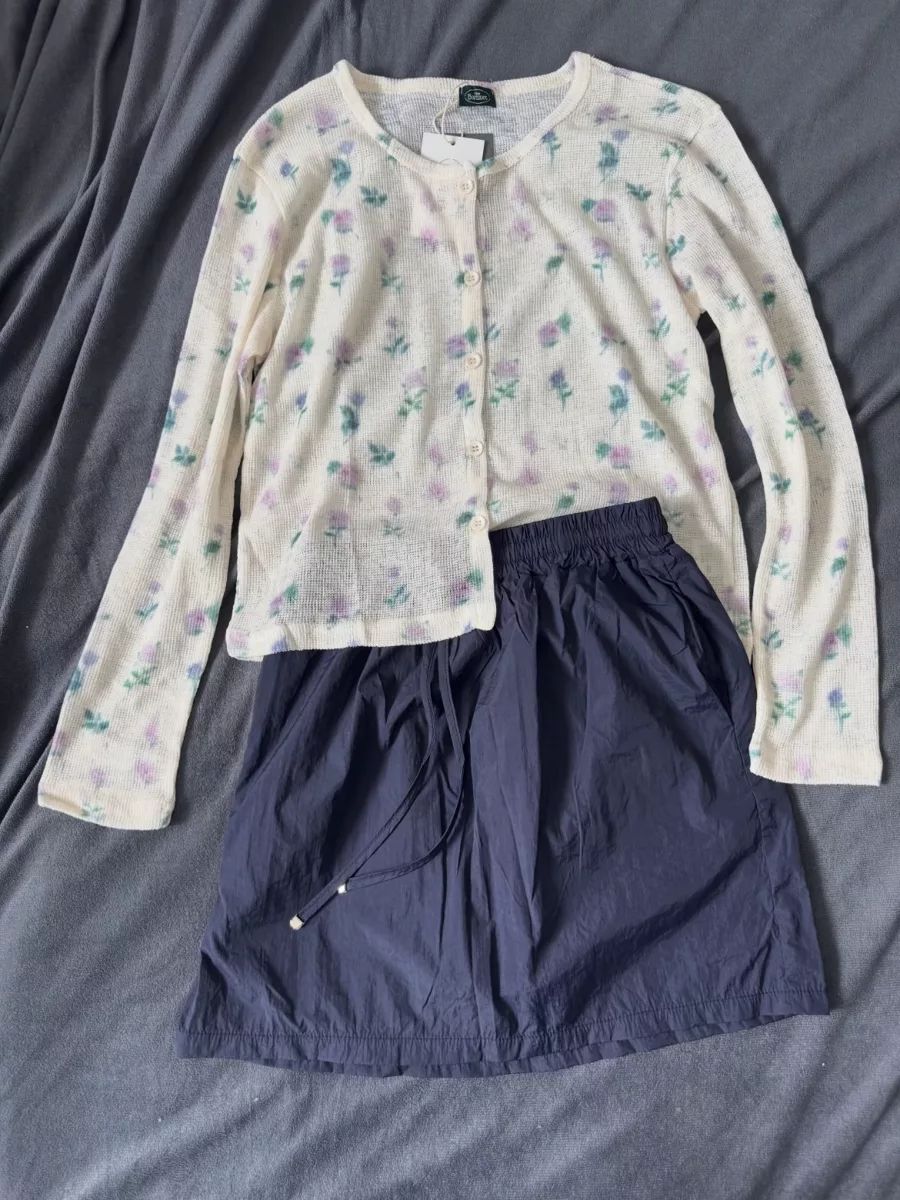
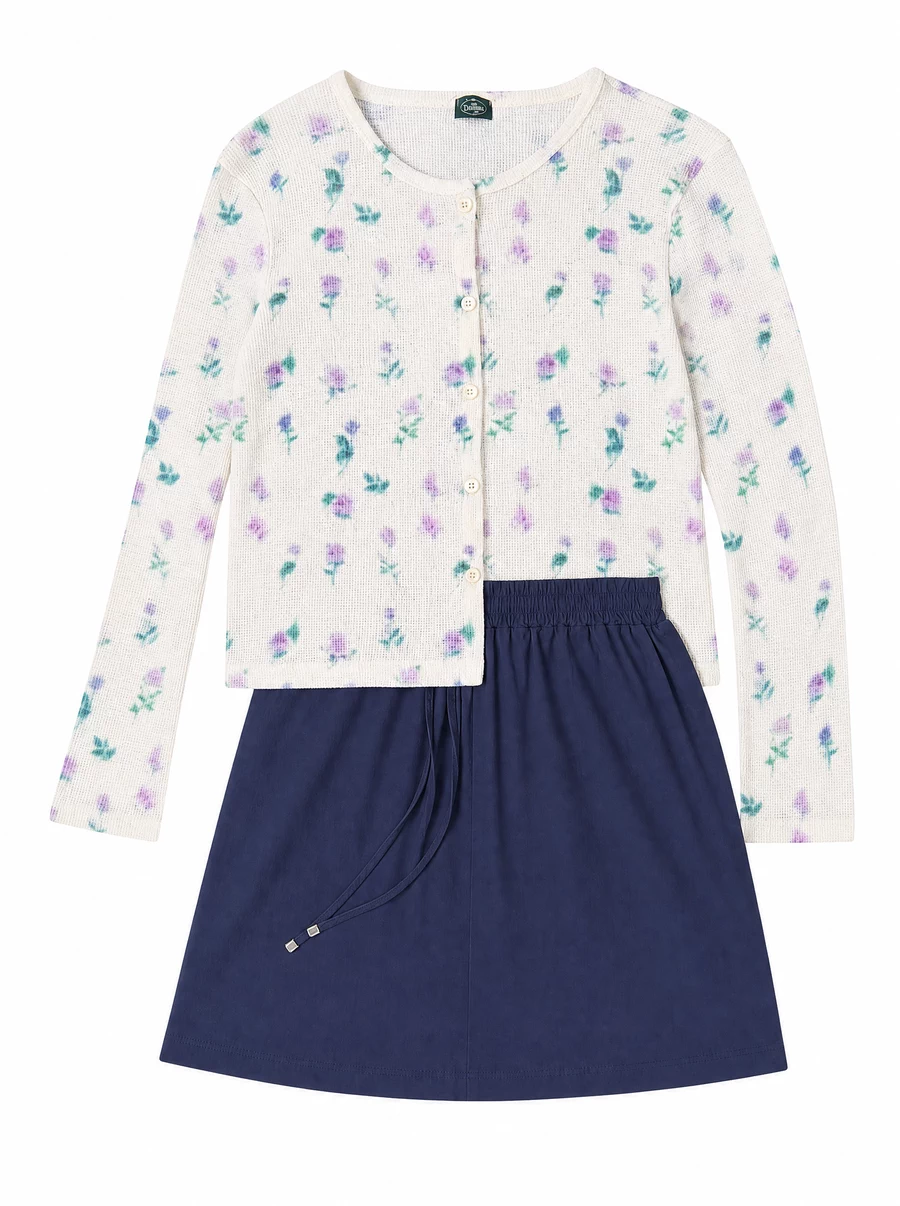
With a two-piece set, check that both pieces are still present and that buttons, ties, labels, or accessories have not been added, removed, or moved between them.
White Lace Blouse: Review Edges on White
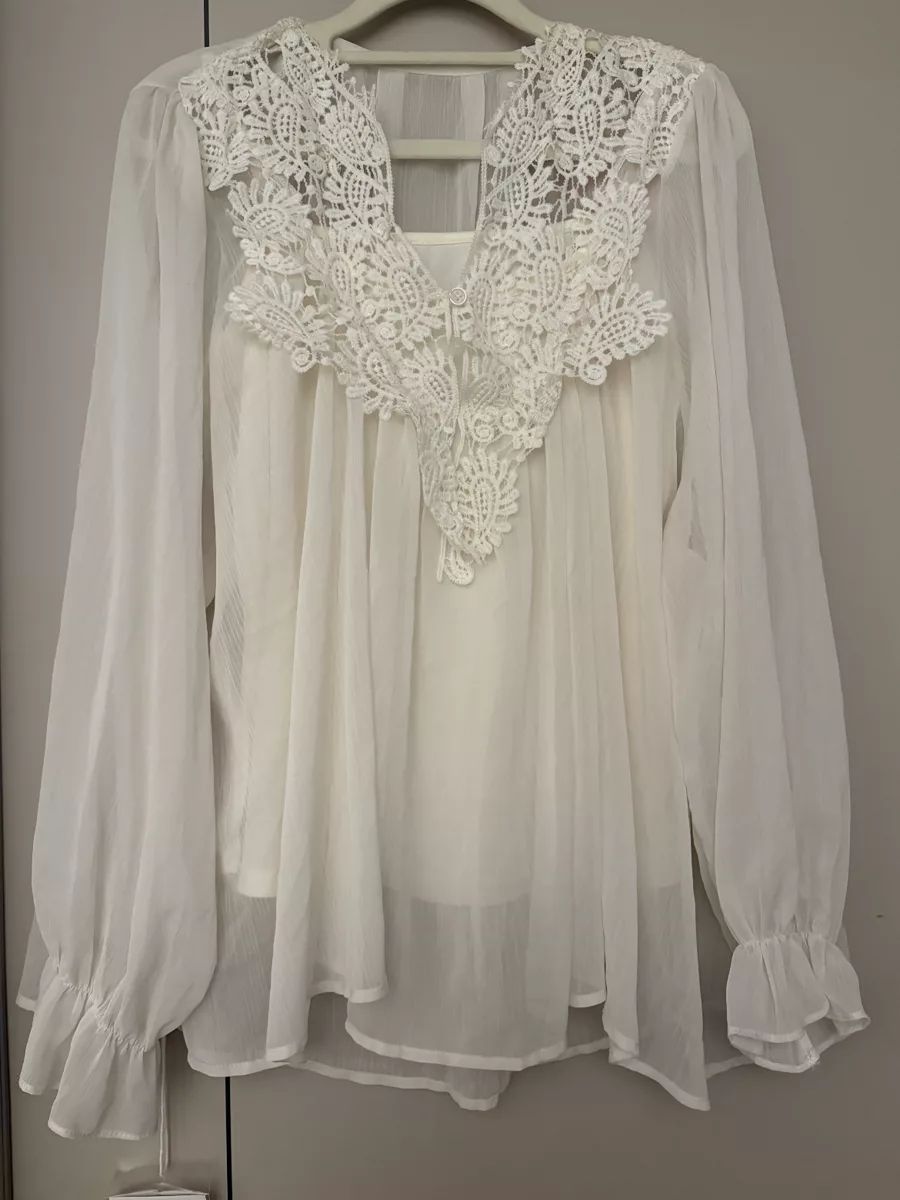
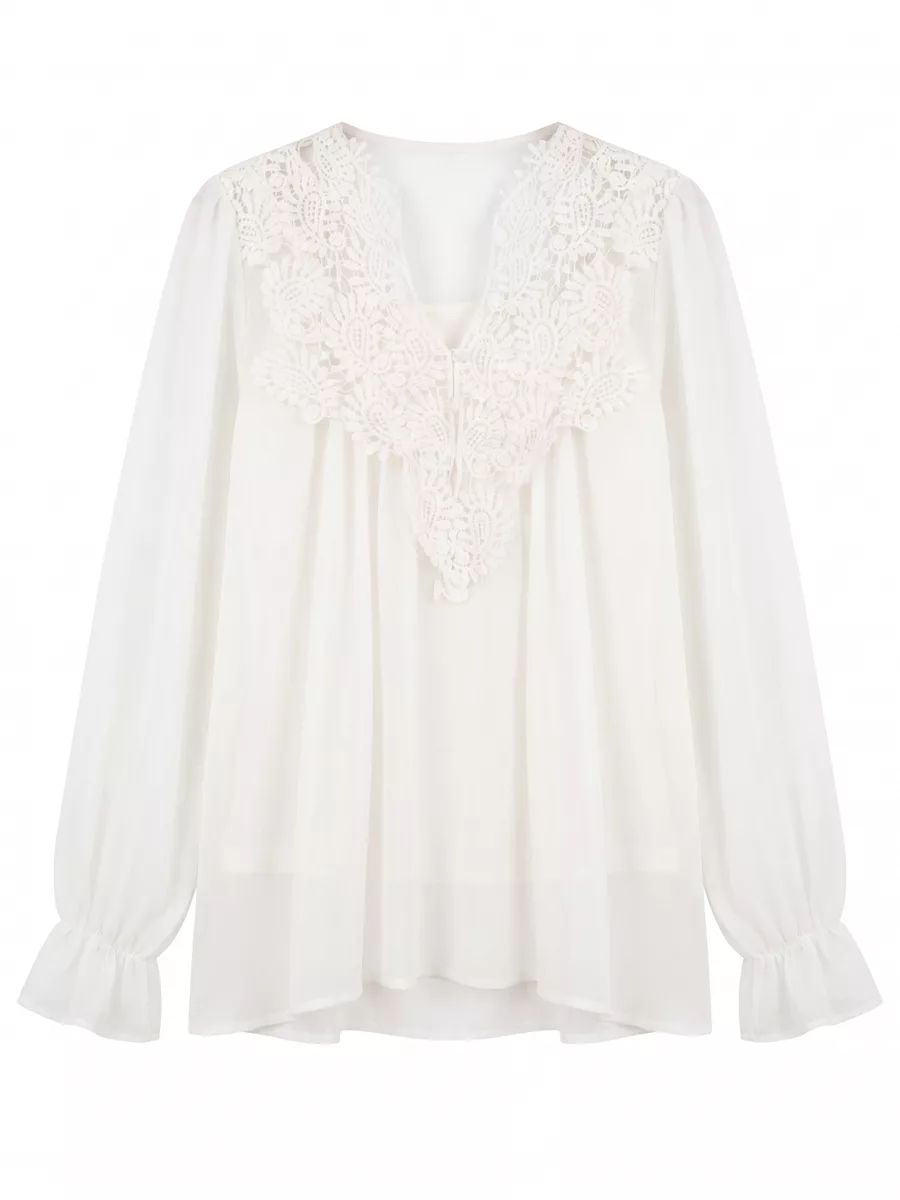
White and semi-transparent materials can lose edges or appear opaque against a white background. Review the cutouts, sheer sleeves, cuff ties, inner layer, and hem on a temporary light-gray canvas; export on white only after those boundaries remain accurate.
Cost Example: 500 Product Images
When comparing costs, do not combine studio day rates, per-image rates, and post-production charges unless a quote bills them separately. Include AI retries and review time rather than comparing a finished studio image with an unchecked generation.
A vendor-authored ProShot Media Group pricing guide lists apparel flat lays at $15–$40 per image and freelancers at $25–$75 per image. Use those figures as one public planning reference, not a universal market average or a quote for your catalog.
| 500-image example | Transparent calculation | What is not included |
|---|---|---|
| Studio flat lay at published per-image range | 500 × $15–$40 = $7,500–$20,000 | Shipping, rush fees, special styling, extra views, and taxes may vary |
| DIY flat lay | 500 × your measured minutes per image ÷ 60 × hourly labor cost | Equipment, space, editing, retakes, and opportunity cost |
| AI flat lay | Current plan or credits + retries + QC time + corrections | Your total depends on the plan, retry rate, and time spent reviewing each image |
This example uses 500 finished images, not 500 SKUs; one SKU may need several image slots. Build your own estimate from product count, views per product, source-photo time, retries, review minutes, correction rate, hourly labor cost, and the current AI plan or credit price. Budget more review time for high-value or detail-sensitive products.
Choose a Studio, AI, or Hybrid Workflow
- Choose a studio for campaign images, reflective or sheer products, complex props, strict art direction, or products whose exact construction is difficult to infer from one photo.
- Choose AI for routine catalog images, reseller listing backlogs, repeatable white-background layouts, and testing a consistent presentation before investing in a larger shoot.
- Choose a hybrid workflow when speed and accuracy both matter: generate routine catalog candidates with AI, keep real detail photos, and commission a studio for hero images or difficult materials.
This sponsored Vinted challenge shows Italian reseller Alberto Filippini using Snappyit Flat Lay during a timed buy-and-resell workflow. It is a sponsored demonstration of one reseller's process.
Quality-Control Checklist
Use a consistent review checklist for every generated image:
- Identity: correct garment, colorway, item count, front or back orientation.
- Construction: neckline, sleeves, cuffs, hem, seams, buttons, zipper, pockets, straps, and fasteners.
- Surface details: logos, text, labels, print placement, embroidery, lace, sequins, transparency, and damage.
- Color and material: compare against the physical item or a color-managed reference, not only the phone display.
- Layout: clean edges, natural proportions, no added or missing accessories, and no unexplained artifacts.
- Listing rules: correct background, crop, resolution, image slot, and category-specific policy.
If a result fails, regenerate from a clearer source, use a different view, correct the image manually, or switch that product to a traditional shoot. The goal is an accurate listing, not maximum automation.
Flat Lay Photography FAQ for Ecommerce Sellers
What is flat lay photography?
Flat lay photography shows a product arranged on a flat surface and photographed from directly above. Ecommerce sellers use it to present a garment's shape, color, and visible details in a clean frame.
Is studio or AI flat lay photography better?
Studio photography is better when precise styling, art direction, or exact material rendering matters most. AI is useful for repeatable catalog images and fast listing workflows. Many sellers use a hybrid approach: AI for routine catalog work and a studio for campaign images.
How much does flat lay photography cost?
Cost depends on the workflow and deliverables. One vendor-authored ProShot Media Group guide lists apparel flat lay photography at $15–$40 per image and freelancers at $25–$75 per image; these are planning ranges, not a universal market average. DIY cost depends on measured labor time, while AI cost includes the plan or credits, retries, quality control, and corrections.
What source photo works best for an AI flat lay?
Use a sharp, well-lit source photo that shows the full item without hands, heavy shadows, or blocked details. Keep labels, closures, hems, patterns, and small accessories visible so the generated result can be checked against the original.
Does Amazon require a white background for clothing photos?
Amazon's product-image requirements call for a pure white background for the main image. This does not mean every secondary image or every marketplace uses the same rule. Check the current image-slot and category requirements before publishing.
Should I combine AI images with real product photos?
Yes. A practical listing can use a reviewed AI flat lay as a clean catalog image, then add real close-ups, labels, measurements, texture details, and on-body or lifestyle photos. This gives shoppers both consistency and product-specific evidence.
Choose the Right Workflow for Your Catalog
For routine catalog images, start with the faster option and check the result against the real product. Keep real detail photos in the listing, and use a studio when the material, styling, or campaign needs tighter control.
Create and review an AI flat lay →
Sources and Disclosure
- Amazon Seller Central, Product Image Requirements. Used only for Amazon-specific image guidance.
- eBay Seller Center, Take Great Photos. Used for eBay's first-photo and background guidance.
- ProShot Media Group, Product Photography Pricing Guide. A vendor-authored reference used for its published apparel flat lay and freelancer ranges, not as a market average.
- Snappyit Flat Lay and Snappyit Pricing. First-party product pages used only for workflow and current-plan references.
- Alberto Filippini Vinted challenge video. Sponsored Snappyit demonstration; not treated as an independent benchmark.
Sources and product details were reviewed on August 14, 2026. Pricing and marketplace requirements can change; verify the current pages before making a purchasing or publishing decision.