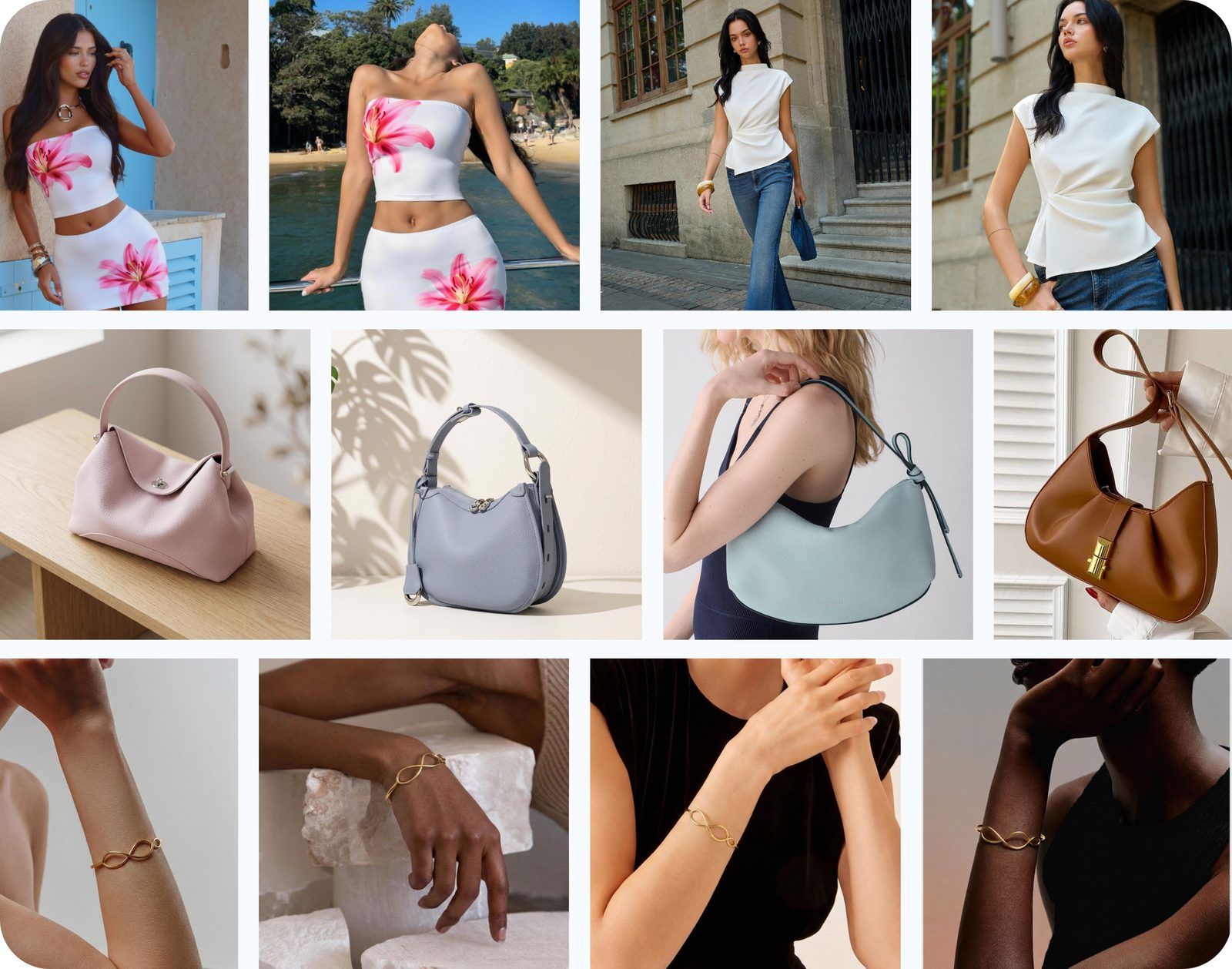

At a glance
This guide explains how to create an Etsy listing and improve its title, tags, first photo, supporting photos, videos, pricing, shipping, and shop trust.
Most Etsy sellers want to rank higher, but appearing in search and making a sale are different problems. First find out where shoppers stop, then fix that part of the listing.
If you get views but no sales, improve the product page, price, shipping information, and trust details. If a new listing gets no views, check the category, title, tags, and other listing details first. This simple distinction can save you weeks of work.
The guide follows three clear steps: help shoppers find the listing, give them a reason to open it, and answer the questions that help them buy.
How to Create an Etsy Listing
In Etsy Shop Manager, open Listings and select Add a listing. The exact fields can vary by item and category, but Etsy's current listing guide follows this basic workflow:
- Add photos and videos. Upload clear photos of the actual item. Etsy currently allows up to 20 photos and 2 videos per listing.
- Complete the listing details. Choose the most specific category, fill in accurate attributes, name the item, and explain what the buyer will receive.
- Set price and inventory. Enter the price and available quantity, then add variations, personalization, or an SKU when they apply.
- Add delivery information. Set a processing time you can meet, select or create a shipping profile, and state the return policy clearly.
- Finish the search fields. Etsy permits titles up to 140 characters, recommends fewer than 15 words, and provides up to 13 tags of no more than 20 characters each.
- Preview and publish. Check every crop, option, price, and delivery estimate before publishing. Etsy says a new listing may take up to 48 hours to appear in search results and categories.
Publishing completes the setup; the next sections explain how to improve discovery, clicks, and buyer confidence after the listing is live.
How Etsy Decides Which Listings to Show
Your category, title, tags, and attributes—details such as color, material, and size—help Etsy understand what you sell. Etsy uses this information with listing quality and customer service to order results, but it does not publish an exact formula.
- Describe the item accurately. Choose the most specific category and use relevant attributes, titles, and tags without repeating one phrase everywhere.
- Meet the listing checks. Use a clear, well-lit first photo of one finished product and add a return policy, even if it says “No returns.”
- Provide reliable service. Message replies, on-time shipping, reviews, and case rates can affect visibility. Etsy's Search Visibility guidance also says US listings with domestic shipping below $6 may receive priority.
Search results can vary by shopper, location, and language, so searching from your own account does not show one fixed position for everyone.
Stage 1 — Get Found
The problem this step solves: your listing rarely appears in search. If Etsy Stats shows that it was seen only a few times, start here.
These five steps help Etsy understand what you sell. They cannot guarantee a top position, especially for a popular search.
Five ways to help shoppers find your listing
- Write a clear, easy-to-read title. Etsy currently allows up to 140 characters and recommends using fewer than 15 words. Name the item and its most important facts. Avoid repetition and vague praise. Mention an occasion or recipient only when it is important to the product. Example: "Personalized Leather Passport Holder with Initials".
- Use up to 13 relevant tags. Keep each tag within Etsy's 20-character limit. Prefer natural multi-word phrases that describe the item, material, style, use, or genuinely relevant occasion. Do not spend slots on near-identical phrases or unrelated high-volume terms.
- Fill in the attributes. Attributes are listing details such as color, material, size, and occasion. Complete every field that truly applies to the item.
- Pick the most specific correct category. A precise subcategory helps Etsy understand the product better than a broad one.
- Do not repeat the same search phrase everywhere. Use the title, tags, attributes, and description to cover useful details instead of copying one phrase many times.
Use Etsy's own search suggestions and Etsy Stats to check your ideas. You can also use Etsy Marketplace Insights in Shop Manager to compare searches and listing counts from the past 30 days. Sellers currently receive up to 15 free keyword searches per week; Etsy Plus includes unlimited searches. Choose terms that accurately match the item instead of chasing the largest possible list.
Stage 2 — Get Shoppers to Open Your Listing
The problem this step solves: your listing appears in search, but few shoppers open it.
Your item appears beside many similar products, and shoppers look through them quickly. Three visible details have the biggest effect on their first impression:
- Your first photo
- Your price (with free-shipping badge if applicable)
- Your star rating
The first photo is the easiest of these to improve. It should show the item clearly and honestly. After changing it, use Etsy Stats to see whether more shoppers open the listing. For a broader workflow, see the AI product photography guide.
Make the first photo clear at a small size
Preview the first photo at about 200 pixels wide. If you cannot recognize the product quickly, simplify or reframe the photo.
- Know the minimum and the recommendation. Etsy's image guidance says the first photo should be at least 635 × 635 pixels to avoid appearing lower in search. For better quality, it recommends listing photos with both width and height of at least 2000 pixels.
- Leave space around the product. Etsy crops images into square, portrait, and landscape previews. Keep the main detail near the center and check all three views in the thumbnail tool.
- Use a clear background and soft light. The product's color, size, and edges should remain easy to see.
- Show one finished product. Etsy warns that a dark, blurry, or collaged first photo may reduce search visibility.
- Move text to later photos. Put size charts, care notes, and promotional text after the first image.
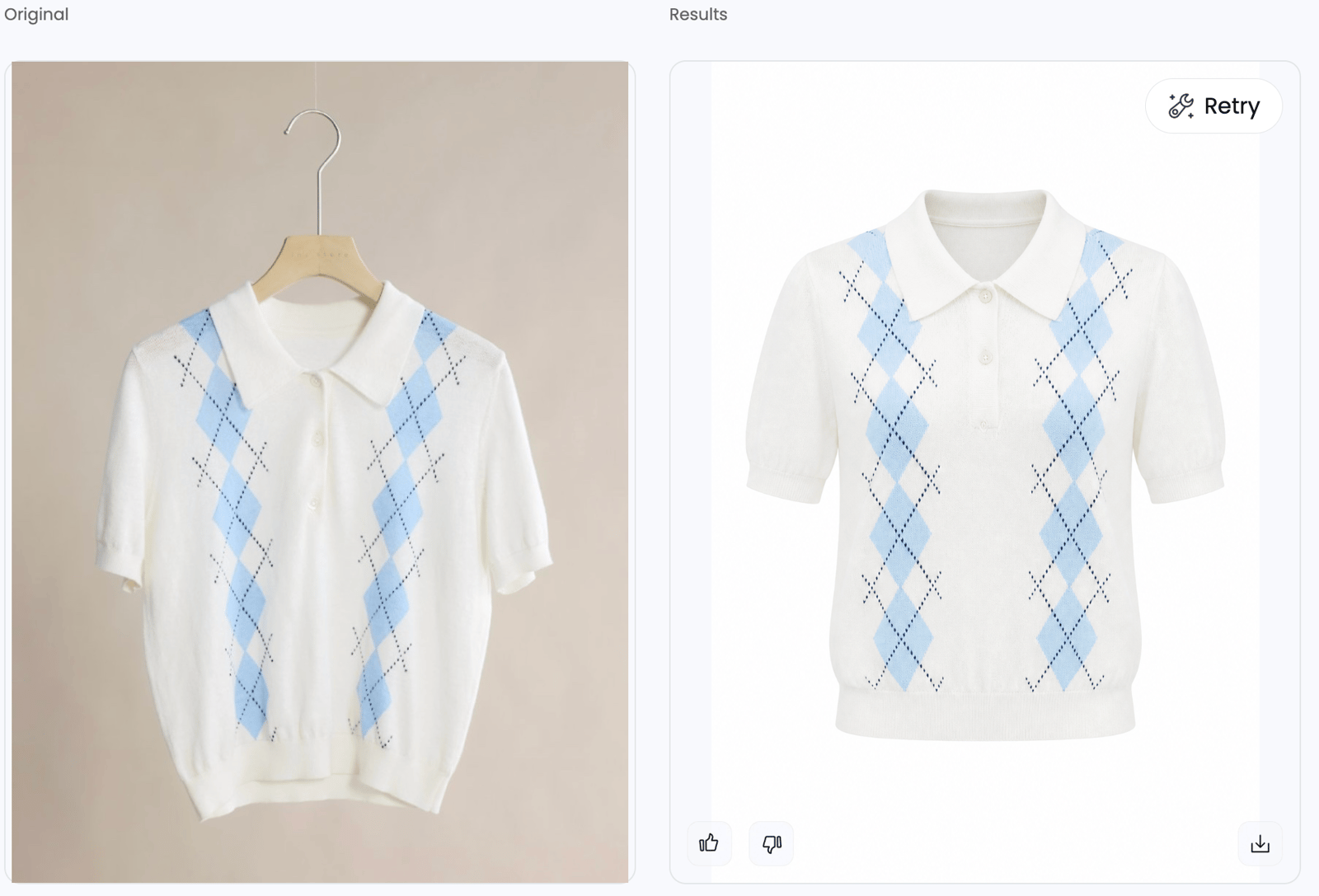
For clothing, consider a ghost mannequin image first
If you do not have a strong real-model photo, consider a ghost mannequin image as the first photo for a clothing listing. It removes the hanger and background distractions while keeping the neckline, sleeves, and overall garment shape easy to see. The clean, consistent look also helps shoppers compare your item with nearby search results.
For handmade items, Etsy says sellers must use their own photographs. Start with a photo you took of the actual garment, then check the edited result before publishing. The color, print, seams, neckline, sleeve openings, length, and proportions must stay accurate. Keep an ordinary product photo later in the listing so buyers can also see the physical item.
The other two click factors: price and stars
The first photo gets attention, but price and reviews also affect whether a shopper opens the listing. Follow these three rules:
- Compare the total offer. Review similar items, but price for your actual materials, labor, fees, packaging, and delivery promise. A low headline price that becomes expensive at checkout can weaken trust.
- Use free shipping only when you can still make a profit. Etsy's Free Shipping Guarantee applies to individual items or orders of $35 USD or more shipped to US buyers. Separately, Etsy's Search Visibility page says US listings with domestic shipping below $6 may receive priority. Neither rule guarantees a top position.
- Build reviews honestly. Shoppers can see your rating and number of reviews in search. Earn reviews through reliable delivery and service. Never arrange fake orders or reward only positive reviews.
Stage 3 — Turn Visits into Orders
The problem this step solves: shoppers open your listing but do not order. Make sure the photos, description, price, delivery details, reviews, and policies answer: Is it accurate? Will it fit? What will arrive, and when? Can I return it?
Plan up to 20 photos as a buyer-question sequence
Etsy allows up to 20 photos and 2 videos, but you do not need to fill every slot. Add an image only when it shows something new.
| Suggested slots | Buyer question | Photos to include |
|---|---|---|
| 1 | What exactly is this? | Clear first photo with the full item visible |
| 2–4 | How large is it and how is it used? | Context, scale reference, alternate angle |
| 5–8 | What is it made of? | Texture, stitching, hardware, back or underside |
| 9–12 | Which option fits me? | Color variants, size chart, on-body or on-model view |
| 13–16 | Is it really handmade and what arrives? | Process, personalization, packaging, included pieces |
| 17–20 | What could still surprise me? | Care, limitations, compatibility, comparison or close-up |
Slot 1 — Keep the first photo clear in every crop
Show one product, keep the main detail near the center, and leave room for Etsy's different crops. The first image must not hide flaws, change color, or imply that extra accessories are included.
Slots 2–4 — Add context, scale, and another angle
- Context: show where the item is used, with props kept secondary.
- Scale: use a hand, body, ruler, furniture, or another familiar reference, and also provide written dimensions.
- Another angle: show the back, side, closure, underside, or interior—whichever area is missing from the first photo.
Slots 5–8 — Prove materials and construction
- Show details that support the price, such as stitching, texture, print alignment, hardware, or surface finish.
- Keep lighting and color consistent. For difficult colors, add a neutral-light photo and explain that screens vary.
- Do not edit away texture, maker marks, or construction details that are present on the shipped item.
Slots 9–12 — Show color and size options accurately
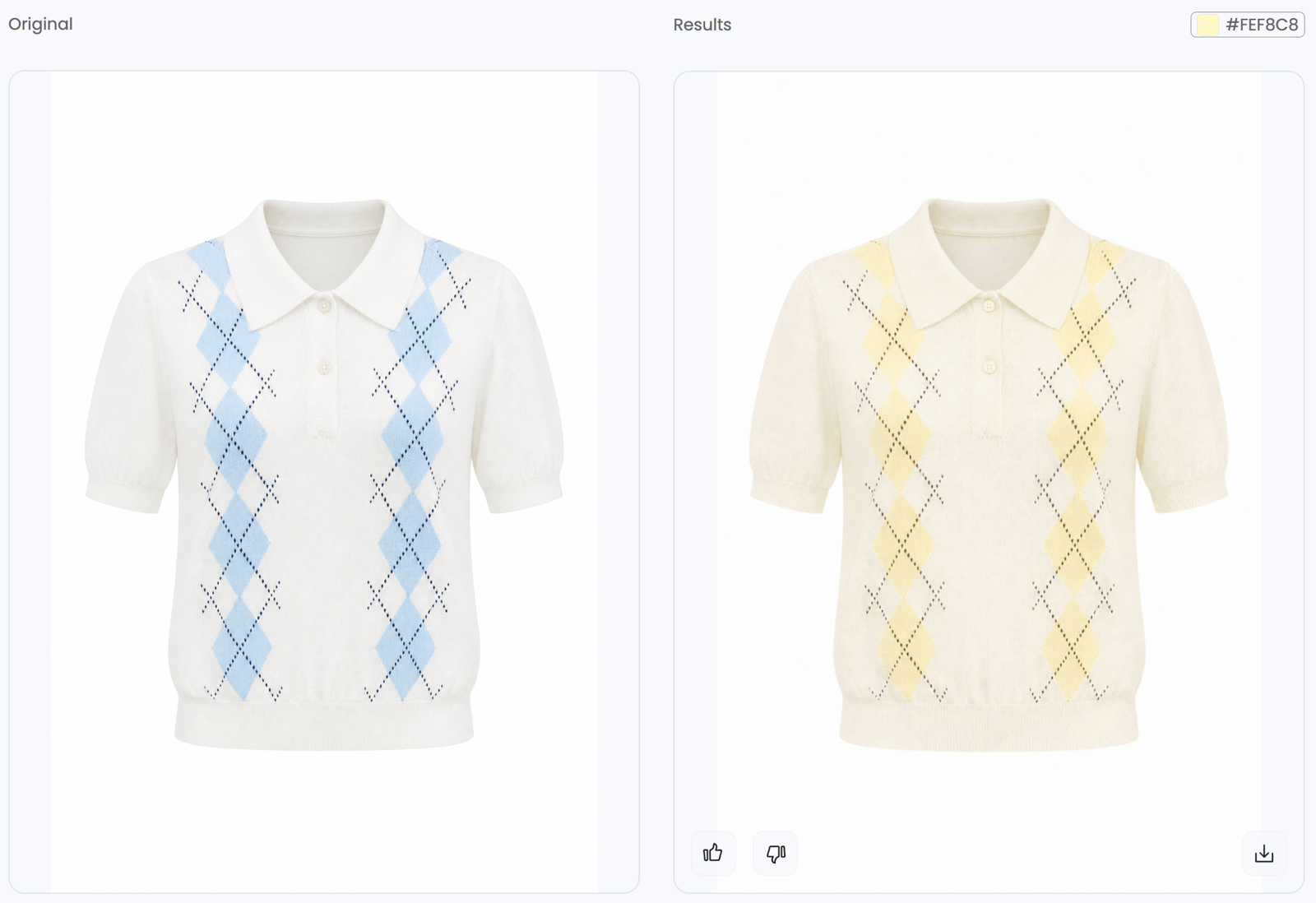
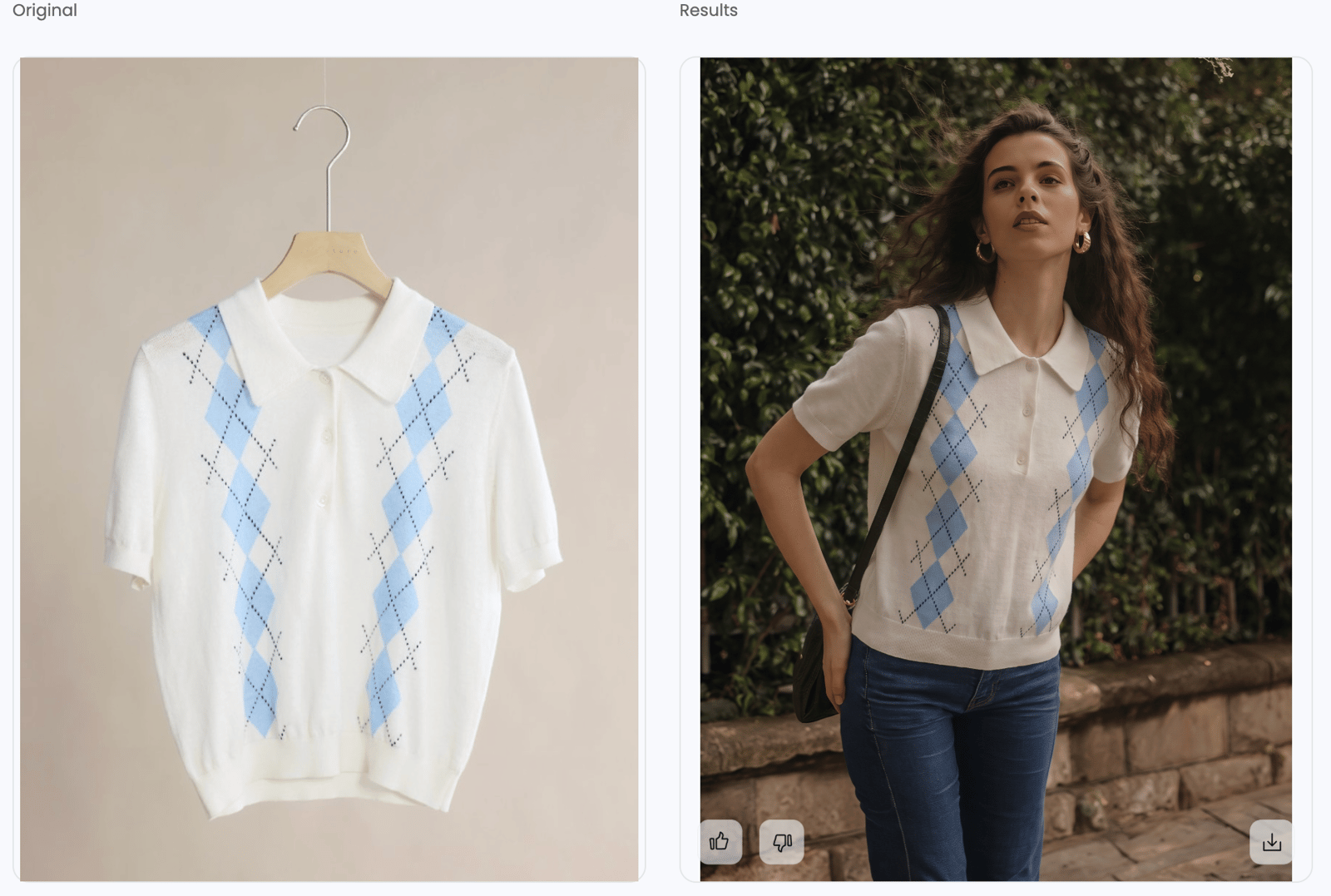
Show each important color or size group. For recolored, combined, ghost mannequin, or AI model images, check the color, print, seams, hardware, size, and fabric against the real item. Keep at least one ordinary product photo for comparison. If you also edit variants manually, follow this Photoshop color-change guide.
Slots 13–20 — Use the remaining space for trust
- Show a real making or personalization step when it helps explain the product.
- Show packaging and exactly what the buyer receives.
- Add a readable size chart, care guide, included-items graphic, or note about natural variation. Leave unused slots empty rather than repeat views.
Add alt text to Etsy listing photos
Etsy listing photo alt text describes an image for blind and low-vision shoppers and may help search engines understand it. Write a different, accurate description for each useful view, including details such as color, material, texture, and scale. Keep it within Etsy's 250-character limit. Do not paste the title, tags, SKU, or shop name; Etsy says those additions provide no extra SEO benefit.
Use the two video slots for movement and proof
Etsy's official video pages disagree between 3–15 and 5–15 seconds, so 5–15 seconds is the safer range. Etsy removes audio. Use each of the two available videos to show one action, such as fabric movement, a clasp, personalization, or the product in use.
How to write an Etsy listing description
Clearly name the item in the first sentence, then explain its material, size, options, what is included, and who it suits. Use natural search terms without repeating the same phrase. Finish with three practical checks:
- Base the price on your costs. Include materials, labor, Etsy fees, packaging, possible remake or return costs, and shipping. The Free Shipping Guarantee covers qualifying orders of $35 USD or more shipped to US buyers. Use it only if you can still make a profit.
- Set a processing time you can consistently meet. A realistic promise is better than an artificially short estimate followed by late dispatch.
- Write clear policies. State returns, exchanges, cancellations, custom-order limits, and expected variation in plain language.
Improve Your Etsy Listing on Your Phone
A phone workflow is useful when you photograph inventory, review drafts, and update listings away from a desktop. For clothing, the Snappyit App lets you create an optional AI Fashion Model or Ghost Mannequin view from a clear photo of the real garment.
- Photograph the real item. Use even light, show the full product, and keep the original image on your phone.
- Create one supporting view in Snappyit. Open Fashion Model for an on-model presentation or Ghost Mannequin for a clean hollow-form image.
- Compare before saving. Zoom in and check color, print, seams, proportions, closures, and every detail buyers rely on.
- Add only the approved result. Upload it to the appropriate listing slot, recheck Etsy's crop, and write accurate alt text. Keep ordinary product photos and measurements in the listing.
Create and review listing visuals wherever you work
Use Snappyit on iPhone or Android to generate a supporting product view, compare it with your source, and save the approved image. The app creates visuals; it does not publish or edit the Etsy listing for you.
Get the Snappyit App →Build Early Trust Without Gaming Reviews
There is no official “10-review threshold” that unlocks Etsy search. Build trust through reliable orders, not a manufactured number:
- Share with real potential buyers. Never arrange a purchase simply to create a review.
- Set expectations before checkout. Accurate photos, dimensions, materials, processing time, and variation notes reduce avoidable disappointment.
- Communicate through Etsy. Send useful order information, do not reward positive reviews, and handle problems calmly.
When testing improvements, change one thing—usually the first image, title, or delivery promise—then compare views, favorites, and orders over more than one day.
Pre-Publish Checklist
Before you publish a new Etsy listing, check this list from top to bottom. It covers all three steps in this guide.
| Stage | Checklist item |
|---|---|
| Stage 1 — Get Found | Title clearly names the item and key factual traits in fewer than 15 words where practical |
| Up to 13 tags use clear, relevant phrases; each tag stays within Etsy's 20-character limit | |
| Every relevant attribute is filled in (such as color, material, size, or occasion) | |
| Narrowest valid category selected | |
| Stage 2 — Get Shoppers to Open It | First photo is at least 635 × 635 px and preferably 2000 × 2000 px or larger, centered, and clear in Etsy's different crops |
| Product is easy to recognize when the first photo is about 200 pixels wide | |
| For clothing, use an accurate ghost mannequin first photo when you do not have a strong real-model image | |
| Stage 3 — Turn Visits into Orders | Photos answer questions about the item, size, materials, options, fit, packaging, and expected differences without repeating the same view |
| One on-model or lifestyle photo included where category allows | |
| Up to two silent 5–15 second videos added when movement or use needs demonstration | |
| Opening lines clearly name the item, key details, what is included, and who it is for | |
| Price covers materials, labor, fees, packaging, and shipping; free shipping is used only when you can still make a profit | |
| Processing time is realistic and can be met consistently |
Frequently Asked Questions
How many photos should an Etsy listing have in 2026?
Etsy allows up to 20 photos and 2 videos. Use only the images needed to show size, materials, options, fit, process, packaging, and expected differences.
What is the ideal image size for Etsy listing photos?
The first photo should be at least 635 × 635 pixels to avoid appearing lower in search. Etsy recommends at least 2000 pixels for both width and height for better quality.
Can I use AI-generated photos on Etsy?
Use AI-edited photos carefully. Handmade sellers must start with their own photo of the actual item. Keep the result accurate, include ordinary product photos, and explain edits that could change buyer expectations.
Are AI fashion model photos allowed on Etsy?
Etsy does not publish one rule approving every AI model photo. Start with your own photo, compare the result with the real garment, and include ordinary product photos and measurements.
Is ghost mannequin photography allowed on Etsy?
Ghost mannequin images do not guarantee sales or ranking. Begin with your own photo of the real garment, keep its shape and color accurate, and include ordinary product photos.
Do Etsy listing videos actually help ranking?
Etsy says video may help search visibility but promises no specific effect. You can add two silent videos. Because official pages disagree on the minimum length, 5–15 seconds is the safer range.
Why does my Etsy listing get views but no sales?
Check product accuracy, size, materials, options, price, delivery, reviews, and policies. Low sales can also mean weak demand or stronger competing offers. Change one thing at a time and compare Etsy Stats.
How do I rank higher on Etsy in 2026?
Use an accurate category, attributes, title, and tags, plus a clear first photo, return policy, and reliable service. For US listings, domestic shipping below $6 may receive priority. No single change guarantees a top position.
How long does a new Etsy listing take to appear in search?
Etsy says a newly published listing may take up to 48 hours to appear in search results and categories.
What's the best title structure for Etsy SEO in 2026?
Name the item and its key facts. Etsy allows 140 characters and recommends fewer than 15 words. Avoid repetition and use tags and attributes for other relevant details.
Clear product photos can help shoppers decide
If you need ghost mannequin images, on-model photos, or color options without arranging another photo shoot, Snappyit can help you create and compare them.
References
- Etsy Help: How to Create a Listing. Listing workflow, up to 20 photos and 2 videos, title guidance, tag limits, and publishing behavior; accessed September 2, 2026.
- Etsy Help: Requirements and Best Practices for Images in Your Etsy Shop. Image dimensions, orientation, crop-safe thumbnail guidance, and image-quality recommendations; accessed September 2, 2026.
- Etsy Help: How to Add Listing Videos. Video count, duration, file size, resolution, aspect ratio, and audio removal; accessed September 2, 2026. This page states a 3-second minimum while the current listing-creation guide states 5 seconds.
- Etsy Help: How Do I Use Etsy's Marketplace Insights Tool?. Search and listing data from the past 30 days, 15 free weekly searches, and Etsy Plus access; accessed September 2, 2026.
- Etsy Help: How to Add a Text Alternative to Your Listing Images. Alt-text purpose, content guidance, and the 250-character limit; accessed September 2, 2026.
- Etsy Help: How to Offer Free Shipping. Free Shipping Guarantee coverage for individual items or orders of $35 USD or more shipped to US buyers, plus pricing tools; accessed September 2, 2026.
- Etsy Help: How to Use the Etsy Search Visibility Page and Etsy's Customer Service Standards. Current listing, shop, shipping, return-policy, and customer-service checks that may affect search visibility; accessed September 2, 2026.
- Etsy Help: What Can I Sell on Etsy?, Etsy Creativity Standards, and Etsy Seller Policy. Current item eligibility, own-photo requirement for handmade items, AI-created item disclosure, and seller responsibilities; accessed September 2, 2026.
- Etsy Help: How to Use Tags to Get Found in Search and How to Use Attributes When Listing an Item; accessed September 2, 2026.