



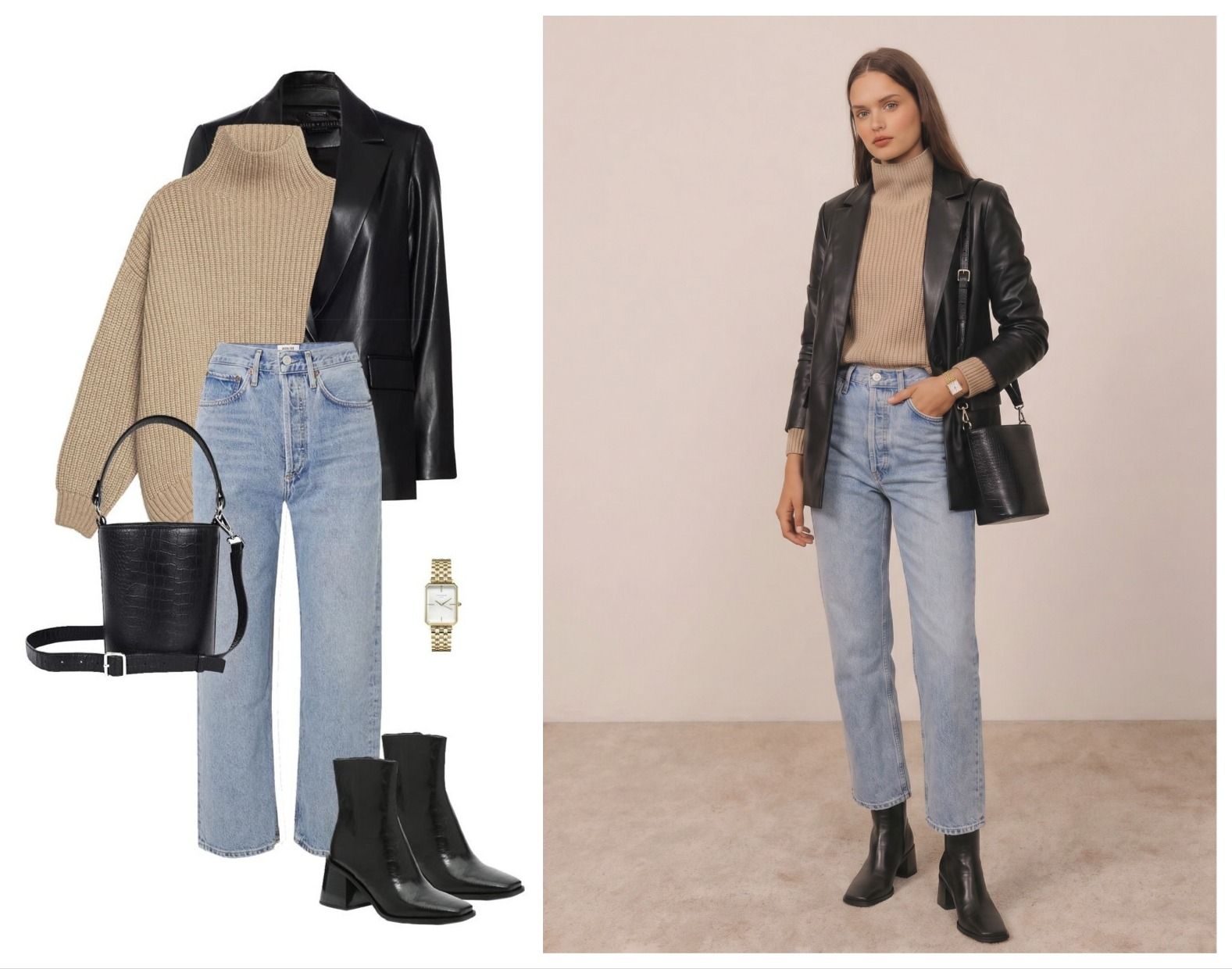
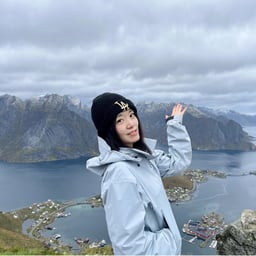
Why recreate a Pinterest outfit with AI?
A saved outfit can look perfect on a mood board and still be hard to picture on yourself. An AI outfit generator gives you a quick visual starting point: upload the look you like, pair it with a photo of yourself, and see the two together before you shop, style the outfit or plan a post.
It is especially useful when the whole look matters. A bikini may be easy to imagine on its own; the bag, sunglasses, shoes and cover-up are what turn it into a complete beach outfit.
What you need before using an AI outfit generator
A complete outfit reference
Choose one image that shows the outfit you want to recreate, including the accessories that matter to you. A full-look image gives the AI more context than separate product screenshots.
A photo of yourself that you already like
Choose any photo you want to restyle. The tool changes the clothes while keeping the pose and background you chose, so standing, sitting, side-facing and other poses all work.
Use a personal photo you own or have permission to edit. A public Pin is not automatic permission to reuse someone else's image; Pinterest provides copyright guidance for users and rights owners.[1]
How to recreate a Pinterest outfit with AI
We used one Pinterest beach outfit to walk through the process twice. The test shows what happened in this example and how a direct follow-up prompt improved the missing accessories; it is not a benchmark.
Step 1: Choose and upload a Pinterest outfit
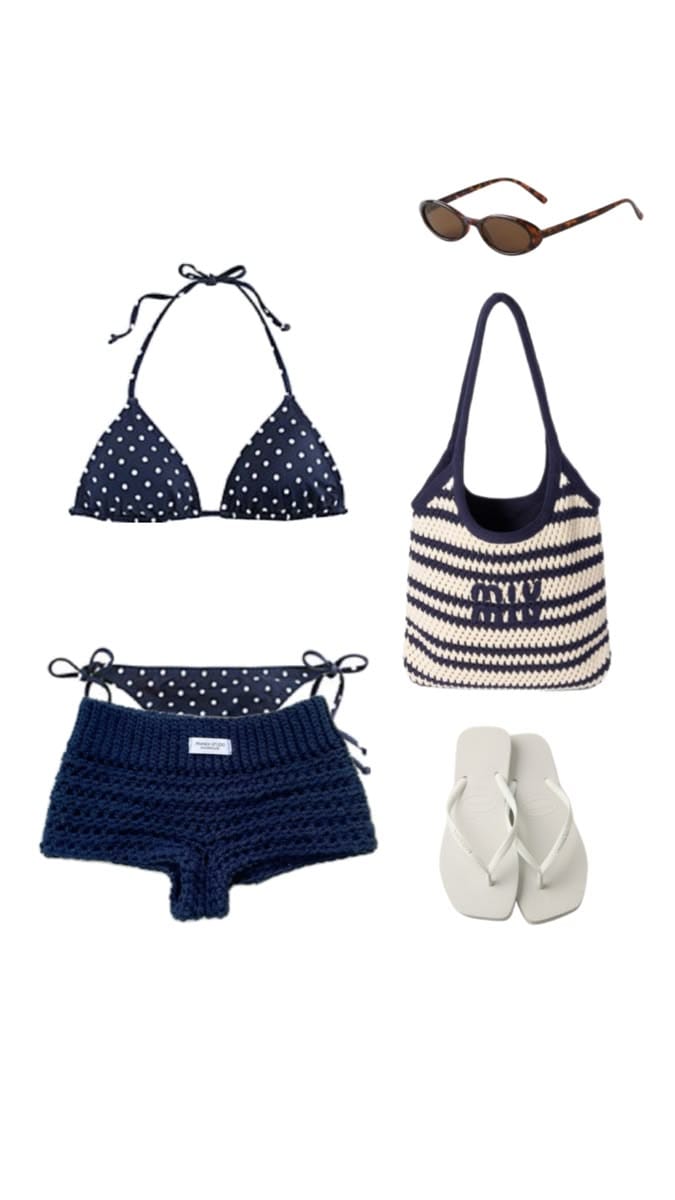
We uploaded this Pinterest beach look: a navy polka-dot triangle bikini, navy crochet shorts, brown sunglasses, a navy-and-cream striped crochet tote and white flip-flops. Keeping the full outfit in one reference made it possible to check the result item by item.
Step 2: Upload a photo you like of yourself
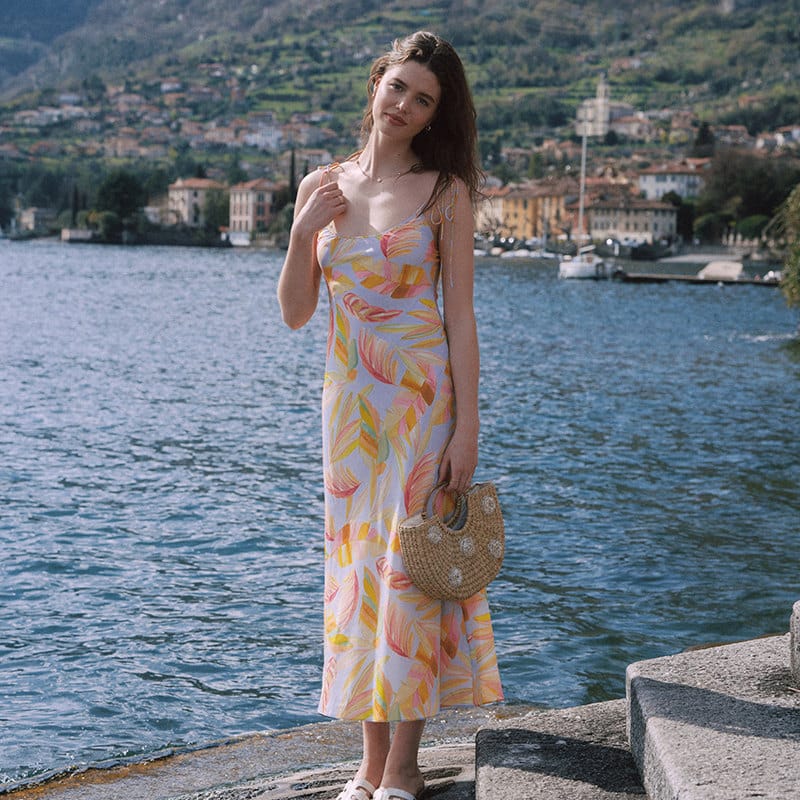
Add that photo as the person image. You do not need to retake it or match the pose in the Pinterest reference; the outfit is applied to the photo you selected.
Step 3: Generate the first AI outfit preview
In Snappyit's AI Outfit Generator, add both images and generate the first preview.[3]
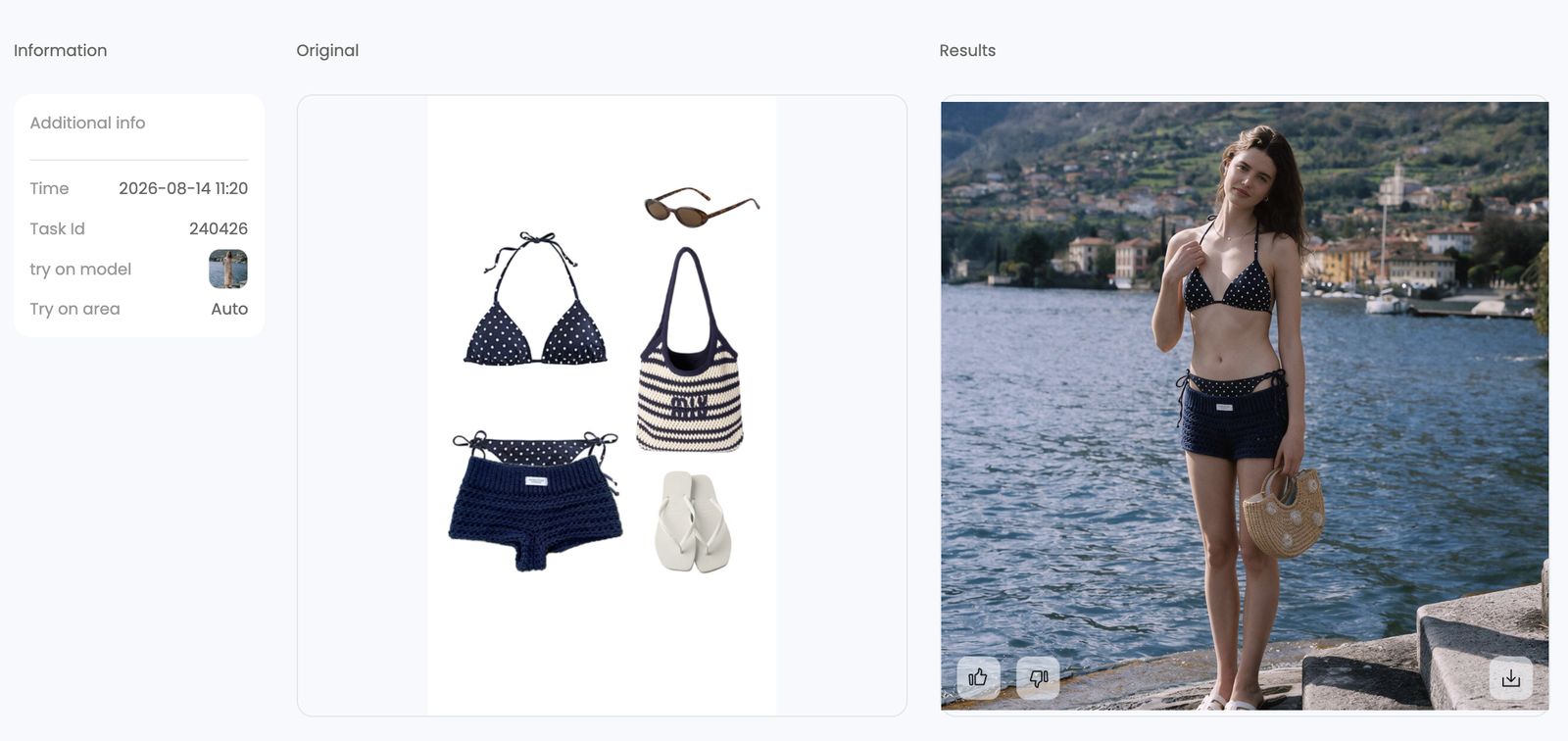
The navy polka-dot bikini and crochet shorts came through clearly. The sunglasses were missing, the striped tote changed into a tan bag, and the screenshot did not confirm that the original footwear had been replaced with the white flip-flops.
Step 4: Name any missing clothes or accessories
Instead of changing both images or rewriting everything, keep the references fixed and tell the AI exactly what it missed. We used this prompt unchanged:
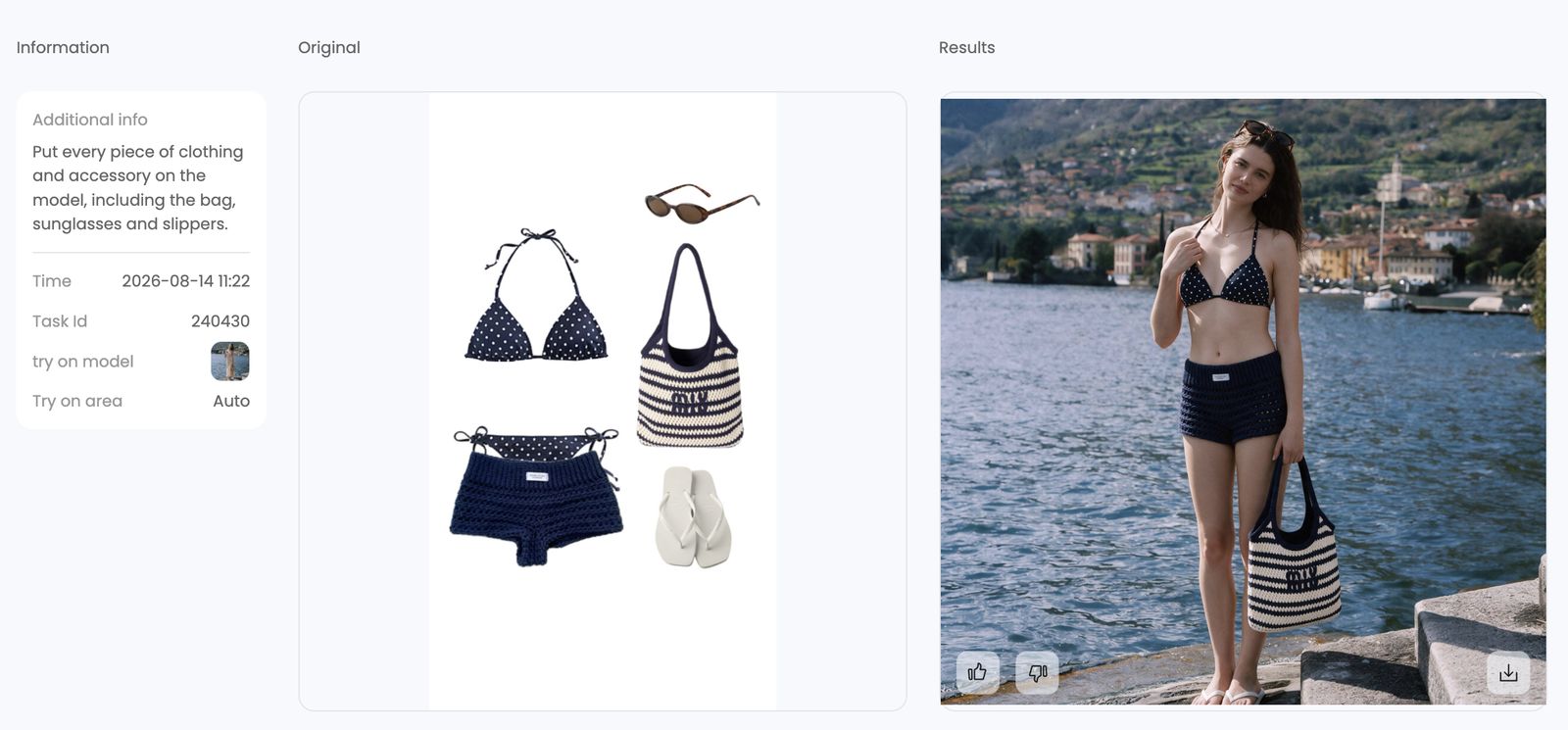
Step 5: Review the improved outfit
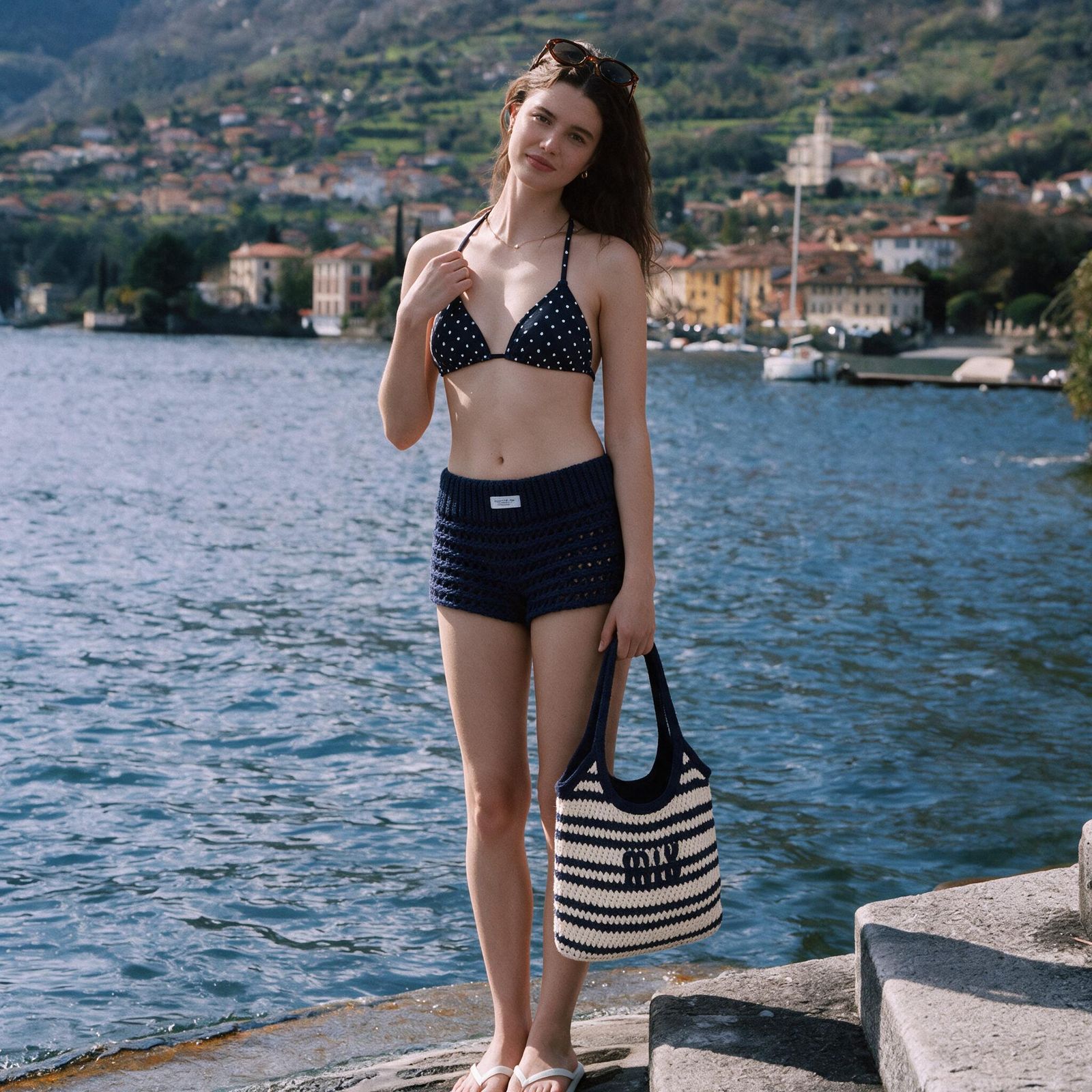
The second result shown above kept the main swimwear and added all three named accessories. They are visual approximations rather than verified copies of real products, but the complete styling direction was easier to recognize.
How to tell if your AI outfit photo actually works
A good result has to pass three checks, in this order: it should still look like you, the outfit should sit naturally on your body, and the image should hold up when you post it.
1. You should still look like you
Start with the face. Your expression, eyes, smile, hairline and skin texture should still feel familiar—not overly smoothed, reshaped or obviously AI-generated. Take a quick look at the hands and body outline too, since small distortions often show up there first.
Compared with the original person photo shown in Step 2, the generations keep the selected pose, lakeside background and overall appearance recognizable. Some facial, hair and skin details are still regenerated, so this is a styling preview rather than proof of exact identity preservation.
2. The outfit should look like it belongs on your body
Every important piece from the reference should be there, but completeness is only half the check. Straps should follow the shoulders, waistbands should sit flat, hems should fall cleanly, and fabric should meet the skin without floating, clipping or melting into it.
The first result got the bikini and crochet shorts right but lost or changed the three accessories. The second brought back the sunglasses, striped tote and white flip-flops, and the overall look feels much more complete. It looks convincing as a styling preview, although it still cannot tell us how the real garments would fit.
3. It should hold up at posting size
Zoom in on the face, fabric texture and clothing edges using the crop you plan to share. If those details turn soft, blocky or overprocessed, the image may look fine in a thumbnail but fall apart in a feed post.
The second result is 2048 × 2048 pixels and stays sharp when viewed at full size, which gives you room for a typical square social crop. It is still worth checking the final export after your platform applies its own resizing and compression.
Bottom line: the second prompt produced a more complete outfit, a natural-looking portrait and a clean square image while keeping the selected pose and background recognizable. It does not preserve every person detail exactly, and one example cannot predict every result. Credits and generation time were not recorded.
What AI virtual try-on cannot tell you
An AI outfit preview can help you explore color balance, silhouette and styling. It cannot verify measurements, stretch, comfort, opacity, real-world drape or how a color behaves under different lighting. It may also simplify or invent small details such as seams, hardware, prints or logos.
Before buying, check the retailer's size chart, garment measurements, fabric details, customer photos and return policy. Use the generated image to explore a look—not to choose a size. For more on the two-image workflow, see how to change clothes in a selfie with AI.
Other ways to use an AI outfit generator
Try a new style on a photo you already love
Keep the pose, setting and moment you like, then explore a different aesthetic—from a beach look to streetwear, festival styling or a more formal outfit.
Plan what to pack for a trip
Start with the moments you need to dress for—travel day, sightseeing, the beach, dinner or an event—then save one complete outfit reference for each. Preview the looks on the same photo of yourself so you can compare layers, coverage, shoes and accessories before deciding what makes the suitcase.
Build a small capsule wardrobe
Choose a limited color palette and a few silhouettes you would happily repeat. Preview complete outfit ideas one at a time, then keep the combinations that share the same shoes, layers or accessories. The generator helps you compare the looks visually; it does not catalog the items in your closet.
Decide whether you really need another piece
Use a saved outfit to spot what is doing the most work. The missing piece may be a jacket, shoe, bag or accessory rather than an entirely new look. An AI preview cannot make the buying decision for you, but it can make the styling gap easier to see.
Create Pinterest, TikTok or Instagram outfit content
Use the preview to explore styling and accessory balance before a shoot. Confirm that you can use the reference and person photos, check the generated details, and follow the platform's rules. For U.S. sponsored or affiliate posts, the FTC says disclosures should be clear and hard to miss.[2]
Start from product photos instead
If you create images for a store or fashion brand rather than your own outfit, the AI product photography guide covers product-led workflows.
Pinterest outfit recreation FAQ
How do I recreate a Pinterest outfit with AI?
Upload one image that shows the complete Pinterest outfit, then upload a photo of yourself that you already like. Generate the first preview, compare every garment and accessory with the outfit reference, and use a focused follow-up prompt if anything is missing.
What kind of personal photo should I upload?
Choose any photo you want to restyle. The tool changes the clothes while keeping the pose and background you chose, so standing, sitting, side-facing and other poses all work. Use a photo you own or have permission to edit.
Can AI recreate an entire outfit from one photo?
AI can create a visual approximation from one complete outfit reference, including clothes and visible accessories. Small, partly hidden or detailed items may be missed or changed, so compare the output with the source image and regenerate when an important element is wrong.
How do I make AI include every outfit accessory?
Start with a reference where the shoes, bag, sunglasses and other accessories are visible. If the first result misses an item, keep both images fixed and name the missing pieces in one direct prompt. In this test, that approach made the sunglasses, striped tote and white flip-flops recognizable in the second result, but it is not a guarantee for every image.
Does AI virtual try-on show the correct size or fit?
No. It can help you compare silhouette, color balance and approximate coverage, but it cannot verify measurements, stretch, comfort, opacity or real-world drape. Before buying, use the retailer's size chart, garment measurements, fabric details, customer reviews and return policy. Do not choose a size from the way a generated garment appears to sit.
Can I post a Pinterest-inspired AI outfit image?
Post only when you have the necessary rights or permission for the outfit reference and person photo, and when the generator's terms allow your intended use. Do not present the original creator as endorsing your version. Check the output for misleading changes before publishing. If the post is sponsored or contains affiliate links, add the disclosures required for your audience and platform.
References
Official guidance and product pages were checked August 14, 2026. Platform rules and product workflows can change. The screenshots shown in the workflow above document this single test only.
- Pinterest Help Center, Copyright.
- U.S. Federal Trade Commission, Disclosures 101 for Social Media Influencers.
- Snappyit, AI Outfit Generator.







