
At a glance
remove.bg's free plan is a 0.25 MP preview behind a login. We tested 7 free alternatives on real clothing photos and flag which export full res, no watermark.
| Need | What to do |
|---|---|
| Get oriented | Read the short summary, then use the checklist below. |
| Create a test image | Try Background Remover Free |
Why Sellers Leave remove.bg (the 0.25 MP Free Preview Problem)
Let's be fair first: remove.bg's automatic edge AI is excellent and built the category. The reason sellers look for a remove.bg alternative free of charge isn't quality — it's the funnel.
As of June 2026, here is what the free experience actually looks like (verify their live pricing page, as plans change):
- The free download is a 0.25 MP preview — roughly 625 x 400 pixels. That's below the zoom threshold of every major marketplace, so it's unusable for a real listing.
- You must create an account and log in even to download that preview.
- Full resolution costs credits: about $1.99 for a single pay-as-you-go image, or subscriptions from around $9/month for 40 credits (roughly $0.23 per image) as of June 2026. Paid downloads go up to 50 MP, with PNG capped at 10 MP. (Verify on remove.bg's pricing page.)
- There's no watermark — remove.bg gates by resolution instead — but the effect on a seller is the same: the free output can't be used.
- There's no manual brush. When the AI swallows a lace hem or fills a mesh sleeve with background, you can't fix it inside the tool. You pay per image and accept what the AI decided.
What users say: remove.bg holds a 4.4/5 from 9 reviews on Capterra and a 4.4/5 from 155 reviews on Product Hunt (as of June 2026). One reviewer praises that "The preservation of intricate details and fine edges is outstanding." (Product Hunt), while another flags the catch sellers feel: "The fact that they reduce image quality in the free version, but I understand it to a certain extent." (Capterra).
None of this matters for a one-off vacation photo. For a seller cutting out 30 garments a week, it's a recurring bill or a folder of 625-pixel previews — the gap the tools below fill, starting with one that's free at full resolution with no signup at all: Snappyit's free background remover.
How We Tested: Real Clothing Photos — Lace, Mesh, Fur, Model Hair
Most "best background remover" lists test on a coffee mug or the tool's own demo image. Clothing is where cutouts actually fail, so we built a five-photo test set and ran it through every tool in this list during the first week of June 2026:
- White lace midi dress on a hanger — semi-sheer scalloped hem, the classic auto-cutout killer.
- Black mesh-sleeve top — open weave where the background shows through hundreds of tiny holes.
- Parka with a faux-fur hood — soft, wispy edges that hard-masking tools turn into a helmet.
- On-model knitwear shot with flyaway hair strands.
- Plain cotton tee as the control — if a tool fails this, it's out.
For each tool we checked five things: the pixel dimensions of the actual free download (not the on-screen preview), watermark behavior, login requirements, edge quality on the four hard fabrics, and whether mistakes could be fixed manually. Free full-resolution export was the criterion we weighted most heavily.
The 7 Best Free remove.bg Alternatives in 2026
Disclosure: Snappyit is our own tool, and it's ranked #1. We're putting that bias on the table — and also putting the reasons next to it, so you can judge for yourself in two minutes of testing.
1. Snappyit Free Background Remover — best overall: full resolution, no signup, manual brush
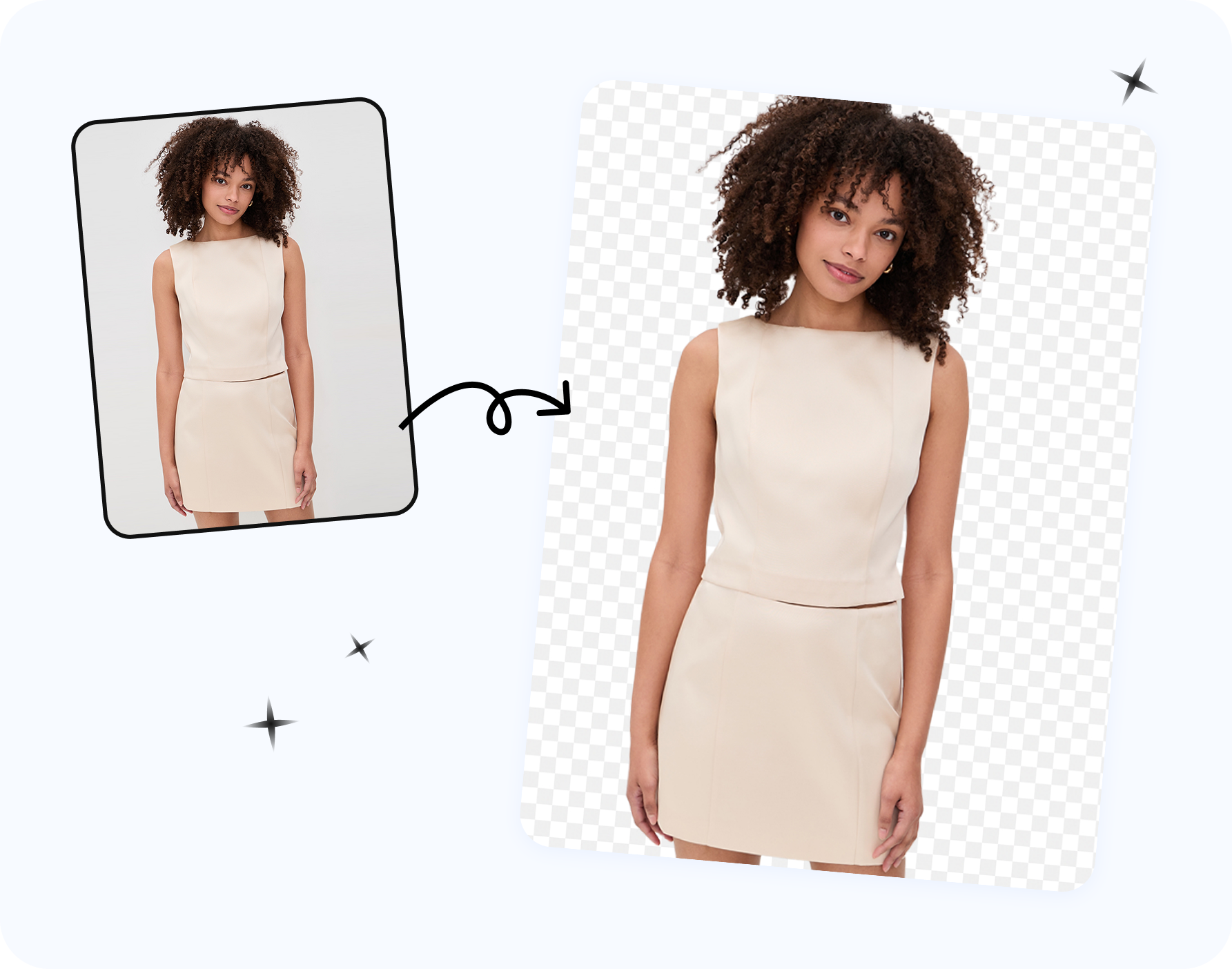
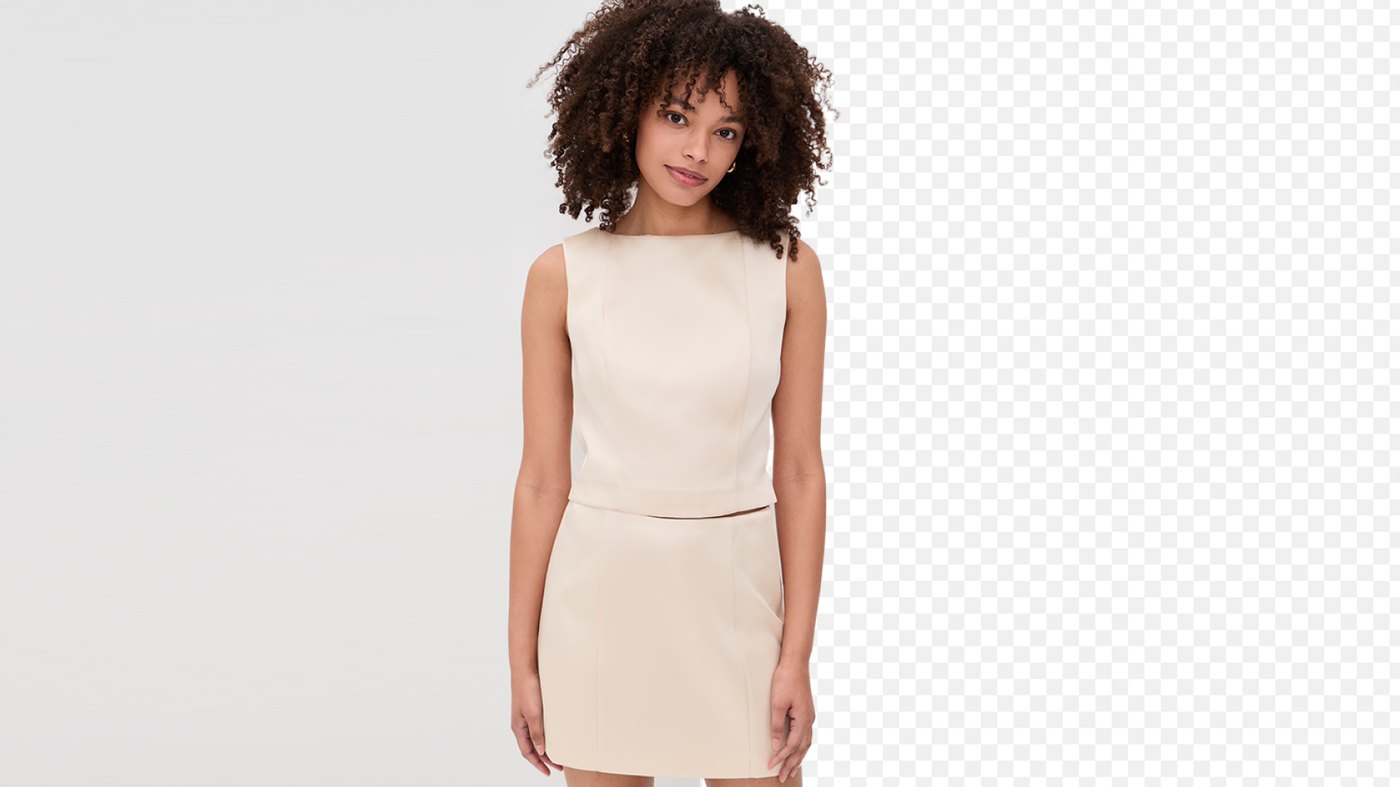
The shortest honest description: the remove.bg auto pass plus the Clipping Magic brush, free. Snappyit's background remover (disclosure: it's our own tool) runs an AI auto-cutout with soft alpha edges the moment you drop in a file, then hands you a manual layer on top — a green keep brush and a red remove brush that update the cutout instantly as you paint.
Pros:
- 100% free, no login, no watermark — full-resolution PNG export on a transparent, solid white, or custom-color background.
- AI auto-cutout plus green/red manual brushes — the only genuinely free tool that let us finish all five test photos at listing quality: forty seconds of green-brush painting restored the scalloped lace hem, and the red brush cleared the background peeking through the mesh sleeve's weave.
- Strong auto pass on hard fabrics — it nailed the cotton tee and knitwear shot and kept the fur hood's wispy edge soft in our tests.
- Full keyboard shortcuts — Space flips brushes, [ ] resize, X erases, Z/Y undo/redo, H pans, D toggles the edge line.
- Accepts JPG, PNG, and WebP inputs up to 4096 x 4096.
Cons:
- Single-image workflow only — no batch upload and no API, so a 500-photo catalog means 500 individual drops.
- Raster PNG output only — no SVG or TIFF clipping paths for print or pro-layout workflows.
- 4096 x 4096 input cap — plenty for marketplace listings, but a 50 MP studio file needs downsizing first.
Best for: sellers cutting out clothing and product photos one at a time who need full-resolution, watermark-free exports — and a brush to rescue lace, mesh, and fur — at $0.
Pricing: 100% free with no login and no watermark as of June 2026 — Snappyit makes money on its paid AI photography tools, so the background remover stays free.
Try the free background remover →
If the manual-brush workflow is the part you care about most, our Clipping Magic alternatives comparison goes deeper on brush-based editors specifically.
2. Photoroom — most polished free web app (mind the license)
Photoroom's free web tool is genuinely usable, which already puts it ahead of most "free" competitors: a strong auto cutout wrapped in a fast, modern editor.
Pros:
- Watermark-free exports until a monthly limit — the free tier produces clean files at casual volume.
- Free erase/restore brush in Edit Cutout for fixing edges manually.
- Best-in-class on the model's hair in our tests, and good on the faux-fur hood.
Cons:
- HD export is Pro-only — free output is reportedly capped around 1500 px.
- The free-plan license is personal, non-commercial by Photoroom's own terms, so using free exports on listings technically requires Pro.
- Watermarks appear past the monthly export limit and on AI/premium features.
- Mixed results on the open mesh holes in our clothing tests.
Best for: sellers who want the most polished free editor to test cutout quality — and are prepared to pay Pro for HD export and a commercial license.
Pricing: free tier is usable but non-commercial; Pro runs about $7.50/month billed annually to $12.99/month billed monthly as of June 2026 — verify on Photoroom's pricing page.
What users say: Photoroom holds a 4.8/5 from 224K ratings on the Apple App Store and a 4.6/5 from 16 reviews on Capterra (as of June 2026). One reviewer flags an edge miss: "There are times it removed the background but left the doll stand showing!" (Apple App Store), and another the shifting limits: "They've implemented new features that track how many exports you can do a month, which was never a feature before" (Apple App Store).
3. Erase.bg — simplest drag-and-drop
Erase.bg is about as frictionless as background removal gets: drop an image, get a cutout, download. There's no editor to learn and nothing to configure.
Pros:
- Zero-friction workflow — drop, process, download in seconds.
- Handled the cotton tee and most of the lace dress cleanly in our tests.
- Runs in any browser with nothing to install.
Cons:
- Smudged the faux-fur hood into a hard outline, with no real manual rescue when the AI misreads an edge.
- Free download sizes and daily limits have shifted over time, so today's terms may not hold tomorrow.
Best for: quick one-off cutouts of simple-edged products where speed matters more than control.
Pricing: free tier with limits that have varied — check current pricing and download terms before building a workflow on it.
What users say: Erase.bg holds a 4.7/5 from 32 reviews on Product Hunt (as of June 2026).
4. Pixelcut — built for resellers, web and mobile
Pixelcut targets exactly the audience reading this article — marketplace resellers — pairing background removal with listing-oriented extras on both web and mobile.
Pros:
- Reseller-focused feature set beyond cutouts: backgrounds, listing-style graphics, and templates.
- Solid mobile apps for sellers who photograph and list from a phone.
- Quick, respectable auto cutout on hair and the control tee in our run.
Cons:
- Partial lace loss in our tests, with limited refinement on the free tier.
- Some exports and features sit behind the Pro tier, and free limits change frequently.
Best for: phone-first marketplace resellers who want cutouts and listing graphics inside one app.
Pricing: free tier with a Pro upsell, and limits move often — check current pricing before committing.
What users say: Pixelcut holds a 4.7/5 from 215K ratings on the Apple App Store (as of June 2026). One reviewer warns about the trial-to-charge flow: "I got sucked into a free 3 day trial in order to use a feature not in the free version... I was charged $97 for a full year membership" (Apple App Store).
5. Adobe Express — solid auto pass inside a free Adobe account
Adobe Express includes a free background-removal quick action backed by Adobe's segmentation tech, sitting inside a broader free design suite.
Pros:
- Clean results on simple edges in our tests, with Adobe-grade segmentation behind it.
- Part of a full design toolkit — handy if you also make banners and social graphics.
- A free Adobe account is enough — no paid Creative Cloud plan needed for the quick action.
Cons:
- Filled several mesh holes with leftover background and offers little fabric-level refinement in the free flow.
- Sign-in with an Adobe account is required.
- Export sizing depends on your file and plan — check the current limits if resolution is critical for you.
Best for: sellers already in the Adobe ecosystem who need an occasional cutout alongside design work.
Pricing: the quick action sits on the free plan with premium features gated — check current pricing and export limits for your account.
What users say: Adobe Express holds a 4.8/5 from 364K ratings on the Apple App Store (as of June 2026). One user reported that the remove-background result "produced an Extremely Sloppy and unusable mask" (Adobe support community).
6. PhotoScissors — marker-style manual control
PhotoScissors works on the same philosophy as Snappyit's brush: mark green to keep, red to remove, and let the tool compute the edge.
Pros:
- Manual green/red marker control rescued our lace hem where pure-auto tools failed, though its capped free export kept the result below listing quality.
- Predictable results — you decide what stays instead of re-rolling an AI guess.
- Browser-based — nothing to install for the web version.
Cons:
- The interface feels dated next to modern web editors.
- Free web usage has download and resolution caps that have varied over the years — verify the current ones before relying on it.
Best for: users who want marker-style manual control over every edge and don't mind an older interface.
Pricing: free web use with caps plus paid desktop options — check current pricing and limits on its site.
7. GIMP — the unlimited, fully manual fallback
GIMP is free open-source image software, and the only option here that no pricing change can ever take away. The catch is that you are the background remover.
Pros:
- Zero limits, forever — no watermark, no login, no resolution cap.
- Total control via paths, fuzzy select, and layer masks.
- Runs locally — your product photos never leave your machine.
Cons:
- Fully manual — 10–20 minutes per garment versus seconds in the tools above.
- A steep learning curve stands between you and your first clean cutout.
Best for: occasional cutouts where your time is cheaper than any subscription, or edges so unusual that every AI fails.
Pricing: free and open source, full stop — no tiers, no caps, no pricing page to check.
Cost per Full-Resolution Image (as listed — verify on each vendor's page, June 2026)
This is the table that actually matters for sellers: what does one usable, full-resolution, listing-ready image cost? The figures below are as listed on each vendor's pricing page as of June 2026, so it doesn't mirror the 7-item ranked list above — paid mainstays like Clipping Magic and Canva appear for comparison, while the free tools whose terms shift often share one check-current-terms row. Every tool here changes pricing without notice, so verify the live pricing pages — remove.bg, Photoroom, and Clipping Magic — before you commit.
| Tool | Free full-res download? | Watermark on free? | Login required? | Cost per full-res image |
|---|---|---|---|---|
| Snappyit free tool | Yes (inputs up to 4096 x 4096) | None | No | $0 |
| remove.bg | No — 0.25 MP preview only | None (gated by resolution instead) | Yes, even for the preview | ~$1.99 single credit; ~$0.23 on the ~$9/mo 40-credit plan |
| Photoroom | No — HD is Pro-only (free reportedly ~1500 px) | None until monthly export limit, then yes | Account for limits and features | Pro ~$7.50–$12.99/mo for HD + commercial license |
| Clipping Magic | No free download at all (preview only) | n/a — nothing downloads on free | Yes, plus an active subscription | From ~$2.24/mo for 15 images (~$0.15/image) |
| Canva | No — remover is a Pro-only feature | n/a — paywalled before output | Yes | Pro subscription required |
| Erase.bg / Pixelcut / Adobe Express / PhotoScissors | Varies — check current terms | Varies by tier and feature | Often, for full features | Check current pricing |
| GIMP | Yes — unlimited | None | No | $0 + your editing time |
Pricing sources (verify before you buy, as of June 2026): remove.bg pricing, Photoroom pricing, Clipping Magic pricing.
Two things jump out: the "industry standard" route costs real money the moment you need usable resolution, and only two rows are $0 at full resolution — one of which makes you do the cutout by hand.
Sites Like remove.bg That Are Actually Free — What to Check Before You Trust "Free"
Every background remover on the internet calls itself free. Before you build a listing workflow around any of them — including ours — run this ten-minute, five-point check:
- Download the file and check its pixel dimensions. Not the editor preview — the actual exported file. A 625 x 400 export is a thumbnail, not a product photo.
- Find the watermark trigger. Many tools are watermark-free until a monthly cap or a premium feature. Know where the line is before your batch crosses it.
- Try it in a private browser window. If you can't download without creating an account, that's a data-collection toll booth, and usually the resolution gate follows.
- Read the free-plan license. Photoroom's free tier is personal/non-commercial by its own terms — fine for a test, technically not fine for your Amazon listing.
- Test on your hardest product photo. Demo images are chosen to flatter the AI. Your lace dress is not a demo image.
We've run dozens of tools through these checks — and if your catalog is apparel specifically, the step-by-step is in how to remove backgrounds from clothing photos free.
For Ecommerce Sellers: Full Resolution, White Backgrounds and Marketplace Zoom
If you sell on marketplaces, picking a remove.bg alternative for ecommerce product photos comes down to compliance: resolution and background color aren't aesthetic preferences — they're requirements, and they're exactly where a free preview export fails you.
- Amazon requires a pure white background (RGB 255, 255, 255) on main images, needs at least 1,000 px on the longest side for zoom to work, and wants the product filling about 85% of the frame. Non-compliant main images can be suppressed from search. (See Amazon's own product image requirements and technical image specs.)
- eBay and Etsy reward 2000 px+ images: zoom is where buyers inspect stitching, fabric weave, and hardware before deciding. (See eBay's adding-pictures guidance, its picture policy, and Etsy's image requirements; Shopify's product-media specs apply if you run your own store.)
- A 0.25 MP preview (about 625 x 400) fails all of these. Upscaled, it turns to mush exactly where buyers zoom in.
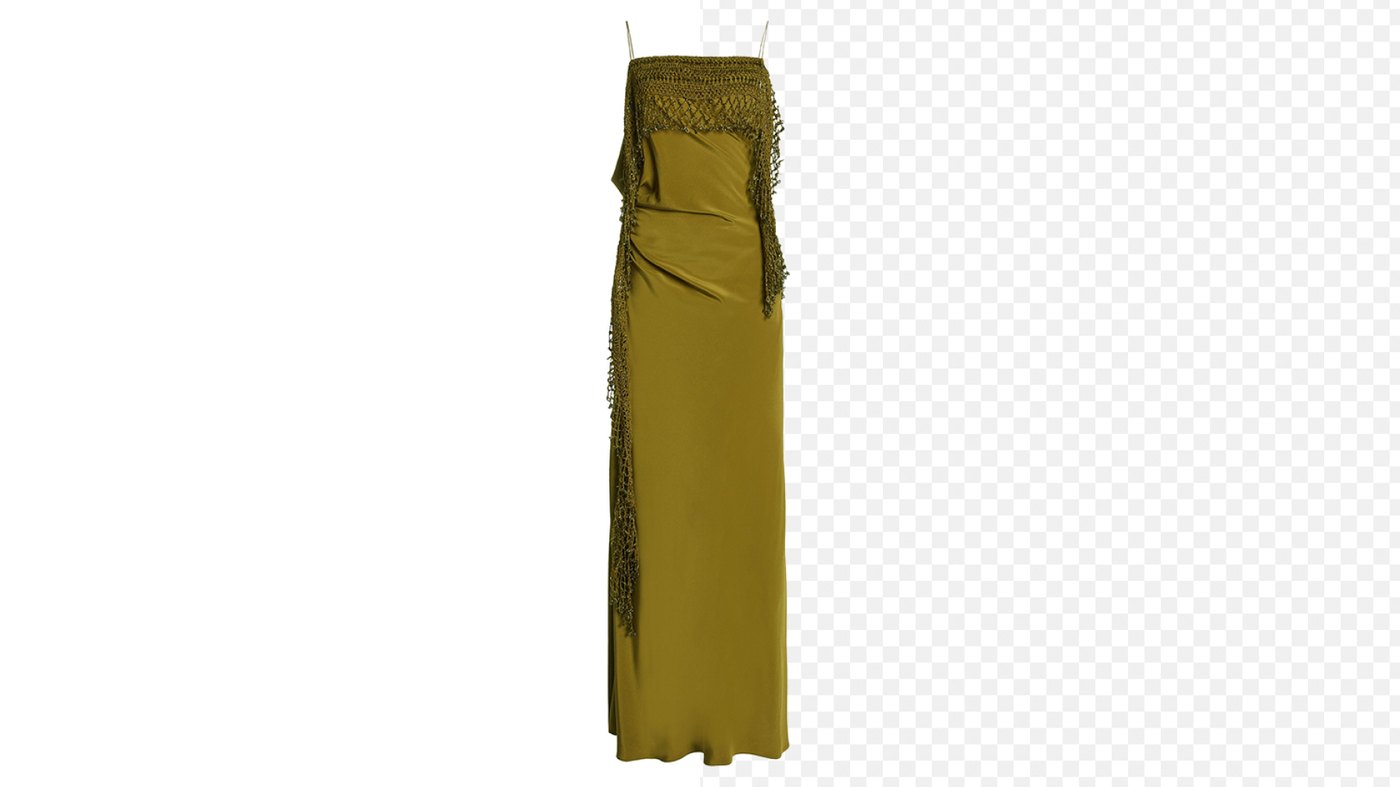
The practical workflow: cut out once at full resolution, keep a transparent PNG master, and export a pure-white version for marketplace mains. Snappyit's free tool does both directly — transparent or solid white/custom background. For colored variants from the same master, see how to change the background color of a picture; for the wider listing pipeline, our AI product photography guide covers the end-to-end stack. And check edges at 100% zoom before uploading — half-erased drawstrings and ghosted mesh are among the most common AI product photo errors buyers notice.
Frequently Asked Questions
Is there a free remove.bg alternative with no watermark and full resolution?
Yes. Snappyit's free background remover exports full-resolution PNGs (inputs up to 4096 x 4096) with no watermark, no login, and no signup, and it includes a manual brush for fixing edges. Photoroom's free web tool is also watermark-free until you hit its monthly export limit, but HD export and commercial use require a Pro plan. Disclosure: Snappyit is our tool.
Why does remove.bg only give me a small image for free?
remove.bg gates quality by resolution instead of using a watermark. As of June 2026, the free option is a 0.25 megapixel preview — roughly 625 x 400 pixels — and you need an account to download even that. Full-resolution downloads cost 1 credit each, about $1.99 pay-as-you-go or from around $9/month for 40 credits on subscription. Check their live pricing before you buy.
Is remove.bg's paid quality worth it?
Its automatic edge AI is genuinely excellent, and paid downloads go up to 50 megapixels (PNG capped at 10 MP). But there is no manual brush, so when the AI misreads lace, mesh, or fur, you cannot fix it inside the tool — you pay per image and accept whatever the AI gives you.
Can I use Photoroom's free plan for my product listings?
Technically no. Photoroom's own terms state the free-plan license is personal and non-commercial, so using free exports on Amazon, Etsy, or Shopify listings requires a Pro plan (roughly $7.50/month billed annually to $12.99/month billed monthly, as of June 2026 — verify current pricing). The free tool is still useful for testing quality before committing.
Is Canva's background remover free?
No. Canva's background remover is a Pro-only feature — clicking it on a free account triggers a paywall. Canva free is fine for layouts and templates, but not for background removal.
Which free tools handle lace, mesh, and fur the best?
In our June 2026 clothing tests, tools with a manual refine brush won. Pure-auto tools either ate the lace detail or left mesh holes filled with leftover background color. Snappyit's free tool let us paint the lost detail back with its green keep brush, and Photoroom's erase/restore brush also helped within its free limits. Auto-only tools were a coin flip on these fabrics.
What resolution do marketplace listings actually need?
Amazon enables zoom once an image is 1,000 px or larger on the longest side, and most marketplaces look best at 2000 px and up. That is why a 0.25 MP free preview (about 625 x 400) is unusable for listings — it sits below every major platform's zoom threshold.
Does Snappyit's free background remover really have no catch?
It is 100% free with no login, no watermark, and full-resolution export — transparent PNG or a solid white or custom-color background. It accepts JPG, PNG, and WebP up to 4096 x 4096. Snappyit makes money on its paid AI photography tools, so the background remover stays free. Disclosure: it is our tool.
What is the cheapest way to cut out hundreds of product photos?
For pure cost, a genuinely free full-resolution tool at $0 per image beats remove.bg's roughly $0.23 to $1.99 per full-res image (as of June 2026). If you need API-driven batch automation at thousands of images, a paid service can earn its keep — but for a seller processing tens of photos a week by hand, free covers it.
Get Full-Resolution Cutouts Free — No Signup, No Watermark
The test is faster than the article: drop your hardest clothing photo — the lace one, the fur one — into Snappyit's free background remover, let the auto pass run, and brush-fix whatever it missed. You'll have a full-resolution, watermark-free PNG on a transparent or pure-white background in under two minutes, no account required.
Remove a background free now →