For Cross-Listing Resellers

Cross-Listing Photo Workflow — One Source, Every Marketplace Ratio

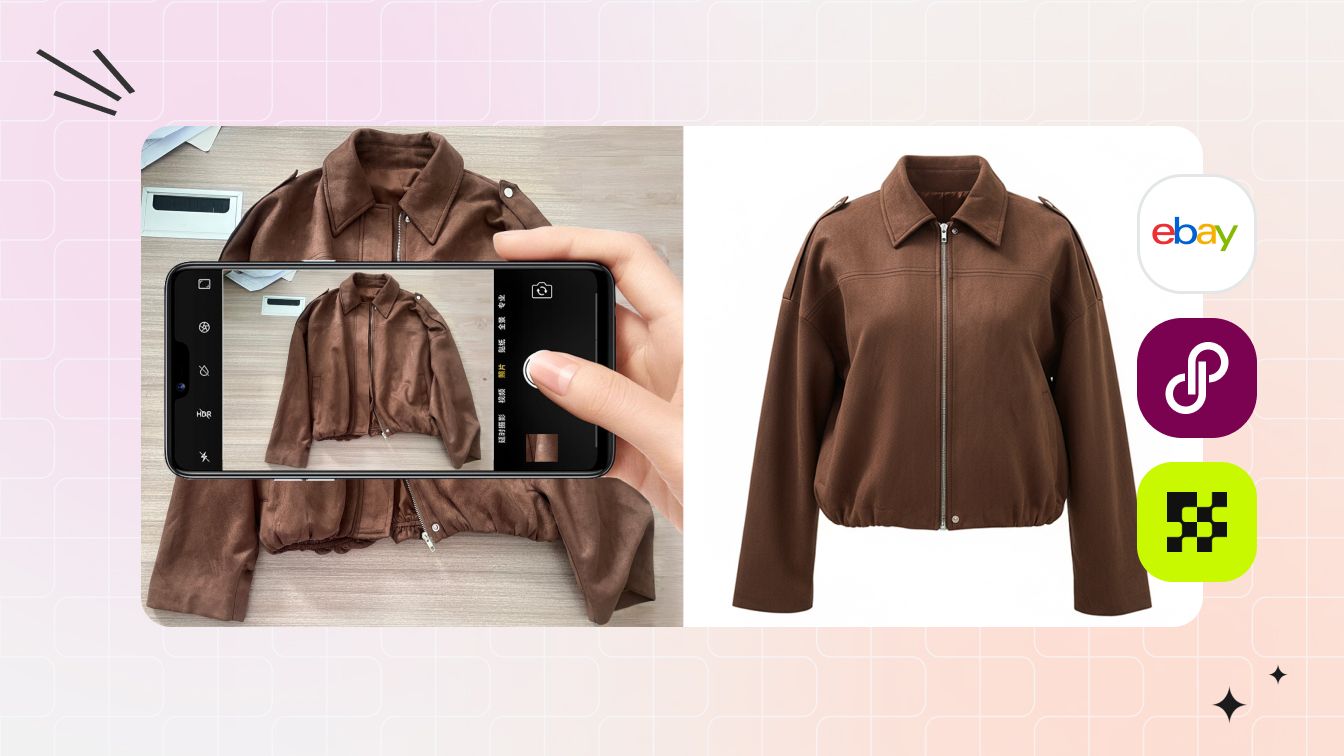
Shoot one phone photo. Snappyit auto-fits it into Poshmark 1:1, Mercari 1:1, Depop 4:5, Vinted 3:4, eBay flexible, Etsy 1:1, Amazon 1500×1500, Shopify flexible, and Whatnot 9:16 — ready to push the master marketplace photo through Vendoo, List Perfectly, OneShop, Reseller Genie, or SellRaze without manual cropping or per-platform reshoots.

Cross-listing photo workflow visualized — phone shooting flat-lay source on the left, AI clean catalog brown jacket on the right, framed by eBay / Poshmark / Mercari marketplace logos — one source photo, every marketplace destination

One Phone Source → Three AI Output Styles for Cross-Listing

The same phone source photo regenerated three different ways. Each output drops directly into a marketplace listing — pick the style that matches the buyer behavior on each platform.

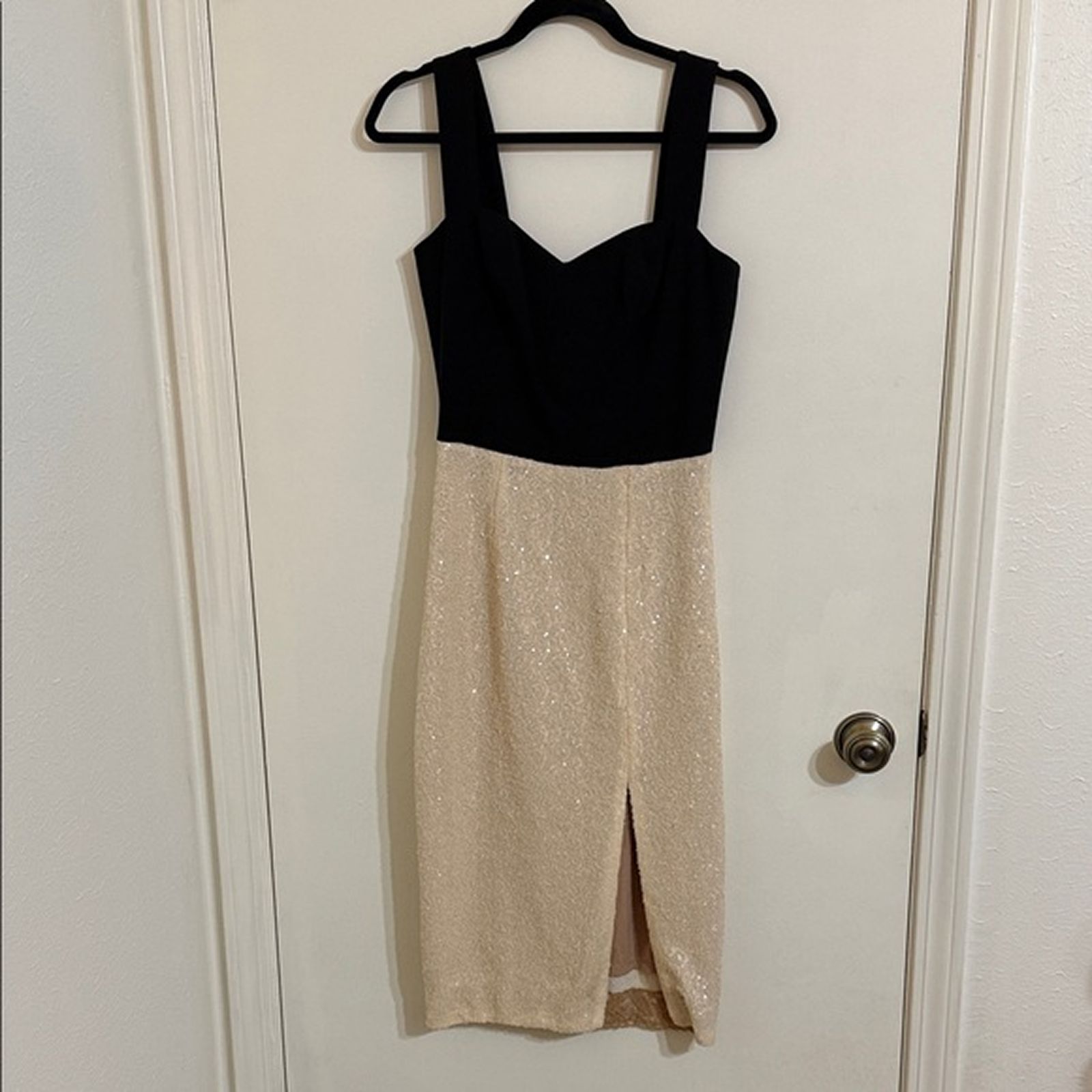
Phone Source Sequin cocktail dress phone source photo on hanger — typical reseller starting input
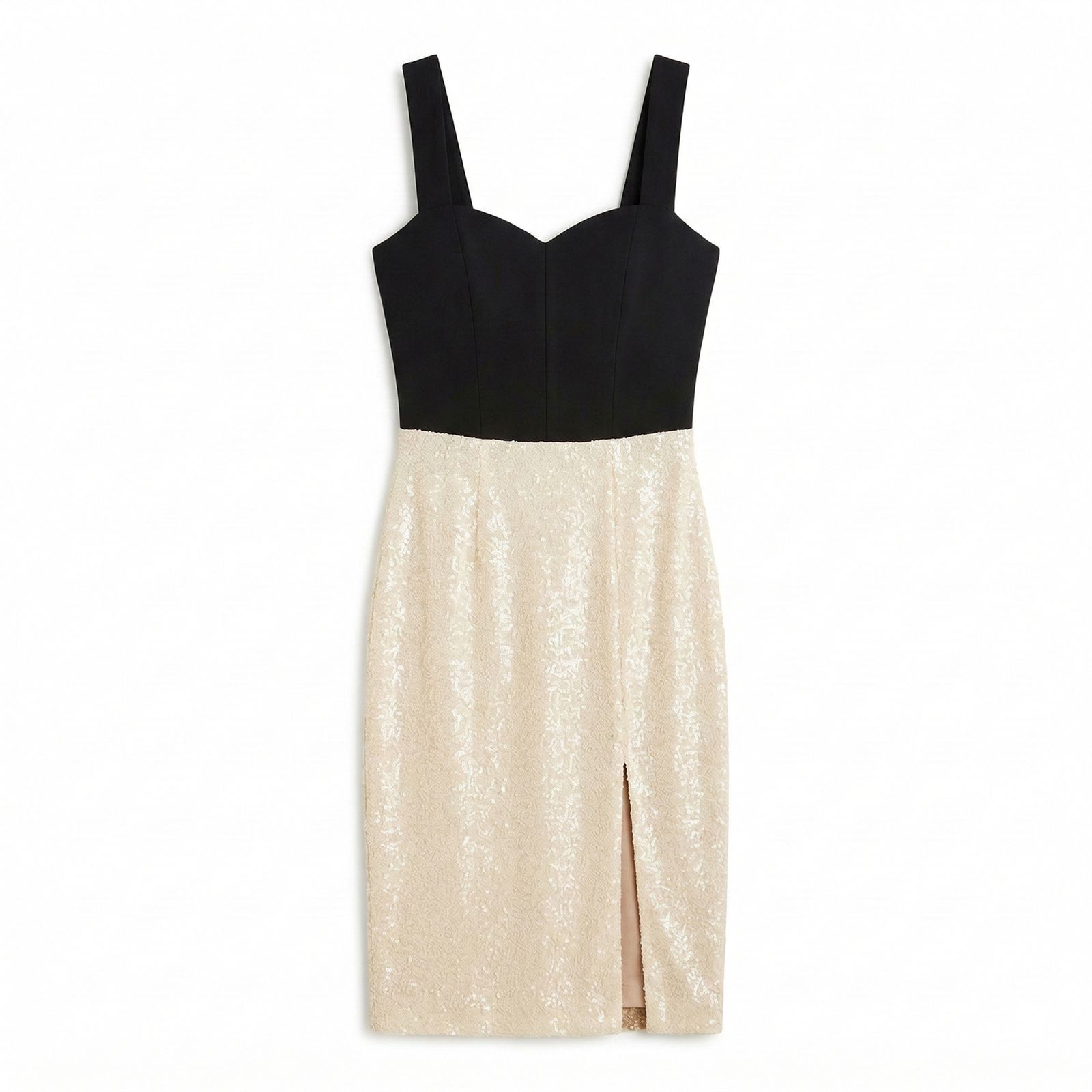
White-Bg Flat-Lay Same sequin dress regenerated as clean white-background catalog flat-lay (AI Flat Lay output) for Poshmark / Mercari / eBay listings
Source → White-Bg Flat-Lay
AI Flat Lay · 60–90 sec · Poshmark / Mercari / eBay catalog
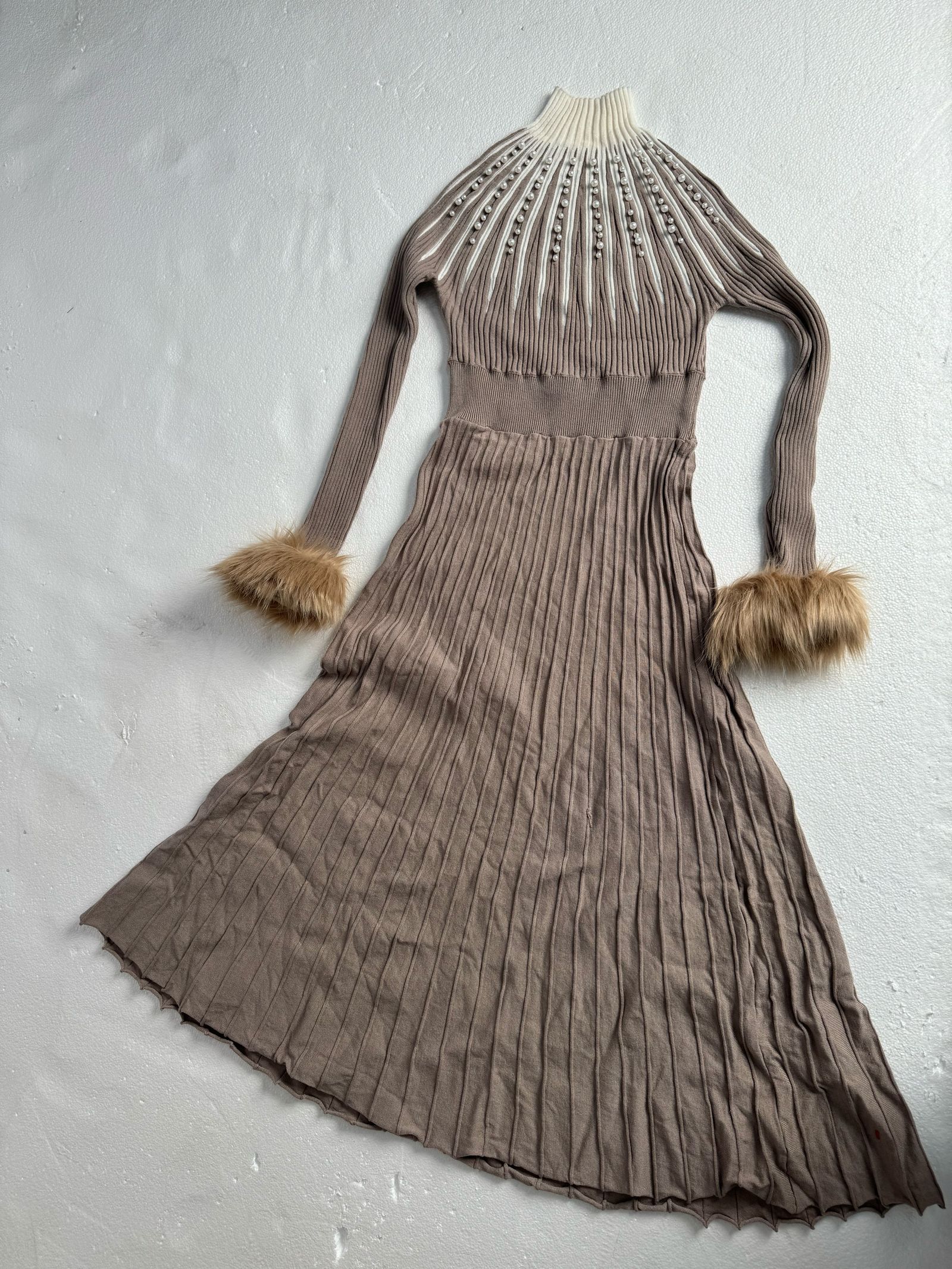
Phone Source Knit fur-cuff dress phone source photo flat on a wall — typical reseller starting input
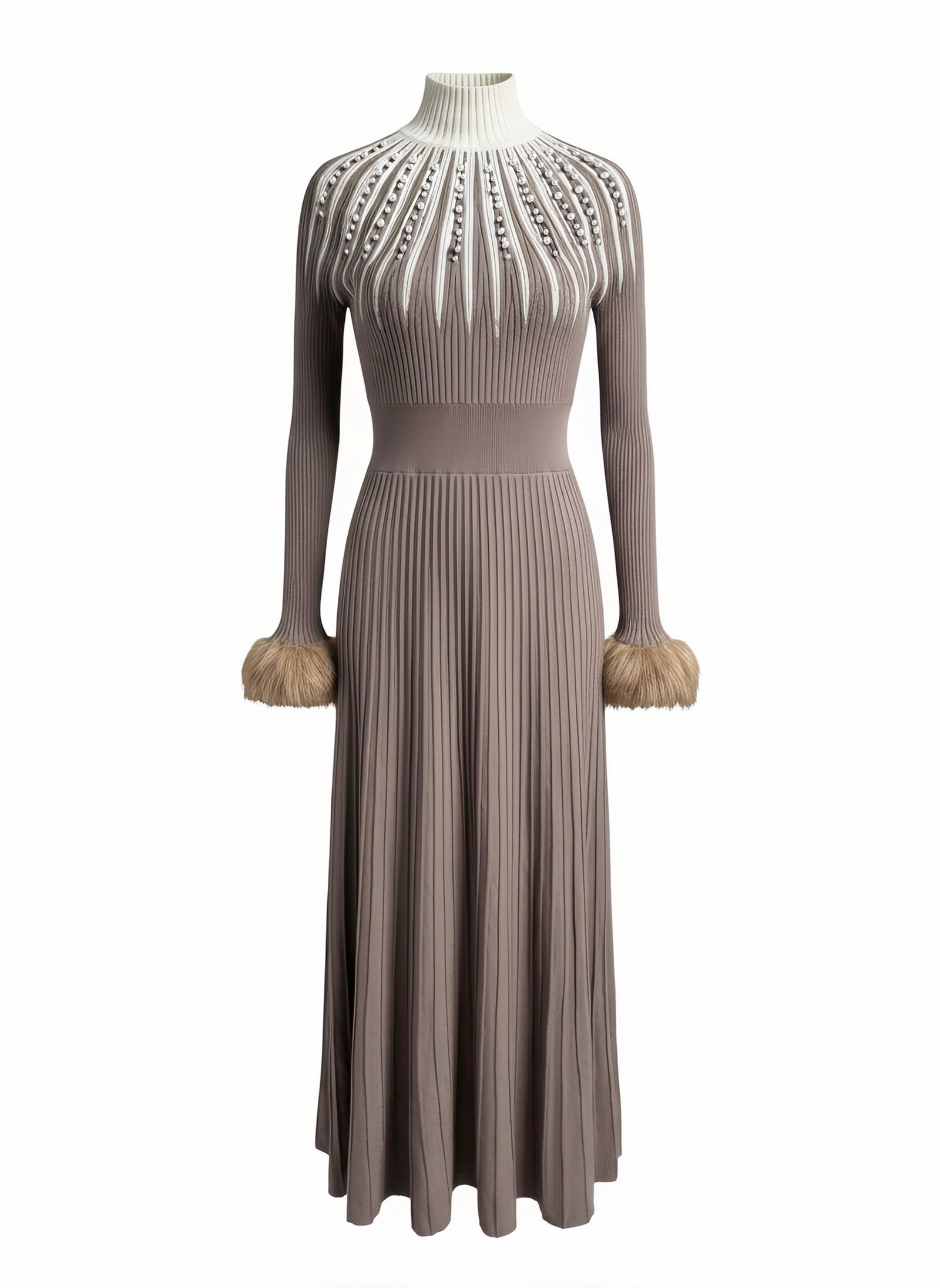
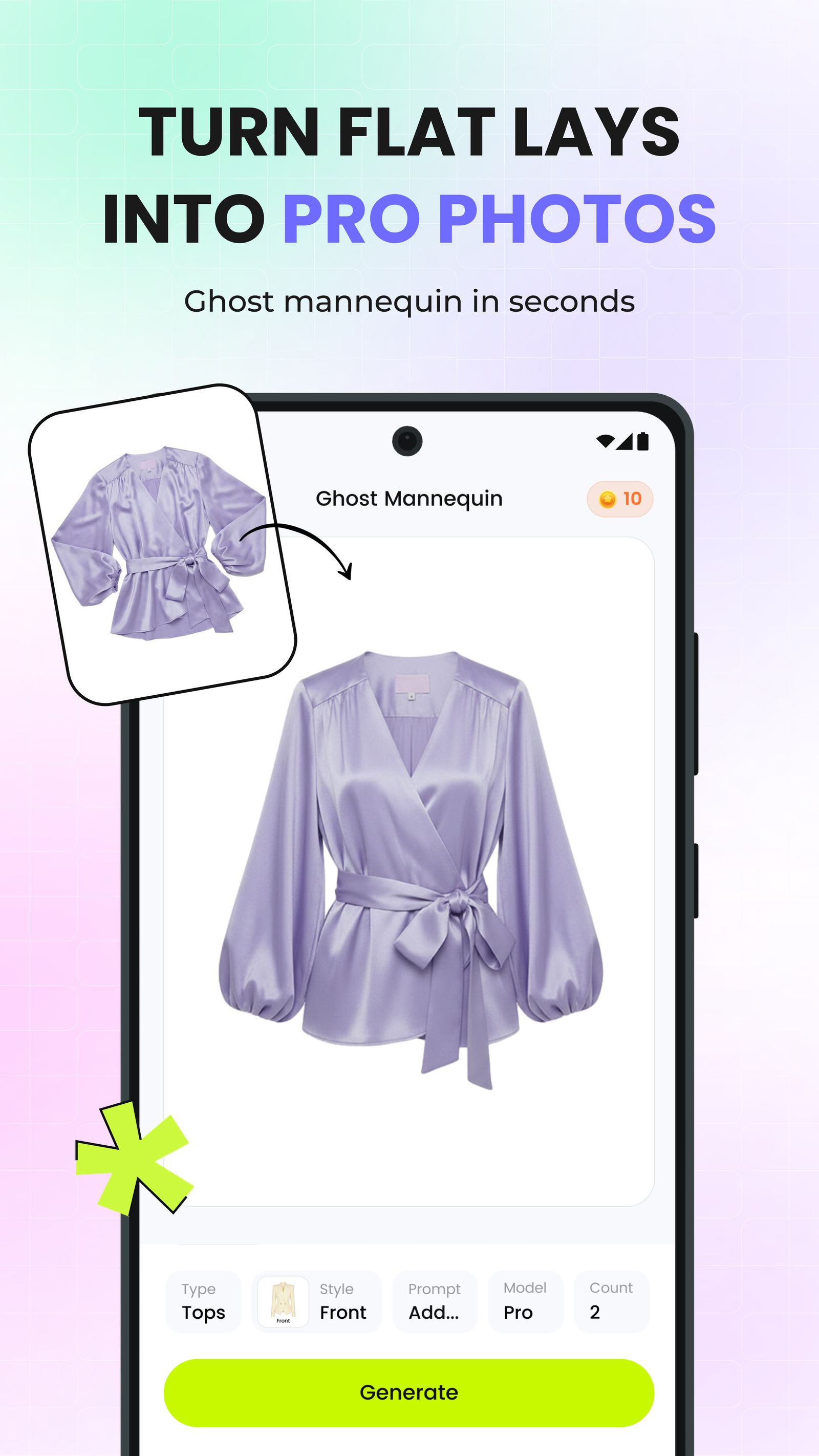
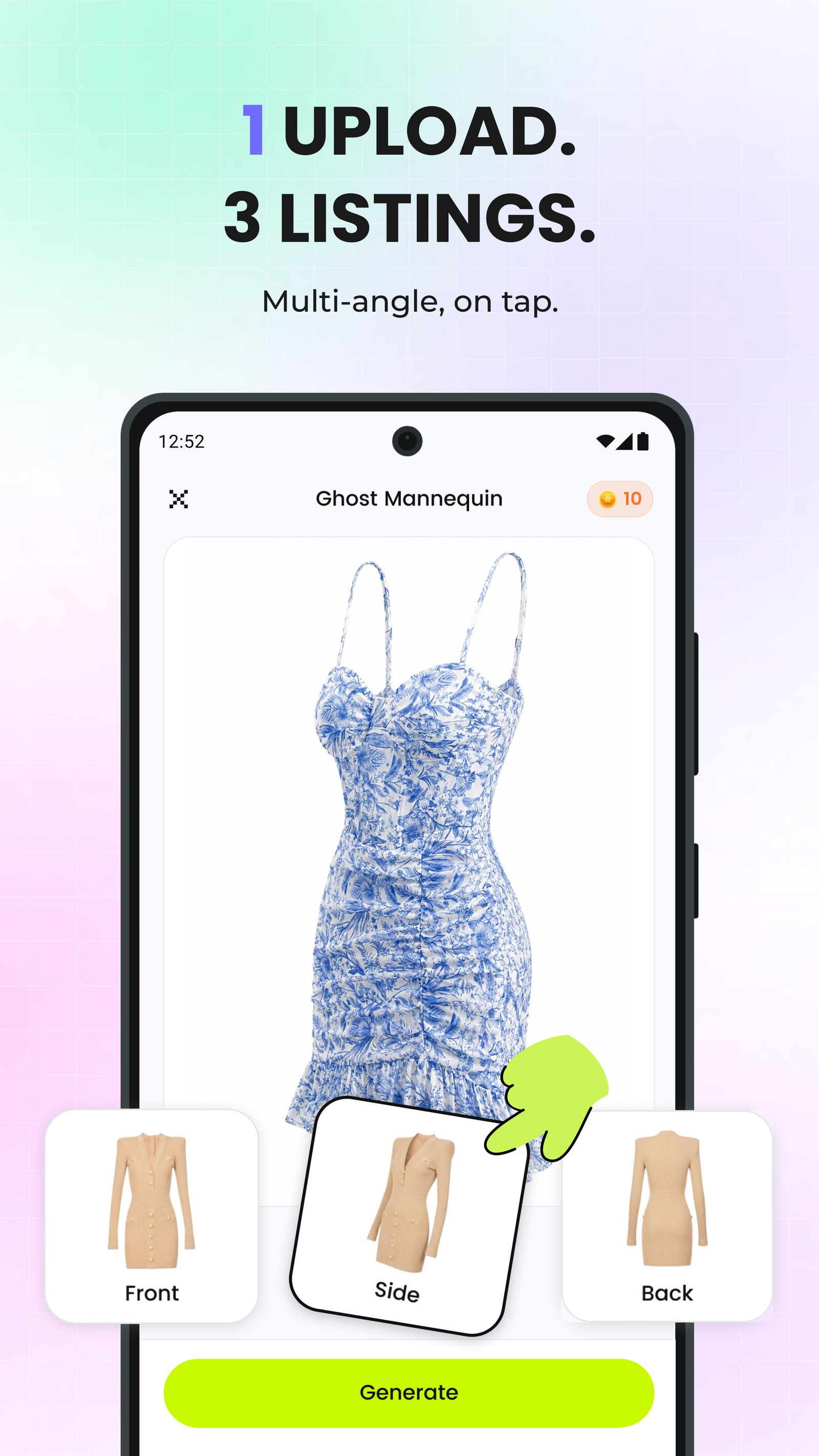
Ghost Mannequin Same knit fur-cuff dress regenerated as 3D ghost mannequin worn shape on clean white catalog background — AI Ghost Mannequin output
Source → Ghost Mannequin
AI Ghost Mannequin · 60–90 sec · 1:1 catalog worn shape
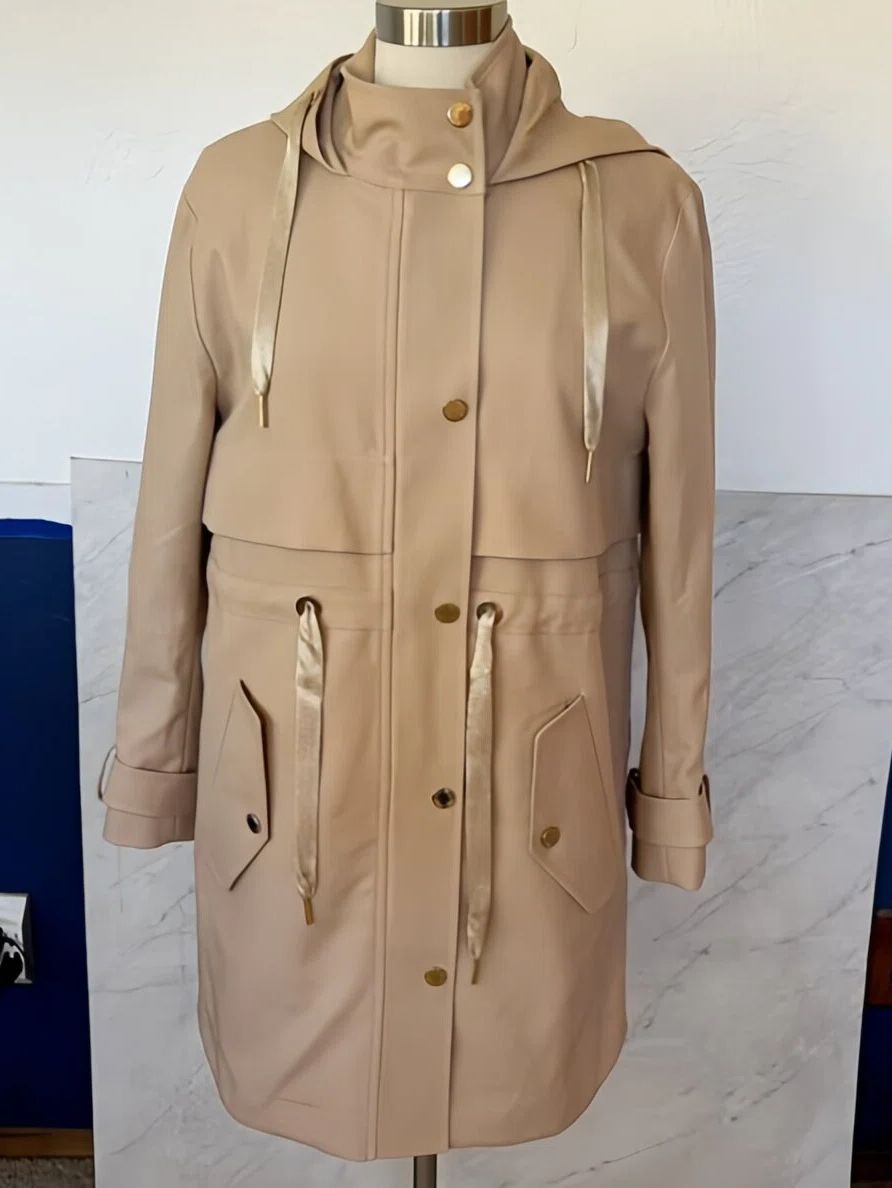
Phone Source Tan parka coat on a dress-form mannequin — typical reseller phone source photo before AI Fashion Model
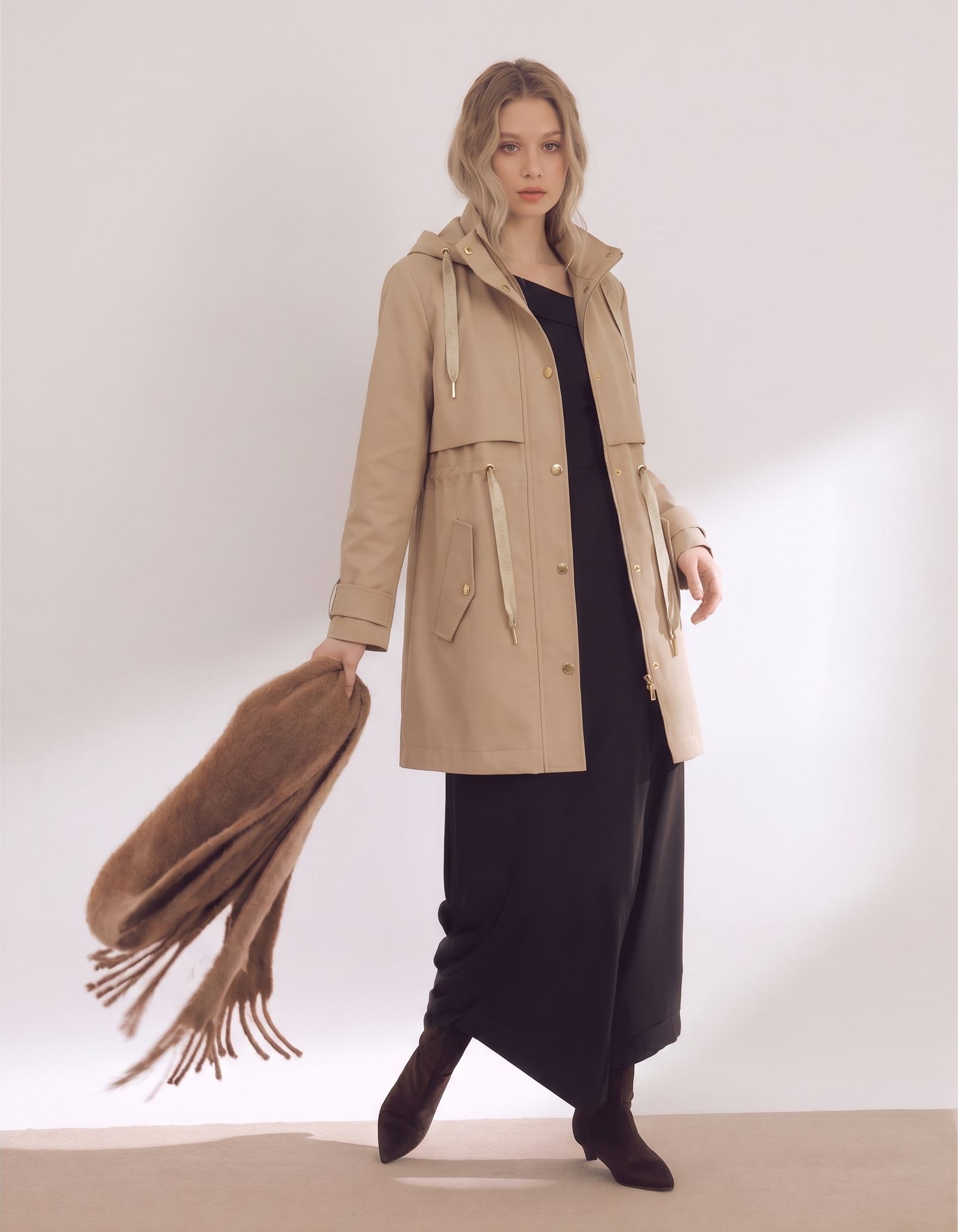
Lifestyle On-Model Same tan parka coat rendered on AI fashion model with scarf styling and full-body lifestyle setting — AI Fashion Model output sized for Depop / Vinted / Whatnot listings
Source → Lifestyle On-Model
AI Fashion Model · 90 sec · Depop / Vinted lifestyle

The Marketplace Photo Gap That Cross-Listing Tools Don't Fix

Cross-listers sync the listing — not the photo. Title, price, description, inventory: handled. Marketplace photo generation, per-marketplace ratio resizing, background cleanup, and 9:16 video for Whatnot: every major cross-listing tool (Vendoo, List Perfectly, OneShop, Reseller Genie, SellRaze) leaves these to you.

Feature Vendoo List Perfectly OneShop Reseller Genie SellRaze
Title / price / description sync
Inventory tracking across platforms
Auto-delist on salePartialPartial
Tax / cost-of-goods accounting
Photo Workflow Gap — None of These Tools Handle
Per-marketplace ratio resize (1:1 / 4:5 / 3:4 / 9:16)
AI photo generation from a phone source
Background cleanup / wrinkle removal
9:16 video format for Whatnot live + Reels

Why The Photo Gap Matters: Cross-Listing Volume

Independent industry data — not platform marketing. The cross-listing market is real, the photo workflow gap shows up in retention, and per-marketplace cover ratios consistently outperform stretched / center-cropped photos in algorithmic feed surfacing.

$78.8B
projected US resale market by 2030
(7.3% annual growth)
ThredUp 2026 Resale Report
~3.5 hrs
weekly time saved by cross-listing automation
(at 30 listings / week)
Snappyit 2026 cross-listing comparison
5–6×
listings shipped per hour
(AI photo + cross-lister vs. manual)
Snappyit 2026 reseller tool stack

Snappyit Tool Stack: Photos + Videos for Every Marketplace

Photo tools split into white-bg catalog (Flat Lay + Ghost Mannequin) and lifestyle on-model (Fashion Model). Video tool covers 9:16 for Whatnot live + short-form. Together, one source phone photo covers every marketplace and live-show channel.

Pro tip: Generate one white-bg catalog (AI Flat Lay or Ghost Mannequin) for your cover photo, one lifestyle on-model (AI Fashion Model) for the secondary slot, and one 9:16 video clip (AI Image to Video) for Whatnot live or Reels — all from the same source phone photo. Three AI passes, every marketplace + live-show channel covered.

How It Works: One Source to Every Marketplace in 3 Steps

Same flow whether you're connecting 2 marketplaces or 8. Shoot once, generate once, push through any cross-lister.

01

Shoot One Source Photo

Lay garment flat on a white sheet near a window. One phone photo, no tripod or studio. North-facing window light 10am–3pm gives the cleanest input — 1024px minimum on the long edge.

Under 30 seconds
02

Generate Marketplace Ratios

Run Snappyit AI Flat Lay — auto-fits 1:1 (Poshmark / Mercari), 4:5 (Depop), 3:4 (Vinted), flexible (eBay / Etsy). Add AI Image to Video for 9:16 Whatnot live or Reels.

60–90 sec per output
03

Push Through Cross-Lister

Drop the master AI photo into Vendoo, List Perfectly, OneShop, Reseller Genie, or SellRaze. The cross-lister inherits title / price / description and syncs to all linked accounts.

~5 min total per item

What The Cross-Listing Photo Workflow Unlocks for Resellers

Four cross-listing marketplace photo problems the AI workflow solves — and what solving them does to your sell-through on Poshmark, Mercari, eBay, Etsy, Amazon, Shopify, Depop, Vinted, and Whatnot.

Skip Manual Cropping in iPhone Photos

Most resellers waste 3–5 minutes per item manually cropping one photo into 4–6 marketplace ratios. AI Flat Lay auto-fits all ratios in one pass — that's 1.5–2.5 hours per week back at 30 listings / week.

Marketplace-Correct Covers Boost CTR

A 4:5 portrait stretched into a 1:1 square crop loses 20–25% of the garment from the cover frame. Marketplace-correct ratios consistently outperform stretched / center-cropped photos in algorithmic feed surfacing on Poshmark, Depop, eBay, Etsy, and Amazon — every marketplace photo cover behaves the same way.

Stack With Any Cross-Lister, No Lock-In

AI Flat Lay, AI Ghost Mannequin, AI Fashion Model, and AI Image to Video output are just JPG / PNG / MP4 — drops into Vendoo, List Perfectly, OneShop, Reseller Genie, SellRaze, or even a hand-rolled Etsy + Shopify + Amazon spreadsheet. No vendor lock-in on your marketplace photo workflow.

Future-Proof Against New Marketplaces

Generate all marketplace ratios upfront with AI Flat Lay, AI Ghost Mannequin, AI Fashion Model, and AI Image to Video — and you can spin up Mercari, Whatnot, Vinted, Amazon, Etsy, or Shopify three months later without reshooting inventory. Your existing listings already have the correct marketplace photo covers sitting on your drive.

Per-Marketplace Output Specs

Auto-fit ratios and per-marketplace tactics. Same source photo, every listing destination — all from one AI Flat Lay or Fashion Model generation pass.

Poshmark

1:1 cover
Best photo combo
  • AI Flat Lay catalog as cover (catalog read)
  • On-model + flat-lay + flaw close-ups in slots 2–6
  • Cover at 1000×1000+, 16-photo cap

eBay

Flexible 1:1
Best photo combo
  • AI Flat Lay catalog as cover (buyer-search trained)
  • Pure white background (eBay penalizes busy backgrounds)
  • Up to 24 photos — use them all on vintage

Etsy

Flexible 1:1
Best photo combo
  • AI Flat Lay catalog as cover (handmade / vintage seller standard)
  • 2000×2000 recommended for zoom layer
  • 10-photo cap — mix flat-lay + on-model + scale shot

Amazon

1:1 square
Best photo combo
  • AI Ghost Mannequin as main image (#FFFFFF mandatory)
  • Main image at 1500×1500 minimum (zoom up to ~3000)
  • Up to 9 secondary photos — mix lifestyle + scale

Shopify

Flexible 1:1
Best photo combo
  • AI Flat Lay + AI Fashion Model mix (your DTC brand store)
  • 2048×2048 recommended — theme-dependent display
  • Bulk-edit tools accept the AI master photo natively
Free Tool · No Signup

Already have catalog photos? Use the free Image Resizer

Bulk crop one source photo into 1:1 / 4:5 / 3:4 / 9:16 / flexible aspect ratios for every marketplace — in your browser, no AI cost, no signup. Best for sellers who already shoot studio-grade photos and just need the marketplace-correct ratio variants.

Try Image Resizer Free

Common Pitfalls in Cross-Listing Photo Workflow

Three workflow mistakes that tank cover-photo CTR or trigger return disputes, plus three habits that protect your seller rating.

!
Letting the cross-lister center-crop your photoVendoo / List Perfectly / OneShop apply the same image to every linked photo-marketplace — a 4:5 portrait shipped as cover gets center-cropped to 1:1 for Poshmark / Mercari / Amazon, losing 20–25% of the garment from the frame. Generate each marketplace photo at the correct ratio in Snappyit first, then upload to your cross-lister.
!
Watermarking the master photoSome resellers add a stitched-in watermark before cross-listing. eBay, Mercari, and Etsy down-rank watermarked covers in search. Keep the master clean and rely on the marketplace's native seller attribution.
!
AI-cleaning the flaw close-upThe flaw photo's whole job is to show wear honestly. Any AI cleanup on stains, holes, or pilling triggers "item not as described" disputes when the buyer receives. Keep the flaw photo raw — AI only on covers and lifestyle slots.
Generate all marketplace ratios upfrontEven if you only sell on Poshmark + Mercari today, generate the 4:5 (Depop) and 3:4 (Vinted) ratios in the same AI pass. When you add a new marketplace 3 months later, the cover photos are already on your drive.
Disclose AI rendering in the listing descriptionMost buyers on Depop and Poshmark already understand AI on-model output. A one-line note ("On-model image is an AI rendering for fit reference") heads off any concerns and prevents return disputes.
Pair AI photos with one honest phone shotAlways include at least one direct phone photo of the actual garment alongside any AI output. The honest shot anchors the listing in reality and gives the buyer an unambiguous reference point — return rates drop measurably.

Cross-Listing Photo Workflow FAQ

Common questions resellers ask before swapping manual cropping for one-source AI photo generation.

Poshmark and Mercari both display covers at 1:1 (square, 1000×1000 minimum). Depop uses 4:5 portrait (800×1000). Vinted uses 3:4 portrait (800×1066). eBay is flexible — 800×800 minimum, 1600+ recommended. Etsy is also flexible — 2000×2000 recommended for zoom. Whatnot live and short-form ads use 9:16 vertical video (1080×1920). Cross-listing tools don't auto-resize — you upload pre-sized photos. Snappyit's AI Flat Lay auto-fits all of these from one source.
No. None of the major cross-listing tools auto-resize photos for per-platform aspect ratios — they assume you upload correctly-sized images for each marketplace, or they crop the original to a fixed center square (Mercari 1:1, Poshmark 1:1, eBay center). For Depop's 4:5 portrait, Vinted's 3:4, or Whatnot's 9:16, you're either reshooting, cropping in another app, or accepting suboptimal cover photos. This is the photo gap that AI photo workflows solve.
From one source phone photo, Snappyit can generate the catalog flat-lay (auto-fit per marketplace ratio), an AI ghost-mannequin variant, an AI on-model variant, and an AI Image to Video clip for short-form ads or Whatnot live. For a typical reseller listing that needs 6–8 photos across Poshmark / Mercari / eBay / Depop / Vinted, one source plus one AI pass gets you all the cover photos. Always pair AI output with one or two honest macro phone shots of any flaws.
Yes. Snappyit outputs standard JPG / PNG / MP4 files at marketplace-friendly resolutions, so they slot directly into any cross-listing tool's image upload field. The standard workflow: generate the AI photo on Snappyit → save the master to your computer or cloud drive → drop it into Vendoo / List Perfectly / OneShop / Reseller Genie / SellRaze when creating a new listing → the cross-lister syncs the same photo (sized for each marketplace) to all linked accounts.
Snappyit's AI Flat Lay runs $0.10–$0.40 per generated photo depending on plan tier (annual plans start at $6.9 / month for the entry tier). For a typical 6-photo reseller listing, that's $0.60–$2.40 in AI cost per item. Add the cross-listing tool ($20–30 / month for Vendoo or List Perfectly entry tiers, amortized across all your weekly listings), and the per-item active-human-time savings (~3.5 hours / week at 30 listings) makes the tool stack pay for itself by the first sale of the week.
Yes — that's the entire point of the workflow. One source phone photo → Snappyit generates marketplace-correct catalog output for each platform's required ratio, plus a 9:16 video clip for Whatnot live or Reels / TikTok ads. You shoot once, generate once, then push to every linked account through your cross-lister. The alternative (shooting separately for each platform's ratio, or manually cropping) typically eats 30–45 minutes per item versus ~5 minutes total with the AI workflow.
Best practice — yes. Most marketplaces (Poshmark, Depop, eBay, Mercari) don't require AI disclosure as of 2026, but the trust signal of disclosing "AI rendering for fit reference" alongside one or two honest phone photos consistently outperforms hidden AI usage in long-term seller-rating data. Always pair an AI on-model image with a direct phone photo of the actual garment plus a macro flaw shot if there are any visible imperfections.
Snappyit handles down to about 1024px on the long edge — anything below that risks visible upscaling artifacts on the AI output. For best results, use your phone's main camera (12 MP minimum on a 2024+ iPhone or Pixel, 48–50 MP on Pro models) at full resolution, in north-facing window light. Avoid digital zoom, screenshots of zoomed photos, or images downscaled by messaging apps before upload. If your input is too small, reshoot — no AI tool can fully recover lost detail.
Yes — Snappyit's free Image Resizer handles bulk ratio cropping in your browser without AI generation or signup. Drop one source photo, get back 1:1 (Poshmark / Mercari), 4:5 (Depop), 3:4 (Vinted), 9:16 (Whatnot), and flexible (eBay / Etsy) crops in seconds. Best for sellers who already shoot studio-grade photos and just need the marketplace-correct ratio variants. Use the AI Flat Lay / Ghost Mannequin / Fashion Model tools when you also need to clean up the source (remove wrinkles, regenerate background, change color, render on-model).
Yes. Photos and videos generated from items you own or have rights to are yours to use commercially across Poshmark, Depop, eBay, Mercari, Vinted, Whatnot, Etsy, Shopify, Instagram, TikTok, paid ads, and any other commercial channel. Snappyit doesn't claim any rights to the AI output you generate from your own source photos.

Skip the Manual Cropping. Ship to Every Marketplace From One Source.

Drop one phone photo into Snappyit. Get back marketplace-correct ratios for Poshmark, Mercari, eBay, Depop, Vinted, Etsy, plus a 9:16 video clip for Whatnot live. Push through any cross-lister.

More Cross-Listing Resources