



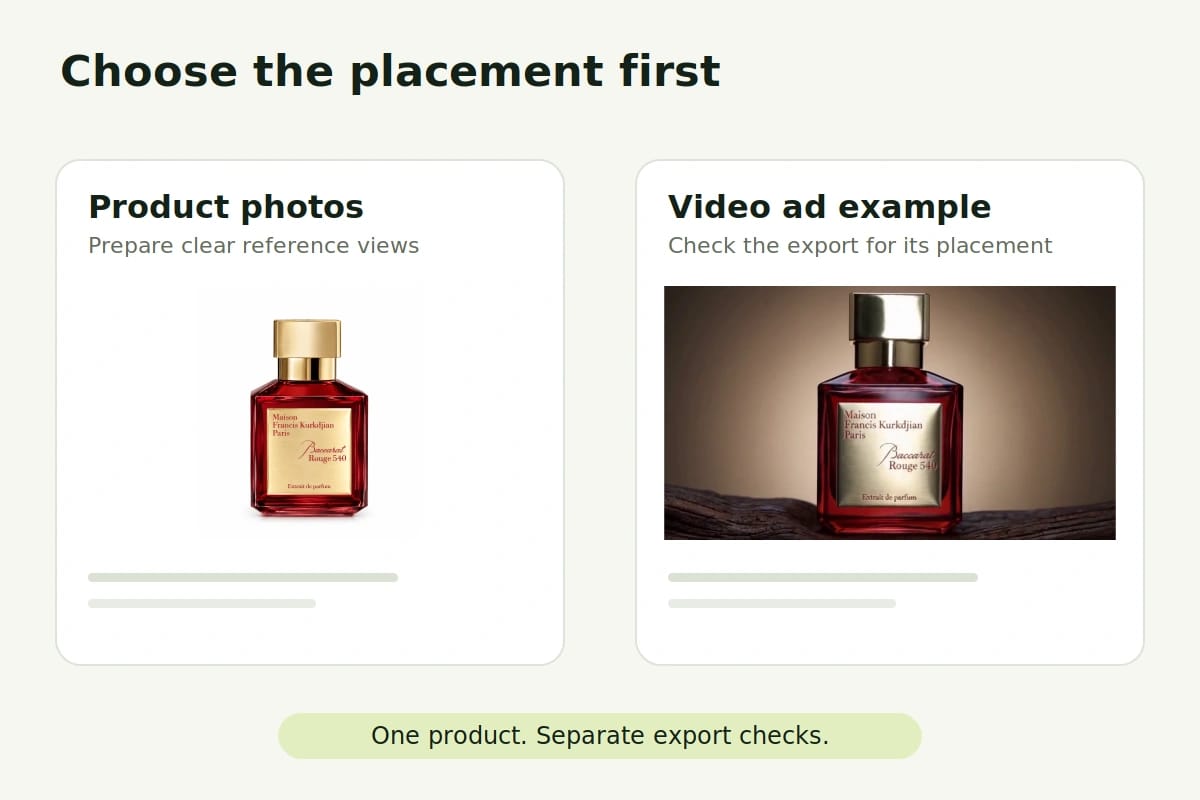

Amazon product video requirements depend on placement. Listing uploads, Sponsored Brands ads and Premium A+ modules use separate workflows, which is why both 5 GB and 500 MB can be correct file-size limits. Compare the placements below, then confirm the settings in your marketplace's uploader.
Key takeaways
- Choose the placement before exporting: listing gallery, Sponsored Brands, display ad or Premium A+.
- Brand Registry is not required for the standard listing-video route described by Amazon; seller eligibility still applies.
- A landscape editing project can supply several versions, but one finished file is not guaranteed to qualify everywhere.
- Design video ads to work without sound, and inspect the product itself throughout the clip.
Amazon product video requirements at a glance
Amazon publishes different video specifications for listing uploads and ads; the table keeps each set with its official source.
| Specification | Product detail page video | Sponsored Brands video ad | Display video ad |
|---|---|---|---|
| File / encoding | MP4 or MOV; codec not specified in the cited guide | MP4 or MOV; H.264 or H.265 | H.264, MPEG-2 or MPEG-4 listed; confirm accepted container in the ad uploader |
| Resolution | Up to 1080p | 1280 × 720, 1920 × 1080 or 3840 × 2160 | 1920 × 1080 or higher |
| Aspect ratio | Not specified in the cited public guide | 16:9 in the specification page; see the vertical-video exception below | 16:9 |
| Duration | Guide lists 1–12 minutes; confirm the minimum in your uploader | 6–45 seconds; 20 seconds or less strongly recommended | 6 seconds minimum; confirm the maximum |
| Maximum file size | 5 GB | 500 MB | 500 MB |
| Official source | Amazon listing-video guide | Sponsored Brands specifications | Display video guide |
Sources checked November 10, 2026. The display guide is the current destination of Amazon's older Sponsored Display video guide. Unclear limits are explained in the placement sections below.
Product detail page videos
A product detail page video is a shoppable product video associated with an ASIN through Seller Central, separate from a paid advertising campaign.
Who can upload a listing video?
Amazon's listing-video eligibility guidance describes a Professional selling account, at least three months of selling history and live product listings. It explicitly includes sellers whose brands are not enrolled in Brand Registry. Check availability in the account and marketplace where you sell.
Brand Registry can expedite access, according to Amazon staff guidance.
File settings and the video thumbnail
The listing guide leaves aspect ratio and codec unspecified, so check those fields in your uploader. Choose an automatic thumbnail or upload a clear custom image in an accepted format.
Where does the video appear?
Amazon's display guidance says the product needs fewer than six images for a shoppable video to appear in the main media block, with newer videos given priority. Check placement before removing useful listing images.
One video can be assigned to multiple relevant ASINs, as the staff walkthrough explains. Check every association: a clip of one color or accessory bundle should not misrepresent another variation. Image preparation belongs to the separate Amazon product image requirements guide.
How long should a listing video be?
Amazon's guide lists 1–12 minutes but also recommends short demonstrations and includes sub-minute examples. Confirm the accepted range in your listing uploader before final editing; acceptance of shorter files has not been tested for this article.
Sponsored Brands video ad specs
Sponsored Brands video ads use a 6–45-second format, with the encoding and audio requirements below. Resolution, aspect ratio and file size are in the main comparison table.
| Export setting | Published requirement |
|---|---|
| Video profile / scan | Main or Baseline; progressive scan |
| Frame rate | 23.976, 23.98, 24, 25, 29.97, 29.98 or 30 fps |
| Video bitrate | At least 1 Mbps; 4 Mbps or higher recommended |
| Audio codec, if included | PCM, AAC or MP3 |
| Audio bitrate / sample rate | At least 96 kbps / at least 44.1 kHz |
| Audio channels | Mono or stereo |
For sellers, Sponsored Brands requires Brand Registry eligibility. The Sponsored Brands product page also explains access for other eligible advertiser types.
Can you use a vertical 9:16 ad?
Amazon's pages describe different format paths. The specification page lists 16:9 only, while its Sponsored Brands guide describes both horizontal and vertical video.
The February 14, 2024 launch announcement describes vertical video for Store landing-page campaigns, with individual product links still able to open detail pages. Confirm the formats available for your current campaign goal.
Design for the ad player
Amazon's moderation guide recommends showing the product within the first two seconds. Make its benefit understandable through the picture and readable text, since ads begin without sound. Match the text and audio to the destination marketplace's language requirements.
The ad specification also says to avoid letterboxing or pillarboxing and to keep important information out of the lower-right corner, where the mute control can appear.
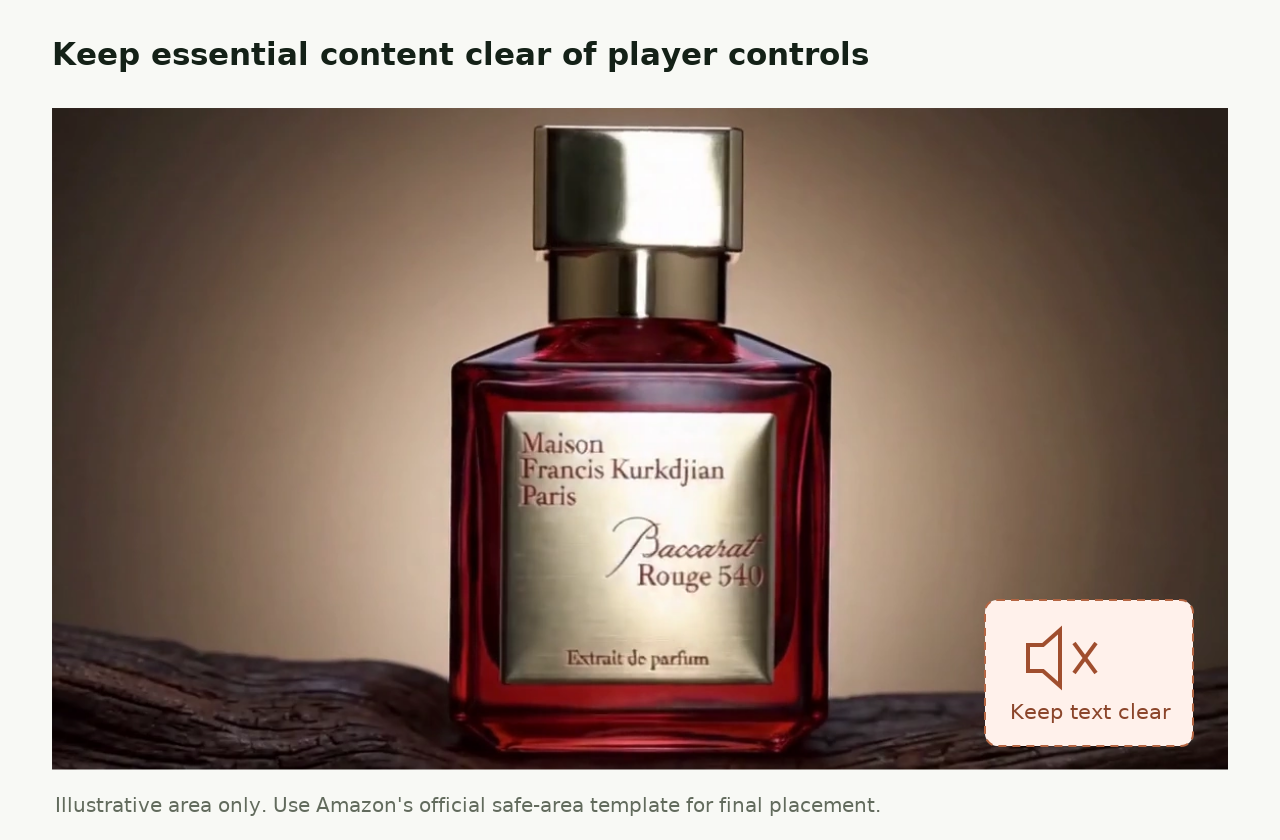
This is an illustrative composition guide, not a measured safe-area template. Use the official template linked from Amazon's ad specification when positioning final text.
A+ content and other video placements
Premium A+ video belongs to the enhanced product-content area and uses a different workflow from Seller Central's listing-video manager.
Amazon's A+ Content overview identifies video among Premium A+ features. Choose an available video module in A+ Content Manager and follow its current export instructions; the public overview does not give a complete specification.
The display video guide labels both duration rows as “Minimum duration,” so confirm the maximum in the campaign uploader.
Amazon discontinued its 360-degree image experience on January 20, 2025, directing sellers to 3D models instead. A rotating-product MP4 remains a video and uses a separate upload workflow.
What Amazon product videos can and cannot show
Amazon listing videos should explain the actual product, while advertising creative must also satisfy the policies for its ad format and marketplace.
Keep listing demonstrations informative
The Seller Forums staff guidance favors authentic demonstrations over commercial-style videos, promotions and paid testimonials. Show how the item opens, fits, connects or works. Keep the visible version and included accessories consistent with the ASIN.
Review Seller Central's current Video content policy before submission for the detailed rules that apply to your listing.
Check ad claims and production quality
Amazon's ad moderation guide requires accurate claims and explains common production problems: unclear pictures, unreadable text, blank frames, jarring edits and distracting audio. Ensure that any claim has the required support and matches the product detail page.
Inspect AI-generated product details
Compare labels, colors, proportions, hardware and included parts with approved photos at the beginning, middle and end. Remove invented accessories or changed product behavior. The product-lettering guide covers text checks before animation and publishing.
How to upload a video to an Amazon listing
Amazon's published listing-video workflow starts at Seller Central → Catalog → Upload and Manage Videos.
- Select Upload video and choose your file.
- Enter a clear title and the relevant ASINs; review any variation associations.
- Choose the video type, brand association and language requested by your account.
- Review the generated thumbnail or add a custom one, then submit.
- Return to the manager to check the review status and any rejection reason.
The official walkthrough also describes a Videos tab in Image Manager as an alternative. Follow the labels available in your account.
If the video is not showing
Check status first. “Rejected” calls for the specific rejection reason; a published video calls for a placement check. Amazon's troubleshooting guidance points to image count and display order as possible causes. A missing main-gallery thumbnail does not by itself prove the upload failed.
The same guide says appearance typically follows within three days after approval, and that holiday review can take seven business days. Those are different stages, not a guaranteed total turnaround time. Leave room for moderation and corrections before a launch.
How to make an Amazon product video that meets the specs
Build an editable landscape project, then export the version your chosen placement needs.
Start with a landscape editing project
For landscape Sponsored Brands ads, 1920 × 1080, 16:9, H.264 MP4 and 24 fps are practical choices supported by the ad specification.
Keep the source footage and editable timeline. Make a separate listing edit once its duration limit is clear, and reframe a separate portrait version only for a campaign that offers it. Do not add black bars to force a ratio. For still-image framing, see the marketplace image-size guide.
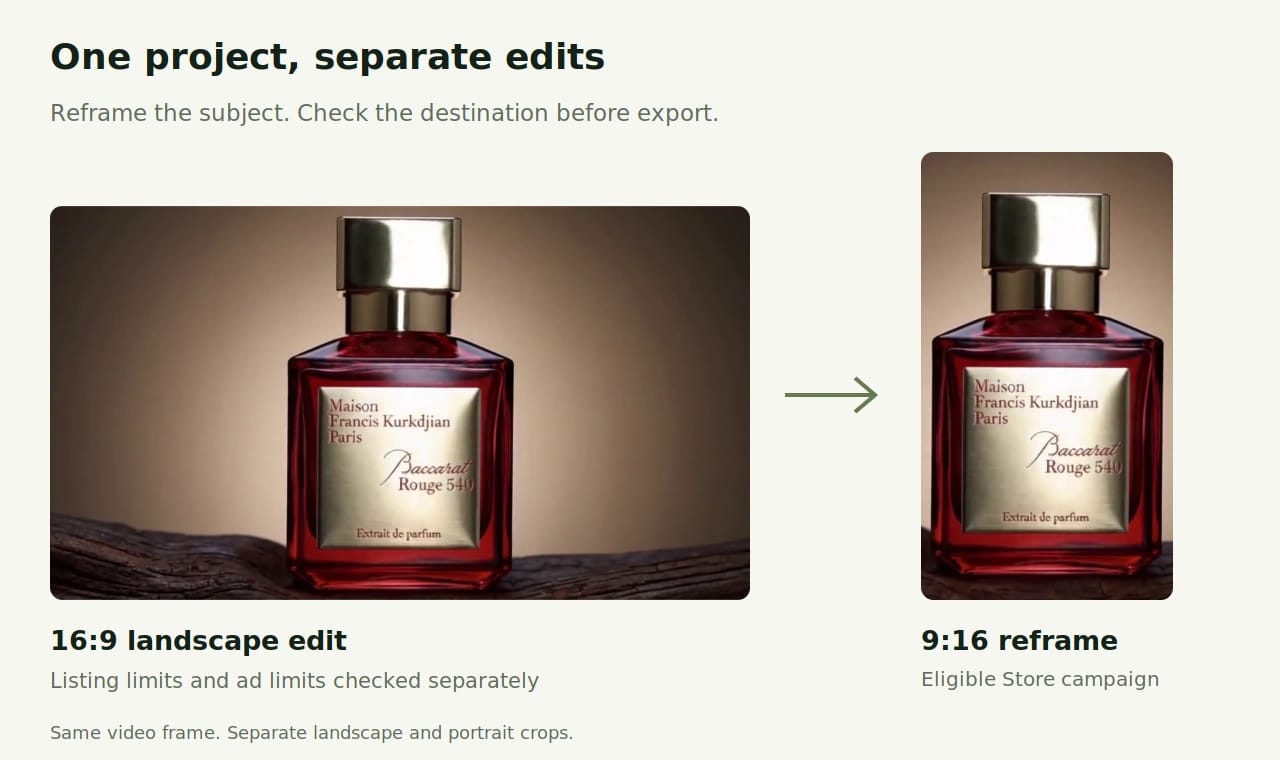
Both versions use the same video frame, cropped separately around the bottle. Keep the cap, label and bottle edges visible when making the portrait edit.
Choose shots that answer buyer questions
- Scale: show the item beside a familiar object or held naturally in a hand.
- Detail: show a useful feature such as stitching, a clasp or a connector.
- Use: demonstrate a real action without exaggerating the result.
- Shape: reveal relevant sides, using real reference views for surfaces buyers need to judge.
Introduce the product promptly, add readable captions where useful and finish on a clear view.
Make short source clips from product photos
Snappyit's AI Image & Video Editor can turn product photos into short video clips. Supply the views your chosen workflow requests. The Amazon sellers use case covers the broader image-and-video workflow.
Example settings: MiniMax H3 · Reference mode · 15 seconds.
At 15 seconds, this clip fits the 6–45-second Sponsored Brands range; it is an ad example, not a listing-length edit.
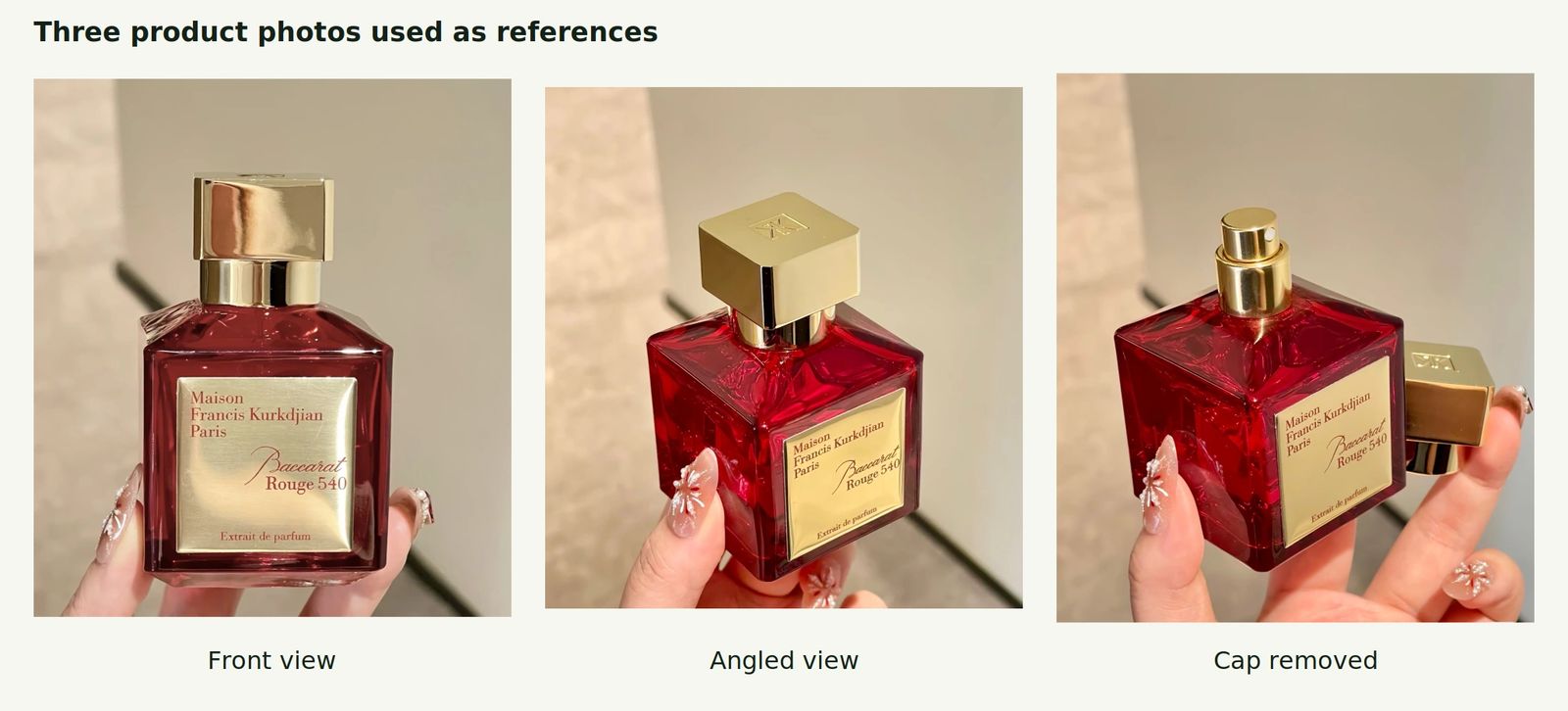
Prompt:
Create a 15-second ad for the perfume in Image 1. Place the bottle on dark wood under warm lighting. Show the full bottle, then close-ups of the label and spraying nozzle. Cut to amber-colored crystals and a white orchid with droplets. Finish on the full bottle. Keep the bottle, label and colors unchanged.
Generated video
Check lettering through each cut and make sure decorative scenes do not imply unsupported product claims.
Check the file, not just the duration setting. The comparison shows which properties needed adjustment in this 15-second example.
| File property | Original supplied export | Article export |
|---|---|---|
| Duration / frame rate | About 15 seconds / 24 fps | About 15 seconds / 24 fps |
| Dimensions | 1344 × 768, or 7:4 | 1280 × 720, or 16:9 |
| Video | H.264 | H.264 Main, progressive |
| Audio | AAC stereo, 32 kHz | AAC stereo, 48 kHz |
| File size | About 2.46 MB | About 2.49 MB |
The original 1344 × 768 frame is not one of the listed Sponsored Brands resolutions, and its 32 kHz audio is below the 44.1 kHz minimum, so the article export changes both. It uses a small centered crop after downscaling and retains the audio track; playback starts muted.
Amazon product video checklist
Check the final export, product accuracy and review status before submitting an Amazon product video.
- Confirm the placement, marketplace and account access.
- Match the accepted container and codec.
- Check the exported resolution and aspect ratio.
- Verify duration against that uploader's limits.
- Check file size, frame rate and bitrate where specified.
- Inspect any audio track and the silent viewing experience.
- Keep text readable and ad controls clear.
- Match the item, variation and included accessories to the listing.
- Check claims, asset rights and the applicable content policy.
- Review the thumbnail, submit and monitor the actual status.
Frequently asked questions
Do you need Brand Registry to add a video to an Amazon listing?
No. Amazon's standard listing-video route includes non-brand-registered Professional sellers with at least three months of selling history and live listings. Sponsored Brands and Premium A+ have separate eligibility rules.
What is the best aspect ratio for an Amazon product video?
Use 16:9 for landscape Sponsored Brands video. The cited listing guide does not specify a ratio, and vertical ads use a separate campaign path. Confirm your uploader's options; use the marketplace image-size guide for accompanying still photos.
How long can an Amazon product video be?
Sponsored Brands ads must be 6–45 seconds. Amazon's listing guide lists 1–12 minutes but also includes shorter examples, so confirm the listing limit in Seller Central. The ad duration range does not establish what the listing uploader accepts.
How many videos can I add to one ASIN?
Amazon's listing-video guide says up to four shoppable videos per ASIN. Gallery placement depends on image count and display priority. One video can cover several relevant ASINs if it accurately represents every associated product.
Why is my Amazon product video not showing?
Check review status and rejection details in the video manager. For published videos, Amazon's guide points to listing image count and priority given to newer uploads. Processing after approval can also delay appearance.
Can I use an AI-generated video on Amazon?
An AI-generated video still needs to meet its placement's file and content rules. Check labels, lettering and product details against the real item. The public sources reviewed here do not provide blanket AI-video permission or prohibition.
Prepare the right version before uploading
Start with approved still images, create short product clips and assemble the edit for your chosen placement. Run through the checklist before submitting the final file.
References
Official Amazon sources checked November 10, 2026:
- Listing-video specifications, eligibility, upload and troubleshooting.
- Amazon staff guidance: Enhance your Detail Page with Videos.
- Sponsored Brands video specifications and player layout.
- Getting started with Sponsored Brands video.
- Vertical-video launch announcement, February 14, 2024.
- Display ads with video guide.
- A+ Content overview.
- Sponsored Brands and display ad moderation guide.
- Sponsored Brands product and eligibility information.
- Amazon announcement: 360-degree image experience discontinued.