





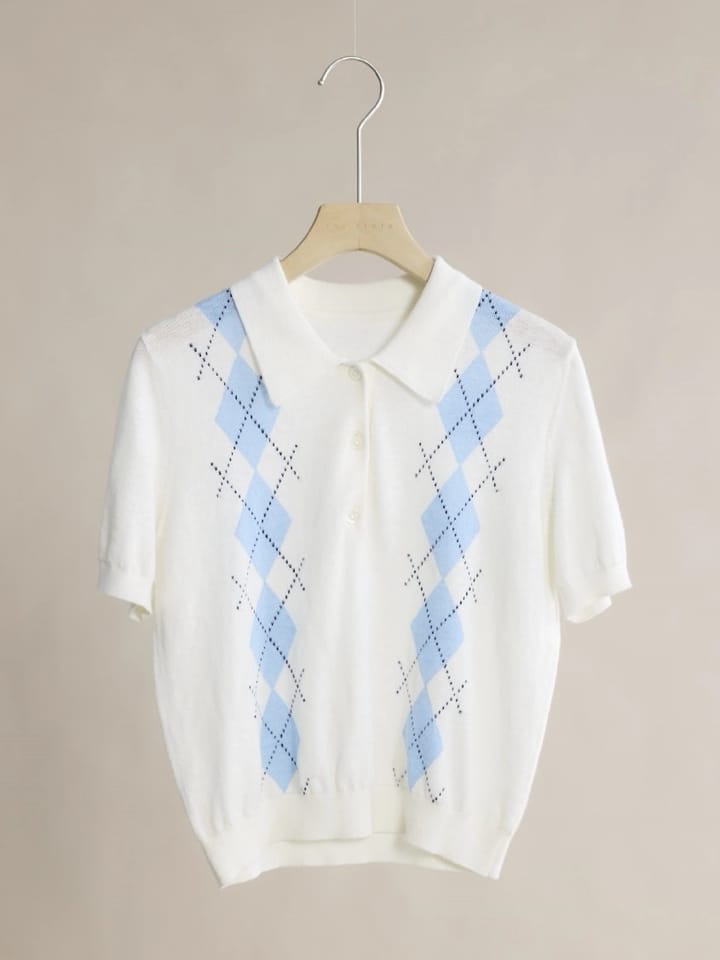
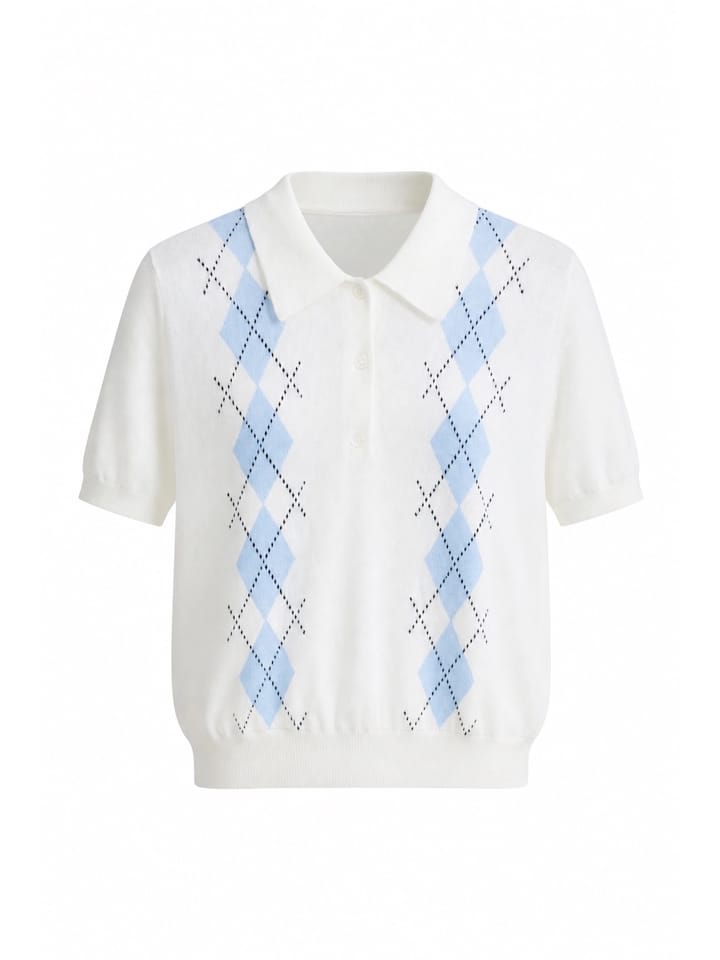

A ghost mannequin photo gives clothing a worn, three-dimensional shape without showing a person or support. For sellers, the invisible mannequin effect can make necklines, sleeves, fit, and drape easier to read while keeping a catalog visually consistent.
Mobile apps can create this look from a hanger photo without a studio or manual compositing. This review focuses on listing accuracy: whether buttons, openings, belts, lining, color, and fabric remain faithful to the source. To test the workflow on your own catalog, open the Snappyit mobile app page.
Best Ghost Mannequin Apps at a Glance
| App | Workflow tested | Platform evidence | Offer observed | Seller takeaway |
|---|---|---|---|---|
| Snappyit | Dedicated Ghost Mannequin | iPhone tested; iOS and Android listings found | 3-day trial and 6 credits | No obvious construction change in four first viewable results |
| Photoroom | Dedicated Ghost Mannequin | iPhone tested; iOS and Android listings found | 7-day trial | One result with no obvious issue; three with visible changes |
| Arvin | Dedicated AI Ghost Mannequin | iPhone tested; iOS listing confirmed | 3 free image generations | Two results with no obvious issue; two lost details; watermarked exports |
| Pixelcut | Dedicated Ghost Mannequin | iPhone tested; Android app listed, feature parity not verified | 3-day trial | Two results with no obvious issue; two changed product details |
| Diress | From Amateur to Professional | iPhone tested; iOS and Android listings found | 3-day trial | Alternative workflow; no dedicated tool entry found in our test |
Platform and feature wording were checked against the official store listings; offers and prices were recorded from the USD subscription screens shown on our test iPhone on August 26, 2026. See References.
How We Tested the Five Mobile Apps
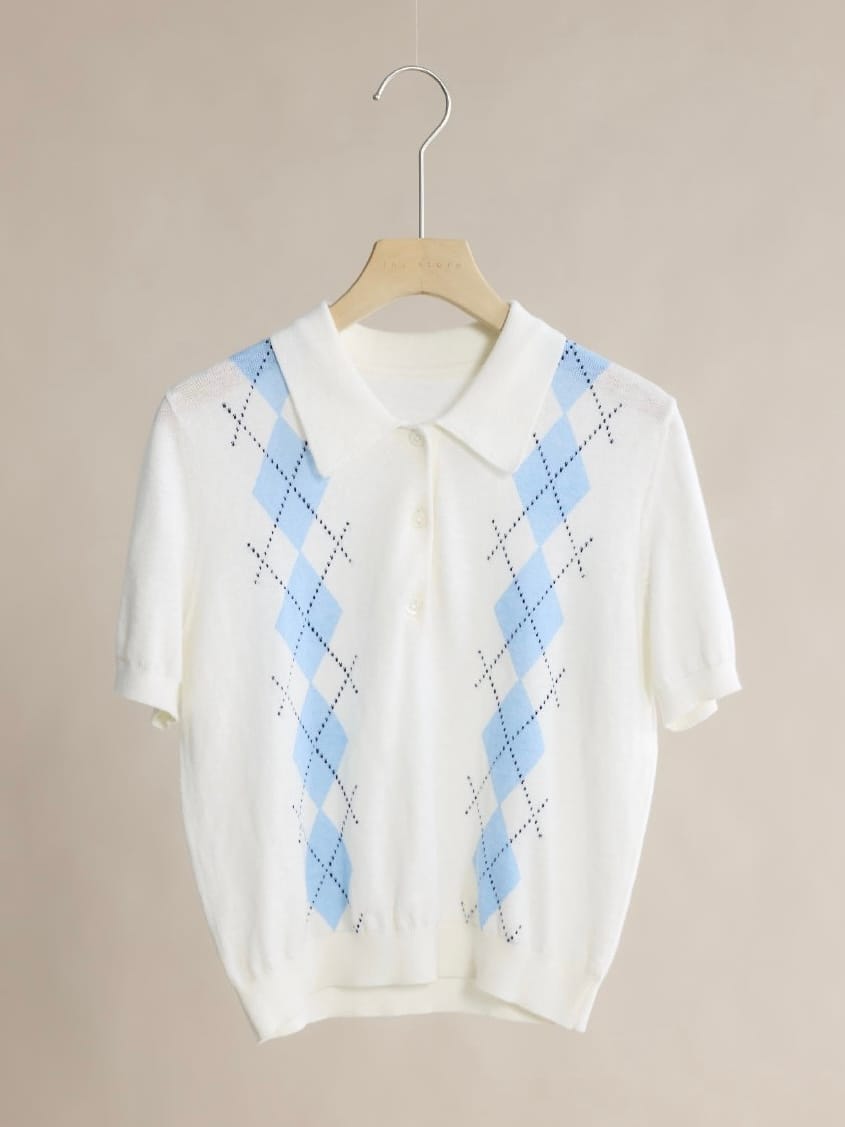
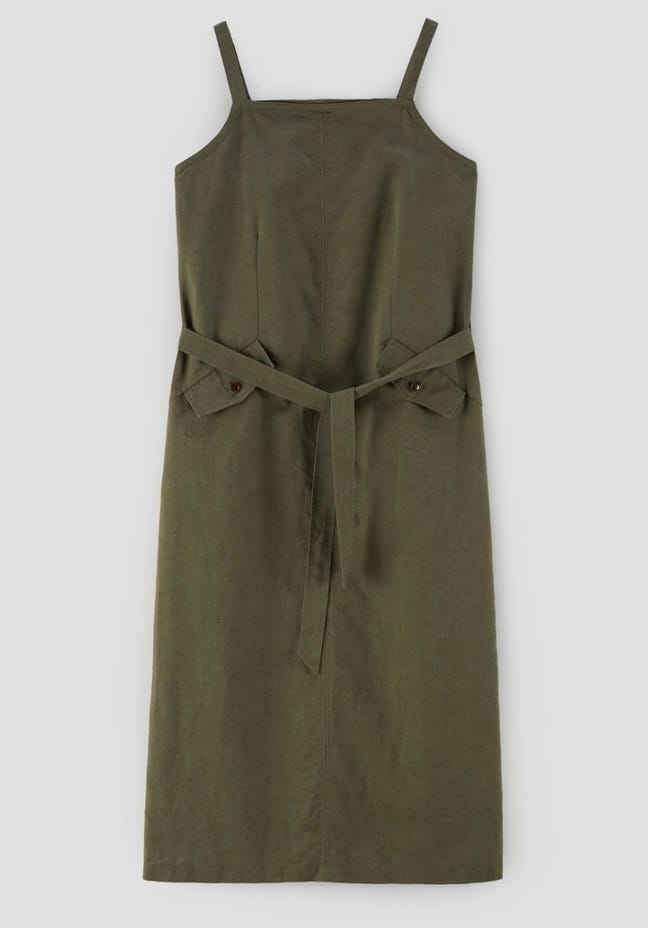
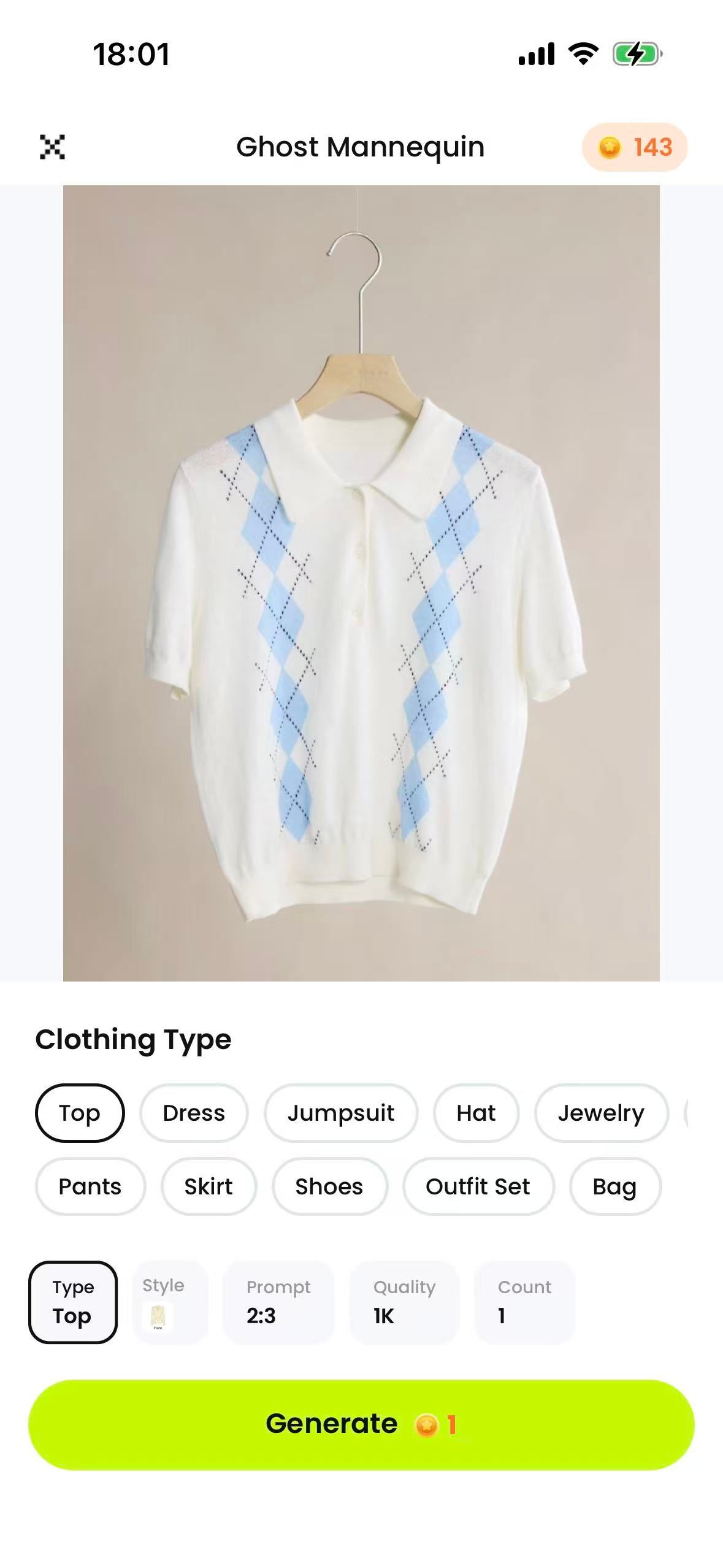
Each app received the same four primarily front-facing hanger photos on iPhone. We kept the crop, lighting, background, and source resolution as consistent as practical, and did not mix in flat lays or photos of physical mannequins. The test asks one practical question: can a hanger photo become an accurate listing image on a phone?
Four Test Garments and Accuracy Checks
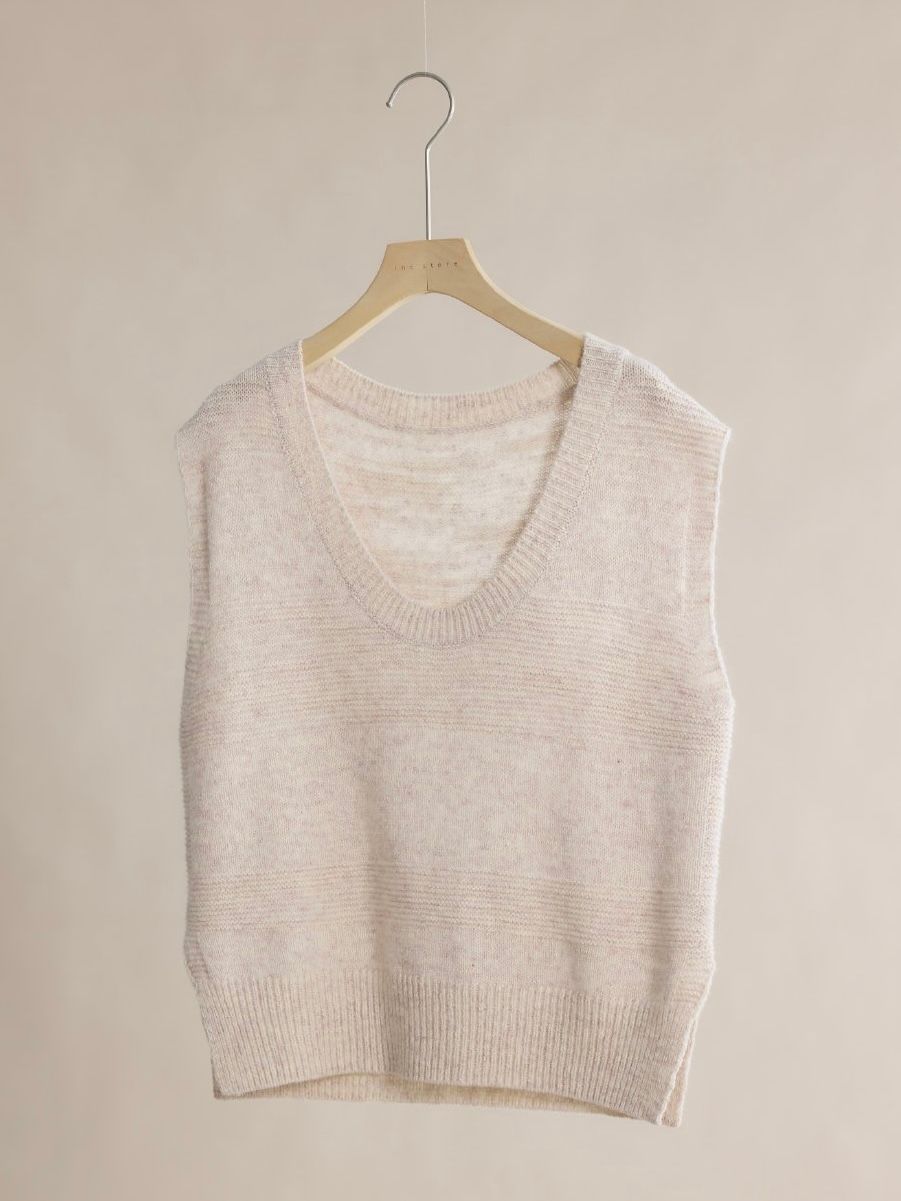
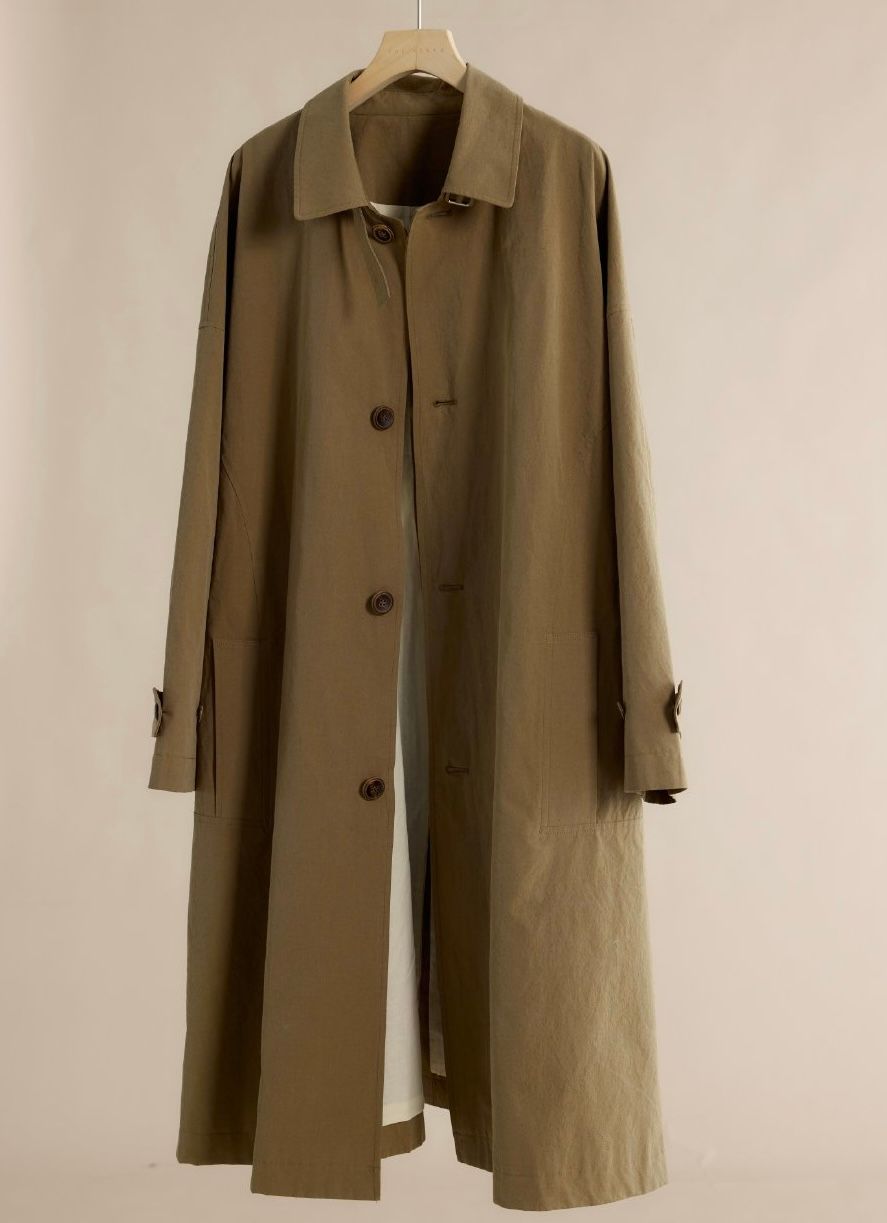
The four garments add progressively harder details: narrow straps, belts, slits, lining, layered openings, and hardware. This makes it easier to spot changes that one simple demo might hide.
Test Rules and Recorded Data
- Use the dedicated Ghost Mannequin option when available; do not recreate it with a general AI Replace tool.
- For Diress, use From Amateur to Professional with Style Reference blank and describe the output as ghost-mannequin-style.
- Keep default settings unless the app requires a garment category.
- Score each app's first viewable result. If an app fails to return a viewable image, allow one retry and label it; do not substitute a hand-picked later result.
- Record credits, paywall timing, watermark, export dimensions, and file format.
How Sellers Should Compare the Results
Open any result to compare it with the original. Check silhouette and depth first, then product facts: neckline, buttons, loops, slits, lining, pockets, seams, print, color, and texture. A clean background does not make an image listing-ready if the app adds or removes details a buyer will notice.
1. Snappyit Ghost Mannequin App Review
Snappyit is built for apparel product photography and lists mobile apps for iPhone and Android. Its dedicated ghost mannequin app workflow accepts flat lays, hanger photos, and simple garment images.
One five-star App Store reviewer wrote: “Great quality and easy to use” — “The ghost mannequin and fashion model features produce high quality product images. The generated images are sharp, natural and ready for listing with minimal editing.”
— Ashleyqueenie, Aug 18.
Snappyit Result Accuracy
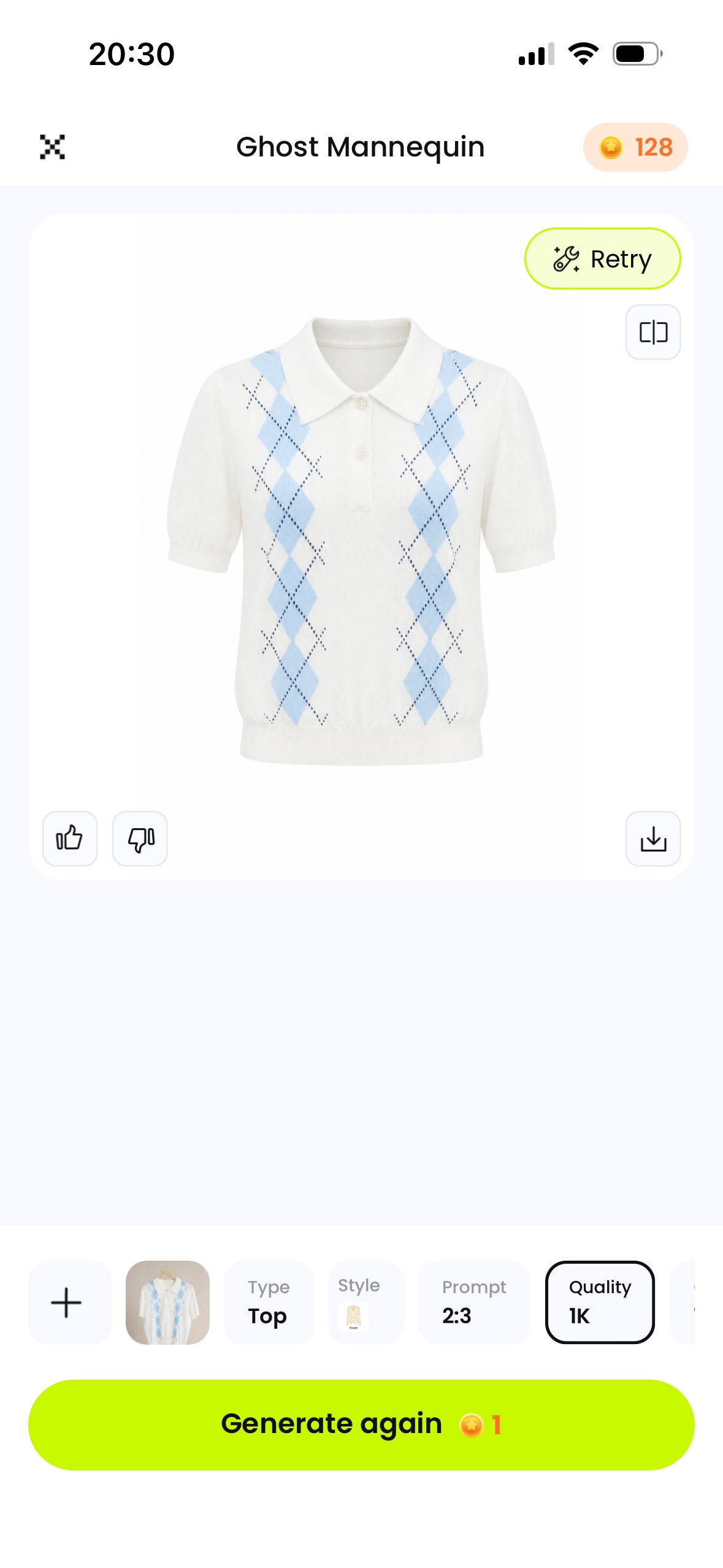
All four garments kept convincing volume and recognizable construction. In these first results, we found no obvious added, missing, or altered product details.
2. Photoroom Ghost Mannequin App Review
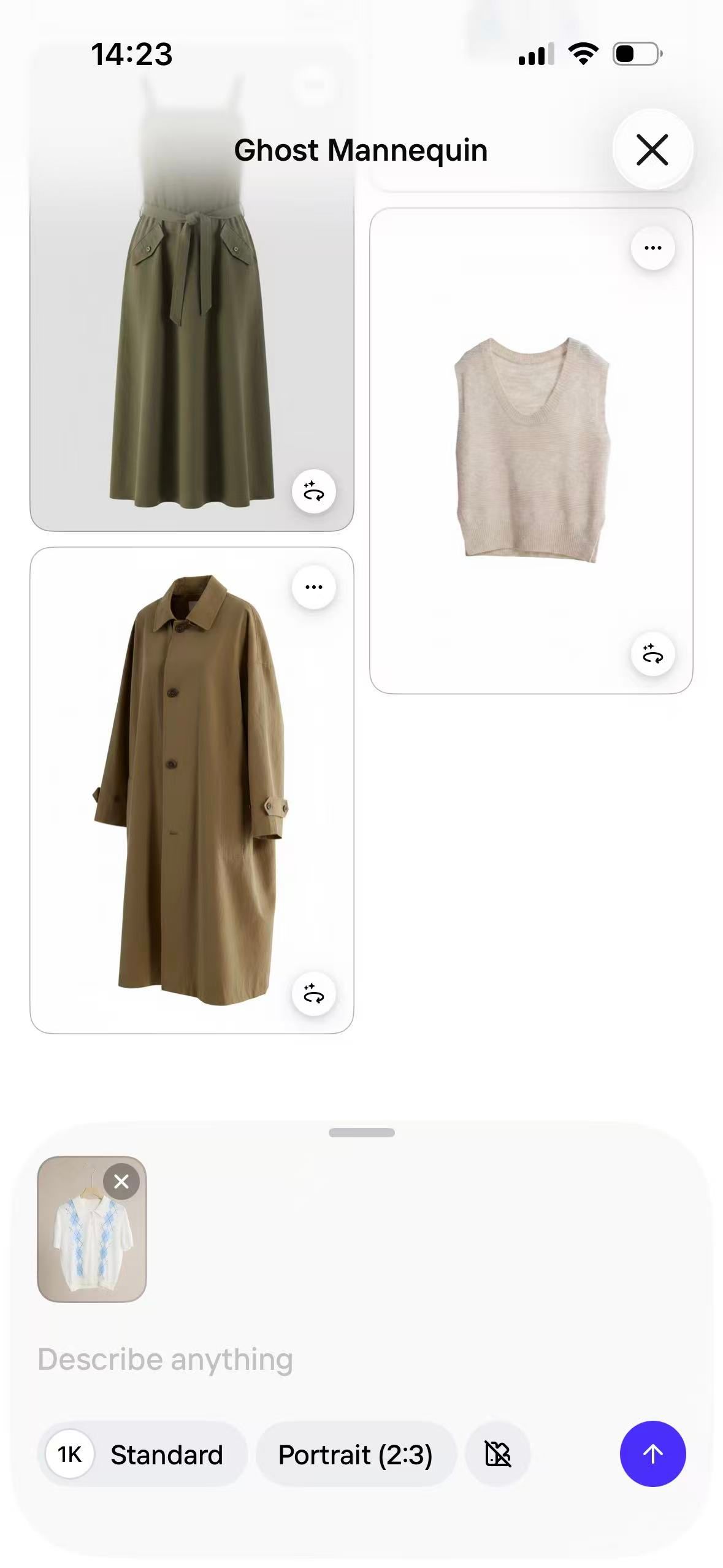
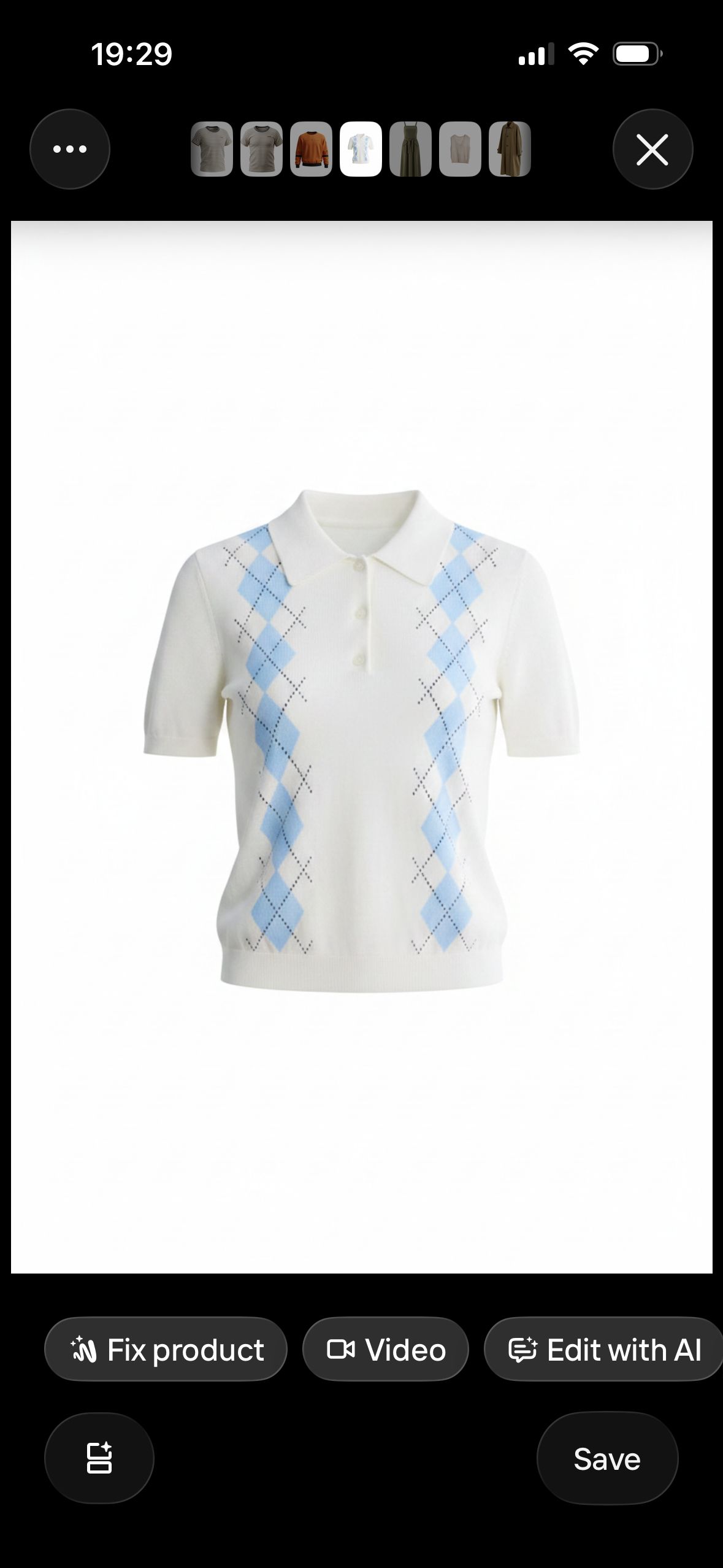
Photoroom combines Ghost Mannequin with flat lays, AI fashion models, background tools, and batch editing. We tested only its dedicated Ghost Mannequin path so the results remain comparable with the other apps.
Photoroom Result Accuracy
The polo showed no obvious construction change. The dress gained belt loops, the vest lost visible volume, and the coat acquired a white label that was not in the source.
3. Arvin AI Ghost Mannequin App Review
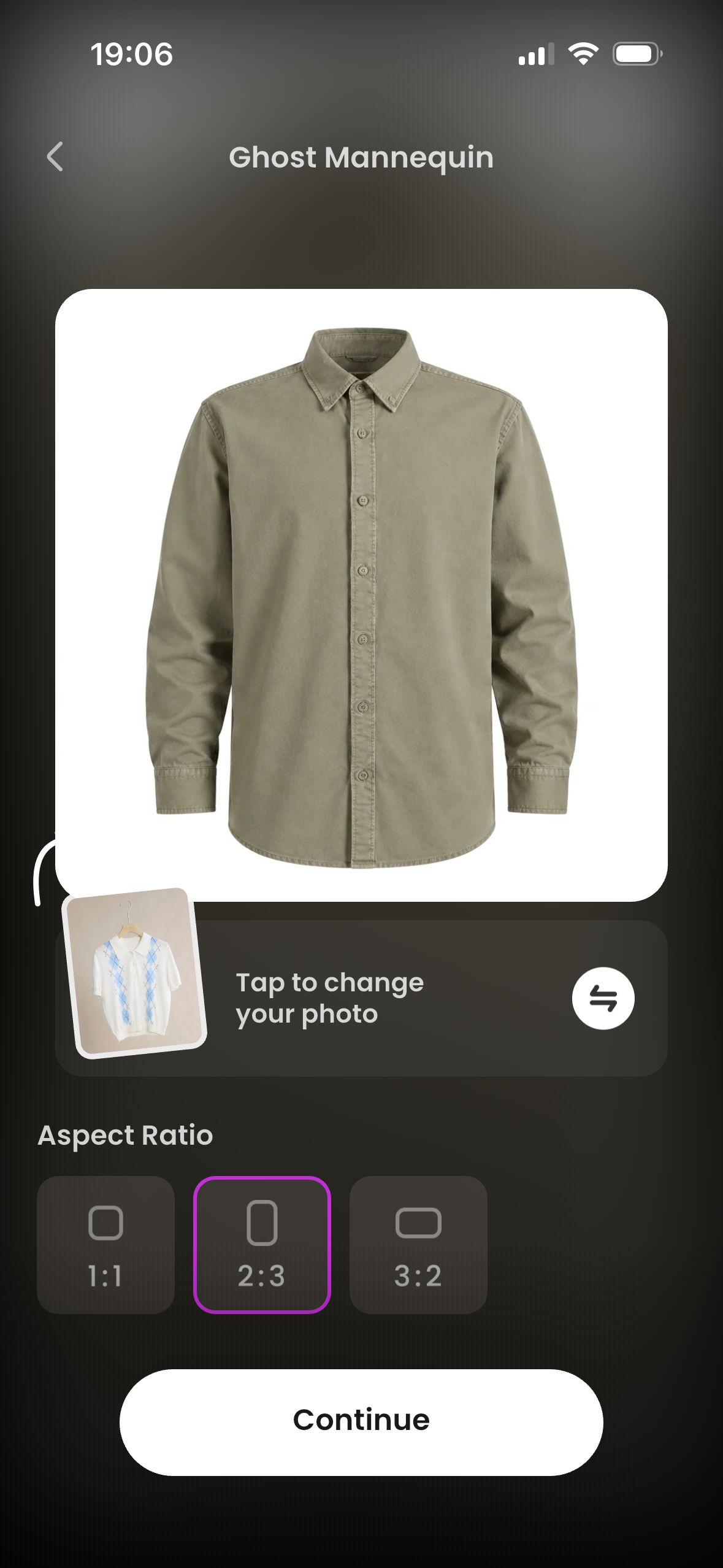
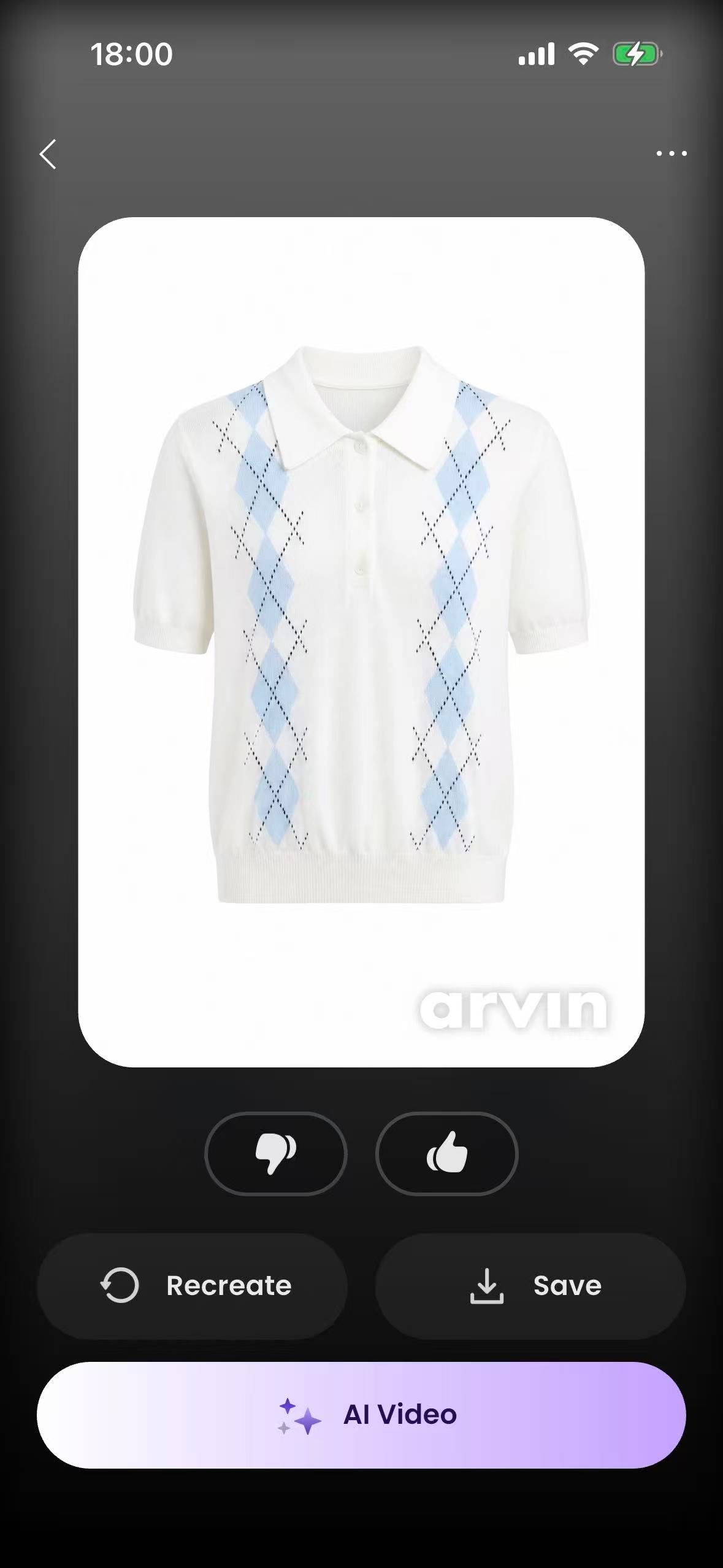
Arvin's iPhone listing names an AI Ghost Mannequin tool. We used that dedicated workflow with the same hanger-photo set; the free test exports carried an Arvin watermark.
Arvin Result Accuracy
The polo and dress showed no obvious construction change. The vest lost its hem slit; the coat lost visible lining and its collar strap.
4. Pixelcut Ghost Mannequin App Review
Pixelcut combines a Ghost Mannequin function with broader product-photo, background, template, and ecommerce creative tools. We tested the dedicated workflow, not a general generative edit.
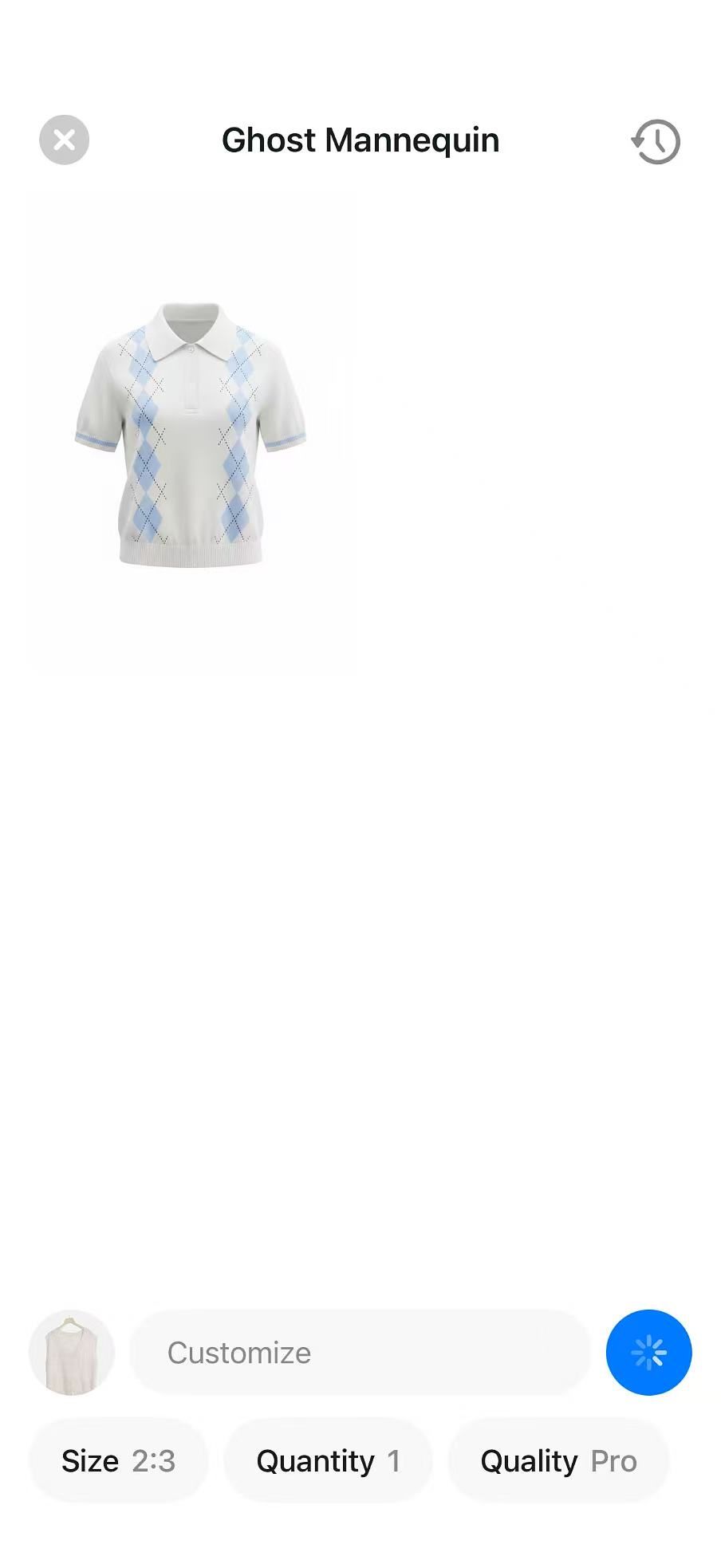
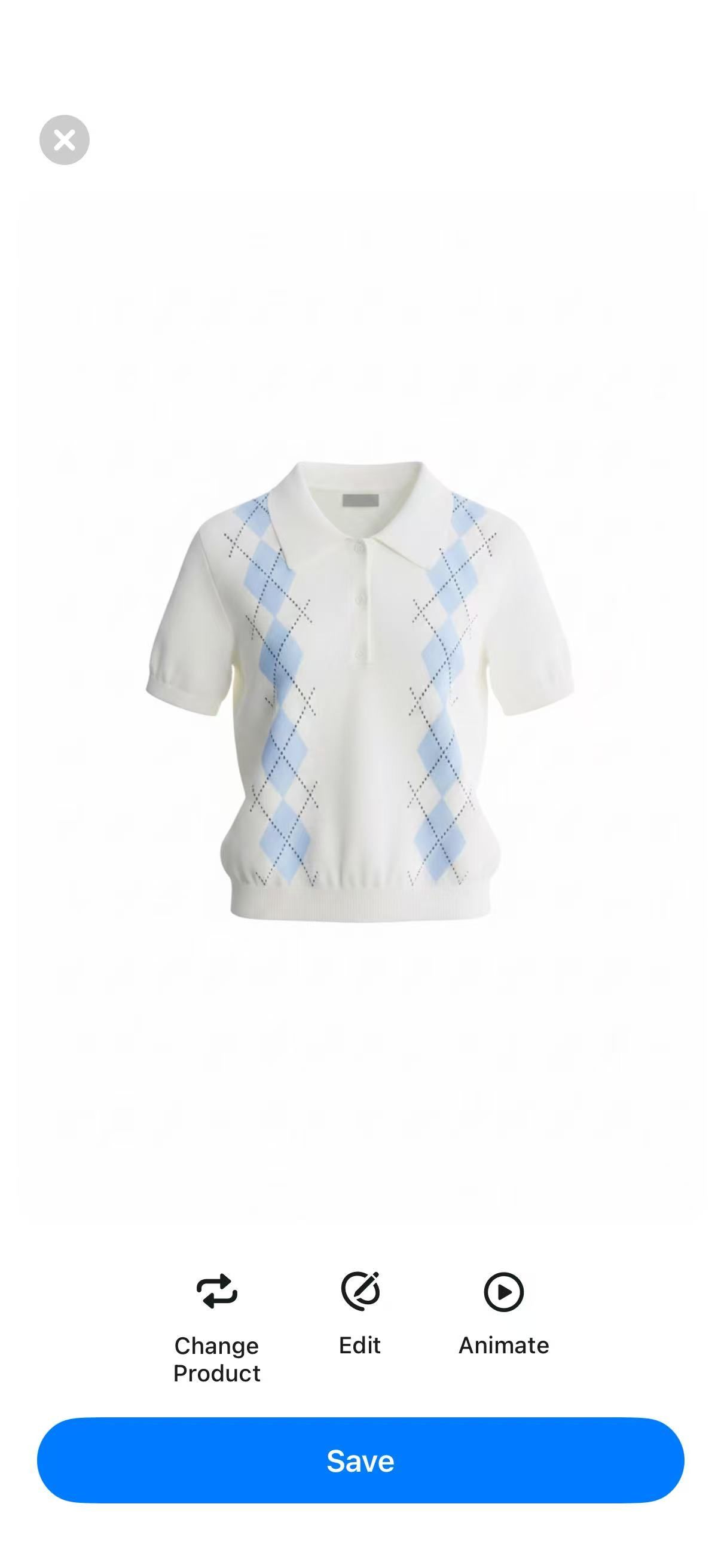
Pixelcut Result Accuracy
The vest and coat showed no obvious construction change. The polo's placket and buttons changed, and the dress gained belt loops that were not in the source.
5. Diress Ghost-Mannequin-Style Workflow Review
Diress's current App Store description mentions a ghost mannequin effect, but we did not find a dedicated Ghost Mannequin entry in the iPhone flow we tested. We used From Amateur to Professional with Style Reference blank, so the images below show that specific alternative workflow rather than a dedicated-tool test.
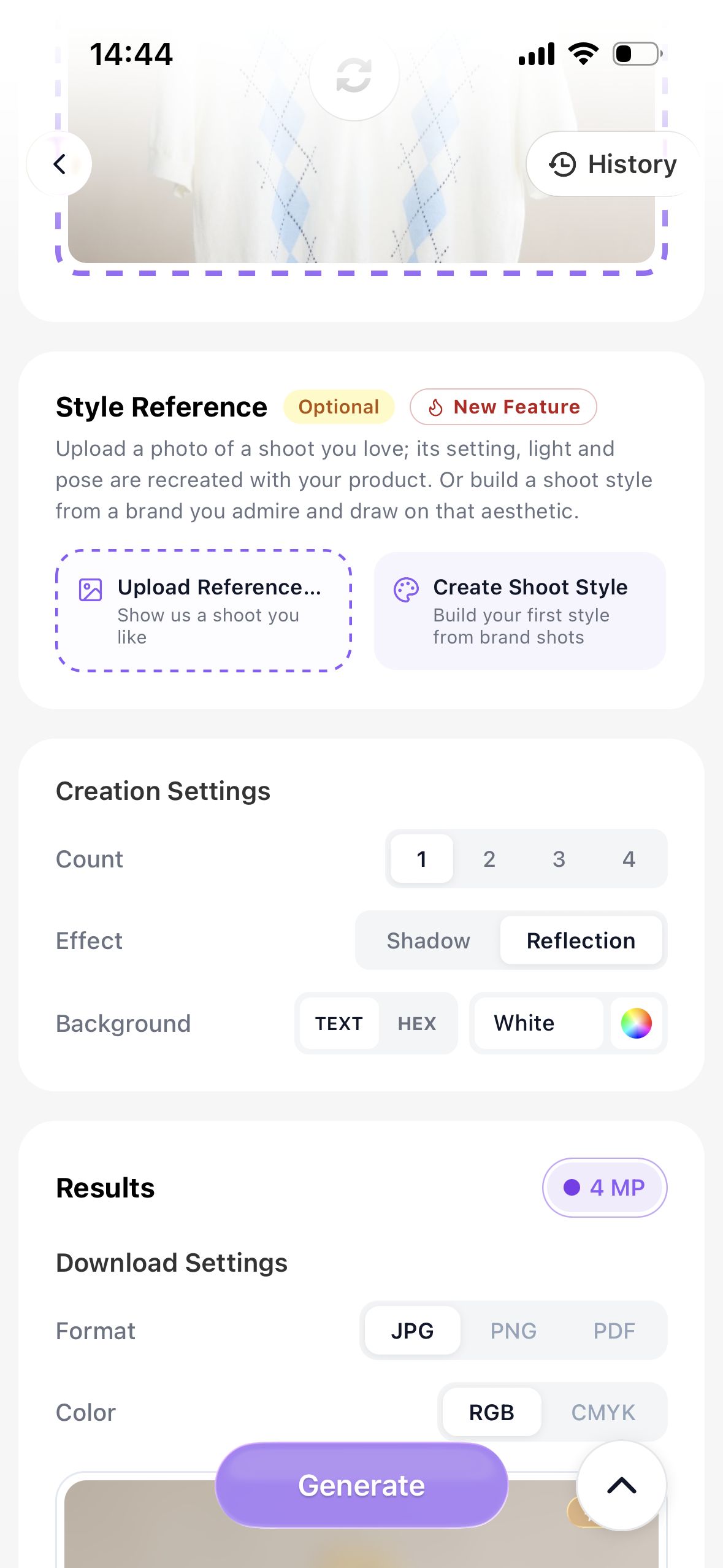
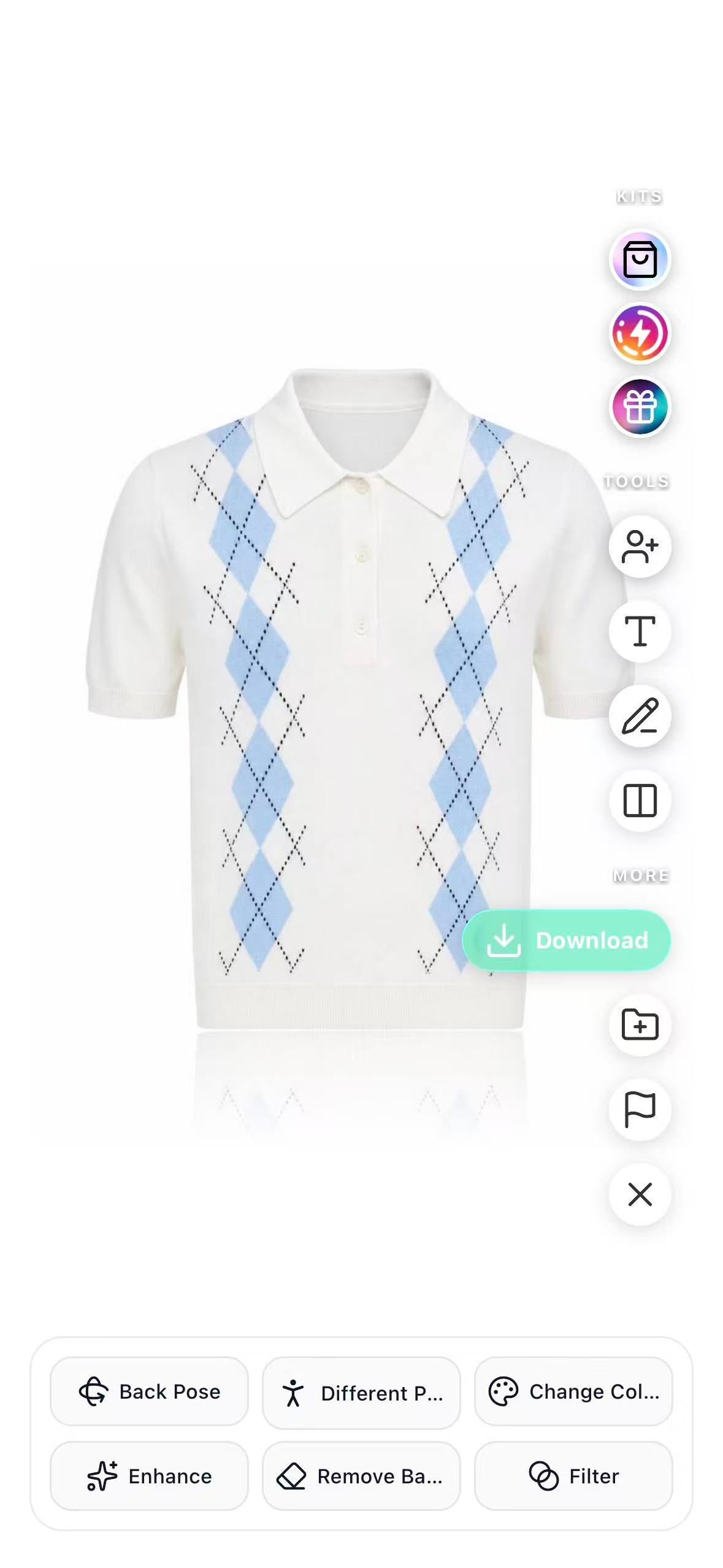
Diress Alternative-Workflow Result
The polo, dress, and coat showed no obvious added or missing product details; the vest lost its original hem slit. Because this was not a dedicated Ghost Mannequin workflow, these outputs are shown for context and are not included in the dedicated-tool ranking.
First Viewable Result Accuracy by Garment
The table records visible differences in each garment's first viewable result. Treat four images as a test set, not a guarantee; source photos and app versions can change the output. Diress is shown for context.
| App | Knit polo | Slip dress | Knit vest | Trench coat |
|---|---|---|---|---|
| Snappyit | No obvious change found | No obvious change found | No obvious change found | No obvious change found |
| Photoroom | No obvious change found | Added belt loops | Reduced garment volume | Added white label |
| Arvin | No obvious change found | No obvious change found | Lost hem slit | Lost lining and collar strap |
| Pixelcut | Changed placket and buttons | Added belt loops | No obvious change found | No obvious change found |
| Diress (alternative) | No obvious added or missing detail | No obvious added or missing detail | Lost hem slit | No obvious added or missing detail |
Generation vs Physical Mannequin Removal
Ghost Mannequin can describe two different jobs. A generation workflow starts from a flat lay, hanger photo, or simple product image and creates a new three-dimensional worn shape. A mannequin-removal workflow starts from a garment already photographed on a visible mannequin or model, removes that support, and rebuilds hidden areas such as the inner collar.
This article tests the first job, primarily from hanger photos. It does not measure removal from a physical mannequin. If that is your use case, test visible neck joints, arm openings, lining, and overlapping fabric, and compare the cost and control tradeoffs in traditional ghost mannequin photography vs AI.
iPhone Testing and Android Availability
Use an Android store listing only as an availability signal. Before committing a catalog, confirm that Ghost Mannequin appears in your account, the export settings meet your needs, and your plan includes the feature. All results shown here were generated on iPhone on August 26, 2026; Android output quality was not tested.
How Clothing Sellers Should Choose an App
Among the four dedicated tools, Snappyit produced the most consistent set of first viewable results in this four-garment test. Photoroom, Arvin, and Pixelcut preserved some garments but changed or omitted details on others. Diress is not part of that ranking because we could test only its alternative From Amateur to Professional workflow.
- Test difficult SKUs and inspect product facts.Use garments with belts, slits, lining, hardware, narrow straps, or layered openings. Compare necklines, buttons, pockets, seams, prints, knit edges, and color with the source.
- Calculate cost per usable image.Include failed generations, retries, watermarks, credit use, and any manual retouching. A lower subscription price may offer less value if only a small share of the outputs can be published without correction.
- Check repeatability and delivery limits.Compare scale, background tone, crop, and volume across several SKUs, then confirm device support, export resolution, file format, watermark rules, trial renewal, and monthly generation limits.
Mobile Apps vs Professional Retouching
Mobile apps fit reseller and marketplace catalogs when a person can inspect every output before upload. For background removal, model imagery, and other catalog tasks, see the AI product photography guide for ecommerce sellers.
Use professional retouching for sheer fabric, complex labels, reflective hardware, layered collars, exact brand patterns, high-value products, or multi-exposure front-and-back sets. For those SKUs, treat an app output as a draft and budget for manual correction.
Ghost Mannequin App FAQs
What is a ghost mannequin app for clothing sellers?
A ghost mannequin app turns a clothing photo into a product image that looks as though an invisible person is wearing the garment. Depending on the workflow, it may remove a visible hanger or mannequin, create a new three-dimensional shape, and reconstruct areas such as the neckline. Sellers should compare the result with the source before publishing.
Which ghost mannequin app performed best in this test?
Among the four apps with dedicated Ghost Mannequin workflows, Snappyit produced the most consistent set of first viewable results in our four-garment iPhone test: we found no obvious added, missing, or altered product details in those four images. Diress was reviewed as an alternative workflow and was not included in this dedicated-tool ranking. Test your hardest SKUs before choosing an app for a catalog.
Is there a free ghost mannequin app for iPhone or Android?
Free access was limited in the offers we saw on August 26, 2026. Snappyit, Photoroom, Pixelcut, and Diress showed short trials, while Arvin allowed three free image generations. Before starting, check whether Ghost Mannequin is included, whether exports carry a watermark, and when a subscription renews.
Can a ghost mannequin app turn a hanger photo into a product image?
Yes. The four dedicated workflows and the Diress alternative workflow accepted our primarily front-facing hanger photos, although output accuracy varied by garment. Use a centered image with the full item visible, even lighting, and a plain background. Then check the removed hanger area, neckline, openings, and interior fabric before publishing.
How do I make a ghost mannequin photo on iPhone or Android?
Photograph the full garment from the front, upload it to a mobile Ghost Mannequin workflow, choose the closest clothing category, and generate one result. Compare it with the source before downloading, especially the neckline, openings, seams, hardware, color, and fabric texture.
Are the same ghost mannequin features available on iPhone and Android?
Not necessarily. All results in this review were generated on iPhone. Snappyit, Photoroom, Pixelcut, and Diress had Android listings, but we did not test feature parity; Arvin was confirmed on iPhone only.
What source photos work best in a ghost mannequin app?
Use a sharp, evenly lit image with the entire garment visible against a plain background. Keep the camera straight, avoid folded or overlapping areas, and show straps, sleeves, hem slits, buttons, belts, and lining clearly. The app cannot reliably preserve details that are hidden or blurred in the source.
How much do ghost mannequin apps cost?
Pricing varies by plan, platform, region, and billing date. In the USD offers displayed on our test iPhone on August 26, 2026, annual plans for Snappyit, Photoroom, Arvin, and Pixelcut ranged from $59.99 to $98.99 per year; Diress Standard was shown at $54.99 per month. Compare cost per usable export, not subscription price alone.
References
- Snappyit: AI Product Photos, Apple App Store; Snappyit, Google Play. Platform, feature-description, and review checks; App Store listing rechecked August 27, 2026.
- Photoroom: AI Photo Editor, Apple App Store; Photoroom, Google Play. Platform and feature-description checks; App Store listing rechecked August 27, 2026.
- Arvin: AI Product Photo Maker, Apple App Store. iPhone availability and AI Ghost Mannequin wording; rechecked August 27, 2026.
- Pixelcut AI Photo Editor, Apple App Store; Pixelcut, Google Play. Platform and Ghost Mannequin wording; App Store listing rechecked August 27, 2026.
- AI Fashion Photoshoot: Diress, Apple App Store; Diress, Google Play. The App Store description mentions a ghost mannequin effect; the iPhone flow we tested used From Amateur to Professional because no dedicated Ghost Mannequin entry was found. App Store listing rechecked August 27, 2026.
- In-app subscription screens from the five tested iPhone apps, captured August 26, 2026. Prices and introductory offers are shown in USD and may change by account, region, platform, or billing date.






