



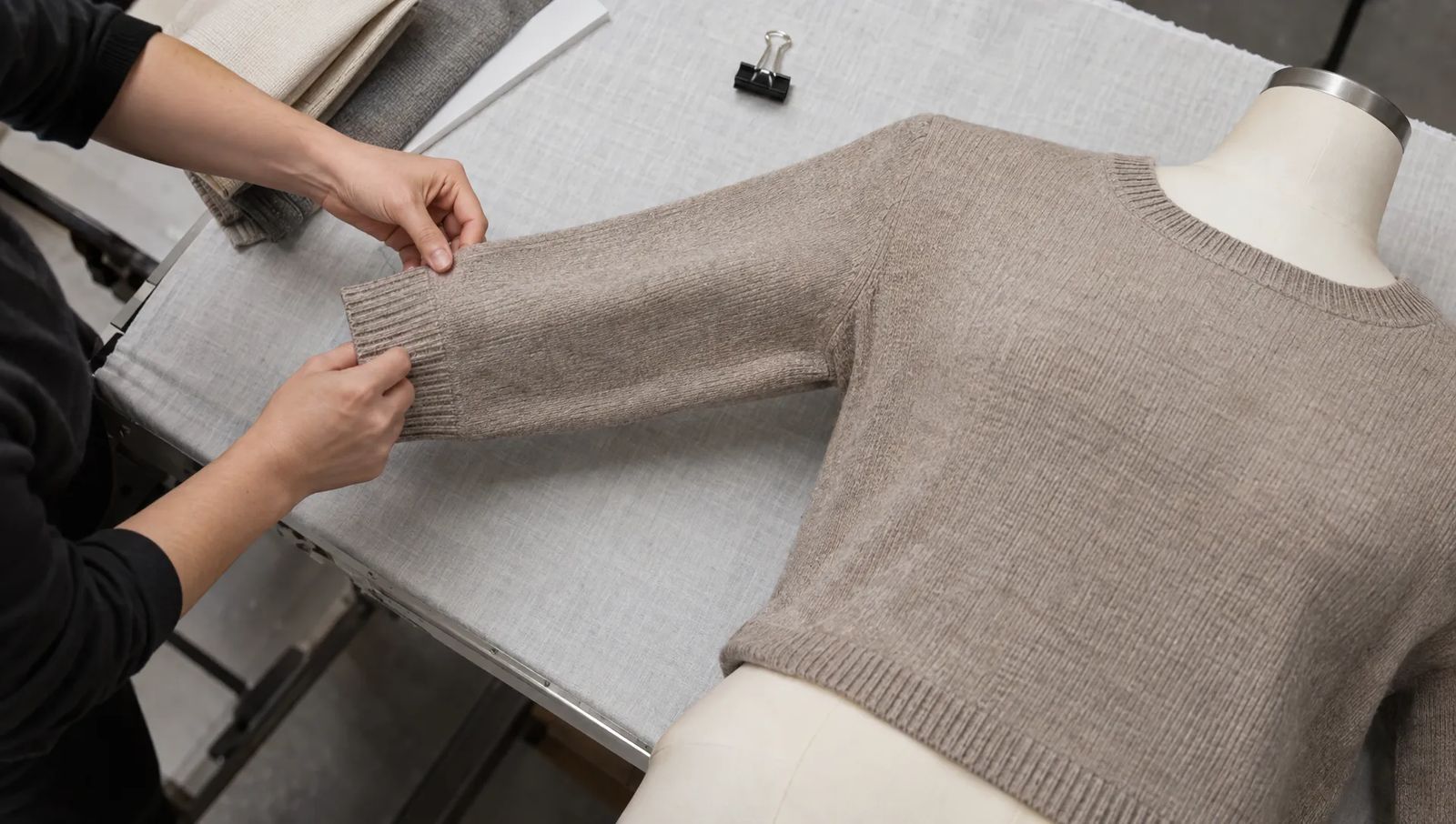

A clothing photography ghost mannequin setup gives knitwear a three-dimensional shape without showing a model or support. But sweaters need different handling from woven shirts: a tight form can stretch ribbing, harsh light can exaggerate fuzz and careless editing can turn individual stitches into smooth fabric.
The goal is to show the garment’s construction without changing its proportions. This guide covers mannequin selection, knit-safe styling, lighting, source photos and editing checks for sweaters, cardigans and other knitted garments. It also explains where AI generation can help and where you still need a close comparison with the original.
Choose a mannequin that supports the knit without stretching it
Start with a torso close to the garment’s intended proportions. The knit should rest on the form, not be pulled tightly across it. If ribs spread apart, cables flatten or a button band opens between fastenings, the mannequin is too large or the styling is under too much tension.
A removable-neck mannequin makes it easier to photograph a clean neckline opening. Detachable arms can help with sleeves, although they are not essential for every sweater. Check shoulder width carefully: a form that is too broad can move the shoulder seam and distort the apparent sleeve length.
For oversized knitwear, preserve the extra volume. Pulling everything tight at the back may create a tidy front image, but it also changes the silhouette shoppers are evaluating. Use small, concealed adjustments only where they do not misrepresent the cut.
A clothing photography ghost mannequin workflow works best when the support creates shape without imposing a different fit. If your only mannequin stretches the garment, choose another support or use a flat lay rather than forcing it into place.
Prepare knitwear without changing its proportions
Let the garment settle before styling
Unpack the sweater and allow compressed folds to relax. Follow its care-label instructions before applying heat or moisture. If steaming is appropriate, test a discreet area and avoid pressing textured stitches flat.
Support heavier garments while moving them onto the form. Do not lift a chunky sweater by its collar or leave a heavy knit hanging from narrow shoulder points throughout the shoot. Check its shape again after mounting, especially around the neckline and hem.
Remove loose lint gently. Be cautious with brushing and adhesive rollers on fuzzy, loosely spun or delicate yarns. Do not remove intentional surface texture simply because it looks less smooth than a woven fabric.
Align construction details, not just the outer edges
Check the shoulder seams, center front, side seams and hem. A cardigan’s button band should sit naturally, without tension between buttons. Ribbing should retain its relaxed spacing unless the product is deliberately being shown stretched.
For a clothing photography ghost mannequin shoot, style the sleeves with enough separation from the torso to make their shape readable. Avoid forcing identical curves into both sleeves if doing so introduces twisting or diagonal tension lines.
Light knit texture without exaggerating every fiber
Use a large, diffused light source slightly to one side of the camera. This creates gentle shading across cables, ribs and seed stitches while keeping the garment readable. Add a white reflector on the opposite side if the shadows become too dense.
Completely frontal lighting can flatten texture. A small, hard light placed far to the side can make ordinary fibers look unusually rough. Adjust the light’s position before trying to fix either problem through sharpening or noise reduction.
Keep the garment away from the background when space allows. That gives you more control over background shadows and helps prevent a bright background from washing out pale yarn edges. White knitwear still needs visible detail in its brightest stitches; black knitwear needs enough exposure to separate neighboring folds.
Color consistency also matters in a clothing photography ghost mannequin workflow. Photograph a neutral reference under the same lighting and keep white balance consistent across the source set. Avoid mixing window light with differently colored room lights.
On a tripod-mounted interchangeable-lens camera, a low ISO and an aperture around f/8 can be useful starting points. Adjust for your equipment and the garment’s depth. With a phone, use the main camera, avoid portrait mode and check that processing has not blurred fuzzy edges or fine stitches.
Capture your clothing photography ghost mannequin source images
A good front photo is only part of the job. You also need enough evidence to reconstruct openings and verify details without guessing.
Photograph the front and back consistently
Place the camera square to the garment, with the lens around the middle of the torso. Keep it level rather than tilting down from above. Move back if necessary to avoid a close, wide-angle view that makes the upper body look disproportionately large.
Capture the front, then turn the mannequin for the back while preserving camera height, distance and lighting. Check both frames for twisted sleeves, displaced seams and hems caught on the form. Do not assume that a sweater styled correctly at the front will also look correct behind it.
For each clothing photography ghost mannequin source set, keep an untouched reference showing the whole garment. Include a little space around the hem and cuffs so the editing process does not start with missing edges.
A ruler or measurement reference can be photographed separately for internal checks, but product dimensions should come from actual garment measurements, not estimates based on the finished image.
Record the neckline and important knit details
Photograph any interior area hidden by the mannequin, usually the inside back neckline. Remove the neck section if possible. Otherwise, support the garment separately and capture that interior with a similar angle and lighting direction. Avoid stretching the opening to expose more fabric.
A crew neck, V-neck and turtleneck need different handling. Crew necks often require a small interior insert. V-necks may reveal a larger area of the inside back. Turtlenecks need particular care because the fold, height and thickness of the collar are part of the product.
Also capture close-ups of cable patterns, cuffs, buttons and any openwork. These are verification references as well as useful listing images. If a small label is unreadable, take a dedicated close-up instead of expecting an editor or AI tool to reconstruct its text.
Review the files before taking the garment off the form. Missing interior fabric or a blurred stitch pattern is easier to correct during capture than afterward.
Remove the mannequin while preserving the knit
Choose manual compositing, AI generation or a combination based on the source photos and the garment’s complexity. None of these approaches removes the need for product-accuracy checks.
Manual compositing for controlled reconstruction
In a manual workflow, mask out the mannequin and background, then place the photographed interior neckline behind the outer garment. Align the insert with the opening and retain enough shadow to communicate depth. An evenly bright interior can make a thick collar look like a paper cutout.
Inspect the mask at cuffs, underarms and fuzzy edges. A hard outline can remove fine fibers, while excessive feathering can create a pale halo. Open-knit areas may also need selective masking between stitches, not just around the garment’s perimeter.
The main advantage of a manual clothing photography ghost mannequin process is control over which photographed details remain in the image. It still requires restraint: cloning one cable over another can alter the real pattern. Our ghost mannequin photo editing guide covers the broader compositing workflow.
AI generation for a faster starting point
Snappyit offers AI ghost mannequin generation from product photos. For knitwear, begin with a clear source that shows the complete garment, distinct edges and visible stitch structure. A clean input gives you more detail to evaluate in the result.
Compare the generated image directly with the original. Follow a cable from neckline to hem, count visible buttons and examine the width of ribbed cuffs. Look for changes in sleeve length, collar thickness, yarn texture or the spacing of openwork.
Treat generated interior fabric as something to verify, not evidence of construction that the source never showed. If the inside neckline is missing from the input, a plausible-looking reconstruction may still be inaccurate. Keep your separately photographed interior reference available during review.
AI can reduce editing work, but clothing photography ghost mannequin outputs still need human approval before publication. Reject or correct a result that changes a recognizable product feature, even if it otherwise looks polished. For a particularly intricate knit, manual cleanup or a different presentation may be the more practical choice.
Check the result against the physical garment
Judge accuracy before polish. Put the original source beside the edited image, then compare the finished result with the actual sweater where possible. Viewing only the output makes subtle proportion changes harder to spot.
| Area | What to check | Reason to correct or reject |
|---|---|---|
| Silhouette | Shoulder width, torso length and sleeve proportions | The garment looks slimmer, longer or more fitted than the source |
| Stitch structure | Cable paths, rib spacing and repeated motifs | Stitches merge, disappear or change direction |
| Neckline | Opening shape, collar thickness and interior fabric | The opening is reshaped or the collar loses volume |
| Fastenings | Button count, placement and buttonhole alignment | Hardware is missing, duplicated or moved |
| Edges and openings | Fine fibers, cuffs and open-knit gaps | Halos appear or real openings become solid fabric |
| Color | Yarn tone and shadow detail | The garment shifts color or loses visible texture |
Review at two sizes. At full resolution, inspect masks, stitches and small hardware. At the intended listing size, check whether the neckline, sleeves and overall shape remain understandable.
A consistent clothing photography ghost mannequin catalog should use similar framing, background treatment and visual scale across products. Consistency should not mean making every sweater equally narrow or smoothing away the differences between fine merino, chunky cables and brushed yarns.
Fix common knitwear problems at the source
Some issues are faster to solve by adjusting the shoot than by adding more editing. Use the visible problem to identify what needs changing.
| Problem | Likely cause | Practical correction |
|---|---|---|
| Ribbing looks stretched | Oversized form or excessive rear clipping | Use a smaller form and release styling tension |
| Cables look flat | Frontal lighting or over-smoothing | Move the light slightly sideways and reduce smoothing |
| Collar looks collapsed | Insufficient support or a poorly aligned insert | Restyle the collar and recapture the interior |
| Openwork becomes solid | Background removal or generation fills the gaps | Preserve real openings with selective masking |
| Fine knit shows rippling patterns | Moiré from the interaction of stitches and the camera sensor | Change capture distance slightly and inspect a new frame |
| Fuzzy edges have halos | Overly broad masking or strong background spill | Refine the mask and improve separation during capture |
For very sheer, loose or heavily draped knits, a ghost mannequin image may not explain the garment well enough on its own. Pair it with a detail image or an on-model view. Our comparison of ghost mannequin and flat lay photography can help you choose a complementary presentation rather than forcing every item into one format.
Frequently asked questions
-
Can I turn any sweater photo into a ghost mannequin image?
Not reliably. A useful source shows the whole garment with clear edges and minimal obstruction. Crossed sleeves, cropped hems and deep shadows hide information that editing cannot reliably recover. For clothing photography ghost mannequin results, better source photos usually matter more than repeated attempts to repair an unsuitable image.
-
Do I need a removable-neck mannequin?
No, but it simplifies photographing the neckline opening. With a standard form, capture the inside back neckline separately and combine it with the main image during editing. Make sure the separate photo matches the opening’s perspective and lighting as closely as practical.
-
Can I photograph knitwear with a phone?
Yes. Use stable support, diffused light and the main camera rather than an ultra-wide lens. Inspect fine stitches and fuzzy edges closely because automatic processing can alter their appearance. Keep the camera position and exposure consistent between views.
-
How should I handle open-knit sweaters?
Preserve the actual spaces between stitches. Do not replace all internal gaps with solid white or invented yarn. If removing the support becomes too destructive, use a flat lay or on-model photograph alongside a carefully edited main image.
-
Does a ghost mannequin photo show real fit?
It shows supported shape, not how the garment fits a particular person. Include garment measurements and use on-model images when shoppers need to understand stretch, drape or an intentionally oversized cut.
Test the workflow on one sweater first
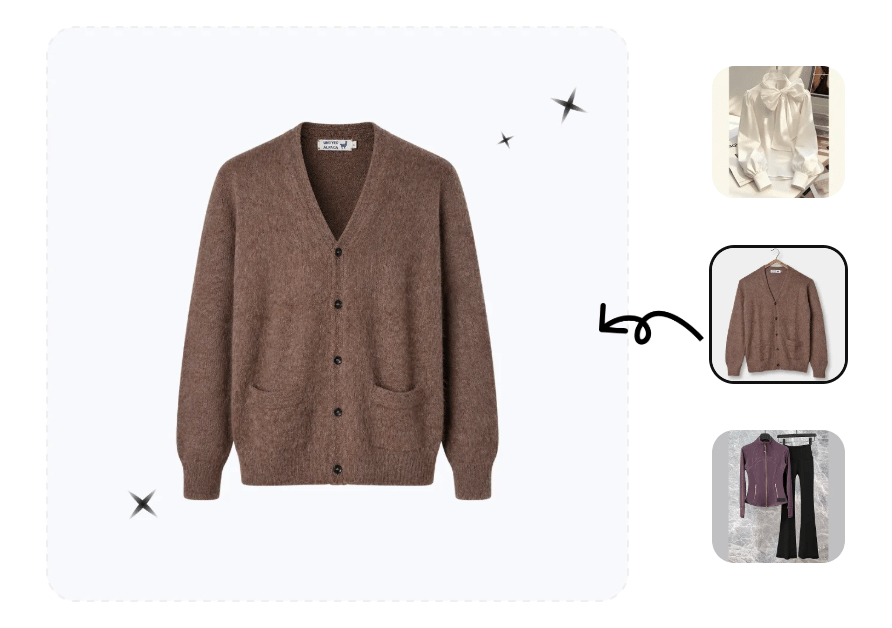
Before processing a whole collection, choose one representative knit and finish it from preparation through quality review. Use Snappyit’s ghost mannequin generation to create an initial result, then compare its silhouette, neckline and stitches with your references. Approve the workflow only when the image looks clean without changing the garment you are selling.






