AI Product Photography 12 min read

Snappyit vs Photoroom: AI Product Photography Compared for Apparel & Jewelry Sellers (2026)

Photoroom is the AI product photography tool most ecommerce sellers reach for first — fast on phone, fastest at background removal, and now shipping its own Ghost Mannequin AI feature. Snappyit is the AI product photography platform built specifically around the apparel and jewelry catalog workflow. On the surface they overlap. In practice they serve different cases. This is the honest side-by-side: where each tool wins, how the 2026 pricing actually shakes out, and which one to pick if you sell on Shopify, Amazon, Etsy, or any marketplace where listing-image quality is the conversion lever.

1. What is Photoroom, and where does it fit in AI product photography?

Photoroom started in 2019 as a mobile-first background remover and is now the most-installed AI product photography editor in the App Store across any vertical. Over six years it has expanded from a single-purpose utility to a six-vertical product — Fashion, Food, Marketplaces, Home, Beauty, and general E-commerce — with feature additions like Magic Studio, Product Staging, Virtual Models, and a 2025 Ghost Mannequin AI release.

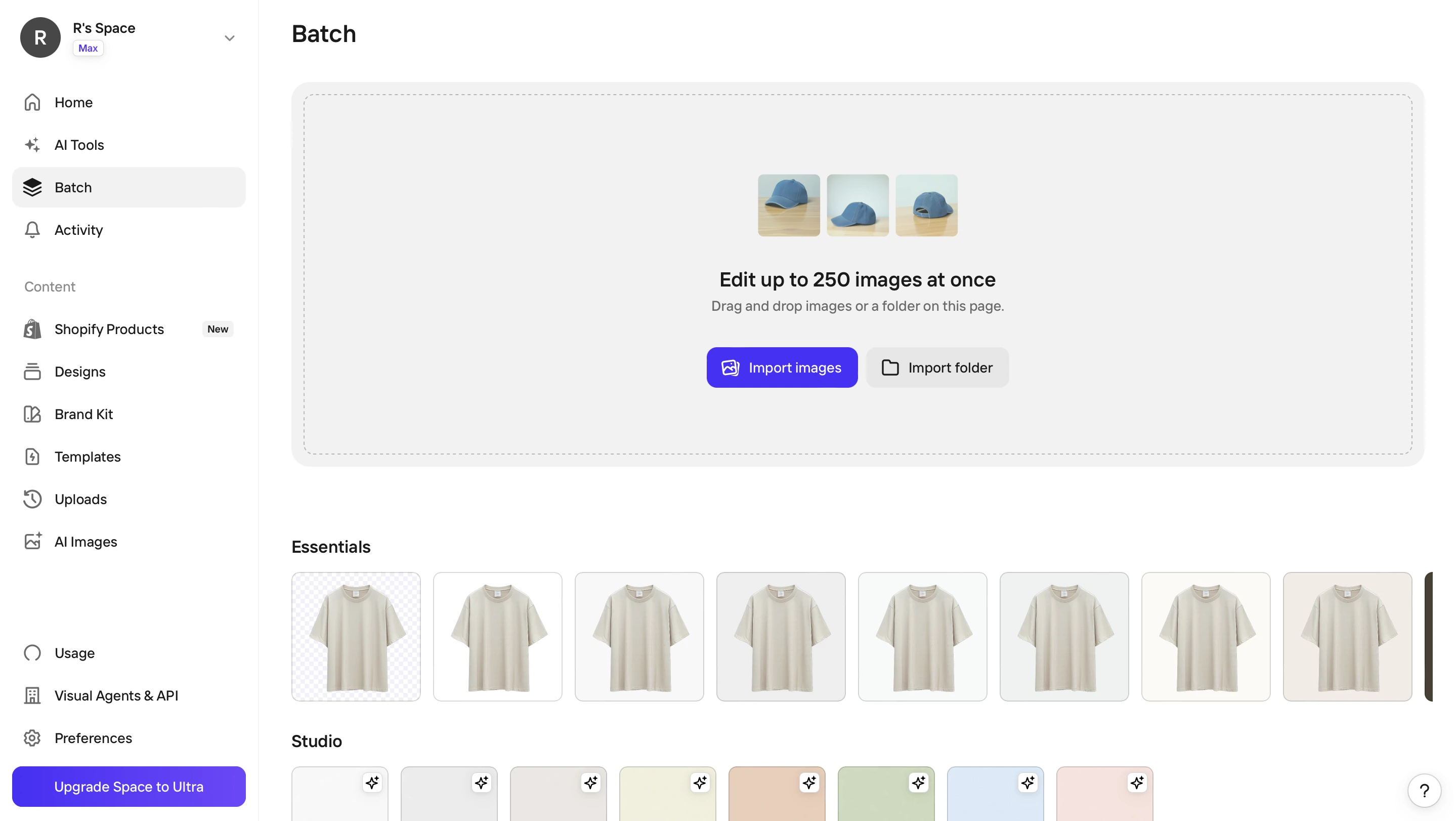
As an AI product photography tool, Photoroom is best understood as a horizontal platform whose default workflow is "remove background, drop the product onto a white or template scene, export per-platform aspect ratio." For sellers whose main pain point is producing platform-ratio transparent PNGs at speed, Photoroom is the benchmark. For sellers whose workflow needs apparel ghost mannequin, on-model lifestyle imagery with body-type and pose controls, jewelry retouch and on-model rendering, or AI product video, Photoroom is still adding those capabilities incrementally — and most of them sit behind a paid AI Credits tier.

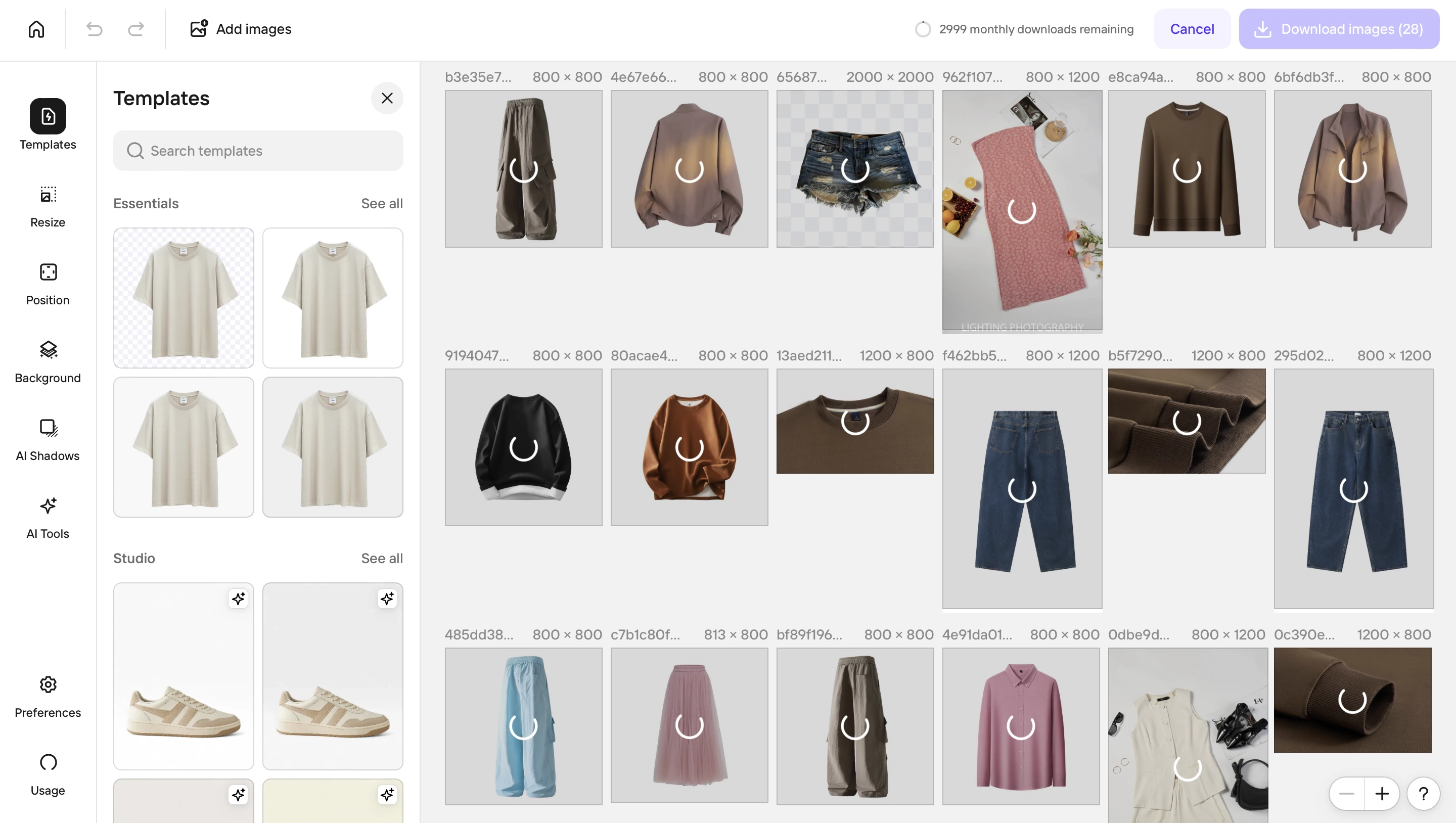
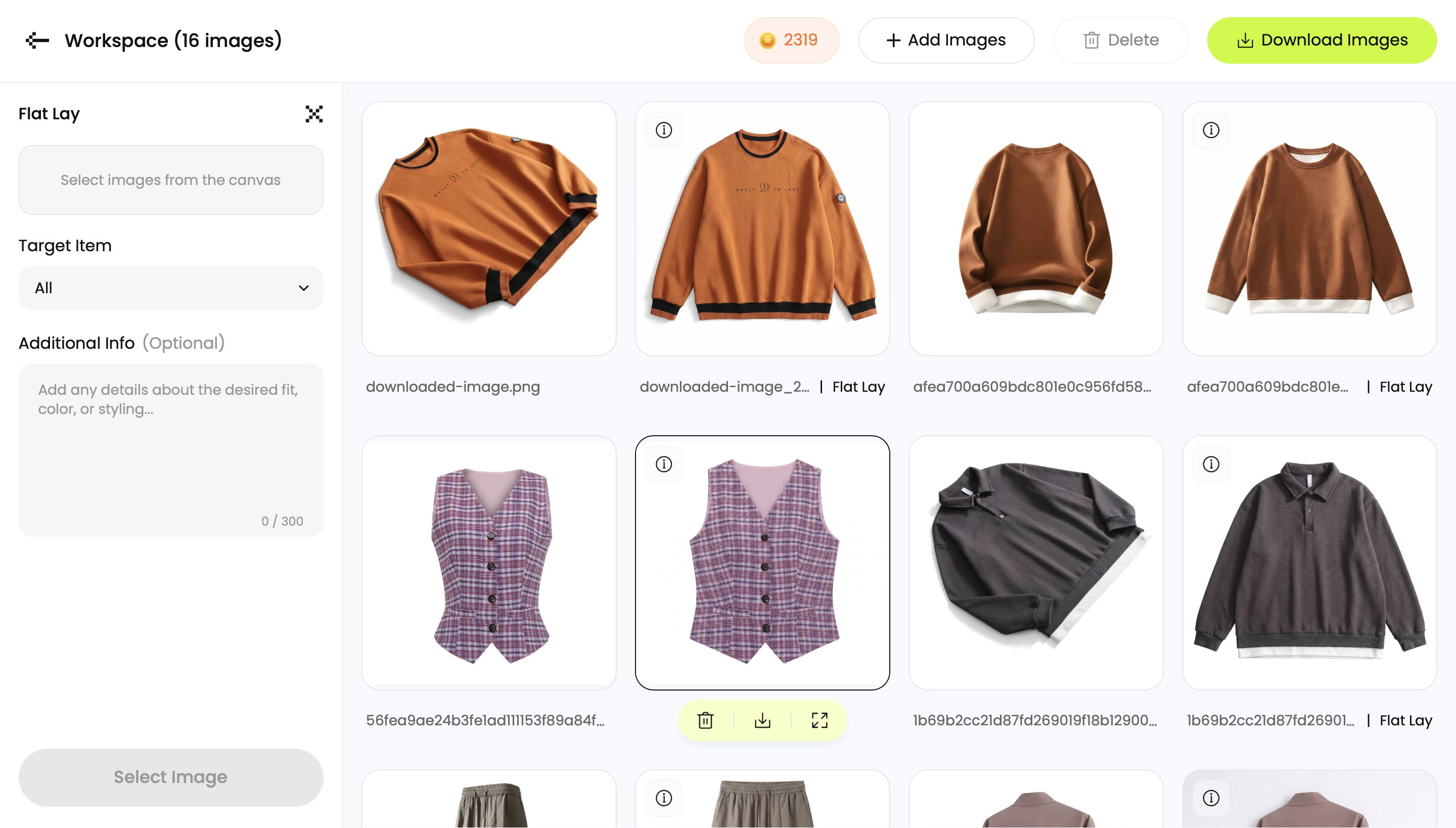
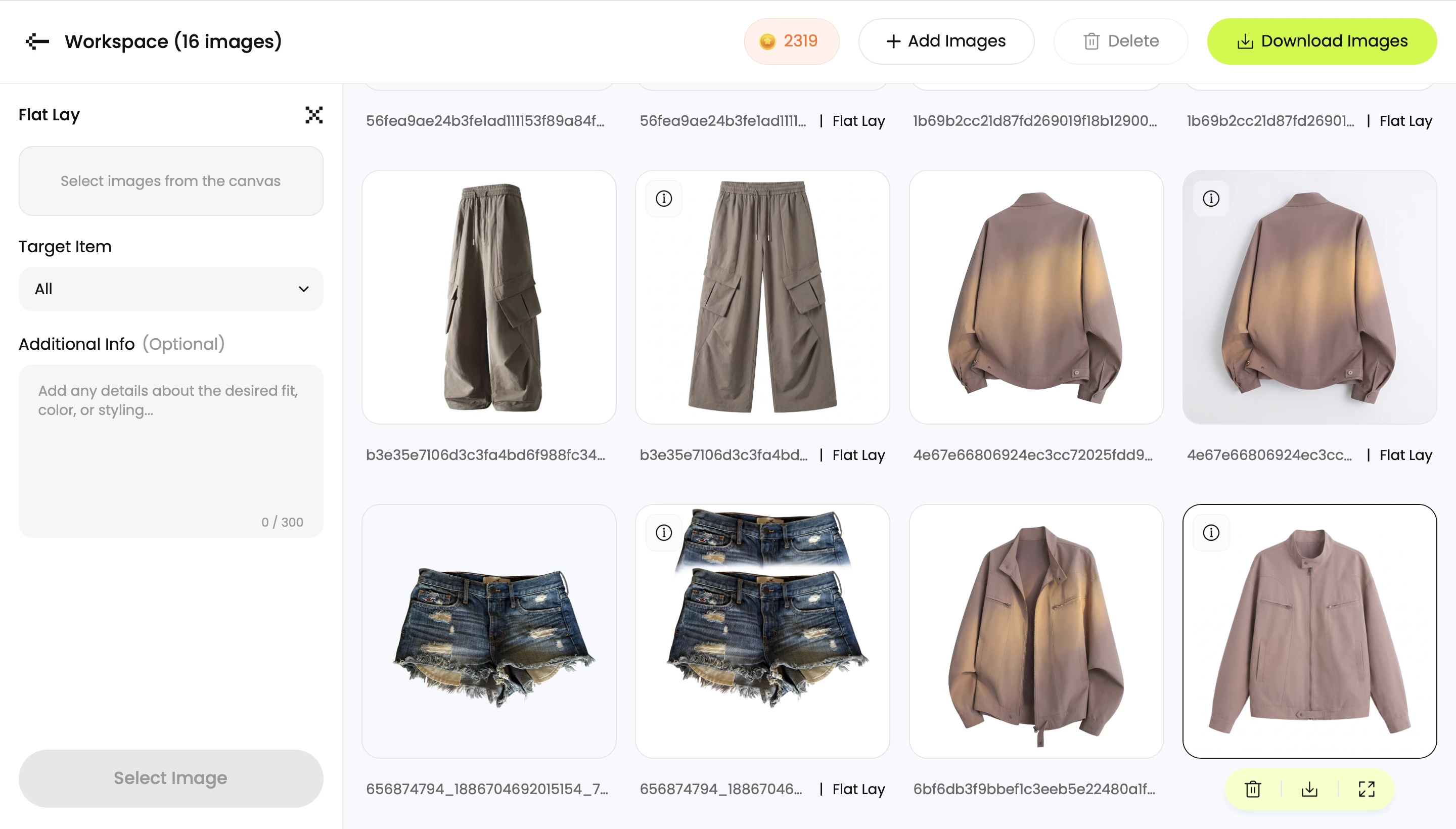
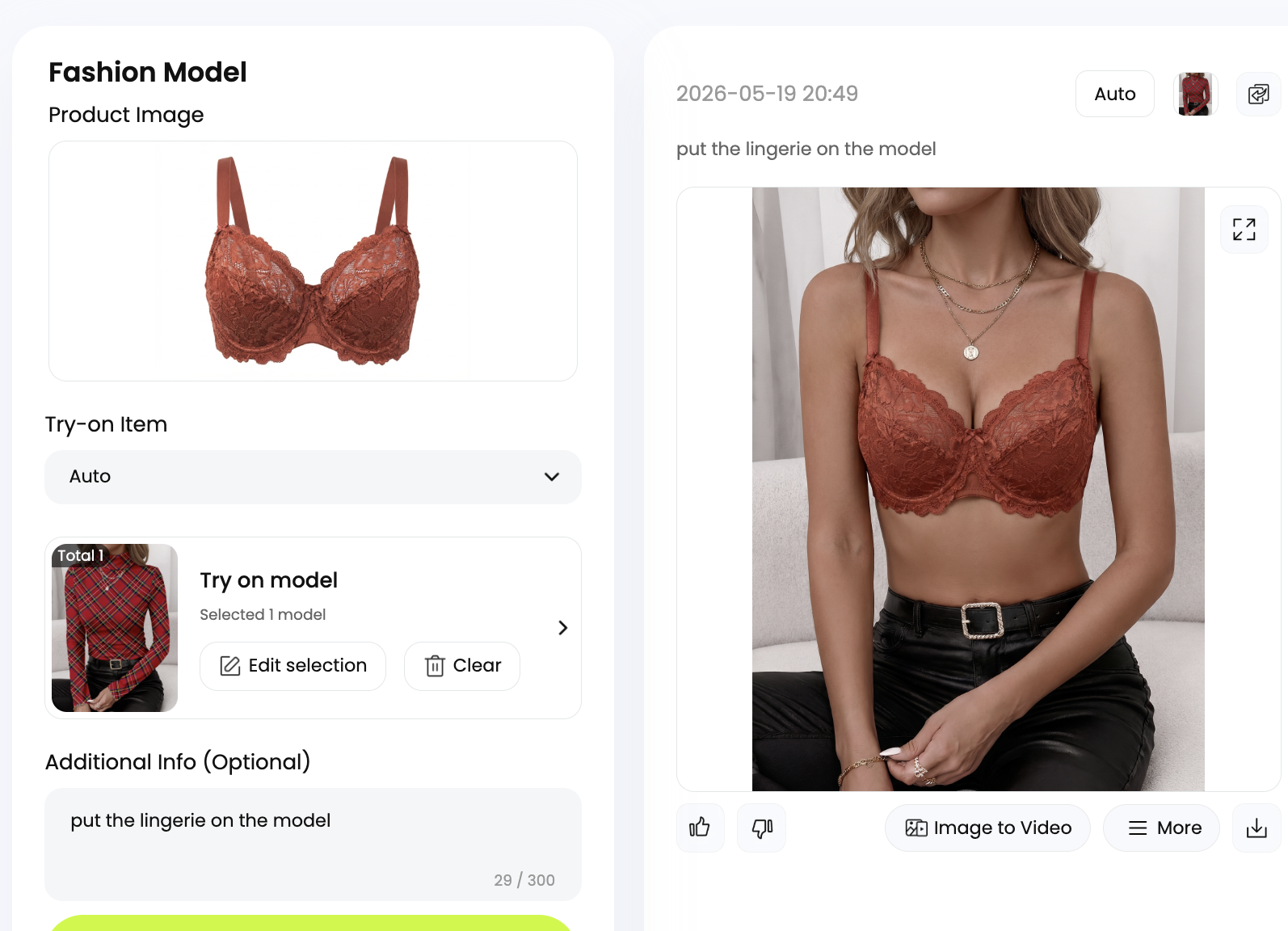
Photoroom editor open on the Ghost Mannequin AI feature — left toolbar shows Background, Cleanup, Magic Studio and the rest of the general product-photo toolset that earns Photoroom its background-removal speed crown

Snappyit ships those workflows as native, day-one features built specifically for fashion and jewelry catalog work. The two tools share a lot of ground at the bg-removal layer; they diverge sharply on what's included at the entry tier and how specialized the output is for an apparel or jewelry seller.

2. Snappyit vs Photoroom — at a glance

The fairest single-screen way to read this comparison is feature-by-feature. Both tools accept phone-snap inputs. Both export marketplace ratios. They diverge on apparel and jewelry specialization, on what's bundled at the entry tier, and on whether the headline AI features consume metered credits per use.

CapabilitySnappyitPhotoroom
Free tierTrial credits, no watermark250 exports/mo, watermark on some outputs
Pay-as-you-go pack$5.9 / 30 credits, no subscriptionn/a (subscription only)
Color change / recolorTexture-preservingManual color overlay
AI product videoImage-to-Video + Fashion Video at entry tierVideo at Ultra tier
Face swapYesNo
Marketplace image resizer (8 platforms)Yes, one-clickYes, presets
Batch modeUp to 100 / batch500/mo Pro · 1,500/mo Max · 4,000+/mo Ultra

Read that table the way a fashion or jewelry seller reads it: the rows highlighted in lime are the moments where the gap matters for catalog work. Specialized fashion and jewelry workflows are where Snappyit pulls ahead, and the pay-as-you-go pack is a Snappyit-only option for sellers who need occasional access without a recurring subscription.

3. Where Photoroom is genuinely better

Photoroom is the right tool when the entire workflow is one task — background removal — done at volume. Three places where it outperforms Snappyit and most other AI product photography tools:

  • Pure background-removal speed. Mobile bg-removal in under five seconds, with refined edges on hair, fur, and glass. If your full pipeline is "phone snap → transparent PNG → drop on white → export per platform," Photoroom is the most efficient single tool in any category — better than Snappyit and better than the general image editors that compete with both.
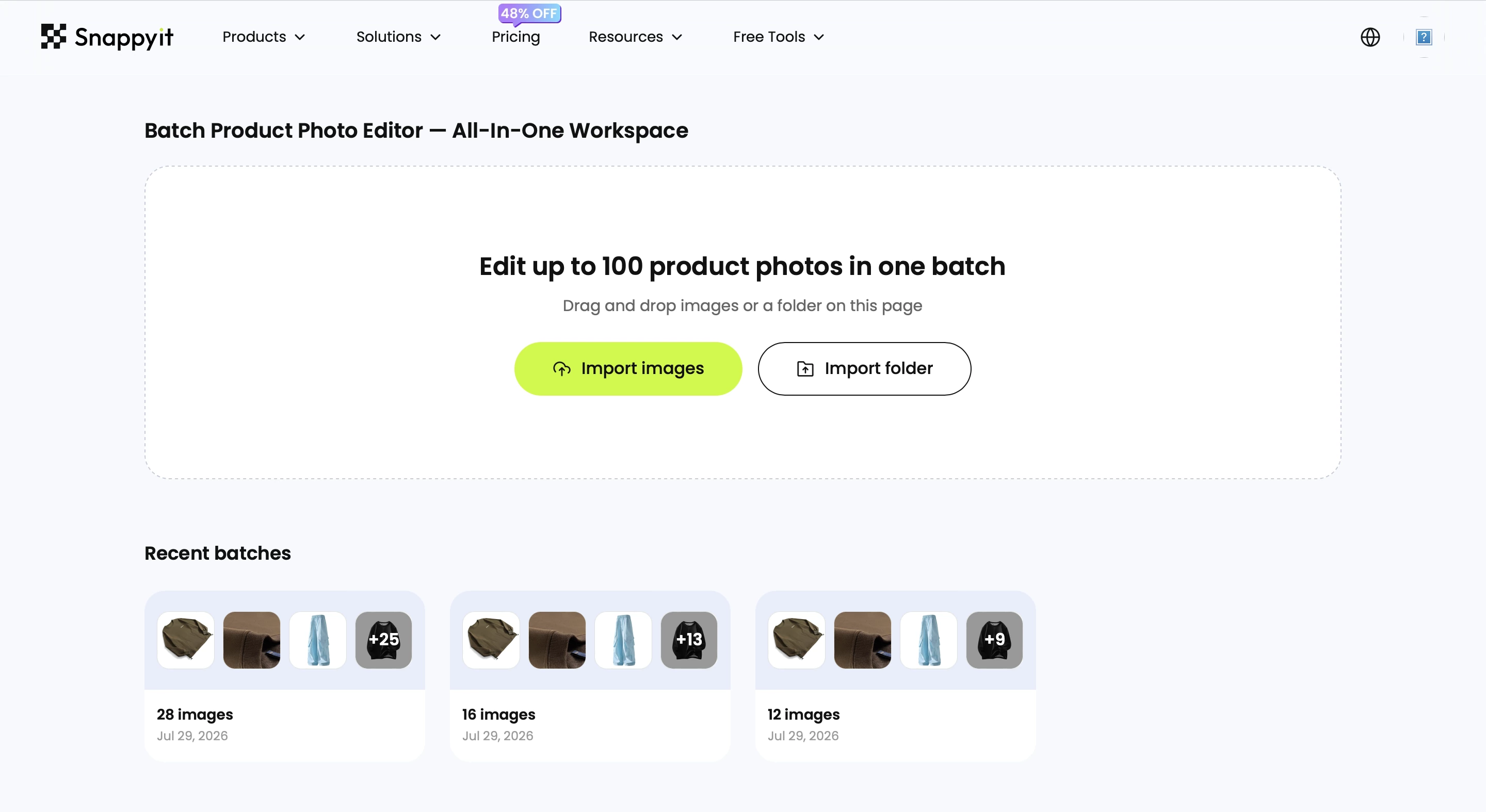
  • Batch throughput at scale. Pro ships 500 batch exports per month, Max 1,500, Ultra 4,000-plus. For a 10K-SKU operation pushing images through one bg-removal pipeline, the batch ceiling is generous. Snappyit batch caps at 100 per run, oriented around per-SKU listing work rather than catalog-wide ingestion.
  • Mobile-first UX. The phone app is the primary surface and stays the most polished AI product photo app on iOS and Android. If your team works exclusively on mobile and never opens a desktop tab, Photoroom is the smoothest daily driver in this category. Snappyit is web-first; the workflow is built around the desktop or tablet upload pattern most sellers use when prepping a new catalog drop.

4. Where Snappyit wins for apparel and jewelry sellers

Snappyit is purpose-built around the apparel + jewelry catalog. Six places where the gap is biggest, in the order they show up in a real listing workflow:

  • Ghost mannequin is a native first-class feature, not a paid AI Credit. Snappyit's ghost mannequin generator produces the floating-on-form catalog shot Etsy, Amazon, and Shopify search engines reward, without consuming a separate paid credit pool. Photoroom's Ghost Mannequin AI is behind the AI Credits tier — it costs credits per use, and the result is generic-fit rather than fashion-trained for hanger shapes and complex drape.
  • Jewelry workflows that don't exist in Photoroom. Jewelry Retouch removes scratches, enhances shine, and fixes prong shadows and metal reflection. Jewelry Model puts rings, necklaces, earrings, bracelets, and watches on realistic AI models. Photoroom has neither — jewelry sellers using Photoroom resort to general bg-removal plus manual touch-up in a separate editor.
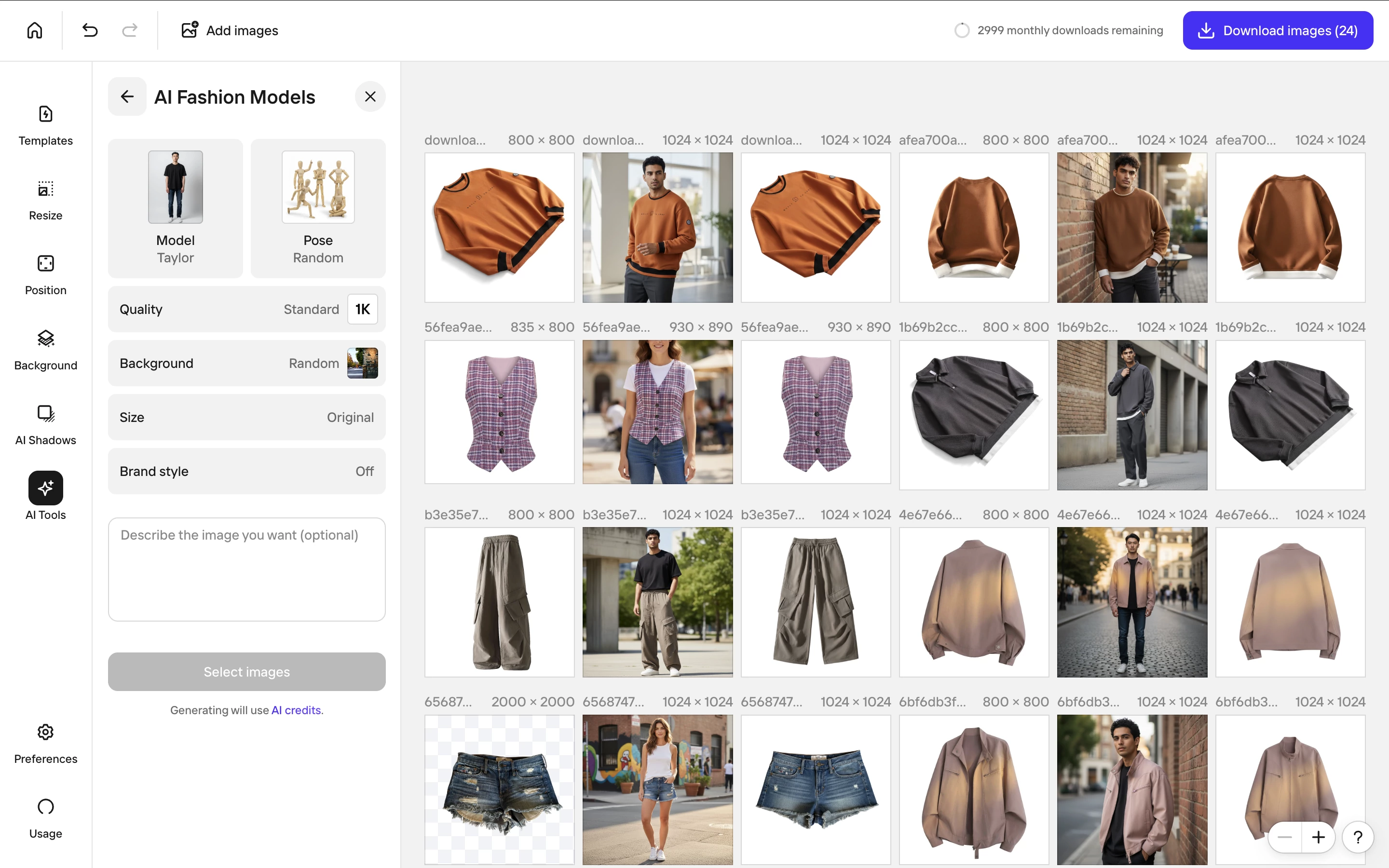
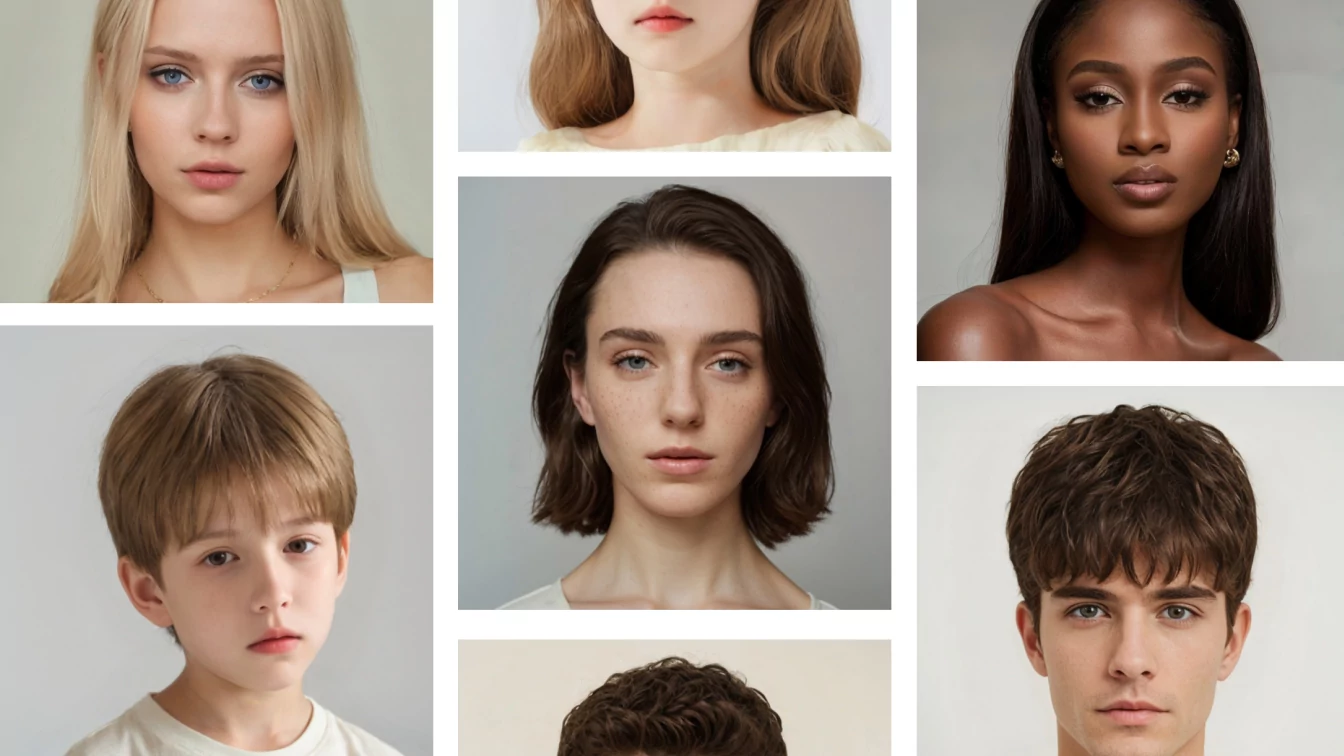
  • On-model fashion with body-type and pose control. Snappyit's AI Fashion Model exposes ethnicity, body type, pose, styling, and background as explicit inputs. Photoroom Virtual Models is a generic on-model render with limited fashion-specific control — the catalog-vs-lifestyle dial that DTC fashion brands need is largely abstracted away.
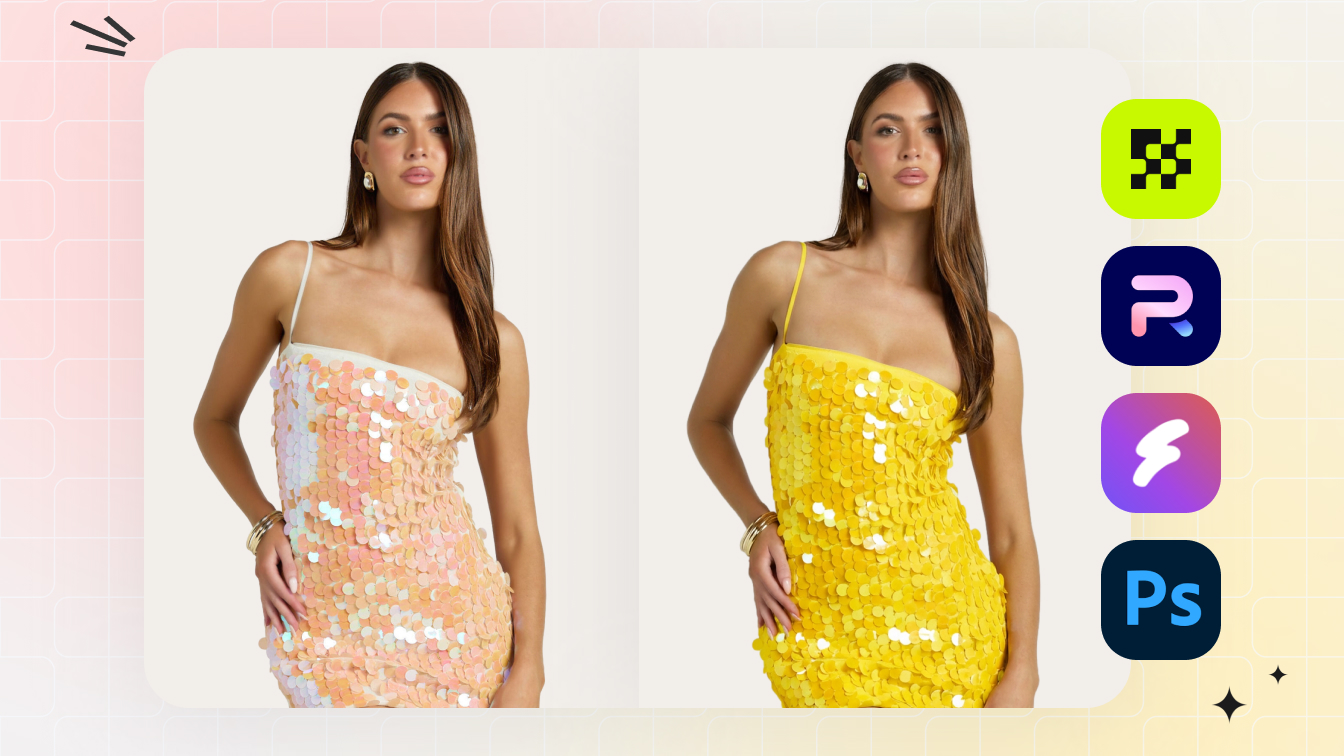
  • Recolor that preserves fabric and metal texture. Snappyit's AI Product Recolor is trained on apparel and jewelry texture data — it shifts hue without flattening weave, sheen, or stitching. Photoroom's color tools are general-purpose; they work on simple solid-color products but blur woven fabric and metallic finishes when you push them past one swatch.
  • AI product video at the entry tier. Snappyit Basic at $6.9/month already ships Image-to-Video and Fashion Video. Photoroom video sits at Ultra, two tiers above Pro. For TikTok Shop and Reels-first sellers that's the difference between testing video this week and waiting to upgrade.
  • One tool, three image types per upload. Snappyit returns ghost-mannequin + on-model + recolor variants from one source photo in a single generation. Photoroom returns one output per task; producing the same three variants takes three separate jobs and three batches of AI Credits.

Try Snappyit's AI product photography toolkit free →

5. Pricing — what you actually pay in 2026

Both tools advertise annual prices to drive the headline number down. Here's what each tier actually buys when you compare like for like.

TierSnappyitPhotoroom
FreeTrial credits, full feature access, no watermark250 exports/mo, watermark on some outputs
Entry (monthly)$9.9/mo Basic$12.99/mo Pro
Mid (annual)$11.1/mo Standard — for mid-SKU sellersMax — extra AI Credits + 1,500 batch
Top self-serve (annual)$34.9/mo Pro — for high-SKU and brand teamsUltra — 4,000+ batch, video generator
Per-image cost, typical use$0.05 – $0.30 (subscription) · ~$0.20 (pack)$0.10 – $0.50 (AI Credits consumption)

Snappyit's three annual subscription tiers — $6.9/mo Basic, $11.1/mo Standard, $34.9/mo Pro — are sized for low, mid, and high-SKU sellers respectively, with all fashion and jewelry workflows included at every tier. On top of subscriptions, Snappyit ships a pay-as-you-go pack at $5.9 for 30 credits for sellers with occasional, seasonal, or one-off needs who don't want a recurring commitment. Photoroom is subscription-only across Pro, Max, Ultra, and Enterprise tiers — there is no equivalent pack option for low-frequency users.

The other crucial detail is metered AI Credits. Photoroom's Ghost Mannequin AI, Virtual Models, Product Staging, and video features consume AI Credits per generation. A Pro subscription buys a baseline pool; heavier fashion workflows blow through the pool and either require a Max/Ultra upgrade or a credit top-up. Snappyit's fashion-and-jewelry features are not metered separately at the subscription level — they are part of the included monthly credits — so for fashion-first sellers the unit economics tilt clearly in Snappyit's favor.

If your workflow is genuinely the high-volume general-purpose pipeline Photoroom is sized for, Photoroom Pro or Max stays the cheaper choice at that scale. If your workflow touches ghost mannequin, on-model, jewelry, recolor, or video at any frequency — or if your demand is seasonal and a subscription is overkill — Snappyit's bundled-feature pricing plus the pay-as-you-go pack covers more cases at lower total cost.

6. Which tool fits which seller

Seven seller profiles, and the tool that fits the workflow best:

  • Shopify sellers — Snappyit. Native marketplace ratios, 8-platform image resizer, and the listed Shopify App Store integration. Photoroom works but needs a separate fashion-model tool bolted on.
  • Amazon sellers — Snappyit if the catalog is apparel-heavy; Photoroom if it's broadly mixed (electronics, home, accessories) and bg-removal is the primary task.
  • Etsy sellers (apparel) — Snappyit. Ghost mannequin tuned for Etsy's product-clarity standard, plus on-model lifestyle with the AI-disclosure-compliant outputs Etsy's 2026 guidance recommends.
  • Jewelry sellers — Snappyit. Photoroom has no jewelry workflow; for rings, necklaces, earrings on Etsy, Amazon Handmade, or Shopify, this is the largest capability gap between the two tools.
  • DTC fashion brands — Snappyit Standard or Pro. Body-type and pose controls Photoroom Virtual Models doesn't expose, plus AI Fashion Video for ad creative.
  • Print-on-demand — Snappyit. Recolor that preserves print and garment texture; Photoroom's recolor is too generic for printed apparel.
  • Multi-vertical sellers (food, beauty, home + fashion) — Photoroom as primary + Snappyit for the fashion and jewelry slice. The combined $14.40/mo annual still beats one studio shoot.

Try the marketplace-ready tool first. Snappyit Basic ships ghost mannequin, on-model, jewelry, recolor, and video at $6.9/month. Try Snappyit free →

7. Workflow scenarios — phone snap to marketplace-ready

Four common AI product photography workflows, with where each tool wins and loses:

  1. Wrinkly phone-shot hanger blouse → ghost mannequin listing image. Snappyit returns a clean ghost mannequin in about 30 seconds from a single native template, no metered AI Credit consumption. Photoroom Ghost Mannequin AI (Pro+) returns similar output for simple garments but consumes AI Credits, and the result is less fashion-trained on complex drape, sheer fabric, or printed patterns.
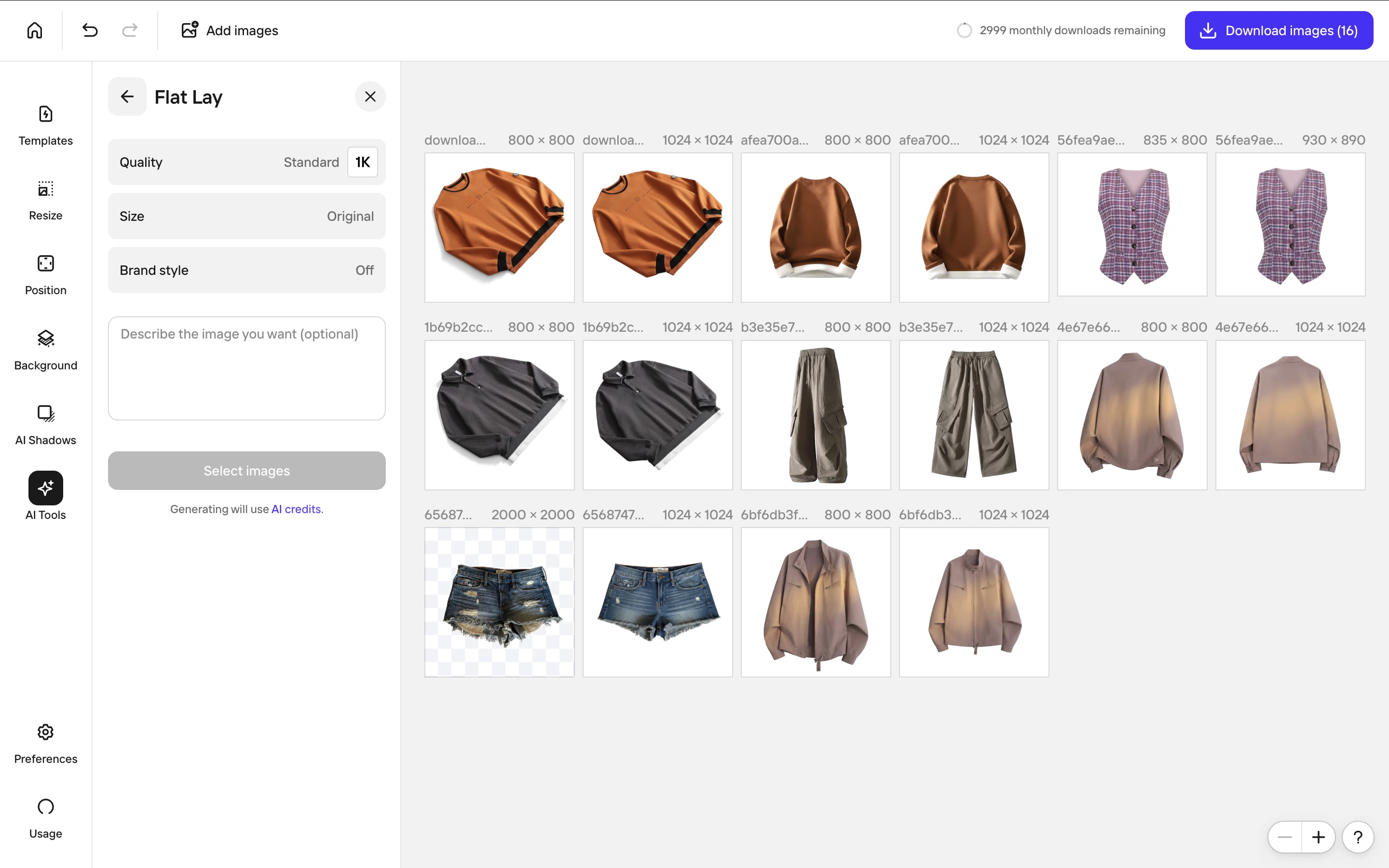
  2. Flat-lay → on-model lifestyle render. Snappyit AI Fashion Model — pick body type, pose, ethnicity, and background; roughly 45 seconds for four variants. Photoroom Virtual Models — generic on-model render with limited fashion-specific control; roughly 30 seconds for one variant, then re-run for more.
  3. Product photo → four color variants for catalog. Snappyit AI Color Change preserves texture across all four swatches. Photoroom requires manual color overlay or per-image hue shift; weave and metallic surfaces flatten visibly after the first shift.
  4. Static jewelry photo → on-model try-on render. Snappyit Jewelry Model — drop a ring, pick a hand pose, render. Photoroom — not supported; sellers fall back to generic Virtual Models that don't preserve jewelry detail or use an external tool.

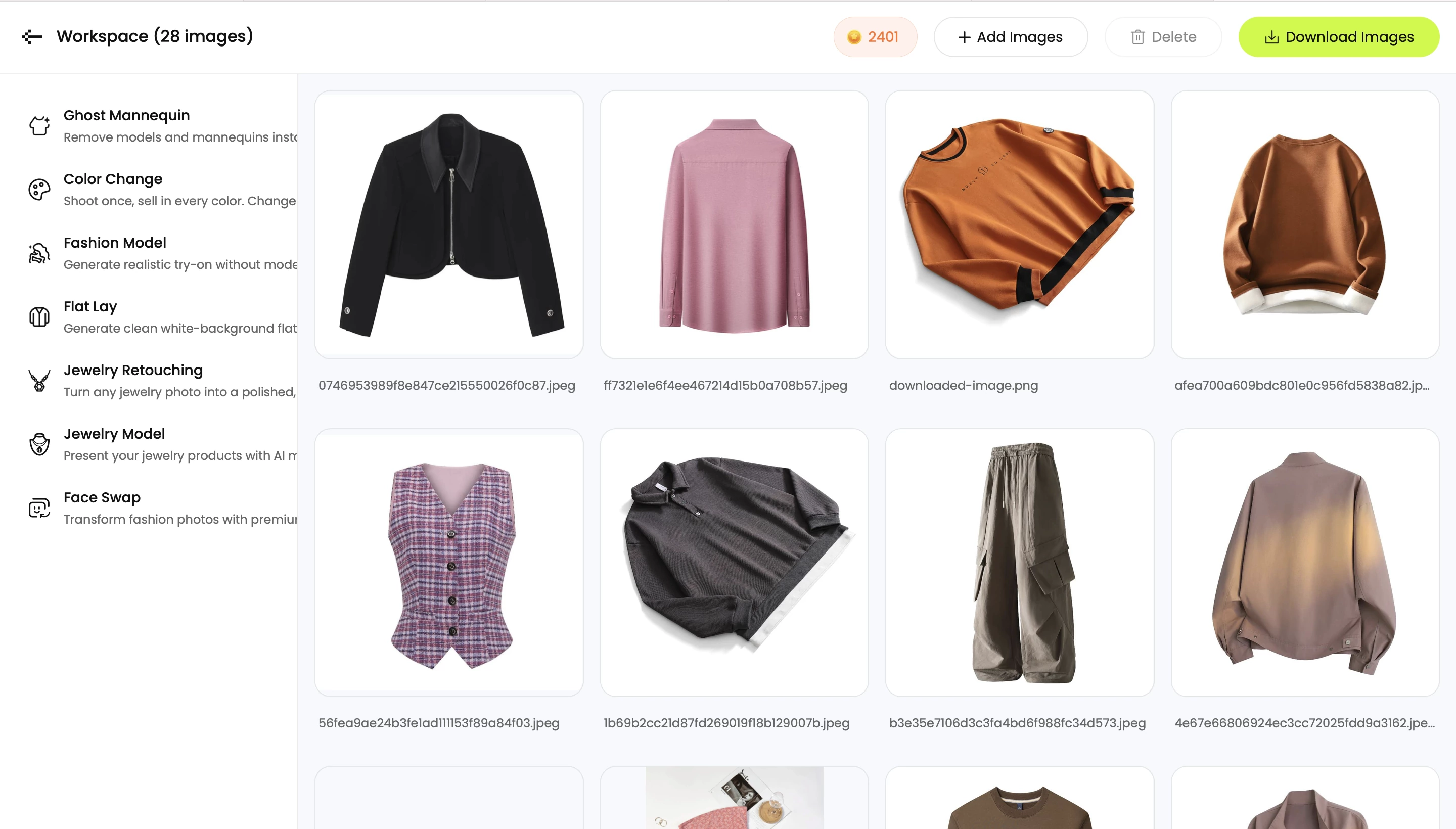
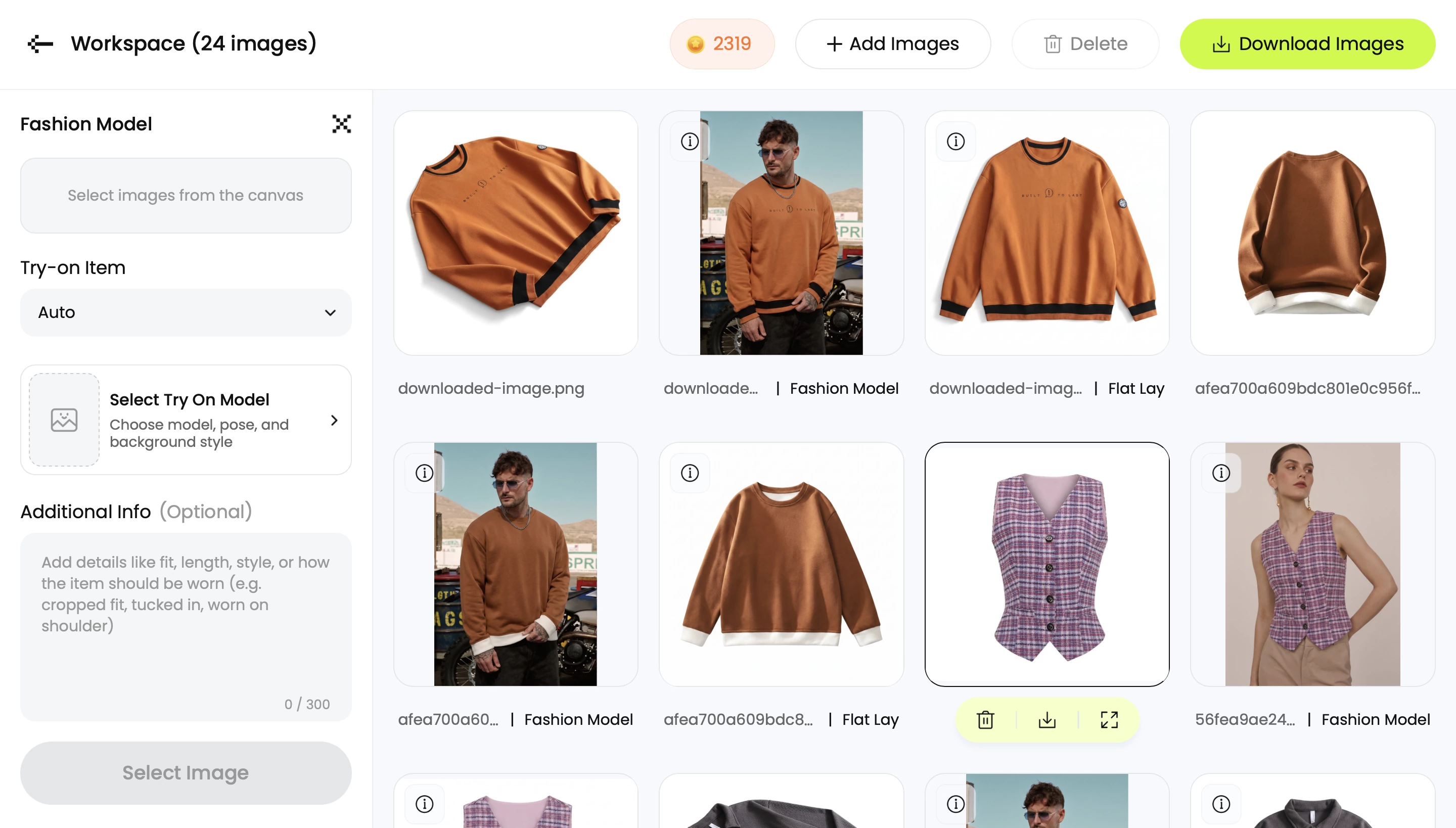
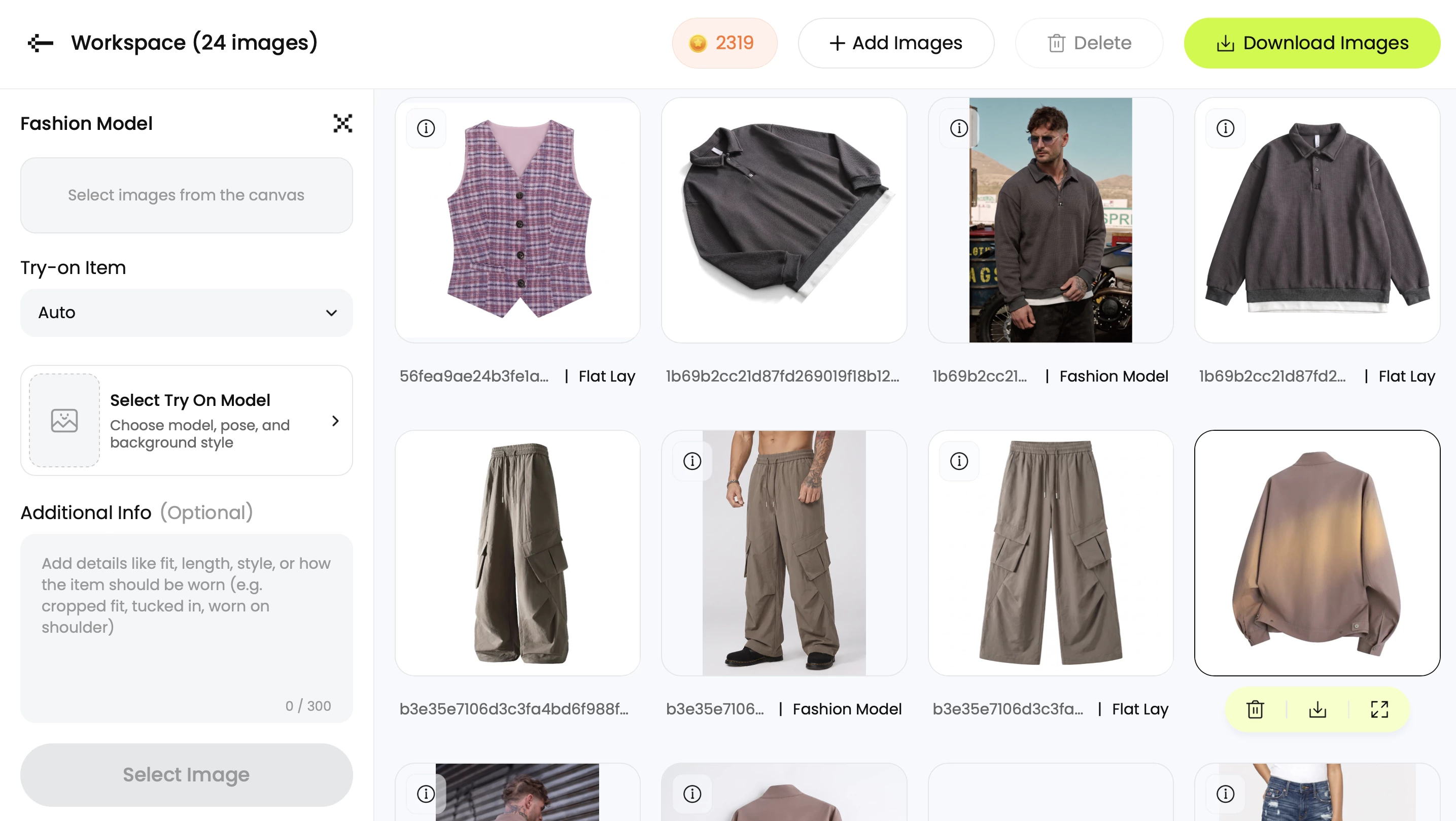
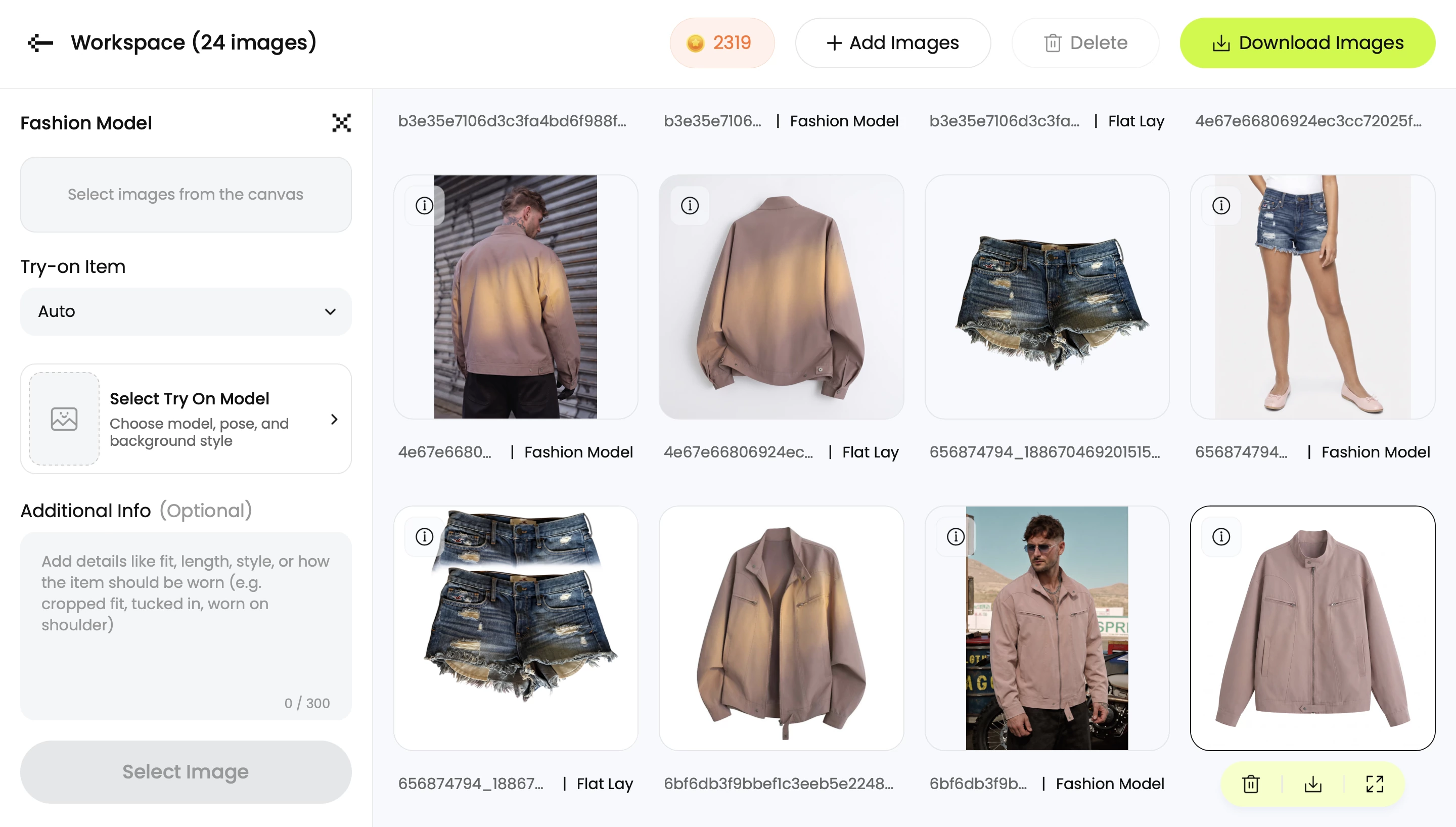
Snappyit workspace with the ghost mannequin and on-model template gallery on the right and the upload area on the left — the layout used to turn a flat-lay phone photo into a marketplace-ready listing image

8. When to use both side by side

For some workflows the right answer is both tools running in parallel:

  • High-volume listing operations — Photoroom Max or Ultra handles the 1,000-image bg-removal pass across the full catalog; Snappyit handles the ghost mannequin / on-model / jewelry pass on each SKU that needs catalog dressing.
  • Mixed-vertical stores — Photoroom on the food / beauty / home SKUs, Snappyit on the apparel and jewelry SKUs.
  • Mobile-first solo sellers doing quick daily edits plus occasional catalog refresh — Photoroom on phone for the daily edits, Snappyit on web when prepping a new listing drop.

Combined entry-tier annual cost is $6.9 + $7.50 = $14.40 per month. That's still roughly 95 percent cheaper than a single mid-tier studio shoot at $200, and you get every workflow either tool ships.

9. The verdict

If you sell apparel or jewelry, Snappyit is the better AI product photography tool. It does everything Photoroom does at the bg-removal and marketplace-export layer, and it adds the four workflows that actually move fashion conversion: native ghost mannequin, on-model fashion with body-type and pose control, jewelry retouch and on-model rendering, and AI product video — at a $6.9 entry price that undercuts Photoroom Pro's $7.50.

If you sell broad multi-vertical e-commerce and your workflow is bg-removal first, Photoroom stays the right primary tool — and you can layer Snappyit Basic on top for the fashion and jewelry slice without breaking the budget. For most fashion-focused sellers in 2026, Snappyit wins on coverage and unit economics; for most multi-vertical sellers, Photoroom wins on the bg-removal pipeline. Pick by where your catalog lives, not by which logo you've seen more often.

10. Frequently Asked Questions

Is Snappyit a Photoroom alternative for AI product photography?

Yes — Snappyit is the apparel-and-jewelry-focused alternative to Photoroom. Both cover background removal, marketplace-ratio export, and batch processing. Snappyit adds native ghost mannequin, on-model fashion with body-type and pose control, jewelry retouch, jewelry on-model rendering, texture-preserving recolor, image-to-video and fashion video as day-one entry-tier features — workflows Photoroom either lacks or gates behind higher tiers and paid AI Credits. For sellers whose catalog is mostly apparel, jewelry, or both, Snappyit is the more complete tool. For broad multi-vertical sellers (food, home, beauty) Photoroom remains the wider-coverage option.

Can Photoroom do ghost mannequin and on-model fashion shots?

Photoroom shipped a Ghost Mannequin AI feature and a Virtual Models feature, both behind the Pro tier and both consuming AI Credits per use. The output is usable for simple garments but is trained on general apparel rather than tuned for hanger-shot or flat-lay reconstruction the way Snappyit's ghost mannequin is. Snappyit treats ghost mannequin and on-model render as native first-class workflows — not metered AI Credits — and exposes explicit fashion controls (body type, ethnicity, pose, background) that Photoroom Virtual Models keeps abstracted.

Does Photoroom have a jewelry workflow like Snappyit?

No. Photoroom has no dedicated jewelry retouch or jewelry on-model feature. Jewelry sellers using Photoroom fall back to general background removal plus manual touch-up, which loses metal reflection and prong-shadow detail at macro scale. Snappyit ships two jewelry tools — Jewelry Retouch (removes scratches, enhances shine, restores prong shadows) and Jewelry Model (places rings, necklaces, earrings on realistic AI models per category). For Etsy, Amazon Handmade, or Shopify jewelry sellers, this is the single largest capability gap between the two products.

Is Photoroom cheaper than Snappyit in 2026?

Snappyit's annual subscription ladder is $6.9/month Basic, $11.1/month Standard, and $34.9/month Pro — sized for low, mid, and high-SKU sellers respectively. Photoroom Pro is $7.50/month annual ($12.99/month monthly), with Max and Ultra above it for higher batch ceilings. At the entry tier Snappyit Basic undercuts Photoroom Pro by $0.60/month and includes the full apparel and jewelry workflow without metered AI Credits. Snappyit also offers a pay-as-you-go pack at $5.9 for 30 credits — useful for occasional or seasonal needs without a recurring subscription, an option Photoroom does not offer. When you account for Photoroom's AI Credits consumption on Ghost Mannequin AI and Virtual Models, total cost-per-image can run higher on Photoroom Pro than on any Snappyit tier for the same fashion workflow. For multi-vertical high-volume bg-removal pipelines Photoroom Pro or Max may still be the cheaper general-purpose choice.

Can I use Snappyit and Photoroom together?

Yes, and several teams do. A common stack: Photoroom on phone for fast bg-removal across a wide catalog (food, home, beauty SKUs), Snappyit on web for the apparel and jewelry subset that needs ghost mannequin, on-model rendering, jewelry retouch, recolor, and AI product video. Combined entry-tier annual cost is about $14.40/month — still 95-plus percent cheaper than a single studio shoot. Outputs from both tools export to compatible marketplace ratios so the final listing pipeline stays consistent.

Which tool handles phone-shot inputs better?

Both accept phone snaps. For background removal alone, Photoroom is the faster mobile tool — the app is its primary surface and refines hair, fur, and glass edges in under five seconds. For phone-shot flat-lays or hanger photos that need to be reconstructed into ghost mannequin or on-model imagery, Snappyit is more forgiving — it tolerates wrinkles, uneven lighting, and bedsheet backgrounds and still returns a clean catalog result without requiring a re-shoot. The right answer depends on which task is the bottleneck in your specific listing workflow.

Are Snappyit and Photoroom outputs accepted on Etsy, Amazon, and Shopify?

Yes. As of 2026, Etsy, Amazon, Shopify, eBay, Poshmark, Mercari, Depop, Walmart, and TikTok Shop all accept AI-generated and AI-augmented product photography provided the image accurately represents the real item. Snappyit's ghost mannequin and Photoroom's Ghost Mannequin AI both preserve actual product texture, color, and detail. Etsy specifically recommends disclosing AI-generated lifestyle scenes but does not require disclosure for technical shots like ghost mannequin or on-model where the product itself is unchanged.

Which AI product photography tool is best for jewelry sellers?

Snappyit, by a wide margin. Photoroom does not have a jewelry-specific workflow — its general background removal and product staging are not tuned for macro metal reflection, gemstone clarity, prong shadows, or chain detail. Snappyit Jewelry Retouch and Jewelry Model are trained on jewelry imagery and ship explicit controls for ring, necklace, earring, bracelet, and watch placement. Per-image cost on Snappyit Basic at $6.9 per month makes professional-grade jewelry catalog work viable for solo Etsy sellers and small jewelry brands without studio access.

Build your next AI product photography listing in 60 seconds

Snappyit ships ghost mannequin, on-model fashion, jewelry retouch and modeling, recolor, image-to-video and the 8-marketplace image resizer in one workspace — at $6.9/month annual, no AI-credit metering on the fashion features. Free trial credits, no card required.

Try Snappyit's AI product photography toolkit free →


More Resources for Apparel & Jewelry Sellers