



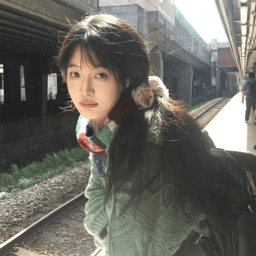
Y2K fashion is now a recognizable retail category across resale marketplaces, vintage stores, independent labels, and new-season collections. Vogue traces the revival through social media, resale culture, returning 2000s brands, and runway collections. The category ranges from rhinestone baby tees and denim mini-skirts to metallic dresses, baggy cargos, and matching sets.
For sellers, the useful question is how to show those products without hiding or changing the details that make them Y2K. This guide identifies the visible clothing cues, then shows the product-photo workflow on the web and mobile.
What Is Y2K Fashion?
Y2K is shorthand for “the year 2000.” In fashion, the term covers clothing and styling associated with the late 1990s and early 2000s. Vogue connects the look to the optimism, anxiety, pop culture, and expanding digital technology surrounding the turn of the millennium. The Fashion History Timeline documents both futuristic clothing—metallic silver, black, straps, and belts—and early-2000s pieces such as low-rise flared jeans, cropped shirts, denim mini-skirts, and velour tracksuits.
Y2K is therefore broader than one uniform look. Pop glamour, technology-inspired cyber styling, and hip-hop or sportswear-influenced streetwear can all sit under the umbrella, provided the clothing and outfit contain credible period-linked features.
A Y2K product label should be supported by the garment itself: its cut, fabric, construction, trim, graphic, or place within an outfit. The model, set, and crop can reinforce the styling, but a futuristic background alone does not make an unrelated item Y2K.
Y2K Fashion vs. 2000s Fashion
Y2K fashion usually refers to the period around the millennium, from the late 1990s into the early 2000s. 2000s fashion covers the full 2000–2009 decade. The terms overlap, but they are not interchangeable: a mid- or late-2000s look may belong to the decade without carrying the futuristic, pop, or streetwear cues associated with Y2K.
A 2000s outfit counts as Y2K when the clothing and accessories support that narrower period—for example, a baby tee with a denim mini and a baguette bag, or a metallic mini-dress with narrow sunglasses. In other words, “2000 decade fashion” is best understood as fashion across 2000–2009, while Y2K describes a more specific turn-of-the-millennium aesthetic.
What Makes Clothing or an Outfit Y2K?
Start with the cues in the garment or coordinated outfit. Product photos should make them easy to recognize, from proportion and material to graphics, trims, footwear, and accessories.
Silhouettes and outfit proportions
- Baby tees, crop tops, fitted tanks, and body-conscious mini silhouettes
- Low-rise flared or bootcut jeans, denim mini-skirts, and exposed midriffs
- Baggy or wide-leg jeans, cargo pants, sports jerseys, and oversized outerwear
- Velour tracksuits and fitted-top-plus-loose-bottom combinations
Materials, trims, and accessories
- Denim, velour, mesh, glossy synthetics, metallic silver, and black
- Visible straps, prominent belts and buckles, rhinestones, logos, and graphic treatments
- Baguette or compact shoulder bags, trucker hats, tinted or narrow sunglasses, and chain details
- Platform soles, chunky sneakers, strappy sandals, and kitten-heeled mules
Three common Y2K styles
Pop Glam, Cyber Y2K, and Y2K Streetwear are useful visual directions rather than fixed historical categories. Use them to organize a collection, then describe each item by its actual cut, fabric, and details.
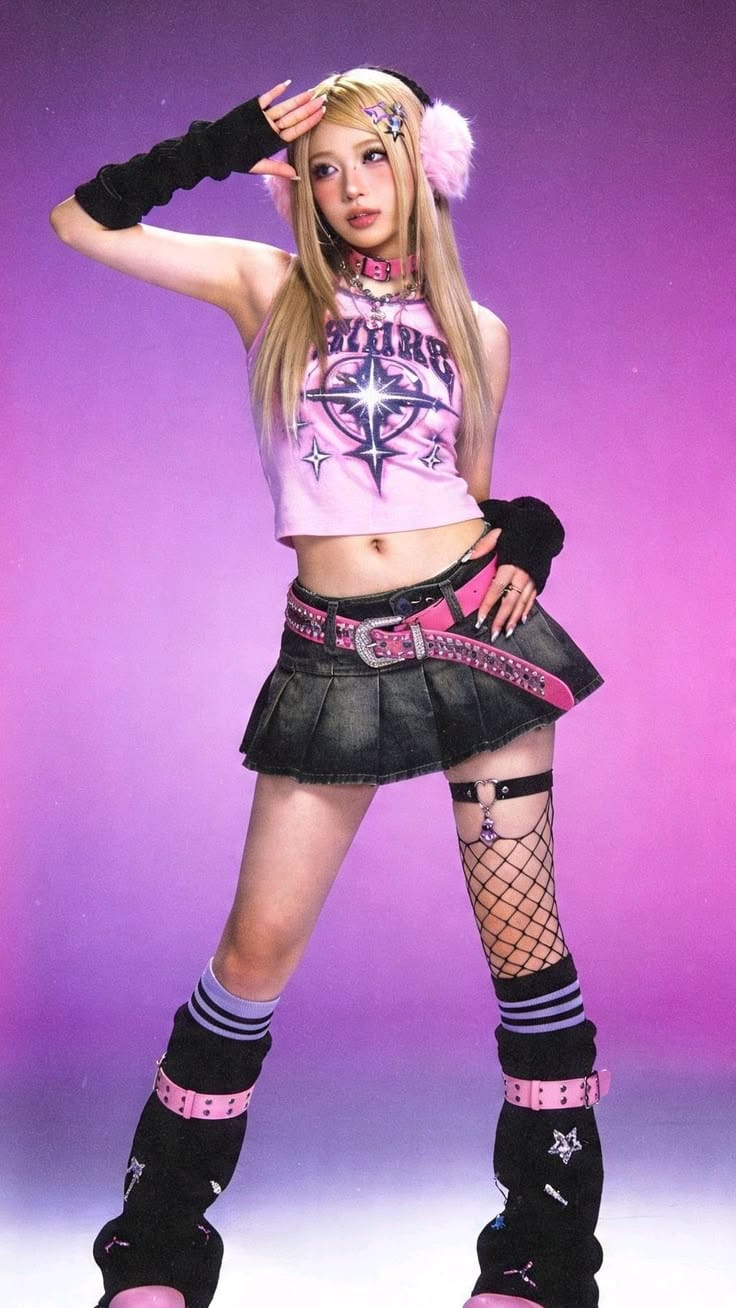
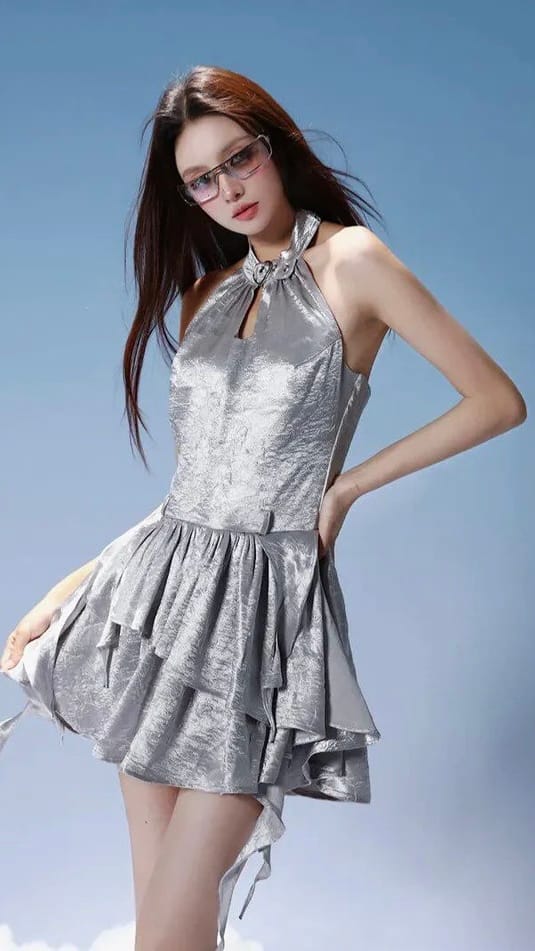
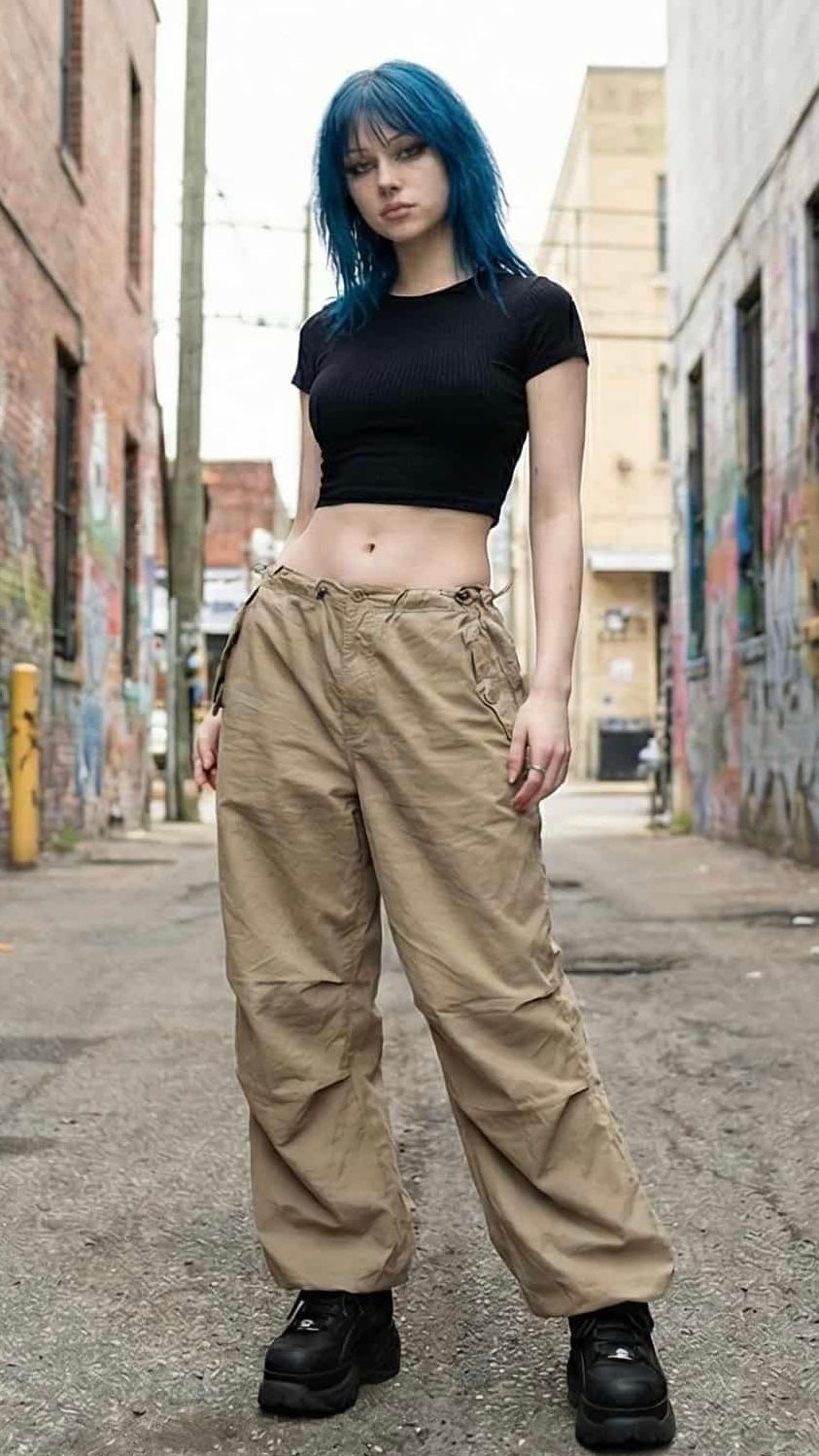
How sellers commonly present Y2K products
Once the direction is clear, show how the pieces work together. A coordinated flat lay keeps each garment visible while presenting the outfit, footwear, and accessories at a glance. For early styling exploration, Snappyit AI Outfit Generator can help test Y2K and 2000s outfit combinations before the final product-image workflow.
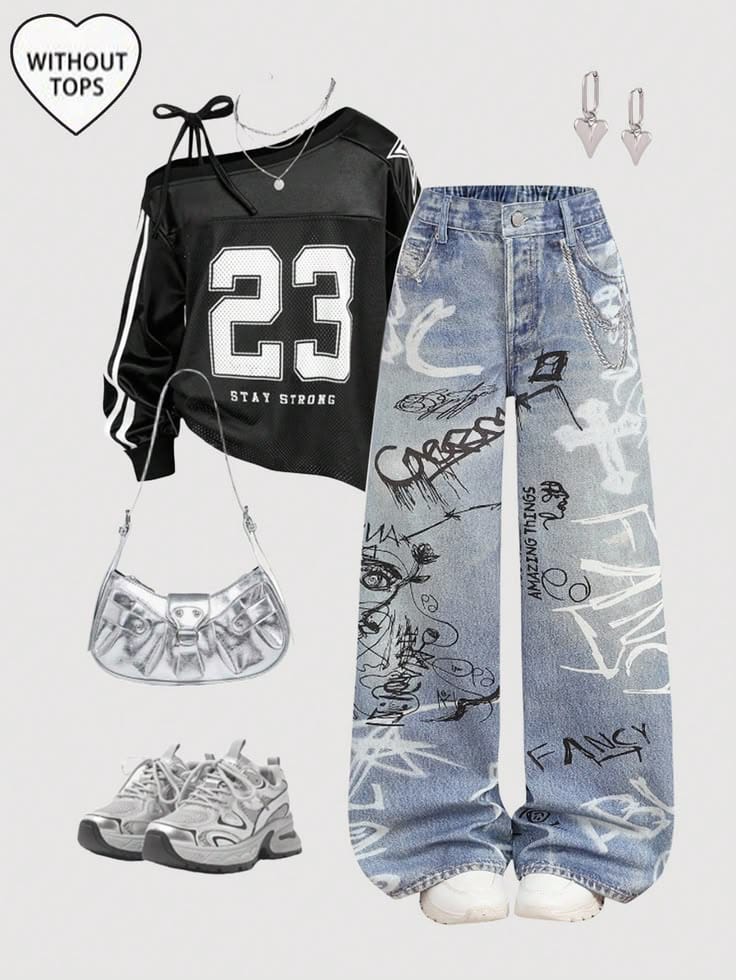
Prepare the Product and References Before Generating
Before generating, define the source product, the presentation reference, and the target channel. These choices keep the web and mobile results comparable and make review faster.
- 1Y2K SKU or outfit sourceA clear flat lay, ghost-mannequin image, or product photo showing the silhouette, material, trims, graphics, and garment length.
- 2Presentation referenceA model, pose, crop, or merchandising reference aligned with the garment design and the intended collection direction.
- 3Target channelChoose the PDP, collection page, email, paid social, or vertical post before setting the crop.
Method 1 — Create Product Photos for Y2K Clothing on the Web
The web workflow suits organized product files and close review. In this example, Snappyit Ghost Mannequin cleans a styled source before Fashion Model places a more complex garment on a selected model.
The source contains a top, denim skirt, necklace, and headphones on a textured background. Ghost Mannequin separates the two garments into a white-background view before the model step.
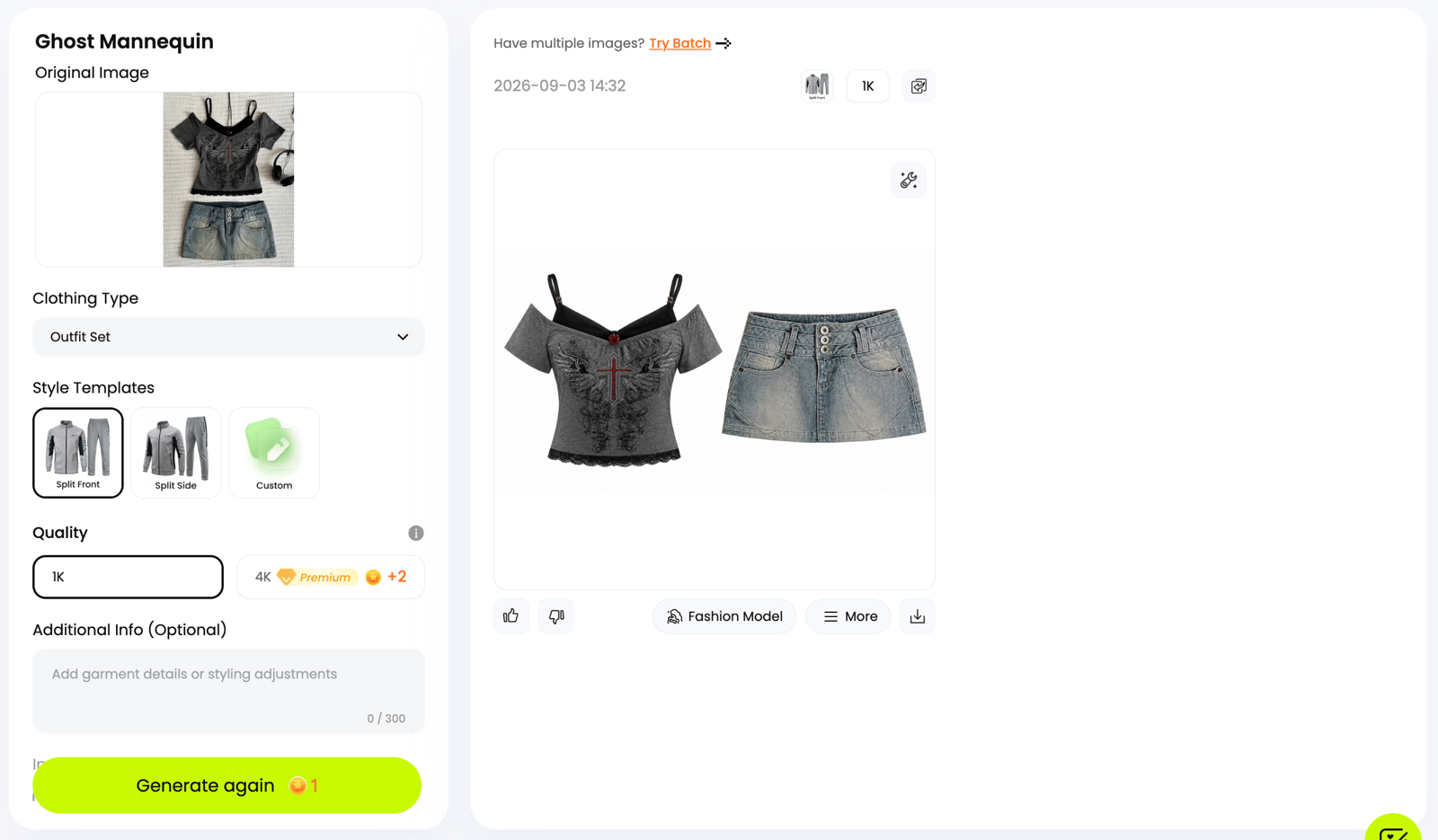
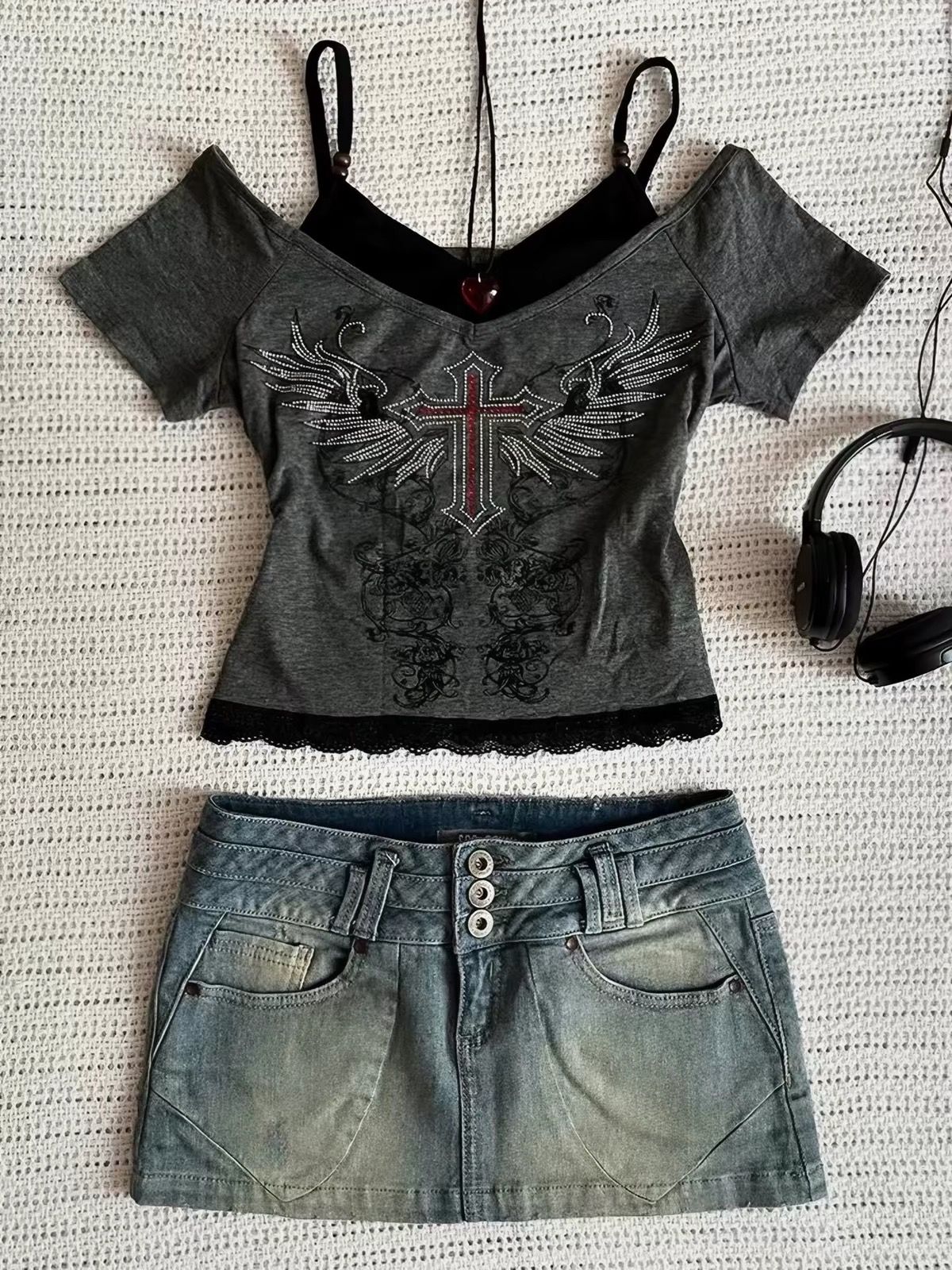
The source includes props and a textured background.
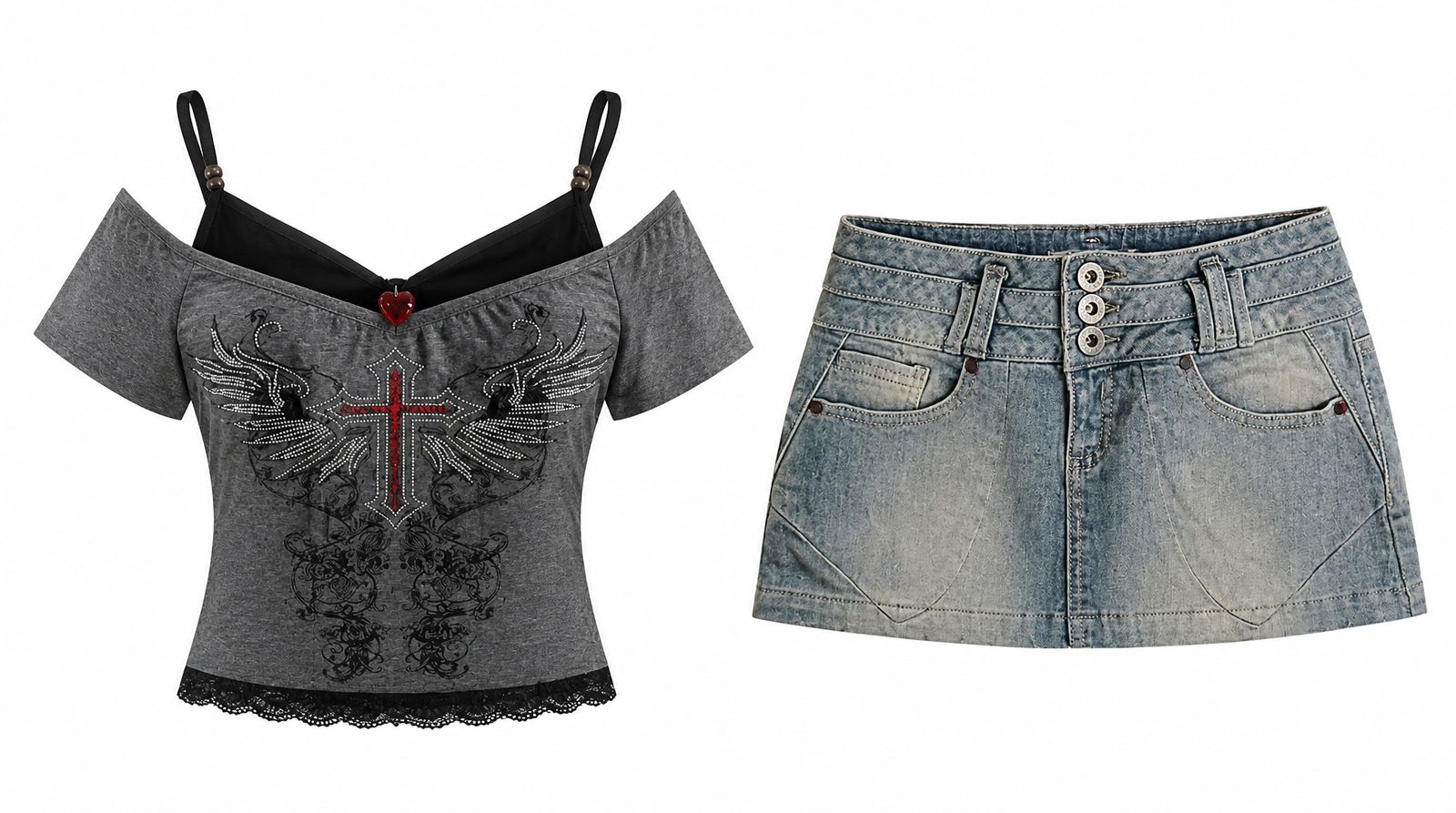
The clean output separates the garments for a more controlled product workflow.
In Snappyit Fashion Model, the supplied web test uses the pink belt-and-ruffle garment as the product image and a full-body model selected for the try-on.
Y2K collections often call for a model reference with bolder makeup, distinctive hair, or statement accessories than a standard catalog template. When the built-in options do not match the collection, merchants can upload their own authorized model image and reuse that model direction across multiple products for a more consistent look.
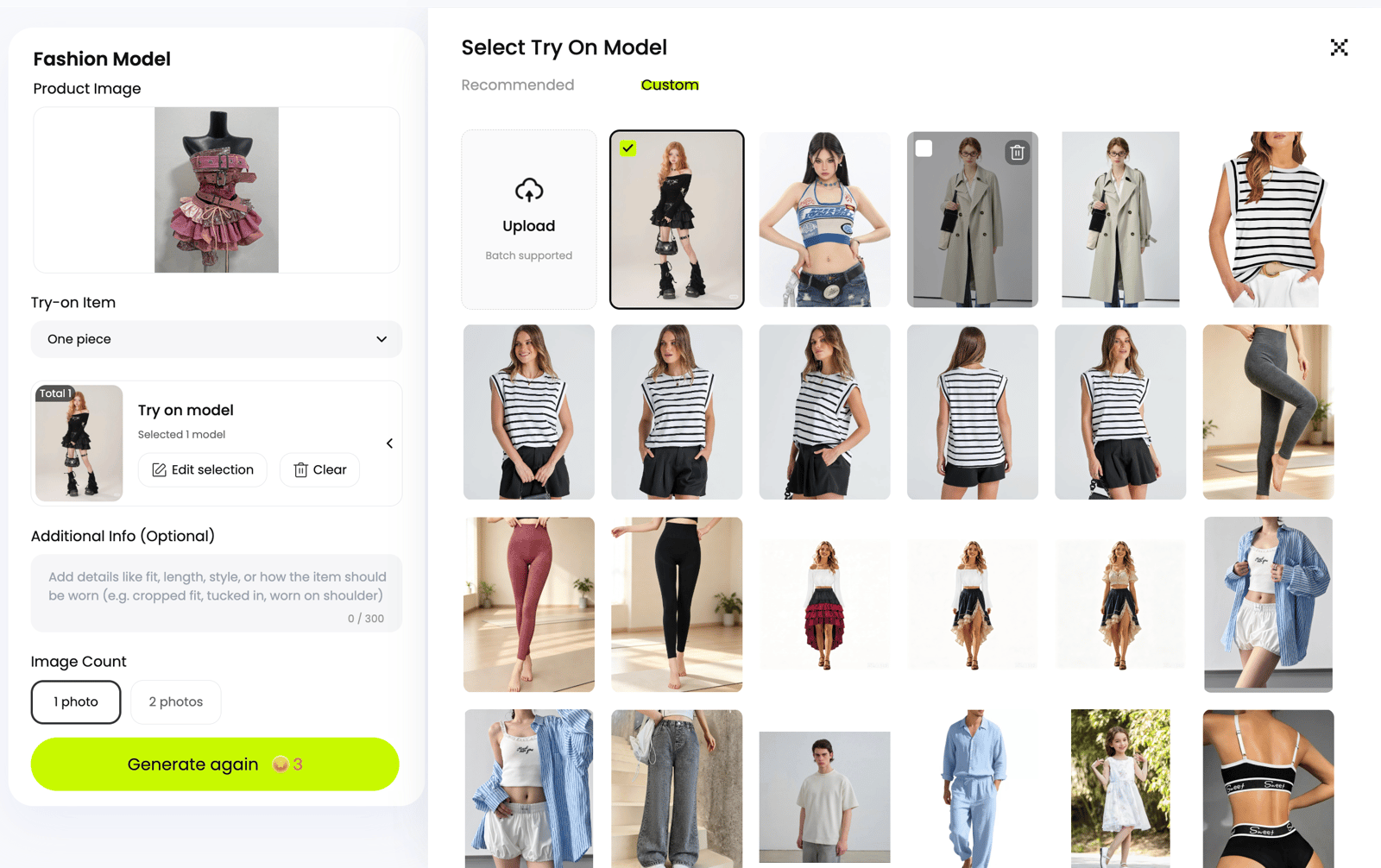
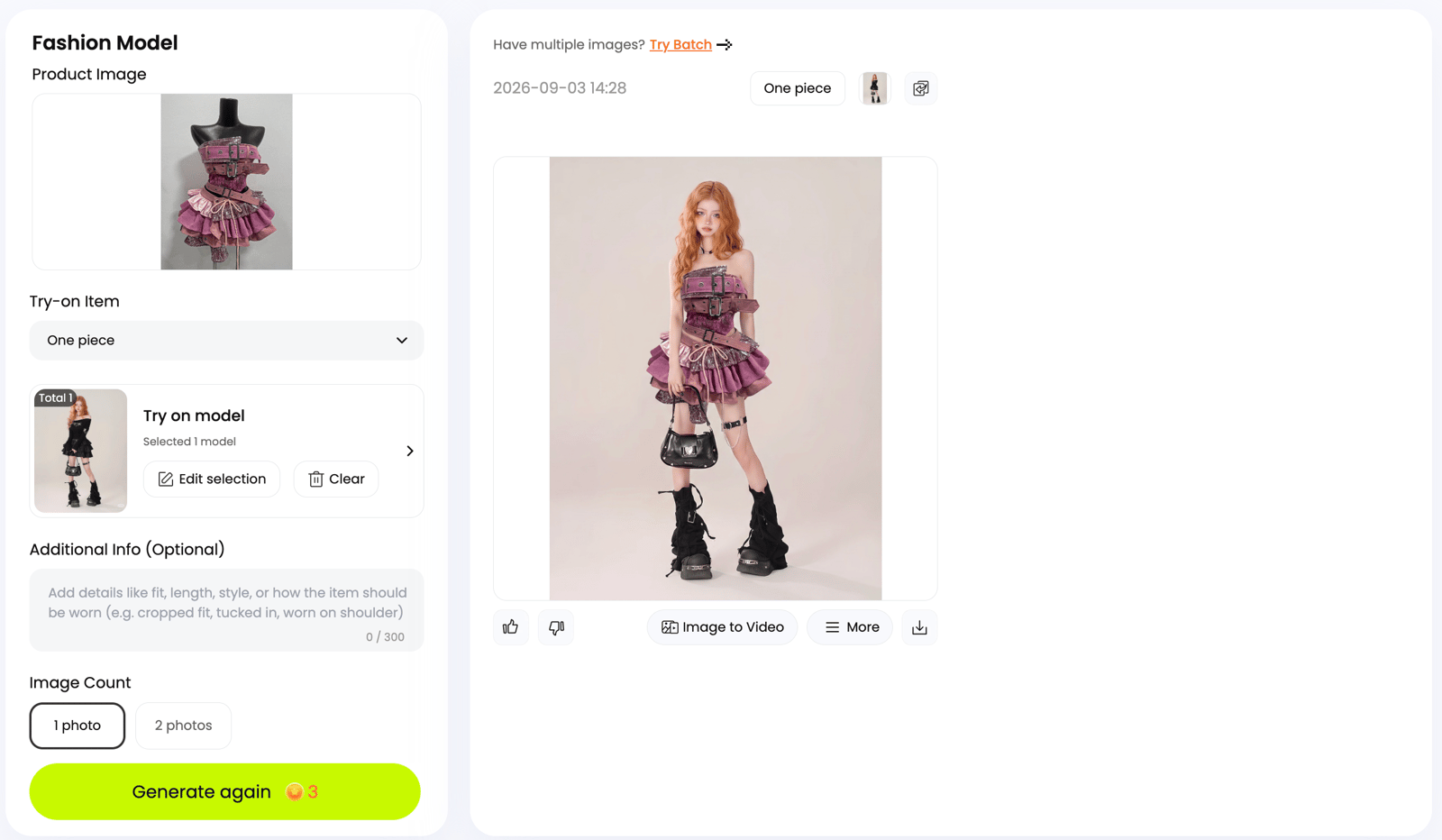
Open the full-resolution export before approval. Check the layered ruffles, sequins, three belt structures, buckles, eyelets, and hanging ties against the source.
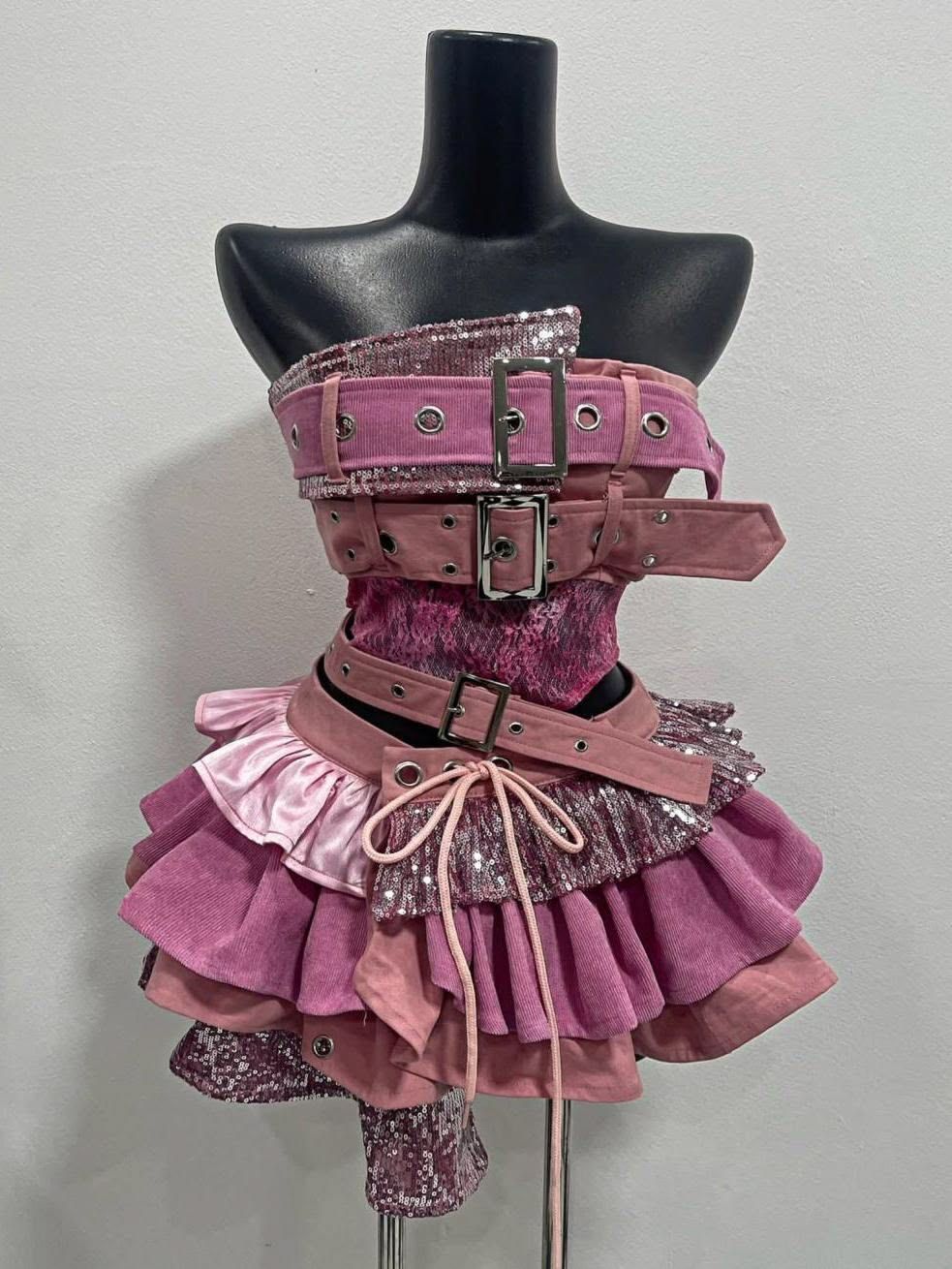
Real garment source used for the Web Fashion Model test.
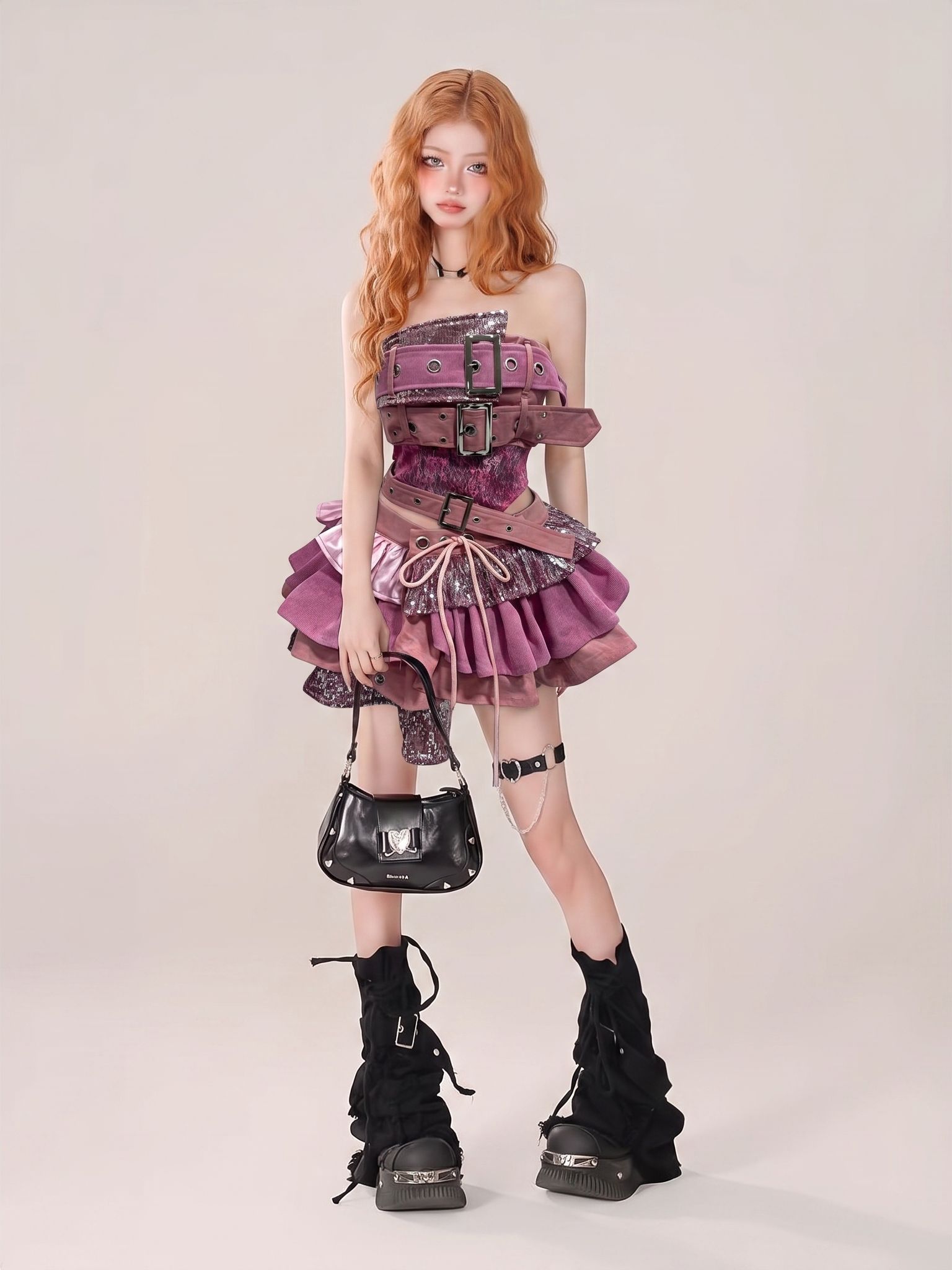
Original generated result supplied for the article.
Web result approval check
- Does the silhouette still match the source?
- Are color, sequins, ruffles, buckles, and eyelets credible?
- Did the model styling support the garment instead of hiding it?
- Is the crop suitable for the planned channel?
Method 2 — Create Product Photos for Y2K Clothing on Mobile
If the product photos are already on a phone, the iOS app can run the same Fashion Model task without transferring files to a computer. For setup and export details, see the guide to creating AI fashion model photos from a phone.
Create product photos in the Snappyit app
Install Snappyit on your phone to follow the mobile workflow. The screenshots below document the iOS interface; controls may vary by platform and app version.
The first screenshot shows the gray top and denim skirt loaded into Fashion Model. Try-On Area is set to Auto, one model is selected, and the screen displays the generation cost before the run. The model picker also includes a Custom tab for uploading an authorized model image from the phone.
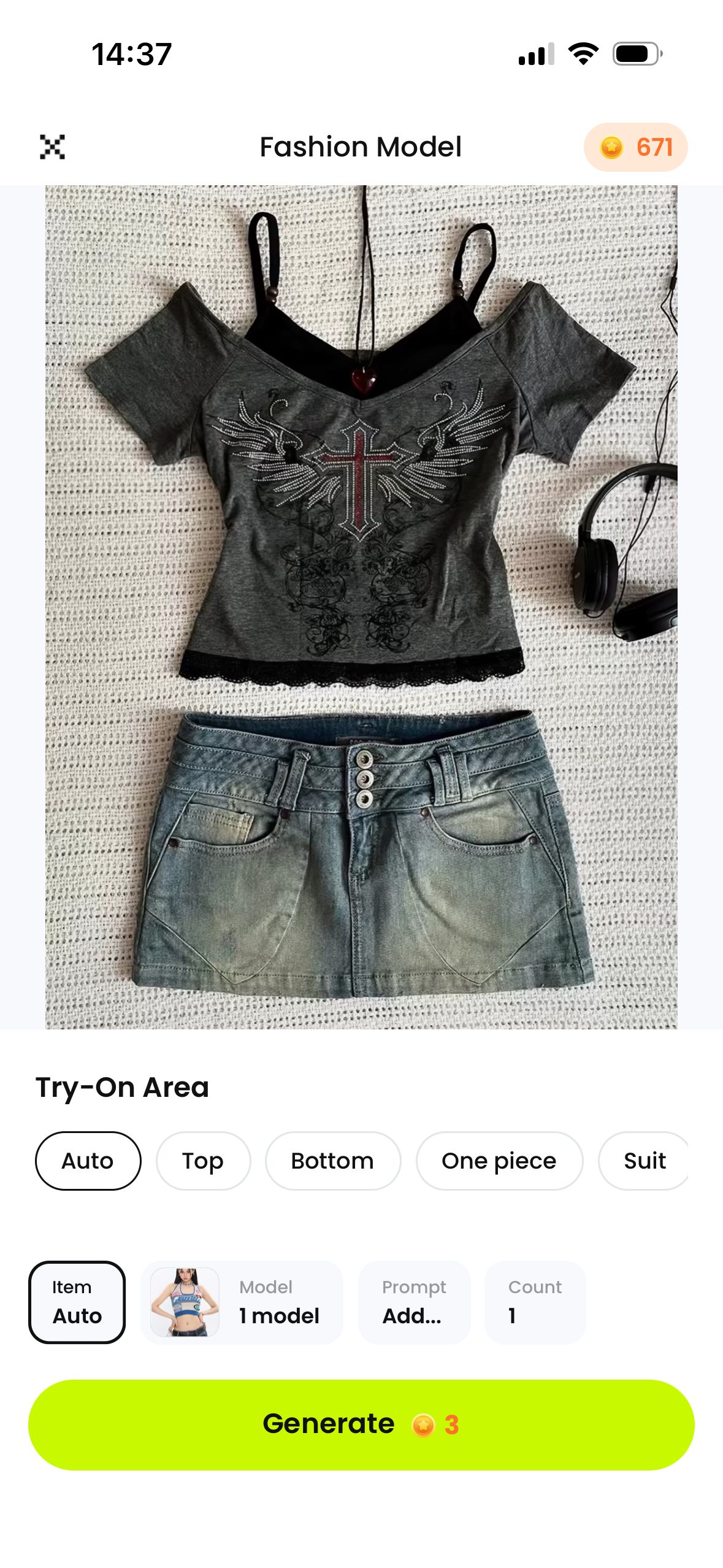
The uploaded outfit, Auto try-on area, selected model, and Generate button are visible.
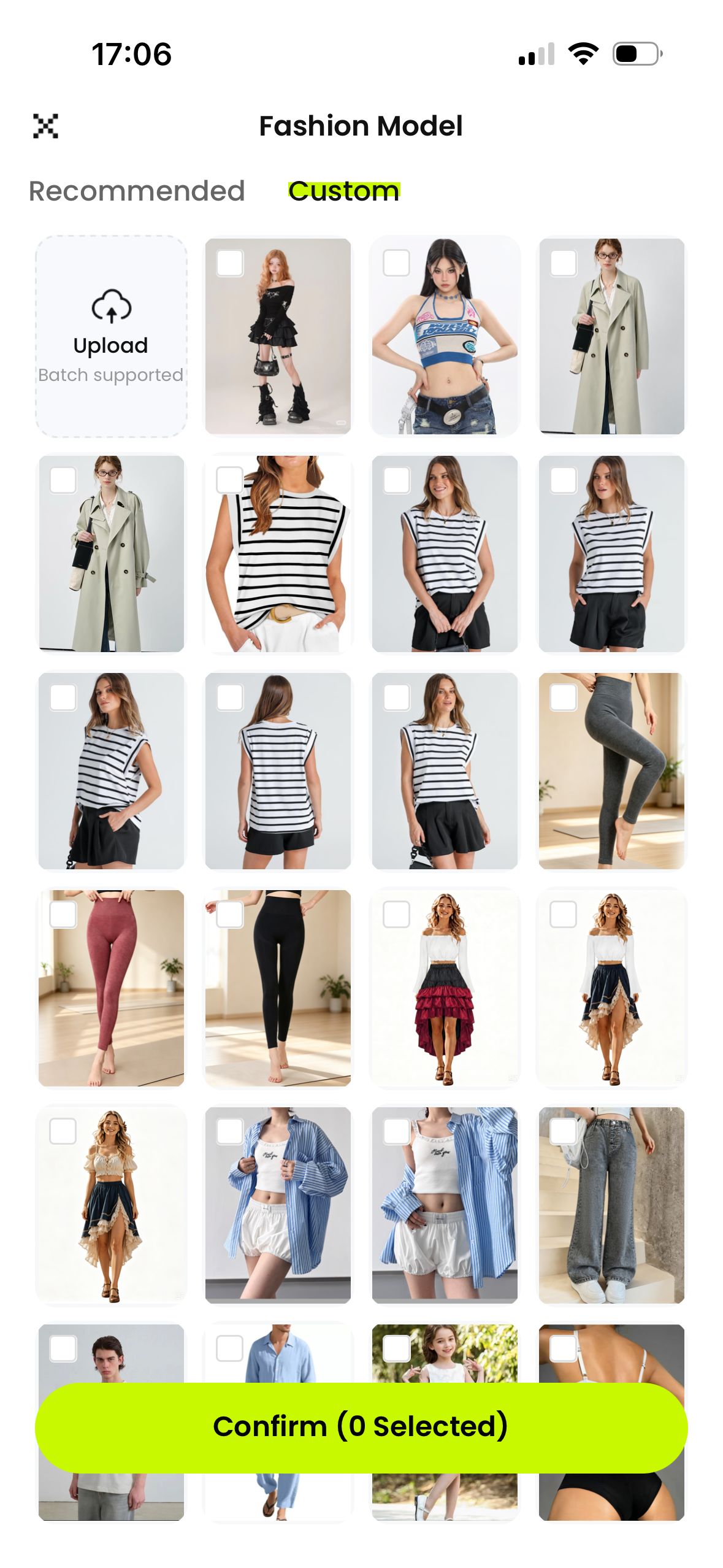
The Custom tab includes Upload, batch support, saved model images, and selection controls.
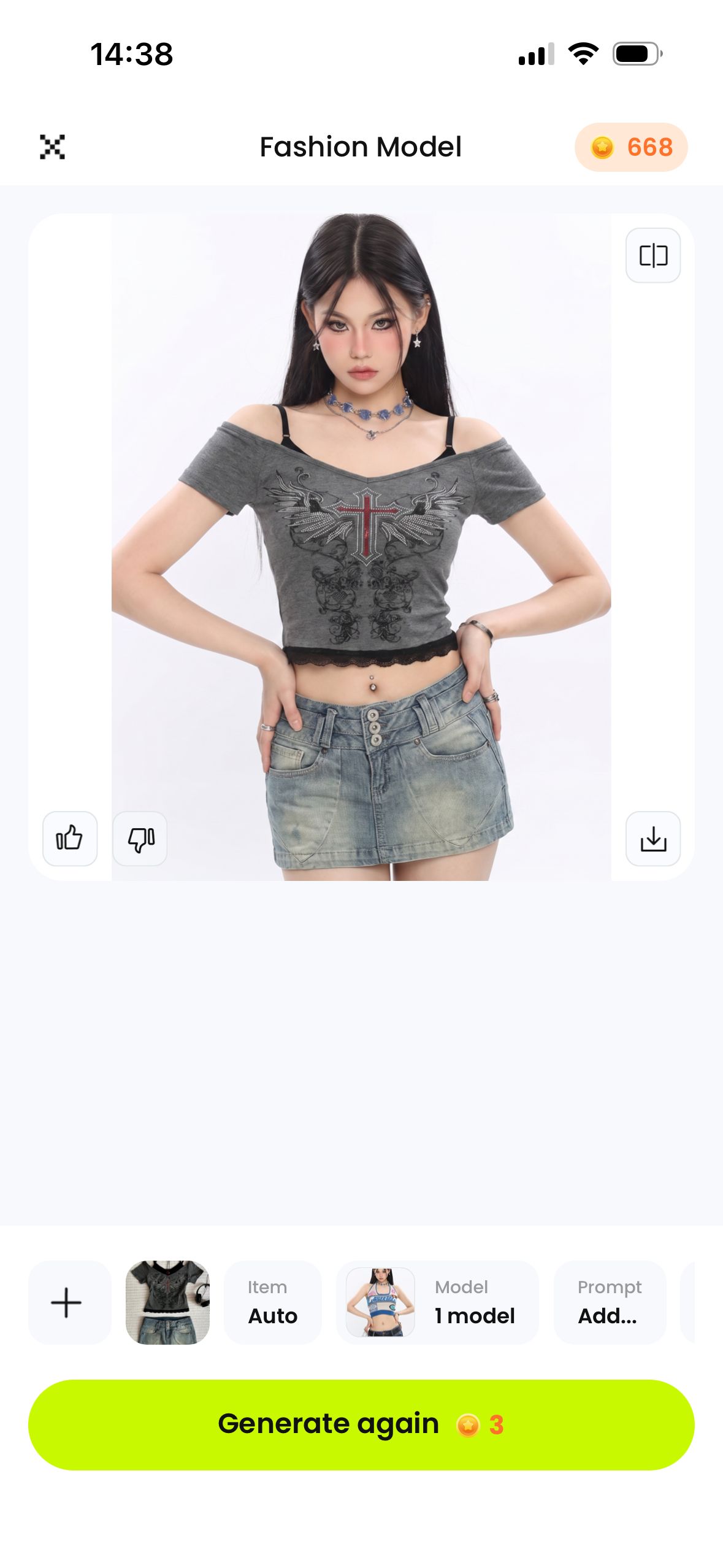
The completed state includes comparison, feedback, download, and Generate again controls.
Review the exported image, not only the smaller in-app preview. Match the off-shoulder neckline, black straps, wing-and-cross graphic, lace hem, faded denim, three front buttons, belt loops, and pocket seams to the source.
Original outfit supplied to the mobile workflow.
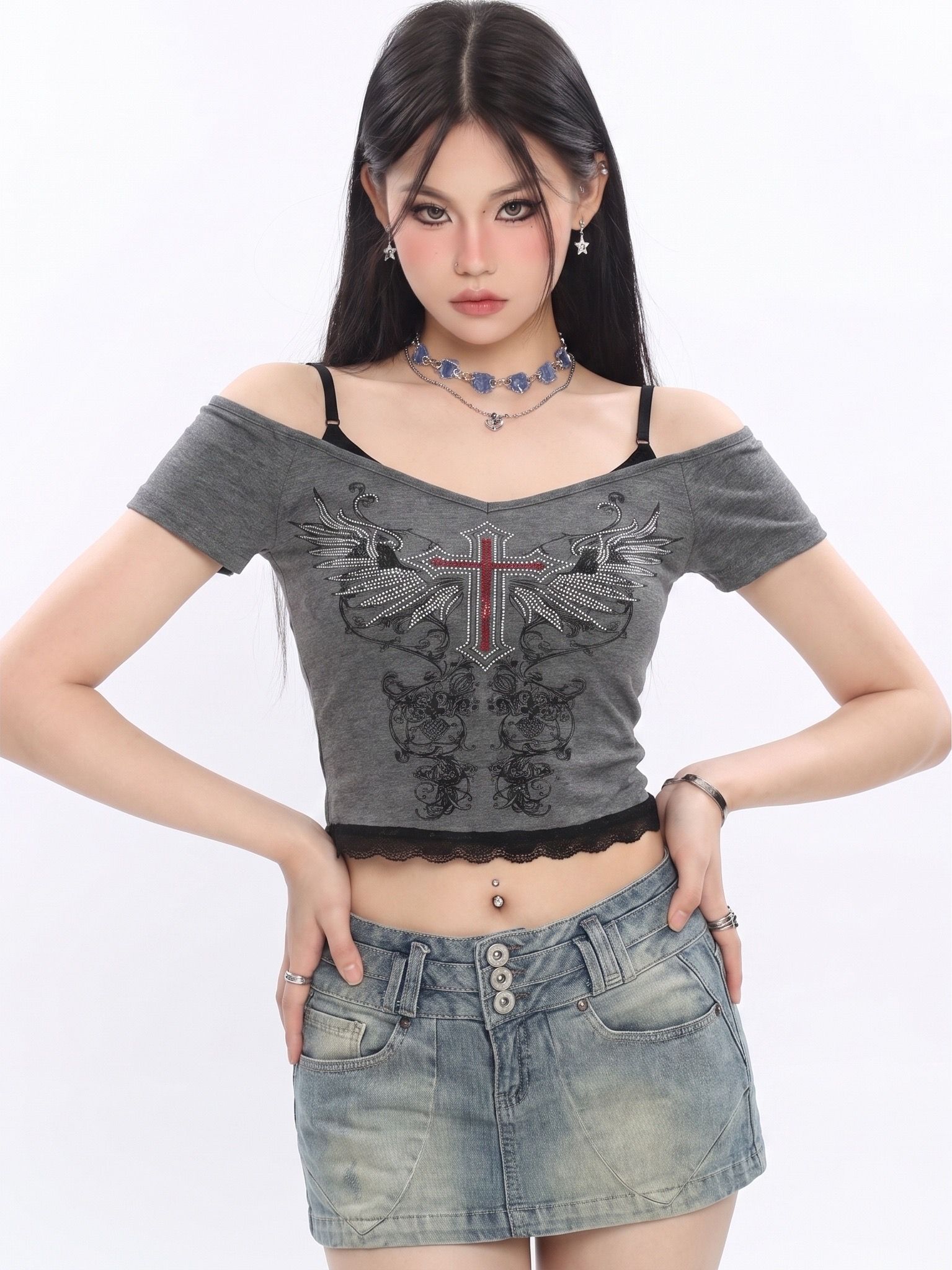
Original exported result, separate from the app screenshot.
Web or Mobile — Which Workflow Fits the Job?
Use the web workflow when files need a larger review screen or a team handoff. Use mobile when the source photo is already on the phone and speed matters more than computer file organization.
| Merchant need | Web workflow | Mobile workflow |
|---|---|---|
| Working from organized product files | Strong fit | Possible, but may require file transfer |
| Creating while sourcing or photographing inventory | Less convenient | Strong fit |
| Reviewing garment details on a larger screen | Strong fit | Export for a closer review |
| Producing a quick social test | Good | Strong fit |
| Team approval and file organization | Usually easier | Plan the export and handoff |
On either device, compare the generated image with the original garment before using it in a sales channel. After approving the still image, Snappyit Fashion Video can turn it into a short motion asset for social posts or campaign tests.
Frequently Asked Questions
What is Y2K fashion in simple terms?
Y2K fashion is a clothing and styling aesthetic associated with the late 1990s and early 2000s. It includes recognizable silhouettes, materials, trims, footwear, bags, and accessories influenced by pop culture, streetwear, and turn-of-the-millennium technology.
What makes clothing or an outfit Y2K?
Look for evidence in the product itself: low-rise or flared jeans, baby tees and crop tops, denim minis, velour tracksuits, baggy cargos or jerseys, metallic or shiny materials, prominent belts, rhinestones, logos, and period-linked shoes, bags, hats, or eyewear. A coherent combination of several cues can establish the direction.
Is Y2K fashion the same as 2000s fashion?
Not exactly. Y2K fashion usually focuses on the late 1990s and early 2000s around the turn of the millennium, while 2000s fashion covers the full 2000–2009 decade. A 2000s outfit is Y2K when its clothing and accessories carry clear turn-of-the-millennium cues.
Can clothing sellers create product photos for Y2K clothing without a photoshoot?
Yes. When the real garment or coordinated outfit carries Y2K design cues, a seller can upload a clear product photo and use an AI fashion-model workflow to create an on-model image. Compare every output with the source product before publishing it.
Can I create Y2K product images with Snappyit on a phone?
Yes. The mobile workflow above demonstrates Snappyit Fashion Model on iOS. Snappyit is also available on Google Play, although controls may vary by platform and app version.
Should I use the web or mobile workflow for product photos?
Use the web workflow when product files are already organized on a computer or a larger review screen is useful. Use mobile when the garment photo is on the phone and the team needs a quick test while sourcing, shooting, or preparing social content.
How should merchants check AI-generated clothing images before publishing?
Compare the result with the real product and check silhouette, color, print, neckline, sleeves, hem, pockets, fasteners, texture, and any branded detail. Use only approved images in channels where the product remains represented accurately.
References
- 2000–2009 — Fashion History Timeline. Fashion Institute of Technology overview of turn-of-the-millennium technology influences, early-2000s silhouettes, denim, tracksuits, footwear, bags, and accessories; accessed September 3, 2026.
- Y2K Fashion 101: How the Millennium Started Trending All Over Again — Vogue. Historical context, defining garment features, resale culture, revived 2000s brands, and the runway revival; accessed September 3, 2026.
- What Is Y2K Fashion? — Fashion Diffusion. Contemporary overview of Y2K clothing, styling, and cultural influences; accessed September 3, 2026.
- Y2K outfit flat lay — Pinterest pin. Source supplied for the “Common Y2K merchandising view”; link checked September 3, 2026.
- Y2K Cyber Halter Neck Mini Dress — Mauv Studio image. Source supplied for the Cyber Y2K reference; image checked September 3, 2026.
- Y2K Streetwear reference. AI-generated image supplied for this article.
- Snappyit — AI Fashion Model.
- Snappyit: AI Product Photos — Apple App Store. iPhone download page checked September 3, 2026.
- Snappyit — Google Play. Android download page checked September 3, 2026.






