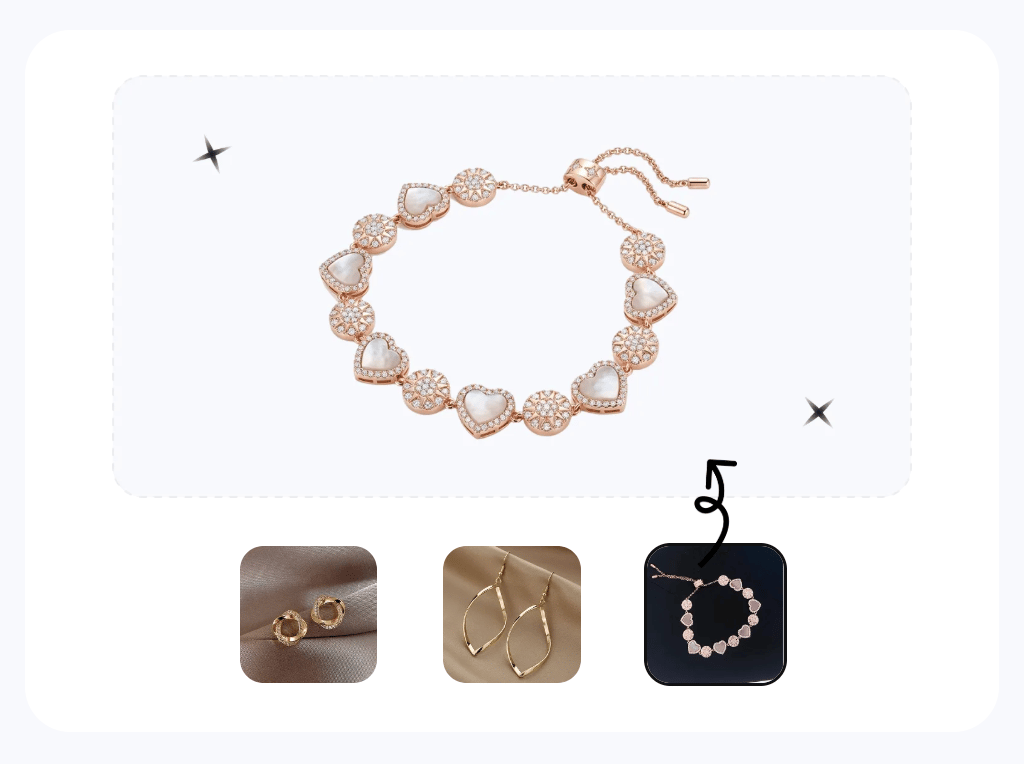

Jewelry photography: studio vs AI at a glance
| Route | Best fit | Planning cost | Main tradeoff |
|---|---|---|---|
| Studio | Campaigns, high-value hero images, complex styling | Quoted per delivered image, usually with booking, shipping, styling, or minimum-order costs | Maximum physical and creative control, with higher cost and lead time |
| AI | Routine catalog, marketplace listings, fast-cycling inventory | Our August test used 3 credits per attempt; subscription tier and retries determine the final cost | Fast and inexpensive, but every output needs product-accuracy QC |
| Hybrid | Brands that need both scale and campaign quality | Studio hero images plus AI catalog production | Requires a consistent approval workflow across both sources |
Jewelry product photography for ecommerce listings
For ecommerce sellers, jewelry images have two jobs: show the piece clearly enough to inspect and show its scale when worn. Most listing carousels therefore need both a clean product view and at least one on-model or scale-reference image.
- Product photo. Show stones, metal finish, links, clasps, engraving, and condition without distracting props. For platform-specific exports, check the current Etsy listing-image guidance and Amazon product-photo guidance before upload.
- On-model or scale-reference photo. Show how a ring, necklace, bracelet, or earring sits on the body. Baymard usability research supports using human-model imagery to communicate fit and scale.
The same supplier photo can support both slots. Below, one layered necklace becomes a cleaned product image and an on-model image.
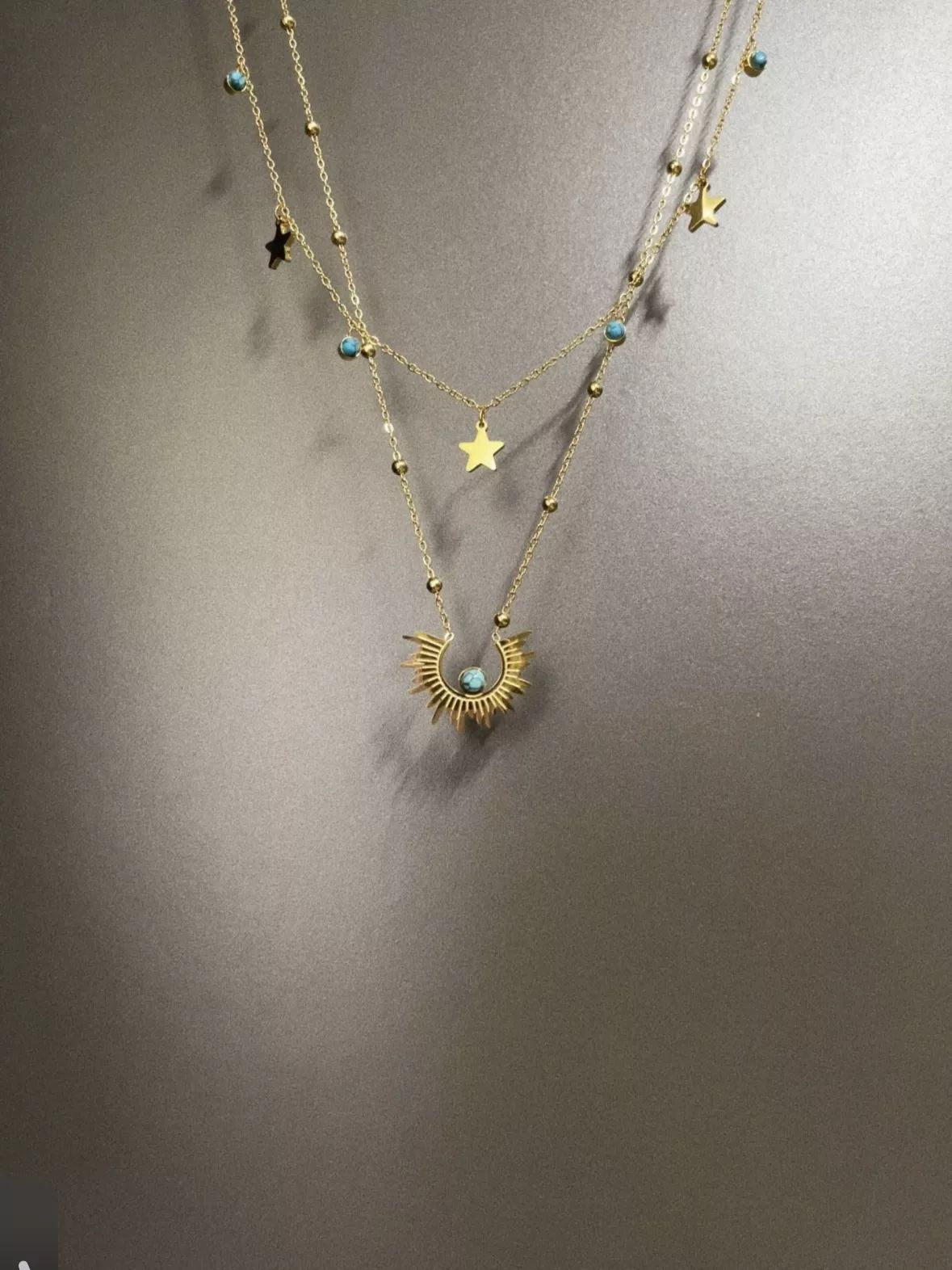
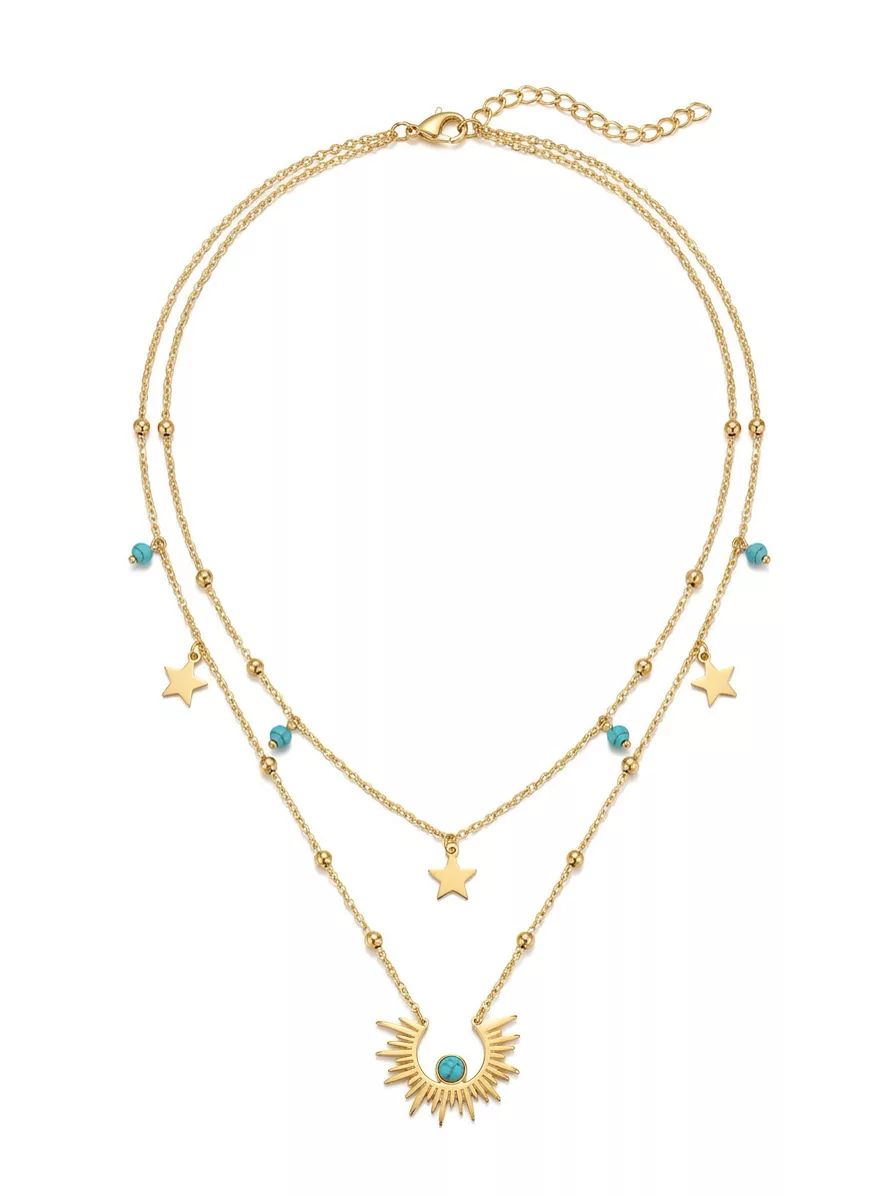
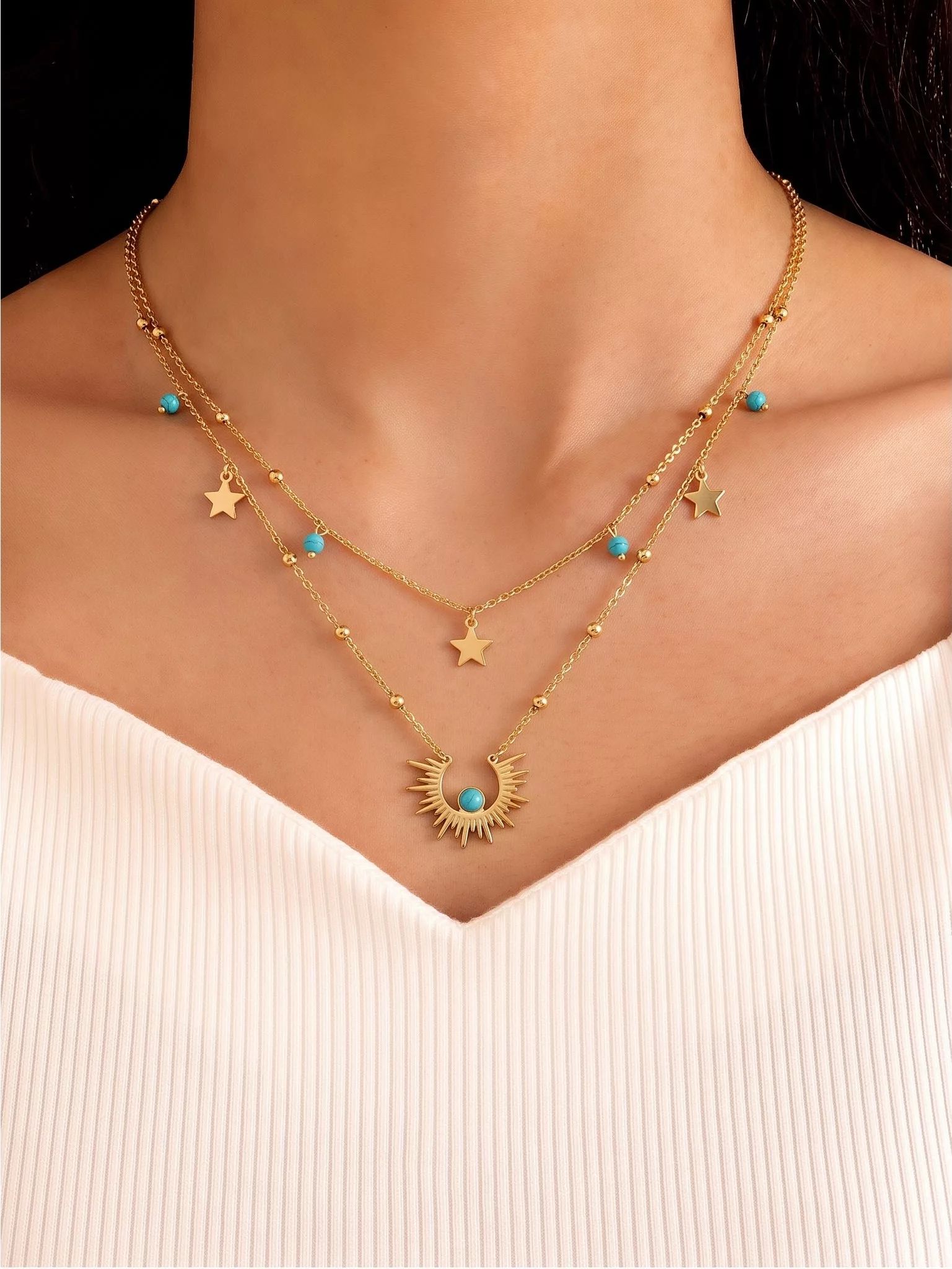
The pendant, star charms, and bead placement carried through both outputs. There is one important caveat: the source image cut the chains off at the top, so Retouch filled in the missing clasp and extender. The result looks plausible, but you should still compare it with the physical piece before publishing.
Jewelry product photos: studio vs AI retouching
How studio jewelry product photography works
Studios control reflections with diffusion, close-focus optics, stable camera support, and, when needed, focus stacking. Retouching then removes dust, fingerprints, and color casts while preserving the actual metal, stones, and construction.
Published pricing illustrates the range, although the deliverables are not identical. soona lists product photos from $39 plus its applicable studio fee, while jewelry specialist Squareshot lists jewelry services from $95 per image with a $500 minimum. Confirm the current quote, shipping, styling, and reshoot terms before budgeting.
A DIY setup can work for sellers who already have a phone, stable support, and diffused light. The tradeoff is staff time: reflective metal, small stones, and consistent framing still require careful setup and review.
In the clip below, product photographer Amanda Campeanu demonstrates how small lighting changes alter reflections on metal—a useful example of the control a studio workflow provides.
AI jewelry retouching with Snappyit
The AI route starts with a photo you already have. Jewelry Retouch is designed to clean the background, reduce distracting reflections, and improve white balance while keeping the item recognizable. In our recorded attempts, a result took about 30 seconds and used 3 credits.
A jewelry-specific workflow is useful only if it preserves the sellable item. Check stone count and color, prongs, chain links, engraving, handmade irregularities, and overall scale before approving an output.
For a broader catalog strategy, start with our AI product photography guide. If you are comparing jewelry-specific cleanup options, see our roundup of the best AI jewelry photo editors.
Studio vs AI jewelry product photography
| Dimension | Studio | AI (Jewelry Retouch) |
|---|---|---|
| Cost per image | $39 – $225+ (plus fees/minimums) | $0.12–$0.21 per attempt on annual tiers (3 credits) |
| Turnaround | Days, plus shipping the piece | About 30 seconds in our recorded attempts |
| First-pass quality | Maximum manual control after retouching and approval | Potentially listing-ready after product-accuracy QC |
| Scales to 100+ SKUs/mo | Needs a standing studio team | Batch workflow availability should be confirmed for the selected tool |
| Skill required | Photographer + retoucher | Low — template selection plus 100% QC |
| Best for | Premium hero shots, campaigns | Catalog, marketplace listings, supplier cleanup |
Seller-photo test: tiger's-eye ring
Our first test used a wire-wrapped tiger's eye ring photographed on a certificate card, complete with wrinkled fabric in the background. This is similar to the kind of starting image many handmade sellers have.
One Retouch pass produced a clean white-background image, while Jewelry Model placed the ring on a hand.
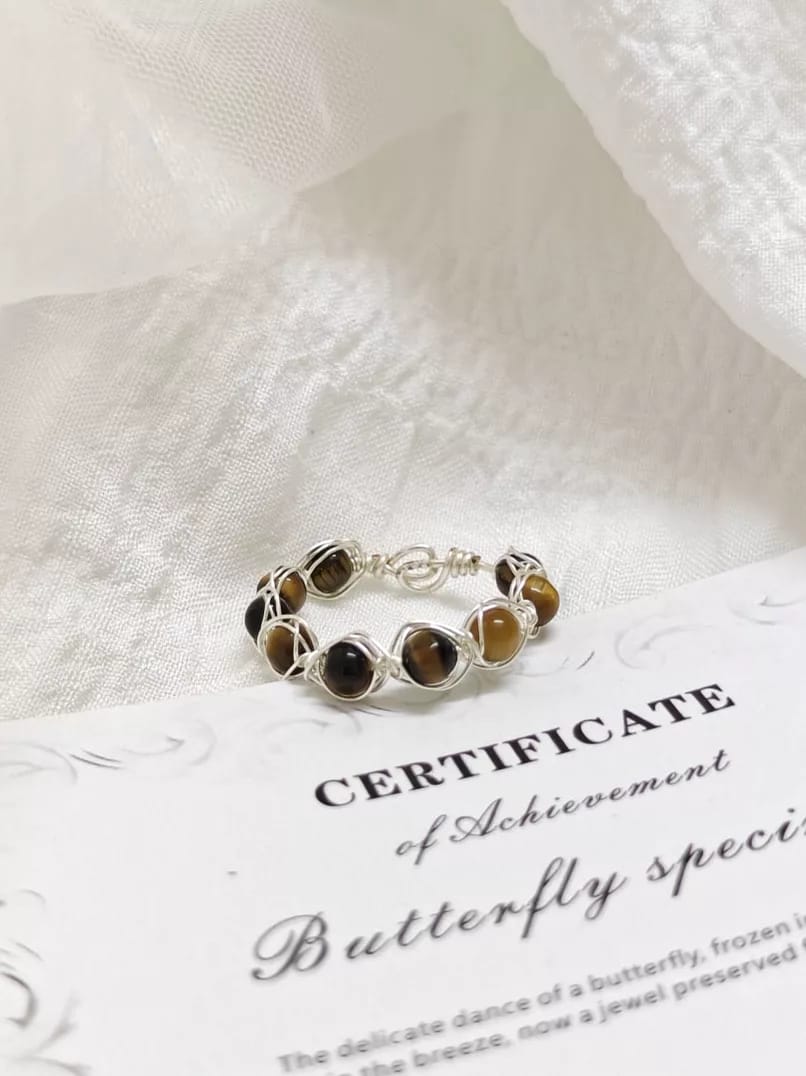
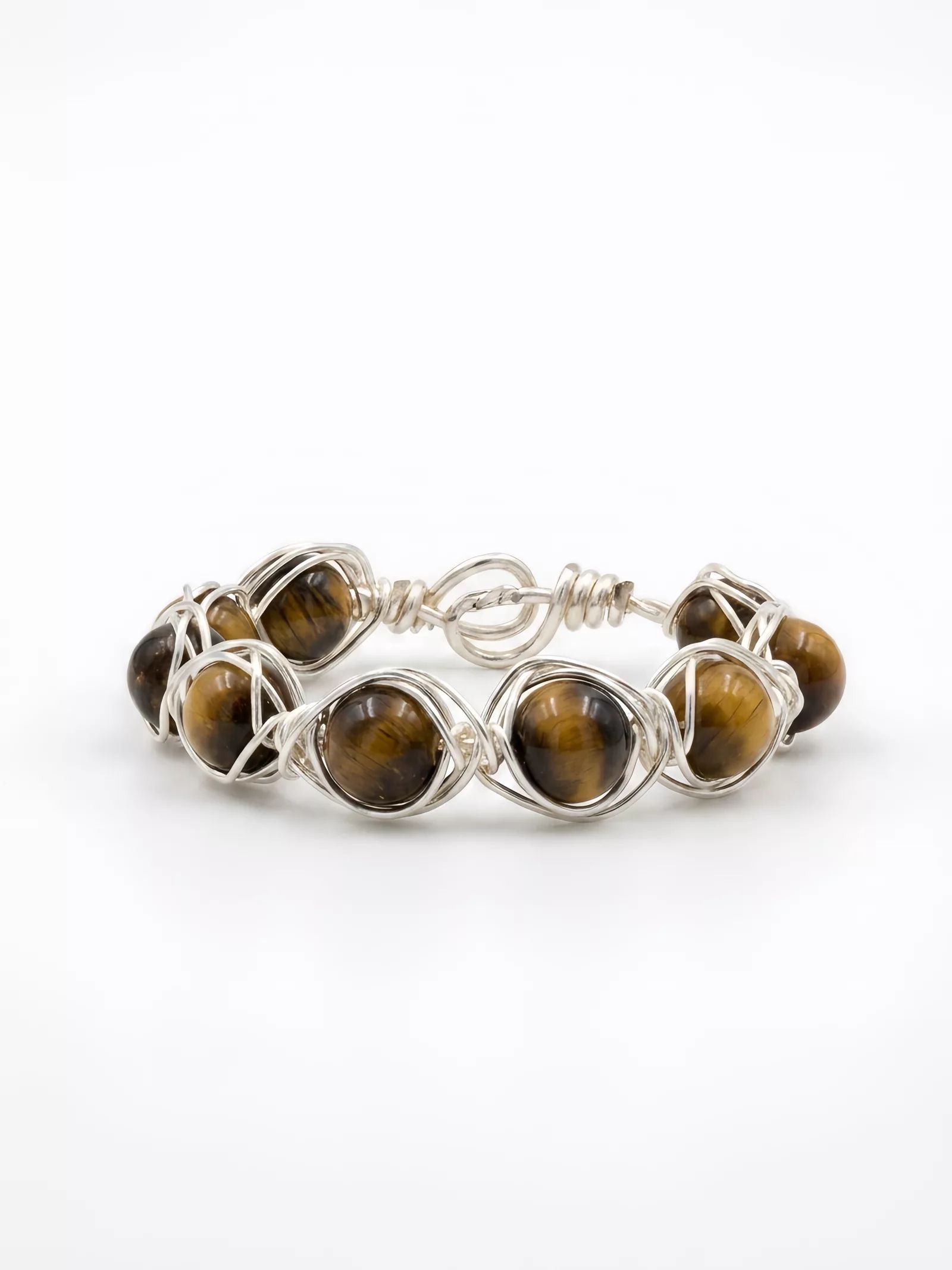
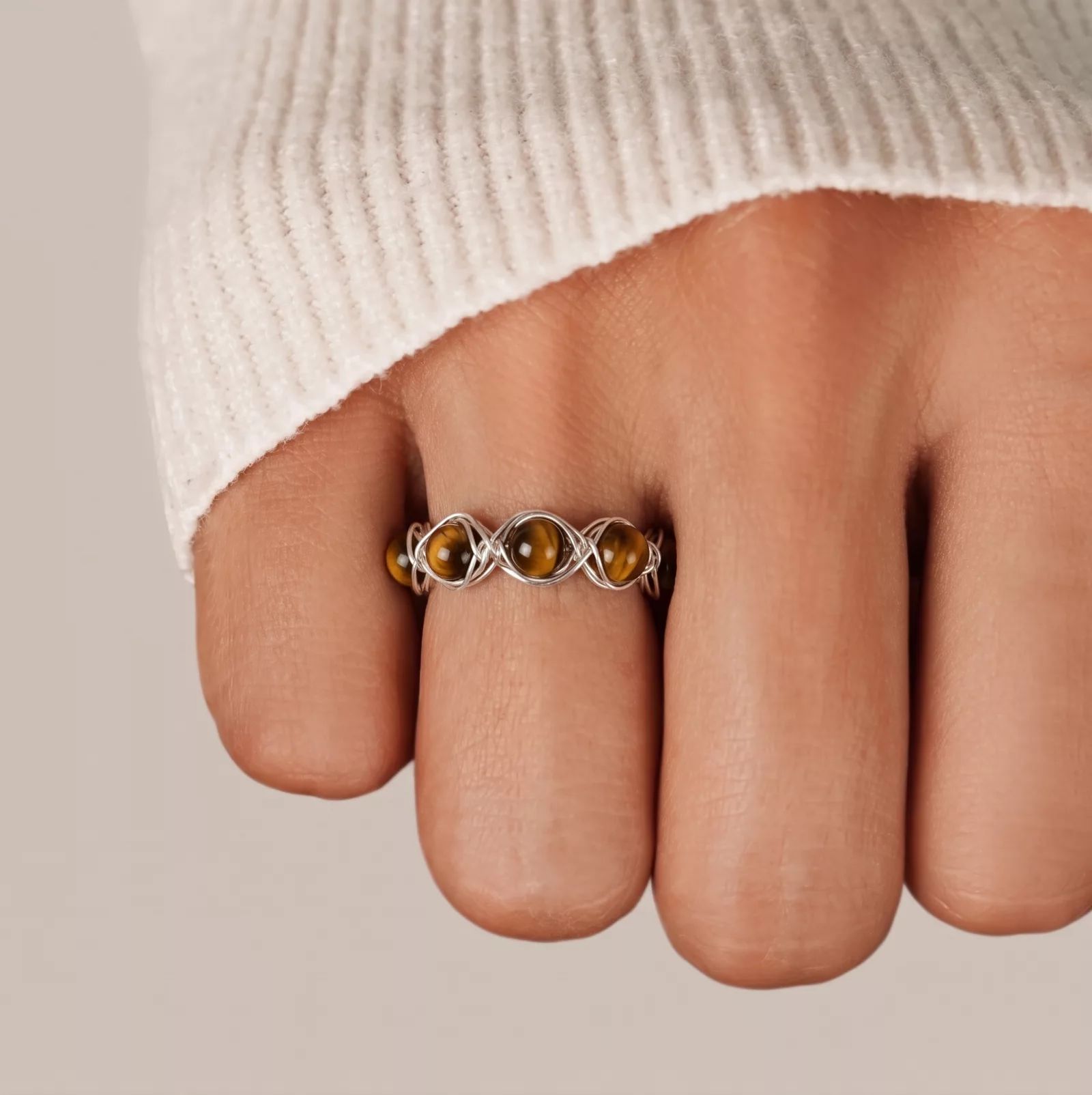
At 100% zoom, the stone banding and bead count remained intact. There was one caveat: the AI tidied up the wire wrapping, so the loops appear more evenly arranged than they are on the physical ring.
If the handmade irregularity is part of what you are selling, compare the output with the actual piece before publishing.
Try Jewelry Retouch on your product photo →
On-model jewelry photography: photoshoot vs AI model
How an on-model jewelry photoshoot works
An on-model shoot adds a model and usually a photographer, styling decisions, and skin or hair retouching. It gives the team direct control over pose, scale, layering, and the interaction between jewelry and the body.
As one published pricing example, Squareshot lists $95–$150 per image with hand models and $175–$225 when a recognizable face is included, subject to its listed minimum. Treat this as a provider example, not a market-wide rate.
The Adorama video below shows photographer Ab Sesay adjusting light, hair, pose, and necklace placement during a live-model campaign—work that has to be coordinated before final retouching.
AI on-model jewelry photography with Snappyit
With Jewelry Model, a seller uploads one product photo and chooses an available neck, hand, ear, or wrist template. In our recorded attempts, one generation took about 30 seconds and used 3 credits.
Templates provide predefined placement, but the result still needs review for chain drape, ring fit, earring position, hair overlap, skin artifacts, and extra styling props. Our AI jewelry model generator guide covers those checks in more detail.
Photoshoot vs AI on-model jewelry images
| Dimension | Model shoot | AI (Jewelry Model) |
|---|---|---|
| Cost per image | $95 – $225 (plus minimums) | $0.12–$0.21 per attempt on annual tiers (3 credits) |
| Turnaround | Days to weeks | About 30 seconds in our recorded attempts |
| Model variety | 1 – 3 booked models per shoot | Available model templates |
| Lead time before launch | Booking-dependent | Same day |
| Skill required | Full crew | Low setup effort; product and full-frame QC required |
| Best for | Campaigns, styled compositions | Catalog lifestyle slots, fast-cycling inventory |
Product-to-model workflow: silver charm bracelet
Here's the complete workflow on one piece: a silver charm bracelet photographed in hand. Jewelry Retouch turned the source image into a clean product shot, and Jewelry Model then placed the bracelet on a wrist.
The two recorded generations used 6 credits. Based on the annual plan prices captured for this review, that is about $0.23–$0.41 before retries and staff review.
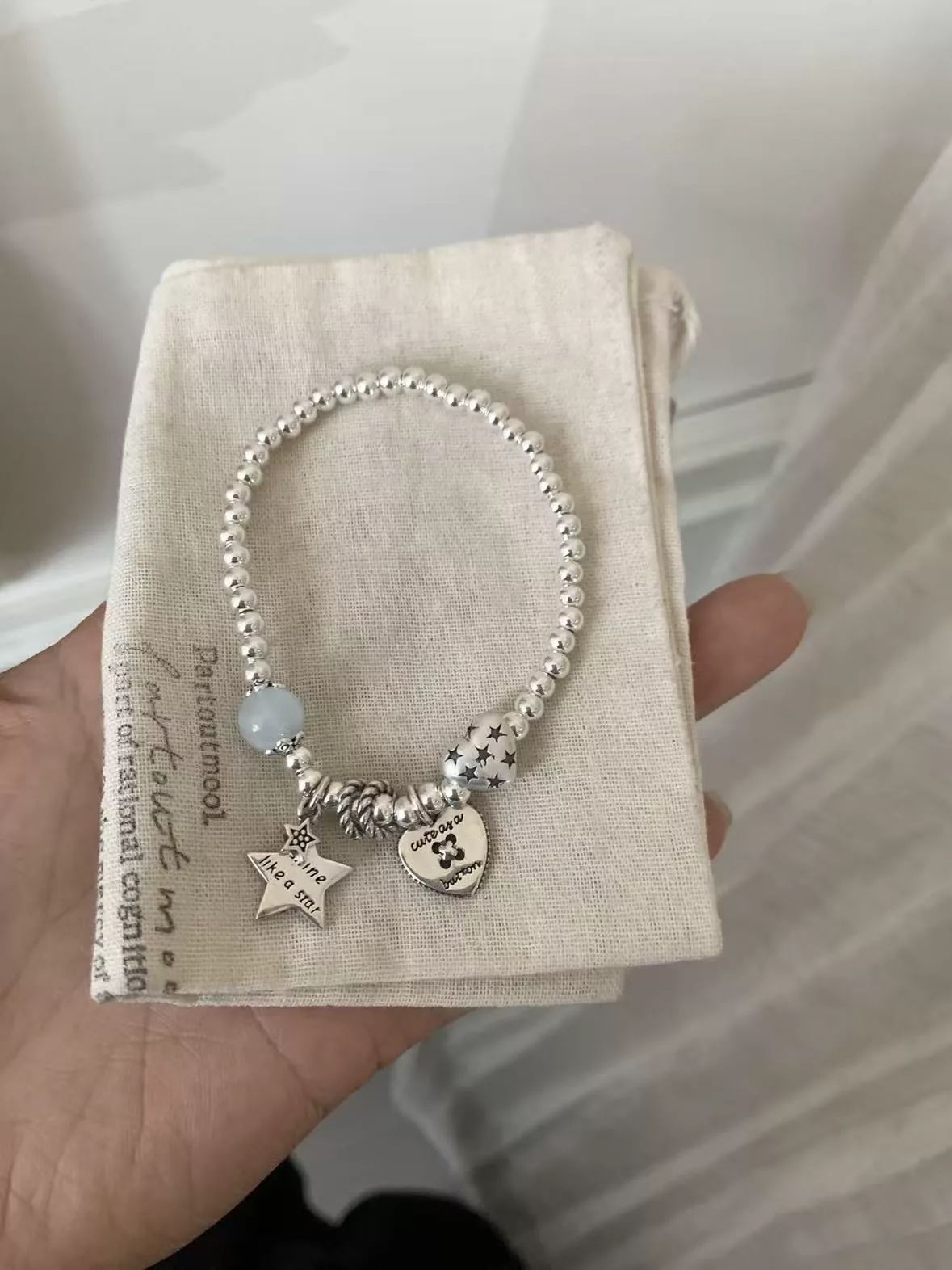
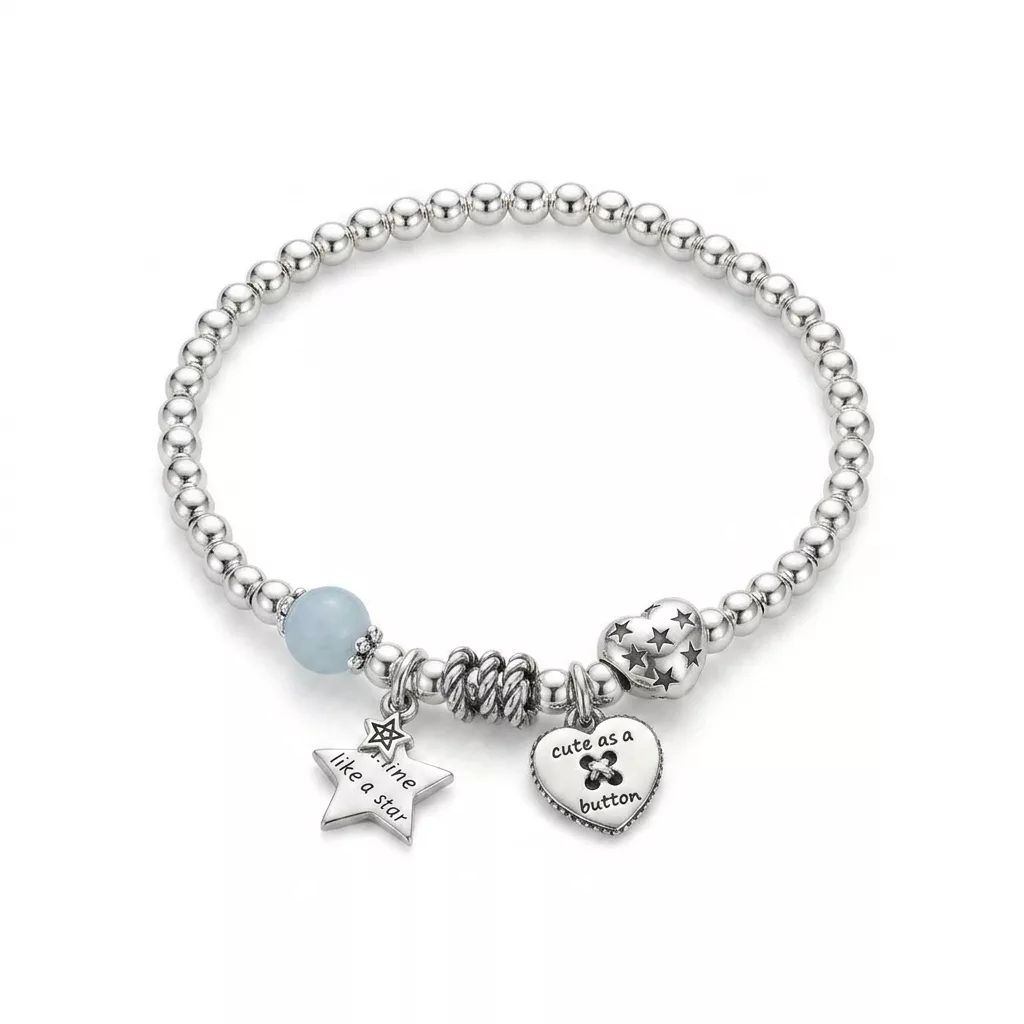
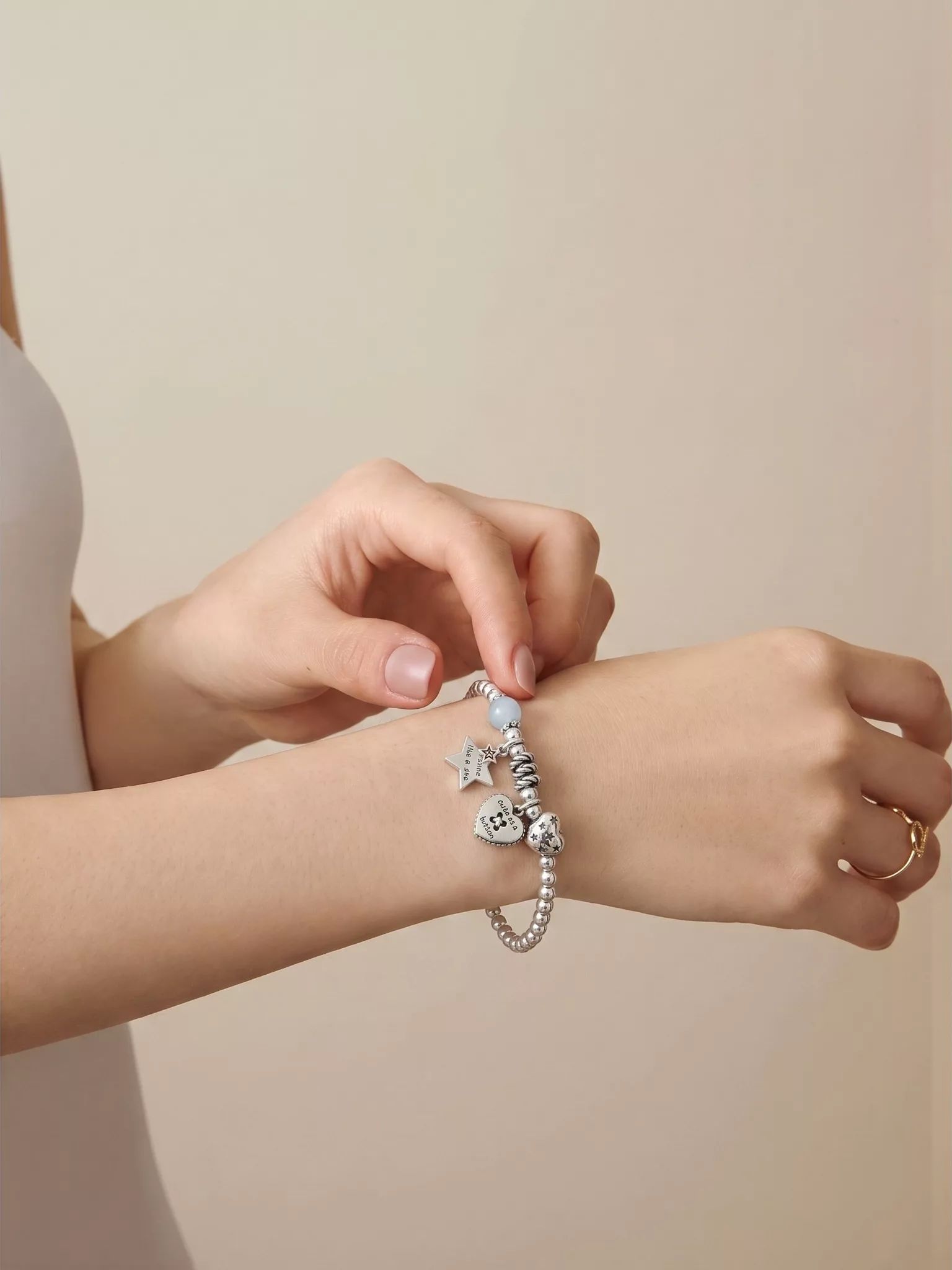
The engraved "cute as a button" charm remained legible in this test. Fine lettering is still a known review point, so check every character rather than assuming another piece will behave the same way.
One detail is worth noting: the template model is wearing a thin gold ring on the other hand. Styling props come with the template, so check the entire frame before publishing.
Try Jewelry Model on your jewelry photo →
Jewelry photography cost at catalog scale
The planning table assumes three required images per SKU. Studio totals multiply the published $39–$225 per-image examples; AI totals use 3 credits per attempt and the annual-plan range shown on Snappyit pricing at the time of review (about $0.039–$0.068 per credit). These are not equivalent deliverables, and retries, staff review, shipping, styling, and provider minimums are excluded.
| Catalog | Images | Studio | AI tools |
|---|---|---|---|
| 30 SKUs (small DTC launch) | 90 | $3,500 – $20,000+ | $11 – $19 |
| 200 SKUs (Shopify boutique) | 600 | $23,000 – $135,000 | $70 – $123 |
| 1,000 SKUs (reseller volume) | 3,000 | $117,000 – $675,000 | $351 – $615 |
The difference is not only about cost. It is also about production capacity. Processing 1,000 SKUs a month through a studio requires a dedicated photo team and a shooting schedule. The same volume can be processed with AI from a single computer.
For one-of-a-kind inventory such as vintage, secondhand, or custom pieces, studio photography can also be difficult to justify financially because each piece may only sell once.
Which jewelry photography workflow fits your store?
Choose by image purpose and product risk. A campaign image and a routine marketplace slot do not need the same production route.
| Seller situation | Starting route | Decision reason |
|---|---|---|
| Campaign, press, lookbook, or flagship launch | Studio | Creative direction, styling, pose, and exact physical control matter most. |
| High-value or optically complex piece | Studio first; test AI for secondary images | Small changes to hue, facets, settings, or scale create higher commercial risk. |
| Layered necklaces, stacked rings, or multi-piece styling | Studio or tightly reviewed hybrid | The interaction between pieces is difficult to validate from a single source photo. |
| Routine catalog, marketplace, or frequent SKU launches | AI-led or hybrid | Faster iteration and repeatable backgrounds can reduce production bottlenecks. |
| One-of-a-kind, vintage, secondhand, or handmade inventory | Test AI, then keep only accurate outputs | Per-item economics favor speed, but unique details are also more vulnerable to drift. |
AI jewelry photography accuracy: what our tests found
Jewelry is a demanding AI category because reflective metal, faceted stones, fine settings, repeated links, and small engravings are easy to alter. A visually polished result can still be an inaccurate product image.
A jewelry-specific workflow may reduce obvious placement and material errors, but specialization is not proof of accuracy. Approval still depends on comparison with the source and, where possible, the physical piece.
Use a repeatable approval check: compare stone color and count, prongs, links, engraving, handmade irregularities, scale, and any contact with hair or skin. Reject or crop an output when a product-defining detail changes.
We used one of our more challenging pieces for this test: enamel feather earrings with tiger's eye cabochons and chain tassels. The design combines thin chains, multiple materials, and an ear placement where hair can easily overlap the jewelry.
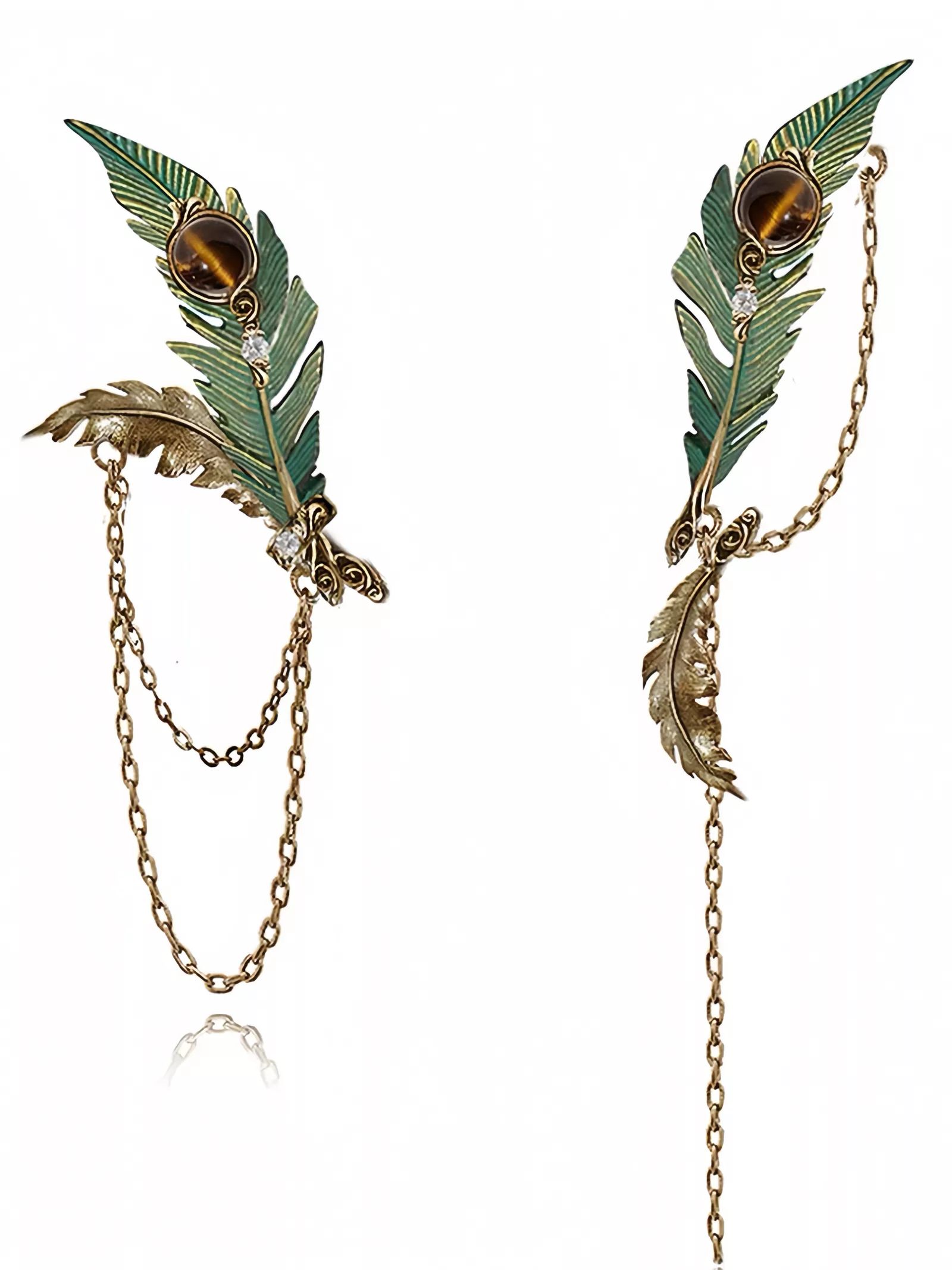
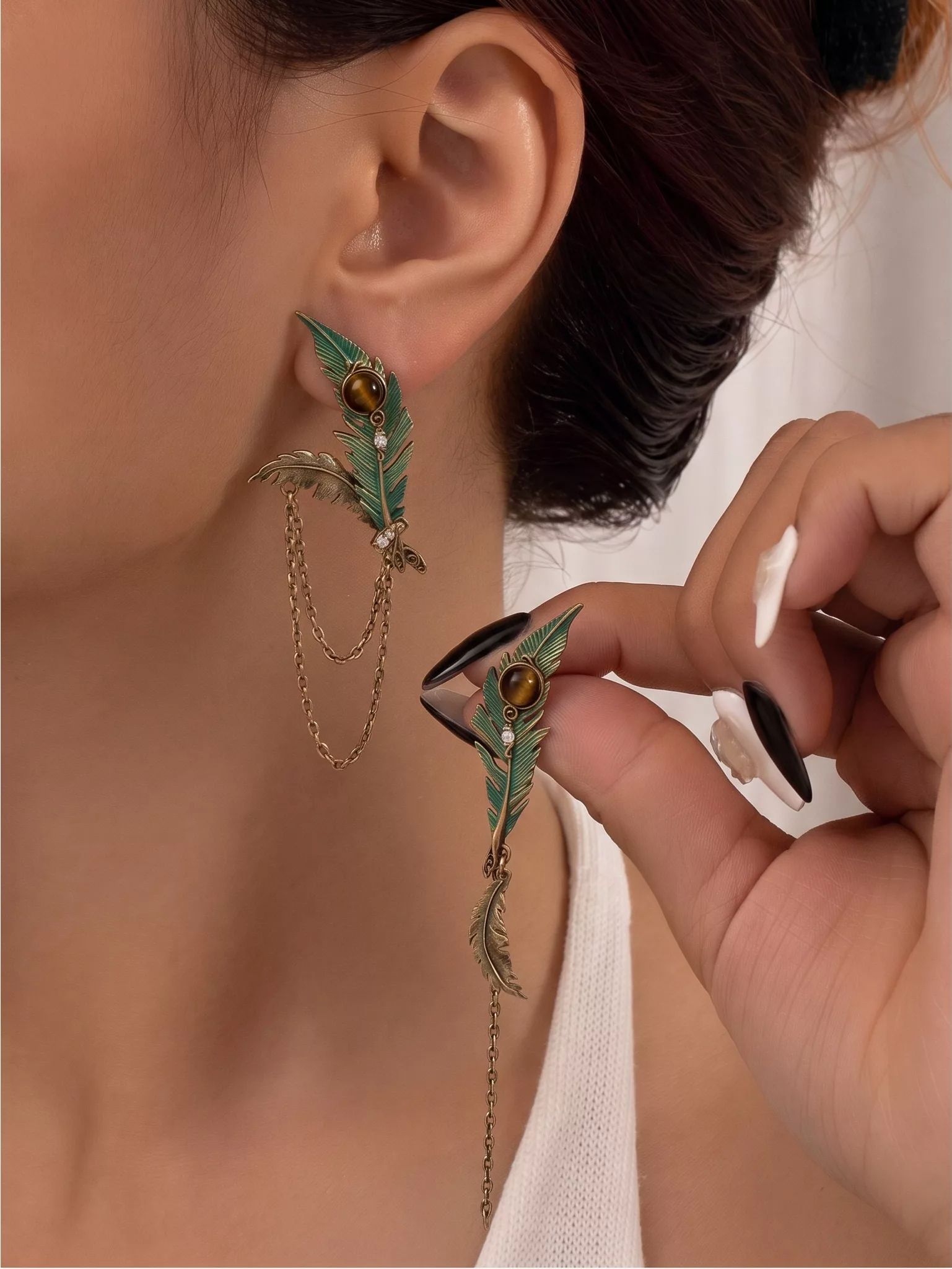
In this output, every visible chain link remained separate and the hair stayed behind the earring. The fingertips holding the second earring shifted slightly, so we would approve the jewelry placement but flag the hand detail for regeneration or cropping.
Failure case: one-of-a-kind beaded necklace
We also tested a one-of-a-kind beaded necklace made with dozens of glass and wood beads. No two beads were exactly alike. We ran the necklace through the same workflow twice.
Both attempts looked polished at first glance, but the pressed-glass flower bead and surrounding bead sequence changed. The two outputs did not match each other or the source.
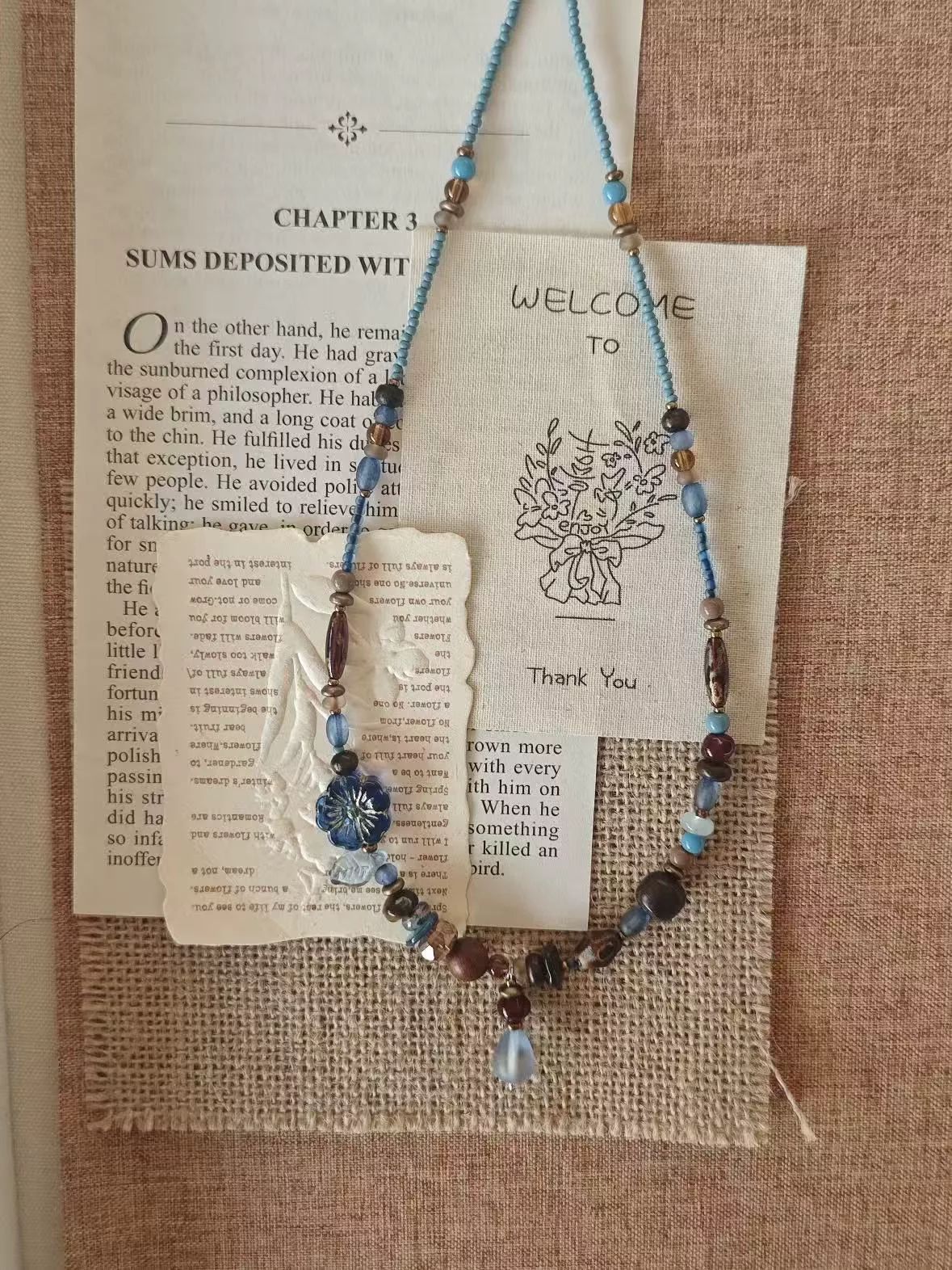
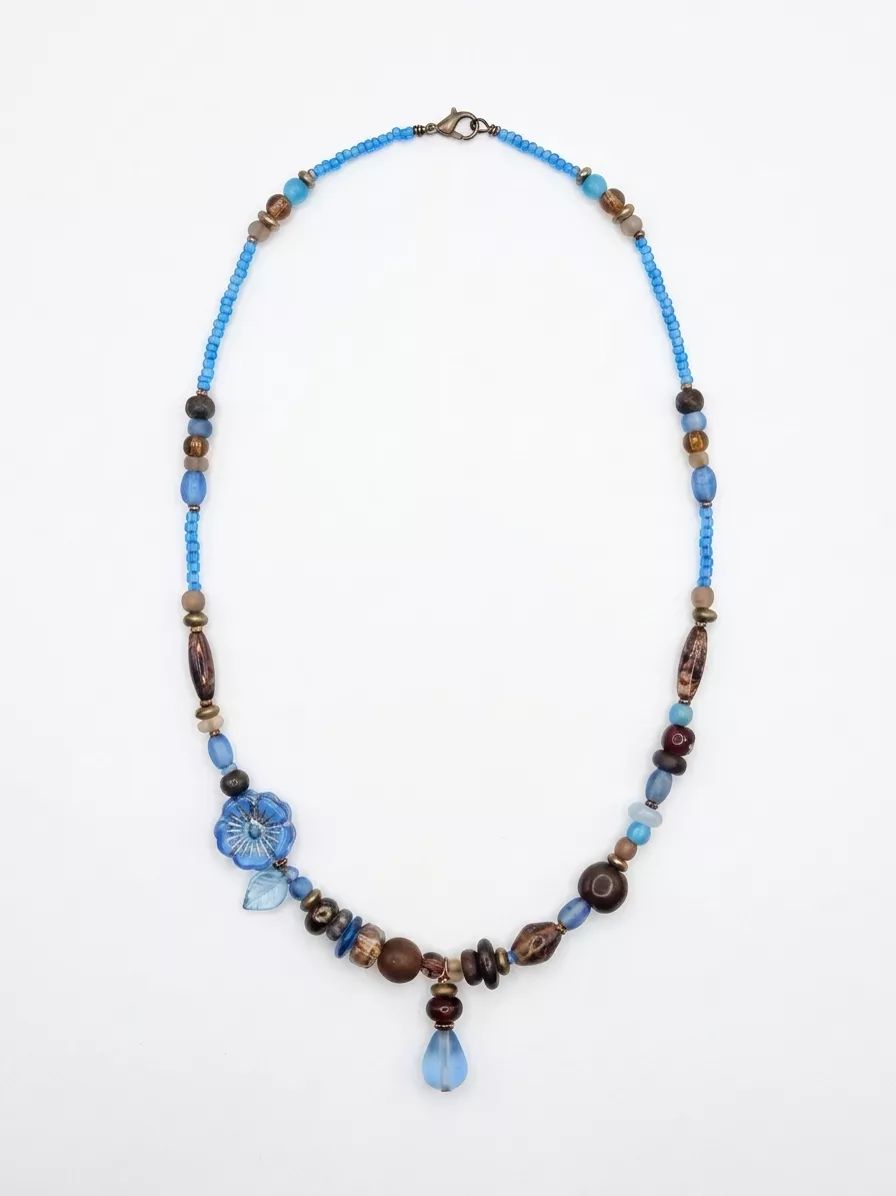
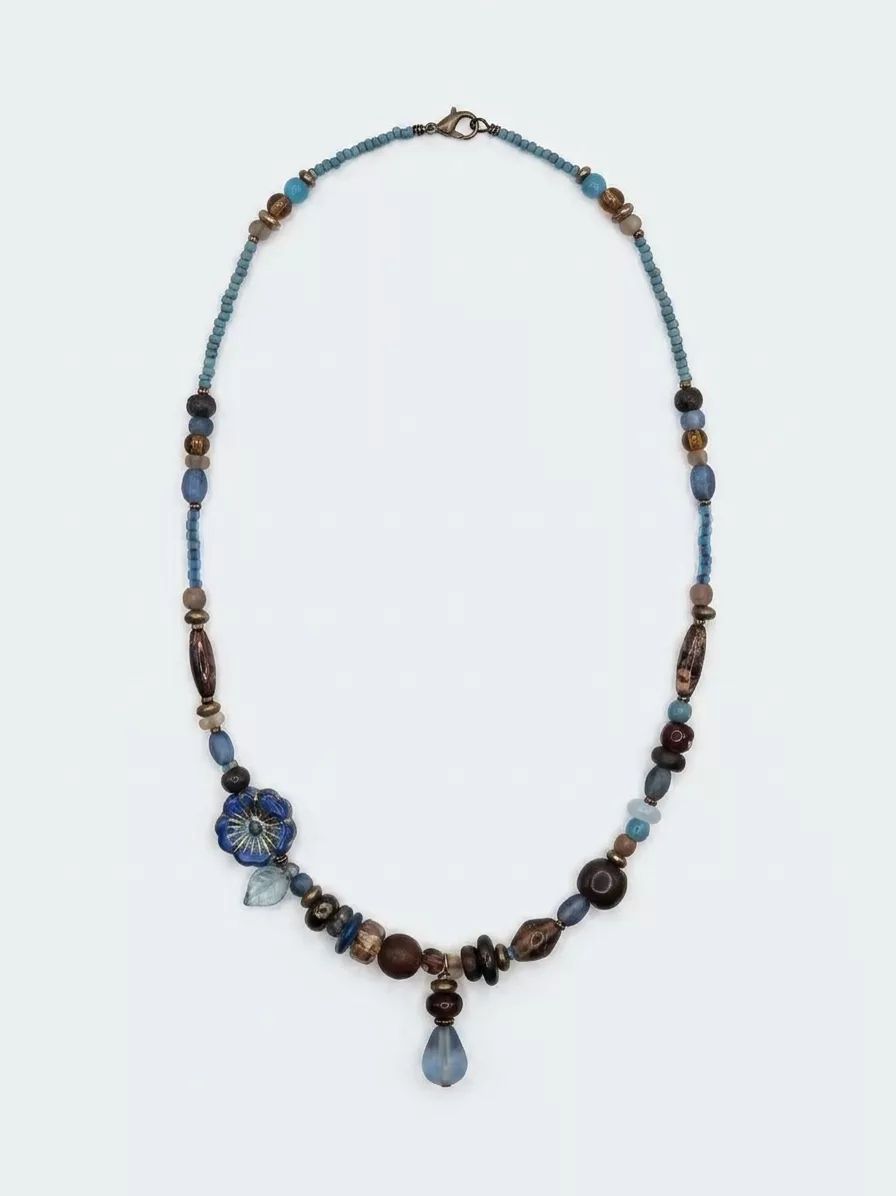
In this small set, repeated structures were more stable than the unique bead arrangement. That is an observation from these examples, not a general performance claim.
For a unique piece like this, keep the original product pixels and retouch them manually. A polished image is not usable when its bead sequence no longer matches the item for sale.
Marketplace image rules for AI jewelry photography
AI-assisted photography does not remove the seller's responsibility to represent the item accurately. Check the current rule at the time you publish:
- Etsy: Etsy seller policy requires accurate representation of the item, while disclosure rules for seller-prompted AI creations address a separate issue. For edited listing photos, verify stones, metal color, engraving, scale, and construction.
- Amazon: follow the current Amazon product-image guidance for main-image background, framing, prohibited overlays, and zoom-enabling dimensions, regardless of how the image was produced.
- Advertising claims: the FTC states that using AI does not exempt a business from existing law. Do not let an edited image imply characteristics the buyer will not receive.
Improve presentation without changing the product. For made-to-order jewelry, photograph a produced sample and confirm the relevant marketplace policy before listing.
A hybrid jewelry photography workflow for ecommerce catalogs
At catalog scale, the choice does not have to be either studio or AI. A hybrid AI jewelry photography workflow is often more practical:
- Use studio images selectively. Prioritize campaign creative, collection heroes, and pieces where exact color or setting detail carries more risk.
- Qualify the AI workflow. Test representative rings, necklaces, earrings, and bracelets before scaling it across routine catalog slots.
- Upgrade proven sellers. Use sales data to decide which products justify a dedicated shoot or more detailed retouching.
- Keep one approval standard. Apply consistent crop, background, color, and product-accuracy checks to both studio and AI images.
Jewelry photography mistakes to catch before listing
Review these issues before an image enters your Etsy, Amazon, Shopify, or DTC listing:
- Scale mismatch. Compare the on-model image with the item's listed dimensions and a familiar body reference.
- Metal color shift. Check gold, silver, and rose-gold color against a trusted source image under neutral light.
- Stone or engraving changes. Inspect hue, facets, settings, text, hallmarks, and stone count at full size.
- Hair, skin, or hand artifacts. Review the whole frame, not only the jewelry; regenerate or crop distracting contact errors.
- Carousel inconsistency. Standardize crop, background, white balance, and shadow direction across every listing slot.
Jewelry photography FAQ for ecommerce sellers
What's the difference between traditional and AI jewelry photography?
Studio photography creates the image with the physical piece, controlled light, and optional model or crew. AI starts with an existing photo and generates a cleaned product view or on-model composition. Studio offers more physical control; AI offers faster iteration but requires product-accuracy QC.
How much does professional jewelry photography cost in 2026?
Published provider examples in this review range from $39 for a general product photo at soona to $95–$225 for specialist jewelry and model work at Squareshot, before applicable studio fees, minimums, shipping, styling, or reshoots. Ask for a quote based on the exact deliverables you need.
Can AI fully replace a jewelry photoshoot?
Not for every job. AI can support routine product cleanup and on-model catalog slots after QC. A studio remains the safer starting point for campaigns, layered styling, exceptional stones, and images where exact physical representation carries more risk.
Does Etsy allow AI-generated jewelry photos?
Etsy's rules for seller-prompted AI creations and its requirement to represent a listed item accurately address different issues. For AI-assisted cleanup or compositing, do not change stones, metal color, engraving, scale, or construction, and recheck Etsy's current seller policy before publishing.
What image specs do Etsy, Shopify, and Amazon require?
Requirements change, so export from a high-resolution master and check each marketplace before upload. Etsy's help center recommends listing images around 2,000 pixels or more; Shopify documents its current product-media limits; Amazon's guidance covers white backgrounds, product framing, prohibited overlays, and dimensions needed for zoom. The source links are listed below.
Which Snappyit tool do I use for product photos vs on-model photos?
Use Jewelry Retouch for still-life product cleanup and Jewelry Model for neck, hand, ear, or wrist compositions. Test a representative piece in each required template before applying the workflow to the full catalog.
How much does Snappyit cost per image?
In our August test, Jewelry Retouch and Jewelry Model each used 3 credits per attempt. Using the annual-plan range captured for this review—about $0.039–$0.068 per credit—that is roughly $0.12–$0.21 per attempt before retries and staff review. Check the live pricing page and the credit deduction shown in the generator before budgeting. New accounts displayed 6 free credits at the time of review.
The best jewelry photography workflow for your catalog
Use studio photography when creative direction or exact physical control carries the decision. Use AI for repeatable catalog production only after representative rings, necklaces, earrings, and bracelets pass the same product-accuracy checklist.
For many ecommerce sellers, the practical answer is hybrid: reserve studio spend for high-risk or high-value imagery, and use approved AI workflows for routine product and on-model slots.
Test Jewelry Retouch → Test Jewelry Model →
Sources and pricing references
- Etsy Seller Handbook — Why Product Photography Is Important (checked August 14, 2026)
- Etsy — Seller Policy, Our House Rules (checked August 14, 2026)
- Shopify Help Center — Product Media Types (checked August 14, 2026)
- Sell on Amazon — How to Take Product Photos (image requirements) (checked August 14, 2026)
- Baymard Institute — Provide Images of Products on a Human Model (checked August 14, 2026)
- FTC — Operation AI Comply (“no AI exemption”) (checked August 14, 2026)
- soona — Pricing (checked August 14, 2026)
- Squareshot — Jewelry Product Photography (checked August 14, 2026)
- Snappyit — Pricing and credit plans (checked August 14, 2026)
- Snappyit — Jewelry Retouch (checked August 14, 2026)
- Snappyit — Jewelry Model (checked August 14, 2026)
- Etsy Help — Add Photos and Video to a Listing (accessed August 14, 2026)